


AI voice agents are software that answers and makes phone calls for a business, holding natural conversations with callers. They can handle routine requests like booking appointments or updating customer records while the caller is still on the line, which frees your team to focus on calls that need a person.
In this article, we review 15 of the best AI voice agents for business in 2026, covering each platform’s features and pricing. We also explain how monday agents in the monday AI Workspace help teams act on call outcomes after the conversation ends.
Try monday agentsKey takeaways
- AI voice agents hold natural phone conversations with callers and resolve routine requests in real time.
- Informational agents answer common questions, while transactional agents complete tasks like bookings during the call.
- Testing a platform on your own calls tells you more than any vendor demo.
- monday agents help teams act on call outcomes by qualifying leads and routing support tickets in the monday AI Workspace.
What are AI voice agents?
AI voice agents are AI systems that hold spoken conversations with callers and resolve their requests in real time. Unlike traditional phone menus, they understand natural speech, so callers can explain what they need in their own words.
Each call runs on two layers working together. Speech recognition and voice synthesis handle the conversation itself, while a large language model works out what the caller wants and decides how to respond. Most AI voice agents also connect to business systems such as CRMs and scheduling tools, so they can look up account details or book an appointment during the call.
AI voice agents work alongside human teams, taking on high-volume, routine questions and passing complex or sensitive calls to a person with a summary of the conversation. Guidelines you define keep each agent on brand and within your processes.
How voice AI differs from interactive voice response and chatbots
Customer support tech has come in three waves, and each one handles the work differently. Side by side, it’s easy to see where older systems create friction and voice agents take admin off your plate.
| Capability | Interactive voice response | Text chatbots | AI voice agents |
|---|---|---|---|
| Natural language understanding | No | Limited | Yes |
| Voice interaction | Touch-tone only | No | Conversational speech |
| Workflow completion | No | Infrequent | Direct execution |
| Context retention | No | Single session | Multi-turn and historical |
| Interruption handling | None | N/A | Natural pause and listen |
| System integration | Minimal | Basic lookup | Deep read and write access |
Informational vs. transactional agents
The comparison above shows AI voice agents can complete workflows and write data back to business systems. How much a specific agent can do depends on its type, and most fall into one of two.
Informational agents answer common questions using approved content from your knowledge base, such as opening hours or order status. Transactional agents go a step further and complete the task during the call, whether this means booking an appointment or taking a payment.
| Agent type | Primary role | Common examples | Operational value |
|---|---|---|---|
| Informational agents | Answer verified questions | Hours, policies, order status | Reduce repetitive inbound volume |
| Transactional agents | Complete actions across systems | Bookings, payments, record updates | Turn conversations into finished work |
15 best AI voice agent platforms for business
AI voice agent platforms are built for different jobs. Some focus on outbound sales calls or contact center volume, while others give developers the infrastructure to build custom voice applications.
We reviewed 15 of the leading AI voice agents to help you find the right fit for your team and technical resources. Each review covers the platform’s use case, key features, pricing, and considerations.
1. monday agents
Best for: Organizations that want AI agents connected directly to everyday workflows, projects, and cross-team data.
monday agents are AI agents built into the monday AI Workspace. They work on the same boards and workflows your teams already use to manage projects and customer records. For teams comparing AI voice agents, their role starts once a conversation ends: an agent can take a call summary, update the matching customer record and assign follow-up tasks to the right owner.
Because the agents share context across departments, a sales call can trigger next steps for the delivery team, or a support call can flag an at-risk account to its account manager. Your team sets the permissions and approval rules, so agents handle the follow-up while people keep control of decisions.
Use case:
Revenue teams, service leaders, operations managers, and recruiting teams that need voice interactions to trigger assigned workflows, updated records, and cross-department follow-up without manual handoffs.
Common examples include:
- a sales call that should generate a summary, assign next steps, and update lead priority
- a support conversation that should classify the request, set urgency, and route it to the right owner
- a recruiting reference call that should capture feedback and centralize candidate scoring
- a project check-in that should surface delivery risk and notify stakeholders right away
Key features:
monday agents work inside the monday AI Workspace, on the same boards your teams use to manage tickets and leads.
- Ticket triage: The Ticket Management Agent classifies and routes incoming support tickets, then sets SLAs and resolves common issues using your knowledge base.
- Lead qualification: The Lead Qualifier scores each new lead out of 100 using web data like company size and funding, then sends top prospects to the right salesperson.
- Customer feedback analysis: The Voice of Customer agent finds recurring themes in customer feedback and ranks pain points by business impact.
- Support escalation: The Support Signal Agent monitors tickets for a product area and escalates critical issues, such as churn language, as soon as they appear.
- Project risk detection: The Dependency and Risk Mapper traces dependency chains across a board and flags at-risk work with suggested next steps.
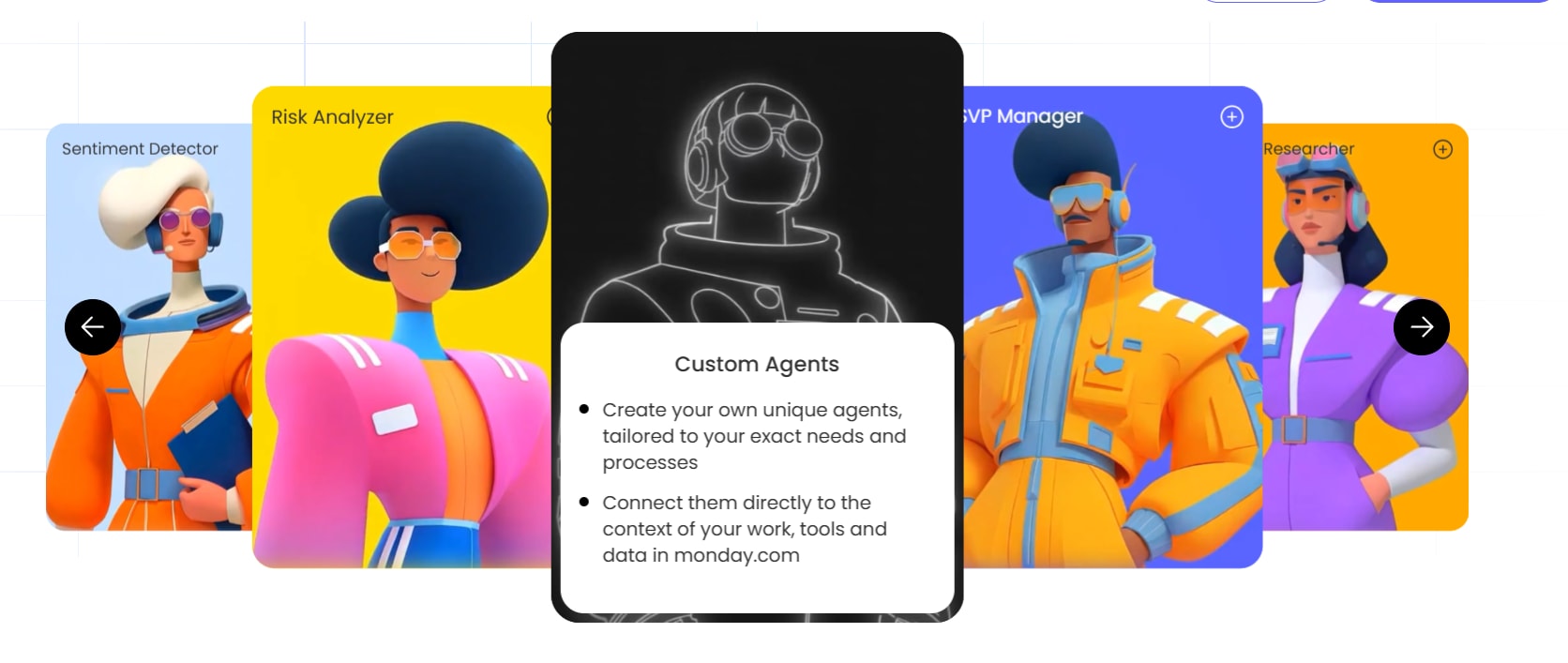
- Custom agents: Teams can start from ready-made agents or build their own for workflows the templates don’t cover.
- Guardrails and oversight: Teams set permissions and keep human approval in place for sensitive actions.
Pricing:
- Starting price: AI agent capabilities are available on monday.com plans starting at $12/seat/month (billed annually); some agent features continue to roll out across specific products and editions
- AI features operate on a transparent credit-based model
- Enterprise pricing is available for high-volume deployments
- View full pricing details on monday.com
Why it stands out:
If your team already lives in the monday AI Workspace, monday agents gives AI voice agents somewhere to act with real context. It cuts handoffs, speeds up response times, and keeps everything within your rules.
- Work continues after the call: Instead of stopping at notes, monday agents can update pipelines, create items, assign owners, trigger follow-up sequences, and notify the right team members.
- People and agents work as one team: You set the direction, approval rules, and boundaries. AI agents handle the repetitive execution around the clock, which helps teams scale output without adding manual coordination.
- Context reaches across departments: A voice-driven workflow can connect sales activity, service requests, project status, and recruiting processes on the same platform, so the next step reflects the full picture.
- Trust is built into the experience: Permissions, transparency into agent actions, audit trails, and enterprise-grade security controls help teams adopt AI with confidence, especially in regulated or high-accountability environments.
- Adoption feels natural: Because agents operate where team members already manage work, teams can start with ready-made agents, tailor them to their processes, and expand usage without introducing a separate AI system.
2. Retell AI
Retell AI is built for engineering teams that need a voice platform ready for real traffic, not just demos. It specializes in low-latency voice orchestration and gives you fine control over conversation design, voice behavior, and integrations.

Use case:
Engineering teams building custom voice applications who need precise control over conversation flow, voice synthesis, and backend integrations at production scale.
Key features:
- Sub-second voice orchestration: Retell’s proprietary voice engine targets end-to-end latency under 1.5 seconds, with full-duplex conversations, natural turn-taking, interruption handling, and backchanneling that make interactions feel human rather than scripted.
- Flexible conversation design: Teams can build Single-Prompt, Multi-Prompt, or Conversation Flow agents, with “Flex Mode” for switching between rigid and adaptive behavior, plus reusable Flow Components for consistent agent logic across deployments.
- Built-in testing and quality assurance: Simulation and batch testing suites, AI QA with weighted scorecards, and per-call analytics give teams the visibility to measure latency, hallucination rates, and tool accuracy before and after going live.
Pricing:
- Pay-as-you-go: Starts free with $10 in credits; voice agents priced at approximately $0.07 – $0.31/minute depending on model, voice provider, and add-ons selected
- Enterprise: Custom pricing with volume discounts, higher concurrency limits, RBAC/SSO, dedicated support, and custom legal terms
- Add-ons include Knowledge Base, Advanced Denoising, Safety Guardrails, PII Removal, and AI Quality Assurance, each billed separately
- HIPAA BAA is available self-serve on any plan; enterprise unlocks uncapped concurrency and additional compliance terms
Considerations:
- Retell AI requires dedicated engineering resources to implement, configure, and maintain — teams without in-house technical capacity may find the platform’s flexibility more of a challenge than an advantage.
- Some advanced features, such as agentic warm transfer, are only available on specific agent types, which can limit flexibility depending on how an organization has structured its voice workflows.
3. ElevenLabs
ElevenLabs focuses on making voice AI sound convincingly human, giving organizations the audio quality needed to keep customer interactions natural and on-brand. The company serves enterprise teams in telecom, healthcare, retail, and financial services that need voice agents ready for production.

Use case:
Organizations that need enterprise-ready AI voice agents with natural-sounding speech, omnichannel deployment, and strong compliance controls across regulated industries.
Key features:
- Ultra-low latency voice synthesis: The v4 Turbo model targets approximately 100 ms median inference latency, keeping conversations responsive and natural without the awkward pauses that erode caller trust.
- Omnichannel agent deployment: Deploy the same agent across phone, web, WhatsApp, and SMS using native connectors for Twilio, Genesys, Amazon Connect, and SIP trunking, so teams reach customers wherever they are without rebuilding logic for each channel.
- Enterprise-grade compliance and data governance: SOC 2 Type II, ISO 27001/27701/42001, and PCI DSS Level 1 certifications, alongside HIPAA eligibility with BAA support and regional data residency across the US, EU, India, and Singapore, give compliance and legal teams the controls they need to approve deployment.
Pricing:
- Free: $0/month, includes basic access and a limited number of call minutes
- Starter: $6/month (first month at $1), billed monthly
- Creator: $22/month (first month at $11), billed monthly
- Pro: $99/month, billed monthly
- Scale: $299/month, billed monthly, includes 3 seats
- Business: $990/month, billed monthly, includes 10 seats
- Enterprise: custom pricing for high-volume deployments with SSO, SLAs, HIPAA BAAs, and dedicated support
- Additional call minutes are billed at $0.08/minute; text messages at $0.003 each
- LLM usage and external telephony provider costs (e.g., Twilio) are billed separately
- Annual billing provides two months free across eligible plans
Considerations:
- Costs can be hard to forecast at scale. Per-minute billing, separate LLM charges, and 2× burst pricing when you exceed concurrency limits all add up, so you’ll want usage monitoring in place.
- Enabling retrieval-augmented generation for knowledge grounding adds approximately 250 ms of latency, and knowledge base size limits vary by plan, which may affect teams that rely on large internal document libraries for agent responses.
4. PolyAI
PolyAI is built specifically for enterprise contact centers that manage complex, high-stakes customer conversations at volume. It is aimed at large organizations in hospitality, healthcare, and financial services, where both conversational quality and compliance requirements are critical.

Use case:
Large enterprises with high-volume contact center operations that require sophisticated conversation handling, deep system integrations, and industry-specific compliance.
Key features:
- Audio-native dialog model: PolyAI’s Dialog-RSN-1 model is built directly for live voice, not adapted from chat transcripts. It reliably processes accents, noisy environments, and choppy phone connections with ~280ms p50 response latency, keeping conversations fluid with natural turn-taking.
- Continuous self-improvement loop: Wren, PolyAI’s built-in optimization agent, reviews production calls daily, flags gaps, drafts fixes, tests them, and queues changes for human approval — keeping agents aligned with containment and CSAT targets without constant manual tuning.
- Deep enterprise integrations: With 130+ connectors spanning major CCaaS platforms (Five9, Genesys, Amazon Connect), CRMs (Salesforce, Zendesk), EHRs (Epic, Cerner), and PCI-compliant payment systems, PolyAI agents can resolve transactions end-to-end, not just answer FAQs.
Pricing:
- Usage-based pricing: Billed per minute; includes proactive performance improvements, maintenance, 24/7 support, monitoring, upgrades, and a 99.9% phone-line SLA.
- Studio access: Available to builders with a free entry point for agent creation and iteration.
- Enterprise deployments: Custom quotes based on call volume, integration requirements, and implementation scope.
- Segment-specific offers: Packaged monthly pricing is available for select verticals (for example, a restaurant partner rate of $299/month on an annual plan); multi-site pricing available on request.
Considerations:
- While PolyAI highlights a typical three-week deployment window from kickoff to launch for standard rollouts, highly customized architectures with complex legacy integrations can stretch closer to 3–6 months.
- Standard per-minute rates are not publicly listed, so precise budget modeling requires a sales conversation before committing.
5. Synthflow
Synthflow combines a visual no-code builder with enterprise-oriented telephony infrastructure. It is built for contact centers, BPOs, and operations teams that want production-ready voice automation without a long development cycle. Early versions of Synthflow leaned toward self-serve SMB use.

Use case:
Growing businesses and enterprise operations running high-volume inbound or outbound calling that want visual, no-code setup paired with strict security standards and scalable telephony controls.
Key features:
- No-code agent builder and templates: Teams can assemble voice agents visually using pre-configured industry templates, CRM integrations, and webhooks to get up and running without custom code.
- Telephony-native deployment: Supports native phone numbers, SIP trunking, and Twilio integration, complete with warm and cold call transfers, human detection, and whisper summaries for seamless handoffs to live agents.
- Structured deployment lifecycle: The BELL framework (Build, Evaluate, Launch, Learn) guides teams through simulation testing and staged rollouts so conversations run smoothly before going live.
- Real-time analytics and monitoring: Hourly-updated dashboards track call volumes, sentiment, and conversion rates, while live listen-in tools and unified transcript logs give managers complete call visibility.
Pricing:
- Enterprise contracts: Starting at $30,000 annually, with pricing tailored to call volume, concurrency requirements, telephony setup, and launch support (reflecting the platform’s move toward enterprise-led packaging over legacy self-serve models)
- Per-minute overage rates apply to usage beyond committed plan allowances, managed via the Billing Portal
- Concurrency upgrades and custom integrations are available as add-ons
Considerations:
- The sales-led $30,000 annual minimum commitment means Synthflow is no longer built for budget-conscious teams or casual experimentation.
- Key automation tools, including the visual Workflows builder and batch outbound Campaigns, are reserved for Enterprise plan agreements.
6. Bland.ai
Bland.ai gives dev teams a direct path from prototype to live voice agent, running on its own models end to end. It handles more than 1 million calls a day across regulated industries, so enterprises get reliable scale without stitching together third-party AI vendors. With SOC 2 Type II, HIPAA, GDPR, and PCI DSS v4.0 compliance built in, it is clearly aimed at organizations where governance is a hard requirement.

Use case:
Development teams and enterprise organizations that need to deploy reliable, compliant AI voice agents at high call volumes — without relying on third-party AI in the call path.
Key features:
- Full-stack proprietary models: Bland.ai runs its own STT, LLM, and TTS on dedicated infrastructure, targeting approximately 200 ms end-to-end response times and eliminating upstream vendor dependencies that can introduce latency or compliance risk.
- Enterprise-grade governance and testing: Guard Rails, Evals, and Scenarios give teams configurable policies, automated end-to-end agent testing, and canary releases on live traffic — so quality is validated before agents reach production.
- Flexible deployment options: Organizations can deploy on Bland’s managed cloud, a customer VPC, on-premises, or fully air-gapped environments, with per-call regional pinning and a single-vendor data processing agreement.
Pricing:
- Start: $0.14/min (AI talk time), no platform fee; includes 10 concurrent calls and 100 calls/day
- Build: $0.12/min + $299/month platform fee; includes 50 concurrent calls and 2,000 calls/day
- Enterprise: custom pricing with dedicated infrastructure, VPC/on-premises options, BAA, SSO, and 99.99% SLA
- Agent Phone Plan: $14.99 for the first month, then $29.99/month; covers unlimited US/Canada voice and SMS on one number
- AI minute pricing includes LLM, STT, and TTS costs with no separate token charges; telephony is billed separately
Considerations:
- Bland.ai runs exclusively on its own proprietary models, so teams that require the flexibility to select their own LLM or TTS vendor may find the architecture less adaptable than orchestration-layer alternatives.
- Start and Build tiers include per-day call caps and concurrency limits, which organizations should validate against expected call volumes before committing to a plan.
7. Sierra
Sierra is positioned for enterprises that need voice agents capable of protecting brand reputation while resolving customer issues from start to finish. It serves large organizations in regulated industries such as healthcare and financial services, as well as retail and telecom, where consistency matters in every interaction. Its Tandem Voice architecture separates fast conversational response from deeper reasoning so the agent can stay responsive without becoming shallow.

Use case:
Enterprise organizations that need brand-consistent, compliant AI voice agents capable of handling complex customer interactions across multiple languages and channels.
Key features:
- Tandem Voice architecture: Splits each interaction into a fast conversation layer and a deeper reasoning layer, enabling agents to respond in real time while working through multi-step problems—without the awkward pauses that make automated calls feel robotic.
- Voice Personas: Brand-specific voice identities that can be tested, sealed, and deployed consistently across locales, with one subscription business reporting a 50%+ resolution lift after rolling them out.
- Built-in release governance: Pre-deployment voice simulations, staged rollouts, and supervisor models reduce the risk of regressions in live customer experiences—a critical safeguard when small changes can affect millions of interactions.
Pricing:
- Enterprise pricing: Custom quotes based on deployment scope; contact Sierra directly for details.
- Pricing model: Primarily outcome-based—often tied to resolved conversations, retention events, or sales conversions, though agreements can also incorporate consumption-style metrics depending on scope.
Considerations:
- Outcome-based pricing structures require agreeing on precise metric definitions and tracking upfront, which can add complexity to procurement before deployment begins.
- Language coverage figures vary across Sierra’s product pages, so prospective customers should confirm current voice language availability for their specific channel mix before committing.
8. Cognigy
Cognigy brings together enterprise AI voice agents, agentic reasoning, and carrier-grade telephony infrastructure for high-scale inbound and outbound interactions. The platform is aimed at large contact centers in regulated industries and takes a vendor-neutral approach, integrating into existing CCaaS and telephony stacks rather than forcing a full replacement.

Use case:
Large enterprises that need unified AI voice agents across contact center environments, with strict compliance requirements and high call volumes that demand resilience, multilingual support, and seamless human handoff.
Key features:
- Carrier-grade Voice Gateway: Handles inbound and outbound call automation with native barge-in, continuous speech recognition, DTMF support, answering machine detection, and warm handoffs that transfer full conversation context to live agents.
- Composite AI for governed conversations: Blends LLM reasoning with deterministic workflow controls, so organizations maintain oversight and consistency even when AI handles complex, open-ended interactions.
- Vendor-neutral model orchestration: Connects to leading speech and language providers — including Deepgram, OpenAI, Anthropic, Google, and AWS — with automatic failover between providers to protect uptime and manage cost.
Pricing:
- Quote-based pricing: Cognigy does not publish public pricing tiers; all plans are scoped based on concurrent Voice Gateway sessions, usage volume, and deployment model.
- Knowledge AI requires a separate license with usage-based quotas billed per query.
- Support is available across Standard, Extended, and Premium tiers, with costs varying by service level.
Considerations:
- The platform’s depth means teams should expect an enablement investment; Cognigy itself notes it has “countless bells and whistles” and is “not simple to master” for sophisticated deployments.
- Some operational features, including the AI Ops Center, are available only on SaaS deployments, which may limit visibility for organizations running fully on-premises environments.
9. Vapi
Vapi provides voice AI infrastructure as a service, giving technical teams a production-ready base for custom voice applications without requiring them to manage telephony from the ground up. It is best suited for builders who want provider-agnostic orchestration across speech recognition, LLMs, and text-to-speech, all optimized for sub-500 ms response times.

Use case:
Technical teams building custom voice AI applications who need reliable, provider-agnostic infrastructure without managing telephony, transcription, or synthesis directly.
Key features:
- Provider-agnostic orchestration: Vapi connects to dozens of speech-to-text, LLM, and text-to-speech providers, letting teams bring their own API keys and swap components without rebuilding their stack — keeping costs at pass-through rates.
- Production-grade observability: Built-in simulations, evaluations, monitoring dashboards, and A/B traffic splitting give engineering teams the visibility to test, measure, and improve conversational performance continuously.
- Flexible telephony management: Handles phone number provisioning, call routing, inbound and outbound calling, warm transfers, and voicemail — so teams can focus on business logic rather than carrier infrastructure.
Pricing:
- Free: $0 to start, includes $5 credits, one free Vapi number, four concurrent calls, and 14-day data retention
- Core: $29/month, includes five Vapi numbers, 10 concurrent calls, and 30-day data retention
- Pro: 10% of Vapi hosting fee with a $999/month minimum; includes 30 concurrent calls, 180-day retention, RBAC, zero data retention (ZDR), and a dedicated Slack channel
- Premier: Custom pricing with elevated concurrency, priority support, 99.9% uptime SLA, and optional EU data residency
- Model, voice, and transcription costs are billed at pass-through rates separately from Vapi’s hosting fee
- Telephony transport fees are charged by the telephony provider, not Vapi
Considerations:
- Business logic, workflow automation, and conversational design require additional development work on top of the infrastructure layer, making Vapi a stronger fit for teams with dedicated engineering capacity than for those seeking a turnkey solution.
- EU data residency and regional access require the Premier plan, which may affect teams with strict geographic compliance requirements, though zero data retention is available starting on the Pro tier.
10. Rasa
Rasa gives regulated enterprises full ownership of conversational AI through a self-hosted, LLM-agnostic platform for voice and chat. It is aimed at technical teams in sectors like telecom, healthcare, and financial services that need deep integration flexibility, governed behavior, and on-premises deployment options.

Use case:
Organizations in regulated industries that require self-hosted AI voice agents with complete control over conversation logic, speech provider selection, and data governance.
Key features:
- Sub-second voice interactions with real turn-taking: Rasa Voice delivers real-time responses with barge-in handling, silence detection, and natural conversation flow, so voice agents avoid the scripted, robotic feel that frustrates callers.
- Flexible speech stack and telephony integrations: Teams choose their own ASR and TTS providers, such as Deepgram and Cartesia, and connect to Genesys Cloud, Twilio, or AudioCodes VoiceAI Connect using pre-built connectors, reducing integration effort for contact center deployments.
- Governed conversation design with CALM architecture: Rasa’s CALM framework separates language understanding from business logic, using a constrained command grammar that keeps agent behavior auditable, explainable, and aligned with compliance requirements.
Pricing:
- Free Developer Edition: $0/month — includes one bot per company, up to 1,000 external conversations/month or 100 internal conversations/month, with community forum support
- Enterprise: contact sales for full platform access and premium support; pricing is based on annual conversation volume rather than per seat
- The AudioCodes VoiceAI Connect IVR connector is available as an additional purchase
- External ASR and TTS services require separate provider accounts and configuration
Considerations:
- Rasa expects an in-house engineering team or implementation partner to own the deployment, making it a less practical fit for teams seeking a fully managed, turnkey service.
- The default Studio voice setup is documented as English-only; broader multilingual voice support depends on the ASR and TTS providers selected and how they are configured.
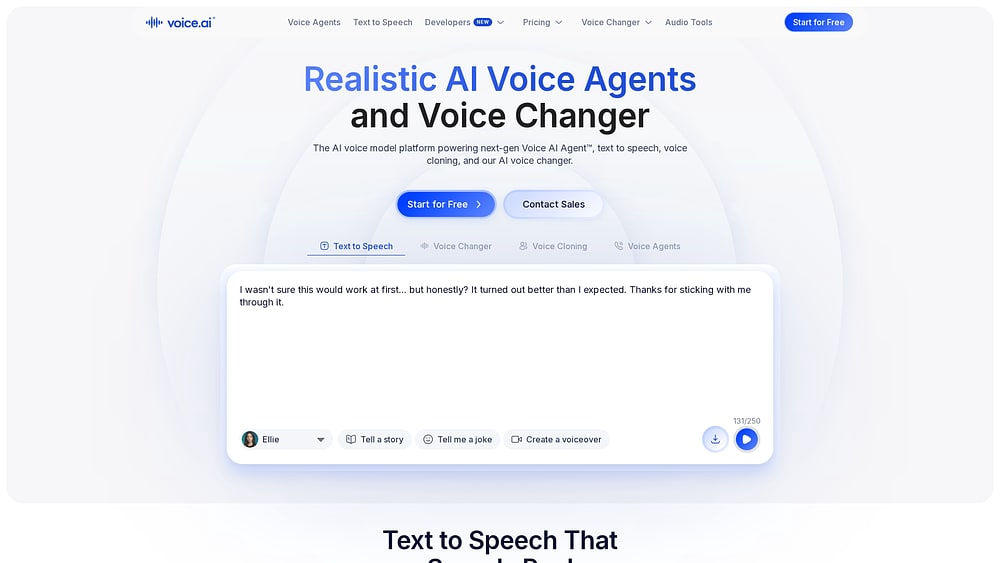
11. Voice.ai
Voice.ai offers a proprietary end-to-end voice agent platform for organizations that want real-time phone automation without piecing together multiple third-party APIs. It serves enterprises, SMBs, and developers, with cloud and on-premises deployment options that suit stricter data environments. Because the architecture is LLM-agnostic, teams can bring their own model and connect existing knowledge bases without being locked into one vendor.
Use case:
Organizations that need to automate inbound and outbound phone calls at scale, with the flexibility to deploy on-premises or in a private cloud environment.
Key features:
- Proprietary voice stack with low latency: Voice.ai controls its own speech recognition and synthesis end-to-end, targeting sub-150ms response times for conversations that feel natural rather than robotic.
- LLM-agnostic design with RAG and function calling: Teams can connect any large language model alongside built-in knowledge bases and external tool integrations, enabling domain-specific automation without being locked into a single AI provider.
- Enterprise-grade compliance and deployment flexibility: SOC 2 Type II, HIPAA, PCI Level 1, ISO 27001, and GDPR certifications, combined with on-premises and private VPC deployment options, make it viable for healthcare, finance, and other compliance-sensitive sectors.
Pricing:
- Free: 5,000 credits/month, includes web-based Voice Agent Platform access
- Starter: $5/month — 15,000 credits, 2 concurrent agent calls, 1 phone number, commercial license
- Launch: $24/month (first month promotional rate of $12) — 200,000 credits, 4 concurrent agent calls, 3 phone numbers
- Core: $99/month — 1,000,000 credits, 8 concurrent agent calls, 10 phone numbers, priority support
- Scale: $330/month — 4,000,000 credits, 16 concurrent agent calls, 20 phone numbers
- Business: $880/month — 22,000,000 credits (approximately 22,000 agent minutes), 30 concurrent agent calls, 50 phone numbers, technical success manager
- Enterprise: Custom pricing — includes SSO, HIPAA BAAs, DPA/SLA terms, and volume discounts
- Annual billing includes 2 months free; Business plans advertise rates from $0.08 per minute on annual commitments
- Usage-based overage billing applies on select plans; telephony costs should be confirmed during contracting
Considerations:
- Auto Evals and full-duplex voice are currently in alpha, so teams requiring fully hardened features for production environments should factor in the maturity timeline.
- Teams operating in multilingual environments should confirm current language availability for their specific tier and deployment, as marketing references “dozens of languages” while some feature documentation highlights English specifically.
12. Decagon
Decagon is built around a straightforward goal: resolve customer issues during the interaction instead of merely routing them elsewhere. The platform serves large enterprises in retail, telecom, travel, and financial services, and differentiates itself through a proprietary speech model plus a closed-loop quality system that monitors every conversation. For support leaders dealing with high volumes, the emphasis is on measurable resolution, not just lower deflection metrics.
Use case:
Enterprise customer support teams that need AI voice agents to resolve issues across voice and digital channels, with performance measured by problems solved rather than calls deflected.
Key features:
- Proprietary speech model (Chord): Decagon’s in-house speech model is trained specifically for customer conversations, with blind tests showing ~90% of listeners could not distinguish it from a human speaker — resulting in higher resolution rates and fewer escalations.
- Duplex voice architecture: A split-model design lets the agent speak and act simultaneously, eliminating awkward pauses while updating systems, handling interruptions, and switching across 70+ languages mid-conversation.
- Continuous conversation QA (Watchtower): Every conversation is monitored automatically for compliance, sentiment, and coaching signals — giving support leaders full visibility without manual review.
Pricing:
- Enterprise pricing: Quote-only; no self-serve or starter tiers are publicly available
- AWS Marketplace example: A 12-month platform access contract is listed at $1,000,000, with additional infrastructure costs potentially applicable
- Procurement runs through direct enterprise sales, AWS Marketplace private offers, or the OpenAI B2B marketplace
Considerations:
- Enterprise-only pricing and the absence of a self-serve tier can make early-stage evaluation or smaller pilots harder to initiate without a full sales process.
- Legacy or on-premises telephony environments may add integration complexity, as voice deployments require CCaaS, CPaaS, or SIP connectivity.
13. Regal
Regal is an AI voice agent platform for enterprise teams with heavy calling volume, such as lead qualification and appointment setting. It serves regulated industries like insurance and healthcare, and lists SOC 2, HIPAA, GDPR, CCPA, and TCPA compliance. A no-code builder lets business users launch and update agents without waiting on developers.
Use case:
US mid-market and enterprise contact centers that run high-volume outbound and inbound calls and want business teams to manage voice agents directly.
Key features:
- No-code agent building: The AI Agent Builder and Regal Copilot let non-technical teams build and update agents without code or deployment cycles.
- Multichannel AI agents: Agents run across phone, SMS, chat, and WebRTC voice, and can switch languages mid-conversation.
- Outbound sales tooling: A built-in sales dialer and branded caller ID support high-volume outreach, while 40+ native integrations connect agents to your existing systems.
- Testing and quality monitoring: A/B testing and call simulations let teams check agent performance before and after launch.
Pricing:
- Custom pricing: Regal doesn’t publish list prices. Quotes are modular and based on the features you use, with discounts for higher spend and longer contracts.
- Costs can combine platform or per-seat fees with telephony and SMS usage, so ask for an itemized quote.
- Regal lists implementation services as free.
Considerations:
- Without published pricing, teams need a sales conversation before they can compare costs against other platforms.
- Regal is US-focused. Branded caller ID reaches US wireless devices only, and Regal doesn’t publish an EU data residency option, so teams with European customers should confirm where call data is stored.
14. Nextiva XBert
Nextiva XBert functions as an always-on AI voice agent that can answer calls, resolve routine requests, and pass more complex issues to human staff with the full conversation attached. It is especially relevant for businesses already running on Nextiva’s communications stack, since they can add AI voice without operating a separate system.

Use case:
Organizations already using Nextiva for business communications that want integrated AI voice capabilities without introducing a separate platform or managing additional vendor relationships.
Key features:
- Unified communications integration: AI voice capabilities operate within Nextiva’s existing phone system, so teams manage everything — routing rules, call handling, and AI responses — from one place rather than juggling separate platforms.
- Business-trained AI responses: XBert learns from each organization’s services, policies, hours, and FAQs to deliver accurate, on-brand responses, reducing the hallucinations common in generic AI deployments.
- Smart handoff with full context: When a conversation exceeds what the AI can handle, it transfers to a team member with a complete transcript, so customers never have to repeat themselves.
Pricing:
- AI voice agent plan: $99/month for 100 AI conversations, then $0.99 per interaction beyond that
- Small business plans: Core ($15/user/month), Engage ($25/user/month), and Scale ($75/user/month), with XBert available as an add-on
- Annual billing: Savings of up to 50% compared to month-to-month rates
- No long-term contracts and a 30-day money-back guarantee on XBert plans
Considerations:
- XBert 2.0 does not support outbound calling or internal transfers — handoffs route to an external number only, which may limit flexibility for teams with complex escalation workflows.
- High-volume organizations should model overage costs carefully, since interactions beyond the included 100 bill at $0.99 each and conversation counting rules (calls over 30 seconds, chats with three or more messages) can add up faster than expected.
15. Leaping AI
Leaping AI focuses on voice agents purpose-built for high-volume call center environments, particularly in home improvement and home services. It is designed to turn inbound calls, after-hours requests, and outbound campaigns into handled, logged, and booked interactions while writing outcomes back into the CRM systems those businesses already use.

Use case:
Home improvement and home services organizations that need a single AI voice agent to cover inbound, after-hours, outbound, and SMS channels while writing outcomes directly back to their CRM.
Key features:
- Omnichannel voice and SMS coverage: One configurable agent handles inbound callbacks, after-hours inquiries, outbound dialing campaigns, and SMS conversations, maintaining context across every channel without requiring separate setups.
- Deep CRM write-back integrations: Direct API connections to platforms like LeadPerfection, ServiceTitan, improveit360, and Builder Prime allow the agent to read availability, book appointments, and log call outcomes in real time, with a guardrail that confirms bookings only after the CRM saves them.
- Built-in telephony and analytics: Number provisioning, routing, human hand-off, call transcripts, and performance analytics come included, reducing reliance on third-party telephony infrastructure.
Pricing:
- Custom pricing: Contact Leaping AI directly for a quote based on use case and integration requirements
Considerations:
- Pricing is not published publicly, which requires a sales conversation before teams can evaluate cost against budget, adding friction to the procurement process.
- Product depth and case study coverage skew heavily toward North American home improvement verticals, so organizations outside that segment should validate fit during scoping.
How to evaluate AI voice agent software
The best way to evaluate AI voice agent software is to test it on your own calls and systems, since a polished demo rarely reflects live traffic. The steps below cover what to check before you commit.
1. Test voice quality and natural conversation flow
Callers decide in seconds whether an automated voice is credible or annoying. A natural delivery lets people relax and focus on getting their issue solved instead of hunting for an operator. Test audio quality in realistic conditions and you’ll know how customers will react.
- Speech naturalness: Listen for warm pacing and realistic inflection rather than mechanical cadence. Test across varied accents, casual phrasing, and ambient office noise.
- Immediate latency: Measure the gap between when a caller stops speaking and when the system replies. Conversational pauses under 300 milliseconds feel organic, while delays over half a second disrupt the conversation.
- Tone adaptation: Check how effectively the voice shifts tone to match context. A caller with an urgent request requires calm, grounded assurance rather than cheerful canned scripts.
- Audio consistency: Confirm sound quality stays stable across varied cellular networks and VoIP connections.
2. Verify workflow execution and system actions
A smooth conversation means little if nothing happens on the call. The real test: does the agent resolve the request in the moment, or just hand your team another set of notes? Evaluating system actions is how you determine whether the tool saves time.
- Direct system actions: Look for native connections that write data into your databases, payment gateways, and schedules. An agent that schedules appointments directly delivers immediate value without requiring follow-up work from team members.
- Execution accuracy: Prioritize platforms that execute actions correctly over those offering lengthy lists of unverified features. Consistent completion creates dependable experiences for callers and staff alike.
- Graceful handling: Ensure the system acknowledges roadblocks calmly when records fail to update or details are missing. It should offer alternative paths or transfer smoothly to a team member without getting stuck in loops.
- Explicit confirmations: Verify that the system confirms critical steps, such as account updates or reservations, before finalizing transactions.
The platforms that stick around are the ones that finish work reliably, rather than those that sound great in a demo.
3. Measure response speed and conversational pacing
Real conversations are messy so testing these mechanics under ordinary conditions reveals a lot about how the platform will behave during live demand.
| Performance level | Response latency | Caller experience |
|---|---|---|
| Responsive | Under 300ms | Natural, conversational flow |
| Acceptable | 300–500ms | Slight pause, workable |
| Delayed | Over 500ms | Noticeable lag, disjointed |
- Interruption handling: People interrupt naturally when clarifying details. The platform must pause speaking immediately when a caller talks, keeping the conversation smooth.
- Turn-taking recognition: The system needs to distinguish between a thoughtful pause and a finished sentence so it does not cut people off prematurely.
- Network stability: Test audio stream stability across low-bandwidth mobile connections to keep conversations crisp.
4. Check CRM and work management integrations
A voice tool that operates in isolation creates fragmented records and more administrative effort. When outcomes flow directly into your core systems, teams across functions can immediately see the same context and act on it. Reviewing integration depth early prevents those gaps from becoming operational habits.
- Native connections: Prioritize direct integrations with your CRM and project boards to remove custom code requirements and maintenance friction.
- Automated record synchronization: Ensure every call summary, recording, and action item logs instantly to the right customer account without manual data entry.
- Two-way data updates: Confirm the platform reads caller records to personalize responses and writes updates back into your boards in real time.
- No-code configuration: Look for intuitive setup options that allow non-technical department leads to adjust workflows without relying on engineering teams.
5. Confirm deployment flexibility and scalability
Voice automation shouldn’t feel overwhelming. Start with one small, low-risk workflow. Build confidence, gather results, and refine before you expand. A little planning up front saves you surprises later.
- Setup timeline: Verify whether your team can configure workflows in days or if the platform demands an extensive multi-month onboarding process.
- Telephony flexibility: Check whether you can bring existing business phone lines or easily acquire local and toll-free numbers directly on the platform.
- Concurrent capacity: Ensure the system handles seasonal call surges smoothly without dropped calls or degraded voice quality.
- Predictable pricing structure: Review whether usage scales with transparent per-minute rates or tiered models, giving leadership complete budget predictability.
Key features to look for in conversational AI voice agent platforms
Beyond voice quality, a few core capabilities decide whether an AI voice agent can handle real customer calls. Look for these features when comparing platforms:
- Natural language understanding: The agent should recognize intent across varied phrasing and keep context throughout the call, so a caller who says “make that Friday” doesn’t have to start over.
- Handoffs with full context: When a call needs a person, the agent should transfer it with a summary and caller history, so customers never repeat themselves.
- Multilingual support: Native-language processing and accent recognition let the agent serve callers in their preferred language, including switching languages mid-call.
- Reporting and audit trails: Dashboards tracking resolution rates and caller sentiment help managers improve performance, while audit trails give governance teams a record of every conversation.
AI voice agent pricing models and cost considerations
AI voice agent pricing varies widely, and a low headline rate can climb once overages and add-ons are included. Most platforms use one of these models:
- Per-minute: Charges are based on talk time and typically range from about $0.05 to $0.30 per minute, depending on the models and voices you choose. This suits short, routine calls, though long troubleshooting calls add up quickly.
- Per-call: A flat fee applies to each call regardless of length. This suits longer, predictable inquiries, though very short calls still count.
- Subscription tiers: A fixed monthly fee comes with caps on minutes or concurrent calls. Check what each tier leaves out, since integrations and governance controls often sit in higher plans.
- Enterprise contracts: Custom pricing covers high-volume or regulated environments. Ask for an itemized quote that separates software access from implementation and support fees.
To compare platforms fairly, calculate cost per resolved call: divide your monthly platform cost by the number of calls resolved without a team member stepping in.
Turn AI voice agent calls into completed work with monday agents
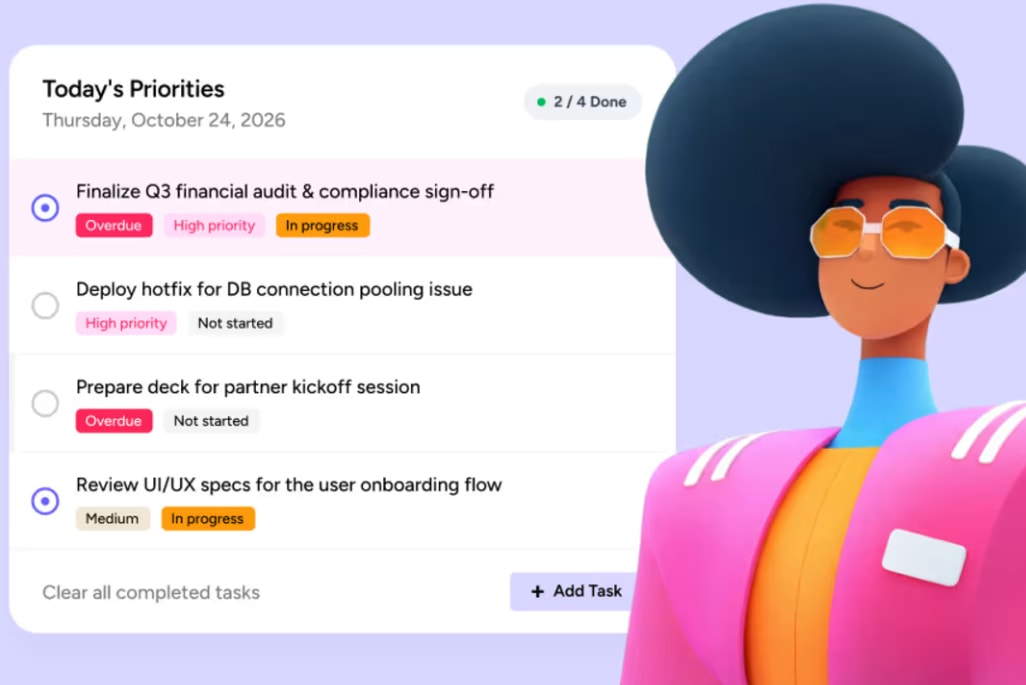
The right AI voice agent depends on your call volume and the technical resources on your team. Whichever platform you choose, calls still create follow-up work for your team, from new leads to support requests. monday agents handle this work inside the monday AI Workspace, on the boards where your teams already manage their pipeline and service queues. The Lead Qualifier scores incoming leads and sends top prospects to the right salesperson, while the Ticket Management Agent classifies and routes support requests so nothing sits unassigned.
A simple way to start is to pilot one workflow, such as lead qualification, and track how quickly follow-ups get assigned and completed.
Try monday agentsFAQs about AI voice agents
What is the difference between an AI voice agent and a virtual assistant?
AI voice agents handle business phone conversations and connect to your systems to finish the whole workflow. Consumer virtual assistants handle personal device commands and basic questions, but they don't plug into how your business works.
Can AI voice agents handle complex multi-turn conversations?
Yes. Strong voice agents remember context across turns, adapt when the topic changes, and handle interruptions mid-call. Depth varies by platform, so test them against your own call scenarios before rollout.
How long does it take to implement an AI voice agent?
Setup takes anywhere from a few days for simple call flows to a few months for complex enterprise telephony migrations. Most mid-market teams go from setup to live calls within 4 to 8 weeks.
Do AI voice agents work with existing phone systems?
Yes, most voice platforms connect with current phone networks through SIP trunking, direct APIs, or call forwarding. You can maintain your existing business numbers or provision new lines directly through the platform.
What metrics should I track to measure AI voice agent success?
Track first-contact resolution, customer satisfaction, average handle time, and the percentage of calls escalated to your team. Compare them against your baseline to see your ROI and spot which workflows to fix next.
How does monday agents approach AI voice agent workflows differently than standalone voice platforms?
Standalone voice platforms keep call summaries to themselves, so your team copies notes and chases follow-ups across disconnected tools. monday agents is built into the monday AI Workspace, so a call outcome triggers workflows across teams, updates records, and assigns next steps on its own.

 Get started