



Financial services teams need more than deal tracking — they need a platform that manages long-term relationships, maintains compliance trails, and preserves every client interaction across years. A finance CRM delivers exactly that: secure client data management, audit-ready records, and workflows built specifically for wealth management, banking, and advisory teams. Pairing a finance CRM with dedicated financial reporting software closes the loop between client data and statement-level reporting
We’re breaking down 12 finance CRM platforms financial teams are actually using in 2026, from enterprise banking solutions to advisor-specific options. You’ll learn what separates a finance CRM from a generic sales platform and how to evaluate which system fits your firm’s specific needs, including flexible platforms like monday CRM built on the monday.com Work OS.
What is a finance CRM?
A finance CRM is a customer relationship management platform built specifically for financial services teams. Unlike generic sales CRMs that prioritize deal velocity, a finance CRM manages long-term client relationships, sensitive financial data, and regulatory compliance requirements over years.
The core difference comes down to purpose: Generic sales CRMs are designed to move deals through pipelines quickly, and finance CRMs are built for trust, security, and audit integrity — tracking every client interaction, maintaining compliance trails, and managing complex relationships across multiple stakeholders.
Here’s a closer look at the differences:
| Aspect | Generic sales CRM | Finance CRM |
|---|---|---|
| Primary focus | Deal closing speed | Long-term client relationships |
| Compliance features | Minimal or none | Audit trails, record retention, regulatory reporting |
| Data sensitivity | Standard contact data | Financial profiles, KYC/AML data, portfolio data |
| User base | Sales reps, BDRs | Advisors, bankers, compliance officers, relationship managers |
| Integration needs | Marketing platforms, email | Portfolio systems, accounting software, payment platforms |
| Reporting | Pipeline and revenue | Regulatory, forecasting, and client reporting |
12 best finance CRM platforms for financial services teams
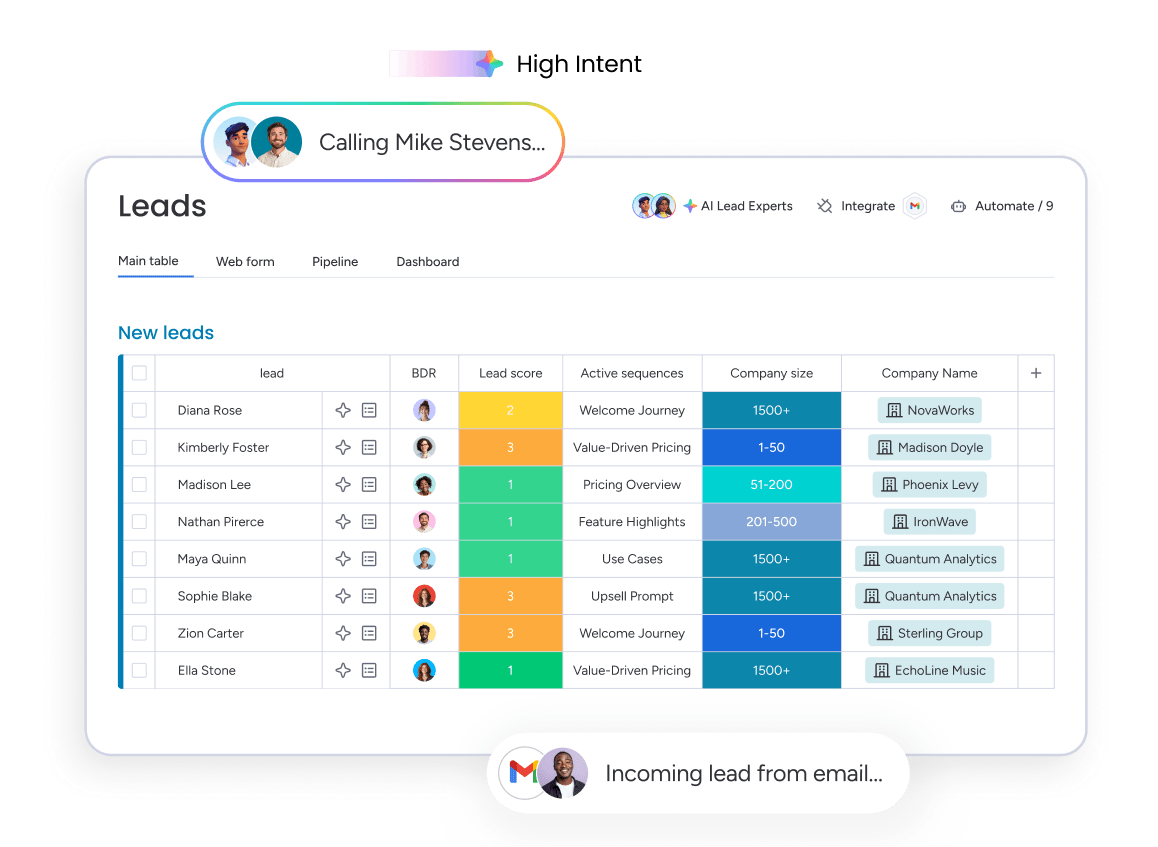
A CRM demo can look great. But getting your financial services team to actually use it? That’s a different story. The gap between a slick presentation and a platform your team trusts with sensitive data is wider than you think.
We collected these 12 platforms based on what actually matters to finance teams: compliance tools, speed to launch, AI capabilities, and the true cost to run. Here’s a quick-look comparison:
| Platform | Best for | Compliance features | AI capabilities | Starting price* |
|---|---|---|---|---|
| monday CRM | Financial teams needing flexible, adoptable CRM | Audit trails, role-based permissions, SOC 2 | AI email assistant, autofill, sentiment detection, Deal Facilitator agent | From $9/seat/month |
| Salesforce | Large enterprise financial institutions | Advanced compliance modules | Agentforce AI, Einstein | Custom pricing |
| HubSpot | Mid-market fintech and financial services | Basic audit logging | AI prospecting, content tools | From $20/seat/month |
| Microsoft Dynamics 365 | Banks and enterprises in Microsoft ecosystems | Strong compliance and data residency | Copilot AI | Custom pricing |
| Creatio | Mid-market firms needing no-code process automation | Configurable compliance workflows | AI-powered process automation | From $25/user/month |
| Zoho CRM | Budget-conscious financial teams | Basic compliance features | Zia AI, lead scoring | From $14/user/month |
| Wealthbox | Independent financial advisors and RIAs | Basic advisor compliance | Limited | From $45/user/month |
| Redtail CRM | Independent advisors and small RIA firms | Advisor-specific compliance | Limited | From $39/month |
| Pipedrive | Small financial services teams and fintech startups | Basic audit logging | AI sales assistant | From $14/user/month |
| Oracle | Large financial institutions with complex data needs | Enterprise-grade compliance | Oracle AI | Custom pricing |
| Affinity | Investment banking and VC relationship management | Basic relationship tracking | AI relationship intelligence | Custom pricing |
| SugarCRM / SugarAI | Mid-market financial firms needing on-premise options | Configurable compliance | SugarPredict AI | From $19/user/month |
*Prices vary based on plan tier, billing cycle, and region.
1. monday CRM
monday CRM gives financial services teams a fully configurable CRM that fits how they actually work, enabling rapid deployment and team autonomy. It’s built for relationship managers, advisors, and revenue leaders who need visibility across complex, long-cycle deals. It adapts to any financial services workflow from day one.

Use case: Financial services teams that need to manage long-cycle client relationships, track deals across compliance-heavy workflows, and keep every stakeholder aligned
Key features
- Centralized client data with Emails & Activities: Log and track every interaction — emails, meetings, calls, and notes — in a single timeline. When a relationship changes hands mid-quarter, the next person picks up the thread fast and keeps the client experience consistent. No more digging through inboxes or asking “what happened with this client?”
Configurable deal pipeline for complex financial workflows: Drag-and-drop pipeline stages that relationship managers configure themselves. Map your real stages (committee review, KYC refresh, term sheet, contract), not a generic funnel that forces awkward workarounds. Track requests, owners, and statuses alongside the deal so teams like legal and finance stay in sync.- AI that cuts manual work and surfaces risk: AI timeline summaries prep you before client meetings. The AI email assistant drafts compliant updates across your book of business. Autofill with AI pulls key fields from documents (.pdf, .docx, .xlsx), detects sentiment to flag relationship risk early, and routes work based on teammate roles. Your customer data and content are not used to train monday.com AI models, and monday.com does not allow others to use it for training.
Pricing
- Basic: $12/seat/month (billed annually)
- Standard: $17/seat/month (billed annually)
- Pro: $28/seat/month (billed annually)
- Ultimate (Enterprise): Contact sales for a quote
- Go annual and save 18% compared to monthly plans
- AI features available on Standard plans and above; AI usage is credit-based with options to purchase more as needed
- Plans start at a minimum of 3 seats; teams with more than 40 seats can request a custom quote
Learn more about monday CRM pricing.
Why it stands out
- Fast to configure, not just fast to buy: Financial teams can tailor monday CRM without code, adjusting processes as products, policies, or regions change. Need a new approval step for a specific client segment? Just add it.
- Built for the people who live in it: RMs and advisors can move deals forward, send emails, and track activity where they already work. When the CRM supports the day-to-day, adoption follows, and your forecast stops relying on “trust me.”
- Enterprise-grade security, without the enterprise headache: monday CRM aligns with security expectations in regulated environments, including SOC 2 Type II, ISO/IEC 27001, GDPR, and HIPAA support. Add granular permissions and audit trails, and you keep sensitive client data scoped to the right eyes.

“With monday CRM, we’re finally able to adapt the platform to our needs — not the other way around. It gives us the flexibility to work smarter, cut costs, save time, and scale with confidence.”
Samuel Lobao | Contract Administrator & Special Projects, Strategix
“Now we have a lot less data, but it’s quality data. That change allows us to use AI confidently, without second-guessing the outputs.”
Elizabeth Gerbel | CEO
“Without monday CRM, we’d be chasing updates and fixing errors. Now we’re focused on growing the program — not just keeping up with it."
Quentin Williams | Head of Dropship, Freedom Furniture
“There’s probably about a 70% increase in efficiency in regards to the admin tasks that were removed and automated, which is a huge win for us.“
Kyle Dorman | Department Manager - Operations, Ray White
"monday CRM helps us make sure the right people have immediate visibility into the information they need so we're not wasting time."
Luca Pope | Global Client Solutions Manager at Black Mountain
“In a couple of weeks, all of the team members were using monday CRM fully. The automations and the many integrations, make monday CRM the best CRM in the market right now.”
Nuno Godinho | CIO at Velv
“monday.com provides developmental flexibility, operational efficiency, and data transparency — all in one place. We became a company that moved from chasing data to leading with it.”
Hyunghan Lee | Team Lead, Sandbox Network
"monday.com brought every part of our business into one connected space. The harmony between work management and CRM has become our operating system — giving us the clarity and confidence to scale.”
Jennifer Chinburg | Executive Vice President of Corporate Development & Brand, Chinburg Properties
“We just weren’t getting value from our old CRM. With monday.com, it's a thousand times better. Our sales teams are more informed, more consistent, and far more connected."
James Arnold | Chief Operating Officer, Cenversa2. Salesforce
Salesforce’s Financial Services Cloud delivers a purpose-built CRM for banking, wealth management, and insurance, with household data models, relationship mapping, and deep compliance capabilities built in. It targets large financial institutions that need enterprise-grade functionality and the IT resources to match. If you’re managing complex client hierarchies and multi-generational wealth relationships, you won’t find this depth elsewhere.

Use case: Large financial institutions that need a unified platform to manage complex client relationships, automate compliance workflows, and connect front-office sales with service operations
Key features
- Financial Services Cloud: Household and relationship data models built for financial services workflows, including client household structures, beneficiary relationships, and multi-generational wealth planning — all visualized through the Actionable Relationship Center (ARC).
- Agentforce AI: Autonomous AI agents that handle lead qualification, meeting scheduling, and follow-up sequences without requiring manual input at each step.
- Compliance and audit capabilities: Configurable approval workflows, deep audit trail functionality, and regulatory reporting built to meet financial services examination requirements.
Pricing
- Financial Services Cloud Enterprise: $350/user/month (annual contract)
- Financial Services Cloud Unlimited: $525/user/month (annual contract)
- Agentforce 1 Sales/Service: $750/user/month (annual contract)
- Salesforce Shield (encryption, event monitoring, field audit trail) is a separate add-on, priced as a percentage of net license spend
- Additional add-ons (Data 360 credits, Digital Engagement, portal logins) increase total cost beyond base licenses
Considerations
- Implementation complexity is substantial. Financial teams without dedicated Salesforce administrators often struggle with adoption. Most deployments require external implementation partners to configure correctly.
- Total cost of ownership extends well beyond the base license. Budget for add-ons, Success Plans, and integration work before committing. This is a substantial long-term investment, not a quick deployment.
3. HubSpot
HubSpot brings marketing and sales together, giving fintech and mid-market financial services teams a unified platform for managing relationships and revenue. AI workflows and simple pipeline management make it effective for B2B fintech sales teams that need fast setup and minimal admin overhead.

Use case: Fintech and mid-market financial services teams that want to align marketing and sales activity (from lead nurturing to closed-won) without heavy technical configuration
Key features
- AI-powered prospecting: HubSpot’s Breeze AI identifies high-intent prospects, generates personalized outreach sequences, and supports email campaign creation, cutting manual research time for sales reps.
- Marketing and sales automation: Built-in lead nurturing workflows, email marketing, and campaign tracking connect marketing activity directly to pipeline outcomes. Revenue leaders get a full view of what’s driving deals.
- Revenue workflow with CPQ-to-cash: AI-assisted quotes, embedded e-signatures, invoices, subscriptions, and payment links all live within the platform, with accounting integrations for QuickBooks Online and Xero.
Pricing
- Starter: From $15/seat/month (Sales Hub)
- Professional: From $100/seat/month (Sales Hub); Marketing Hub from $890/month (3 seats included)
- Enterprise: From $150/seat/month (Sales Hub); Marketing Hub from $3,600/month (5 seats included)
- For features like audit logs and sensitive data controls, you will need to select an Enterprise-tier plan.
- AI agents may require higher-tier plans or paid add-ons.
- Marketing Hub pricing scales with the number of marketing contacts; onboarding fees apply at Professional ($3,000) and Enterprise ($7,000) tiers.
- Additional capacity increases (API limits, dashboards, workflows, e-signatures) are available as paid add-ons.
Considerations
- HubSpot functions as a horizontal CRM configured for finance use cases. It doesn’t ship with prebuilt banking or wealth management data models (like householding or suitability scoring), KYC/AML case management, or loan origination workflows. These require custom objects or third-party integrations.
- Compliance features remain limited for heavily regulated environments. Audit logs are available only on Enterprise plans. Sensitive data controls aren’t supported across all platform features. And HubSpot itself isn’t ISO 27001 certified, which may require additional review for regulated financial institutions.
4. Microsoft Dynamics 365
Microsoft Dynamics 365 brings CRM and enterprise resource planning (ERP) capabilities together for organizations already running on Microsoft infrastructure. Dedicated solutions for banks, insurers, and capital markets firms connect with Microsoft 365, Teams, and Azure. A natural fit for large financial institutions with existing Microsoft investments. Copilot AI runs throughout sales and service workflows, providing AI-assisted email drafting, meeting summaries, and predictive insights without platform switching.

Use case: Large financial institutions that need unified CRM and ERP capabilities across banking, insurance, and capital markets — all within a Microsoft-native environment
Key features
- Financial Services Cloud modules: Industry-specific solutions for retail banking, commercial banking, wealth management, and insurance that include customer onboarding, loan origination, and policy management workflows built directly into the platform.
- Copilot AI across sales and service: Embedded AI capabilities that draft emails, summarize customer interactions, generate meeting briefs, and surface next-best-action recommendations — all without leaving the Microsoft ecosystem.
- Native Microsoft 365 and Teams integration: Deep connections to Outlook, Excel, Word, and Teams mean financial teams work where they already spend their day, with CRM data surfaced directly in familiar tools.
Pricing
- Dynamics 365 Sales Professional: $65/user/month
- Dynamics 365 Sales Enterprise: $95/user/month
- Dynamics 365 Customer Service Enterprise: $95/user/month
- Financial Services modules: Custom pricing — contact Microsoft for industry-specific solutions
- Copilot capabilities are included in Enterprise plans; additional Copilot Studio customization may require separate licensing
- Implementation and customization costs vary significantly based on scope and complexity
Considerations
- Dynamics 365 delivers maximum value when your firm already runs on Microsoft infrastructure — Teams, Azure, Power Platform, and Office 365. Organizations outside the Microsoft ecosystem face steeper integration costs and complexity.
- Financial Services Cloud modules require custom pricing and implementation, meaning smaller firms or those needing rapid deployment may find the platform too heavy and resource-intensive compared to more configurable alternatives.
5. Creatio
Creatio brings compliance-heavy workflow automation and no-code CRM together, letting financial services teams configure complex processes without writing code. The platform serves mid-size to large enterprises in banking, credit unions, insurance, and mortgage (regulated institutions that demand granular process control). Pre-built AI agents and industry-specific workflows accelerate time-to-value compared to fully custom implementations.

Use case: Financial services organizations that need configurable approval workflows, KYC/AML compliance processes, and loan origination management without relying on developer resources
Key features
- No-code workflow builder: A visual process designer lets financial teams build multi-step approval workflows and compliance checklists without technical support.
- Pre-built financial services workflows: Ready-to-use workflows cover deposit accounts, retail loans, credit cards, mortgages, and insurance — with role-specific AI agents for onboarding, loan preparation, and retention.
- Compliance and risk management: Out-of-the-box workflows for compliance management, risk reporting, and regulatory requirements like KYC and AML are built directly into the platform.
Pricing
- Pricing is quote-based; no public per-user rates are listed
- Plans include Growth, Enterprise, and Unlimited tiers
- AI capabilities are included across tiers with no separate AI fees
- Technical support packages are mandatory and charged as a percentage of the subscription (Business: 10%; Premium: 20%)
Considerations
- Platform depth and configurability can introduce a learning curve, particularly for teams seeking a straightforward CRM without heavy process customization.
- Some specialized banking functions rely on partner add-ons and marketplace connectors (such as Symitar® and Fiserv Premier), requiring separate procurement beyond the core license.
6. Zoho CRM
Zoho CRM’s value proposition is its solid core CRM functionality at a price point that won’t strain your budget. It appeals to smaller financial services teams and fintech startups needing reliable CRM capabilities without enterprise-grade compliance infrastructure overhead. Tight integration with Zoho’s finance suite — covering invoicing, billing, expenses, and inventory — keeps quote-to-cash workflows within a single vendor ecosystem.

Use case: Small financial services teams and fintech startups that need configurable CRM functionality with native finance integrations, without the cost or complexity of enterprise platforms
Key features
- Zia AI: Scores leads, flags anomalies in sales data, and surfaces predictive insights to help teams focus on the opportunities most likely to close.
- Native finance suite integration: Connects directly with Zoho Books, Billing, Inventory, and Expenses so CRM users can create invoices, track receivables, and view stock levels without switching platforms.
- Customizable modules: Configurable fields, layouts, and modules let financial teams adapt the CRM to their specific workflows and data requirements.
Pricing
- Free: $0/month (up to 3 users)
- Standard: $14/user/month (billed annually)
- Professional: $23/user/month (billed annually)
- Enterprise: $40/user/month (billed annually)
- Ultimate: $52/user/month (billed annually)
- Finance Plus suite: $249/organization/month (includes 10 users)
- Annual billing saves up to 34% compared to monthly rates
- Optional add-ons include premium support plans (20–25% of license fee), telephony credits, WhatsApp credits, and additional data storage
Considerations
- Zoho CRM isn’t a pre-built vertical solution — financial services workflows like loan origination, KYC automation, and credit bureau checks require configuration and third-party API connections, demanding admin expertise or partner support.
- Audit trail depth, regulatory reporting capabilities, and data governance controls fall short of enterprise finance CRMs, making it less suitable for regulated firms with examination readiness requirements.
7. Wealthbox
Financial advisors and wealth management firms get a CRM designed from the ground up for advisory workflows — not adapted from a generic sales platform. Wealthbox connects directly to custodians like Charles Schwab and Fidelity, making it a natural fit for independent RIAs and registered investment advisors whose CRM needs to speak the same language as their tech stack.

Use case: Independent and hybrid RIAs that need to manage client relationships, automate advisory workflows, and stay connected to their custodial and portfolio platforms — all from one focused interface
Key features
- Advisor-specific contact and household management: Organizes clients by household structures, beneficiary relationships, and lifecycle stages — built for advisory workflows, not generic B2B pipelines.
- Custodial and wealthtech integrations: Connects natively to 150+ platforms, including Charles Schwab, Fidelity, Orion, eMoney, and MoneyGuide, so advisors work within their existing stack without switching between systems.
- Native AI Notetaker and meetings workspace: Records, transcribes, and summarizes client meetings directly into the right CRM records, reducing documentation time and keeping follow-ups on track.
Pricing
- Basic: $59/user/month
- Pro: $75/user/month
- Premier: $99/user/month
- Enterprise: Custom pricing — contact sales for a quote
- AI Notetaker add-on: $49/user/month (special introductory rate)
- 14-day free trial available; migration assistance included in all plans
- Annual or volume discounts are not listed publicly — contact sales to discuss options
Considerations
- Wealthbox is purpose-built for advisory workflows, meaning firms expanding into tax planning, estate planning, or business consulting may find the platform limiting as their service model grows.
- The AI Notetaker carries a separate fee, and rolling it out across a larger team adds meaningfully to total cost — factor this in before committing to a plan.
8. Redtail CRM
Redtail CRM centers on compliance-aware workflows, deep integrations, and a pricing model designed for advisory firms of all sizes. Operating under Orion Advisor Solutions, Redtail connects directly into a broader ecosystem of portfolio management, planning, and trading platforms.

Use case: Financial advisory firms that need a purpose-built platform to manage client relationships, standardize service workflows, and maintain audit-ready records within a compliance-conscious environment
Key features
- Advisor-specific workflow templates: Pre-built workflows for client onboarding, annual reviews, and compliance processes that teams can deploy immediately, reducing setup time and promoting consistency across the firm.
- Deep integration ecosystem: Connects with nearly 190 listed financial planning, custodian, and marketing platforms, supported by an open REST API with 100+ endpoints to reduce friction across the advisor tech stack.
- Compliant communications and document management: Redtail Speak (compliant texting with automatic archiving) and Redtail Imaging (SOC 2 Type II document management) are bundled into the Growth plan, keeping communications and records centralized without additional third-party platforms.
Pricing
- Launch: $39/user per month (billed annually) or $45/user per month (billed monthly) — covers up to 5 users; includes core CRM, reports, segmentation, Suite Sync, and mobile app.
- Growth: $59/user per month (billed annually) or $65/user per month (billed monthly) — unlimited users; includes everything in Launch plus Redtail Imaging and Redtail Speak, process workflows, and automation triggers.
- Enterprise: Custom pricing via Premiere Partnership Pricing Agreements (PPA) — designed for large teams and advisor networks; minimum license commitments apply.
- Annual billing provides a discount versus month-to-month across all tiers.
- On-site or bespoke training is available for an additional fee.
Considerations
- Launch plan caps at 5 users and excludes Redtail Imaging and Speak, so smaller firms needing compliant texting or document management must move to Growth tier or source those capabilities separately.
- Automation triggers and AI capabilities are less advanced than those in general-purpose CRMs, which may limit teams seeking sophisticated workflow automation beyond core advisory processes.
9. Pipedrive
A visual, sales-first CRM that gets up and running fast — that’s Pipedrive’s appeal for small financial services teams. No lengthy implementation, no steep learning curve. The platform prioritizes ease of adoption over compliance depth, making it a practical starting point for teams focused on closing deals rather than meeting examination requirements. Early-stage firms can achieve real traction quickly.

Use case: Small finance teams and fintech startups that need a configurable, visual pipeline to manage client relationships and sales activity without the complexity of a finance-specific CRM
Key features
- Visual drag-and-drop pipeline: Deals move across customizable stages with a clean Kanban-style view, giving sales teams an instant read on where every opportunity stands.
- AI sales assistant: Surfaces deal recommendations, flags which opportunities are most likely to close, and suggests next actions to keep pipelines moving.
- Finance-relevant integrations: Connects with QuickBooks, Xero, Stripe, DocuSign, and PandaDoc to support invoicing, payments, and contract workflows without leaving the platform.
Pricing
- Lite: From $14/user/month
- Annual billing discount: Save up to 42% with annual billing
- Add-ons available: LeadBooster, Smart Docs, Web Visitors, Campaigns, and Projects are priced separately — teams relying on multiple add-ons should model total cost before committing
Considerations
- Pipedrive lacks native compliance modules for regulated financial services firms — no built-in SEC/FINRA record-keeping, KYC, or AML features exist, so firms subject to regulatory examination need additional compliance tooling alongside the platform.
- Certain security rules don’t apply on mobile (except 2FA), which regulated teams should factor into risk assessments for field-based or mobile-heavy usage.
10. Oracle
Front-office CRM meets back-office ERP, EPM, and risk systems in Oracle CX for Financial Services — all on a single vendor stack. Large financial institutions gain a unified view of every client relationship. The platform serves global banks, insurers, and asset managers already running Oracle infrastructure who need enterprise-grade data governance alongside sales and service operations.

Use case: Large financial institutions requiring a compliant, data-governed CRM tightly connected to existing Oracle ERP, risk, and core banking systems
Key features
- Banker workspace with 360° household view: Surfaces financial accounts, transaction history, and average monthly balance data directly in the sales flow, so relationship managers have full context before every client interaction.
- Embedded agentic AI across CX: Oracle’s AI reasons across sales, service, and marketing using live data from finance, HR, and supply chain — all processed on Oracle Cloud Infrastructure without sharing sensitive data with third-party LLM providers.
- Oracle Financial Services Data Foundation: A unified data platform that standardizes and reconciles risk, finance, treasury, compliance, and customer data into a single source of truth for regulated institutions.
Pricing
- Custom pricing: Oracle Fusion Applications are sold through enterprise contracts; final pricing is quote-based and agreement-specific.
- Representative public sector list prices include Fusion Sales Enterprise at $150 per hosted named user/month and Fusion Service Enterprise at $200 per pooled named user/month.
- Additional costs to factor in: CX Analytics, Customer Data Platform (CDP) profiles and sessions, Intelligent Advisor interactions, extra test environments ($75,000 each), and Integration Access Cloud Service ($500,000 each).
Considerations
- Oracle demands significant investment in time and resources — implementation complexity and steep learning curves are recurring themes in G2 reviews of Oracle Sales Cloud, making it unsuitable for organizations without dedicated IT teams and existing Oracle infrastructure.
- Many financial-services CRM capabilities still reference legacy on-premise stacks (Siebel, PeopleSoft), and migration paths to Oracle Fusion can involve multi-phase programs that extend timelines and total cost of ownership considerably.
11. Affinity
Relationship data transforms into deal flow automatically with Affinity. Every email, meeting, and calendar interaction gets captured without manual effort, then mapped into warm introduction paths and relationship scores. Private capital teams running on relationships and proprietary deal sourcing will find a platform built specifically for their world.

Use case: Private equity, venture capital, and investment banking teams with a single source of truth for relationship intelligence, deal tracking, and network mapping
Key features
- Automatic activity capture: Pulls contact, company, and interaction data directly from email and calendar activity, keeping records current without manual input.
- Relationship intelligence and scoring: Maps network strength across investors, founders, and portfolio companies, and surfaces the most direct introduction paths for any target.
- AI-powered deal support: Deal Assist analyzes notes and decks conversationally, while Notetaker captures and transcribes meeting intelligence automatically.
Pricing
- Essential: $2,000 per user/year
- Scale: $2,300 per user/year
- Advanced: $2,700 per user/year
- Enterprise: Custom pricing — contact sales for a quote
- AI meeting intelligence (Notetaker) is available on Advanced plans and above; enterprise SSO and IP allowlists require Advanced or Enterprise tiers
- Custom data retention is available as an Enterprise add-on
Considerations
- Affinity is purpose-built for private capital workflows — it doesn’t adapt well to broader financial services use cases like retail banking, wealth management, or insurance.
- Pricing sits at a premium compared to generalist CRMs, and some G2 reviewers note limits in customization and mobile functionality relative to the cost.
12. SugarAI
AI-guided selling and compliance-aware workflows converge in SugarAI, serving mid-market and enterprise financial firms that need more than generic CRM functionality. Formerly called SugarCRM, SugarAI targets account-based organizations in financial services, wealth management, and capital markets, combining ERP-driven revenue intelligence with configurable onboarding and KYC/AML processes. Regulated firms with strict data residency requirements will appreciate SugarAI’s rare combination of cloud and on-premise deployment options.

Use case: Financial services teams that want to centralize client data across front-, middle-, and back-office functions
Key features
- On-premise and cloud deployment: Offers both AWS-hosted cloud (with region-locked data residency in the US, UK, Germany, and Australia) and on-premise options, giving regulated firms direct control over data location and infrastructure.
- SugarPredict AI: Embedded AI capabilities for lead scoring, opportunity prediction, and churn detection — surfaced directly in seller workflows rather than buried in a separate analytics module.
- Configurable compliance workflows: Customizable approval processes, audit logging, and KYC/AML onboarding workflows built for financial services teams that need to move fast without cutting compliance corners.
Pricing
- Sugar Sell Standard: $59/user/month (billed annually, 15-user minimum)
- Sugar Sell Advanced: $85/user/month (billed annually)
- Sugar Sell Premier: $135/user/month (billed annually)
- On-premise Enterprise: $85/user/month (billed annually)
- On-premise Enterprise+: $120/user/month (billed annually)
- Optional managed services add-ons available for Sugar Market (from $375/month, billed annually)
Considerations
- The 15-user minimum on Sales tiers means smaller advisory firms or boutique financial institutions face a higher cost of entry before realizing full platform value.
- Advanced AI features, built-in mail and calendar sync, and intelligent opportunity prioritization are reserved for higher tiers, so teams on Standard plans may hit feature ceilings sooner than expected.
8 key features every financial services CRM should include
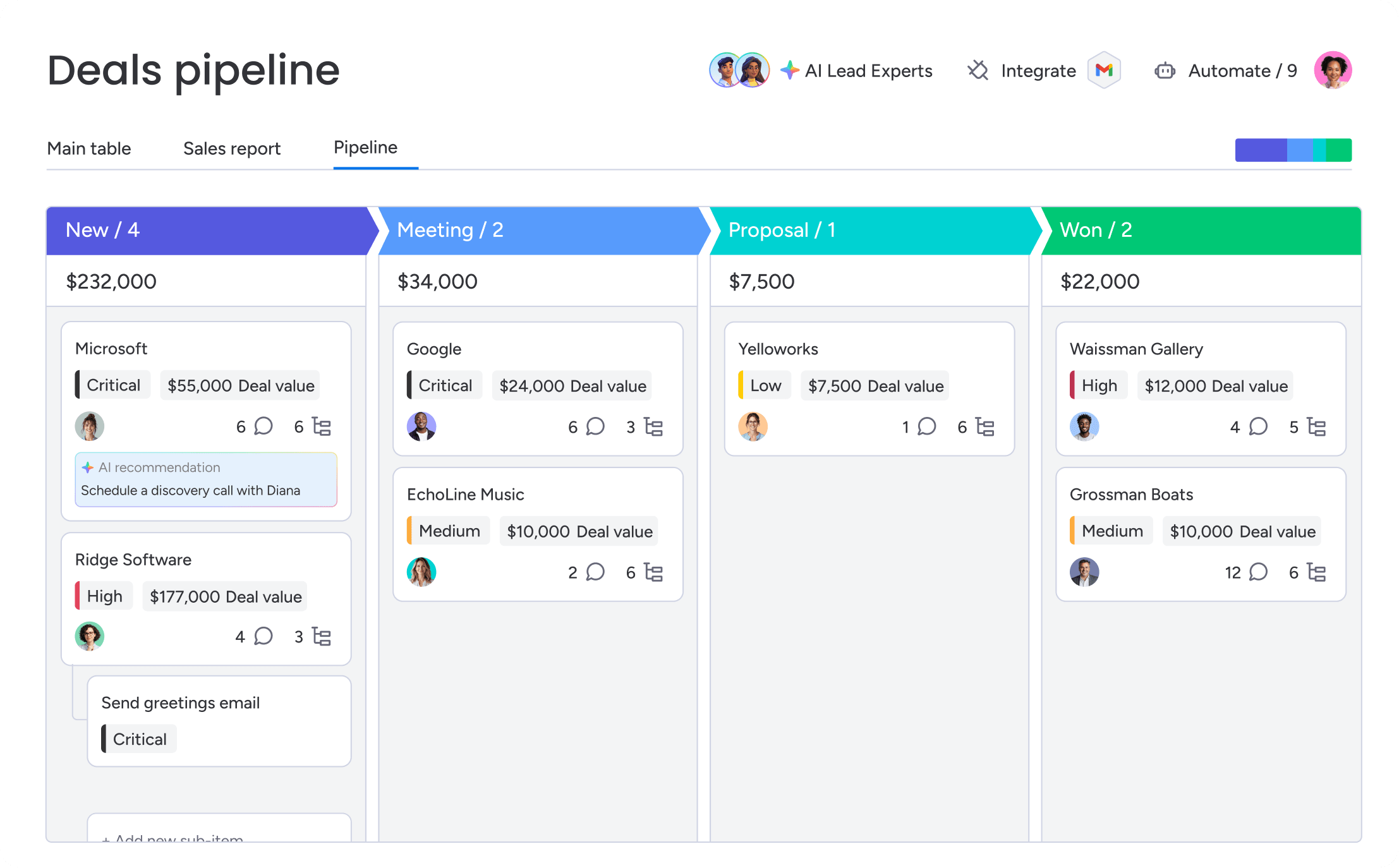
In financial services, the wrong CRM isn’t just inconvenient — it creates operational and compliance risk. The best platforms help teams manage long-term client relationships while maintaining audit-ready records, secure access controls, and visibility across complex workflows.
1. Centralized client data and a 360-degree view
Client history shouldn’t live across inboxes, spreadsheets, and disconnected systems. Financial services teams need a centralized record of every interaction, including meetings, emails, notes, documents, and account activity. A complete client timeline helps advisors and relationship managers step into conversations with full context, even if ownership changes hands internally.
2. Pipeline and opportunity management
Financial deals rarely move through a simple sales funnel. Lending, onboarding, underwriting, approvals, renewals, and compliance reviews all create additional stages and stakeholders. A finance CRM should support customizable pipelines that reflect how your organization actually operates, giving teams visibility into bottlenecks, outstanding tasks, and deal progress in real time.
3. Compliance tracking and audit trails
Financial services firms need a defensible record of who accessed data, what changed, and when those changes occurred. Built-in audit trails, activity logging, approval histories, and document retention capabilities help firms prepare for regulatory reviews while reducing operational risk. For regulated organizations, these features aren’t optional.
4. Workflow automation and AI assistance

Administrative work can quickly consume hours that should be spent with clients. Automation tools help teams streamline repetitive processes like follow-ups, approval routing, onboarding requests, and document collection. AI capabilities can further reduce manual effort by drafting emails, summarizing client activity, extracting data from forms, and flagging at-risk relationships before issues escalate.
5. Integrated communication and email tracking
Manual CRM updates rarely happen consistently. Integrated email and communication tracking ensures every client interaction is automatically captured inside the CRM, creating a reliable historical record without additional admin work. This improves collaboration across teams and prevents important relationship context from getting lost in individual inboxes.
6. Reporting dashboards and sales forecasting
Financial services leaders need visibility into pipeline health, client retention, forecasting, and operational performance. Custom dashboards and reporting tools allow firms to track the metrics that matter most to their business model, whether that’s assets under management, loan volume, renewal rates, or relationship activity.
7. Integrations with key financial platforms
A CRM should connect with the systems your team already relies on, including accounting software, portfolio management tools, payment platforms, document storage, and communication systems. Strong integrations reduce duplicate data entry, improve reporting accuracy, and help teams work from a single source of truth.
8. Role-based permissions and granular security
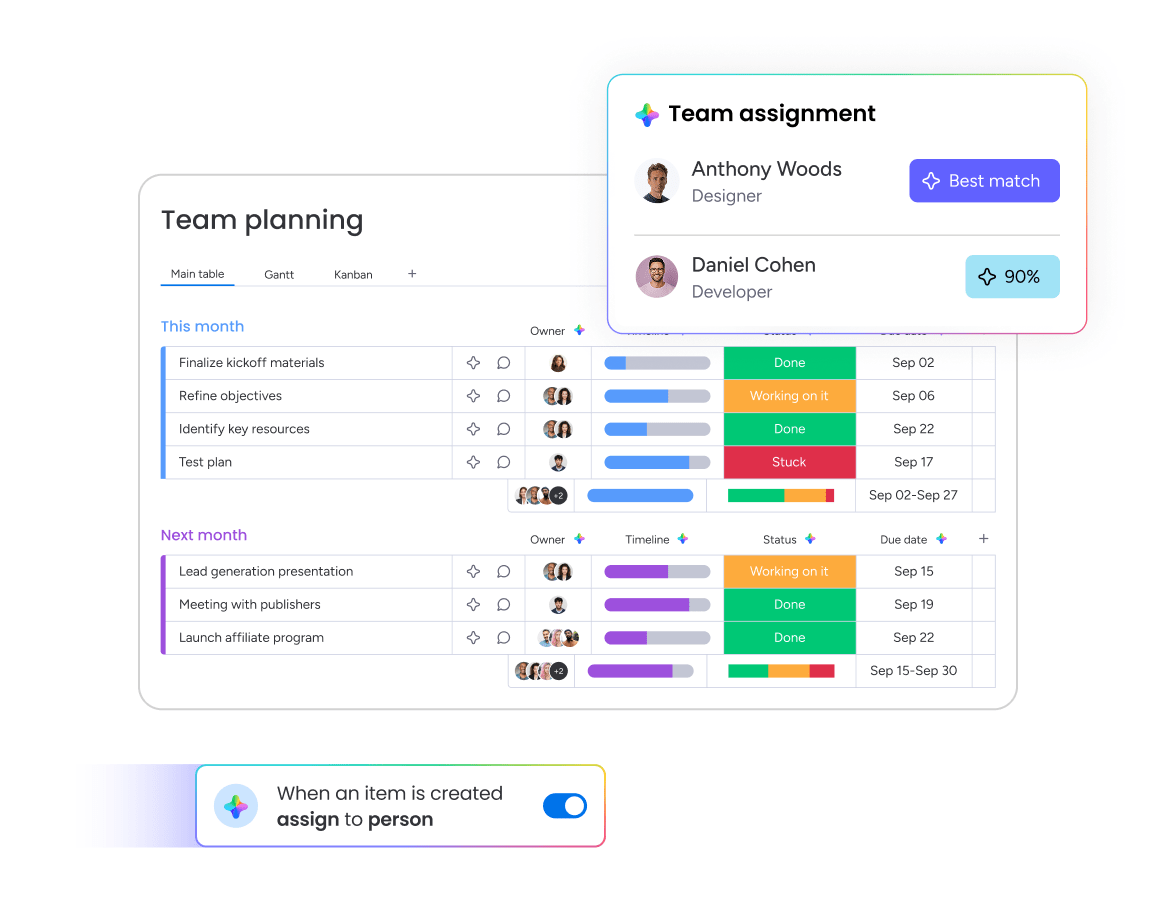
Not every employee should have access to every client record or financial detail. Granular permissions help firms control who can view, edit, export, or delete sensitive information. Combined with certifications like SOC 2 Type II and ISO/IEC 27001, these controls help organizations protect client data and maintain compliance requirements.
How financial services teams use finance CRM software
Financial services isn’t a monolith. What works for a commercial lending team is a poor fit for a wealth advisor, and a private equity firm has completely different needs. The right CRM gets this and speaks your team’s specific language. Here’s how different stakeholders use a finance CRM:
| Financial services segment | Primary use case | What a finance CRM delivers |
|---|---|---|
| Banking and commercial lending | Managing long loan cycles across relationship managers, analysts, legal, and compliance teams | One place to see what’s done, what’s next, and who owns each step |
| Wealth management and financial advisory | Managing hundreds of client relationships and compliance records | Centralized interactions, automated follow-ups, and audit-ready records |
| Investment and asset management | Tracking networks, introductions, and deal flow | Relationship mapping and reduced manual data entry |
| Fintech and digital finance | Supporting fast-changing sales processes and product lines | A flexible CRM that can adapt quickly as the business evolves |
| Insurance and financial planning | Managing renewals, follow-ups, and client retention | Automated reminders and proactive relationship management |
The best CRM isn’t the one with the longest feature list. It’s the one that separates a platform your team actually uses from one that just collects dust.
6 steps to choose the right finance CRM

Choosing the wrong finance CRM is a fast track to chaos. Get it wrong and you’re stuck with months of disruption, painful data migration, and awkward conversations with leadership. These 6 steps help you make a decision your firm can actually live with.
- Map your workflows and compliance needs. Before you see a single demo, get real about how your firm operates. What does the journey from first contact to funded account look like? Determine exactly who is watching your data — whether it’s the SEC, FINRA, or another regulatory body. Compliance isn’t a feature; it’s a deal-breaker that can immediately rule out platforms.
- Define your absolute must-haves. Separate your requirements into 2 lists: what you can’t work without and what would just be nice to have. Prioritize essentials like audit trails and role-based permissions over flashy extras like AI email drafting. This simple exercise keeps you grounded in reality, not a feature fantasy.
- Evaluate real-world team adoption. A CRM packed with features is just expensive shelfware if no one logs in. Adoption is the single biggest reason CRM implementations fail. monday CRM is built for teams to be productive in days, not quarters. Choose a platform that aligns with how your team already works.
- Assess AI and automation capabilities. AI is table stakes now. The real question is whether it actually does anything useful for your team. Check if the AI can draft compliant client emails, pull data from proposals, or flag deals that have gone quiet. Distinguish between generic AI and tools built for real revenue workflows.
- Verify integration with existing systems. List every system your team touches daily, from portfolio management platforms to accounting software. Any CRM you consider must connect to all of them, no excuses. A fully integrated platform eliminates data silos and manual work, acting as a true solution for your team.
- Calculate the total cost of ownership. The sticker price is just the start. Implementation, training, and administration all add up quickly. Legacy platforms can cost 3 to 5 times the subscription price in consulting and setup fees. monday CRM enables rapid deployment without requiring IT resources.
It all boils down to whether your team will use it and if it will pass an audit. Nail those two criteria, and your decision is made.
Secure your financial data and accelerate deal velocity
Managing financial relationships requires a delicate balance between moving fast and staying compliant. The right platform removes the friction from your daily operations, allowing your team to focus on building trust rather than battling spreadsheets. When your data is centralized and secure, forecasting becomes accurate and audits become painless.
Revenue teams need tools that adapt to their specific workflows without requiring months of expensive IT setup. By prioritizing adoption and seamless integrations, you empower your advisors and relationship managers to do their best work. Evaluate your current processes, identify your non-negotiable compliance needs, and choose a system that actively supports your growth.
Try monday CRMFAQs
How does a finance CRM differ from a regular CRM?
The core difference comes down to purpose. Generic sales CRMs are designed to move deals through pipelines quickly. Finance CRMs are built for trust, security, and audit integrity — tracking every client interaction, maintaining compliance trails, and managing complex relationships across multiple stakeholders. Finance CRMs also handle sensitive financial profiles, regulatory reporting, and integrate with specialized financial platforms rather than just marketing tools.
What are the must-have features in a finance CRM?
Every financial services CRM should include centralized client data with a 360-degree view, configurable pipeline management, compliance tracking with audit trails, workflow automation and AI assistance, integrated communication and email tracking, customizable reporting dashboards, integrations with financial platforms, and role-based permissions with granular security controls.
How much does a finance CRM cost?
Finance CRM pricing varies widely based on features, team size, and deployment complexity. Always calculate total cost of ownership, including setup, training, integrations, and ongoing administration.
Can small financial advisory firms use the same CRM as large banks?
Not effectively. Large banks need enterprise-grade platforms with complex household data models, multi-jurisdictional compliance, and deep ERP integration. Small advisory firms benefit more from advisor-specific CRMs like Wealthbox or Redtail, or flexible platforms like monday CRM that adapt to their workflows without enterprise overhead. The right CRM matches your firm's size, regulatory requirements, and technical resources.
Is AI in finance CRMs safe and compliant?
AI in finance CRMs is safe when built with proper governance. Look for platforms that keep humans in the loop for final decisions, don't use your client data to train external AI models, and maintain compliance certifications like SOC 2 Type II.
What compliance certifications should a finance CRM have?
At minimum, look for SOC 2 Type II certification (proving ongoing security controls) and ISO/IEC 27001 (demonstrating information security management). GDPR compliance is essential for firms handling EU client data, while HIPAA support matters if you handle health-related financial products. Platforms should also provide audit trails, data residency options, and role-based access controls to meet SEC, FINRA, and other regulatory requirements.
Can a finance CRM help with client retention?
Yes. A finance CRM helps you retain clients by automating follow-ups, flagging at-risk relationships, and keeping every interaction documented. When renewal dates approach, the system reminds you. When a client goes quiet, AI sentiment detection surfaces the warning early. You stop losing clients to neglect because the CRM won't let important relationships slip through the cracks. Centralized client history also means smoother handoffs when advisors change, preserving continuity and trust.
