


Choosing between Trello and Wrike feels straightforward until you actually start comparing them. Trello vs Wrike is one of the most common searches in project management software, and for good reason. Both platforms occupy different ends of the complexity spectrum, and picking the wrong one costs your team months of rework.
Trello keeps things lightweight with its signature Kanban boards, while Wrike stacks on enterprise-grade project controls. But as teams grow, they often discover that simplicity alone doesn’t scale, and complexity doesn’t guarantee adoption.
That gap is exactly where monday.com’s AI Work Platform enters the conversation. We’ll walk through features, pricing, integrations, security, and more so you can find the platform that fits the way your team works today.
Key takeaways
- Trello excels at visual simplicity: Its Kanban-first design makes it easy for small teams to organize tasks, but it hits a ceiling when reporting, automations, and cross-team visibility become priorities.
- Wrike targets structured project management: It offers Gantt charts, workload views, and resource management, though its learning curve and tiered pricing can slow adoption.
- The AI Work Platform bridges both worlds: With 27+ board views, 850+ integrations, no-code automations, and AI-native capabilities, it delivers Trello’s ease of use alongside Wrike’s depth without forcing you to choose.
- AI capabilities set platforms apart: monday sidekick, monday agents, monday vibe, and monday MCP give teams autonomous AI support that neither Trello nor Wrike offers.
- Pricing favors the AI Work Platform for growing teams: The Standard plan on the AI Work Platform ($9/seat/month) includes automations, integrations, and dashboards, as opposed to features locked behind Wrike’s $25/user/month Business tier.
Trello vs Wrike: At a glance
Before diving into each category, here’s a high-level comparison of all three platforms across the dimensions that matter most to project managers and team leads.
| Category | Trello | Wrike | monday AI Work Platform |
|---|---|---|---|
| Best for | Small teams needing simple visual workflows | Mid-to-large teams with structured project needs | Teams of all sizes seeking flexibility, power, and AI-native capabilities |
| Pricing (paid, per user/month) | $5 – $17.50 | $10 – custom | $9 – custom |
| Key features | Kanban boards, Power-Ups, Butler automations | Gantt charts, workload view, proofing, custom workflows | 27+ views, no-code automations, AI Sidekick, Agents, Vibe, MCP |
| Integrations | 200+ Power-Ups | 400+ | 850+ with 2-way sync |
| Ease of use | Very easy; limited as needs grow | Moderate; steep learning curve | Intuitive setup; scales without added complexity |
| Reporting | Minimal (dashboard Power-Up) | Built-in reports and dashboards | AI-powered dashboards, automated reports, portfolio views |
| Productivity | Basic checklists, due dates | Time tracking, calendars, approvals | Automations, workdocs, time tracking, AI-assisted workflows |
| Security | SOC2, 2FA (Enterprise: SSO, SCIM) | SOC2, SSO, 2FA, role-based access | SOC2, HIPAA, GDPR; SSO, BYOK encryption, IP restrictions |
| Customer support | Community forums; premium support on Enterprise | Email/chat; priority support on paid tiers | 24/7 support with |
| Customer reviews (G2) | 4.4/5 | 4.2/5 | 4.7/5 (12,000+ reviews) |
monday.com’s AI Work Platform scores higher than both Trello and Wrike on G2, combining accessibility with the depth that growing teams need. Gartner named monday.com a Leader in both Collaborative Work Management and Adaptive Project Management in its 2025 Magic Quadrant.
What is Trello?
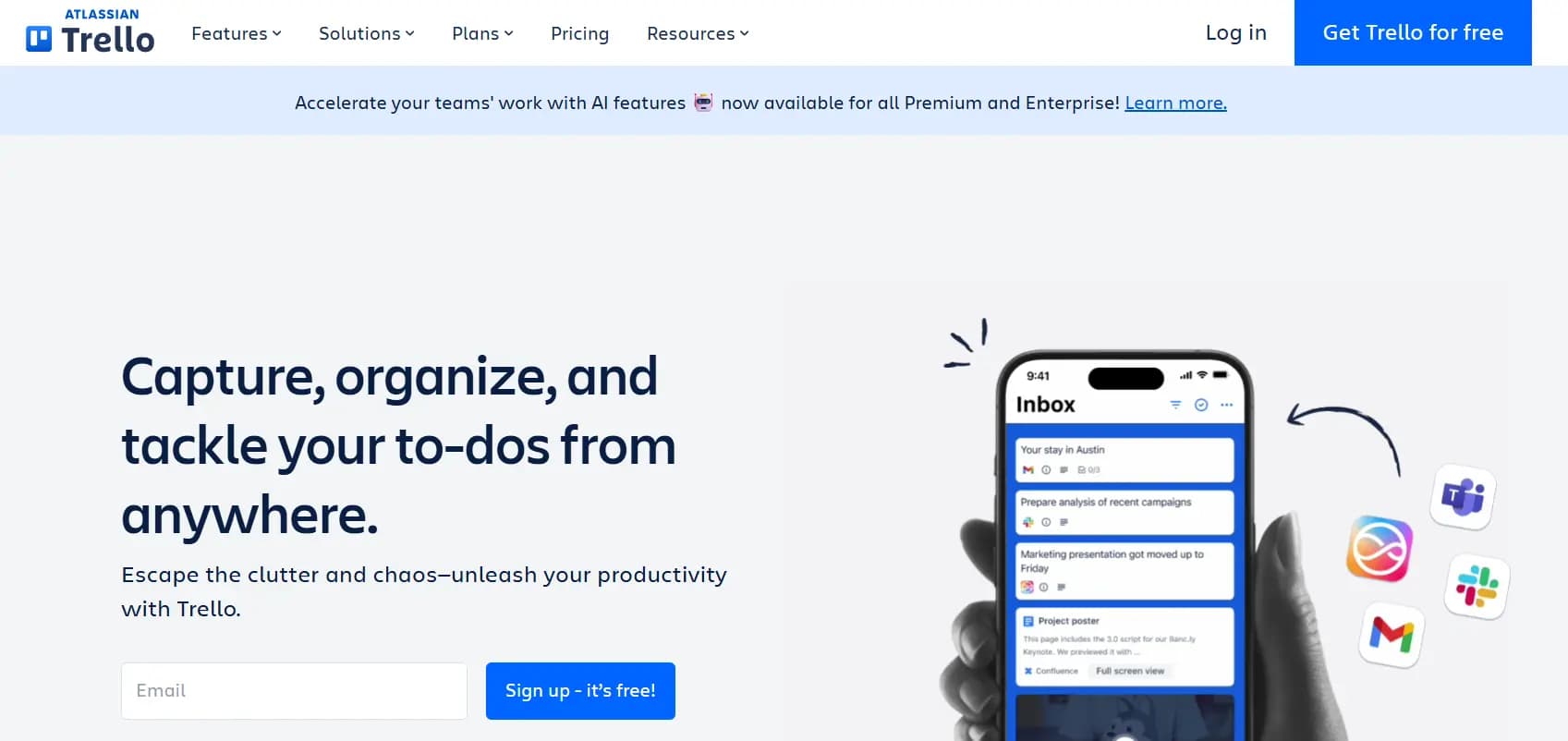
Trello is a visual project management platform owned by Atlassian. It organizes work around Kanban-style boards, lists, and cards using a drag-and-drop interface that makes work tracking feel intuitive for small teams and individual contributors.
Trello’s strength is its simplicity. You can set up a board in minutes, assign cards to team members, add due dates, and move work through columns. Power-Ups extend functionality with integrations, calendar views, and voting. Butler, Trello’s built-in automation engine, handles basic rule-based triggers.
Where Trello runs into limits is scale. It doesn’t offer native Gantt charts, resource management, or meaningful reporting. Teams that grow beyond a handful of boards often find themselves stitching together Power-Ups to replicate features that other platforms include out of the box. For teams exploring the differences between Gantt and Kanban approaches, Trello’s Kanban-only foundation can feel restrictive.
On monday.com’s AI Work Platform, teams get the same Kanban simplicity Trello offers plus 26 additional views, built-in automations, and AI capabilities that grow with the team.
What is Wrike?

Wrike is a project management and work management platform designed for mid-to-large organizations. It focuses on structured project execution with features like Gantt charts, workload management, custom request forms, proofing, and cross-tagging that lets items live in multiple folders simultaneously.
Wrike appeals to PMOs, marketing operations teams, and professional services groups that need granular control over project timelines, resource allocation, and approval workflows. Its blueprint feature lets teams create repeatable project templates, and its built-in time tracking supports billing and utilization analysis.
The trade-off is complexity. Wrike’s interface can feel overwhelming for new team members, and its pricing structure, with Business plans starting at $25/user/month and key features like AI gated behind higher tiers, means costs escalate quickly as you unlock the capabilities you actually need.
The AI Work Platform delivers the structured project controls Wrike provides, including Gantt charts, workload views, and resource management, while maintaining an interface that teams adopt without weeks of training.
Trello vs Wrike: Key features
How do you evaluate two platforms that approach project management from opposite directions? Trello starts minimal and lets you add on; Wrike starts comprehensive and asks you to learn. Here’s how their core features stack up.
- Workflow management: Trello uses cards with checklists, labels, and due dates. Wrike offers hierarchical task structures with folders, projects, and tasks plus sub-items, dependencies, and custom statuses. Both handle the basics, though Wrike’s structure scales to larger, more complex projects.
- Views: Trello provides Kanban boards, a timeline view (Premium), a calendar view, and a table view. Wrike includes Gantt charts, Kanban boards, table view, and a workload view. Neither comes close to monday AI Workspace 27+ views, which include all of the above plus map, chart, Kanban templates, and more.
- Custom fields: Trello offers custom fields on Premium and Enterprise plans. Wrike supports custom fields across paid tiers. The AI Work Platform provides 30+ column types on paid plans, including formulas, mirror columns, and dependency columns.
- AI capabilities: Trello has Atlassian Intelligence for summarization and writing assistance. Wrike offers Work Intelligence for automation suggestions, risk prediction, and smart replies. Neither platform matches the depth of monday’s AI-native ecosystem: Sidekick for contextual assistance, Agents for autonomous execution, Vibe for building custom apps from prompts, and MCP for connecting AI assistants directly to your workspace.
- Automations: Trello’s Butler handles basic if/then rules. Wrike provides automation recipes with conditional logic. The AI Work Platform’s no-code automation engine supports multi-step workflows, cross-board triggers, and integrations with external apps.
monday AI Workspace combines the ease of Trello’s drag-and-drop interface with the structural depth of Wrike’s project hierarchies and adds an AI layer that automates, predicts, and executes work autonomously.
Trello vs Wrike: Integrations

When your project management platform doesn’t connect to the rest of your stack, teams end up copying data between apps, missing updates, and losing hours to manual sync. Integration depth matters as much as integration count.
Trello connects to 200+ apps through Power-Ups, such as Slack, Google Drive, Jira, and Salesforce. Power-Ups add functionality directly to boards, but many are surface-level: they display data from external sources rather than enabling two-way sync. For deeper integrations, teams typically rely on Zapier or third-party connectors.
Wrike offers 400+ integrations with platforms like Salesforce, Adobe Creative Cloud, Microsoft Teams, and GitHub. Wrike’s integrations are generally deeper than Trello’s, with native connectors that sync data in both directions. Its API also supports custom integrations for enterprise workflows.
monday.com’s AI Work Platform provides 200+ integrations with 2-way sync across your entire stack, including Salesforce, HubSpot, Slack, Google Workspace, Zendesk, GitHub, and hundreds more. Automations can trigger cross-platform actions without leaving the workspace, and monday MCP connects AI assistants like Claude and ChatGPT directly to your data in the AI Work Platform.
Trello vs Wrike: Ease of use
Can a platform be powerful and easy to learn at the same time? That’s the central tension in project management software, and Trello and Wrike land on opposite sides of it.
Trello is one of the easiest project management platforms to learn. Its board-and-card interface is self-explanatory, and most teams can set up their first workflow within minutes. The trade-off is that Trello’s simplicity becomes a limitation. As teams add more boards, more integrations, and more team members, the lack of built-in structure leads to sprawl.
Wrike offers significantly more functionality, but that comes with a steeper learning curve. New team members often need training to navigate Wrike’s folder hierarchies, custom workflows, and admin settings. G2 reviewers consistently cite Wrike’s complexity as a barrier to team-wide adoption.
By contrast, monday.com’s AI Work Platform reviewers frequently cite ease of use and setup as key platform benefits, and the software has higher user review scores than both Trello and Wrike . Its drag-and-drop interface feels as intuitive as Trello’s, while its workflow templates and onboarding guides help teams unlock advanced features without the learning curve that Wrike demands.
Trello vs Wrike: Pricing
Pricing isn’t just about the ticket price, but what you actually get at each tier. Both Trello and Wrike offer free plans, but the feature gaps between tiers differ dramatically.
Trello’s pricing structure includes four plans:
- Free ($0): Unlimited cards, up to 10 boards per workspace, basic automations, limited Power-Ups
- Standard ($5/user/month): Unlimited boards, advanced checklists, custom fields, single-board guests
- Premium ($10/user/month): Timeline and calendar views, dashboard view, workspace-level templates, priority support
- Enterprise ($17.50/user/month): SSO, organization-wide permissions, attachment restrictions, multi-board guests
Wrike’s pricing is more aggressive at mid and upper tiers:
- Free ($0): Task management for up to 5 users, board and spreadsheet views
- Team ($10/user/month, 2–15 users): Gantt charts, custom fields, 50 automations/month
- Business ($25/user/month, 5–200 users): Custom workflows, project blueprints, 200 automations/month, time tracking, reports
- Pinnacle (custom): Advanced analytics, resource and budget management, SAM, locked spaces
- Apex (custom): Enterprise security, compliance, and scalability features
monday.com’s AI Work Platform’s plans deliver more value at comparable price points:
- Free ($0, up to 2 seats): Up to 3 boards, 200+ templates, basic integrations
- Basic ($9/seat/month): Unlimited boards, 5 GB storage, prioritized support
- Standard ($12/seat/month): Timeline and Gantt views, automations (250/month), integrations (250/month), dashboards
- Pro ($19/seat/month): Private boards, time tracking, formula columns, chart views, 25,000 automations/month
- Enterprise (custom): Advanced security, governance, multi-level permissions, premium support
The critical comparison: monday AI Workspace Standard plan at $9/seat/month includes automations, integrations, and dashboards, features you’d need Wrike’s $25/user/month Business plan to access. A Forrester TEI study found that organizations using monday.com achieved 346% ROI over 3 years.
Trello vs Wrike: Reporting and analytics
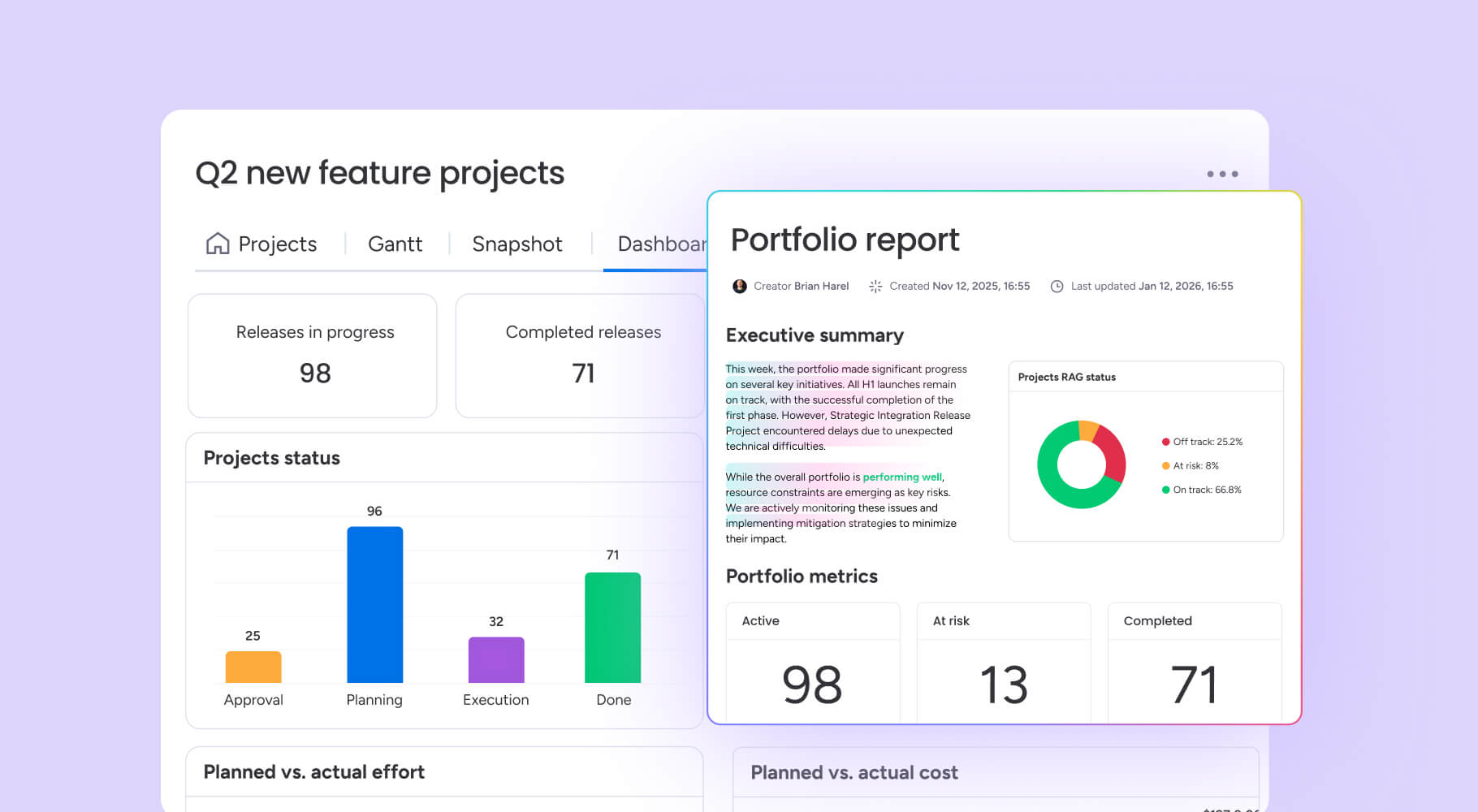
Reporting is where the gap between simple and scalable platforms becomes most visible.
Trello’s native reporting is minimal. The dashboard view provides basic card counts, member workloads, and due-date tracking through widgets. For anything more advanced, teams need third-party Power-Ups or export data to external analytics platforms. There’s no native way to build cross-board reports or portfolio-level dashboards.
Wrike offers built-in reporting with customizable dashboards, performance charts, and workload heatmaps. Pinnacle-tier users get advanced analytics with shareable reports and business intelligence features. Wrike’s reporting is substantially stronger than Trello’s, though its most powerful analytics features require the highest-priced plans.
The AI Work Platform treats reporting as a core capability, not a premium add-on. AI-powered dashboards aggregate data across boards, teams, and projects into real-time portfolio views. monday sidekick lets you query dashboards conversationally so users can ask a question in plain language and get instant insights. Automated reports can be scheduled and shared with stakeholders, and the platform’s chart, workload, and timeline views double as live reporting surfaces.
Trello vs Wrike: Productivity
When you’re managing multiple projects with overlapping deadlines, every friction point compounds. The right platform should reduce the manual work between deciding what to do and actually doing it.
Trello keeps productivity features lightweight: checklists, due dates, card comments, and basic file attachments. Its mobile app is well-designed for on-the-go task updates. For teams that work primarily in Kanban, Trello’s simplicity keeps things moving with time tracking, document collaboration, and advanced automation available only through third-party add-ons.
Wrike adds time tracking, calendars, approval workflows, and request forms to the productivity mix. Its proofing feature supports review and markup on creative assets. Cross-tagging lets tasks appear in multiple project folders without duplication. These features make Wrike productive for structured teams, though they require configuration.
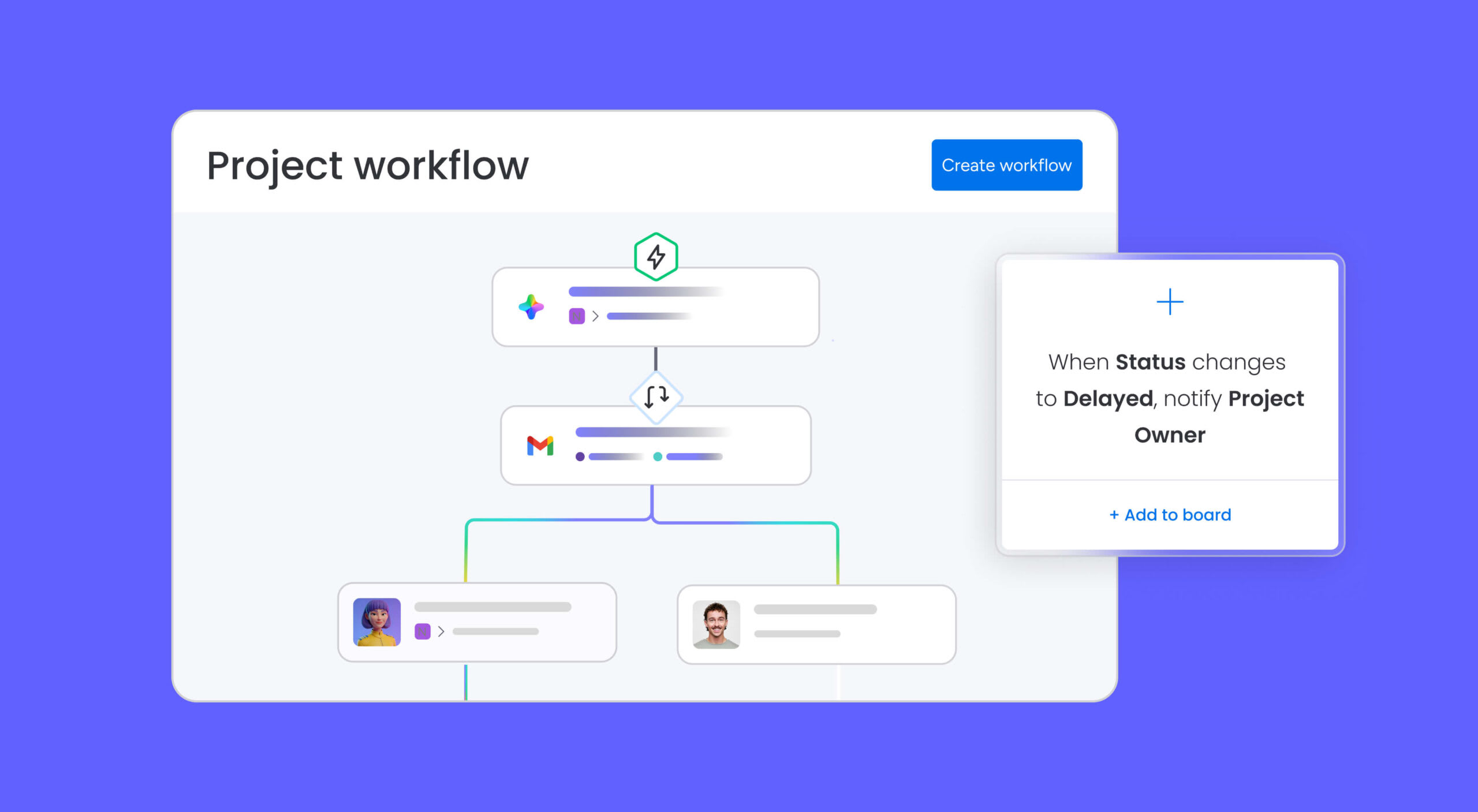
monday.com’s AI Work Platform combines the productivity features of both along with capabilities neither offers. No-code automations eliminate repetitive work across boards. Workdocs provide real-time collaborative documents embedded directly in workflows. AI-powered time tracking, formula columns, and automated notifications keep teams executing without context-switching between platforms.
Trello vs Wrike: Security
As teams scale and data sensitivity increases, security goes from a checkbox to a deal-breaker. Here’s how each platform protects your work.
Trello provides SOC2 Type 2 compliance, TLS encryption in transit, and AES-256 encryption at rest. Two-factor authentication is available on all plans. Enterprise plans add SSO through SAML, SCIM provisioning, organization-wide permissions, and attachment restrictions. For smaller teams, Trello’s free and Standard plans offer limited admin controls.
Wrike delivers SOC2 Type 2, ISO 27001, and GDPR compliance. SSO, two-factor authentication, and role-based access control come with paid plans. Higher tiers add locked spaces, custom access roles, and network access policies. Wrike’s security posture is solid for enterprise teams willing to pay for upper-tier plans.
monday.com’s AI Work Platform holds SOC2 Type 2, HIPAA, and GDPR certifications. Every plan includes two-factor authentication, and higher tiers add SSO, BYOK (bring your own key) encryption, IP restrictions, audit logs, and session management. With 60%+ of the Fortune 500 relying on monday.com, the platform’s security infrastructure meets the standards of the most demanding organizations.
Trello vs Wrike: Customer support
Support availability often separates platforms that work for you from platforms that leave you waiting.
Trello directs most users to community forums, documentation, and self-service resources. Priority support is reserved for Enterprise subscribers. Standard and Premium users can submit tickets, but response times are not guaranteed. Trello’s community is active, but peer support isn’t a substitute for direct assistance during critical workflow disruptions.
Wrike provides email and chat support across paid plans, with priority support and dedicated account managers available on higher tiers. Free users rely on community forums and help center articles. Response times vary by plan level, and live chat availability depends on business hours and region.
monday.com’s AI Work Platform offers 24/7 customer support across all paid plans, with an average response time under 60 minutes. Support channels include live chat, email, and phone. Enterprise customers get a dedicated customer success manager. The platform also provides an extensive knowledge base, community forum, and webinar library, making it easy to find answers independently when you prefer self-service.
Trello vs Wrike: Customer reviews
Third-party review platforms provide the most unfiltered view of each product’s strengths and limitations.
Trello holds a 4.4/5 rating on G2. Reviewers consistently praise its visual interface, ease of use, and quick setup. Common criticisms include limited reporting, a lack of advanced project management features, and the sense that Trello “outgrows” teams once projects become complex. Many reviewers describe it as great for personal project organization but insufficient for team-wide project execution.
Wrike holds a 4.2/5 rating on G2. Positive reviews highlight its project planning capabilities, Gantt charts, and cross-functional visibility. Negative reviews frequently cite the steep learning curve, interface complexity, and pricing that escalates quickly as teams unlock necessary features.
monday AI Workspace holds a 4.7/5 rating on G2 from over 12,000 reviews, representing the highest score among the three. Reviewers highlight its balance of ease and power, with users citing the platform’s ease of use as a major selling point. Users also frequently 4.7/5 rating on G2 the platform’s flexibility, visual design, automations, and responsive support as standout strengths.
Trello vs Wrike: Which is right for you?
After comparing features, pricing, and real user feedback, the right choice depends on where your team is today and where it’s headed. Here’s a quick decision framework.
Go with Trello if:
- You’re an individual or small team (under 10 people) managing simple workflows
- Kanban is your primary project management methodology
- You don’t need reporting, advanced automations, or AI capabilities
- Budget is the top priority and you can work within Trello’s feature limits
Go with Wrike if:
- You run a structured PMO or professional services team with complex project hierarchies
- You need built-in proofing, resource management, and cross-tagging
- Your team has the capacity to navigate a steeper learning curve
- You’re comfortable with higher per-user costs for advanced features
Go with monday.com’s AI Work Platform if:
- You want the simplicity of Trello with the project management depth of Wrike
- You need 27+ views, 200+ integrations, and no-code automations without paying enterprise prices
- AI-native capabilities, like Sidekick, Agents, Vibe, and MCP, are important to your team’s future
- You value 24/7 support, fast onboarding, and a platform that nearly 250,000 organizations trust
We might be biased, but the numbers speak for themselves. The AI Work Platform leads both Trello and Wrike in G2 user ratings and delivers more features at comparable price pointsExplore a deeper comparison in our Trello vs Wrike vs monday breakdown, or see how monday stacks up as a Wrike alternative.
How monday.com’s AI Work Platform transforms work management
The comparison above shows how the AI Work Platform matches and surpasses Trello and Wrike across traditional project management capabilities. The real story is about AI-native capabilities that don’t exist in either Trello or Wrike.
monday.com’s AI Work Platform is built on a fundamentally different premise: work management should be an orchestration layer between people and AI, not just a database of tasks and timelines. That vision is powered by four AI-native capabilities:
monday sidekick
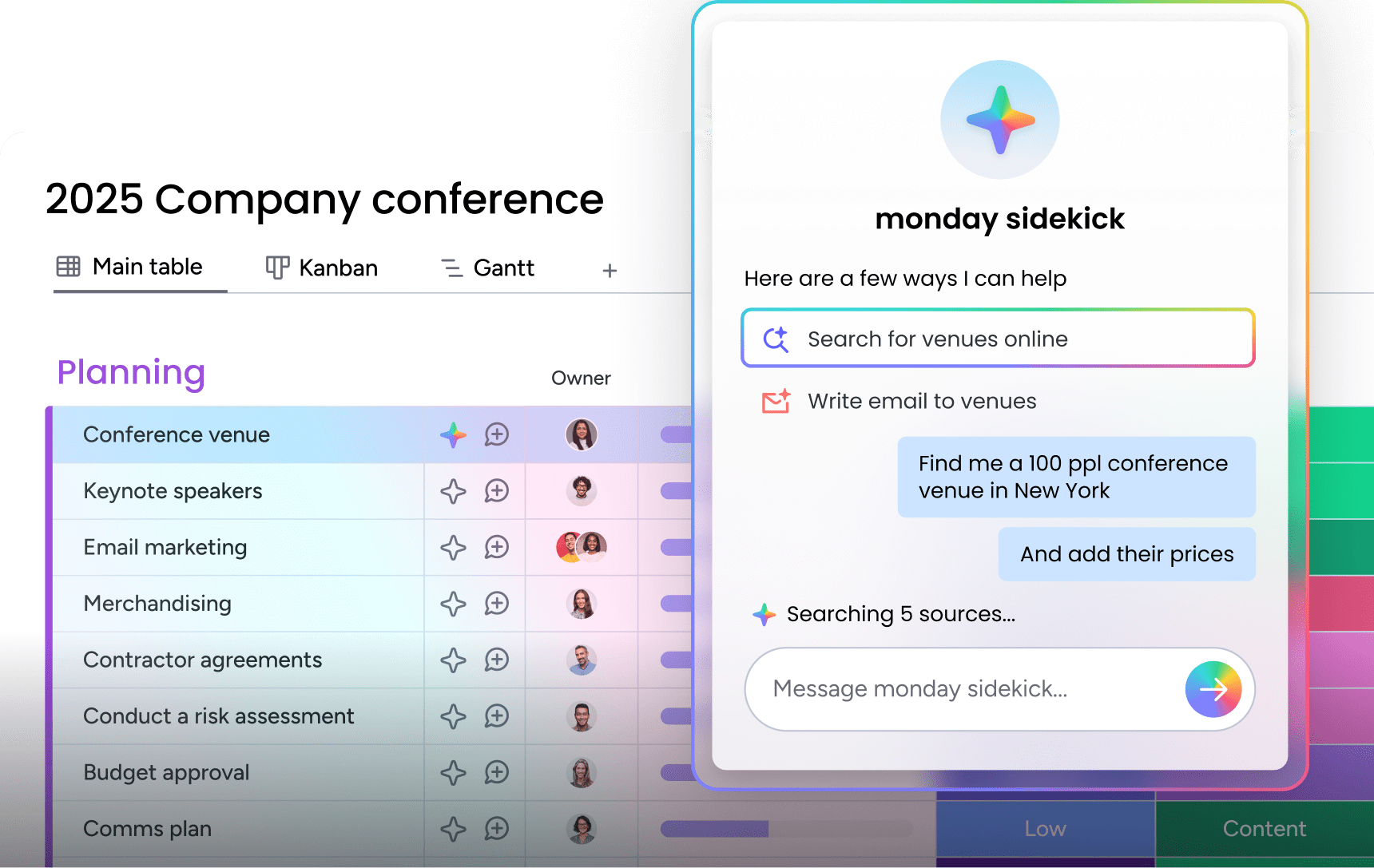
A context-aware AI assistant embedded directly into the platform and available on mobile. It connects leading AI models with your work data, such as boards, docs, Slack messages, Gmail, Google Calendar, and acts on it. Ask Sidekick to summarize a project’s status, generate a project plan, analyze performance data, update timelines, notify teammates, or create dashboards from a simple prompt. Unlike generic chatbots, Sidekick understands your workspace context and executes within it.
monday agents

These AI agents represent an entirely new capability class. They’re an autonomous AI workforce that operates inside your workflows, analyzing risks, scoring leads, assigning tickets, monitoring SLAs, summarizing meetings, and more. Choose from ready-made agents like the Risk Analyzer, Vendor Researcher, or Sentiment Detector, or build custom agents with a no-code builder. Agents watch for triggers, take action, and report results back into your boards.
monday vibe
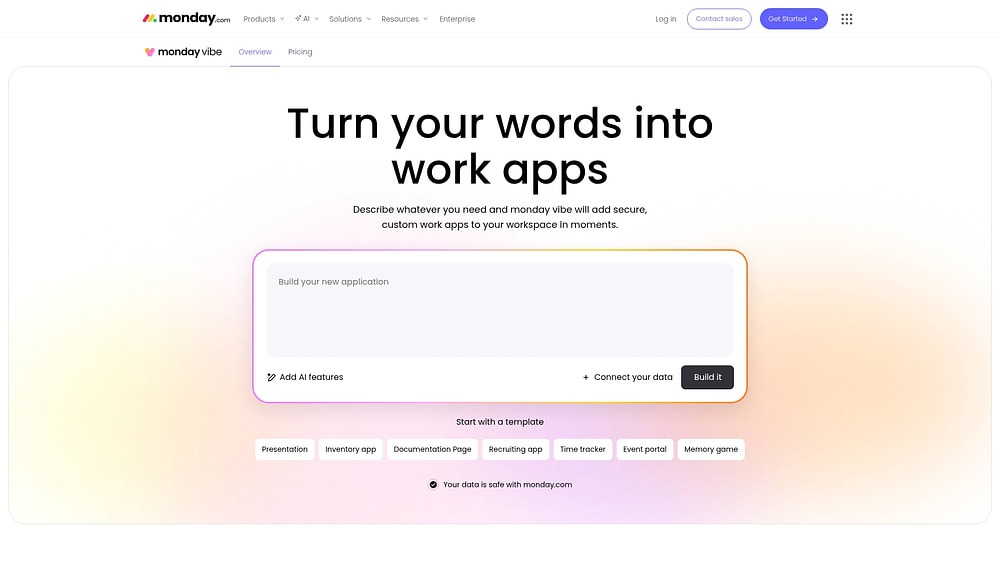
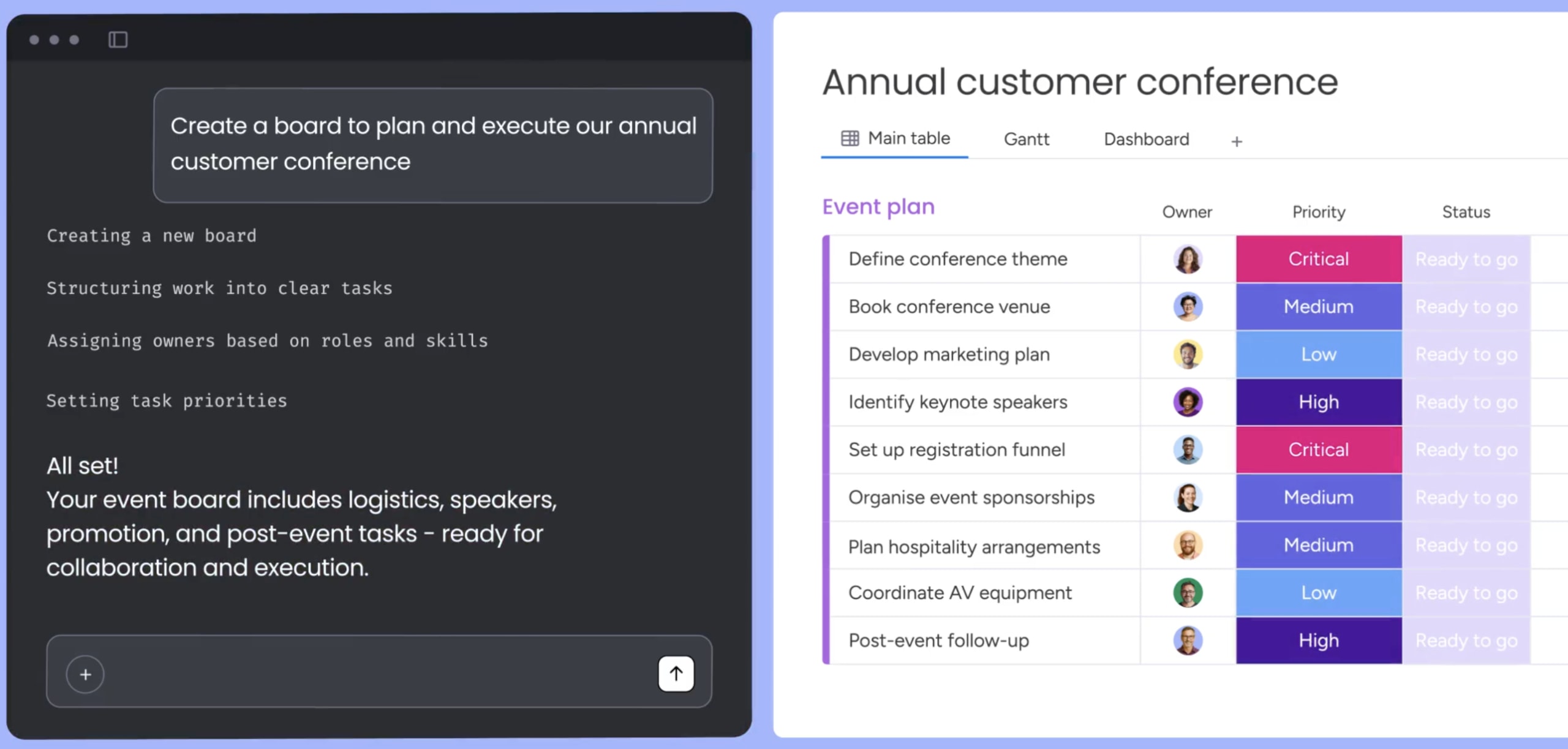
Turn your ideas into production-ready business software. Describe what you need in plain language, for example, “I need an event RSVP tracker with approval workflows and automated reminders,” and Vibe builds a fully functional app on monday.com’s enterprise-grade infrastructure, no coding required. Apps inherit monday.com’s permissions, security, and mobile responsiveness by default.
monday MCP
Connect AI assistants like Claude and ChatGPT directly to your monday.com workspace. Your AI assistant can read boards, create items, update statuses, and trigger automations within the security boundaries of your organization. This turns every AI interaction into a potential workflow action, making your existing AI investments more productive.
Together, these capabilities position monday AI Workspace not as an incremental upgrade from Trello or Wrike, but as a fundamentally different category of platform where AI and people work side by side.
Choosing the right project management platform in 2026
The Trello vs Wrike decision ultimately comes down to what your team needs right now and what it’ll need in 12 months. Trello works for small-scale project organization. Wrike serves structured project teams willing to invest in complexity. monday.com’s AI Work Platform offers a third path that starts simple, scales without friction, and puts AI at the center of how work actually gets done.
FAQs
Is Trello or Wrike more suitable for small teams?
Between Trello and Wrike, Trello is more suitable for small teams because of its visual, low-friction Kanban interface. Small teams that don’t need Gantt charts, resource management, or advanced reporting can get up and running on Trello in minutes. Wrike’s feature depth often exceeds what small teams require, and its pricing structure favors larger organizations.
Can Trello handle complex project management?
Trello can handle complex project management to a degree. It manages moderately complex projects with the help of Power-Ups, custom fields, and Butler automations, but it lacks native Gantt charts, dependencies, resource management, and cross-board reporting. Teams managing complex, multi-phase projects with dependencies and resource constraints typically outgrow Trello and move to platforms like monday.com’s AI Work Platform that offer these capabilities natively.
What are the main differences between Trello and Wrike pricing?
The main differences between Trello and Wrike pricing come down to feature gating and tier structure. Trello’s pricing ranges from free to $17.50/user/month and keeps the platform accessible at lower tiers. Wrike’s free plan is limited to 5 users, and its Business plan at $25/user/month is where most teams access essential features like custom workflows, reporting, and time tracking. monday.com’s AI Work Platform’s Standard plan at $9/seat/month includes automations, integrations, and dashboards, bridging the gap between the two.
Does Wrike offer a free plan?
Wrike does offer a free plan, but it’s limited to 5 users and provides only basic project management with board and spreadsheet views. Advanced features like Gantt charts, custom fields, and automations require paid plans starting at $10/user/month for the Team tier.
How do Trello and Wrike compare for remote teams?
When comparing Trello and Wrike for remote teams, both support distributed work with cloud-based access, mobile apps, and collaboration features. Trello’s simplicity makes it easy for distributed teams to adopt quickly, while Wrike’s structured workflows suit remote teams managing complex projects across time zones. The AI Work Platform combines both with intuitive onboarding for remote adoption, plus 200+ integrations, async collaboration features, and AI-powered automations that keep distributed teams aligned without constant meetings.
What is the smartest alternative to both Trello and Wrike?
The smartest alternative to both Trello and Wrike is monday.com’s AI Work Platform. It delivers Trello's ease of use alongside Wrike's project management depth, then adds AI-native capabilities that neither competitor offers. With a 4.7/5 G2 rating, nearly 250,000 customers, and recognition as a Gartner Magic Quadrant Leader, the AI Work Platform addresses the limitations of both platforms in a single, scalable solution.

 Get started