


Effective time management is about spending your time on the right things, in the right order, with systems that protect your focus. But working on what “right” means in the context of your own workload, is easier said than done, especially when you have a tower of tasks competing for your attention.
This article covers 10 proven time management strategies, from prioritization frameworks to automation, along with the most common mistakes that sabotage your schedule and the types of platforms that make these strategies stick. Whether you’re managing your own workload or leading a team, you’ll walk away with a system you can put into practice today.
Get startedKey takeaways
- Prioritization frameworks like the Eisenhower Matrix help you focus on what moves the needle instead of reacting to whatever feels urgent.
- Time blocking and task batching reduce the cognitive cost of switching between tasks, protecting your best thinking for high-impact work.
- Protecting breaks and rest periods is as important as protecting focused work time when it comes to sustaining performance.
- Common time management mistakes, such as multitasking and skipping planning, are fixable with simple habit changes.
- monday.com’s AI Workspace gives your team automations, workload views, and AI features to manage time at scale.
What is time management?
Time management is the practice of planning and controlling how you allocate your hours across tasks to maximize productivity and reduce stress. It goes beyond keeping a calendar or checking items off a list. It involves prioritization, scheduling, and protecting focused work so you can manage tasks from start to finish so you’re not just working longer but working with intention.
What’s changed is that time management is no longer purely a personal discipline. AI-powered platforms now help teams automate scheduling, route tasks, and identify priorities without manual overhead. Whether you’re an individual contributor organizing your own day or a manager balancing capacity across a department, effective time management combines personal habits with the right systems.
Why time management strategies are so important
A workload that feels unmanageable is one of the leading causes of stress in the workplace, and it spirals into burnout fast. According to a Gallup study, employees who feel they have enough time in the day to handle their work are 70% less likely to experience burnout. But almost half of all Americans feel like they don’t have enough time to get things done.
The problem isn’t always the workload itself. Distractions and constant context-switching between apps, meetings, and chat threads means that your cognitive bandwidth gets carved into slivers too thin for deep work.
Hybrid and remote teams face an even steeper challenge. Without physical separation between “work mode” and “rest mode,” the workday can expand in both directions. Notifications arrive at all hours. Meetings fill every gap. And without intentional time management, autonomy over your own schedule erodes quickly.
The takeaway is straightforward: if you want to get more done with less stress, you don’t necessarily need fewer tasks. You need a deliberate system for how you spend your time. That’s what the following strategies are designed to build.
Strategy 1: Eliminate workplace distractions
One overlooked time management strategy is to eliminate all distractions. It’s not just scheduling that’s the problem. We have to deal with vibrating, pinging attention leechers all the time: Slack notifications, email threads, app badges, and the gravitational pull of social media.
We’re not saying smartphones and social media sites are inherently evil, but they’re designed to give you dopamine hits to keep you coming back all day despite your best efforts.
Instead of relying on willpower, use site and app blocking applications, and turn off non-essential notifications. Batch your email and Slack check-ins to 2 or 3 windows per day rather than keeping them open constantly. Communicate your focus hours to teammates so they know when to reach you and when to wait.
Reducing workplace distraction leads to a whole range of benefits, including increased productivity, higher-quality work, and stronger engagement. The connection to task batching is direct: grouping similar work reduces the number of times you switch contexts each day, which compounds the benefits of fewer interruptions.
Strategy 2: Use the Eisenhower Matrix to prioritize and delegate
If you’ve cut all your distractions but still feel time-crunched, you might have too many tasks on your plate because you’ve never stopped to question which ones belong there.
When smaller tasks pop up, it’s easy to add them to your list. You’ll get to it eventually, you tell yourself. But over time it builds up until there’s no end in sight. It happens to the best of us.
Instead, use the Eisenhower Matrix to cut, prioritize, or delegate tasks and give yourself the time and space to do work that matters. Create a simple graph with four quadrants based on urgency and importance:
- Do first: Items that are urgent and important.
- Schedule: Important but not urgent tasks for later.
- Delegate: Urgent but unimportant tasks to someone else.
- Eliminate: What isn’t either urgent or important.

You can even start with a free Eisenhower matrix template to get the structure right from day one, rather than something you sketch once and forget. Don’t let low-priority items get in the way of crucial daily goals and targets. Instead, building the habit of sorting is what’s important.
Strategy 3: Try time blocking to protect focused work
Time blocking is the practice of dividing your calendar into dedicated blocks for specific tasks or task types, rather than working from an open-ended to-do list. Instead of hoping you’ll find time for deep work, you schedule it the same way you’d schedule a meeting.
Why does this work? A to-do list tells you what needs to happen. Time blocking forces you to estimate how long things take and commit to a time slot, which creates accountability. You stop reacting to whatever shows up in your inbox and start protecting the work that matters most.
Here’s how to put it into practice:
- Identify your high-focus tasks: These are the items that require concentration and produce real results.
- Block time first: Schedule your priority work before meetings fill every available slot.
- Protect those blocks: Treat them as non-negotiable. Decline or reschedule meeting invites that conflict.
- Use shorter blocks: 60 to 90 minute blocks maintain concentration without mental fatigue.
AI-assisted scheduling can automate time block suggestions based on your workload and calendar availability. The monday AI Workspace’s Calendar and Timeline views make it easy to visualize and protect time blocks across your entire team, so focused work doesn’t get lost in the shuffle.
Strategy 4: Batch similar tasks to cut context-switching costs
Task batching means grouping similar tasks together and completing them in a single session rather than scattering them throughout the day. Your brain incurs a “switching cost” every time you shift between different types of work. Batching minimizes this by keeping you in the same cognitive mode longer.
Think about it practically: batch all email responses into a morning window, group creative writing into an afternoon block, and schedule all your 1:1 calls back-to-back. Each of these tasks requires a different mental gear. When you stop shifting gears 20 times a day, you get more done in less time with fewer errors.
This pairs naturally with time blocking. Block a chunk of your calendar for a specific task type, and you’ve batched by default. monday.com’s AI Workspace’s Kanban and list views let you filter tasks by type and group them visually, making batching easy to manage across a team.
Strategy 5: Apply the 80/20 rule to cut low-value work
The 80/20 rule, also known as the Pareto Principle, says that roughly 20% of your tasks produce 80% of your results. Applied to your daily work, this means a small number of activities drive most of your outcomes, and the rest is noise.
Start each week by identifying the 3 to 5 tasks that will most move the needle. Treat these as non-negotiable. Everything else either gets batched into low-energy time slots, delegated, or dropped entirely. This pairs well with the Eisenhower Matrix, which gives you the framework to sort, while the 80/20 rule tells you how aggressively to cut.
The trap most people fall into is spending all day on low-effort tasks that feel productive but don’t drive outcomes. Checking off 15 small items feels good. Finishing the one deliverable that actually matters feels different, but it moves your projects forward. Dashboards and reporting features can flag which activities are producing results, so you can double down on what works and stop pouring time into what doesn’t.

Strategy 6: Set SMART goals to give your time direction
Without a defined endpoint, tasks expand to fill available time. That’s Parkinson’s Law in action, and SMART goals are the antidote. SMART stands for Specific, Measurable, Achievable, Relevant, and Time-bound.
Here’s how each attribute keeps your time on track:
- Specific: Define exactly what you’re delivering, not a vague aspiration.
- Measurable: Attach a number or metric so you know when you’re done.
- Achievable: Scope the work to what’s realistic with the resources and time you have.
- Relevant: Confirm the task connects to a larger priority, not just busywork.
- Time-bound: Set a deadline that creates urgency and prevents drift.
Before starting any significant task, run it through these five criteria. “Improve our onboarding process” is vague. “Reduce new-hire onboarding time from 3 weeks to 2 weeks by Q3” is a SMART goal. The second version tells you exactly what to work on, how to measure progress, and when it needs to be done.
Strategy 7: Use the Pomodoro Technique and schedule real breaks
There’s a difference between sitting down and working and actually being productive. Your brain needs rest to sustain focus. It’s that simple.
The Pomodoro Technique is one of the most popular approaches: work for 25 minutes, take a 5-minute break, and after four cycles, take a longer break of 15 to 30 minutes. The exact intervals vary from person to person, but the trend is consistent: scheduled breaks lead to higher output.
A Microsoft Japan pilot found that reducing the workweek to 4 days boosted productivity by 40%. You don’t need to take an extra day off to see gains, but the principle holds: more intentional rest means sharper work during focused hours. Breaks aren’t a luxury. They restore the cognitive resources that focused work depletes. If you’re in management, make the policy on breaks visible and encouraged. If not, take your breaks without apology and let the quality of your output speak for itself.
Strategy 8: Tackle your hardest task first (Eat the Frog)
The premise of the “Eat That Frog” technique is simple. While you’re still fresh, get the hard stuff out of the way. Start every workday by tackling the biggest, most important, and most complex task first thing in the morning.
Why does this make a difference? If you let it, your weekly schedule will bury you in tedious activity. Sure, you’re working, but without making any real progress. It’s easy to lose sight of a long-term goal and postpone challenging work.
Keep your focus over the long term by doing hard work first, rather than a hypothetical later that may never come. Willpower and concentration are typically highest in the early part of the workday, so using that window on your most challenging task makes the rest of the day feel manageable. One nuance: “hardest first” works well for most people, but some individuals genuinely do their best creative work in the afternoon. The key isn’t morning versus afternoon. It’s knowing your own peak focus window and protecting it for high-stakes tasks.
Only focusing on small, routine tasks is a form of procrastination. Don’t let that habit get in the way of doing challenging work that matters.
Strategy 9: Automate repetitive tasks to recover hours
Automation may not seem like a time management strategy, but it’s one of the most effective ways to get more done in less time. Employees around the globe spend too much of their day on tasks that a system could handle in seconds. Consider finance teams: many spend nearly half their workdays creating and updating reports. How much time do they want to spend? 3%. That’s 16 times more time on reporting than they’d choose. The worst part is, a computer can handle most of that work for them.
In 2026, AI automation has expanded what’s possible. Even outside a full work-management platform, a few dedicated time-saving apps for reminders, scheduling, or reporting are often enough to see where the compounding starts. AI agents can now draft responses, route tasks, summarize meetings, and update project statuses with minimal input. With monday.com’s AI Workspace, no-code automation recipes, AI-suggested workflows, and scheduled reminders help you streamline your workflows and reduce the manual admin overhead that fragments your day. Instead of spending time on status updates and handoffs, you redirect that time toward high-value work.
Realistically, you probably can’t automate every small task. But the important thing is to start somewhere, and the gains compound quickly.
Strategy 10: Review and plan your week every Sunday (or Monday morning)
The weekly review is the habit that ties the other 9 strategies together. Spending 20-30 minutes each week reviewing what’s done, what’s overdue, and what the week ahead requires creates an advantage over time. Here’s a simple ritual that works:
- Review your task list: Identify what’s complete, what slipped, and what’s no longer relevant.
- Clear your inbox: Process everything down to zero so nothing hides in the backlog.
- Block time for priorities: Apply time blocking to the week’s highest-impact tasks first.
- Protect your non-negotiables: Schedule focus time, breaks, and personal commitments before meetings fill every gap.
This isn’t about perfection. It’s about starting each week with intention rather than reaction. Teams that skip planning lose time to firefighting, which is one of the most common time management mistakes, and a good segue into what to avoid.

Common time management mistakes to avoid
Knowing what not to do is as valuable as knowing the right strategies. Here are the most frequent habits that undermine even the best intentions:
- Multitasking: Research consistently shows that multitasking reduces quality and increases errors. Serial monotasking, finishing one thing before starting the next, is faster and produces stronger results.
- Skipping planning time: Teams that skip weekly or daily planning lose hours to reactive firefighting. A 20-minute planning session saves far more time than it costs.
- Underestimating task duration: Most people suffer from the planning fallacy, the tendency to assume tasks will take less time than they do. Build in buffer time, especially for complex work.
- Confusing busyness with productivity: A full calendar isn’t the same as a productive one. The Eisenhower Matrix, 80/20 rule, and other prioritization frameworks exist specifically to fix this.
- Failing to delegate: Holding onto tasks you could hand off wastes your highest-value cognitive capacity. If someone else can do it 80% as well, delegate it.
Time management tools that help
The right tools reduce friction and make it easier to apply the strategies above consistently. Without them, even solid habits break down under the pressure of a full workload. Here are the four categories that matter most:
- Calendar and time-blocking apps: Help you visualize and protect your schedule so focused work doesn’t get overwritten by meetings.
- Task management platforms: Centralize your to-do list, priorities, and deadlines in one place so nothing lives in your head or scattered across sticky notes.
- Time tracking tools: Help you understand where your time actually goes versus where you intend it to go, which is the first step in fixing any time management problem.
- Automation tools: Handle repetitive work so you can redirect those hours toward high-value tasks.
The most effective approach is to use a platform that combines all four categories in one place. That’s where monday.com’s AI Workspace fits, and the next section covers how.
How monday.com's AI Workspace helps you manage time at scale
The strategies in this article work at the individual level. But when you’re managing a team, a department, or a portfolio of projects, you need a system that scales time management beyond personal habits.
That’s what monday.com’s AI Workspace is built for. Here’s how it supports the strategies covered above:
- Time tracking column: Monitor how long tasks take in real time, compare estimates versus actuals, and use that data to plan future work more accurately. This directly addresses the planning fallacy and helps teams build realistic schedules.
- Dashboards: Real-time project data across 10+ widgets, covering budgets, goals, and schedules in one view. Teams can spot bottlenecks before they become crises and make decisions backed by data, not guesswork.
- Automations: No-code automation recipes remove repetitive admin work. Set up reminders, status updates, and task assignments automatically so nothing falls through the cracks and no one wastes time on manual handoffs.
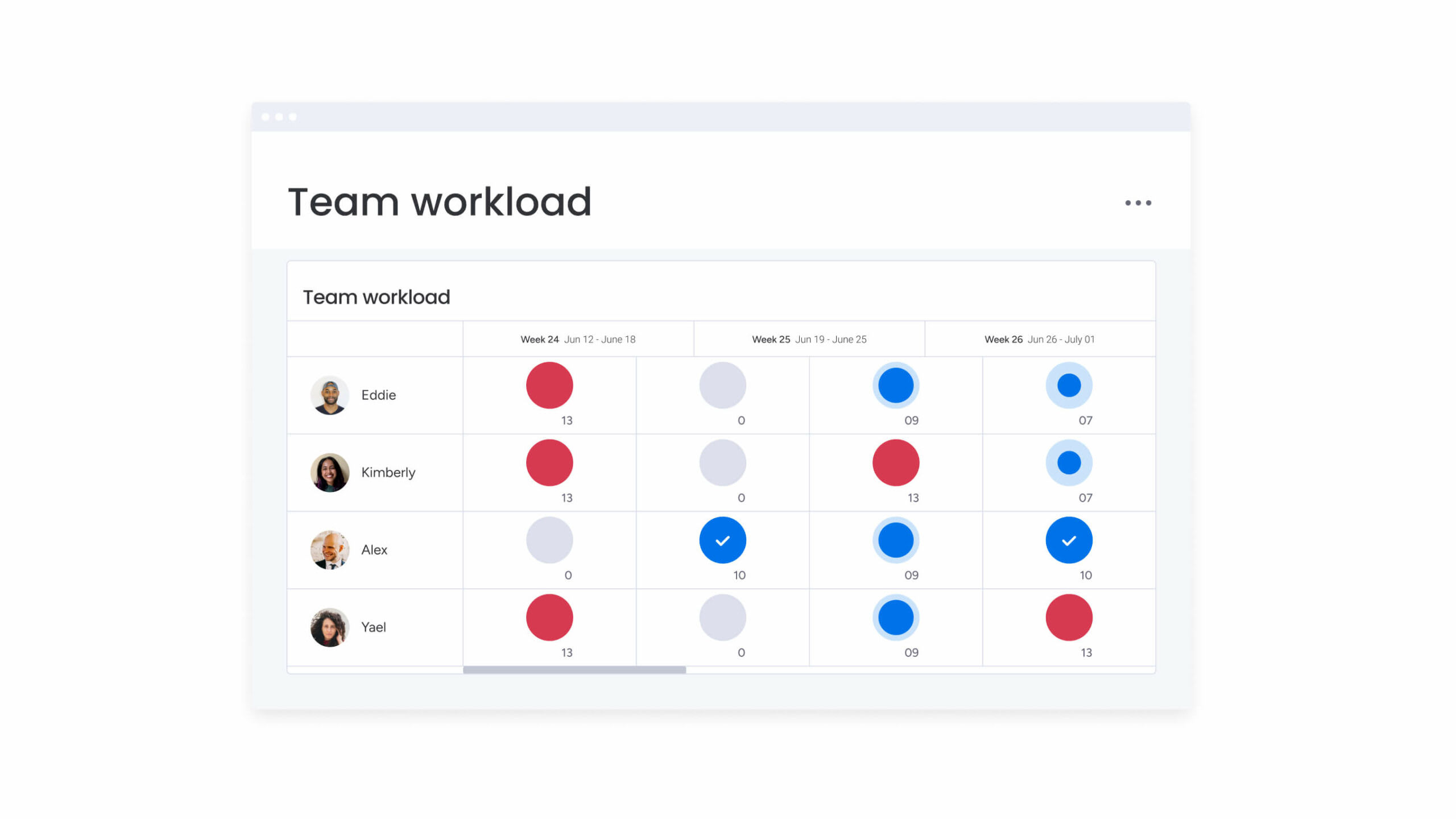
- Workload view: Balance team capacity across projects in real time. See who is over-allocated and reallocate tasks as priorities shift, which prevents burnout and keeps output consistent.
- 15+ board views: Kanban, Gantt, Calendar, and Timeline views let individuals and teams choose the visualization that fits their workflow, whether that’s time blocking, task batching, or tracking dependencies.
- monday sidekick: A context-aware AI assistant that recommends next steps, drafts content, and pinpoints the right information at the right time, reducing the overhead of searching for what you need.
- monday agents: AI agents that execute work autonomously, processing requests, routing tasks, and analyzing data without manual oversight.
- 200+ integrations: Connect Slack, Gmail, Microsoft Teams, and other apps to keep time management data in sync without switching tabs or duplicating effort.
Whether you’re a solo contributor organizing your own day or a leader running cross-functional programs, monday.com’s AI Workspace scales from individual workflows to enterprise operations.
Take back your time: turning strategies into habits that stick
Time management strategies aren’t about doing more. They’re about doing the right things in the right order with the right systems. The 10 strategies in this article, from the Eisenhower Matrix to task batching to weekly reviews, all share one principle: intentional structure beats reactive hustle every time.
No single strategy works for everyone. The goal is to experiment with the frameworks that resonate, build a personalized system, and iterate as your role and workload evolve. Start with one or two strategies this week and add more as they become habits.
If you’re looking for a platform to put these time management strategies into practice, the monday AI Workspace brings your tasks, automations, and team capacity into one place. The structure is there. Now it’s about protecting your time and making it count.
Get startedFAQs
What are the most effective time management strategies?
The most effective time management strategies include time blocking, the Eisenhower Matrix, the Pomodoro Technique, Eat the Frog, and task batching. The best combination depends on your role, work style, and the type of work you do.
What is the Pomodoro Technique?
The Pomodoro Technique is a time management method that alternates 25-minute focused work sessions with 5-minute breaks, with a longer break every four cycles. It helps maintain concentration and prevents mental fatigue during extended work sessions.
How does the Eisenhower Matrix help with time management?
The Eisenhower Matrix sorts tasks into 4 quadrants based on urgency and importance, helping you decide what to do immediately, schedule for later, delegate, or eliminate. It's especially useful when you have too many competing priorities and need a structured way to cut through the noise.
What is time blocking?
Time blocking is the practice of reserving dedicated calendar slots for specific tasks or types of work, rather than working from an open to-do list. It reduces context-switching and helps you protect focused work time from interruptions and unplanned meetings.
What are common time management mistakes?
Common time management mistakes include multitasking, skipping weekly planning, underestimating how long tasks take, and confusing a busy schedule with a productive one. Most of these mistakes are fixable with simple frameworks like the 80/20 rule and structured task prioritization habits.
How can a work management platform help with time management?
A work management platform like the monday AI Workspace centralizes your tasks, deadlines, and team capacity in one place, making it easier to prioritize, automate routine work, and track where your time goes. Features like time tracking, workload views, and AI automations reduce the manual overhead that fragments your day.
 Get started