


Hiring managers know the feeling: a stack of resumes arrives for an open role, and each one presents candidate information in a completely different format. Without a standardized job application template, comparing candidates becomes a slow, error-prone process that frustrates recruiters and delays hiring decisions. A well-designed template solves this by giving every applicant the same structured form, collecting the exact data your team needs so you can evaluate candidates side by side without chasing missing information.
This article walks through what a job application template is, why it matters, which fields to include, and how to create one from scratch. You’ll also find a ready-to-use template from monday.com that you can customize in minutes.
Key takeaways
- A job application template standardizes how you collect candidate data, making it faster to screen and compare applicants
- Including the right fields (contact information, work history, education, and availability) reduces back-and-forth with candidates
- Legal compliance matters, so avoid asking about age, marital status, religion, or other protected categories on your application form
- Both digital and printable formats work, but online forms connected to a hiring workflow save significant manual effort
- monday.com offers a free job application template with built-in automations, dashboards, and WorkForms to manage your entire hiring pipeline
What is a job application template?
A job application template is a standardized form that collects consistent information from every candidate who applies for a role. Instead of relying on free-form resumes where each applicant decides what to include and how to format it, an application template asks specific questions in a fixed structure.
Think of a job application template as the hiring equivalent of a structured intake form: everyone answers the same questions, in the same order, so your team can evaluate responses efficiently.
Most templates cover the basics: personal contact details, the position being applied for, educational background, work experience, relevant skills, and references. Some also include sections for certifications, language proficiency, or scheduling availability. The specific fields you choose depend on the role, the industry, and your organization’s compliance requirements.
Job application templates come in multiple formats. Printable PDF versions work well for in-person hiring events and walk-in applicants. Digital forms let you collect responses online and route them directly into a hiring workflow. Many organizations use a combination of both, depending on the role and location. If you’re looking for a starting point, this job application template is free to customize and ready to use immediately.
Why use a job application template?
Reviewing unstructured applications eats up hours that hiring managers could spend interviewing top candidates. A job application template removes that friction by creating a repeatable process that scales with your team. Here are the key reasons to adopt one.
Standardized data collection
Every applicant fills out the same fields, so your team can compare qualifications side by side. No more hunting through different resume layouts to find a candidate’s start date or job title. Standardization also means fewer follow-up emails asking for missing details.
Faster screening and decision-making
When all applications follow the same structure, reviewers can scan them quickly. Sorting by education level, years of experience, or specific certifications becomes straightforward rather than a manual research project. This alone can cut initial screening time significantly, especially for high-volume roles where you might receive hundreds of submissions in the first week.
Legal compliance and consistency
A well-designed template ensures you only ask questions that are legally permissible. By removing fields related to age, marital status, religion, or disability, you protect your organization from discrimination claims and ensure fair treatment for every applicant.
Improved candidate experience
Applicants appreciate knowing exactly what information you need. A structured form with labeled fields takes less effort to complete than a blank-page application, which often leads to higher submission rates and more complete responses.
Organized record-keeping
Storing applications in a consistent format simplifies audits, reporting, and internal reviews. Whether you need to revisit a candidate pool six months later or demonstrate compliance during an audit, standardized records make retrieval fast and reliable. This is especially important in regulated industries where documentation requirements are strict.
Scalability across roles and departments
Once you build a solid employment application template, adapting it for different positions takes minutes. Swap out a few role-specific questions, adjust the skills section, and you have a tailored form without starting from scratch each time. This is especially valuable for organizations hiring across multiple departments or locations simultaneously.
What to include in a job application form

The fields you include on your job application form determine how useful the collected data will be. Too few fields and you’ll lack the information needed to screen candidates. Too many and applicants may abandon the form before finishing. The following categories strike the right balance for most roles.
- Contact information: Full name, phone number, email address, and mailing address. This is the foundation of every application — without accurate contact details, you can’t move candidates forward in the process. Some organizations also request a LinkedIn profile URL or personal website.
- Position applied for: The specific job title, department, and preferred start date. Including this field prevents confusion when you’re hiring for multiple roles at once and helps route applications to the correct hiring manager.
- Educational background: Schools attended, degrees earned, graduation dates, and relevant coursework or academic honors. For roles that require specific credentials, such as nursing, engineering, or accounting, this section acts as an initial qualification filter.
- Work experience: Previous employers, job titles, dates of employment, key responsibilities, and reason for leaving. This is typically the most heavily weighted section during screening. Ask for at least 2-3 prior positions, depending on the seniority of the role.
- Certifications and licenses: Professional certifications, state licenses, or industry-specific credentials. For regulated industries like healthcare, finance, or construction, this section is non-negotiable and can save hours of verification later in the process.
- Skills and competencies: Technical skills, software proficiency, language abilities, and any other competencies relevant to the position. Structured checkboxes or rating scales work well here because they produce data you can sort and filter quickly.
- Availability and scheduling: Desired employment type (full-time, part-time, contract), available start date, and shift preferences. For hourly or shift-based roles, this section helps you identify candidates who match your operational needs before investing time in interviews.
What about fields you should avoid? Do not ask about age, race, religion, marital status, pregnancy, disability, national origin, or arrest records on your application form. These questions can violate federal and state employment laws and expose your organization to legal risk.
Many states and municipalities have additional restrictions, for example, salary history bans or “ban the box” laws that prohibit criminal history questions on initial applications. When in doubt, consult your legal team or HR compliance officer before adding any field that touches on protected categories.
4 steps to creating a job application form
Building a job application form doesn’t require specialized software or design skills. Follow these four steps to create a form that collects the right data, looks professional, and keeps your hiring process compliant.
Step 1: Define the role requirements
Start by listing the must-have qualifications, skills, and experience for the position. Collaborate with the hiring manager to identify what separates a strong candidate from an average one. This list becomes your blueprint for which fields to include and which to skip.
For example, a senior software engineer role might require specific programming languages and years of experience, while an entry-level retail position might focus more on availability and customer service aptitude. Document these requirements before you open a form builder. It prevents scope creep and keeps the application focused on what actually matters for the role.
Step 2: Choose your format
Decide whether you need a printable PDF, an online form, or a platform-based template. Printable applications suit walk-in hiring events and industries where in-person applications are standard. Online forms work well for remote or high-volume hiring because they capture data digitally and reduce manual entry.
Platform-based templates, like those built on monday.com’s hiring workflow platform, offer the most flexibility. They connect directly to your applicant tracking pipeline, trigger automatic notifications, and let multiple reviewers collaborate without emailing files back and forth.
Get startedStep 3: Add required fields
Using your role requirements as a guide, build out the form sections: contact information, position applied for, education, work experience, certifications, skills, and availability. Keep the form focused. Every field should serve a screening purpose. If a question doesn’t help you evaluate candidates, remove it.
Add any role-specific questions at the end. For instance, a logistics role might ask about forklift certification, while a marketing role might request a portfolio link.
Step 4: Test and review for compliance
Before publishing, have at least two people complete the form as if they were applicants. Check for confusing instructions, missing dropdown options, and fields that feel redundant. Pay attention to the mobile experience too. Many candidates submit applications from their phones, so your form needs to work smoothly on smaller screens.
Then run the form through a compliance review to ensure no questions touch on protected categories like age, marital status, or disability. Save a final version and document which fields are required versus optional. This documentation makes it easy to update the form when role requirements change or when new compliance rules take effect.
Types of job application templates
Not every hiring scenario calls for the same application format. Choosing the right type of template depends on your industry, the role you’re filling, and how applicants will submit their information. Here are the most common categories.
General job application form
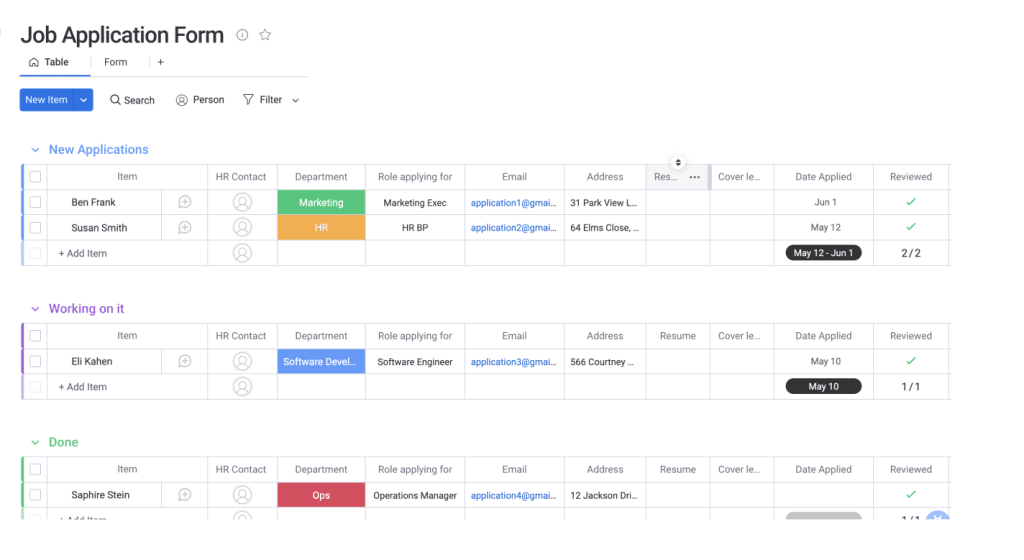 A general job application form covers the standard fields that apply to most positions: contact details, work history, education, references, and availability. It’s the most versatile option and works well as a starting point that you can customize for specific roles.
Many small and mid-sized businesses use a single general template across all departments, swapping out a few role-specific questions as needed. The advantage is simplicity: one form to maintain, one format for reviewers to learn, and one consistent candidate experience across every open position.
Industry-specific job application form
Certain industries require specialized information that a general form doesn’t capture. Healthcare applications might include license verification and malpractice history. Construction forms often ask about safety certifications and equipment operation experience. Retail and hospitality templates may focus on shift availability and customer-facing experience.
Tailoring your template to your industry ensures you collect relevant data from the first interaction and reduces the need for follow-up requests. Industry-specific templates also demonstrate professionalism to candidates, signaling that your organization understands the unique requirements of the field.
Printable vs. digital templates
Printable job application templates remain useful for walk-in hiring events, job fairs, and industries where applicants apply in person. They’re simple to distribute and require no technology on the candidate’s end. Digital templates, however, offer significant advantages: automatic data capture, instant routing to reviewers, built-in validation to catch incomplete submissions, and integration with applicant tracking systems. Many organizations maintain both formats (a printable version for in-person events and a digital version for online applications) to ensure no candidate is excluded from the process.
If you’re currently collecting resumes or CVs alongside applications, consider adding a file upload field to your digital template. This keeps all candidate materials in one place and eliminates the need for a separate submission process.
Simplify job applications with monday.com
Once you’ve mapped out what your job application form needs, the next question is where to build and manage it. Spreadsheets and static PDFs get the job done for a handful of applicants, but they quickly become unmanageable when you’re hiring across multiple roles or departments.
monday.com’s AI Work Platform gives you a ready-to-use job application template that connects your application form directly to your hiring workflow. Instead of managing applications in disconnected spreadsheets or email folders, you get a centralized pipeline where every submission is tracked, routed, and actionable from the moment it arrives.
Workforms for branded applications
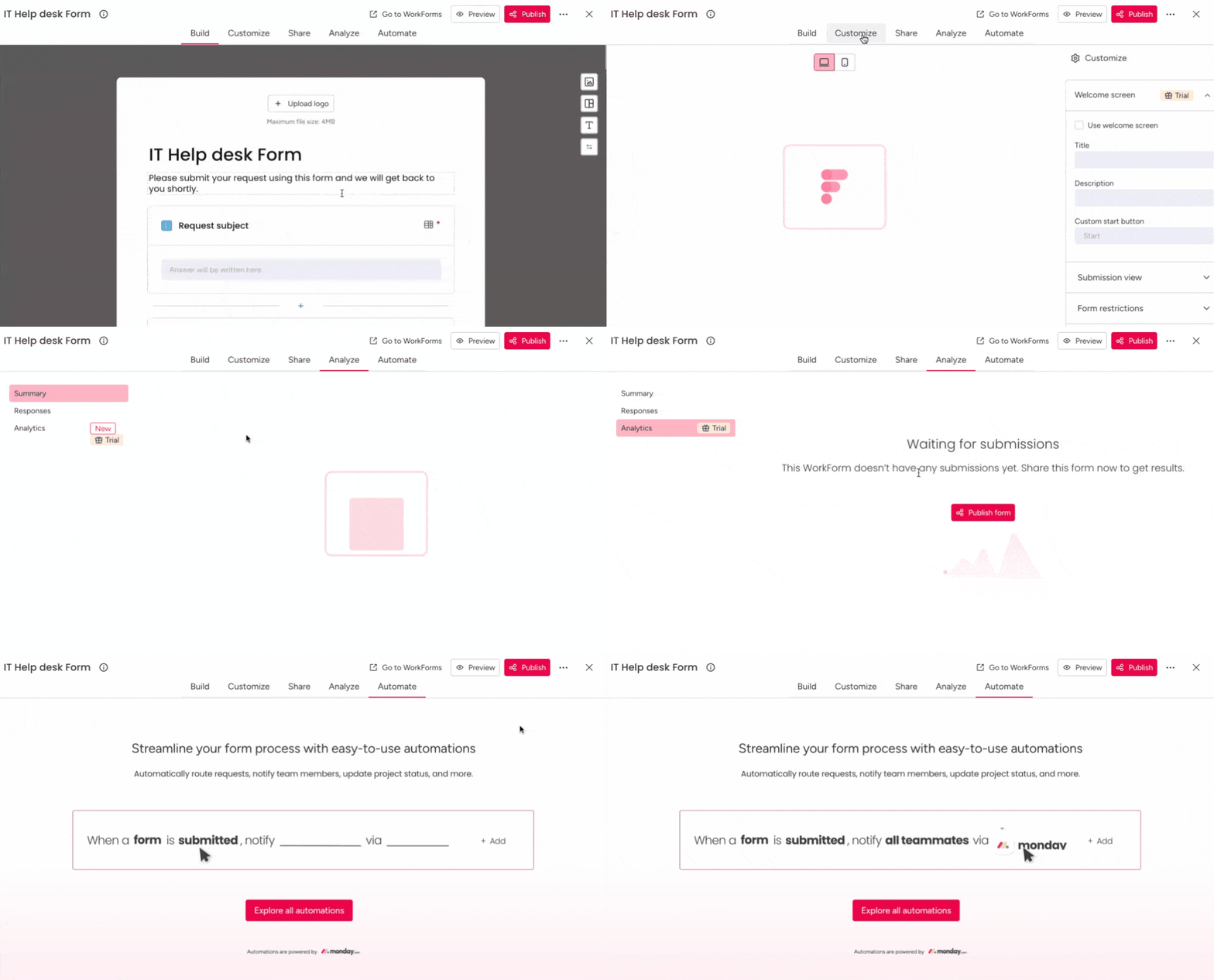
Build customized, branded application forms using WorkForms by monday.com. Each submission automatically creates a new item on your board, so candidate data flows into your pipeline without any manual entry. You can add conditional logic, required fields, and custom thank-you messages to create a professional applicant experience.
AI-powered assistance with monday sidekick
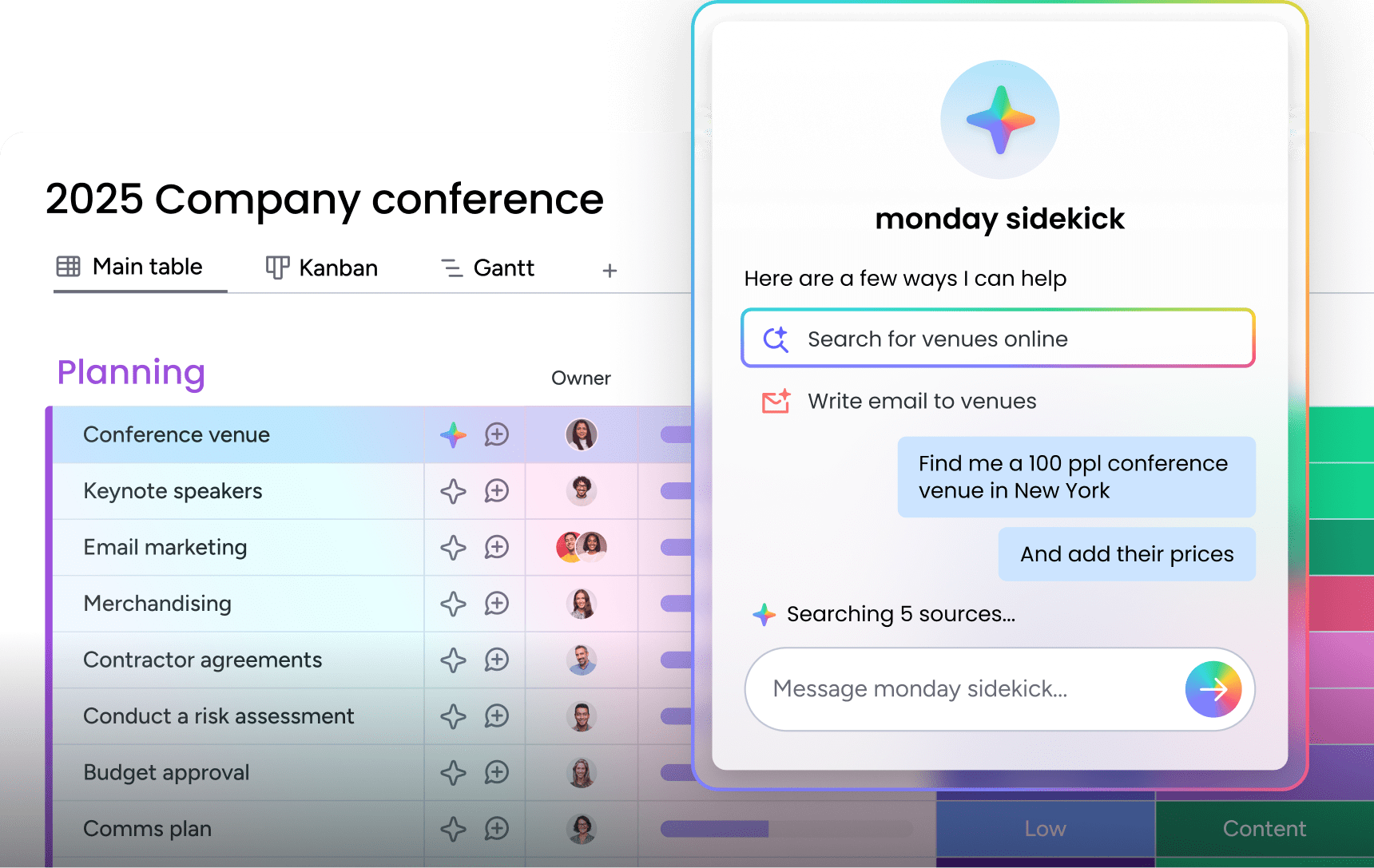
Use monday sidekick to summarize candidate profiles, draft interview questions based on application responses, or flag applications that match your ideal criteria. AI capabilities help your team process high volumes of applications without sacrificing quality.
Learn more: AI candidate matching agent
Automations that eliminate manual follow-up
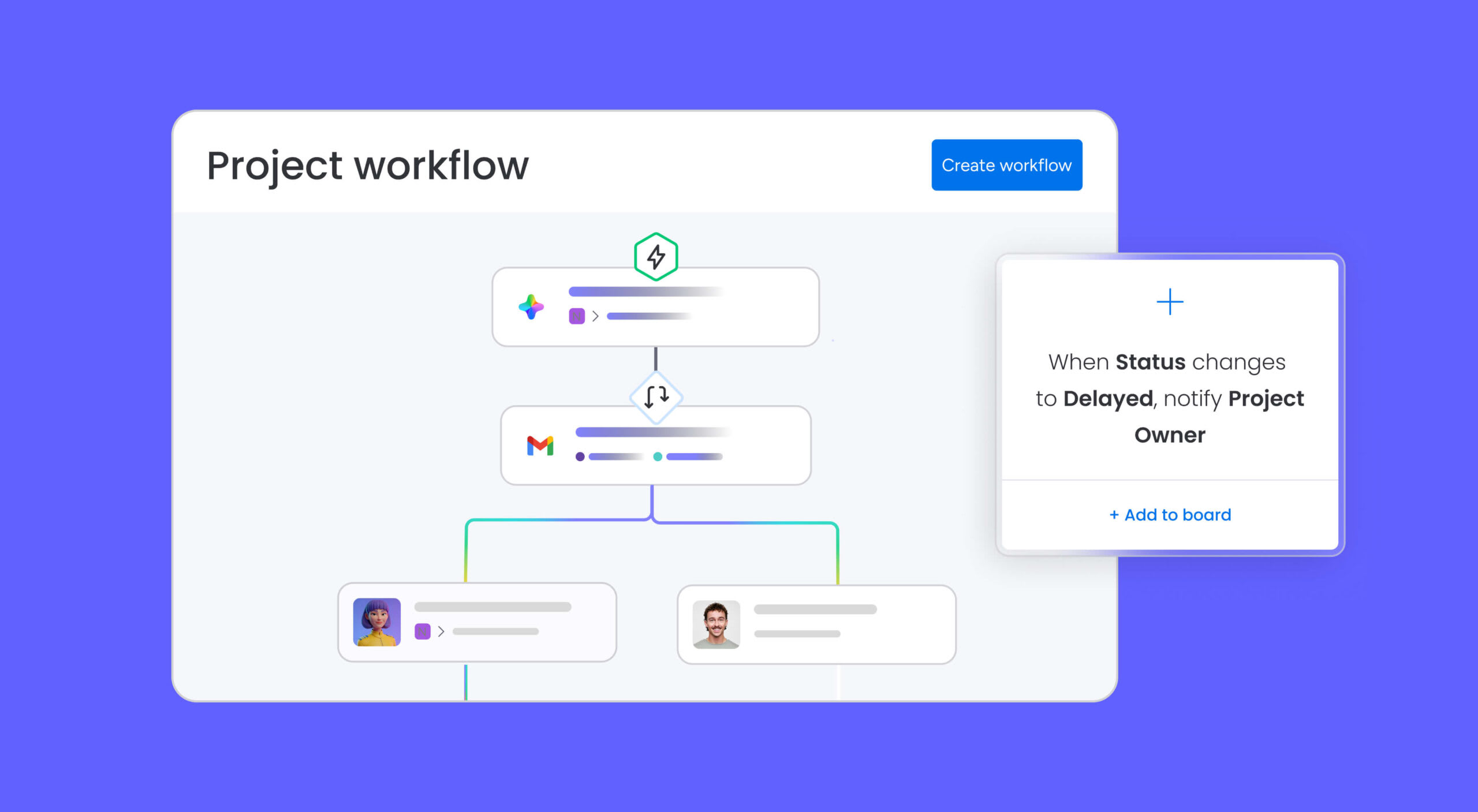
Set up automations to notify hiring managers when a new application arrives, move candidates to the next stage after a review is completed, or send rejection emails after a set period. These automations replace the repetitive tasks that slow down hiring teams and let recruiters focus on evaluating talent. If you’re interested in broader HR automation, check out how to build a workflow for human resources on the platform.
Dashboards for real-time hiring visibility

Track open positions, application volume, time-to-fill, and candidate pipeline stages on a single dashboard. Hiring managers and executives can see exactly where each role stands without asking for status updates or digging through email threads.
200+ integrations

Connect your job application workflow to the platforms your team already uses, including email, Slack, calendar apps, and background check services. Everything stays in sync across your hiring process. No more copying candidate data between systems or manually updating spreadsheets when a status changes.
Templates that work alongside your job application
A job application template is one piece of your hiring workflow. These companion templates help you manage the stages that come before and after applications are submitted.
Job description format template
Before candidates can apply, they need to know what the role involves. A structured job description format template ensures every posting includes the right details: role summary, responsibilities, qualifications, compensation range, and benefits. Consistent job descriptions attract more qualified applicants and reduce the number of irrelevant applications your team needs to review.
New hire form template
Once a candidate accepts an offer, the paperwork begins. A new hire form template collects essential onboarding information, like tax forms, emergency contacts, equipment preferences, and policy acknowledgments, in one organized document. This prevents the back-and-forth that typically delays a new employee’s first productive day and gives HR a complete record from day one.
Recruitment and onboarding template
Managing the full journey from job posting to a new hire’s first week requires coordination across multiple teams. The Recruitment and Onboarding Template connects every stage, from sourcing, screening, interviewing, offer management, and onboarding tasks, into a single workflow that keeps HR, hiring managers, and IT aligned. Pairing that workflow with AI candidate sourcing tools at the very first stage means the pipeline already has qualified candidates in it before your team writes the first application form.
Hire smarter with job application templates
The way you collect candidate information shapes every decision that follows. A strong job application template doesn’t just organize data; it accelerates your entire hiring pipeline, from first submission to final offer.
As hiring volumes grow and teams become more distributed, the organizations that invest in structured, automated application processes will consistently fill roles faster and with stronger candidates. The shift from static forms to connected, workflow-driven applications is already underway, and the teams making that move now are building a measurable advantage in talent acquisition. monday.com’s job application template gives you that advantage from day one, with built-in automations and integrations that turn every submission into actionable hiring data.
Get startedFAQs
What is a job application template?
A job application template is a standardized form that collects consistent information, such as contact details, work history, education, and skills, from every candidate who applies for a role. It replaces unstructured resume submissions with a repeatable format that makes screening faster and more accurate.
What should be included in a job application form?
A strong job application form includes contact information, the position applied for, educational background, work experience, certifications or licenses, relevant skills, and availability. Avoid asking about protected categories like age, marital status, religion, or disability to stay compliant with employment laws.
How do I write a simple job application form?
Start by listing the must-have qualifications for the role, then build form sections around those requirements: contact details, education, experience, skills, and availability. Keep it focused, every field should help you evaluate candidates. Test the form with a colleague before publishing to catch any confusing or redundant questions.
Can I use a job application template in Word or as a printable PDF?
Yes, job application templates are available in Word, PDF, and online form formats. Printable PDFs work well for in-person hiring events, while digital forms are more efficient for remote or high-volume hiring because they capture data automatically and integrate with applicant tracking systems.
Should I ask for a cover letter on the job application form?
It depends on the role. For positions where written communication is important, such as marketing, PR, or executive roles, a cover letter adds valuable context. For high-volume or hourly positions, making it optional or removing it entirely can increase submission rates and reduce barriers for candidates.
What do I do with completed job application forms?
Store completed applications in a centralized system where hiring team members can review, annotate, and track candidate status. Digital platforms like monday.com automatically organize submissions into a pipeline view, making it easy to move candidates through screening, interviews, and offer stages without losing any data.

 Get started