


Most teams already know which jobs they would hand to an AI agent. Agent deployment has been the hard part, because getting an agent live used to mean waiting for engineers to build and host it.
No-code builders now let the person who owns the workflow describe what an agent should do and switch it on in the workspace their team already uses. This guide walks through how to deploy AI agents and shows how monday agents make the process simple inside the monday AI Workspace.
Try monday agentsKey takeaways
- Start with one workflow: pick a single high-volume, repetitive process such as lead qualification or ticket routing, and prove its value before you expand to other teams.
- Business teams can deploy agents themselves: with a no-code builder, the workflow owner describes the agent’s role in plain language, connects the data it needs and launches it in minutes.
- Build governance in on day one: scope permissions narrowly and require human approval for high-stakes actions until the agent has earned more autonomy.
- Agents and automations work best together: automations handle predictable, rule-based steps, while agents take on work that needs reading and judgment.
- monday agents gives every team a governed path to deployment: a guided builder and ready-made agents, backed by enterprise-grade controls such as SOC 2 Type II and HIPAA compliance, run inside the monday AI Workspace where the work already lives.
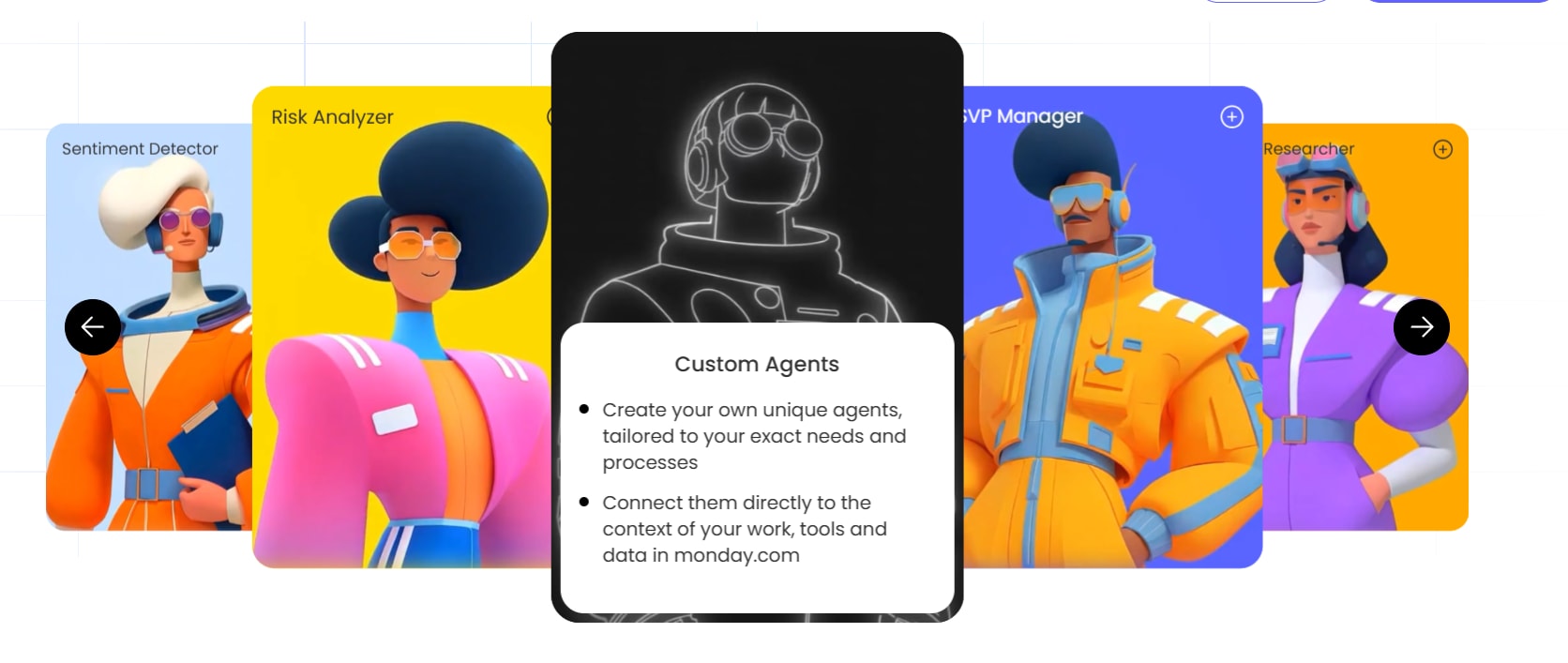
What is agent deployment?
Agent deployment is the process of configuring an AI agent and putting it into a live business workflow so it can carry out defined responsibilities on behalf of a team. In practice, deployment is the point where an agent stops being a build and starts doing real work within set limits, with someone accountable for the results.
Deploying an agent no longer requires code or engineers. The process resembles onboarding a new hire: you define the role and set boundaries on what the agent can access and do. Unlike a new hire, the agent runs around the clock and improves each time you refine its instructions. You aren’t provisioning servers or writing scripts, so agent deployment belongs with business operations rather than DevOps.
What agent deployment means for business teams
For a sales ops manager, deploying an agent takes a handful of steps inside the workspace the team already uses. Here’s how a team would deploy the Lead Qualifier, which researches each incoming lead, scores it on a 100-point scale and sends high-interest prospects to the right rep:
- Describe the agent’s role: “Score every inbound lead against company size, industry, funding and contact seniority, then route high-priority leads to the right rep.”
- Connect it to data: link the agent to the sales pipeline board and enable web search so it can research each company.
- Set permissions and guardrails: define the fields the agent can update (score and priority label) and the actions that need human approval, such as emailing a prospect.
- Test on real data: run the agent against 5–10 recent leads and review every output before going live.
- Launch and monitor: turn the agent on, track its accuracy weekly and adjust its instructions as needed.
Once live, the agent reads the same boards and CRM records as the rest of the team.
How AI agents differ from traditional software agents
If you’ve worked with Datadog monitoring agents or RPA bots, the comparison below shows where AI agents depart from them. The biggest differences are who builds the agent and how it handles exceptions.
| Attribute | Traditional software agent | AI agent |
|---|---|---|
| Configuration | Fixed rules, scripts or code written by engineers | Natural language descriptions written by business teams |
| Exception handling | Fails, skips or escalates when conditions don't match a rule | Reasons through context and adapts to edge cases |
| Builder | Developers, IT teams or automation engineers | Anyone who can describe a job responsibility |
| Scope of action | Single-purpose, such as monitoring a metric or moving a file | Multi-step work that involves reading, classifying, drafting and routing |
The rest of this guide focuses on AI agents built by the people who understand the workflow best.
Agent deployment: business teams vs. engineering runtimes
Search results for “agent deployment” often assume the reader is an engineer deploying to cloud infrastructure. Business team leaders need a different route, and the table below compares the options.
| Approach | Who builds it | What's required | Time to launch |
|---|---|---|---|
| Managed runtime (e.g., Google Cloud, AWS) | Platform engineers | Cloud accounts, service configuration, infrastructure as code | Days to weeks |
| Kubernetes | DevOps teams | Container orchestration, YAML configs, monitoring | Weeks to months |
| No-code in the monday AI Workspace | Business teams | A role description, connected data and a test run | Minutes to hours |
For teams already running their work in the monday AI Workspace, agents deploy straight into the boards and workflows they use every day.

Why no-code builders are changing who deploys AI
No-code builders have moved agent deployment out of engineering and into the business teams that own the work. Building an agent used to mean writing prompt chains in Python or LangChain, connecting APIs, managing hosting and handling error logs, and a single agent could take weeks plus ongoing maintenance from someone technical.
Today, the person who understands the sales pipeline or the hiring funnel configures the agent directly, so nothing gets lost between what the business needs and what engineering builds. The agent runs on the platform’s infrastructure and respects existing permissions. Adoption plans reflect the change: 74% of companies plan to deploy agentic AI within two years, according to Deloitte’s State of AI in the Enterprise report.
No-code agent deployment in practice
A worked example shows how short the process has become. An operations manager at a 50-person company wants an agent to research every new vendor request, so she builds a custom one:
- Start a custom agent: open the agent builder and choose to build from scratch.
- Describe the job: “Research vendor pricing, security posture, customer reviews and contract terms, then write a summary for each new vendor request.”
- Connect data sources: link the agent to the procurement board and enable web search for public vendor information.
- Set the trigger: have the agent run whenever someone submits a new vendor request.
- Test with a real request: submit a sample request, review the summary and adjust the instructions if anything is off.
- Publish: turn the agent on so it handles every new request as it arrives.
She built and launched it herself on the same day, inside the board where her team already tracks procurement. Teams that want approvals handled as well can pair it with the ready-made Procurement Approval Agent, which validates vendor and contractor requests against company records and follows up when approvers go quiet.
Try monday agents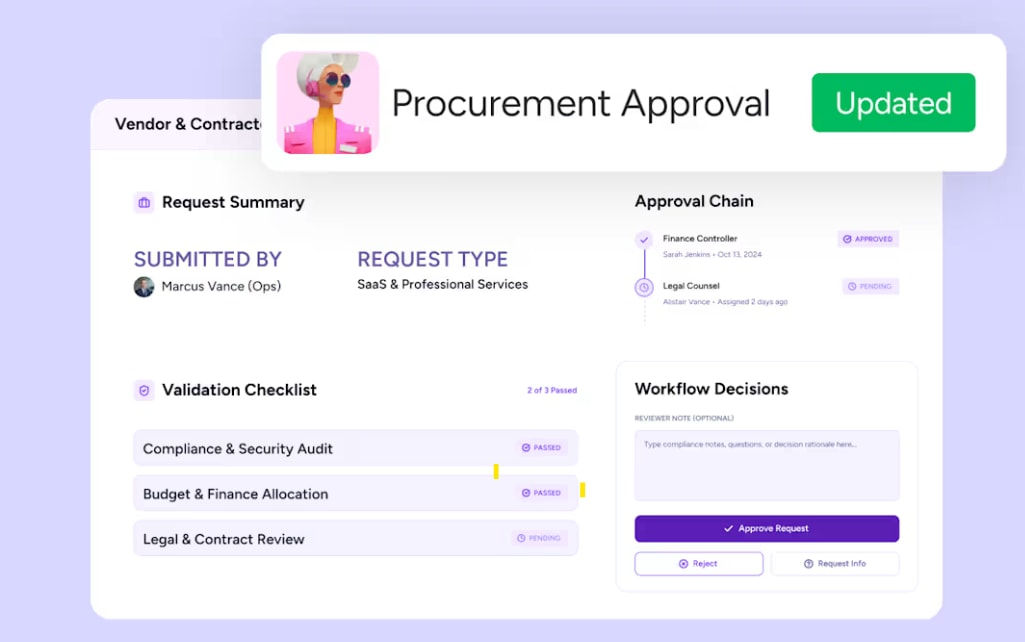
AI agents vs. workflow automations
Agents and automations solve different problems, and the strongest teams use both. Knowing where each fits keeps workflows running when work gets messy.
When to use an AI agent instead of an automation
The table below compares the two side by side.
| Attribute | Workflow automation | AI agent |
|---|---|---|
| Logic | Fixed if-this-then-that rules | Reasons through context and makes judgment calls |
| Exceptions | Fails or skips when conditions don't match | Handles edge cases and adapts |
| Setup | Select triggers and actions from a menu | Describe the role in natural language |
| Best for | Predictable sequences, e.g., "when status changes to Done, notify the owner" | Work that needs reading or deciding, e.g., "review this ticket, judge its urgency and route it" |
As a rule of thumb, use an automation when the workflow follows the same path every time, and deploy an agent when it requires reasoning.
How agents and automations work together
An automation can trigger an agent, and an agent can hand work back to automations. Here’s a support workflow that uses both:
- A new support ticket arrives.
- An automation assigns it to the triage queue and sets the initial status.
- The Ticket Management Agent sorts the ticket by type and urgency, then routes it to the right team through Slack or another connected channel.
- Another automation notifies the specialist and starts the SLA timer.
Native automations and AI agents run in the same workspace, so nobody switches platforms between steps.
How to deploy an AI agent in 5 steps
These five steps work on any platform, and each maps to a stage of the monday agents builder. By the end, you’ll have a live agent with guardrails in place.
Step 1: Define the agent’s role and triggers
Start with a plain-language description of what the agent should do and when it should act. This corresponds to the builder’s first stage, “Describe what you need.” Use this template:
“This agent will [action] for [team/role] whenever [trigger event].”
Two filled-in examples:
- Sales: “This agent will score and prioritize every new lead for the sales team whenever a lead is added to the pipeline board.”
- Operations: “This agent will validate procurement requests for the ops team whenever a new vendor request is submitted.”
Write the description before you open the builder, since a one-sentence role definition keeps scope from creeping during setup.
Common mistake: making the role too broad. An agent asked to “manage the entire sales process” will do none of it well. Start with one responsibility, such as qualifying leads or flagging stalled deals, and expand later.
Step 2: Connect knowledge sources and integrations
An agent can only work with what it can see. In the builder, this is the “Make it yours” stage, and the context falls into two groups:
- Knowledge and work data: the docs, SOPs and boards that hold the rules the agent should follow, plus the records it will act on. For the Lead Qualifier, this means your ideal customer profile, scoring rubric and pipeline board.
- External integrations: apps such as Gmail, Slack, Salesforce or web search. Agents can connect to 200+ integrations and use MCP (Model Context Protocol) to reach any system that supports it.
Connect the minimum the agent needs for its role. Extra sources add noise and can slow it down, and you can add more later.
Step 3: Set permissions and guardrails
Guardrails answer the question every team asks: “What if the agent does something wrong?” Before launch, decide what the agent can do in the workspace and across connected apps. The Lead Qualifier, for example, can write a score and a priority label but cannot delete a lead or email a prospect.
Next, define which data the agent can access and whether it can edit or only read. Admins can scope access to specific workspaces so the agent never touches data outside its domain. For high-impact actions, add a human-in-the-loop checkpoint: AI Workflows include an approval block that sends a request to a person and branches the workflow based on their answer. Every action the agent takes is logged, so you can trace any decision back to its source.
Step 4: Test with simulation mode before going live
Simulation mode lets you check the agent’s behavior on real data without executing any changes. This is the builder’s “See it in action” stage. Test in four passes:
- Run the agent against a small batch of real items, such as 5–10 leads or three vendor requests.
- Review every output: did it score correctly and route to the right person?
- Adjust the instructions or knowledge sources based on what you find.
- Repeat until the outputs consistently match what a skilled team member would produce.
Common mistake: skipping this step. Reviewing an agent’s first outputs is like checking a new hire’s early work, and a few minutes upfront saves hours of cleanup.
Step 5: Launch, monitor and refine with an agent scorecard
Launch is where monitoring starts. An agent scorecard tracks whether the agent is delivering value, and you can keep it on a dedicated board or dashboard so leadership sees every active agent in one view.
| Metric | What it measures | Target |
|---|---|---|
| Accuracy rate | Share of outputs that needed no human correction | >90% |
| Time saved | Hours of manual work removed per week | >5 hours |
| Volume handled | Items the agent processed in the period | >100 items |
| Escalation rate | Share of items passed to a human | <15% |
| Credit cost | AI credits the agent used | <$X/month |
| Business outcome | The downstream metric the agent should move, such as lead response time or SLA compliance | Set per agent |
Even five hours a week adds up to 260 hours a year. Microsoft’s 2026 Work Trend Index found that 66% of AI users say AI lets them spend more time on higher-value work.
Review the scorecard weekly for the first month, then monthly. If accuracy drops, revisit the agent’s knowledge sources or instructions. An escalation rate above 15% usually means the role is too broad, so narrow its scope.

Where to deploy AI agents first for the fastest ROI
The fastest returns come from a high-volume, rule-heavy workflow where your team spends hours on structured work and the data already sits in your workspace. Pick one and prove the agent works before expanding.
Sales and CRM workflows
Sales and CRM is the best starting point for most teams, because the data is structured and the revenue impact shows up quickly. These agents handle common sales ops headaches:
- Lead Qualifier: researches each new lead, scores it on a 100-point scale, labels it High, Medium or Low priority, and forwards high-interest prospects to the right rep, so reps stop sorting spreadsheets.
- Pipeline Guardian: watches each deal’s stage, value, close date and activity, ranks at-risk deals and drafts a next step for the rep before a deal goes quiet.
- Account Sync Agent: runs a weekly Salesforce sync that matches accounts and open deals to their board items and marks out-of-scope accounts inactive rather than deleting them.
Customer service and IT operations
Service and IT teams field a steady stream of repetitive requests, and response speed shapes both customer satisfaction and SLA compliance. These agents clear the usual bottlenecks:
- Ticket Management Agent: sorts incoming tickets by type and urgency and routes each one to the right team.
- SLA Monitor: checks response and resolve times against your SLA thresholds and alerts the right manager before a breach.
- Internal Helpdesk Agent: researches answers to employee questions in your internal knowledge base and hands the helpdesk team a ready-to-send response.
Marketing, operations, finance and HR
Agents also pay off well beyond sales and service. These ready-made agents are good starting points for other departments:
- Competitive Intel Research (Marketing): searches the web for dated competitor activity and compiles a brief with themes and recommendations.
- Event Planning Agent (Marketing): sets up an event board, finds vendors, follows up on RSVPs and alerts the team when something puts the event at risk.
- Process Automator (Operations): studies how items move on a board, spots repetitive rule-based work and proposes automations with an estimate of the manual effort each removes.
- Approvals Agent (Operations): sends each request to the right reviewer in sequence and nudges late approvers until a decision lands.
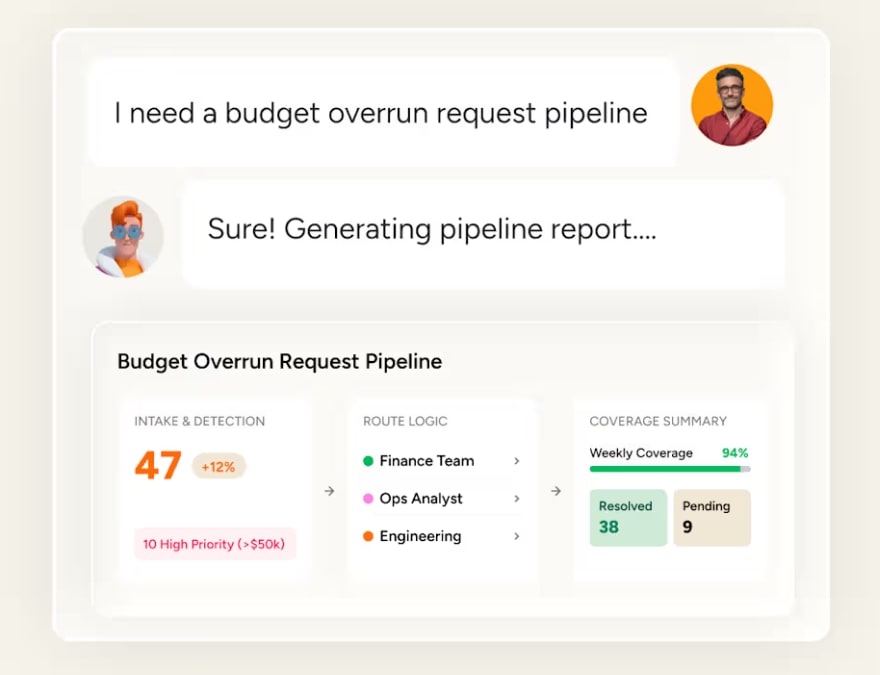
- Budget Overrun Agent (Finance): assigns each budget overrun request to an analyst and posts a weekly Slack summary of totals.
- Candidate Matching Agent (HR): ranks each new candidate against open roles and screens the top match against that role’s required qualifications.
- Employee Onboarding Agent (HR): introduces each new hire to their assigned colleague on Slack with the hire’s details and prompts the team to welcome them.
Can you govern and audit agents like any other deployment?
Yes, and the principles match any other business system: define who can do what and require approval for high-stakes changes. The stakes are real, since Gartner predicts over 40% of agentic AI projects will be canceled by the end of 2027, with escalating costs and inadequate risk controls among the reasons. Teams that build governance into deployment from the start give their agents the best chance of scaling.
Permissions, audit trails and human-in-the-loop checkpoints
Good governance comes down to four habits, each covering a different risk.
- Granular permissions: give each agent the minimum access it needs, with read-only access where possible and write access only for the fields it updates.
- Quarterly access reviews: confirm each agent’s permissions still match its role as workflows change.
- Audit trails: check the log of each action, which records the data the agent read and the output it produced. The log supports compliance reviews and makes debugging faster when an output looks wrong.
- Approval checkpoints: for actions such as emailing a customer or approving a purchase order, have the agent pause and wait until a person signs off.
The bounded autonomy ladder
Bounded autonomy means widening an agent’s scope as trust builds. Each rung below has a clear test for moving up.
| Stage | What the agent can do | When to advance |
|---|---|---|
| Read-only | Access data and generate reports | Outputs are consistently accurate for 2+ weeks |
| Limited write | Update specific fields, such as score or priority | No field-update errors for 2+ weeks |
| Approval-gated actions | Draft emails and propose changes for human sign-off | Approval rate exceeds 90% |
| Full autonomy | Execute end-to-end without human review | Scorecard targets met for 30+ days |
What if an agent gets it wrong?
Every team deploying AI agents asks this question, and the answer is a recovery plan backed by controls that limit the damage. The ladder above handles most of the prevention, so this section focuses on what to do when an error gets through.
How to recover from an agent error
When an agent produces a wrong output or takes an unintended action, work through these steps:
- Pause the agent. Deactivating it stops all future actions while you investigate.
- Review the audit trail. Check the data the agent read and the output it produced to see whether the error was a one-off edge case or a systemic problem.
- Correct the affected records. Revert incorrect field updates manually or with a bulk update.
- Fix the cause. Refine the role description or add the missing context to its knowledge sources.
- Re-test before reactivating. Run the agent through simulation mode again to confirm the fix.
Controls that catch errors early
A few checks, set up before launch, keep small errors from becoming large ones. Review the audit trail weekly for the first 30 days and look for near-misses as well as outright errors. Keep human approval on customer-facing and budget-related actions until the agent has a track record, and pause to investigate if the escalation rate passes 15%.
How to scale from one agent to every team
Treat the first deployment as a pilot, because each agent after a reliable first one gets easier to launch.
Expand agent access across departments
Agents become far more useful when they can see work beyond one team. A marketing agent planning a campaign can check sales pipeline data to see which segments convert, and a sales agent preparing a deal brief can pull support ticket history to understand the customer’s pain points. Cross-functional context like this depends on every department working in one system, which single-domain tools built only for CRM or IT can’t offer.
In the monday AI Workspace, agent builders can share an agent with the whole organization in one step. Every account member can find and use it without an invitation, which makes it simple to take one team’s pilot company-wide.
Track and contain AI agent spend
Agents use credits each time they run, and costs creep up when no one watches them. Four habits keep spend in check:
- Set credit budgets per team or department so no single team consumes a disproportionate share.
- Monitor usage weekly in the AI Cost Center, which tracks spend per team and supports limits and alerts.
- Right-size run frequency: an agent that runs hourly when daily would do wastes credits.
- Retire underperformers: if the scorecard shows low accuracy or low volume, switch the agent off.
Bring the scorecard from Step 5 to a monthly agent review, the same way a manager reviews a team member’s performance, so every active agent’s results and cost stay visible.

How monday agents helps teams deploy AI agents without code
The five steps above work anywhere, but where your agents live shapes how fast you move and how much control you keep. monday agents run inside the monday AI Workspace, so they work with structured data from every department and inherit the governance already in place.
The agent builder
If you can describe a job, you can build an agent. The builder follows the same flow as the steps above, so the role description you wrote in Step 1 is your starting point. You can also ask monday sidekick, the platform’s AI assistant, to build an agent from a prompt. Agent Factory, the builder behind it, gets you to a deployed agent in minutes.
Ready-made agents for every department
The library of ready-made agents lets teams deploy immediately or customize an agent to fit their workflow. Teams can also build custom agents for any need and share them.
| Department | Agent | What it does |
|---|---|---|
| Sales | Lead Qualifier | Scores leads on a 100-point scale and routes high-priority prospects to reps |
| Sales | Pipeline Guardian | Flags stalling deals and suggests the next step |
| Marketing | Competitive Intel Research | Compiles a dated, sourced brief on competitor activity |
| Marketing | Event Planning Agent | Handles vendor research and RSVP follow-up for client events |
| Operations | Process Automator | Spots repetitive work and proposes automations |
| Operations | Procurement Approval Agent | Validates vendor and contractor requests and chases approvals |
| Finance | Budget Overrun Agent | Routes overrun requests to analysts and reports weekly |
| IT | Ticket Management Agent | Sorts tickets by type and urgency and routes them to the right team |
| HR | Candidate Matching Agent | Ranks candidates against open roles and screens the top match |
| Product | Feedback Digest Agent | Clusters customer feedback into ranked themes with a sentiment read |
Enterprise-grade trust and governance
The controls described in Steps 3 and 4 come built in, with no extra configuration or third-party tools. Beyond permissions, approval blocks, simulation mode and audit trails, the monday AI Workspace adds:
- Compliance: HIPAA compliant, SOC 2 Type II, ISO/IEC 27001 and ISO/IEC 27701 certified.
- Data privacy: customer data is not used to train AI models, and users retain ownership of their content.
More than 225,000 organizations already run their work on the platform, so agents slot into processes teams already use without a separate system or consultants.
How to know if your agent deployment strategy is working
Successful agent deployment turns “an agent exists” into “an agent does dependable work under set limits.” The teams that get there start with one bounded, high-volume workflow whose data already lives in the workspace. They treat permissions and testing as part of deployment rather than extras, and they widen autonomy in stages as confidence grows.
If you’re comparing platforms, ask these questions:
- Can business teams launch agents without engineering?
- Does the agent work on the data and workflows the team already uses?
- Can you control read and write access and require human approval?
- Can you test safely and audit what the agent did?
- Can you share and scale agents across teams without a separate system?
As building agents gets easier, the advantage moves to what surrounds them: shared data and people who stay in the loop. Teams that put these in place early scale with fewer surprises, and monday agents gives them the foundation to do it.
Try monday agentsFAQs about agent deployment
What is agent deployment?
Agent deployment is configuring an AI agent and launching it into a live business workflow so it can handle set responsibilities on its own, such as qualifying leads or routing tickets. With a no-code builder, business teams can build and launch agents in plain language.
Do I need code to deploy an AI agent?
No. Business teams can describe the role in plain language and test the agent before launch, all within an existing workspace.
What's the difference between deploying to a managed runtime, Kubernetes or the monday AI Workspace?
Managed runtimes and Kubernetes require engineering teams and cloud infrastructure. In the monday AI Workspace, the agent runs inside your existing workspace with no separate system to manage, and business teams can launch it in minutes.
Can I govern and audit AI agents the way I govern other work?
Yes. Enterprise-grade platforms provide granular permissions and human-in-the-loop approval blocks, and they log every agent action so you can trace any decision back to its source.
What is an agent scorecard and why is it important?
An agent scorecard is a simple tracking framework for an AI agent's accuracy, time saved, volume handled, escalation rate, cost and business outcome. It shows whether the agent is delivering value or needs a tune-up.

 Get started