


Enterprise no-code lets business teams build their own apps through visual interfaces or plain-language prompts, inside an environment IT can govern and audit. Its value depends on the controls around the build: who can publish, what data apps can access, how changes get reviewed, and how AI features such as monday agents are approved and monitored.
This guide explains what makes a no-code platform enterprise-ready, with a focus on governance models and security requirements. It also covers how to scale adoption without losing visibility, so business builders and IT can work inside the same framework.
Try monday vibeKey takeaways
- Governance is what makes no-code safe to scale: Separate building rights from publishing rights, and keep apps private until an admin approves them.
- “Enterprise” describes capability: A platform is enterprise-ready when it includes role-based permissions, audit trails, data encryption, and compliance certifications such as SOC 2 and ISO 27001.
- Security needs a complete picture: Evaluate access control, data protection, auditability, and compliance together so no weak point slips through.
- monday vibe builds governance in from the start: Apps stay private until admins approve publishing, and every AI prompt is attributed to its sender, so IT keeps control while teams keep moving.
What is enterprise no-code development?
Enterprise no-code means building business apps through visual interfaces or plain-language prompts inside an environment IT can govern and audit. “No-code” describes how people build, while “enterprise” describes everything around the build: permissions, publishing controls, audit trails, data protection, integrations, and AI oversight.
Consumer-grade platforms let anyone build and publish freely. Enterprise-grade platforms keep this speed and add the role-based permissions, audit trails, encryption, and compliance controls that organizations with hundreds of team members need.
Five pillars decide whether a platform earns a central place in your stack:
- Governance: Policies and controls that determine who can build, publish, and modify applications, and how those permissions are enforced across the organization.
- Security: Encryption at rest and in transit, data protection protocols, and compliance with standards like SOC 2, ISO 27001, and HIPAA.
- Integration: The ability to connect with existing enterprise systems, APIs, and data sources so no-code apps function as part of the broader technology stack.
- Scalability: Consistent performance under high user counts, large data volumes, and cross-departmental usage.
- AI readiness: The capacity to embed AI capabilities, including autonomous agents, directly into no-code applications while maintaining governance and permission controls.
What makes no-code enterprise-grade?
Four of those pillars separate a basic no-code builder from an enterprise-grade platform: governance, security, integration depth, and scalability. Each one decides whether a platform becomes a trusted part of your stack or stays a siloed tool with limited reach.
Governance and role-based permissions
Enterprise governance means controlling who can create, edit, publish, and retire applications, and enforcing those controls consistently. Role-based access control (RBAC) lets admins define which roles can take which actions, keeping experimentation and production in separate lanes.
In mature enterprise no-code environments:
- Apps are private by default: A citizen developer can build and iterate freely, but the app stays visible only to them until they receive explicit publishing permission.
- Admins set the rules: Role definitions decide who can promote an app to live, and the same rule applies across every team.
Security, encryption, and compliance
No-code platforms should meet the same security bar as any other software that touches your data. At a minimum, look for:
- Data encryption at rest and in transit
- Compliance certifications: SOC 2 Type II, ISO 27001, and HIPAA
- Data residency controls that specify where data is stored geographically
The security and compliance section below covers each requirement in more detail.
Integration with enterprise systems
Enterprise no-code platforms must connect to the systems organizations already use, including CRMs, ERPs, communication platforms, identity providers, and cloud storage. Look for two integration models:
- Native connectors: Pre-built integrations that connect the no-code platform to popular applications without custom configuration.
- API-based extensibility: REST APIs, webhooks, and protocols like MCP that allow external AI assistants and custom applications to read and act on platform data.
Scalability and performance
Scalability covers three dimensions, and enterprise platforms need all of them:
- User scale: Supporting hundreds or thousands of concurrent team members without performance degradation.
- Data scale: Handling large datasets and real-time updates reliably.
- Organizational scale: Supporting multi-department, cross-functional workflows without creating silos.
Enterprise no-code vs low-code
No-code and low-code serve different audiences and requirements. Knowing the difference helps you choose the right approach for each project and avoid over-engineering solutions that don’t need it.
| Dimension | No-code | Low-code |
|---|---|---|
| Primary builder | Business teams, citizen developers | Professional developers, technical analysts |
| Interface | Visual drag-and-drop, natural language prompts | Visual interface with code extensibility |
| Customization ceiling | High for standard business workflows | Higher for complex logic and custom integrations |
| Time to deploy | Minutes to hours | Hours to weeks |
| IT involvement | Governance and oversight | Active development and review |
No-code is the right fit when business teams need to build and iterate on their own workflows without waiting on IT backlogs. The citizen developer examples below show what this looks like in practice.
Low-code is the better choice when an application requires custom logic or deep system integrations beyond what visual builders support.
Who builds with enterprise no-code?
Enterprise no-code moves app building out of a central IT queue and into the hands of the teams who need the apps. Two groups play the biggest roles: the business teams who build and the IT admins who govern the platform.
Citizen developers and business teams
A citizen developer is a business professional who builds applications on a no-code platform without formal programming training. Because they’re closest to the problem, they already understand the workflow and where it breaks down.
Common citizen developer profiles include:
- Sales manager: Building a commission calculator that pulls deal data from the CRM and calculates earnings by rep, quarter, and product line.
- HR lead: Creating an employee onboarding portal that tracks new-hire progress and automates first-week assignments.
- Marketing team member: Designing a campaign health tracker that aggregates performance data across channels.
- Operations lead: Building a supply chain management tracker that monitors logistics data across vendors.
IT and platform administrators
In an enterprise no-code environment, IT’s main job becomes governing the platform rather than building every application. Instead of working through a backlog of app requests, IT sets the rules and monitors usage while business teams build what they need.
Specific admin responsibilities include:
- Setting publishing permissions by role
- Managing data access policies
- Monitoring credit and resource usage
- Maintaining compliance with security standards
5 steps to set up governance for enterprise no-code
Governance lets no-code scale safely. With it in place, teams avoid app sprawl and IT keeps full visibility into what’s being built. These five steps keep speed and control working together.
Step 1: Define who can build and publish
Start by separating the ability to build from the ability to publish. In a well-governed environment, any team member can create apps in draft mode, visible only to them, but publishing requires explicit permission from an admin.
This keeps experimentation low-stakes:
- A citizen developer can prototype a sales forecasting app and refine it through several rounds of feedback.
- None of it reaches the rest of the organization until an admin approves it.
Step 2: Create a draft, test, and production environment strategy
A three-stage model keeps untested apps away from live workflows:
- Draft: The builder creates and iterates on the app. Changes stay visible only to the builder.
- Test: The app is shared with a small group for feedback and validation.
- Production: The app is published and available to its intended audience.
Step 3: Establish a center of excellence
A Center of Excellence (CoE) is a small, cross-functional team that sets standards and reviews high-impact apps before publication. The CoE acts as an enabler: it helps citizen developers build better apps and gives IT confidence that published apps meet your standards.
Step 4: Set data access and connector policies
Decide which data sources no-code apps can connect to, and under what conditions. A three-tier model keeps it simple:
- Open connectors: Data sources available to all builders without additional approval.
- Restricted connectors: Data sources that require admin approval before an app can access them.
- Blocked connectors: Data sources that no-code apps cannot access under any circumstances.
Step 5: Build a review and approval workflow
A risk-based review process keeps governance light for low-risk apps and applies closer scrutiny to high-risk ones. Matching review requirements to real risk keeps the process from becoming a bottleneck.
| Risk level | Example | Review requirement |
|---|---|---|
| Low | Personal dashboard, single-team time tracker | Self-service publishing with post-publication audit |
| Medium | Cross-team workflow, app accessing restricted data | Peer review before publishing |
| High | App handling sensitive data, customer-facing portal | Full review including security and compliance checks |
Security and compliance requirements
Security is the top concern enterprises raise when evaluating no-code platforms, and attention is rising fast. According to the World Economic Forum’s Global Cybersecurity Outlook 2026, 64% of organizations now have processes in place to assess the security of AI tools, nearly double the 37% that reported the same in 2025. When business teams can build and publish apps that access organizational data, the security infrastructure needs to be airtight. The requirements fall into the areas below.
Identity and access management
Access control starts with how people sign in and what they’re allowed to do once they’re in. Look for:
- SSO integration: Team members authenticate through the organization’s existing identity provider.
- Multi-factor authentication (MFA): An additional verification layer that reduces unauthorized access risk.
- Role-based access control (RBAC): Granular permissions that control who can build, publish, view, and administer apps.
Data protection and encryption
The platform should encrypt all data it stores and transmits. Data loss prevention policies keep sensitive data inside the boundaries IT has set.
Audit trails and regulatory compliance
Enterprise no-code platforms must log every significant action: who built an app, who published it, who accessed it, what data it read or modified, and when. Key certifications to look for when evaluating platforms include:
- SOC 2 Type II
- ISO/IEC 27001
- HIPAA
How monday vibe approaches enterprise no-code
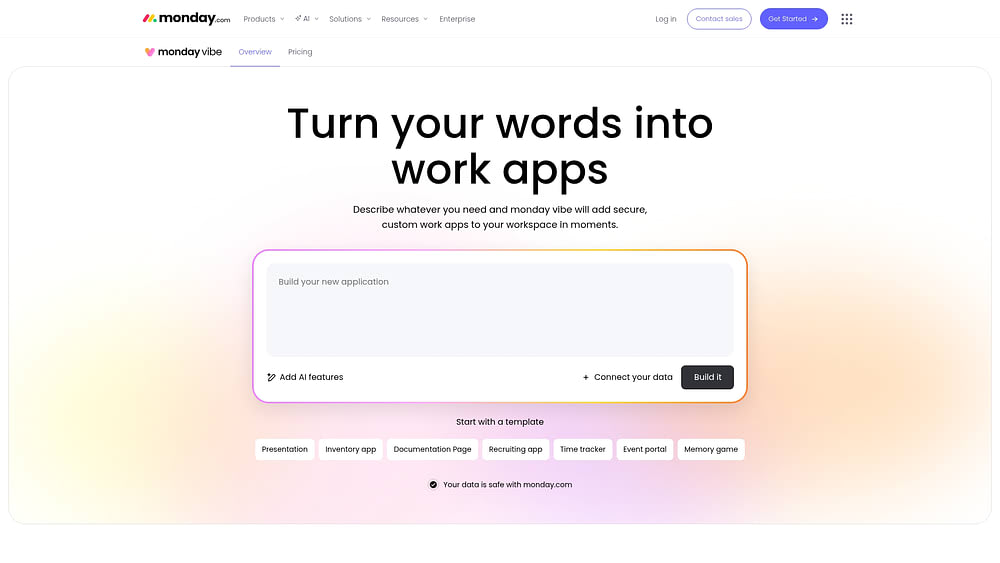
monday vibe is an AI-powered no-code builder that turns natural language prompts into secure custom apps running on the monday AI Workspace. Apps are built where your workflows and permissions already live, so governance is in place from the start.
Here’s what you get:
- Private by default: Apps are visible only to their creator until explicitly shared or published. Admins can restrict publishing permissions to specific user roles.
- Draft Mode: Builders can edit apps without affecting the live version, testing and iterating before promoting changes to production.
- Multi-person building: Invite teammates as Editors (full build access) or Collaborators (review and troubleshoot). Every prompt is attributed to its sender for audit purposes.
- Admin credit monitoring: The admin dashboard breaks down build credits vs. app runtime credits, per-app prompt activity, and view counts for the last 30 days.
- External service connections: Vibe apps can connect to any external service that supports API key authentication, so you can extend apps beyond your monday AI Workspace data.
- Bring Your Own Model: Organizations can add their own API keys for Gemini, Claude, or OpenAI, managing AI costs through their own provider budgets.
How to scale enterprise no-code the right way
Enterprise no-code works when speed and control reinforce each other. Teams that set up governance first get more from no-code than teams that bolt it on later.
Use these questions when you evaluate a platform:
- Permissions and publishing: Can admins separate build rights from publish rights by role?
- Lifecycle: Does the platform support rules and ownership for every stage of an app’s life, including maintenance and retirement?
- Audit: Can IT see who built or changed each app, and when?
- Inherited permissions: Do apps run inside the system where work already lives, so they inherit existing permissions instead of adding new security logic?
- AI controls: Can admins approve which AI models run and require human sign-off before an agent takes a high-impact action?
Prompt-based building lowers the skill barrier, which makes governance the factor that sets platforms apart. Teams that scale no-code well treat governance as the thing that makes speed possible.
Try monday vibeFrequently asked questions
What makes a no-code platform enterprise-ready?
An enterprise-ready no-code platform combines governance controls, such as role-based publishing and private-by-default apps, with security infrastructure, including encryption, SSO, and audit trails. It also needs native connectors and API extensibility, plus the capacity to scale across users, data, and departments.
How do enterprises maintain visibility over no-code adoption?
Enterprises maintain visibility by separating build permissions from publish permissions and keeping apps private by default. Draft and test environments, combined with risk-based review for high-impact apps, stop shadow IT before it starts.
Is enterprise no-code secure enough for sensitive data?
Yes, when the platform is built for sensitive workflows. Look for data encryption at rest and in transit, SSO/SAML integration, multi-factor authentication, role-based access control, audit trails, and compliance certifications such as SOC 2 Type II and ISO 27001.
How should organizations govern AI in no-code app building?
Decide who can turn AI on at the account level and approve which models your teams can use. Track credit use per app and per user, and require a person to sign off before an agent takes a high-impact action.

 Get started