

It’s easy to acquire assets in business, but it’s much harder to manage them. Or at least, manage your assets well, so you know where they are and how they’re performing. As inventories grow and responsibilities spread across teams, the difference comes down to software and the features it provides.
The list of asset management software features is as long as it is varied. You only have to look at the global asset management system market, projected to grow from $17.64 billion in 2025 to $26.41 billion by 2030, to understand why. In a crowded market, some tools focus on one area, while others try to cover the full picture. This guide explores all the features to look for in 2026, so you can understand what matters, and how modern platforms like monday service bring key capabilities together.
Try monday serviceKey takeaways
- Asset management software works best when tracking, maintenance, financial, and security features operate within a single system.
- Strong asset management depends on accurate records, clear ownership, and reliable lifecycle controls, not just inventory counts.
- Different asset types require different feature sets, from IT and software assets to fixed and digital assets.
- Reporting, integrations, and automation turn asset data into something teams can act on, not just store.
- monday service brings these asset management software features together inside a flexible service platform built for real operational use.
What are the core features of asset management software?
Asset management software provides a structured way to track assets and maintain reliable inventory data across the organization. While platforms vary in depth and focus, the strongest asset management tools share a common set of core features, including:
Comprehensive asset tracking and inventory management
A centralized asset registry contains the core records that define each asset and keep inventory consistent across teams. These records focus on identification, ownership, and historical data rather than live signals. The registry may include:
- Unique asset identifiers and classifications: Asset IDs, categories, tags, and naming conventions that distinguish assets and group them consistently.
- Ownership and responsibility details: Assigned teams, departments, or individuals accountable for the asset.
- Procurement and financial references: Purchase dates, vendors, warranties, contracts, and cost-related metadata tied to the asset record.
- Lifecycle milestones: Key events such as acquisition, reassignment, refurbishment, or retirement, recorded over time.
- Related documentation and system links: Manuals, compliance documents, service records, or references to connected systems.
Real-time location and status monitoring
Location and status monitoring reflects how your organization uses its assets at a given moment and where they’re physically or logically located. This information changes frequently and supports operational decisions rather than record-keeping, using:
- Tracking availability, condition, and usage: Indicates whether assets are active, idle, unavailable, or undergoing maintenance, based on current data.
- Live location updates: Shows where assets are situated across offices, facilities, or sites as movement occurs.
- Status changes over time: Captures shifts in condition or usage that affects scheduling, access, or service planning.
Mobile and remote asset visibility
Mobile and remote access extends asset visibility beyond fixed workstations, allowing updates and checks to happen where work takes place. The following features support teams that operate across multiple locations or in the field:
- On-site asset access for technicians and field teams: Enables viewing asset details and recording updates during inspections, repairs, or transfers.
- Remote inventory checks: Allows teams to confirm asset status without returning to a central system.
- Faster record updates: Keeps asset information current by reducing delays between activity and documentation.
Automated asset discovery and inventory updates
Automated discovery keeps asset records aligned with ongoing changes in the environment. These capabilities focus on maintaining inventory accuracy:
- Auto-detection of new assets: Registers assets as they appear within monitored systems or environments.
- Automatic updates to existing records: Records changes when asset attributes or configurations shift.
- Reduced manual data entry: Limits reliance on human updates that introduce gaps or inconsistencies over time.
Barcode, RFID, and GPS tracking
Physical tracking technologies support accurate identification and movement tracking for tangible assets. Each of these methods serve a distinct purpose based on asset mobility and operating conditions:
- Barcode and QR code scanning: Supports identification during audits, handovers, and inventory checks.
- RFID for bulk and proximity tracking: Enables tracking of multiple assets within facilities, storage areas, or controlled environments.
- GPS for mobile and high-value physical assets: Records location and movement history for assets that travel between sites or operate off-site.

What asset lifecycle and maintenance management features are important?
Lifecycle and maintenance features govern how assets move through the organization over time and how teams keep them operational. These capabilities focus on planning, upkeep, and controlled transitions rather than inventory accuracy or live tracking.
End-to-end asset lifecycle management
Lifecycle management defines how assets enter the and exit the organization, or change ownership, with features for:
- Procurement and onboarding: Records asset acquisition details and brings new assets into active use with consistent documentation.
- Assignment and transfers: Tracks changes in responsibility or location as assets move between teams, sites, or roles.
- Retirement and disposal: Documents when assets leave service, including decommissioning, resale, or disposal records.
Preventive and predictive maintenance scheduling
Maintenance scheduling focuses on keeping assets operational through planned intervention rather than reactive fixes. Features include:
- Time-based and usage-based maintenance: Schedules maintenance according to calendar intervals or measured usage.
- Condition-triggered alerts: Flags maintenance needs based on reported condition changes or predefined thresholds.
- Maintenance history records: Logs completed work to support planning and compliance reviews.
Service requests, work orders, and incident logging
The following service management features connect assets to the work required to keep them functioning.
- Service requests tied to specific assets: Links issues and requests directly to asset records for context.
- Work orders and task tracking: Assigns maintenance or repair work with clear ownership and status.
- Downtime and repair history: Records service incidents and corrective actions over time.
Proactive alerts and automated workflows
Automation features support timely responses when maintenance or service thresholds are reached.
- Maintenance reminders: Notifies teams when scheduled work approaches or becomes overdue.
- Escalations for critical issues: Raises priority when issues remain unresolved or assets become unavailable.
- Workflow-based status changes: Updates asset or service states automatically as actions progress.
What features support different asset types like IT, software, and digital assets?
Different asset types come with different management requirements. Enterprise asset management software typically includes some of the following specialized feature sets that mirror how you govern types of IT, software, digital, and fixed assets.
IT asset management (ITAM) features
IT assets change frequently and require detailed technical records to support operations and audits. The following features are useful:
- Hardware tracking for devices, servers, and peripherals: Maintains records for laptops, desktops, servers, network equipment, and supporting hardware.
- Configuration records: Captures technical attributes such as specifications, installed components, and system dependencies.
- Ownership and change history: Logs reassignment, upgrades, and configuration changes over time to support accountability and troubleshooting.
Software asset management (SAM) features
Software assets require governance around usage rights and contractual obligations rather than physical location, using:
- License usage tracking: Monitors how software licenses are assigned and consumed across users or devices.
- Entitlement records: Stores contract terms, license counts, renewal dates, and vendor agreements.
- Compliance monitoring: Identifies gaps between licensed entitlements and actual usage to support internal reviews and external audits.
Digital asset management (DAM) features
Digital assets focus on content control, access, and retrieval rather than operational state. You’ll need:
- Version control: Tracks changes across file versions to prevent confusion and accidental overwrites.
- Metadata tagging: Applies structured labels to improve organization and retrieval.
- Searchable digital libraries: Stores digital files in a centralized repository with consistent naming and access rules.
Fixed asset management features
Fixed assets require accurate valuation, audit readiness, and long-term record retention, with:
- Capitalized asset tracking: Records assets subject to capitalization rules and financial reporting requirements.
- Physical inventory management: Supports asset counts and validation during audits or inspections.
- Asset record retention: Maintains historical records to support compliance, reporting, and asset reviews.
Which financial and cost management features matter most?
Financial and cost management features help your finance, operations, and procurement teams understand how certain asset investments perform over time and where costs accumulate beyond the initial purchase.
Asset depreciation and valuation tracking
Depreciation tracking supports accurate financial reporting by reflecting how asset value changes throughout its useful life. These features allow finance teams to manage valuation without maintaining parallel spreadsheets.
- Multiple depreciation methods: Supports different depreciation approaches to match internal policies and regulatory requirements.
- Asset aging and book value: Calculates current book value based on age and depreciation schedules, supporting reporting and forecasting.
- Depreciation history records: Maintains a clear record of value changes for audits and financial reviews.
Multi-book accounting support
Organizations often need to report asset values differently depending on jurisdiction, purpose, or audience. Multi-book support features allow teams to manage these requirements within a single system:
- Separate tax and financial reporting: Maintains parallel views for statutory filings and internal financial reporting without duplicating asset records.
- Alignment with accounting standards: Applies consistent valuation rules to support compliance with relevant accounting frameworks.
- Reconciliation between reporting views: Allows finance teams to compare books without manual recalculation or re-entry.
Total cost of ownership (TCO) analysis
TCO analysis provides a broader view of asset cost by accounting for expenses beyond the initial purchase. This helps teams evaluate long-term value rather than focusing on upfront spend alone.
- Purchase, maintenance, and operating costs: Captures direct and ongoing costs associated with owning and maintaining assets.
- Cost accumulation over time: Shows how expenses increase as assets age or require more frequent service.
- Long-term cost visibility: Supports replacement and investment decisions by comparing total spend across assets.

What security, access control, and compliance features are essential?
Security and compliance features protect asset data while giving the right people access to the right information. The following capabilities help organizations manage risk and meet regulatory obligations without slowing their day-to-day operations.
Role-based access control (RBAC)
Access controls determine who can view, edit, or manage asset records across the organization. RBAC helps teams protect sensitive data while supporting collaboration, offering:
- Permissions by role, team, or responsibility: Assigns access based on job function or ownership, limiting exposure to sensitive asset and financial data.
- Controlled editing rights: Restricts who can modify asset records, reducing the risk of accidental or unauthorized changes.
- Scalable access management: Applies consistent rules as teams grow or responsibilities shift.
Data security and authentication
Strong built-in security safeguards protect asset information from unauthorized access and data loss, using:
- Encryption at rest and in transit: Secures asset data whether it’s stored in the system or transmitted between users and integrations.
- Multi-factor authentication (MFA): Adds an additional layer of identity verification for users accessing asset data.
- Secure access controls: Prevents account misuse across distributed teams and locations.
Audit trails and activity logs
Audit features provide a clear record of how asset data changes over time. These records support accountability and internal review, including:
- Complete asset change history: Logs updates to asset records, including ownership changes, status updates, and data edits.
- Accountability and traceability: Records who made changes and when, supporting internal controls and investigations.
- Operational transparency: Gives teams confidence in the accuracy and integrity of asset data.
Compliance reporting and standards mapping
Compliance features help organizations meet regulatory and industry requirements without rebuilding reports manually, including:
- Support for regulatory and industry requirements: Aligns asset records with relevant standards and reporting expectations.
- Compliance-ready reporting: Generates structured reports for audits and reviews.
- Easier audits and compliance checks: Reduces preparation time by keeping required documentation and histories readily available.
How do reporting, analytics, and integration features improve asset management?
Reporting and integration features turn asset data into insight and connect it to the systems teams already rely on. These capabilities help organizations move beyond record-keeping and use asset information to guide planning, performance management, and cross-functional work.
Custom reports and dashboards
Some of the following reporting tools help teams analyze asset data in ways that support operational and financial decisions.
- Asset utilization reporting: Shows how often assets are used, idle, or overextended, supporting capacity planning and allocation decisions.
- Maintenance performance tracking: Measures maintenance activity, response times, and service outcomes to identify recurring issues or gaps.
- Cost and lifecycle insights: Combines financial and lifecycle data to highlight patterns such as rising maintenance costs or declining asset value.
Integrations with ITSM, ERP, and business systems
Integrations connect asset data to the broader operational ecosystem, reducing duplication and manual reconciliation. These include:
- IT service management integrations: Links asset records to service requests, incidents, and change processes for better context during resolution.
- Enterprise resource planning and finance system connections: Syncs asset and cost data with financial systems to support reporting and planning.
- Business system interoperability: Connects asset data with procurement, HR, or project tools to support cross-department workflows.
Examples of asset management features across a range of tools
As you conduct research into asset management platforms, you’ll quickly discover there are dozens of tools available with competing and overlapping feature sets. Each approaches asset management differently, with strengths that may suit specific use cases, team structures, or operating models.
1. monday service
Best for: asset management embedded in service operations
monday service is the intuitive and customizable service platform designed to elevate service delivery across the organization. Built on the monday.com Work OS, it brings asset data, service requests, workflows, and analytics into one platform, allowing teams to manage asset-related work as part of their broader service management processes.
With no-code customization, built-in automations, and AI embedded into asset management workflows, monday service supports asset management at scale without heavy implementation or rigid processes.
Key features
- Centralized asset records with live status and ownership tracking
- QR code creation and mobile scanning for check-ins, returns, and audits
- Automations supported by AI capabilities for discovery, categorization, and routine workflows
- Role-based access controls by team, location, or department
- Real-time dashboards with service analytics and SLA tracking
- No-code workflow configuration across departments
User reviews

"Our team LOVES the monday service platform and we’re already exploring how we could incorporate it for other departments, too. It has streamlined our workflow in a way that both our team and customers appreciate."
Andrew Marshall | VP Operations
״monday service provides clear insights into requests volume and types, response times, and trends - helping us continuously improve operations"
Grant De Waal-Dubla | CIO
"The biggest value for us is speed and flexibility. You can get up and running in days, change anything instantly, and see everything in real time. And you don’t need a dedicated admin to do it."
Clive Camilleri | Head of People Tech & OperationsPricing
- Free plan for up to 2 seats
- Free trial available
- Premium pricing starts at $26/seat/mo
- 3 premium plans available: Standard, Pro, and Enterprise
2. ServiceNow
Best for: large enterprises with complex IT environments and governance requirements
ServiceNow is an enterprise IT asset management platform designed for large, complex organizations. It manages IT, hardware, and software assets through a centralized configuration management database (CMDB), supporting visibility across infrastructure, service operations, and change processes.
Key features
- Unified asset repository with lifecycle tracking across IT and infrastructure assets
- Centralized CMDB supporting incident, problem, and change management
- Compliance and audit reporting for regulated environments
User reviews
“ServiceNow IT Service Management excels at streamlining IT operations with robust incident, change, and asset management capabilities. The platform is highly scalable and offers a user-friendly interface that simplifies navigation for daily IT tasks.” — Allan J., a senior software engineer
“The Software Asset Management Professional (SAM Pro) module interface is a bit complex.” — Saurabh A., associate consultant
Pricing
- Accurate pricing is available from the vendor on request.
3. Jira Service Management
Best for: organizations already using Atlassian products
Jira Service Management connects asset data directly to service requests within the Atlassian ecosystem. By embedding asset and configuration information into tickets and workflows, it gives teams immediate context during incident resolution while keeping asset data aligned with service operations.
Key features
- Flexible object schemas for defining custom asset types and attributes
- Automated asset discovery through network scanning and data source integrations
- Direct integration with Jira workflows, linking assets to incidents, changes, and requests
User reviews
“The native support for ITIL practices, along with features like asset and configuration management via Assets (formerly Insight), make it a complete solution for both IT and enterprise service management.” — Devansh S., a senior consultant
“The asset management module is robust but requires a significant amount of setup and understanding to use effectively, especially for teams new to CMDB practices.” — An IT services user
Pricing
- Free plan available for up to 3 agents
- Free trial available
- Premium pricing available from $20/agent/mo
- 3 premium plans available: Standard, Premium, and Enterprise
4. ManageEngine AssetExplorer
Best for: IT departments managing complex infrastructures
ManageEngine AssetExplorer is an IT-focused asset management tool designed to track hardware and software assets across their full lifecycle. It emphasizes discovery, license compliance, and infrastructure visibility, making it a practical option for teams managing large on-premises or hybrid IT environments.
Key features
- Software license tracking with compliance alerts
- Procurement-to-disposal lifecycle automation
- Real-time dashboards showing asset utilization and inventory status
User reviews
“ManageEngine AssetExplorer is very flexible in terms of asset categorization. It auto-detects most of the assets. It helps a lot with license management.” — Zafar Javed S., a network operations center engineer
“Better options are popping up in the market so there is a stiff competition in asset discovery market now.” — Shobhit K., lead manager of alliances and partnership
Pricing
- Accurate pricing is available from the vendor on request.
5. Asset Panda
Best for: organizations that need flexible, mobile-first asset tracking with broad internal access
Asset Panda is a cloud-based asset management platform designed around mobility and configurability. Built to replace spreadsheet-based tracking, it supports end-to-end IT asset lifecycle management while allowing organizations to tailor fields, workflows, and reports without developer resources. Its pricing model, based on asset count rather than user seats, supports wider access across teams.
Key features
- Mobile app with built-in barcode and QR code scanning for real-time field updates
- Highly configurable asset records, workflows, and reports
- Centralized system for managing IT assets from procurement through disposal
User reviews
“I really like the ease of use and simplicity of Asset Panda. It’s simple to configure and administer without needing to be an IT technician.” — Maldonado R.
“I find that entering assets into Asset Panda is tedious and slow. I would love it if all I had to enter for the information of the laptop would be the serial number, with the rest being filled in automatically from the manufacturer’s support website.” — Jacob G.
Pricing
- Free trial available
- Premium pricing starts at $50 per user/mo
- 3 paid plans available: Starter, Business+, and Enterprise
- Unlimited collaborator seats available from $10/user/mo
Take control of your assets with monday service: your feature-packed asset management software
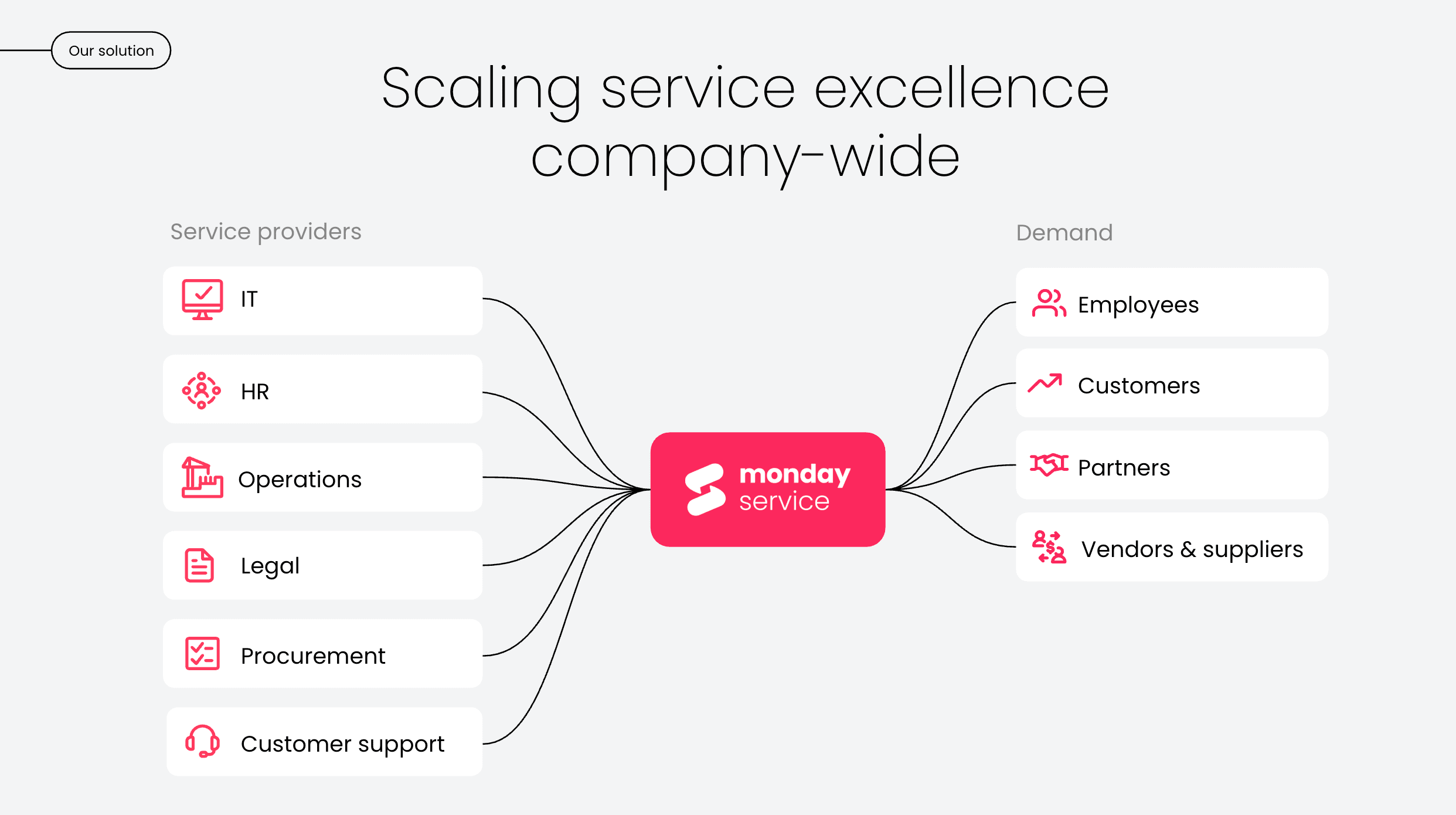
Reviewing these platforms highlights how differently asset management can be implemented, depending on how closely it connects to service operations. monday service takes a service-first approach, bringing asset data, service requests, workflows, and cross-department collaboration into one system, so teams can manage assets in context rather than across disconnected tools.
With pre-built service workflows, no-code customization, real-time analytics, and embedded AI, monday service supports asset management across its full operational lifecycle, without heavy implementation or complex setup. Here’s how monday service supports asset management in practice.
Standardize how asset-related requests are submitted and handled
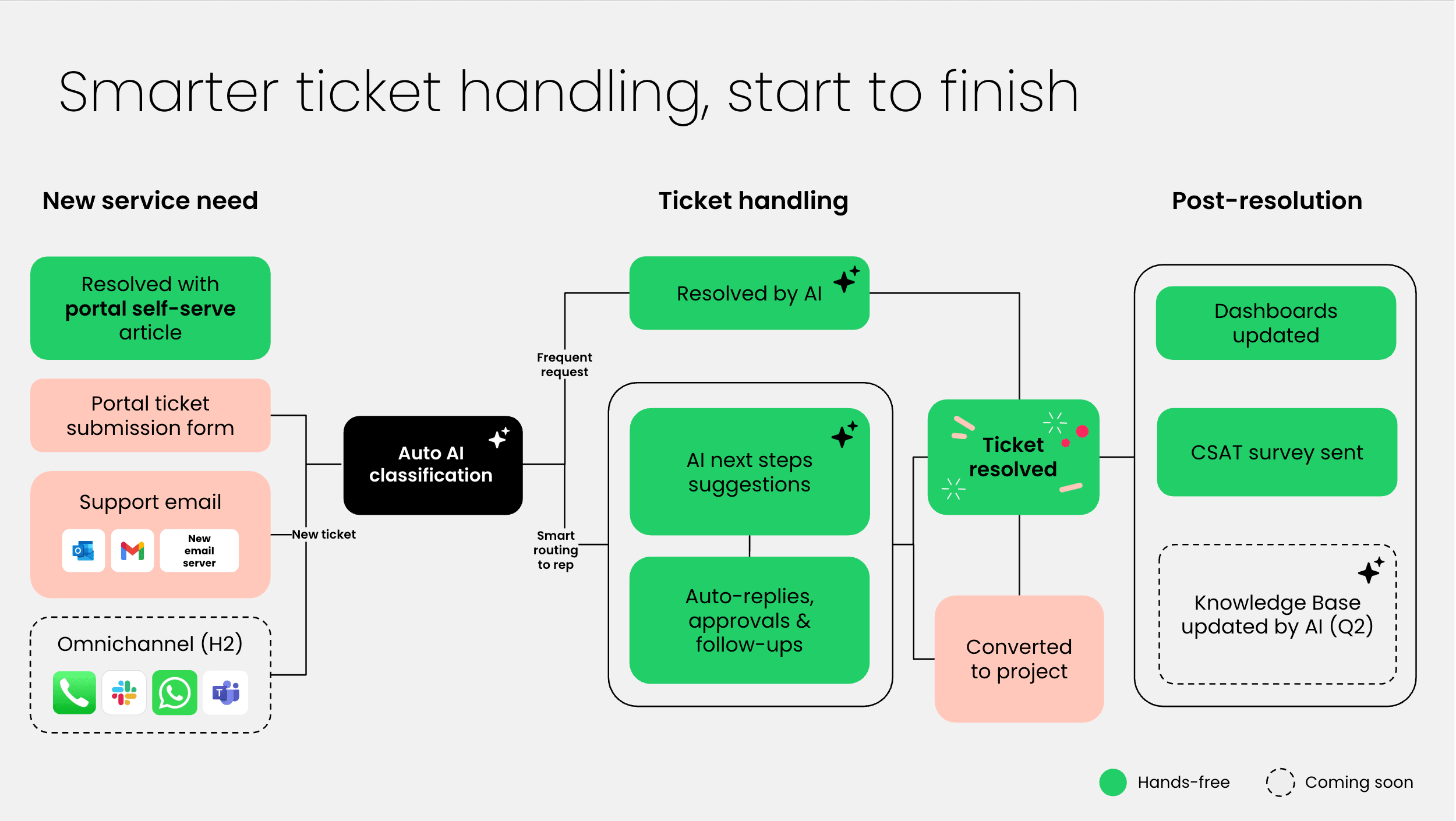
Asset-related work often enters service teams through inconsistent channels, creating delays and rework. monday service provides structured intake for asset requests, incidents, changes, and maintenance work through configurable forms and service catalogs. Requests follow defined workflows with clear ownership, approvals, and status tracking, so teams have a consistent way to manage asset-related service work from intake to resolution.
Reduce manual effort across high-volume asset service workflows
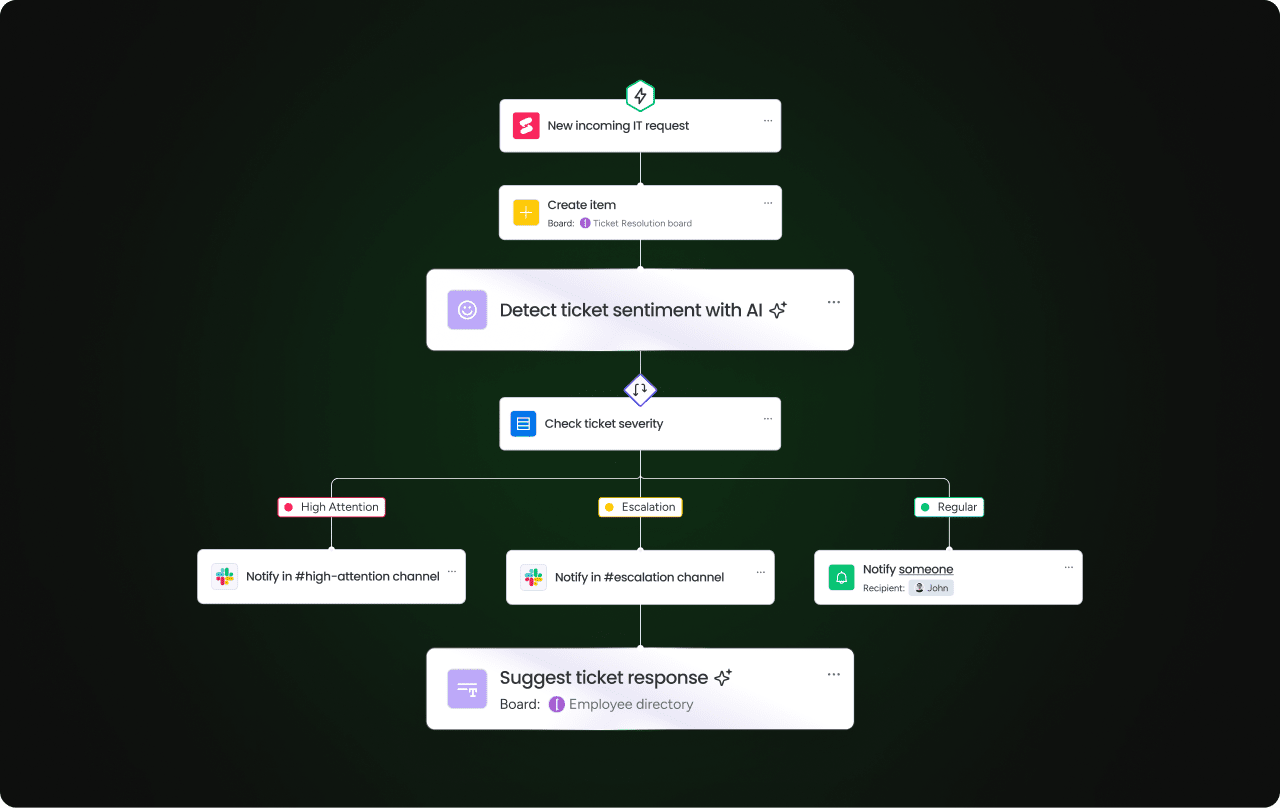
Provisioning, maintenance, and support requests tied to assets can quickly overwhelm service teams if you’re tackling them manually. Instead, monday service includes automations and AI Blocks that classify requests, route work to the right teams, and summarize request details. This reduces repetitive triage work and allows agents to focus on resolving issues instead of managing administrative steps.
Monitor asset-related service performance in real time
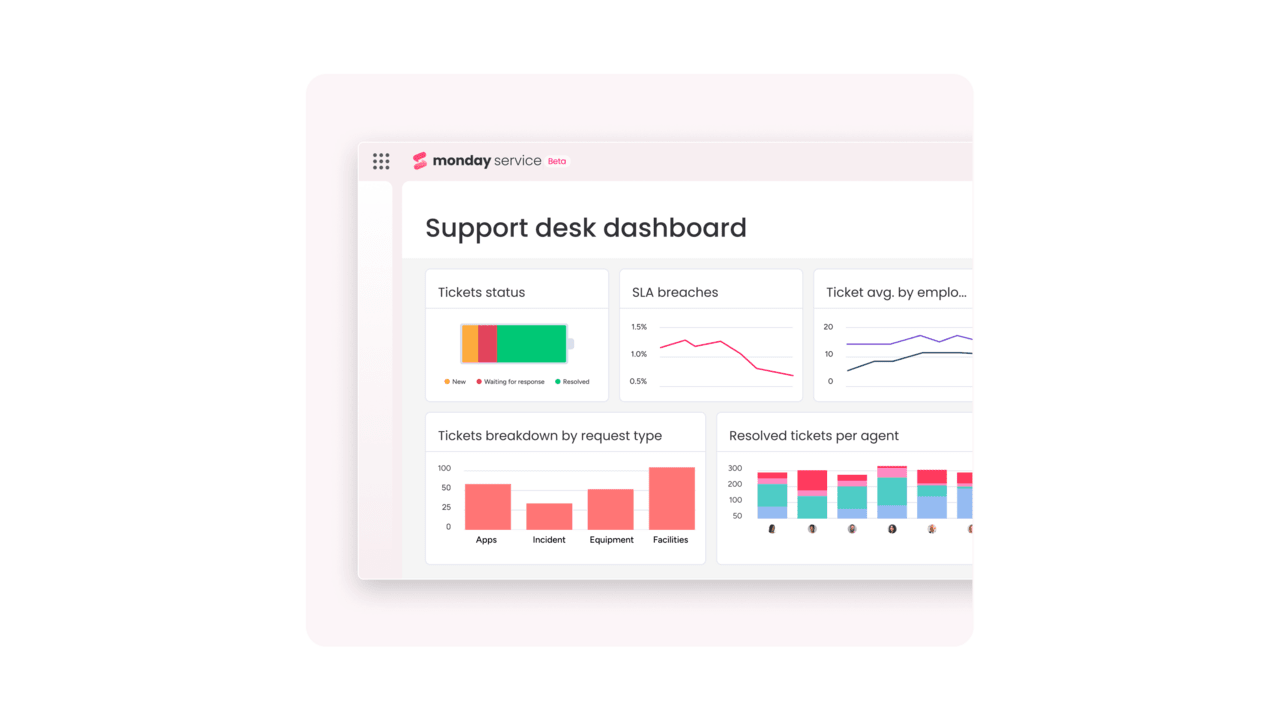
Understanding how assets affect service performance requires visibility across tickets, service level agreements (SLAs), and recurring issues. monday service provides real-time dashboards and reports that track asset-related request volume, resolution times, SLA performance, and incident trends. Service leaders can review this data in one place to identify problem assets, capacity constraints, or recurring service bottlenecks.
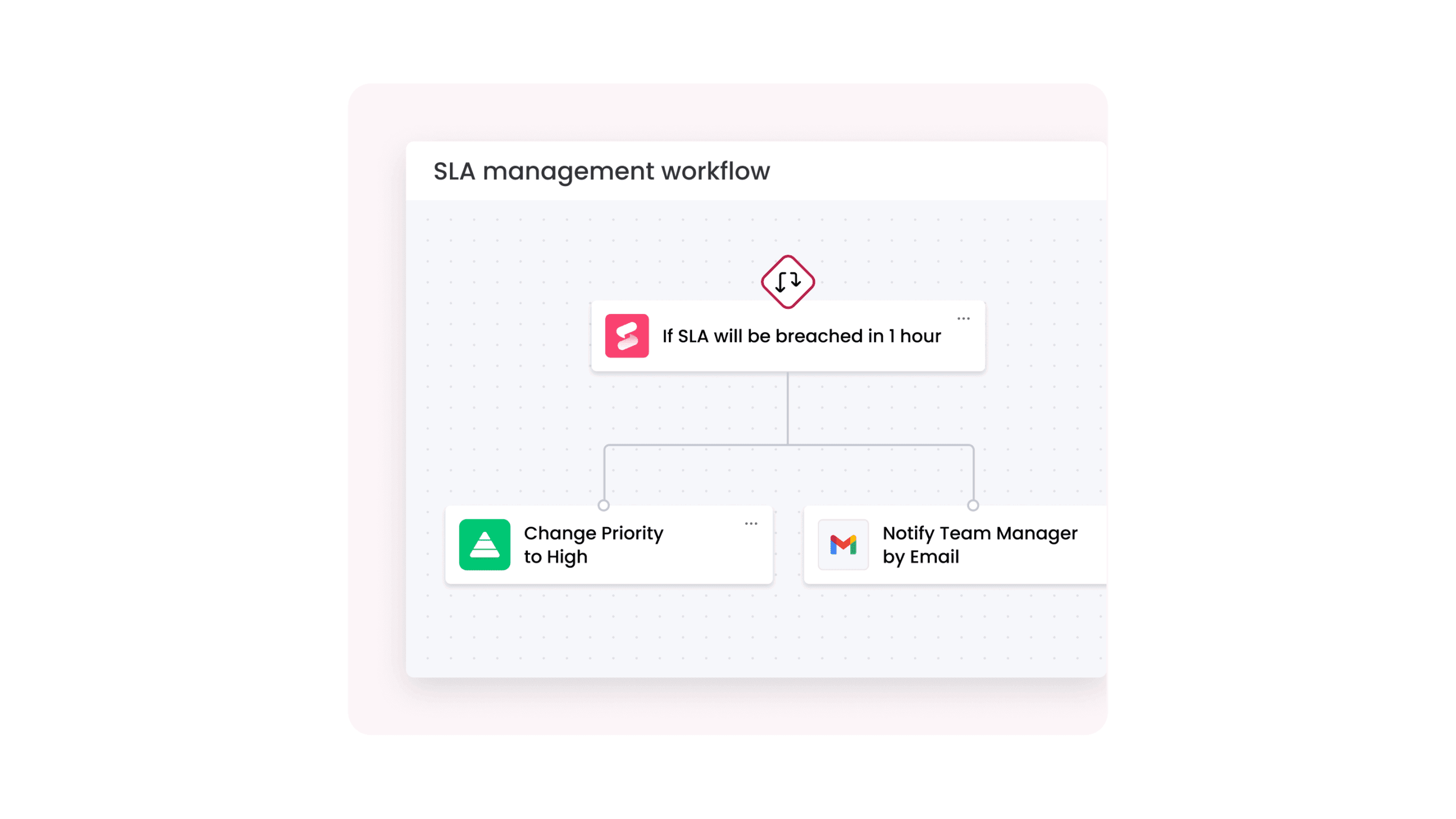
Adapt asset service workflows as processes evolve
Asset management processes change as organizations grow, adopt new systems, or restructure teams. With monday service’s no-code environment, teams can adjust workflows, automations, roles, and approvals without redevelopment or long implementation cycles. Integrations with email, collaboration tools, and business systems help asset-related workflows stay aligned across departments as requirements change.
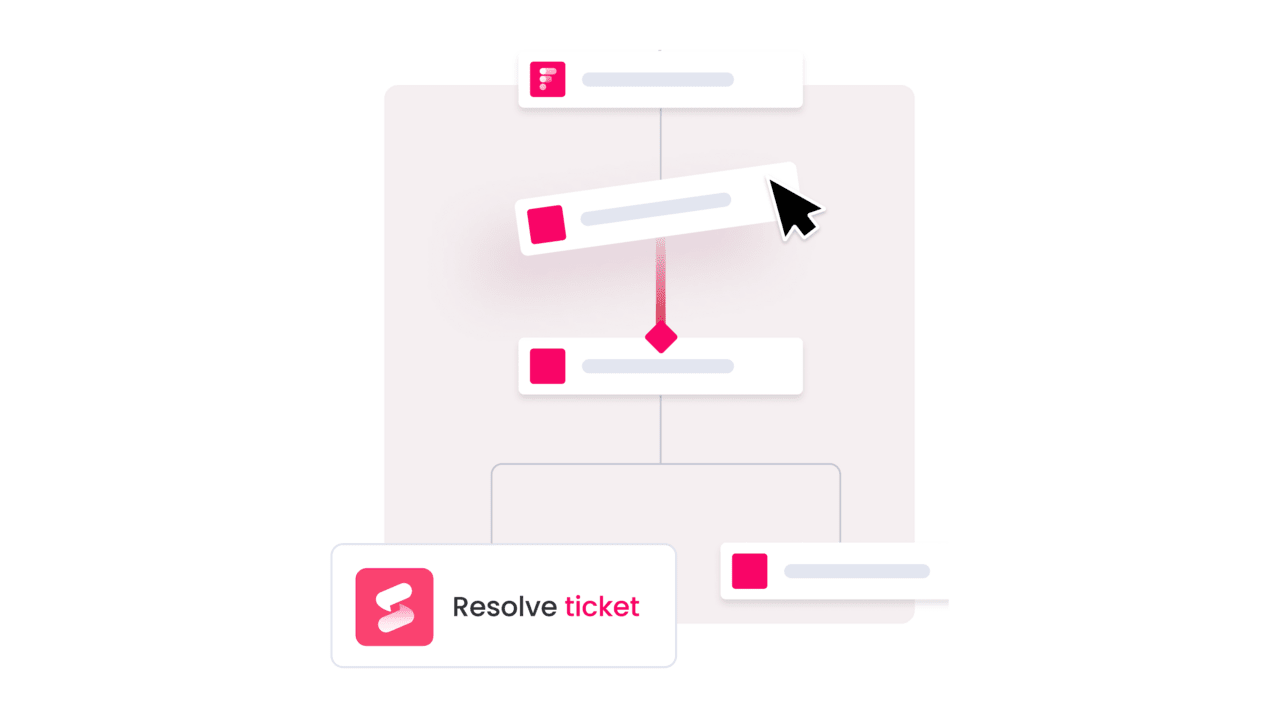
Support continuous asset oversight with built-in AI capabilities
Reviewing service data manually makes it hard to spot patterns across large asset environments. monday.com includes a Digital Workforce that can take this job, and many others, off your hands without raising headcount. Digital Workers can generate structured summaries and reports based on asset-related service data, helping teams review trends and recurring issues as part of regular service operations.
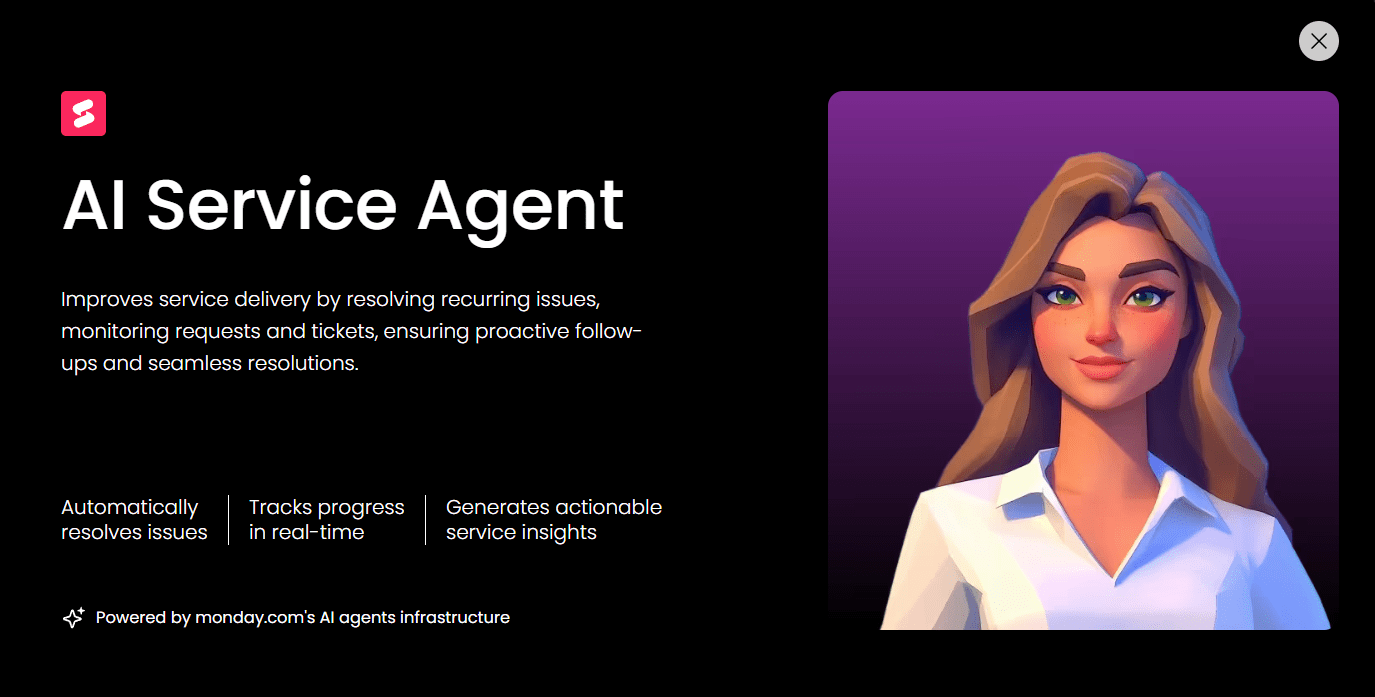
Experience powerful asset management software features with monday service
Asset management software earns its value through features that work together: accurate asset records, structured service workflows, maintenance tracking, secure access, and reporting that teams can act on. When those capabilities live in one system, asset data stops being reference material and starts driving decisions.
monday service brings that feature set into a flexible service management platform. Assets connect directly to requests, automation, analytics, and collaboration, giving teams the tools to manage assets across their full lifecycle without rigid processes or heavy setup. Organizations evaluating asset management software features can get a free trial of monday service.
Try monday serviceFAQs about asset management software features
What is the difference between asset management and inventory management?
Asset management focuses on tracking, maintaining, and governing assets throughout their entire lifecycle, from acquisition to retirement. Inventory management tracks quantities and locations of items, usually for short-term operational or stock control purposes, without long-term ownership, maintenance, or financial context.
How does an asset management system help with IT software license compliance?
Asset management software tracks software installations, license entitlements, renewal dates, and usage levels in one system. This visibility helps organizations identify underused licenses, avoid over-deployment, and prepare for audits without manual reconciliation.
What is meant by "digital asset management" (DAM) features?
Digital asset management features support the organization, storage, and retrieval of digital files such as images, videos, documents, and creative assets. These features typically include version control, metadata tagging, access permissions, and searchable libraries.
Can asset management software track both fixed and mobile assets?
Yes, modern asset management software can track fixed assets like buildings and equipment as well as mobile assets such as laptops, vehicles, and tools. Features like barcode scanning, RFID, and GPS support visibility across both stationary and moving assets.
How do AI and automation features enhance asset management workflows?
AI and automation reduce manual effort by handling tasks such as request classification, data updates, and reporting. These features help teams manage larger asset environments, respond faster to issues, and review asset trends without relying on constant manual input.
What are the key security features to look for in asset management software?
Key security features include role-based access control, encryption for stored and transmitted data, multi-factor authentication, and detailed audit logs. Together, these controls help protect sensitive asset and financial information while supporting accountability.
How does asset management software support the asset lifecycle from acquisition to retirement?
Asset management software records each stage of an asset’s lifecycle, including procurement, assignment, maintenance, reassignment, and disposal. This creates a complete history that supports operational planning, financial reporting, and compliance.
Is cloud-based asset management more secure than on-premise solutions?
Cloud-based asset management platforms often provide stronger baseline security through encryption, regular updates, and centralized monitoring. Security depends on implementation and governance, but cloud solutions typically reduce risks tied to outdated infrastructure and inconsistent patching.
Which features help in calculating and tracking asset depreciation?
Depreciation tracking features include support for multiple depreciation methods, asset aging calculations, book value reporting, and depreciation history logs. These tools help finance teams manage valuation without maintaining separate spreadsheets.
Can small businesses benefit from enterprise-level asset management features?
Yes, small businesses can benefit from enterprise-level features such as automation, reporting, and access controls when they are configurable and scalable. These features help smaller teams stay organized as asset volumes grow without adding unnecessary complexity.

 Get started