


IT service management (ITSM) has always been demanding work. But the volume and complexity of requests hitting IT teams today has made the old ways of working genuinely unsustainable for most organizations. Now, AI has changed what’s possible for IT teams, and platforms that have built AI into their core deliver a level of speed and consistency that traditional ITSM tools can’t replicate.
This guide covers 8 of the best AI tools for IT service management in 2026, including monday service. Each looks at where AI capabilities add true value, and what users with hands-on experience have to say about it.
Try monday serviceKey takeaways
- 74% of organizations already use AI in at least one service management team.
- The strongest ITSM platforms connect service delivery to the rest of your organization’s workflows.
- AI capabilities vary significantly between tools: look beyond automation to assess whether a platform can predict demand, not just respond to it.
- No-code customization is a meaningful differentiator. Teams that can adapt their own workflows without developer support move faster and reduce total cost of ownership.
- monday service combines ready-made AI Blocks with a Digital Workforce capable of handling operational tasks autonomously, around the clock.
What are AI tools for IT service management?
AI tools for IT service management are software platforms that apply artificial intelligence to the processes IT teams use to deliver services across an organization. Where traditional ITSM relies on manual input at every step, AI-powered tools handle the repetitive work automatically, such as classifying tickets and flagging issues before they escalate. The payoff is more time for agents to focus on the type of work that requires genuine, human judgment.
According to the 2026 State of AI in IT report from ITSM.tools and Atomicwork, 74% of organizations already have AI working inside at least one service management team — and 82% who’ve invested say they’ve seen tangible results. Here’s where AI ITSM tools prove their worth.
- Faster ticket resolution: AI classifies and routes requests automatically, cutting the time agents spend on triage and manual hand-offs.
- Reduced agent workload: AI-powered self-service portals resolve common requests without agent involvement — a priority for the 49% of IT teams already using AI for automation and workflow orchestration.
- Informed decision-making: With data analysis ranking as the top AI use case among IT teams (70%), leaders gain real-time visibility into service trends and can plan ahead rather than react.
- Consistent service at scale: Automated workflows reduce the risk of requests being handled inconsistently as ticket volumes grow, without requiring a proportional increase in headcount.
AI tools for IT service management: At a glance comparison
| Tool | Best for | Primary AI strength | Free plan? | Paid pricing from |
|---|---|---|---|---|
| monday service | ITSM connected across your whole organization | AI Blocks plus autonomous Digital Workers | Free plan available for some nonprofits | $31/seat/mo |
| ServiceNow | Large enterprises with complex, cross-department workflows | Autonomous AI agents at enterprise scale | No | Quote-based |
| Jira Service Management | Teams inside the Atlassian ecosystem | Rovo AI for tickets and incident management | Yes, up to 3 agents | $20/agent/mo |
| Freshservice | Teams wanting fast AI time-to-value | 3-layer native AI via Freddy | No | $19/agent/mo |
| SysAid | Teams wanting AI throughout the ticket lifecycle | Emotion detection and real-time agent guidance | No | Quote-based |
| Atera | Managed service providers with high request volumes | AI Copilot with integrated PSA | No | $149/technician/mo |
| Moveworks | Teams prioritizing self-service | Conversational AI inside Slack and Teams | No | Quote-based |
| Aisera | Enterprises needing fully autonomous ITSM | Agentic AI for multi-step task execution | No | Quote-based |
8 top AI tools for ITSM
The market for AI-powered ITSM tools has grown rapidly, and the options can feel overwhelming, especially when most platforms make broadly similar promises around their AI capabilities. The real differences come to light once a tool meets the complexity of your actual IT operations. And that’s exactly what we’ve tried to capture here.
monday.com works with 245,000+ customers across 200+ industries and 200+ countries, so we have real insights into what works and what doesn’t. On top of our expertise, we’ve also combed through hundreds of G2 reviews to understand how each of the following tools hold up in the wild.
1. monday service
monday service connects directly with every moving part of your organization, linking ticketing, projects, IT asset management, and cross-departmental workflows on a single platform. Where most ITSM tools operate in isolation, monday service sits inside the broader monday.com ecosystem, giving IT teams full context on every request without switching between tools. Its AI capabilities go further than most: including ready-made AI Blocks that automate classification and sentiment detection, and a Digital Workforce of specialized AI workers that handle real operational tasks around the clock.
Key features
- AI Blocks for ticket categorization, routing, summarization, and sentiment detection
- Digital Workers that monitor service trends, flag recurring issues, and generate proactive reports
- AI-powered automated workflows for assignments, notifications, and service level agreement (SLA) tracking
- Centralized ticket management across email and other channels
- Real-time service analytics and customizable dashboards
- Knowledge management for self-service support
- No-code workflow customization with service catalog and SLA configurations
- Integrations with 72+ tools, including Outlook, Gmail, Slack, Azure DevOps, and DocuSign
What users are saying

"Our team LOVES the monday service platform and we’re already exploring how we could incorporate it for other departments, too. It has streamlined our workflow in a way that both our team and customers appreciate."
Andrew Marshall | VP Operations
״monday service provides clear insights into requests volume and types, response times, and trends - helping us continuously improve operations"
Grant De Waal-Dubla | CIO
"The biggest value for us is speed and flexibility. You can get up and running in days, change anything instantly, and see everything in real time. And you don’t need a dedicated admin to do it."
Clive Camilleri | Head of People Tech & OperationsPricing
- Free trial available for 14 days
- 3 paid plans: Standard, Pro, and Enterprise
- Paid pricing starts at $31/seat/mo
2. ServiceNow
ServiceNow is an enterprise-grade platform with AI capabilities that are broad in scope. Its autonomous AI agents handle complex workflows, acting as a unified layer for governing AI activity across the organization. Meanwhile, its no-code tools make the platform accessible to non-technical users. For large organizations managing service delivery at scale, it covers a wide range of operational use cases beyond ITSM alone.
Key features
- AI Agents that act autonomously across IT, customer service, and HR workflows
- AI Control Tower for monitoring and governing all AI activity from a single interface
- AI Agent Fabric for connecting agents and tools across platforms into unified workflows
- No-code and low-code workflow automation via Process Automation Designer
- Generative AI for self-service request resolution and case deflection
- Cross-enterprise workflow visibility through a single, end-to-end interface
What users are saying
“There is a new AI integration that is efficient and helps to summarize the progress on the ticket without even reading the full notes.” — Hemant Pratap S., a senior associate
Pricing
- Quote-based modular pricing depending on users, modules, and environments
3. Jira Service Management
Jira Service Management is Atlassian’s ITSM platform, built for teams that already work within the Atlassian ecosystem. Its AI capabilities are powered by Rovo, Atlassian’s AI layer, which works across the platform to help agents triage, respond to, and resolve tickets faster. The platform covers the full service management lifecycle, from self-service request handling through to incident management and post-incident review.
Key features
- Rovo AI for ticket triage, prioritization, routing, and AI-drafted responses
- AI-powered self-service agents that resolve common requests from a connected knowledge base
- AIOps capabilities for proactive incident detection, root cause analysis, and post-incident review generation
- Automated knowledge base maintenance with AI-suggested articles based on ticket data
- Intelligent identification of subject matter experts for complex requests and incidents
What users are saying
“Jira Service Management is straightforward to set up, allowing us to get up and running quickly. The efficiencies gained through its AI and automation features make it even more valuable. Its alignment with ITSM was a significant factor for us and has genuinely simplified our work.” — An IT professional
Pricing
- Free plan available for up to 3 agents
- Free trial available
- Premium pricing available from $20/agent/mo
- 3 premium plans available: Standard, Premium, and Enterprise
4. Freshservice
Freshservice is Freshworks’ IT service management platform, built around a native AI layer called Freddy AI. Unlike platforms where AI capabilities feel bolted on, Freddy is woven into the service desk from the ground up, pre-equipped with IT domain knowledge and designed to be operational without complex configuration or AI expertise. It suits IT teams looking for fast time-to-value from their AI investment.
Key features
- Freddy AI Agent for conversational self-service support across Slack, Microsoft Teams, and service portals in 40+ languages
- Freddy AI Copilot for ticket triaging, summarization, knowledge creation, and response suggestions
- Freddy AI Insights for automated trend monitoring and anomaly detection without manual reporting
- IT asset management with real-time tracking across hardware, software, and cloud tools
- Enterprise service management capabilities extending Freshservice beyond IT to HR, Finance, and Facilities
What users are saying
“One of the most impactful additions has been Freddy AI, which provides quick assistance with product features and intelligent suggestions using solution base articles, making everyday tasks even more efficient.” — Computer and network security user
Pricing
- Free trial available
- 3 paid plans available: Growth, Pro, and Enterprise
- Paid plans start at $19/agent/mo
5. SysAid
SysAid is an IT service management platform that embeds AI directly into the agent workflow. The platform revolves around the idea that AI should be present at every stage of a ticket’s life, from the moment it arrives to the moment it closes, actively guiding agents rather than waiting to be consulted. This makes it a practical option for IT teams that want AI woven into daily operations without building custom workflows to get there.
Key features
- AI-driven ticket categorization, priority scoring, and context summarization
- Emotion detection that flags sensitive or high-risk tickets before they escalate
- SysAid Copilot for real-time agent guidance and reply suggestions during live interactions
- Ticket Journey view that maintains a full audit trail of every action and status change
- Prebuilt AI agents for handling routine ITSM tasks without agent involvement
- Custom ticket templates with structured inputs to capture consistent request information
- Integrations with Microsoft tools and broader enterprise systems
What users are saying
“They’ve been adding some amazing AI features starting with a basic chat bot for end-users, then a chat bot for admins and now agent AI tools to automate so many features.” — Garan T., a senior desktop support engineer
Pricing
- Free trial available
- 3 paid plans: Standard, Pro, and Enterprise
- Accurate pricing is available from the vendor on request
6. Atera
Atera is an IT management platform built specifically for managed service providers and internal IT teams handling high volumes of technical requests. The platform includes an integrated PSA (Professional Services Automation) layer, which sits alongside the service desk to connect ticketing with time tracking, billing, and contract management. Its AI Copilot assists agents through the resolution process rather than replacing them, suiting technical teams where hands-on troubleshooting is a significant part of daily work.
Key features
- AI Copilot for ticket summarization, reply assistance, and step-by-step troubleshooting support
- Automated ticket routing based on technician skills, workload, and availability
- End-to-end ticket management with SLA tracking and custom forms and fields
- Omnichannel support across email, service portal, Microsoft Teams, and Slack
- Self-service portal and knowledge base for common requests
- Integrated PSA for time tracking, billing, and contract management
- Integrations with accounting tools including QuickBooks and Xero
What users are saying
“The AI agents provide consistent responses, and the always-on availability helps cover issues that come up outside normal hours. Automation also helps ensure tasks don’t get missed, which reduces human error overall. As a result, our support feels more dependable and steady day to day.” — Mario C., an IT service manager
Pricing
- Free trial available
- 4 paid plans: Professional, Expert, Master, and Enterprise
- Paid pricing starts at $149/technician/mo
7. Moveworks
Moveworks is a conversational AI platform that was acquired by ServiceNow in December 2025. It’s built around the idea that employees should resolve IT and HR issues through natural language, without raising a ticket at all. Rather than routing requests through a traditional service desk, Moveworks intercepts them at the point of need — answering questions, automating actions, and resolving issues directly inside the tools employees already use, like Slack and Microsoft Teams.
Key features
- Conversational AI Assistant that resolves employee requests in natural language across Microsoft Teams and Slack
- Enterprise Search that pulls information from connected knowledge bases, documents, and business systems into a single interface
- Agentic Reasoning Engine for autonomous, multi-step task resolution without human intervention
- Agent Studio for building and deploying custom AI agents without machine learning expertise
- Automated ticket categorization, triage, and routing with end-to-end ITSM integration
- No-code Assistant Builder for configuring AI assistants to specific business domains
What users are saying
“The platform now utilizes advanced conversational AI for proactive suggestions, meaning it can anticipate employee needs and offer highly relevant prompts automatically, going beyond simple question answering. There are substantial upgrades to the natural language understanding and contextualization engine.” — Vatsal G., a placement committee member
Pricing
- Accurate pricing is available from the vendor on request.
8. Aisera
Aisera is an enterprise AI platform that takes an agentic approach to IT service delivery — meaning its AI agents are built to act autonomously across ITSM workflows rather than simply assisting human agents. The platform covers the full service lifecycle, from proactive incident detection through to resolution, with AI that draws on organizational knowledge to handle requests in context rather than relying on generic responses.
Key features
- Third-generation Agentic Engine for autonomous, multi-step decision-making and task execution across ITSM workflows
- AI agents for proactive incident detection, root cause analysis, and remediation before issues affect end users
- Agent Assist embedded directly into platforms like ServiceNow and Jira for in-context support
- Conversational AI supporting natural language self-service in 100+ languages across Microsoft Teams and other channels
- LLM Studio for tuning AI models using organizational knowledge and ITSM data
1,200+ prebuilt workflows covering IT, HR, and Facilities use cases - Full audit trail and AI observability tools for governance and compliance
What users are saying
“Aisera stands out for its ability to automate common IT and HR tasks, reducing the workload on support teams and improving employee satisfaction. The platform’s AI-powered solutions, including AI co-pilots and agent assist, enable self-service across various channels and provide real-time support.” — Mohammed Q., a small business associate
Pricing
- Accurate pricing is available from the vendor on request.
What features should you look for in AI tools for IT service management?
Choosing the right ITSM platform comes down to more than a feature checklist. The tools that deliver lasting value tend to share a set of core capabilities that hold up as your team grows and service demands shift. Knowing what to look for makes the difference between a platform that transforms how your IT team works and one that creates more administration than it removes.
- Intelligent ticket classification and routing: Automatically scores incoming requests by priority and assigns them based on agent skills, so the right ticket reaches the right person without manual intervention.
- Flexible SLA configuration and monitoring: Lets you define custom SLA rules for different request types and triggers escalation workflows automatically when deadlines are at risk.
- Built-in knowledge management: Recommends relevant articles at the point of need and deflects common requests through self-service, reducing the volume that reaches your agents.
- Omnichannel support coverage: Captures and manages requests from email, support portals, and chat in a single place, so agents always have full context regardless of how a request came in.
- Centralized asset tracking for complete visibility: Connects asset records directly to service tickets, giving agents immediate sight of hardware and software details without switching between systems.
- Robust reporting and service analytics: Delivers real-time dashboards that track SLA compliance and emerging ticket trends, giving IT leaders the data they need to identify problems before they affect quality of service.
- No-code workflow automation: Builds trigger-based automations and approval flows without developer support, so IT teams can adapt their processes independently as requirements change.
- Tight security and access controls: Enforces role-based permissions and maintains detailed audit trails so you always know who accessed or changed what.
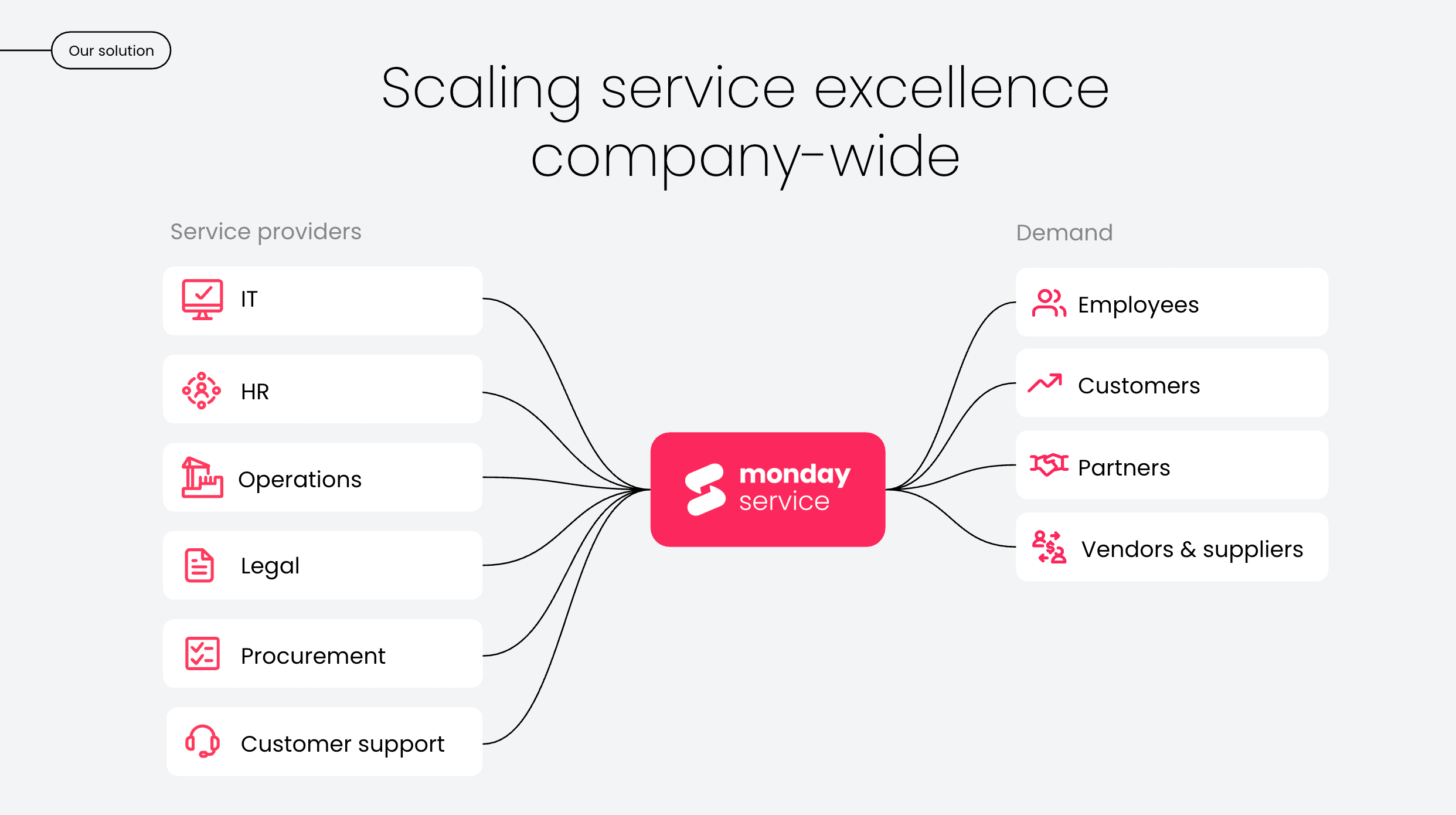
Optimize your ITSM workflows with monday service
The gap between knowing what good IT service delivery looks like and actually achieving it usually comes down to tooling. Most ITSM platforms give you a place to manage requests, but monday service is built to change how that work gets done. The platform embeds AI into your workflows so that every process runs faster, smarter, and with less manual effort than before. The result is an IT operation that stays ahead of demand. Here are the features that power ITSM in monday service.
Eliminate manual triage with AI Blocks for automatic ticket classification
Every ticket that lands in your queue without context creates work before the real work begins. monday service’s AI Blocks automatically categorize and prioritize incoming service requests the moment they arrive, routing them to the right agent based on skills and availability. IT teams handling high ticket volumes can process requests at a scale that simply isn’t achievable manually, without sacrificing accuracy or response times.
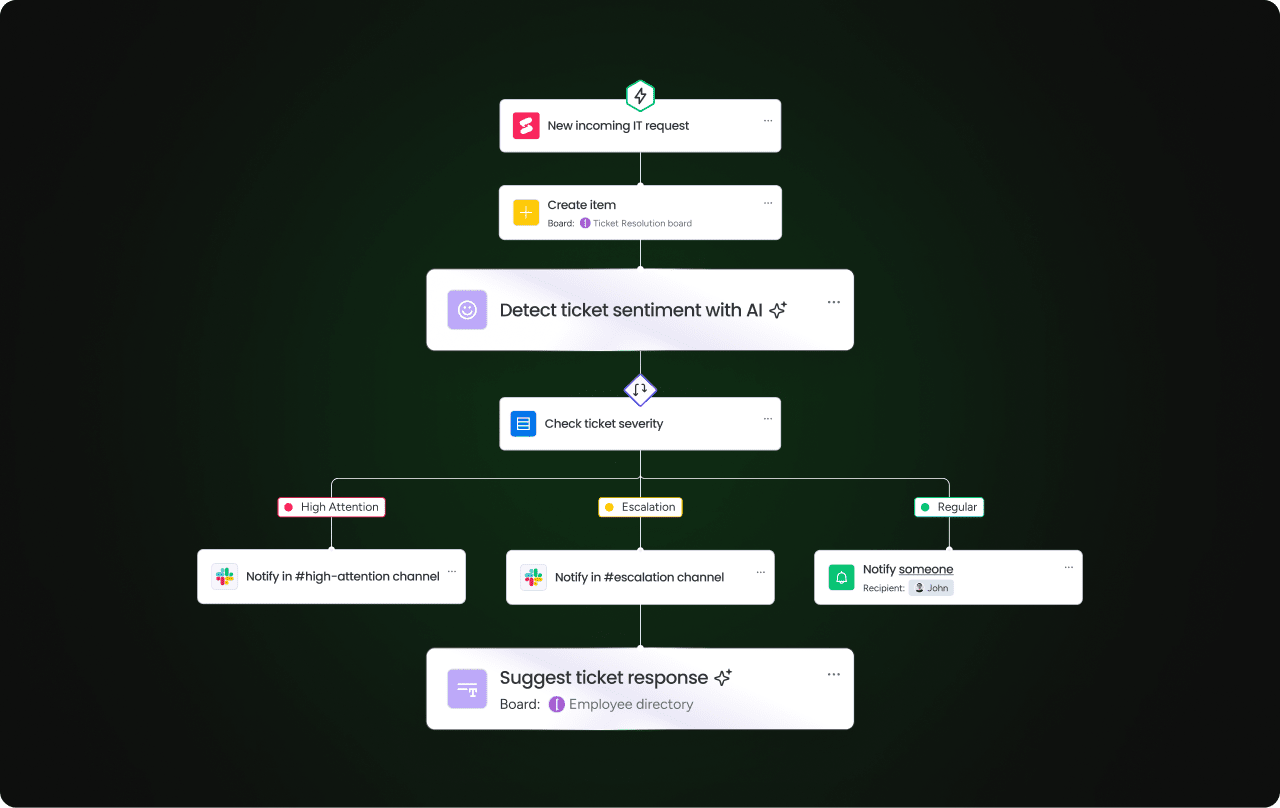
Stay ahead of demand with AI-powered predictive service requests
Reactive IT support is expensive. When the same issues keep appearing in your queue, that’s a signal worth acting on. And monday service’s AI capabilities are designed to catch it. The platform identifies patterns in incoming request data and flags recurring issues before they compound, giving IT leaders the intelligence to address root causes rather than symptoms.
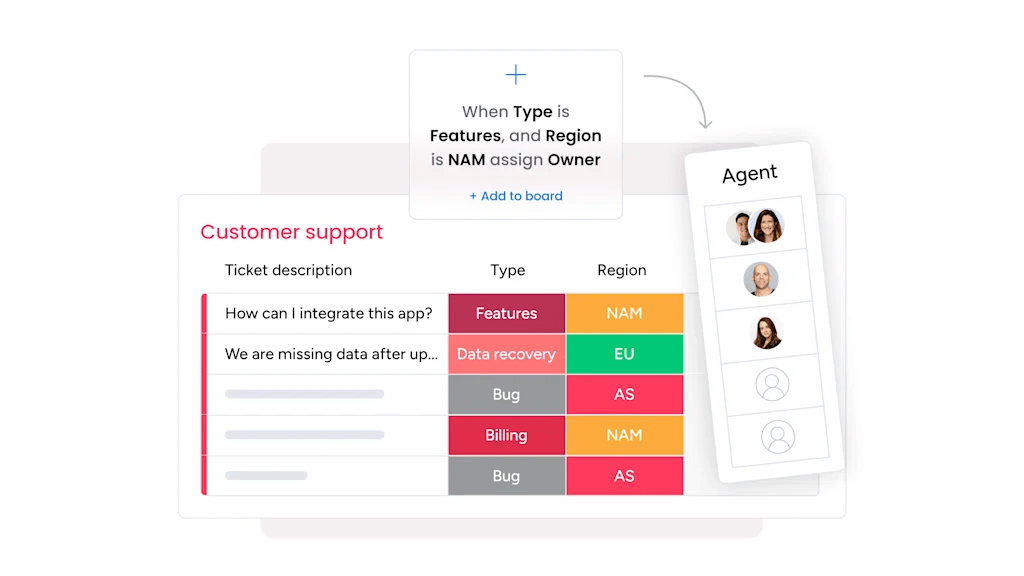
Resolve tickets faster with real-time service status updates
When ticket status lives in a separate system, or worse, in someone’s inbox, resolution slows down for everyone involved. monday service keeps status updates connected to the ticket itself, with automated notifications that keep agents, approvers, and end users informed as work progresses. The best part is there’s no duplicated effort.
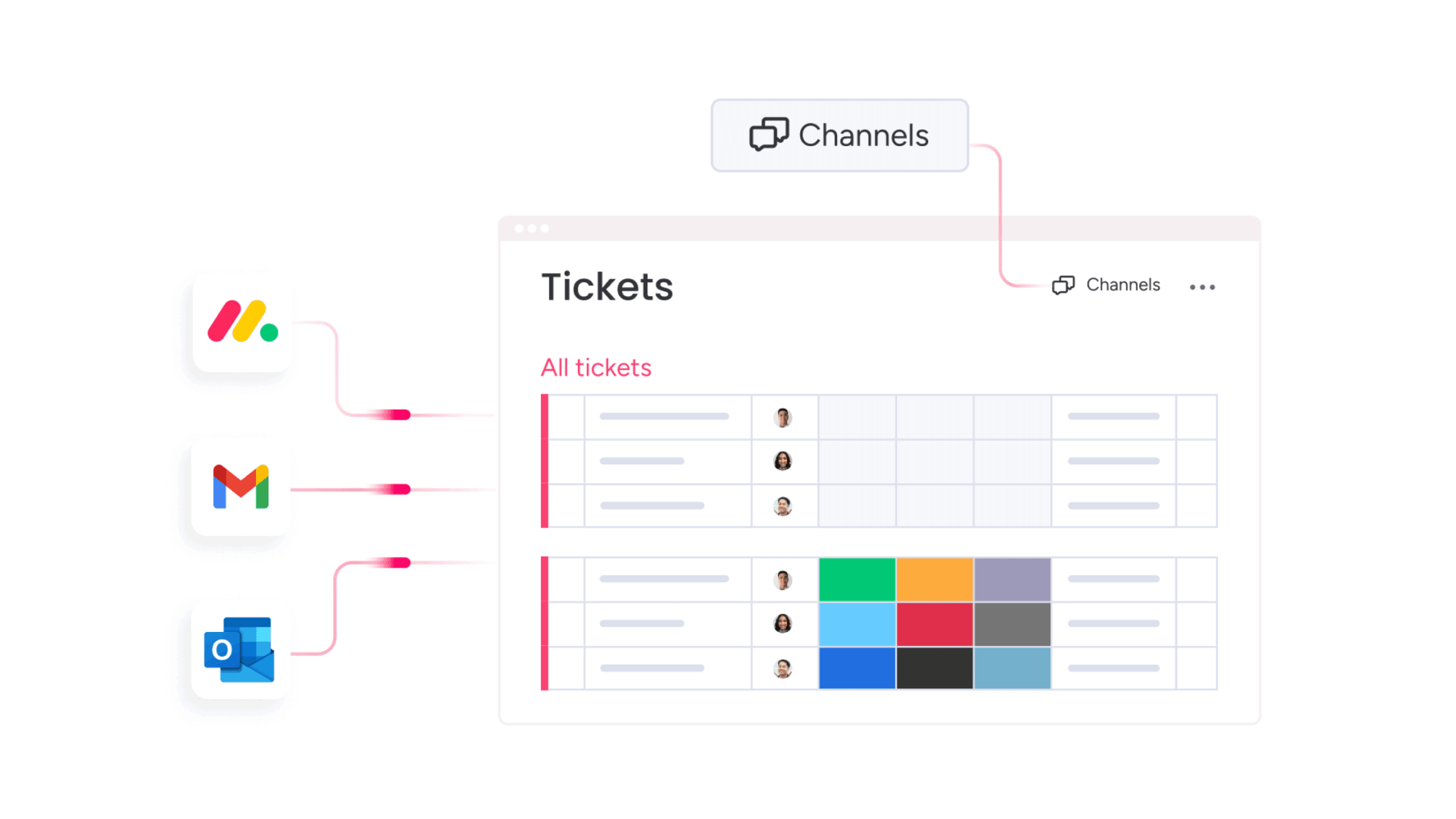
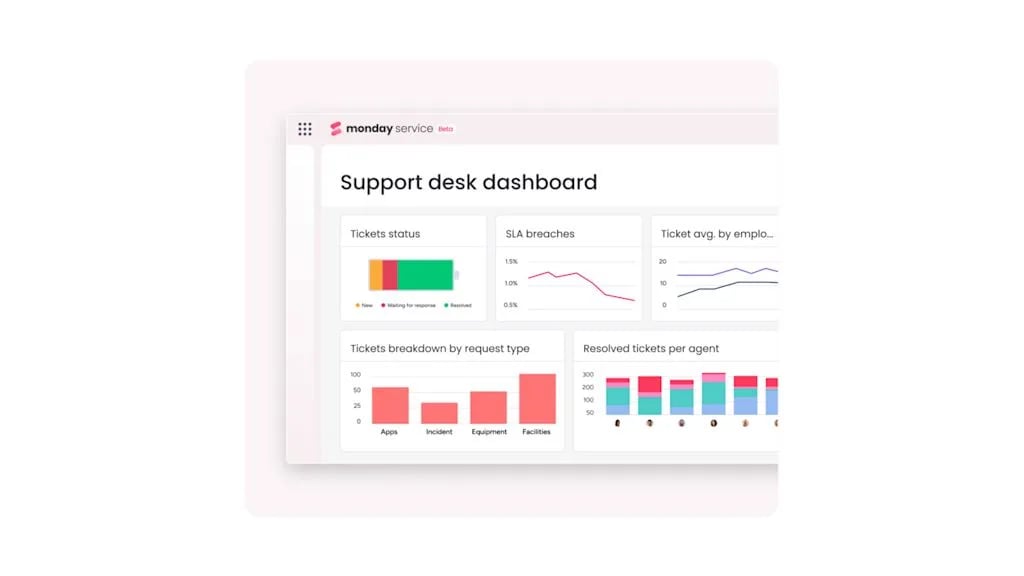
Make smarter resourcing decisions with custom reporting dashboards
IT leaders can only act on what they can see. monday service’s customizable dashboards give you a real-time view of SLA compliance, agent workload, and ticket trends, all in one place. Rather than pulling reports manually, you have the data you need to make informed decisions about capacity, priorities, and where your team’s time goes.
Scale your service operation with Digital Workers that never clock off
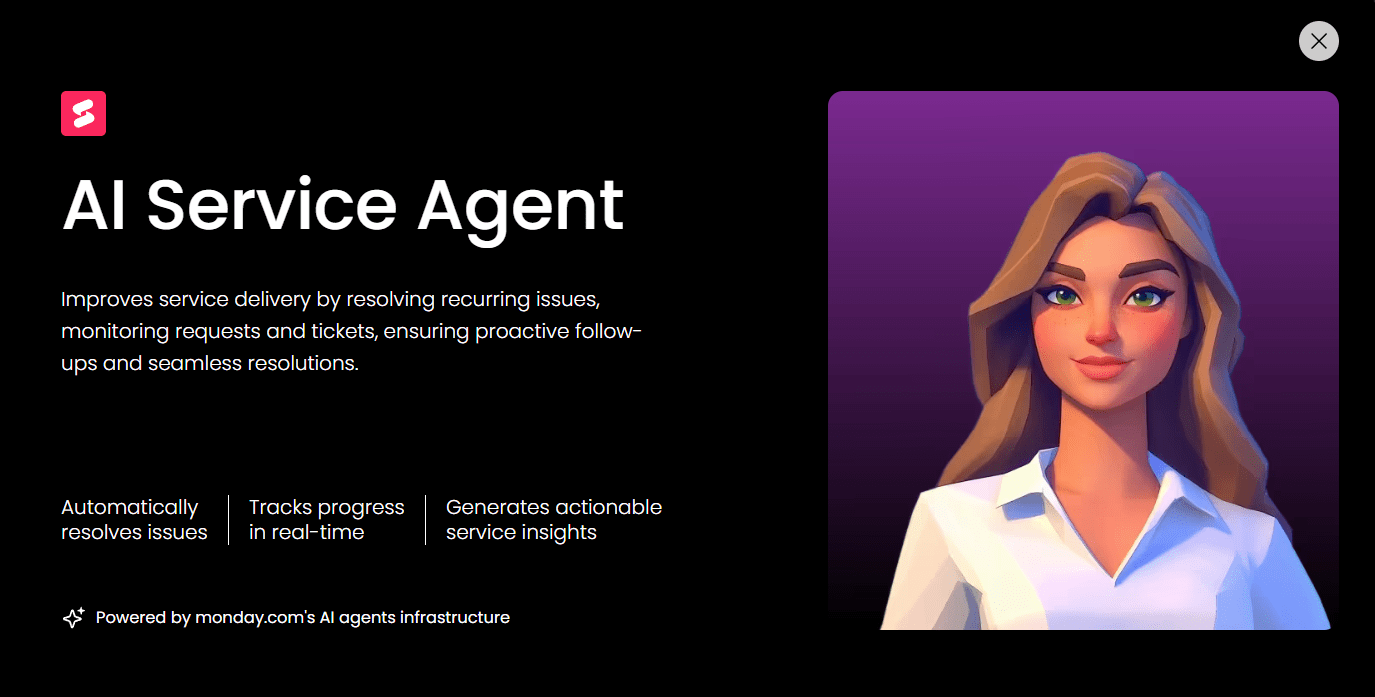
As service demand grows, adding headcount isn’t always the answer. monday service’s Digital Workers, part of monday.com’s AI-powered Digital Workforce, handle operational tasks autonomously, around the clock. The AI Service Agent monitors incoming requests, identifies recurring issues, and generates proactive reports without waiting to be asked. Your team gets more done without the operation becoming harder to manage.
If the features above reflect the kind of IT operation you’re trying to build, monday service is worth seeing firsthand. The platform is free to trial for 14 days, which is enough time to move a real workflow through it and see how the AI capabilities perform under the pressure of your actual service demands.
Try monday serviceFAQs about AI tools for IT service management
What are the core benefits of using AI in IT service management?
The core benefits of using AI in IT service management include faster ticket resolution, reduced agent workload, and more consistent service delivery. AI handles repetitive tasks like classification and routing automatically, freeing agents to focus on complex requests while giving IT leaders better data for decision-making.
How does automated asset tracking reduce operational overhead?
Automated asset tracking reduces operational overhead by eliminating the need for manual audits and spreadsheet-based records. When asset data updates automatically and connects directly to service tickets, IT teams spend less time chasing information and more time resolving the issues that actually need their attention.
How do no-code automations improve the accuracy of IT inventory data?
No-code automations improve the accuracy of IT inventory data by removing manual data entry from the process. When status changes, assignments, and updates trigger automatically based on predefined rules, the risk of human error drops significantly and inventory records stay current without requiring dedicated admin time.
Why is mobile accessibility a critical feature for modern IT service delivery?
Mobile accessibility is a critical feature for modern IT service delivery because IT teams don't only work from a desk. When agents can view, update, and respond to tickets from a mobile device, service continues uninterrupted regardless of where the work is happening.
How can AI-driven analytics help in predicting hardware failure?
AI-driven analytics predict hardware failure by identifying patterns in asset performance data before problems become visible. Rather than waiting for a device to fail, IT teams can act on early warning signals, for example by scheduling maintenance or replacements proactively and avoiding unplanned downtime.
What security features should be prioritized in cloud-based ITSM software?
The security features to prioritize in cloud-based ITSM software are:
- Role-based access controls that limit data visibility to relevant team members
- End-to-end data encryption for information in transit and at rest
- Detailed audit trails that log every action taken within the platform
- Compliance certifications relevant to your industry, such as SOC 2 or ISO 27001
How does integrating service desks with asset management improve ticket resolution?
Integrating service desks with asset management improves ticket resolution by giving agents immediate access to relevant asset data the moment a ticket arrives. Rather than investigating a device's history separately, agents have full context from the start, which means faster diagnosis and fewer back-and-forth exchanges with the end user.

 Get started