


Weekly scheduling can be a tricky skill to master. To do it well, you need to have a solid grasp on all your tasks, from big to small, and know how to organize and prioritize them. If you’re working on complex projects or handling multiple at once, keeping track of them all can be challenging
With a weekly schedule template, you can visualize your weekly workload in one place, including all of the tasks you need to focus on, when they’re due, and how long they’ll take to complete. It’s important to find the right template to visualize your weekly schedule to understand exactly what needs to be done at a glance.
In this article, you will learn what a weekly schedule template is, explore 8 template types for different needs, explore setup tips and scheduling practices, and discover how a connected platform like monday.com’s AI Work Platform takes weekly planning from static documents to dynamic, intelligent workflows.
Get startedKey takeaways
- Structure drives productivity: A weekly schedule template provides a repeatable framework for organizing tasks, deadlines, and priorities so you can start each week with direction.
- 8 template types for every scenario: From classic weekly planners to biweekly schedules and shift rosters, there is a format designed for your specific workflow.
- Key features matter: The most effective templates include timelines, priority fields, status tracking, dependencies, and integrations with the platforms you already use.
- Setup takes minutes, not hours: A simple 6-step process — list, prioritize, schedule, assign, customize, and review — turns any blank template into a personalized weekly plan.
- Smart scheduling goes further: monday.com’s AI Work Platform combines 27+ views, automations, and AI capabilities like monday sidekick and monday agents to turn your weekly schedule into a living, self-optimizing system.
What is a weekly schedule template?
A weekly schedule template offers a structured, consistent framework for planning, tracking, and executing your weekly tasks.
When used correctly, a weekly schedule template can help you be more productive by helping you visually manage and allocate time efficiently to complete the right tasks at the right time.
A weekly schedule gives you the direction to achieve goals as efficiently as possible — and start each day knowing exactly where to focus. The result is more productive mornings, fewer surprises, and a consistent rhythm that keeps your week on track.
Weekly schedule templates come in a wide range of formats. There are various options to choose from, from the classic weekly work schedule to a biweekly template based on what you need. We’ll look at some of these in more detail later.
Why you should use a weekly calendar template to plan your week
Other than being an efficient time management tool, there are many other benefits to using a weekly schedule template. While there are plenty of printable paper and virtual planning templates online, the benefits you get from using something with a bit more depth and detail far outweigh the convenience of quick downloadable templates. Let’s take a closer look at the benefits of using a weekly schedule template:
Visualize an entire week of work in one place
With weekly calendars, you can see everything that needs to happen over a week in a centralized space. You won’t have to constantly move back and forth between different platforms, making it easier for you to track progress and make sure you’re sticking to your schedule.
Easily create and adjust your schedule
When using a weekly calendar template, especially a virtual one, you can easily make changes to your schedule when unforeseen events come up without scribbling and crossing things out on a downloadable sheet. When you use customizable templates, like the ones on a connected scheduling platform, you can easily make adjustments in a few clicks.
Prioritize each task
By sorting and organizing all your tasks on a templated weekly schedule, you can easily prioritize specific tasks to get done earlier or at the right time. When priorities shift, you can also adjust due dates accordingly, keeping your schedule adaptable to changes.
Seamlessly collaborate with your team
You can easily share your weekly plans so colleagues can see what you’re working on and what to expect in terms of due dates and deliverables. It creates transparency between you and your team, allowing them to better understand how your time is being spent and when it’s best to contact you.
Connect relevant documents and links
With a weekly schedule template on a connected platform, you can add extra information that you wouldn’t be able to on a physical one, such as links to documents, images, and external links. This makes it easy to keep all the details you need for any task in one place for quick and easy access.
Support remote and hybrid teams
How do you keep a distributed team on the same page without a shared weekly view? A shared weekly schedule template keeps remote and hybrid team members aligned across time zones, keeping async collaboration organized and giving everyone a single source of truth for the week ahead. When every person can see who is working on what — and when — handoffs stay smooth and every team member knows exactly what to expect each week.
Create a foundation for AI-assisted scheduling
When your weekly schedule lives in a connected platform rather than a static spreadsheet, AI can analyze patterns, flag conflicts, and suggest optimizations automatically. That weekly planner template becomes more than a document — it becomes a living system that learns from your work habits and helps you plan smarter over time.
Get startedWhat to look for in a weekly schedule template
Weekly planning templates can range from extremely simple to more involved documents with many different fields. Ultimately, the one you choose will come down to your specific needs. Still, there are some key elements to look for that will help you organize your tasks.
Here are a few things to look for in a weekly planning template:
- A way to set timelines, milestones, and firm deadlines
- The ability to prioritize tasks
- The option to set task dependencies to understand what needs to be completed in order to start the next task
- Custom fields to add more information like links to relevant assets, contact info, or reminders
- Status field to update when something is in progress, stuck, or done
- Tags to sort different types of tasks or link them to specific projects, departments, or clients
- Integrations with other apps you use, such as Gmail, Zoom, your project management software, and Slack
Learn more: Weekly work plan
8 common types of weekly schedule templates
There are many different types of weekly templates. Each template serves a different need, with some templates being more rigid while others can be customizable. Let’s take a look at some of the most common types of weekly schedule templates so that you can select the one that’s best for you.
1. Classic weekly schedule template
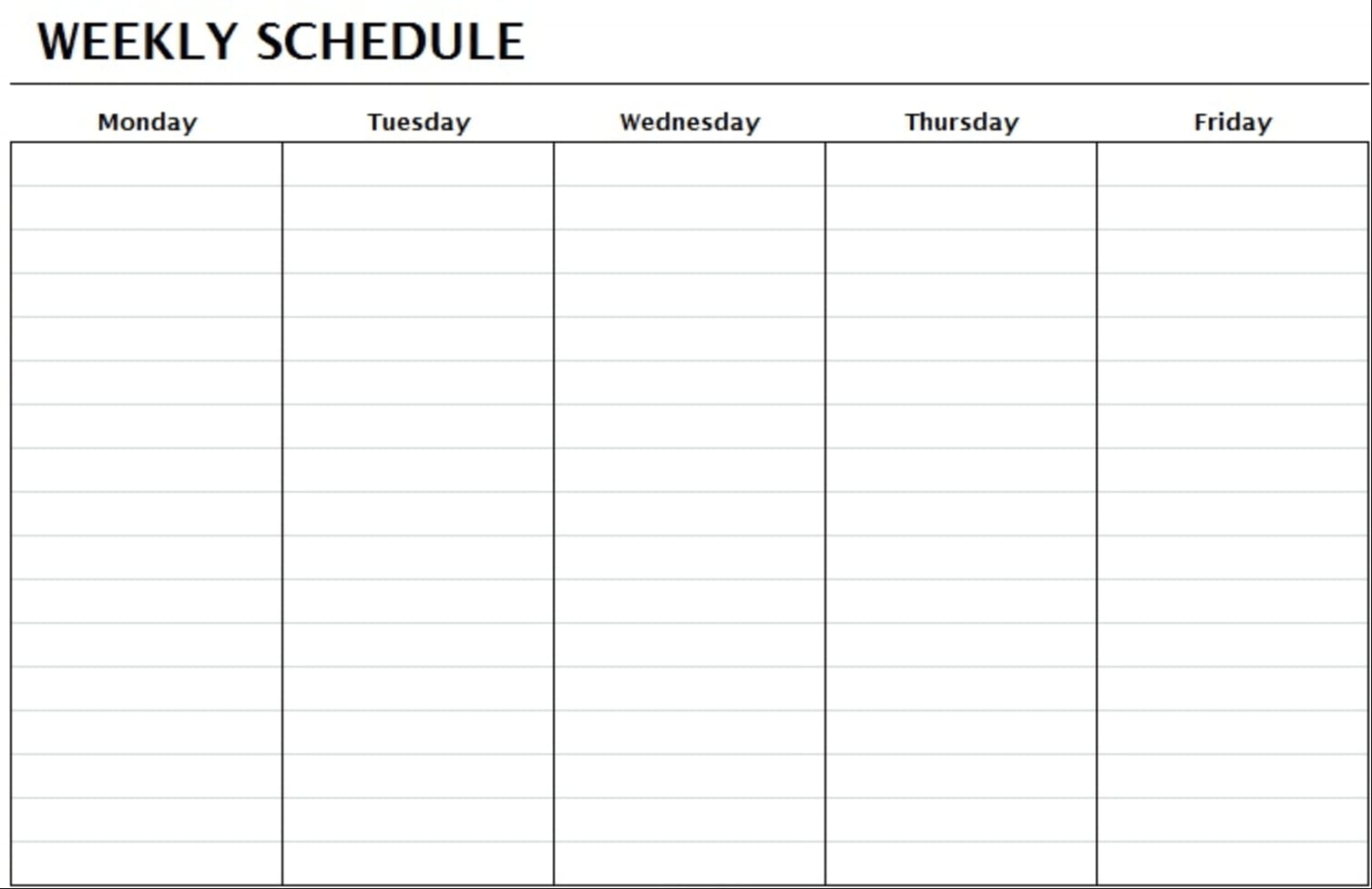
This simple weekly schedule template allows individuals or teams to plan their weekly workload. It’s ideal for teams that want to visualize an entire week’s worth of work in one place. The exact structure of a classic weekly schedule template can vary depending on the platform you use to create it. But most include the days of the week, task lists for each day, deadlines, and weekly goals. If you need a blank weekly schedule to start from scratch, this format gives you the most flexibility to customize columns, labels, and layouts to match your workflow.
2. Weekly work schedule template
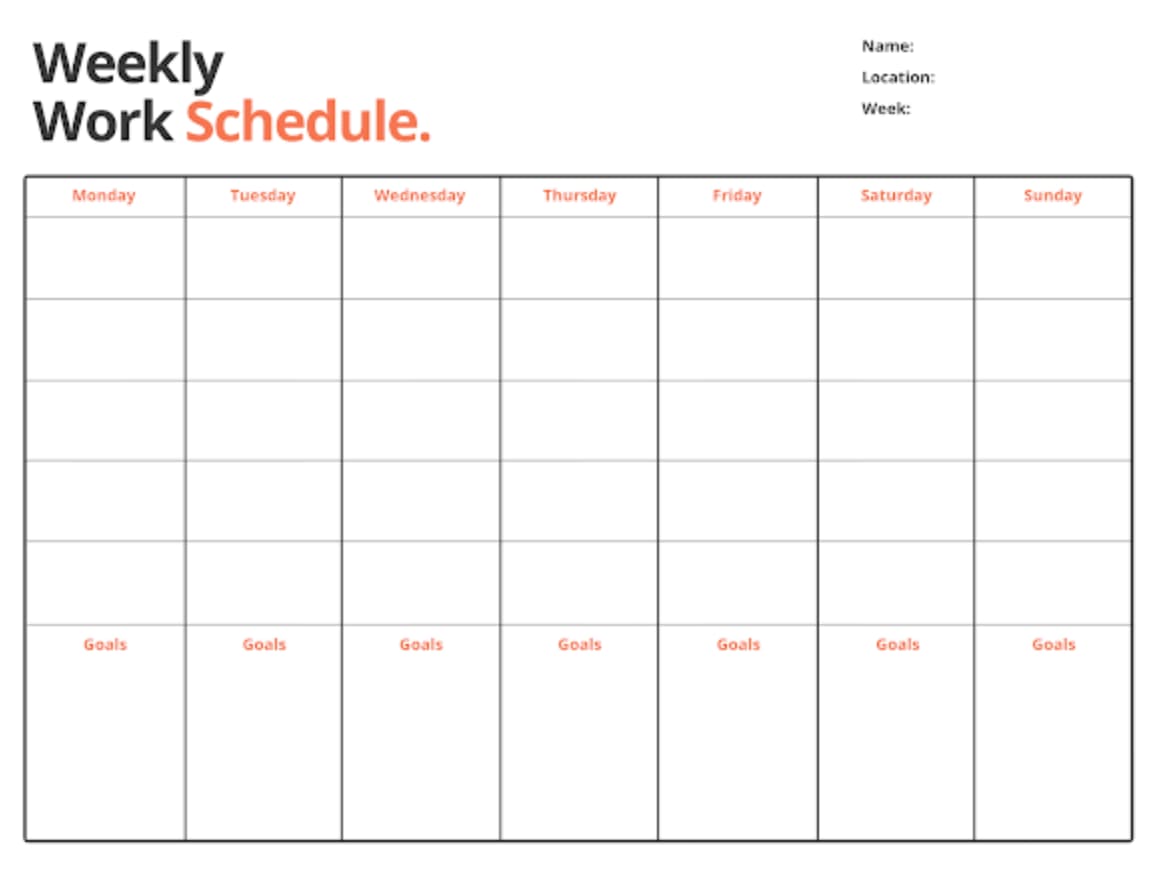
Unlike the classic weekly schedule, the workweek schedule focuses solely on working days. A blank work schedule template outlines the schedule for a Monday-Friday workweek. With this template, teams can make sure that they maximize their time during work hours.
On a connected scheduling platform, the weekly work schedule template lets you assign owners, set priority levels, and track status — so your Monday-to-Friday plan stays connected to your broader project goals.
3. Weekly schedule template with time segments
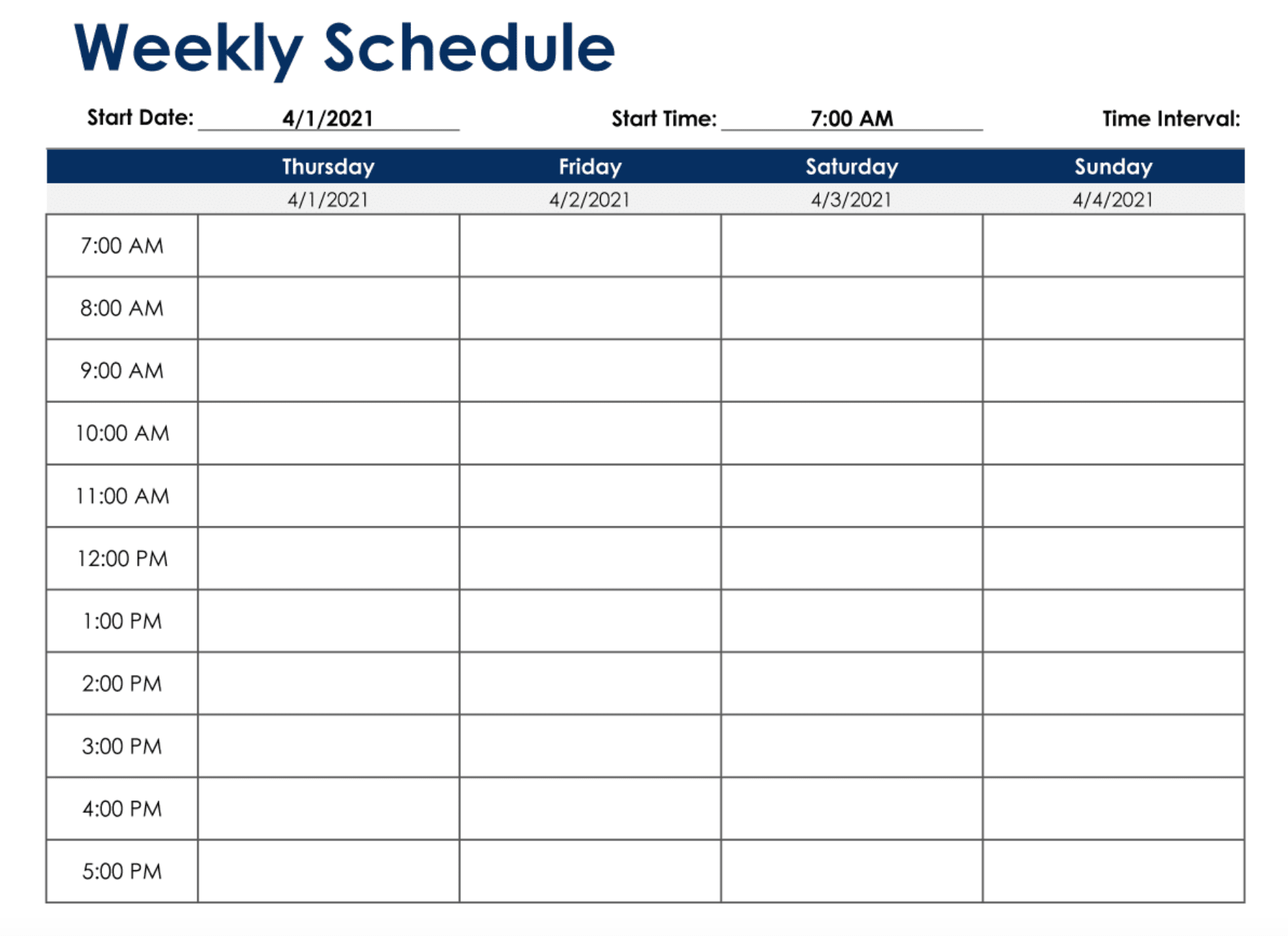
A weekly schedule with time segments is an extension of the classic weekly schedule, but it helps more when it comes to scheduling specific tasks throughout the day. This template features time segments so you can see exactly when to start and finish specific tasks. The time segments can be split into 30-minute intervals or an hourly schedule, depending on your preference.
If you use an online template with customizations, like those in a connected platform, you can choose whichever time interval suits you best and pair it with built-in time tracking for a complete picture of how your hours are spent.
4. Biweekly schedule template
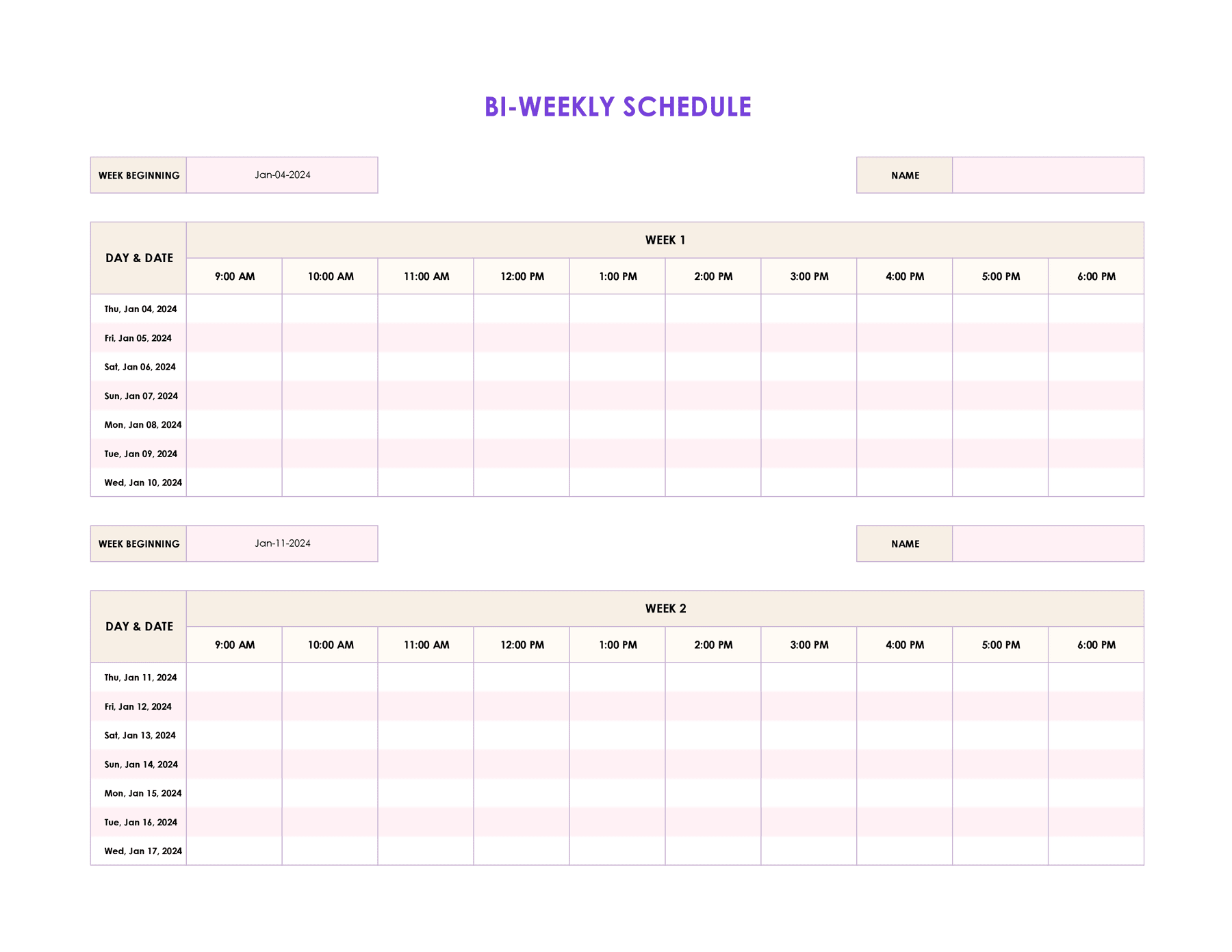
A biweekly template displays 2 weeks of work in one schedule, essentially combining a two-week schedule into one. This gives teams a wider oversight of their upcoming tasks. Managing 2 weeks at once calls for strong organization, which is where a connected platform with multiple views gives you the edge. With the right platform, you can switch between weekly and biweekly views with a single click, giving you the big-picture perspective without losing day-level detail.
5. Weekly work shift schedule template
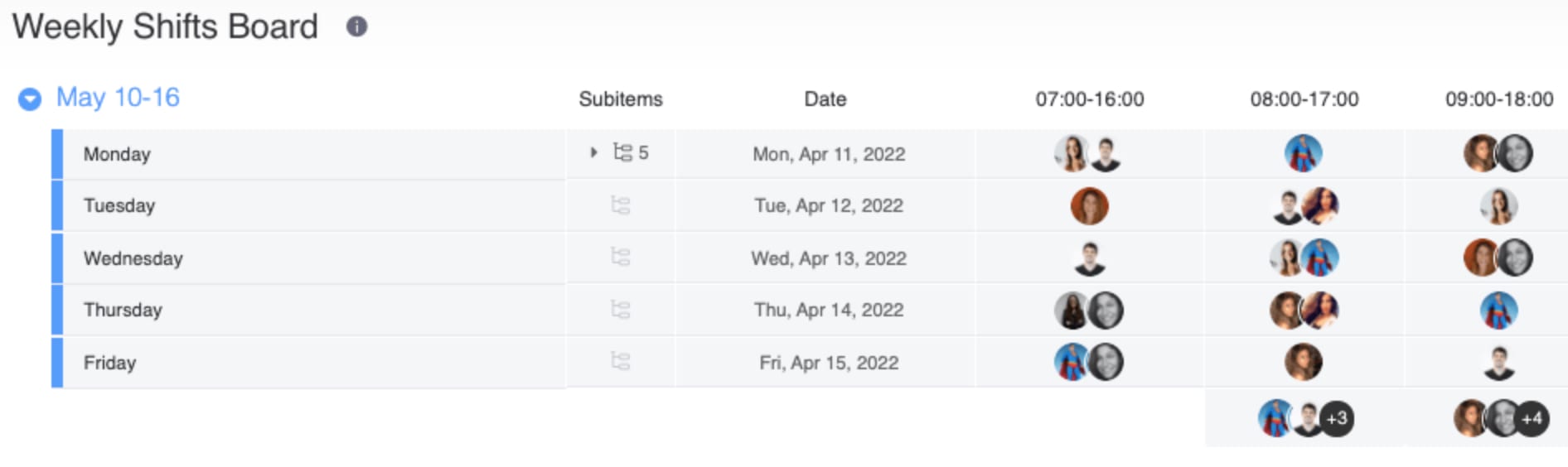
An employee schedule template outlines the different employee shifts that are happening in the coming week. Weekly employee shift schedule templates help manage capacity, planning work shifts, organizing working hours, and overseeing labor costs. You can create a master calendar to keep tabs on employee shifts for your whole team and another for individual employees.
6. Weekly project status report template
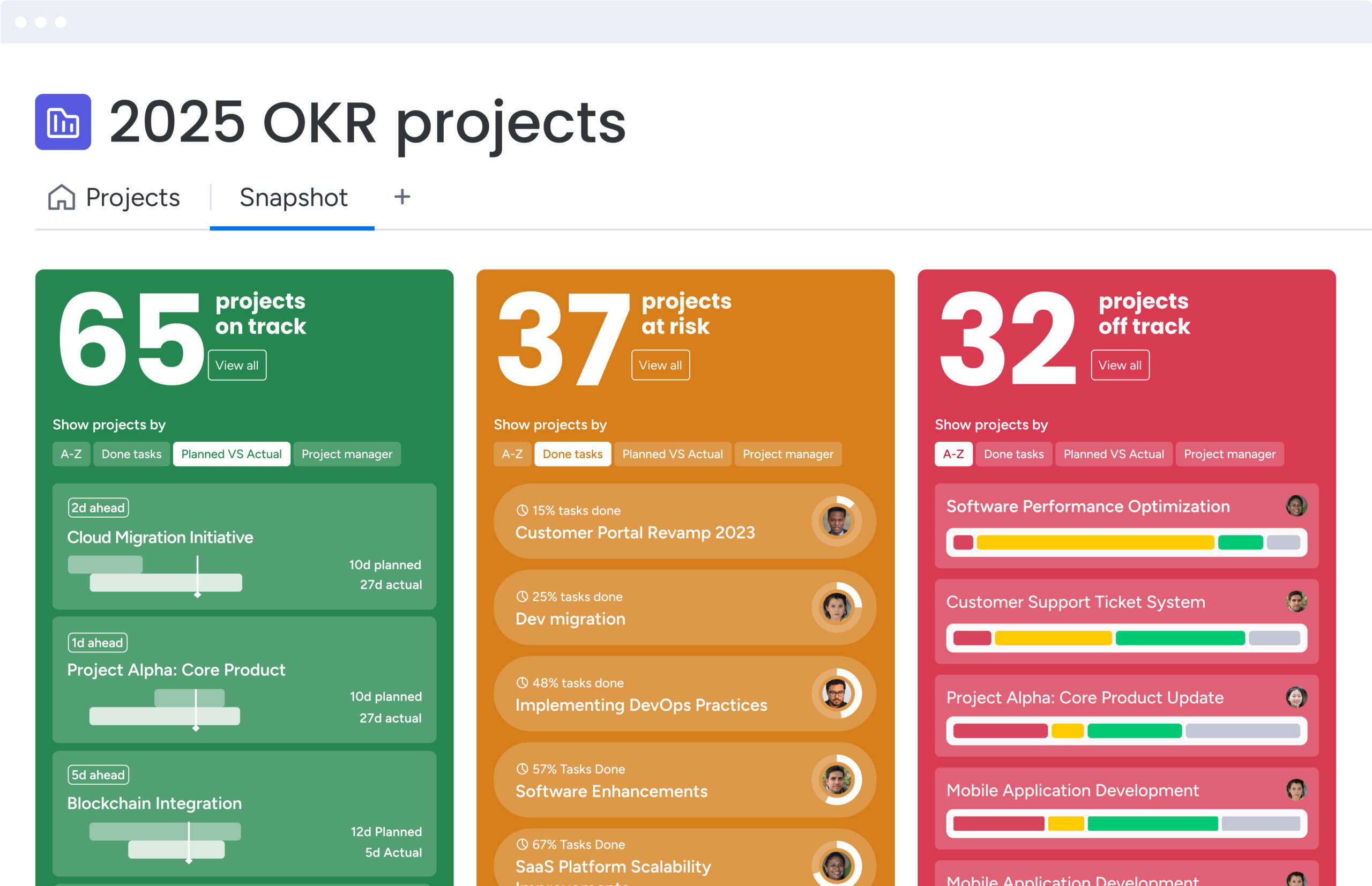
A weekly project status report template combines scheduling and project updates in one place. With this type of template, teams can track the status of a project, visualizing tasks that are completed or yet to be done, overall progress, upcoming deadlines, and milestones to work toward during the week.
Weekly project status templates on connected platforms like monday.com’s AI Work Platform are a great way to track projects with tight deadlines.
7. Class schedule template
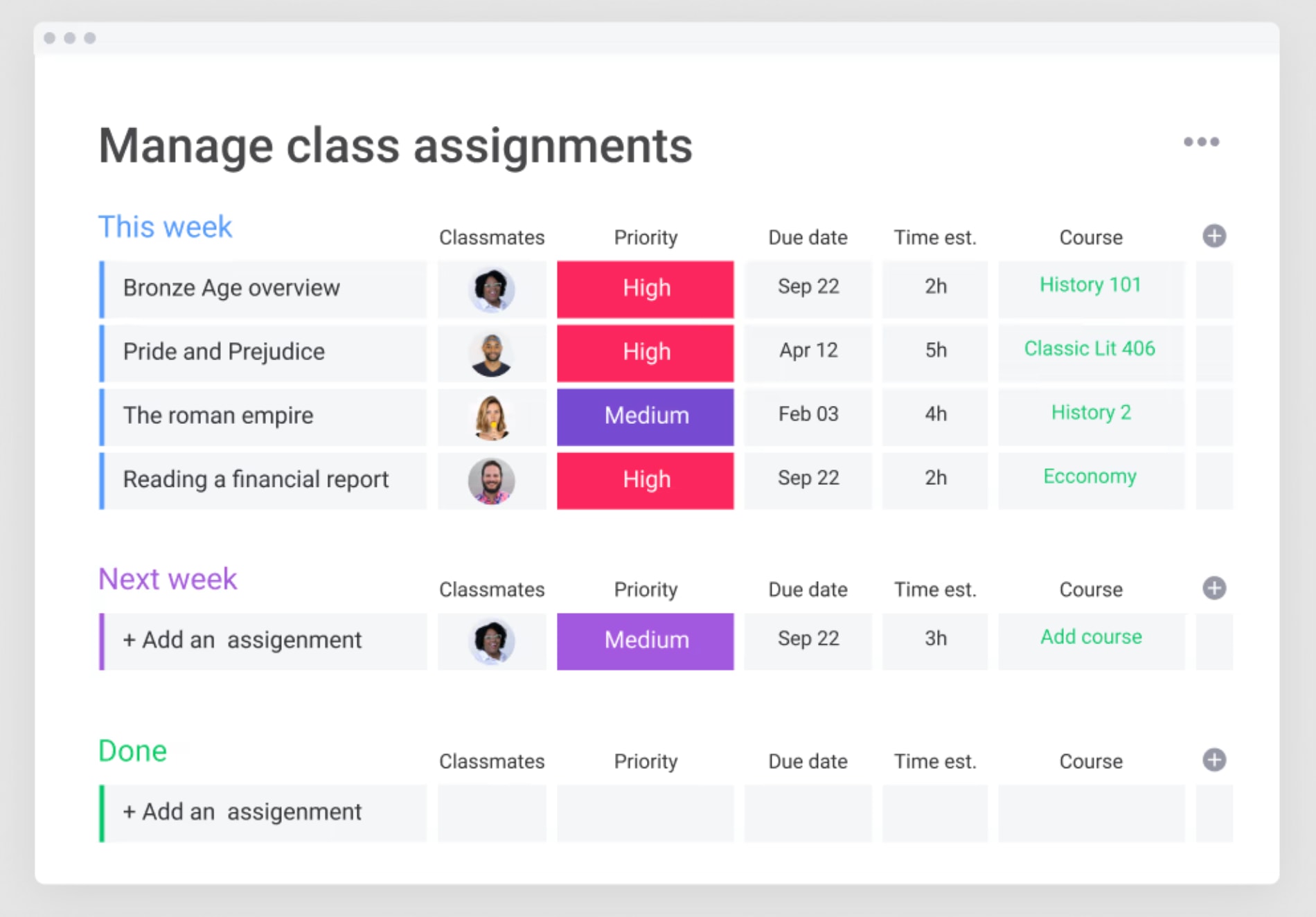
A class schedule helps students track and manage their academic schedules. This includes class times, assignments, scheduled appointments, and deadlines. It can also be used by educational staff to manage their timetable and keep track of administrative tasks. Take a look at our selection of education templates to find one that works for you.
8. Weekly to-do list template
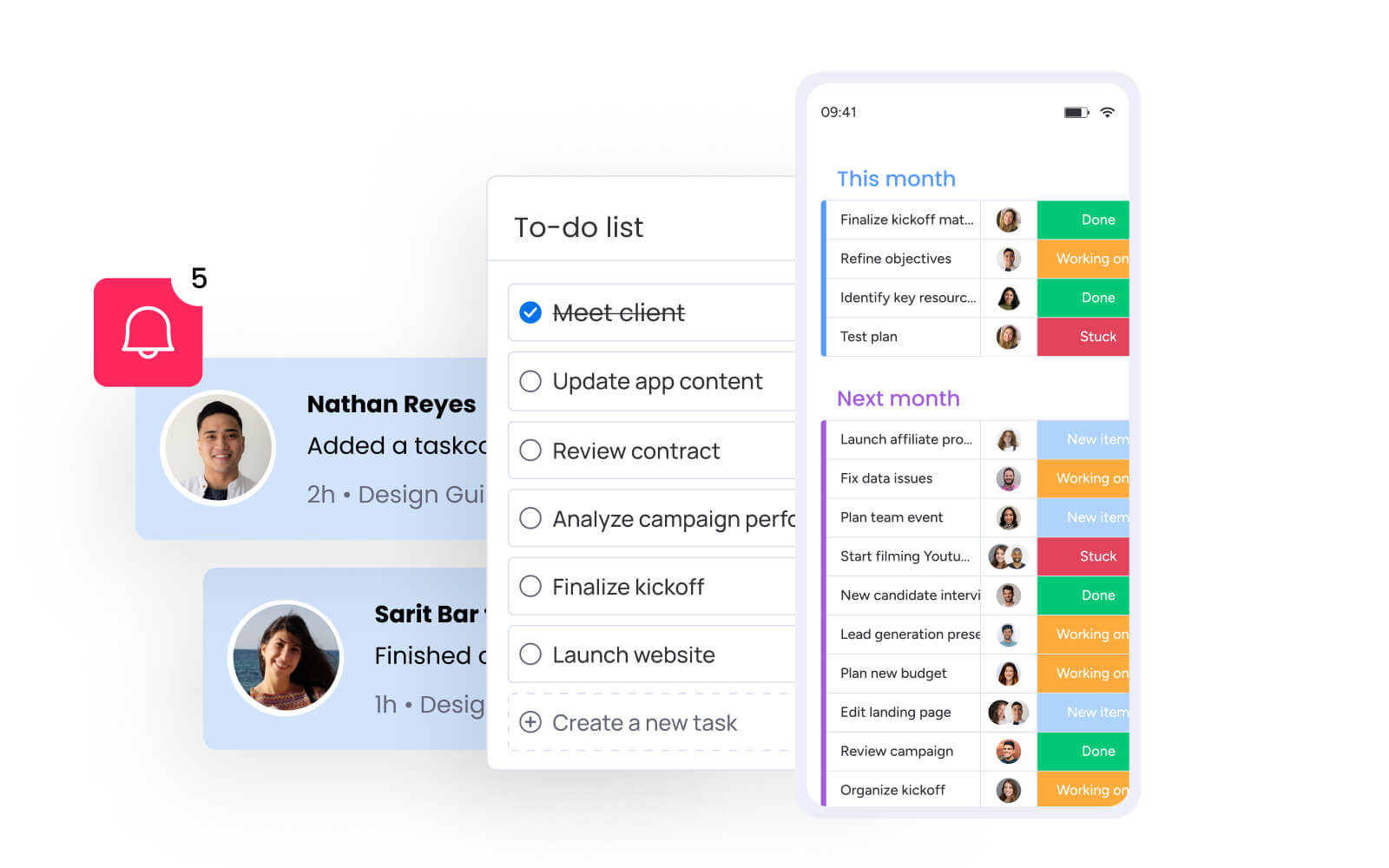
Sometimes, it’s easier to see your work in a list format so that you can more easily prioritize projects throughout the week and schedule them day by day as needed. A weekly to-do list template can give your team more control over which tasks take priority while making it easier to visualize your entire list of tasks at a glance.
Get startedTips and best practices for using a weekly schedule template
Using a weekly calendar template can make a big difference in how you manage your time and stay organized. The key is to treat your template as a living document — one you revisit and refine each week. Here are some proven tips and practices to help you get the most from your weekly planning:
- Set priorities: Identify your most important tasks for the week and schedule them first to give them the attention they need.
- Block time realistically: Avoid cramming too much into each day by scheduling breaks, buffer time between tasks, and unexpected interruptions.
- Be consistent: Stick to the same structure each week to build strong habits and reduce decision fatigue.
- Use visual cues: Use colors to categorize work tasks, columns to keep important data organized, and tags to connect related tasks.
- Review and adjust: Spend a few minutes each evening reviewing the next day’s plan and making adjustments where needed.
- Track your progress: Regularly check off completed tasks to stay motivated and spot patterns that could improve your future planning.
- Assign owners to tasks (if needed): Note who is responsible for each task to avoid confusion and improve accountability.
- Set realistic deadlines: Align your weekly schedule with overall project timelines, making sure your team doesn’t overcommit.
How to set up your weekly schedule template for success
Before customizing your weekly schedule template, it helps to get organized. A little prep can make it easier to tailor your template, prioritize your work, and stay focused throughout the week. Whether you’re using an online template or another tool, these steps will help you make the most of your schedule and hit the ground running:
Step 1: List all tasks and commitments
Start by gathering everything you need to accomplish during the week, including meetings, project deadlines, and personal tasks.
Step 2: Prioritize your workload
Identify the most high-impact tasks and deadlines and assign priority levels to each task to help you decide what needs to be scheduled first.
Step 3: Schedule tasks in time blocks
Assign tasks to specific days, times, and team members, making sure to take availability into consideration and leave space for breaks, deep work sessions, and unexpected changes.
Step 4: Add task owners and due dates
If you’re working with a team, assign owners to each task and set clear deadlines to ensure accountability and track progress.
Step 5: Customize with color coding and tags
Organize your schedule visually by using colors or tags to group related tasks, projects, or priorities for quick reference.
Step 6: Review and adjust as needed
At the end of each day or week, review your schedule to track your progress and tweak your template to improve planning for the future.
Build your personalized weekly schedule with monday.com's AI Work Platform
Spreadsheets and printable templates get you started — but when your week involves multiple projects, shifting priorities, and a team that needs visibility, you need a platform that adapts with you.
Whether you want a simple weekly schedule template for a personal planner or you’re looking for a schedule to organize complex projects for an entire team, monday.com’s AI Work Platform combines customizable templates, real-time collaboration, and intelligent scheduling in one workspace, so your weekly plan stays connected to your work.
Here’s a closer look at the platform features that make it easy to create and manage your schedule.
Plan and visualize your week across 27+ views
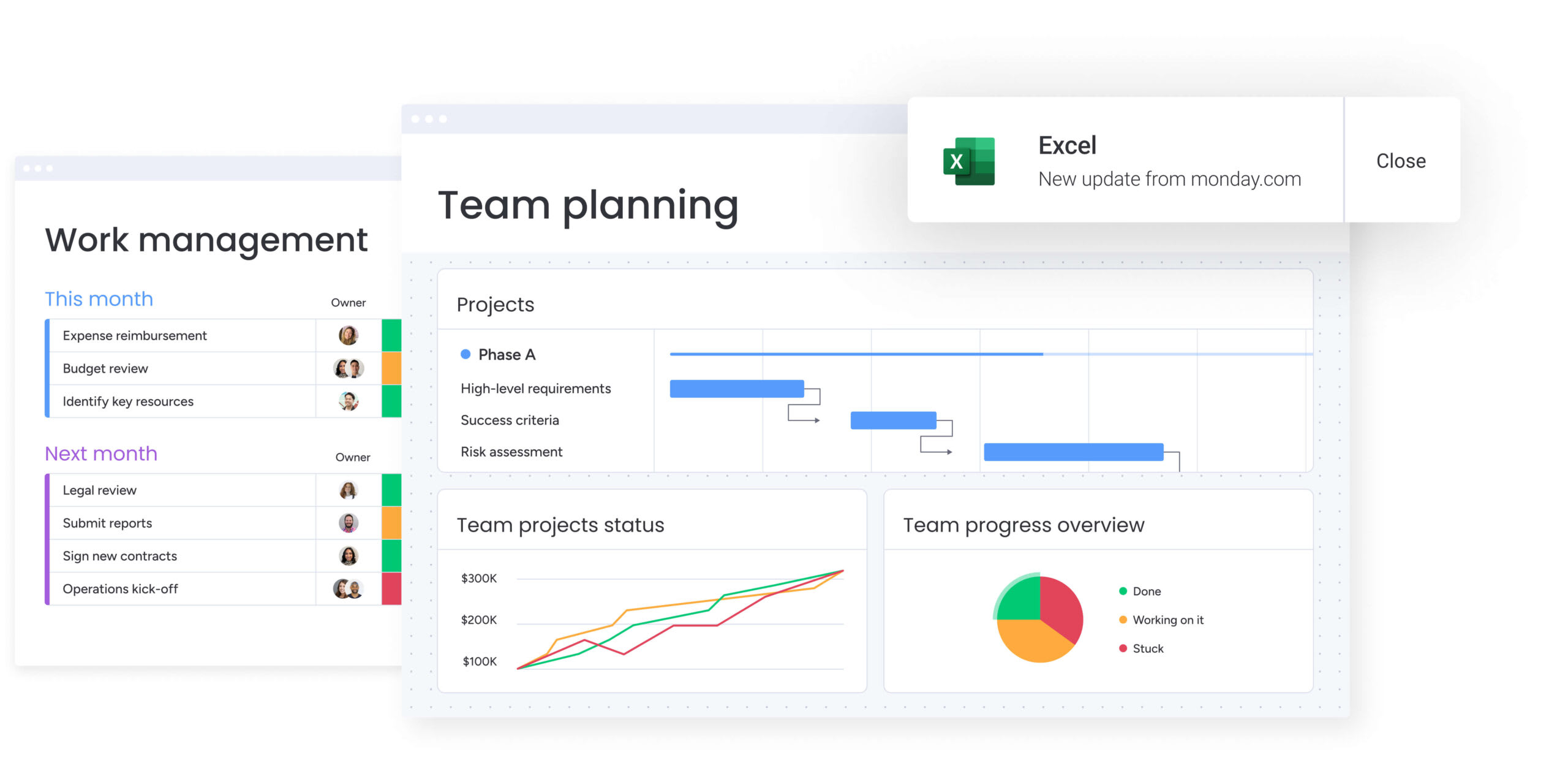
Using monday.com’s AI Work Platform’s customizable features, you can add columns, status labels, deadlines, task responsibilities, and more, all in one board. The platform offers dozens of templated schedules to choose from, including monthly, weekly, and daily work schedules.
You can also add additional items, like links, documents, and contacts so each task has all the relevant information needed to make it easier to complete. Teams can switch between Board, Calendar, Gantt, Timeline, and Kanban views without losing data, so everyone sees their weekly schedule in the format that works for them.
Automate recurring tasks and schedule updates
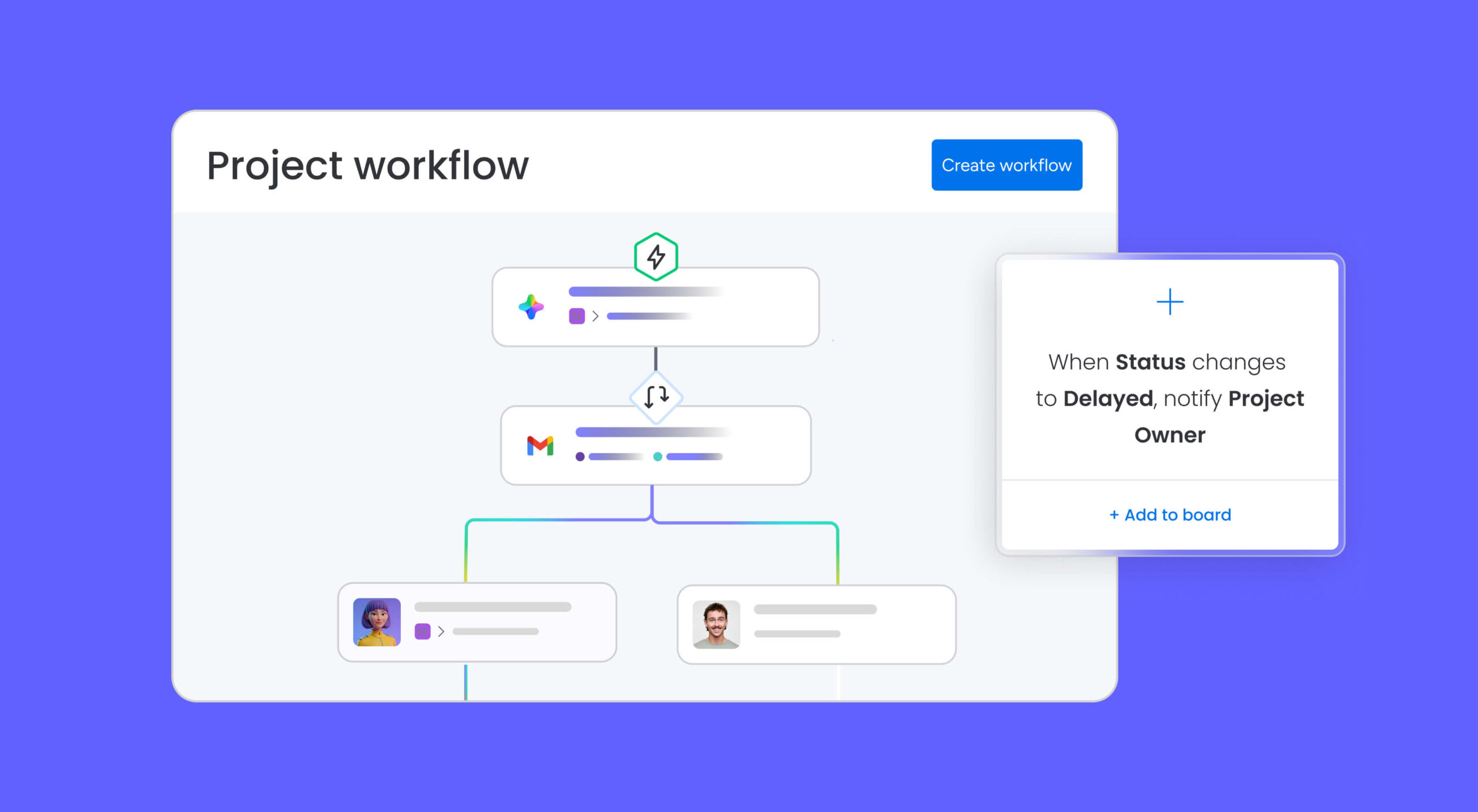
Unlike printable weekly templates or single-page online schedules, monday.com’s AI Work Platform is a robust platform with features like workflow automations to enhance your weekly schedule.
Create your own automations like reminders for task deadlines, follow-ups, and trigger actions with custom formulas so that you can put manual tasks on autopilot while you focus on completing your most important work. AI Blocks — pre-built AI functions you can add directly to your workflows — flag scheduling conflicts and workload imbalances before they become problems.
Track time and monitor progress in real time
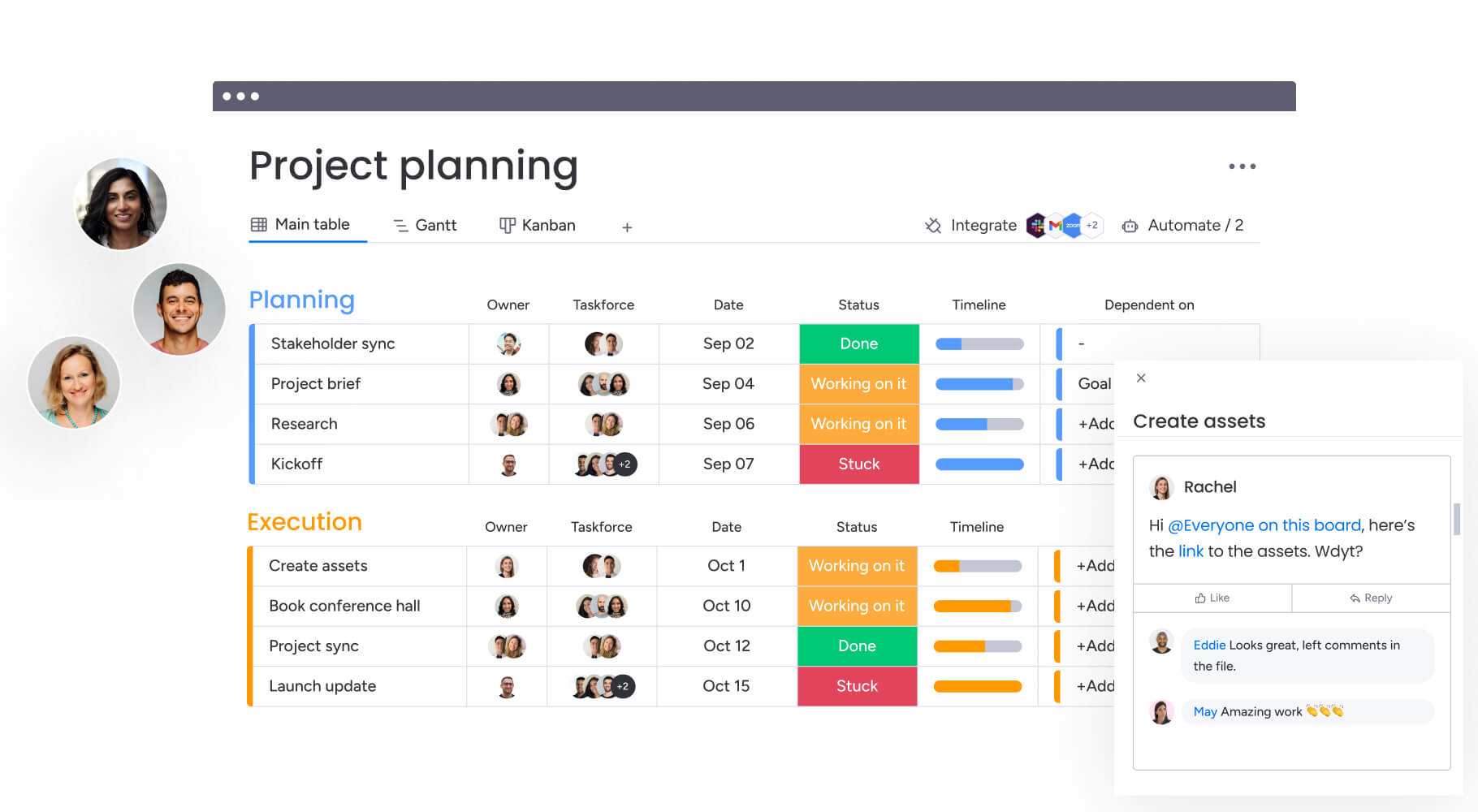
monday.com’s AI Work Platform makes it easy to manage tasks with an integrated time-tracking feature that tracks how much time you’re spending on each task in just a few clicks. This feature is especially handy if you’re on a tight deadline, you need to track hours for billing clients, or you simply want to see how long certain tasks take for future estimations. Dashboards pull live data from your weekly schedules into a single view — giving you and your team real-time visibility into progress, bottlenecks, and capacity.
Use AI to schedule, adjust, and optimize your week
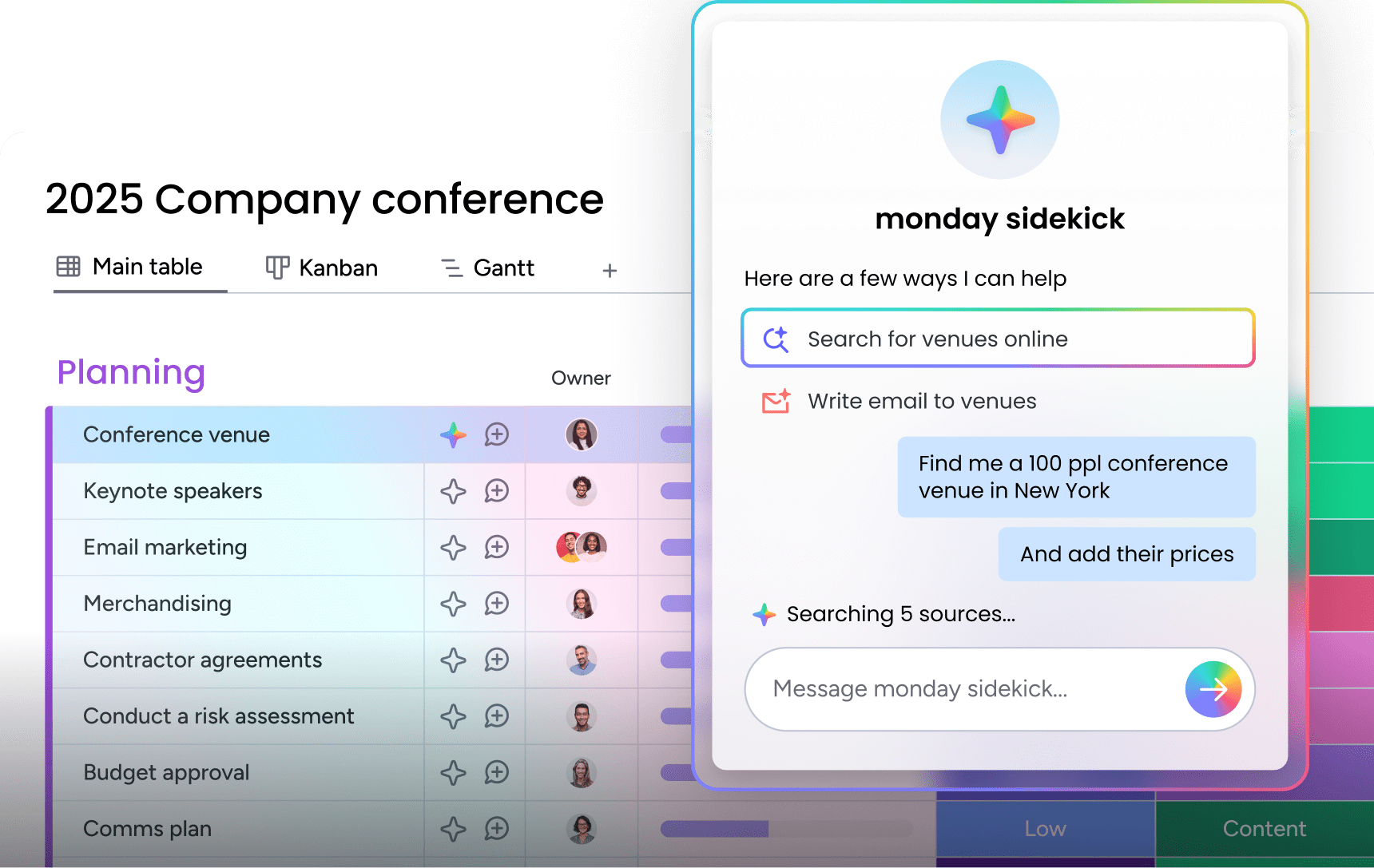
What if your weekly schedule could adjust itself when priorities change? monday.com’s AI Work Platform makes this a reality.
monday sidekick is a context-aware AI assistant embedded directly in your workspace. Instead of manually shuffling tasks every Monday morning, Sidekick analyzes your workload and suggests an optimized schedule — planning your work week, scheduling meetings around your priorities, and finding insights from your schedule data.
monday agents are purpose-built AI that monitor your projects and adjust schedules proactively. The Project Analyzer flags risks like missed deadlines and overloaded team members, while the Process Automator identifies repetitive scheduling patterns and eliminates them.
monday vibe is a no-code app builder. Turn a prompt like “build me a weekly meal prep planner” or “create a team rotation schedule” into a working app — no templates or technical skills required.
monday MCP connects AI assistants like ChatGPT and Claude directly to your monday workspace, enabling cross-platform scheduling and natural-language task management without switching between apps.
How monday.com’s AI Work Platform compares to spreadsheets and basic scheduling apps
Most teams start with a spreadsheet or printable weekly schedule template, and that works when your schedule is simple. As your projects grow and your team expands, a connected platform keeps pace. Here’s how a connected weekly schedule maker like monday.com’s AI Work Platform stacks up:
| Feature | Spreadsheets / printable templates | monday.com's AI Work Platform |
|---|---|---|
| Real-time collaboration | File-based sharing with manual sync | Built-in — updates sync instantly across teams |
| AI-powered scheduling | Manual scheduling only | Sidekick, Agents, AI Blocks, and Vibe |
| Automated reminders | Manual configuration per reminder | No-code automations trigger notifications, status changes, and follow-ups |
| Multiple views (calendar, board, Gantt) | One layout per file | 27+ views — switch without losing data |
| Time tracking | Requires a separate app | Integrated — track time directly on tasks |
| Integrations | Manual connections via copy-paste or export | 200+ integrations (Gmail, Slack, Zoom, Jira, and more) |
| Mobile access | View-only on most mobile devices | Full-featured mobile app for scheduling on the go |
| G2 ease of use rating | N/A | 9.1 / 10 |
Improve weekly scheduling with the right platform
Scheduling your tasks and projects every week doesn’t need to be a long or even manual process. With the help of the right platform, like monday.com’s AI Work Platform, you can automate scheduling, tap into intelligent planning, and keep your entire team aligned in real time.
From 27+ views and built-in time tracking to Sidekick, Agents, and Vibe, monday.com’s AI Work Platform gives you everything you need to turn a weekly schedule template into a living system that adapts as your work evolves.
Get startedFAQs
How do I create a weekly schedule template?
Creating a weekly schedule template varies depending on the software you're using. If you opt for something like Excel or Word, you can create a blank weekly planner from scratch. Remember that these platforms aren't as flexible and intuitive as online software like monday.com's AI Work Platform, so it might take a little longer to get things off the ground.
How do I make a daily schedule?
Making a daily schedule starts with outlining your top priorities and must-do items for the day. Then, block out specific times for each activity, factoring in deadlines, energy levels, and necessary breaks. Leave a bit of flexibility to adjust for last-minute changes or unexpected delays.
Does Excel have a weekly planner template?
Yes, Excel has several built-in schedule templates you can customize. Just open Excel, click "New," and search for calendar or schedule templates. That said, using a pre-built template on monday.com's AI Work Platform is often faster and more flexible, especially if you need automation, collaboration, or real-time updates.
Does Google have a weekly calendar template?
Yes, Google Sheets has basic weekly calendar templates. Additionally, Google Calendar lets you view your schedule by week using the "Week" view. However, for more functionality (like task assignments, file uploads, or automations), consider using monday.com's AI Work Platform's interactive pre-built templates for far more flexibility and control.
How can I prioritize tasks in my weekly schedule?
You can prioritize tasks on your weekly schedule by categorizing them based on urgency and importance, such as using the Eisenhower Matrix. Assigning priority levels helps focus on high-impact activities first, ensuring efficient time management throughout the week.
How can AI help with weekly scheduling?
AI transforms weekly scheduling from a manual exercise into an adaptive process. On monday.com's AI Work Platform, Sidekick analyzes your workload and suggests an optimized plan for the week. Agents monitor your projects around the clock, flagging risks like missed deadlines or overloaded team members before they escalate. AI Blocks add smart routing and conflict detection directly into your workflows — so your schedule adjusts as priorities shift.
Can I use monday.com's AI Work Platform as a weekly schedule maker?
Yes, AI Work Platform works as a full-featured weekly schedule maker. You can start from a pre-built template or create your own schedule from scratch, then visualize it across 27+ views including Calendar, Gantt, and Timeline. Built-in automations handle recurring updates, and AI features like Sidekick and Vibe help you plan, adjust, and optimize your week without manual effort.

 Get started