


Every growing team hits a breaking point where spreadsheets and email threads stop working. What kept 20 people aligned falls apart at 50, and by 100, you’re drowning in chaos — missed deadlines, duplicated work, and zero visibility into what’s actually happening.
This guide explores the top 10 project management apps built for teams like yours. You’ll get straight answers on pricing, core strengths, and which platform fits your actual workflow — whether you need visual boards, enterprise controls, or AI that saves time.
Get startedKey takeaways
- Strategic alignment: Project management apps connect daily execution to organizational goals, giving every department a shared source of truth.
- AI is table stakes: The most effective platforms now ship with built-in AI assistants, autonomous agents, and workflow automation as standard features.
- Flexibility over features: The right app adapts to your team’s workflows, not the other way around.
- Total cost of ownership: Evaluate per-user fees, add-on costs, implementation time, and training overhead before committing to any platform.
- monday.com’s AI Work Platform: Combines AI-powered automation, 200+ integrations, and enterprise security with a G2 Ease of Use score of 9.1/10.
What are project management apps?
Project management apps are software platforms that help teams plan, track, and deliver work across an organization. They go far beyond personal checklists or simple tracking sheets. Where a personal planner helps one person stay organized, a project management app coordinates entire project lifecycles — from initial scoping and capacity planning through execution, reporting, and retrospectives.
At their core, these platforms provide 4 capabilities:
- Planning (timelines, milestones, dependencies)
- Tracking (progress, budgets, resources)
- Collaboration (shared workspaces, real-time updates, file sharing)
- Reporting (dashboards, analytics, status summaries).
The best project management apps weave all 4 together so teams spend less time switching between apps and more time doing meaningful work.
What challenges do project management apps solve?
Growing without a centralized system creates compounding problems that get harder to fix the longer they persist. Here are the 4 challenges that send most organizations searching for a project management app in the first place. Recognizing which affect your team is the fastest path to choosing a platform that solves them.
- Scattered communication: Decisions get buried in email threads, chat channels, and meeting notes. When critical information lives in 5 places, nobody trusts any single source, and teams waste hours tracking down answers.
- Resource blind spots: Without real-time visibility into who’s overloaded and who has capacity, managers either burn out their top performers or leave budget on the table. Neither outcome scales.
- Manual status chasing: Hours disappear each week compiling updates across spreadsheets, slide decks, and one-on-one check-ins. When you’re asking “what’s the status?” more than “what’s the strategy?”, your process needs an upgrade.
- Strategy-execution disconnect: Leadership sets quarterly goals, but teams lose sight of them in the daily grind. Without a direct line between high-level objectives and individual workflows, organizations drift.
What are the main benefits of project management apps?
When the right platform is in place, teams stop working around their systems and start working through them. Here are the outcomes organizations can expect.
- Cross-functional visibility: Everyone from leadership to individual contributors sees the same real-time picture of what’s happening, what’s at risk, and what’s on track.
- Automated coordination: Workflow automation eliminates repetitive handoffs, status updates, and notifications, freeing teams to focus on work that requires human judgment.
- Faster decision-making: Dashboards and reporting surface insights without manual compilation. Leaders get answers in seconds, not days.
- Scalable operations: Processes that work for 10 people hold up for 10,000. How do the top project management apps compare on ease of use, integrations, and scalability? The ones built for growth let you add teams, departments, and workflows without rebuilding your foundation.
Overall, the earlier an organization adopts a structured approach, the smoother every subsequent phase of growth becomes.
Which teams benefit from project management apps?
Is project management software only for project managers? Not even close. The most successful implementations span entire organizations.
- PMO and operations: Portfolio visibility, resource planning, governance frameworks, and cross-departmental alignment all live in one workspace.
- Marketing: Campaign coordination, creative approvals, content calendars, and launch timelines stay connected from brief to delivery.
- Engineering: Sprint planning, backlog management, release tracking, and bug triage follow structured, repeatable processes.
- HR and finance: Onboarding workflows, budget tracking, compliance processes, and audit trails benefit from the same automation and visibility.
- Executive leadership: Cross-departmental dashboards and goal alignment give decision-makers the real-time data they need without requesting manual reports.
10 best project management apps for growing teams
We evaluated each platform on 5 criteria: scalability (can it grow with you?), AI capabilities (what ships built-in versus what costs extra?), integration ecosystem (does it connect to your existing stack?), ease of adoption (will your team actually use it?), and pricing transparency (are there hidden costs?).
Before diving into the individual reviews, here’s a side-by-side comparison to help you narrow your shortlist.
| App name | Best for | Standout feature | Starting price | Free plan? |
|---|---|---|---|---|
| monday.com's AI Work Platform | Cross-department coordination and portfolio management | AI-powered automation with sidekick, agents, and no-code app building | $9/seat/month | Yes (2 seats) |
| Asana | Goal-driven, cross-functional coordination | Work Graph linking work to strategy | $10.99/user/month | Yes (1–2 users) |
| ClickUp | All-in-one workspace replacing multiple apps | Highly customizable views and workflows | $7/user/month | Yes (unlimited workflows) |
| Trello | Lightweight visual project tracking | Drag-and-drop Kanban boards | $5/user/month | Yes (10 boards) |
| Jira Software | Agile software development teams | Sprint planning and backlog management | $7.91/user/month | Yes (10 users) |
| Wrike | Enterprise governance and resource planning | Advanced approvals and capacity management | $10/user/month | Yes (basic) |
| Zoho Projects | Teams inside the Zoho ecosystem | Built-in time tracking and billing | $5/user/month | Yes (5 users) |
| Hive | Creative and marketing teams | Native proofing and communication | $5/user/month | Yes (10 members) |
| Bitrix24 | CRM + project management in one system | All-in-one business workspace | $61/month (5 users) | Yes (unlimited users) |
| Nifty | Milestone-driven project collaboration | Automated roadmap updates | $7/member/month | Yes (2 projects) |
1. monday.com’s AI Work Platform
monday.com’s AI Work Platform operates on the monday.com platform, bridging the gap between daily workflows and executive strategy. It is built for organizations that need a single workspace to coordinate efforts across departments without forcing every team into a rigid, identical structure.
Teams can deploy ready-made workflows covering resource management, requests, approvals, and portfolio oversight, then adapt them as business priorities evolve. Built-in AI capabilities — including monday sidekick for real-time assistance, AI Blocks for pre-built automations, and monday agents for autonomous operations — let teams automate complex processes without writing a single line of code. With a G2 Ease of Use score of 9.1/10 and Highest User Adoption for Enterprises, the platform delivers enterprise power that people enjoy using.
Best for: Growing organizations that need to coordinate projects, processes, and portfolios across multiple departments without sacrificing flexibility or visibility.
Key features
- Multiple project views: Visualize work across 15+ views including Gantt, Kanban, Timeline, and Workload to accommodate different team preferences while maintaining consistent data.
- Portfolio management: Link projects across the organization for real-time insights, dependency optimization, and risk mitigation at scale with project portfolio management capabilities.
- AI-powered automation: monday sidekick, AI Blocks, and monday agents handle everything from drafting updates to triaging requests, with AI credits available at $0.01/credit.
Pricing
- Free: Up to 2 seats
- Basic: $9/seat/month (billed annually)
- Standard: $12/seat/month (billed annually)
- Pro: $19/seat/month (billed annually)
- Enterprise: Custom pricing with enhanced security, governance, and dedicated support
Considerations
- Paid plans require a minimum of 3 seats, which may affect very small teams evaluating costs.
- The breadth of features and customization options means teams benefit from an initial onboarding plan to set up workflows correctly from the start.
2. Asana

Through its proprietary Work Graph data model, Asana brings order to complex work by linking individual actions to broader strategic goals. The platform emphasizes the connection between individual effort and AI, positioning itself as a strong contender for teams graduating from simple checklists to structured coordination.
AI Studio lets teams create custom AI-powered workflows based on real-time data, while smart summaries and status updates reduce the manual overhead of keeping stakeholders informed.
Best for: Cross-functional teams that want to connect daily work to company goals and need structured coordination without heavy configuration.
Key features
- Work Graph connectivity: A unified system links workflows, projects, and portfolios to high-level goals, creating end-to-end visibility.
- AI-powered workflows: Smart summaries, status updates, and AI Studio help teams automate coordination based on real-time project data.
- Enterprise-grade security: SOC 2/3, ISO, HIPAA eligibility, and FedRAMP “In Process” status meet stringent compliance requirements.
Pricing
- Personal: Free for 1-2 users
- Starter: $10.99/user/month (billed annually)
- Advanced: $24.99/user/month (billed annually)
- Enterprise and Enterprise+: Custom pricing
Considerations
- As teams scale, some users report a learning curve and occasional usability friction with advanced features.
- Paid plans require a minimum of 2 seats, which may affect solopreneurs or very small teams.
3. ClickUp
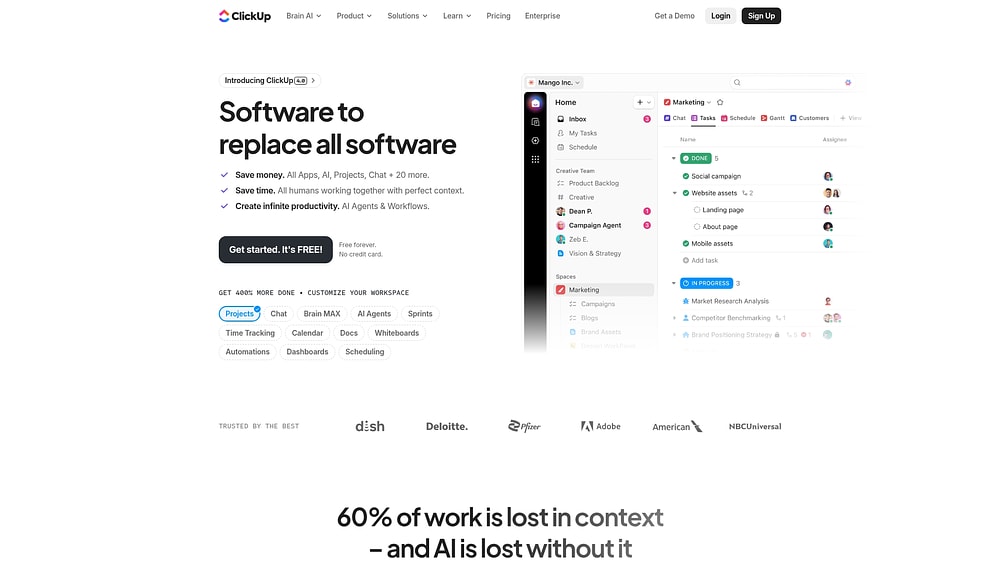
For teams tired of toggling between windows, ClickUp offers a consolidated workspace that brings project management, docs, and chat under one roof. It targets cross-functional groups that want to reduce app sprawl, with 15+ views and extensive customization options for organizing work at every level.
ClickUp’s Connected Search spans external apps like Google Drive and GitHub, and 100+ automation templates handle repetitive coordination. The mobile app supports most core functions for on-the-go management. However, AI features require a separate $5/user/month subscription on top of the base plan.
Best for: Organizations aiming to unify their tech stack, from workflow tracking to document creation and team messaging, in a single interface.
Key features
- Flexible visualization: Over 15 views including Gantt, Kanban, and workload management adapt to how different teams prefer to work.
- Native financial tracking: Built-in time tracking with roll-up reporting and billing integrations help teams manage budgets alongside projects.
- Connected Search: Search across external apps like Google Drive and GitHub without leaving the workspace.
Pricing
- Free Forever: $0 (unlimited workflows, 60 MB storage)
- Unlimited: $7/user/month (billed annually)
- Business: $12/user/month (billed annually)
- Enterprise: Custom pricing
- AI add-on: $5/user/month
Considerations
- The sheer volume of features can result in a steep learning curve for new users.
- Large workspaces may experience performance slowdowns, and extensive customization options require strong governance to prevent confusion.
4. Trello
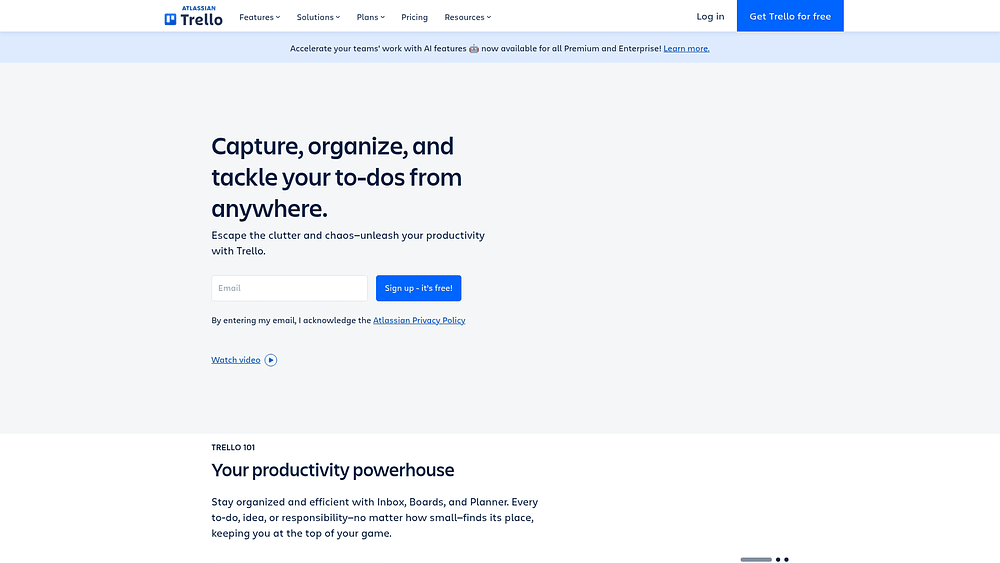
Visual thinkers often gravitate toward Trello, which popularized the digital Kanban board. By focusing on drag-and-drop simplicity, it lowers the barrier to entry for structured project management. Used by millions globally, Trello remains a go-to for teams that need a familiar, low-friction way to collaborate.
Butler automation provides 200+ no-code recipes for handling repetitive actions, and workspace views offer cross-board rollups for program-level visibility. The mobile app is well-regarded for quick updates on the go.
Best for: Small teams and visual thinkers who want lightweight, Kanban-style project tracking with minimal setup and fast onboarding.
Key features
- Intuitive board views: Board, Timeline, Calendar, Table, Dashboard, and Map views let teams see work from multiple angles.
- Butler automation: No-code automations with 200+ recipes handle repetitive actions automatically.
- Workspace views: Cross-board rollups provide program-level visibility across multiple projects.
Pricing
- Free: $0 (up to 10 collaborators, 10 open boards)
- Standard: $5/user/month (billed annually)
- Premium: $10/user/month (billed annually)
- Enterprise: $17.50/user/month (billed annually)
Considerations
- The free plan’’s limits on collaborators and boards can be restrictive for growing teams.
- Performance issues may arise when boards become overloaded with thousands of cards.
5. Jira
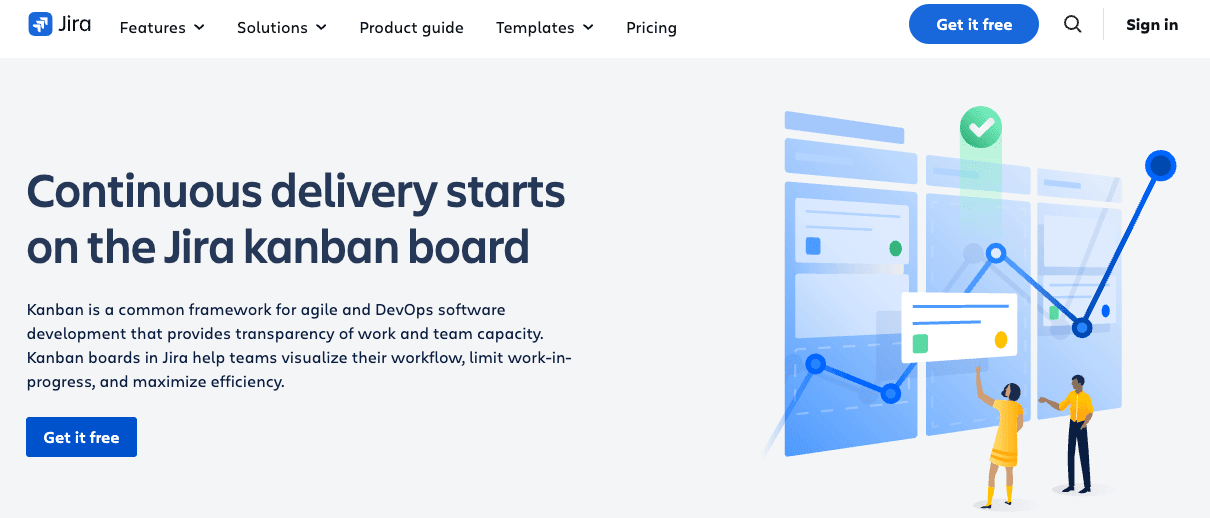
Synonymous with agile development, Jira remains the standard for technical teams. It bridges the gap between code and company strategy, allowing organizations to manage software development alongside broader business operations. With a massive footprint in the DevOps space, it connects engineering workflows with the rest of the enterprise. For teams evaluating alternatives, here’s a guide to Jira alternatives for small teams.
Rovo AI agents automate routine processes and interpret natural language queries, while flexible workflow customization lets teams switch between Scrum and Kanban as needed. The free plan supports up to 10 users, making it accessible for small engineering teams getting started.
Best for: Software development and engineering teams managing agile workflows, sprint planning, and issue tracking at scale.
Key features
- Agile-native boards: Scrum and Kanban boards, velocity tracking, and sprint planning to keep development cycles moving.
- Rovo AI agents: Automate routine processes and interpret natural language queries to accelerate responses.
- Deep DevOps integration: Native connections to Bitbucket, GitHub, and CI/CD pipelines keep engineering workflows connected.
Pricing
- Free: Up to 10 users
- Standard: $7.91/user/month (billed annually)
- Premium: $14.54/user/month (billed annually)
- Enterprise: Custom pricing
Considerations
- Full AI capabilities and advanced features are gated behind higher tiers.
- Non-technical teams often find the interface unintuitive without dedicated onboarding.
6. Wrike
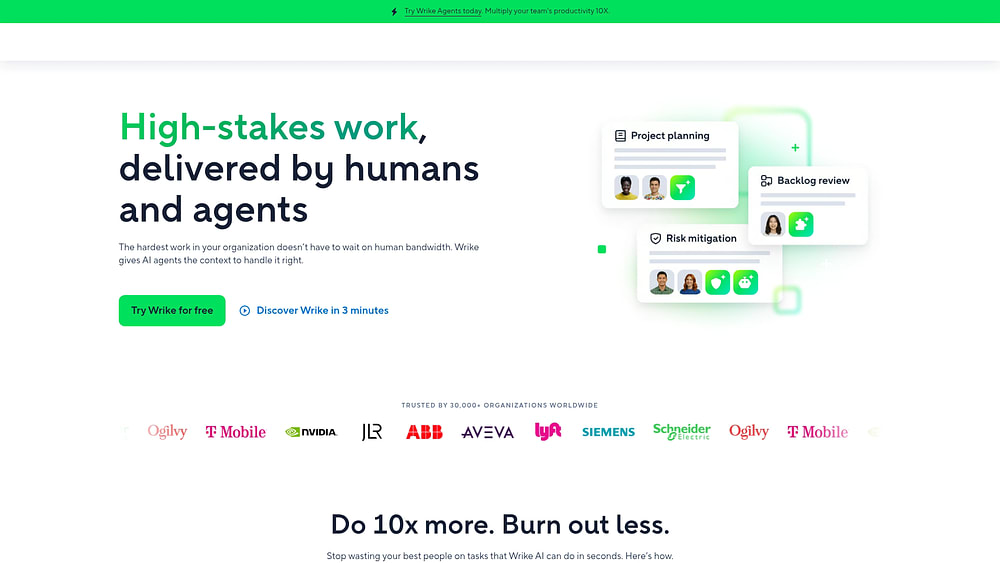
Security and deep governance sit at the core of Wrike‘s offering. Designed for the enterprise, it excels in managing complex project hierarchies and facilitating cross-functional collaboration. It is a strong fit for organizations with formal PMOs and strict compliance mandates.
Wrike covers the full project lifecycle from intake and approvals to proofing and analytics. SOC 2 Type II, ISO certifications, Wrike Lock (customer-managed encryption), and data residency options provide the security foundation that regulated industries require.
Best for: Mid-to-large enterprises looking for feature-rich resource allocation, detailed approval workflows, and governance across multiple departments.
Key features
- Resource optimization: Capacity planning, job roles, and utilization tracking help managers balance workloads across teams.
- Enterprise security: SOC 2 Type II, ISO certifications, Wrike Lock, and data residency meet the requirements of regulated industries.
- Full lifecycle management: Covers everything from intake and approvals to proofing and analytics in a single workspace.
Pricing
- Free: Basic workflow management
- Team: $10/user/month (2-15 users)
- Business: $25/user/month (5-200 users)
- Enterprise and Pinnacle: Custom pricing
Considerations
- The platform’s depth results in a steeper learning curve than simpler alternatives.
- Pricing can be complex, with high-end features and add-ons increasing the total cost of ownership.
7. Zoho Projects
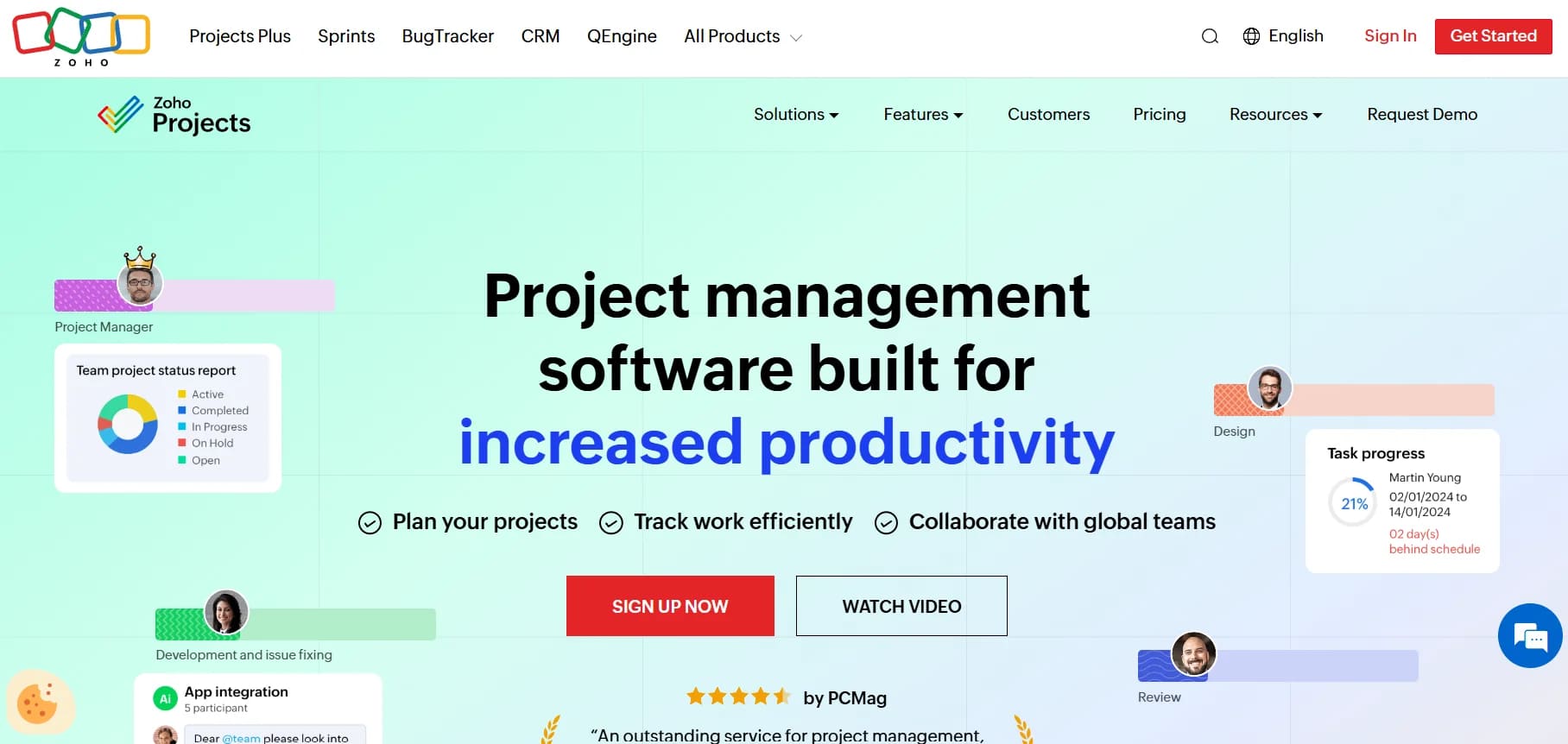
If your organization already relies on the Zoho ecosystem, Zoho Projects is the logical next step. It integrates deeply with Zoho CRM, Books, and other suite apps, offering an end-to-end system that handles everything from planning to billing. It also supports hybrid delivery methods, accommodating both traditional and agile workflows via its Sprints integration.
Advanced planning features include critical path analysis, baselines, and earned value management (EVM). Built-in time tracking and direct invoicing through Zoho Books make it particularly useful for services teams tracking billable hours.
Best for: Businesses that want to consolidate their operations — time tracking, budgeting, and invoicing — within the Zoho suite.
Key features
- Methodology flexibility: Switch between Gantt charts and Scrum boards via Zoho Sprints integration to match your team’s delivery approach.
- Deep planning capabilities: Critical path analysis, baselines, and earned value management give project managers granular control.
- Operational integration: Built-in time tracking, issue tracking with SLAs, and direct invoicing through Zoho Books keep everything connected.
Pricing
- Free: Up to 5 users
- Premium: Competitive per-user pricing
- Enterprise: Portfolio dashboards and global custom modules
- Projects Plus bundle: $16/user/month (includes Projects, Sprints, Analytics, WorkDrive)
Considerations
- Advanced configurations can be complex, requiring a dedicated learning period for administrators.
- The mobile app offers limited functionality for deep administrative work compared to the web version.
8. Hive

Hive integrates native chat, email, and proofing directly into the workflow, making it a strong candidate for creative agencies and marketing teams that need to handle approvals and communication without switching apps. Features are often developed based on user requests, giving the platform a community-driven development cycle.
Buzz AI helps teams draft content and automate repetitive workflows without technical expertise. Gantt, Kanban, calendar, and table views all support intuitive drag-and-drop functionality for flexible work visualization.
Best for: Creative and marketing teams that want to house communication, project execution, and creative proofing in one place.
Key features
- Integrated communication: Native chat, Hive Mail, and markup features are designed specifically for reviewing and approving creative assets.
- Buzz AI: Draft content and automate repetitive workflows without requiring technical expertise.
- Flexible views: Gantt, Kanban, calendar, and table formats all support drag-and-drop for intuitive work organization.
Pricing
- Free: Up to 10 members
- Starter: $5/user/month (billed annually)
- Teams: $12/user/month (billed annually)
- Enterprise: Custom pricing
Considerations
- Key features like proofing and resourcing are paid add-ons, increasing costs beyond the base price.
- Some users report a learning curve and mobile usability limitations for complex project work.
9. Bitrix24

Small to mid-sized businesses looking for a “business in a box” often turn to Bitrix24. It combines project management with CRM, video conferencing, and document handling in a single environment. The platform’’s flat-rate pricing model offers predictability for organizations that want to avoid per-user fees while consolidating their software stack.
AI CoPilot helps teams generate descriptions, create checklists, and produce project summaries automatically. Teams can switch between Kanban, Gantt, Scrum, and workload planning views to match their preferred way of working.
Best for: Companies seeking to unify CRM, projects, and communication in a single environment with predictable monthly costs.
Key features
- All-in-one workspace: Merges workflows, CRM, chat, video calls, and docs into a single unified environment, eliminating the need to juggle multiple subscriptions.
- Project visualization: Kanban, Gantt, Scrum, and workload planning views accommodate different team preferences.
- AI CoPilot: Generates descriptions, checklists, and project summaries automatically to reduce manual work.
Pricing
- Free: Unlimited users (basic features)
- Basic: $61/month (5 users)
- Standard: $124/month (50 users)
- Professional: $249/month (100 users)
- Enterprise: $499+/month (250+ users)
Considerations
- The interface can feel complex due to the sheer number of features bundled into the platform.
- Live chat support is restricted to paid plans, which limits help for free-tier users.
10. Nifty

Nifty unifies project tracking with team chat and milestone management, keeping everyone focused on the roadmap. It is particularly useful for client-facing teams and agencies that need to keep stakeholders updated automatically as work progresses toward key milestones.
Milestones update automatically as linked items are completed, giving stakeholders real-time visibility without manual reporting. Discussions are threaded directly into project workspaces, keeping conversations in context rather than scattered across email and chat apps.
Best for: Teams that want milestone-based organization where progress is automatically tracked and communication happens in context.
Key features
- Automated roadmaps: Milestones update automatically as linked workflows are completed, keeping stakeholders informed in real time.
- Contextual communication: Discussions are threaded directly into project workspaces, reducing context switching.
- Varied views: Kanban, timeline, swimlane, and calendar views let teams organize work in their preferred format.
Pricing
- Free: $0 (2 projects)
- Personal: $7/member/month (40 projects)
- Business: $16/member/month (unlimited projects)
- Enterprise: Custom pricing
Considerations
- Some users have reported occasional bugs and interface glitches during peak usage.
- The platform may lack the depth required for rapidly scaling enterprises compared to more established players.
How AI is changing project management apps
AI is no longer an add-on in modern project management apps — it’s becoming a baseline expectation. Instead of just tracking tasks, today’s tools use AI to reduce manual work, surface risks earlier, and help teams make better decisions with less effort.
Here are the 4 AI capability categories worth evaluating. Each one shifts a different type of manual work off your team’s plate.
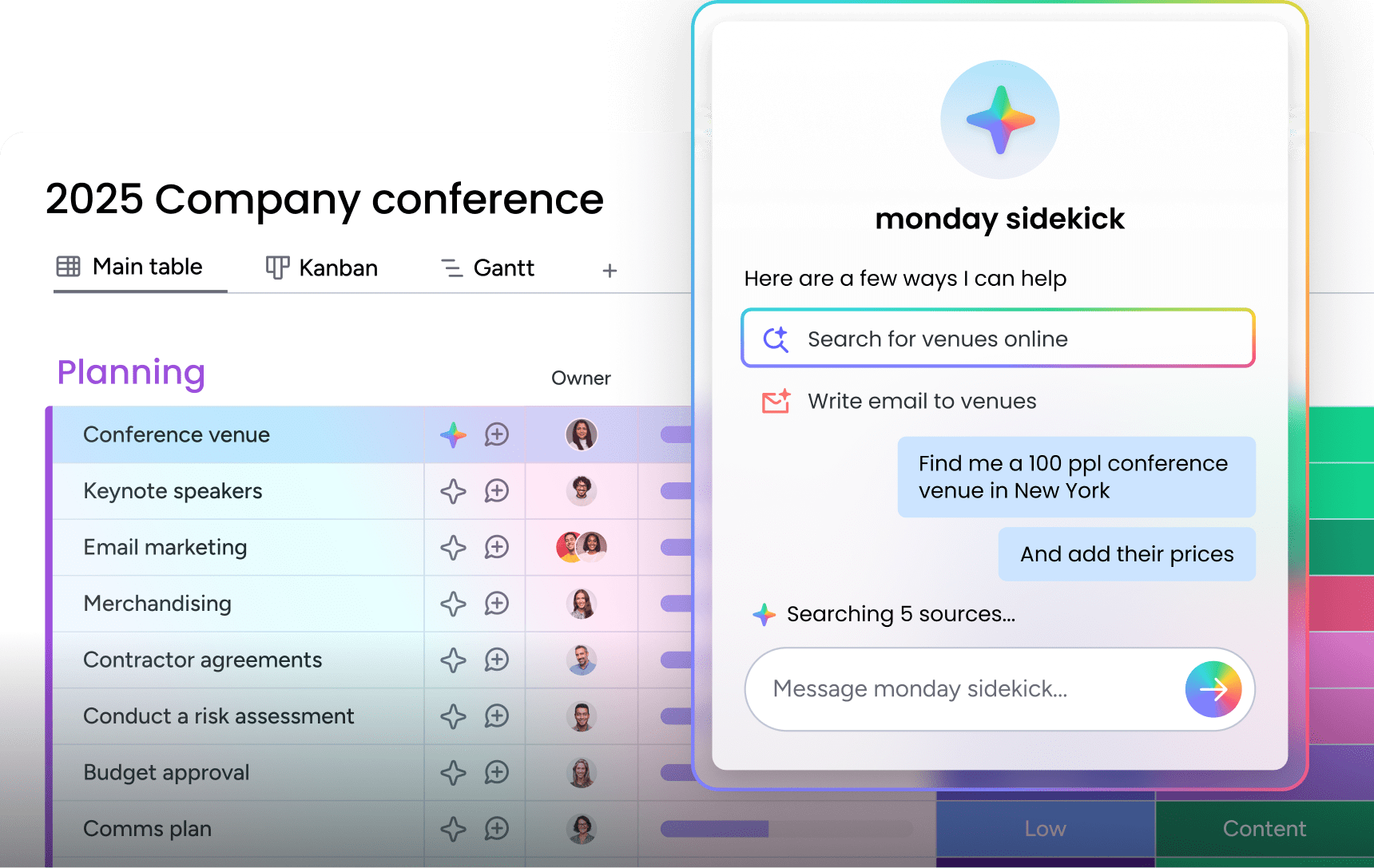
- AI assistants: Embedded copilots that draft updates, summarize threads, and suggest next steps based on real-time project data. On monday.com, monday sidekick acts as a personal AI assistant that thinks, recommends, and executes work across your entire workspace.
- AI agents: Autonomous AI workers that handle repetitive processes 24/7, from triaging incoming requests to generating reports and analyzing project risks. monday agents, for example, cover operations, marketing, sales, and engineering workflows out of the box.
- No-code AI app building: Creating custom workflows and full business applications using natural language prompts. monday vibe lets teams build dashboards, trackers, intake forms, and planning apps in minutes without writing code.
- Predictive insights: Flagging schedule risks, forecasting timelines, and identifying resource bottlenecks before they escalate into missed deadlines.
When comparing apps, ask what AI does out of the box — not just what’s on the roadmap. Built-in AI that works where your team already operates will always deliver more value than a feature that requires a separate subscription and additional setup.
Learn more: AI project management software
How to choose the right project management app
With dozens of options, how do you cut through the noise? The best project management app isn’’t the one with the longest feature list — it’. It’s the one that fits how your team works today and can grow with you tomorrow.
Here are 7 evaluation criteria worth weighting in your decision. Each one reflects a real-world tradeoff that emerges after teams commit to a platform.
- Team size and structure: Solo users, small teams, and enterprises need fundamentally different levels of governance and visibility. A five-person startup doesn’t need the same permission controls as a 5,000-person organization.
- Workflow flexibility: The most effective platforms adapt to how different departments work today and expand with you as complexity grows. Look for platforms that let departments customize their setup without breaking the system for everyone else.
- AI and automation depth: Evaluate what ships built-in versus what costs extra. A platform with native AI assistants, agents, and automations will deliver faster time-to-value than one requiring third-party add-ons.
- Integration ecosystem: Native connections to your existing stack (Slack, Google Workspace, Microsoft Teams, CRM) reduce context switching and keep data flowing between systems.
- Security and compliance: SOC 2, ISO 27001, and GDPR compliance are non-negotiable for regulated industries. BYOK encryption and data residency options matter at enterprise scale.
- Ease of adoption: The most powerful features are useless if nobody uses them. Prioritize platforms with proven adoption rates and intuitive interfaces that require minimal training.
- Total cost of ownership: Factor in per-user fees, add-on costs, implementation time, and training overhead. A $7/seat platform with $5/seat AI add-ons and paid integrations can quickly exceed a $12/seat platform that includes everything.
Why teams choose monday.com's AI Work Platform for project management
Scattered communication, resource blind spots, manual status chasing, and strategy-execution disconnect are exactly the problems monday.com’s AI Work Platform was built to eliminate.
What sets the platform apart from others is how AI, flexibility, and adoption come together to help teams move from managing work to accelerating it.
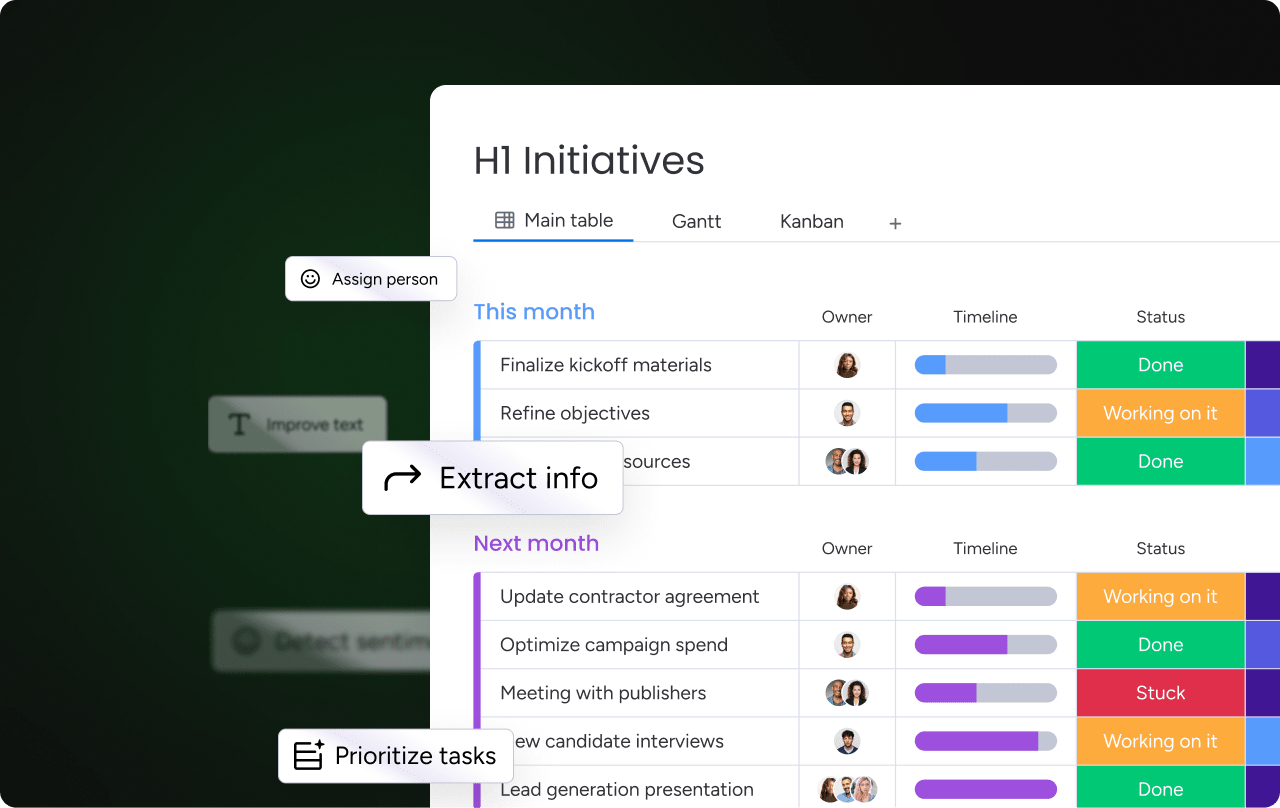
AI that works where you do. monday sidekick is a personal AI assistant embedded directly in your workspace. It thinks, recommends, and runs work at scale, from drafting updates to analyzing project data. AI Blocks provide pre-built AI functions — categorization, information extraction, sentiment detection, summary generation — that plug into any workflow without code.
And monday agents are autonomous AI workers covering operations, marketing, sales, and engineering, executing processes 24/7 with full audit trails. AI credits start at $0.01/credit on annual plans.
Build any app without code. monday vibe lets teams create custom business applications from a text prompt. Need a project tracker, intake form, budget dashboard, or resource planner? Describe it in plain language, and vibe builds it. Apps are secure, scalable, and support granular permissions from day one.
Connect everything. Over 200 integrations connect the platform to Slack, Google Workspace, Microsoft Teams, Salesforce, and the rest of your stack. monday MCP (Model Context Protocol) takes this further, letting external AI tools like Claude, ChatGPT, and Copilot Studio securely access your workspace data. It’s available on all plans at no additional cost.
Enterprise-grade security. SOC 2, ISO 27001, GDPR compliance, BYOK encryption, IP restrictions, and a dedicated Trust Center with Guardian controls meet the requirements of the most security-conscious organizations.
Set your team up for long-term execution
The right project management app does more than organize work. It connects strategy to execution and grows with your team through every phase of expansion. The platforms that deliver lasting value are the ones that eliminate the coordination overhead standing between your people and their highest-impact work.
Three factors separate good project management apps from great ones: AI that automates the work nobody wants to do, flexibility that adapts to how your teams actually operate, and adoption rates high enough to keep your data reliable. When those three align, project management becomes a genuine competitive advantage for every team on the platform.
monday.com’s AI Work Platform brings everything together in a single workspace. Whether you’re coordinating 5 projects or 500, it’s a foundation built to grow with you.
Get startedFAQs
What's the difference between project management apps and task management platforms?
The difference between project management apps and task management platforms is scope and strategic connection. Task management platforms typically focus on individual to-do lists and personal organization. In contrast, project management apps coordinate entire lifecycles, connecting daily execution to broader strategic business objectives and facilitating team collaboration.
Which project management apps have free plans?
Several project management apps offer free plans with varying limitations. monday AI Workspace offers a free plan for up to 2 seats, Trello supports 10 collaborators, Jira Software covers 10 users, ClickUp allows unlimited workflows, and Bitrix24 provides unlimited users with basic features. Free plans are a strong starting point, though most teams outgrow them as collaboration needs expand.
What features should I prioritize in a project management app?
The features to prioritize in a project management app depend on your team's needs, but five capabilities consistently matter most: built-in AI and automation, integrations with your existing stack, multiple project views, real-time reporting dashboards, and enterprise-grade security certifications like SOC 2 and ISO 27001.
How much should growing teams budget for project management software?
Budgeting should focus on Total Cost of Ownership (TCO) and ROI rather than just the sticker price per user. A robust platform often pays for itself within months by eliminating inefficiencies and reducing the need for multiple single-purpose tools.
Which project management app works best for non-technical teams?
Non-technical teams typically need platforms with visual, intuitive interfaces that don't require extensive training. Look for tools with drag-and-drop functionality, clear visual hierarchies, and minimal setup complexity. Platforms that prioritize user experience over feature density tend to see faster adoption across teams without technical backgrounds.
Can project management apps handle complex approval workflows?
Yes, sophisticated platforms can manage intricate approval chains through customizable automation. The best solutions allow you to build these routing and notification flows without requiring custom code or heavy technical setup.
How do we ensure high adoption rates across our team?
Adoption hinges on usability and perceived value. Choose a platform that is enjoyable to use, and launch with a strategic pilot that demonstrates immediate benefits to the team. When users feel the tool helps them rather than polices them, adoption follows.
What security certifications should project management apps have?
Look for enterprise-grade standards such as SOC 2, ISO 27001, and GDPR compliance. These certifications ensure the platform meets the rigorous data protection and privacy requirements of modern organizations.
How does AI improve project management apps?
AI improves project management apps by automating repetitive coordination, generating status updates, predicting risks, and handling routine processes autonomously. Platforms like monday.com's AI Work Platform take this further with monday sidekick for real-time AI assistance and monday agents that execute operations, marketing, and engineering workflows 24/7 without manual intervention.

 Get started