


Product and engineering teams lose hours to coordination overhead — the manual work that piles up around while you’re trying to build something incredible. monday agents are the AI Workspace’s answer to that overhead: autonomous agents that live on your boards and take action on your behalf, freeing your team to focus on the work only people can do.
This guide shows you how teams put monday agents to work. You’ll see the ready-made agents that handle bug prioritization and feedback synthesis, and how custom agents and multi-agent pipelines extend that same approach to your own workflows and sprint planning.
Try monday agentsKey takeaways
- Agents combine judgment with action, reading context and making decisions before executing multi-step work without waiting for a prompt — the shift that separates them from chatbots and fixed-rule automations.
- Structured board data gives agents the shared context they need to make reliable decisions and coordinate handoffs across a delivery pipeline, since ownership and dependencies live in one place rather than across disconnected systems.
- Multi-agent workflows mirror how product and engineering teams already operate: sequential pipelines pass work from one stage to the next, while concurrent workflows let multiple agents assess different parts of the same problem at once.
- Governance features like granular permissions and audit trails let teams test agent behavior in simulation before granting full autonomy.
- monday agents build on this foundation to give product and engineering teams a shared workspace where agents execute coordination work directly, alongside a no-code builder that lets any team member create and refine their own agents.
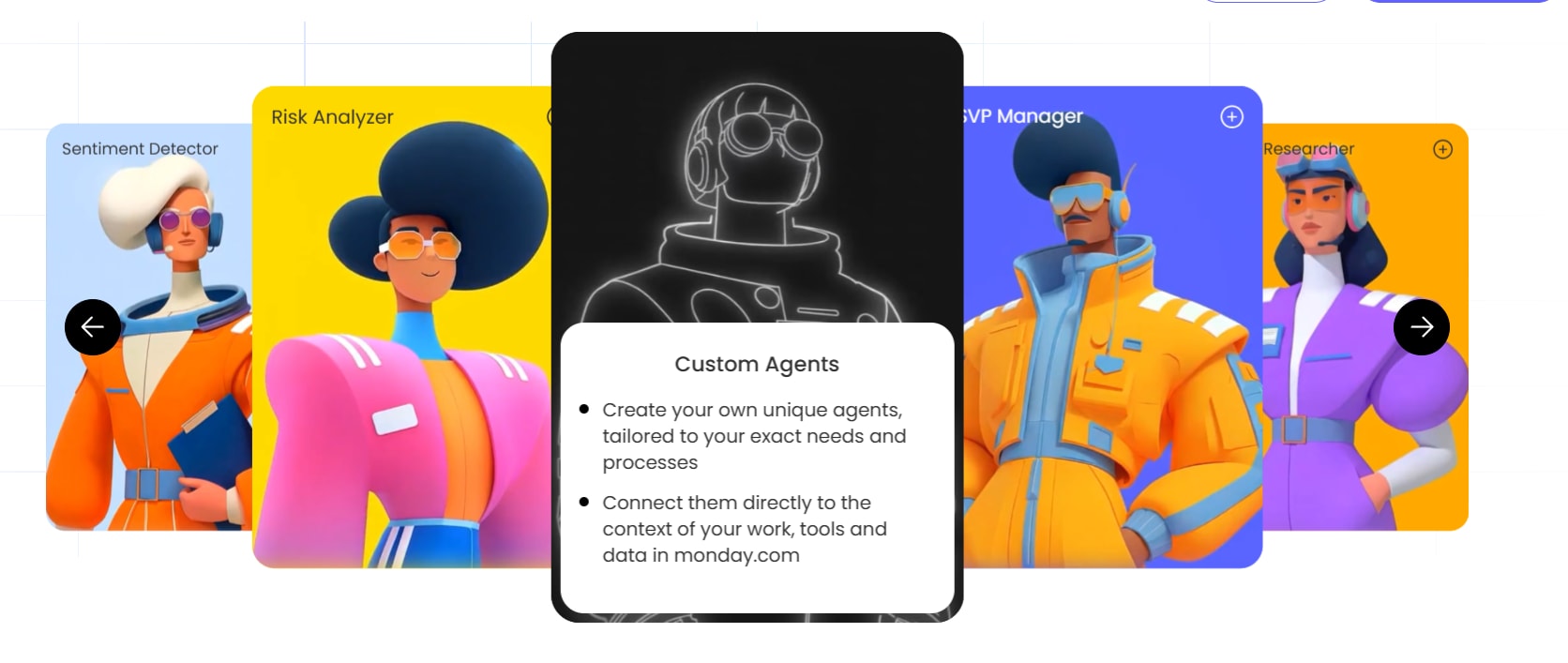
What are monday agents?
monday agents are autonomous workers embedded directly into your workspace. They read your boards and connected data, then take actions like updating items, routing work, generating content, and flagging risks without being prompted. Agents come in two types.
- Ready-made agent templates are pre-built for common functions — Sprint Planner, Feature Request Agent, and Review Readiness Agent — and work immediately with minimal setup.
- Custom agents are ones you build yourself with the AI agent builder, in three steps: describe the role, connect knowledge sources, and test through simulation mode.
Every agent uses your AI Workspace data as context, so every action reflects your real projects, not generic outputs. This context separates agents from basic automations or chatbots that don’t understand your business. Agents operate within monday AI Workspace’s existing permission model, so they only access and act on data your team authorizes — sensitive roadmaps and customer data stay protected while agents handle the repetitive coordination work.
Ready-made AI agents for product and engineering teams
monday agents built for product and engineering teams take on the coordination work that eats into a team’s day, from sorting incoming feedback to catching missing context before a task reaches review. Product and engineering don’t run the same playbook, so each agent below serves the team it fits best, and a few sit at the handoff between the two.
Several of these, like the Dependency and Risk Mapper and Status Reporter agents, are the same AI project management agents that project managers and PMOs deploy to trace critical paths and automate stakeholder reporting
Sprint Planner
Sprint Planner organizes your backlog and drafts sprint goals around your team’s capacity, so planning starts from what the team can take on rather than a guess.
- Delivers a structured summary of open work with owners and next steps every week
- Sends proactive alerts when something needs attention, every weekday morning or on request
- Answers with a live status update whenever the team asks
Best for: product managers, product teams, engineering managers, and QA engineers.
Feature Request Agent
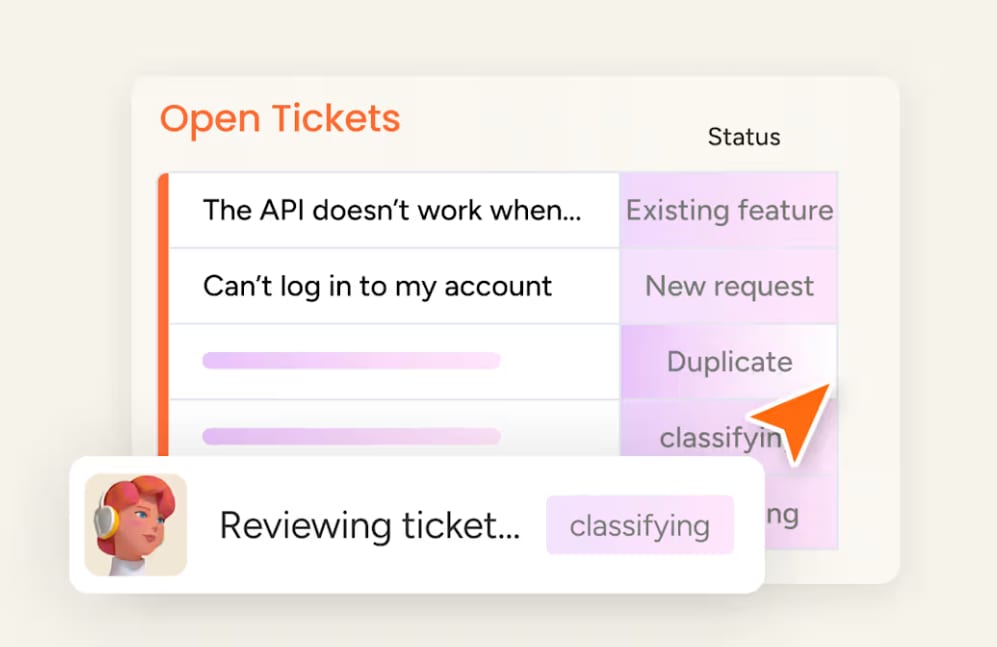
Feature Request Agent reviews incoming feature requests or support tickets and checks each one against your documentation and roadmap before anyone spends time evaluating it by hand. The agent defaults to a conservative read — unless the documentation explicitly supports a match, it marks the request unsolved instead of guessing.
- Classifies each request as solvable or not against existing capabilities
- Writes the matched capability and a plain-language explanation directly to the item
- Posts an update citing the documentation or roadmap source when a fix already exists
Best for: product teams, support operations, and solutions engineering.
Feedback Digest Agent
Feedback Digest Agent clusters new feedback into ranked themes each review cycle, so the team sees what customers are saying without reading every entry.
- Ranks feedback themes by mention count each cycle
- Reads out overall sentiment alongside the theme breakdown
- Flags standout outlier feedback worth a second look
Best for: product managers, customer experience teams, and support leads.

Review Readiness Agent
Review Readiness Agent builds a complete review packet the moment a task enters QA, documenting what changed, the test scenarios a reviewer needs, and a checklist tailored to the task. The agent sends anything missing an owner or clear acceptance criteria back to refinement instead of letting it sit in the queue.
- Documents what changed and the specific test scenarios a reviewer needs
- Attaches a visual QA checklist and an accessibility checklist tailored to the task
- Flags missing acceptance criteria or ownership and routes the task back to refinement
Best for: product managers, QA leads, engineering managers, and design leads.

Dependency and Risk Mapper Agent
Dependency and Risk Mapper traces the dependency chains across a board to find the critical path, then flags where a delay in one item would cascade into downstream work.
- Maps items, dependencies, owners, and dates directly from the board
- Traces the critical path and identifies blocked chains
- States why each at-risk chain is risky and suggests a next step
Best for: project managers, program managers, team leads, and project management offices.

Approvals Agent
Approvals Agent detects items on a board that need sign-off, routes each to the right approver in order, and chases overdue responses until a decision lands.
- Detects items needing approval and routes them to the correct approver in sequence
- Notifies approvers and follows up automatically on overdue sign-offs
- Updates the item’s status once a request is approved or rejected
Best for: operations managers, operations teams, and team managers.

Status Reporter
Status Reporter reads a board’s status, dates, and recent updates, then assembles a progress summary that calls out blockers and risks before they reach a stakeholder unprepared.
- Reads board status, dates, and recent updates each morning
- Assembles progress and highlights blockers and risks
- Posts a stakeholder summary as an update, a doc, or a Slack message
Best for: project managers, program managers, team leads, and project management offices.
Try monday agentsWhy structured work data makes AI agents more reliable
AI agents are only as good as the context they can access. monday AI Workspace’s structured data layer connects work across departments in one system, giving agents the full picture they need to make reliable decisions. With data organized across structured boards with defined columns: status, owner, priority, dates, and dependencies, agents can read this structure natively They can take in:
- who owns an item
- when it’s due
- what it depends on
- how it connects to other work
For example, when the Sprint Planner agent evaluates backlog readiness, it checks whether linked design items are complete and whether upstream dependencies are resolved, all at once. This structured awareness allows agents to make decisions that reflect reality, then take action directly: updating status fields, assigning owners, setting due dates, or creating linked items on the board.
How agents connect customer signals to product delivery
One of the biggest bottlenecks in product delivery is the distance between a customer’s problem and an engineer’s sprint. AI agents close that distance by automatically routing and synthesizing customer signals into actionable work items. The sections below show exactly how that flow works in practice.
From support ticket to sprint item: a 4-step automated flow
The following sequence shows how a customer issue moves from report to a scheduled sprint item, with agents handling classification and sprint placement along the way.
- A customer submits a support ticket describing a recurring issue.
- Feature Request Agent reviews the ticket against your product documentation and roadmap, classifies whether an existing capability already solves it, and writes the verdict and a plain-language explanation to the item.
- The product manager reviews the classification. If no existing capability covers it, they promote the item to the backlog.
- Sprint Planner organizes the backlog and slots the item into the next sprint based on the team’s actual capacity, so the engineer picks it up with the original ticket and the agent’s classification already attached.
How agents synthesize feedback across channels
Feedback Digest Agent doesn’t wait for someone to sit down and read through a backlog of comments. Each review cycle, it clusters new feedback into ranked themes — grouping similar input together by topic or sentiment even when customers phrase things differently — and counts how often each theme comes up.
Alongside the ranked themes, the agent reads out the overall sentiment trend and flags any standout outlier worth a second look, then publishes the full breakdown as a structured summary the team can scan instead of digging through raw entries. Because it runs each cycle rather than once a quarter, a friction point that starts showing up in feedback surfaces in the next digest, not months later at a planning review.
How to build a custom AI agent for your team
Ready-made agents cover common workflows, but every product and engineering team has unique processes. The agent builder in monday AI Workspace lets you create custom agents in three steps, with no technical skills required. Here’s how each step works and what to focus on at each stage.
Step 1: Define the agent role and triggers
The first step is describing what the agent should do and when it should act. You write this in natural language — no code, no configuration files.
For example: “Monitor the QA board. When an item’s status changes to ‘Failed,’ analyze the failure notes, re-assign the item to the original developer, update the priority to High, and post an update tagging the engineering lead.”
The definition process covers three areas that shape agent behavior:
- Role description: Write in natural language what the agent’s job is — what it monitors and what actions it takes. The more specific the description, the more accurate the agent’s behavior.
- Trigger conditions: Specify when the agent should activate: status changes, time-based schedules, new items created, specific field updates, or any combination of these.
- Scope boundaries: Define which boards or items the agent can access, keeping the agent focused on the work that matters.
Step 2: Connect knowledge sources and integrations
The second step gives the agent the context it needs to make good decisions. Without relevant knowledge sources, agents operate with limited understanding of your team’s standards and processes.
Knowledge connections fall into three categories:
- Internal knowledge: Connect relevant docs, PDFs, wikis, or boards that contain guidelines or historical precedent. For example, connect your QA standards doc so the agent knows what “Failed” means in your team’s context.
- External integrations: Link external platforms (GitHub, Slack, Jira, etc.) so the agent can pull context or take actions across your stack — like posting a Slack notification when it re-assigns a failed item.
- Data boundaries: Specify what the agent can read versus what it can modify, so it operates within the guardrails your team sets.
Step 3: Test in simulation mode, then refine and activate
Simulation mode acts as a review checkpoint that lets you validate agent behavior before it goes live. This step is essential for building trust and confirming agents behave as expected.
The testing process follows an iterative pattern:
- Dry run: The agent processes real data but doesn’t execute actions. You review what it would have done — which items it would have updated and what priority it would have set.
- Refinement: Adjust the agent’s instructions or trigger conditions based on simulation results. If the agent is too aggressive with priority escalation, tighten the criteria. If it’s missing edge cases, add more context.
- Activation: Once satisfied, activate the agent to run autonomously with full audit trail visibility, so you can always see what it did and why.
This iterative process means you can start simple — a single trigger, a single action — and expand the agent’s responsibilities over time as your confidence grows.
How monday agents integrate with dev platforms and external systems
Agents are most valuable when they operate across your entire workflow, not inside one platform. The platform supports this through native integrations, MCP, and APIs — giving engineering teams flexibility in how they connect their existing stack.
Native integrations for engineering workflows
The platform supports 200+ integrations. The key categories for engineering teams connect the tools where code and communication already happen:
- Source control: GitHub and GitLab for linking commits and pull requests to monday items, so code changes are always connected to the work they address.
- CI/CD: Connecting deployment pipelines so agents can track release status and trigger downstream actions when builds pass or fail.
- Communication: Slack and Microsoft Teams for agent notifications and updates, keeping the team informed without requiring them to check the board.
- Issue tracking migration: Jira integration for teams migrating their engineering workflows to monday AI Workspace or running hybrid setups during the transition.
How monday MCP connects external AI assistants
MCP (Model Context Protocol) is an open standard that lets external AI assistants like Claude, ChatGPT, Cursor, and Microsoft Copilot securely read and act on your monday AI Workspace data.
For engineering teams, this means an engineer can ask Claude (via MCP) to “summarize what’s blocking the launch across all sprint boards” — or ask Cursor to “create a bug item for the login timeout issue, assign it to Sarah, and set severity to High” — all from their preferred AI assistant without switching to AI Workspace UI.
Key details about MCP access:
- Available on all monday AI Workspace plans at no additional cost.
- Each user individually authorizes MCP via OAuth.
- The assistant can only access data that user is already permitted to see.
This permission model means MCP extends agent capabilities without compromising security.
API and SDK options for advanced engineering teams
For teams that want to build deeper custom integrations, monday AI Workspace offers a GraphQL API and developer documentation to extend agent capabilities programmatically. This is for teams with engineering resources who want to go beyond no-code agent building — connecting internal systems or building custom data pipelines that require direct API access.
The API supports the same actions agents can take: creating items, updating fields, posting updates, and querying board data. Teams can build custom workflows that combine agent automation with programmatic logic for complex scenarios.
Try monday agentsGovernance, permissions, and trust controls for AI agents
Autonomy paired with oversight turns AI capability into a trusted feature. The AI Workspace designs monday agents for transparency and control at every level. Engineering teams handle sensitive code and product data. Product teams make decisions that affect customers directly. Both need agents they can trust.
As organizations scale AI across functions, budget overruns are a common risk. That’s why monday AI Workspace builds permissioning and audit trails directly into the agent framework, with simulation mode as a safeguard before anything goes live.
Granular permissions and role-based access
Permissions define what agents can see and do, keeping them within the boundaries your organization’s security requirements set.
- Data access scoping: Define exactly which boards and workspaces the agent can access. An agent monitoring the QA board doesn’t need access to the HR board.
- Action permissions: Control whether the agent can read, create, edit, or delete information. A reporting agent might only need read access, while a triage agent needs the ability to update items and assign owners.
- Role-based controls: Admins set which team members can create, modify, activate, or retire agents, keeping governance centralized while allowing teams to build what they need.
Audit trails and simulation mode
monday AI Workspace logs every action an agent takes, so nothing happens off the record. This visibility is essential for understanding agent behavior and maintaining accountability.
- Full audit trail: Review the agent’s actions and reasoning at any time, including what it plans to do next.
- Simulation mode: As covered in the custom agent section, simulation mode lets you test agents against real data without executing actions, validating behavior before going live.
- Reversibility: Review and undo agent actions when needed, so mistakes are correctable rather than permanent.
Enterprise compliance and data ownership
Organizations with compliance requirements need assurance that AI adoption doesn’t compromise their security posture. monday AI Workspace covers the key bases:
- Certifications: SOC 2 Type II, ISO/IEC 27001, ISO/IEC 27701, HIPAA compliant.
- Data privacy: monday AI Workspace encrypts your data at rest (AES-256) and in transit (TLS 1.3).
- Content ownership: You retain ownership of all content you provide and everything AI generates. monday AI Workspace doesn’t permit third parties to train on your data.
How to roll out monday agents across product and engineering teams
Rolling out AI agents works best as a focused, incremental initiative rather than a broad rollout across every team at once. Start with one repetitive, high-volume workflow that currently consumes significant manual effort — a single starting point lets the team build confidence in agent behavior and measure real impact before expanding further. The governance patterns and permission structures set up for that first agent carry forward, so each subsequent deployment moves faster than the last.
Once the first agent is running successfully, expand to related workflows on the same team, then connect agents across departments. Product and engineering agents can draw on context from agents running on other teams’ boards — sales signals, support trends, delivery status, so priorities reflect what’s happening across the business rather than what’s visible on a single board.
To justify expanding further, track outcomes that go beyond generic “time saved” claims:
- Cycle time reduction: how much faster items move from backlog to shipped
- Signal-to-sprint time: how quickly customer or feedback signals become scheduled work
- Adoption depth: how many teams and workflows are running agents versus still working manually
These metrics show leadership where agents are delivering real value and guide decisions about where to deploy next.
How product and engineering teams can start shipping faster with AI agents
Adopting AI agents is a shift in how teams work, but it doesn’t require a massive transformation. The agents described throughout this article operate inside the workspace your team already uses, with the permissions and data structures already in place. The shift is incremental, not disruptive.
Product and engineering teams that adopt agents early gain a significant advantage. Faster shipping, better customer responsiveness, higher quality, and fewer manual handoffs — these benefits increase as agents take on more coordination work, freeing people to focus on higher-value work. Get started today and the agents will meet you where you work.
Try monday agentsFAQs about monday agents for product and engineering
What AI models power monday agents?
The platform primarily uses Microsoft Azure OpenAI, along with OpenAI's GPT models and models available through AWS Bedrock such as Anthropic's Claude and Mistral. monday AI Workspace selects these models to deliver accurate outputs across different agent functions.
Can teams connect Microsoft Teams for agent notifications?
Yes, monday AI Workspace integrates with Microsoft Teams and Slack, so agents can send notifications and alerts directly to the channels your engineering and product teams already use.
How much do monday agents cost?
Pricing details for monday agents are available on the monday AI Workspace pricing page. Every account receives AI credits to explore AI capabilities, with additional credits available as needed.
Can engineering teams connect external AI assistants to monday AI Workspace?
Yes, through monday MCP (Model Context Protocol), teams can connect external AI assistants like Claude, ChatGPT, Cursor, and Microsoft Copilot to securely read and act on monday AI Workspace data. MCP is available on all plans at no additional cost.
Do team members need technical skills to build a custom monday agent?
No, the AI agent builder uses a no-code, three-step process where you describe the agent's role in conversational language, connect knowledge sources, and test in simulation mode. Anyone on the product or engineering team can create and refine agents without writing code.

 Get started