


Most teams have at least one workflow held together by a spreadsheet only one person understands, or a request process that bounces around Slack before anyone acts on it. No-code app building lets the people who own those workflows turn them into working apps everyone can use. All they need to do is describe what the result looks like, without writing code or waiting on engineering.
This guide explains how no-code app building works and how to choose and govern a platform as your number of apps grows. It also shows how monday vibe, the no-code app builder in the monday AI Workspace, lets teams build secure apps on the work data they already manage.
Try monday vibeKey takeaways
- Build apps without writing code: describe what you need in plain language, and AI generates a working app with no engineering team required.
- Start with a real problem: the strongest no-code apps replace a process stuck in a spreadsheet or a long email thread.
- Governance makes no-code scale: assign app owners and keep drafts apart from production, then judge success by adoption instead of app count.
- monday vibe builds on your existing work data: when someone updates a record in the monday AI Workspace, every connected app reflects the change instantly.
- Know when no-code isn’t the right fit: if you need offline access or code you can own and export, a code-first approach will serve you better.
What is no-code app building?
No-code app building is a way to create software by describing what you want, or assembling it visually, while the platform generates the code behind the scenes. Business teams can ship their own apps without a developer, by turning a workflow you already understand into a secure app without joining an engineering queue. The strongest examples are internal tools such as dashboards, task trackers, portals, calculators, and intake flows built on the work data teams already manage.
A few misconceptions are worth clearing up first. No-code app building is not:
- A spreadsheet template with formulas
- Only for mobile apps published to app stores
- Code-free in the sense that code doesn’t exist (the platform generates code behind the scenes)
- A replacement for all custom development
The builder still defines the problem and the workflow, along with the data behind it. The platform handles the technical translation.
How no-code app building works
Every no-code app is built from the same five layers, and knowing them makes it quicker to compare platforms.
- Data layer: Where the app stores and organizes information. Some platforms let you build directly on data you already have, such as CRM records or project boards, so nothing needs re-entering or syncing.
- User interface (UI): The screens, forms, buttons, charts, and layouts people interact with. No-code platforms offer drag-and-drop elements for assembling these, or generate them from a written description.
- Logic and workflows: The rules for what happens when someone takes an action. When a form is submitted, for example, the app might create a record and notify the manager who needs to approve it. You set these rules up in a visual workflow automation builder or describe them in plain language.
- Integrations: Connections to the services your team already uses, such as email, calendars, Slack, or external databases, so the app can pull data in and push updates out.
- Permissions and access controls: Rules for who can view or edit each part of the app, so sensitive data stays in front of the people who need it.
How AI fits into no-code app creation
AI has opened app building to people who’ve never written code. Many no-code platforms now let you describe what you want in a chat-style interface, and AI generates the app’s structure and logic. This approach is often called “vibe coding” because you communicate the intent of what you need instead of specifying every technical detail.
Adoption is climbing: 47% of U.S. employees said their organization had integrated AI tools as of Q2 2026, up from 41% the previous quarter. Here’s where AI shows up in the build:
- Prompt-to-app generation: Write a description like “build me a time tracking dashboard for my 25-person marketing team,” and the platform generates a working app with data connections and logic already in place.
- Iterative refinement through conversation: Tell the AI what to change (“add a filter by department,” “switch to dark mode”) and it updates the app. You refine through follow-up prompts instead of navigating menus.
- Planning before building: Some platforms let you talk through the app with the AI before it generates anything, so the first version is closer to what you need.
- AI-powered features within apps: The apps themselves can use AI to analyze data or search the web. A competitor analysis app could pull data from online sources and generate battle cards automatically.
AI works best when the builder has a clear view of the problem the app solves and who will use it. The person sets the goal, and AI handles the rest.

How no-code, low-code, and vibe coding differ
People use these terms interchangeably, but each suits a different kind of builder. Here’s how they compare.
| Dimension | No-code | Low-code | Vibe coding |
|---|---|---|---|
| Who builds | Business users, non-technical team members | Developers and technically skilled business users | Anyone who can describe what they need in words |
| How you build | Drag-and-drop visual interfaces, form-based configuration | Visual interfaces with the option to write custom code | Natural language prompts in a chat-style interface |
| Coding required | None | Minimal to moderate | None; AI writes the code behind the scenes |
| Learning curve | Low | Moderate to high | Very low |
| Best for | Internal workflows, dashboards, forms, portals | Enterprise apps requiring custom integrations or complex logic | Rapid prototyping, business apps built on existing data |
Note: No-code and vibe coding are converging. Many platforms that started as drag-and-drop builders now offer prompt-based building too, so the label describes how you build more than which platform you use.
Vibe coding also produces better results when the platform can see your business data. If the AI has access to your CRM pipeline or project boards, the app it generates connects to real information from the first version.
Try monday vibeWhat you can build with no-code app development
Most teams underestimate what they can build. The table below shows example apps by department and what each one typically replaces.
| Team | Example apps | What the app replaces |
|---|---|---|
| Operations | Logistics tracker, request intake, supply chain tracker, asset tracking | Email threads and standalone trackers |
| Product | Internal launch tracker, QA review app, roadmap status view | Slide decks and manual status updates |
| Marketing | Campaign health tracker, segmentation app, event portal | Scattered spreadsheets |
| Sales and RevOps | Commission calculator, forecasting dashboard, account portfolio tracker | Offline calculators and manual reporting |
| HR and People Ops | Onboarding portal, knowledge base, talent pipeline, org chart | Static documents and shared drives |
| IT and service | Ticketing dashboard, incident tracker, asset inventory | Ad hoc forms and disconnected platforms |
For most teams, a responsive web app is enough. A browser-based app skips app store submissions and platform-specific testing, so check whether one does the job before investing in a native mobile app.
When no-code app building is worth it
No-code works best in specific situations. It’s a strong fit when:
- Speed counts for more than deep customization. A team member can describe what they need in a morning meeting and have a working prototype by lunch.
- The people closest to the problem should build the solution. A sales manager tracking pipeline health or an HR coordinator onboarding new hires knows the edge cases and daily friction points.
- You want to cut development and maintenance costs. Custom apps traditionally require hiring developers or engaging agencies. No-code puts building capability in the hands of business teams.
- Apps need to keep pace with real workflows. When a process changes, you can update the app in minutes through conversation instead of waiting on a development cycle.
- You need governed development instead of shadow IT. Platforms with proper governance features give teams freedom to build while giving IT and admins visibility and control.
When you need a different approach
No-code has limits, and a code-first approach is the better choice when:
- You need deep custom integrations or complex business logic beyond what visual or AI-driven builders can handle
- Code ownership and portability are requirements (some platforms don’t export code)
- The app requires offline access, push notifications, or hardware features like camera or GPS
- You need direct database manipulation or custom API development

What to look for when choosing a no-code app builder
The right platform removes friction instead of adding it. Check these five areas before you commit.
- Data connection depth: Does the platform connect natively to the data you already use, without a third-party connector? How many data sources can a single app draw on? A dashboard that pulls from several departments needs multi-board support.
- Governance and permissions: Can admins control who publishes apps and who can only build privately? Can builders test changes without affecting live apps, and can admins see which apps exist and how often they’re used?
- AI generation and editability: Can you refine the app through conversation, or do you get a one-shot generation followed by manual drag-and-drop editing? Can you discuss the app with the AI before it starts building?
- Pricing mechanics: Is building free, with costs only when you publish? How are AI credits consumed (per prompt while building, or per AI action when the app runs), and how many published apps does the base plan include?
- Ecosystem fit: A no-code platform delivers the most value when it sits inside the system where your team already works. Apps that inherit existing data and permissions without extra setup get adopted faster.
How to keep no-code apps secure and well-governed
Building one app is simple. Managing 50 or 100 apps across an organization takes deliberate governance, and these four practices give your team the structure to scale without losing control.
Step 1: Set up a governance model before you scale
Start by deciding who can build, who can publish, what data apps can access, and how apps get reviewed before going live. A simple guideline such as “only team leads and above can publish apps” is enough to start.
Step 2: Assign app ownership and lifecycle policies
Every app needs a designated owner responsible for keeping it accurate and maintained. Alongside ownership, decide:
- How often apps are reviewed
- When unused apps are archived
- How ownership transfers when someone moves to a different team
- Who approves changes to a live app
Step 3: Use draft and production environments
If other people depend on an app, keep draft and production versions separate. Draft mode lets a team test changes to a sales dashboard before they reach the reps relying on accurate commission numbers.
Step 4: Measure outcomes beyond the number of apps shipped
Track how many people use each app and whether it improves the process it replaced. An organization with 10 high-impact apps is in a stronger position than one with 100 apps nobody opens.
Build no-code apps on your work data with monday vibe
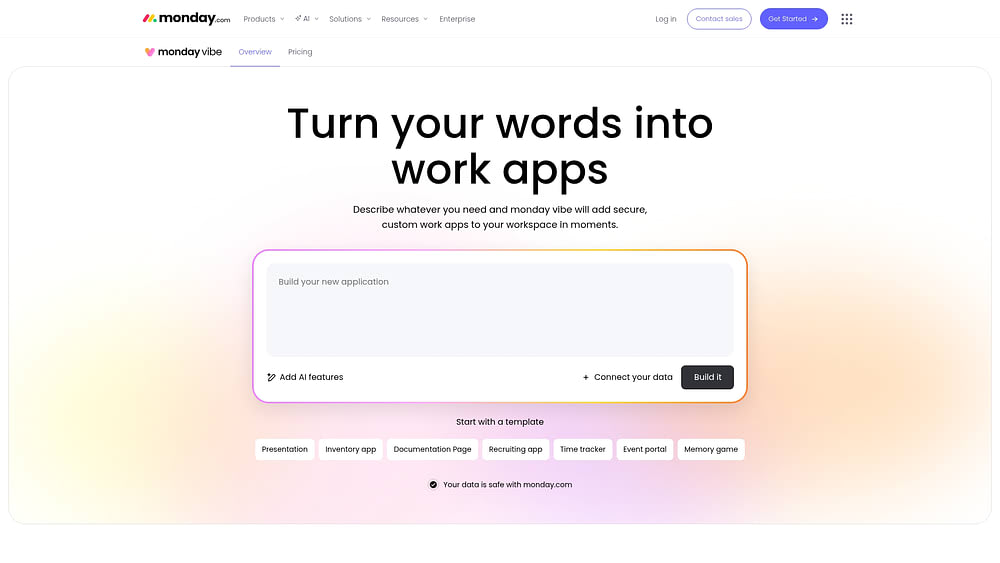
The data layer is what separates a useful no-code platform from a frustrating one. monday vibe is the AI-powered no-code app builder in the monday AI Workspace, and the apps it creates run directly on the data your team already manages, such as CRM pipelines and project boards.
A team member describes the app in plain language, for example “build me a time tracking dashboard where my employees can log hours and I can see totals by project,” and monday vibe generates a working version. Refinement then happens through follow-up prompts like:
- “Add a filter by department”
- “Switch to dark mode”
On the Vibe Growth plan, a single app can connect to as many as 20 boards. This supports cross-departmental views, such as resource dashboards or executive overviews that pull metrics from several departments at once.
Because apps run on the data already in the monday AI Workspace, there’s no separate database to maintain: when a sales rep updates a deal, the forecasting app shows the change.
monday vibe runs on the monday AI Workspace’s infrastructure, which carries SOC 2 Type II, ISO 27001, ISO 27701, and HIPAA compliance. Admin controls include:
- Role-based publishing permissions, with draft and production versions kept separate
- Multi-person building with defined roles, where every prompt is attributed to its sender
Start building no-code apps your team will use
No-code has evolved. Business teams now build secure apps on their own data in hours, without waiting on engineering.
Pick one process stuck in a spreadsheet or email thread and build an app for it first. One focused app that solves one problem will earn more use than a sprawling app that tries to solve ten.
As your program grows, named owners and draft environments keep it organized, and adoption data tells you which apps are worth maintaining. Building on a platform that already holds your work data, like the monday AI Workspace, means your apps start out accurate and connected.
Try monday vibeFrequently asked questions
Is no-code app building right for enterprise teams?
Yes, no-code app building is a great fit for enterprise teams, provided the platform gives admins oversight, including role-based permissions and separate draft and production versions. monday vibe includes both, built into the monday AI Workspace's infrastructure.
What kinds of apps can I realistically build without coding?
Dashboards, trackers, portals, calculators, intake forms, onboarding experiences, and cross-team reporting apps are all realistic no-code apps. Any process that currently lives in a spreadsheet or a long email thread is a candidate for a no-code app.
How do I know when no-code won't work for my needs?
No-code works best for internal apps where speed and fit with your current workflow count for more than deep customization. Consider a code-first approach if you need deep custom integrations, exportable code, offline functionality, or direct database manipulation.

 Get started