


A custom app often begins as a small operational problem. A sales team needs a cleaner way to review account health. HR wants an onboarding hub that does not scatter new hires across documents, spreadsheets, and chat threads. Operations needs a ticketing flow that matches the way the team actually works.
The workflow is usually clear. The bottleneck is turning that workflow into software without waiting for a long development cycle.
That is where AI app builders can help. The best platforms let business teams describe what they need in plain language, then generate apps, dashboards, portals, and internal tools that can be refined without writing code. The strongest options also connect to live data, respect permissions, and give admins enough control to keep app creation from becoming app sprawl.
In this guide, we compare 15 AI app builders for business teams, including which platform is best for each, where they may create friction, and how to choose the right tool for your organization. The goal is not to find the flashiest generator. It is to find the builder that can turn a real workflow into a useful, governed, maintainable app.
Try monday vibeKey takeaways
- AI app builders help non-technical teams turn everyday workflow problems into usable apps, dashboards, portals, and internal tools without waiting on engineering
- The right AI app builder depends on what you’re building. monday vibe is strong for workflow-native internal apps, Softr works well for portals from structured data, Zapier is best for connecting tools, Power Apps fits Microsoft-heavy organizations, and tools like Bubble, Lovable, Replit, Bolt.new, and NxCode are better suited to standalone web apps or MVPs
- Workflow-native builders can reduce app sprawl. When an app is built within the system where work already happens, teams can avoid extra logins, duplicate data, permission conflicts, and manual syncing
- Governance matters more as app creation gets easier. Teams should look for private drafts, role-based publishing, admin controls, permission-aware access, and clear ownership before rolling out AI-built apps broadly
- Pricing should be evaluated beyond the base subscription. AI credits, token usage, workflow runs, external users, integrations, hosting, training, support, and maintenance can all affect the real cost of an AI app builder
- The best first AI app project is specific and contained. Start with a workflow like onboarding, request intake, campaign reporting, asset tracking, or executive status updates before moving into sensitive or mission-critical processes
- AI-generated apps still need review. Even when a platform can generate apps quickly, teams should check permissions, data accuracy, security, workflow logic, and long-term maintainability before using the app in production
AI app builder quick view comparison
AI app builders are not all trying to solve the same problem. Some are designed for internal work apps. Some are better for client portals. Some are developer tools with AI generation layered on top. Others focus on AI agents and automated workflows rather than traditional app interfaces.
Use this table as a first filter. If your team has no technical support, prioritize platforms with “None” or “Minimal” technical requirements. If your organization already depends on a particular ecosystem, such as Microsoft 365, Airtable, monday.com, or a code-first stack, that context should weigh heavily in the decision.
The right answer depends on the kind of app you are building. A customer portal, an internal operations dashboard, an AI assistant, and a production SaaS product have different requirements. For non-technical teams, the safest starting point is usually the platform that already understands your data, permissions, and daily workflow.
15 top AI-powered app builders for corporate departments
Business teams rarely lack ideas for better systems. What they lack is a fast, controlled path from “we need a better way to do this” to “the team can actually use this app.”
We evaluated the tools below based on criteria that matter most to non-technical or semi-technical teams:
- Speed to value: Can a team quickly create a useful first version, or does the platform require extensive setup?
- Ease of use: Does the builder translate plain-language intent into a usable app, or does the user need to understand app architecture first?
- Data connection: Can the app work with live business data, or does everything require manual imports and syncing?
- Governance: Are permissions, publishing, compliance, and admin controls built into the platform?
- Long-term fit: Can the app be maintained after the first version, or does it become a fragile prototype?
Here are the strongest options to consider in 2026.
1. monday vibe
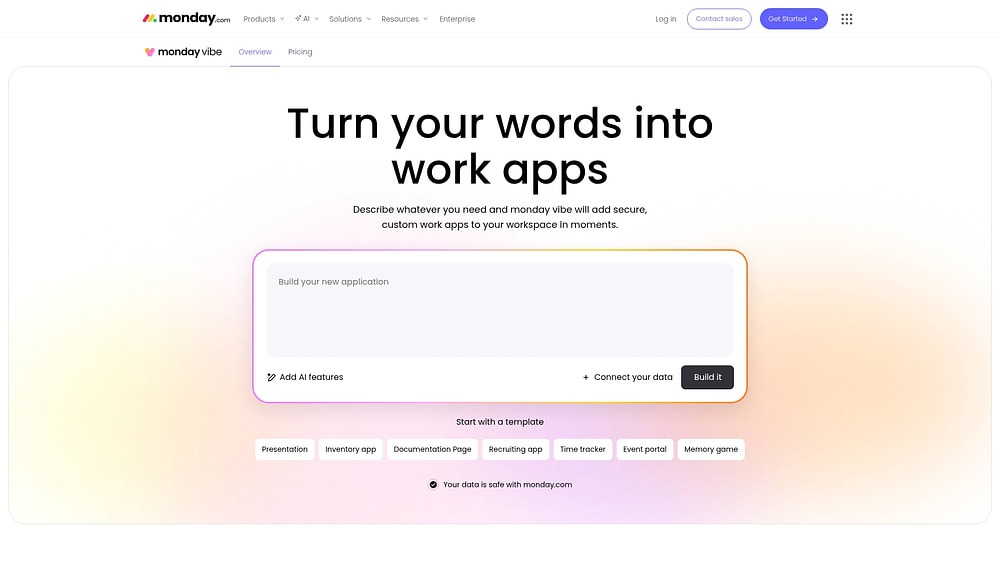
monday vibe is an AI app builder for creating custom apps directly inside monday.com. Instead of asking a technical team to translate operational needs into requirements, users can describe the app they want, refine it through chat, and publish it when it is ready.
The key difference is context. monday vibe is built where teams already manage boards, workflows, permissions, and cross-functional work. That makes it especially useful for internal tools that need to stay close to active business data.
Use case
monday vibe is a strong fit for business teams that need operational apps, dashboards, portals, calculators, and internal systems without starting from a separate app-building environment.
It is especially useful for:
- Operations teams building ticketing systems, inventory trackers, time-tracking apps, intake flows, or process hubs
- Sales and RevOps teams creating account health views, forecasting dashboards, commission calculators, or deal-flow analyzers
- HR and people teams publishing onboarding portals, talent pipeline tools, employee resource hubs, or internal request systems
- Marketing teams building campaign trackers, event dashboards, social calendars, and content operations tools
- Product and project teams creating lightweight planning apps, record-level views, and cross-board reporting experiences.
Key features
monday vibe focuses on turning plain-language intent into working apps inside the monday.com environment. Users can build and refine vibe apps through natural-language prompting, including dashboards, workflows, data visualizations, internal tools, and board-connected experiences.
Useful capabilities include:
- Prompt-first app creation: Describe the app you want in plain language and generate a working first version
- Chat-based iteration: Ask for refinements such as filters, charts, layout changes, responsive behavior, or styling updates
- Multi-board apps: Build full-page apps that combine data from multiple boards, useful for cross-functional reporting and executive dashboards
- Item-level apps: Create focused apps tied to individual records, such as account views, approval screens, or project summaries
- AI-powered app logic: Add AI-generated summaries, research, content generation, knowledge assistants, or insight panels when appropriate
- File and visual prompting: Use screenshots, design references, PDFs, or text files to give the builder more context
- Discuss mode: Plan or troubleshoot before generating the app, which helps teams clarify what they actually need before publishing
For feature and prompting guidance, monday.com maintains an official support page on monday vibe best practices, features, and capabilities.
Automation and workflow support
Automation is where workflow-native app building becomes more practical. The app is not simply a screen floating outside the organization’s systems. It can be tied to boards, connected workflows, and business actions.
Examples include:
- Ticketing apps that move resolved requests to another board
- Onboarding apps that connect employee resources with progress tracking
- Dashboards that summarize data from several operational boards
- Email-enabled apps that can connect to Gmail or Outlook when communication logic is needed
- Apps that use files stored on monday.com when a process requires attachments
This matters because internal apps often fail when they require excessive manual syncing. monday vibe reduces that problem by using monday.com as the work system underneath the app.
Governance and permissions
Governance is one of monday vibe’s main advantages for business teams. Vibe apps are private by default, Enterprise accounts can restrict who can publish apps by role, and apps using board data follow existing board permissions. That means sharing a Vibe app does not automatically bypass the existing access model.
Admins can also manage AI access at the account level. For organizations that want to encourage internal app creation without losing control, those controls are important.
See our official documentation on monday vibe permissions and pricing for the most current details.
Pricing
monday vibe is a paid add-on for monday.com accounts. Building and testing apps in draft mode is free, while pricing is based on the number of published vibe apps on the account. AI actions use monday AI credits, and monday.com maintains a separate official guide to AI Credits.
Because pricing and credit usage can change, teams should confirm current details in their monday.com administration settings or through the official support pages.
Considerations
monday vibe is strongest when the app belongs inside monday.com. If your team wants to build a standalone public SaaS product, a code-generating platform may be a better fit. If the main goal is to create internal operational software tied to live monday.com workflows, monday vibe is much more aligned.
Why it stands out
monday vibe stands out because it brings app building into the same environment where work already happens. That reduces the distance between the workflow, the data, the permissions, and the people using the app.
For non-technical teams, that can be the difference between a polished prototype and a system people actually adopt.
2. Softr
Softr is a no-code app builder for creating portals, directories, marketplaces, internal tools, and lightweight web apps from structured data. It is popular with teams that already store information in Airtable, Google Sheets, HubSpot, or Softr’s own database.
Softr’s strength is packaging data into polished, user-friendly experiences. Instead of starting with a blank codebase, teams can connect a data source, choose from prebuilt blocks or templates, and generate useful interfaces quickly.

Use case:
Softr is best for teams that need client portals, partner portals, internal directories, resource libraries, membership sites, or data-backed web apps. It is especially useful when the app’s core job is to present structured records to different user groups with controlled access.
Common examples include:
- Client portals for project status, documents, or service updates
- Vendor directories or partner databases
- Member-only resource hubs
- Internal knowledge portals
- Lightweight CRM or operations interfaces
Key features:
Softr offers visual building blocks, authentication, user groups, permissions, workflows, and integrations with common data sources. Its AI features are designed to help users create apps faster and work with app data more intelligently.
Useful capabilities include:
- AI-assisted app generation: Generate app structures and screens from plain-language prompts
- Data-backed interfaces: Turn structured data into searchable lists, detail pages, dashboards, and portals
- User groups and permissions: Control what different audiences can see and do
- Templates and blocks: Start from common portal and internal-tool patterns
- Built-in database option: Use Softr Databases when you do not want to rely on an external source
Softr’s official pricing page explains plan limits, user groups, records per app, and monthly AI credits.
Pricing:
Softr offers a free plan and multiple paid tiers. The official pricing page notes that every plan includes monthly AI credits, including the Free plan. Plan limits vary by records, app users, user groups, and advanced features.
Because record limits and user counts are central to Softr pricing, teams should estimate both internal builders and external users before choosing a plan.
Considerations:
Softr is approachable, but it is not a full custom development platform. Teams that need highly customized UI behavior, complex backend logic, or unusual architecture may run into limits. It is strongest when the app can be modeled around structured data and standard portal patterns.
3. Lindy AI
Lindy is an AI agent platform focused on automating business tasks such as inbox management, meeting scheduling, follow-ups, research, and recurring administrative workflows. It is less of a traditional visual app builder and more of an AI assistant builder for operational work.
That distinction matters. If your goal is to create a dashboard or portal, Lindy may not be the first choice. If your goal is to create an AI assistant that handles repeatable knowledge work, it becomes much more relevant.

Use case:
Lindy is a strong fit for teams and professionals who want AI assistants that can take action across daily workflows.
Examples include:
- Scheduling meetings and sending follow-ups
- Summarizing inboxes or triaging messages
- Compiling research from multiple sources
- Drafting outreach or support responses
- Creating agents for repeatable administrative tasks
Key features:
Lindy offers configurable AI agents, templates for common workflows, and connections to tools like email and calendar systems. Its official pricing page describes features such as inbox management, meeting scheduling, follow-up support, meeting recording and notes, and the ability to text an AI assistant.
Useful capabilities include:
- Prebuilt agent templates: Start with common workflows rather than building everything manually
- Conversational instructions: Configure agents with natural-language goals and rules
- Workflow automation: Use AI to perform multi-step tasks rather than only generate text
- Communication support: Apply agents to email, meetings, and follow-up workflows.
Pricing:
Lindy’s pricing includes paid plans and trial access. Because agent platforms often combine subscription limits with usage or credits, teams should check the official pricing page for current plan names, included capacity, and usage rules.
Considerations:
Lindy is better for AI task automation than broad app creation. It can be extremely useful for professionals who want to delegate repeatable work, but teams looking for structured internal apps, dashboards, or portals may need a different platform.
4. Zapier
Zapier is one of the best-known automation platforms, and its AI capabilities extend that core strength into interfaces, chatbots, agents, tables, and forms. Zapier is not primarily a full custom app development platform. It is strongest when the app needs to connect many existing tools and automate the movement of information between them.

Use case:
Zapier is well suited to teams that already use many SaaS tools and need to connect them without building custom integrations.
Common use cases include:
- Intake forms that route submissions to CRM, project management, or support tools
- Lightweight internal dashboards powered by connected tables
- AI chatbots connected to business apps
- Approval workflows across email, Slack, spreadsheets, and databases
- Automated handoffs between sales, marketing, support, and operations
Key features:
Zapier’s main advantage is its integration ecosystem. Its official pricing page states that Zapier supports integrations with more than 8,000 apps, making it a strong fit when teams need automation across a broad stack.
Useful capabilities include:
- Zaps: Trigger-action automations between apps
- Interfaces: Simple forms, pages, and app-like experiences
- Tables: Lightweight data storage for workflows
- Chatbots and agents: AI experiences connected to existing tools
- Broad SaaS connectivity: Useful for organizations with fragmented software stacks
Pricing:
Zapier offers a free plan and paid plans based on features and automation volume. Premium apps, multi-step workflows, and higher task volumes typically require paid tiers. AI-specific products may have separate usage rules, so teams should review Zapier’s official pricing and product pages before forecasting costs.
Considerations:
Zapier is excellent at connecting systems, but complex app logic can become difficult to manage if too many automations are chained together. It is best for lightweight interfaces and workflow automation, not highly customized enterprise applications.
5. Microsoft Power Apps
Microsoft Power Apps is a low-code platform for building custom business applications inside the Microsoft ecosystem. It is one of the most mature options for enterprises already using Microsoft 365, SharePoint, Teams, Dynamics, and Dataverse.
Power Apps is not as lightweight as prompt-first AI builders, but it offers depth, governance, and enterprise controls that many large organizations need.

Use case:
Power Apps is a natural fit for companies standardized on Microsoft tools.
Common use cases include:
- Departmental request apps
- Field service apps
- Approval workflows
- SharePoint-connected business apps
- Dataverse-backed internal systems
- Apps embedded in Teams
Key features:
Power Apps combines low-code building, data connectors, Microsoft Copilot assistance, Dataverse, and enterprise administration.
Useful capabilities include:
- Copilot support: AI can help create apps, formulas, and data structures from natural-language inputs
- Microsoft integration: Strong connections to SharePoint, Teams, Excel, Dataverse, Dynamics 365, and Power Automate
- Governance controls: Admins can manage environments, data policies, security, and access
- Canvas and model-driven apps: Teams can build flexible interfaces or structured enterprise apps
Microsoft’s official Power Apps pricing page explains current plan options and licensing.
Pricing:
Power Apps pricing usually depends on per-user licensing, premium connectors, Dataverse usage, and enterprise agreements. Microsoft also offers developer and trial options for building and testing.
The licensing model can be complex, so teams should involve IT or procurement before standardizing on Power Apps at scale.
Considerations:
Power Apps is powerful, but it is not always simple. Even with Copilot, teams may need support from admins, analysts, or developers to design data models, manage environments, and govern apps properly. It is strongest in Microsoft-centric organizations with IT involvement.
6. Bubble
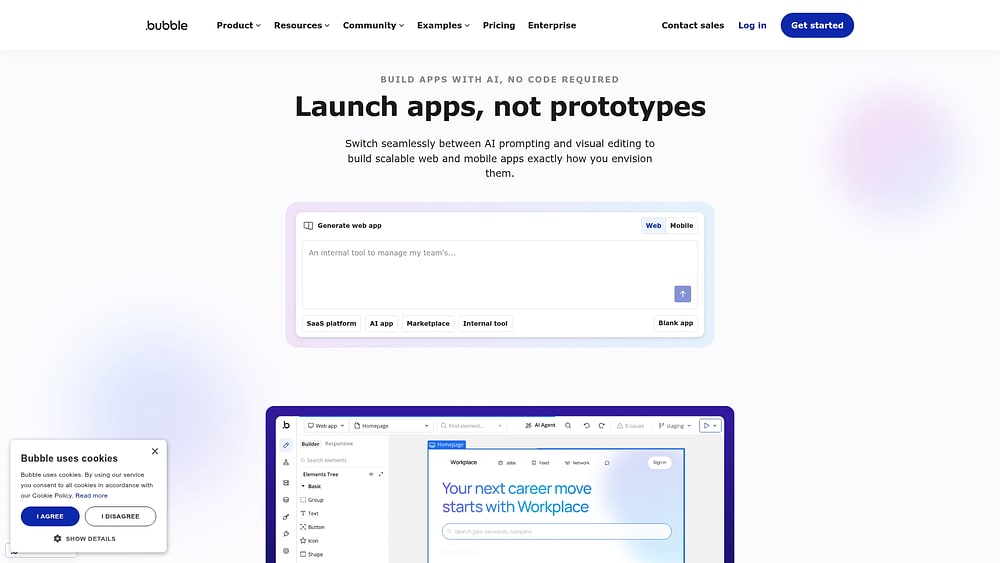
Bubble is a visual development platform for building web apps without traditional coding. It sits between simple no-code builders and full custom development. Users can create interfaces, workflows, databases, user authentication, and complex business logic visually.
Bubble is not the easiest tool on this list, but it is one of the most flexible no-code platforms for serious web applications.
Use case:
Bubble is best for teams building custom web apps, marketplaces, SaaS products, internal systems, or MVPs that need more control than template-based builders provide.
Examples include:
- Marketplace platforms
- SaaS MVPs
- Customer portals with custom workflows
- Internal tools with unique logic
- Community platforms
- Booking or matching applications
Key features:
Bubble includes a visual editor, a built-in database, a workflow engine, a plugin marketplace, responsive design tools, and API connectivity. Bubble’s official pricing page explains its usage-based model and workload units.
Useful capabilities include:
- Visual programming: Build workflows and logic without writing traditional code.
- Built-in database: Store and manage app data inside Bubble.
- Plugin ecosystem: Extend functionality with third-party integrations.
- Custom workflows: Model complex user flows and business rules.
- API connector: Integrate with external services when needed.
Pricing:
Bubble uses subscription plans plus a usage-based workload model. Bubble explains that workload units aggregate server resources required to run and scale apps.
That model gives flexibility, but it also means teams need to understand how app usage affects cost.
Considerations:
Bubble has a meaningful learning curve. Non-technical users can learn it, but it requires more conceptual understanding than prompt-first app builders. It is best for teams willing to invest time in learning visual development in exchange for deeper customization.
7. Replit Agent
Replit is an online development environment with AI-powered app generation through Replit Agent. It is closer to AI-assisted software development than pure no-code building. Users can prompt the agent to generate applications, then inspect, edit, run, and deploy the resulting code.
That makes Replit attractive for technical builders, founders, and teams with developer support who want speed without giving up code access.

Use case:
Replit Agent is best for users who want AI help with creating real code and are comfortable reviewing or modifying it.
Common use cases include:
- Web app prototypes
- Internal utilities
- API-backed applications
- Developer experiments
- MVPs that may later move into a more formal codebase
Key features:
Replit combines AI generation, coding, hosting, collaboration, and deployment in one browser-based workspace. Its official pricing page notes that Replit Agent is powered by large language models and may occasionally make mistakes, which is an important reminder for teams using AI-generated code.
Useful capabilities include:
- Natural-language code generation: Generate apps from prompts
- Full code access: Review, edit, and extend the generated application
- Integrated workspace: Code, run, collaborate, and deploy in one place
- Checkpoints and rollback: Safer iteration during AI-assisted development
- Hosting and deployment tools: Move from prototype to live app more quickly
Pricing:
Replit offers free and paid plans. AI usage, deployments, compute, and collaboration limits vary by plan, so teams should confirm the latest details on the official pricing page.
Considerations:
Replit is not a zero-code platform in the strict sense. AI can generate the app, but someone should still understand enough about software to review security, architecture, maintainability, and errors. It is best for semi-technical teams or teams with developer backup.
8. Lovable
Lovable is an AI app builder for generating full-stack web applications from prompts. It is popular for fast prototypes, internal tools, and early product builds because it can generate frontend and backend pieces together.
Lovable is more app-generation oriented than traditional no-code tools. It gives users a quick path from idea to working application, while still requiring thoughtful review before production use.

Use case:
Lovable is a good fit for teams that need to move quickly on web app prototypes, MVPs, internal tools, or standalone apps.
Examples include:
- SaaS MVPs
- Landing-page-connected app prototypes
- Internal tools with authentication and database logic
- Customer portals
- Product experiments
Key features:
Lovable’s official pricing page positions it as a way to build apps, internal tools, and prototypes faster. It also highlights security and compliance information for teams that need to evaluate enterprise readiness.
Useful capabilities include:
- Prompt-to-app generation: Create full-stack apps from natural-language descriptions
- Cloud and deployment support: Move generated apps toward live use
- Collaboration: Work with team members on app iterations
- Code ownership and export considerations: Useful for teams that may need developer handoff
- Security-oriented features: Relevant for teams evaluating production use
Pricing:
Lovable offers free and paid plans with credit-based usage. Teams should review the official pricing page for current plan limits, credit rules, collaboration features, and any cloud usage costs.
Considerations:
Lovable is fast, but AI-generated applications still need review. Teams should validate security, data handling, permissions, and edge cases before using a generated app in a sensitive business workflow.
9. Airtable Omni
Airtable Omni brings conversational app building into Airtable. For teams already using Airtable as a database and workflow platform, Omni can help generate tables, interfaces, automations, and app structures from natural-language prompts.
Airtable’s advantage is its familiar spreadsheet-like data model paired with app-building and automation features.

Use case:
Airtable Omni is a strong fit for teams already running operations in Airtable.
Common use cases include:
- Project tracking apps
- Content operations systems
- Campaign calendars
- Lightweight CRMs
- Inventory trackers
- Applicant or vendor pipelines
Key features:
Airtable’s official app-building page describes Omni as an AI app builder that helps teams build AI apps and automations through conversation. It also states that asking Omni to build and iterate on apps comes at no additional cost, while analysis questions about data consume AI credits.
Useful capabilities include:
- Conversational app building: Ask Omni to help create or revise Airtable apps
- Database-backed workflows: Build on Airtable’s tables, relationships, and fields
- Interfaces: Create user-friendly screens for different teams
- Automations: Trigger actions based on changes in Airtable
- AI-assisted analysis: Ask questions about data using AI credits where applicable
Pricing:
Airtable offers free and paid workspace plans, and AI usage may involve credits depending on the feature. Teams should check Airtable’s official plan and AI pricing details before building AI-heavy workflows.
Considerations:
Airtable is strongest when your app fits a structured database model. It can become harder to manage when workflows grow into complex software systems with deep custom logic, unusual interfaces, or heavy external data requirements.
10. Retool
Retool is a platform for building internal tools, admin panels, dashboards, and workflows connected to databases and APIs. It is widely used by technical operations, data, and engineering teams that need fast internal software without building everything from scratch.
Retool is not a pure no-code tool. Its AI features can speed up building, but users often benefit from SQL knowledge, API understanding, or developer support.

Use case:
Retool is best for internal tools that need to sit close to business data.
Common examples include:
- Admin panels
- Customer support tools
- Internal dashboards
- Data quality tools
- Inventory and operations management systems
- Finance or compliance review tools
Key features:
Retool’s official pricing page covers web apps, workflows, agents, permission controls, and enterprise options. Retool is especially strong when teams need database and API connectivity.
Useful capabilities include:
- Database and API connections: Connect directly to SQL databases, REST APIs, GraphQL, and internal systems
- Drag-and-drop components: Build internal interfaces quickly
- Custom queries and logic: Use SQL and JavaScript where needed
- Permissions and environments: Support staged development and controlled access
- AI agents and AI-assisted development: Add automation and generation capabilities to internal workflows
Pricing:
Retool pricing depends on builders, end users, workflows, agents, and enterprise needs. The official pricing page should be the source of truth, especially for teams with many internal users or strict governance requirements.
Considerations:
Retool can be overkill for simple no-code apps, and it may be too technical for non-technical teams without data or engineering support. It is strongest when the app needs reliable access to operational databases and internal systems.
11. Cursor
Cursor is an AI code editor, not a no-code app builder. It belongs in this comparison because many teams evaluating AI app builders also look at AI coding tools. Cursor is best for developers who want AI support across planning, editing, debugging, and codebase navigation.
For non-technical teams, Cursor is usually not the right direct tool. For engineering teams, it can speed up application development significantly.

Use case:
Cursor is built for software teams, technical founders, and developers.
Common use cases include:
- Building features inside existing codebases
- Refactoring and debugging
- Generating tests
- Exploring unfamiliar repositories
- Using AI agents to complete coding tasks
Key features:
Cursor’s official pricing page covers individual, team, and enterprise plans. Cursor also provides a security and compliance page and a public trust center for organizations evaluating enterprise use.
Useful capabilities include:
- AI code editing: Generate, revise, and explain code inside the editor
- Agentic workflows: Let AI work across files and tasks
- Multi-model access: Use different AI models depending on plan and availability
- Team and enterprise controls: Support collaboration, billing, and security requirements
- Privacy and compliance resources: Important for companies working with proprietary code
Pricing:
Cursor offers free and paid plans for individuals and teams, with enterprise options for larger organizations. Usage-based rules and model access can change, so teams should verify current details on the official pricing and docs pages.
Considerations:
Cursor requires technical skill. It is not designed for an operations manager who wants to build an app without touching code. It is better viewed as an engineering accelerator than a business-user app builder.
12. v0 by Vercel
v0 by Vercel is an AI-powered interface and app generation tool focused on modern web development, especially React and Next.js. It can turn prompts, screenshots, and design direction into frontend components or full-stack application starts.
v0 is useful when the goal is high-quality UI generation that developers can refine and deploy.

Use case:
v0 is best for design and development teams that need to prototype web interfaces quickly.
Common use cases include:
- React component generation
- Next.js app prototypes
- Landing page sections
- Dashboard layouts
- Design-to-code workflows
- Frontend exploration before engineering buildout
Key features:
Vercel’s official v0 pricing page describes v0 as a collaborative AI assistant to design, iterate, and scale full-stack applications for the web. Vercel has also published details on updated v0 pricing, including credit usage based on input and output tokens.
Useful capabilities include:
- Prompt-to-UI generation: Generate components and screens from text descriptions
- Screenshot and design input: Use visual references to guide output
- Next.js and React orientation: Produce frontend code aligned with modern web stacks
- Vercel deployment workflow: Connect naturally to Vercel hosting and deployment
- Team credit sharing: Useful for collaborative product and design teams
Pricing:
v0 offers free and paid plans, with usage tied to credits and token consumption. Teams should review the official pricing page for current plan limits, credit rules, and business/enterprise options.
Considerations:
v0 is not a no-code operational platform. It is most useful when a technical team can review and extend the generated output. Non-technical teams may find it valuable for prototyping ideas, but developer handoff is usually part of the workflow.
13. Bolt.new
Bolt.new is a browser-based AI app builder that can generate full-stack applications from prompts. It removes the need for local development setup and gives users a fast way to create, edit, and deploy apps in one place.
Bolt is part of the broader “AI coding agent” category, but it is more accessible than a traditional IDE because the full build environment runs in the browser.

Use case:
Bolt.new is a good fit for teams that need quick prototypes, internal tools, or web app experiments without setting up local infrastructure.
Examples include product prototypes, internal tools, demo apps, landing-page-connected workflows, and small full-stack applications.
Key features:
Bolt’s official pricing page explains its token-based model and notes that token usage is heavily affected by syncing the project file system to the AI. Larger projects can therefore consume more tokens per interaction.
Useful capabilities include:
- Browser-based development: Build without installing local tooling
- Prompt-to-app generation: Create frontend and backend code from natural-language requests
- Integrated hosting and deployment: Move apps toward live use from the same environment
- Full project context: Let the AI work across files in the project
- Fast iteration: Make changes conversationally and preview results
Pricing:
Bolt uses token-based plans. Since token consumption depends on project size and interaction complexity, teams should evaluate likely usage before relying on it for ongoing production work.
Considerations:
Bolt can produce impressive results quickly, but generated apps still need technical review. Larger projects may become expensive or harder to manage if every prompt requires the AI to process extensive project context.
14. OpenAI Agent Builder
OpenAI’s Agent Builder is part of AgentKit, a set of tools for building, deploying, and optimizing AI agents. It is not a general-purpose app builder in the same way as Softr, Bubble, or monday vibe. It is designed for conversational agents and agentic workflows.
That makes it highly relevant for teams building AI assistants, chat interfaces, research agents, support agents, or internal copilots.

Use case:
OpenAI Agent Builder is best for teams that want to design AI agent workflows rather than traditional business apps.
Common use cases include:
- Customer support agents
- Internal knowledge assistants
- Research agents
- Multi-step workflow agents
- Chat-based interfaces embedded in products or websites
- Agent prototypes that may later be exported or integrated into custom systems
Key features:
OpenAI’s official AgentKit announcement describes a complete toolkit for building, deploying, and optimizing agents, including Agent Builder for visual workflow design, ChatKit for embeddable chat experiences, and evaluation tooling for testing agent behavior.
Useful capabilities include:
- Visual agent workflow design: Build agent logic with a visual interface
- ChatKit: Deploy customizable chat experiences
- Evals and optimization: Test and improve agent performance over time
- Connector and tool integration: Give agents access to external systems where configured
- SDK-oriented extensibility: Support more technical deployment paths when needed
Pricing:
AgentKit is tied to OpenAI platform usage rather than a simple flat app-builder plan. Model calls and tool usage are generally metered through API usage. Teams should consult OpenAI’s official platform pricing and AgentKit documentation before estimating cost.
Considerations:
OpenAI Agent Builder is powerful for agent workflows, but it is not the right tool if the main goal is to build a conventional internal dashboard or client portal. It is best for AI-native experiences where conversation, reasoning, and tool use are central.
15. NxCode
NxCode is an AI app-building and coding platform that focuses on turning requirements into working full-stack applications. It uses an agentic workflow for planning and execution, making it relevant for teams that want AI to help move from idea to deployable code.
NxCode is less established than some larger platforms on this list, but it is worth watching for teams that want a lower-cost entry point into AI-assisted full-stack building.

Use case:
NxCode is a fit for small teams, founders, and technical operators who want AI help generating full-stack apps and are comfortable reviewing the output.
Common use cases include MVPs, internal tools, startup prototypes, full-stack app experiments, and projects where code ownership matters.
Key features:
NxCode’s official pricing page describes free access, paid plans starting at low monthly prices, credits, and project deployment. The platform positions itself around AI-assisted app building and deployment.
Useful capabilities include:
- AI-assisted planning: Translate requirements into app structure and acceptance criteria
- Full-stack generation: Build frontend and backend components
- Testing-oriented workflows: Use isolated environments to validate generated apps
- Project export and deployment: Important for teams that want portability
- Low-cost paid tiers: Useful for experimentation and early-stage projects
Pricing:
NxCode offers a free starting option and paid credit-based plans. Teams should confirm current limits, included credits, deployment rules, and export capabilities on the official pricing page.
Considerations:
As with other AI code-generation platforms, the output should be reviewed before production use. NxCode may be more appropriate for early builds and technically supervised projects than for non-technical enterprise teams that need governance, permissions, and long-term operational support from day one.
How to know an AI app builder will work for non-technical team members
A good AI app builder does more than generate a screen. It helps a team turn operational knowledge into software without forcing that team to become software developers.
For non-technical teams, the most important capabilities are practical rather than flashy.
Natural-language building
The platform should let users describe what they want in everyday language. A good prompt might include who the app is for, what workflow it supports, what data it should show, what actions users need to take, and what the app should look and feel like.
The builder should then produce a useful first version that can be refined in conversation.
Connection to live data
An app is only useful if the information inside it is accurate. Teams should look for builders that connect to the systems they already use, such as work management boards, databases, spreadsheets, CRMs, or internal APIs.
Disconnected apps often create duplicate work. Connected apps reduce manual updates and make adoption easier.
Fast iteration
The first version will rarely be perfect. The platform should make small changes easy: add a filter, adjust the layout, rename a field, create a chart, change a permission, or add a workflow step.
If every change requires a rebuild, the app will quickly become stale.
Governance and permissions
AI makes app creation faster, which means governance matters more, not less. Teams should ask:
- Who can create private apps?
- Who can publish apps?
- What data can apps access?
- Do apps inherit existing permissions?
- Can admins monitor or restrict AI features?
- What happens when the app is shared externally?
The best platforms make governance part of the default workflow.
Maintainability
A demo app is not the same as a business app. Before choosing a platform, consider who will maintain the app after launch. Can the business team update it themselves? Does IT need to own it? Can the app be exported? What happens if usage grows?
A useful app builder should support the full lifecycle, not just the first prompt.
Try monday vibeWhat can business teams make with AI app generators?
AI app builders are most valuable when they solve specific workflow problems. The best starting point is usually not “let’s build an app.” It is “which process is wasting time, creating errors, or slowing decisions?”
Here are the most common categories.
Executive dashboards to connect fragmented data
Executives and department leads need a clear view of performance, but the underlying data often lives in several places. AI app builders can help teams create dashboards that bring key metrics into one view.
Examples include:
- OKR dashboards: Track objectives, owners, progress, and blockers
- Revenue dashboards: Combine pipeline, forecast, closed-won, and churn indicators
- Campaign dashboards: Show performance across paid, organic, email, and event channels
- Operations dashboards: Surface capacity, backlog, SLA, and risk metrics
- Executive command centers: Combine cross-functional status updates into one leadership view
The value is not only visual. A good dashboard reduces manual reporting and helps leaders act on current information.
Operational workflow apps to automate manual processes
Many business-critical workflows still run through spreadsheets, email threads, and status meetings. AI app builders can turn those processes into apps with clearer ownership, better visibility, and fewer manual updates.
Examples include:
- Ticketing systems: Capture requests, assign owners, track status, and report on resolution time
- Asset trackers: Manage hardware, software licenses, maintenance, and renewals
- Time tracking apps: Log billable hours, approvals, and invoicing inputs
- Meeting coordination tools: Manage bookings, attendees, reminders, and follow-ups
- Process documentation hubs: Store procedures, versions, acknowledgments, and training materials
These apps work best when they are connected to the team’s existing work system rather than isolated in a separate tool.
Portals that strengthen customer relationships
Not every app is internal. Some AI app builders help teams create controlled external experiences for clients, vendors, partners, or members.
Examples include:
- Client project portals: Share deliverables, timelines, documents, and status updates
- Vendor portals: Collect forms, track approvals, and centralize communication
- Event registration systems: Capture attendee details and automate confirmation workflows
- Partner resource hubs: Share approved materials with external stakeholders
- Customer onboarding portals: Guide new clients through setup, milestones, and resources
External apps require stricter attention to permissions, branding, authentication, and data exposure. This is where governance and user-group controls become essential.
AI assistant and agent workflows
Some platforms on this list are less about screens and more about AI agents that complete tasks.
Examples include:
- Inbox triage assistants
- Meeting scheduling agents
- Research assistants
- Support response agents
- Knowledge-base chatbots
- Competitive intelligence agents
- Sales follow-up assistants
These tools are especially valuable when the workflow is repetitive, text-heavy, and spread across multiple systems.
Learn more: Prompt-based app builder
Why workflow-native AI app builders often beat standalone platforms
One of the most important decisions is where the app should live.
A standalone builder can be useful, especially for public apps, client portals, or custom products. But for internal work, standalone tools often create extra maintenance. Teams have to connect data, configure permissions, train users on another interface, and manage another vendor.
Workflow-native builders take a different approach. They build apps inside the system where the work already happens.
This is why monday vibe is especially relevant for teams already using monday.com. The app, data, permissions, and users are already in the same environment. The team does not have to create a separate system before the app starts delivering value.
Standalone builders still have a place. Softr may be better for a customer portal. Bubble may be better for a SaaS MVP. Retool may be better for an engineering-owned admin panel. But for internal workflows, building where the work already happens can dramatically reduce friction.
How to choose the right AI app creation platform
The best AI app builder is not the one with the longest feature list. It is the one that fits the workflow, the users, the data, and the governance model.
Use the following steps to narrow the field.
1. Define the app category
Start with the type of app you need.
- Internal operational app: Look at monday vibe, Power Apps, Airtable Omni, Retool, or Zapier, depending on your existing stack
- Client or member portal: Look at Softr, Airtable, Bubble, or monday vibe, depending on data and access needs
- Custom SaaS or MVP: Look at Bubble, Lovable, Replit, Bolt.new, or NxCode
- Developer productivity: Look at Cursor, Replit, v0, Bolt.new, or Lovable
- AI assistant or chatbot: Look at Lindy, Zapier Agents, OpenAI Agent Builder, or monday vibe with AI features depending on the workflow
- Data-heavy admin panel: Look at Retool or Power Apps
Choosing by category prevents teams from comparing tools that are not really designed for the same job.
2. Match the platform to your current systems
A platform that matches your current stack will usually launch faster and require less maintenance.
Ask:
- Where does the source data live today?
- Who needs access to the app?
- What permissions already exist?
- Which systems must the app update?
- Does the app need to be internal, external, or both?
- Will business users maintain it, or will IT own it?
If the workflow already lives in monday.com, a workflow-native builder like monday vibe is a natural fit. If the data lives in Airtable, Airtable Omni or Softr may be better. If the company is deeply Microsoft-based, Power Apps may be the safer enterprise choice. If the app needs direct database access, Retool may be more appropriate.
3. Look beyond the monetary price
The cheapest plan is not always the lowest-cost option. Total cost includes more than subscription fees.
Consider:
- Setup time
- Training time
- Integration work
- Governance reviews
- Maintenance effort
- Usage-based charges
- AI credits or tokens
- External user pricing
- Developer support
- Cost of switching later
A standalone platform with a low monthly fee can become expensive if it requires custom integrations, duplicate data entry, or constant technical support.
4. Check governance before rollout
Before giving teams broad access to AI app building, define the rules.
Questions to answer:
- Can anyone publish apps, or only approved roles?
- Are apps private by default?
- Can admins disable or restrict AI features?
- Do apps inherit data permissions?
- Are external users supported safely?
- Is there an audit trail?
- Can apps be reviewed before publishing?
- Who owns long-term maintenance?
This is especially important for apps that handle customer, employee, or financial data, or support strategic planning.
5. Test using one high-friction workflow
Don’t start with the most complex process in the company. Choose one workflow that is painful but contained.
Good first projects include:
- A request intake app
- A department dashboard
- An onboarding hub
- A campaign tracker
- A client portal
- A knowledge assistant
- A reporting workflow.
Use the first project to test how quickly the team can build, refine, publish, and maintain the app.
Try monday vibeEnterprise security and governance for AI-built apps
AI app building gives teams more autonomy. That is valuable, but it also creates new governance requirements.
The more people can build, the more important it becomes to control what gets published, what data apps can access, and who can share them.
Permission controls and role-based publishing
Strong AI app builders should support clear publishing controls. In practice, that means users can experiment privately. admins can control who publishes shared apps, app access respects underlying data permissions, external sharing does not bypass security rules, and sensitive workflows can be reviewed before rollout.
monday vibe apps are private by default, and Enterprise admins can restrict publishing permissions by role. That is a practical model for business teams because it allows experimentation without turning every draft into an unmanaged production app.
Compliance and data protection
Security depends on the platform underneath the app. Teams should evaluate infrastructure and hosting model, compliance documentation, access controls, data retention policies, AI data handling, admin visibility, auditability, and external user controls.
For code-generation tools, teams should also review the generated code for vulnerabilities and make sure secrets, keys, and credentials are handled properly.
For workflow-native tools, teams should confirm whether apps inherit existing permissions and whether admins can manage publishing centrally.
Change management
AI makes it easy to update apps quickly, but production apps need disciplined change management.
Look for draft mode after publishing, version history, rollback options, staging environments, and clear ownership.
A fast builder without a safe update process can create operational risk. Business apps should be easy to improve, but not easy to break accidentally.
How monday vibe turns prompts into enterprise work apps
monday vibe is most useful when teams want to build internal software inside monday.com rather than create another separate system.
The process usually follows three stages.
1. Start with the workflow and data
A strong first prompt should describe the process, the users, and the data sources.
For example:
Build an onboarding dashboard for HR managers and new hires. Use our onboarding board and employee resource board. Show each new hire’s start date, assigned buddy, required tasks, open blockers, and completion percentage. Include a manager view and a new-hire view.
The clearer the workflow context, the better the first version.
monday vibe can create apps connected to monday.com boards, including multi-board apps for cross-functional workflows. This is useful for systems such as onboarding hubs, executive dashboards, ticketing systems, and account health views.
2. Refine the app through chat
After the first version, teams can keep iterating. Examples of useful refinement prompts:
- “Add a filter for department”
- “Create a chart showing overdue tasks by owner”
- “Make the homepage more executive-friendly”
- “Add a risk summary at the top”
- “Switch the layout to cards”
- “Add a mobile-friendly view”
- “Make the status colors easier to scan”
- “Use AI to summarize blockers”
This is where prompt-first building becomes valuable. Instead of rebuilding from scratch, the team can adjust the app as the workflow becomes clearer.
3. Publish with control
Before publishing, teams should confirm that the app uses the correct boards, that permissions work as expected, that sensitive fields are not exposed, that the right people can access it, that the app has a clear owner, and that updates will be managed safely.
monday vibe supports draft building and controlled publishing. Because apps are built within monday.com, they can remain aligned with existing governance rules and work structures.
Building operational apps teams will actually use
The most successful AI-built apps have one thing in common: they remove friction from a workflow people already care about.
They do not ask users to adopt a new system for its own sake. They make existing work easier, clearer, or faster.
For internal operations, this is where monday vibe is very advantageous. Teams can build custom apps on monday.com using natural language, keep those apps connected to boards and permissions, and avoid introducing another disconnected platform.
A practical first step is to choose one workflow that already creates friction. Good candidates include onboarding, forecasting, campaign reporting, request intake, or executive status tracking. Map the data, define the users, decide who can publish changes, and use an AI app builder to turn that process into a working tool.
Try monday vibeFAQs about AI app builders
Do AI app builders create production-ready business applications?
Some do, but production readiness depends on the platform and the app. A business-ready app needs more than generated screens. It needs secure data access, permission controls, reliable workflows, maintainability, and a clear owner.
Can someone with no coding experience build an app with AI?
Yes, depending on the platform. Tools such as monday vibe, Softr, Zapier, and Airtable Omni are designed to be approachable for non-technical users. Platforms like Bubble, Retool, Replit, Cursor, v0, Bolt.new, and NxCode may still require technical understanding for best results.
How are AI app builders different from traditional no-code tools?
Traditional no-code platforms usually require users to assemble screens, fields, workflows, and logic manually. AI app builders let users start with a prompt and generate a first version automatically.
Are AI-generated apps secure enough for sensitive business data?
They can be, but security depends on the platform, configuration, and review process. Teams should choose builders with strong permission controls, admin oversight, compliance documentation, and clear data-handling policies.
What happens if an AI app builder shuts down?
That depends on the platform. Before building critical systems, check export options, data portability, vendor stability, and whether the app can be migrated or rebuilt elsewhere.
Which AI app builder is best for non-technical business teams?
For internal operational apps, monday vibe is a strong choice for teams already using monday.com because it builds apps in the same environment as the work, data, and permissions. Softr is strong for portals from structured data. Airtable Omni is useful for teams already running workflows in Airtable. Zapier is best when automation across many apps matters most.
What is the safest first AI app builder project?
Start with a contained workflow that is painful but not mission-critical. Good first projects include a request intake form, onboarding tracker, campaign dashboard, asset tracker, or internal knowledge hub.
How should teams compare AI app builder pricing?
Look beyond the monthly subscription. Include AI credits, tokens, task usage, external users, integrations, hosting, storage, support, governance, training, and maintenance.
 Get started