


HR spans the entire employee lifecycle, from the first resume that lands in a hiring pipeline through to how engaged and supported someone feels years into the job. A lot of that work is still manual — comparing resumes by hand, or remembering to make a proper introduction when someone new joins the team. monday agents take on some important pieces of that work today, spanning hiring and the rest of the employee lifecycle that follows.
This piece breaks down how HR teams use monday agents and how to build a custom agent for anything they don’t cover. Governance and data protection get their own section too to answer any questions your CFO or CHRO have.
Try monday agentsKey takeaways
- Speed in hiring comes down to two moments: matching a resume to the right role, and keeping a candidate informed while they wait. Solving those well removes most of the manual back-and-forth before an offer goes out.
- The employee lifecycle doesn’t end at the offer letter. A warm, well-informed introduction to a new team matters just as much as the interview process that got someone hired.
- Retention starts inside the company. Employees who know what roles are open elsewhere in the business are less likely to look outside it for their next move.
- A regular, genuinely anonymous pulse on morale, paired with workforce data benchmarked against the market, gives HR leaders a clearer read on the business than either one alone.
- monday agents cover this whole arc — hiring through ongoing engagement — with 6 confirmed HR templates and governance controls like simulation mode and audit trails built into every one.
What are monday agents for HR?
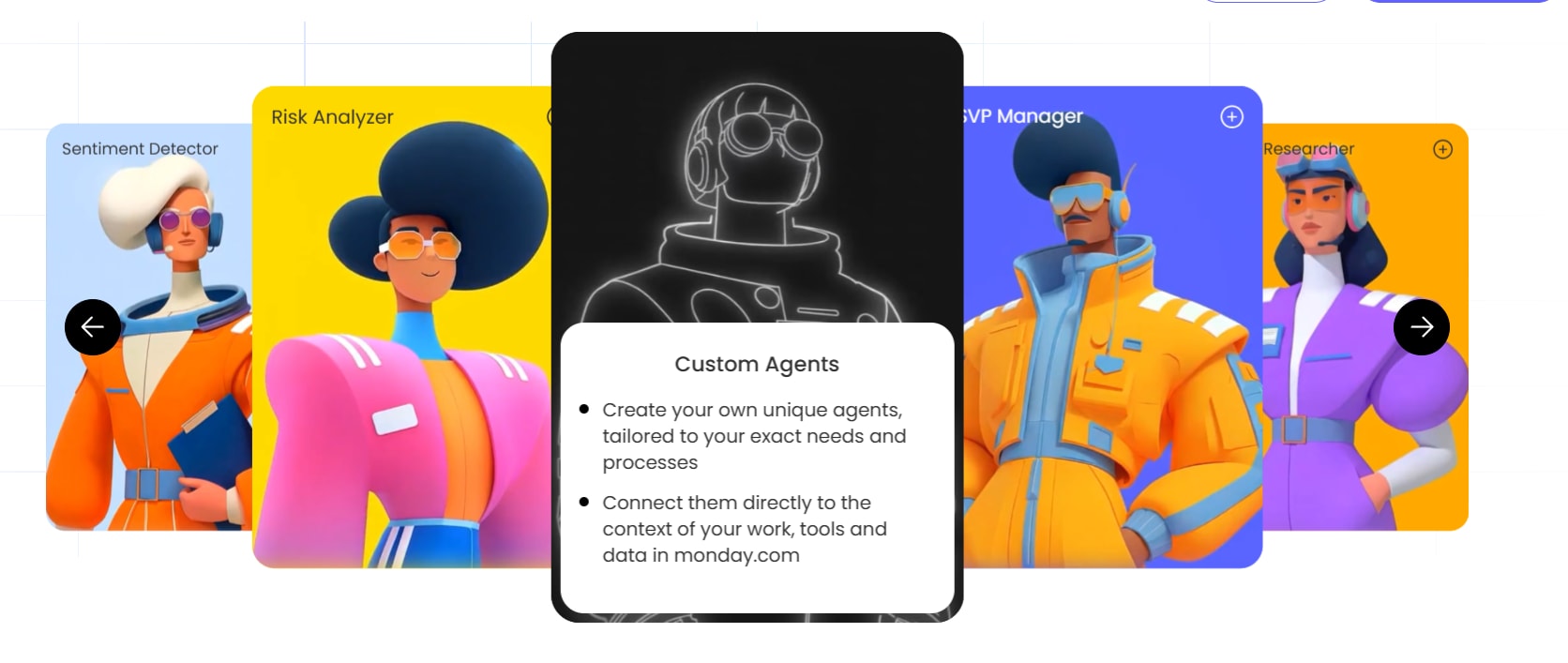
monday agents are autonomous digital workers that lives on monday AI Workspace. They read your HR workflows — boards, documents, candidate data — and take action on your behalf without needing step-by-step instructions for every action. Whether matching a candidate to the right open role, answering a candidate’s questions about the hiring process, or onboarding them into their new role, your agents take on a heap of the heavy lifting.
Every agent works from the knowledge you give it — job descriptions, company policies, and the structured data on your boards — and operates within the permissions you set, so it only accesses the data you authorize and only takes the actions you define. These agents are available now in our ready-to-run agent template library.
Try monday agentsWhy HR teams turn to monday agents
monday agents give HR teams a way to hand off the repetitive, high-volume parts of the job while people keep the judgment calls. 6 agents are ready to support your people work, covering everything from the first resume through to the pulse survey you run months after they’re in seat.
Candidate Matching Agent
Every resume that lands in a hiring pipeline should get compared against every open role, not just the one a candidate applied to. The Candidate Matching Agent reads a new CV the moment it’s submitted, pulls live job listings from your careers page, and narrows the list to roles the candidate can take based on location. It scores the candidate against a consistent rubric, ranks the top three matches, runs a must-have screen against the strongest one, and writes the ranked matches and a pass or fail verdict straight to the candidate’s record.
Best for: recruiters and hiring managers who want a documented, defensible reason behind every match.

Candidate Companion Agent
Candidates wait days between interview stages without a clear channel for their questions. The Candidate Companion Agent answers those questions directly, in the candidate’s own language, drawing from your hiring process knowledge base and current company information.
The agent walks a candidate through every stage they’ll face and explains what each evaluates. It also knows its limits: for compensation, offer details, or logistics, it declines and sends the candidate straight to their recruiter rather than guessing. If a candidate withdraws or reports a bad experience, the agent alerts the recruiting team immediately with the candidate’s name, role, and a summary.
Best for: recruiting teams that want candidates to feel supported between stages without adding to a recruiter’s daily message load.

Employee Onboarding Agent
New hire introductions usually depend on someone remembering to make them, meaning they’re often delayed or skipped entirely. The Employee Onboarding Agent handles one specific piece of that problem: when a new hire is tagged on an onboarding board, it identifies the right colleague to loop in, pulls the new hire’s name, role, start date, and team straight from the board. It also marks anything missing as pending rather than inventing it — and sends that colleague a Slack introduction with a prompt to post a warm welcome.
Best for: HR teams and people operations who want warm, reliable colleague introductions without relying on someone’s memory.

Internal Mobility Agent
Employees don’t always have visibility into the roles that are open beyond their own team, and an HR business partner can struggle to find time for a career conversation with everyone who might be interested in a move.
The Internal Mobility Agent supports by asking what an employee wants in their next move rather than handing them a form. It asks what energizes them and their longer-term direction, checking their eligibility against your internal mobility policy on request. From there it recommends 2-4 open roles with a plain-language explanation of why each one fits and an honest read on any skills the employee would still need to develop. Employees can opt into a weekly digest of newly matching roles so they don’t have to keep checking back.
Best for: organizations focused on retention, where existing employees are often the best-fit candidates for a new opening.

Pulse Survey Agent
Running a genuinely anonymous engagement survey by hand is a step many HR teams skip. And that’s a crying shame, as pulse surveys are one of the fastest ways to understand how your workers are experiencing your company. The Pulse Survey Agent support here by building the cohort, confirming the group is large enough to protect anonymity, and sending a single link that fires the survey to everyone at once.
While a round is open, it reports how many people have responded without ever showing who. Once the round closes, the agent scores responses across engagement factors, calculates an overall engagement index, and builds bar and donut charts summarizing the results. It also flags when your retention policy calls for deleting identifying data, so anonymity holds up after the round ends too.
Best for: HR and culture teams who want regular engagement reads without the manual work of protecting anonymity by hand.

People Analytics Agent
Workforce data is hard to read without knowing how it compares to the market, and most HR teams don’t have that comparison on hand. The People Analytics Agent pulls headcount, turnover, and tenure figures from your connected boards, then researches current compensation and workforce benchmarks relevant to your industry. The agent scores every metric as top quartile, at market, or below market, so the read is plain rather than a spreadsheet someone still has to interpret. It flags benchmark data older than 18 months as stale rather than treating it as current, and when regrettable turnover crosses your defined threshold, it calls that out directly instead of burying it in a report.
Best for: HR business partners and people analytics teams who need a benchmarked view of workforce health without building it manually.
Try monday agentsHow to build a custom HR agent on monday AI Workspace in 3 steps
Anyone on your HR team can build a custom agent on monday AI Workspace without technical skills or coding experience, simply by working through the steps below.
Step 1: Describe the agent role and triggers
First, tell the agent builder what the agent should do and when. The HR team describes the role in conversational language — for example: “When a new application is submitted to the Recruiting Pipeline board, evaluate the candidate against the criteria in our Job Requirements document and update the Fit Score column.”
Triggers can include:
- New items appearing on a board
- Status changes (like a candidate moving to “Reference Check” stage)
- Date-based events (like a follow-up due date arriving)
- External inputs from connected integrations
Step 2: Connect knowledge sources and integrations
Agents need context. In this step, the HR team connects relevant knowledge sources: internal documents (job descriptions, competency frameworks, company policies), PDFs, board data, and external integrations (calendar platforms, email, communication channels).
The agent only knows what you feed it, meaning it can’t make assumptions beyond your data and documents. For example:
- To evaluate candidates against a specific competency model, upload that document.
- To check interviewer availability, connect the calendar integration.
- To send follow-up emails, connect your email platform.
Step 3: Test in simulation mode and refine
Simulation mode is the pre-live safety check built into every agent. You’ll see what it would do without it doing anything. The agent processes real board data and shows you what it would do: which candidates it scores highly, what emails it sends, which statuses it updates.
You can validate behavior, catch edge cases (incomplete applications, multi-role candidates), and refine instructions before going live. The cycle is simple: describe, connect, test, refine. The agent gets sharper each round. Most teams run two or three simulations before going live.
How to keep sensitive HR data safe with agent governance
HR workflow data is among the most sensitive information in any organization — personal details, compensation data, performance evaluations, medical information. Any HR leader considering AI agents for people workflows needs answers about how that data stays protected. The concerns are valid, and the controls are specific.
Permissions and access controls for HR agents
Every agent operates within the same permission model as the rest of monday AI Workspace. The HR team defines exactly which data the agent can access and whether it has permission to read, create, or edit information. An agent working on the recruiting pipeline board only accesses the compensation planning board when explicitly granted permission
- Data access scope: Define which boards, documents, and integrations the agent can reach
- Action permissions: Control whether the agent can read only, create new items, or edit existing data
- Role-based controls: Admins set agent permissions at the account and workspace level, ensuring that agents follow the same access rules as the people on the team
Team approval
- Team approval for sensitive actions: HR teams can require approval before agents send rejection emails, update candidate statuses, or share information externally — the agent prepares the action and waits for confirmation.
- Test anytime: Teams can return to simulation mode whenever they need to test changes to the agent’s instructions or knowledge sources.
Audit trails and compliance certifications
- Complete audit trails: Every agent action is logged with full context — what it did, why, and what’s next — ensuring compliance with employment regulations and internal governance policies.
- Enterprise security certifications: SOC 2 Type II, ISO/IEC 27001, ISO/IEC 27701, GDPR compliance support, HIPAA compliance, plus AES-256 encryption at rest and TLS 1.3 in transit.
- Your data stays yours: Customer data never trains AI models, third-party training is blocked, and you retain full ownership of all content you provide and agents generate.
Roll out monday agents for your HR team
Rolling out AI agents works with a focused approach and your existing HR team. The most effective approach is to start focused, measure results, and expand from there. These steps give HR teams a practical path from first deployment to a fully connected, agent-powered hiring pipeline.
Pick one high-volume hiring workflow to start
Choose the workflow that consumes the most recruiter time with the least strategic value. For most HR teams, that’s interview scheduling or initial application screening — repetitive, high-volume workflows that follow consistent patterns, making them ideal for agent automation.
- Reduces risk and limits the scope of the initial rollout
- Builds team confidence with a contained, measurable deployment
- Creates a baseline for measuring results before expanding
Deploy a ready-made agent and measure results
Start with a ready-made agent (screening or scheduling) rather than building a custom one. The ready-made agents require minimal configuration — connect the agent to your board, define your criteria, run simulation mode, and activate.
Track these metrics over the first two to four weeks:
- Time saved per recruiter
- Candidate response rates
- Recruiter satisfaction
Expand to adjacent HR workflows
Once the first agent is working well, expand to related workflows in sequence. Build a connected pipeline of agents that hand off work to each other, covering your entire employee lifecycle end to end. When this happens, the cross-department context advantage of monday AI Workspace becomes most visible:
- Onboarding agents trigger IT provisioning requests automatically.
- Hiring data feeds into workforce planning dashboards that leadership reviews alongside revenue pipeline data.
- Candidate pipeline metrics inform budget conversations in finance.
AI agents and HR teams: better together
The most effective hiring teams aren’t choosing between people and AI — they’re combining both. HR professionals set the strategy, define the criteria, and make the judgment calls that require empathy, cultural awareness, and organizational knowledge. Agents handle the volume: screening hundreds of applications, coordinating dozens of interviews, following up with every candidate, collecting references. Recruiters focus on the relationships and decisions that require a person.
When HR teams are no longer bottlenecked by manual processes, they can fill roles faster, strengthen candidate experience, reduce cost-per-hire, and give leadership real-time visibility into workforce capacity. monday AI Workspace is where HR teams are already experiencing this shift — deploying agents that work alongside their recruiters, connected to the same workspace where the rest of the organization plans, executes, and delivers.
Try monday agentsFAQs about monday agents for HR
Does monday AI Workspace have AI agents for HR teams?
Yes, monday AI Workspace offers AI agents specifically designed for HR workflows, including ready-made agents for candidate sourcing, application screening, interview scheduling, and reference collection, as well as a no-code agent builder that lets HR teams create custom agents for any people-related workflow.
How much do monday agents cost?
The AI agents on monday AI Workspace are currently in early access, and HR teams can request access through the agents page. Pricing details for general availability will be shared as the product moves beyond early access.
Can small HR teams benefit from monday agents?
Yes — small HR teams often benefit the most because agents handle the high-volume, repetitive work (screening, scheduling, follow-ups) that would otherwise require additional headcount, allowing a team of two or three recruiters to manage a hiring pipeline that previously required a much larger team.
How long does it take to see results from a monday agent for HR?
Ready-made agents like the scheduling or screening agent can be deployed and producing results within the same day, while custom agents built through the agent builder typically take a few hours to configure and refine through simulation mode before going live.
Is employee and candidate data used to train AI models on monday AI Workspace?
No — monday AI Workspace keeps customer data and content out of AI model training and blocks third parties from doing so. All data remains private, encrypted, and governed by the same enterprise-grade security protocols (SOC 2 Type II, ISO/IEC 27001, HIPAA) that protect the rest of the platform.

 Get started