


A support queue fills up with new tickets on a busy morning. One employee needs access to a shared folder, while another reports a crashed payment gateway. Both requests land in the exact same inbox. When teams treat every incoming ticket the same way, critical system outages get stuck behind routine administrative tasks. Every support queue has two very different kinds of work hiding inside it, and treating them the same is what slows everything down.
This article covers how to define and separate these two workflows effectively. We will explore the key differences, outline the metrics that matter most, and share best practices for ticket classification. You will also see how a modern service platform can help teams route issues automatically and keep operations running smoothly with tools like monday service.
Key takeaways
- Incidents and service requests need separate workflows. Mixing them in one queue slows down urgent work and makes your reporting nearly useless.
- When something breaks, it’s an incident. When something is needed, it’s a service request. That one question correctly classifies most tickets in seconds.
- Keeping these ticket types separate directly speeds up resolution times. Critical outages stop getting buried behind routine requests, and your team stays focused on what matters most.
- Service requests are ideal candidates for automation. Standardizing approvals and fulfillment for predictable requests lowers costs and frees up your skilled AI IT agents for complex work.
- monday service unifies both workflows in one platform. AI-powered classification, separate escalation paths, and real-time SLA tracking give your team full visibility without the chaos of disconnected systems.
What is an incident in IT service management?
An incident is any unplanned interruption to a service or a drop in service quality. In plain English: something that should be working has stopped working, and users can’t do what they need to do.
Incidents happen without warning, and they need fast attention. A broken VPN, a crashed application, or a frozen payroll system all count as incidents because they disrupt normal operations and put productivity at risk.
The goal of incident management is simple: get the service back up and running. You don’t need to fully understand why something broke during the incident itself. You just need to restore service quickly and document what happened so your team can investigate the root cause later.
Here are common examples of what an incident looks like in day-to-day work:
- A user can’t log into their email account
- The company VPN is down for all remote employees
- A payroll application crashes during processing
- A critical business system blocks transactions with errors
- Wi-Fi connectivity fails across an office floor
- A security breach is detected on the network
What is a service request?
A service request is a formal ask from a user for something to be provided, approved, or changed. Nothing is broken, the user just needs something new, standard, or expected.
Service requests follow predictable patterns, which is what makes them so different from incidents.
A new hire needs a laptop. An employee needs access to a shared drive. A manager needs a software license for their team. These are planned, repeatable activities that follow known workflows.
Because service requests are predictable, they’re ideal candidates for automation and self-service. Why have an agent manually handle a password reset when the workflow can do it automatically? Organizations that implement self-service password reset tools can reduce password-related help desk tickets by 90%, according to a Forrester TEI study.
Common service request examples include:
- A new employee needs a laptop and software licenses
- A user requests access to a shared folder or application
- An employee asks for a password reset
- A manager submits a new user account request for onboarding
- A team member needs a printer installed at their desk
- A user requests VPN access for remote work
On monday service, these distinctions are built into how tickets are classified and routed from the start.
Key differences between incidents and service requests
Now that both terms are defined, the practical differences become easier to see side by side. The simplest way to tell them apart? Ask what the user wants. If they want something restored, it’s an incident. If they want something delivered, it’s a service request.
Here’s how the two compare across the dimensions that matter most:
| Dimension | Incident | Service request |
|---|---|---|
| Purpose | Restore disrupted service | Fulfill a standard request |
| Nature | Unplanned, unexpected | Planned, expected |
| Urgency | High and time-sensitive | Low to medium, scheduled |
| Resolution goal | Restore normal operation ASAP | Fulfill within agreed timeframe |
| Process | Reactive, escalation-driven | Proactive, workflow-driven |
| Automation potential | Moderate (triage, routing) | High (approvals, fulfillment) |
These differences shape every part of how you handle the work. Incidents trigger emergency response protocols. Service requests move through structured fulfillment paths. Separating the two delivers clarity, accelerates urgent work, and makes reporting genuinely useful.
Try monday serviceHow incident and service request workflows differ
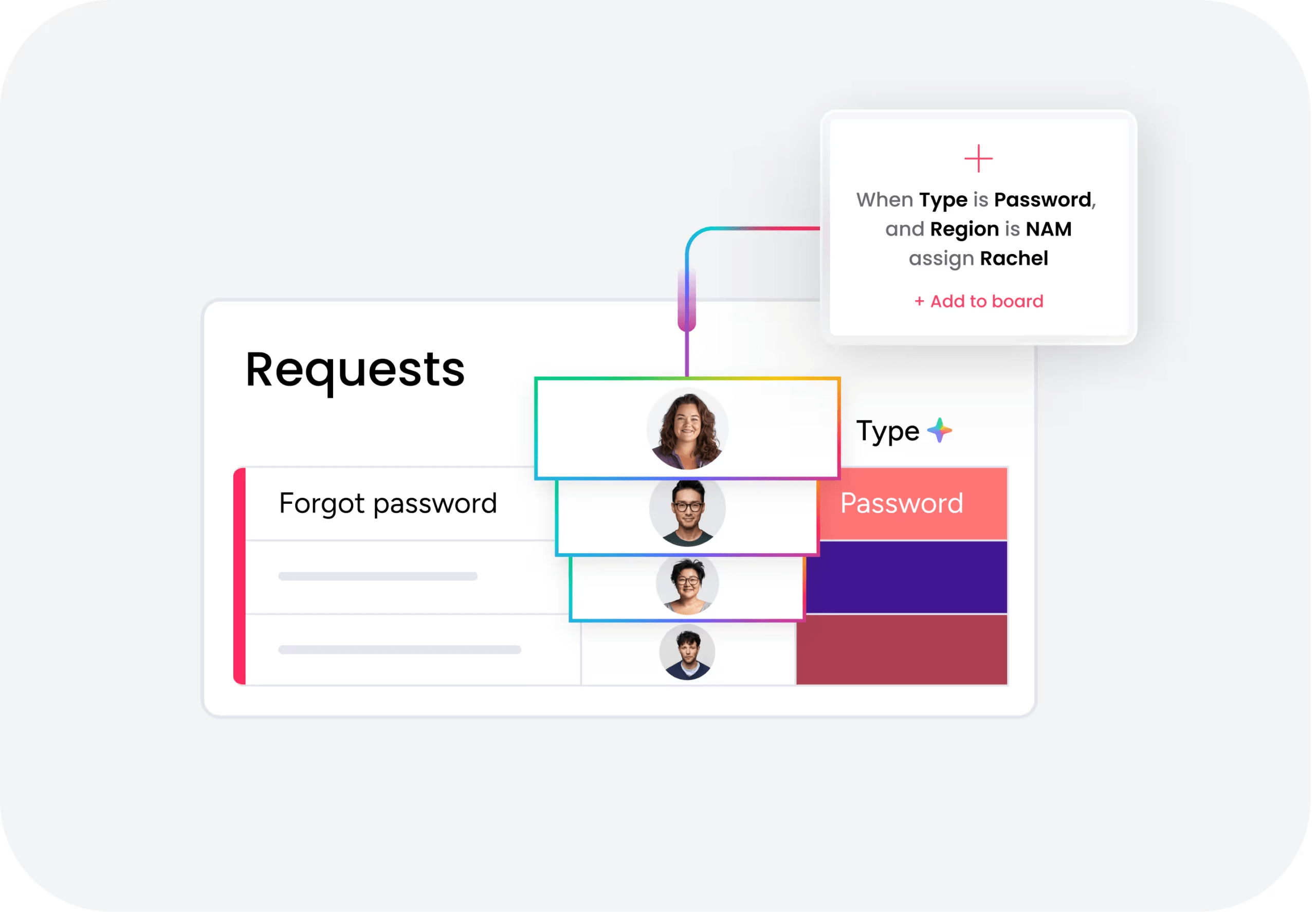
The workflows look different because they solve different problems. One is built for speed under pressure. The other is built for consistency and control. Seeing both side by side helps you understand why shared queues usually create more friction than they remove.
Incident management workflow
Incident workflows are designed to restore service quickly and follow clear escalation paths when first-line support can’t fix the issue.
- Detection and logging: The incident is reported by a user, monitoring system, or support agent and logged with key details.
- Categorization and prioritization: Teams classify the incident by type and assign a priority level based on urgency and business impact.
- Initial diagnosis: First-line support performs quick triage to identify scope and check for workarounds.
- Escalation if needed: Unresolved incidents move to specialized teams with full context.
- Resolution or workaround: Teams apply a fix or temporary workaround to restore service.
- Closure and documentation: Once service is restored, the incident is closed with full notes.
- Post-incident review: Major incidents get reviewed to prevent recurrence.
Service request fulfillment workflow
Service request workflows prioritize repeatability, approvals, and consistent delivery. The process is designed to handle predictable needs without emergency response.
- Submission through standard channels: The user submits a request through a portal, service catalog, or intake form.
- Validation and categorization: Teams match the request to a predefined service offering.
- Approval if required: Requests with cost, access, or compliance implications go to approvers.
- Assignment and fulfillment: The request is assigned, and the team or automated workflow completes the work.
- Delivery and confirmation: The service or item is delivered to the user.
- Closure and documentation: The request is marked complete and recorded.
With monday service, both workflows are supported in one platform, so incidents reach technical teams immediately while service requests flow through structured approval and fulfillment paths.
5 reasons to separate incidents from service requests
Why does it matter so much to keep these two ticket types apart? Mixing them in one queue is one of the most common service management mistakes, and it’s costing organizations more than they realize. In monday service, separating these workflows is the foundation for faster restoration, smarter routing, and cleaner reporting.
1. Faster restoration of business-critical services
When incidents compete with routine requests in the same queue, urgent disruptions can sit behind low-risk fulfillment work. A critical system outage shouldn’t wait behind a stack of software access requests, but that’s exactly what happens without separation.
Dedicated incident queues keep responders focused on restoration. That focus shortens response times and reduces the business cost of downtime. According to the U.S. Bureau of Labor Statistics, employer compensation averaged $46.60 per hour for private-industry workers as of March 2026, making each hour of downtime a measurable cost.
2. Cleaner ticket queues and smarter routing
Separated ticket types make routing logic sharper. Incidents go directly to the correct resolver group. Service requests flow into fulfillment teams, approval chains, or automated workflows without manual intervention.
This reduces reassignment loops and lowers the triage burden on the service desk. Leaders get cleaner queue visibility, which makes staffing decisions and backlog reviews much easier.
3. Lower cost to serve for routine requests
Routine requests become cheaper to fulfill once they’re isolated from break-fix work. Teams can standardize forms, automate approvals, and reduce the amount of agent time required per ticket.
Incidents need skilled troubleshooting. Service requests usually don’t. Separating them prevents expensive support capacity from being consumed by predictable work that could be automated.
4. Stronger governance and audit trails
Incidents and service requests generate different compliance records. Major incidents may require timeline reconstruction and root cause linkage. Service requests often need proof of approval and entitlement checks.
Keeping them separate creates clearer audit trails for both, which improves defensibility during audits and supports internal controls.
5. Sharper reporting and continual improvement
Separated reporting surfaces meaningful patterns. A dashboard that distinguishes outages from laptop requests gives leaders a clear view of operational health.
Separate reporting makes trends visible. Teams can analyze recurring incidents and escalation rates on one side, while tracking approval bottlenecks and automation opportunities on the other.
How to classify ambiguous tickets correctly
Not every ticket arrives neatly labeled. Some sit right on the line between something broken and something needed. So how do you decide?
The simplest rule: if something is broken, it’s an incident. If something is needed, it’s a service request. That single question handles most tickets in seconds.
But some scenarios genuinely require context. Here are a few common gray areas:
- Password reset: Usually a service request because it follows a standard fulfillment process. If the reset is tied to suspected account compromise or a broader authentication failure, treat it as an incident.
- Software not working: If the software was working and then stopped, it’s an incident. If the user never had access and is asking for it, it’s a service request.
- Slow system performance: If poor performance affects multiple users or a business-critical app, it’s an incident. If it’s isolated to one non-critical device, it may be handled as a lower-level support request.
- New hardware after a device failure: The device failure is an incident. The replacement order is a service request, so log them separately.
4 best practices for training agents on classification
Consistent classification doesn’t come from policy documents alone. It comes from repeated practice and systems that reinforce the right decision when the ticket is created.
- Build a classification decision tree: A simple visual flowchart helps agents move from symptom to category quickly, even when queues are busy.
- Review misclassified tickets in team meetings: Real examples from the team’s own queue build stronger judgment than abstract definitions.
- Define classification rules in the service catalog: Each catalog item should clearly state whether it creates a service request or triggers an incident workflow.
- Use AI-assisted classification: AI analyzes ticket text, spots intent, and suggests the right category before agents manually route the issue. On monday service, that reduces guesswork in high-volume environments.
SLAs, priorities, and metrics for incidents and service requests
An SLA, or Service Level Agreement, is a documented commitment that defines expected response and resolution times. Incidents and service requests use different SLA structures because their urgency and business impact aren’t the same.
Incidents usually have tighter response targets tied to priority levels. Service requests usually have fulfillment targets tied to request type and approval complexity. So what should you actually measure for each one?
Incident metrics that matter
Incident metrics focus on speed, impact, and operational control. They answer practical questions about how fast your team responds and whether disruptions are being managed well.
- Mean time to acknowledge (MTTA): Average time from incident creation to first active response.
- Mean time to resolve (MTTR): Average time from detection to full restoration of service.
- Incident volume by priority: Shows how many P1, P2, P3, and P4 incidents occur over time.
- Escalation rate: Percentage of incidents that required handoff beyond first-line support.
- Recurring incident rate: Reveals how often resolved issues come back, which signals problem management work.
Service request metrics that matter
Service request metrics focus on fulfillment speed, process efficiency, and user experience. They show whether your team is delivering standard services predictably.
- Mean time to fulfill (MTTF): Average time from submission to completed delivery.
- SLA compliance rate: Percentage of requests completed within the committed service window.
- Request volume by type: Shows which services users ask for most, which highlights automation candidates.
- Approval cycle time: Measures how long requests wait for managers or compliance checks.
- User satisfaction score (CSAT): Captures how users rate the service experience after fulfillment.
AI service management and automation are transforming how teams handle support work by removing routine tasks from human agents. They don’t replace judgment in complex cases, but rather they handle the predictable parts so people can focus on the complicated ones.
AI service management and automation are reshaping service management by removing routine work from human teams. They handle the predictable parts so people can focus on the complicated parts.
For IT directors and service desk leaders, the value is clear: sharper triage, faster routing, lower cost per ticket, and more consistent delivery at scale.
AI-powered classification and smart routing
AI analyzes ticket content, user context, and historical patterns to classify incoming work as an incident or service request automatically. It then routes the ticket to the right resolver group or fulfillment queue without waiting for manual triage.
This reduces misclassification and speeds up first touch, especially when small delays stack up across hundreds of tickets. On monday service, AI-based classification helps teams apply the right workflow from the start.
Autonomous resolution and self-service deflection
Many service requests are ideal for full automation. Password resets, access requests, and software provisioning can move from submission to fulfillment with little or no agent involvement.
For incidents, AI can surface relevant knowledge articles, recommend next steps, or summarize issue history before an engineer joins the case. Self-service deflection on monday service reduces ticket volume while preserving service quality.
Cross-departmental service management beyond IT
The incident vs service request model applies well beyond IT. Any department handling incoming work faces the same two patterns: something has gone wrong, or someone needs a standard service. That makes the model useful for HR, finance, legal, facilities, and other shared services teams. The terminology may vary, but the operating logic stays the same.
Incidents and service requests in HR
HR incidents involve disruptions that interfere with employee operations or compliance. A payroll system outage that prevents on-time payments is an incident. So is a data handling issue that creates a privacy risk.
HR employee requests are planned and repeatable, like updating benefits enrollment, requesting an onboarding checklist, or asking for a leave-policy clarification.
On monday service, finance and legal teams can configure separate intake forms for each ticket type.
In finance, incidents include an expense platform going down during month-end close or a failed payment processing batch. Service requests include reimbursement submissions, new budget codes, and vendor setup.
In legal, a contract management system outage is an incident. A request for NDA review or template access is a service request.
Incidents and service requests in facilities
Facilities incidents include badge readers going offline or HVAC outages affecting offices. Facilities service requests include desk moves, conference room setup, and maintenance scheduling.
With monday service, these cross-departmental workflows live in one place, helping each team standardize intake and visibility without forcing them into identical processes.
Try monday serviceUnify incident and service request management with monday service
The most effective approach manages incidents and service requests in one platform while keeping their workflows distinct. That balance gives teams unified visibility along with the clarity to act on what’s truly urgent.
monday service supports that approach by unifying both workflows in a single environment. Teams get the structure they need to separate break-fix work from fulfillment tasks, while maintaining full visibility across every ticket, every team, and every department.
AI-powered ticket classification
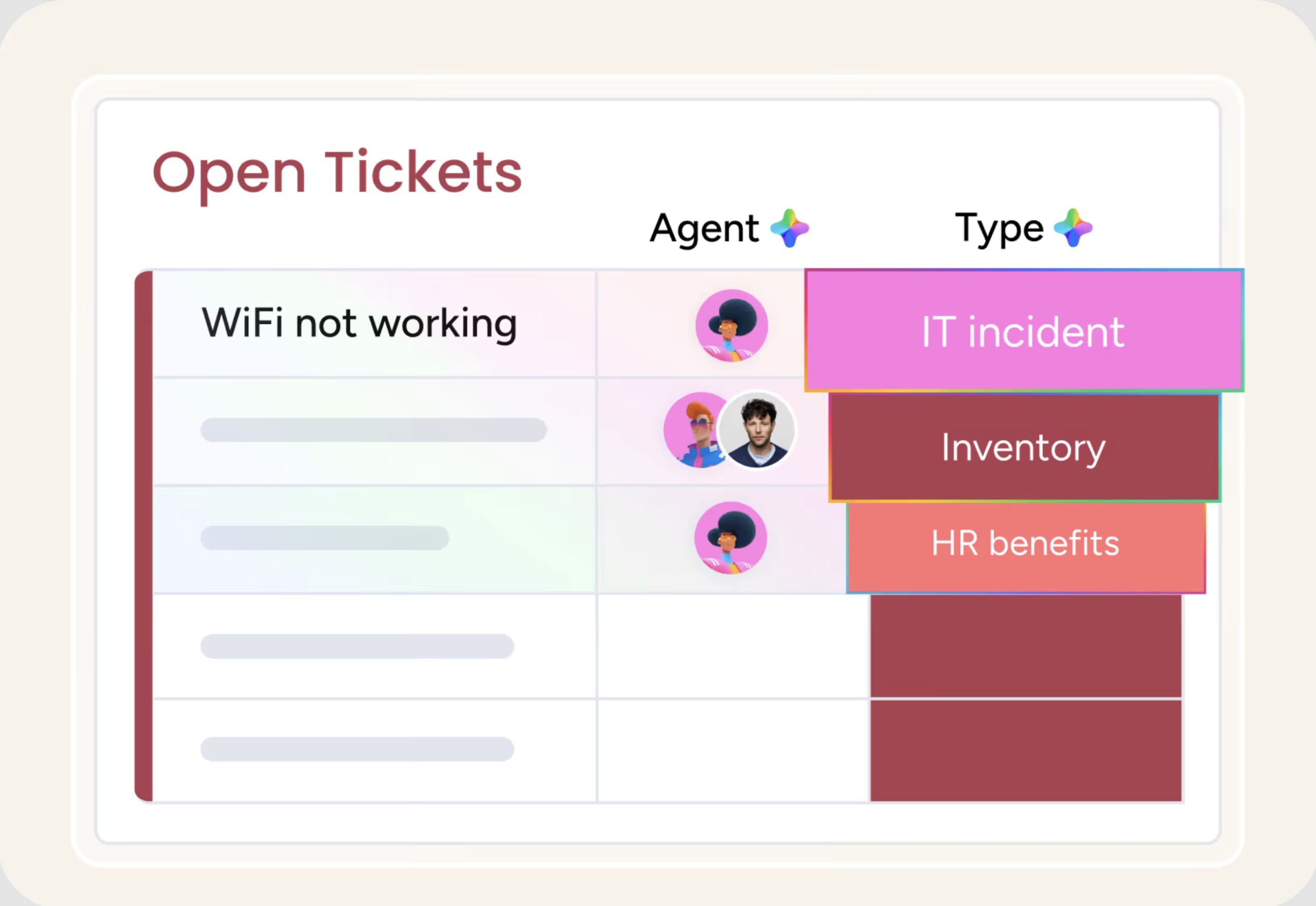
AI analyzes incoming tickets and automatically distinguishes disruptions from standard requests, improving routing accuracy from the start. This reduces misclassification and ensures urgent incidents reach the right resolver group immediately. Teams spend less time on manual triage and more time on resolution.
AI agents for autonomous resolution

AI agents handle routine service requests end to end, from intake through fulfillment, without human intervention. They can provision access, reset passwords, and complete standard workflows automatically. This frees up skilled agents to focus on complex incidents that require human judgment.
Separate incident and service request workflows
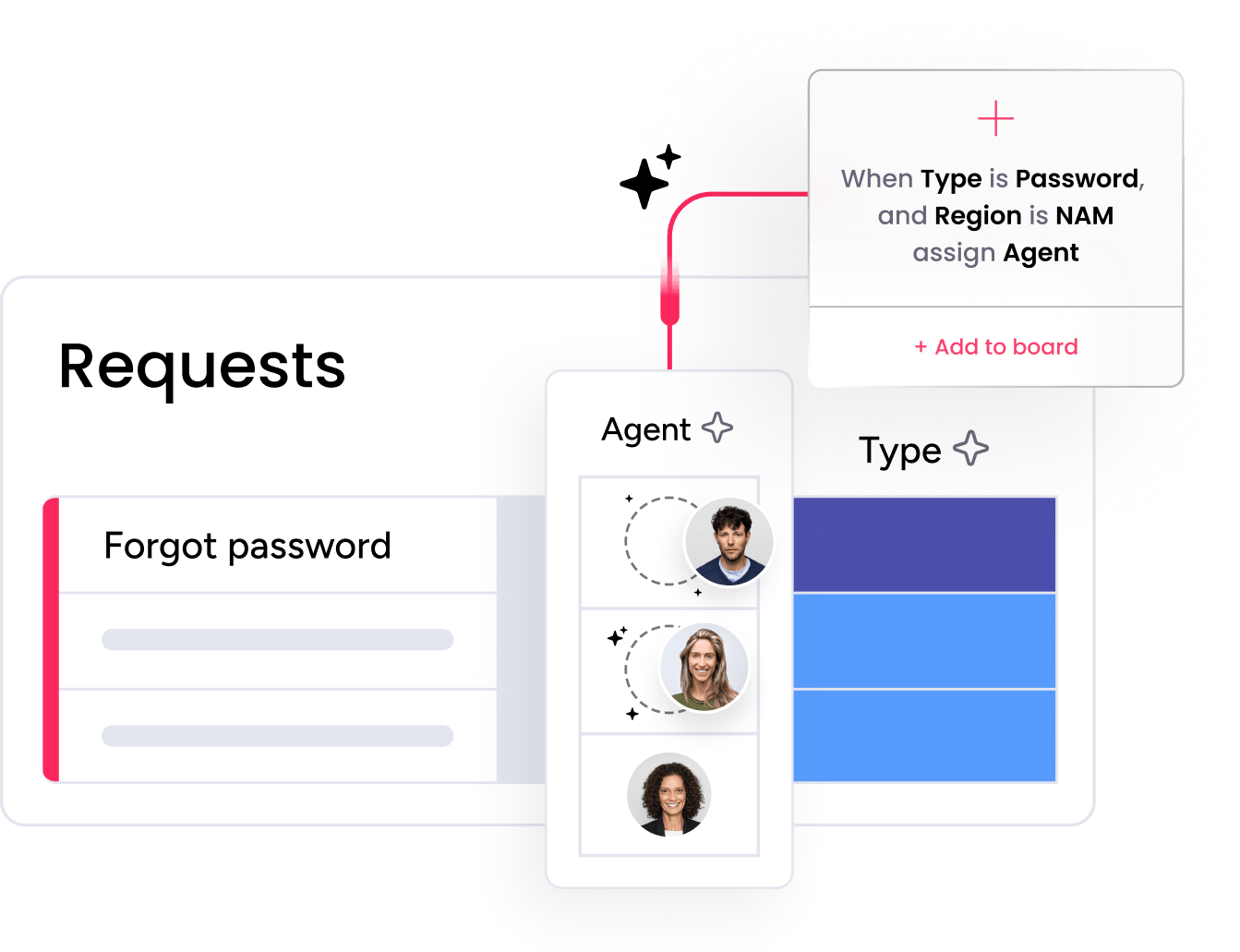
Incidents follow priority-based escalation paths while service requests move through structured fulfillment and approval flows. Each workflow is optimized for its purpose, so critical outages get immediate attention and routine requests move through predictable steps. Teams maintain clarity without sacrificing speed.
Real-time SLA tracking and reporting
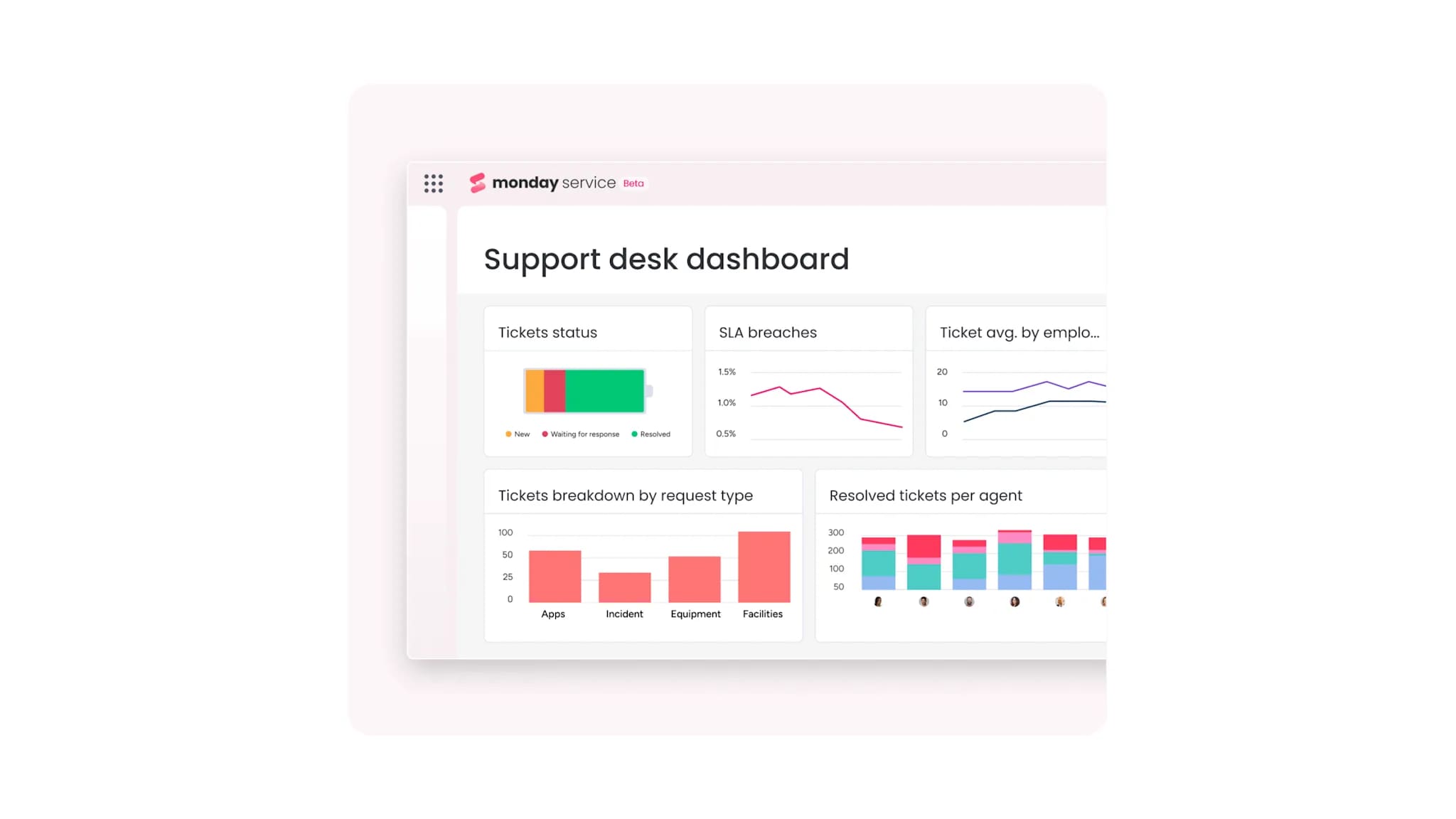
Live dashboards monitor incident response times, fulfillment performance, backlog trends, and compliance metrics in one view. Teams can track SLA adherence across both ticket types and spot patterns that signal process improvements. Reporting stays clean because the data reflects how work actually flows.
Build clarity into every ticket from day one
Separating incidents from service requests isn’t just about cleaner queues. It’s about protecting what matters most: fast restoration when systems fail and predictable delivery when users need standard services. Teams that treat these workflows differently see faster resolution times, lower costs, and reporting that actually drives decisions.
The right platform makes that separation automatic. With monday service, AI handles classification, workflows stay distinct, and your team gets full visibility without the chaos of disconnected tools. Start building smarter service operations today.
Try monday serviceFAQs
What is the difference between an incident and a change request?
An incident is an unplanned disruption to a service, while a change request is a formal proposal to modify a service, system, or configuration in a planned and controlled way. Change requests go through approval before implementation, while incidents require immediate response.
What are P1, P2, P3, and P4 incidents?
P1, P2, P3, and P4 incidents are priority levels based on impact and urgency. P1 is the most critical, such as a major outage with business-wide impact, while P4 is the least critical, such as a minor low-urgency issue affecting one user.
What is the SLA for a service request?
The SLA for a service request varies by organization and request type, but common targets range from same-day fulfillment for simple requests to three to five business days for more complex provisioning. The correct SLA should be defined in the service catalog for each request type.
Can a service request become an incident?
Yes, a service request can become an incident if the request uncovers an underlying service failure. For example, if a user requests access and the provisioning system is found to be down, log an incident and handle the disruption separately.
What is the difference between a problem and an incident?
An incident is an unplanned disruption that needs immediate restoration, while a problem is the underlying root cause of one or more incidents. Incident management restores service quickly, while problem management investigates why the disruption happened.
What is the ITIL definition of an incident?
Platforms that help manage incidents and service requests effectively include dedicated service management systems and an IT ticketing system that supports classification, routing, fulfillment, SLA tracking, and reporting. monday service unifies incident management, service request fulfillment, and cross-departmental service operations in one AI-native platform.

 Get started