

Every IT leader knows the feeling: a routine server update goes sideways, and suddenly an entire department loses access to critical systems. Unplanned outages like these happen because a change was made without the right process in place. IT change management gives organizations a structured way to plan, approve, and implement changes to their technology environment while minimizing risk.
This guide walks through everything you need to know about IT change management, from core definitions and proven frameworks to step-by-step processes and real-world best practices. Whether you’re formalizing change management for the first time or refining an existing program, you’ll find a clear path forward — including how the right platform can make the entire lifecycle easier to manage.
Key takeaways
- A structured IT change workflow reduces risk, prevents downtime, and maintains stable services.
- Role clarity and tiered approvals create accountability and transparency.
- Auditable records and documented controls support regulatory requirements.
- Integrating with DevOps and agile practices shortens approvals while maintaining control.
- Innovative platforms like monday service bring tickets, projects, and AI-driven automation together so IT leaders can move with speed and precision.
What is IT change management?
IT change management is the structured process for introducing updates, modifications, or fixes to technology systems while minimizing disruption. It provides a repeatable way to evaluate changes, gain approvals, and implement them without compromising service continuity.
Unlike organizational change management, which prepares people for new processes or roles, IT change management governs the systems, infrastructure, and policies that keep the business running.
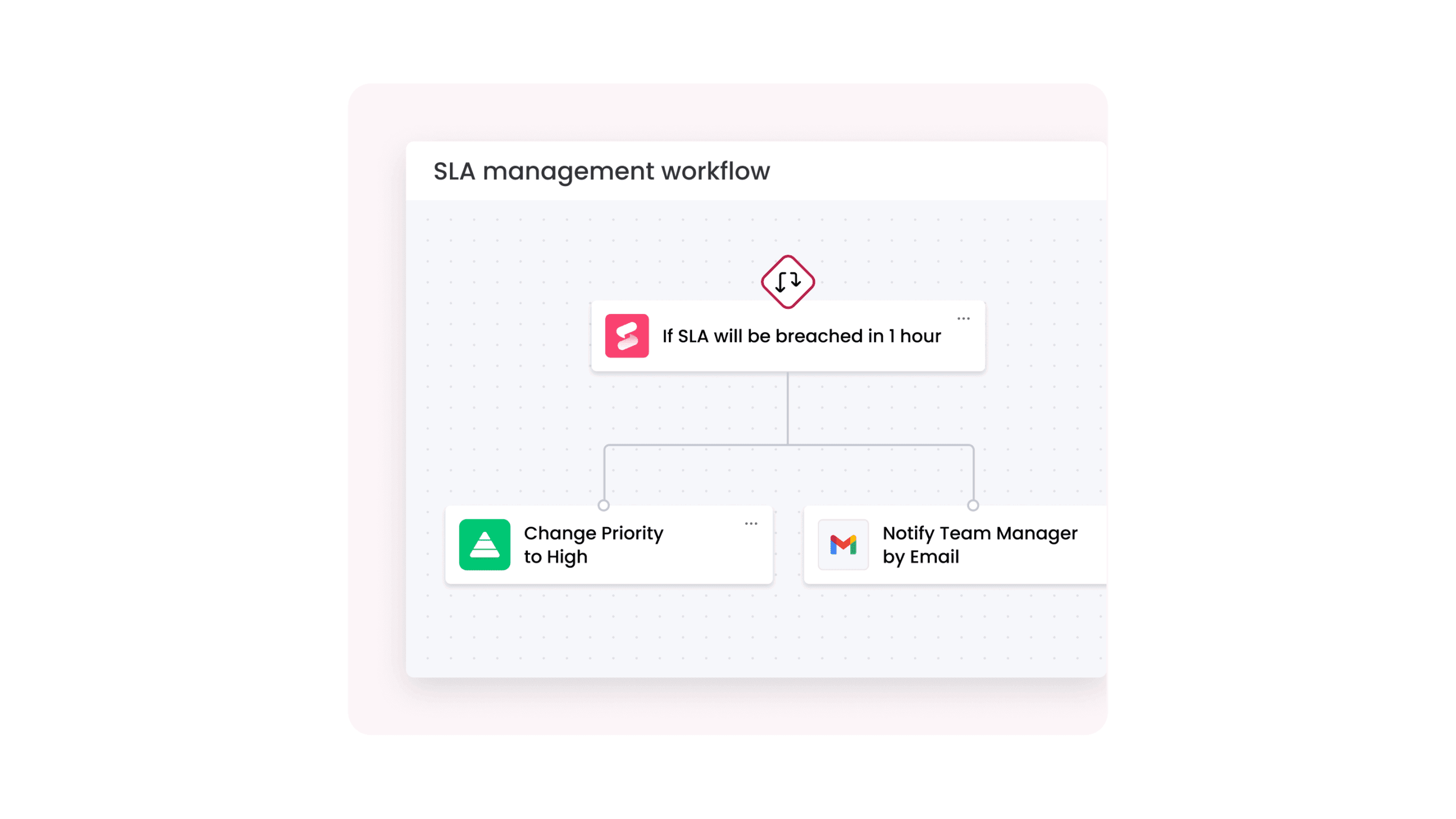
The scope extends well beyond software deployments. It includes infrastructure upgrades, security patches, network adjustments, and policy updates. A defined workflow helps teams carry out each change safely, consistently, and with accountability.
Why is IT change management important?
Unmanaged IT changes are one of the leading causes of service outages, and the financial impact is significant. According to Splunk research, the hidden costs of downtime — including lost revenue, regulatory fines, and diminished customer trust — can reach into the millions for large enterprises. A structured change management process directly reduces this risk by ensuring every modification is planned, tested, and approved before it touches production systems.
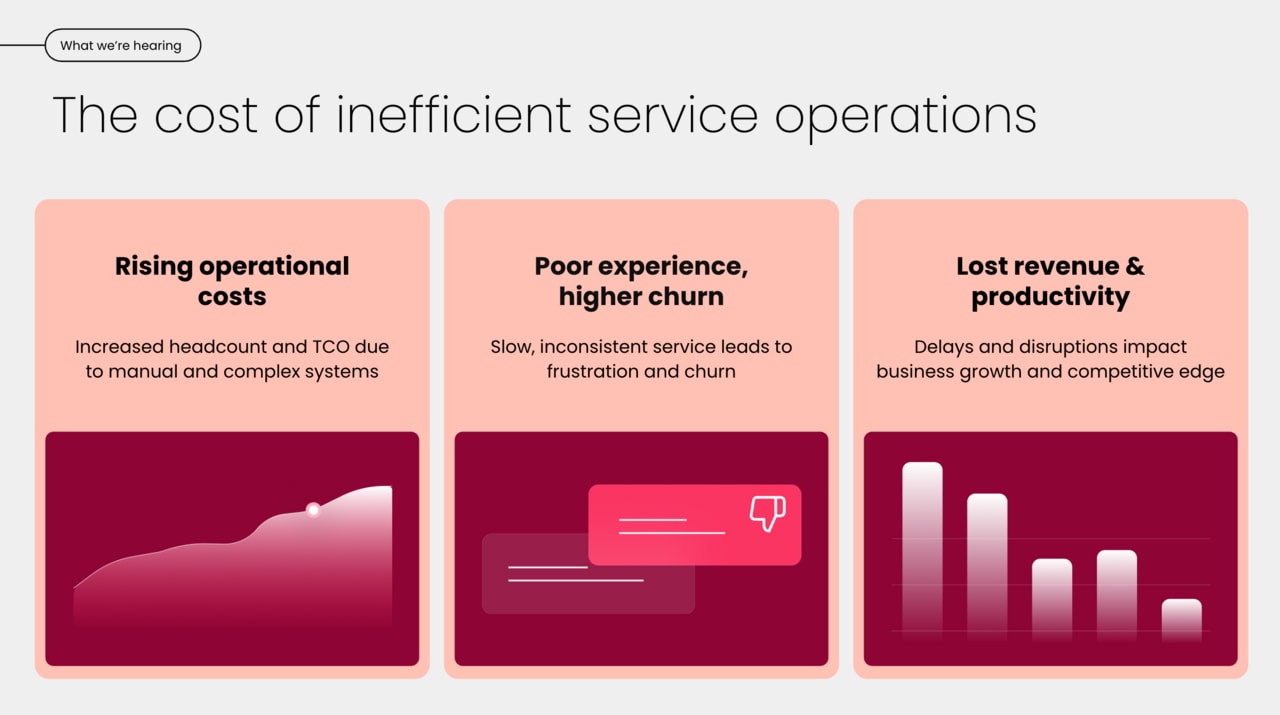
Beyond preventing outages, IT change management delivers a range of measurable benefits that compound over time. Organizations with mature change processes experience fewer change-related incidents, faster deployment cycles, and stronger regulatory compliance postures. Here’s what a well-designed change management program typically delivers:
- Reduced service disruptions: structured risk assessment catches potential conflicts and dependencies before changes go live, so teams can anticipate issues and act proactively.
- Faster, more predictable deployments: pre-approved workflows and clear handoff points eliminate guesswork, enabling teams to ship changes on schedule.
- Regulatory compliance: documented change records create an audit trail that satisfies frameworks like SOX, HIPAA, and ISO 27001.
- Stronger business agility: when teams trust the process, they’re more willing to propose and execute changes rather than maintaining the status quo out of fear.
- Improved quality management: post-implementation reviews feed insights back into future changes, creating a continuous improvement loop.
As AI accelerates the pace of IT changes across organizations, structured processes become even more essential. Teams deploying AI-powered services, updating machine learning models, or integrating intelligent automations need the same rigor — and often more — than traditional infrastructure changes.
What are the 3 types of IT changes?
Not every change carries the same level of risk or requires the same approval process. ITIL defines 3 core types of IT changes, each with distinct workflows, authorization requirements, and timelines. Some frameworks reference a fourth category — major changes — as a distinct type. These cover the vast majority of what IT teams encounter.
| Type | Risk level | Approval | Timeline | Example |
|---|---|---|---|---|
| Standard | Low | Pre-approved | Scheduled | Monthly security patches, user account provisioning |
| Normal | Medium to high | Change Advisory Board (CAB) | Planned window | Server migration, new application deployment |
| Emergency | High (but urgent) | Emergency CAB | Immediate | Critical security vulnerability fix, production outage resolution |
Standard changes
Standard changes are low-risk, well-understood modifications that follow a pre-authorized, repeatable process. Because the risks and implementation steps are already documented and approved, these changes don’t need individual CAB review each time they’re executed. Think of them as the changes your team performs so regularly that the approval is baked into the procedure itself.
Common examples include routine password resets, adding memory to a virtual machine within pre-defined parameters, deploying pre-tested patches on a set schedule, or provisioning a new employee’s standard software bundle. Organizations with mature change management programs aim to classify as many changes as possible as standard — it speeds delivery while maintaining control.
Normal changes
Normal changes carry moderate to high risk and require a formal assessment, planning, and approval cycle before implementation. These are the changes that go through the full change management process: a request is submitted, risk is evaluated, the Change Advisory Board reviews the plan, and implementation is scheduled within an agreed maintenance window.
Examples include migrating a database to a new server, deploying a significant software update across multiple departments, reconfiguring network firewall rules, or integrating a new third-party application with existing systems. The level of scrutiny scales with the change’s potential impact — a department-level software rollout might need a quick CAB review, while a data center migration could require multiple planning sessions and executive sign-off.
Emergency changes
Emergency changes address critical issues that require immediate action to restore service or prevent significant damage. They bypass the standard approval timeline — but they don’t bypass governance entirely. An emergency Change Advisory Board (eCAB), typically a smaller group with decision-making authority, evaluates and approves these changes in real time.
The key distinction is urgency, not importance. Emergency changes are triggered by events like active security breaches, production outages affecting customers, or compliance violations with regulatory deadlines. After implementation, every emergency change should go through a retroactive post-implementation review to document what happened, why, and how the process can improve for next time.
7 steps in the IT change management process
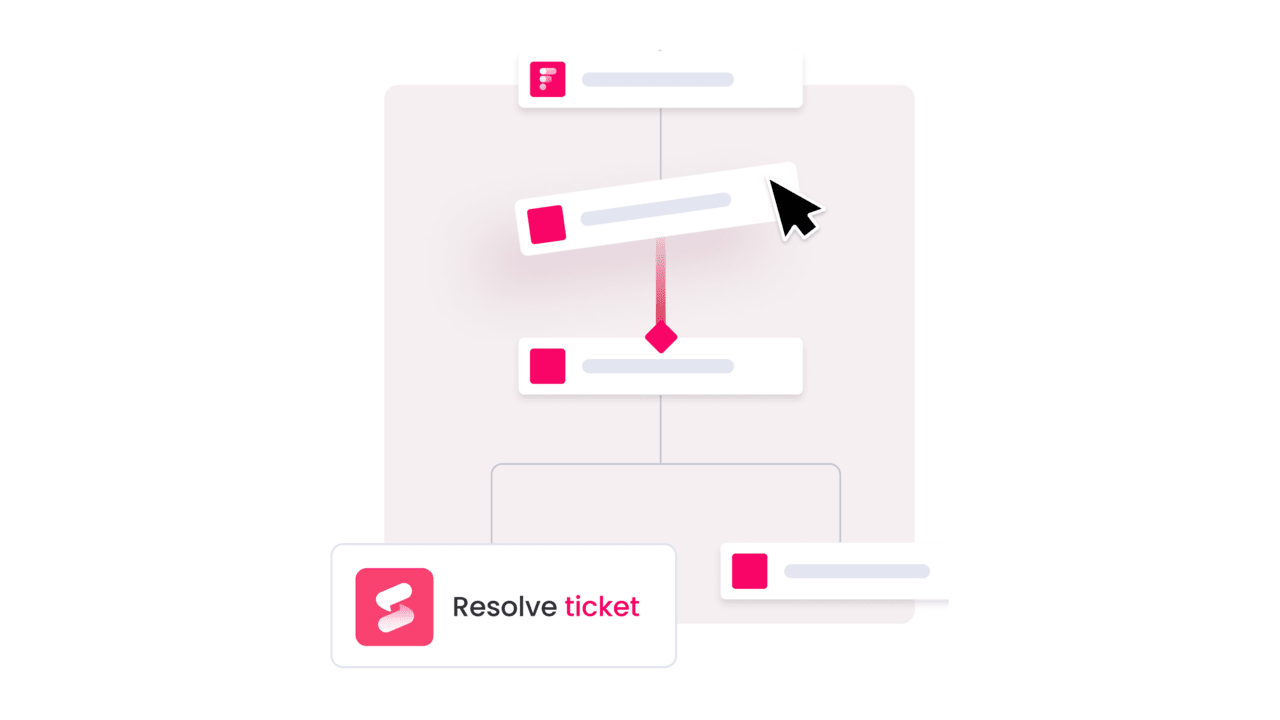
A well-defined IT change management process transforms ad-hoc modifications into a repeatable workflow that teams can follow consistently. While some frameworks use fewer steps, a 7-step process provides the right balance between thoroughness and speed — detailed enough to manage risk effectively, but streamlined enough that teams follow it rather than working around it.
Step 1: Submit the change request
Every change begins with a formal request that captures the what, why, and when. The change request (also called a Request for Change, or RFC) should document the proposed modification, its business justification, affected systems, and the desired implementation timeline. A well-structured intake form prevents incomplete submissions and gives reviewers the information they need to make quick decisions.
For example, a developer requesting a database schema update would submit an RFC detailing the specific tables affected, the reason for the change (such as supporting a new product feature), the expected downtime window, and any dependent systems that need coordination.
Step 2: Review and assess the change
Once submitted, the change request goes through an initial review to evaluate its validity, urgency, and potential impact. The change manager or designated reviewer checks whether the request is complete, identifies overlapping changes that could cause conflicts, and performs a preliminary risk assessment. This step filters out incomplete or premature requests before they consume CAB bandwidth.
Step 3: Plan the change
Approved requests move into detailed planning, where the implementation team maps out exactly how the change will be executed. This includes defining the technical steps, identifying resource requirements, scheduling the maintenance window, and — critically — creating a rollback plan. The rollback plan specifies exactly how to reverse the change if something goes wrong, including success criteria that determine whether the change should be rolled back.
Step 4: Get approval
The planned change goes before the Change Advisory Board for formal authorization. The CAB reviews the implementation plan, risk assessment, rollback strategy, and scheduling to determine whether the change should proceed. For standard changes, this step is pre-approved. For emergency changes, an abbreviated eCAB convenes in real time. Automated approval routing can significantly speed this step — platforms with built-in workflow automation route standard changes for instant processing while flagging higher-risk changes for human review.
Step 5: Implement the change
With approval secured, the implementation team executes the change according to the documented plan. Clear communication is essential here — affected stakeholders, support teams, and end users should know what’s happening, when it’s happening, and who to contact if they experience issues. The team monitors the change in real time, checking against pre-defined success criteria at each milestone.
Step 6: Review and close the change
After implementation, the team verifies that the change achieved its intended outcome without introducing new issues. This includes validating that all affected services are performing as expected, confirming that monitoring alerts haven’t triggered, and collecting initial feedback from IT operations management teams. If everything checks out, the change record is closed.
Step 7: Document and share learnings
The final step is often the most neglected — and arguably the most valuable. A post-implementation review (PIR) captures what went well, what didn’t, and what should change for next time. These learnings feed directly into process improvements, update knowledge bases, and help train team members. Organizations that consistently complete PIRs see measurable improvements in their change success rate over time.
Who is involved in IT change management?
Effective IT change management requires clearly defined roles with distinct responsibilities. When everyone knows their part, changes move through the pipeline faster and with fewer miscommunications. Here are the key roles you’ll find in most change management programs.
| Role | Primary responsibility |
|---|---|
| Change manager | Owns the change management process end-to-end. Reviews requests, coordinates approvals, and ensures compliance with policies. |
| Change Advisory Board (CAB) | Cross-functional group that evaluates risk, reviews plans, and authorizes normal and major changes. Includes representatives from IT operations, security, development, and business units. |
| Change owner | The individual or team responsible for planning and executing a specific change. Accountable for the implementation plan and rollback strategy. |
| Change agent | Champions the change within the organization. Helps communicate the rationale, gathers feedback, and addresses resistance from affected teams. |
| IT operations | Provides technical expertise, executes implementations, and monitors systems during and after changes. |
| Stakeholders and end users | Provide input on requirements, participate in testing, and are directly affected by the change outcomes. |
The Change Advisory Board deserves special attention because it’s where cross-functional governance happens. A well-functioning CAB accelerates change by providing a structured forum where technical risk, business impact, and scheduling conflicts are evaluated in a single meeting rather than through a chain of ad-hoc emails and approvals.
How does ITIL define change management?
ITIL (the IT Infrastructure Library) is the most widely adopted framework for IT service management, and its approach to change management has shaped how organizations worldwide handle IT changes. With the release of ITIL 5 in February 2026, the framework has evolved to address the realities of AI-driven operations, cloud-native architectures, and the accelerating pace of digital transformation. Building on ITIL 4’s shift from “change management” to “change enablement,” ITIL 5 doubles down on the philosophy that change processes should enable speed and innovation while maintaining appropriate controls.
What does ITIL 5 bring to change enablement? The updated framework introduces several key enhancements:
- AI-assisted risk assessment: ITIL 5 acknowledges that AI and automation can evaluate change risk, detect conflicts, and recommend approval paths faster and more consistently than manual review alone.
- Continuous change validation: rather than treating change as a discrete event, ITIL 5 emphasizes ongoing validation through automated testing, observability, and real-time monitoring — especially critical in DevOps and cloud environments.
- Value stream integration: change enablement is now explicitly positioned within the broader value stream, ensuring that changes are evaluated not just for technical risk but for their contribution to business outcomes.
- Adaptive governance: ITIL 5 encourages organizations to tailor their change processes based on context — team maturity, deployment frequency, and regulatory requirements — rather than applying a one-size-fits-all model.
8 IT change management best practices
What separates organizations that consistently deliver successful changes from those constantly fighting fires? It often comes down to a handful of foundational elements: strong leadership sponsorship, clear communication, thorough training, well-documented processes, and data-driven measurement. These pillars form the foundation, and the 8 best practices below show how to put them into action.
- Automate approvals for standard changes: pre-approved, low-risk changes shouldn’t wait in a queue. Set up automated workflows that route standard changes for instant processing based on predefined criteria — risk level, change type, and affected systems. This frees your CAB to focus on the changes that actually need human judgment.
- Maintain a shared change calendar: a centralized change calendar gives every team visibility into what’s changing, when, and where. It prevents scheduling conflicts (sometimes called “change collisions”) and helps support teams prepare for potential impacts. The calendar should be accessible to everyone, not locked inside a single team’s spreadsheet.
- Require rollback plans for every change: no change should move to implementation without a documented reversal strategy. The rollback plan should include specific triggers — measurable criteria that determine when to execute the rollback rather than pushing forward. This removes the emotional decision-making that often leads teams to “just fix it in production.”
- Integrate change and incident management: changes cause incidents, and incidents trigger changes. Linking these two processes creates a feedback loop where incident data informs risk assessments for future changes, and change records help incident teams quickly identify root causes. A change management platform that connects these workflows eliminates manual cross-referencing.
- Build cross-functional CABs: your Change Advisory Board should include perspectives from security, operations, development, and the business units affected by each change. A narrow CAB misses risks; an inclusive one catches them early. Keep CAB meetings focused with standardized agendas and pre-circulated change summaries.
- Communicate proactively, not reactively: affected stakeholders should hear about upcoming changes before they experience them, not after. Establish communication templates for different change types — maintenance windows, feature rollouts, and emergency changes each warrant different messaging, timing, and channels.
- Use data to drive continuous improvement: track metrics like change success rate, emergency change ratio, and mean time to implement. Review these numbers regularly with your team and use them to identify process bottlenecks. Organizations that measure change performance consistently improve it.
- Start with templates, then customize: don’t build from zero. Leverage pre-built change management templates for common change types, then adapt them to your environment. Templates enforce consistency, reduce onboarding time for new team members, and capture institutional knowledge in a reusable format.
How does change management work for agile and DevOps teams?
Traditional change management — with its weekly CAB meetings and multi-day approval cycles — wasn’t designed for teams shipping code multiple times per day. But that doesn’t mean agile and DevOps teams can skip change management. They need a different flavor of it: one that’s baked into the delivery pipeline rather than bolted on afterward.
How do you reconcile the need for governance with the speed of continuous delivery? The answer lies in shifting risk assessment left — evaluating changes earlier in the development lifecycle rather than at the point of deployment. Here’s what that looks like in practice:
- Peer-reviewed changes replace CAB reviews: for low-to-medium risk changes, code reviews and pull request approvals serve as the governance mechanism. The review happens at the source, with team members who understand the technical context making the risk call.
- Automated change records: CI/CD pipelines automatically generate change records as deployments flow through staging and production environments. This creates the audit trail compliance requires without asking developers to fill out forms manually.
- Pre-approved change categories: teams define categories of changes (such as feature flags, configuration updates, or non-breaking API changes) that are pre-authorized for deployment without individual approval. This mirrors the “standard change” concept but at a much more granular level.
- Shift-left risk assessment: automated testing, security scanning, and impact analysis happen during the build phase, not after a change is queued for production. By the time code reaches the deployment pipeline, most risks have already been identified and addressed.
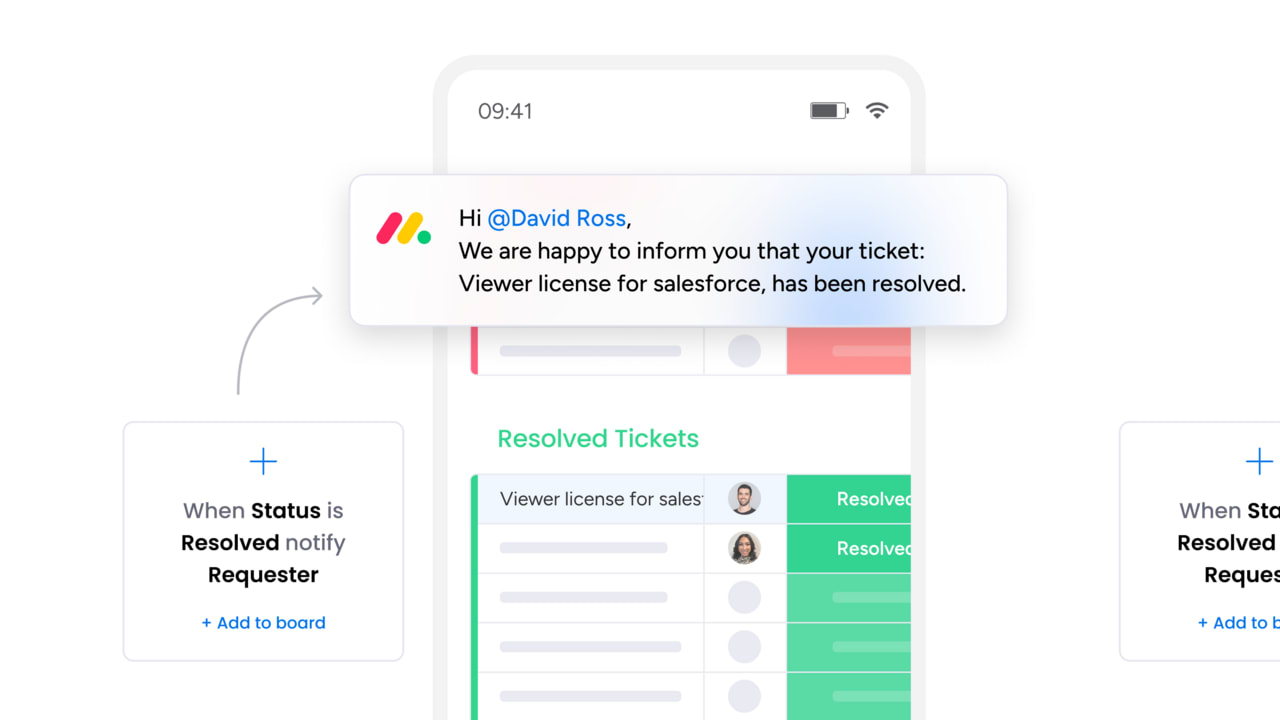
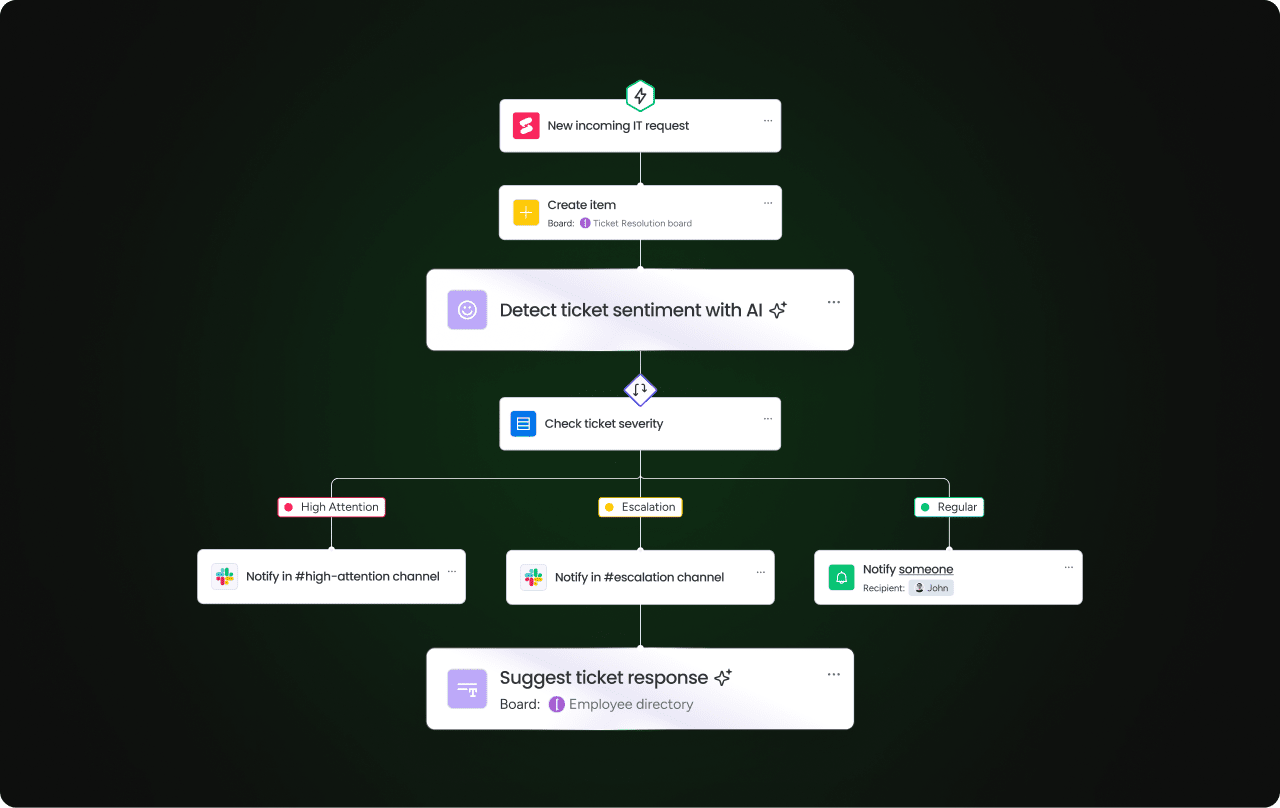
AI-powered categorization adds another layer of efficiency. Platforms that automatically classify changes based on their scope, affected systems, and historical patterns can route each change to the appropriate approval path — instant for standard changes, expedited for normal changes, and escalated for anything that warrants closer review.
How do you build a culture that supports change?
Even the most sophisticated change management process will fail if the people involved don’t trust it — or each other. Culture is the invisible architecture that determines whether a change management program thrives or becomes a bureaucratic checkbox exercise that teams actively work around.
To build a culture that embraces change rather than resisting it, the following principles consistently appear in organizations with high change success rates:
- Executive sponsorship: visible leadership support signals that change management isn’t optional. When executives participate in change reviews and reference change metrics in business discussions, teams take the process seriously.
- Psychological safety: teams need to feel safe reporting failed changes without fear of blame. Blameless post-implementation reviews encourage honest reporting and faster learning.
- Transparent communication cadence: regular updates on upcoming changes, recent successes, and lessons learned keep everyone informed and reduce the anxiety that comes from unexpected modifications.
- Quick wins and recognition: celebrate successful changes, especially early in a program’s maturity. Recognizing teams that follow the process — and achieve positive outcomes because of it — reinforces the behavior you want to see.
- Continuous training: change management isn’t something you learn once. Regular workshops, updated documentation, and mentoring programs help teams stay current as processes evolve.
Learn more: Organizational change management
4 strategic frameworks for IT change management
Frameworks give your change management practice a theoretical backbone — a set of principles and stages to guide how you approach change at a strategic level. While the 7-step process we covered earlier is operational (it tells you what to do), frameworks are directional (they tell you how to think about change). Here are 4 frameworks commonly applied to IT change management, each suited to different organizational contexts.
| Framework | Core concept | Best suited for |
|---|---|---|
| Lewin's Change Model | Three phases — Unfreeze (prepare), Change (implement), Refreeze (sustain). Focuses on disrupting the status quo, making the change, and then stabilizing the new state. | Organizations making a single large-scale transition, such as migrating from on-premises infrastructure to cloud. |
| Kotter's 8 Steps | A sequential model that emphasizes urgency, coalition-building, and embedding change into culture. Particularly strong on the leadership and communication aspects. | IT transformations that require significant organizational buy-in, such as adopting a new ITSM platform across the enterprise. |
| ADKAR | Awareness, Desire, Knowledge, Ability, Reinforcement. A people-focused model that addresses the individual journey through change. | Changes where end-user adoption is the primary success factor — new self-service portals, updated ticketing workflows, or changes to how employees submit requests. |
| ITIL Change Enablement | Risk-based, service-focused approach that categorizes changes by type and applies proportional governance. Integrates directly with ITIL service management practices. | Organizations already using ITIL for service management who want their change process to align with their broader ITSM framework. |
How do you measure IT change management performance?
What gets measured gets improved and IT change management is no exception. Yet, many organizations operate their change programs with minimal visibility into actual performance, relying on gut feel rather than data to evaluate whether the process is working. Defining and tracking the right KPIs transforms change management from a compliance exercise into a strategic advantage.
Here are the most important metrics, along with benchmarks to gauge where your program stands.
| KPI | What it measures | Target benchmark |
|---|---|---|
| Change success rate | Percentage of changes implemented without causing incidents or requiring rollback | Above 95% |
| Change-related incident rate | Number of incidents directly caused by changes, relative to total changes | Below 5% |
| Mean time to implement (MTTI) | Average time from change request submission to completed implementation | Decreasing trend quarter over quarter |
| Emergency change ratio | Percentage of all changes classified as emergency | Below 10% (high ratios indicate reactive operations) |
| Change backlog size | Number of approved changes awaiting implementation | Stable or decreasing — growth signals bottlenecks |
| PIR completion rate | Percentage of changes that receive a post-implementation review | Above 90% for normal and emergency changes |
6 common IT change management challenges and how to solve them
Even well-designed change management programs encounter obstacles. The difference between mature and immature programs isn’t the absence of challenges — it’s the ability to recognize and address them systematically. Here are six challenges that consistently surface across organizations of all sizes, along with practical approaches for overcoming each one:
- Resistance to change: teams push back when they see change management as overhead rather than protection. The root cause is usually a lack of communication about why the process exists. Solve this by sharing data on change-related incidents that occurred before the program was in place, and by involving skeptical team members in process design. People support what they help create.
- Lack of visibility across changes: when teams manage changes in separate spreadsheets, email threads, and ticketing systems, no one has a complete picture of what’s changing and when. Centralize change tracking in a single platform that all teams can access. A unified change calendar with automated status updates eliminates the “I didn’t know that was happening” problem.
- Bottlenecked approvals: CAB meetings that happen once a week create artificial delays for changes that are ready to go. Solve this with tiered approval models — pre-approve standard changes, delegate low-risk normal changes to designated approvers, and reserve full CAB review for high-impact modifications. Automated routing accelerates this further.
- Poor documentation: incomplete change records make it impossible to diagnose problems after implementation or learn from past changes. Use structured templates with mandatory fields that capture the information your team actually needs — not a 40-field form that people fill with placeholder text to get through the process.
- Change collisions: two changes targeting the same system during the same window can create unpredictable interactions. A shared change calendar with conflict detection alerts teams when proposed changes overlap. Automated scheduling checks catch collisions that manual review would miss.
- Change fatigue: this is the newest and arguably most significant challenge facing IT organizations. As the pace of digital transformation accelerates, teams face a relentless stream of changes that can lead to disengagement, shortcuts, and burnout. The solution isn’t fewer changes — it’s making changes easier to execute through automation, clearer communication, and protected time for teams to absorb and adapt to what has changed before the next wave arrives.

How monday service streamlines IT change management
Managing IT changes across complex environments requires a platform that connects every step of the lifecycle — from the initial request through post-implementation review — without forcing teams to juggle disconnected systems.
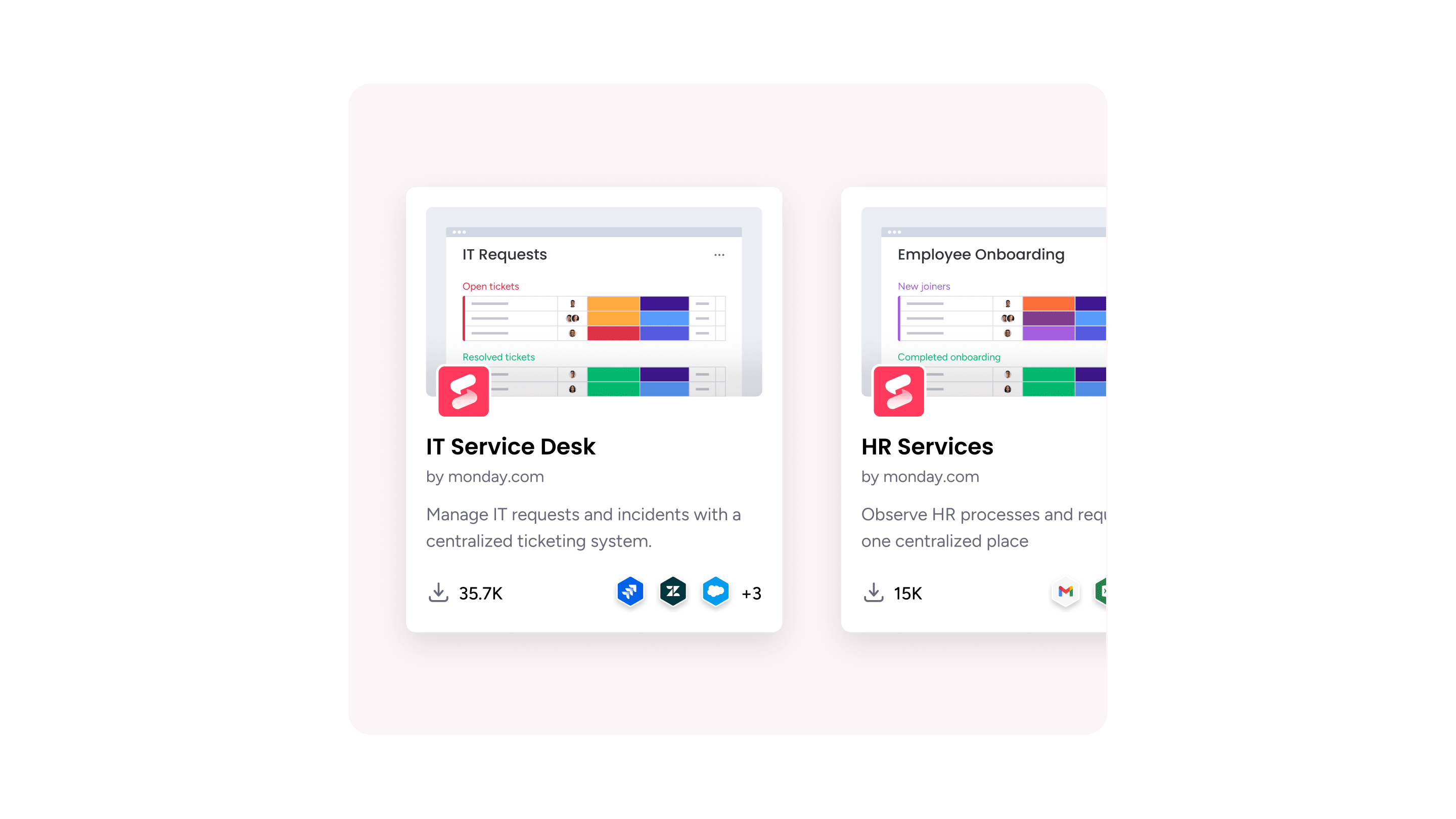
monday service brings change management into a single, customizable workspace where IT teams can plan, approve, implement, and measure changes with full visibility across the organization.
Here’s how monday service addresses the core requirements of a modern IT change management program:
- AI workforce and smart routing: the Service AI Supervisor automatically routes incoming change requests to the right team based on type, urgency, and affected systems. Specialized AI agents handle intake and triage, categorization, and even preliminary approvals for standard changes — with autonomy rate tracking so you always know how much the AI handles independently versus what requires human review.
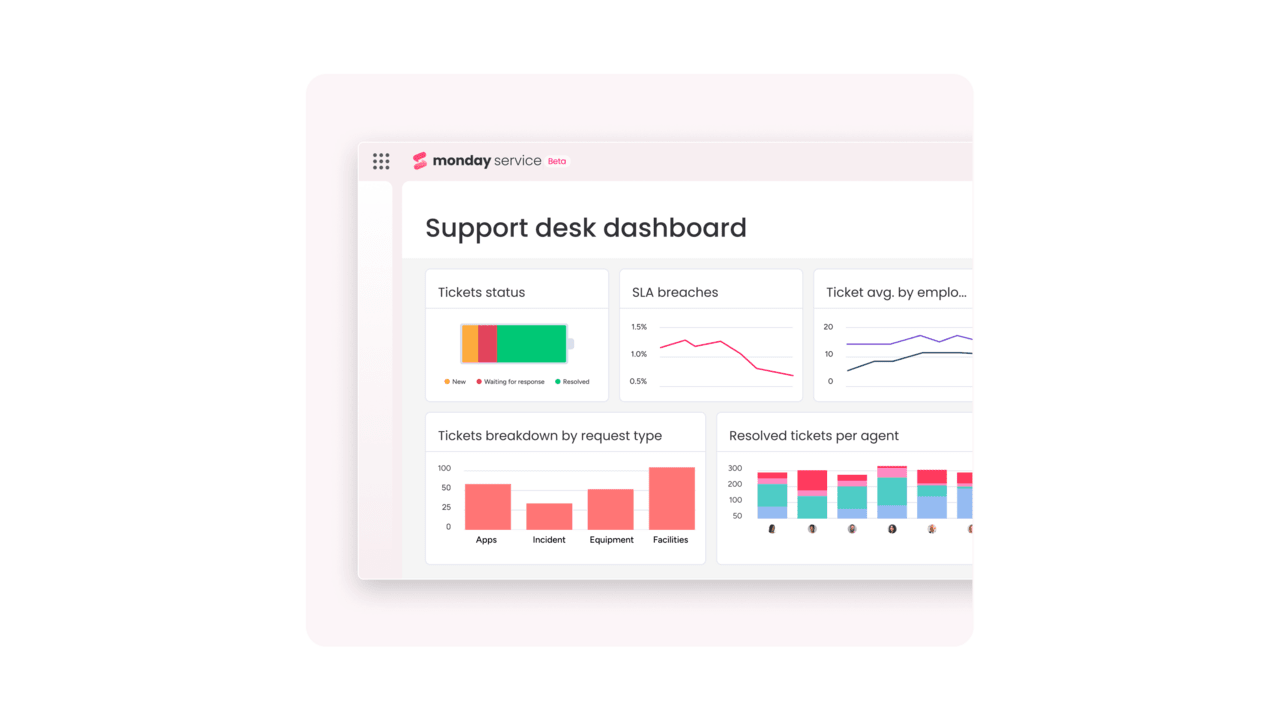
- No-code workflow builder: drag-and-drop automation for change approval workflows means IT teams can build and modify their processes without waiting for platform administrators. Pre-built automations handle standard change auto-approval, SLA escalations, and stakeholder notifications.
- AI-powered columns: automatic categorization, sentiment detection, and summarization for change requests. AI columns can classify incoming changes by type and risk level, extract key details from free-text descriptions, and flag potential conflicts with scheduled changes.
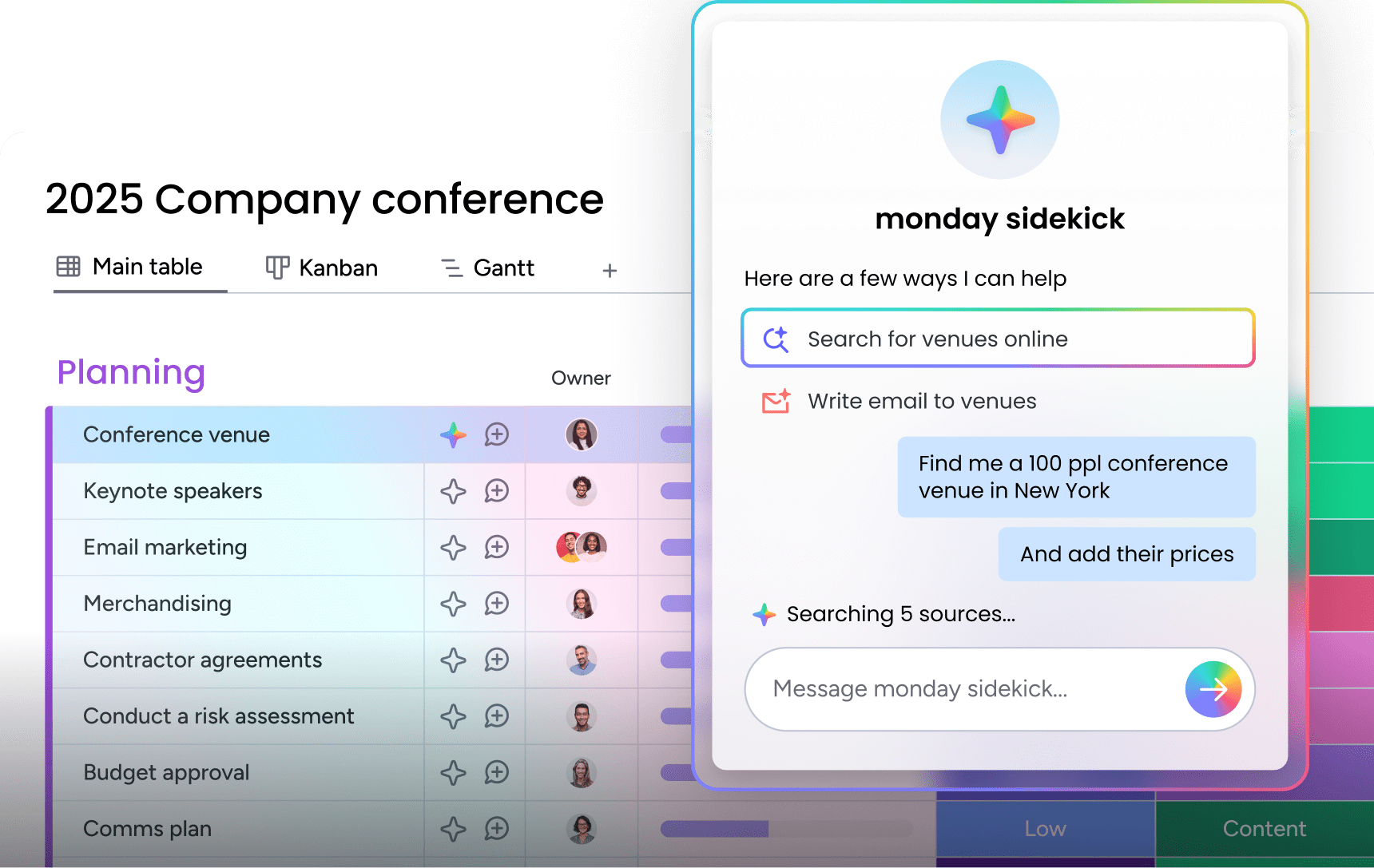
- monday sidekick: an AI assistant that provides ticket summaries, suggested next actions, and draft communications for change coordinators — reducing the manual effort of managing high-volume change queues.
- Incident management integration: linked incident boards connect changes to related incidents, providing full impact visibility. When a change causes an incident, the connection is immediate and traceable — no manual cross-referencing required.
- SLA tracking: built-in SLA columns with time-to-resolution monitoring and compliance alerts ensure that change requests don’t stall in approval queues beyond agreed timelines.
- Customer portal and IT service portal: self-service interfaces where employees can submit change requests, track their status, and receive automated updates — reducing the back-and-forth that slows down the intake process.
- Service analytics: real-time dashboards for change success rates, volume trends, emergency change ratios, and team performance give change managers the visibility they need to identify bottlenecks and demonstrate program value to leadership.
- Knowledge management: centralized documentation for change procedures, runbooks, and post-implementation reviews. The knowledge base connects directly to the change workflow, so teams can access relevant documentation without leaving their workspace.
- Asset management integration: changes are linked to the specific assets they affect, providing full configuration context and impact assessment data within the change record itself.
Transform how your team handles IT change
IT change management is a maturity journey. Most organizations progress through a natural arc: from ad-hoc (changes happen without any formal process) to reactive (processes exist but are inconsistently followed) to proactive (changes are planned, measured, and continuously improved) to optimized (AI and automation handle the routine work while humans focus on high-value decisions).
Wherever your organization sits on that spectrum, the path forward involves the same core elements: clear processes, cross-functional collaboration, data-driven measurement, and a platform that makes it easy to follow the process rather than work around it. The organizations that succeed with IT change management are the ones that treat it not as bureaucratic overhead, but as the foundation that makes it safe to move fast.
monday service gives IT teams the flexibility to start simple and scale as their change management practice matures — with AI-powered automation, customizable workflows, and real-time analytics that grow alongside your program.
Try monday serviceFAQs
What are the 5 steps in the change management process?
The 5 steps in the change management process are: request the change, plan the implementation, approve the change, implement it, and review the results. Some frameworks, including ITIL, expand this into 7 steps by adding separate assessment and documentation phases. The core principle remains the same — every change should follow a structured path from submission to completion with appropriate risk evaluation at each stage.
What is the difference between change management and change enablement?
The difference between change management and change enablement is primarily philosophical rather than structural. ITIL 4 renamed the practice from "change management" to "change enablement" to emphasize that the goal is to enable valuable changes to happen quickly and safely, not just to control or restrict them. In practical terms, the processes are the same — request, assess, approve, implement, review — but the "enablement" mindset encourages teams to reduce unnecessary barriers and automate low-risk approvals.
What are the 5 key elements of successful change management?
The 5 key elements of successful change management are leadership sponsorship, clear communication, targeted training, well-documented processes, and ongoing measurement. Leadership sponsorship provides the organizational authority and visibility the program needs. Communication ensures affected teams understand what's changing and why. Training equips people with the skills to follow the process. Documented processes create consistency and repeatability. Measurement through defined KPIs provides the data needed to continuously improve.
How does IT change management work in an agile environment?
IT change management in an agile environment shifts from periodic CAB approvals to continuous, pipeline-integrated governance. Peer-reviewed code changes replace formal CAB reviews for low-risk modifications. CI/CD pipelines automatically generate change records as deployments flow through environments. Pre-approved change categories allow standard changes to proceed without individual authorization. The result is governance that operates at the speed of continuous delivery rather than at the pace of weekly meetings.
Is change management certification worth it for IT professionals?
Yes. Certifications provide recognized knowledge, open career opportunities, support professional development, and enhance organizational credibility.
What are the biggest challenges in implementing an IT change management process?
Common challenges include cultural resistance, complexity in integrating tools, limited resources, and standardizing processes across diverse teams.
How do automated approvals work for low-risk changes?
Automated approvals use predefined criteria and risk scoring to route low-risk requests. Peer review or automated triggers approve them, while audit logs maintain compliance.
What's the role of a rollback plan in IT change management?
A rollback plan ensures business continuity by restoring systems to a stable state if a change fails, minimizing impact and recovery time.
How do you prevent change collisions and scheduling conflicts?
Change collisions are avoided through calendar-based scheduling, dependency analysis, automated conflict detection, and consistent cross-team coordination.

 Get started