


When teams grow, answers aren’t great at scaling with them. The same questions hit IT, Ops, HR, and customer-facing teams every day: how to request access, where to find a policy, what the process is, who approves what. If those answers live across chat threads, shared drives, and half-finished docs, people either interrupt colleagues or make guesses. Both cost time, and both create risk.
An enterprise knowledge base platform fixes that by giving your organization a single place to publish approved answers and make information easy to find across tools your teams already use.
This guide compares 10 enterprise knowledge base platforms for 2026, so you can see what each tool does best. If you’re building knowledge management alongside IT service workflows, you’ll also see how monday service supports service teams with structured knowledge and self-service.
Try monday serviceKey takeaways
- Enterprise knowledge bases allow people to answer their own questions quickly. They require reliable search functionality and a structure that stays organized as content volume and team access expands.
- Permissions should match real org structure, with role-based access, approver controls, and visibility rules that work across departments and regions.
- AI features help when they respect access controls and fit your governance model; treat “AI answers” as a UX layer, not the system of record.
- Integrations decide adoption, because teams look for answers inside the tools they already live in, like service desk, chat, CRM, and doc suites.
- monday service fits teams who want knowledge connected to service operations, so requests and resolutions feed better articles over time.
What is an enterprise knowledge base platform?
An enterprise knowledge base platform is a centralized system for creating, managing, and sharing approved information across a large organization. Teams use it to publish clear answers to recurring questions so employees or customers can self-serve instead of raising tickets or chasing colleagues. This reduces repetitive inquiries while giving people faster access to reliable guidance.
Example: Internal IT support
An employee needs access to a new internal tool. Instead of messaging IT or submitting a ticket, they search the knowledge base and find a step-by-step guide that explains eligibility, approval rules, and what happens after the request is submitted. The same article is linked inside the service desk, so if a ticket is raised later, agents and employees are working from the same source of truth.
Example: Policy and compliance guidance
A regional HR team needs to confirm how a global policy applies locally. The knowledge base shows the approved policy and any regional exceptions, so they can act with confidence without waiting for clarification from headquarters.
What features should you look for in an enterprise knowledge base platform?
Enterprise knowledge bases live or die by adoption. The features below determine whether people use the system or fall back on familiar habits like using Slack messages and emails to answer questions.
- Intuitive search: Return relevant answers quickly, even when queries are vague or phrased inconsistently.
- Native integrations: Find knowledge inside enterprise service desks, collaboration tools, and document systems your teams already use.
- Role-based permissions: Control who can view, edit, or publish content based on role, team, or region.
- Governed AI assistance: Generate drafts or suggested answers using approved sources while respecting access rules.
- Scalable content structure: Organize articles using clear categorization, tagging, and ownership as content volume grows.
- Multi-language support: Maintain localized versions of content without fragmenting the underlying knowledge base.
- Cross-device access: Make information available on desktop and mobile without sacrificing usability.
10 top enterprise knowledge base platforms to consider in 2026
Our list of enterprise knowledge base software is based on hands-on research into how teams use knowledge base platforms in practice. Our research included:
- Reviewing verified user feedback from enterprise teams across service, IT, and operations roles
- Analyzing how each platform handles scale, permissions, and content governance
- Comparing AI capabilities with an emphasis on accuracy, sourcing, and access rules
- Assessing integration depth with service desks, collaboration tools, and enterprise systems
- Excluding tools that work well for small teams but struggle at enterprise volume
The result is a practical comparison of platforms that organizations rely on to manage and deliver knowledge at scale in 2026.
1. monday service
Best for: service-led knowledge tied to IT workflows
monday service is a service management platform built on the monday.com Work OS. It supports enterprise knowledge bases by connecting articles directly to tickets, requests, and workflows, so knowledge is created, maintained, and used in the context of real service operations rather than as a standalone repository.
Key features
- Knowledge management tied to live tickets and service requests
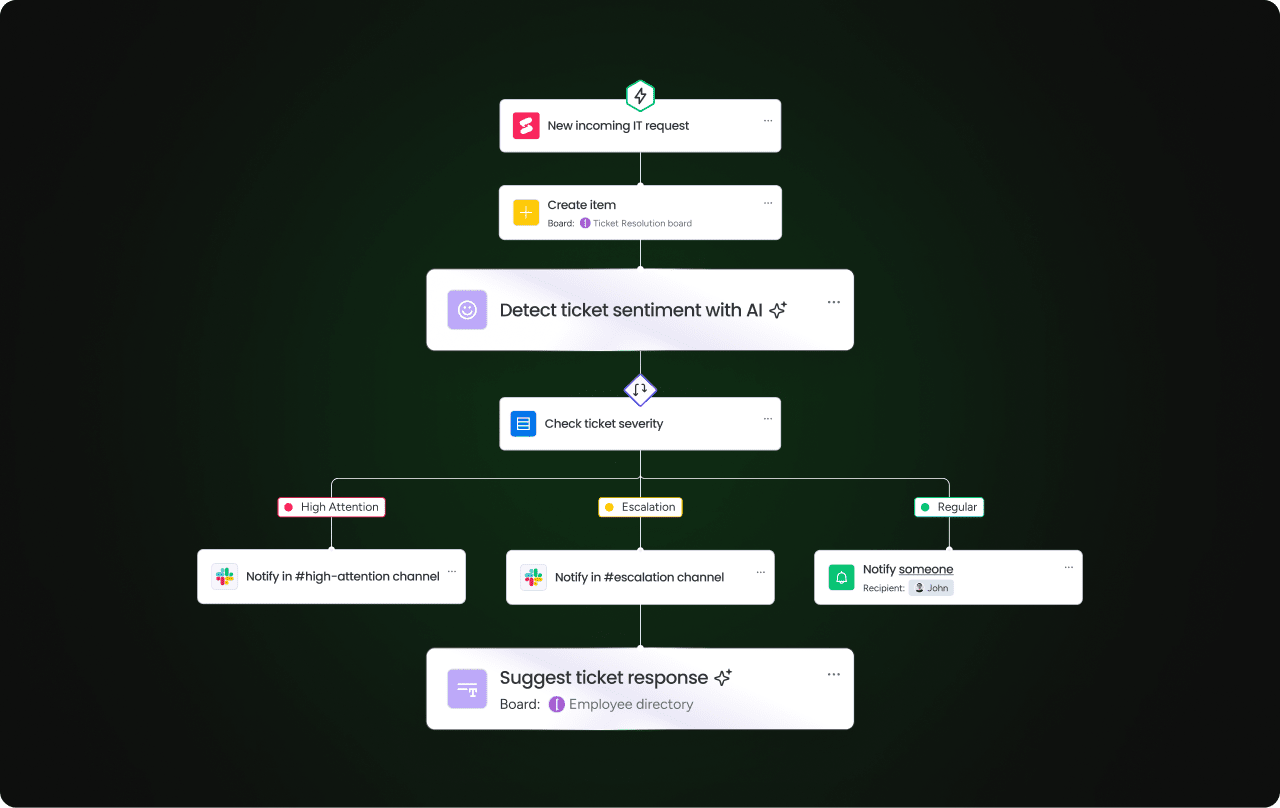
- AI-powered routing, categorization, and summarization to support self-service
- Role-based permissions and approvals aligned with service ownership
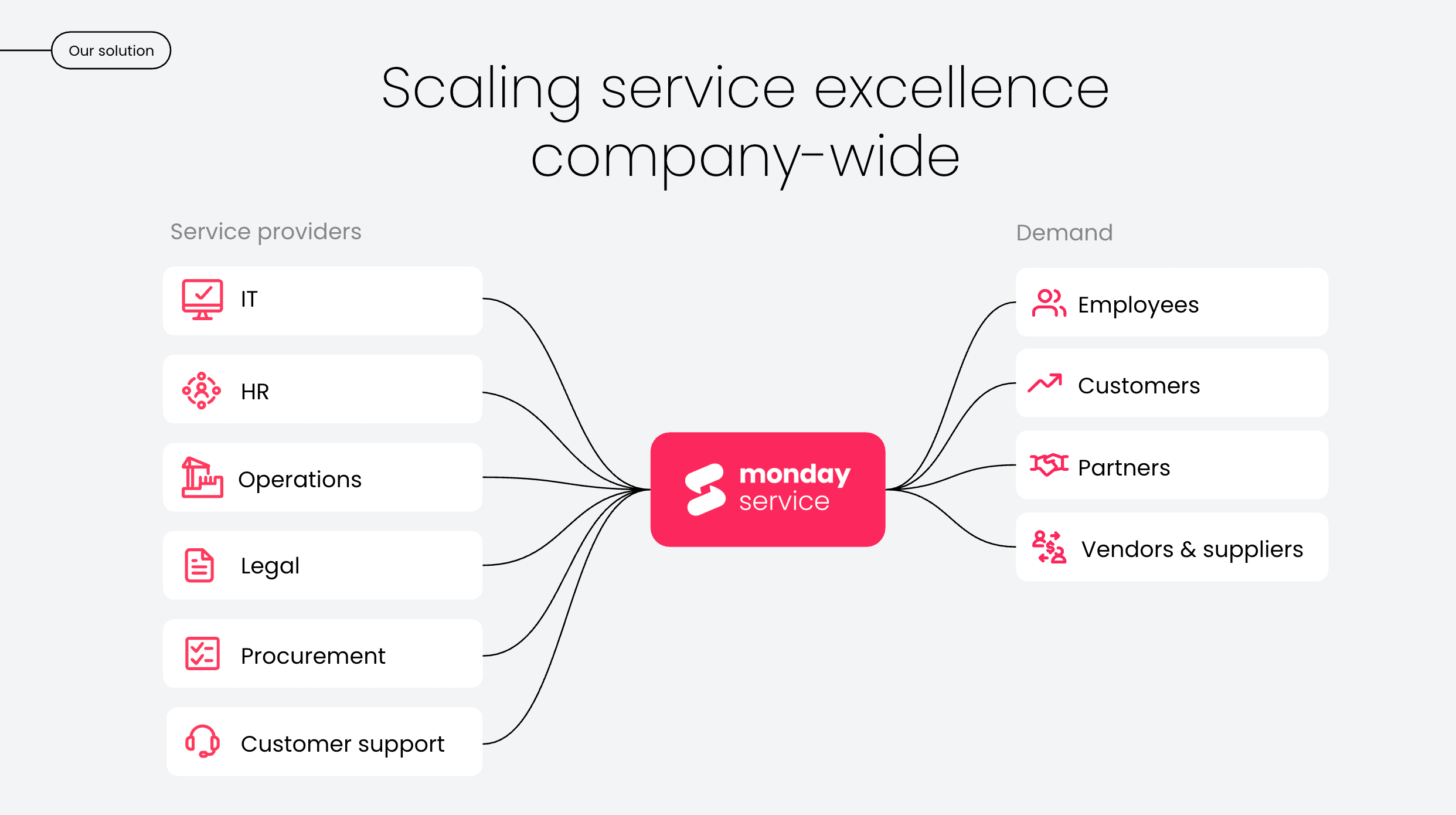
- Cross-team workflows that connect IT, HR, Ops, and other service functions
- Analytics that link knowledge usage to ticket volume, service level agreements, and resolution trends
Pricing
- Free plan for up to 2 seats
- Free trial available
- 3 paid plans: Standard, Pro, and Enterprise
- Paid pricing starts at $26/seat/mo
What users are saying

"Our team LOVES the monday service platform and we’re already exploring how we could incorporate it for other departments, too. It has streamlined our workflow in a way that both our team and customers appreciate."
Andrew Marshall | VP Operations
״monday service provides clear insights into requests volume and types, response times, and trends - helping us continuously improve operations"
Grant De Waal-Dubla | CIO
"The biggest value for us is speed and flexibility. You can get up and running in days, change anything instantly, and see everything in real time. And you don’t need a dedicated admin to do it."
Clive Camilleri | Head of People Tech & Operations2. Confluence
Best for: engineering and IT documentation in Jira environments
Atlassian’s Confluence is a collaborative documentation platform used heavily by product, engineering, and IT teams. It works as an internal knowledge base when teams want shared ownership, strong versioning, and deep alignment with Jira-based workflows rather than formal service or policy management.
Key features
- Page-based documentation with real-time collaboration and version history
- Tight integration with Jira and Jira Service Management for linking tickets, incidents, and knowledge
- Structured templates for technical docs, runbooks, and internal guides
- Granular page permissions and space-level access controls
- Inline comments and mentions for collaborative editing and review
Pricing
- Free trial available
- Free forever plan for 10 users
- 3 paid plans: Standard, Premium, and Enterprise
- Paid pricing starts at $5.42/user/mo
What users are saying
“I really enjoy using Confluence because it integrates closely with Jira and Jira Service Manager, which we also use. We use it as our knowledge base, and we share articles from it daily with the people who rely on us for support.” — Antonio D., a lead product engineer for an enterprise company
3. Notion
Best for: flexible, collaborative internal knowledge at scale
Notion is a flexible workspace platform that combines notes, databases, and documents into a single interface. It works well as a knowledge base when teams want a highly customizable structure and integrated AI assistance. Notion scales from small teams to enterprises that favor collaboration over rigid templates.
Key features
- Page and database system for building custom knowledge structures
- Notion AI for drafting, summarizing, and updating content inside pages
- Enterprise search across pages, databases, and workspaces
- Flexible templates for policies, guides, and internal documentation
- Real-time editing with comments and mentions
Pricing
- Free trial
- Free plan
- 3 paid plans: Plus, Business, and Enterprise
- Paid pricing starts at $10/member/mo
What users are saying
“You can use it as a simple notes app or build powerful databases for projects, tasks, and knowledge, all in one clean, distraction-free workspace. The way everything links together makes organizing ideas feel natural, and it scales smoothly from personal use to team collaboration.” — IT S., an enterprise analyst
4. Guru
Best for: verified answers delivered inside daily work
Guru is a knowledge management platform that focuses on delivering verified answers at the point of need. Instead of long-form documentation, it emphasizes short, trusted knowledge cards inside everyday work tools.
Key features
- Verification workflows that assign subject matter experts to review and maintain content
- Knowledge cards built for concise, reusable answers rather than full documents
- AI-powered answers that pull from Guru and connected sources like Google Drive, Slack, and Gong
- Browser extension and in-app integrations that highlight knowledge without switching tools
- Analytics that show content usage, confidence, and review status
Pricing
- Paid pricing starts at $25/seat/mo
- Custom quotes are available for enterprise customers
What users are saying
“I like Guru’s verification, cadencing and assignment features, which help us ensure information stays up to date and is reviewed by the right people. The AI agents are great as they use our sourced data from Guru and other locations like Google Drive, Gong, and Slack to answer questions effectively. This feature really helps prevent SMEs and legacy employees from having to deal with too many repetitive questions.” — Shona F., a product manager
5. Bloomfire
Best for: enterprise-wide search across mixed content formats
Bloomfire is an AI-powered knowledge management platform that centralizes organizational information and helps teams find answers quickly, regardless of content type or source. Enterprise companies can use it to reduce search time and improve how they create, share, and access knowledge across departments.
Key features
- AI-powered search that indexes documents, posts, video, and attachments
- Built-in Q&A that lets teams ask and answer questions directly in the platform
- Content feeds and categories that organize knowledge by audience or topic
- Integrations that pull in content from tools like Google Drive and SharePoint
- Analytics Suite that shows what content is used and where gaps exist
Pricing
- Free trial available
- 3 paid plans: Team, Department, and Enterprise
- Accurate pricing is available from the vendor on request
What users are saying
“The platform is extremely intuitive and has significantly improved our team’s productivity. We’ve cut down on repetitive questions, saved time onboarding new team members, and reduced unnecessary meetings. It’s now our go-to hub for collaboration and knowledge management.” — Jasmine J., a licensed agent
6. Zendesk Guide
Best for: support-driven self-service and ticket deflection
Zendesk Guide is the knowledge base that sits inside Zendesk’s customer and employee support platform. It works alongside ticketing, chat, and messaging, so articles are accessed directly in the context of support requests rather than as a standalone knowledge system.
Key features
- Help center for publishing customer-facing or internal support articles
- Native linking between tickets and knowledge base content inside Zendesk Support
- Search and article suggestions that find relevant content during ticket handling
- Content permissions and versioning tied to Zendesk user roles
- Analytics that show article usage and ticket deflection
Pricing
- Free trial available
- Included with Zendesk Suite plans (Team, Professional, and Enterprise)
- Pricing depends on the Zendesk plan tier and number of agents
- Zendesk Guide is not priced as a standalone product
What users are saying
“I find the Zendesk Support Suite incredible for maintaining an active, easy-to-update knowledge base that allows users to self-serve for their basic, 101-level questions. This significantly cuts down the number of support tickets, which is essential for our operations. The internal linking of knowledge base articles within support tickets provides a seamless experience that expedites ticket responses and keeps our processes organized.” — Scott S., a Zendesk user
7. Document360
Best for: structured, governed documentation and help centers
Document360 is a documentation-first knowledge base platform with a dedicated portal for writers, reviewers, and admins. It supports structured authoring and search visibility controls, which makes it a strong fit for teams publishing customer-facing help centers or tightly managed internal documentation.
Key features
- Category manager with drag-and-drop hierarchy support
- Dual editors (advanced WYSIWYG and Markdown) plus pre-designed templates
- Duplicate content detection powered by its AI layer
- Workflow builder that maps draft-to-publish stages with roles and checkpoints
- Built-in SEO controls for knowledge bases, including AI-generated metadata, robots.txt editing, and auto XML sitemaps
Pricing
- Free trial available
- 3 paid plans: Professional, Business, and Enterprise
- Accurate pricing is available from the vendor on request
What users are saying
“Document360 not only simplifies documentation management but also strengthens collaboration, ensures reliability, and provides actionable insights that help organizations continuously improve their knowledge base.” — Nikita N., a senior technical writer
8. Stonly
Best for: guided, interactive knowledge and decision paths
Stonly is an example of a knowledge base platform that combines structured content with interactive logic, helping teams create step-by-step help and decision trees. Rather than static articles alone, Stonly lets users follow guided paths that find the exact information they need based on how they ask for it.
Key features
- Interactive guides and decision paths that deliver tailored help based on user input
- Instant AI Answers derived from your existing knowledge base content
- Search across topics, guides, and steps to locate relevant content fast
- Embeddable knowledge base widget for websites and apps without coding
- Segmentation and targeting to show specific content based on user or context
- Help desk integrations with tools like Zendesk and Salesforce
Pricing
- Free trial available
- 2 paid plans: Small Business and Enterprise
- Accurate pricing is available from the vendor on request
What users are saying
“Our sales team is engaged in a high-velocity motion that requires a degree of scripting and immediate access to reference materials to guide the customer’s evaluation proccess. Stonly allowed us to create end-to-end call guides with process logic, and the table of contents feature ensured our reps could maneuver through the guides and pivot in real-time as customers asked questions about specific features and benefits.” — Ryan W., a director of sales
9. GitBook
Best for: structured internal documentation for technical teams
GitBook is a documentation and knowledge base platform built for structured internal knowledge. It blends article authoring with database-style organization so teams can publish, update, and navigate content that stays accurate and easy to browse as it grows.
Key features
- Structured content organization using collections, hierarchies, and linked pages
- Inline collaboration with comments, mentions, and shared editing for teams
- Unified internal search across all documentation and knowledge collections
- Metadata and page properties for filtering, categorization, and content discovery
- Permission controls and team management for access and publishing roles
Pricing
- Free trial available
- Free plan for 1 user
- 3 paid plans: Premium, Ultimate, and Enterprise
- Paid pricing starts at $65/site/mo plus $12/user mo
What users are saying
“GitBook excels at making technical documentation accessible and collaborative. Its clean, intuitive interface allows teams to create well-structured documentation without requiring extensive technical knowledge.” — Mario C., an open source maintainer
10. Wiki.js
Best for: open-source, self-hosted enterprise wiki environments
Wiki.js is an open-source, Node.js-based wiki and knowledge platform built for flexibility and performance. It’s a good choice for technical teams or organizations that want full control over deployment, customization, and data, especially when they have the internal resources to manage infrastructure.
Key features
- Markdown and rich-text editing with live preview and content history
- Flexible hosting and deployment options (self-hosted, cloud, or containerized)
- Access controls and authentication connectors (LDAP, OAuth, SSO) for secure teams
- Full-text search that’s fast and efficient even with large content sets
- Modular UI with configurable themes, custom navigation, and extensible integrations
Pricing
- Free open-source pricing
What users are saying
“The advantages of using wiki.js is that it is an open source tool which makes it’s use very vast among the engineers. Also the other use of wiki.js is that it is faster than the most common node.js” — Tarang N., an enterprise systems associate

Power your enterprise knowledge base with monday service
Enterprise knowledge bases deliver value when they stay visible and connected to the work they support. monday service approaches knowledge management as part of service delivery, rather than a separate content system. Linking articles with specific tickets, workflows, and cross-department service operations allows organizations to transform everyday service activity into reliable, reusable knowledge. Here’s how.
Turn resolved tickets into draft knowledge automatically
monday service can use AI Blocks to generate first-draft knowledge articles based on resolved tickets, request summaries, or incident patterns. For example, once a recurring issue reaches resolution, AI can draft a step-by-step article using ticket data, resolution notes, and attachments. Teams review, edit, and approve the draft before publishing, which reduces manual documentation effort without bypassing governance.
Keep knowledge current through no-code service automations
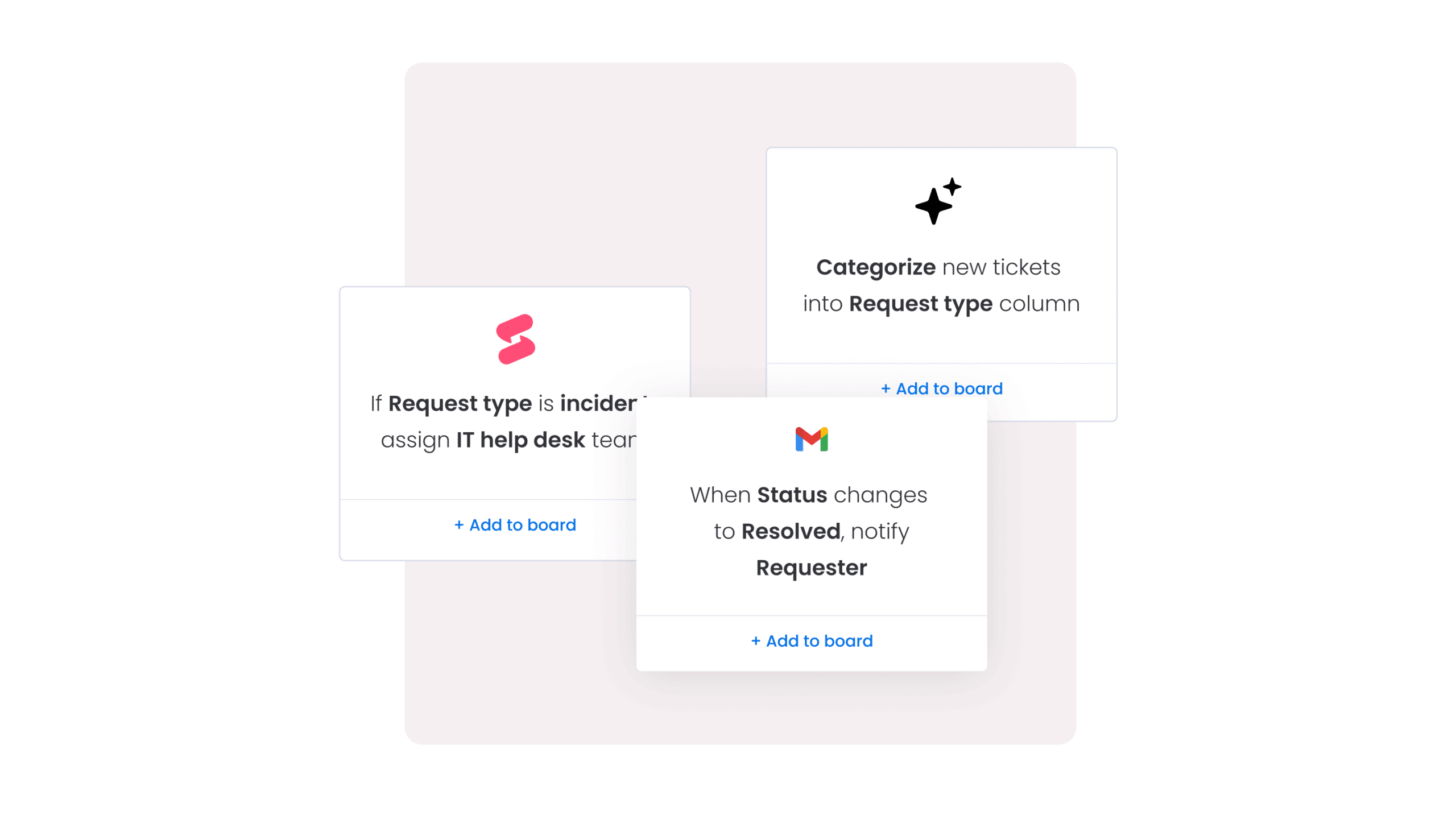
Knowledge updates don’t rely on manual reminders. In monday service, no-code automations can trigger actions when workflows change. If a request process is updated, an automation can flag linked articles for review or notify content owners. This keeps documentation connected to live service processes instead of drifting out of date.
Deliver the right answers during request submission and resolution
Knowledge appears in context throughout the service lifecycle. Articles are suggested during request intake based on form selections, categories, or keywords, helping users self-serve before submitting a ticket. Agents can also insert approved articles directly into replies from the same workspace. Everyone works from the same source of truth, whether they’re requesting help or resolving it.

Expand and maintain knowledge with a real-time Digital Workforce
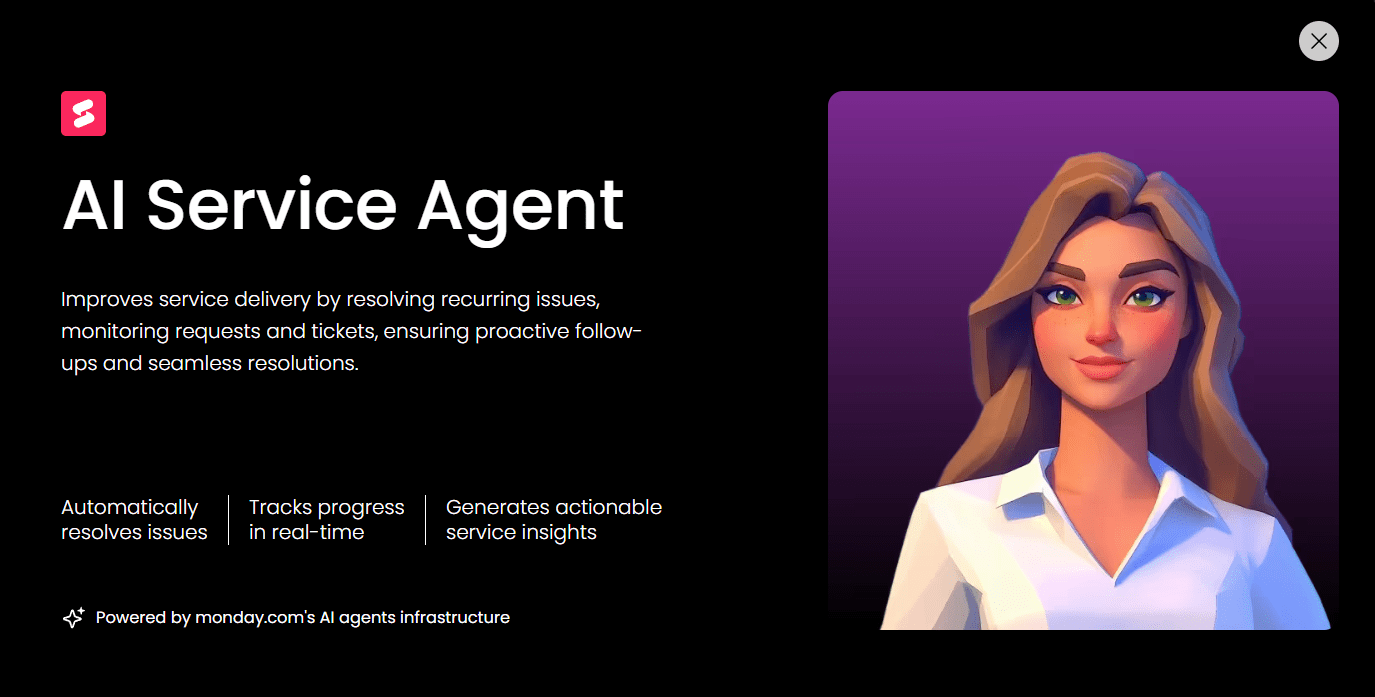
The Digital Workforce in monday service acts on data. Digital Workers continuously monitor ticket trends and resolution patterns. From here, they draft reports and prompt teams, or AI agents to create or update articles when certain topics spike. This shifts knowledge management from periodic clean-up to continuous, demand-driven maintenance.
For enterprises managing knowledge alongside IT service management and internal service delivery, monday service provides a way to create, govern, and evolve knowledge at the same pace as service operations. Get a free trial to start building your enterprise knowledge base.
Try monday serviceFAQs about enterprise knowledge base platforms
What’s the difference between a knowledge base and a document management system?
A knowledge base is designed to deliver answers, while a document management system is designed to store files. Knowledge bases focus on findability, context, and reuse. Each article in a knowledge base answers specific questions — users find it via search, service desks, or AI assistants. Document management systems prioritize version control, storage, and compliance, which makes them useful for records but slower for day-to-day guidance.
Is an enterprise knowledge base the same as an internal wiki?
No, an enterprise knowledge base adds governance, structure, and integration that most internal wikis lack. Wikis work well for collaborative drafting, but often struggle with ownership, approvals, and permissions at scale. Enterprise knowledge base platforms introduce review workflows, role-based access, analytics, and tighter links to service operations.
What problems does an enterprise knowledge base solve?
An enterprise knowledge base reduces repeated questions and inconsistent answers across teams. It also:
- Gives employees and customers a reliable place to self-serve
- Lowers ticket volume for service teams
- Provides consistent guidance even as teams grow or change.
Who typically uses an enterprise knowledge base?
Enterprise knowledge bases are used by both the teams who manage knowledge and the people who consume it.
- IT teams: Publish troubleshooting guides, access procedures, and system documentation that supports service desks and incident resolution.
- HR teams: Maintain policies, benefits information, onboarding resources, and employee guidance that needs regular review and controlled access.
- Operations and business service teams: Document internal processes, workflows, and standards that support day-to-day execution.
- Employees or customers: Search for answers on demand without raising a ticket or waiting for a response.
How do enterprise knowledge base platforms differ from SMB solutions?
Enterprise platforms are built for scale, governance, and complexity. They support advanced permissions, content approval workflows, multilingual content, and deep integrations. SMB tools often focus on simplicity, which works for small teams but breaks down as content volume and organizational structure increase.
How accurate are AI-generated knowledge base answers?
AI answers are only as accurate as the content they reference and the controls around them.
When AI pulls from approved articles and respects access rules, it can speed up discovery. Without governance, it risks returning outdated or inappropriate information. In enterprise environments, AI should support delivery, not replace ownership.
What’s the difference between search-based and AI-driven knowledge bases?
Search-based systems return articles, while AI-driven systems attempt to answer the question directly. Search gives users control and transparency. AI can reduce effort when it cites sources and stays within permission boundaries. Most enterprise platforms now combine both approaches to balance speed with trust.

 Get started