


In 2026, simply logging a ticket is not enough. Service disruptions hit faster and from more directions than ever. Alert fatigue is real, downtime costs are rising, and customers expect near-instant resolution. Organizations that modernize beyond scattered emails and manual escalation chains protect revenue, build customer trust, and keep team morale high.
This guide cuts through the noise. We walk through the features that genuinely accelerate Mean Time to Resolution (MTTR), share a practical evaluation framework, and give you an honest, side-by-side look at 9 incident management platforms. By the end, you will have a clear picture of what to look for, which platforms fit different team structures, and how solutions like monday service bring AI-powered triage, cross-department visibility, and no-code flexibility into one workspace.
Key takeaways
- From reactive to ready: Service disruptions are inevitable, disorder is not. Modern incident management software transforms chaos into calm by enabling structured, coordinated responses from the very first alert.
- AI as your triage engine: Built-in automation instantly classifies, routes, and prioritizes incidents so your experts focus only on high-impact resolution and prevention.
- Flexibility drives adoption: The best platforms feel natural to use, not forced. A flexible, intuitive interface ensures your team stays confident and responsive, even under pressure.
- Measure value, not just cost: True ROI comes from speed, adoption, and measurable reductions in MTTR, the right platform pays for itself in performance and trust.
- Unified visibility accelerates resolution: When every incident, team, and department share a single workspace, leadership gains full visibility and teams coordinate response in real time across functions.
What is incident management software?
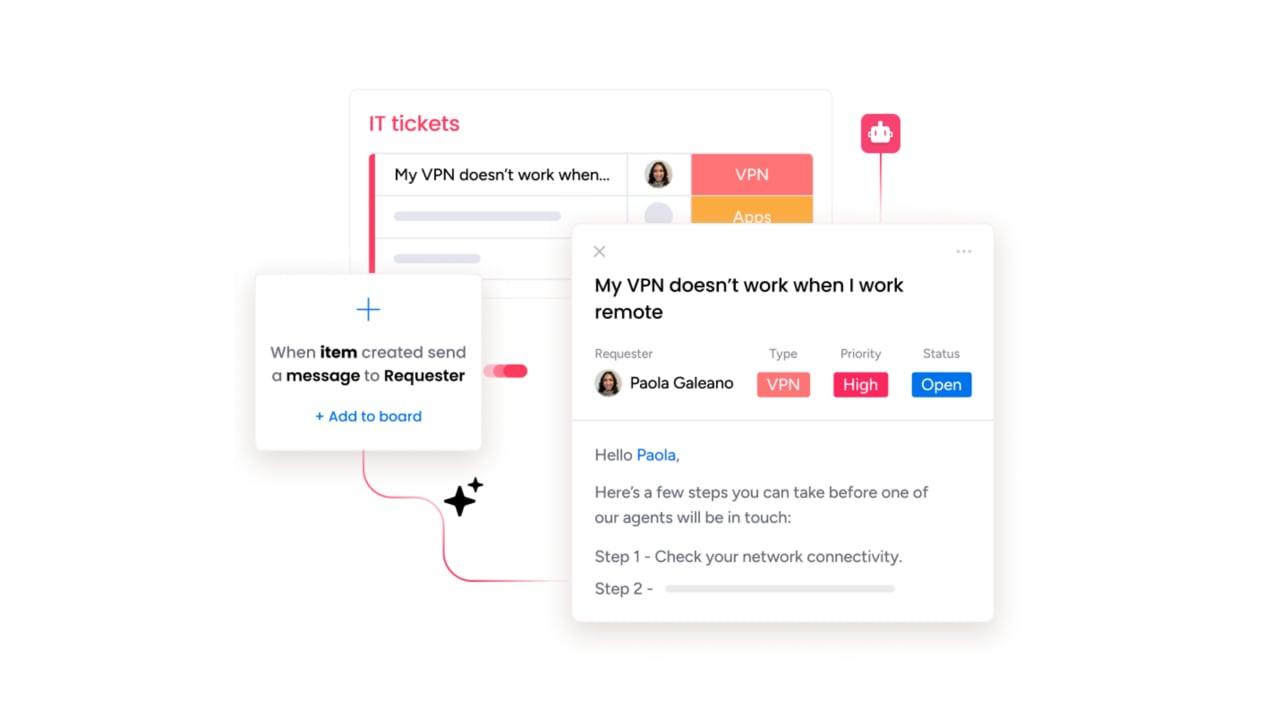
Incident management software is the command center for handling unexpected service disruptions. It replaces scattered alerts and frantic communication with a clear, unified process that guides teams from detection to resolution. Rather than managing routine support tickets, these platforms focus on major incidents that can halt operations and damage customer trust.
By centralizing alerts, communication, and progress tracking in one system, organizations can coordinate faster, minimize downtime, and maintain control when it matters most.
An incident management system spans both traditional IT service management ticket-based workflows and modern DevOps and SRE alerting pipelines. Think of it as the connective tissue between logging tickets, triaging severity, orchestrating response, and running postmortems.
The goal is not just to restore service quickly but to build a feedback loop that makes every future incident easier to handle. The best platforms turn every disruption into a data point, helping teams identify patterns, prevent recurring issues, and continuously improve their response process.
Key features to look for in smart incident management software
The distinction between adequate and exceptional incident management lies in features that actively accelerate resolution. When evaluating platforms, look for capabilities that cover the full incident lifecycle, reducing manual handoffs and getting the right person working on the right issue within minutes. A robust platform must capture incidents from email, chat, forms, portals, and API integrations in a unified workspace, then deploy intelligent features that turn logged incidents into resolved ones.
- AI-powered triage and routing: The platform should automatically classify incoming incidents by type, severity, and urgency, then assign them to the right team or specialist without manual sorting. Smart routing eliminates bottleneck queues and ensures critical issues get attention first.
- Alert management and noise reduction: Teams receive hundreds or even thousands of alerts weekly. Effective incident tracking software groups related alerts, deduplicates notifications, and suppresses false positives so on-call engineers respond to real problems, not alert storms.
- On-call scheduling and escalation: Rotating schedules, escalation policies, and automatic handoffs ensure someone is always accountable. If the primary responder does not acknowledge an alert within a set window, the platform escalates to the next person automatically.
- Incident tracking and audit trails: A live timeline of every action taken during an incident (who changed status, who was paged, what was communicated) creates accountability and feeds into postmortem analysis.
- Postmortem and root cause analysis: Automated post-incident review generation, blameless postmortem templates, and incident-to-ticket linking help teams learn from every disruption and prevent recurrence.
- SLA management: Live timers track time-to-response and time-to-resolution against committed targets. Auto-pause outside business hours, breach alerts, and visual indicators keep service desk teams on track without constant manual monitoring.
- Multi-channel intake: Email, chat, service request portals, web forms, and API: The platform should meet your users where they already work, eliminating the need for them to log into a separate system to report issues.
- Status pages and communication: During a major incident, stakeholders need real-time updates without flooding the response channel. Built-in status pages and automated notifications keep everyone informed while the team focuses on resolution.
- Integration ecosystem: Monitoring, chat, CMDB, CI/CD pipelines, and development workflows: The platform needs to connect with your existing stack rather than replace it.
How to choose the right incident management platform
Selecting an incident management platform is a strategic decision that goes far beyond a simple feature comparison. The ideal system must align perfectly with your team’s operational rhythm, performing reliably under high pressure and feeling like a natural extension of your existing work processes.The goal is not just to buy software but to adopt a system that helps your team move faster and smarter when a crisis hits.
Here are the critical evaluation criteria to consider when comparing your options:
- Flexibility and no-code customization: The platform must be robust enough to grow with your organization and allow teams to build or adapt workflows without relying on developers.
- Speed of deployment and time-to-value: Complex implementations that take months to go live delay the return on your investment. Look for platforms that offer ready-made templates and get teams productive in days, not quarters.
- AI and automation maturity: From basic ticket routing to fully autonomous AI agents, the range of AI capability varies widely. Evaluate whether a platform automates only the simple tasks or can handle end-to-end incident triage and resolution.
- Integration depth with existing stack: A truly effective platform must connect with all the systems you already rely on (monitoring, chat, CMDB, CI/CD, and collaboration), creating a single, secure command center for all service operations.
- Total cost of ownership: Subscription price is just the starting point. Factor in implementation, training, customization, and scaling costs to get the full picture.
- Vendor stability and roadmap: Incident management is a long-term commitment. Evaluate whether the vendor is investing in innovation (especially AI) and whether they have a track record of reliability.
Different teams have different priorities, and the right platform depends on your specific context. Enterprise IT organizations that need CMDB, change management, and compliance controls will gravitate toward full ITSM suites. DevOps and SRE teams who live in Slack and need rapid on-call alerting with alert correlation may prefer chat-native incident response platforms. Cross-department service teams connecting IT, HR, facilities, and legal on a single workspace will look for unified platforms that combine flexibility with enterprise-grade AI.
Top incident management platforms compared
The service management market is broad, with platforms ranging from legacy ITSM suites to specialized, AI-driven incident response applications. The primary challenge is finding a platform that unifies diverse capabilities into one effective system. Many platforms fall into one of two categories: rigid, traditional systems that struggle to keep pace with modern teams, or niche applications that solve a single problem but create information silos.
Below is a summary comparison of the 9 platforms reviewed in this guide, followed by a detailed breakdown of each one.
| Platform | Best for | Starting price | AI capabilities | Free tier | Key differentiator |
|---|---|---|---|---|---|
| monday service | Cross-department service teams | $31/seat/month | AI Ticket Triage, monday agents, sidekick | 14-day free trial | Unified platform connecting IT, HR, facilities |
| ServiceNow | Enterprise IT with compliance needs | Quote only | Now Assist, AI agents, AI Voice Agents | No | Most comprehensive enterprise ITSM |
| Jira Service Management | Atlassian-first DevOps teams | Free (3 agents) | Rovo AI, AIOps, virtual service agent | Yes (3 agents) | Native Jira Software integration |
| PagerDuty | On-call and alert management | $21/user/month | AIOps, event intelligence, auto-remediation | 14-day free trial | 750+ integrations, FedRAMP certified |
| incident.io | Slack-native incident response | Free (small teams) | AI postmortems, AI-assisted investigations | Yes (limited) | Chat-first incident lifecycle |
| Rootly | SRE teams wanting workflow automation | $20/user/month | AI root cause analysis, reasoning chains | 14-day free trial | Liquid scripting for workflow customization |
| Zendesk | Customer-facing incident communication | $19/agent/month | AI agents, Copilot, intelligent triage | 14-day free trial | Omnichannel customer support |
| Freshservice | Mid-market ITSM with fast deployment | $19/agent/month | Freddy AI Agent, Freddy AI Copilot | 14-day free trial | Intuitive UI, FireHydrant acquisition |
| Squadcast | Budget-conscious SRE teams | $15/user/month | AI-powered alert deduplication | Free tier available | Transparent pricing, SLO tracking |
1. monday service
Best for: Cross-department service teams that need unified IT, HR, and facilities workflows with fast deployment.
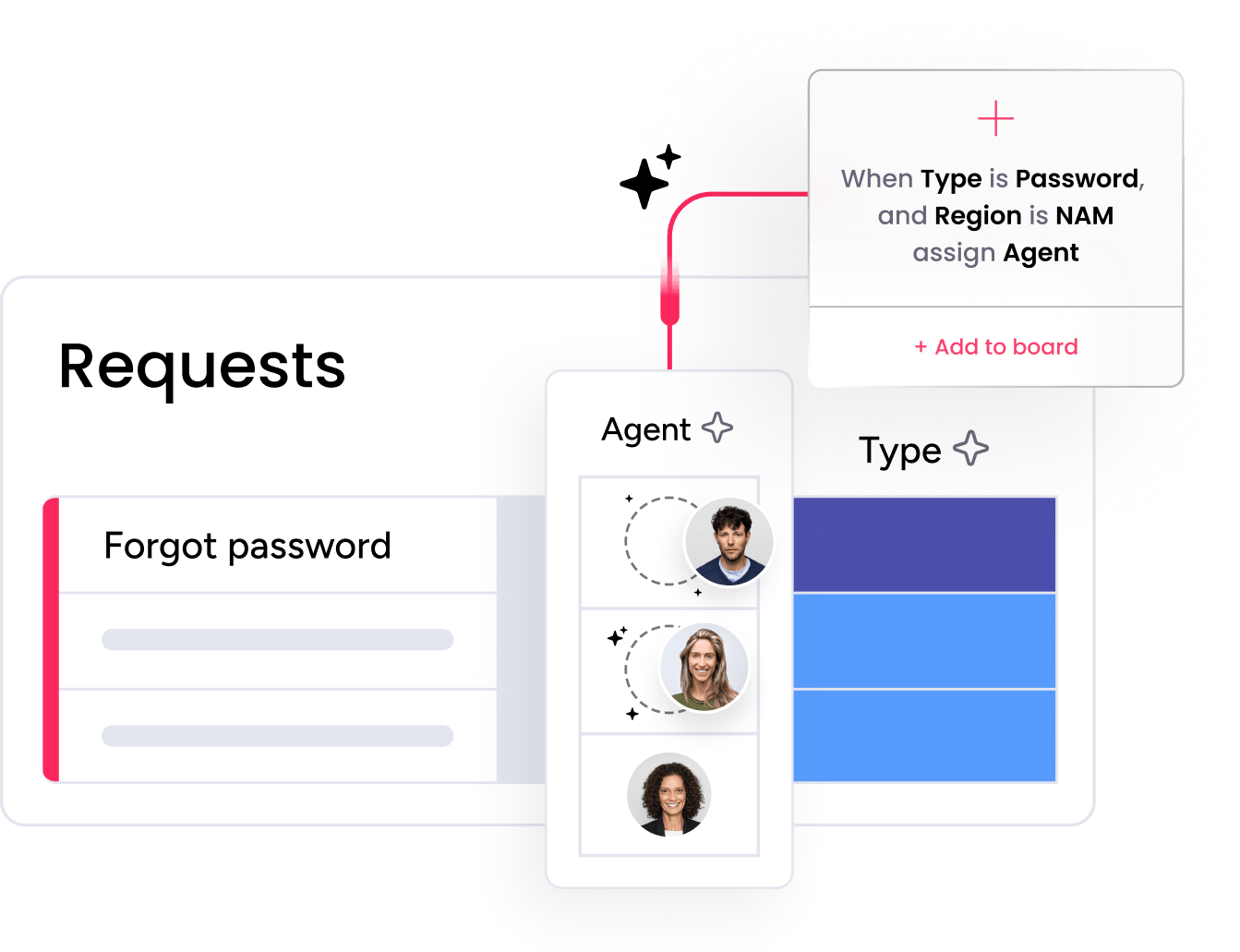
monday service unifies incident management with cross-departmental collaboration through its flexible platform, transforming reactive firefighting into proactive service excellence. Unlike traditional IT-focused platforms, it connects incident resolution with your entire organizational workflow, making it a strong fit for teams who want to break down silos and deliver faster, smarter support across IT, HR, facilities, and other departments.
Key features
- AI Ticket Triage: Automatically categorizes, summarizes, detects sentiment, and assigns incoming tickets to the right owner (available on Standard, Pro, and Enterprise).
- monday agents (AI Service Workforce): Specialized AI agents that handle requests autonomously—from drafting responses and tracking SLAs to detecting intent and urgency for faster resolution.
- monday sidekick: An AI assistant that reviews workload, surfaces urgent issues, flags SLA breaches, and recommends next steps at both board and ticket level.
- Pre-built automations: Handle status changes, auto-timestamps, and email reply triggers out of the box. Enterprise adds custom auto-reply blocks, round robin assignment, and SLA tracking.
- 200+ integrations: Connects to Jira Cloud, Gmail, Outlook, Slack, Microsoft Teams, and offers full API access. monday MCP enables secure connections to AI platforms.
Pricing
monday service offers four tiers: Standard ($31/seat/month), Pro ($45/seat/month), Enterprise (custom pricing), and Enterprise Plus (custom pricing). All plans are billed annually, and a 14-day free trial is available to test the full platform before committing.
Why it stands out
- Cross-department visibility with IT, HR, facilities, and legal all working from the same platform
- No-code customization lets any team build and adapt workflows without developers
- Fast time-to-value with most teams going live in days using ready-made templates
2. ServiceNow
Best for: Large enterprises with mature IT organizations that need comprehensive ITSM capabilities, CMDB integration, and strict compliance requirements.

ServiceNow is the enterprise ITSM market leader, unifying AI, data, and workflows on a single platform. With 85% of Fortune 500 companies running on ServiceNow (ServiceNow, 2025 annual report), the platform connects incident, problem, change, and request management with a deep CMDB (Configuration Management Database) that maps relationships across your entire IT infrastructure. If you are looking at ServiceNow, you may also want to read our detailed comparison of ServiceNow and monday service.
Key features
- Now Assist and AI agents: AI specialists that triage, investigate, and resolve routine incidents end-to-end. The Prime tier includes an L1 Service Desk AI Specialist for autonomous handling of common issues.
- Major Incident Management: Dedicated workflow for high-severity incidents with on-call management and war-room coordination (Advanced tier).
- CMDB and dependency mapping: A single data model connecting all IT services, assets, and configurations for root cause analysis.
- AI Voice Agents: Phone-based support with conversational AI for organizations that need voice channels.
- ITIL compliance: Out-of-the-box alignment with ITIL frameworks including incident, problem, change, and release management.
Pricing
ServiceNow does not publish pricing publicly. All plans require custom quotes, and implementation typically involves specialized consultants.
Considerations
- Quote-only pricing model creates procurement friction and makes cost comparison difficult upfront.
- Complex implementation requiring specialized consultants and lengthy deployment timelines, often measured in months rather than weeks.
- Steep learning curve, especially for non-IT teams, which may slow adoption across departments.
3. Jira Service Management
Best for: Teams already embedded in the Atlassian ecosystem who want a single platform connecting development and IT operations.

Jira Service Management (JSM) by Atlassian unites development and operations teams on a single platform. It provides ITSM capabilities including incident management, on-call scheduling, alert management, and change management, all deeply integrated with the Atlassian ecosystem (Jira Software, Confluence, Bitbucket). For teams already invested in Atlassian, JSM is the natural extension for IT operations management.
Key features
- Rovo AI agents: Automated support and operations workflows with conversational AI for employee self-service.
- AIOps (Premium): AI-driven alert grouping, automatic incident creation, and post-incident review (PIR) generation.
- Virtual service agent: AI-powered conversational support across Slack and Microsoft Teams.
- Built-in on-call management: Schedules, escalation policies, and alert routing without needing a separate product.
- Native Jira Software integration: Link incidents to development issues, pull requests, and deployments for full Dev-to-Ops traceability.
Pricing
JSM offers a free tier for up to 3 agents with basic alerts and on-call. Paid plans start at $20/agent/month (Standard with Rovo AI), $51.42/agent/month (Premium with AIOps and change management), and Enterprise (contact sales). A 7-day free trial is available for Standard and Premium tiers. Note that virtual service agent conversations are consumption-based at $0.30/conversation above the monthly threshold.
Considerations
- Advanced AIOps and major incident features require the Premium tier at $51.42/agent/month, which may increase costs for teams needing those capabilities.
- ITSM-first navigation can feel slower for engineering teams during live incidents compared to chat-native platforms.
- Virtual service agent conversations incur consumption-based charges above the included threshold, which can add unpredictability to monthly costs.
4. PagerDuty
Best for: Engineering and SRE teams that need robust on-call alerting, deep monitoring integrations, and proven incident response workflows, especially in regulated environments requiring FedRAMP compliance.
PagerDuty is the long-standing incumbent in on-call management and incident response. Built originally for DevOps and SRE teams, the platform specializes in alert routing, escalation, and real-time incident coordination. With 750+ integrations and FedRAMP authorization, PagerDuty is deeply embedded in many engineering organizations.
Key features
- Event intelligence (AIOps): Machine learning-powered alert grouping, noise reduction, and intelligent triage that correlates related alerts into a single incident.
- Automation actions: Automated diagnostics and remediation scripts that run directly from an incident, reducing time-to-resolution for known issues.
- On-call scheduling and escalation: Granular rotation management, escalation policies, and multi-channel notification (push, SMS, phone, email).
- 750+ integrations: Deep monitoring ecosystem connectivity with platforms like Datadog, AWS CloudWatch, Splunk, and New Relic.
Pricing
PagerDuty offers three tiers: Professional ($21/user/month), Business ($41/user/month with AIOps and automation actions), and Enterprise (contact sales for advanced analytics and FedRAMP). A 14-day free trial is available. Note that many advanced features like AIOps, automation actions, and event orchestration are paid add-ons or require the Business tier, which can increase per-user costs significantly.
Considerations
- Add-on stacking can push costs well above the base per-user price, budgeting requires careful attention to which features are included in each tier
- The platform’s focus on alerting means broader ITSM workflows (change management, asset management) require additional platforms
- Some community feedback highlights pricing concerns as teams scale
5. incident.io
Best for: Engineering and SRE teams that live in Slack and want a modern, chat-native incident response platform with strong AI-powered automation.
incident.io takes a chat-first approach to incident management, building the entire incident lifecycle inside Slack (with Microsoft Teams support as well). Rather than asking responders to switch to a separate platform during a live incident, incident.io meets teams where they already communicate and layers AI-powered automation on top of that workflow. The platform is designed for engineering teams that want to manage incidents without leaving their primary communication tool.
Key features
- Slack-native incident lifecycle: Declare, manage, and resolve incidents entirely within Slack channels with automated channel creation, role assignment, and status updates.
- AI-powered postmortems: Automatically generates post-incident review documents from the Slack conversation timeline, including key decisions, actions taken, and resolution steps.
- AI-assisted investigations: Helps responders identify patterns and correlate events during active incidents to accelerate root cause analysis.
- On-call scheduling: Built-in schedules and escalation policies with integrations for PagerDuty migration.
- Service catalog and dependencies: Maps ownership and dependencies so responders know exactly who to page and what is affected.
Pricing
incident.io offers a free tier for small teams with limited features, an On-call plan starting at $15+/user/month, and Enterprise pricing (contact sales) that includes advanced analytics, SSO, and audit logs. A free tier is available for small teams getting started with incident response.
Considerations
- Slack-native design means teams that do not use Slack lose the core value proposition
- Newer platform with a smaller ecosystem compared to incumbents like PagerDuty or ServiceNow
- Pricing details require contacting sales for larger teams and advanced features
6. Rootly
Best for: SRE and platform engineering teams that want deep workflow customization, AI-powered root cause analysis, and a Slack-native incident response experience.
Rootly is a Slack-native incident management platform focused on workflow automation and AI-powered root cause analysis. What sets Rootly apart is its deep customization capability through Liquid scripting, allowing teams to build highly specific automated workflows without leaving their chat environment. The platform is designed for technical teams that want developer-first flexibility combined with modern AI capabilities.
Key features
- AI-powered root cause analysis: Reasoning chains that walk through the incident timeline, correlating events and suggesting probable causes with supporting evidence.
- Workflow automation with Liquid scripting: Create complex, conditional automation workflows using Liquid templates, significantly more flexible than typical no-code builders for technical teams.
- Slack-native incident response: Full incident lifecycle management from Slack, including automated channel creation, role assignment, and stakeholder updates.
- Retrospective automation: Auto-generated timelines and action item tracking from incident conversations.
Pricing
Rootly offers a Starter plan at $20/user/month covering core incident management and automation, and an Enterprise tier (contact sales) that includes advanced analytics, SSO, and custom integrations. A 14-day free trial is available.
Considerations
- Liquid scripting, while powerful, has a learning curve for non-technical teams
- Smaller integration ecosystem compared to established ITSM platforms
- Slack-dependent: Teams on Microsoft Teams have fewer capabilities
7. Zendesk
Best for: Customer support teams that need omnichannel incident communication and AI-powered ticket resolution, rather than internal IT or SRE-focused incident management.

Zendesk is an AI-first service platform known primarily for customer support. While it does offer ITSM capabilities through its employee service product, Zendesk’s core strength is customer-facing incident communication and ticket resolution, making it a strong choice for teams where customer experience during incidents is the top priority, rather than internal IT operations.
Key features
- AI agents: Autonomous resolution of customer issues across email, chat, voice, messaging, and social channels.
- Copilot: Proactive AI assistant that helps human agents resolve tickets faster with suggested responses and context surfacing.
- Intelligent triage: Automatically classifies and routes tickets based on intent, language, and sentiment.
- Omnichannel support: Unified inbox across email, chat, phone, social media, and messaging apps.
Pricing
Zendesk offers four tiers: Support Team ($19/agent/month), Suite Team ($55/agent/month with AI agents), Suite Professional ($115/agent/month with skills routing and IVR), and Suite Enterprise (contact sales). Copilot is a paid add-on at $50/agent/month. A 14-day free trial is available.
Considerations
- Primarily designed for customer support, not internal IT incident management, with no native on-call scheduling, alerting, or CMDB capabilities.
- Suite Professional ($115/agent/month) needed for advanced automation, and Copilot adds another $50/agent/month.
- Best suited for customer-facing incident communication rather than internal IT operations management.
8. Freshservice
Best for: Mid-market IT teams that want comprehensive ITSM with an intuitive interface and fast time-to-value, especially those looking for an approachable alternative to ServiceNow.

Freshservice by Freshworks is an AI-powered ITSM platform that unifies service, asset, and operations management with an emphasis on intuitive design and fast deployment. Trusted by 74,000+ businesses (Freshworks, 2026), Freshservice positions itself as the approachable alternative to complex enterprise ITSM platforms, delivering enterprise-grade capability without the administration overhead. In a significant recent development, Freshworks acquired FireHydrant for $88.7 million (Freshworks Q1 2026 10-Q filing), signaling a deeper investment in SRE-focused incident response and expanding Freshservice’s capabilities beyond traditional ITSM.
Key features
- Freddy AI Agent: Conversational AI for self-service support and automated ticket resolution across Slack and Microsoft Teams.
- Freddy AI Copilot: Assists agents with suggested responses, ticket summarization, and knowledge article recommendations.
- Comprehensive ITSM: Incident, problem, change, release, and asset management in a single platform.
- SLA management: Configurable SLA policies with escalation rules and breach notifications.
Pricing
Freshservice offers four tiers: Starter ($19/agent/month), Growth ($49/agent/month with problem and change management), Pro ($99/agent/month with orchestration), and Enterprise (custom pricing with Freddy AI included). A 14-day free trial is available. Note that Freddy AI Agent sessions are limited (1,200/year on Enterprise), and orchestration features are only available on the Pro tier.
Considerations
- Advanced ITSM features (problem and change management) require the Growth tier at $49/agent/month.
- Freddy AI Agent sessions are capped, which may limit AI usage for high-volume teams.
- Less developer-focused than platforms like PagerDuty, incident.io, or Rootly.
9. Squadcast
Best for: Budget-conscious SRE and DevOps teams that need reliable on-call management, SLO tracking, and incident response at a predictable price point.
Squadcast, now part of SolarWinds, is a budget-friendly incident management platform built for SRE and DevOps teams. With transparent per-user pricing and a focused feature set, Squadcast appeals to cost-conscious organizations that need solid on-call management and incident response without the price tag of larger platforms.
Key features
- On-call scheduling and escalation: Rotation management, escalation policies, and multi-channel alerting across push, email, SMS, and phone.
- SLO tracking: Service level objective monitoring with error budget tracking and automated alerts when SLOs are at risk.
- Alert deduplication: AI-powered grouping and suppression of duplicate alerts to reduce noise.
- Incident runbooks: Pre-defined response procedures that guide responders through known incident types.
Pricing
Squadcast offers three tiers: Free (available for small teams with limited features), Pro ($15/user/month with core incident management, SLO tracking, and analytics), and Enterprise (contact sales for SSO, advanced integrations, and dedicated support). Transparent per-user pricing with no hidden add-ons, and a free tier is available for small teams.
Considerations
- Smaller integration ecosystem compared to PagerDuty or ServiceNow.
- Less advanced AI capabilities than newer entrants like incident.io or Rootly.
- SolarWinds acquisition may raise questions about long-term product direction for some teams.
How AI and automation are reshaping incident response
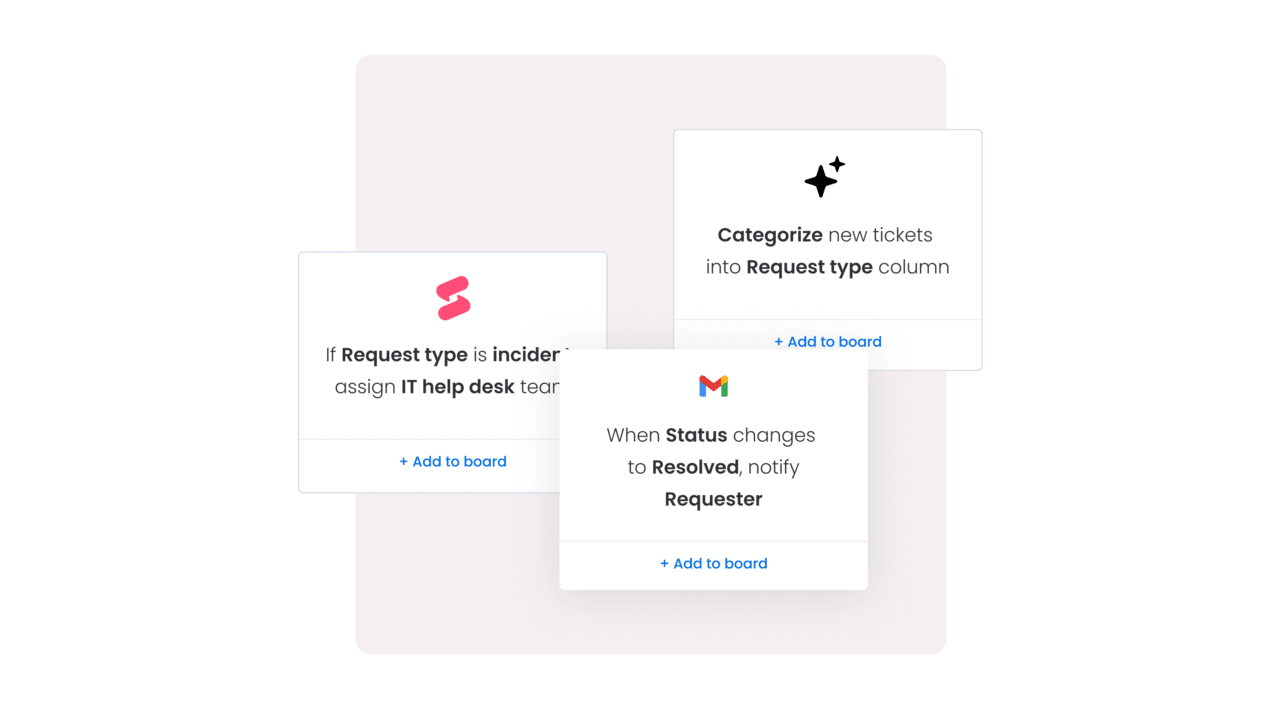 For most organizations, the shift to AI-automated incident management means more time for prevention, architecture improvements, and higher-value problem-solving. AI is not replacing incident responders; it is removing the repetitive work that burns them out. Here are the capabilities driving that shift:
- Intelligent triage and routing: AI classifies incoming incidents by type, severity, and urgency, then assigns them to the right team automatically. This eliminates manual sorting and ensures critical issues get immediate attention.
- Alert noise reduction: AI-powered alert grouping correlates related events, deduplicates notifications, and suppresses false positives. For teams receiving thousands of alerts weekly, this is the difference between responding to real incidents and drowning in noise.
- Agentic AI and autonomous resolution: AI agents now handle routine L1 incidents end-to-end, from acknowledging an alert to running diagnostics, applying a known fix, and closing the ticket, without human intervention. Platforms including monday service, ServiceNow, and incident.io all ship some form of autonomous incident handling.
- Predictive analytics: Trend detection and pattern recognition help teams spot emerging issues before they escalate into major incidents, shifting the team’s posture from reactive to proactive.
- AI-generated postmortems: Automatic timeline reconstruction from incident channels, suggested root causes, and pre-drafted post-incident review documents save hours of manual documentation after every incident.
Teams that adopt AI-powered automation capabilities today are already seeing faster resolution times, reduced alert fatigue, and more meaningful postmortems.
Pricing and total cost of ownership
How much does incident management software cost? The short answer: anywhere from free to several hundred dollars per user per month, depending on the platform, tier, and add-ons. But subscription price alone does not tell the full story.
Total cost of ownership (TCO) includes everything it takes to get value from the platform: implementation, training, customization, and ongoing scaling costs. A platform with a low per-agent price that requires months of consultant-led implementation and ongoing customization work may cost more over 3 years than a higher-priced platform your team can configure and launch in days.
Here is a pricing comparison across all 9 platforms reviewed in this guide:
| Platform | Free tier | Entry price | Mid-tier | Enterprise | Pricing model |
|---|---|---|---|---|---|
| monday service | 14-day trial | $31/seat/month | $45/seat/month | Contact sales | Per seat, annual billing |
| ServiceNow | No | Quote only | Quote only | Quote only | Custom quotes |
| Jira Service Management | Yes (3 agents) | $20/agent/month | $51.42/agent/month | Contact sales | Per agent, monthly |
| PagerDuty | 14-day trial | $21/user/month | $41/user/month | Contact sales | Per user + add-ons |
| incident.io | Yes (limited) | $15+/user/month | Contact sales | Contact sales | Per user, tiered |
| Rootly | 14-day trial | $20/user/month | Contact sales | Contact sales | Per user |
| Zendesk | 14-day trial | $19/agent/month | $55/agent/month | Contact sales | Per agent + add-ons |
| Freshservice | 14-day trial | $19/agent/month | $49/agent/month | Custom pricing | Per agent, annual billing |
| Squadcast | Yes | $15/user/month | Contact sales | Contact sales | Per user |
Beyond the subscription, here are the TCO factors worth evaluating before you commit:
- Implementation and onboarding costs: Some platforms require specialized consultants and months of setup. Others provide ready-made templates that get teams live in days.
- Training and change management: A platform your team can learn in hours costs far less than one requiring weeks of formal training.
- Integration and customization costs: Pre-built integrations and no-code workflow builders reduce the need for developer resources. Custom development on rigid platforms adds ongoing costs.
- Scaling costs: Per-user pricing is straightforward, but watch for add-on stacking. A base price of $21/user can grow significantly when AI features, automation, and premium support are all separate charges.
- Hidden costs: AI credits, premium support tiers, overage charges for automation actions, and consumption-based pricing for virtual agents can all increase the actual cost above the listed price.
To see the full breakdown of monday service plans, visit the monday service pricing page.
Streamline incident resolution across every team with monday service
The ideal service platform is one that seamlessly integrates into your team’s daily operations and actively enhances their efficiency. It should be intuitive and empowering, simplifying the workday rather than complicating it.The challenge with many incident management platforms is that they force a choice between complex, rigid systems and simplistic applications that teams quickly outgrow.
monday service bridges that gap. It combines powerful, built-in AI with a refreshingly intuitive design that drives adoption across departments, not just IT. Trusted by nearly 250,000 customers, including over 60% of Fortune 500 companies (monday.com, 2026), monday service is built for organizations that want to resolve incidents faster while keeping every stakeholder in the loop.
AI service agent workforce

Autonomous AI agents handle repetitive requests end-to-end, freeing your team to focus on high-impact work. The Customer Support Agent reviews tickets and drafts responses by consulting the knowledge base. The SLA Monitor Agent flags at-risk cases before they breach. The Ticket Assignment Agent detects intent, urgency, and expertise needed, reducing manual triage to near zero.
monday sidekick
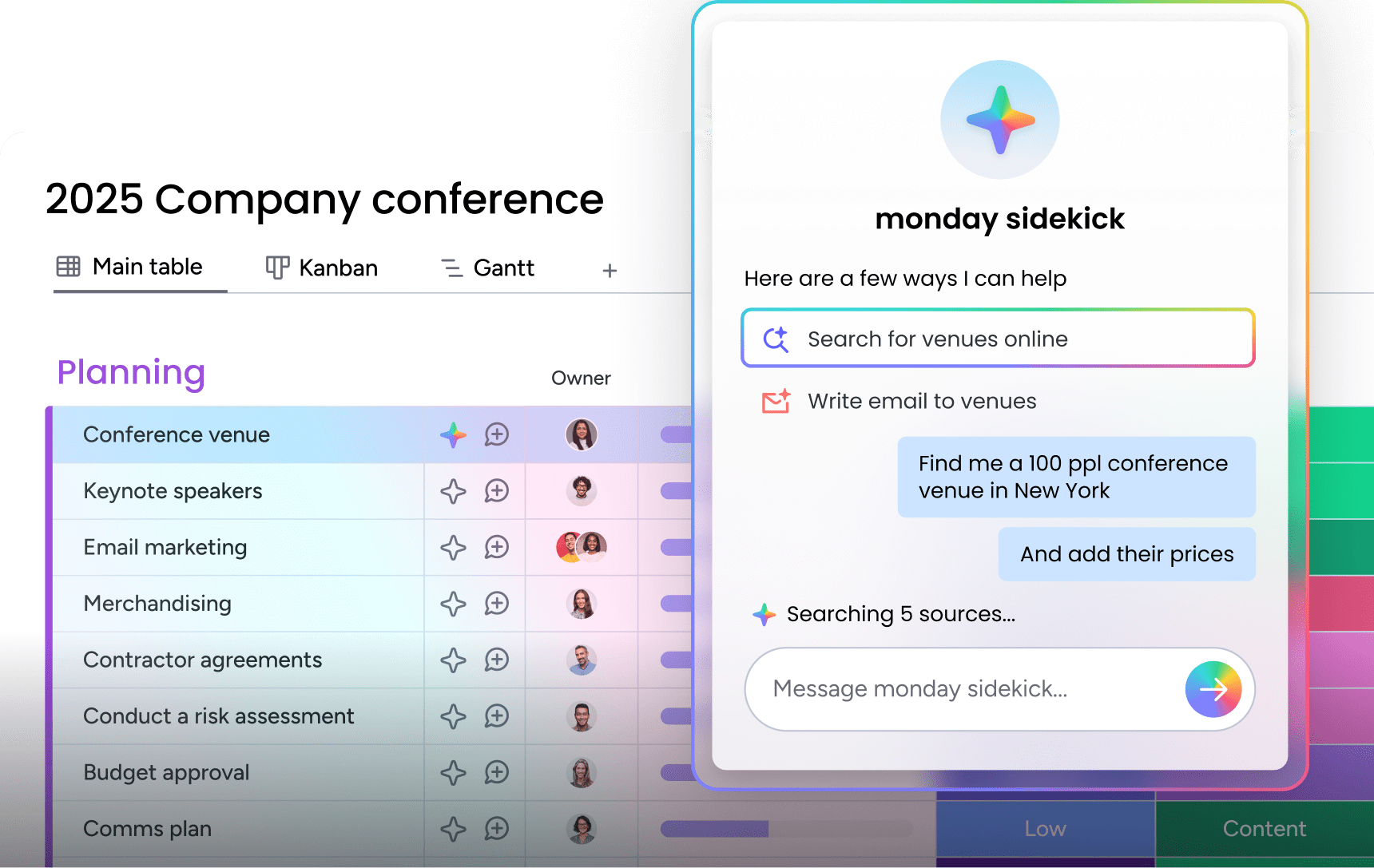
An AI assistant that gives managers and agents real-time workload visibility, surfaces urgent issues, and recommends next steps at both the board and ticket level. sidekick reviews your workload, flags SLA breaches, and helps you prioritize what matters most during active incidents.
AI ticket triage
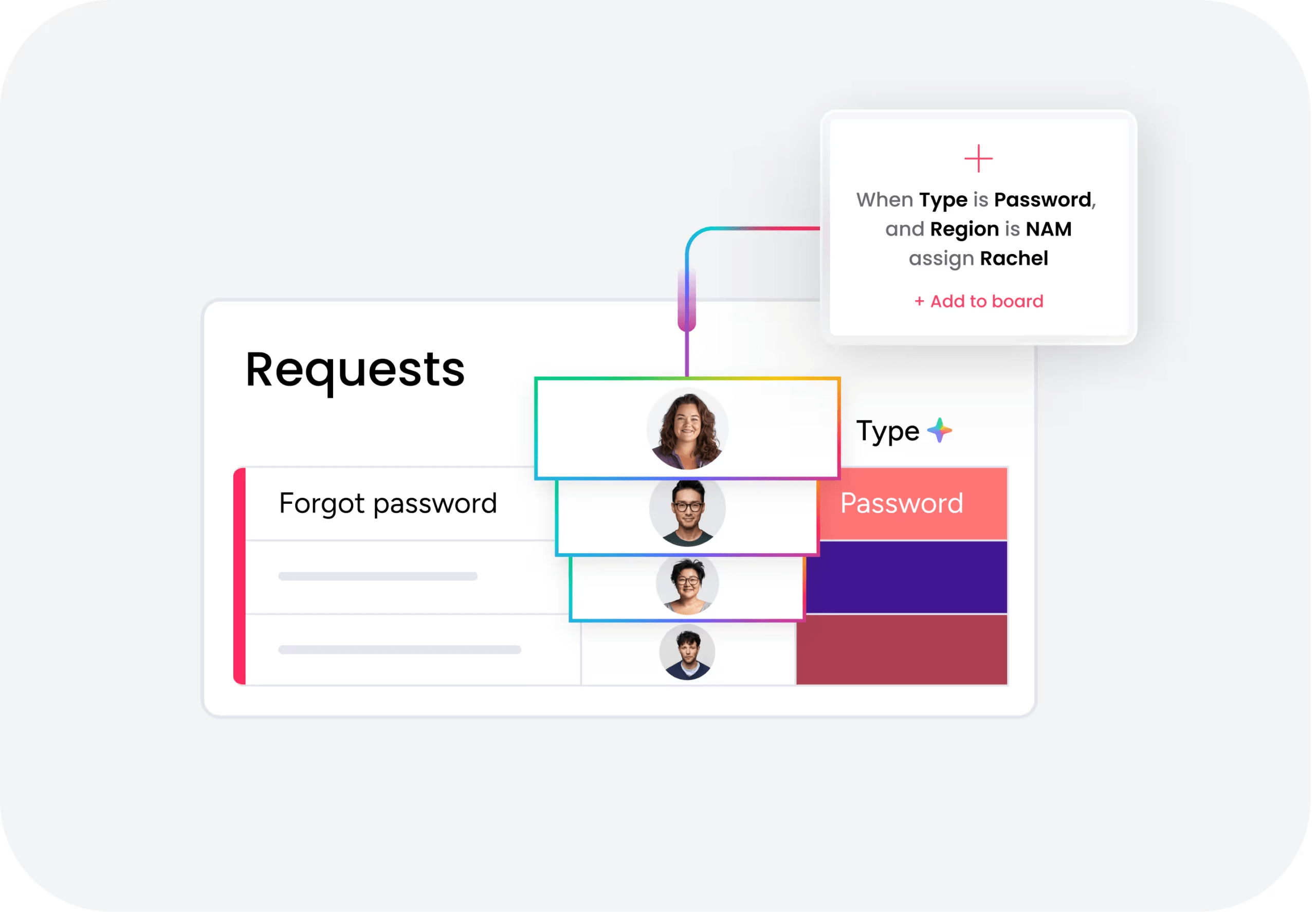
Automatically categorizes, summarizes, detects sentiment, and assigns incoming tickets to the right owner without manual sorting. Available on Standard, Pro, and Enterprise tiers, AI Ticket Triage ensures critical issues get attention first and eliminates bottleneck queues.
Cross-department visibility and no-code customization

IT, HR, facilities, and legal all work from the same platform. Incident resolution is not siloed; it is connected to the broader organizational context. Adapt workflows, forms, automations, and dashboards without engineering resources. Most teams go live in days with ready-made templates.

"Our team LOVES the monday service platform and we’re already exploring how we could incorporate it for other departments, too. It has streamlined our workflow in a way that both our team and customers appreciate."
Andrew Marshall | VP Operations
״monday service provides clear insights into requests volume and types, response times, and trends - helping us continuously improve operations"
Grant De Waal-Dubla | CIO
"The biggest value for us is speed and flexibility. You can get up and running in days, change anything instantly, and see everything in real time. And you don’t need a dedicated admin to do it."
Clive Camilleri | Head of People Tech & OperationsChoose the platform that turns incidents into opportunities
The right incident management platform transforms how your team responds to disruptions. It replaces reactive firefighting with structured, AI-powered workflows that reduce MTTR, eliminate alert fatigue, and keep every stakeholder informed. Whether you need enterprise-grade ITSM, chat-native incident response, or cross-department service coordination, the platforms in this guide offer proven paths forward.
monday service stands out by unifying incident management with broader organizational workflows, connecting IT, HR, facilities, and other departments on a single, flexible platform. With AI agents that handle triage autonomously, no-code customization that adapts to your team’s needs, and fast deployment that gets you live in days, monday service delivers the speed, visibility, and intelligence modern teams need to turn incidents into opportunities for improvement.
Try monday serviceFAQs
What is incident management software and how does it help IT teams?
Incident management software centralizes detection, triage, response, and resolution of unexpected service disruptions. It replaces scattered alerts and manual escalation with structured workflows, AI-powered routing, and real-time visibility, reducing MTTR and ensuring the right person tackles the right issue within minutes. For a broader look at how incident management fits within IT operations, see our guide to service request management.
How much does incident management software cost?
Incident management software pricing ranges from free tiers (Jira Service Management offers 3 free agents, Squadcast has a free plan) to over $100/agent/month for enterprise suites. Most platforms fall in the $15 to $50/user/month range for mid-tier plans. Total cost depends on team size, features needed, and whether AI capabilities are included or sold as add-ons.Always evaluate total cost of ownership, including implementation, training, and scaling costs.
What is the difference between incident management and ITSM?
The difference comes down to scope. IT service management (ITSM) is the broader framework encompassing all processes an organization uses to design, deliver, manage, and improve IT services. Incident management is one specific process within ITSM, focused on restoring normal service quickly after an unplanned disruption. Some platforms specialize in incident management alone (like incident.io or PagerDuty), while others cover the full ITSM lifecycle (like ServiceNow or Freshservice).
How does AI improve incident management?
AI improves incident management at every stage. During detection, AI groups related alerts and filters noise so teams respond to real incidents instead of duplicates. During triage, AI classifies severity, detects intent, and routes tickets automatically. During resolution, AI agents handle routine L1 incidents end-to-end without human intervention. After resolution, AI generates postmortem documents and identifies patterns that help prevent future incidents.
What are the best free incident management platforms?
The best free incident management platforms include Jira Service Management, which offers a free tier for up to 3 agents with basic alerts and on-call scheduling. Squadcast provides a free plan for small teams with core features. incident.io offers a free tier with limited capabilities. monday service provides a 14-day free trial with full access. Free tiers typically limit users, AI features, or automation actions available.
Can incident management software replace a help desk?
Incident management software and help desk platforms serve different purposes. A help desk handles routine service requests like password resets, access provisioning, and how-to questions. Incident management focuses on urgent, unplanned service disruptions that need coordinated response. Some platforms, like monday service, bridge both by connecting ticketing, incident escalation, and cross-department workflows on a single platform, eliminating the need for separate systems.

 Get started