


By the time a candidate accepts your offer, your organization is already heavily invested in them. You’ve approved recruitment budgets, spent hours in interviews, and put effort into securing the right person — and it can feel like a rush to welcome them aboard. But all too often, the momentum fades once the employee starts. New hires arrive without access to the systems or devices they need, unsure of their priorities or who owns their onboarding. Each of these frustrations eats away at the employee experience, creating friction at the exact moment engagement should be highest.
Often, this breakdown is caused by a lack of structure. Effective onboarding requires coordination across HR, IT, and operational teams, along with clear workflows and visibility at every stage. Employee onboarding software provides the foundation, turning what is often a fragmented, manual process into a consistent, scalable experience.
In this guide, we compare the best employee onboarding platforms for 2026, helping you deliver an onboarding process that supports new hires from day one.
Try monday serviceKey takeaways
- Employee onboarding platforms automate and coordinate the process of bringing new hires into the organization. They make sure employees have everything they need to start contributing from their first day.
- Companies with mature onboarding processes are up to 103% more likely to improve retention and engagement. Conversely, 29% of employees have quit a job within their first 90 days, often due to poor onboarding experiences.
- Modern onboarding requires coordination across multiple teams, not just HR. Provisioning devices, granting system access, assigning training, and managing documentation all depend on seamless collaboration between HR, IT, and operational teams.
- monday service helps organizations scale onboarding by automating workflows and improving visibility.
Top employee onboarding tools for 2026: At-a-glance comparison
| Software | Best for | AI features | Starting price |
|---|---|---|---|
| monday service | Unified workflows | AI ticket triage and auto-replies | $31/seat/mo |
| Rippling | HR and IT collaboration | Automated provisioning AI | Custom quotes |
| HiBob | Culture and engagement | AI sentiment and people analytics | Custom quotes |
| Deel | Global hiring | AI compliance and contract generator | From $5/employee/mo |
| Workday | Global enterprises | Predictive retention analytics | Custom quotes |
| Gusto | Small businesses | AI-powered tax and benefit sync | $49/mo base fee + $6/person/mo |
| Greenhouse | Recruiting workflows | AI candidate-to-hire handoffs | Custom quotes |
| ClearCompany | Talent management | AI goal tracking and alignment | Custom quotes |
| Connecteam | Deskless teams | AI mobile course creation | $29/mo |
| Enboarder | Employee experience | AI journey personalization | Custom quotes |
Top 10 employee onboarding software platforms
At monday.com, we’ve onboarded thousands of employees as we’ve scaled to over 2,500 team members, and now support more than 245,000 customers worldwide across 200+ countries. We’ve also analyzed hundreds of G2 software community reviews to understand where different tools excel and where they fall short. Based on our real-world experience, the platforms below represent the best options for delivering consistent, scalable onboarding in 2026.
1. monday service
Best for: unified workflows
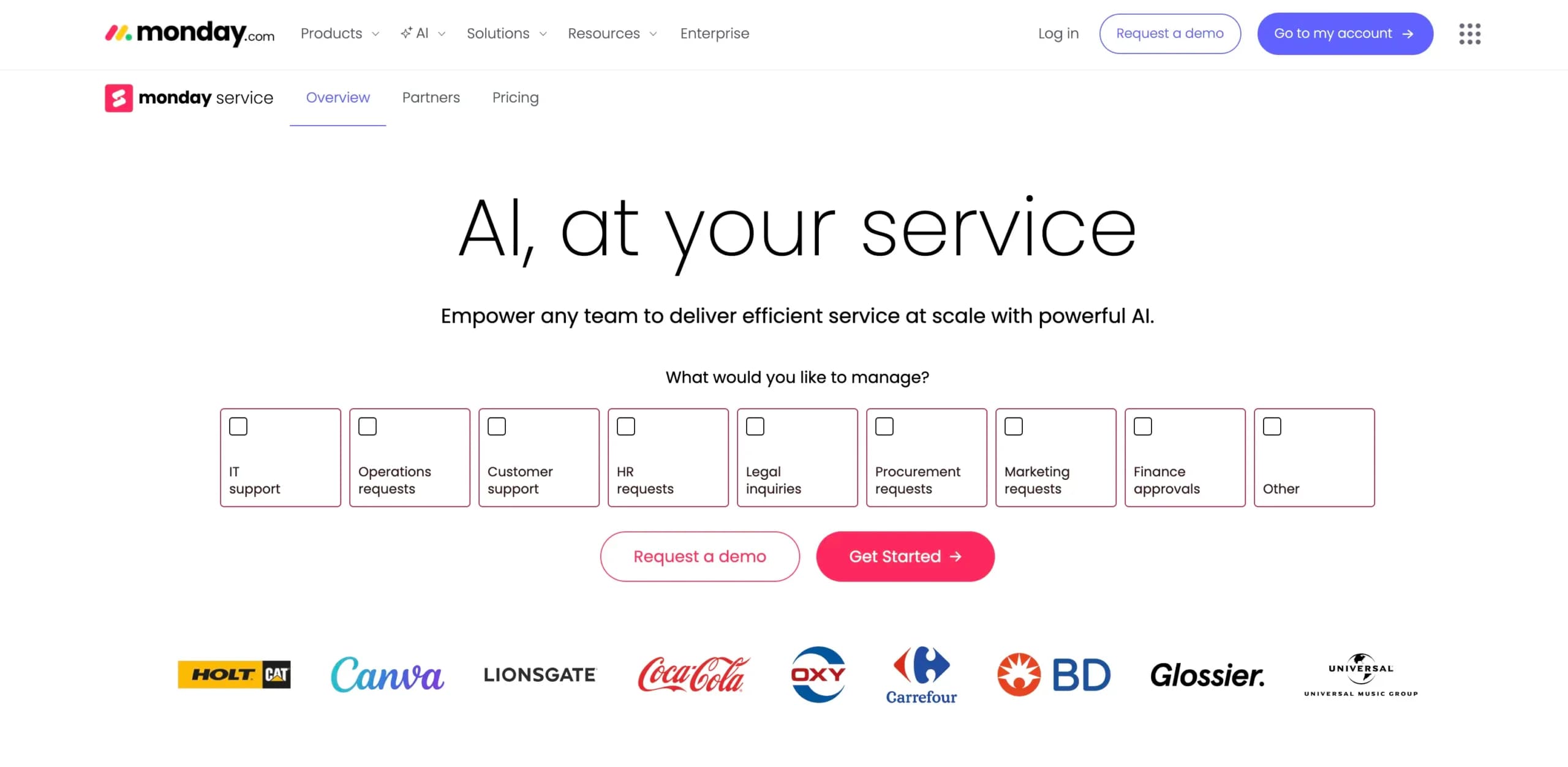
monday service is a service platform that connects ticketing, projects, and cross-department workflows in one place, with an intuitive UI, no-code customization, and built-in AI capabilities. For onboarding, that means you can manage everything from access and equipment requests to approvals, service level agreements (SLAs), and status updates without relying on email chains or disconnected tools. It’s especially strong for organizations that need HR and IT to work from the same playbook to deliver a consistent first-day experience at scale.
Key features
- Ticket management with automated workflows for onboarding requests and approvals
- SLA configurations and alerts to keep provisioning and onboarding tasks on track
- Knowledge management and employee self-service support to reduce repetitive questions
- Service analytics and dashboards to spot bottlenecks and improve onboarding performance
- Multi-channel intake (e.g., email and collaboration tools) to capture employee requests where work happens
- AI capabilities to reduce manual triage and admin
What users are saying
“What we like best about monday.com is how flexible and easy it is to adapt to different workflows without heavy setup. It works well for tracking operational, compliance, and cross-team tasks, and gives clear visibility into ownership, status, and priorities.” — Yulian R., a compliance analyst
Pricing
- Free trial available for 14 days
- 3 paid plans: Standard, Pro, and Enterprise
- Paid pricing starts at $31/seat/mo
2. Rippling
Best for: HR and IT collaboration
Rippling is an employee management platform that combines HR, IT, and payroll workflows in a single system. Instead of relying on separate tools to provision devices, assign accounts, and manage documentation, Rippling automates these tasks through workflows tied directly to the employee record. All new hires receive the tools, access, and paperwork they need without manual coordination between HR and IT, helping organizations deliver faster, more consistent onboarding experiences.
Key features
- Custom workflows to automate tasks like welcome letters
- Automated compliance flagging risks
- Automated device shipping
- Employee self-service
- Document management, including e-signatures
What users are saying
“The all-in-one dashboard for HR, payroll, IT, and performance reviews—automates onboarding and device management, saving hours on manual tasks.” — Priyanka B., a senior QA engineer
Pricing
- Accurate pricing is available from the vendor on request.
3. HiBob
Best for: culture and engagement
HiBob is a human resource information system (HRIS) designed to deliver a more structured and engaging onboarding experience, particularly for growing organizations focused on employee experience.
It helps HR teams guide new hires through onboarding with automated workflows, centralized documentation, and clear milestones, while also giving managers visibility into progress. HiBob places strong emphasis on culture and employee engagement, helping new joiners build connections and integrate into the organization from their very first day.
Key features
- Personalized onboarding experiences, including employee videos and pronoun sharing
- Access to Bob’s clubs, based on location, hobbies, or any other grouping
- Shoutouts and Kudos to celebrate your new hires
- Automated workflows, including preboarding and onboarding checklists
- Built-in electronic signature tool
What users are saying
“The ability to automate reporting, onboarding, and performance management is invaluable as it eliminates the need for manual adjustments, saving time and reducing errors.” — Stefania G., an HR specialist
Pricing
- Accurate pricing is available from the vendor on request.
4. Deel
Best for: global hiring
Deel is an all-in-one HR, payroll, IT, and immigration platform that helps organizations hire, onboard, and pay employees and contractors in multiple countries. It simplifies international onboarding by handling localized contracts, tax documentation, and compliance requirements automatically, reducing the legal and administrative burden on internal teams. This makes Deel particularly valuable for companies building distributed or global workforces; all new hires are onboarded quickly and compliantly regardless of location.
Key features
- Localized contracts and compliance documentation across 150+ countries
- Automated onboarding workflows for employees and contractors
- Global payroll and tax form management
- Document management with built-in e-signatures
- Employee self-service portal for onboarding and personal details
What users are saying
“Deel HR makes managing a global team incredibly simple. The automation for onboarding new hires—especially with localized contracts and compliance documents—saves us hours of manual work. The interface is intuitive, and having payroll, benefits, and HRIS in one single source of truth is a huge productivity.” — T Vinh N., a full stack engineer
Pricing
- Modular pricing is available
- Paid pricing starts at $5/employee/mo
5. Workday
Best for: global enterprises
Workday is an enterprise human capital management (HCM) platform designed to help large, global organizations manage onboarding at scale. It connects directly to core HR processes like workforce planning, compliance, and employee lifecycle management, ensuring consistency across regions and departments. Workday is particularly well suited to complex environments where onboarding must align with strict governance, reporting requirements, and global compliance standards.
Key features
- Role-based onboarding workflows tailored by location, department, and employment type
- Centralized employee records connected to payroll, benefits, and talent management
- Automated document collection, compliance tracking, and approvals
- Employee and manager self-service portals
- Real-time reporting and workforce analytics
What users are saying
“Whether you’re onboarding, applying for internal opportunities, updating personal info, or managing benefits, Workday HCM provides a centralized and intuitive experience. For HR teams, it seems like a powerful tool for managing data, workflows, and compliance all in one place.” — Jeanille R., a technical recruiter
Pricing
- Accurate pricing is available from the vendor on request
6. Gusto
Best for: small business
Gusto is an all-in-one payroll, benefits, and HR platform designed to help small businesses onboard employees quickly. Its onboarding experience is built around simple checklists and guided self-service, allowing new hires to complete documents and get set up without manual HR coordination. Gusto also supports software provisioning and document management, so employees have immediate access to the tools and paperwork they need.
Key features
- Custom onboarding checklists
- Background checks through Checkr partner
- New hire welcome emails and birthday reminders
- Document storage
- Software provisioning
What users are saying
“The onboarding experience is probably my favorite part about the platform. It takes the guesswork out of trying to onboard more than one employee. I’m even informed if an employee hasn’t responded to my invitations to onboard.” — Tammy M., a small business owner
Pricing
- Free trial available
- 3 paid plans: Simple, Plus, and Premium
- Paid pricing starts at $49/mo base fee + $6/person/mo
7. Greenhouse
Best for: recruiting workflows
Greenhouse is primarily an applicant tracking system (ATS) that extends into onboarding, making it a strong choice for organizations that want a seamless transition from candidate to new hire. Instead of treating onboarding as a separate process, HR teams trigger onboarding tasks, documentation, and communications automatically once an offer is accepted. This approach maintains post-hiring momentum and kits new employees out quickly without duplicating work across systems.
Key features
- Offer letter templates with built-in e-signatures
- Automated onboarding workflows triggered after hire
- New hire document collection and secure storage
- Custom onboarding task lists for HR, IT, and managers
- Integration with HRIS, payroll, and IT systems
What users are saying
“I find Greenhouse incredibly user-friendly, which stands out compared to other similar software like Workday and Taleo. Its intuitive interface significantly reduces the ramp-up time for our TA team, making onboarding much quicker and more seamless.” — Abigail K., a mid-market user
Pricing
- 3 plans available: Core, Plus, and Pro Accurate pricing is available from the vendor on request.
8. ClearCompany
Best for: talent management
ClearCompany is a talent management platform that connects recruiting and onboarding into a single, continuous workflow. As onboarding is built directly into its broader talent acquisition and performance system, HR teams can transition candidates into employees without switching tools. This approach helps organizations automate compliance, and give new hires clear visibility into their tasks and expectations from the moment they accept an offer.
Key features
- Customizable digital onboarding packets with tasks and checklists
- Automated workflows with built-in compliance tools, including I-9 and E-Verify
- Paperless document collection with e-signatures and secure storage
- Mobile-friendly onboarding experience for remote and distributed teams
- Integration with recruiting, learning, and performance management systems
What users are saying
“The biggest upsides of using ClearCompany are the intuitive workflows and the ease of adoption for both HR and hiring managers. The platform simplifies recruiting processes without adding extra complexity, and the transition from candidate to onboarding feels seamless.” — Chelsey O., manager of talent acquisition and HR operations
Pricing
- 3 plans available: ClearRecruit, ClearTalent, TotalTalent
- Accurate pricing is available from the vendor on request.
9. Connecteam
Best for: deskless teams
Connecteam is a mobile-first employee management platform that’s a good match for onboarding deskless and frontline workers. Its onboarding experience is built around mobile workflows, making it particularly effective for industries like retail, construction, and healthcare, where employees rarely sit behind a desk and need immediate access to onboarding materials in the field.
Key features
- Mobile onboarding with training courses, quizzes, and progress tracking
- Centralized document storage for contracts, certifications, and compliance records
- Automated onboarding checklists and workflows to guide new hires step-by-step
- Employee self-service for uploading forms and accessing onboarding materials
- In-app communication tools for sharing updates, announcements, and training resources
What users are saying
“I love that I can share updates and ensure everyone knows their responsibilities without needing multiple tools. It’s also invaluable for onboarding and training, letting me share documents and instructions easily. What I really like is how easy it makes my day-to-day work when managing people.” — Abhinav Y., a remote team manager
Pricing
- Free 14-day trial available
- Free forever plan for up to 10 users
- 4 paid plans: Basic, Advanced, Expert, and Enterprise
- Paid pricing starts at $29/mo
10. Enboarder
Best for: employee experience
Enboarder is an employee onboarding platform designed to orchestrate personalized onboarding journeys at scale, using agentic AI to automate coordination and deliver timely, contextual experiences for every new hire. Instead of relying on static checklists, Enboarder dynamically triggers tasks, communications, and reminders based on real-time progress. This gives employees the right support at the right moment, helping organizations deliver more consistent, engaging onboarding experiences globally.
Key features
- Agentic AI to automate onboarding workflows and trigger actions based on real-time events
- Personalized onboarding journeys tailored by role, location, and employee context
- Automated task orchestration across HR, IT, and hiring managers
- Built-in communications to deliver timely reminders, nudges, and guidance
- Integration with HRIS, collaboration tools, and enterprise systems
What users are saying
“It’s been great at creating, automating and standardizing onboarding experiences for new hires, teams and managers while also reducing People Service time spent on administrative tasks and providing more meaningful experiences to new hires.” — A financial services user
Pricing
- Accurate pricing is available from the vendor on request.
How to select the right employee onboarding platform for your business size
Onboarding software isn’t one-size-fits-all. A five-person company doesn’t need the same setup as a global business hiring across multiple regions. And picking something too “enterprise” too early can be just as painful as sticking with spreadsheets for too long.
A good rule of thumb? Match the platform to your current hiring volume and complexity, then make sure it can grow with you. The questions to ask are: How many people are involved in onboarding? How much can we automate? And how quickly do new hires need tools, access, and equipment? With that in mind, here’s what to look for based on business size and setup.
- Small businesses (1-50 employees): Prioritize ease of use by choosing a platform with simple setup, ready-made templates, and minimal configuration. You shouldn’t need a dedicated HR or IT team to manage onboarding.
- Growing teams (50-250 employees): Focus on automation.As hiring volume increases, manual coordination becomes unsustainable. Look for tools that automatically assign tasks, trigger provisioning requests, and send reminders across teams.
- Mid-sized companies (250-1,000 employees): Ensure cross-team coordination across your HR, IT, finance, and hiring managers. Select software that connects these workflows in one system to prevent delays and missed tasks.
- Larger organizations (1,000+ employees): Look for scalability and customization. Enterprise onboarding requires flexible workflows, role-based permissions, and the ability to handle different locations, departments, and compliance requirements.
- Distributed or hybrid teams: Prioritize remote-ready onboarding using platforms that support digital forms, automated access provisioning, and centralized progress tracking so new hires can onboard smoothly from anywhere.
- Technical environments: Deliver strong IT and equipment provisioning support. If employees require devices, software access, or permissions, look for platforms that integrate with IT service management workflows to streamline provisioning.
- High-growth companies: Choose platforms that integrate with your broader tech stack, including your HRIS, payroll, identity management, and collaboration tools to avoid duplicate work and maintain data accuracy.
- Any business size: Prioritize visibility and reporting. The right platform should give HR and managers clear visibility into onboarding progress, identifying bottlenecks and supporting new hires to reach productivity faster.
What is the role of AI in scaling the new hire journey?
Instead of HR teams manually coordinating every checklist, reminder, and document, using AI in onboarding delivers a smoother experience for employees and far less administrative overhead for internal teams. Here’s where AI creates the biggest impact.
Delivering personalized onboarding plans tailored to each role
Instead of every new hire following the same generic checklist, AI helps them focus on what matters most from day one. It can:
- Build personalized 30-60-90 day plans based on job requirements
- Assign role-specific training, documentation, and onboarding tasks
- Identify potential knowledge gaps and recommend additional resources
- Adapt onboarding workflows dynamically as roles or responsibilities evolve
Providing immediate answers through AI chatbots and virtual assistants
New hires have frequent questions, especially in their first few weeks. AI chatbots provide instant answers without requiring your human team members to respond manually. Common use cases include:
- Answering questions about policies, benefits, or onboarding tasks
- Helping employees find training resources or internal documentation
- Guiding users through processes like requesting equipment or access
- Creating or updating service requests automatically
Automating paperwork and administrative workflows
Paperwork has traditionally been one of the most time-consuming parts of onboarding. AI simplifies this by automating document workflows, including:
- Sending required forms automatically based on role and location
- Tracking completion status and sending reminders when needed
- Extracting and organizing employee information from submitted documents
- Routing approvals and compliance tasks to the right stakeholders
Enabling structured feedback and proactive check-ins
AI empowers organizations to monitor onboarding progress and intervene early if something isn’t working. Instead of waiting for issues to take root, AI creates a continuous feedback loop that involves:
- Triggering check-ins at key onboarding milestones
- Analyzing feedback from surveys and identify trends or risks
- Flagging delayed tasks or incomplete onboarding workflows
- Recommending actions to improve the onboarding experience

Maximize employee onboarding impact with monday service
With AI now capable of coordinating complex onboarding workflows, the next step is putting that intelligence into the systems your teams already rely on. monday service is built for exactly that purpose. The AI-powered service management platform excels at cross-team collaboration, connecting ticketing, workflows, and service operations in one place so onboarding becomes a structured, reliable process. Here’s what you’ll achieve with monday service.
Turn onboarding requests into structured service tickets
HR teams can submit onboarding requests through standardized forms or a service catalog, automatically generating tickets that capture everything IT and operational teams need to prepare the employee.
Each request is assigned clear ownership, deadlines, and SLA expectations, so tasks like provisioning accounts or and granting system access are completed on time and without manual follow-up.
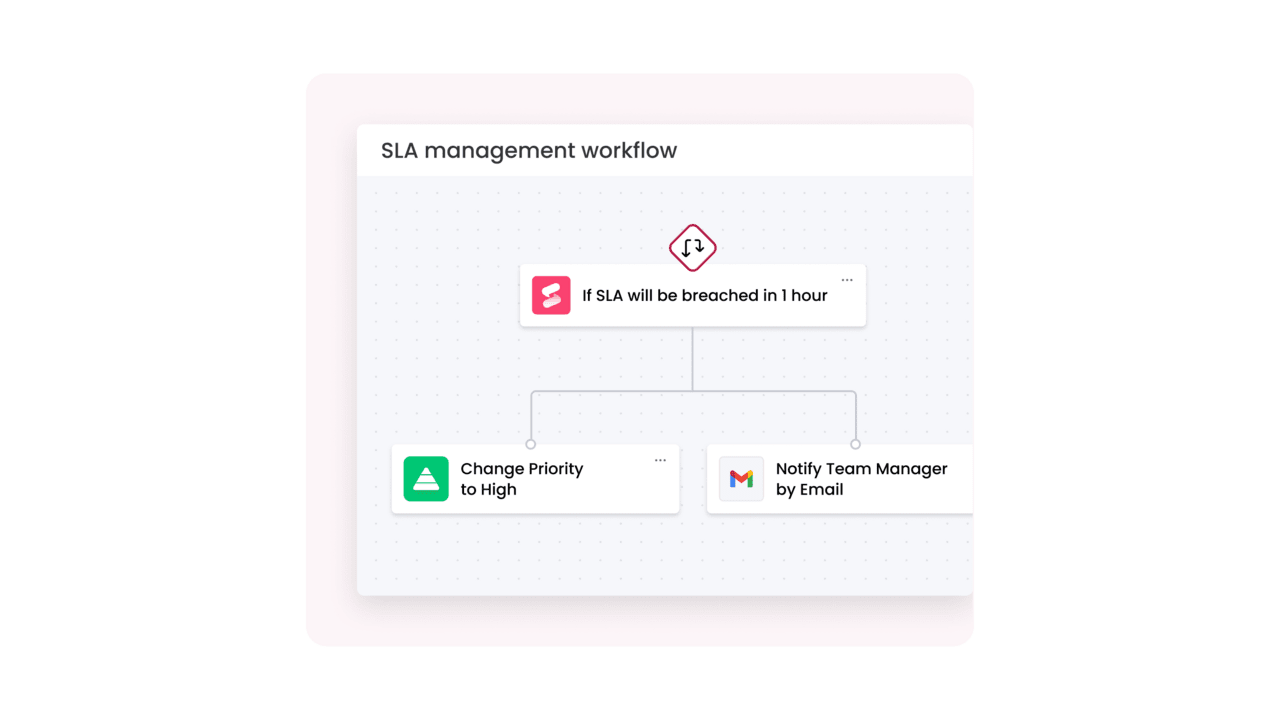
Automatically route onboarding tasks to the right teams using AI-powered workflows
Onboarding requires careful coordination across multiple teams, each responsible for different setup steps. monday service uses automated workflows and AI-powered categorization to route onboarding tickets directly to the right owners based on role, department, location, or request type.
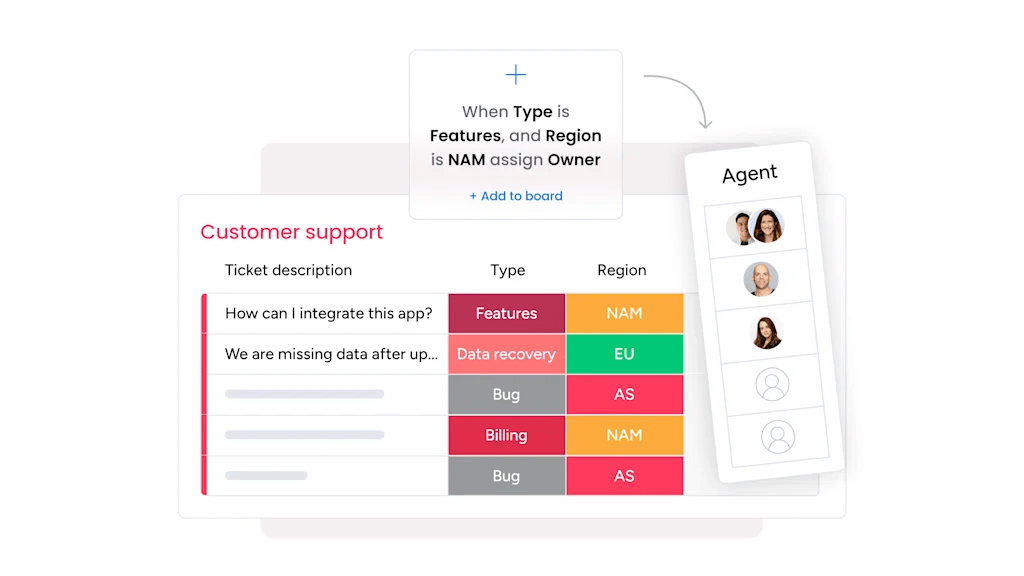
Give HR and IT shared visibility into onboarding progress
One of the biggest onboarding challenges is lack of visibility. In a shoddy (read traditional) onboarding cycle, HR doesn’t know whether accounts have been provisioned, IT doesn’t know whether training has been assigned, and managers don’t know whether employees are fully set up. monday service solves this by centralizing onboarding requests, workflows, and progress tracking in a single platform.
Real-time dashboards allow each of your internal teams to monitor onboarding progress across teams. Any delay will be immediately apparent, allowing your people to jump in and support as a more coordinated unit.
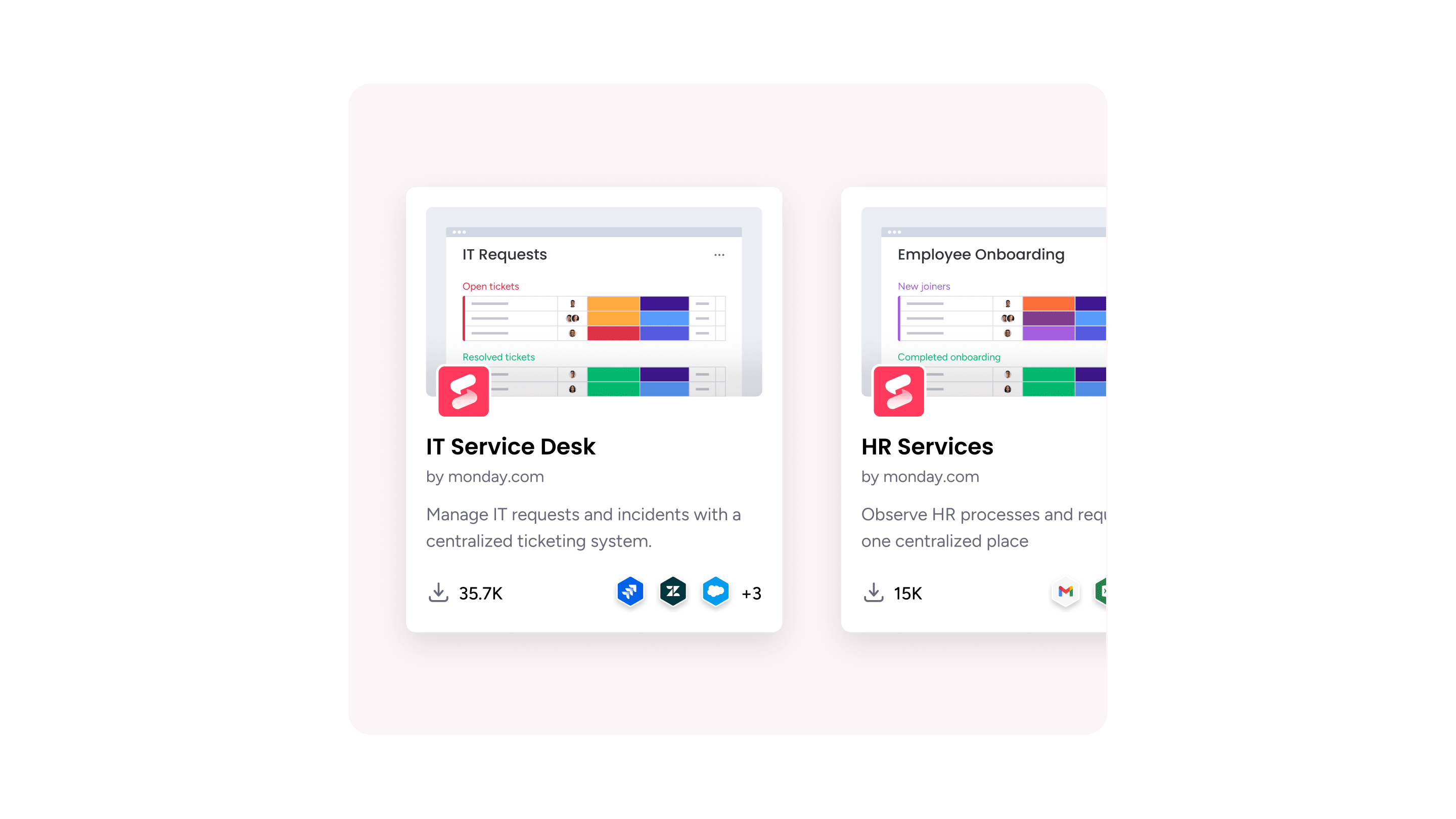
Track onboarding progress on autopilot with a digital workforce
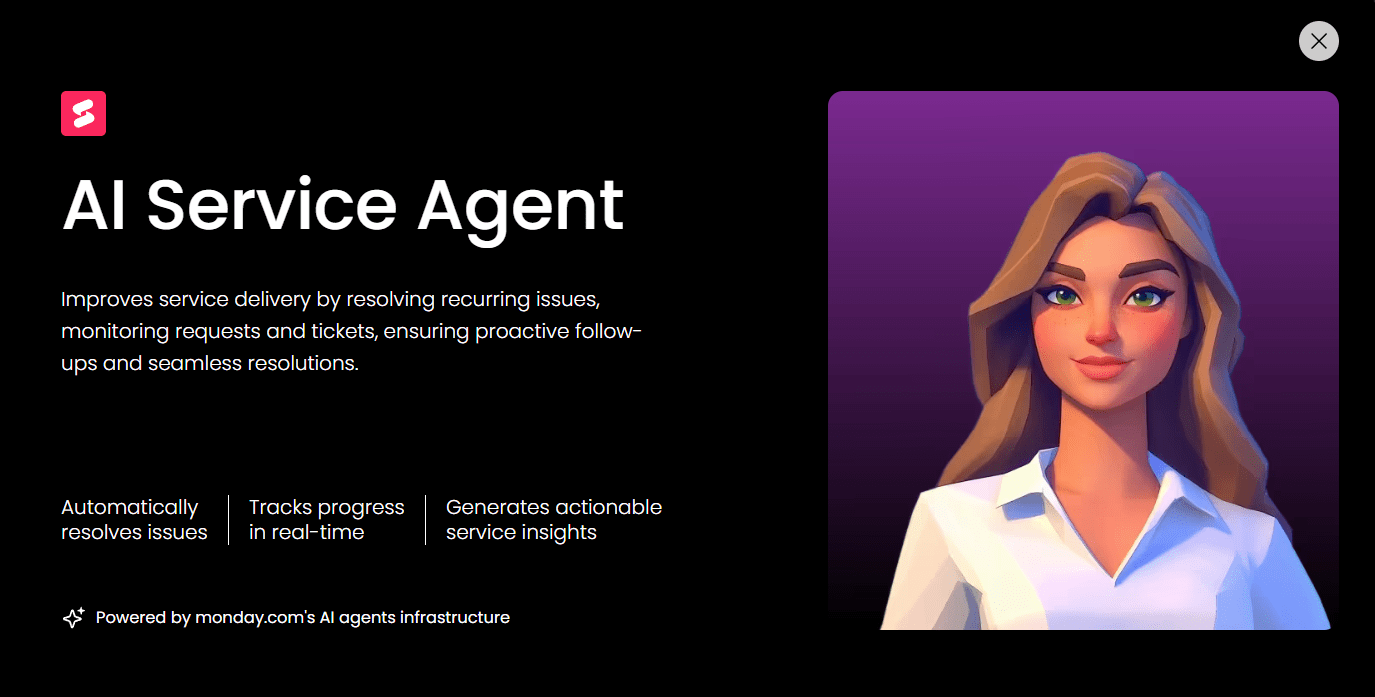
monday.com’s Digital Workforce adds an additional layer of operational oversight by continuously monitoring onboarding workflows and service requests, without increasing your headcount. For example, teams can use a Digital Worker to automatically generate weekly reports on new hire setup progress or highlight recurring onboarding issues.
Build a fully customized onboarding app using no-code workflows
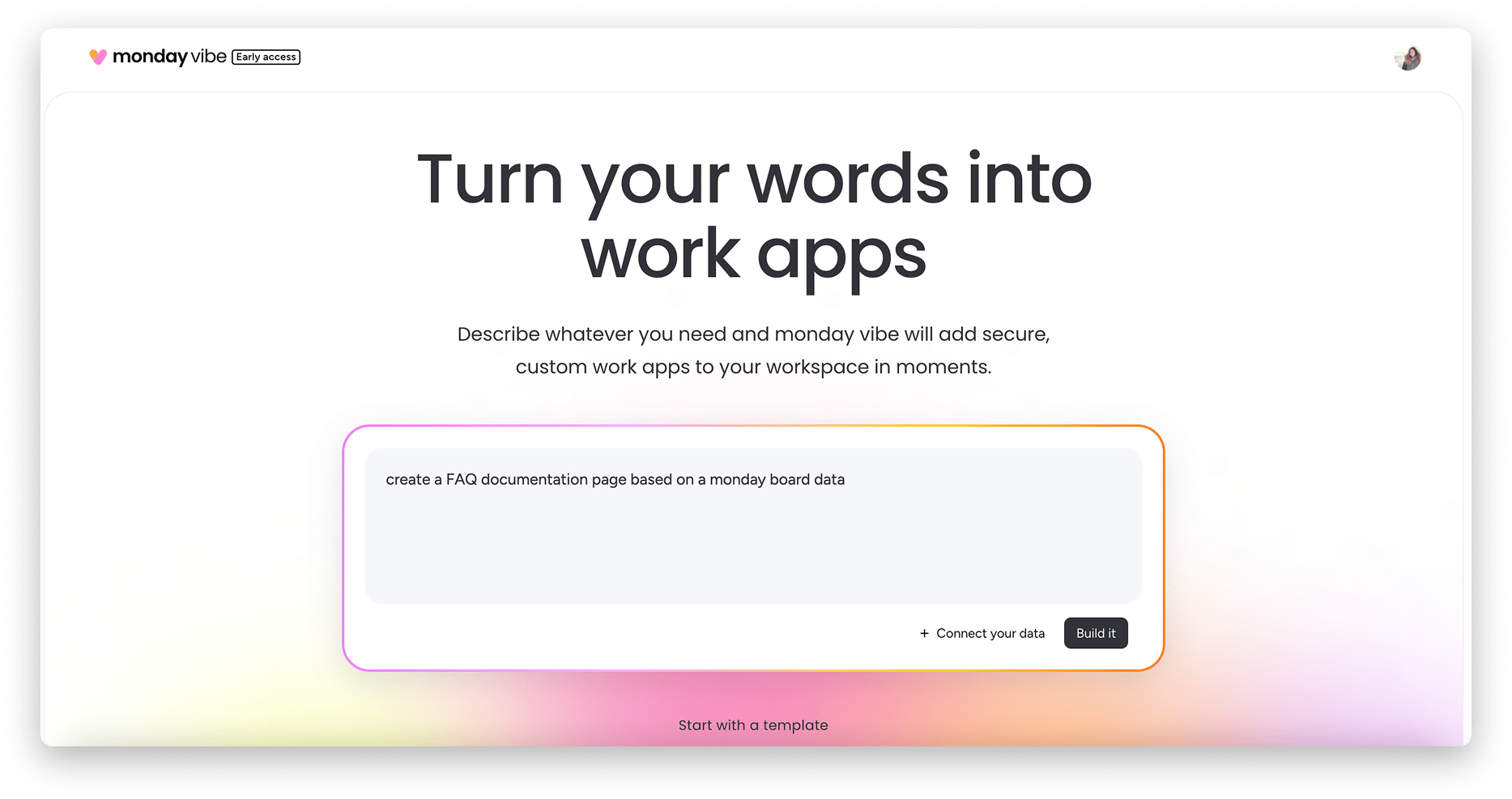
monday vibe allows teams to build fully customized onboarding apps tailored to their workflows. Using no-code tools, organizations can create onboarding portals or design structured onboarding experiences without any advanced expertise. This flexibility allows teams to adapt onboarding workflows as the organization grows, and even support different onboarding paths by role or department.
Implementation guide: How to set your new hires up for success
HR Executive Dona Viju stresses the importance of a solid onboarding process:
Ever noticed how some new hires hit the ground running while others seem lost in their first few weeks? The difference often comes down to onboarding. It’s more than filling out forms or attending orientation — it’s the first real experience an employee has with your organization.
Partnering a quality employee onboarding platform with a structured process is your recipe for success. Work through the steps below to build a scalable onboarding process that sets employees up for long-term success.
1. Start onboarding before day one with structured preboarding
Preboarding is the phase that happens between a job offer and a new hire’s first day. This is the time to sort out paperwork and equipment to accelerate ramp time during onboarding.
Key tasks:
- Sending offer letters and collecting e-signatures
- Gathering personal and payroll information
- Triggering IT provisioning workflows
- Sharing onboarding schedules and expectations
2. Automate account setup and equipment provisioning
Access delays are one of the fastest ways to derail onboarding. New hires need working logins, software access, and equipment immediately. Automated workflows allow IT to receive requests early and complete any provisioning before the employee starts.
Key tasks:
- Provisioning laptops and mobile devices
- Setting up email, internal tools, and permissions
- Assigning access based on role templates
- Tracking equipment requests and approvals
3. Create clear onboarding workflows with defined ownership
Structured workflows between your internal teams ensures everyone knows what they need to do and when.
Key tasks:
- Assigning onboarding tasks to responsible teams
- Tracking progress in a shared system
- Setting deadlines and automated reminders
- Standardizing onboarding checklists by role
4. Give managers visibility into onboarding progress
Managers play a critical role in helping new hires ramp up. Providing visibility into onboarding progress allows managers to support employees proactively instead of reacting to problems.
Key tasks:
- Monitoring task completion across teams
- Identifying blockers early
- Completing any required training
- Tracking onboarding milestones
5. Deliver structured training and early performance support
Onboarding should help new hires build confidence and competence quickly. Providing structured learning paths accelerates productivity and reduces early attrition risk.
Key tasks:
- Assigning training materials and onboarding plans
- Scheduling introductory meetings and check-ins
- Tracking completion of training milestones
- Providing early feedback and support
6. Continuously monitor, improve, and scale onboarding workflows
Tracking onboarding workflows helps identify any bottlenecks or improvement opportunities, which is particularly valuable as your organization grows.
Key tasks:
- Tracking onboarding completion times
- Identifying workflow bottlenecks
- Collecting feedback from new hires
- Optimizing workflows for efficiency and scale
With monday service, these steps don’t exist in isolation. The platform connects every stage of the employee lifecycle, from talent acquisition to preboarding and onboarding, and all the way through to offboarding. Throughout every interaction with your company, you’ll create a consistent experience for supporting employees as they grow, develop, and contribute long after their first day. Take a free monday service trial to transform our onboarding process at scale.
Try monday serviceFAQs about employee onboarding software
What makes a platform qualify as the "best" for employee onboarding in 2026?
The best onboarding platform in 2026 allows new hires to be productive faster without creating more admin. Look for:
- Workflow automation for tasks, reminders, and approvals
- Role-based templates, including different paths by team and location
- IT + HR coordination for setting up accounts, devices, and access
- Core integrations, such as HRIS, payroll, SSO, and tools like Slack or Microsoft Teams
- Reporting and analytics to track ramp time
How does employee onboarding software reduce the "time to productivity" for new hires?
Onboarding software reduces time to productivity by removing delays and guesswork. It gives new hires a clear plan, automates repetitive steps, and ensures HR and IT tasks happen on time. Most platforms help by:
- Triggering tasks automatically based on role or start date
- Provisioning tools and system access earlier
- Centralizing training, documents, and check-ins
- Flagging blockers before day one
Can small businesses find affordable software that includes e-signatures and automation?
Yes, many small-business onboarding tools include e-signatures and basic automation, often as part of an HRIS bundle or entry-tier plans. Prioritize:
- Built-in e-sign and document storage
- Simple workflow rules such as task assignment and reminders
- Employee self-service for completing forms and updating personal details
- Pricing that scales gradually as your hiring volume increases
If e-sign isn’t native, check for integrations with DocuSign or Dropbox Sign.
What are the most common integrations required for a seamless onboarding workflow?
The most common onboarding integrations connect HR data, identity and access management, communication tools, and payroll systems so tasks don’t get duplicated. Typical “must-haves” include:
- HRIS: Employee records, job details, and start dates
- Payroll systems: Tax forms, direct deposit, and compensation setup
- SSO and identity providers: Platforms like Okta, Azure AD, or Google Workspace
- IT service and asset tools: Ticketing systems and equipment tracking
- Communication platforms: Slack or Microsoft Teams for notifications and approvals
How does monday service specifically handle IT and equipment requests for new staff?
monday service handles IT and equipment onboarding by turning requests into structured workflows with ownership, SLAs, and automation. It’s built for repeatable internal service delivery, not ad-hoc chasing, enabling you to:
- Route new-hire tickets to the right IT queue automatically
- Standardize laptop and access requests using service forms
- Track approvals, status, and handoffs in one place
- Monitor SLA risk and bottlenecks through dashboards
Are there onboarding tools designed specifically for international compliance and payroll?
Yes, platforms like Deel and Rippling are built to support global hiring, payroll, and compliance as part of onboarding. They typically cover:
- Country-specific contracts and required documents
- Localized payroll setup and tax forms
- Compliant worker classification (employee vs contractor)
- Cross-border benefits and payments
If global compliance is your main risk, start with an EOR or payroll-led platform, then layer workflow tools if needed.
How can AI features within onboarding software reduce administrative burnout?
AI reduces onboarding admin burnout by taking care of the repetitive “glue work” that drains time. Some common AI wins include:
- Auto-triage and routing of onboarding requests
- Summarizing long threads and handoffs
- Suggested next steps when tasks are stuck
- Chat-based answers to common “where do I…?” questions
What is the difference between preboarding and onboarding features in modern tools?
Preboarding covers everything before day one; onboarding covers the structured ramp after the start date. In modern tools, preboarding features focus on paperwork, policy acknowledgements, equipment/access requests, welcome info, and scheduling. Following on from preboarding, onboarding features handle training plans, manager check-ins, goal setting, probation milestones, and feedback loops. The best platforms connect both so nothing resets on day one.
How do mobile-first platforms support onboarding for non-desk or field employees?
Mobile-first onboarding platforms support frontline teams by making onboarding doable without a laptop. They typically provide:
- Mobile forms and e-signatures
- App-based task lists and reminders
- In-app training content and checklists
- Chat or help request submission from the phone
These features are especially important for retail, logistics, healthcare, and construction, where “check your email” isn’t a realistic workflow.
How does monday service integrate with the broader monday.com ecosystem for task management?
monday service integrates with the monday.com ecosystem by connecting service requests to the work that resolves them. You can:
- Link onboarding tickets to project boards (e.g., IT rollout, HR ops)
- Automate handoffs between teams using shared workflows
- Centralize reporting across boards and dashboards
- Use the same platform for service delivery and task execution
Overall, this approach means fewer silos as requests, work, and visibility coexist side by side.

 Get started