


Gantt charts are one of the most useful ways to visualize project timelines. By mapping tasks, owners, milestones, and dependencies across a schedule, they help teams understand what needs to happen, when it needs to happen, and how delays in one area can affect the rest of the project.
But today’s teams need more than a static timeline. A useful Gantt chart tool should also help teams adjust schedules, manage dependencies, collaborate across departments, track workload, automate updates, and keep stakeholders aligned as plans change.
That’s why choosing the right Gantt chart software matters. The best tools connect project planning to execution, giving teams a clearer way to manage timelines, monitor progress, and respond when priorities shift. In this guide, we’ll compare 20 Gantt chart software options, what each one is best for, and how monday.com’s AI Work Platform helps teams connect Gantt planning with dashboards, automations, integrations, and AI-powered workflows.
Get started with monday.comKey takeaways
- Gantt chart software helps teams visualize project timelines, dependencies, milestones, owners, and progress in one timeline-based view
- The best Gantt chart tools go beyond scheduling by supporting collaboration, workload management, automations, dashboards, integrations, and real-time updates
- Teams should choose Gantt chart software based on project complexity, collaboration needs, reporting requirements, budget, and how well the tool connects to existing workflows
- monday.com’s AI Work Platform helps teams connect Gantt charts to project boards, dashboards, automations, integrations, and AI-powered capabilities in one workspace
- AI-powered support can help teams summarize updates, organize project information, surface risks, and keep timelines connected to execution
What is Gantt chart software?
Gantt chart software is a type of project management software used to create digital Gantt charts for better collaboration and communication.
Gantt chart software simplifies complex projects by displaying collaborators and task owners in a single timeline-based view, giving you an overview of a project’s duration and tasks.
Gantt charts often use color coding and icons or images to represent or assign tasks. With Gantt chart software, you can:
- Create, manage, and assign project tasks
- Map project timelines, milestones, and deadlines
- Set dependencies between tasks
- Track progress against planned schedules
- Identify bottlenecks and timeline risks
- Plan resource allocation and workload
- Share project timelines with stakeholders
- Connect timeline updates to notifications, dashboards, or automations
Features to look for in Gantt chart software
The right Gantt chart software should do more than display a timeline. It should help your team keep that timeline accurate as work changes. Before choosing a tool, look for features that support both planning and execution.
- Task scheduling: Build project timelines with start dates, end dates, milestones, and owners
- Dependencies: Link tasks so teams can see which work needs to happen before the next step begins
- Collaboration tools: Use comments, file sharing, updates, and notifications to keep project communication close to the timeline
- Progress tracking: Monitor task status, completion percentage, blockers, and overdue work
- Customization: Filter and view Gantt chart data by owner, status, priority, department, or project phase
- Automation: Trigger reminders, status changes, notifications, or handoffs when dates or dependencies change
- Workload visibility: See whether team members have enough capacity to complete the work on time
- Dashboards and reporting: Turn project timeline data into high-level views for stakeholders and leaders
- AI-powered support: Summarize updates, organize project information, identify risks, or help teams move from planning to next steps faster
For small projects, a simple Gantt chart maker may be enough. For cross-functional work, teams usually need a more integrated platform that brings together timelines, tasks, owners, updates, reporting, and workflows.
AI-powered capabilities in Gantt chart creation can help teams manage that complexity. Instead of manually reviewing every update, teams can use AI to summarize project activity, surface risks, organize information, and turn project context into clearer next steps. This does not replace project managers, but it can reduce the administrative work around keeping timelines accurate.
In monday.com’s AI Work Platform, tools like monday sidekick, monday agents, monday vibe, AI columns, and the AI workflow builder can support project workflows in different ways. Teams can summarize updates, create structured workflows, organize incoming information, and connect Gantt planning to the boards, dashboards, and automations where execution happens.
While there are many ways to use free Gantt charts, such as in Excel, with a digital Gantt chart template, or manually creating your own, relying on software gives you access to a variety of additional tools and features that help ensure your project is running as efficiently as possible.
Top 13 Gantt chart software for project managers
While Henry Gantt began writing Gantt charts on paper, we have since come a long way with digital Gantt chart software. These platforms allow for real-time collaboration and more efficient tracking of project tasks. Below, we’ll go through some of the most popular Gantt chart software platforms on the market so that you can choose the best one for your next project.
1. monday.com’s AI Work Platform
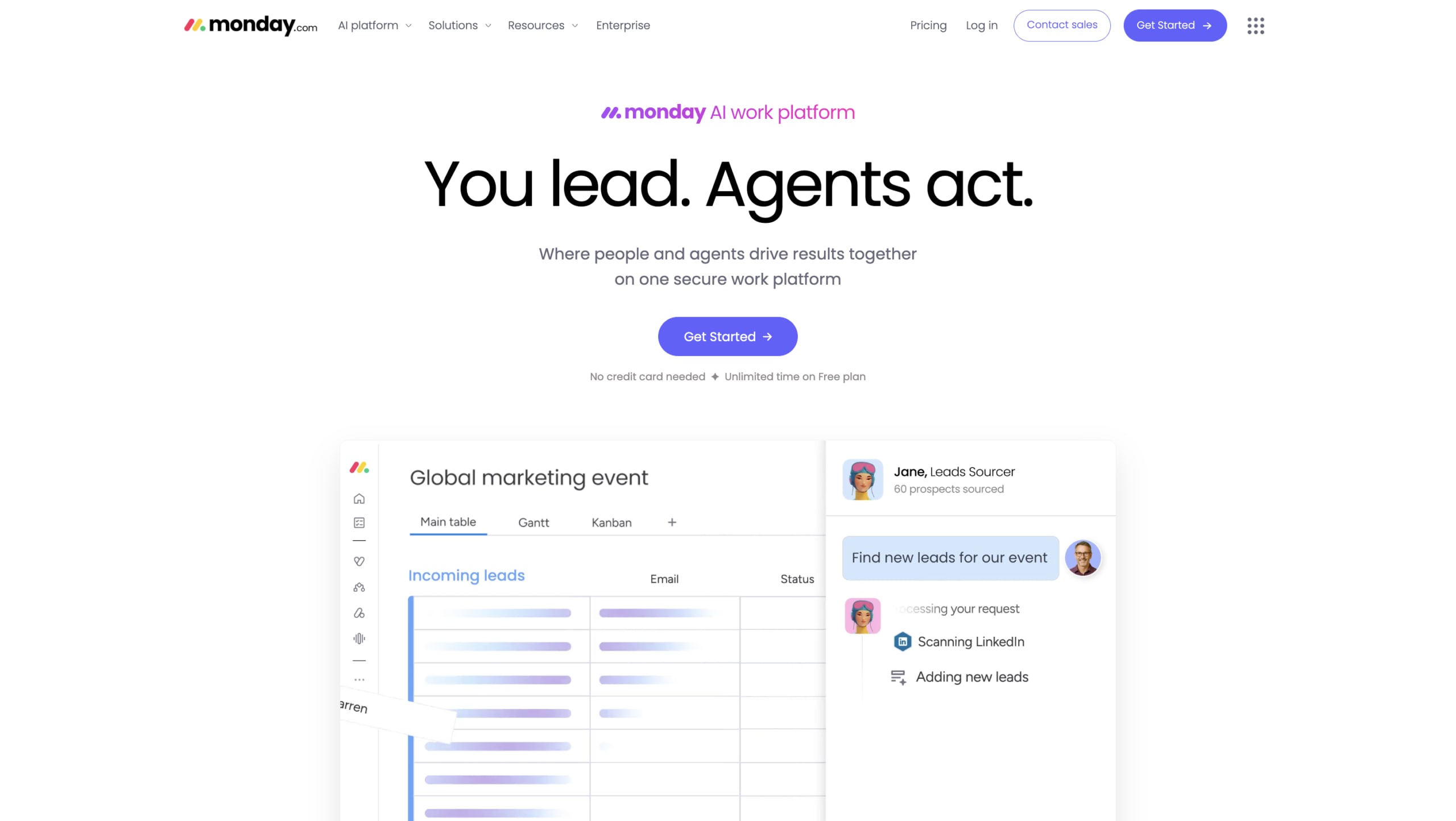
Best for: Best for teams that want Gantt charts connected to dashboards, automations, and AI-powered workflows
monday.com’s AI Work Platform helps teams manage project timelines while keeping the surrounding work connected. Instead of treating a Gantt chart as a separate planning document, teams can build project boards, assign owners, map dependencies, track progress, and then view the same work as a Gantt chart.
This makes monday.com a strong fit for teams managing cross-functional projects, campaign timelines, product launches, PMO workflows, client work, or any project where deadlines depend on multiple people and moving parts. Teams can switch between Gantt, Kanban, timeline, calendar, workload, and dashboard views while working from the same project data.
Key monday.com features
- Visualize tasks, milestones, dependencies, owners, and timelines in a Gantt view
- Import project data from spreadsheets and turn it into structured project boards
- Use dashboards to track progress, workload, blockers, and cross-project status
- Create no-code automations for reminders, status changes, handoffs, and deadline updates
- Connect project work across tools with native integrations and an open API
- Use AI-powered capabilities to summarize updates, organize project information, and surface work that may need attention
monday.com pricing
- See monday.com pricing for current plan details
- Multiple plan options are available depending on team size and workflow needs
- Free trial available
2. Wrike
Best for: Best for cross-functional teams needing enterprise-grade flexibility and scale
Wrike is a versatile project management platform with great Gantt chart features that can be fitting for any type of team. With its collaborative features and user-friendly interface, Wrike gives you direct visibility into projects and tasks so you can better reach your goals.
Key Wrike features
- Easily adjust your Gantt chart and reschedule dates and deadlines in bulk
- Share tasks with colleagues with a link to stronger collaboration
- Import data from Excel or MS Projects directly to your Gantt chart
Wrike pricing
- Plans starting from $8/user/month
- Four plans to choose from: Team, Business, Enterprise, Pinnable
- Free plan with limited functionalities for small teams
- Free trial available
- Learn more about Wrike’s plans and pricing here
3. Smartsheet
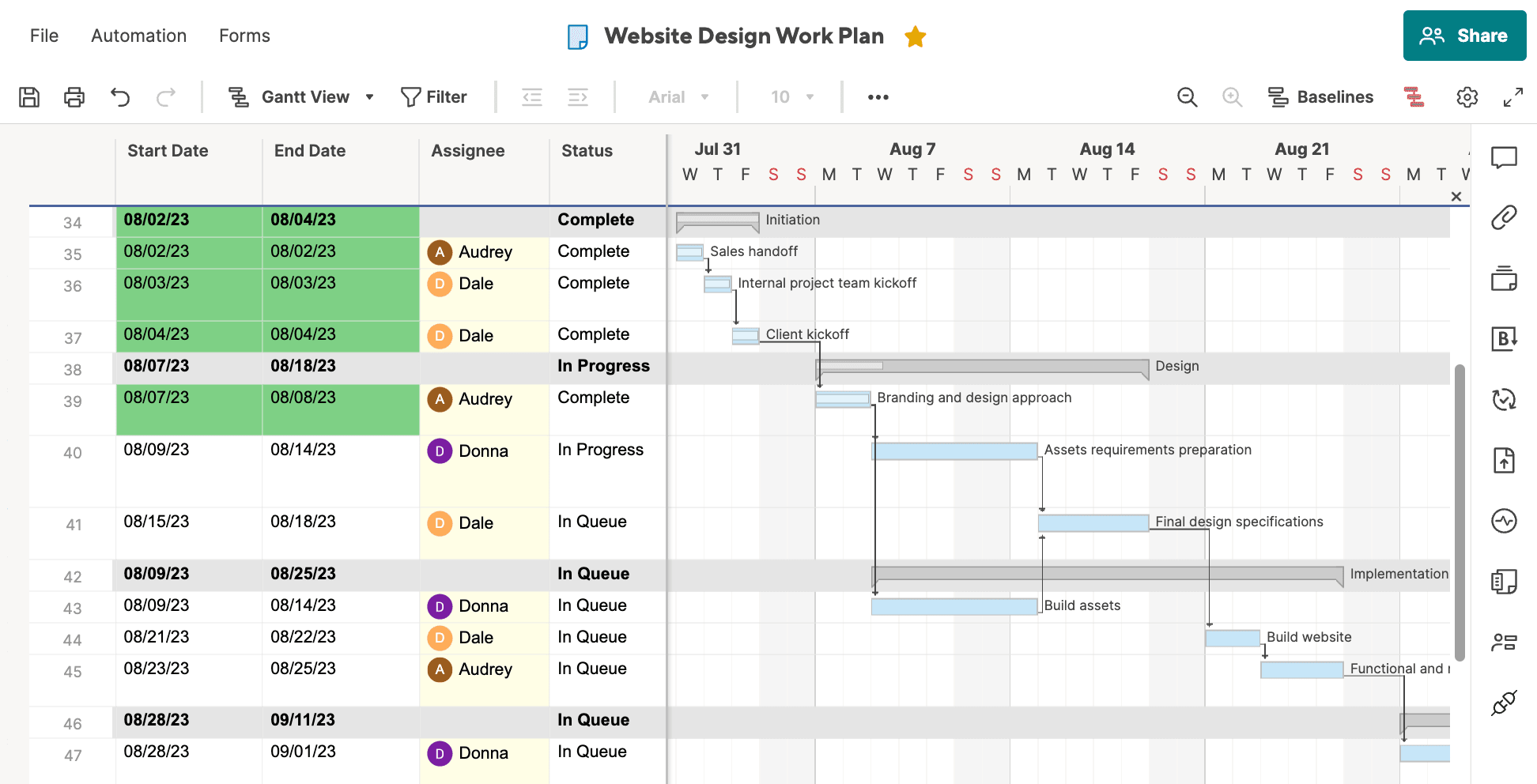
Best for: Best for ops and IT teams
Smartsheet is a work and project management platform known for its simple spreadsheet-style software. Despite its simplicity, Smartsheet is robust enough to handle complex projects and processes, making it a scalable tool for teams of any size.
Key Smartsheet features
- Visualize your projects and tasks in a Gantt View that can be edited to your liking
- 100+ apps and integrations with the work tools you’re already using
- Automate versatile workflows for setting notifications, responding to messages, and more
Smartsheet pricing
- Plans starting from $9/user/month
- Three plans available: Pro, Business, and Enterprise
- Free trial available
- Find out more about Smartsheet plans and pricing here
4. ClickUp
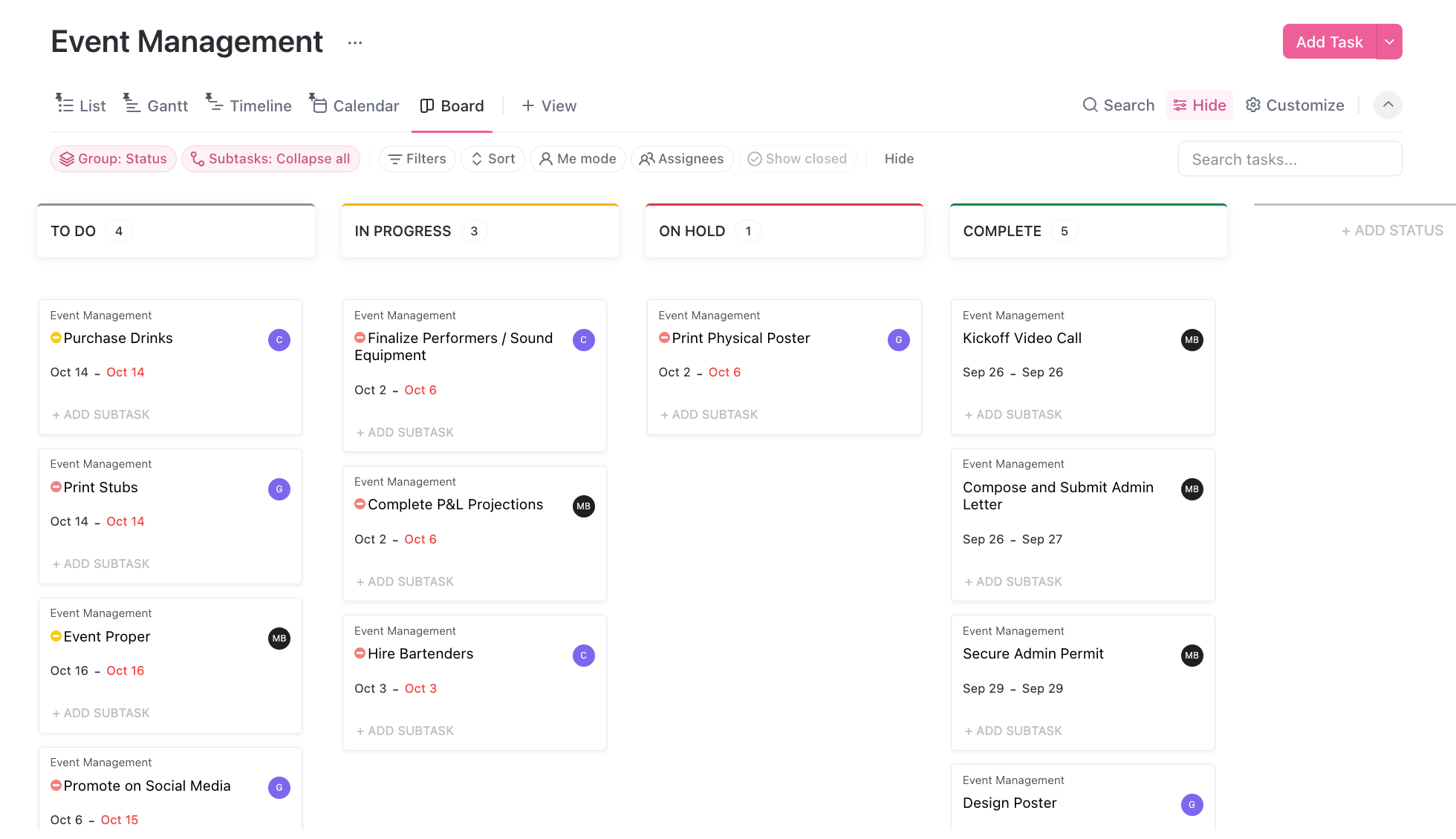
Best for: Best for startups and small businesses
ClickUp includes Gantt chart functionality as a part of its project management suite. Users can adjust timelines, priorities, and tasks to keep track of projects. As an all-in-one project management tool, ClickUp helps teams streamline workflows and avoid bottlenecks.
Key ClickUp features
- Customize your Gantt chart with dates, priority levels, dependencies, and more
- Identify your project’s critical path to better stick to your timeline
- Slack Time feature shows tasks with flexible schedules right on your Gantt chart
ClickUp pricing
- Plans starting from $7/user/month
- Four plans available: Free, Unlimited, Business, and Enterprise
- Free forever plan with basic features available
5. Hive
Best for: Remote teams
Combining Gantt charts with powerful project management tools, Hive helps teams work faster. Hive boasts a democratically built platform built by users, offering customizable features along with an adoption guarantee. Hive has a comprehensive Gantt chart view and functionalities for tracking projects.
Key Hive features
- Toggle between Gantt view and others like List, Calendar, Kanban, and more
- Resource management and time-tracking tools to monitor team productivity
- Automate tasks and workflows to cut down on time-consuming manual work
Hive pricing
- Plans starting from $5/user/month
- Three plans available: Starter, Teams, and Enterprise
- Free forever plan with limited features
- Free trial available
6. TeamGantt
Best for: Best for freelancers and small teams
As its name implies, TeamGantt offers a simple and visual way to plan and manage projects. Features a user-friendly interface and UX, it’s easy to create and adjust project timelines and includes collaboration features that keep your entire team on the same page.
Key TeamGantt features
- Drag-and-drop interface to easily create and adjust Gantt charts
- Aside from Gantt charts, visualize work in a Kanban list, Calendar view, and more
- Built-in resource management feature helps you balance your team’s workload
TeamGantt pricing
- Plans starting from $49/month/user
- Two paid plans available: Pro and Unlimited Everything
- Free plan with basic features for smaller teams
- Free trial available
7. Aha!
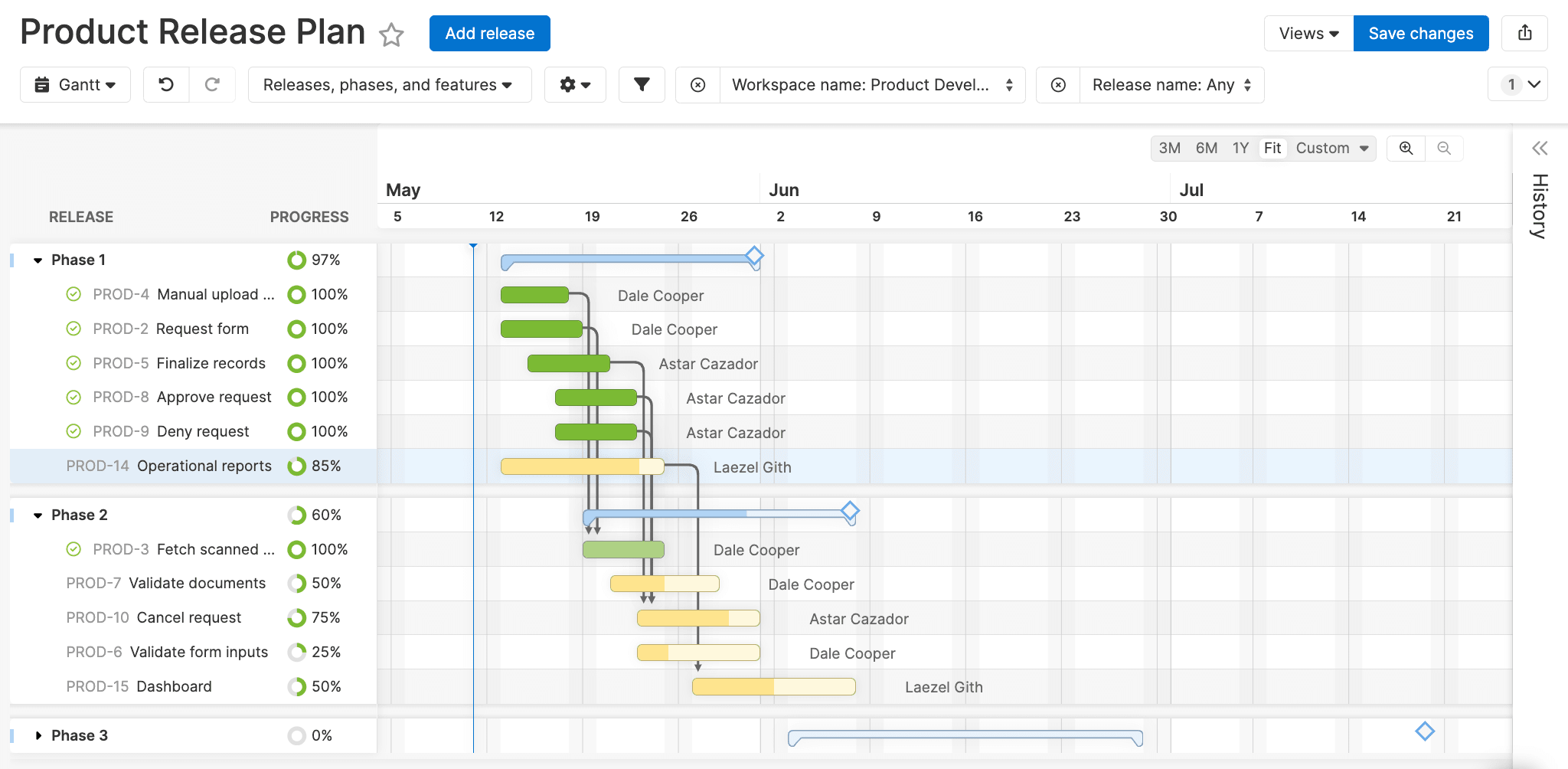
Best for: Teams looking for product planning software alongside Gantt chart functionality
Aha! is a product development platform that helps teams bring their product strategy to life. With plenty of features to help drive a product development plan forward, Aha! also includes some core project management functionality, such as Gantt charts to help product teams plan complex deliveries.
Key Aha! features
- Build Gantt charts around your timeline for product launches to streamline release
- Monitor the pace of your product release with burndown charts
- Sync your Gantt chart with development tools like Jira and Azure DevOps
Aha! pricing
- Product management tool from $59/user/month
- Additional tools are available as add-ons, such as Aha! Ideas, Aha! Whiteboards, Aha! Knowledge, Aha! Develop, and Aha! Academy
- Free trial available
- Learn more about Aha! plans and pricing here
8. ProjectManager
Best for: Enterprise project managers
Built for businesses to better manage and plan projects, ProjectManager is a project management software with strong built-in Gantt chart features. As an overall project management platform, ProjectManager combines Gantt charts with task and resource management as well as reporting tools, making it fitting for more complex projects.
Key ProjectManager features
- Get actionable insights on your Gantt chart with reports and real-time dashboards
- Attach comments, files, and documents to any task on your Gantt chart
- Get automatic email alerts when a team member updates a task
ProjectManager pricing
- Plans starting from $13/user/month
- Three plans available: Team, Business, and Enterprise
- Free trial available
9. nTask
Best for: Teams looking for a budget-friendly and basic Gantt chart platform
nTask offers end-to-end project management with a simple interface ideal for small teams and startups. By integrating tools like task management, time tracking, and meeting management along with Gantt charts, your team can work more productively and efficiently.
Key nTask features
- Add tasks, dependencies responsibilities, related checklists, and more to your Gantt charts
- Real-time notifications on task status, project progress, and budget management
- Integrates with 100+ different applications to better sync data
nTask pricing
- Plans starting from $3/user/month
- Three paid plans available: Premium, Business, and Enterprise
- Free forever plan with limited basic features
- Free trial available
10. ProofHub
Best for: Project management and collaboration for teams of all sizes
ProofHub is an all-in-one project management platform with features for Gantt chart project planning and tracking. It’s designed for different types of teams looking for a centralized hub for task management, collaboration, tracking projects, and more.
Key ProofHub features
- Gantt chart project view to plan projects and tasks on a timeline
- Additional project views such as Calendar, Table, and Board for more visualization options
- Track time spent on tasks with a timer or enter it manually for billable time reports
ProofHub pricing
- Plans starting from $79/month
- Three plans available: Small team, Large team, Large team plus
- No per-user fee, flat pricing
- Free trial available
11. Instagantt
Best for: Solo project managers
Instagantt is an interactive Gantt chart software without any bells or whistles. Its key purpose is to help companies build simple yet intuitive Gantt charts with a drag-and-drop interface without bogging down the platform with extra features.
Key Instagantt features
- Multiple additional work views like Table, Kanban, Workload, and more
- Set task dependencies by clicking and dragging an arrow from one task to another
- Create and export reports based on your Gantt chart data
Instagantt pricing
- Plans starting from $12/month/user
- Two plans to choose from: Individual and Team
- Free trial available
12. Toggl Plan
Best for: Teams looking for a simple and visually appealing Gantt chart and time-tracking tool
Toggl Plan offers beautiful visuals and project management tools for collaboration, time tracking, and budget management. The platform makes it incredibly easy to create customizable Gantt charts with a drag-and-drop interface. Toggl Plan is a great solution for teams who need a simple Gantt chart tool but may not be robust enough for more complex projects.
Key Toggl Plan features
- Collaborate with team members through notes, comments, checklists, and file attachments
- Share a read-only version of your Gantt chart with stakeholders
- See your team’s availability at a glance including days off, work capacity, and more
Toggl Plan pricing
- Plans starting from $8/user/month
- Two plans available: Team and Business
- Free trial available
13. GanttPRO
Best for: Agencies and consultants
GanttPRO helps teams plan, organize, track project progress, and assign tasks and responsibilities to ensure they meet deadlines. The tool offers a variety of features including collaboration, task dependencies, time tracking, and integrations with other tools. GanttPro is capable of handling simple tasks or complex projects, making it fitting for a variety of needs.
Key GanttPro features
- Collaborate in real time for better visibility into your projects
- Share private link to your Gantt chart with stakeholders or in a downloadable diagram
- Log the time you spend on tasks and milestones to better track workload and progress
GanttPro pricing
- Plans starting from $7.99 user/month
- Four plans to choose from: Basic, Pro, Business, and Enterprise
- Free trial available
Other Gantt chart tools to consider
Aside from the more widely-known Gantt chart tools above, there are several other options available that may also cater to specific needs. Below are some extra Gantt chart tools that are lesser-known or aren’t as heavy in Gantt chart capabilities but may still be a good fit for your project management needs:
- LiquidPlanner: A predictive project management software that adjusts timelines based on priority and available resources and adapts to changes to avoid risk and uncertainty
- TeamBoard: An all-in-one solution for project management with Gantt charts, scheduling, and resource management for teams using Jira
- Nifty: This project management tool includes Gantt charts, milestone tracking, team collaboration tools, and more and is suitable for improving project visibility
- Zoho Projects: As part of the Zoho suite of products, this tool includes robust for visualizing projects on Gantt charts and integrates seamlessly with other Zoho apps
- Ganttify: This project management solution instantly creates custom Gantt charts in seconds based on your existing projects from platforms like Basecamp, Todoist, or Trello
- ProProfs Project: An online project management tool with a Gantt chart view for tracking project progress as well as collaboration and time tracking tools to manage your team
How do you choose the right Gantt chart tool?
Choosing the right Gantt chart tool comes down to deeply understanding your team’s unique needs alongside the complexity of your projects. Before you even consider using a free trial from a specific Gantt chart solution, first follow the steps below to make sure you’re clear on your needs for new software so that you can find a tool that closely aligns with your goals.
- Assess project complexity: Determine the size and complexity of your projects overall. For simple projects, a basic tool without tons of additional features may be enough, but if you’re regularly working on more involved projects with many subtasks, dependencies, and team members, consider a more robust option.
- Identify collaboration needs: Consider how your team collaborates. If your projects need heavy collaboration along with many integrations, look for a tool that has enough features and integration capabilities.
- Check integration requirements: Evaluate the tools your team uses regularly and consider whether your team will need to use them in tandem with a Gantt chart tool. When shopping around for software, look for the ones that offer seamless integrations with those tools.
- Consider your budget: Review your monthly and annual budget and look for tools that align with those constraints. That said, it’s also important to consider value, since while some options may seem cheaper, they may not have the functionalities you need, which could mean a more costly switch over to a new platform in the future.
- Test out different options: Most Gantt chart tools offer free trials, so make a shortlist of the platforms that fit your needs and budget and involve your team in testing them out then make a decision that best fits your team preferences and project requirements.
Pros and cons of using a Gantt chart
Gantt charts aren’t the only option for visualizing project tasks and progress. In project management, there are many other work views and methods that teams employ to manage their work. For some teams, Gantt charts are the best option, while for others they’re not the right fit. Here’s a look at some of the pros and cons of Gantt charts so you can decide if this is the right direction for your needs.
Gant chart pros
- Visual clarity: Gantt charts offer a clear visual representation of project tasks on a timeline while also showing dependencies. This makes it easier to see progress at a glance and better understand where bottlenecks are occurring
- Improved planning: When you map out tasks, deadlines, and milestones, projects can be planned more effectively. It’s easier to forecast timelines and resources when everything is laid out clearly on a Gantt chart
- Enhanced collaboration: Gantt charts make communication and collaboration easy by keeping all team members on the same page. This transparency keeps everyone aligned and helps members better understand their responsibilities and how their work impacts forthcoming tasks
- Task prioritization: Seeing tasks in a sequence can help teams prioritize work. By focusing on critical tasks that impact a project’s timeline, you can improve your team’s overall efficiency and productivity
Gantt chart cons
- Can be complex for larger projects: When Gantt charts become too loaded with tasks, subtasks, dependencies, and responsibilities, they can become difficult to manage. Charts may become difficult to read at a glance and maintain, leading to confusion
- Time-consuming updates: As your project evolves, Gantt charts need regular updates to reflect changes in timelines, resources, or tasks. If not updated regularly, this can become disordered for team members and lead to miscommunication
- Rigid structure: Gantt charts are often thought of as being too rigid. Once a project plan is set, it can be cumbersome to make updates when the chart is regularly updated, making it not the most ideal option for projects that require flexibility
- Too strict on deadlines: Gantt charts can sometimes overemphasize deadlines, which can detract from your team’s focus on delivering quality work. This can lead to unnecessary stress and compromise the overall success of a project
7 Tips to make your Gantt charts more efficient
Once you’ve chosen the right platform for your business to design your Gantt charts, your work has just begun. Aside from filling out the chart with tasks, deadlines, and dependencies, there are other ways to be mindful when it comes to making the most out of your software. Below are a few tips and best practices to make using your Gantt charts as efficient as possible.
1. Always start with a clear plan
Before diving straight into creating a Gantt chart once you’ve chosen a software, make sure you have a clear project plan to implement. This will help you avoid wasting time and resources and ensure you have a clear idea of project scope, deliverables, and how to format your chart to reach your goals.
2. Break down projects into manageable chunks
Don’t overwhelm your Gantt chart with tons of large tasks. Instead, break down each phase of a project into smaller, more manageable tasks and subtasks. Make sure you’re also applying dependencies correctly so it’s clear to everyone which tasks need to be completed first.
3. Maximize your use of available features
Whether it’s milestones, time tracking, or communication tools, these features are there for a reason and will help you organize your workflow. Incorporate milestones to signify important deadlines, rely on communication features to keep your team on the same page, and track time to ensure the project schedule is followed.
4. Set automations to take care of repetitive tasks
Functions such as notifications, status changing, or moving completed tasks to the next relevant team member may seem quick and easy, but when there are a lot of them keeping track of them all can be time-consuming and cumbersome. Automations help you keep things moving at a good pace so that you don’t need to waste resources handling manual and repetitive tasks.
5. Integrate other work tools
Most Gantt chart software can be integrated with your existing tools. To make all your work processes smoother, make sure your software is integrated with other platforms like development tools, accounting software, or customer service platforms to keep all project data centralized.
6. Incorporate buffer time
If your project timeline allows for it, it’s a good idea to include buffer time between tasks to account for potential delays or unexpected roadblocks. This will help keep your project flexible so that if one task has a minor setback, the entire project’s timeline isn’t derailed.
7. Regularly review and update your chart
Set a time at a regular interval, whether it’s weekly, monthly, or quarterly, to review your Gantt chart and see if it can be cleaned up for greater accuracy and clarity. Involve other tea members in this process and get feedback on improvements that can be made over time.
Create Gantt charts that stay connected to execution with monday.com’s AI Work Platform
A Gantt chart is only useful if it reflects the real state of the project. When timelines live separately from tasks, owners, updates, and reporting, they can quickly become outdated.
monday.com’s AI Work Platform helps teams keep Gantt planning connected to execution. Teams can build project boards, assign owners, set dependencies, track milestones, and view the same project data as a Gantt chart. When work changes, teams can update the underlying board and keep timeline visibility aligned with the project itself.
This is especially useful for teams managing multiple workstreams, cross-functional projects, or fast-moving timelines where project plans need to stay flexible.
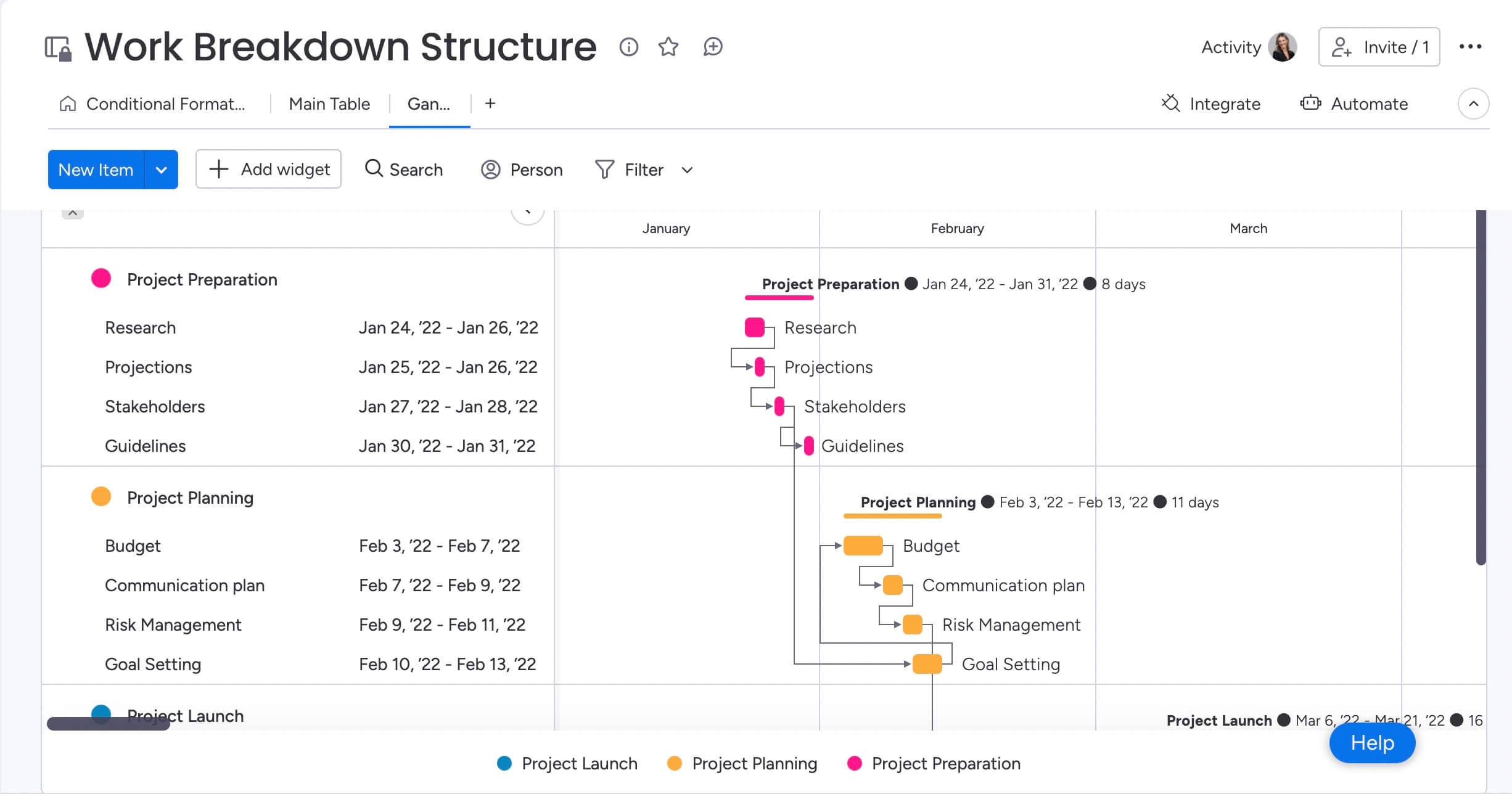
With monday.com, getting started is easy since there are so many templates that allow you to import project data directly from Excel or another platform. In addition to robust Gantt charts full of functionalities to help you keep projects on track, monday.com is full of other helpful project management features. Let’s take a look at a few of them.
Multiple project views for different ways of working
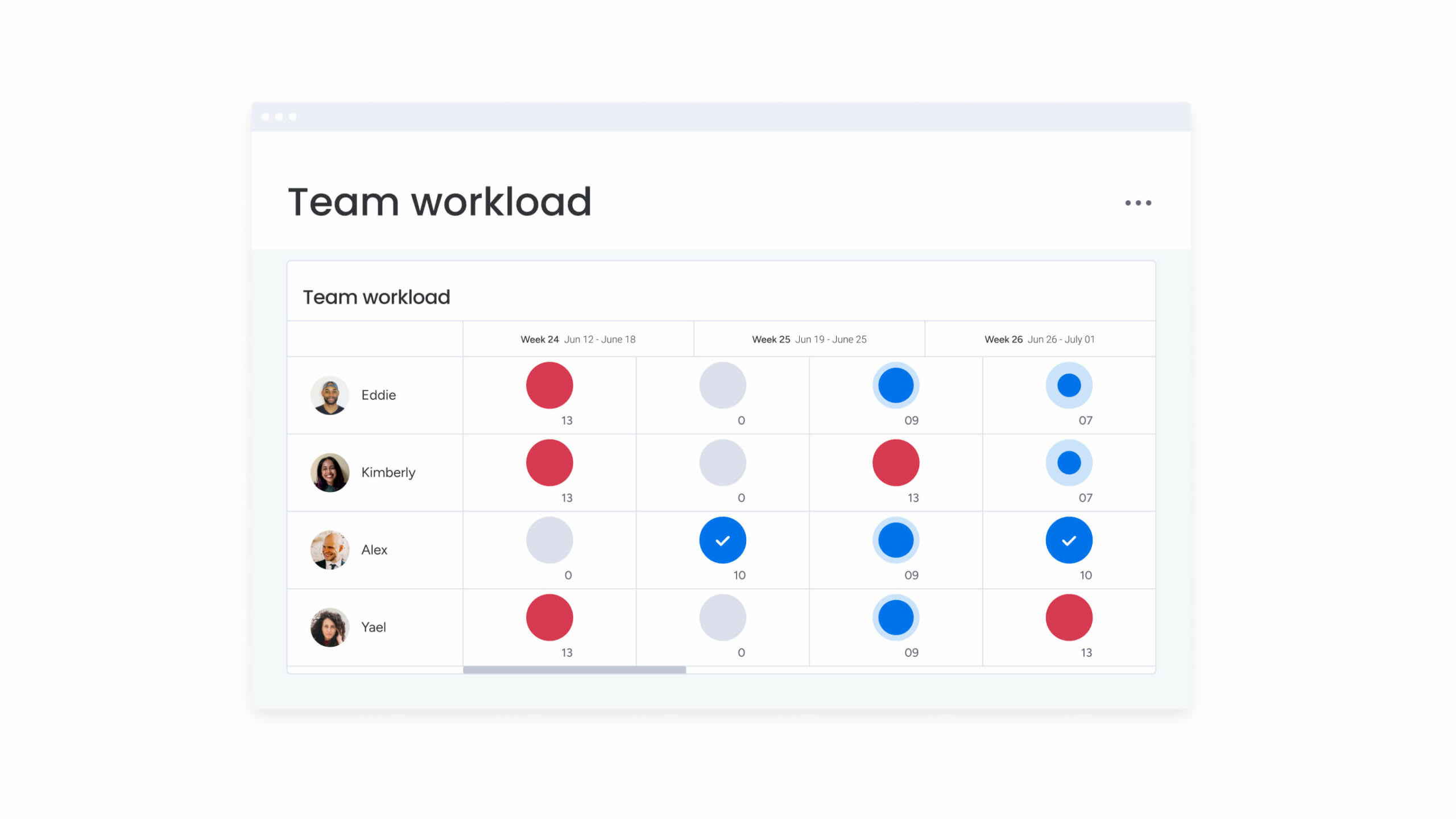
Different stakeholders need different views of the same project. A project manager may need a Gantt chart to track dependencies, while an individual contributor may prefer a Kanban board, and leadership may want a dashboard.
With monday.com, teams can work from the same project data while switching between views such as Gantt, Kanban, timeline, calendar, workload, and dashboards. That flexibility helps teams plan in one view, execute in another, and report progress without duplicating work.
No-code automations to keep timelines moving
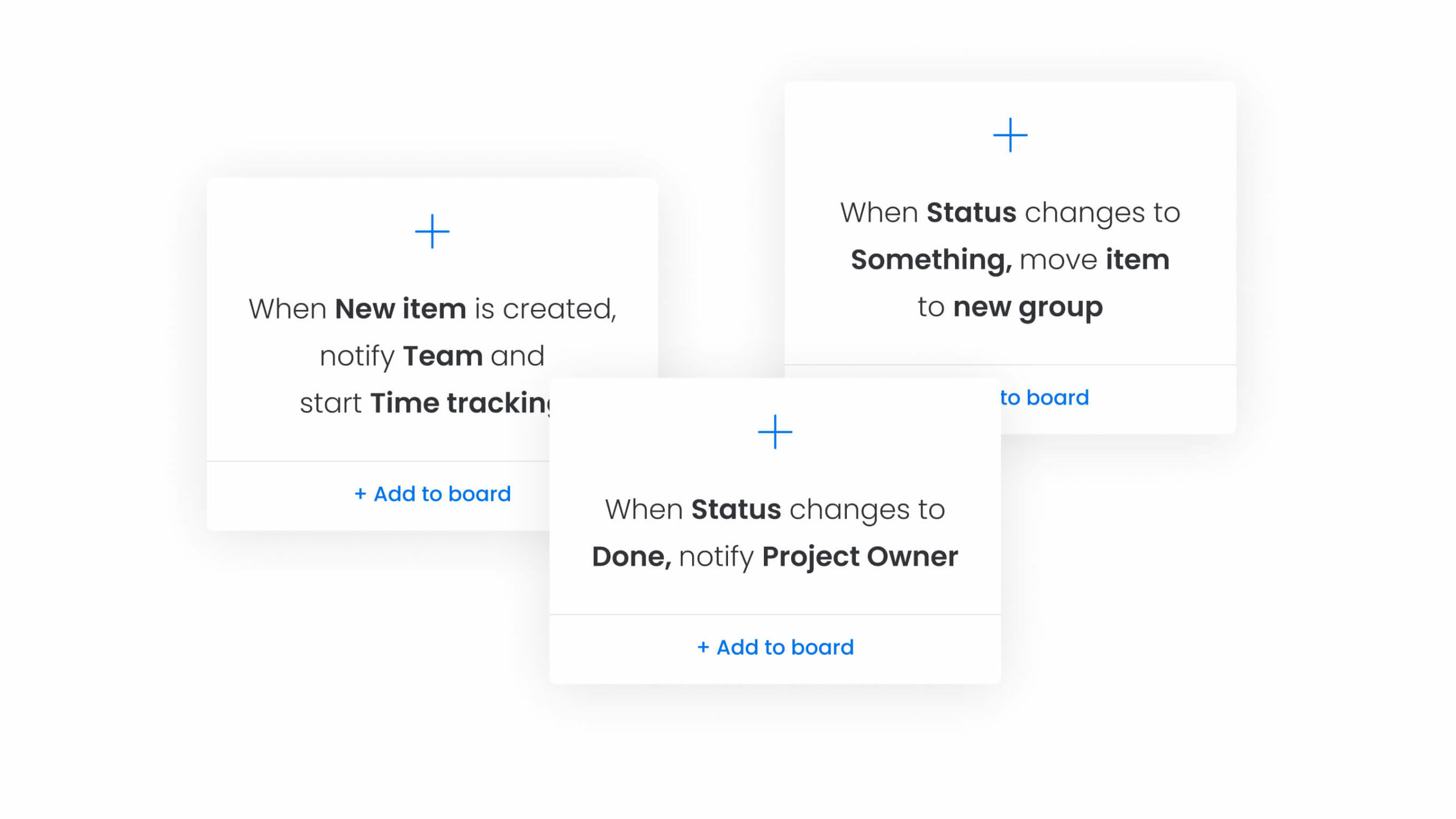
Gantt charts often require constant follow-up. When a due date changes, a dependency moves, or a task is completed, the right people need to know.
monday.com automations can help teams reduce manual follow-up by triggering reminders, status updates, notifications, and handoffs based on project activity. This keeps work moving without relying on project managers to manually chase every update.
Integrations that connect project work across tools
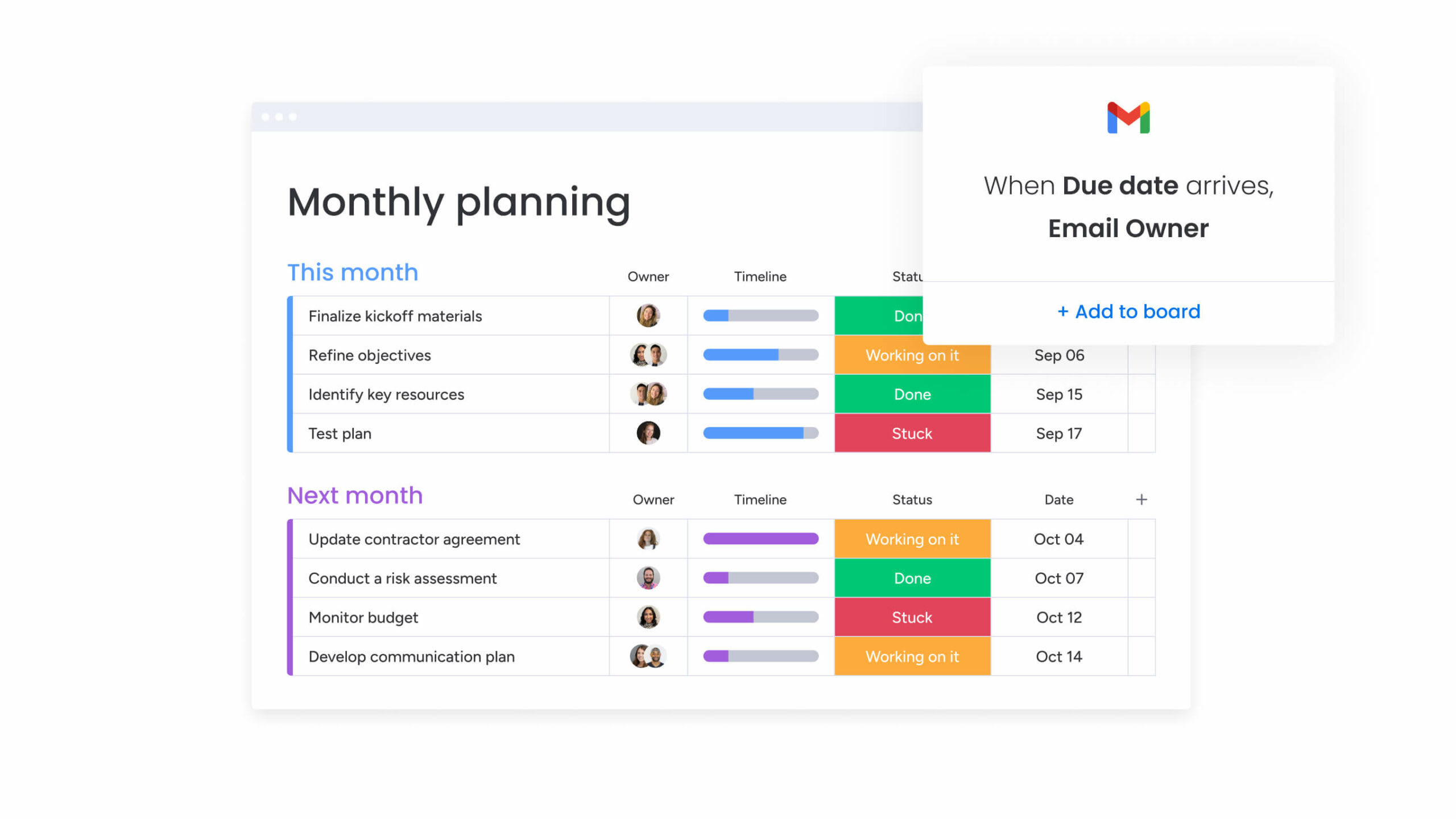
Project timelines rarely live in one system. Teams may use communication tools, file storage, CRM platforms, development tools, and reporting systems alongside their project management software.
monday.com offers native integrations and an open API to help teams connect project work across tools such as Google Workspace, Slack, Dropbox, Zoom, Mailchimp, Microsoft Teams, Jira, Salesforce, and more. This helps keep Gantt planning connected to the systems where work is already happening.
AI-powered support for project planning and updates
AI-powered capabilities can help teams manage Gantt-related workflows with less manual work. monday sidekick can help summarize updates and project context, monday agents can support defined workflows by helping surface risks or summarize progress, and monday vibe can help teams move from a workflow idea to a structured workspace faster.
AI columns and the AI workflow builder can also help teams categorize information, extract details, generate summaries, and add AI-powered steps to workflows. Together, these capabilities help teams keep project planning closer to execution while people stay in control of final decisions.
Get startedBring Gantt planning, project execution, and AI-powered workflows together
Gantt chart software can help teams understand timelines, dependencies, and milestones. But the best tool is the one that keeps those timelines connected to the work happening around them.
monday.com’s AI Work Platform gives teams a flexible way to manage Gantt charts alongside project boards, dashboards, automations, integrations, and AI-powered capabilities. Whether you’re planning a simple project or coordinating complex work across departments, monday.com helps teams keep timelines, owners, updates, and execution aligned.
The content in this article is provided for informational purposes only and, to the best of monday.com’s knowledge, the information provided in this article is accurate and up-to-date at the time of publication. That said, monday.com encourages readers to verify all information directly.
FAQs
What is the best Gantt chart software?
The best Gantt chart software depends on how your team works. If you only need a simple timeline, a standalone Gantt chart maker may be enough. If you need timelines connected to tasks, owners, dashboards, automations, integrations, and AI-powered support, monday.com’s AI Work Platform is a strong option.
What can I use instead of a Gantt chart?
If Gantt charts don’t provide the best overview of your project, there are some alternatives you can try. For example, a Kanban board, project map, or timeline view can be a good way to track tasks, deadlines, and project progress.
Can you make a Gantt chart in Excel?
Making a Gantt chart in Excel is possible, but requires manual adjustments and lacks advanced features of Gantt chart software, like time tracking and automations.
Does Excel have a project plan template?
Yes, you can find different project plan templates in Excel, however, while these templates can be customized they don’t offer additional features like project management software does.
When should you avoid using a Gantt chart?
If you’re looking for a project management tool for just a couple of tasks or to plan out resources specifically, Gantt charts may not offer what you need. These charts of often rigid and are better suited for multi-task projects.
What is a Gantt chart?
Henry Gantt, an engineer, management consultant, and efficiency expert, created the Gantt chart in the early 1900s. A Gantt chart is a horizontal bar chart that displays project tasks on a timeline, including start and end dates, task durations, task dependencies, and progress.

 Get started