Closing a deal is not the finish line; it is the starting gun for the customer relationship. That critical period immediately following the sale, often called the “onboarding window”, determines whether a new customer becomes a long-term champion or an early churn risk. The right customer onboarding software transforms this vulnerable moment into a powerful competitive advantage, turning fragmented, manual handoffs into a seamless, orchestrated journey that proves a product’s value from day one.
This detailed post shines a light on the essential role of customer onboarding platforms in driving sustainable revenue growth, walks through the core features and capabilities to prioritize, and compares the very best solutions available in 2026.
Key takeaways
- Transform post-sale into strategic advantage: Customer onboarding software automates workflows, ensures seamless handoffs, and delivers consistent experiences that drive retention and reduce churn.
- Bridge sales and success teams: The right platform maintains context and momentum from deal closure through successful activation, eliminating manual data transfers and communication gaps.
- Prioritize essential capabilities: Look for automated playbooks, real-time progress tracking, centralized collaboration spaces, and customizable workflows that adapt to your unique customer journey.
- Unify your customer journey: Platforms like monday CRM combine CRM functionality with project management capabilities, enabling teams to manage the entire customer lifecycle from a single workspace.
- Track metrics that matter: Measure success by monitoring time-to-value, activation rates, customer satisfaction scores, and early churn indicators to continuously optimize the onboarding experience.
What is customer onboarding software?
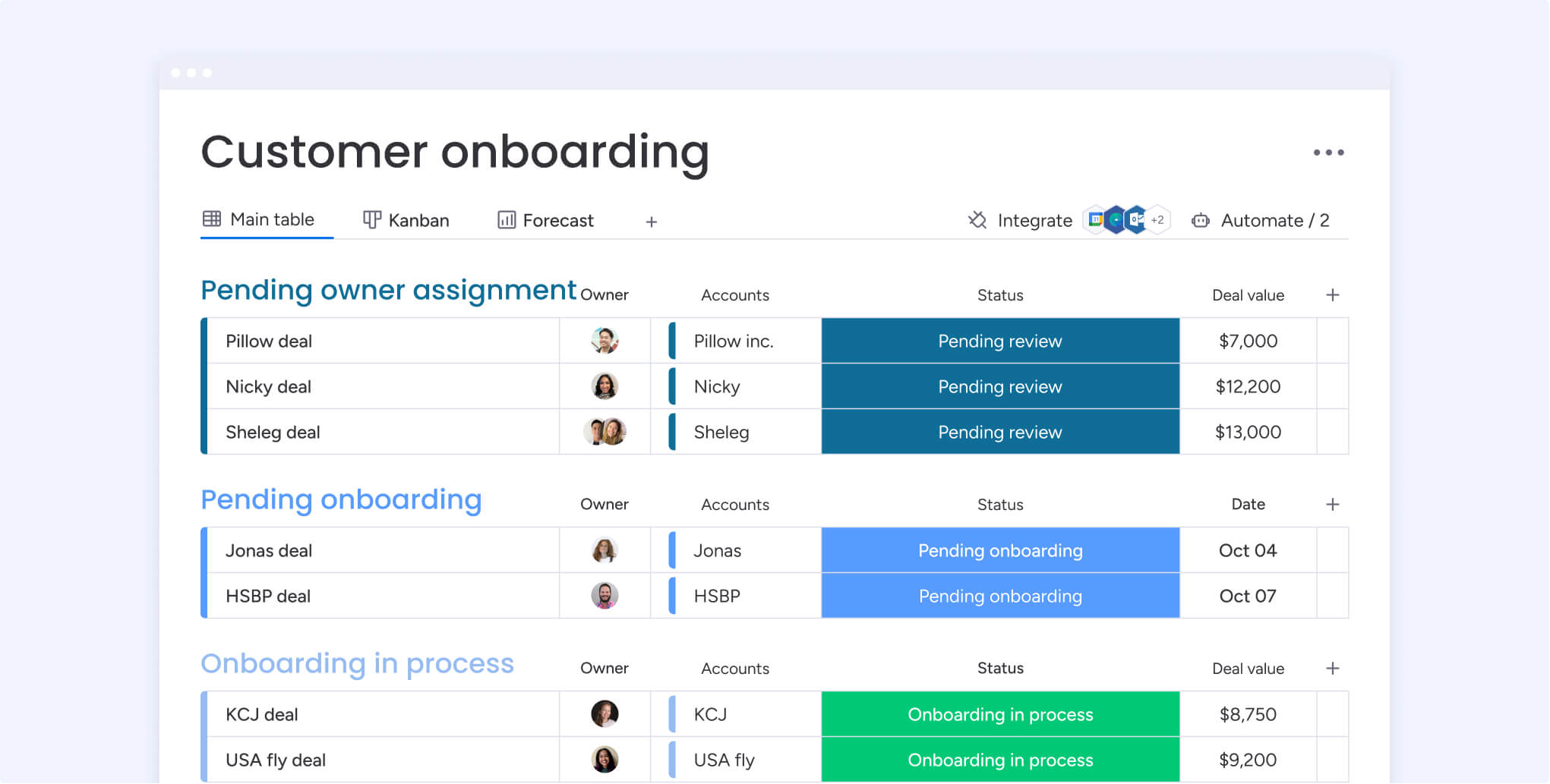 Customer onboarding software functions as a strategic framework for customer success, providing a dedicated system to guide new users through their critical first interactions. It transforms a potentially uncertain beginning into a smooth, repeatable journey that immediately demonstrates your product’s value. The goal extends beyond a simple welcome; it’s about architecting a foundation for long-term customer achievement.
This is not just a checklist on a project board but a purpose-built platform focused entirely on the customer adoption journey. It provides a comprehensive, real-time view of each customer’s progress, allowing your team to offer support proactively rather than just reacting to problems. This approach masterfully blends powerful automation with a personal touch, ensuring every customer receives a VIP experience.
By centralizing communication and automating key steps, customer onboarding software eliminates guesswork and provides a structured, predictable path for every new account.
This alignment empowers customers to reach their own insights faster, which directly boosts satisfaction and dramatically reduces the risk of churn.
Ultimately, it’s about initiating the customer relationship on the strongest possible footing, creating confidence for both them and your organization.
It helps to know where these onboarding systems sit next to adjacent categories. A customer onboarding platform coordinates the post-sale journey for whole accounts, from kickoff and implementation through the sales-to-delivery handoff. In-app user onboarding software works differently, guiding individual people inside your app with product tours and tooltips. Customer success platforms instead track account health and renewals across the lifecycle, so many revenue teams need account-level coordination, not just in-app nudges.
An example of customer onboarding is the structured plan a software company runs right after a new client signs. The team sends a welcome, schedules a kickoff call, imports the client’s data, and configures the account. Then it trains users and confirms an early win, like their first completed workflow, with every step tracked in one place.
How does customer onboarding software drive revenue growth?
Securing a sale marks the beginning, not the end, of the customer relationship. To generate sustainable revenue growth, new customers must realize the product’s value from day one, converting initial interest into a long-term partnership that drives retention and referrals.
According to Gartner’s 2025 survey of chief sales officers, 73% are prioritizing growth from existing customers this year. That makes the onboarding window, when new accounts either activate or stall, a direct lever on retention and expansion revenue.
By providing a structured path that accelerates a customer’s journey to proficiency, the software minimizes the friction that often leads to churn. This expedited time-to-value has a direct financial impact, fostering a loyal customer base more inclined to stay and expand their investment.
Using advanced platforms like monday CRM, this process can be automated and scaled to ensure every customer receives a world-class onboarding experience. This gives your team the visibility and control to build a predictable revenue engine, freeing them to focus on building relationships instead of performing manual tasks.
Essential features of modern onboarding platforms
The initial onboarding phase is a pivotal moment that defines the trajectory of the entire customer relationship, turning a new contract into a powerful advocate for your brand. The most effective platforms are purpose-built engines for creating seamless, confidence-building experiences that secure long-term loyalty.
- Automated playbooks: guide customers through key milestones with consistent, repeatable workflows that ensure a high-quality journey every single time, eliminating manual handoffs and reducing the risk of missed steps.
- Centralized collaboration spaces: provide customers with a unified hub to track progress and connect with your team, eliminating confusing email chains and empowering your staff to focus on strategic guidance instead of administrative cleanup.
- Real-time progress tracking: give both your team and the customer a shared, data-driven view of the onboarding journey, turning potential “where are we?” calls into proactive check-ins that build confidence and trust.
- CRM integration: connect onboarding data directly to platforms like monday CRM, so crm onboarding and post-sale delivery share one record, giving your sales team visibility into customer health for accurate forecasting and confident expansion.
10 best customer onboarding software solutions
Effective customer onboarding requires a coordinated effort, transforming a newly signed deal into a durable partnership. The key is finding a tool that feels like a natural extension of your team, one that adapts to your specific customer journey, whether you need simple in-app guidance or a more complex, project-based plan. We’ve evaluated the best platforms for 2026 to help teams find that perfect fit, choosing each solution for its ability to streamline the customer journey, cut down on manual work, and deliver measurable results that give organizations a competitive edge.
| Platform | Best for | Key strength | Starting price range |
|---|---|---|---|
| monday CRM | All-in-one customer journey management | Combines CRM, onboarding, and project management | $12/seat/month |
| Userpilot | SaaS companies focused on in-app guidance | In-app onboarding and user experience optimization | $299/month |
| GuideCX | Project-based onboarding for B2B | Project management approach to onboarding | Quote-only |
| Dock | Customer-facing collaboration | Branded workspaces and resource sharing | Free, then $350/month |
| OnRamp | Enterprise B2B onboarding | Scalability and advanced workflow automation | Custom pricing |
| Pendo | Product-led companies | Product analytics integrated with onboarding | Free plan; custom pricing |
| Appcues | No-code onboarding for SaaS | Easy creation of in-app experiences | Quote-based (MAU) |
| Chameleon | User engagement and tours | Interactive product tours and engagement tools | $279/month |
| WalkMe | Large enterprises and digital adoption | Digital adoption platform with onboarding | Custom pricing |
| ChurnZero | Customer success teams | Customer lifecycle management with onboarding | Custom pricing |
1. monday CRM
Best for: Revenue teams managing the full customer journey from pipeline through onboarding in one unified workspace.
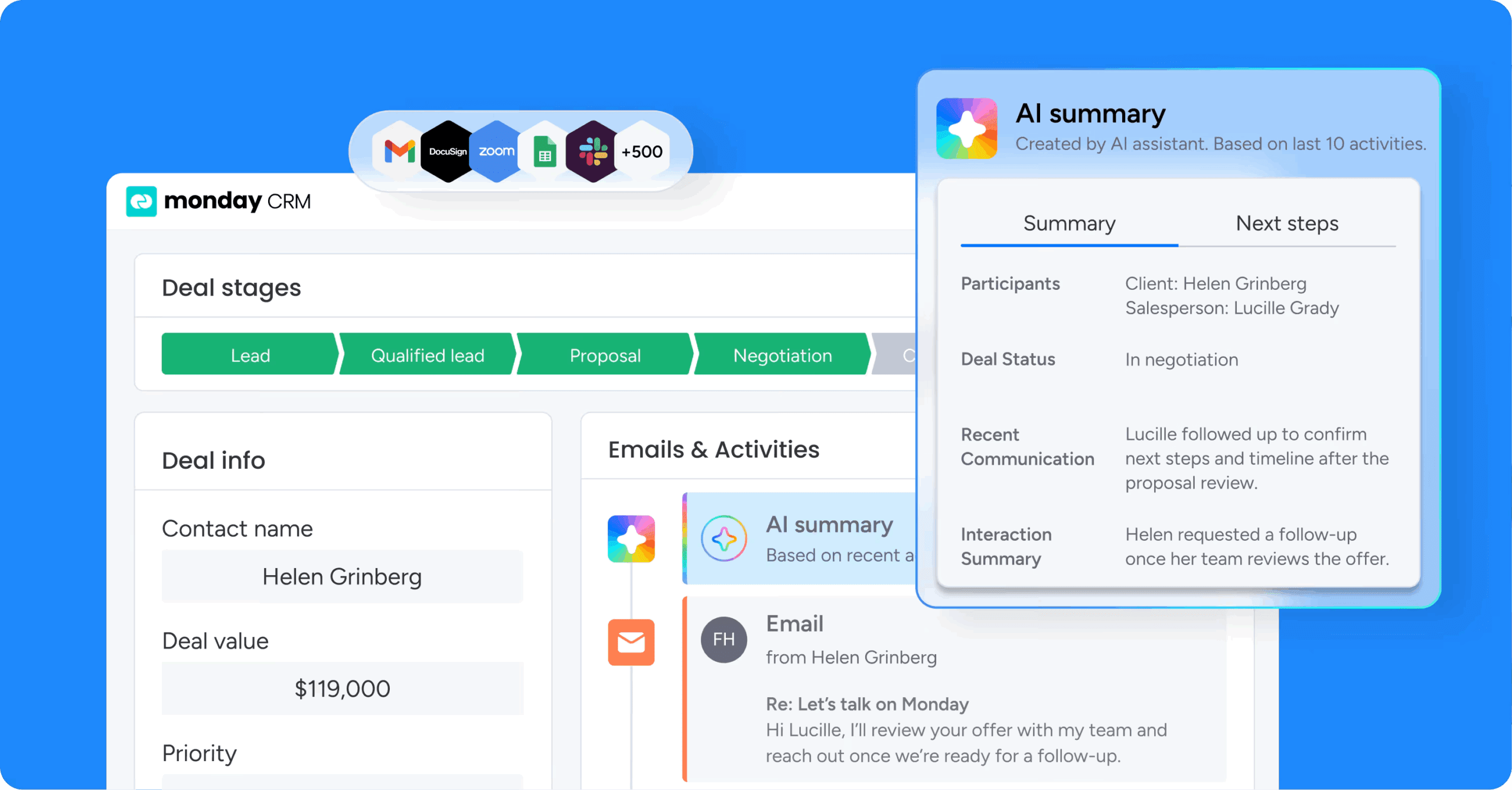
Customer onboarding transforms from a chaotic handoff into a seamless, automated journey with monday CRM, keeping every stakeholder aligned and every milestone on track. The platform combines CRM functionality with project management capabilities, making it perfect for sales teams who need to maintain momentum from deal closure through successful customer activation.
Use case
The platform eliminates the typical disconnect between sales and customer success teams by creating automated workflows that trigger onboarding projects the moment a deal closes, ensuring no customer falls through the cracks during this critical transition period.
Key features
- Automated onboarding triggers: automatically creates onboarding projects with assigned tasks and due dates when deals are marked as “won” in the CRM.
- AI-powered workflow automation: leverages AI agents and the AI workflow builder to streamline onboarding sequences, generate follow-ups, and reduce manual administrative work.
- AI Notetaker and monday Sidekick: captures kickoff calls automatically and summarizes account context so delivery teams start with complete visibility into customer commitments and goals.
- Customizable intake forms: captures essential client information like company details, project requirements, and brand assets at the start of the onboarding process.
- Progress visualization: offers 27+ different views including Kanban, Gantt, and Timeline to track onboarding milestones and keep stakeholders informed.
Pricing
monday CRM offers four pricing tiers starting at $18/seat/month for the Basic plan, scaling to $25/seat/month (Standard) and $41/seat/month (Pro), with custom pricing for Ultimate. All paid plans require a minimum of 3 seats, and annual billing saves approximately 18% compared to monthly. A 14-day free trial is available with no credit card required.
Why it stands out
- Unified sales-to-success handoff: Seamlessly connects your sales pipeline to customer onboarding without requiring separate platforms or manual data transfers, ensuring context and momentum carry through from deal closure to activation.
- No-code customization: Build sophisticated onboarding workflows without technical expertise, adapting the process to match your unique business requirementsand customer journey stages.
- Enterprise-grade automation: Automatically creates comprehensive onboarding projects with pre-assigned tasks when sales deals close, with support for high-volume automation actions to handle complex workflows at scale.
2. Userpilot
Best for: SaaS companies focused on in-app guidance and user experience optimization.

Userpilot delivers comprehensive in-app guidance and user experience optimization to help SaaS companies accelerate product adoption. The platform specializes in creating interactive, no-code onboarding experiences that drive feature discovery and user activation, making it ideal for product teams who want to reduce time-to-value without relying on development resources.
Use case
Userpilot empowers product, UX, and customer success teams to create personalized onboarding flows that guide users through critical actions, boosting activation rates and reducing churn without requiring technical development resources.
Key features
- Interactive walkthroughs: With “driven actions” that require user engagement to proceed, ensuring active learning rather than passive product tours.
- Advanced user segmentation and personalization capabilities: That trigger customized onboarding experiences based on roles, behaviors, and specific use cases.
- Comprehensive analytics and A/B testing functionality: To measure onboarding performance and continuously optimize user activation flows.
Pricing
Userpilot starts at $299/month for up to 2,000 monthly active users on the Starter plan, with Growth plans from $849/month adding advanced analytics and email engagement. All plans include a 14-day free trial with no credit card required.
Considerations
- Occasional performance issues: Like interface freezing or hanging during complex tour creation.
- Limited integration options: Compared to larger competitors, which may require additional workarounds for comprehensive tech stack connectivity.
3. GuideCX
Best for: Project-based onboarding for B2B companies with complex implementation processes.
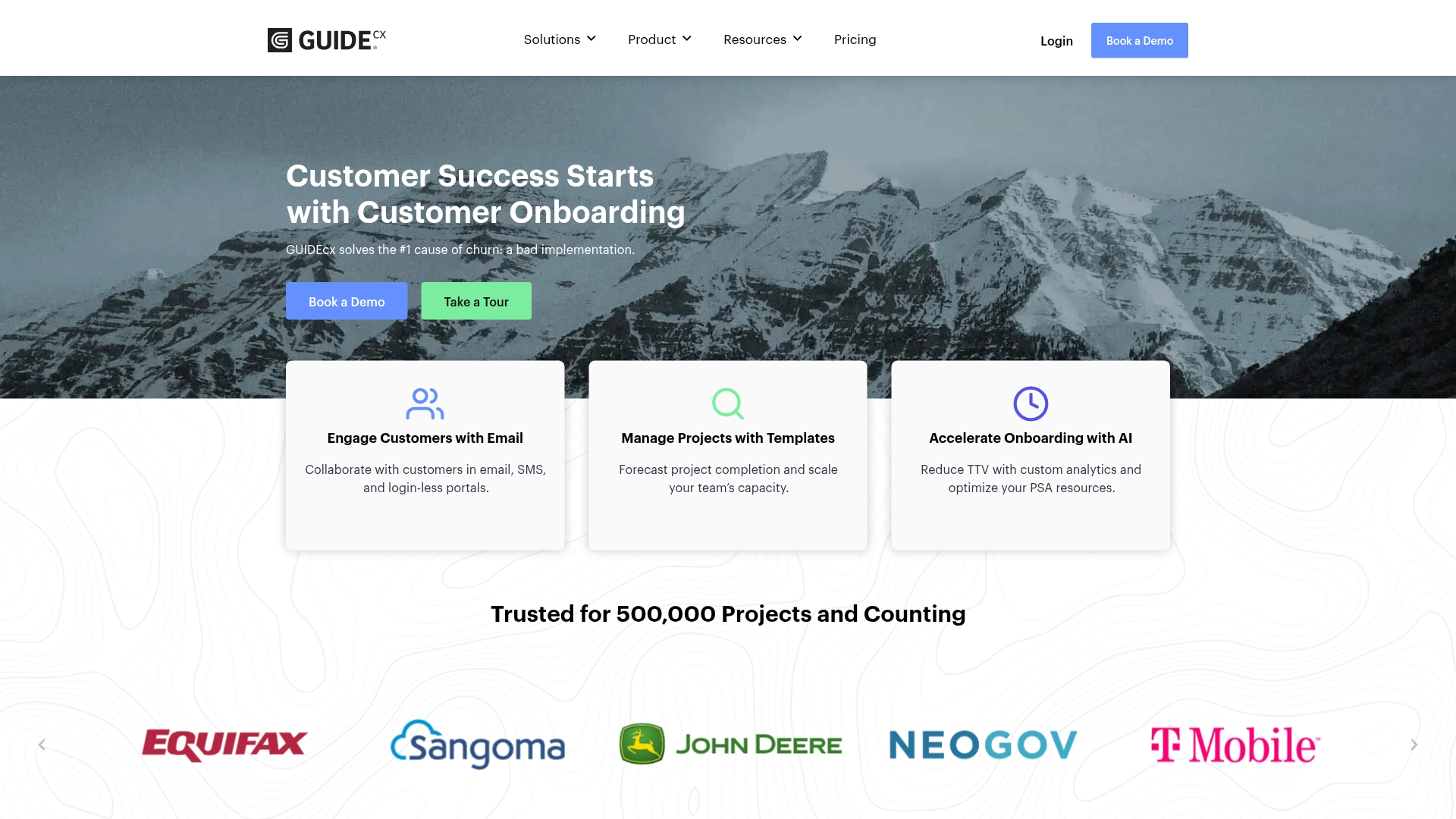 GuideCX transforms customer onboarding from a chaotic handoff into a transparent, collaborative project that keeps everyone aligned. The platform specializes in external customer engagement through no-login portals and automated communication workflows, making it ideal for B2B companies with complex implementation processes.
Use case
GuideCX creates a single source of truth for all stakeholders involved in customer onboarding, empowering customers with visibility and accountability while automating communication and task management to reduce manual effort.
Key features
- White-labeled customer portal: With no-login access for seamless customer engagement.
- Template-based project creation: With automated workflows and personalized messaging via email and SMS.
- AI-powered forecasting and analytics: With real-time project tracking and dynamic resource assignment.
Pricing
GuideCX offers three tiers with quote-only pricing: Starter for small teams, Premium with integrations and SSO, and Advanced with business intelligence and embedded portals. All packages include unlimited projects and unlimited customers.
Considerations
- Learning curve for advanced features: And some users find reporting capabilities unintuitive in earlier versions.
- Minimum of four licenses required: Which may be a barrier for very small teams or freelancers.
4. Dock
Best for: Customer-facing collaboration and templated client portals.
 Dock transforms customer onboarding with collaborative workspaces that centralize resources and communication for seamless client experiences. The platform specializes in creating templated, no-code client portals that guide customers through every stage of their journey, making it ideal for customer success teams looking to standardize their onboarding process.
Use case
Dock creates shared workspaces that serve as a single source of truth for both companies and clients throughout the entire customer lifecycle, from sales to onboarding and renewals.
Key features
- Templated success plans: With phases, tasks, and due dates that can be quickly customized for each new client.
- Content management system: That allows updates across all customer workspaces simultaneously.
- Analytics dashboard: That tracks client engagement and task completion to help teams stay proactive.
Pricing
Dock offers a free forever plan with 10 workspaces, Standard at $350/month for 5 users, and Premium at $1,000/month billed annually for 10 users. Enterprise pricing is custom and includes automations, API, and SSO.
Considerations
- May feel redundant: For companies already heavily invested in comprehensive project management tools.
- Full value depends on integrations: With CRMs like HubSpot and Salesforce, which may limit benefits for companies not using these platforms.
5. OnRamp
Best for: Enterprise B2B onboarding with complex implementation processes.
OnRamp transforms B2B customer onboarding from a cost center into a revenue-driving engine through intelligent automation and workflow orchestration. The platform specializes in creating dual-interface experiences that guide customers through personalized onboarding journeys while giving internal teams powerful project management capabilities, making it ideal for mid-market and enterprise companies handling complex implementation processes.
Use case
OnRamp helps B2B companies accelerate time-to-value by automating onboarding workflows and providing customers with white-labeled portals that eliminate the friction typically found in post-sales processes.
Key features
- Automated workflow orchestration: Creates repeatable playbooks with conditional logic that adapt to different customer segments and onboarding scenarios.
- Dual-interface design: Provides customers with intuitive, branded portals while giving internal teams centralized project management dashboards.
- Revenue acceleration focus: Integrates with CRMs like Salesforce and HubSpot to automatically trigger onboarding processes when deals close.
Pricing
OnRamp uses a custom pricing model that varies by organization size and implementation complexity. Contact OnRamp directly for a personalized quote tailored to your needs.
Considerations
- Steep learning curve: Due to the complexity of certain advanced features.
- Limited customization options: May make it challenging to tailor the platform to highly specific organizational needs.
6. Pendo
Best for: Product-led companies combining analytics with in-app onboarding.
 Pendo combines product analytics with onboarding capabilities, allowing product-led companies to track user behavior and optimize onboarding flows. The platform specializes in data-driven, in-app guidance that helps businesses understand exactly how users interact with their software. This makes it ideal for SaaS companies looking to reduce churn and accelerate time-to-value for new customers.
Use case
Pendo enables organizations to create personalized, in-app onboarding experiences that guide users through essential workflows while providing deep analytics to optimize the entire customer journey.
Key features
- In-app guides and walkthroughs: Create interactive tooltips, lightboxes, banners, and checklists without coding to guide users through key features and workflows.
- User segmentation and personalization: Deliver targeted onboarding experiences based on user roles, behavior, and demographic data for maximum relevance.
- Integrated analytics and session replay: Track user interactions, measure onboarding effectiveness, and identify drop-off points to continuously improve the experience.
Pricing
Pendo offers a free forever plan for up to 500 Monthly Active Users with basic features. Paid plans including Base, Core, Pulse, and Ultimate use custom pricing based on MAUs, with a free trial available.
Considerations
- Quote-only pricing: Can be prohibitive for smaller businesses, since paid plans are custom and quoted by sales rather than published.
- Platform complexity: Requires significant time investment to master advanced features and realize full value.
7. Appcues
Best for: No-code onboarding for SaaS companies prioritizing user activation.
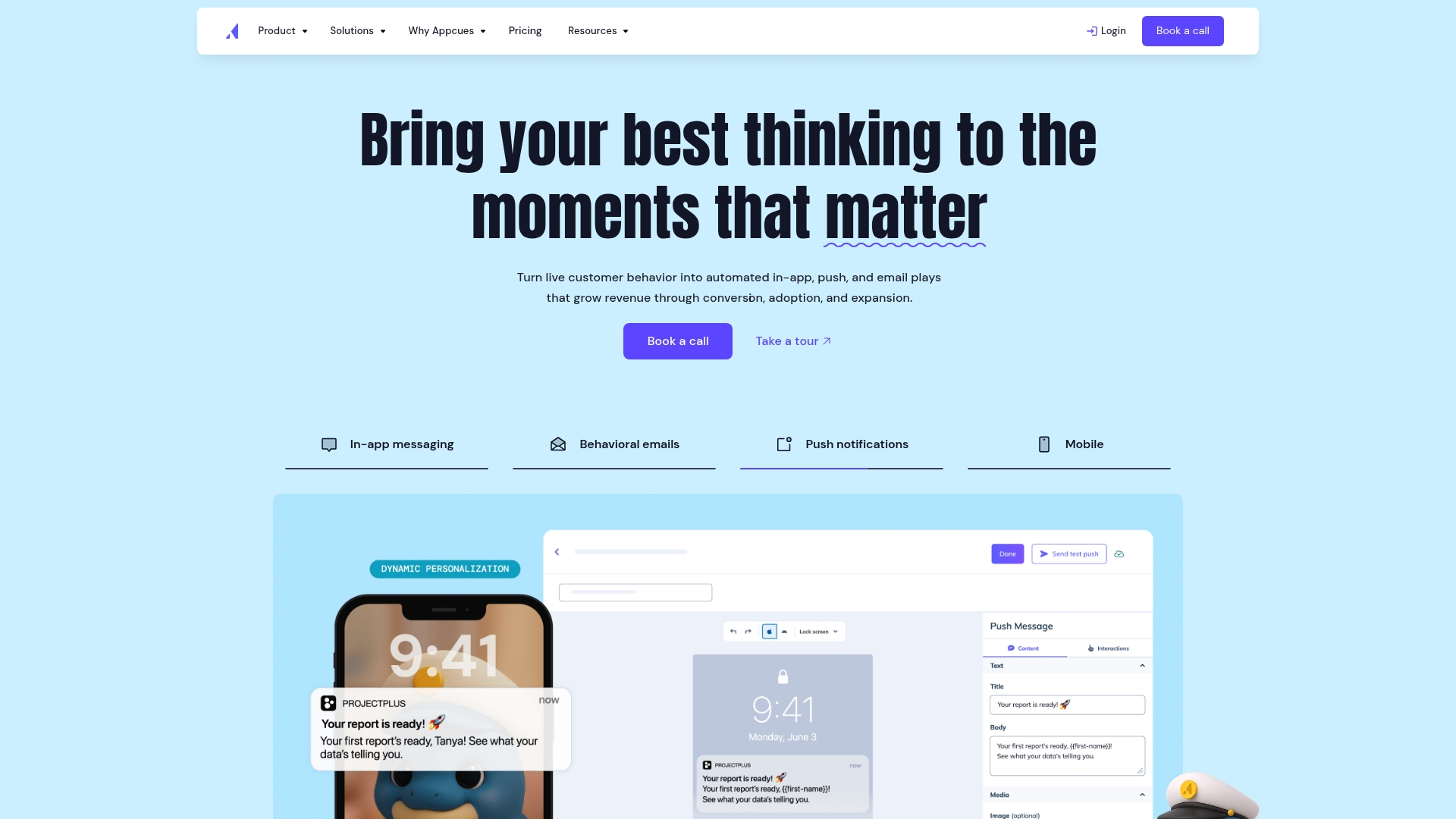 Appcues empowers teams to create sophisticated in-app onboarding experiences without writing a single line of code. The platform specializes in no-code user guidance tools, making it ideal for SaaS companies that want to reduce time-to-value and boost user activation rates. With behavioral targeting and multi-channel workflows, Appcues helps businesses scale their onboarding without overwhelming their development resources.
Use case
Appcues helps mid-market SaaS businesses create personalized onboarding flows that guide users to their “aha moment” faster, reducing support burden while increasing activation rates.
Key features
- No-code builder: Create tooltips, checklists, and in-app flows using a Chrome extension that works directly on your application.
- Behavioral targeting: Auto-map user journeys and trigger personalized messages based on user identity, actions, and progress.
- Multi-channel workflows: Combine in-app messaging with email and push notifications for comprehensive onboarding sequences.
Pricing
Appcues uses custom, MAU-based pricing across Start, Grow, and Enterprise tiers, scaling with Monthly Active Users and number of apps. A free trial is available, and interested teams should contact Appcues for a quote.
Considerations
- Analytics capabilities: Are considered basic by some users, often requiring third-party integrations for deeper insights.
- Pricing based on Monthly Active Users: Can become expensive as companies scale, with valuable features like checklists only available in higher-tier plans.
8. Chameleon
Best for: User engagement and highly customizable product tours.
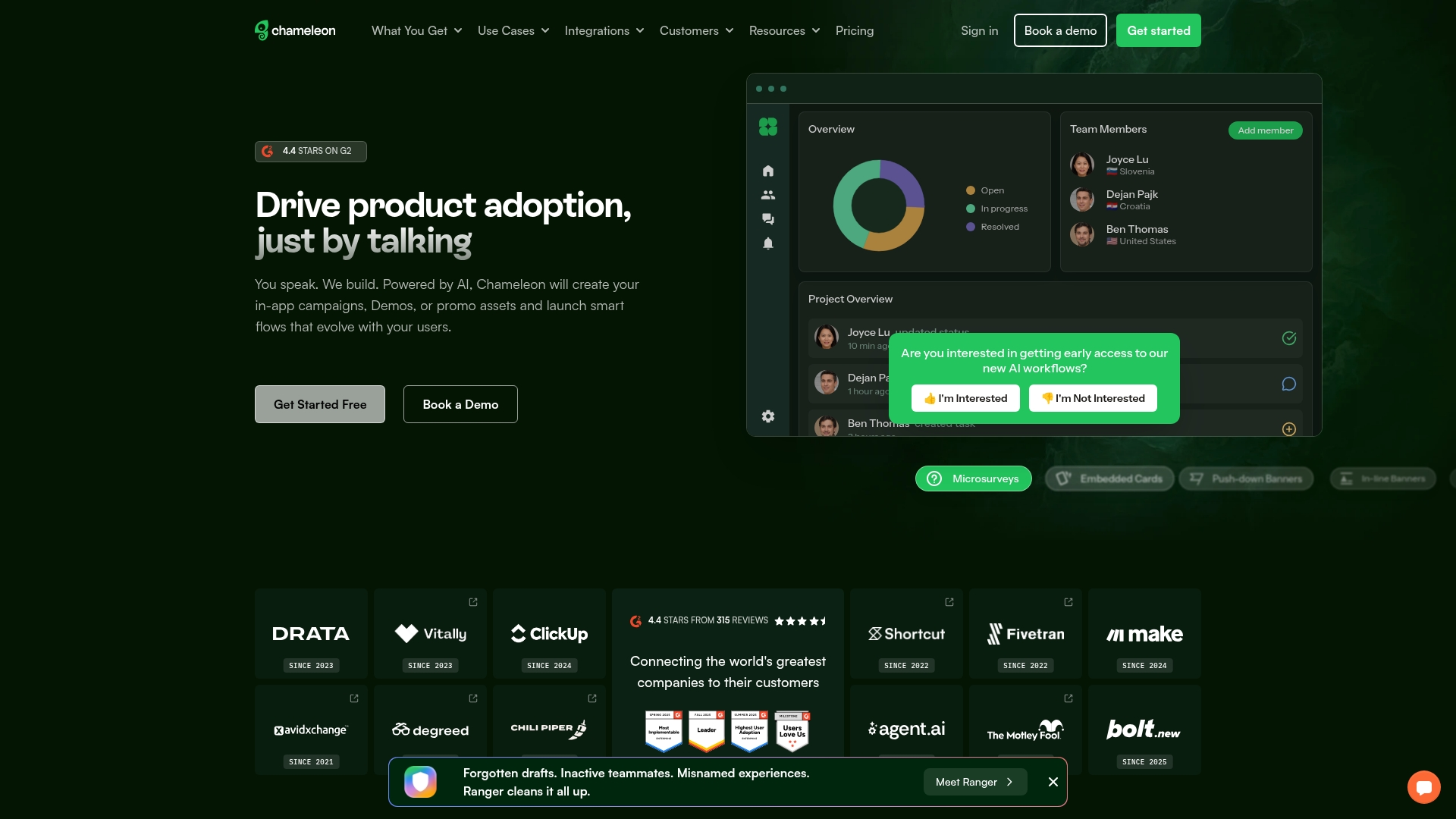 Chameleon delivers highly customizable in-app onboarding experiences that feel native to your product. The platform specializes in deep design control and advanced user segmentation, making it ideal for product-led SaaS companies that prioritize user experience. Chameleon helps teams create personalized guidance without heavy engineering involvement.
Use case
Chameleon empowers product teams to create sophisticated onboarding flows with unparalleled customization, allowing businesses to design experiences that seamlessly blend with their product’s existing UI.
Key features
- Interactive product tours and step-by-step walkthroughs: That guide users through key features contextually.
- Advanced user segmentation: Based on behavior, attributes, and analytics data for hyper-targeted experiences.
- Comprehensive UI pattern library: Including tooltips, modals, banners, and embedded cards with custom CSS support.
Pricing
Chameleon offers a free Demos plan, Startup from $279/month, Growth from $12,000/year, and custom Enterprise pricing. Pricing scales with Monthly Tracked Users, and a separate Demos AI+ add-on is available for AI-powered demo creation.
Considerations
- Achieving deep customization: Often requires CSS knowledge, which can be challenging for non-technical teams.
- Pricing can become expensive: As monthly active users grow, potentially limiting scalability for smaller startups.
9. WalkMe
Best for: Large enterprises and digital adoption across multiple software environments.
 WalkMe transforms complex software adoption into seamless user experiences through its digital adoption platform. The platform specializes in creating interactive, step-by-step guidance for large enterprises, making it ideal for organizations managing multiple software environments and complex onboarding processes.
Use case
WalkMe helps enterprises drive customer satisfaction from day one by creating personalized onboarding experiences that reduce complexity and guide users through comprehensive product adoption workflows.
Key features
- Smart walk-thrus: Provide interactive, step-by-step guidance directly within applications.
- AI-powered capabilities: Including conversational search and real-time data validation.
- Comprehensive analytics: Track user behavior and identify friction points to optimize onboarding flows.
Pricing
WalkMe uses custom, quote-only pricing tailored to organization size and requirements. Contact WalkMe directly for a personalized package and details.
Considerations
- Significant investment cost: That may be prohibitive for smaller companies.
- Initial learning curve: To master advanced features and achieve desired customization levels.
10. ChurnZero
Best for: Customer success teams managing the full customer lifecycle.
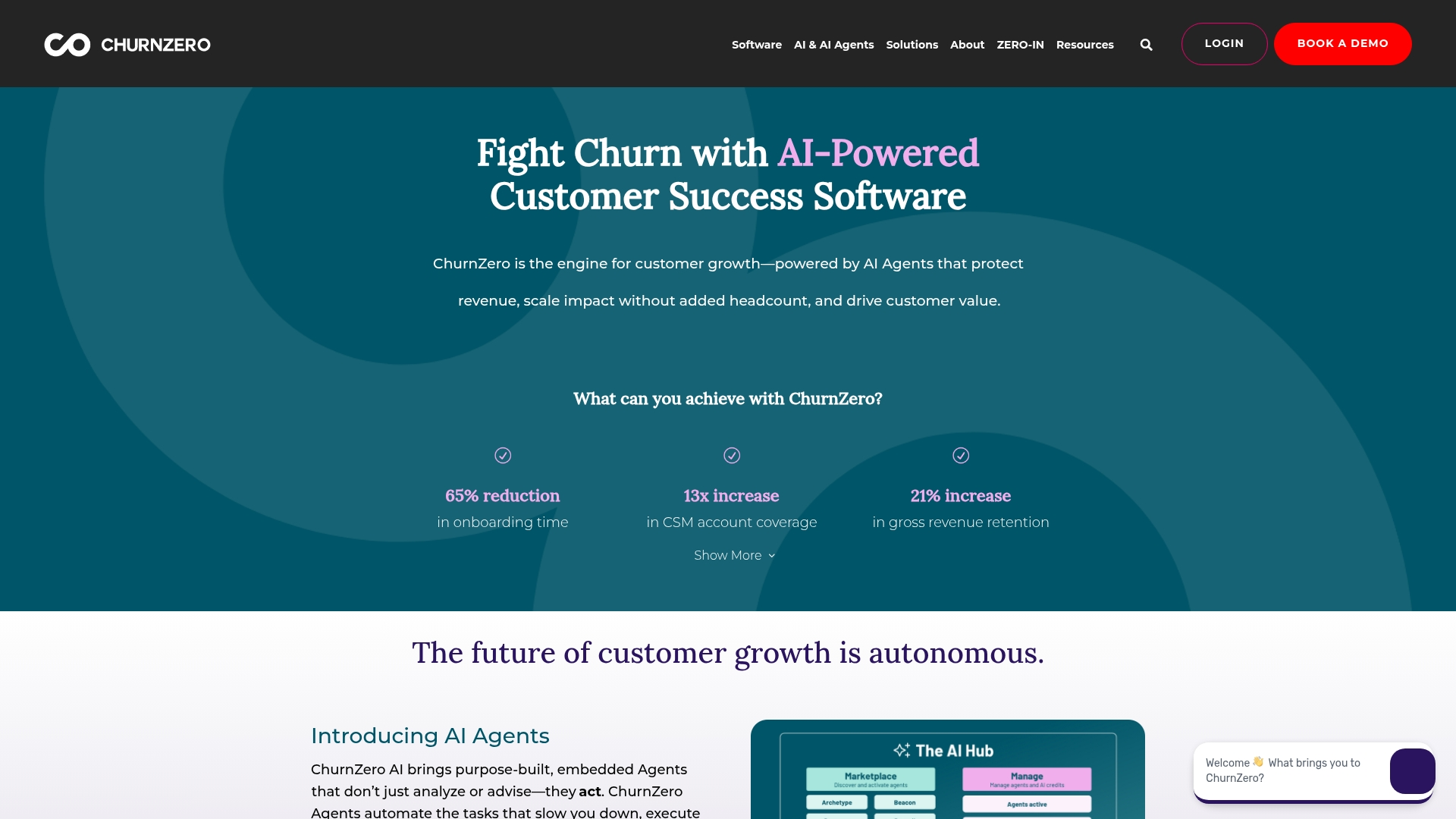 ChurnZero delivers a comprehensive customer success platform that transforms how B2B SaaS companies approach customer onboarding. The platform specializes in AI-powered automation and real-time customer journey tracking, making it ideal for subscription businesses looking to reduce churn and accelerate time-to-value.
Use case
ChurnZero helps customer success teams automate onboarding workflows while providing real-time visibility into customer progress, enabling proactive intervention when customers fall behind in their journey.
Key features
- Journey tracking: Monitor customers through multiple onboarding stages including requirements gathering, technical implementation, configuration, and training with clear timeline and milestone management.
- Automated plays: Create triggered workflows that send welcome emails, in-app messages, and reminders based on specific customer behaviors or time-based events.
- Interactive walkthroughs: Deploy no-code, in-app product tours that guide new users through high-value features without requiring technical resources.
Pricing
ChurnZero offers custom pricing available upon request through demo consultation, with pricing varying based on company size and feature requirements. Implementation typically takes six to eight weeks with dedicated support.
Considerations
- Steep learning curve: To maximize the platform’s extensive feature set.
- Custom pricing model: Requires going through sales process to obtain quotes, which can be time-consuming for evaluation.
How to select the right customer onboarding platform
Choosing the right customer onboarding platform requires a strategic approach that balances your current needs with future growth. These six criteria will help you evaluate solutions and find the platform that transforms your onboarding process into a competitive advantage.
- Audit your current onboarding journey: Map your existing process to pinpoint friction points, communication gaps, and manual handoffs that a new platform should eliminate.
- Match the platform to your go-to-market motion: Product-led teams need in-app guidance and analytics, while high-touch teams require shared plans and customer-facing progress views.
- Prioritize essential capabilities over enterprise features: Focus on functionality you need now and clarify non-negotiable integrations to balance robust capabilities with cost.
- Evaluate your CRM stack integration: Look for native syncing that preserves context during handoffs, or choose a unified platform that keeps pipeline and onboarding on one record.
- Choose a platform built for evolution: Select flexible, no-code foundations that let you modify workflows and implement new automations as your business scales.
- Test with real onboarding scenarios: Run a pilot with actual customer data to validate the platform handles your use cases and integrates smoothly with your tech stack.
How monday CRM solves customer onboarding challenges
Most onboarding pain starts at the handoff. A deal closes in the CRM, then details get re-typed into a separate system, and the customer waits while your team catches up. monday CRM removes that gap by treating onboarding as the next stage of the deal rather than a separate platform.
The platform unifies pipeline management and post-sale delivery on one record, so revenue teams can automate the handoff, track every milestone, and keep context flowing from sales through successful activation. Instead of stitching together disconnected tools, your team runs the entire customer relationship from a single workspace.
Automated onboarding project creation
When a deal is marked won, no-code automations instantly spin up a structured onboarding project with pre-assigned tasks, owners, and due dates drawn from reusable templates. This eliminates manual handoffs and ensures every customer starts their journey with a consistent, professional experience. Your team can customize workflows to match different customer segments or product tiers without writing code.
AI-powered context capture and handoff

The AI Notetaker automatically captures and transcribes kickoff calls, preserving every commitment and requirement discussed during the sales process. monday Sidekick then summarizes account context and surfaces key details, so delivery teams start with complete visibility into customer goals. AI agents draft personalized follow-ups and next steps, reducing the administrative burden on customer success managers while maintaining a high-touch experience.
Real-time progress tracking and visibility
Teams track every onboarding milestone across 27+ customizable views and real-time dashboards, giving both internal staff and clients a shared understanding of progress at a glance. WorkForms by monday.com collect the details and assets needed at kickoff, centralizing information in one accessible location. This transparency builds trust and allows teams to intervene proactively when customers fall behind schedule.
Native CRM integrations and unified data
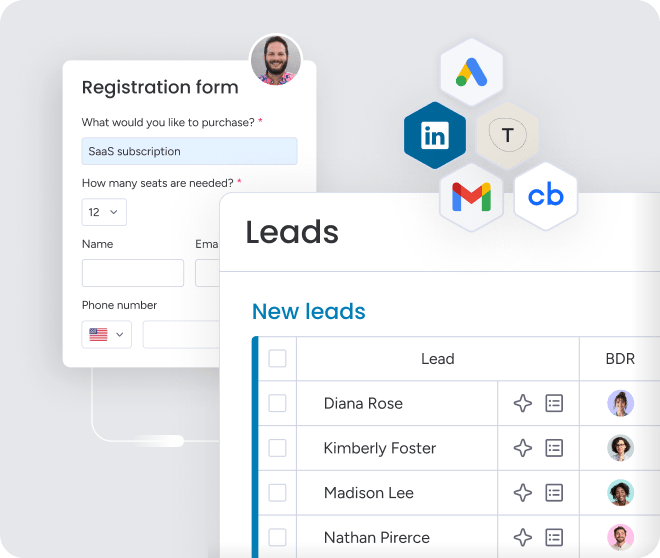
monday CRM connects natively with HubSpot, Salesforce, Pipedrive, and 200+ other platforms through its open API, ensuring onboarding data stays in sync with the rest of your tech stack. This eliminates duplicate data entry and keeps customer information accurate across systems. Revenue teams can run pipeline, handoff, and delivery on one record instead of managing multiple disconnected platforms.
“With monday CRM, we’re finally able to adapt the platform to our needs — not the other way around. It gives us the flexibility to work smarter, cut costs, save time, and scale with confidence.”
Samuel Lobao | Contract Administrator & Special Projects, Strategix
“Now we have a lot less data, but it’s quality data. That change allows us to use AI confidently, without second-guessing the outputs.”
Elizabeth Gerbel | CEO
“Without monday CRM, we’d be chasing updates and fixing errors. Now we’re focused on growing the program — not just keeping up with it."
Quentin Williams | Head of Dropship, Freedom Furniture
“There’s probably about a 70% increase in efficiency in regards to the admin tasks that were removed and automated, which is a huge win for us.“
Kyle Dorman | Department Manager - Operations, Ray White
"monday CRM helps us make sure the right people have immediate visibility into the information they need so we're not wasting time."
Luca Pope | Global Client Solutions Manager at Black Mountain
“In a couple of weeks, all of the team members were using monday CRM fully. The automations and the many integrations, make monday CRM the best CRM in the market right now.”
Nuno Godinho | CIO at Velv
“monday.com provides developmental flexibility, operational efficiency, and data transparency — all in one place. We became a company that moved from chasing data to leading with it.”
Hyunghan Lee | Team Lead, Sandbox Network
"monday.com brought every part of our business into one connected space. The harmony between work management and CRM has become our operating system — giving us the clarity and confidence to scale.”
Jennifer Chinburg | Executive Vice President of Corporate Development & Brand, Chinburg Properties
“We just weren’t getting value from our old CRM. With monday.com, it's a thousand times better. Our sales teams are more informed, more consistent, and far more connected."
James Arnold | Chief Operating Officer, CenversaTransform your customer onboarding with monday CRM
The onboarding experience is the first, and perhaps most critical, opportunity to demonstrate value to a new customer. By uniting your sales and onboarding teams within a single, collaborative workspace, monday CRM ensures that crucial context is never lost, enabling customer success professionals to engage from day one with full visibility into every commitment and objective.
Construct a repeatable and scalable onboarding playbook by automating routine communications and meticulously tracking every milestone. This strategic approach frees your team to concentrate on what matters most: building strong, lasting customer relationships and turning a standard process into a powerful engine for retention and growth.
FAQs
How long does customer onboarding software take to implement?
The time it takes to implement customer onboarding software is typically two to four weeks, depending on the level of customization and integration required. Platforms like monday CRM are designed for quick deployment to get you started without significant delays.
What ROI can businesses expect from customer onboarding platforms?
Businesses typically see a full ROI within 6-12 months, driven by improved customer retention, faster time-to-value, and lower support costs. Automating workflows with a unified platform can accelerate these returns.
Can customer onboarding software integrate with existing CRM systems?
Yes, modern platforms are designed to integrate seamlessly with your existing tools, including popular CRMs. This is typically done through native connections or APIs to ensure a unified data flow between teams.
What metrics should teams track to measure onboarding success?
Essential metrics include time-to-value (TTV), customer activation and completion rates, and early customer satisfaction (CSAT) scores. Tracking these helps correlate onboarding effectiveness with long-term retention.
How does monday CRM handle customer onboarding?
monday CRM handles customer onboarding by turning a closed deal into an automated onboarding project, with tasks, owners, and due dates created the moment a deal is marked won. AI agents, the AI Notetaker, and no-code automations then reduce the manual admin during handoff and follow-up.
What’s the difference between customer onboarding software and project management tools?
The difference between customer onboarding software and project management tools is focus: onboarding software is built for the customer-facing post-sale journey, with client portals, sales-to-success handoff, and shared progress visibility. General project management software organizes internal work and usually lacks the external customer experience and CRM handoff.
What is an example of customer onboarding?
An example of customer onboarding is the guided plan a software company runs after a client signs: a welcome message, a kickoff call, data import, account setup, user training, and a check that the client reaches an early milestone. The whole sequence is tracked in one place so no step is missed.
Is customer onboarding software secure?
Customer onboarding software is secure when the vendor holds recognized certifications and controls. monday CRM, for example, is certified to ISO/IEC 27001 and SOC 2 Type II, supports SSO, and offers HIPAA compliance on its Ultimate plan.