Freelancing is about more than completing projects. It’s about maintaining strong client relationships, staying organized, and keeping work moving through the sales cycle. When those responsibilities are managed through scattered notes or spreadsheets, important details slip through the cracks and income becomes unpredictable. A CRM for freelancers provides a clear framework for handling client communication, deadlines, and payments in one place, making it easier to stay organized and build long-term relationships without enterprise-level complexity.
This guide highlights the key features of freelance CRM software and reviews the top platforms for 2026. We’ll explore how the right system improves client retention and supports sustainable growth, with a close look at how monday CRM helps freelancers scale from solo work to small teams.
Key takeaways
- Client organization: A CRM for freelancers keeps all contacts, project details, and communication in one place for easier management.
- Pipeline visibility: Visual sales pipelines highlight where deals stand in the sales cycle, making income more predictable and reducing missed opportunities.
- Faster payments: Integrated invoicing and payment tools help freelancers get paid on time and maintain healthy cash flow.
- Smarter workflows: Automation removes repetitive tasks, giving freelancers more time to focus on client work and business growth.
- Scalable flexibility: Platforms like monday CRM provide customizable workflows and automation that grow with a freelancer’s business.
CRM explained: Why it matters for freelancers
A Customer Relationship Management (CRM) platform gives freelancers one organized space to manage every client detail. From contact information and project notes to past conversations, everything lives in a single workspace instead of being spread across spreadsheets and email threads.
For independent professionals, this isn’t just about staying organized.
A CRM helps track the full sales cycle, provides visibility into upcoming opportunities, and creates a more professional client experience.
Clear communication and structured pipelines make it easier to stay on top of work while freeing up time to focus on delivering great results.
Getting started is simpler than it may sound. Modern platforms are designed to be intuitive, with features freelancers can use right away. A flexible option like monday CRM combines ease of use with the ability to scale, so it works just as well for two clients as it does for twenty. That flexibility gives freelancers confidence to grow while knowing their client management process can grow with them.
Key features freelancers should look for in a CRM
Many CRMs are designed for large teams, which can leave freelancers dealing with tools that are too complex or too expensive. The right platform should feel like a partner in your business: flexible enough to adapt to the way you work and simple enough to fit naturally into your day.
A strong Customer Relationship Management (CRM) platform for freelancers should include:
- Simple contact management: More than a list of names, it should give you full context on every client, from past projects to current conversations.
- Pipeline tracking: A clear view of where each project sits in the sales cycle, so you can plan income and spot bottlenecks early.
- Invoicing and payments: Built-in tools to create invoices, send reminders, and track payments without juggling extra apps.
- Automation options: Features that handle repetitive tasks, like follow-up emails or proposal reminders, so you can spend more time on client work.
- Easy customization: The ability to shape workflows to match your process, without unnecessary complexity or steep learning curves.
These essentials are what transform a simple contact list into a growth platform: helping freelancers stay organized, win more work, and reduce stress along the way.
Smarter contact management for freelancers
Contact management goes beyond keeping track of email addresses. The right CRM should capture everything that matters about a client, from project history to communication notes, giving freelancers a clear, complete view of every relationship.
Smart tagging makes this even more powerful. By grouping contacts into categories such as “hot leads,” “active projects,” or “past clients for follow-up,” it becomes easier to personalize communication and focus on the right opportunities at the right time. This turns everyday interactions into stronger, more strategic client relationships.
A visual pipeline to track every opportunity
Freelancers juggle projects of all sizes, from quick one-off tasks to long-term retainers. A visual pipeline keeps every opportunity in view so nothing slips through the cracks. This kind of visibility makes it easier to stay focused and move work forward with confidence.
A well-structured pipeline allows freelancers to:
- See the full sales cycle: Track projects from the first inquiry through proposal and closing, with a clear view of progress at every stage.
- Spot bottlenecks quickly: Identify where deals are stalling and take action before opportunities are lost.
- Prioritize effectively: Know exactly which opportunities need attention to keep momentum and build predictable revenue.
With a visual pipeline in place, freelancers gain both clarity and control, essential for steady growth.
Seamless invoicing that gets you paid faster
Stop the frustrating shuffle between your CRM, invoicing software, and payment apps. Integrating billing into your CRM means you can generate invoices and collect payments all in one place. You’ll spend less time on admin and more time on the work that actually pays the bills.
Automated payment reminders take the awkwardness out of following up on late invoices, helping you maintain healthy cash flow. By connecting with processors like Stripe or PayPal, you create a smooth, professional payment experience for your clients, making it easier for them to pay you on time.
Smart automation to handle the busywork
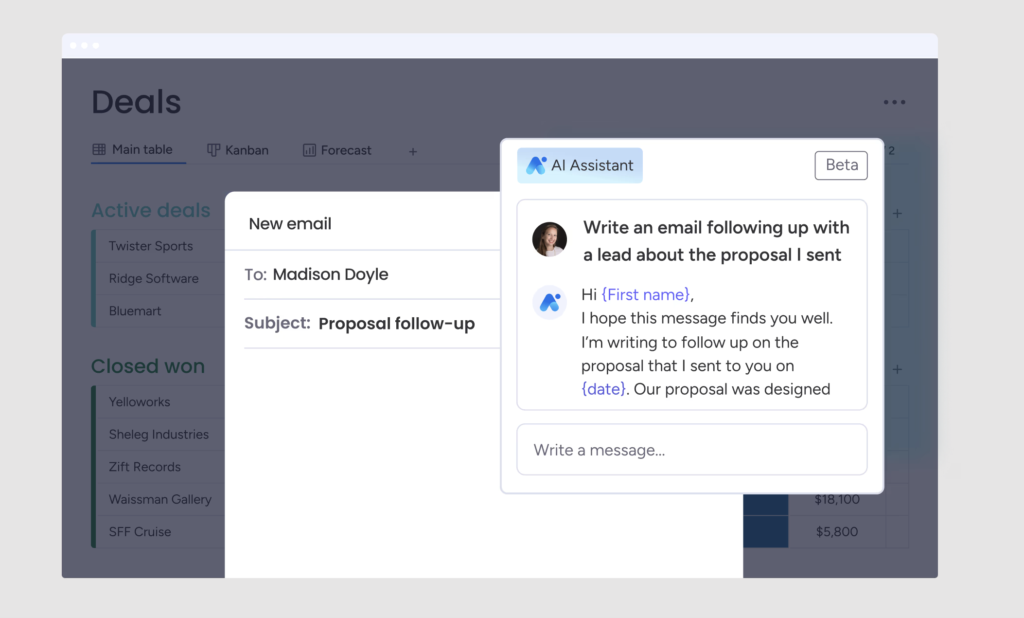 Automation functions as a brilliant assistant, systematically handling the repetitive tasks that consume your valuable time. Imagine automated email sequences nurturing new leads or smart alerts notifying you the moment a prospect revisits your proposal. This is the essence of working smarter, not harder.
With monday CRM, you can easily build these automations without writing a single line of code. Our platform helps you prioritize your best opportunities and even forecast future income, giving you the power of an enterprise tool with none of the complexity.
Visual dashboards for at-a-glance insights
Custom dashboards give freelancers a clear picture of business performance in one place. Instead of combing through spreadsheets, key metrics are easy to track and understand at a glance.
Dashboards make it simple to monitor:
- Conversion rates: See how many opportunities turn into paying clients.
- Average project value: Understand the financial impact of each deal.
- Sales cycle length: Measure how long it takes to close projects from inquiry to payment.
These visual reports turn raw data into actionable insights. By seeing which projects are most profitable and which lead sources deliver the best results, freelancers can make confident, data-driven decisions that support sustainable growth.
Comparing the top CRM options for freelancers
Picking the right CRM is about matching the tool to your game plan, whether you’re focused on simple contact management or juggling complex projects that need serious automation to keep everything moving. The real goal is to find a platform that makes your entire workflow feel effortless, giving you more time to focus on what you do best.
To simplify your decision, we’ve evaluated the top contenders and identified their unique strengths. This breakdown illuminates what each platform offers, spanning from bare-bones simplicity to powerful, intuitive systems designed for seamless scaling.
| Platform | Best for | Starting price | Key strengths |
|---|---|---|---|
| monday CRM | Freelancers who want growth without complexity | $12/seat/month | Intuitive visual interface, powerful automations, integrates with project management, customizable pipelines |
| HoneyBook | Creative entrepreneurs managing the full client journey | $29/month | Smart Files for proposals and contracts, branded client portals, automated workflows |
| HubSpot Smart CRM | Freelancers building through content and lead generation | Free (limited features) | Strong marketing tools, extensive free tier, AI-powered content assistant, great educational resources |
| Zoho CRM | Freelancers wanting an affordable all-in-one ecosystem | $14/user/month | AI assistant Zia, seamless ecosystem integration, predictive analytics, budget-friendly pricing |
| Moxie | Independent professionals streamlining entire operations | $12/month | Time tracking with project billing, customizable client portal, automated workflows |
| Flowlu | Freelancers bridging sales and project delivery | Free (2 users) | Kanban-style pipeline, integrated project management, built-in invoicing, generous free tier |
1. monday CRM
Best for: Freelancers who want growth without complexity
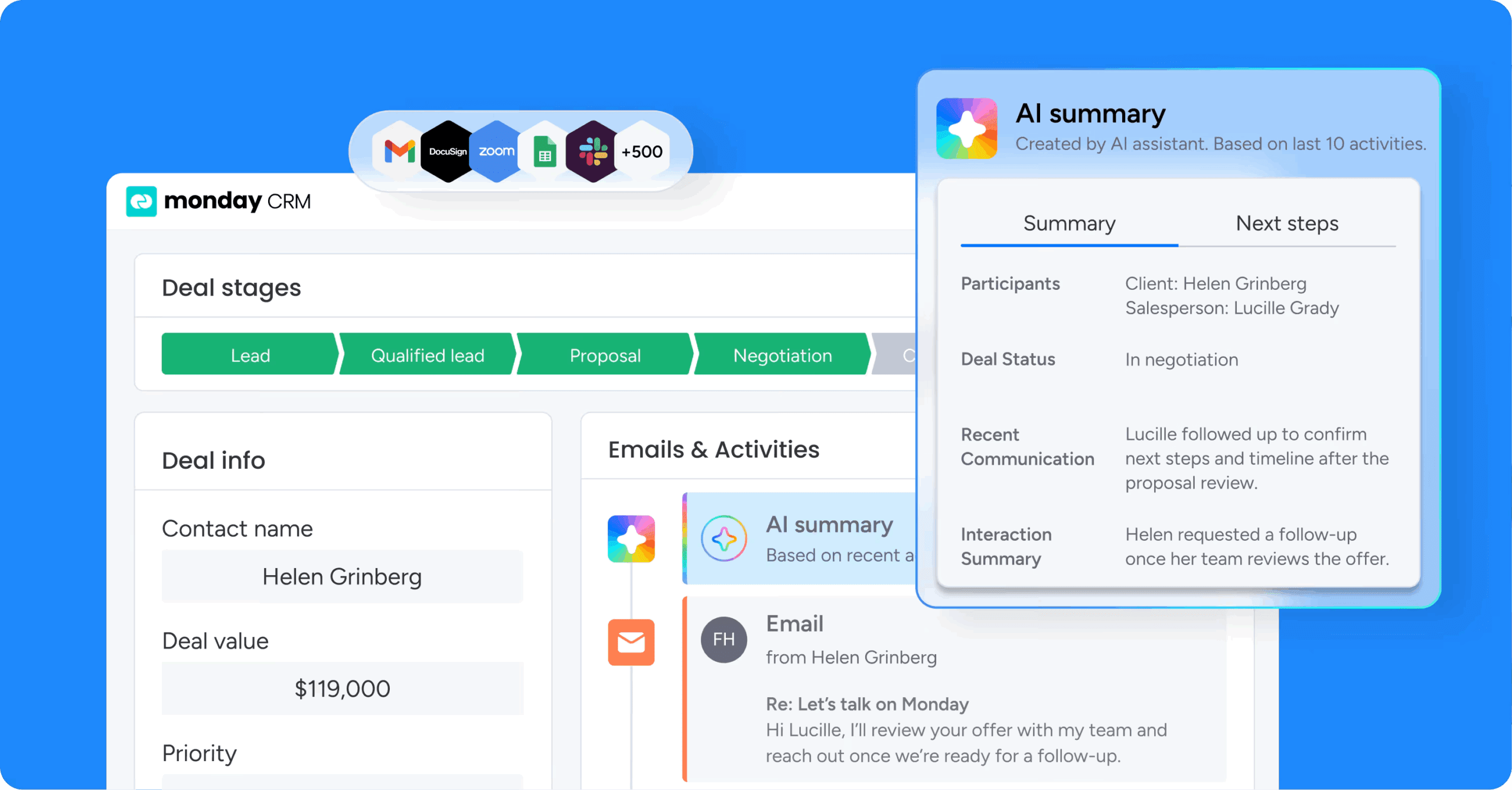
monday CRM transforms how freelancers manage client relationships by combining powerful customization with an intuitive design. Built on the broader monday Work OS, it seamlessly grows from individual use to small team collaboration, making it ideal for solo professionals who need to scale without enterprise-level overhead.
Use case
monday CRM empowers freelancers to automate repetitive tasks, centralize client communication, and visualize their entire sales pipeline in one customizable workspace that adapts to their unique workflow.
Key features
- AI-powered email composer: Generate professional client emails and follow-ups instantly with AI assistance that matches your tone and context.
- Intelligent lead scoring: AI analyzes engagement patterns to automatically prioritize your hottest opportunities and predict deal success.
- Smart automation recipes:No-code workflow automation handles follow-ups, status updates, and client communications without manual intervention.
- Customizable visual pipelines: Drag-and-drop sales tracking with multiple view options (Kanban, timeline, calendar) that give you complete visibility.
- Predictive analytics: AI-driven insights forecast future revenue and identify bottlenecks before they impact your income.
Pricing
monday CRM offers flexible plans starting with a free tier for up to 2 seats, with paid plans beginning at $12/month per seat (billed annually) on the Standard plan that includes automations and integrations. Higher tiers unlock advanced AI features, with Pro at $19/month per seat and custom Enterprise pricing for larger operations.
Why it stands out
- Seamlessly integrates CRM functionality with project management in one unified workspace.
- Offers extensive customization without requiring technical expertise through its visual, no-code interface.
- Scales effortlessly from solo freelancer operations to small team collaboration without platform migration.
2. HoneyBook
Best for: Creative entrepreneurs who need to manage the entire client journey from proposal to payment in one place.
 Creative entrepreneurs will find a powerful ally in HoneyBook, an all-in-one clientflow management platform that streamlines everything from proposals to payments. The platform specializes in creating seamless, professional client experiences, making it particularly powerful for photographers, designers, and event planners who need to impress clients while staying organized.
Use case
HoneyBook centralizes client management, proposals, contracts, invoicing, and payments into one streamlined workflow that enhances both freelancer efficiency and client experience.
Key features
- Smart Files: Combine proposals, contracts, and payment processing into interactive documents clients can review, sign, and pay in one flow.
- Automated workflows: Handle follow-ups, payment reminders, and client communications based on project triggers.
- Branded client portals: Give customers access to all project documents, communications, and payment options in one seamless space.
Pricing
HoneyBook offers three pricing tiers: Starter at $29/month, Essentials at $49/month, and Premium at $109/month (all billed annually). A 7-day free trial is available.
Considerations
- Limited reporting and analytics capabilities compared to more advanced CRM platforms.
- Higher pricing tiers required to access automation features and key integrations that many freelancers consider essential.
3. HubSpot Smart CRM
Best for: Freelancers building their business through content and lead generation.

For freelancers building their business through content and lead generation, HubSpot’s comprehensive and famously free CRM platform provides an unmatched starting point. The platform specializes in inbound marketing methodology and seamless integration capabilities, making it ideal for freelancers who need to attract clients through content marketing.
Use case
HubSpot’s free CRM unifies customer data with AI-powered insights and marketing automation tools, designed specifically for small businesses and freelancers who need to scale their client relationships without upfront costs.
Key features
- AI-powered content assistant: Generate blog posts, social media content, and email campaigns with AI tools that help freelancers create compelling marketing materials faster.
- Predictive lead scoring: AI analyzes prospect behavior and engagement to automatically identify and prioritize your most promising opportunities.
- Smart email automation: AI-driven email sequences that adapt based on recipient behavior, optimizing send times and content for maximum engagement.
- Conversation intelligence: AI transcribes and analyzes sales calls to surface key insights and coaching opportunities for improving client conversations.
- Extensive integration ecosystem: Connect with over 1,700+ business apps including Gmail, Shopify, and Zapier to create a unified workflow.
Pricing
HubSpot offers a robust free plan with unlimited contacts (up to 1,000 storage capacity) for up to 2 users. Paid plans vary by hub (Marketing, Sales, Service) with Starter tiers beginning around $15-$20/month per seat, Professional plans offering advanced features with higher contact limits, and Enterprise solutions with custom pricing for full-scale business needs.
Considerations
- Pricing can escalate quickly as your contact list grows and you need advanced features.
- Free plan users don’t have access to live customer support, which can be limiting when technical issues arise.
4. Zoho CRM
Best for: Freelancers who want an affordable, all-in-one business ecosystem that scales from basic CRM to comprehensive business management.
 The strength of Zoho’s CRM lies in its vast, interconnected ecosystem, offering a solution that grows with your freelance business from basic contact management to advanced automation. The platform’s modular approach lets freelancers start with essential CRM features and add accounting, email marketing, and project management tools as their business expands. With its AI-powered assistant Zia and budget-friendly pricing, Zoho makes enterprise-level CRM capabilities accessible to solo professionals.
Use case
Zoho CRM provides freelancers with an integrated business ecosystem that combines customer relationship management with accounting, project management, and marketing tools in one affordable platform.
Key features
- AI-powered assistant (Zia): Provides predictive insights, analyzes email sentiment, and suggests optimal contact times to help you engage prospects at the right moment.
- Intelligent workflow automation: Blueprint feature uses AI to enforce standardized processes, ensure compliance, and guide deals through your sales cycle automatically.
- Predictive sales analytics: AI analyzes historical data to forecast deal outcomes, identify at-risk opportunities, and recommend next-best actions for closing deals.
- Smart lead scoring: AI evaluates prospect behavior and engagement to automatically prioritize your hottest leads based on conversion likelihood.
- Seamless ecosystem integration: Connects with 50+ Zoho business applications including invoicing, project management, and email marketing for unified workflow management.
Pricing
Zoho CRM offers a free plan for up to 3 users with basic features. Paid plans start at $14/user/month (Standard), with Professional at $23/user/month and Enterprise at $40/user/month (all billed annually). A 15-day free trial is available on all paid plans.
Considerations
- Interface can feel cluttered and overwhelming for new users navigating the extensive feature set.
- Performance may slow when handling large datasets, which could impact productivity for high-volume freelancers.
5. Moxie
Best for: Independent professionals who need to streamline their entire business operation from lead capture to final payment.
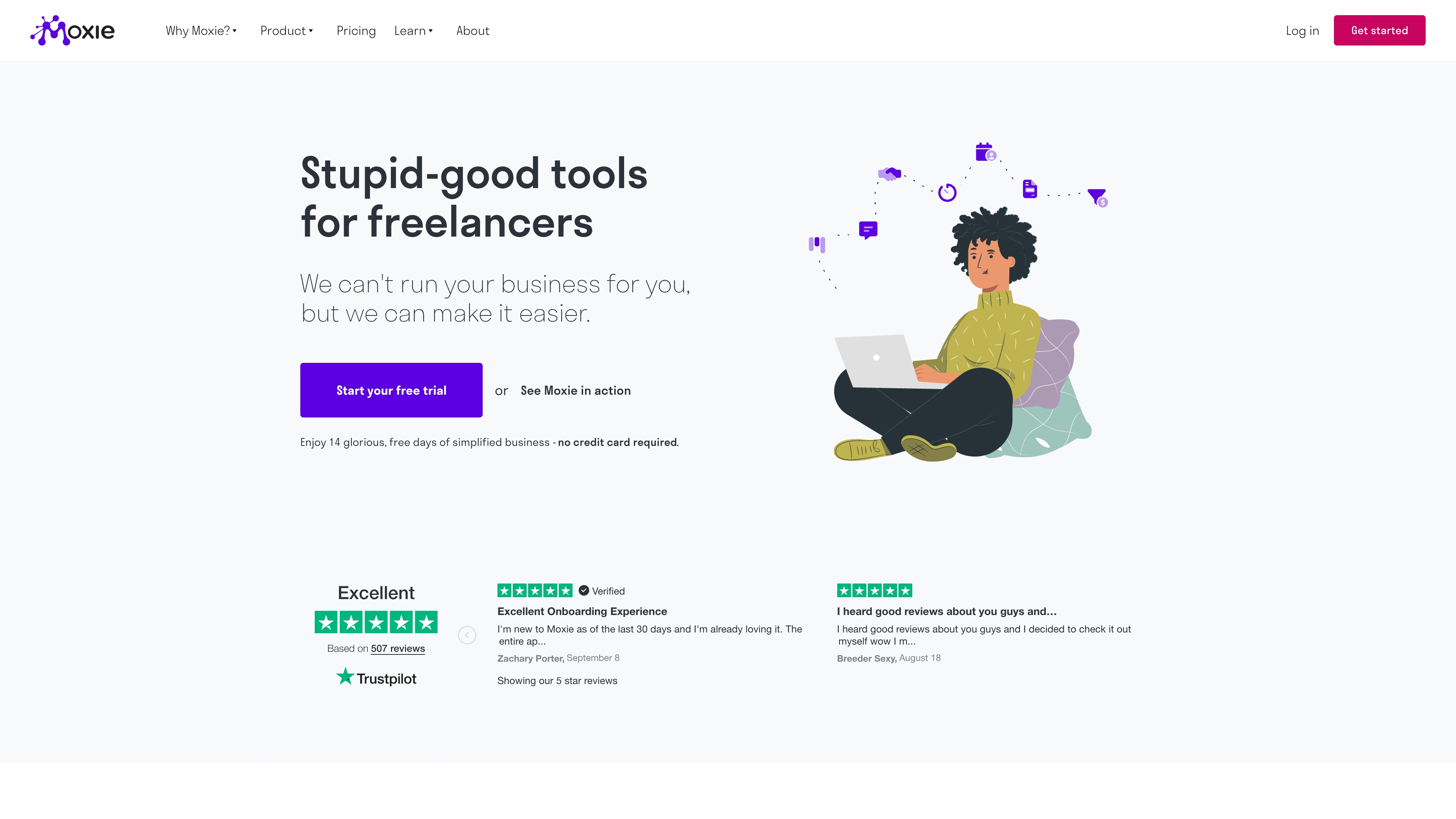 Built from the ground up for the modern freelancer, Moxie is an all-in-one client management platform that consolidates project management, invoicing, and client communication. The platform is ideal for independent professionals who need to streamline their entire business operation. With industry-specific templates and educational resources, Moxie helps freelancers present a professional image while managing everything from lead capture to final payment.
Use case
Moxie provides freelancers with a comprehensive business management solution that replaces multiple tools by combining CRM, project tracking, invoicing, and client collaboration in one intuitive platform.
Key features
- Time tracking with project-based billing: Track billable hours and gain profitability insights for accurate client invoicing and project management.
- Customizable client portal: White-label branding creates professional client collaboration spaces that reflect your business identity.
- Automated workflows: Handle client onboarding, proposal sending, and invoice generation automatically to save time on repetitive tasks.
Pricing
Moxie offers three pricing tiers: Starter at $12/month (or $10/month billed annually), Pro at $25/month (or $20/month annually), and Teams at $40/month (or $32/month annually). A 14-day free trial is available on all plans, and scholarships are available for qualifying users.
Considerations
- Limited customization options compared to more advanced platforms like Dubsado for complex workflows.
- Some users report occasional technical glitches and a steeper learning curve than initially expected.
6. Flowlu
Best for: Freelancers who need an affordable all-in-one platform that bridges the gap between sales and project delivery.
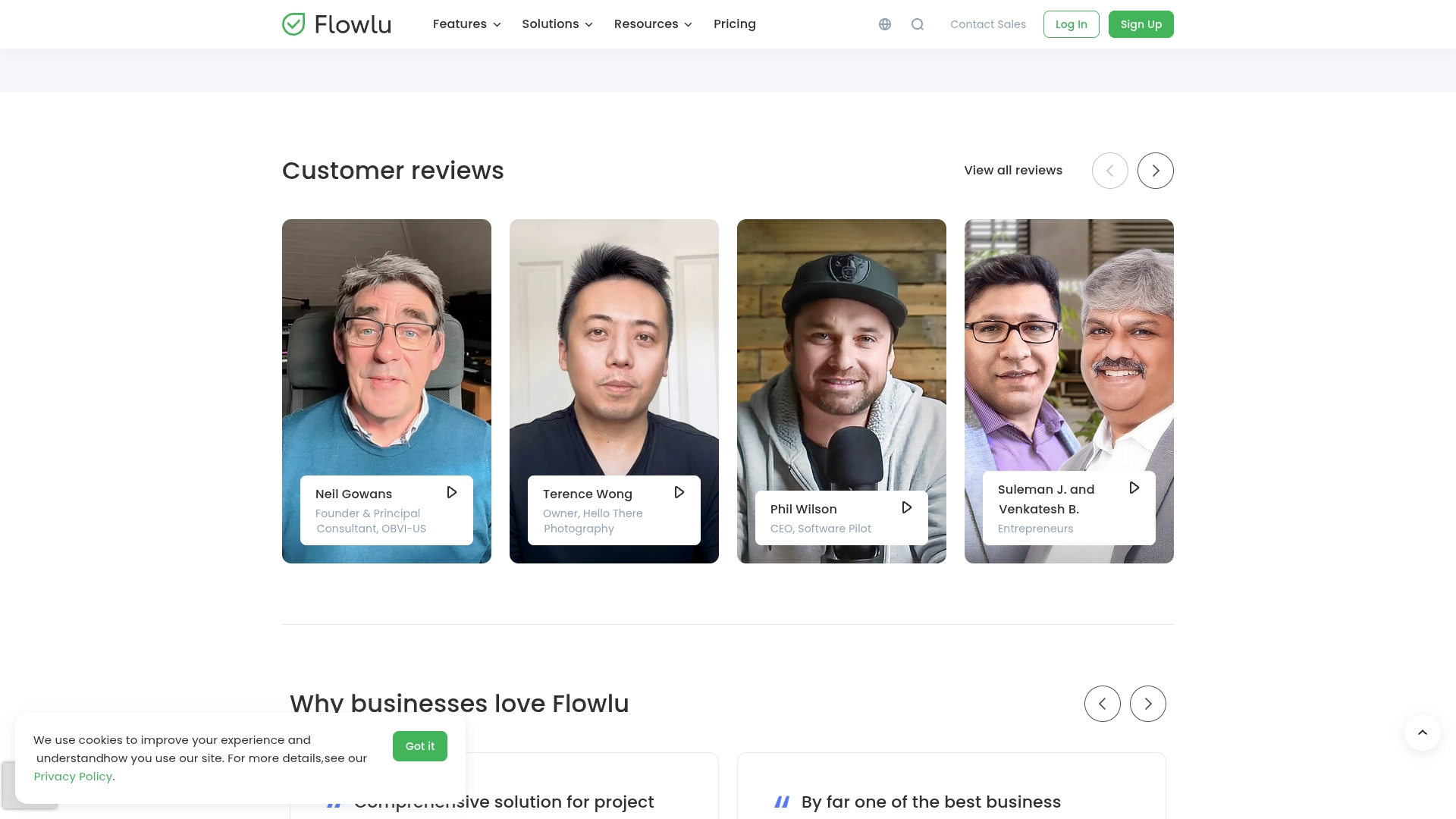 Flowlu’s all-in-one business management platform excels by seamlessly integrating CRM, project management, and invoicing into a single, cohesive workspace. The platform specializes in creating a smooth transition between sales and project delivery, making it ideal for freelancers who need to manage the entire client lifecycle from lead to payment. With a generous free tier and collaborative features, Flowlu supports solo professionals and small teams working with subcontractors.
Use case
Flowlu provides freelancers with a comprehensive business management solution that eliminates the need for multiple software subscriptions by combining CRM, project management, invoicing, and team collaboration in one affordable platform.
Key features
- Kanban-style sales pipeline: Drag-and-drop deal management with automated lead capture from website forms keeps opportunities organized and moving forward.
- Integrated project management: Converts won deals into projects automatically, maintaining client context throughout the workflow without manual data transfer.
- Built-in invoicing and payment processing: Recurring billing capabilities and client portal for secure document sharing streamline the payment experience.
Pricing
Flowlu offers a free plan for 2 users with 1GB storage and unlimited projects. Paid plans start at $15/month (billed annually) for the Solo plan, with Team at $39/month and Business at $79/month (all annual billing). A 14-day free trial is available, and yearly billing includes a 20% discount.
Considerations
- Some users report occasional minor bugs and settings that may disappear, requiring attention to system stability.
- Individual modules may not be as feature-rich as specialized standalone software, particularly for advanced email marketing needs.
Getting started with monday CRM as a freelancer
monday CRM is built for freelancers who need powerful client management without the complexity of enterprise software. The platform combines an intuitive visual interface with flexible customization, making it simple to organize contacts, track opportunities, and automate workflows from day one. Whether you’re managing five clients or fifty, monday CRM adapts to your unique process rather than forcing you into rigid templates.
What sets monday CRM apart is how it grows with your business. Start with basic contact management and pipeline tracking, then layer in automation, AI-powered insights, and team collaboration as your needs evolve. This scalability means you won’t outgrow the platform as your freelance business expands, giving you confidence that your client management system can handle whatever comes next.
AI-powered email composer for professional client communication
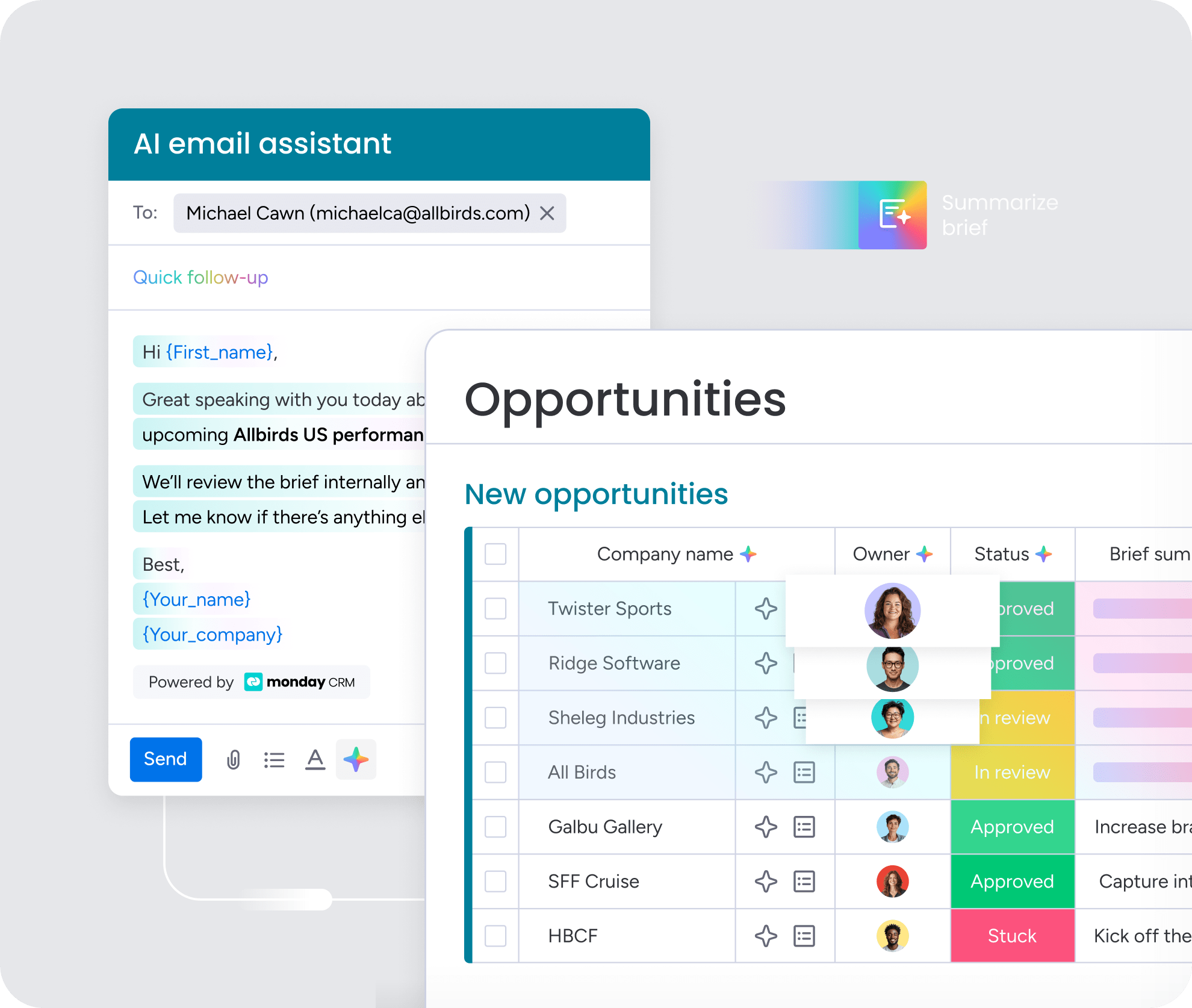
The AI email composer in monday CRM generates professional client emails and follow-ups instantly, matching your tone and context without starting from scratch. Simply provide a few details about what you need to communicate, and the AI drafts a polished message that maintains your professional voice. This feature saves freelancers hours each week on email composition while ensuring every client interaction feels personalized and thoughtful.
Intelligent lead scoring to prioritize your best opportunities
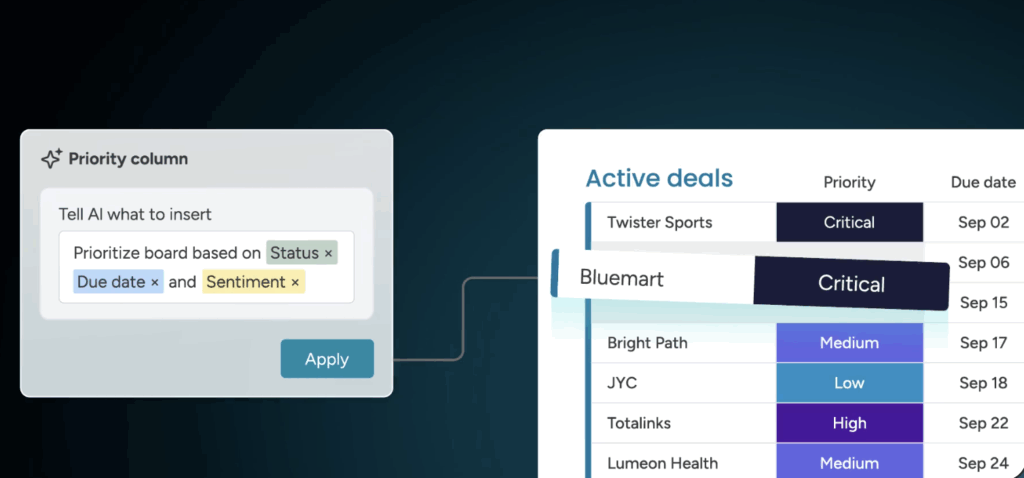 monday CRM’s AI analyzes engagement patterns across your pipeline to automatically identify which leads are most likely to convert. The system scores prospects based on their behavior, communication frequency, and deal characteristics, helping you focus energy on opportunities with the highest potential. This intelligent prioritization means you spend less time guessing which leads to pursue and more time closing deals that actually move your business forward.
No-code automation that handles repetitive tasks

Build powerful workflow automations without writing a single line of code using monday CRM’s visual automation builder. Set up triggers that automatically send follow-up emails when a prospect views your proposal, update deal stages when clients respond, or create reminders for important check-ins. These smart automations run in the background, freeing you from repetitive administrative work so you can focus on delivering great client results and growing your business.
Predictive analytics for smarter business decisions
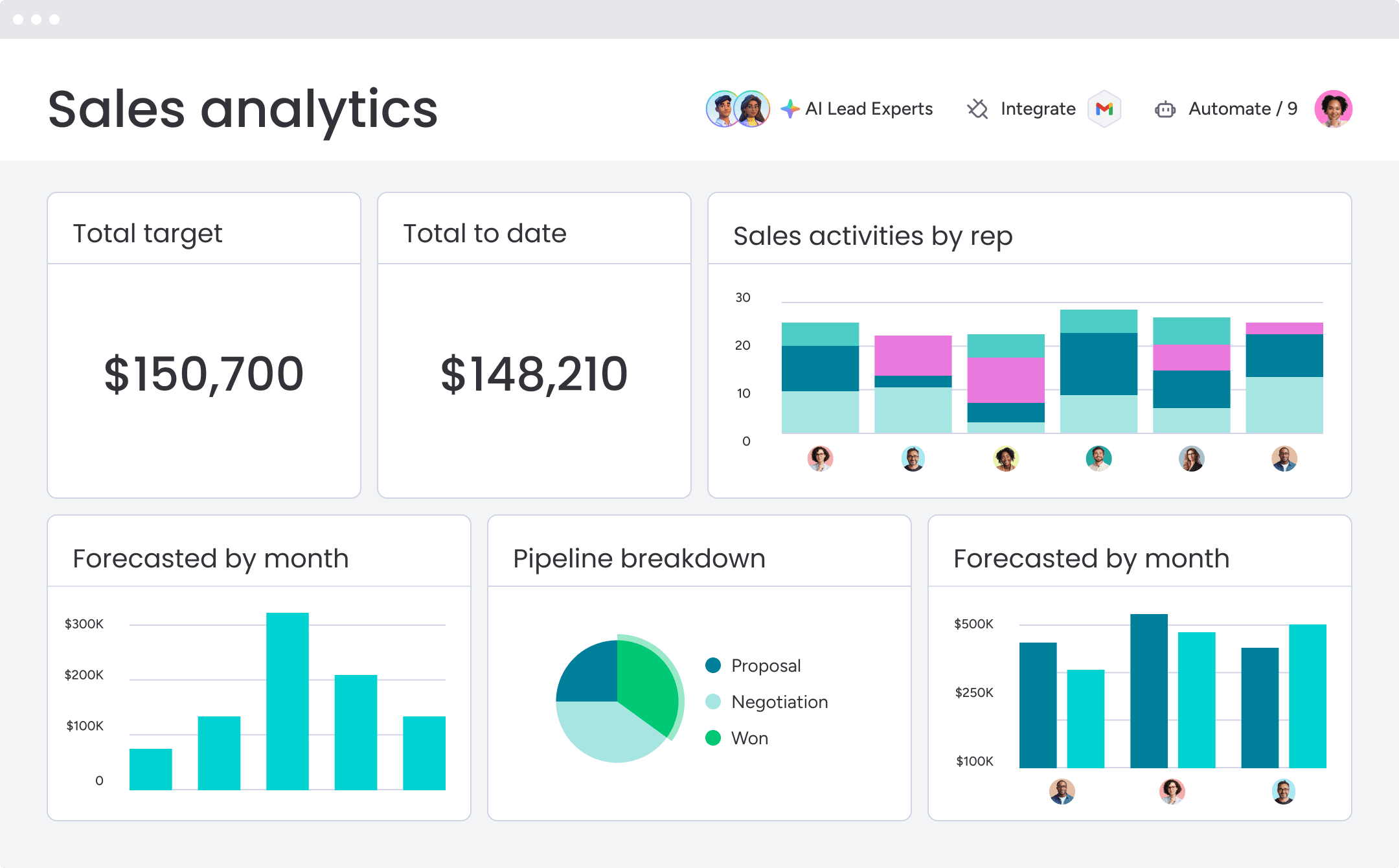
AI-driven insights in monday CRM forecast future revenue based on your pipeline health and historical performance, giving you clear visibility into expected income. The platform identifies bottlenecks before they impact your cash flow and suggests actions to keep deals moving forward. These predictive capabilities transform your CRM from a simple contact database into a strategic tool that helps you make confident, data-backed decisions about where to invest your time and energy.

“With monday CRM, we’re finally able to adapt the platform to our needs — not the other way around. It gives us the flexibility to work smarter, cut costs, save time, and scale with confidence.”
Samuel Lobao | Contract Administrator & Special Projects, Strategix
“Now we have a lot less data, but it’s quality data. That change allows us to use AI confidently, without second-guessing the outputs.”
Elizabeth Gerbel | CEO
“Without monday CRM, we’d be chasing updates and fixing errors. Now we’re focused on growing the program — not just keeping up with it."
Quentin Williams | Head of Dropship, Freedom Furniture
“There’s probably about a 70% increase in efficiency in regards to the admin tasks that were removed and automated, which is a huge win for us.“
Kyle Dorman | Department Manager - Operations, Ray White
"monday CRM helps us make sure the right people have immediate visibility into the information they need so we're not wasting time."
Luca Pope | Global Client Solutions Manager at Black Mountain
“In a couple of weeks, all of the team members were using monday CRM fully. The automations and the many integrations, make monday CRM the best CRM in the market right now.”
Nuno Godinho | CIO at Velv
“monday.com provides developmental flexibility, operational efficiency, and data transparency — all in one place. We became a company that moved from chasing data to leading with it.”
Hyunghan Lee | Team Lead, Sandbox Network
"monday.com brought every part of our business into one connected space. The harmony between work management and CRM has become our operating system — giving us the clarity and confidence to scale.”
Jennifer Chinburg | Executive Vice President of Corporate Development & Brand, Chinburg Properties
“We just weren’t getting value from our old CRM. With monday.com, it's a thousand times better. Our sales teams are more informed, more consistent, and far more connected."
James Arnold | Chief Operating Officer, CenversaChoosing momentum over perfection
Searching for the “perfect” CRM can easily delay progress. The most effective system is often the one that a team adopts and uses consistently. A well-designed CRM provides a unified view of the pipeline, removes guesswork, and supports aligning the whole team on next steps while automating repetitive work and centralizing communication.
For freelancers and small teams ready to take that step, monday CRM offers the flexibility to adapt to unique workflows and grow alongside the business. Try monday CRM today and see how the right platform can transform the way work gets done.
FAQs
How do freelancers use AI in CRM platforms without coding experience?
AI in CRM platforms helps freelancers handle everyday tasks like drafting emails, generating follow-ups, or spotting opportunities. In monday CRM, these tools are built in with simple prompts and click-based settings, making it easy to work smarter and save time without touching code.
Which CRM platform scales best from solo freelancer to small team?
monday CRM is built to scale seamlessly from a solo freelancer to a small team with flexible, user-based pricing. As you add teammates, collaboration features activate automatically so your workspace grows with you.
Can CRM software help freelancers forecast future income?
Yes, a CRM analyzes your sales pipeline and deal history to provide accurate revenue forecasts. This allows you to confidently plan your finances based on expected income.
Are there pre-built CRM templates designed specifically for freelancers?
Yes, monday CRM provides a gallery of pre-built templates designed for freelancers, with workflows for proposal tracking and project management. These templates are fully customizable to fit your specific process.
Do CRM platforms integrate with existing payment processing systems?
Yes, platforms like monday CRM integrate with popular payment processors like Stripe and PayPal to automate invoice tracking. This gives you real-time visibility into payment statuses without manual data entry.
How do freelancers transition from free CRM plans to paid versions?
Upgrading from a free to a paid plan is an instant process that keeps all your existing data, contacts, and settings intact. You simply unlock advanced features without any disruption or data migration.