


Most IT service desks are measured by how quickly they close tickets. But what if the goal wasn’t just faster resolution, but eliminating routine tickets altogether? High-volume requests like password resets and software access have always created bottlenecks, forcing skilled teams to spend their days on repetitive, low-impact work.
This is where an IT service request AI agent changes the game. Instead of a chatbot that answers your questions, these are autonomous systems that understand requests and make decisions based on your policies. They create a new layer of support that resolves issues in seconds, not hours, without intervention.
This article shows how AI agents are transforming IT service delivery, and how monday service makes implementation simple. You’ll discover the core benefits, from cost savings to better employee experience, and learn how to deploy and measure AI agents effectively.
Try monday serviceKey takeaways
- AI agents resolve IT service requests quickly by handling everything from password resets to software provisioning automatically, without human intervention.
- Organizations typically see significant productivity gains and positive ROI within 6-12 months by automating routine requests and freeing IT teams for strategic work.
- Start with high-volume, low-risk requests like password resets in a 2-4 week pilot, then expand to complex workflows over 2-3 months for maximum impact.
- AI agents provide true 24/7 support with consistent service quality, eliminating delays from time zones, staffing gaps, and human errors.
- monday service enables rapid AI agent deployment through visual workflow builders and pre-built templates, letting you automate common requests without coding skills.
What are IT service request AI agents?
IT service request AI agents are software systems that empower and support humans by handling service requests on their behalf. They:
- Understand simple language
- Make decisions based on your policies
- Execute actions across multiple systems
- Verify everything worked correctly.
Think of them as support that works around the clock. When someone needs a password reset at 2 am, the AI agent handles it immediately. When a new hire needs software access, the agent provisions it automatically. These go beyond the limitations of chatbots that answer questions and complete the work.
AI agents vs chatbots and traditional automation
The difference between AI agents, chatbots, and other automation boils down to their capabilities. Here’s what sets each approach apart.
| Approach | What it does | Where it works well | Where it breaks | Example |
|---|---|---|---|---|
| Traditional automation | Executes fixed rules and predefined steps | Repetitive, predictable workflows | Any variation, exception, or missing input | A payroll system auto-calculates monthly salaries but fails if an employee has an unusual bonus or mid-cycle contract change. |
| Chatbots | Understands questions and provides answers or guided steps | FAQs, basic troubleshooting, routing requests | When action is required across systems | An HR chatbot explains how to request annual leave and links the form but doesn’t submit or approve it. |
| AI agents | Understands context, decides next steps, and takes action across systems | Multi-step, variable tasks that require judgment | Edge cases needing human oversight or policy decisions | An employee asks for annual leave. The agent checks their balance, submits a request in HR system, routes it to the manager, and confirms their approval. |
The evolution from copilots to autonomous agents
IT support has evolved through three distinct phases.
- Phase 1: Originally, ticketing systems organized requests.
- Phase 2: Copilots helped agents work faster by suggesting responses or finding relevant articles.
- Phase 3: Autonomous agents complete entire workflows independently.
This shift changes everything about service delivery. AI agents scale service delivery, handling routine requests in the background. Meanwhile, your human team is free to focus on complex problems.
How AI agents transform IT support in 2026
In 2026, 62% of organizations are experimenting with AI agents and 23% are already scaling them according to McKinsey’s 2025 Global Survey. Here are some of the specific benefits they deliver.
Reducing resolution times
Traditional IT support involves multiple steps that create delays. A password reset request enters a queue, waits for assignment, gets picked up by an agent, requires identity verification, and finally gets resolved. Each step adds time.
AI agents collapse this timeline. The same password reset can complete in lightning speed because the agent handles everything immediately.
This speed is a gamechanger for requests that block productivity. Can’t access email? Fixed in seconds. Need VPN access for a client meeting? Done before you finish your coffee. The downstream impact on business operations becomes significant when employees aren’t waiting hours for simple fixes.
Creating level 0 autonomous support
Most IT organizations structure support in tiers. For example:
- Level 1 handles basic requests
- Level 2 tackles complex issues
- Level 3 addresses specialized problems.
AI agents create a new tier, Level 0, where routine requests complete without any human involvement.
This fundamentally changes how service desks operate. Password resets, software provisioning, and access requests that once consumed most of Level 1’s time now happen automatically.
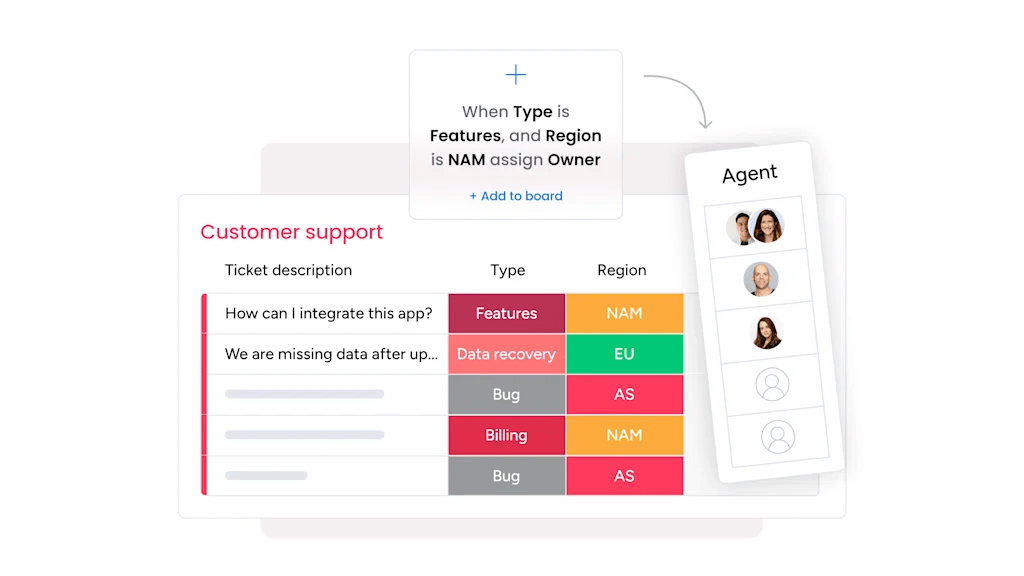
monday service enables this shift through intelligent routing and automation. Requests flow to the right workflow based on type and complexity, with full automation for routine items and human escalation only when needed.
Enabling true 24/7 service availability
Traditional 24/7 support often means reduced capability outside business hours. But night shift teams have limited permissions and offshore teams typically lack context. The result is slower response teams and frustration for your end users.
In contrast, AI agents provide consistent service around the clock. They have the same capabilities at 3 a.m. as they do at 3 p.m, so your global teams get instant support regardless of their time zone. And your remote workers aren’t forced to wait for business hours in your company HQ.
Try monday serviceHow do IT service request AI agents work?
Modern AI agents are sophisticated systems that use multiple specialized components to handle requests from start to finish. Here’s how IT service request AI agents work.
Core architecture of agentic AI systems
AI agents aren’t one technology; they’re integrated systems with specialized components. Each part handles a specific aspect of request fulfillment.
- Language processing: Converts “I need access to the finance folder for Q1 audit” into structured data the system can act on.
- Decision engine: Evaluates requests against your policies to determine the right workflow.
- Integration layer: Connects to identity systems, ITSM platforms, and SaaS admin consoles.
- Execution framework: Runs workflow steps in order and validates each action completed successfully.
- Learning module: Improves accuracy over time based on outcomes and feedback.
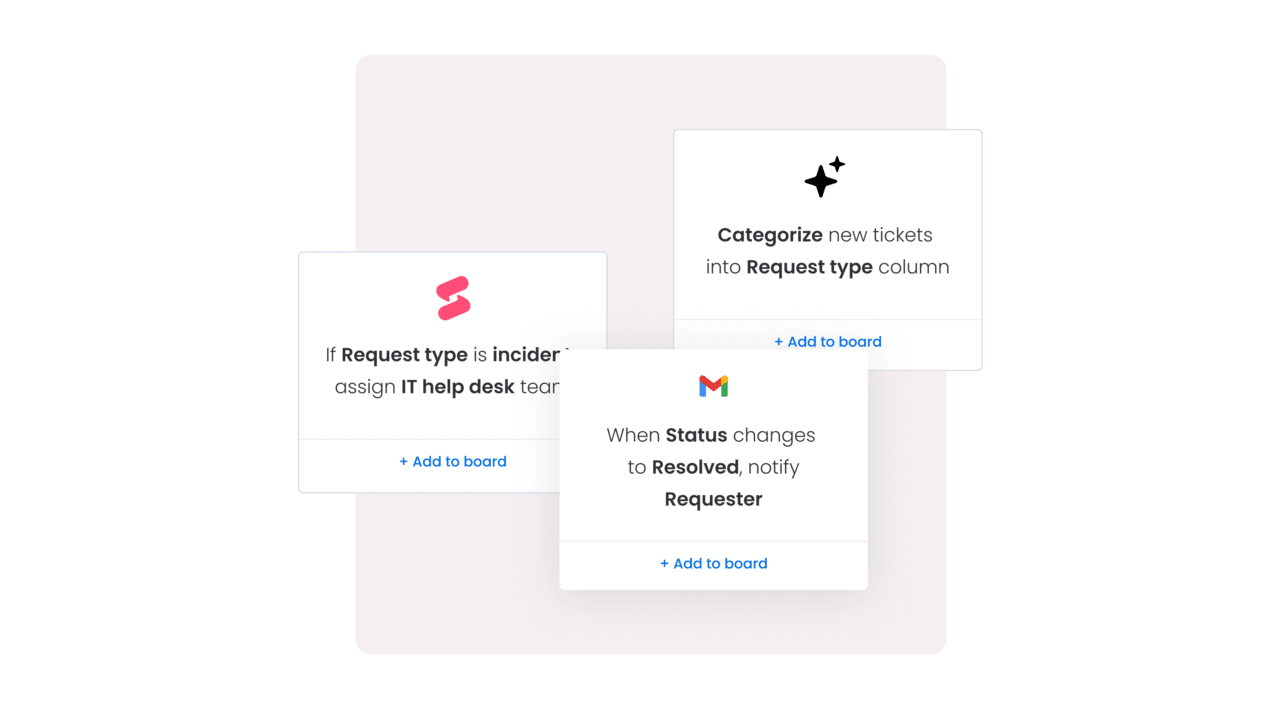
monday service brings these capabilities together through visual workflows anyone can build. You design fulfillment paths with drag-and-drop logic, set approval rules, and connect to your existing systems, all without writing code.
Multi-agent orchestration for complex requests
Some requests require multiple specialized agents working together. Employee onboarding is a great example, combining identity creation, software licensing, device setup, and access assignments across different systems.
Multi-agent orchestration assigns a primary agent to coordinate while specialized agents handle specific tasks. The primary agent manages dependencies (identity must exist before licenses can be assigned) and routes exceptions when human help is needed.
This maintains a single experience for employees while allowing each system to operate according to its own rules. New hires get everything they need without chasing multiple teams.
Human-in-the-loop approval workflows
Not everything should be fully automated. High-risk changes, expensive purchases, and privileged access need human approval. AI agents handle this by embedding approval gates that activate based on your policies.
The key is being selective. Routine actions stay automated for speed while requests that meet specific criteria trigger approvals. Every decision gets logged with approver identity and timestamp for compliance.
7 key benefits of AI agents for service desks
The impact of AI agents extends beyond faster tickets. They transform how service desks operate and contribute to business goals. Here are the concrete benefits organizations experience:
1. Productivity gains through automation
Productivity improves because agents stop doing repetitive work. Instead of processing password resets all day, they troubleshoot complex issues, improve documentation, and optimize service processes. This aligns with enterprise priorities, as 80% of respondents say their companies set efficiency as an objective for their AI initiatives.
This shift increases job satisfaction as work becomes more strategic and less transactional. Teams build expertise instead of processing the same requests repeatedly.
2. Dramatic cost reduction in service operations
AI agents change your cost structure as you need fewer agents for round-the-clock coverage. Training costs drop because routine procedures are automated. Escalations decrease because requests are handled correctly the first time.
Organizations are already seeing tangible results at the use-case level. In IT, around 64% of respondents report cost decreases from AI over the past 12 months.
Hidden costs disappear too, eliminating rework from incomplete requests, follow-up tickets, and time wasted collecting missing information.
3. Enhanced employee experience and CSAT scores
Employees care about outcomes, not polite responses. When their access issue resolves in minutes instead of hours, satisfaction improves. When self-service truly works, it becomes their preferred option.
It also reduces shadow IT behavior. Employees don’t need workarounds when official support is fast and reliable.
4. Scalability without hiring constraints
Volume spikes don’t create backlogs anymore. Whether it’s seasonal hiring, a merger, or a product launch, AI agents handle the surge without missing service level agreements (SLAs).
Support capacity becomes configurable rather than fixed. You scale up or down based on demand without recruitment delays.
5. Consistent service quality across requests
Every request follows the same process, which reduces errors and strengthens compliance. There aren’t any variations based on who’s working or how busy they are.
Every action creates an audit trail. You know exactly what happened, when, and why, which is critical for regulated industries.
6. Proactive issue resolution before impact
AI agents prevent problems rather than simply reacting to them, for example by renewing expiring certificates or fixing known issues before users notice.
This proactive approach reduces ticket volume. It’s also a great trustbuilder as employees experience fewer disruptions to their work.
7. Data-driven service insights and optimization
Every interaction generates data about request types, resolution paths, and exception patterns. This reveals where policies cause friction and which requests consume the most resources.
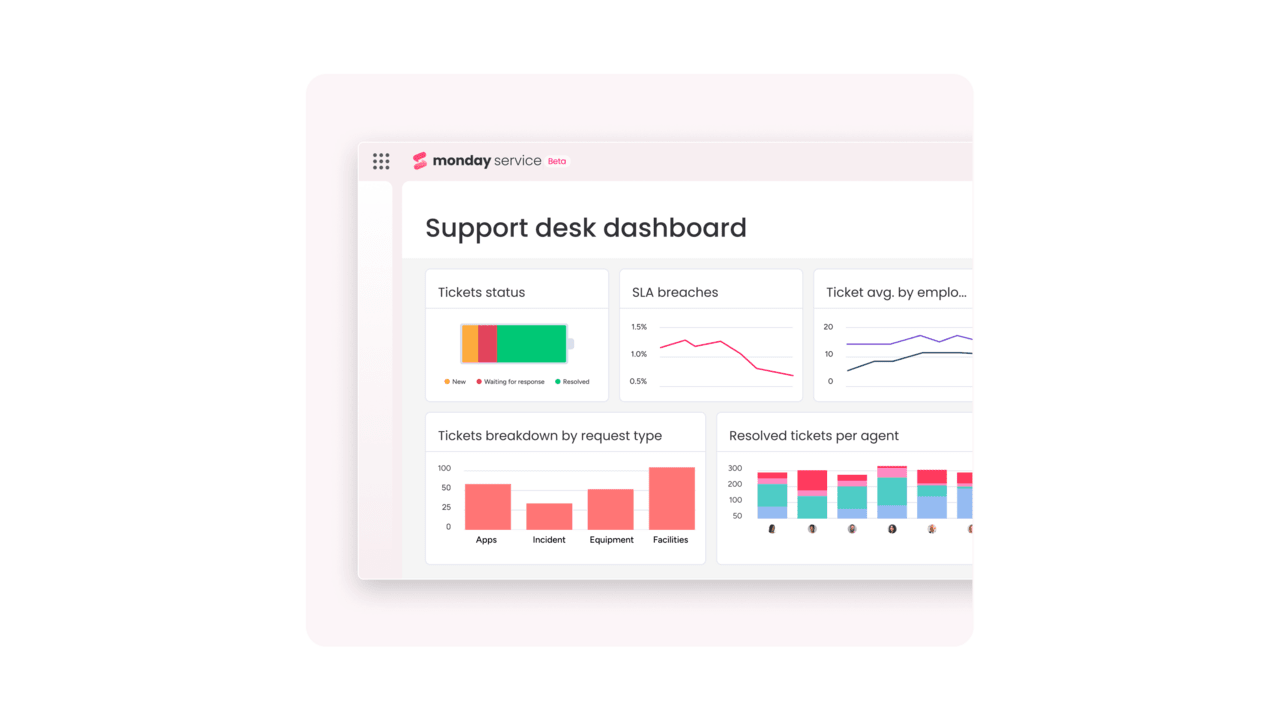
monday service highlights these insights through customizable dashboards. You see trends, spot opportunities, and make decisions based on real operational data.
Common IT requests AI agents automate today
For immediate impact, most organizations start with these high-volume requests. They have clear policies and predictable workflows, making them ideal for IT service request AI agents.
Password resets and multi-factor authentication
Password workflows showcase AI agent capabilities perfectly. The agent validates identity through multiple methods, resets credentials according to policy, delivers them securely, and confirms successful login. For MFA, it guides enrollment and handles recovery scenarios.
Software provisioning and license management
Software requests flow from intake to deployment automatically. The agent captures requirements, checks for standard alternatives, assigns licenses based on role, and deploys through admin APIs or endpoint management platforms.
Knowledge base navigation and self-service
Instead of searching through static documentation like outdated wikis, AI agents offer interactive support. The agent recommends specific articles based on context, walks users through multi-step processes, and escalates with full context when self-service isn’t enough.
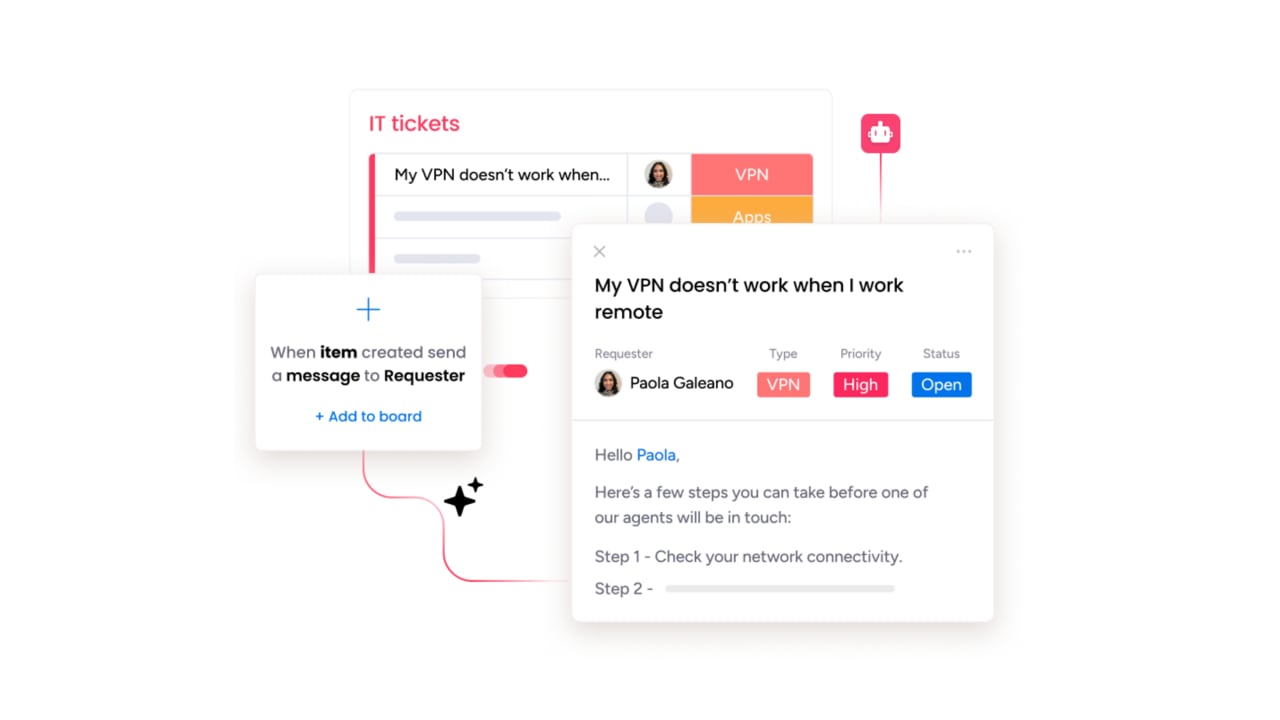
Hardware requests and device management
Hardware fulfillment connects service requests with procurement and asset systems. The agent checks inventory and triggers purchases when needed. It also routes approvals based on cost, and initiates device provisioning once the equipment arrives.
Access requests and permission changes
Access workflows implement least-privilege automatically. The agent maps requests to roles, checks for conflicts, validates prerequisites, and provisions access across systems. Temporary access expires on schedule and periodic reviews happen without manual coordination.
Try monday serviceImplementing AI agents for IT service requests
Success depends on choosing the right platform and rolling out thoughtfully. Here’s how to evaluate options and deploy effectively.
Selecting the right AI agent platform
Platform evaluation should focus on practical capabilities that matter for your environment. Look for these key characteristics:
- Deep integrations: Native connectors for your ITSM, identity, and endpoint systems
- No-code configuration: Visual workflow builders your team can modify without developers
- Enterprise security: Role-based access, encryption, and detailed audit logs
- Proven scalability: High performance under real-world volumes
- Strong support: Responsive vendor help when you hit edge cases
Run a pilot with high-volume requests to test these capabilities. Include at least one multi-system workflow to verify integration depth.
3-phase rollout strategy for quick wins
Phased deployment balances speed with stability. Each phase builds on the previous one while delivering measurable value.
- Phase 1 (Months 1-2): Start with password resets and account unlocks. These have clear policies and immediate impact. Success might be an average resolution time of under 5 minutes.
- Phase 2 (Months 3-4): Add software provisioning and standard access requests. Refine approval routing based on real usage. Watch containment rates rise and escalations drop.
- Phase 3 (Months 5-6): Tackle complex workflows like onboarding and privileged access. By now, half your request volume or more should be fully automated.
No-code configuration and customization
Modern platforms let you build workflows visually, with drag-and-drop logic blocks that let you set conditions and approvals and connect to backend systems.
This agility is a natural fit for service processes that are evolving constantly. When policies change or new systems arrive, you adapt workflows immediately without waiting for developers.
monday service exemplifies this approach, allowing service teams to design and modify their own workflows, maintaining full control without technical dependencies.
Integration with existing ITSM tools
AI agents complement your ITSM platform rather than replacing it. They create and update tickets, pull data from your CMDB, and trigger actions in connected systems while keeping your ITSM as the system of record.
Clean integration prevents data conflicts and maintains accurate reporting. Your existing dashboards and metrics continue working with better data flowing through them.
How to measure the success and ROI of AI agents
The real value of AI agents shows up in your metrics. To prove ROI and continuously improve performance, you need to track the right indicators that reveal genuine improvements in service quality, speed, and operational efficiency.
Consider key performance indicators beyond tickets
To truly understand the impact of AI agents, you need to look beyond traditional ticket counts. The following KPIs provide a clearer picture of improvements in service quality, speed, and efficiency.
Traditional metrics miss the real impact. Focus on these indicators instead:
- Resolution time reduction: How much faster requests complete end-to-end
- First-contact resolution rate: Percentage resolved without escalation
- User satisfaction scores: Direct feedback on service quality
- Agent utilization rates: How often AI successfully completes work
- Cost per request: Total operational cost including platform and maintenance
Establish baselines before deployment. Compare at least 4-8 weeks of historical data to show genuine improvement.
Track automation and containment rates
Containment rate shows what percentage of requests AI handles completely. Track this by category to identify expansion opportunities. Also monitor workflow maturity — fully autonomous versus requiring approvals or human assistance.
Higher containment indicates stronger processes and clearer policies. When requests bounce back to humans, it usually means policies need refinement.
Calculate real cost and time savings
Most organizations see positive ROI within 6-12 months, including direct savings and indirect benefits.
- Direct savings come from reduced handling time, fewer escalations, and lower staffing needs.
- Indirect benefits include faster employee onboarding, fewer access delays, and reduced downtime.
For an accurate calcuation, don’t forget to include platform fees, integration work, and ongoing maintenance.
Scale AI agents from IT to enterprise services
Once IT requests run smoothly, expand the model to other departments. The same principles apply with domain-specific adjustments.
Expand to HR service delivery
HR requests follow similar patterns — intake, validation, approvals, and fulfillment. AI agents handle benefits questions, leave requests, and policy inquiries while maintaining strict privacy controls. The workflow skills your team built for IT work just as well for HR.
Automate finance and procurement requests
Finance workflows benefit from consistent approvals and embedded controls. AI agents route expense questions, trigger purchase approvals, and guide vendor onboarding while integrating with ERP systems. Approval hierarchies become policy objects the agent enforces automatically.
Build cross-departmental workflows
AI agents are most powerful when they coordinate across departments. New employee onboarding demonstrates this perfectly; HR confirms employment, finance approves budget, IT provisions access, and facilities arranges workspace.
One request triggers coordinated action across your organization and employees receive a seamless experience instead of chasing multiple teams.
Try monday serviceHow monday service powers your AI agent transformation
monday service is a comprehensive service management platform that lets you build, deploy, and manage AI agents without needing any coding expertise.
It connects your service delivery workflows across departments through visual automation tools and pre-built integrations with your existing systems. Here’s how it accelerates your automation journey.
Deploy workflows in minutes with visual AI builders
Build complex workflows using visual drag-and-drop components to design fulfillment paths, set conditional logic and approval rules. From here, you’ll connect to backend systems through pre-built integrations that work right out of the box.
Any changes you make deploy instantly. When policies shift or new requirements emerge, you can adapt your workflows in minutes rather than waiting for development cycles.
Make smarter decisions by connecting service requests to organizational projects
monday service links requests to projects, timelines, and dependencies across your organization. You’ll see how support demand affects capacity and track how service issues impact business initiatives.
This visibility helps leaders make informed decisions about resource allocation and process improvements.
Launch faster with pre-built templates for common use cases
Start fast with templates for password resets, access requests, software provisioning, and more. Each template provides fields, statuses, and routing logic you can customize for your environment.
Templates eliminate the blank canvas problem. You’re refining proven workflows instead of inventing from scratch.
Ready to transform your IT service delivery? Try monday service and see how AI agents can resolve requests faster while freeing your team for strategic work.
Try monday serviceFAQs about IT service request AI agents
How long does it take to deploy AI agents for IT service requests?
Deploying AI agents for IT service requests typically takes 2-4 weeks for a focused pilot covering password resets and basic access requests. Broader deployment across multiple request types usually requires 2-3 months, depending on how complex your integrations are and how many approval workflows you need to configure.
What's the difference between AI agents and RPA bots for IT service automation?
AI agents make context-aware decisions and handle variations in how requests are phrased, while RPA bots follow rigid, predefined steps that break when anything changes. AI agents also validate that actions completed successfully and manage exceptions intelligently, whereas RPA bots typically just execute scripts without verifying outcomes.
Can AI agents handle multi-step approval workflows for IT service requests?
Yes, AI agents can handle multi-step approval workflows by routing requests based on type, cost, user role, and risk level. The agent pauses execution at approval gates, notifies the right approvers, tracks their decisions with timestamps, and only proceeds once approval is received, all while maintaining a complete audit trail.
How do organizations ensure AI agent security and compliance for IT services?
Organizations ensure AI agent security through role-based access controls, encryption of data in transit and at rest, detailed audit logs of every action, and integration with existing identity management systems. Agents operate within defined permission boundaries and policy constraints, with all activities traceable back to specific requests and approvals.
What training do IT teams need to manage AI agents for service requests?
IT teams need basic training on workflow design and policy configuration rather than programming skills. Most platforms offer visual builders that anyone can learn in a few hours, with the focus on understanding service processes and exception handling rather than technical implementation.
What are typical costs for AI agent platforms in IT service management?
AI agent platforms typically charge subscription fees based on the number of agents, request volume, or users, with costs ranging from $25-100 per agent per month for most solutions. Total cost depends on integration complexity and support needs, but organizations commonly see positive ROI within 6 — 12 months through reduced handling time and higher automation rates.
