


Knowledge bases are the first port of call for many customer or user queries, empowering them to solve their issues quickly, without logging a ticket. These traditional knowledge bases bring together articles, guides, FAQs, and how-to resources in one central location — everything users might need to know.
But as these collections grow, finding the right answer can become surprisingly difficult. Searching through large volumes of information can feel like hunting for a library book without knowing the title or author.
That’s where AI changes the experience. AI knowledge bases are the next generation of information management, guiding users to find what they need without endless scrolling. This guide explores 9 real-world AI knowledge base examples and shows how monday service helps teams build faster, smarter self-service for users and customers alike.
Try monday serviceKey takeaways
- AI knowledge bases make large collections of information easier to search, understand, and use by interpreting intent instead of relying on exact keywords.
- Real-world organizations use AI to improve internal wikis, customer help centers, and IT service desks, turning static documentation into practical self-service tools.
- Features like natural language processing, semantic search, automated summarization, and smart tagging support users in finding the right answers faster.
- AI reduces the manual effort of maintaining knowledge bases by learning from tickets, user behavior, and content gaps over time.
- monday service brings AI-powered self-service, automations, and analytics together so teams can manage tickets and knowledge in one connected platform.
How does AI support knowledge management?
Traditional knowledge bases were built like digital filing cabinets. Users would manually search through structured lists of files and folders to find what they were looking for. That approach may have worked when information volumes were small, but modern organizations generate knowledge at an extraordinary pace.
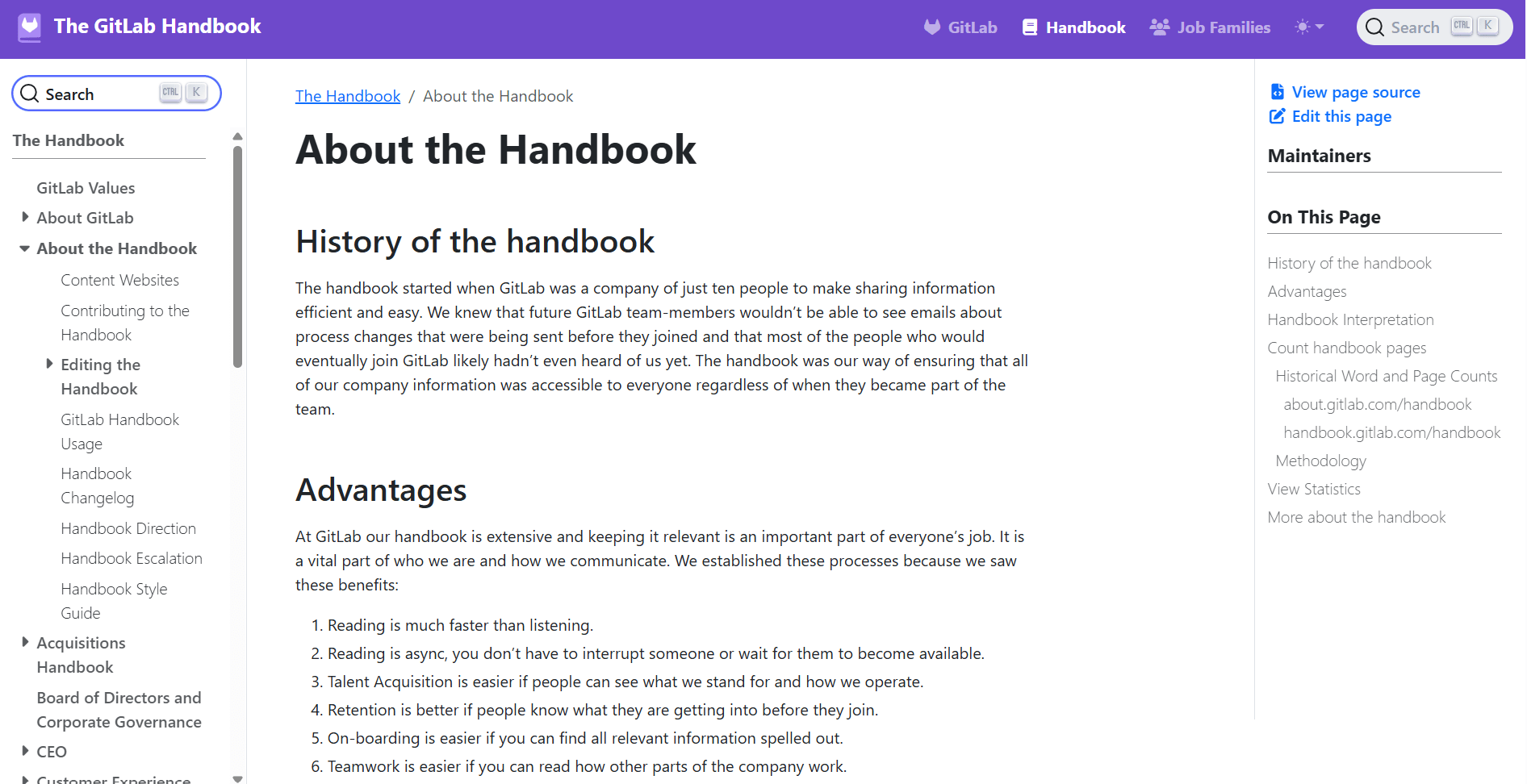
GitLab’s internal handbook is a striking example. In January 2018, this knowledge base contained 228 pages and 298,806 words. By January 2026, it housed over 3.8 million words across 3,280 pages. Without intelligent tools to organize and comb through the information, even the most carefully maintained knowledge base quickly becomes overwhelming.
AI supports knowledge management systems by doing what people can’t realistically do at speed: read, analyze, and make sense of huge volumes of information.
In practical terms, AI helps knowledge bases work better by:
- Recognizing patterns: understanding relationships between questions, articles, tickets, and past interactions.
- Predicting relevance: working out which pieces of information are most likely to help a specific person in a specific context.
- Connecting scattered data: linking content across documents, systems, and formats that would otherwise sit in silos.
- Interpreting intent: figuring out what someone actually needs, even when their question is vague or incomplete.
- Learning from behavior: improving results over time based on what users search for, read, and find useful.
- Reducing manual effort: handling routine classification, organization, and maintenance tasks automatically.
Overall, instead of treating a knowledge base as a static collection of documents, AI turns it into an intelligent layer that understands information and presents the right answers at the right moment.

What are the essential features of AI-powered knowledge management?
AI-powered knowledge base software relies on a set of core capabilities that work together to make information easier to find, maintain, and act on. The following features have the biggest practical benefits for real users.
Natural language processing (NLP) for intent-aware search
Traditional search depends on users typing the exact keywords that appear in an article. If the wording doesn’t match, the answer often stays hidden. NLP enables a knowledge base to interpret questions the way a human would, analyzing sentence structure, context, and intent to work out what someone is trying to do. Instead of matching individual words, the system understands the meaning behind the request.
Example: An employee types, “How do I get access to the finance system?” The AI recognizes this as a permissions request and immediately returns the correct onboarding article, even though the phrase “finance system access” never appears in the text.
Machine learning for relevance and ranking
AI knowledge bases use machine learning models to predict the information that could be most useful in a given situation. These models learn continuously from user behavior, such as which articles are clicked, which answers solve tickets, and which searches lead to follow-up questions.
Example: Over time, the system learns that people asking about “new starter laptop setup” almost always need the VPN configuration guide as well, and begins suggesting it automatically.
Semantic search and contextual understanding
While NLP focuses on understanding the question, semantic search focuses on understanding the knowledge base itself. It builds connections between topics, concepts, and documents so that related information can be found even when it uses a completely different language.
Semantic search looks across the entire body of content to map relationships — linking synonyms, processes, and themes that a traditional search engine would treat as unrelated.
Example: A policy titled “Information Security Incident Response” appears in the results when someone searches “what to do after a data breach.” The system understands that “data breach” and “security incident” refer to the same underlying issue.
Automated content summarization using large language models
Modern AI models can read long-form documents and generate concise, human-readable summaries. This allows knowledge bases to provide quick answers without requiring users to open and scan multiple pages.
Example: A 15-page compliance policy is automatically condensed into a short, step-by-step overview tailored to the specific question a manager just asked.
Intelligent document tagging and classification
AI in knowledge management can analyze new content as it’s created and automatically assign categories, tags, or metadata. This replaces manual organization by keeping large knowledge bases structured and searchable as they grow.
Example: A newly created troubleshooting article is instantly labeled under “Security,” “User Access,” and “Authentication,” appearing in all relevant searches from day one.
Knowledge gap detection and analytics
Knowledge bases are a work in progress, and machine learning can analyze patterns across searches, tickets, and user behavior to highlight where information is missing or unclear.
Example: The platform identifies hundreds of searches for “how to request parental leave” but no clear article on the topic, prompting the HR team to create targeted documentation.
AI-assisted content creation and maintenance
Along with helping people find knowledge, AI can also create it. At the touch of a button, generative AI can draft articles based on resolved tickets, or automatically update them if processes change.
Example: After a complex incident is resolved, the system suggests a ready-made knowledge base article summarizing the fix. AI saves the service desk hours of manual documentation work.
Multilingual understanding and translation
Advanced AI models can translate and localize content at scale while preserving technical meaning. This makes global knowledge bases accessible to users in any language without duplicating effort.
Example: A new IT policy written in English is instantly available in French, German, and Spanish, allowing employees worldwide to access the same up-to-date guidance.
Real-world AI knowledge base examples
To understand how AI knowledge bases work in practice, it helps to see concrete examples across different contexts. The table below shows common types of knowledge bases, the content they typically contain, and how AI transforms the experience for both users and teams.
| Knowledge base type | Typical content examples | Who uses it? | Traditional format | AI-powered enhancement |
|---|---|---|---|---|
| Internal company knowledge base | HR policies, onboarding guides, SOPs, process documentation | Employees | Static wiki or document library | Natural language search, auto-summarized policies, smart recommendations based on role |
| Customer help desk knowledge base | FAQs, billing help, setup tutorials, troubleshooting steps | Customers | Articles and step-by-step guides | AI chatbots that answer directly from articles; suggested articles while typing |
| IT service desk knowledge base | Runbooks, incident response guides, system documentation | IT teams | Technical manuals and ticket notes | Auto-generated fixes from past tickets; AI-suggested resolutions |
| Product documentation knowledge base | User guides, release notes, API docs | Product teams | Structured documentation portals | AI-generated walkthroughs and personalized help paths |
| Compliance and legal knowledge base | Security policies, GDPR guidance, audit procedures | Compliance users | Formal documents | AI summarization of long policies; automated updates when regulations change |
| Sales enablement knowledge base | Playbooks, pricing sheets, objection handling | Sales teams | Slide decks and PDFs | AI highlights the right content during calls or emails |
| Operations knowledge base | Process maps, supplier info, procedures | Operations teams | Internal portals | AI identifies outdated steps and content gaps |
| Developer knowledge base | Code snippets, internal APIs, architecture docs | Engineers | GitHub wikis or Confluence | AI code search and contextual answers |
| Customer support agent knowledge base | Canned responses, troubleshooting trees | Support agents | Internal help center | AI suggests answers while agents respond to tickets |
9 AI knowledge base examples by type
Artificial intelligence can support different types of knowledge bases, which we can broadly organize into three categories: internal knowledge bases, customer-facing help desk knowledge bases, and IT/service desk knowledge bases.
Below are 9 real-world examples showing how organizations use AI to improve knowledge organization and make information easier to find.
Internal knowledge base examples
Internal knowledge bases help employees find reliable information without needing to ask colleagues or log support tickets. They typically bring together HR policies, standard operating procedures, onboarding materials, and internal wikis into a single, searchable hub.
Here’s how GitLab, PostHog, and Airbnb set up their internal knowledge bases to help employees find the information they need, fast.
GitLab
(Source: GitLab)
GitLab’s internal handbook is a living, open record of how the company works. It includes everything from hiring guidelines and interview prep to candidate experience notes and everyday workflows. Because the content grows constantly, GitLab relies on AI-powered search through Algolia to help people find what they need without wading through endless pages of documentation.
PostHog

(Source: PostHog)
PostHog uses its internal knowledge base as the central hub for operational documentation, including practical resources such as detailed incident management guidelines that help teams respond quickly and consistently when issues arise.
Instead of relying on static articles, PostHog AI is embedded directly into each page, allowing employees to ask questions conversationally and receive instant answers drawn from existing documentation. Team members can also post questions to the community, creating a feedback loop that continuously improves and expands the knowledge base over time.
Airbnb

(Source: Airbnb)
Airbnb’s internal knowledge base is built around personalization and role-based access. After logging in, employees see content tailored to their specific interests and responsibilities, whether they’re guests, home hosts, or experience hosts.
This context-aware approach guides staff to the most relevant policies, procedures, and tools for their role. AI-driven search and recommendations pinpoint the right information quickly, reducing the time spent navigating complex internal systems.
Customer-facing help desk knowledge base examples
Customer-facing help desk knowledge bases empower users to solve problems on their own, without contacting support. They typically include FAQs, product tutorials, billing and account guidance, troubleshooting articles, and step-by-step how-to resources.
Here’s how monday help center, Shopify, Slack, Canva, and Spotify use AI-powered knowledge bases to help customers find answers without contacting support.
monday help center

(Source: monday.com)
The monday help center combines multiple self-service tools to help users find answers quickly. It features Tim, the monday AI assistant, which directs users to relevant resources or provides instant help.
A prominent search box also allows users to look up information across product-specific sections for monday work management, monday dev, monday CRM, and monday service, or by topic. Popular articles, monday academy lessons, and direct access to further support are also available on the front page as needed.
Every section of the knowledge base is easy to navigate from basic setup to advanced product configuration, with AI-powered assistance available throughout.
Shopify

(Source: Shopify)
Shopify’s help center supports millions of merchants with detailed guidance on running an online store. It uses AI to answer common FAQs and provide customized troubleshooting steps based on each user’s specific question.
Real-time Shopify Status updates appear at the top of the knowledge base to highlight service disruptions, such as point-of-sale issues. Users can also sign in to contact an agent directly if self-service resources don’t resolve their problem.
Slack

(Source: Slack)
Slack’s help center offers fast, conversational problem solving. Users can search for answers to common questions about messaging, integrations, account settings, and administration.
Intelligent search and contextual suggestions help connect people with the right tutorials and troubleshooting steps, even when they describe issues in their own words rather than formal product terminology.
Canva
(Source: Canva)
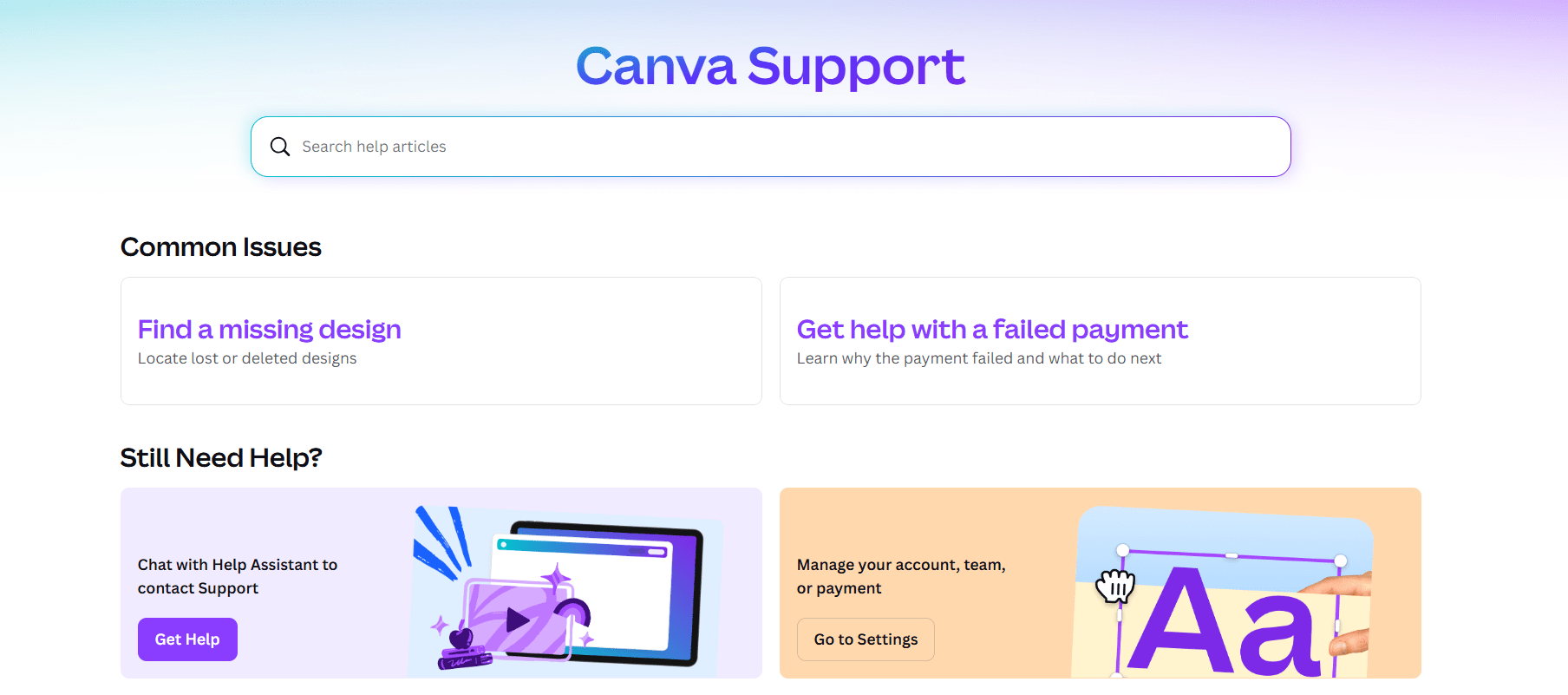
Canva’s knowledge base focuses on practical, task-oriented support for everyday users. It offers clear tutorials, design guidance, and troubleshooting help for features like templates, exports, and collaboration tools.
AI-enhanced search helps users jump directly to relevant articles, while suggested resources and related topics guide them through more complex creative workflows.
Spotify
(Source: Spotify)
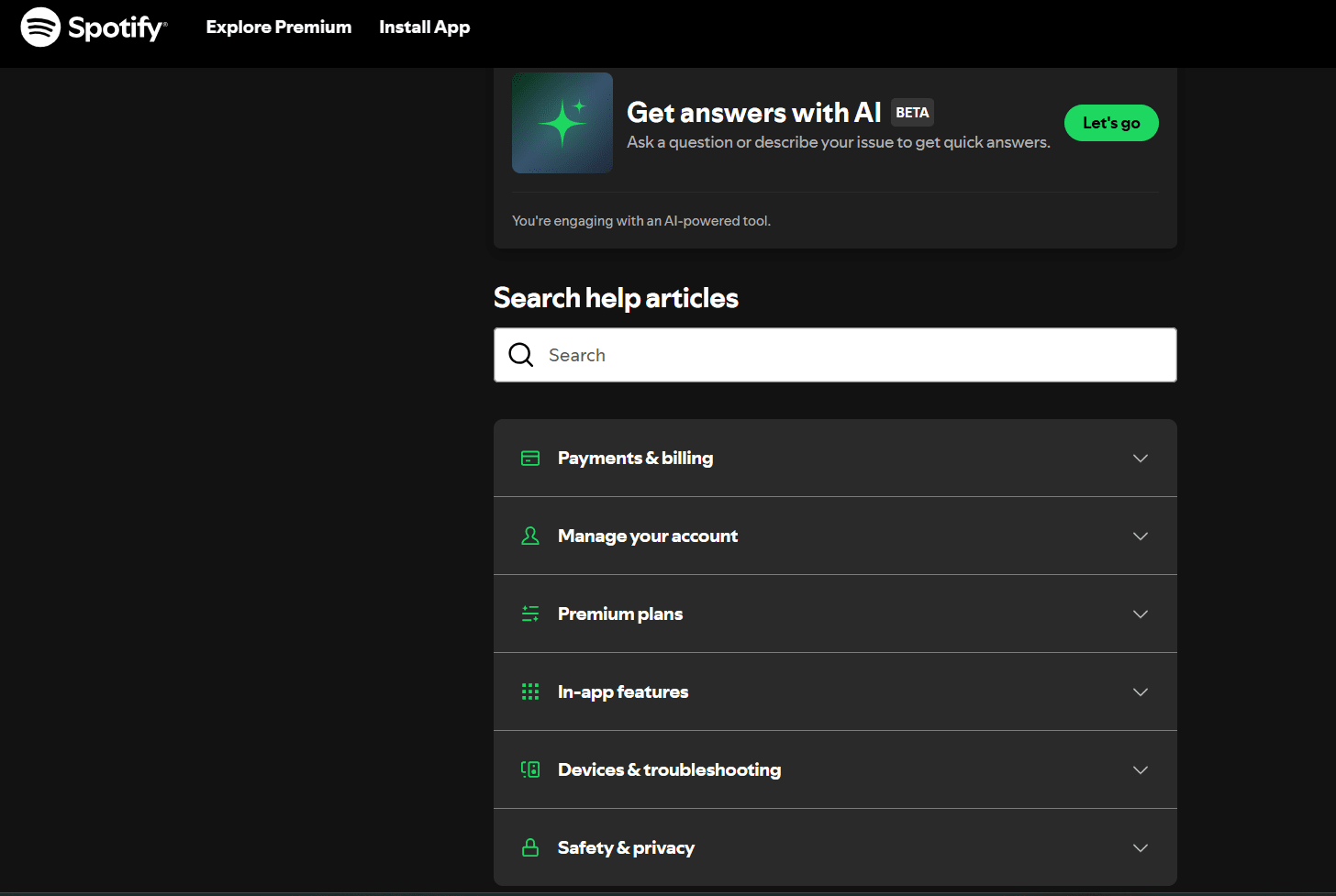
Spotify’s help center offers a streamlined, AI-assisted support experience for account and subscription issues. At the top of the page, users can access the “Get answers with AI” feature, currently available in beta, which allows them to ask questions in natural language and receive instant guidance.
Below this, content is organized into clear categories such as account management, payments, plans, and app troubleshooting. A prominent search bar and contextual article suggestions help users quickly locate the right information before needing to reach live support.
IT and service desk knowledge base examples
IT and service desk knowledge bases are built primarily for internal support teams rather than the general public. They help IT professionals and service agents manage incidents, follow technical runbooks, and troubleshoot systems quickly and consistently.
As IT knowledge often contains sensitive infrastructure details, most of these knowledge bases sit behind employee logins, making real-world examples less visible than customer-facing help centers. As an exception, we can glean useful details from how Amazon Web Services presents its knowledge base.
Amazon Web Services Documentation
(Source: Amazon)
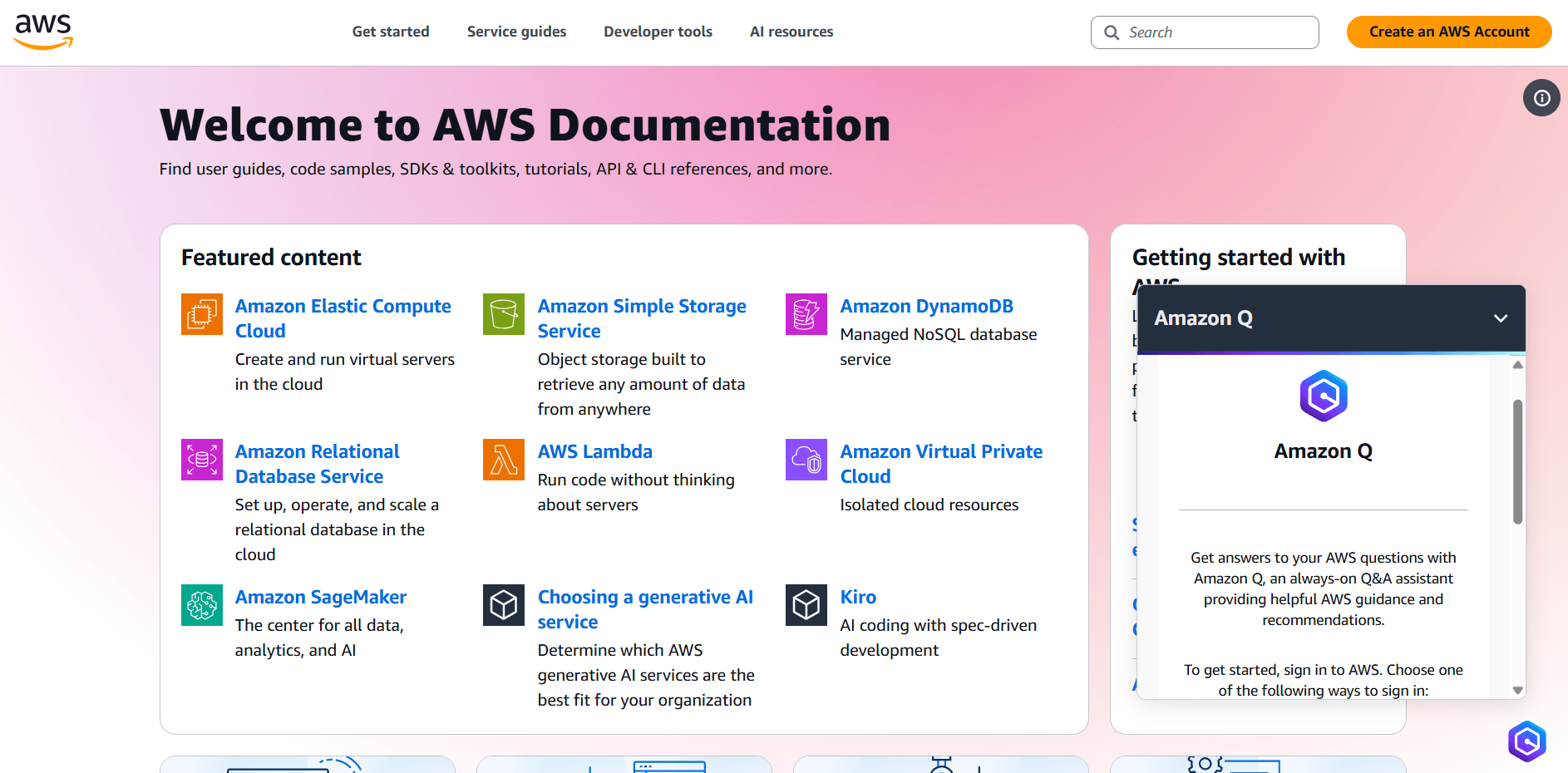
Amazon Web Services (AWS) provides one of the most extensive technical knowledge bases available, designed to support IT teams, developers, and system administrators. The AWS documentation hub organizes detailed guides, reference materials, and troubleshooting resources across hundreds of cloud services.
AI-powered search and contextual recommendations help users navigate vast amounts of technical information, from API references to deployment best practices, making it easier to solve complex infrastructure challenges without opening a support ticket.
Centralize your knowledge management with monday service
We’ve already seen how the monday help center gives users immediate, intuitive self-service. Now, with monday service, you can create that same AI-powered knowledge experience for your own organization. monday service is an easy-to-use service platform that connects ticketing, projects, and cross-department teams in one place, with no-code customizability, built-in AI, and automations that reduce manual work.
Instead of managing knowledge as a disconnected library of documents, monday service connects answers directly to the service processes that generate them. Tickets, resolutions, analytics, and AI all work together to help teams deliver faster, smarter support at scale. Here’s how you can take knowledge management to the next level.
Resolve requests instantly with AI-powered Digital Workers
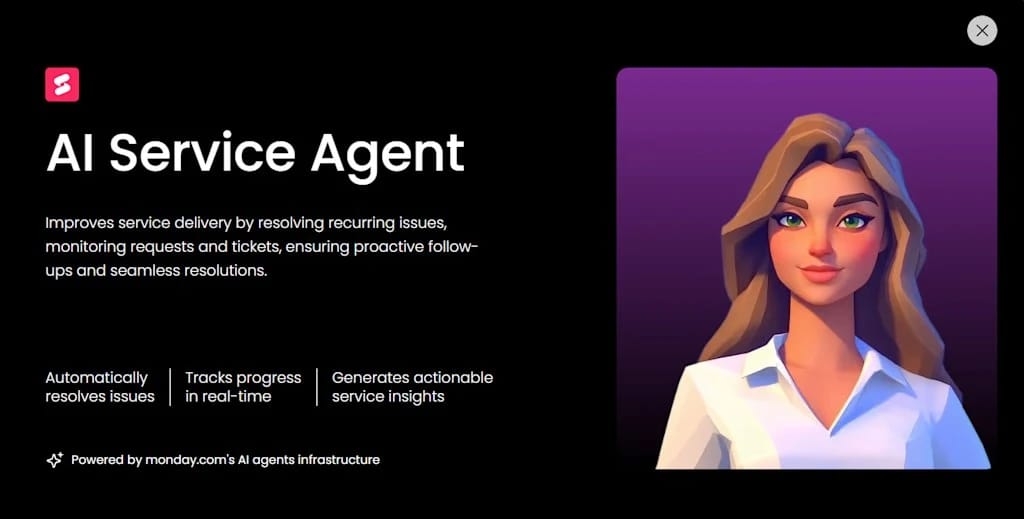
monday.com’s Digital Workforce brings proactive AI directly into service delivery. The AI Service Agent Digital Worker can monitor incoming requests, provide instant answers from your knowledge base, and generate reports on recurring issues, all without adding headcount. Digital Workers reduce response times to seconds by handling routine questions automatically — this frees agents to focus on complex, high-value work.
Turn every resolved ticket into useful knowledge
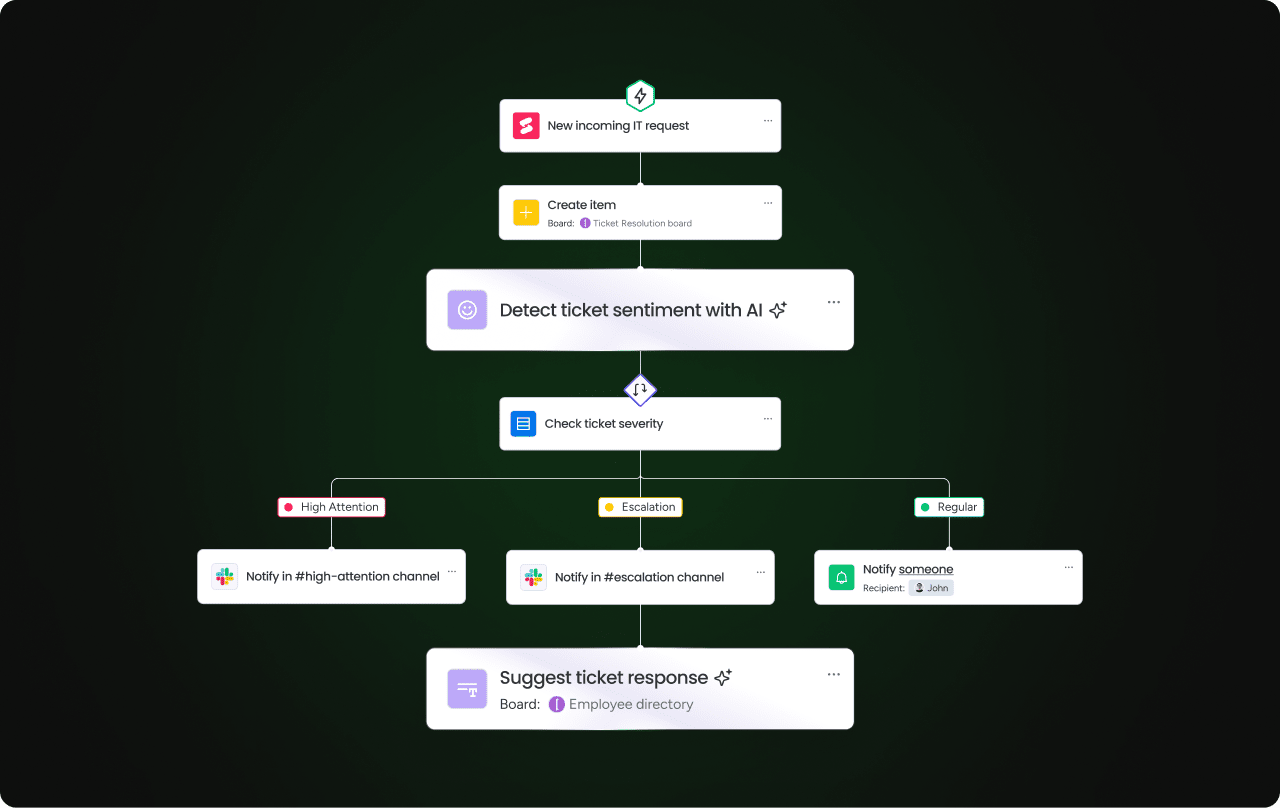
Service teams solve the same problems repeatedly, and monday service captures that knowledge automatically. Using AI Blocks such as Summarize, Extract info, and Categorize, teams can convert resolved tickets into structured articles, tag them correctly, and keep documentation current with minimal effort.
Keep all service information connected in one place
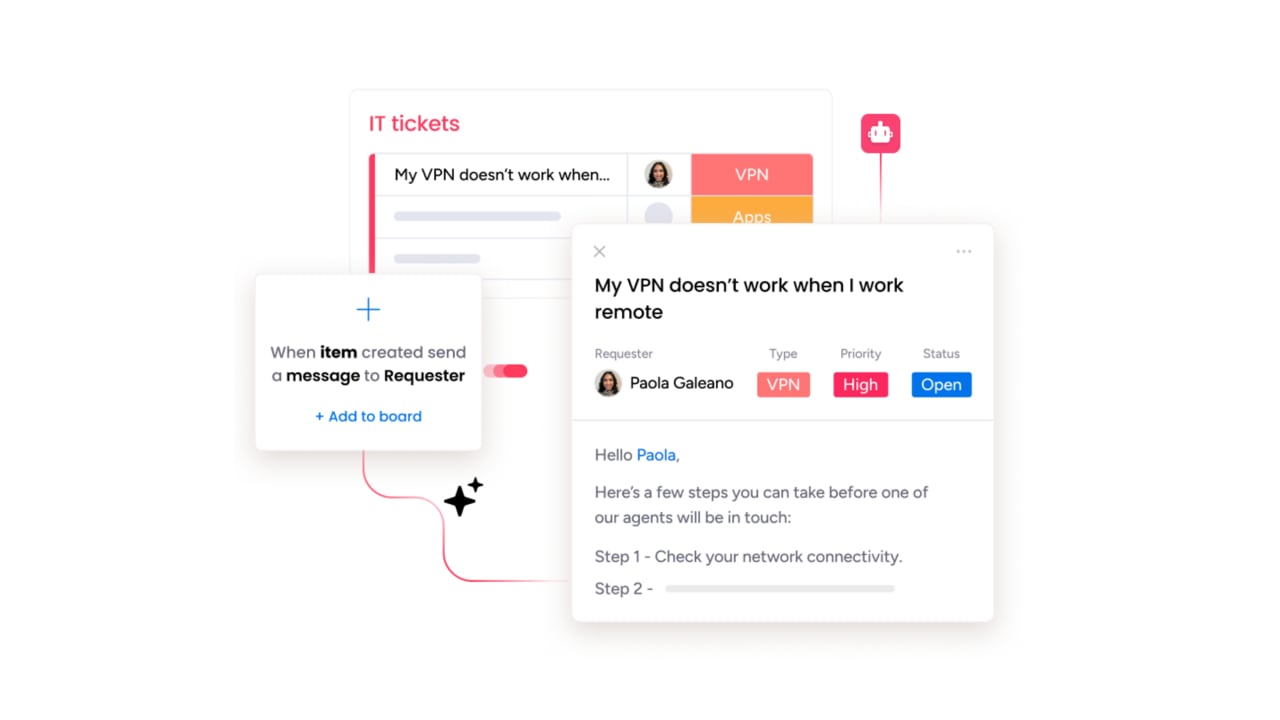
When answers live in emails, chat threads, and scattered tools, knowledge quickly becomes outdated. monday service centralizes ticket management, service catalogs, and knowledge assets on a single platform. Agents can view tickets in full context, link issues to existing guidance, and collaborate with other departments without switching systems.

Reduce ticket volume with smarter self-service
AI-enhanced search and automated responses help users find solutions before they submit a request. Whether through suggested articles, instant AI answers, or a future customer portal, monday service makes self-service practical and accessible. Fewer repetitive tickets mean faster resolutions and a better experience for both users and support teams.
Understand trends and improve service with real-time analytics
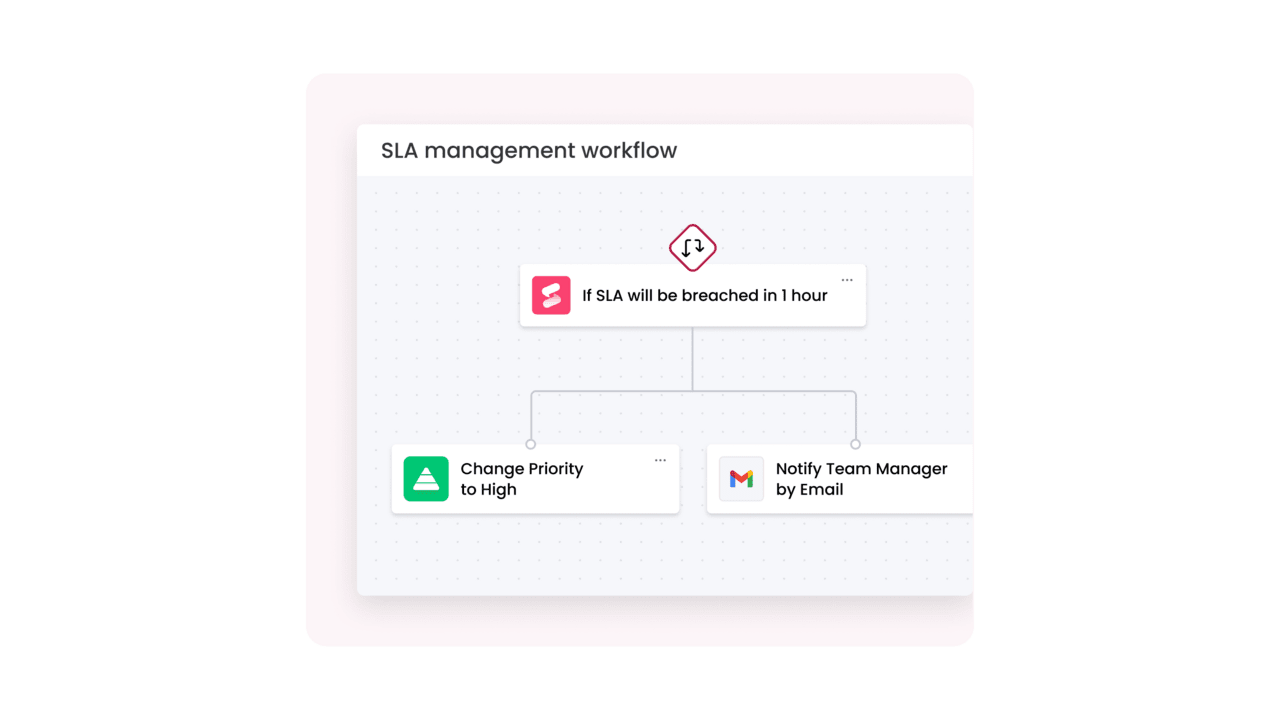
monday service combines service analytics with AI insights to help leaders make data-driven decisions. Track KPIs like ticket volume, SLA performance, and CSAT scores, and use AI to identify emerging issues before they become major problems. With a clear view across tickets and related initiatives, teams move from reactive support to proactive service delivery.
Connect your entire service ecosystem securely
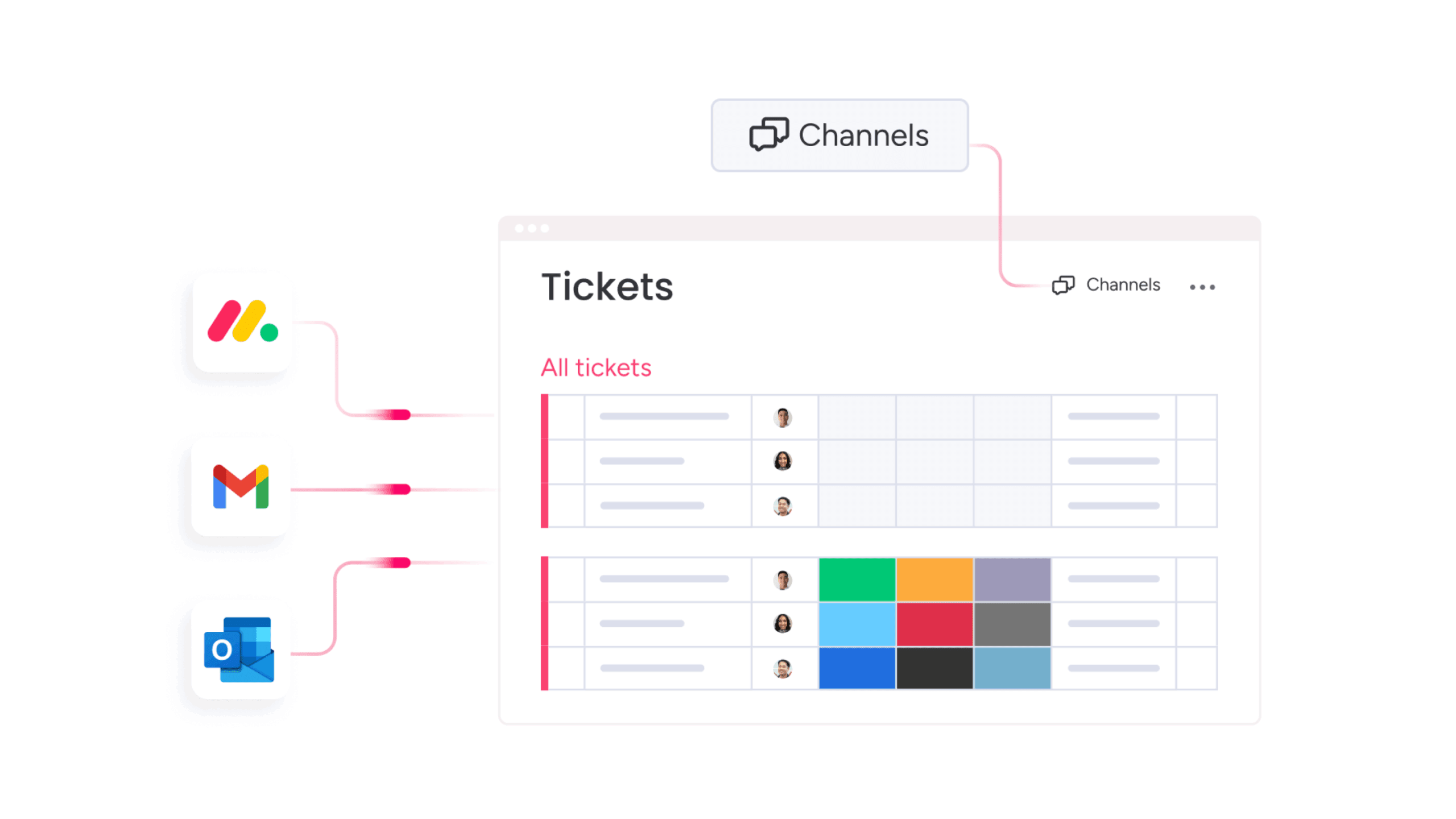
monday service integrates with the systems teams already rely on, including Outlook, Gmail, Slack, and Azure DevOps, to create a seamless flow of information. Role-based permissions and structured workflows project sensitive data while maintaining full visibility and audit readiness.
With intuitive design, powerful AI capabilities, and flexible automations, monday service turns knowledge management from a maintenance burden into a strategic advantage.
Your organization is already sitting on a mountain of valuable knowledge. The goal now is to help people reach it faster. Add a smarter layer to the knowledge base you already have, and turn hard-to-find answers into everyday self-service.
With monday service, you can bring your existing information together in one clear, connected space and make it work harder for everyone who needs it. Get a free trial of our service management platform.
Try monday serviceFAQs about AI knowledge base examples
What are the most common examples of a help desk knowledge base?
Common examples of help knowledge bases include providing FAQs, product tutorials, billing guidance, and troubleshooting articles.
How does an AI-powered knowledge base differ from traditional documentation?
While traditional documentation relies on static articles and keyword search, an AI-powered knowledge base:
- Understands questions
- Summarizes content
- Recommends relevant answers
- Learns from user behavior
Instead of browsing pages manually, users receive direct, context-aware responses tailored to their needs.
What role does machine learning play in knowledge sharing?
Machine learning analyzes search patterns, ticket history, and user behavior to improve how knowledge is organized and delivered. It helps systems:
- Rank the most relevant articles
- Identify missing documentation
- Learn which answers solve problems
Over time, the knowledge base becomes smarter and more accurate.
How can automation improve the creation of a service desk knowledge base?
Automation reduces manual effort by:
- Generating articles from resolved tickets
- Tagging content automatically
- Flagging outdated information
This approach ensures consistency, speeds up documentation workflows, and helps service desk teams capture knowledge without extra administrative work.
Which industries benefit most from industry-specific AI knowledge systems?
Industries with complex processes and high information volumes benefit most, including:
- IT and technology
- Healthcare
- Financial services
- Education
- Manufacturing
AI knowledge systems help these sectors manage procedures and technical documentation at scale.
How do smart knowledge bases integrate with existing IT asset management software?
Integration of IT asset management and knowledge bases enables:
- AI-suggested fixes based on device data
- Automated article creation from incidents
- Centralized information across tools
This creates a unified, searchable support ecosystem.
What are the primary benefits of using a cloud-based AI knowledge platform?
Cloud-based AI knowledge platforms deliver:
- Instant scalability
- Real-time collaboration
- Continuous AI updates
- Secure access from anywhere
They reduce infrastructure costs while keeping information current, searchable, and available to global teams 24/7.
How does natural language processing improve search results within an internal wiki?
Natural language processing allows users to ask questions in everyday language instead of exact keywords. NLP interprets intent, context, and phrasing to return accurate answers. This makes internal wikis easier to use, faster to navigate, and more effective for non-technical audiences.

 Get started