


More teams are re-evaluating their project management stack right now than at any point in the past decade. Asana and Trello are almost always part of that conversation. And for good reason. Both platforms have evolved significantly since their early days, adding AI capabilities, deeper automations, and new ways to organize work.
But which one actually fits your team’s workflow? And are there options worth considering that go beyond what either platform offers? This guide breaks down the Asana vs Trello comparison across features, pricing, AI capabilities, ease of use, reporting, security, and more. That way, you can make a decision grounded in specifics, not marketing pages.
Below, you’ll find a detailed comparison across 13 dimensions: features, integrations, ease of use, pricing, reporting, productivity, security, support, and customer reviews. We’ll also look at how monday.com’s AI Work Platform fits into the picture as a platform that brings together the strengths of both. Here are the key takeaways.
Get startedKey takeaways
- Price gap is significant: Trello Standard costs $5/user/month; Asana Starter costs $10.99/user/month. That’s more than double the entry price for paid plans.
- Free plan tradeoff: Trello’s free plan supports up to 10 collaborators per Workspace. Asana’s free Personal plan is capped at 2 users, making Trello the stronger pick for small teams on a budget.
- AI capabilities diverge sharply: Asana has invested heavily in AI Studio, AI Teammates, and agentic workflows available from its Starter tier. Trello’s Atlassian Intelligence features are limited to Premium and Enterprise plans and focus on writing assistance and quick capture.
Complexity vs. simplicity: Asana handles complex, multi-team workflows with portfolios, goals, and resource management. Trello stays intentionally simple: board-based and visual, making it easier to learn but less capable at scale.- Customer reviews are nearly identical: Both platforms score 4.4/5 on G2 with 13,000–14,000 reviews. The difference comes down to fit, not overall quality.
Asana vs Trello: At a glance
Here’s a side-by-side snapshot before we get into the details.
| Feature | Asana | Trello |
|---|---|---|
| Best for | Teams managing complex, multi-phase projects with dependencies and cross-functional workflows | Individuals and small teams who prefer simple, visual Kanban-style project management |
| Pricing | Free (2 users); paid plans from $10.99/user/month | Free (10 collaborators); paid plans from $5/user/month |
| Key features | AI Studio, AI Teammates, workflow builder, goal tracking, portfolios, Timeline/Gantt, multiple views | Kanban boards, Butler automations, Atlassian Intelligence (Premium+), Inbox, Planner, Power-Ups |
| Integrations | 200+ native integrations | 200+ Power-Ups |
| Ease of use | Feature-rich with a moderate learning curve; more views and capabilities to learn | Minimal learning curve; simple visual interface accessible to non-technical users |
| Reporting and analytics | Dashboards, portfolio-level reports, workload views, time tracking (Advanced tier) | Basic board-level activity; Dashboard view on Premium+; limited native reporting |
| Productivity | AI-powered automation rules, forms, comment threads, cross-project workflows | Butler automations, Inbox (action item capture from email/Slack), Planner for focused time |
| Security | SSO, 2FA, SOC 2 Type II, GDPR, IP restrictions (Enterprise), audit logs | SSO via Atlassian Access, 2FA, GDPR, advanced controls on Enterprise |
| Customer support | Help center, support form, chatbot, community forum, courses; priority support on higher tiers | Community (Free), business hours (Standard), 24/5 (Premium), 24/7 (Enterprise) |
| Customer reviews | 4.4/5 on G2 (~13,700 reviews) | 4.4/5 on G2 (~14,000 reviews) |
Asana vs Trello: Key features
Feature depth is where Asana and Trello diverge most sharply. Asana is built for workflow orchestration: complex project structures, cross-team dependencies, and layered automations. Trello is built for visual simplicity: a Kanban board that anyone can pick up in minutes. Both philosophies have clear value, but they serve fundamentally different needs.
So what does each platform offer? Here’s a closer look at the capabilities that define each one.
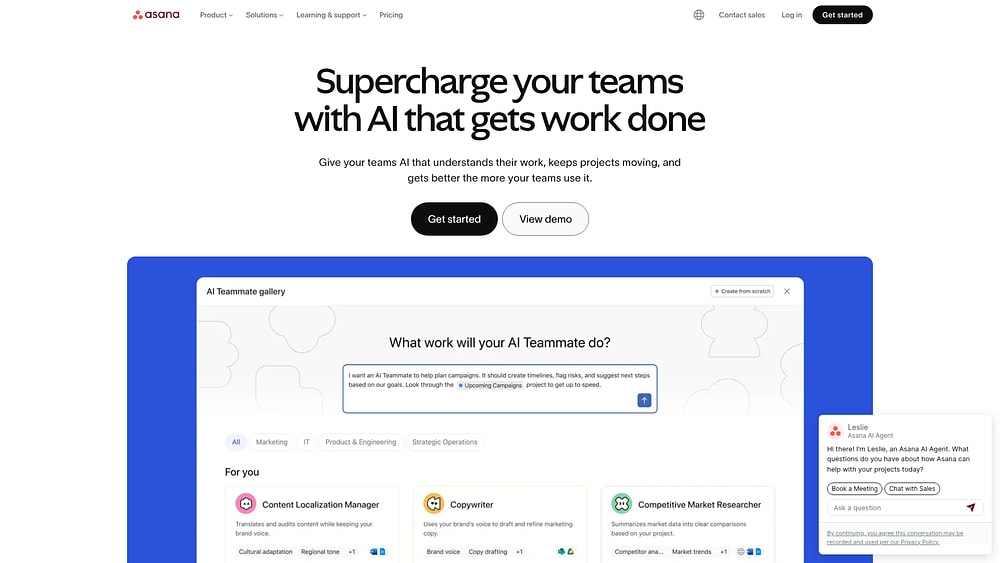
Asana’s features
Asana provides a deep feature set designed for teams managing multi-phase projects:
- AI Studio: A no-code automation builder with AI blocks (categorize, summarize, detect sentiment, translate, and extract information). Available from the Starter tier.
- AI Teammates: Purpose-built AI agents that work alongside teams, handling autonomous work execution.
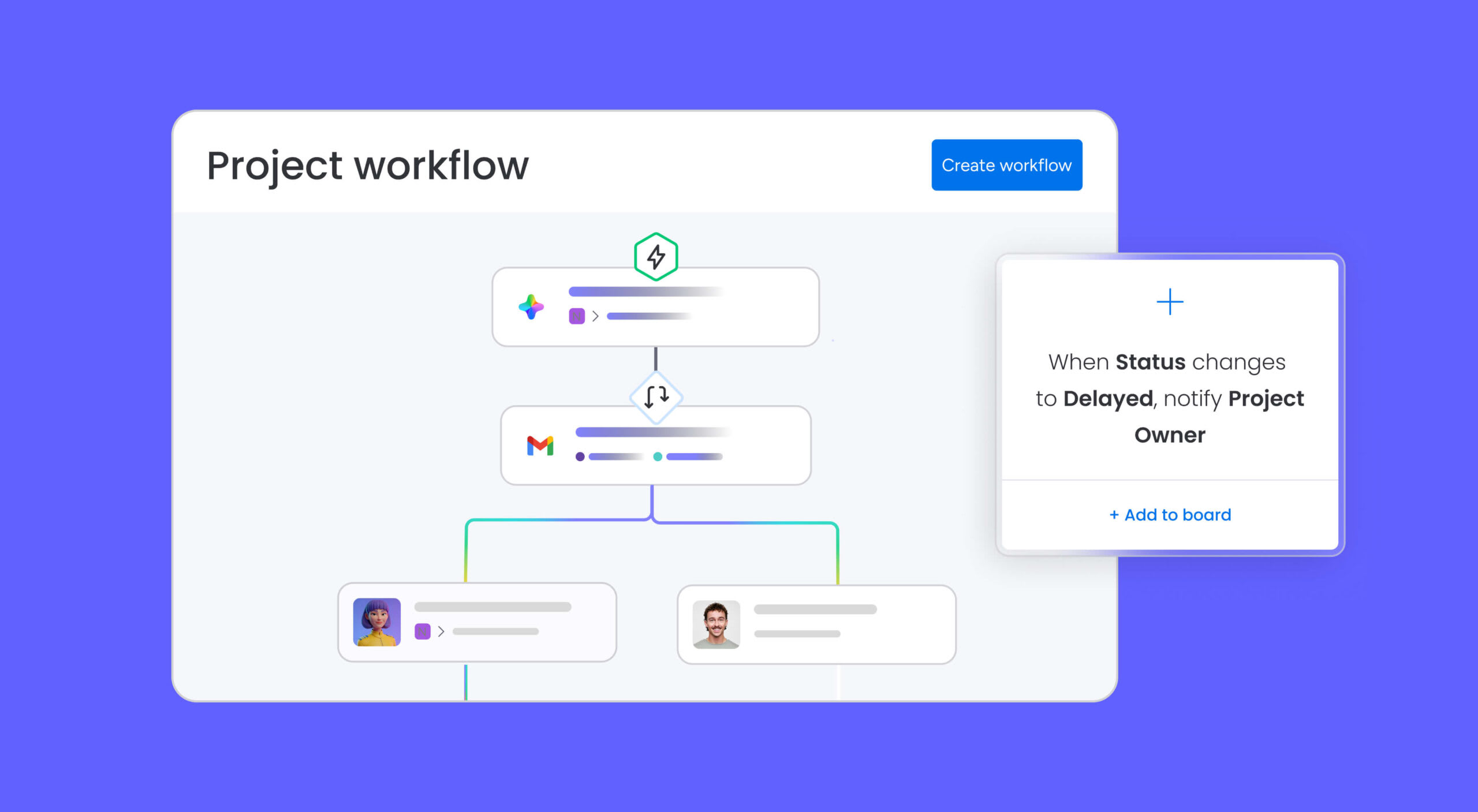
- Workflow builder: Custom visual workflows with automations that connect teams and taskswork across projects.
- Goal tracking: Set and track company-level and project-level goals with real-time progress monitoring.
- Visual workloads: Workload distribution views for resource management and capacity planning.
- Multiple views: Timeline, Calendar, Gantt, Kanban, List, and more, giving each team member the view they prefer.
- Portfolios: Cross-project visibility for managers to track progress across multiple initiatives (Advanced tier and above).
Trello’s features
Trello’s features focus on simplicity, speed, and personal productivity:
- Cards and boards: A Kanban-style interface where work items live on cards that move through customizable columns as work progresses.
- Card customizations: Labels, priorities, due dates, attachments, and checklists for breaking work into smaller steps.
- Butler automations: A no-code automation engine for boards: move cards, set due dates, and trigger Slack messages automatically.
- Atlassian Intelligence (Premium+): AI-powered writing assistant, plus quick capture from email, Slack, and voice notes.
- Inbox: Capture action items from email, Slack, and Microsoft Teams directly into Trello, a 2025 addition focused on personal productivity.
- Planner: Sync your calendar and schedule focused time slots to protect deep work.
- Power-Ups: 200+ integrations for extending board functionality with third-party apps.

monday.com’s AI Work Platform offers a unified layer that combines the workflow depth of Asana with the visual flexibility of Trello. It goes further: purpose-built AI agents and agentic workflows sit alongside no-code app creation, all within a single workspace where structure and simplicity coexist.
Asana vs Trello: Integrations
Both Asana and Trello offer 200+ integrations, but the integration philosophy differs in meaningful ways. Asana leans into cross-platform automations that trigger actions in third-party apps, not just connections. Trello uses Power-Ups to extend board functionality with third-party services. The question isn’t how many integrations each platform has: it’s how deeply those integrations tie into your workflow.
Asana integrations
Asana integrates natively with apps like Zapier, Slack, Microsoft Teams, Google Workspace, Loom, Salesforce, Jira, and Dropbox. Teams can build automations that trigger actions across connected apps. For example, sending a Slack message when a status changes. Asana also offers a native Trello integration, so teams using both can sync work across platforms. In 2026, AI Studio gained the ability to read attachments from Dropbox and Box, extending integration value into AI-driven workflows.
Trello integrations
In Trello, integrations are called Power-Ups, and there are 200+ available. Popular options include Slack, Jira, Google Calendar, and Microsoft Teams. Butler automations can trigger cross-app actions like posting to Slack or creating Jira tickets. Power-Ups are now unlimited on all paid plans, removing a previous limitation that gated integration access.
Looking for an alternative? monday.com’s AI Work Platform connects with 200+ apps, including Asana and Trello themselves, and goes further with monday MCP, which lets external AI assistants like Claude, ChatGPT, and Microsoft Copilot securely access and act on workspace data. This moves integrations from simple connectivity to intelligent orchestration.

Asana vs Trello: Ease of use
How quickly can your team start using a new platform without dedicated training? Asana and Trello answer that question differently. Trello’s Kanban-first interface is approachable enough that most people can start organizing work within minutes. Asana offers more powerful capabilities, but that depth comes with a steeper learning curve.
Asana’s ease of use
Asana is a functional platform that most users find intuitive once they’ve gotten oriented. The range of views, automations, and project structures means there’s more to learn upfront, especially for teams moving beyond basic project tracking. Users on Asana’’s TrustRadius review page describe the platform as “easy to use” and “packed to the brim with useful features,” though some note complex project setups can take time to master.”
Trello’s ease of use
Trello is known for its straightforward visual interface. Its Kanban boards make managing projects feel effortless, and the platform doesn’t overwhelm users with features they don’t need. Users on Trello’’s TrustRadius review page call the interface “flexible” and note that it “makes business goal and milestone planning easy.”
If Asana or Trello isn’t the right fit, monday.com’s AI Work Platform is designed for rapid adoption across technical and non-technical users alike. G2 rates its ease of use at 9.1/10, compared to Asana’s 8.6/10. Forrester data shows most teams reach full productivity in under four months. That’s a practical ease-of-use advantage that shows up in adoption metrics, beyond first impressions.
Asana vs Trello: Pricing
Price is often the deciding factor, and there’s a clear difference between Asana and Trello is meaningful. Trello’s entry-level paid plan costs less than half of Asana’s, and its free tier supports five times as many users. But pricing doesn’t tell the full story without context on what each tier includes.
Asana pricing
- Personal (Free): Up to 2 users with basic features: list, board, and calendar views, unlimited projects and work items.
- Starter ($10.99/user/month, billed annually): Unlimited users, AI Studio Basic (50K credits/month), Timeline/Gantt views, reporting dashboards, unlimited automations, forms, custom fields, and unlimited free guests.
- Advanced ($24.99/user/month, billed annually): Portfolios, goals, workload management, advanced AI, Salesforce and Tableau integrations, and time tracking.
- Enterprise / Enterprise+: Custom pricing with priority support, advanced security, user provisioning, and audit logs.
Note: Asana requires a minimum 2-seat purchase on paid plans, so the real entry cost for Starter is approximately $22/month. Here’s a more detailed overview of Asana’s plans and pricing.
Trello pricing
- Up to 10 collaborators per Workspace, up to 10 boards, unlimited cards, unlimited Power-Ups per board, 250 automation runs/month, and 10MB file storage.
- Standard ($5/user/month, billed annually): Unlimited boards, advanced checklists, custom fields, 1,000 automation runs/month, and 250MB file storage.
- Premium ($10/user/month, billed annually): All views (Calendar, Timeline, Table, Dashboard, Map), unlimited automations, Atlassian Intelligence AI features, and admin controls.
- Enterprise ($17.50/user/month, 50-user minimum): Organization-wide permissions, advanced security, and Power-Up administration.
Have a look at a more detailed breakdown of Trello’s plans and pricing.
monday.com’s AI Work Platform paid plans start at $9/seat/month (Basic), and unlike both Asana and Trello, the platform spans project management, CRM, dev, service, and marketing in a single subscription. For teams that would otherwise pay for multiple specialized platforms, the value math shifts quickly.
Asana vs Trello: Reporting and analytics
Visibility into project health can make or break a team’s ability to course-correct, and Asana and Trello take meaningfully different approaches here. How much do you need to see across your projects, and how granular does that data need to be?
Asana’s reporting
Asana offers dashboards with multiple widget types, portfolio-level status reports, workload views, and time tracking on the Advanced tier. Teams can monitor project health across multiple initiatives, set goals, and track progress in real time. Advanced plan users also get integrations with Salesforce and Tableau for deeper data analysis.
Trello’s reporting
Trello’s reporting is more limited by design. Basic board-level activity views and a Dashboard view are available on Premium and above, but there are no native Gantt chart or portfolio-level reporting views on Free or Standard plans. Teams with complex reporting needs may find Trello’s options restrictive. That trade-off is intentional for a platform built around simplicity.
monday.com’s AI Work Platform includes 10+ drag-and-drop dashboard widgets, real-time portfolio tracking, workload views, and Gantt charts with dependencies, all available without add-ons. For teams that need visibility at scale, it’s the reporting-first alternative.

Asana vs Trello: Productivity
Both Asana and Trello have expanded their automation and collaboration features significantly, but the depth of the investment differs. Does your team need automation that routes work across projects, or automation that keeps individual boards humming? The answer shapes which platform fits.
Asana’s approach to productivity
Asana’s automation rule builder lets teams trigger actions across projects automatically: auto-assign work items, send reminders, update statuses, and escalate blockers. AI Studio adds AI-powered automation blocks that summarize, categorize, detect sentiment, and translate. Teams can also use forms for project intake, and comment threads keep conversations tied to specific work items. Mobile apps are available for iOS and Android.
Trello’s approach to productivity
Trello’s Butler engine enables no-code board automations: card moving, due date triggers, and Slack posting. The new Inbox feature helps capture action items from email, Slack, and Microsoft Teams, which is a strong personal productivity addition. Trello’s simplicity keeps friction low, and that itself drives adoption and daily use. Mobile app support is solid across both platforms.
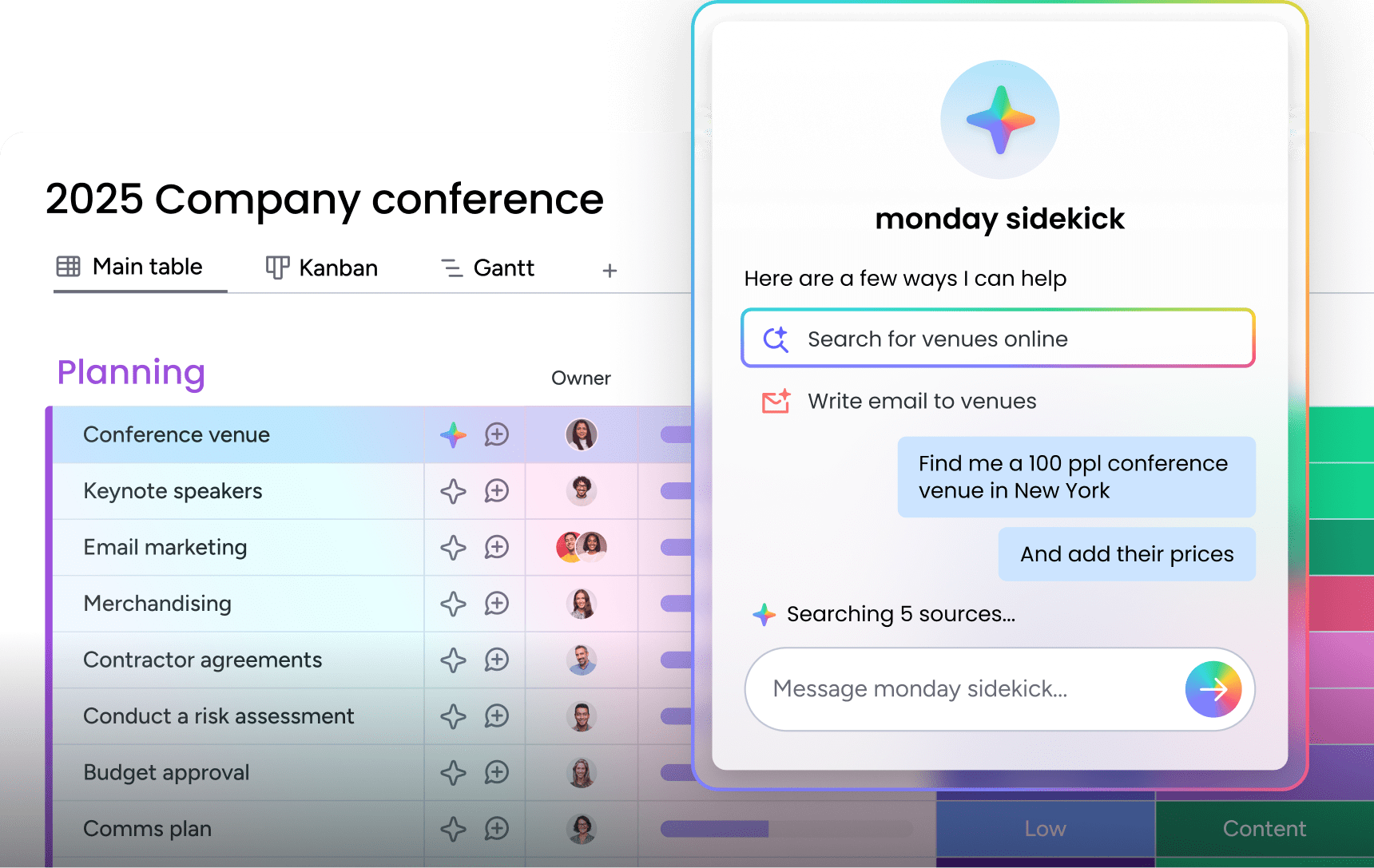
The contrast is clear: Asana’s productivity features are team-and-process-oriented; Trello’s are increasingly individual-and-capture-oriented. monday.com’s AI Work Platform goes further through AI automation blocks and a context-aware assistant (monday sidekick) backed by an autonomous AI workforce (monday agents), actively executing work rather than simply tracking it.
Asana vs Trello: Security
Security requirements scale with team size, and both platforms tier their security features accordingly. For small teams, the baseline protections are comparable. For enterprise deployments, the differences become more relevant.
Asana security
Asana offers SSO (SAML), two-factor authentication, IP address restrictions (Enterprise), user provisioning and de-provisioning, admin controls, and data encryption at rest and in transit. The platform is GDPR compliant and SOC 2 Type II certified. Enterprise plans add audit logs and advanced compliance options.
Trello security
Trello (Atlassian) provides SSO via Atlassian Access, two-factor authentication, organization-wide admin controls on Enterprise, and GDPR compliance. Data is encrypted in transit and at rest. Enterprise adds advanced security controls and Power-Up administration. Standard and Premium plans have more limited admin functionality.
Both platforms implement core enterprise security controls: SSO, two-factor authentication, encryption at rest and in transit, and GDPR compliance. The meaningful differences emerge at the enterprise tier.
Building on this, monday.com’s AI Work Platform is GDPR compliant, ISO 27001 certified, SOC 2 Type II certified, and trusted by 60%+ of the Fortune 500. Enterprise plans add IP restrictions, HIPAA compliance, and granular permissions for teams with strict regulatory requirements.

Asana vs Trello: Customer support
Good customer support ensures your team can make the most of your chosen platform by smoothing onboarding and resolving issues quickly. Asana and Trello structure their support models differently, with Asana offering broader access and Trello tiering support more aggressively by plan level.
Asana’s support
Asana provides several support channels:
- Help center with searchable articles and guides
- Support form for submitting inquiries
- Chatbot for quick answers
- Community forum for peer support
- Courses, webinars, and training from the Customer Success team
- Developer’s guide for technical integrations
When you submit an online form, you’re connected with a support agent. Asana states that agents are available around the clock. Higher-tier paid plans (Advanced, Enterprise) provide priority support and more personalized success resources.
Trello support
Trello’s support model is plan-dependent:
- Free: Community support
- Standard: Support during local business hours
- Premium: 24/5 customer support
- Enterprise: 24/7 customer support
Higher-tier plans also provide faster response times. In addition to direct support, Trello offers self-service resources including guides, webinars, and help articles.
monday.com’s AI Work Platform offers a 60-minute or less response time for support inquiries across plans, a dedicated customer success team, and an extensive resource library. That’s a responsive-support model that doesn’t gate access behind enterprise pricing.
Asana vs Trello: Customer reviews
Real-world experience is essential when comparing project management platforms. G2 scores and user feedback reveal how each platform performs in practice, not just on a features page. Here’s what users are saying about both.
Asana’s customer reviews
Asana holds a 4.4/5 rating on G2 based on approximately 13,753 reviews. Users consistently praise Asana’s automation features, integrations, collaboration capabilities, and customer support. On the critical side, recurring themes include a steep learning curve for new users and limited reporting and analytics on lower tiers. Check out the Asana G2 review page for more detailed feedback.
Trello customer reviews
Trello also scores 4.4/5 on G2, based on approximately 14,035 reviews. Positive reviews emphasize how easy the platform is to use. Users call Trello “intuitive” and note that it’s “simple to get the hang of“ even for inexperienced users. Common criticisms include a lack of advanced analytics, limited suitability for complex projects, and the 2025 platform update that drew notable community backlash, with users citing feature removals and UI regressions. Teams evaluating long-term platform stability should factor that context in. Visit the Trello G2 review page for detailed reviews.
Wondering how monday.com’s AI Work Platform compares? It holds a score of 4.7/5 on G2 with 12,000+ reviews, and the highest G2 ease-of-use rating (9.1/10) among the 3 platforms.
Asana vs Trello: Which is right for you?
The right choice depends on how your team works, how large your team is, and what you need your platform to do beyond basic project tracking. Here’s a practical breakdown.
Go with Asana if:
- Your team manages complex, multi-phase projects with dependencies, milestones, and cross-functional workflows.
- You need portfolio-level visibility, workload management, or goal tracking.
- AI automation is a priority. Asana’s AI Studio and AI Teammates are available from the Starter tier.
- You’re managing a team of more than 2 users and need to scale without outgrowing your platform.
Go with Trello if:
- You need a simple, visual Kanban board to track projects without a steep setup curve.
- Your team is small (under 10 people) and works on straightforward, independent projects.
- Budget is a primary constraint. Trello’s free plan supports up to 10 collaborators, and Standard costs $5/user/month.
- You value simplicity and fast onboarding over feature depth.
Both platforms have genuine strengths, and teams outgrowing either one often look for a platform that doesn’t require choosing between simplicity and power.

How monday.com's AI Work Platform transforms work
Where Asana focuses on workflow orchestration and Trello on visual simplicity, monday.com’s AI Work Platform embeds AI agents directly into the work itself. The result is a platform where people and AI drive results together, on a single secure workspace.
Here’s what sets it apart:
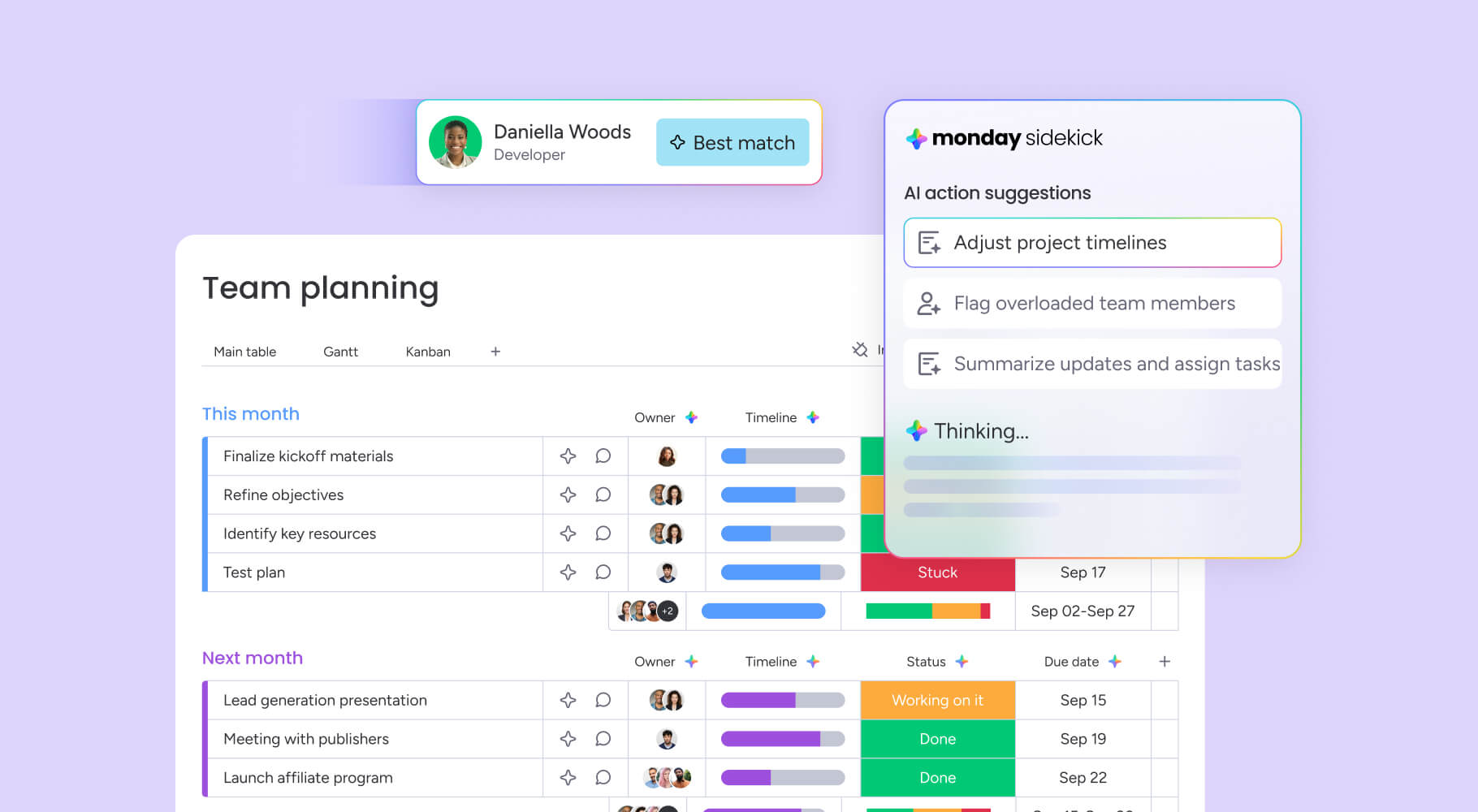
- monday sidekick: A context-aware AI assistant embedded in the workspace. It understands organizational data, workflows, and history. It can generate content, analyze data, identifies next steps, and execute work without switching tabs.
- monday agents: A library of purpose-built AI agents for PMO, marketing, sales, operations, and engineering. Agents work autonomously: monitoring hundreds of projects, flagging bottlenecks, qualifying leads, and managing SLAs.
- monday vibe: No-code AI app creation. Describe what you need in natural language and monday vibe builds secure, custom work apps: OKR monitors, sales forecasting dashboards, time trackers, and more. No engineering resources required.
- monday MCP: An open standard connecting external AI assistants (Claude, ChatGPT, Microsoft Copilot, Cursor, and Gemini) directly to monday.com workspace data. Available on all plans at no additional cost.
monday.com’s AI Work Platform is recognized as a Leader in the 2025 Gartner Magic Quadrant for both Collaborative Work Management and Adaptive Project Management and Reporting. And the platform’s capabilities extend well beyond project management:
- Custom automations and agentic workflows that execute work end-to-end
- Hundreds of templates to get started in minutes
- 27+ work views, including Gantt, Kanban, Timeline, Calendar, Workload, and more
- A customer support team with a 60-minute or less response time
- An intuitive interface anyone can use
- 200+ integrations with popular apps, including Asana and Trello
- Advanced time-tracking, analytics, and reporting capabilities
- Pricing that starts at $9/seat/month and spans project management, CRM, dev, service, and marketing
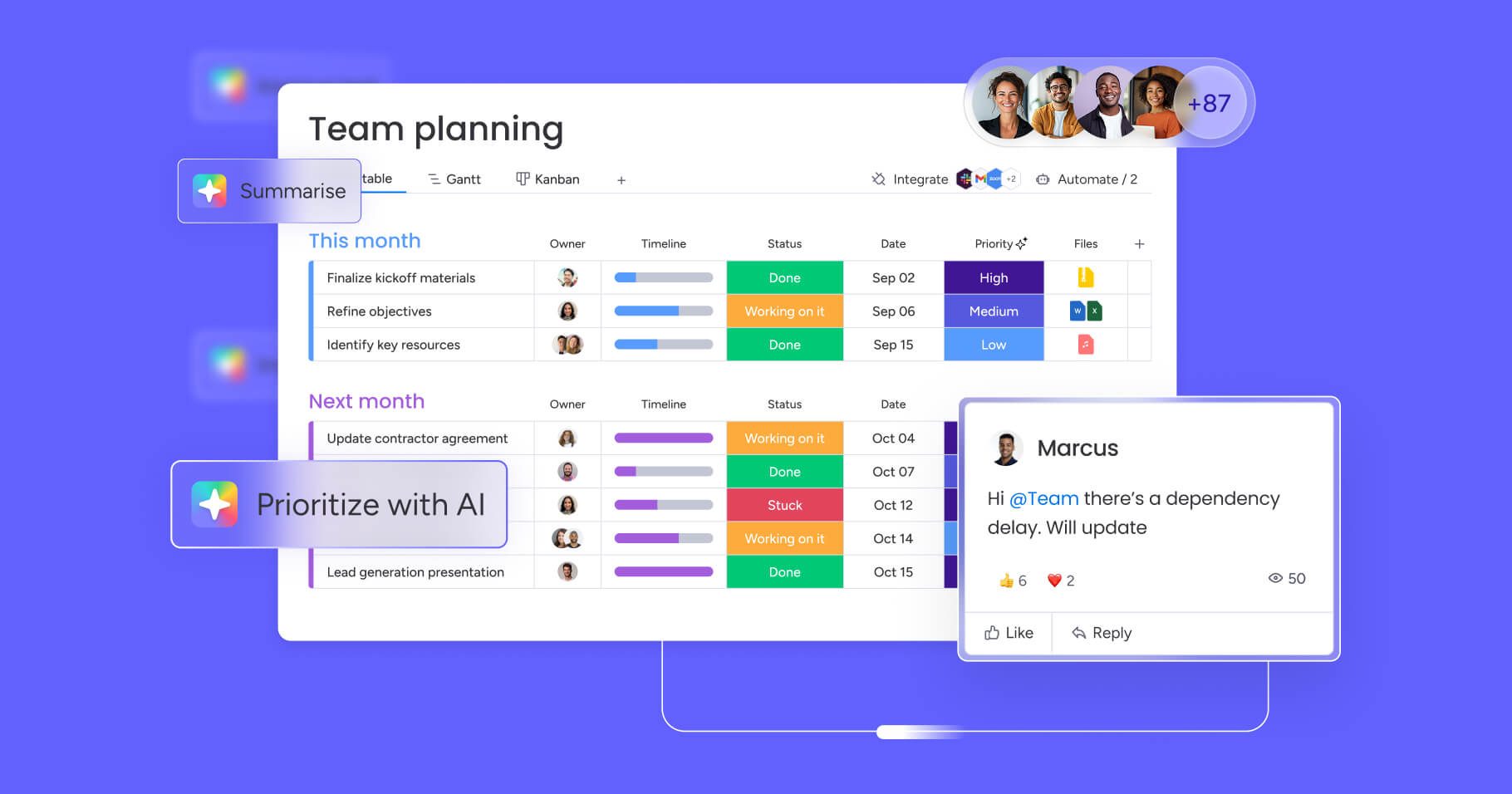
With the AI Work Platform, teams get full feature depth and an easy-to-use platform at the same time. The platform brings the structural depth of Asana and the visual simplicity of Trello together with AI capabilities, it’s designed to scale from early-stage startups to Fortune 500 enterprises, handling everything from everyday work to large-scale, cross-department projects.
Finding the right fit for your team's workflow
Asana and Trello both solve real problems for specific team sizes and workflow types. Teams that need structure, scale, and AI capability will gravitate toward Asana. Teams that want simplicity and fast onboarding at a lower price will find Trello sufficient.
And teams that need both. plus a platform that actively executes work through AI agents, are increasingly choosing monday.com’s AI Work Platform. The shift from project tracking to intelligent work execution is already underway.
Whichever direction you go, the right platform is the one your team both uses and grows with.
FAQs
Is Asana better than Trello?
Whether Asana is a stronger choice than Trello depends on your team's needs. Asana is the stronger fit for teams managing complex, multi-phase projects that need automation, goal tracking, and resource management. Trello is the stronger choice for individuals and small teams who prefer a simple, visual Kanban approach with a gentler learning curve.
Is Trello free to use?
Yes, Trello is free to use. Its free plan is available for up to 10 collaborators per Workspace, with up to 10 boards, unlimited cards, and unlimited Power-Ups, making it one of the more generous free tiers in project management.
Can Asana and Trello be used together?
Asana and Trello can be used together. Asana offers a native Trello integration, allowing teams to sync projects and work across both platforms without manual data entry.
Does Asana or Trello have better automation features?
When comparing automation features, Asana offers more advanced capabilities overall. Its AI Studio allows teams to build AI-powered automation rules across projects, while Trello's Butler is solid but limited to individual boards and lacks AI on Free and Standard plans.
What's a good alternative to both Asana and Trello?
or teams that need both workflow depth and AI execution, monday.com's AI Work Platform is a strong alternative. It combines the workflow depth of Asana with the visual flexibility of Trello, and adds AI agents, agentic workflows, and no-code app creation. Check out our Trello vs. monday.com guide for a full comparison.
Which is right for large or enterprise teams?
For large or enterprise teams, Asana is the stronger fit. It offers portfolio management, workload views, goal tracking, advanced security, and deeper reporting capabilities than Trello. Teams at enterprise scale should also evaluate monday.com's AI Work Platform which is trusted by 60%+ of the Fortune 500.

 Get started