

Your team needs a platform that can handle project timelines, content workflows, reporting, and collaboration — all without breaking as complexity grows. That’s why the choice between Smartsheet and Airtable matters more than it first appears. While both tools look flexible on the surface, they’re built on fundamentally different foundations that shape how work is structured, scaled, and managed over time.
Smartsheet extends the spreadsheet model teams already know, organizing work into rows and columns that feel familiar but impose hard limits as data and workflows expand. Airtable takes a database-first approach, linking records across tables to support more complex relationships — powerful, but often requiring technical setup and governance to scale cleanly.
This comparison examines how those architectural choices affect real-world use. It breaks down how Smartsheet and Airtable differ across data structure, scalability limits, collaboration, automation, pricing, integrations, security, and long-term enterprise fit.
You’ll also see where each platform works best, where they start to struggle, and why many growing organizations move beyond this spreadsheet-versus-database trade-off toward a Work OS designed for cross-functional scale.
Key takeaways
- Choose based on your data structure: Smartsheet works like Excel with rows and columns, while Airtable functions as a relational database with linked records and tables.
- Plan for growth limits early: Smartsheet caps at 20,000 rows per sheet, and Airtable enforces record limits that can halt operations when your data grows beyond platform boundaries.
- Calculate total costs beyond base pricing: both platforms require expensive add-ons for enterprise features, plus integration tools and dedicated administrators that significantly increase your investment.
- Evaluate collaboration needs carefully: real-time editing, contextual commenting, and notification management work differently on each platform, directly impacting how your teams communicate and stay aligned.
- Consider a Work OS for enterprise flexibility: monday work management eliminates the trade-off between spreadsheet familiarity and database power, offering AI-driven portfolio insights and cross-functional workflows without row limits or technical complexity.
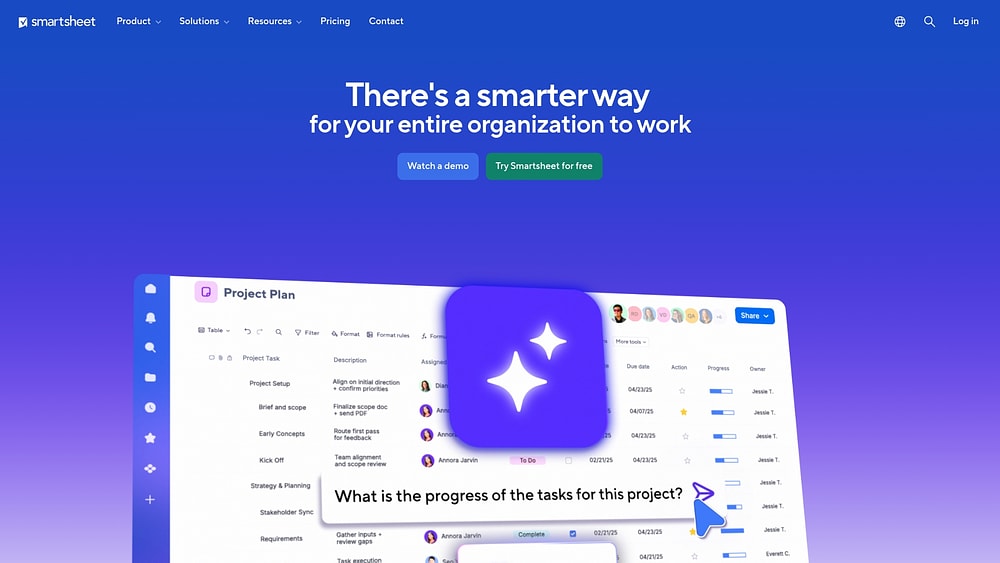
Smartsheet vs Airtable at a glance
The choice between Smartsheet and Airtable comes down to how each platform structures data. Smartsheet treats every piece of information as a row in a grid, making it familiar to anyone who has used Excel. Airtable organizes information as records that can link to other records, functioning more like a database than a spreadsheet.
This difference affects everything: from how you enter data to how you report on it. Understanding which approach fits your organization’s needs will determine whether you’ll thrive or struggle with either platform.
| Feature dimension | Smartsheet | Airtable | monday work management |
|---|---|---|---|
| Primary architecture | Spreadsheet-based (rows and columns) | Database-based (records and fields) | Work OS (flexible data layer with multiple views) |
| Data structure | Flat, independent sheets | Relational, linked tables | Connected boards with cross-board automations |
| Hard scalability limit | 20,000 rows per sheet | 50,000–250,000 records per base | Enterprise-grade scale without hard limits |
| Best use case | Linear project management and PMO | Content management and inventories | Cross-functional workflows and portfolio management |
| Learning curve | Low (familiar to Excel users) | Medium (requires database logic) | Low (intuitive no-code interface) |
| Visualization strength | Gantt charts and critical path | Kanban and Interface Designer | 20+ views including Gantt, Kanban, timeline, and dashboards |
| Automation style | Rule-based (if date reached, then alert) | Trigger-based (if record created, then update) | Multi-board automation with AI-powered suggestions |
The decision rarely rests on a single feature. Instead, it depends on how the platform’s data architecture supports or limits organizational growth over time.
The choice between a spreadsheet and a database impacts daily operations in specific ways. These differences matter more as your organization grows
Spreadsheet vs database: understanding the core difference
The architectural foundation of a platform determines its long-term viability for your organization. Figure out whether your team needs a linear spreadsheet or a relational database first. Everything else follows from that. Here’s how each platform handles data and what it means for your daily work.
Why this matters for your team
The choice between a spreadsheet and a database impacts daily operations in specific ways. These differences matter more as your organization grows.
- Data integrity: Airtable’s strict field types prevent data entry errors (entering text in a date field), whereas Smartsheet’s flexibility allows for inconsistencies that can break reporting.
- Reporting complexity: Smartsheet requires aggregating data from multiple sheets into a separate report, while Airtable allows for real-time grouping and filtering within the same base.
- Workflow scalability: Smartsheet workflows are often linear and project-specific; Airtable workflows are circular and data-centric, suited for ongoing processes like inventory or content pipelines.
Organizations that need both the familiarity of a spreadsheet and the power of a relational database often find themselves looking beyond these two options.
This is where monday work management delivers a clear advantage. The platform eliminates the forced choice entirely — teams view the same data as a grid, Gantt chart, Kanban board, timeline, or calendar without duplicating information. Marketing can track campaigns in a visual board while finance reviews the same projects in a spreadsheet view.
The flexible data layer adapts to how each team actually works, with customizable columns that maintain data integrity through field types while remaining intuitive for non-technical users. Cross-board connections link related work across departments, and multi-board automations trigger actions across your entire workspace.

Which platform scales more effectively?
Here’s where growing teams hit a wall: scalability. Both platforms have hard ceilings. Performance drops, or you simply can’t add more data. Here’s how each platform handles growth — and what happens when you hit their limits.
Smartsheet’s 20,000-row limit
Smartsheet enforces a strict limit of 20,000 rows and 400 columns per sheet. For a small team managing a quarterly project, it’s enough. However, enterprise teams frequently hit this wall in scenarios such as:
- Multi-year historical tracking.
- Global inventory management.
- Consolidated IT ticket logging.
Hit this limit and you’re forced to archive data or split projects across multiple files. This breaks your reporting and forces you into expensive Control Center add-ons just to manage the mess. Cross-sheet formulas also have limits; referencing too many external cells slows down sheet load times significantly.
Airtable’s database advantage
Airtable handles scale differently, with limits defined by records per base. Entry-level plans cap at 50,000 records, while enterprise plans can scale significantly higher. Airtable’s relational structure prevents duplication. Enter a client’s name once, reference it thousands of times.
But Airtable has its own scaling problems:
- Complex automations and heavy API usage can trigger rate limits.
- Workflows may pause or fail during peak usage.
- Interface views can experience latency as bases grow in complexity with thousands of inter-table links.
How monday work management eliminates scale limits
monday work management takes a different approach entirely — one that doesn’t force you to choose between spreadsheet simplicity and database power. The platform’s flexible architecture scales without the artificial constraints that create bottlenecks in traditional tools.
Here’s what that means in practice:
- No hard row limits: unlike Smartsheet’s 20,000-row ceiling, monday work management handles enterprise-scale data without forcing you to archive historical information or fragment projects across multiple boards.
- Connected boards without performance penalties: while Airtable’s interface views slow down with complex inter-table links, monday work management’s cross-board connections maintain performance even as your workspace grows to hundreds of interconnected boards.
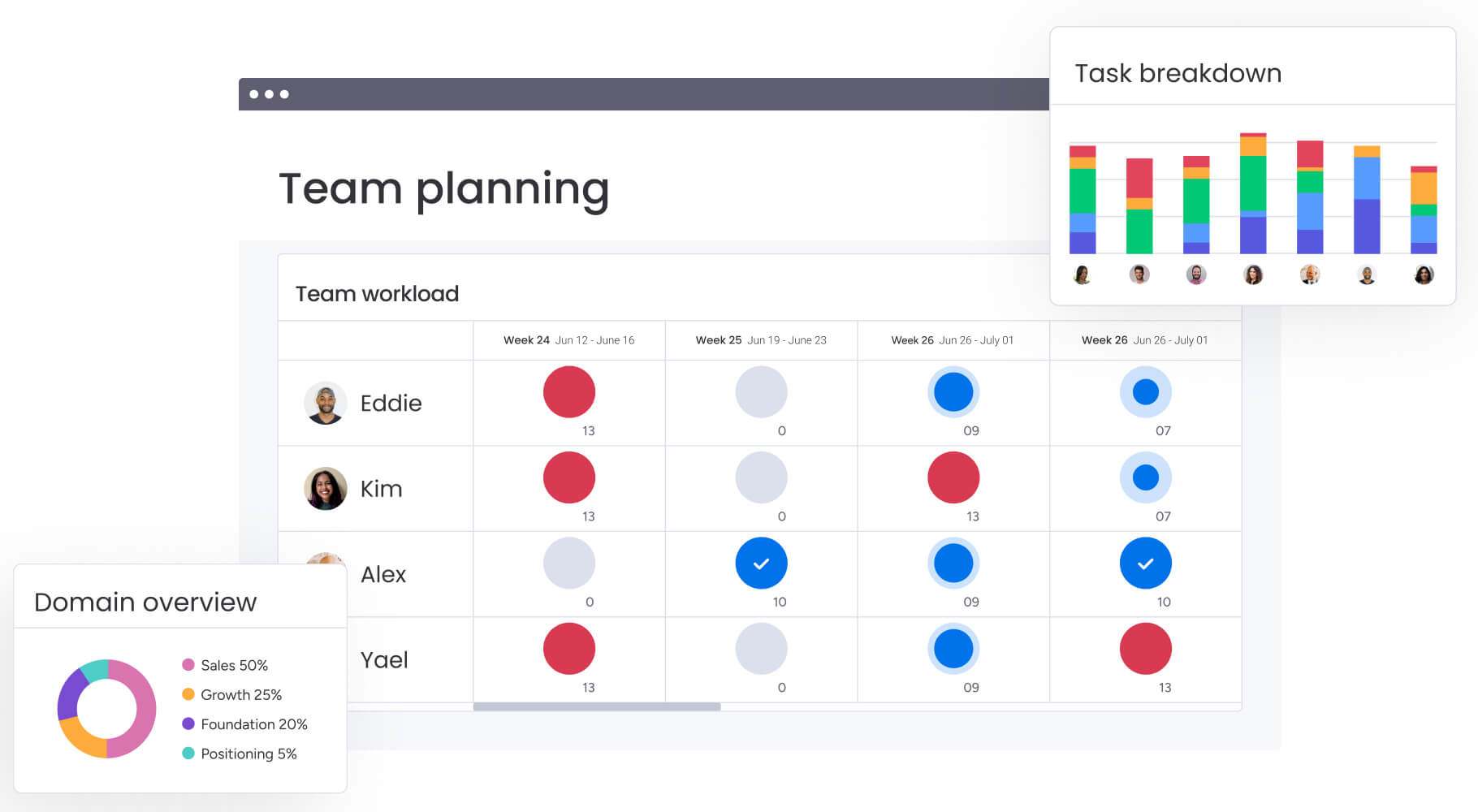
- High-performance dashboards: monitor portfolio-level metrics across your entire organization without the lag that comes from aggregating data across multiple sheets or hitting API rate limits.
- Multi-board automations: trigger actions across your entire workspace—not just within a single sheet or base — without the rate restrictions that pause workflows during peak usage.
The result? Teams can start simple and scale complex without hitting walls that force expensive workarounds or platform migrations. Your data architecture grows with your organization, not against it.
Performance under pressure
Large datasets slow things down differently on each platform. Here’s how each handles common performance scenarios:
| Performance metric | Smartsheet | Airtable | monday work management |
|---|---|---|---|
| Load time (large data) | Slows significantly as formula complexity increases | Generally stable, but initial base load can be heavy | Consistently fast even with complex boards and formulas |
| Search speed | Fast within a sheet; slow across multiple sheets | Instant across the entire base | Instant across all boards and workspaces |
| Automation reliability | High reliability, but limited scope | High capability, but subject to API rate limits | Enterprise-grade reliability with no rate limit bottlenecks |
| Calculation speed | Real-time, but lags with thousands of active formulas | Near real-time, dependent on field type complexity | Real-time calculations that maintain performance at scale |
Outgrow these limits and you’re stuck. Organizations using monday work management gain enterprise-grade scale with high-performance dashboards that can monitor hundreds of projects simultaneously without the row limits or rate restrictions that create bottlenecks in other platforms.
Try monday work management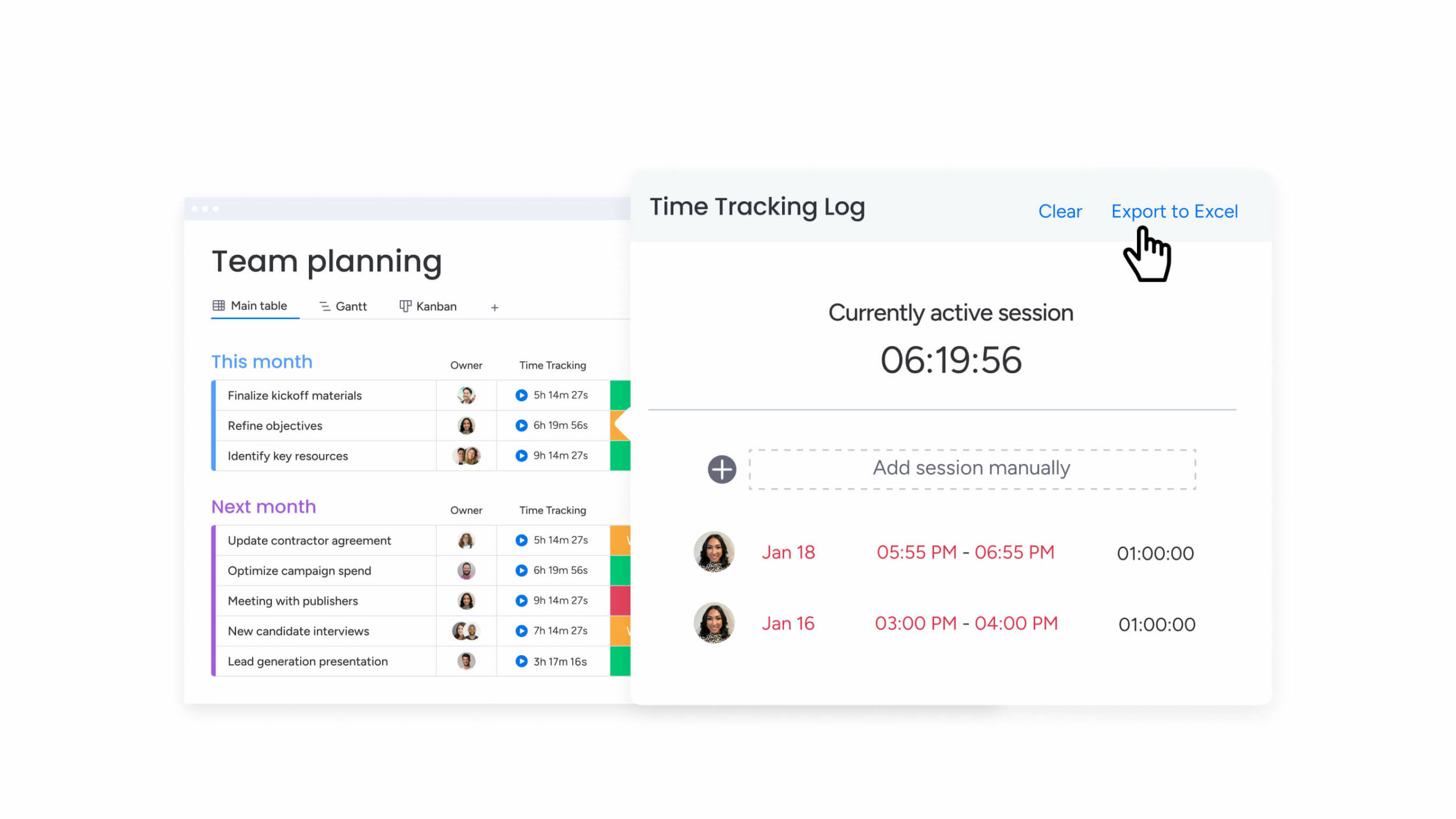
Comparing collaboration features
Teams adopt tools they can actually talk in. How each platform handles collaboration decides whether conversations stay in context or scatter across email and Slack.
Here’s how each platform handles team communication and real-time collaboration.
Real-time updates
- Smartsheet utilizes cell-level locking: when one user edits a cell, it locks for others, preventing conflicting edits but potentially creating a traffic jam during high-volume updates. Users must save the sheet to push changes to others, meaning views are not always strictly real-time.
- Airtable supports simultaneous editing similar to Google Docs: multiple users can update different records, or even different fields within the same record, at the same time without locking the entire entry. Changes reflect instantly across all connected interfaces and views.
- monday work management eliminates these trade-offs entirely: with true real-time collaboration that doesn’t lock cells or create bottlenecks. Multiple team members can edit different items simultaneously, with changes appearing instantly across all views — whether someone’s looking at a Gantt chart while you’re updating a Kanban board.
Team communication
Communication features decide whether your conversations stay in the tool or leak into email. Here’s how each platform handles key collaboration scenarios:
Contextual commenting
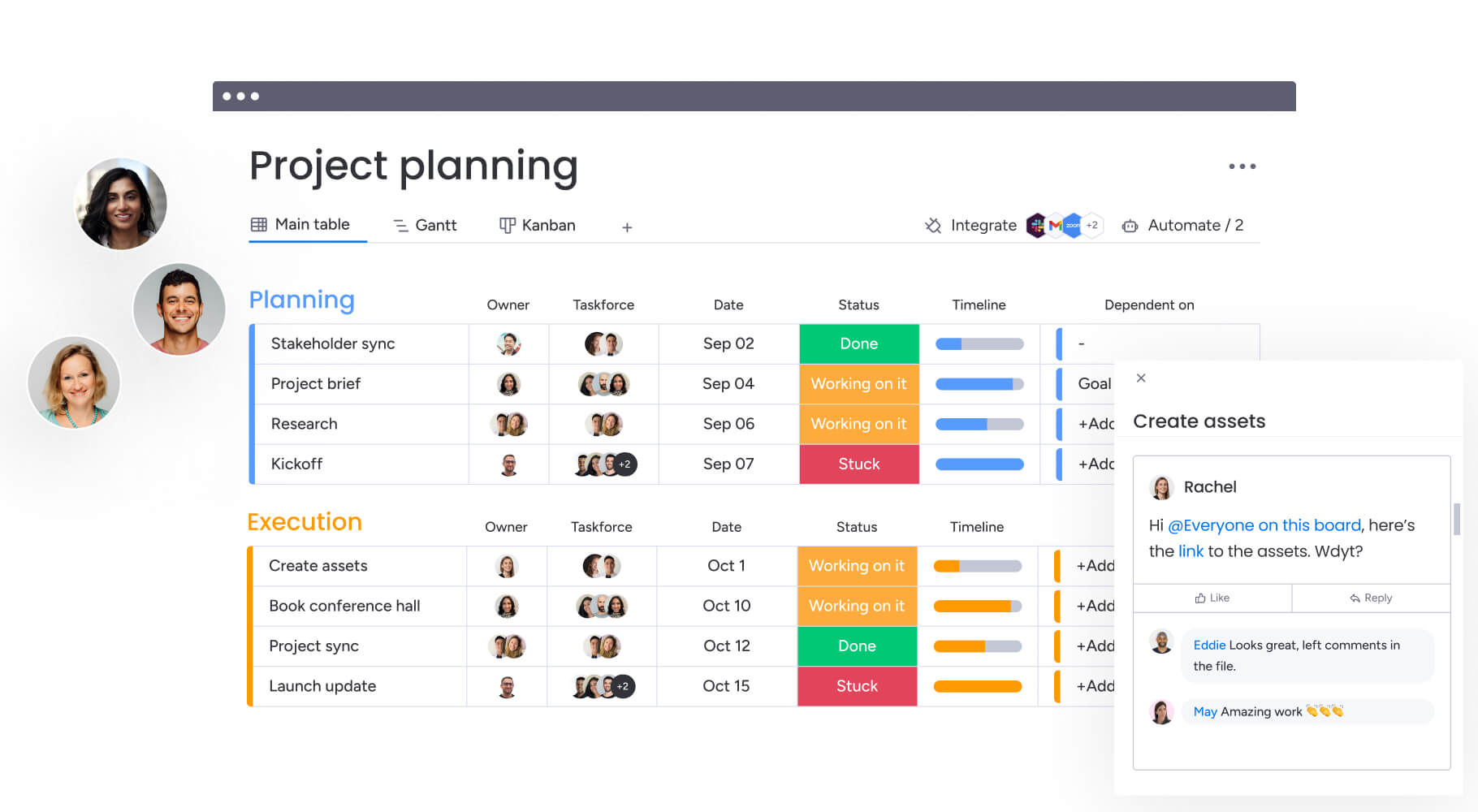
Smartsheet allows comments on a row or the entire sheet. Airtable allows comments on specific records, keeping the history tied to the data object. monday work management takes this further with @mentions that notify specific team members, threaded conversations that keep discussions organized, and the ability to comment on individual updates, entire items, or specific columns.
This keeps every conversation exactly where it belongs.
External collaboration
Smartsheet offers Dynamic View (premium) and sheet publishing to share data with non-users. Airtable uses Interfaces to give stakeholders a simplified, read-only, or limited-edit view. monday work management provides shareable boards with granular permission controls, allowing external stakeholders to view, comment, or edit specific items without requiring a full license — no premium add-on needed.
Notification management
Smartsheet relies heavily on email notifications for changes. Airtable provides a robust in-app notification center, reducing inbox clutter. monday work management offers intelligent notifications that you can customize by board, item, or column: choose between email, mobile push, or in-app alerts, and set quiet hours to prevent notification overload while ensuring critical updates never get missed.
Version control
- Smartsheet provides a detailed Activity Log: that tracks every change made to a cell, including who made it and when. This granular audit trail is essential for project managers who need to investigate timeline slippage. It also allows for snapshots to revert a sheet to a previous state.
- Airtable offers Record Revision History: allowing users to see how a specific record has changed over time and revert individual field changes. While useful for content accuracy, it is less effective for auditing high-level project structural changes.
- monday work management combines the best of both approaches: with comprehensive activity logs that track every change at the item, board, and workspace level. See who changed what and when, revert individual updates or entire items to previous states, and use advanced filtering to audit specific types of changes across your entire portfolio.
AI and automation capabilities
Automation and AI aren’t optional anymore. They’re essential. Here’s how each platform handles automation and AI. (Remove entirely — redundant after previous rewrite)
AI features in Smartsheet
Smartsheet has integrated generative AI to assist with formula creation and text generation. Users can describe what they want a formula to do in plain English, and the system generates the syntax. It also offers analysis features that can summarize data within a sheet. But these features are tactical. They help you build sheets faster: not manage workflows or predict risks.
AI features in Airtable
Airtable AI focuses on content intelligence. It can be added as a field type to summarize long text records, categorize feedback automatically, or draft content based on other fields in the record. This makes it effective for product, marketing, and research teams. The AI integrates directly into the Interface Designer, allowing users to query their data using natural language.
AI features in monday work management
monday work management takes AI beyond tactical assistance into strategic intelligence. The platform doesn’t just help you work faster — it helps you work smarter across your entire portfolio.
- Portfolio Risk Insights: AI scans all active projects to identify risks, budget overruns, and timeline slippages before they become critical. It’s like having a project analyst monitoring everything simultaneously.
- AI Blocks: drag and drop AI capabilities directly into workflows. Categorize incoming requests, analyze sentiment in customer feedback, or extract action items from meeting notes — no technical setup required.
- Digital Workforce: specialized AI agents like the Project Analyzer perform complex reporting that typically requires a data analyst, democratizing insights for every manager.
- AI-powered automation suggestions: the platform learns from your workflows and proactively suggests automations that eliminate repetitive work, adapting to how your team actually operates.
The difference? Smartsheet and Airtable use AI to help you build better sheets and bases. monday work management uses AI to help you make better decisions about the work itself.
Automation workflows
| Feature | Smartsheet | Airtable | monday work management |
|---|---|---|---|
| Triggers | Date-based, row added, cell changed | Record created, record matches condition, form submitted | Status change, date arrives, item created, column changes, and 50+ trigger types |
| Action complexity | Linear (alert, move row, update cell) | Multi-step (create record, find record, update + email) | Multi-board workflows with conditional logic and parallel actions |
| Scripting | Requires Bridge (separate module) | Native JavaScript scripting block available | No-code automation builder with AI-powered suggestions |
| Cross-platform | Limited native actions | Robust integrations via native automations | 200+ native integrations with cross-board automation that spans entire workspace |
While both handle basic automation, complex enterprise workflows often require more advanced logic. For more advanced needs, a true Work OS provides access to multi-board automation and advanced dependency management.
AI capabilities within monday work management can go beyond simple text generation to scan all projects, flag potential risks, and extract actionable insights from documents. Portfolio Risk Insights scans all project boards, flagging potential risks by severity.
AI Blocks also let teams categorize data at scale, summarize meeting notes instantly, and extract actionable insights from any document.
True cost at scale
Pricing pages don’t show the real cost for enterprise teams. The full financial picture goes way beyond base subscription costs. Here are the hidden costs and real ROI timelines.
Pricing transparency
Smartsheet and Airtable both operate on tiered pricing models, but the value drivers differ. This table provides approximate pricing for comparison purposes:
| Tier | Smartsheet (approx.) | Airtable (approx.) | monday work management (approx.) |
|---|---|---|---|
| Free | Very limited (1 user, 2 sheets) | Generous (unlimited bases, 1k records) | Full-featured (up to 2 users, 3 boards) |
| Pro/Team | ~$7-9/user/mo (cap on editors) | ~$20/user/mo (cap on extensions) | ~$9/user/mo (unlimited boards, 5GB storage) |
| Business | ~$25-32/user/mo (unlimited editors) | ~$45/user/mo (Gantt, timeline, admin panel) | ~$12/user/mo (advanced automations, integrations, dashboards) |
Hidden fees to consider
The base license? That’s just where costs begin. Organizations should account for these additional costs when calculating total investment:
- Add-on modules: Smartsheet charges separately for premium capabilities like Control Center, Dynamic View, and Resource Management.
- Storage overage: Airtable charges significantly for attachment storage space once the limit is reached, which is common for creative teams.
- Integration costs: both platforms may require third-party middleware like Zapier for complex integrations, adding a monthly SaaS subscription cost.
- Training and admin: Smartsheet’s complexity often requires a dedicated administrator or certified expert to build and maintain the architecture.
ROI timeline
Smartsheet typically offers a faster initial ROI because users familiar with Excel can start working immediately. However, technical debt accumulates quickly as sheets multiply. Airtable requires a longer upfront investment to design the database schema correctly, but the ROI sustains longer due to improved data integrity.
Organizations often find the fastest time-to-value with platforms that combine intuitive UI with structured data. Platforms that combine an intuitive UI with structured data often deliver the fastest time-to-value. They can drive rapid adoption with an interface teams enjoy using, while providing the flexibility to customize workflows without compromising on governance.
Organizations often find the fastest time-to-value with platforms that combine intuitive UI with structured data. Platforms that combine an intuitive UI with structured data often deliver the fastest time-to-value.

Integration ecosystems
Your platform needs to connect to everything else you use. Enterprise teams need platforms that connect to their existing tools. Here’s how each platform connects to your existing tools — and where they fall short.
Native integrations
Both platforms connect to major business applications, but their strengths align with their core user bases:
| Category | Smartsheet strength | Airtable strength | monday work management strength |
|---|---|---|---|
| Microsoft ecosystem | Deep integration with Teams, Outlook, and Power BI | Standard integration | Native two-way sync with Teams, Outlook, Excel, and Azure AD |
| Creative/marketing | Adobe Creative Cloud (via extension) | Native robust support for DAM and creative applications | Native integrations with Adobe Creative Cloud, Canva, and major marketing platforms |
| CRM/sales | Salesforce and Dynamics 365 (often requires connector) | Salesforce and HubSpot (native sync) | Native bidirectional sync with Salesforce, HubSpot, Pipedrive, and 10+ CRM platforms |
| Development | Jira (connector available) | Jira and GitHub (strong two-way sync) | Native integrations with Jira, GitHub, GitLab, and Bitbucket with real-time sync |
API capabilities
Smartsheet offers a mature, well-documented REST API (API 2.0). It is stable and widely understood by IT teams, making it reliable for building custom internal apps. Airtable’s API is modern and user-friendly but enforces stricter rate limits (five requests per second per base), which can be a bottleneck for high-volume enterprise data synchronization.
monday work management eliminates these API constraints entirely. The platform provides a robust GraphQL API with significantly higher rate limits designed for enterprise-scale integrations. Development teams can build custom applications without hitting the bottlenecks that slow down
Airtable, while enjoying better documentation and more flexible query capabilities than Smartsheet’s REST API. The result? Your IT team can build sophisticated integrations that actually scale with your organization.
Third-party dependencies
For integrations outside the Top 20 popular apps, both platforms rely heavily on middleware like Zapier or Make.com. While this extends functionality, it introduces potential points of failure and additional costs.
monday work management takes a fundamentally different approach with 200+ native integrations built directly into the platform. Connect to Salesforce, Jira, Slack, Microsoft Teams, Google Workspace, and hundreds of other tools without middleware subscriptions or additional points of failure.
The open API and extensive SDK documentation mean your development team can build custom integrations that run reliably at enterprise scale — no third-party dependencies required.
Security and compliance
Got 100+ employees? Security features will make or break platform approval. Both platforms check the compliance boxes, but the details matter. Here’s what you get for enterprise security and compliance.
Enterprise security features
Single sign-on (SSO)
Both platforms restrict SAML SSO to their enterprise tiers. monday work management includes SSO across all enterprise plans with support for SAML 2.0, including Okta, Azure AD, OneLogin, and other major identity providers — without forcing you into the highest pricing tier.
Granular permissions
Smartsheet allows sharing at the workspace, sheet, or row level (via Dynamic View). Airtable allows sharing at the base or interface level, with field-level permissions available on higher tiers.
monday work management provides multi-level permissions that control access at the workspace, board, group, item, and even column level — giving you precise control over who sees and edits what, without requiring premium add-ons.
Encryption
Both platforms provide encryption at rest (AES-256) and in transit (TLS 1.2+). monday work management matches this standard with AES-256 encryption at rest and TLS 1.2+ in transit, plus additional security features like IP restrictions, session management controls, and comprehensive audit logs that track every action across your entire workspace.
Compliance certifications
Both Smartsheet and Airtable maintain compliance portfolios suitable for regulated industries:
- SOC 2 Type II: both platforms are compliant. monday work management maintains SOC 2 Type II certification with annual audits.
- HIPAA: available on enterprise plans for both, requiring a signed BAA. monday work management provides HIPAA compliance on enterprise plans with signed Business Associate Agreements for healthcare organizations.
- GDPR/CCPA: both platforms are fully compliant with privacy regulations. monday work management is fully compliant with GDPR, CCPA, and other global privacy regulations, with data processing agreements available for all customers.
- FedRAMP: Smartsheet has a specific Smartsheet Gov environment authorized for government use; Airtable is currently less focused on the public sector. monday work management maintains ISO 27001, ISO 27017, and ISO 27018 certifications, demonstrating enterprise-grade security controls that meet the requirements of regulated industries worldwide.
The importance of government authorization is underscored by FedRAMP’s 486 Authorized cloud service offerings currently available to federal agencies.
Data governance
Data residency is a key differentiator. Smartsheet offers data residency options in the US and EU. Airtable primarily hosts data in the US, which can be a blocker for European organizations with strict data sovereignty requirements.
monday work management provides flexible data residency options across multiple regions including the US, EU, and Australia, allowing organizations to store data where regulations require.
The platform aligns to the most stringent security standards, including SOC 2 Type II, HIPAA, and ISO 27001, with multi-level permissions that control user access to viewing and changing data. Advanced audit logs track every change across your workspace, providing the governance visibility that enterprise security teams demand.
Best use cases for each platform
Know where each platform excels, and you’ll choose better. Here’s when to choose Smartsheet, Airtable, or something else entirely.
When to choose Smartsheet
- Traditional PMO structures: ideal for teams that require Waterfall methodology, critical path analysis, and strict Gantt charts.
- Excel migrations: best for organizations moving directly from local Excel files to the cloud without changing their workflow logic.
- Construction and manufacturing: strong fit for industries needing rigid timelines and physical asset tracking in a grid format.
- Government and compliance: the Smartsheet Gov instance makes it a primary choice for public sector agencies..
When to choose Airtable
- Content production: the visual gallery views and asset handling make it superior for marketing and creative teams.
- Product roadmaps: excellent for linking features to sprints, feedback, and releases in a relational way.
- Inventory and asset management: the relational database structure prevents data duplication when tracking thousands of items.
- User research: great for tagging, categorizing, and finding patterns in qualitative data.
When to look beyond both
Neither platform is optimized for:
- Complex portfolio management across 500+ projects.
- Unified work management where engineering, sales, and marketing need to collaborate in a single workspace.
- Enterprise-scale automation that spans across departments without hitting row or rate limits.
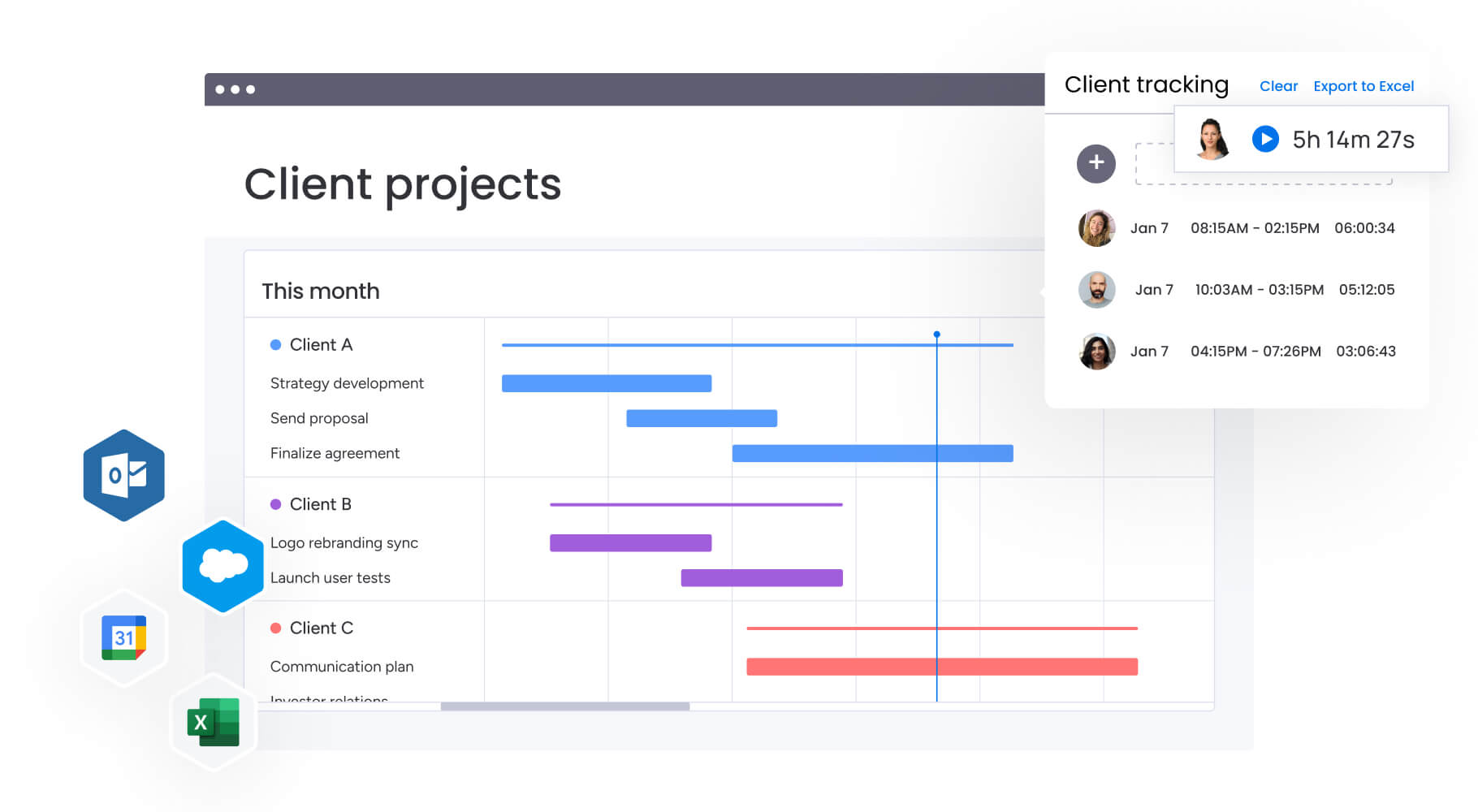
Why leading teams choose a Work OS approach
Need more than a spreadsheet or database? monday work management represents the evolution of the category, designed to eliminate the trade-off between familiarity and power.
Here’s how a work OS fixes what traditional platforms can’t.
Beyond traditional categories
monday work management transcends the binary choice of rows vs records. It utilizes a flexible data architecture that allows teams to view the same data as a grid, Gantt chart, Kanban board, or dashboard without duplicating information. Unlike Smartsheet, it is not bound by rigid sheet limits.
Unlike Airtable, it remains intuitive enough for non-technical users to build complex workflows in minutes.
This flexibility allows a marketing team to use it for creative reviews while the PMO uses the exact same platform for resource allocation, bridging the gap that typically requires two separate platforms.
AI-powered portfolio management
Scalability is managed through advanced AI capabilities that go beyond simple text generation:
- Portfolio risk insights: AI proactively analyzes hundreds of active projects to identify potential risks, budget overruns, or timeline slippages before they become critical issues.
- Resource allocation AI: the platform intelligently suggests the best team members for assignments based on their current workload, skills, and availability.
- AI Blocks: teams can drag and drop AI capabilities directly into their workflows to automate sentiment analysis on customer feedback or categorize incoming support requests.
- Digital Workforce: specialized AI agents, such as the Project Analyzer, perform complex reporting that typically requires a data analyst, democratizing insights for all managers.
Cross-functional excellence
As the table below covers, monday work management addresses the specific limitations found in legacy platforms:
| Limitation | Smartsheet/Airtable | monday work management |
|---|---|---|
| Scalability | 20k row limit / API rate limits | Enterprise-grade scale with high-performance dashboards |
| Security | Paid add-on for granular views | SOC 2 Type II, HIPAA, and ISO 27001 built-in |
| Integration | Limited native / heavy Zapier use | 200+ native integrations and open API |
| Customization | Rigid structure or high learning curve | No-code building blocks for tailored workflows |

“monday.com has been a life-changer. It gives us transparency, accountability, and a centralized place to manage projects across the globe".
Kendra Seier | Project Manager
“monday.com is the link that holds our business together — connecting our support office and stores with the visibility to move fast, stay consistent, and understand the impact on revenue.”
Duncan McHugh | Chief Operations OfficerChoose the platform that grows with your organization
Pick a platform and you’re committing to a specific way of working. The right choice depends on your data complexity, team skills, and where you’re headed. Organizations that prioritize both ease of use and enterprise capabilities often find that monday work management delivers the best of both worlds.
Use this framework to guide your decision based on your organization’s specific needs:
- Analyze data complexity: if data is flat and linear, Smartsheet works. If data is highly interconnected, Airtable works. If data varies by team and you need multiple views of the same information, monday work management adapts to how each department actually works without forcing everyone into a single rigid structure.
- Evaluate team technical skill: high Excel skills favor Smartsheet. Database understanding favors Airtable. Mixed skill levels favor monday work management, which provides the power of a database with the intuitiveness of a spreadsheet — no technical background required.
- Project growth: if the project has a defined end, any platform works. If the workflow is continuous and growing, monday work management scales without the row limits, rate restrictions, or performance penalties that create bottlenecks in traditional tools.
Remember, the platform you choose today will shape how your organization operates for years to come.
Teams using monday work management gain the flexibility to adapt their workflows as business needs evolve, without the constraints that force difficult migrations down the road. You get enterprise-grade security, AI-powered portfolio insights, and 200+ native integrations — all in a platform that teams actually enjoy using.
Frequently asked questions
Can you migrate data from Smartsheet to Airtable easily?
Yes. Migration is possible via CSV export/import, but it is not a seamless process. You will lose all formulas, cell links, and formatting, requiring you to rebuild the data relationships and logic from scratch in Airtable.
Which platform integrates with Microsoft Teams more effectively?
Smartsheet offers a deeper integration with Microsoft Teams, allowing users to edit sheets directly within a Teams tab, while Airtable integrates primarily for notifications and status updates.
Do you need technical skills to manage either platform?
Smartsheet requires advanced knowledge of formulas similar to Excel for complex sheets, while Airtable requires a basic understanding of relational database design to build effective bases that scale.
How quickly can teams implement these solutions?
Small teams can implement Smartsheet in a few days if they have existing spreadsheets to import, while Airtable typically takes two to four weeks to properly architect the database structure.
What kind of customer support is available for each platform?
Both platforms offer self-service knowledge bases for lower-tier plans, with phone support and dedicated success managers generally restricted to the highest enterprise pricing tiers.
How does monday work management compare to both Smartsheet and Airtable?
monday work management unifies the project tracking of Smartsheet with the data organization of Airtable into a single Work OS, offering superior scalability, built-in AI for portfolio management, and a visual interface that requires no technical background to master.

 Get started