


Airtable is a popular spreadsheet/database hybrid tool that enables teams to model, connect, and visualize their data and workflows. It’s a powerful software that brings new functionality to data and project management and was key to the reinvention of spreadsheets when it was founded in 2012.
But is Airtable the right fit for your business? And how does it measure up against other platforms out there? Let’s take a look at the 15 Airtable alternatives including monday.com so you can compare features, pricing, user reviews, and more to make the best-informed decision for your company’s unique needs.
Try monday.comWhy you may need an Airtable alternative
Airtable is a solid tool for managing your data and centralizing information in an advanced spreadsheet when you have dispersed teams. But you may want a platform that offers more communication functionality, different views, or maybe a simpler interface. For instance, some users have reported finding Airtable somewhat complex, especially when it comes to making full use of its functions. At a glance, Airtable may not be the right fit for you if:
- You’re looking for more affordable pricing plans
- You’re not familiar with spreadsheet-based project management
- You need more robust collaboration capabilities
A new factor: the Bending Spoons acquisition
Beyond the reasons above, there’s a newer one worth weighing: in August 2026, Bending Spoons agreed to acquire Airtable for $1.28 billion. The company already owns Evernote, WeTransfer, Vimeo, and Eventbrite, and its post-acquisition pattern has been consistent: sharp staff cuts (WeTransfer lost roughly 75% of its team, Vimeo’s entire video staff was let go) and a hard pivot toward profitability over product investment.
That’s a meaningful consideration if your team relies on Airtable for critical workflows. It raises open questions about the pace of future development and the roadmap for newer bets like Cobuilder and the recently acquired DeepSky AI – on top of the 27% workforce reduction Airtable already made in 2023.
If platform stability and a clear product roadmap matter to your decision, monday AI Workspace is worth a look here. It’s publicly traded, ships native AI through monday agents, robust vibe apps, an MCP and 200+ integrations, and covers more use cases than any other alternative. See how it stacks up feature-by-feature below.
15 best Airtable alternatives for teams ready to scale
Before you make a decision on a project management database solution, it’s good to weigh up your options. Here’s our selection of 15 Airtable alternatives you may want to consider.
1. monday.com
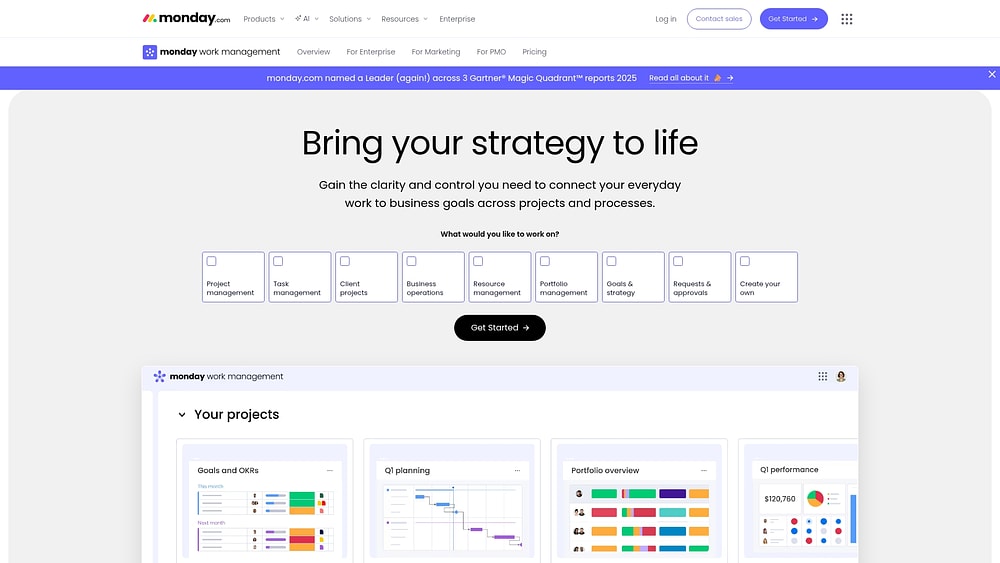
monday.com helps organizations run work the way it happens: across teams, timelines, and approvals, with live visibility for leaders. Instead of building and maintaining complex table logic, teams can start from proven workflows and tailor them with familiar building blocks like dashboards, views (Gantt, Kanban, Workload, Timeline), automations, and integrations.
That execution-first foundation matters when you’re evaluating airtable alternatives. Connect goals, portfolios, and day-to-day delivery in one workspace, so teams spend more time progressing and less time maintaining the system.
Example:
monday.com handles cross-departmental execution — from intake and planning to approvals and delivery. A common example is a request-to-delivery flow: teams collect standardized requests with forms, route approvals to stakeholders, manage delivery with Gantt, dependencies, and milestones, and then roll everything into dashboards for portfolio-level reporting.
Key features:
- Portfolio and project visibility: Dashboards give leaders shareable, portfolio-level views of progress, budgets, schedules, and workload.
- Advanced project management controls: PMOs manage dependencies, milestones, critical path, and time tracking — keeping delivery realistic and measurable.
- Resource planning at scale: Workload views show you who’s overloaded and who has capacity — so you can adjust assignments on the spot.
Advanced AI features:
- AI Blocks: AI actions like Categorize, Summarize, Translate, and Detect Sentiment help teams process text, updates, and files — then turn them into structured work on a board.
- Autofill with AI: Apply AI actions directly to columns — so AI can categorize incoming requests or assign the right person based on role and expertise.
- Digital workforce: Digital Workers like Project Analyzer monitor work in real time, flag bottlenecks, and surface proactive insights. Availability depends on release stage.
Automations:
- Automations and templates: Teams launch standardized workflows using ready-made templates, then automate recurring steps like reminders, approvals, and notifications.
- AI automations: Add AI blocks inside automation recipes to categorize, summarize, translate, or generate text when a workflow triggers.
- Run history for troubleshooting: Teams can review run history to understand AI automation results (including why an item returned “No result”) and refine their setup.
Integrations:
- 72+ integrations: Connect core systems and collaboration channels so work flows across the business.
- Popular integration examples: Microsoft Teams, Slack, Jira Cloud, Outlook, Gmail, Google Drive, Zoom, Excel, Toggl, and Harvest.
- Open API: Build custom integrations to connect monday.com to your internal systems.
How it compares to Airtable:
- Execution-ready workflows: Start with workflows built for projects, portfolios, and approvals — then customize with views, forms, and dashboards.
- Real-time reporting built for leaders: Dashboards pull live data from connected boards, so executives and managers see progress without manual reports.
- AI where work happens: Add AI to boards, columns, and automations, with admin controls to turn it on or off at the account level.
Pricing:
- Free: $0 (up to 2 seats)
- Basic: $9 per seat/month (billed annually)
- Standard: $12 per seat/month (billed annually)
- Pro: $19 per seat/month (billed annually)
- Enterprise: Contact sales for quote
- Annual discount: Save 18% with yearly billing
- Volume pricing: Teams over 40 users can request custom quotes
Why it stands out:
- Recognized by analysts: monday.com is a Leader in the 2025 Gartner Magic Quadrant for Collaborative Work Management and Adaptive Project Management and Reporting, plus the 2024 report for marketing work management.
- Economic impact: A Forrester Total Economic Impact study found a payback period under 4 months. Motorola reported a 346% ROI.
- Responsible AI controls: AI respects existing permissions, does not use customer data to train AI models, and includes enterprise-grade safeguards like encryption in transit and at rest (as documented for the AI capabilities on monday.com).
Explore more: monday.com alternatives
Try monday.com2. Smartsheet
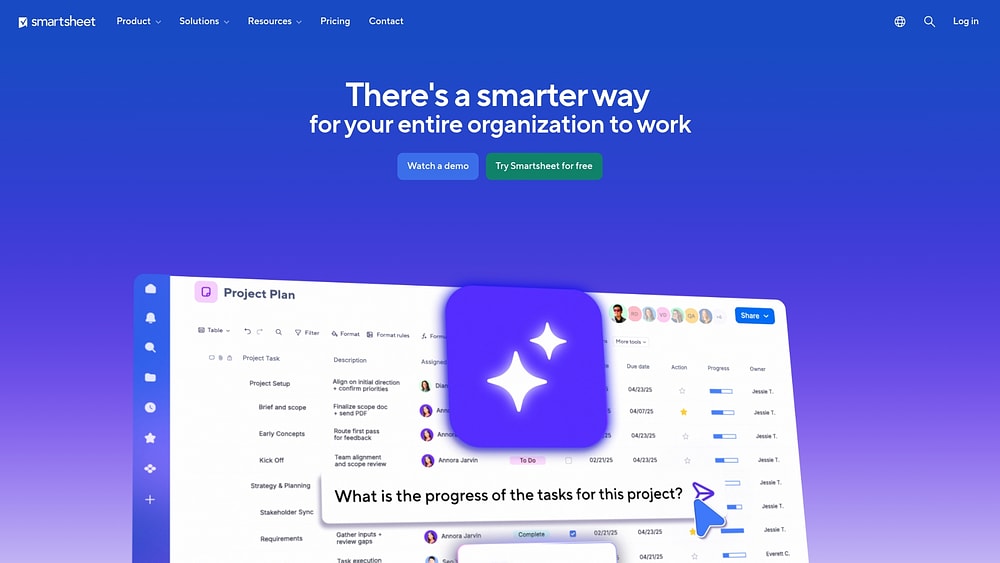
Teams that think in rows and columns often find their stride with Smartsheet, a platform that elevates spreadsheet familiarity into enterprise-grade workflow automation. It bridges the divide between the comfort of Excel and the demands of sophisticated project management. The platform serves finance, operations, and PMO teams who require structured automation without abandoning a grid-based mindset. Its layered capabilities scale with organizational complexity, handling everything from simple sheet-level processes to portfolio-wide orchestration.
Use case:
Portfolio management and resource planning for teams that require spreadsheet-style interfaces with enterprise automation capabilities.
Key features:
- Visual workflow builder with conditional logic, branching paths, and cross-system integrations through email, Slack, and Microsoft Teams
- Portfolio-level automation via Control Center for standardized project provisioning and centralized change management across multiple initiatives
- Bridge platform for low-code cross-system workflows with API connectivity, JavaScript support, and scheduled data synchronization
Pricing:
- Pro: $9/month per member (annual billing) or $12/month (monthly billing)
- Business: $19/month per member (annual billing) or $24/month (monthly billing)
- Enterprise: Custom pricing via sales consultation
- Advanced Work Management: Custom pricing with premium automation features included
- Premium add-ons like Control Center, Bridge, and Data Shuttle require additional licensing for most plans
Considerations:
- Advanced automation capabilities (Bridge, Control Center) are paid add-ons for most plans, potentially increasing total cost of ownership
- Sheet size limitations (20,000 rows, 400 columns) and regional data isolation can constrain complex workflows and cross-regional collaboration
3. ClickUp
Positioning itself as the “everything app for work,” ClickUp consolidates project management, documentation, goals, and communication into a single ecosystem. It appeals to teams looking to replace multiple disparate tools with one comprehensive system, provided they are willing to invest time in configuration. The platform offers extensive customization options, allowing users to tailor the workspace to their specific operational needs.

Use case:
Teams wanting to consolidate multiple platforms into one system and willing to invest time in configuration to unlock ClickUp’s full potential.
Key features:
- Over 15 view types including Gantt charts, Kanban boards, and calendar views for flexible project visualization
- 100+ automation templates with AI-assisted rule creation and cross-app integrations
- Native AI capabilities through ClickUp Brain for content generation, task summarization, and workflow optimization
Pricing:
- Free Forever: $0 (basic features for small teams)
- Unlimited: $7/user/month (billed annually)
- Business: $12/user/month (billed annually)
- Enterprise: Custom pricing (contact sales)
- AI add-ons available: Brain AI ($9/user/month) or Everything AI ($28/user/month)
- Annual billing saves up to 30% on core plans
Considerations:
- Feature abundance can create decision paralysis and onboarding complexity for new teams
- Monthly automation limits may pause all automations when exceeded, potentially disrupting workflows
4. Notion
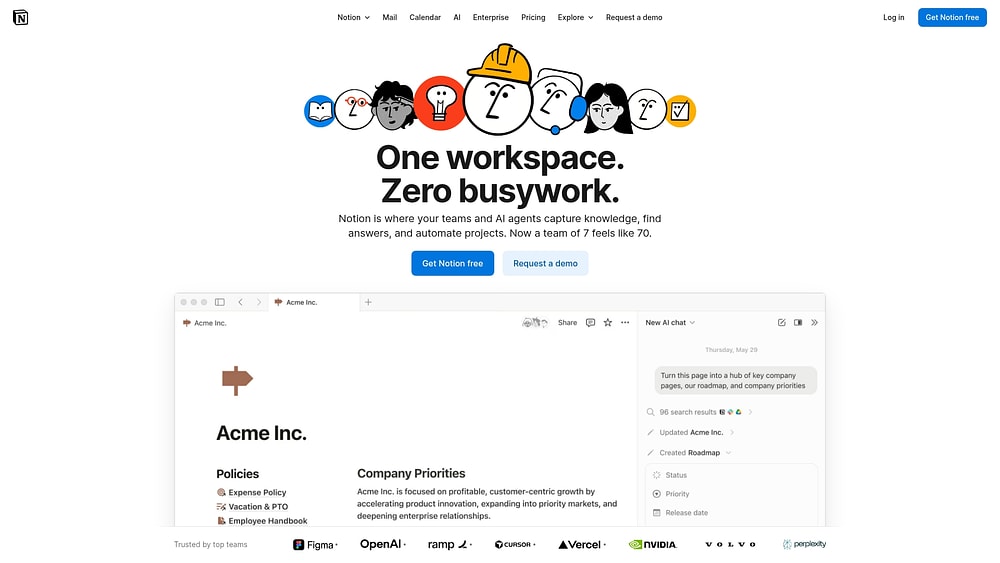
Where databases meet documentation, you find Notion. This platform unifies scattered work by merging structured data management with collaborative knowledge building. It’s particularly effective for teams that need to maintain project tracking alongside comprehensive wikis and roadmaps, creating a seamless environment where context and data coexist.
Use case:
Teams requiring integrated data organization and collaborative documentation can centralize wikis, roadmaps, and project databases while maintaining interconnected workflows across departments.
Key features:
- Native database automations with triggers, scheduled actions, and webhook integrations for streamlined workflows
- Block-based architecture that connects text, databases, files, and embeds in flexible, customizable layouts
- AI Agent capabilities for multi-step task execution with workspace memory and cross-platform connectors
Pricing:
- Free: Core docs/databases, basic forms/sites, limited AI trial
- Plus: $10/month per member with unlimited collaborative blocks, database automations enabled
- Business: $20/month per member including full AI Agent, SAML SSO, advanced integrations
- Enterprise: Custom pricing with SCIM provisioning, advanced security controls, audit logs
Annual billing saves up to 20%, with education discounts available for students and educators.
Considerations:
- Automations cannot trigger other automations, limiting complex workflow cascades
- Performance can slow with very large pages and databases, requiring careful workspace organization
5. Coda
Coda reimagines the document as an interactive workspace, blending narrative context with live data and automation. It targets cross-functional teams that require the flexibility of a document interface but the power of a database. With its maker-based pricing model and extensive two-way sync capabilities across 600+ integrations, Coda acts as a hybrid solution capable of replacing multiple distinct collaboration tools.

Use case:
Teams building interactive planning documents, strategy docs, and operational dashboards that require both narrative context and live data manipulation in a single workspace.
Key features:
- Interactive documents with embedded tables, automations, and real-time data sync
- Webhook-triggered automations with multi-step workflows and cross-document actions
- Two-way sync with external systems like Jira, Salesforce, GitHub, and Google Sheets
Pricing:
- Free: Basic features with 35 time-based automations per month
- Pro: Starting at maker-based pricing with 100 time-based automations
- Team: Unlimited automations and cross-document actions
- Enterprise: Custom pricing with advanced security and governance features
- Additional costs for paid Packs and AI credits per Doc Maker
Considerations:
- Steep learning curve for complex features and automation setup
- Performance can lag significantly in very large documents, affecting automation reliability
6. Asana
Structured project management is Asana‘s hallmark, offering an intuitive interface that streamlines coordination and deliverable tracking. Through its Work Graph data model, the platform connects individual tasks to broader organizational goals, providing essential context for cross-functional teams. With enterprise-grade security and unlimited automations on paid plans, Asana serves as a comprehensive solution for organizations scaling their work management practices.

Use case:
Teams seeking structured project execution with transparent task ownership and automated workflow coordination across departments.
Key features:
- Work Graph data model that links tasks, projects, portfolios, and goals for organizational context
- Unlimited automations with visual Workflow Builder and AI Studio for intelligent process design
- Enterprise security features including SAML/SSO, data residency options, and compliance certifications
Pricing:
- Personal: Free for 1-2 users
- Starter: $10.99/user/month (billed annually) or $13.49/month
- Advanced: $24.99/user/month (billed annually) or $30.49/month
- Enterprise: Contact sales for custom pricing
- Enterprise+: Contact sales for premium security and compliance features
AI Studio Plus available as add-on for $135/account/month (billed annually)
Considerations:
- Advanced standardization features like Workflow Bundles require Enterprise tier, limiting process consistency for smaller teams
- Manual rule triggers work per-task rather than bulk operations, which can slow down large-scale workflow management
7. Trello
Visual simplicity defines Trello, which utilizes a Kanban-based system to make workflow management accessible. Its board-card-list structure allows teams of any size to track projects effortlessly, while Atlassian’s ecosystem provides enterprise-grade security. This makes it a strong contender for teams prioritizing straightforward visual coordination.

Use case:
Small to medium teams seeking straightforward visual project coordination with built-in automation capabilities and seamless integration across the Atlassian suite.
Key features:
- No-code automation builder with natural language configuration and 200+ integrations
- Native actions for Slack, Jira, and Bitbucket plus HTTP requests for custom endpoints
- Centralized automation hub with usage tracking, logs, and proactive automation suggestions
Pricing:
- Free: $0/month for up to 10 collaborators with 250 automation runs monthly
- Standard: $5/month per user (billed annually) with 1,000 automation runs and unlimited boards
- Premium: $10/month per user (billed annually) with unlimited automation runs and AI features
- Enterprise: $17.50/month per user (billed annually) including Atlassian Guard Standard and 24/7 support
Annual billing provides discounts compared to monthly rates across all paid tiers.
Considerations:
- Free and Standard plans impose monthly caps on automation runs that heavy users can exhaust quickly
- Enterprise features like advanced SSO require additional Atlassian Guard subscriptions on non-Enterprise plans
Learn more: Airtable vs Trello
8. Google Tables
Within the Google Workspace ecosystem, Tables once provided native database functionality combined with familiar spreadsheet interfaces and “Bots” for automation. It catered to teams deeply embedded in Google’s productivity suite who needed no-code workflow automation. However, Google discontinued Tables in December 2025, migrating its core capabilities into AppSheet.

Use case:
Organizations deeply embedded in Google Workspace seeking native database automation without leaving their existing ecosystem.
Key features:
- No-code “Bots” with triggers for row changes, time-based schedules, and comment additions
- Native Google Workspace integrations including Apps Script, Gmail, Calendar, and Google Chat webhooks
- Multiple view layouts (Grid, Kanban, Calendar, Queue, Map) with real-time collaboration features
Pricing:
- Historical Tables pricing: Free during extended beta (originally listed at $10/user/month for paid tier)
- Current successor (AppSheet): AppSheet Core included with most Google Workspace editions
- AppSheet paid plans: Usage-based pricing for advanced features and higher user limits
- Enterprise plans: Custom pricing available through Google Cloud sales
Considerations:
- Product discontinued as of December 2025, with all workspaces now read-only
- Migration required to AppSheet databases or Google Sheets for continued functionality
9. Stackby
API-first automation drives Stackby, a platform that elevates spreadsheet simplicity into a powerful database tool. It connects data directly to external sources, appealing to technical teams who require extensive integrations and custom workflows without the burden of traditional database management. Operations, development, and data teams use it to automate data ingestion and construct sophisticated workflows cost-effectively.

Use case:
Technical teams requiring extensive API integrations and automated data workflows can centralize multiple data sources and build custom automation logic without heavy coding.
Key features:
- Column-level API connectors that pull live data directly from external sources like Google Analytics, Shopify, and Clearbit
- Built-in automation engine with triggers, actions, and webhook support for real-time workflow execution
- Embedded AI field agents with bring-your-own API keys for OpenAI, Anthropic, or Gemini integration
Pricing:
- Free: Forever plan for up to 5 users with 1,500 rows per stack and 100 automation runs monthly
- Economy: $149/year for 3 users with 7,000 rows per stack and 1,000 automation runs monthly
- Business: 50,000 rows per stack with 25,000 automation runs monthly and advanced permissions
- Pro: 100,000 rows per stack with 100,000 automation runs monthly and priority support
- Enterprise: Custom pricing with 250,000 rows per stack and SAML SSO
- Annual plans offer significant discounts with free read-only guest access across all tiers
Considerations:
- Stackby acknowledges their automation module is designed for “basic” workflows, recommending external platforms for complex logic
- Some users report reliability issues with formulas, filters, and automations, plus occasional delays in support responses
10. NocoDB
Open-source enthusiasts look to NocoDB to turn any database into a smart spreadsheet interface. This platform offers teams complete control over their data, eliminating vendor lock-in by connecting live production databases to intuitive workflows. It is an ideal solution for technical teams seeking a cost-effective, self-hosted alternative to managed solutions, prioritizing data sovereignty and enterprise-grade features.

Use case:
Technical teams with self-hosting capabilities seeking cost-effective database management with spreadsheet-like interfaces for internal applications and structured data workflows.
Key features:
- Bring-your-own database support (PostgreSQL, MySQL) with spreadsheet UI for live production data
- Node-based workflow automation with triggers, actions, and conditional logic for database events
- Flexible deployment options including cloud, on-premise, and air-gapped installations
Pricing:
- Free: Up to 3 editors, 1,000 records, 1 GB attachments, 100 webhook runs/month
- Plus: $12/editor/month (annual) or $15/editor/month (monthly), only first 9 editors billed
- Business: $24/editor/month (annual) or $30/editor/month (monthly), includes external database connections
- Enterprise: Starting at $1,000/month with unlimited workspaces and on-premise deployment
Considerations:
- Workflows remain in beta status, which may indicate evolving stability compared to mature competitors
- External database connections require Business tier or higher on cloud plans, increasing costs for teams needing this core feature
11. Baserow
Data sovereignty meets database functionality in Baserow, an open-source platform offering enterprise-grade security and self-hosting capabilities. It targets compliance-focused organizations and IT teams that demand full control over their data without sacrificing automation. With a growing user base and expanding AI features, Baserow stands as a transparent alternative to proprietary systems.

Use case:
Organizations requiring full data control, regulatory compliance, and vendor independence while maintaining robust automation capabilities across departments.
Key features:
- Visual workflow automation with unlimited runs (in beta), including triggers, actions, and third-party integrations
- Self-hosted deployment options with no API rate limits or data restrictions
- Enterprise security controls including RBAC, SSO, audit logs, and compliance certifications (GDPR, SOC 2, HIPAA)
Pricing:
- Free: $0/month
- Premium: $10/user/month (annual) or $12/month (monthly)
- Advanced: $18/user/month (annual) or $22/month (monthly)
- Enterprise: Custom pricing for self-hosted deployments
- Annual billing discounts available
- Free read/comment users included in Advanced plan
Considerations:
- Cloud version limits periodic triggers to 15-minute intervals (self-hosted allows every minute)
- Some advanced features marked as “Soon” may not be generally available yet
12. Microsoft Lists
Living natively within the Microsoft 365 ecosystem, Microsoft Lists connects seamlessly with Teams, SharePoint, and Outlook. It leverages Power Automate to provide enterprise-grade automation, making it a natural choice for organizations already invested in Microsoft’s productivity suite. The platform offers list-based data management with inherited governance and security controls.

Use case:
Organizations standardized on Microsoft 365 seeking native data organization with built-in governance, security, and compliance controls inherited from SharePoint.
Key features:
- Two-tier automation system combining simple Rules for notifications with Power Automate for complex, multi-step workflows
- Pre-built list templates with solution-aware cloud flows for recruitment tracking, content scheduling, and work progress monitoring
- Enterprise controls including retention labels, sensitivity labels, and DLP policies applied through Microsoft Purview
Pricing:
- Microsoft 365 Business Basic: $6.00/month (annual billing)
- Microsoft 365 Business Standard: $12.50/month (annual billing)
- Microsoft 365 Business Premium: $22.00/month (annual billing)
- SharePoint Online Plan 1: $5.00/month (includes Microsoft Lists)
- Power Automate Premium: Additional licensing required for advanced connectors and premium flows
- Annual commitment saves up to 16% compared to monthly billing
Considerations:
- Personal Microsoft accounts lack automation features, Teams integration, and Power Automate capabilities — full functionality requires work or school accounts
- Mobile apps retired in November 2025, with mobile browser access as the only supported mobile option going forward
13. Zenkit
Privacy-first collaboration defines the Zenkit suite, which offers EU-hosted infrastructure and GDPR compliance tailored for regulated industries. By combining diverse data visualization options with BPMN-powered process automation, it serves organizations that need both flexibility and strict governance. Teams benefit from unified project management, task automation, and formal process modeling within a single data platform.

Use case:
Organizations needing EU-compliant collaboration with both simple task automation and enterprise-grade process workflows for regulated environments.
Key features:
- Multiple view options (Kanban, calendar, mind maps, tables) for visualizing the same underlying data
- Dual automation approach with basic task rules plus BPMN-based process modeling through Zenkit Flow
- Unified suite sharing a single data platform across projects, tasks, chat, forms, and notes
Pricing:
- Personal: Free (10 automation runs per month)
- Plus: €8/month annually (300 automation runs per month)
- Business: €21/month annually (3,000 automation runs per month)
- Enterprise: Custom pricing (unlimited automation runs)
- Annual plans offer up to 25% savings across products
- Separate subscriptions required for each product in the suite
Considerations:
- Limited native automation triggers and actions compared to specialized workflow platforms
- Documentation for advanced features like Zenkit Flow not uniformly available in all languages
14. Quip
Salesforce-heavy teams often turn to Quip, which embeds real-time CRM data directly into collaborative documents and spreadsheets. Owned by Salesforce, the platform is designed to facilitate structured collaboration tied to customer records, making it a powerful tool for sales and service teams. It transforms static documents into live workspaces that drive account management workflows.

Use case:
Salesforce customers seeking document collaboration with deep CRM integration for sales operations and account management workflows.
Key features:
- Live Salesforce data integration with two-way sync between documents and CRM records
- Document-centric automation through Salesforce Flow and Process Builder actions
- In-record document editing via Lightning Document Components on desktop and mobile
Pricing:
- Starter: $10/month per user (billed annually) or $12/month (billed monthly)
- Plus: $25/month per user (billed annually) with SSO and enterprise API access
- Advanced: $100/month per user (billed annually) with full Salesforce integration features
- Certain Admin APIs like Events and Governance require paid add-ons
- Volume discounts available through Salesforce sales for Plus and Advanced tiers
Considerations:
- Limited value for organizations not using Salesforce as their primary CRM platform
- Advanced spreadsheet capabilities lag behind Excel for complex automation workflows
15. Grist
Python-powered spreadsheets set Grist apart, bridging the gap between standard data interfaces and advanced programming. It appeals to technical teams, data analysts, and engineers who need sophisticated data manipulation without losing the familiar spreadsheet format. The platform allows for custom data transformations and calculations, making it a robust tool for building complex data models.

Use case:
Technical teams requiring custom data transformations and calculations benefit from Grist’s unique combination of spreadsheet familiarity with Python formula power.
Key features:
- Python formulas alongside traditional spreadsheet functions for advanced data manipulation
- Granular access controls down to individual cells with rule-based permissions
- Open-source core with self-hosting options for data sovereignty and compliance needs
Pricing:
- Free: $0 with unlimited documents and up to 5,000 records per document
- Pro: $10/user/month ($8 annually) with up to 100,000 records per document
- Business: $30/user/month ($24 annually) with minimum 5 users and up to 150,000 records per document
- Enterprise: Custom pricing with dedicated servers and advanced admin controls
- Community Edition (Self-hosted): $0 open-source version
- Enterprise Lite (Self-hosted): $30/user/month ($24 annually)
- Annual billing saves approximately 20%
- Nonprofits receive 50% discount on Pro plans
Considerations:
- Programming requirements create barriers for non-technical business users seeking straightforward workflow automation
- Lacks native visual automation builder, requiring external integrators or custom API development for complex workflows
Quick comparison: Which Airtable alternative fits your needs?
Selecting software isn’t just about feature checklists; it’s about aligning capabilities with your operational reality. A small team organizing tasks has vastly different requirements than an enterprise orchestrating cross-departmental workflows.
To clarify your decision, we’ve evaluated the top alternatives based on the factors that drive scaling organizations: execution power, enterprise readiness, and AI intelligence.
| Platform | Best for | Execution focus | Enterprise ready | AI capabilities | Starting price | Key differentiator |
|---|---|---|---|---|---|---|
| monday work management | Cross-functional workflow execution | High | Yes | Native AI Blocks, Digital Workforce, Portfolio Risk Insights | $9/user/month | Execution-first platform connecting strategy to delivery |
| Smartsheet | Spreadsheet-native project tracking | Medium | Yes | Limited automation intelligence | $9/user/month | Grid interface familiar to Excel users |
| ClickUp | Feature-rich all-in-one solution | Medium | Partial | ClickUp Brain for content generation and task summarization | Free tier available | Extensive customization options |
| Notion | Documentation with databases | Low | No | AI Agent with workspace memory and multi-step execution | Free tier available | Unified workspace for docs and data |
| Coda | Interactive document-databases | Low | No | AI content generation | Free tier available | Document-centric with embedded automation |
| Asana | Structured project management | Medium | Yes | AI Studio for intelligent process design | Free tier available | Intuitive task-focused interface |
| Trello | Visual Kanban simplicity | Low | No | Basic AI features on Premium tier | Free tier available | Simple board-based tracking |
| Google Tables | Google Workspace integration | Low | Partial | None (discontinued) | Discontinued (migrated to AppSheet) | Native Google ecosystem integration |
| Stackby | API-first integrations | Low | No | Embedded AI field agents with BYOK | Free tier available | Developer-friendly database capabilities |
| NocoDB | Self-hosted open source | Low | No | None | Free (self-hosted) | Full data control and customization |
| Baserow | Data sovereignty and compliance | Low | Partial | None | Free tier available | Open-source with enterprise security controls |
| Microsoft Lists | Microsoft 365 ecosystem | Low | Yes | Power Automate integration | $6/user/month | Native Microsoft 365 integration with inherited governance |
| Zenkit | EU-compliant collaboration | Low | Partial | None | Free tier available | Privacy-first with BPMN process modeling |
| Quip | Salesforce CRM integration | Low | Partial | None | $10/user/month | Live Salesforce data in collaborative documents |
| Grist | Python-powered data manipulation | Low | No | None | Free tier available | Python formulas with spreadsheet interface |
Ultimately, your choice depends on your primary objective. If organizing information is the goal, tools like Notion or Trello excel. However, for organizations aiming to break through execution bottlenecks and link strategy to outcomes, a platform like monday.com is engineered to deliver results at scale.
Try monday.comWhat makes a great enterprise-ready alternative to Airtable
Enterprise readiness represents a fundamental shift in how work is executed. It moves beyond the static organization of a database to the dynamic action of a Work OS. For growing organizations, this distinction is the difference between stagnation and scale.
Focus on execution, not configuration
Do your teams spend their days designing workflows or working within them? Database-first platforms often impose a “configuration tax,” demanding hours of labor to construct tables, link records, and maintain formulas. This administrative burden distracts from the high-impact work that drives the business forward.
An execution-first platform removes this friction. Rather than requiring you to architect processes from the ground up, it offers an intelligent framework ready for immediate action.
This approach enables you to:
- Launch projects faster: Utilize proven templates to start in minutes rather than weeks.
- Automate with context: Deploy automations that understand the flow of work across departments, going beyond simple triggers.
- Reclaim valuable time: Shift effort from system maintenance to strategic execution.
Adopting this model on monday.com significantly reduces administrative overhead, freeing teams to focus on delivering results.
Scale with predictability, not penalties
Pricing models tied to record counts or automation runs effectively punish success. A thriving quarter shouldn’t result in a surprise bill. Why should your platform costs escalate simply because your business is growing?
Enterprise-ready platforms provide transparent, user-based pricing that supports your ambition. This allows for confident budgeting, ensuring unlimited access to the capabilities needed to optimize every process. Such predictability lowers the total cost of ownership and makes financial planning far more strategic.
Go beyond data security with true workflow governance
Does your security model merely control visibility, or does it govern action? Enterprise-grade security must be embedded directly into the workflow, controlling not just who sees data, but who can initiate processes, approve decisions, and modify critical paths.
This requires multi-level permissions that reflect your organizational hierarchy, complete audit trails for compliance, and data residency controls for global operations. Leaders leverage monday.com to weave this governance into the fabric of their workflows, ensuring oversight and confidence at scale.
How to migrate from Airtable to an alternative tool
Migrating from Airtable is an opportunity to transform how work flows across your organization. The most effective migrations leverage the platform change as a catalyst for operational evolution, moving beyond basic databases toward a true business operating system.
Step 1: Audit your current state and find the gaps
Before moving a single record, obtain a clear picture of how your teams actually use Airtable. This audit exposes the workarounds, manual processes, and workflow limitations you have come to accept. How much of your current setup is simply digital clutter?
An honest audit answers several key questions:
- Manual effort: Which workflows demand the most maintenance time?
- Workarounds: Where are teams bending the platform’s limits instead of executing naturally?
- Integrations: Which connections are critical for operations versus merely nice-to-have?
- Reporting gaps: What analysis occurs outside of Airtable because native reporting is insufficient?
This process often reveals that teams actively use only a fraction of their Airtable configuration. Migration is the perfect moment to shed that complexity and focus on what truly drives results.
Step 2: Redesign workflows for execution, not just organization

Resist the urge to copy and paste your Airtable bases. Instead, step back and design workflows that support how work should move through your organization. Your platform should work for you, not the other way around.
When redesigning your processes, consider how to:
- Start with the goal: Design around accomplishments, not just tracking.
- Map dependencies: Ensure handoffs between teams occur automatically, without follow-up emails.
- Build for visibility: Provide every stakeholder with the view they need without manual reports.
- Embrace flexibility: Create workflows that can evolve alongside your business.
Instead of starting from a blank slate, teams can launch and customize proven workflows on monday.com. This provides a massive head start, turning months of design work into a few clicks.
Step 3: Execute a phased migration to build momentum
A “big bang” transition is a recipe for disruption. A smarter approach involves migrating workflows incrementally, validating new processes and building confidence along the way. This reduces risk and converts skeptics into champions.
A strategic migration sequence builds on small wins:
- Start with a pilot: Select one important, but not mission-critical, workflow for real-world validation.
- Expand to connected teams: Once the pilot succeeds, migrate workflows that interact with it to demonstrate cross-functional value.
- Scale across departments: Roll out to more teams using the lessons learned from early phases.
- Sunset Airtable gradually: Maintain parallel operations until teams confirm the new workflows are solid.
Step 4: Accelerate value with expert guidance
For large organizations with complex needs, a DIY migration can be slow and painful. Why navigate the learning curve alone? Partnering with experts accelerates time-to-value and de-risks the entire transformation.
The professional services team at monday.com helps you move faster and with greater confidence. They guide workflow design, deliver custom training, and provide change management support to ensure your teams don’t just adopt a new platform—they embrace a new way of working.
Common migration challenges and how to solve them
Even the best-laid plans encounter obstacles. Anticipating these common challenges allows you to prepare solutions and keep your migration on track. Proactively address these frequent hurdles:
- Data volume: Teams worry about moving years of data. The solution is to migrate recent, active data first and archive historical records for reference.
- Integration dependencies: Existing connections create complexity. Audit all integrations, lean on native connections in your new platform, and rebuild only what’s critical using robust APIs.
- User resistance: Change is difficult, especially for teams comfortable in their old ways. Demonstrate quick wins with pilot workflows, provide hands-on training, and celebrate early adopters.
Organizations that treat migration as a workflow transformation achieve far more than just a platform switch. They fundamentally improve how their business runs, creating an enduring operational advantage.
Why monday.com leads enterprise work execution
Many organizations operate with an invisible gap between strategic goals and daily work. Teams are busy, but are they busy with the right things? monday.com connects every level of your business on a single, unified platform that turns strategy into results.
Progress from strategy to execution in one platform
Strategic plans often languish in spreadsheets or presentations, disconnected from the teams meant to execute them. On monday.com, your strategy becomes a living blueprint, directly linked to the projects and workflows that bring it to life. This provides a clear line of sight from top to bottom, so every action aligns with company objectives.
This connection gives leaders real-time strategic visibility, while teams see the direct impact of their work. Here’s how organizations build alignment automatically:
- Goal hierarchy: Connect company objectives directly to department initiatives and team projects.
- Automated progress: Watch project-level updates roll up to strategic goals in real time, eliminating manual reporting.
- Strategic resource views: See how people and budgets are allocated across key priorities to prevent misalignment.
- Visible dependencies: Proactively manage cross-team handoffs by seeing how all the pieces fit together.
AI-powered automation that scales with you
True automation should feel like a partner, not another system to manage. monday.com embeds AI across the entire platform, moving beyond simple triggers to deliver proactive intelligence that scales with your business.
How does this transform daily work? AI Blocks and Digital Workers handle complex processes autonomously, from categorizing incoming requests to drafting status reports. These intelligent agents monitor project health, flag bottlenecks before they happen, and even suggest ways to optimize workflows. This intelligence learns from your organization’s patterns, getting smarter and more helpful over time without complex configuration.
Real-time visibility without the configuration overhead
Gaining a clear view across your organization shouldn’t require a dedicated IT project. While many platforms demand complex formulas and custom builds, monday.com provides instant, portfolio-level visibility right out of the box.
Our dashboards automatically aggregate data from every project, giving leaders a live look at portfolio health, resource allocation, and strategic progress. You can see how work flows between departments and identify hidden dependencies, all without writing a single line of code. This allows leaders to make informed decisions based on comprehensive, real-time data, not outdated reports.
Try monday.comReady to build a true business operating system?
The right Airtable alternative can transform how your entire company operates. Whether you’re streamlining cross-departmental workflows or automating complex approvals, the focus should always be on delivering results. Take the time to evaluate your needs and select a partner like monday.com that will grow with your ambition.
Try monday.comFAQs about Airtable alternatives
Is it difficult to migrate from Airtable to another platform?
To answer whether it is difficult to migrate from Airtable, the process is straightforward if you focus on redesigning your workflows. The challenge isn't moving data; it's using the opportunity to build more effective processes instead of simply copying old ones.
Which alternative to Airtable has the best mobile app?
When considering which alternative to Airtable has the best mobile app, the monday.com mobile app is designed for full workflow execution, not just viewing data. Teams can manage projects, update statuses, and collaborate from anywhere with the same power as the desktop version.
Can I use free Airtable alternatives with my team?
Yes, several platforms offer free tiers, but they often lack the advanced automation, integrations, and security required for complex workflows. These limitations can create bottlenecks as your organization scales.
What's the main difference between Airtable and work management platforms?
Airtable is built to organize data like a flexible database, while work management platforms are designed to execute workflows and achieve outcomes. The key difference is a focus on storing information versus a focus on driving action.
Which Airtable alternative works best with Microsoft 365?
For deep execution power combined with strong Microsoft 365 connectivity, monday.com is a leading choice. It balances seamless integration with the robust workflow features that go beyond basic platforms.
Do any alternatives to Airtable offer unlimited records?
Yes, platforms like monday.com offer user-based pricing, which includes unlimited records. This provides predictable costs that scale with your team, not your data volume.
 Get started