


Project management today isn’t about knowing more frameworks. It’s about knowing which resources actually help you move work forward when timelines collide, priorities shift, and visibility matters.
The right project management resources do three things well: they remove guesswork, reduce friction, and help teams make better decisions faster. That includes the platforms you run work on, the templates that standardize execution, the systems that capture knowledge, and the learning resources that sharpen how you lead projects over time.
In this article, you’ll see how high-performing PMs build a modern resource stack — from foundational templates and collaboration platforms to AI-powered systems and continuous learning tools. You’ll also learn how to choose resources that fit your methodology, scale with your organization, and actually get used by your team, not ignored after rollout.
Key takeaways
- Think beyond people and budgets: Strong project management resources include platforms, templates, and shared knowledge that reduce friction across the full project lifecycle.
- Prioritize connection over volume: Fewer, well-integrated project management resources outperform scattered tools that force teams to constantly switch context.
- Match resources to how work happens: Agile, Waterfall, and hybrid teams need different project management resources to stay effective without slowing execution.
- Validate impact with real data: Track delivery speed, workload balance, and stakeholder clarity to identify which resources create measurable value.
- Centralize execution with monday.com: Bring planning, collaboration, automation, and visibility into one platform that adapts to any methodology.
What are project management resources?
Project management resources are everything that helps you deliver projects — people, time, budget, platforms, and the knowledge that connects them. This includes your people, their time and skills, the budget you’re working with, and the platforms that connect everything together. Resources are what make projects happen — from the first planning meeting to final delivery.
Smart organizations know resources aren’t just people and budgets. They encompass:
- Human resources: Project managers, team members, stakeholders, and subject matter experts who bring projects to life.
- Digital platforms: Software and systems that centralize planning, tracking, and collaboration.
- Knowledge assets: Templates, frameworks, methodologies, and documented best practices that standardize excellence.
- Time and budget: The constraints that shape every project’s scope and delivery window.
When resources connect properly, projects move faster, teams stay aligned, and delivery becomes predictable. Scatter them across spreadsheets and email threads? Even simple projects turn chaotic.
Human resources in project management
People drive every project forward. Your project manager orchestrates workflows and manages stakeholder expectations. Core team members execute the actual work. Subject matter experts provide specialized knowledge at critical decision points. External consultants offer objective perspectives when you need fresh insights.
The right people make a measurable difference:
- Skilled project managers: Prevent scope creep by enforcing boundaries before timelines derail.
- Accessible subject matter experts: Provide technical guidance that prevents costly rework.
- Right person-to-work matching: Creates smooth project flow and optimal outcomes.
Digital platforms and software solutions
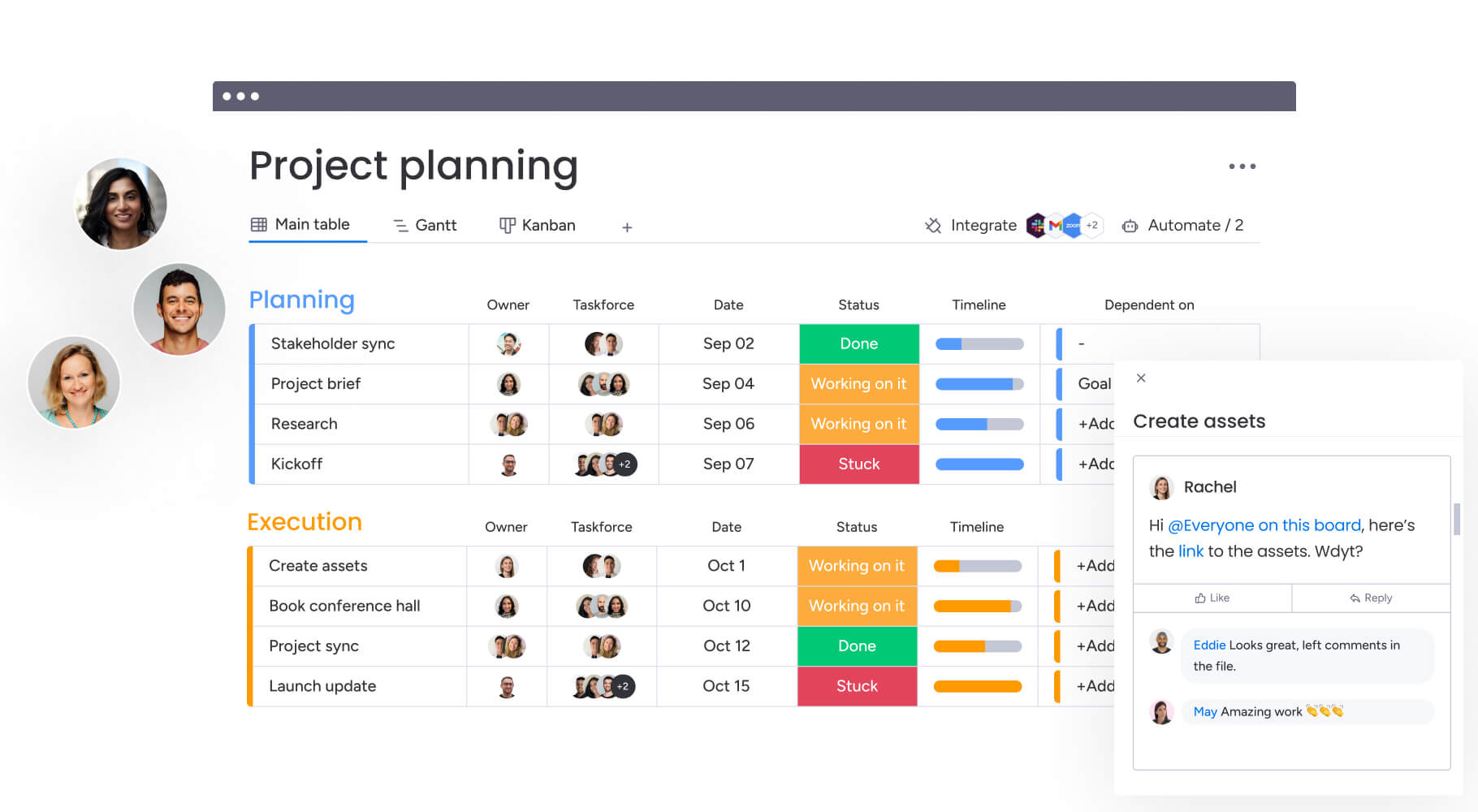
Digital project management platforms serve as the central nervous system for today’s organizations. They move work out of siloed spreadsheets and into shared environments where everyone can see progress, dependencies, and blockers in real time.
Here’s what separates basic tracking from real work management:
- Centralized visibility: A single source of truth ensures every team member sees the same priorities and updates.
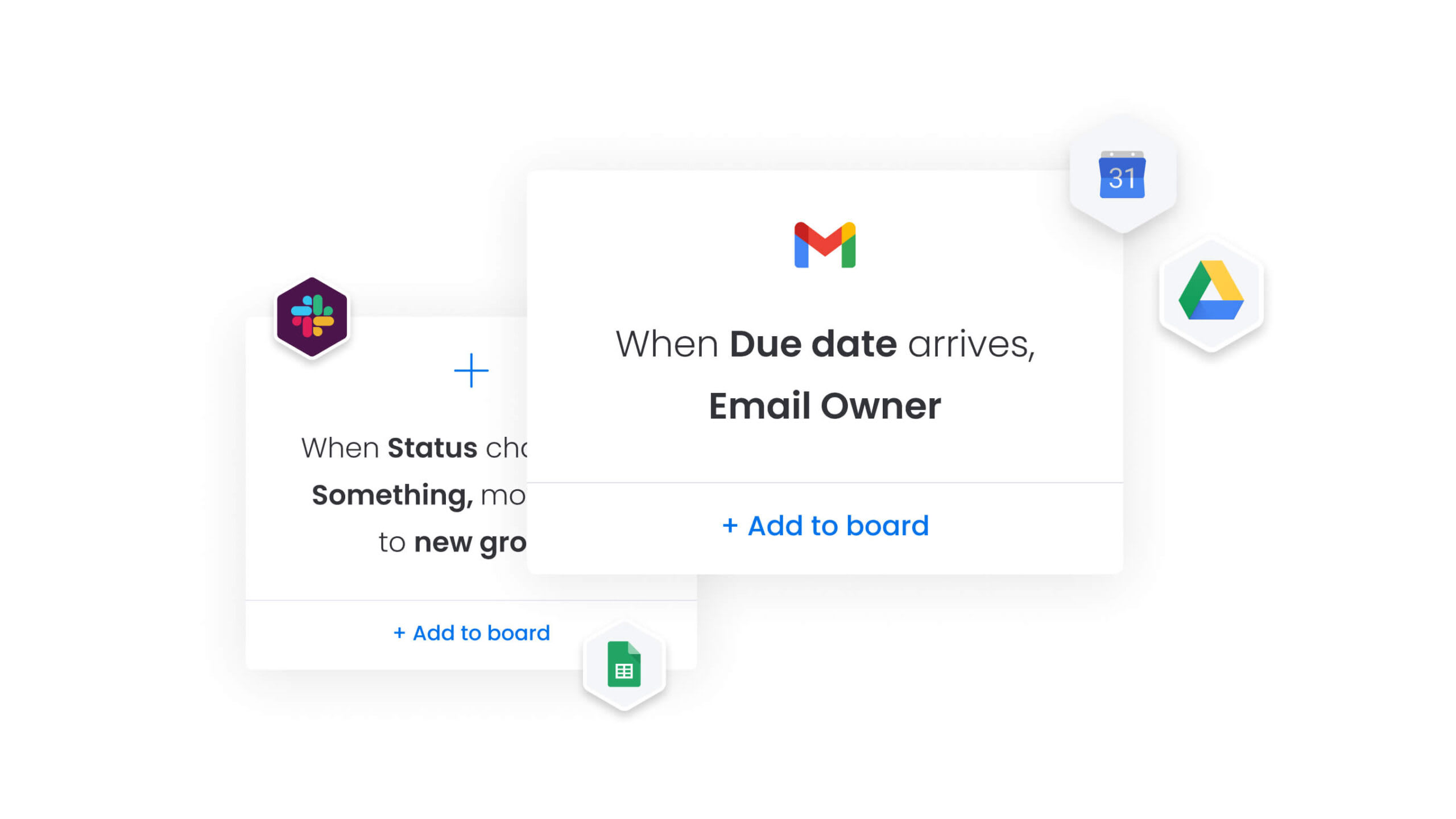
- Workflow automation: Digital solutions handle repetitive administrative work, freeing talent for strategic problem-solving.
- Contextual collaboration: Communication happens directly within work items, preserving context and reducing fragmented email chains.
- Scalable architecture: Platforms like monday.com support complex workflows that grow with your organization.
Knowledge resources and documentation
Knowledge resources are the documented practices and templates that help teams execute consistently. Project templates ensure you never start from scratch. Best practice guides provide proven approaches to common challenges. Risk assessment frameworks help identify threats systematically.
These resources make project managers’ jobs easier:
- Standardized project charter templates: Ensure critical elements like scope, budget, and stakeholders are defined before work begins.
- Risk registers: Provide structured methods for tracking and mitigating threats.
- Embedded workflow knowledge: Helps teams move faster and make fewer mistakes.
When resources connect properly, projects move faster, teams stay aligned, and delivery becomes predictable. Scatter them across spreadsheets and email threads? Even simple projects turn chaotic.

10 essential types of PM resources every manager needs
A solid toolkit needs resources for every stage of delivery. From planning to retrospective, these resources keep project management running smoothly.
1. Project planning templates
Templates bring consistency to how you start projects across your portfolio. They force you to define objectives, scope, and deliverables before committing resources.
- Project charters: Formally authorize work and define the why and what to align stakeholders early.
- Work breakdown structures: Help decompose complex deliverables into manageable work packages, ensuring all critical components are accounted for during scoping.
2. Team collaboration platforms
Collaboration platforms are digital workspaces where teams coordinate and share information in real time. They connect planning to execution through real-time interaction.
- Real-time messaging: Allows for immediate resolution of blockers, keeping work flowing between scheduled meetings.
- Contextual file sharing: Integrates documents directly into project workflows, ensuring the most current version is always accessible to the right people.
3. Time and resource tracking systems
Tracking progress and utilization helps you stay on budget and spot overworked team members before burnout hits. These systems give you the data you need for accurate costing and capacity planning.
- Capacity planning dashboards: Show who is overutilized and who has availability, allowing managers to rebalance work proactively.
- Timesheet software: Feeds into project costing models, helping organizations understand the true profitability of their initiatives.
4. Risk management frameworks
Risk management turns vague worries into concrete plans you can act on. Frameworks give you a systematic way to identify, analyze, and respond to threats.
- Risk registers: Track identified risks, their probability, impact, and assigned owners throughout the lifecycle.
- Assessment matrices: Help teams prioritize risks by severity, ensuring limited mitigation resources focus on the most critical threats.
5. Communication platforms
Communication platforms handle formal reporting and stakeholder updates. They keep leadership informed without burying them in details.
- Status reporting templates: Aggregate progress data to deliver consistent, data-backed updates to sponsors.
- Defined escalation pathways: Provide a formal, swift process for handling blockers that require executive intervention.
6. Reporting and analytics solutions
Reporting turns project data into insights you can act on. It helps you stop firefighting and start making decisions based on trends and patterns.
- Performance dashboards: Feature real-time KPIs like schedule variance and budget burn rate for immediate course correction.
- Trend analysis: Identifies recurring issues across projects, highlighting areas for process improvement.
7. Process automation resources
Automation takes care of repetitive tasks that slow teams down. When software handles admin work, teams have more time for what matters.
- Workflow automation triggers: Automatically move items to the next stage or assign owners based on status changes.
- Notification systems: Send automated alerts for approaching deadlines or budget thresholds, ensuring managers can intervene before issues escalate.
8. Knowledge management systems
Centralized repositories capture what your organization learns so future teams can benefit. They make sure one team’s lessons don’t get lost when the next project starts.
- Document management with version control: Ensures teams always work from the current source of truth.
- Lessons learned databases: Provide searchable archives of past project retrospectives, helping new teams avoid repeating historical mistakes.
9. Stakeholder engagement platforms
Managing external relationships means balancing transparency with security. These platforms let you collaborate with clients and vendors without exposing internal data.
- Client portals: Allow external stakeholders to track progress and approve deliverables without accessing sensitive internal communications.
- Feedback systems: Feature structured workflows that ensure external input is captured and acted upon efficiently.
10. Continuous learning resources
Project management changes fast. Ongoing education keeps you competitive by teaching you current methodologies and emerging practices.
- Professional communities: Provide access to peer support and shared experiences that help solve novel challenges.
- Certification programs: Ensure managers stay current with evolving methodologies like Agile, Hybrid, or AI-driven management approaches.
Free resources for project management success
You can make real improvements without spending money upfront. High-quality free resources provide structure while you evaluate paid platforms. They deliver value right away while you figure out what platform to invest in long-term.
Project charter and initiation templates
A project charter defines why your project exists and where it’s headed. It gets stakeholders aligned on purpose, scope, and success criteria before you commit serious resources.
Free templates typically include sections for:
- Business case justification.
- High-level timeline.
- Budget estimates.
- Key stakeholder identification.
Customize templates by adjusting fields to match your project’s complexity. Start with the basics, then add sections for risk tolerance, communication preferences, or regulatory requirements as needed.
Gantt chart and timeline templates
Gantt charts show your project schedule visually, including dependencies and duration for each work item. Timeline templates speed up planning with ready-made formats for common projects like software development or marketing campaigns.
When selecting a template, choose one that matches your project’s duration and complexity. Simple projects might need basic milestone tracking, while complex initiatives require dependency mapping and resource allocation views.
Budget and cost management templates
Budget templates bring financial discipline by giving you a structured way to estimate and track costs. These spreadsheets typically break expenses into categories like labor, materials, software licenses, and contingency reserves.
Using these templates helps track actual spend against planned budget in real time. Add columns for variance analysis and projected final costs to identify overruns early.
Risk register and assessment frameworks
A risk register turns vague concerns into trackable items you can manage. Free frameworks provide columns for describing risks, assessing probability and impact, assigning owners, and defining mitigation strategies.
Adapt generic frameworks by defining what high, medium, and low impact mean for your organization’s risk tolerance. Add custom fields for risk categories, trigger indicators, or escalation thresholds.
Team communication templates
Structured communication templates ensure information flows consistently to all stakeholders. These resources include formats for:
- Weekly status reports.
- Meeting agendas.
- Stakeholder updates.
Using standard templates reduces report creation time and ensures critical information is never omitted. Customize sections to match your stakeholder preferences and project complexity.
Resource allocation spreadsheets
Resource allocation helps managers visualize team capacity and assign work effectively. Simple spreadsheet templates track team member availability, skill sets, and current project assignments.
These templates help identify bottlenecks where one person is overloaded while others have capacity. Add columns for skill levels, location, or certification status to enable more sophisticated matching.
PM training and certification resources
Professional development in project management yields stronger project outcomes and leadership capabilities. The right training path depends on your experience level, industry focus, and career trajectory.
PMP certification preparation materials
The Project Management Professional (PMP) certification validates expertise across predictive, Agile, and hybrid approaches. Preparation involves mastering the PMBOK guide and understanding the specific logic of exam questions.
Candidates typically invest several months in study using:
- Practice exams.
- Flashcards.
- Prep courses.
Focus on understanding concepts rather than memorization, as the exam tests application of knowledge to scenarios.
Agile and Scrum training resources
Agile and Scrum training focuses on iterative delivery, flexibility, and customer collaboration. Core concepts include sprint planning, daily standups, and retrospectives that drive continuous improvement.
Training options range from introductory workshops explaining the Agile mindset to advanced certifications like Certified ScrumMaster or SAFe for enterprise scaling. Choose based on your organization’s methodology and your role in implementation.
Leadership development programs
Technical skills alone don’t guarantee project success. Leadership programs focus on conflict resolution, negotiation, team motivation, and emotional intelligence.
These resources help project managers transition from coordinators to team leaders who navigate organizational politics and inspire performance. Look for programs that combine theory with practical exercises and peer feedback.
Online PM courses and MOOCs
Massive Open Online Courses offer flexible learning from top universities and institutions. These platforms allow upskilling in specific areas without committing to full degree programs.
Quality courses include practical assignments and peer interaction components that bridge theory and application. Focus on courses with real-world projects and active discussion forums.
Industry-specific PM certifications
Specialized industries require tailored project management approaches. Construction professionals might pursue LEED certification, while IT managers focus on ITIL for service management.
Learn more: Project management training (courses, certs, and career paths)
Identifying the right certification involves analyzing standards and methodologies prioritized by employers in your sector. Research job postings and industry associations to understand which credentials carry the most weight.

Project management software and platform resources
Different project management platforms are built for very different realities. Some are designed for enterprise portfolios with strict governance and security requirements, while others focus on visual execution, fast collaboration, or deep integrations with existing systems.
Choosing the right one isn’t about feature checklists, it’s about understanding which category of platform fits the scale, complexity, and operating model of your organization.
The table below breaks down the major types of project management platforms, what each is best suited for, and the capabilities that matter most.
| Platform type | Use case for | Key capabilities |
|---|---|---|
| Enterprise work management | Large organizations with cross-functional portfolios | Scalability, advanced security, multiple methodology support |
| Visual project tracking | Teams needing intuitive workflow visualization | Kanban boards, Gantt charts, interactive timelines |
| Integration-ready systems | Organizations with complex tech stacks | Robust APIs, pre-built connectors, data synchronization |
| Mobile applications | Field teams and remote workforce | Offline capabilities, push notifications, on-the-go access |
| Cloud-based collaboration | Distributed teams requiring real-time access | Version control, scalable storage, SSO and encryption |
Enterprise work management solutions
Enterprise solutions provide comprehensive operating systems for large organizations with complex portfolios. These platforms offer robust scalability, advanced security, and support for multiple methodologies within the same environment.
Organizations using modern solutions like monday.com build cross-departmental workflows that connect strategy to execution. The platform enables teams to create custom workflows without coding, ensuring both standardization and flexibility across departments.
Visual project tracking platforms
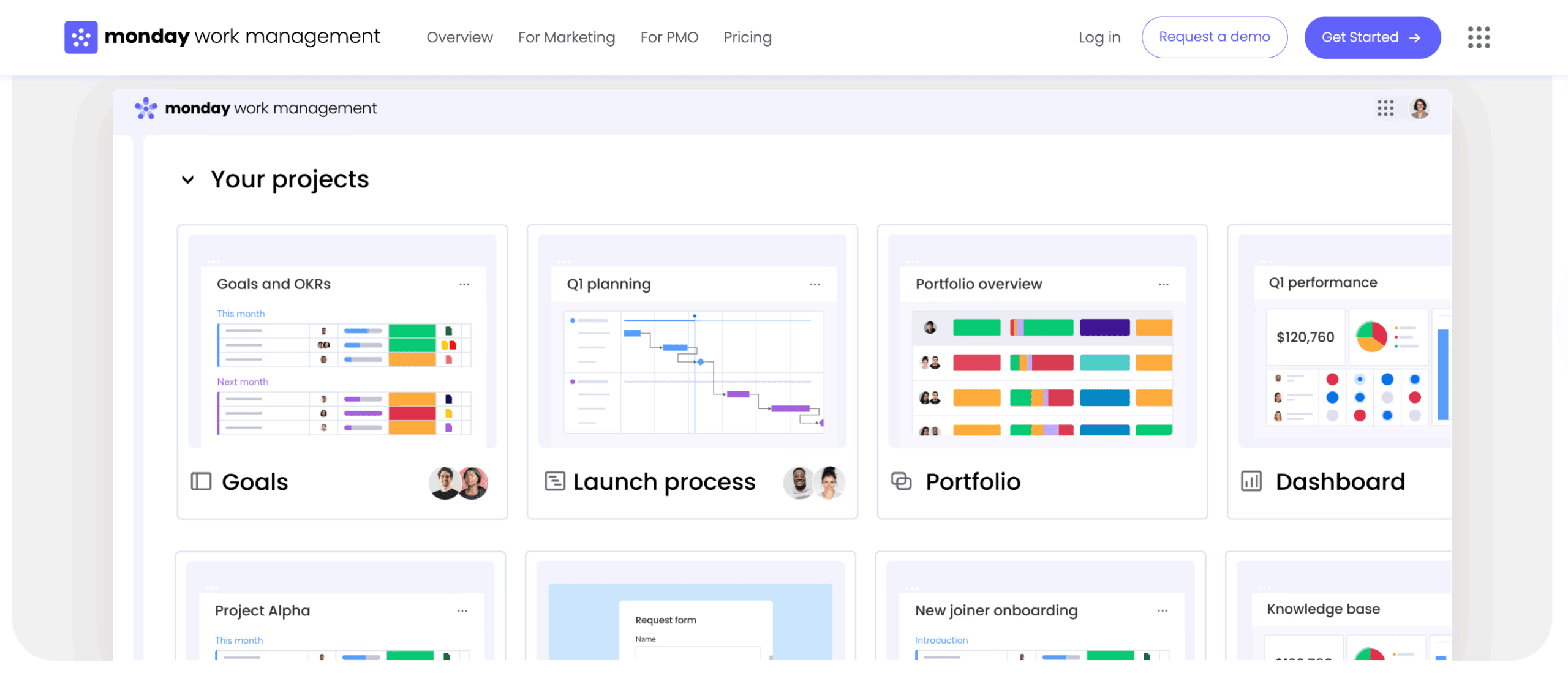
Visual platforms prioritize intuitive interfaces that make project status instantly understandable. Kanban boards, Gantt charts, and interactive timelines help teams visualize workflow and identify bottlenecks at a glance.
These platforms excel at stakeholder communication by providing graphical representations of progress that require no translation. Visual management reduces the need for status meetings and keeps everyone aligned.
Integration-ready PM systems
Integration-ready systems act as the connective tissue holding your tech stack together. Robust APIs and pre-built connectors sync data between project management and other business systems.
This connectivity reduces manual data entry errors and ensures project plans reflect work happening in other applications. Teams leveraging platforms like monday.com connect their existing tools seamlessly, creating a unified workspace without disrupting established workflows.
Mobile project management applications
Mobile applications extend project management beyond the desk. These apps provide access to activities, notifications, and file sharing on smartphones and tablets.
Key features include:
- Offline capabilities for sites with poor connectivity.
- Push notifications that keep distributed teams aligned.
- Mobile access ensuring field teams stay connected to project updates without returning to the office.
Cloud-based collaboration platforms
Cloud platforms provide real-time access to project data from anywhere. They eliminate version control issues and offer scalable storage for project assets.
Security features like single sign-on and data encryption ensure accessibility doesn’t compromise protection.
Enterprise solutions provide comprehensive operating systems for large organizations with complex portfolios. These platforms offer robust scalability, advanced security, and support for multiple methodologies within the same environment.
PM communities and professional networks
Professional growth accelerates through connection with peers. Communities provide support, mentorship, and access to shared experiences that accelerate problem-solving and career development.
Project Management Institute and regional chapters
The Project Management Institute sets global standards and offers certifications recognized worldwide. Membership provides access to research libraries, templates, and webinars that keep skills current.
Regional chapters offer local networking events where professionals build relationships with peers in their geographic area. These connections often lead to job opportunities and collaborative problem-solving.
Online PM forums and communities
Online communities offer immediate access to global networks for problem-solving and advice. LinkedIn groups, Reddit communities, and specialized forums host active discussions on methodology, solution selection, and career development.
Contributing to discussions helps professionals stay current with trends while building their personal brand. Regular participation often leads to mentorship opportunities and professional connections.
Industry-specific PM associations
Specialized associations cater to unique sector needs. Healthcare project managers face different challenges than construction managers, and these communities provide targeted support.
These associations offer highly relevant networking opportunities and resources that generalist groups may lack. They often provide industry-specific templates, compliance guidance, and specialized training.
Mentorship and coaching programs
Mentorship facilitates transfer of tacit knowledge that textbooks can’t teach. Formal programs match experienced leaders with emerging talent to guide career development and skill acquisition.
Effective mentorship focuses on:
- Navigating organizational dynamics.
- Strategic thinking.
- Leadership presence.
Look for programs with structured goals and regular check-ins rather than informal arrangements.
Virtual PM meetups and events
Virtual events democratize access to industry conferences and networking. Webinars and online summits allow professionals to learn from global thought leaders without travel costs.
These events often feature interactive breakout sessions that simulate networking aspects of in-person conferences. Regular participation helps build connections across geographic boundaries.
Try monday.com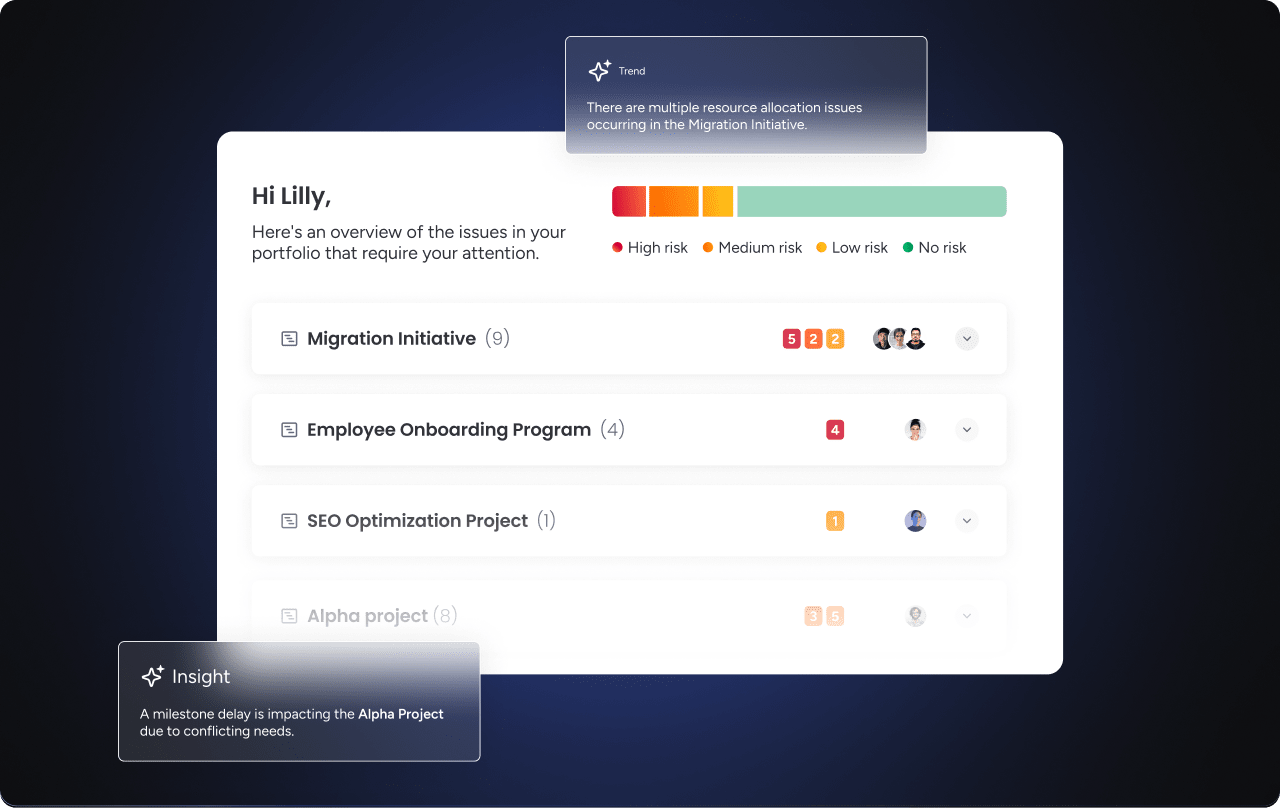
Resources by project phase and methodology
Resource requirements shift as projects move through their lifecycle. Aligning resources to specific phases and methodologies ensures efficiency at every stage.
Initiation phase resources
Initiation defines the foundation for project success. Resources here focus on justification and alignment before work begins.
- Business case templates: Structure the financial and strategic argument for projects.
- Stakeholder analysis matrices: Map out who cares about the project and their level of influence, ensuring you engage the right people from the start.
Planning phase resources
Planning transforms the what into the how. Resources become detailed and structural as you build the roadmap for execution.
- Work breakdown structures: Decompose deliverables into actionable items that can be assigned and tracked.
- Resource histograms: Visualize staffing needs over time, helping prevent bottlenecks before they occur.
Execution phase resources
Execution is where plans become reality. Resources focus on coordination and quality to keep work moving smoothly.
- Daily standup agendas: Keep teams aligned on immediate priorities and surface blockers quickly.
- Quality checklists: Ensure deliverables meet standards before moving to the next phase.
Monitoring and control resources
This phase runs parallel to execution, focusing on tracking and adjustment to keep projects on course.
- Variance analysis reports: Compare actual performance against the plan, highlighting where adjustments are needed.
- Change request forms: Standardize how scope changes are proposed and approved, preventing uncontrolled expansion.
Project closure resources
Closure ensures projects end cleanly with knowledge captured for future use. Resources here focus on formal completion and learning.
- Project acceptance forms: Formalize client or stakeholder sign-off on deliverables.
- Retrospective guides: Structure lessons learned meetings to capture insights that improve future performance.
Agile-specific resources
Agile relies on iterative cycles and visual management to deliver value incrementally. Resources support rapid adaptation and continuous improvement.
- Burndown charts: Visualize work remaining in sprints, helping teams track progress daily.
- User story templates: Define requirements from the user’s perspective, ensuring development stays focused on value delivery.
Waterfall-specific resources
Waterfall relies on sequential phases and comprehensive documentation. Resources ensure thorough planning and controlled progression.
- Requirements traceability matrices: Ensure every requirement is tested and delivered without gaps.
- Phase gate reviews: Provide formal checkpoints where projects are approved to move forward based on completed criteria.
Hybrid methodology resources
Hybrid approaches combine stability with flexibility. Resources support both structured planning and adaptive execution.
- Adaptive governance frameworks: Allow rigid control on compliance items while permitting flexibility in creative execution.
Teams using intelligent platforms like monday.com can implement hybrid approaches by combining Gantt charts for high-level planning with Kanban boards for daily execution.
AI-powered resources for project management
Artificial intelligence shifts project management from administration to strategic orchestration. These capabilities augment human decision-making by handling routine analysis while teams focus on strategy and relationship building.
AI resource allocation and optimization systems
AI algorithms analyze team skills, availability, and past performance to suggest optimal resource assignments. The platform matches the right person to the right project automatically, balancing workloads to prevent burnout while meeting deadlines.
Organizations using monday.com leverage AI to dynamically adjust resource allocation as project needs change, ensuring teams stay balanced and productive.
Predictive analytics for project planning
Predictive analytics uses historical data to forecast future project performance. These systems predict the likelihood of on-time completion based on current velocity and past trends.
They act as early warning systems, flagging potential budget overruns or schedule slippage weeks before they become critical. This foresight allows proactive adjustments rather than reactive scrambling.
Automated risk detection and management
AI continuously monitors project health indicators to identify patterns humans might miss. Portfolio Risk Insights on monday.com scans project boards to flag potential risks by severity.
This allows proactive risk management across hundreds of projects simultaneously, something impossible with manual monitoring alone.
Digital Workers for PM support
Digital Workers are AI agents that execute complex workflows autonomously. Unlike simple automation, they learn and adapt based on project patterns.
The Project Analyzer on monday.com monitors projects in real time, flags bottlenecks, and provides proactive insights. It acts as a virtual project coordinator, handling routine monitoring while managers focus on strategic decisions.
Smart resource matching systems
Smart matching considers both hard and soft factors when assigning work. The system analyzes success rates of different team combinations and specific skill requirements to recommend optimal assignments.
This ensures work goes to someone positioned for success, not just someone available. Teams achieve higher quality outcomes with fewer reassignments and delays.
How to build your personalized PM resource toolkit
A resource toolkit evolves with your career and organization. Building one requires deliberate selection and implementation based on your specific needs and constraints.
Step 1: Assess your current resource gaps
Start with a systematic audit of current capabilities. Evaluate the project lifecycle to identify where friction occurs most frequently.
If projects constantly start late, focus on initiation resources. If they go over budget, prioritize tracking and control tools. Address the gaps causing the most frequent or expensive issues first.
Step 2: Match resources to your work style and team needs
Resources must fit your culture and operational rhythm. A documentation-heavy toolkit fails in fast-paced creative agencies. A loose Agile toolkit may not satisfy financial institution compliance needs.
Select resources aligning with team technical proficiency and organizational culture. Test resources on pilot projects to validate fit before broad rollout.
Step 3: Create your resource implementation roadmap
Adoption should be phased to avoid overwhelming teams. Start with foundational resources like a central collaboration platform and basic planning templates.
Once those stabilize, introduce advanced elements like risk frameworks or AI analytics. This gradual approach allows teams to build confidence with each addition.
Step 4: Measure resource effectiveness
Resources only add value if they improve outcomes. Establish metrics to evaluate impact, such as:
- Reduction in meeting times.
- Improvement in on-time delivery rates.
- Increase in stakeholder satisfaction scores.
Regular review cycles help you discard resources that add friction and double down on those driving efficiency. Continuous refinement keeps your toolkit aligned with evolving needs.

“monday.com has been a life-changer. It gives us transparency, accountability, and a centralized place to manage projects across the globe".
Kendra Seier | Project Manager
“monday.com is the link that holds our business together — connecting our support office and stores with the visibility to move fast, stay consistent, and understand the impact on revenue.”
Duncan McHugh | Chief Operations OfficerTransform your project management with unified resources
Manual resource management breaks down as work scales. Teams end up juggling disconnected tools, duplicating updates, and reacting to issues too late. High-performing organizations solve this by unifying project management resources into a single operating layer.
monday.com brings planning, execution, and visibility together in one workspace, so teams spend less time coordinating work and more time moving it forward.
Key capabilities that make the difference:
- Unified planning and execution: Customizable templates support Agile, Waterfall, and hybrid methodologies without forcing teams into rigid structures.
- Contextual collaboration: Decisions, discussions, and documentation stay connected to the work through Docs, reducing rework and lost context.
- Built-in time and workload visibility: Integrated tracking shows effort, costs, and capacity in real time, without manual reporting.
- Portfolio-level risk awareness: Aggregated insights surface systemic risks across projects before they escalate.
- AI-powered execution support: AI Blocks and Digital Workers automate summaries, flag anomalies, and highlight optimization opportunities as work progresses.
This level of connected visibility scales from individual teams to enterprise portfolios. Executives see progress at a glance, managers balance workloads with confidence, and teams execute with clarity. The result is a shift from reactive coordination to deliberate, strategic delivery.
Frequently asked questions
What are the most important project management resources for small teams?
The most important project management resources for small teams are collaboration platforms, planning templates, and time tracking systems. These foundational resources provide structure without overwhelming limited bandwidth, helping small teams stay organized and deliver projects efficiently.
How do I choose the right PM software for my organization?
Choosing the right PM software requires evaluating your team size, project complexity, integration needs, and budget constraints. Focus on platforms that offer scalability, match your methodology preferences, and provide strong support during implementation.
What's the difference between free and paid PM resources?
Free PM resources typically offer basic functionality suitable for simple projects or individual use. Paid solutions provide enterprise features like advanced security, unlimited users, sophisticated automation, dedicated support, and the scalability necessary for complex organizational needs.
How often should I update my PM resource toolkit?
You should evaluate your PM resource toolkit quarterly or after completing major project milestones. This regular assessment ensures resources evolve alongside organizational growth and adapt to changing project complexity and team needs.
Which PM resources work best for remote teams?
Remote teams thrive with cloud-based platforms offering real-time collaboration, mobile accessibility, integrated communication channels, and asynchronous work capabilities. These resources maintain alignment and productivity regardless of physical location or time zone differences.
Can AI really improve project resource management?
AI significantly improves project resource management by automating allocation decisions, predicting risks before they materialize, and providing data-driven insights at scale. These capabilities reduce manual work while improving accuracy and enabling proactive management across large project portfolios.

 Get started