


The average knowledge worker switches between ten different apps every day, creating scattered context and lost hours. That constant toggling leads to frustration and the feeling that important details are slipping through the cracks. For teams, fragmented attention across disconnected platforms makes even simple projects harder to track and finish.
Modern productivity apps go beyond checklists. The best ones unify planning, collaboration, and automation in a single workspace. Teams can connect daily work to company goals while leaders gain real-time visibility into progress.
This handy guide covers 15 productivity apps across personal, team, and enterprise workflows. Read on below to discover key features, pricing, and ideal use cases so you can choose the right platform for your needs.
Key takeaways
- Knowledge workers frequently switch between multiple apps: Daily context switching can lead to lost time, fragmented attention, and reduced focus.
- Unified workflows improve efficiency: Platforms that consolidate planning, collaboration, and automation help teams align daily activities with organizational goals.
- Flexibility and visibility are critical for teams: Solutions that offer customizable views, structured intake, and real-time reporting allow both individuals and leaders to work effectively.
- Scalable collaboration improves team productivity: monday work management connects planning, workflows, and reporting in one platform, helping teams reduce app switching and maintain visibility as work grows more complex.
- Integration and AI enhance productivity: Deep integration with existing systems and intelligent automation enable smoother execution and data-driven insights for decision-making.

What are productivity apps?
Productivity apps have moved far beyond simple checklists. In 2026, teams are managing fast-moving, cross-functional work where progress depends on how well people stay aligned, share context, and keep projects moving.
Modern productivity platforms bring planning, collaboration, and automation into one connected workspace. Instead of switching between multiple tools, teams can organize priorities, track progress, and communicate in the same place. This creates clearer visibility into what’s happening and helps everyone stay focused on the work that matters most.
For hybrid and remote teams especially, centralized workflows make it easier to connect day-to-day activity to broader goals. When information flows consistently, teams can adapt quickly, reduce friction, and maintain momentum as priorities change.
15 best productivity apps for every workflow need
Choosing the right productivity app goes beyond picking a checklist or task manager. The key is finding a platform that can handle complex workflows and connect daily tasks to company goals. Simple apps might work for individuals, but they often break down when coordinating across teams.
Below, the apps featured in this guide have been grouped by their strengths, from personal organization to enterprise-scale solutions. If your current setup creates silos instead of clarity, these options can help your team stay aligned and move faster.
Remember, the most effective platforms go beyond managing projects; they unify execution, automate repetitive work, and provide leaders with the visibility they need to act confidently.
1. monday work management
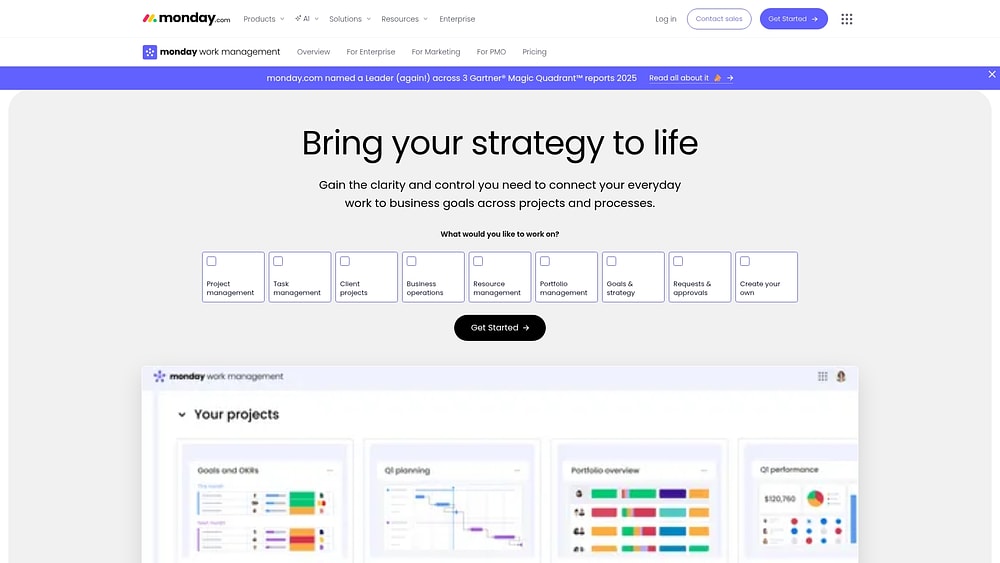
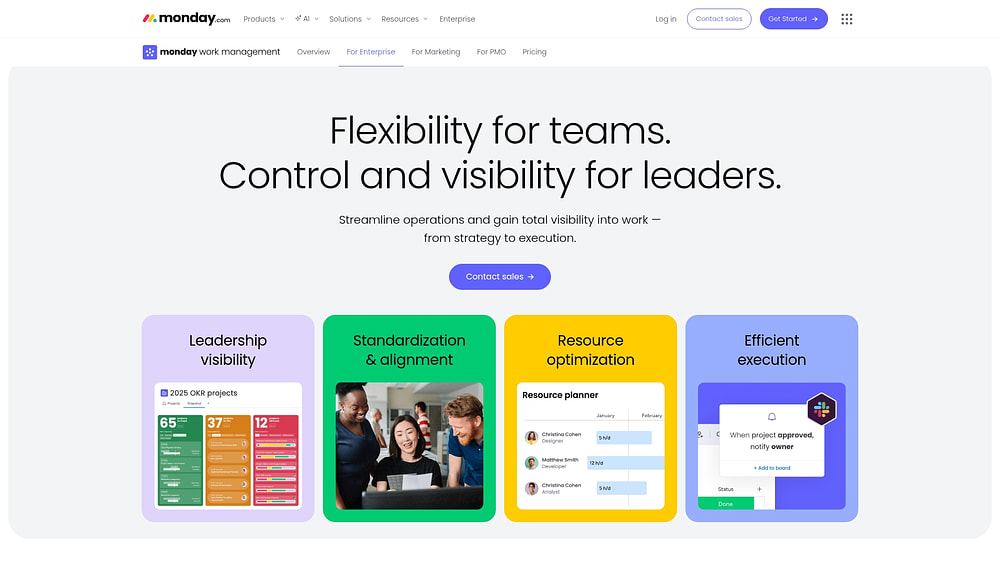
Built on the monday Work OS, monday work management provides the foundation for unifying strategy and execution across your organization. It brings projects, processes, portfolios, resources, and goals into one place. Teams get a shared system for planning, and leaders see how daily work connects to what the business is trying to achieve.
Instead of scattering updates across different apps, teams keep plans, timelines, approvals, and reporting in one workspace. Everything in one place means work flows smoothly across departments, even when priorities change.
Use case:
Enterprises deploy monday work management to unify project delivery, request intake, and portfolio reporting within a system that scales from individual teams to global operations. A typical scenario involves running company-wide initiatives that span marketing, operations, finance, and IT.
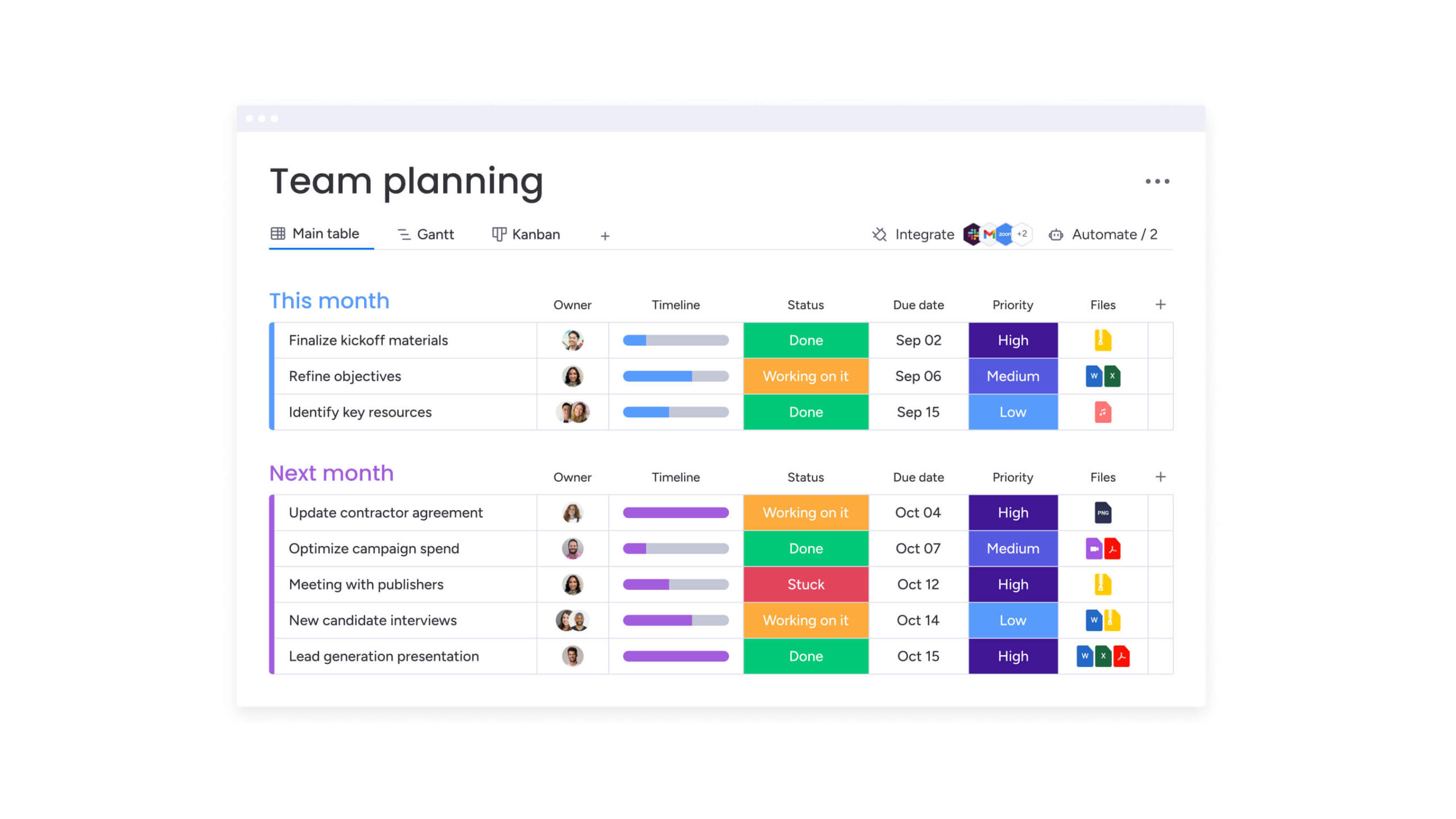
Teams track dependencies via Gantt charts, standardize intake through forms, and provide executives with shareable dashboards for high-level portfolio reporting.
Key features:
- Project portfolio management: Connect programs and portfolios to real-time dashboards so stakeholders can track progress without chasing updates.
- Resource and workload visibility: Workload views highlight over-committed teams early, helping managers allocate resources effectively.
- Structured intake and governance: Standardize request intake and approvals to capture context upfront and maintain consistent prioritization.
- Flexible execution views: Teams work their way using Kanban, Calendar, Timeline, Workload, and other customizable views.
Pricing:
- Free: $0 forever (up to two seats).
- Basic: $9/seat/month (billed annually).
- Standard: $12/seat/month (billed annually).
- Pro: $19/seat/month (billed annually).
- Enterprise: Contact sales for a quote.
- Annual discount: Save 18% with yearly billing.
- Volume pricing: Available for teams of over 40 users.
Advanced AI features:
- AI Blocks for day-to-day execution: Embed ready-made AI actions, such as Categorize, Summarize, Extract info, Detect sentiment, Translate, and Custom block, directly into workflows. Teams use these to route incoming requests, condense long updates into decision-ready notes, and pull key details from files into board columns.
- AI in the places teams already work: Access intelligence via the Automation center (Templates tab), Autofill with AI from a column’s menu, or the Column Center (AI-powered tab). That way, AI works consistently across boards, not just as a one-off experiment.
- Digital Workforce (coming soon): The Digital Workforce introduces Digital Workers like Project Analyzer, which monitors projects in real time, flags bottlenecks, and offers proactive insights to keep initiatives on track.
- Enterprise-ready AI governance: Admins retain control by enabling or disabling AI capabilities at the account level via Administration settings. AI also respects existing permissions, ensuring team members only generate or view outputs for work they are authorized to access.
Automations:
- Automations and templates: Streamline repeatable steps such as creating templated project boards, sending reminders, and triggering approval notifications.
- AI-powered automations (Pro and Enterprise): Combine automations with intelligence, including Categorize with AI, Summarize text with AI, Improve text with AI, Extract information with AI, Detect sentiment with AI, Translate text with AI, and Custom block.
Integrations:
- Popular workflow integrations: Sync with the communication and file tools teams use daily, including Slack, Microsoft Teams, Gmail, Outlook, Google Drive, and Zoom.
- Project ecosystem connections: Integrate with delivery and tracking systems like Jira Cloud.
- Open API for deeper workflows: Construct custom integrations when off-the-shelf connections aren’t enough, ensuring data flows between systems according to your specific processes.
Productivity apps features:
- Boards, views, and reporting in one workspace: Plan and execute with flexible views like Kanban, Gantt, and Calendar, then roll data up into executive dashboards.
- Intake that scales beyond email: Utilize forms to capture requests with the necessary details upfront, enabling faster prioritization and consistent approvals.
- AI where work happens: Convert unstructured inputs into structured data using AI actions in columns and automations, including extracting details from PDFs, text, and images.
Why it stands out:
- High adoption that improves data quality: An intuitive user experience encourages consistent use, which in turn keeps reporting accurate.
- Speed to value leaders can measure: The Total Economic Impact™ Forrester study reports a less than four-month payback period.
- AI that works in real workflows: Every account includes 500 free AI credits per month to explore AI capabilities, with options to add credits as requirements expand.
- Proven outcomes for complex portfolios: One PMO leader noted that monday saves them about 1,850 hours of staff time and around $50,000 a month, driven by standardized processes and portfolio visibility.

“monday.com has been a life-changer. It gives us transparency, accountability, and a centralized place to manage projects across the globe".
Kendra Seier | Project Manager
“monday.com is the link that holds our business together — connecting our support office and stores with the visibility to move fast, stay consistent, and understand the impact on revenue.”
Duncan McHugh | Chief Operations Officer2. Todoist
Todoist focuses on capturing ideas before they disappear. Using natural language processing, it instantly converts notes into structured tasks. It works well for individuals and small teams that want robust task management without complex setup.
Use case:
Professionals, students, and small teams rely on Todoist for dependable task management across all devices, benefiting from minimal setup time and high flexibility.
Key features:
- Natural language Quick Add that parses dates, times, priorities, and labels directly from plain text.
- Diverse view layouts, including list, board, and calendar formats, complete with time-blocking capabilities.
- AI-powered Todoist Assist and Ramble voice capture, which translates spoken thoughts into actionable tasks in over 40 languages.
Pricing:
- Beginner: Free (five personal projects, basic reminders, limited filters).
- Pro: $5/month billed annually (300 projects, calendar layout, custom reminders, unlimited activity history).
- Business: $8/user/month billed annually (team workspace, 500 team projects, shared templates, admin controls).
Considerations:
- Certain AI features, such as Task Assist, are restricted to web and desktop platforms.
- Calendar integration is limited to a single calendar at a time, with read-only event imports for most providers.
3. Notion
Notion provides a flexible workspace combining wikis, databases, and project management. It allows teams to create workflows without code, merging knowledge management with task execution in one space.
Use case:
Notion is a hub for teams that need to combine knowledge management with project execution, no more switching between platforms.
Key features:
- Block-based content creation that allows text, databases, and embedded media to coexist on the same page.
- AI agents capable of completing multi-step workflows across connected platforms and generating research reports.
- Native integration with Gmail and Google Calendar for unified communication.
Pricing:
- Free: $0 (limited AI responses).
- Plus: $10 per member/month (limited AI responses).
- Business: $20 per member/month (includes full Notion AI).
- Enterprise: Contact sales (includes advanced security and compliance).
- Annual billing: Saves up to 20%.
- Offers: Students and educators receive Plus plan free with an eligible school email.
- Additional: Startups get up to six months free on Business plan.
Considerations:
- Full AI features are gated behind Business or Enterprise plans, restricting advanced capabilities for smaller teams.
- Offline functionality is app-only; while paid plans sync recent pages, users must manually select pages for offline access.
4. Akiflow
Akiflow pulls tasks from multiple platforms into one schedule, helping reduce decision fatigue. It combines calendars and task management, allowing users to focus instead of reacting.
Use case:
Akiflow pulls tasks from email, Slack, and project tools into one daily schedule, so you can plan your time instead of just reacting.
Key features:
- Universal inbox: Aggregates tasks from dozens of integrations, including Gmail, Slack, Notion, Asana, and Microsoft 365 with native 2-way sync.
- AI assistant (Aki): Functions as an executive assistant for planning, automating workflows, and offering proactive suggestions.
- Integrated scheduling: Includes built-in meeting link functionality with availability sharing, recurring slots, and buffer management.
Pricing:
- Pro Monthly: $34/month (billed monthly).
- Pro Yearly: $19/month (billed annually, 44% savings).
- Teams/Enterprise: Quote-based pricing via contact.
- Student discount: Available upon request for university students and researchers.
- Additional: Pro plans include unlimited integrations, a 1:1 coaching call, and a 7-day Aki AI trial.
Considerations:
- Limited calendar ecosystem support, Apple Calendar integration is not currently available.
- The price point is higher than that of basic task managers, though the value proposition lies in replacing multiple productivity platforms.
5. Routine
Routine takes a local-first approach to the daily grind, merging calendars, tasks, notes, and contacts into a single, intelligent workspace. Targeted at founders, freelancers, and managers who require more than basic scheduling, it utilizes a knowledge-graph architecture. This allows teams to capture context from multiple sources while maintaining full offline functionality and custom data types.
Use case:
Routine is designed for individuals and teams seeking to consolidate core work tools into a single platform that functions offline and syncs across devices.
Key features:
- Smart time blocking: Drag tasks onto the calendar or allow AI to schedule around preferences with automatic time allocation.
- Knowledge graph with custom types: Define unique object types (customers, deals, projects) and link them through references and backlinks.
- AI meeting assistant: Provides automatic transcription, summaries, and action item extraction, with planned AI agents for workflow automation.
Pricing:
- Free: $0/month (includes tasks, calendars, notes, contacts, custom types, unlimited integrations, and offline mode).
- Professional: $10/month (adds AI meeting notes, menu-bar widget, time tracking, contextual capture, and 30-day history).
- Business: $15/seat/month (includes unlimited AI, workspaces, access control, AI agents, versioning, and 90-day history).
- Enterprise: Contact for pricing (unlimited history, compliance, audit logs, analytics, and user provisioning).
Considerations:
- Feature availability is inconsistent across platforms, with some desktop-specific interactions missing on web or mobile versions.
- Calendar integration support varies, with Outlook and Apple Calendar marked as “coming soon” on certain devices.
6. Toggl track
Planning is one thing; reality is another. Toggl Track bridges that gap by revealing exactly where hours go versus where they were intended to go. The platform focuses on automated activity capture without resorting to invasive surveillance, making it suitable for organizations that value detailed insights alongside employee trust.
With cross-platform apps and over 100 integrations, Toggl Track converts raw time data into actionable business intelligence.
Use case:
Teams use Toggl Track to decipher time allocation patterns, pinpoint productivity bottlenecks, and make data-driven decisions regarding resource allocation and project profitability.
Key features:
- Automated desktop timeline that captures app and website usage over ten seconds, with optional keyword-triggered nudges for accurate categorization.
- Cross-platform availability via native iOS/Android apps, desktop applications, browser extensions, and offline sync.
- Advanced reporting and analytics covering profitability analysis, utilization tracking, and customizable dashboards.
Pricing:
- Free: $0/month for up to five users with core tracking features and 100+ integrations.
- Starter: $9/user/month (annual) or $10/month with billable rates, project estimates, and team collaboration features.
- Premium: $18/user/month (annual) or $20/month adding profitability analysis, timesheet approvals, SSO, and fully customizable reports.
- Enterprise: Custom pricing with dedicated customer success manager, multiple workspaces, and volume discounts.
- Annual billing: Saves approximately 10% versus monthly payments.
- Offers: Non-profit and student discounts available upon request.
Considerations:
- The Pomodoro timer is available in the desktop app, mobile app, and browser extension, but is absent from the main web app.
- Advanced reporting features like profitability analysis and custom dashboards are locked behind Premium or Enterprise tiers.
7. Sunsama
Sunsama emphasizes thoughtful planning over rushing through tasks. It guides users through daily rituals that set realistic schedules while helping manage energy levels.
Professionals who prioritize work-life balance benefit from its structured approach, which encourages clear boundaries between work and personal time. This keeps performance steady without feeling overwhelmed.
Use case:
Professionals use Sunsama to plan realistic daily schedules by combining calendar integration with structured planning sessions that prevent over-scheduling.
Key features:
- Daily planning and shutdown rituals that guide users through morning task selection and evening reflection.
- Task projections that preview workload capacity against available time, factoring in meetings and planned shutdown time.
- Focus mode with timers and Slack status sync to minimize distractions during deep work sessions.
Pricing:
- 14-day free trial: No credit card required.
- Pro plan: $20/month (billed annually) or $25/month (billed monthly).
- Enterprise plan: Custom pricing with SSO, SCIM, and audit logs.
- Annual billing: Provides 20% discount.
- Referral program: Offers $20 credits for both parties.
Considerations:
- The premium price point compared to basic task management apps may limit adoption for budget-conscious teams.
- Mobile apps function as “companions” to the desktop experience, lacking full feature parity.
8. Superlist
Superlist bridges personal productivity apps and heavier enterprise platforms. It treats tasks like collaborative documents, offering real-time editing that mirrors Slack-style collaboration. AI-powered voice capture and meeting notes allow ideas to flow seamlessly from conversation to actionable tasks, keeping teams aligned without friction.
Use case:
Superlist excels at unifying personal productivity with team collaboration, offering a shared space where individual to-dos and team projects coexist.
Key features:
- Real-time collaborative editing with instant synchronization across all team members and devices.
- AI voice assistant “Talk” for hands-free task capture and AI meeting notes that function without calendar bots.
- Rich document-style lists with nested subtasks, attachments, and deep integrations to Gmail, Slack, and project management platforms.
Pricing:
- Free: $0/month (up to five private and shared lists, with up to five members per shared list, 500MB storage).
- Basic: $5/month or $59/year (unlimited lists, all integrations, voice AI, 25GB storage).
- Super: $21/month or $249/year (unlimited AI meeting notes, AI chat, email summarization).
- Annual billing: Offers approximately 20% savings across all paid tiers.
Considerations:
- The free tier is restricted to just five lists, which can feel constraining for growing teams.
- AI meeting notes currently require macOS 14+ and paid plans for full functionality.
9. Brain.fm
Deep focus requires the right environment, and Brain.fm delivers with functional music designed to enhance concentration. Its patented neural phase-locking technology synchronizes with attention networks in the brain. Knowledge workers, students, and individuals with ADHD use it to maintain focus without distraction from regular playlists.
Use case:
Teams use Brain.fm to maintain deep focus during demanding work sessions by utilizing audio engineered to synchronize neural activity associated with sustained attention.
Key features:
- Patented amplitude modulation technology that directly stimulates attention networks in the brain.
- Task-specific focus modes, including Deep Work, Learning, Creativity, and Light Work sessions.
- Personalized onboarding with ADHD-optimized settings and built-in Pomodoro session options.
Pricing:
- Monthly plan: $14.99/month (billed monthly).
- Annual plan: $99.99/year (billed annually).
- Student discount: 20% off with proof of enrollment.
- Free trial: 14-day trial available.
- Team pricing: Available by inquiry for workplace accounts.
Considerations:
- The cost is higher than generic ambient noise apps.
- While peer-reviewed, the evidence base represents relatively new research in consumer productivity applications.
10. Microsoft To Do
Microsoft To Do eliminates friction for teams already in the Microsoft 365 ecosystem. It converts Outlook messages into actionable tasks, consolidating personal productivity and enterprise collaboration. Built on Exchange Online, it ensures security while providing a seamless experience across individual and team workflows.
Use case:
Organizations invested in Microsoft 365 use Microsoft To Do to unify personal and team productivity while keeping data secure and consistent.
Key features:
- My Day focus view: Intelligent daily planning with smart suggestions from the task backlog and connected Microsoft sources.
- Seamless Outlook integration: Convert flagged emails into editable tasks with one click, maintaining context and deep links back to original messages.
- Unified workspace: Consolidate personal lists with Planner assignments and Outlook tasks in a single, synchronized interface.
Pricing:
- Personal accounts: Free with any Microsoft account.
- Microsoft 365 Personal: $9.99/month or $99.99/year (annual billing).
- Microsoft 365 Family: $12.99/month or $129.99/year (annual billing).
- Business Basic: $6.00/user/month (annual commitment).
- Business Standard: $12.50/user/month (annual commitment).
- Business Premium: $22.00/user/month (annual commitment).
Considerations:
- Outlook task field support is limited, excluding start/end dates, status tracking, and multiple priority levels.
- Requires Exchange Online hosting, which blocks organizations with on-premises Exchange environments.
11. Obsidian
Obsidian functions as a second brain, connecting scattered thoughts into a coherent knowledge network. With local-first storage and bidirectional linking, it helps professionals, researchers, and consultants visualize relationships between notes and ideas. This approach strengthens memory and simplifies complex information management.
Use case:
Obsidian serves as a personal knowledge management system that helps users build connected thinking networks, turning isolated notes into a comprehensive web of related information.
Key features:
- Bidirectional linking creates automatic connections between related notes and concepts.
- Graph view visualizes knowledge relationships, revealing patterns and insights across the information network.
- Local file storage with plain markdown format ensures complete data ownership and portability.
Pricing:
- Core app: Free without limits, no sign-up required.
- Sync add-on: $4/user/month billed annually ($5 monthly) for Standard plan with one GB storage.
- Publish add-on: $8/site/month billed annually ($10 monthly) for hosting and customization.
- Commercial license: $50/user/year for organizational support (optional).
- Offers: 40% education and nonprofit discounts available on Sync and Publish.
Considerations:
- Real-time collaboration features are limited, with shared vaults capped at 20 collaborators.
- No live co-editing capabilities, which may hinder team-based workflows requiring simultaneous document editing.
12. Google Calendar
Google Calendar simplifies scheduling for over three billion users, combining AI-driven recommendations with universal compatibility. It handles meeting coordination, room bookings, and appointment management, letting teams focus on work rather than calendar conflicts. Its integration across Google Workspace keeps personal and professional schedules aligned.
Use case:
Google Calendar eliminates scheduling friction by automatically suggesting optimal meeting times, managing room bookings, and integrating appointment scheduling directly into workflows.
Key features:
- Smart scheduling with “Find a time” functionality that coordinates across multiple calendars and suggests optimal meeting slots.
- Built-in appointment booking pages with payment processing through Stripe integration for client-facing scheduling.
- Focus Time blocks that automatically decline conflicting meetings and mute Chat notifications to protect deep work sessions.
Pricing:
- Business Starter: $7/month (annual commitment) or $8.40/month (monthly billing).
- Business Standard: $14/month (annual commitment) or $16.80/month (monthly billing).
- Business Plus: $22/month (annual commitment) or $26.40/month (monthly billing).
- Enterprise: Contact sales for custom pricing.
- Annual commitments: Receive discounted rates compared to monthly billing.
- Offers: Nonprofit organizations qualify for significant discounts or no-cost plans.
Considerations:
- Advanced appointment scheduling features like multiple booking pages and payment processing require higher-tier subscriptions.
- Focus Time and Time Insights functionality is limited to specific Workspace editions.
13. TickTick
TickTick appeals to those who want their calendar, habits, and tasks under one roof. It scales from a simple checklist to advanced workflow coordination, combining task management, calendar integration, and focus techniques in one unified workspace.
With built-in Pomodoro timers, habit tracking, and collaborative features, TickTick grows with productivity needs without overwhelming new users.
Use case:
TickTick consolidates multiple productivity functions into a single platform, enabling users to manage tasks, schedule work, track habits, and maintain focus without juggling separate applications.
Key features:
- Native calendar integration with drag-and-drop scheduling and multi-day task support.
- Built-in Pomodoro timer with white noise options and detailed focus statistics.
- Habit tracking with progress monitoring and Eisenhower Matrix for priority management.
Pricing:
- Free: Core task management, reminders, and basic list functionality.
- Premium: $35.99/year (effective $2.99/month) with full calendar modes, Timeline view, advanced filters, and expanded collaboration limits.
- Education discount: 25% off annual Premium plans for students and educators.
Considerations:
- Calendar connectivity operates primarily through one-way subscriptions rather than full bidirectional editing.
- Advanced features like Timeline view and collaboration limits are restricted to the Premium tier.
14. Forest
Forest turns focus into a visual game, where concentration grows virtual trees. It encourages students, remote workers, and anyone battling digital distractions to stay engaged. Rewards and social challenges create accountability, while real tree donations connect productivity to environmental impact.
Use case:
Forest helps teams and individuals maintain deep focus by turning concentration into a visual, rewarding experience that connects personal productivity to real environmental impact.
Key features:
- Virtual tree planting that dies if you leave the app during focus sessions, creating accountability through gamification.
- Social challenges and group sessions that let teams compete for focus time and build shared forest goals.
- Real tree donations through partnerships with environmental organizations, funded by coins earned during successful focus sessions.
Pricing:
- Free: Free download with core functionality; the Android version includes ads.
- Forest Plus Monthly: $5.99/month with premium features and content.
- Forest Plus Annual (Early Bird): $35.99/year for full access to advanced features.
- Additional in-app purchases: Available for cosmetic content and coin multipliers.
Considerations:
- Real tree planting is capped at five trees per user due to budget constraints.
- Browser extensions offer more limited functionality compared to the full mobile app experience.
15. Evernote
Evernote serves as a digital filing cabinet for capturing and retrieving knowledge. With OCR-powered document scanning and AI-driven organization, users can search content by meaning, not just keywords. Cross-platform syncing ensures notes are accessible anywhere, making it ideal for building structured knowledge repositories.
Use case:
Evernote excels at creating comprehensive knowledge repositories where users can capture, organize, and retrieve information from multiple sources with advanced search functionality.
Key features:
- Web Clipper saves full articles, PDFs, and online content with preserved formatting and images.
- Document scanning with OCR technology converts physical papers into searchable digital notes.
- AI-powered Search finds notes based on conceptual meaning, not just keywords.
- AI Assistant helps organize, summarize, and extract action items from notes.
Pricing:
- Free: Limited to 50 notes, one notebook, and one connected device.
- Personal: $14.99/month or $129.99/year.
- Professional: $17.99/month or $169.99/year.
- Teams: $24.99/user/month.
- Student discount: Available (40% off a one-year Personal plan).
- Annual billing: Provides significant savings over monthly plans.
How to select the perfect productivity app for your team
Choosing the right platform isn’t about finding the one with the most features. It’s about selecting a solution that aligns with how your teams actually work and grows alongside your business. Stop comparing endlessly and start by identifying what your organization truly needs to connect strategy to execution effectively.
Step 1: audit your operational reality
Step 1: audit your operational reality
Before adopting any platform, assess your current workflows. Implementing a complex system too soon often creates friction instead of improving efficiency. You need a solution that matches your team’s present capabilities while offering room to grow.
Use this framework to understand your team’s maturity level:
| Maturity level | Focus area | Key requirement |
|---|---|---|
| Individual productivity | Personal tasks | Simple scheduling and organization |
| Team coordination | Shared projects | Visibility into progress and tracking |
| Enterprise execution | Cross-functional strategy | Advanced analytics and alignment |
A unified platform like monday work management supports all these levels, allowing teams to operate in their preferred style while connecting their efforts to broader organizational goals.
Step 2: demand deep integration
Productivity thrives when data flows seamlessly across your systems. Superficial connections that only sync basic details aren’t enough. Prioritize platforms that automate workflows and serve as a single source of truth for your teams.
For instance, when a new customer is added to your CRM, the system can automatically create onboarding projects, schedule kickoff meetings, and send welcome emails. Leaders using monday work management connect their entire tech stack, ensuring information moves effortlessly across departments without manual intervention.
Step 3: resolve the tension between flexibility and control
Teams often face a tension between individual preferences and management requirements. Users want intuitive, flexible interfaces, while leadership needs standardization for reporting and alignment. The right platform satisfies both sides without compromise.
Look for solutions that provide:
- Structure without rigidity: Templates and best practices that are still customizable.
- Intuitive learning curve: Basic features are easy to use, while advanced capabilities remain accessible.
- Role-based access: Each team member sees exactly what they need to perform their role efficiently.
Step 4: security is non-negotiable
For growing organizations, security is foundational, not optional. Choosing a platform without considering compliance and data protection can result in costly migrations and risks later.
Essential security features include:
- Data encryption: Protect information in transit and at rest.
- Granular access controls: Specify exactly who can view or edit content.
- Compliance certifications: Ensure alignment with standards such as SOC 2 and GDPR.
With monday work management, enterprise-grade security runs in the background, letting teams work confidently knowing their data and clients’ information are safe.
4 strategies to maximize value from your work platform
Treating a productivity platform like a to-do list wastes its potential. Real business impact comes when you use it to guide workflows, connect daily efforts to strategy, and automate repetitive tasks. The following strategies help your organization move beyond project management to running work with purpose.
1. Connect daily activity to strategic goals
Are your teams busy or truly effective? Counting tasks completed isn’t enough. The real value comes from linking daily work to strategic outcomes, so every project moves your organization forward.
Track what matters by monitoring:
- Goal achievement: Progress against tangible business targets like sales or product adoption.
- Cross-functional flow: Handoff speed between departments and potential bottlenecks.
- Decision velocity: How quickly leaders access insights to make informed choices.
monday work management provides a unified view connecting individual tasks to company-wide objectives, giving visibility into what drives real results.
2. Build a unified digital workspace
Fragmented apps create data silos and wasted effort. A centralized platform brings all your systems together, forming a single source of truth that powers collaboration.
When a sale closes, for instance, a project can automatically be created for onboarding, no manual input required. Teams can still use their favorite specialized apps, while everything remains connected, intuitive, and easy to navigate. monday work management acts as the central hub, integrating your tools to create a cohesive workspace.
3. Move beyond reactive management
AI isn’t just a trend, it’s a proactive partner. Instead of reacting to delays or bottlenecks, AI anticipates issues, automates routine decisions, and frees your team for strategic work.
AI can help by:
- Automating routine tasks: Summarize documents, categorize data, and extract action items instantly.
- Predicting outcomes: Analyze workloads to avoid delays before they happen.
- Flagging risks: Continuously monitor project health to prevent problems early.
Teams using monday work management leverage AI to manage hundreds of projects, giving them the bandwidth to focus on high-impact work.
4. Roll out gradually for adoption
Introducing a platform overnight often backfires. Successful implementation is gradual, people-focused, and builds momentum through early wins. Start with a small pilot team and simple workflows. Their success creates advocates who share genuine experiences, making wider adoption smoother.
Role-specific training, celebration of early wins, and continuous feedback turn adoption into a team movement rather than a top-down mandate. monday work management scales from a single board to complex cross-organization workflows, supporting growth with minimal disruption.
How monday work management powers productivity at scale
When teams are forced to choose between powerful features and a platform they actually enjoy using, everyone loses. monday work management ends that compromise by delivering a single, unified Work OS that scales from individual workflows to enterprise-wide execution.
One platform to run your entire business
Fragmented apps slow down progress and create conflicting information. monday work management consolidates project management, collaboration, and reporting into one flexible platform.
With a single source of truth, you can:
- Establish a single source of truth: All work lives in one place, so you can stop chasing down conflicting information and focus on moving forward.
- Scale without complexity: The platform grows with you, supporting everyone from individual teams to the entire enterprise on one system.
- Get instant, cross-functional insights: See the big picture with real-time analytics that span every department, no manual data crunching required.
- Simplify security and governance: Manage access, permissions, and compliance from one central command center.
Put your work on autopilot with AI
AI Blocks and the Digital Workforce allow teams to automate complex tasks using natural language. This turns repetitive knowledge work into intelligent workflows.
Teams can:
- Categorize data at scale: Automatically sort and tag information by urgency, sentiment, or any custom criteria.
- Extract key information: Pull critical details from contracts, invoices, and meeting notes directly into your workflows.
- Summarize complex documents: Turn long reports and email threads into concise, actionable insights in seconds.
- Build custom AI actions: Create unique AI-powered workflows tailored to your exact needs, no developers needed.
Enterprise-grade security with startup speed
monday work management delivers both strong security and flexible customization. It meets standards like SOC 2 Type II, GDPR, and HIPAA while remaining user-friendly.
You get:
- Trusted security: Audited controls for data protection, access, and privacy.
- Advanced permissions: Control visibility and editing rights precisely.
- No-code customization: Empower teams to adapt workflows visually.
- Flexible pricing: Scale usage based on actual needs, not rigid seat counts.
This approach produces measurable results. For example, project delays dropped 35% for a professional services firm, while a product development team reduced missed deadlines by 40% using AI risk detection.
Launch your productivity transformation today
Knowledge workers and teams face scattered apps, lost context, and difficulty linking daily tasks to larger business objectives. monday work management addresses these challenges by centralizing workflows, automating repetitive tasks, and providing visibility across individual, team, and enterprise work. T
The sophisticated platform ensures that daily efforts are aligned with broader organizational goals, reducing friction and improving efficiency.
- Fragmented task management and app switching: Unify tasks, projects, and communications in a single workspace to reduce context switching and lost time.
- Lack of visibility across teams and projects: Gain real-time dashboards and reporting that track progress, dependencies, and workload without manual follow-ups.
- Inefficient intake and prioritization: Standardize request capture and approval workflows to maintain consistency and accelerate decision-making.
- Repetitive manual processes: Leverage automations and AI actions to summarize, categorize, and route work, freeing teams for higher-value tasks.
- Difficulty connecting daily work to strategic goals: Link projects and portfolios directly to company objectives, ensuring that every task contributes to measurable outcomes.
By consolidating planning, execution, and reporting, the sophisticated solution enables teams to work smarter, stay aligned, and drive strategic impact without added complexity.
Frequently asked questions
What are the best free productivity apps?
Free productivity apps can work well for individual task tracking, but they often lack the structure needed for team coordination. Platforms like monday work management provide a more scalable approach, combining task management, automation, collaboration, and real-time visibility in one workspace. This helps teams stay aligned, reduce manual work, and manage complex workflows more effectively as they grow.
How do productivity apps integrate with existing tools?
Productivity platforms integrate with other software through APIs and native connections to unify an organization's tech stack. For example, monday work management connects directly with tools like Salesforce and Jira to create a single source of truth for work.
Can AI productivity apps work without an internet connection?
Most AI productivity features require an internet connection to access cloud-based models for processing and generating insights. While some basic offline functions may be available, advanced AI capabilities that automate work depend on connectivity.
What's the difference between productivity apps and project management software?
Productivity apps generally focus on individual items and simple lists, while true project management platforms are designed to run complex, cross-functional projects. The latter connects daily execution to high-level strategic goals for complete organizational alignment.
How long does it take to see ROI from productivity apps?
While simple apps offer immediate time savings, a comprehensive work platform delivers significant ROI within 3–6 months. This return is driven by automating core processes, improving cross-functional visibility, and aligning team execution with business objectives.
Which productivity apps are best f remote teams?
The best platforms for remote teams act as a central digital workspace for asynchronous collaboration and real-time visibility. They eliminate information silos and reduce the need for constant status meetings by making project progress clear to everyone.

 Get started