


Clear, consistent communication can make or break a project. Even with the best planning, success depends on how well information flows between teams, stakeholders, and decision-makers. When updates are scattered across channels or key messages are missed, alignment fades — and progress slows.
A communication plan template provides the structure to prevent that. It outlines who needs to know what, when, and how, ensuring messages stay focused and relevant throughout every stage of the project.
In this detailed guide, you will learn how to build an effective communication plan from the ground up. We will cover the essential components — from goals and audiences to timing and metrics — explore free templates for different project types, and show how to turn static plans into connected workflows that adapt, automate, and keep everyone in sync.
Key takeaways
- Simplify communication: communication plan templates save time and ensure consistency by defining who needs what information, when, and how.
- Include six core elements: goals, audiences, key messages, channels, timelines, and success metrics.
- Enhance collaboration: monday.com helps transform static plans into connected workflows with automation, templates, real-time dashboards, and AI assistance.
- Match the template to your purpose: use strategic plans for long-term initiatives, internal plans for employee communication, and crisis management plans for urgent situations.
- Automate and improve: streamline routine updates, create feedback loops, and track results so you can focus on the messages that matter most.
What is a communication plan template?
A communication plan template is a structured document that outlines how you will share information with stakeholders throughout a project. With professionals spending about 88% of their workweek communicating, having a clear plan ensures those conversations stay focused and productive.
The template provides a practical framework you can tailor to your project’s goals, audiences, and timelines. It walks you through key elements such as setting objectives, defining messages, choosing channels, and tracking results.
By using a communication plan template, teams save time, maintain consistency, and keep everyone aligned from start to finish.
Essential components of every communication plan
Now that we’ve established what a communication plan template is, the next step is understanding what goes into it. Every effective plan relies on a few core elements that keep information flowing smoothly and ensure your messages reach the right people at the right time.
These six components form the foundation of any strong communication plan. When each one is clearly defined, teams stay aligned, feedback loops work efficiently, and goals remain visible throughout the project.
Goals and objectives
Communication goals define what you want your messaging to achieve. These should be specific outcomes you can measure, like increasing awareness of a new process or improving stakeholder satisfaction scores.
Your objectives focus on communication results rather than general business goals. They answer questions like: What do people need to understand? What actions should they take? How will you know if your communication worked?
Target audiences
Identifying your audiences means mapping out everyone who needs information about your project. Start with your main stakeholders, then expand to others who influence or depend on the results.
Consider:
- Primary audiences: those directly affected by your work or responsible for key outcomes.
- Secondary audiences: groups that support, influence, or are indirectly impacted by the project.
- Audience profiles: what information each group needs and how they prefer to receive it.
Understanding these differences helps you tailor messages that resonate, improving clarity and engagement across every stage of the project.
Key messages
Key messages are the core points each audience needs to understand. Structure them in a hierarchy with your main message at the top, supported by secondary points and evidence.
Your messages should stay consistent while adapting to different audiences. An executive might need strategic impact information, while team members need practical implementation plan details. A training plan template can help everyone ramp up quickly.
Communication channels
Channels are the methods you use to deliver messages. Your options range from email and meetings to digital platforms and social media. Each channel serves different purposes and reaches different audiences.
Select channels based on three factors:
- Audience preferences: where do they already look for information?
- Message complexity: does this need discussion or just awareness?
- Urgency level: how quickly must people receive this message?
Timeline and milestones
Your timeline maps out when communications happen. This includes both scheduled messages and event-triggered communications that respond to project milestones.
Build flexibility into your timeline. Projects change, and your communication schedule needs to adapt without losing consistency. Implementing a contingency plan can help you pivot quickly when needed.
Success metrics
Success metrics show whether your communications achieved their goals, a critical step given that employees who understand how success is measured are twice as likely to feel motivated. These measurements help you understand what worked and what needs improvement. Use a success plan template to define measurable objectives from the start.
Focus on metrics that connect to your objectives:
- Engagement metrics: open rates, attendance, participation.
- Understanding metrics: quiz scores, feedback quality, questions asked.
- Action metrics: behavior changes, task completion, adoption rates
5 types of communication plan templates
Not every project or initiative requires the same communication approach. The type of plan you use depends on your goals, audience, and level of complexity. Choosing the right communication plan template helps you stay focused, deliver messages with impact, and keep everyone aligned from start to finish.
Below are five common types of communication plan templates and how each supports different needs:
Strategic communication plan template
Strategic templates guide long-term organizational messaging. They typically cover 6-12 months and coordinate communications across multiple departments and initiatives.
These templates help you align messaging with a business strategy template. They’re essential for major changes like digital transformations or reorganizations, which often create perception gaps; for example, while 45% of senior leaders believe change is managed ‘very well,’ only 23% of individual contributors agree.
You may also benefit from a change management plan to streamline these shifts.
Internal communication plan template
Internal communication templates help teams manage employee messaging more effectively. They cover everything from policy updates to organizational changes, keeping everyone informed, engaged, and aligned.
Using intuitive work management systems like monday.com can make this process more seamless by centralizing updates, tracking acknowledgments, and gathering feedback in one place.
Marketing communications plan template
Marketing campaign templates coordinate promotional messaging across campaigns. They ensure brand consistency while optimizing content for different channels and customer segments.
These templates include campaign timelines, channel strategies, and performance tracking methods. They help marketing teams maintain message consistency while adapting content for different platforms. A marketing plan can unify campaign goals across all channels.
Crisis communication plan template
Crisis templates prepare you for unexpected situations, which is vital since research shows that less than half of businesses have a formal crisis communication plan. These templates include pre-approved messages, escalation procedures, and stakeholder notification sequences.
Speed matters during a crisis. These templates help you communicate accurately under pressure while maintaining consistency across all channels.
Project communication plan template
Project templates keep stakeholders informed throughout project lifecycles. They align with a project management template and include regular status updates and milestone notifications.
These templates integrate directly with project workflows, automating routine updates while ensuring important changes get proper attention.
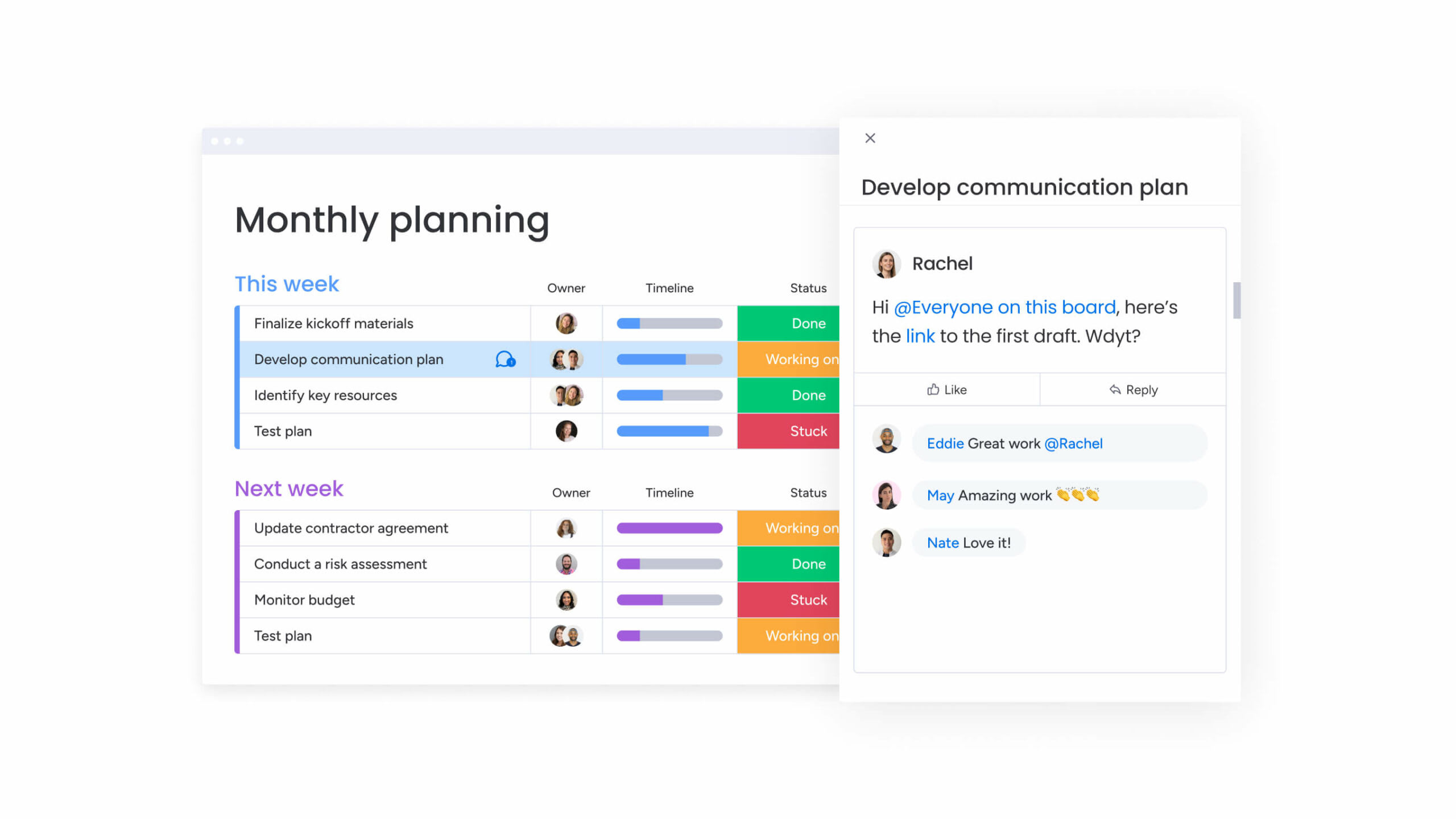
How to create a communication plan in 6 steps
Building an effective communication plan doesn’t have to be complicated. Follow these six steps to create a plan that keeps everyone informed and aligned.
Step 1: define clear communication objectives
Start with specific, measurable goals. Instead of “improve communication,” aim for “increase project update readership by 30% within two months.”
Your objectives should connect directly to project outcomes. What specific actions do you want people to take? What information must they understand to succeed?
Step 2: map your stakeholder groups
Identify everyone who needs information about your project. Group them by their relationship to the work and their information needs.
Create profiles for each group that include:
- Information needs: what do they need to know?
- Communication preferences: how do they like to receive updates?
- Decision authority: what can they approve or influence?
- Potential concerns: what might worry them about this project?
Step 3: develop core messages
Write your main message first, the one thing everyone must understand. Then create supporting messages that provide context and evidence.
Adapt these messages for each audience. Executives need strategic summaries. Implementation teams need detailed instructions. But the core message stays consistent.
Step 4: choose the right channels
Match your channels to your audience and message type. Complex topics might need face-to-face meetings. Simple updates work well through automated notifications. Email templates can further streamline your process.
Consider using multiple channels for important messages. People absorb information differently, and repetition through various channels improves retention.
Step 5: build your communication timeline
Create a realistic schedule that accounts for message development, reviews, and delivery. Include both fixed dates and milestone-triggered communications.
Build buffer time into your timeline. Projects rarely go exactly as planned, and your communication schedule needs room to adjust.
Step 6: set measurable success metrics
Choose metrics that show whether your communications achieved their objectives. Distinguish between output metrics (what you did) and outcome metrics (what changed as a result).
Track these metrics throughout your project. Regular monitoring helps you adjust your approach before small issues become big problems.
Customizing communication plan templates for your organization
Generic templates provide structure, but they need adaptation to fit your unique situation. Keep in mind that successful customization balances standardization with flexibility.
Industry-specific adaptations
Different industries face unique communication challenges. For example, healthcare organizations must consider patient privacy, financial services navigate disclosure requirements, and technology companies manage rapid change and technical complexity.
Adapt your template to reflect these realities:
- Terminology: use language your industry understands.
- Compliance requirements: build in necessary approvals and documentation.
- Stakeholder expectations: address industry-specific concerns and priorities
Scaling templates for team size
Communication needs evolve as teams grow. Smaller groups often rely on direct conversations and simple processes, while larger organizations require more structure, coordination, and automation to stay aligned.
Work management platforms like monday.com make it easier to scale your communication approach. Start with basic templates and straightforward workflows, then add approval steps, automated updates, and advanced tracking as your team expands: all within a single connected system.
Integrating with digital workflows
Modern communication plans must connect with your existing systems. Integration eliminates duplicate work and ensures messages align with project progress.
Connect your communication plan to project management, CRM, and collaboration platforms. This creates a single source of truth and triggers communications based on real project events.
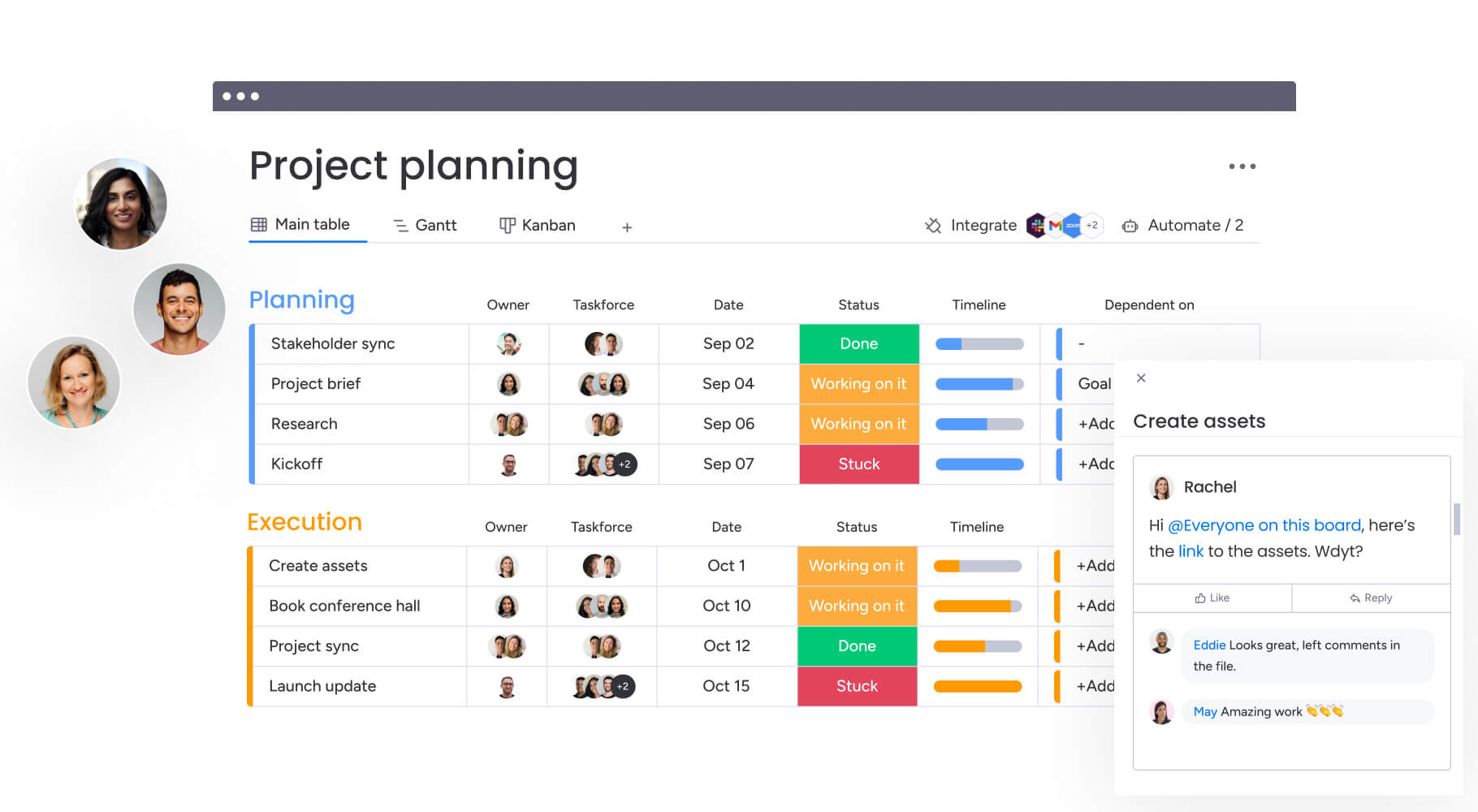
Communication plan best practices for teams
How do you ensure your communication plan actually works in practice? These proven practices help teams execute effectively while minimizing overhead.
Automating routine communications
Automation handles repetitive messages so you can focus on complex communications. Set up automatic notifications for status updates, deadline reminders, and milestone achievements.
Reserve personal attention for sensitive topics and strategic discussions. Automation handles the routine, giving you more time for meaningful engagement.
Creating feedback loops
Two-way communication improves effectiveness. Build feedback mechanisms into your plan to understand what’s working and what isn’t.
Feedback methods include:
- Quick polls: gauge understanding after major announcements.
- Comment threads: allow questions and discussions on updates.
- Regular surveys: track satisfaction and identify improvement areas.
- Office hours: provide direct access for complex questions.
Maintaining message consistency
Consistency builds trust and reduces confusion. Create message libraries and style guides that everyone can reference.
Document your key messages and approved language. When updates occur, ensure everyone knows about changes to prevent mixed messaging.
Tracking communication effectiveness
Measurement drives improvement. Use analytics to understand which messages resonate and which channels work best.
Regular reviews help you spot patterns. Maybe your emails get ignored on Fridays. Perhaps video messages drive more engagement than text. Use these insights to refine your approach.
Transform your communication planning with monday.com
Once your communication plan is in place, the next step is putting it into action efficiently. Many teams still rely on static documents or scattered systems, which can slow collaboration and make it hard to keep messaging consistent.
Using connected work management platforms like monday.com helps turn those static plans into dynamic, collaborative workflows. You can organize messaging schedules, track progress, and adapt quickly as priorities shift — all while keeping every stakeholder aligned in one shared space.
The following features show how teams can simplify and strengthen their communication planning process, from automation and integrations to AI support and real-time collaboration.
Advanced automations that save time
Eliminate repetitive tasks and keep your communication flowing automatically. Set up custom rules that trigger the right messages at exactly the right moments without manual intervention.
- Custom notification rules: alert specific stakeholders when updates require their attention.
- Status-based triggers: automatically distribute updates when project phases change.
- Time-based reminders: schedule follow-ups to ensure critical messages aren’t missed.
200+ integrations for seamless workflows
Connect your communication plan with all the tools your team already uses. Eliminate silos and ensure information flows smoothly across your entire tech stack.
- Email integration: sync with Gmail, Outlook and other providers to centralize communications.
- File sharing: connect with Dropbox, Google Drive, and OneDrive for seamless asset management.
- Communication tools: integrate with Slack, Teams, and Zoom to maintain conversation context.
Powerful AI features that enhance messaging
Let AI handle the heavy lifting of communication planning and content creation. Generate audience-specific messaging and gain insights from communication data automatically.
- Content generation: create tailored messages for different stakeholder groups in seconds.
- Sentiment analysis: understand how messages are being received across your organization.
- Communication insights: get AI-powered recommendations to improve engagement.
Real-time collaboration for better communication plans
Break down barriers between communication teams and stakeholders. Work together on living documents that evolve as your project needs change.
- Collaborative editing: multiple team members can refine messaging simultaneously.
- Approval workflows: streamline review processes with clear ownership and deadlines.
- Version control: track changes and maintain a single source of truth for all communications.
Teams using monday.com report spending less time on communication logistics and more time on strategic engagement: the platform handles the complexity so you can focus on connection.
Frequently asked questions
What's the difference between a communication plan and a communication strategy?
The main difference between a communication plan and a communication strategy is their scope and function. A communication strategy defines your overall approach and long-term messaging goals, while a communication plan provides the specific tactics, timelines, and actions to execute that strategy. Think of strategy as your destination and the plan as your detailed route.
How often should I update my communication plan template?
Review and update your communication plan template quarterly or whenever major organizational changes occur. Regular updates ensure your template reflects current channels, stakeholder needs, and organizational priorities.
Can I use one communication plan template for multiple projects?
Yes, a well-designed template adapts to multiple projects. Keep the core structure — audiences, messages, channels, timeline, metrics — and customize the specific content for each project's unique needs. A project communication plan also helps maintain clarity across teams.
How do I ensure team adoption of my communication plan template?
Team adoption improves when templates are simple and valuable. Start with pilot projects, gather feedback, and refine based on real usage. Provide training and show how the template saves time while improving results.
What digital platforms work best with communication plan templates?
The most effective platforms integrate communication planning with project management and offer automation capabilities. Look for solutions that connect with your existing systems and provide real-time collaboration features.
How long should a typical communication plan template be?
An effective communication plan template runs two to four pages. This provides enough structure to guide decisions without overwhelming users. Focus on essential elements and use formatting that makes the template easy to scan and complete.

 Get started