Most sales teams don’t struggle because they lack effort. They struggle because deals live in one place, emails in another, and next steps in someone’s head. Learning how to use CRM well fixes that. It pulls every lead, conversation, and deal into one system your team actually checks. When you set a CRM up right, the payoff shows up fast: centralized customer conversations, less manual data entry, and real-time visibility into every deal stage. You stop guessing whether you’ll hit the number and start seeing it.
This guide walks through the exact playbook: set measurable goals, pick a platform people enjoy using, onboard the team, and put AI to work without any technical setup. You’ll see how to configure the core system quickly, sidestep the usual implementation traps, and use modern features to grow without adding headcount. That’s the difference between a CRM that collects dust and one that drives revenue, and it’s exactly what monday CRM delivers.
Key takeaways
- Start with clear goals, not features: Define specific, measurable business objectives (e.g., reducing admin time by 40% or boosting conversion rates by 25%) before selecting any CRM platform.
- Prioritize user adoption: The success of the CRM hinges on usage. Choose intuitive platforms with no-code customization over complex feature sets to ensure high daily adoption rates.
- Clean data is critical: Remove duplicates, standardize formats, and fix incomplete records before migrating data to prevent reporting headaches and ensure reliable insights.
- Activate core systems quickly: The right platform lets non-technical teams configure pipelines and essential workflows rapidly. The visual, drag-and-drop setup in monday CRM supports this rapid deployment for faster time-to-value.
- Deploy AI for instant wins: Use AI features to instantly categorize and score leads, qualify prospects 24/7, and generate personalized content at scale, turning the CRM from a database into a growth engine.
What is CRM software and why do revenue teams need it?
Using a CRM day-to-day means one place where every lead, email, call, and deal update lives, so reps log activity as they work and managers see the full picture in real time. CRM software is a digital platform that centralizes, organizes, and automates all customer interactions and sales activities across an organization. Your team manages every lead, deal, and relationship from one system instead of juggling spreadsheets, sticky notes, and disconnected apps.
Why bother with a CRM? Because it fixes the three headaches that drain your team’s energy: never knowing if you’ll hit your numbers, wasting hours on busywork, and customer information scattered across twenty different places.
The stakes keep rising. The global CRM market is projected to reach $163.16 billion by 2030, growing at a 14.6% CAGR, according to Grand View Research, as revenue teams standardize on connected systems. When your reps, managers, and executives work from the same real-time information, you gain the visibility and control needed to hit targets consistently.
Centralize customer data across your organization
CRM platforms eliminate data silos by consolidating emails, phone calls, meeting notes, and deal histories into a single, accessible location, and a social CRM can further unify social channels. When a lead emails a sales rep, schedules a call with an account manager, and exchanges contracts with legal, every touchpoint appears in the same customer record.
With everything on monday.com in one place, leads stop disappearing into the void, and your marketing, sales, and success teams can pass customers between them without dropping the ball. Teams gain full visibility into every interaction, reducing miscommunication and improving collaboration.
Automate repetitive tasks that slow down sales
Sales reps spend far too much of their week on admin: manual note-taking, chasing follow-up schedules, and figuring out lead assignments instead of selling. CRM automation removes these time-consuming activities, which can free up meaningful selling time each week. These automated workflows handle routine tasks that don’t require human judgment:
- Welcome emails: New leads receive personalized introductions automatically.
- Follow-up scheduling: The system creates tasks for reps based on deal stage timing.
- Lead assignment: Prospects route to the right rep based on territory or expertise.
- Deal stage updates: Opportunities advance automatically when specific criteria are met.
Gain real-time visibility into pipeline performance
CRM dashboards show you exactly what matters: which deals are moving, which reps need help, and whether you’ll hit your targets this quarter, all at a glance. Managers track conversion rates, average deal size, sales cycle length, and pipeline health in real time. When every call, note, and next step is logged automatically, forecasting stops being guesswork and starts reflecting reality.
These metrics address the core challenge of sales unpredictability. Revenue leaders get the data they need to forecast accurately, allocate resources wisely, and report confidently to executives. Teams always know where they stand.
3 main types of CRM
Before you choose a platform, it helps to know the three categories CRMs fall into. Each serves a different job, and most modern platforms blend all three. Here’s how they break down:
- Operational CRM: Automates customer-facing work like lead routing, follow-ups, and pipeline management so reps spend less time on manual steps.
- Analytical CRM: Turns your customer data into dashboards, forecasts, and trends that guide decisions.
- Collaborative CRM: Shares one customer record across sales, marketing, and success so handoffs stay smooth.
monday CRM combines all three in one platform, so you don’t have to choose between automation, insight, and collaboration.
How to use CRM in 7 steps
Transitioning to a new CRM system involves more than just installing software; it requires a strategic roadmap to ensure maximum return on investment and high team adoption. The following seven steps provide a proven methodology, moving from foundational goal setting and platform selection to data governance, implementation, and continuous optimization.
Step 1: Define your CRM goals and success metrics
Successful CRM implementation that follows CRM best practices starts with specific business objectives and measurable outcomes, not with a feature checklist. Setting goals and defining success metrics establishes a foundation that guides platform selection, configuration, and ongoing optimization.
Identify key business objectives to achieve
When you nail down exactly what you want to achieve, your team will use the CRM to solve real problems instead of checking boxes. Your objectives should address specific pain points and growth opportunities your team faces. Common CRM goals include:
- Increase sales productivity: Reduce time spent on administrative tasks by 40% through automation and streamlined workflows.
- Improve lead conversion: Boost qualified lead-to-customer conversion by 25% through timely, personalized follow-up.
- Enhance customer retention: Identify at-risk accounts before they churn by tracking engagement signals.
- Scale revenue operations: Handle 3x more leads without adding headcount by leveraging automation.
Aligning CRM usage with these objectives ensures the system delivers tangible, measurable value to your organization.
Map your current sales process
Take a hard look at how your team actually sells today. You’ll spot exactly where deals get stuck and where your CRM can make the biggest difference. Start by outlining your typical customer journey from first contact to closed deal. Most sales processes follow this general flow:
Lead → Qualification → Proposal → Negotiation → Close → Onboarding
Mapping this journey clarifies handoff points, uncovers inefficiencies, and sets the stage for configuring CRM stages and automations that mirror actual business operations. This understanding enables targeted improvements and smoother adoption.
When you try platforms like monday CRM, you can customize these stages to match your exact workflow, so the system works the way your team does.
Set measurable KPIs for CRM success
Track your numbers before and after implementation so you can show exactly how much value your CRM is delivering. These example targets show the kind of improvement teams aim for before and after implementation:
| KPI | Before CRM | Target with CRM |
|---|---|---|
| Lead response time | 24 hours | <1 hour |
| Sales cycle length | 60 days | 40 days |
| Revenue per rep | $100,000 | $140,000 |
| Customer acquisition cost | $1,500 | $1,100 |
| Pipeline accuracy | 65% | 90% |
| Follow-up compliance rate | 60% | 95% |
Step 2: Choose a CRM platform your team will use
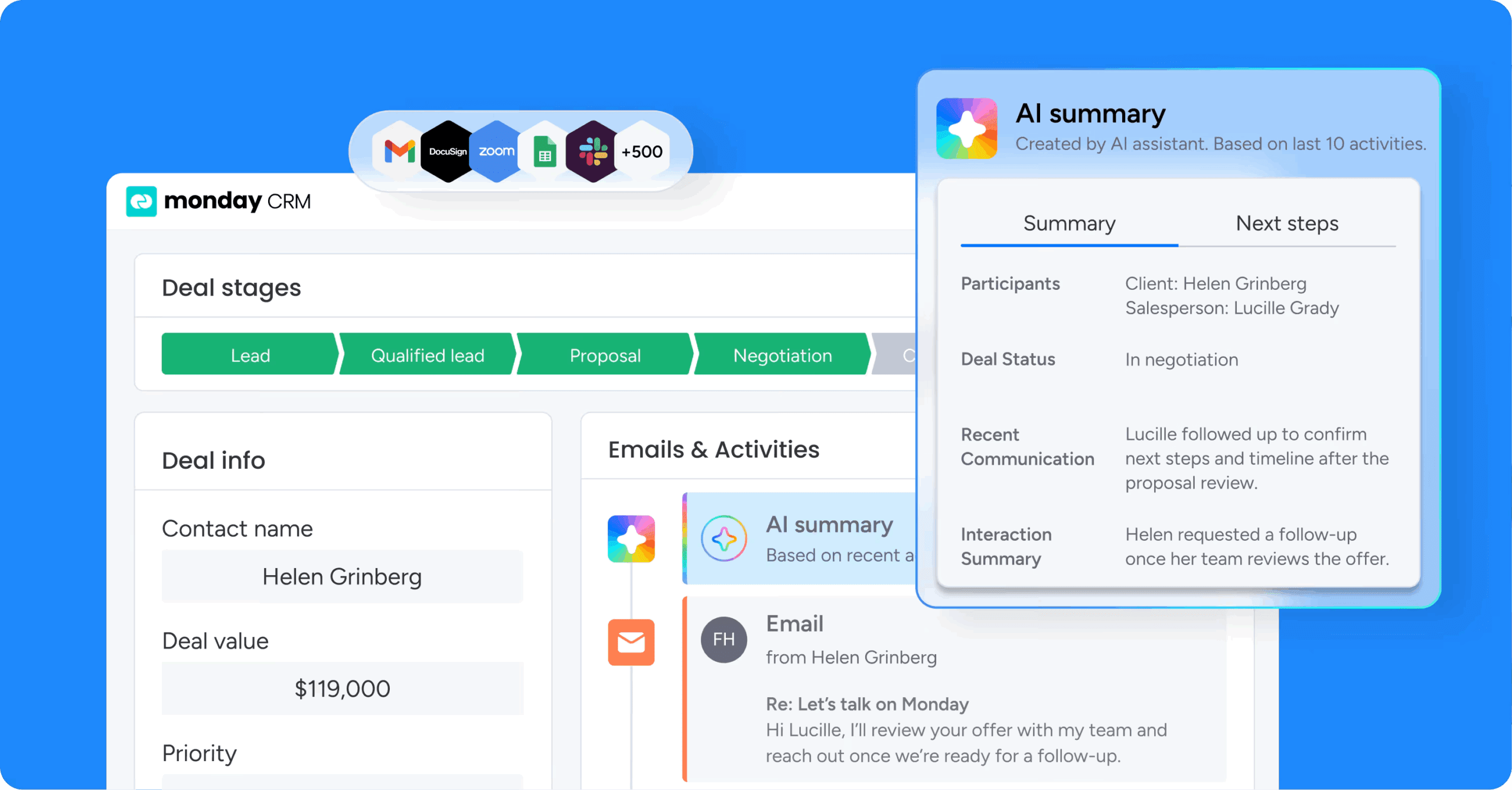
A CRM’s effectiveness depends entirely on user adoption. If the team finds the system cumbersome, its functional power is irrelevant, and the implementation will ultimately fail. Selecting a platform that’s intuitive and enjoyable for daily use is critical. The most effective CRM is the one your team consistently embraces.
Evaluate ease of use over feature lists
Your reps will actually use a CRM they can figure out without training, navigate without frustration, and access from their phones while on the road. Platforms with steep learning curves or cluttered dashboards often lead to poor engagement and wasted investment.
A sales rep who can update deals in seconds from their phone is far more likely to keep records current than one who must navigate complex menus. Involving actual users in trial phases ensures the CRM matches real workflows and preferences.
Prioritize no-code customization options
No-code customization enables teams to tailor CRM fields, workflows, and dashboards without IT support. This flexibility is essential for a range of CRM industries that require specialized processes or data handling. Teams can adapt the system as needs evolve, ensuring long-term fit and self-sufficiency, especially if you plan to build your own CRM solution.
- Industry-specific fields: Property type for real estate, user count for SaaS.
- Automated sales workflows: Lead nurturing sequences, deal stage progressions.
- Personalized dashboards: Different views for sales reps, managers, and executives.
Platforms with drag-and-drop configuration let teams make these changes instantly. monday CRM provides this flexibility, letting you modify pipelines, create custom fields, and build automations in minutes.
Consider AI and automation capabilities
Today’s best CRMs come with AI that does useful work, like scoring leads automatically or drafting personalized emails, so your team can focus on conversations that close deals. These capabilities complement the relationship-building skills of sales teams and help organizations work smarter at scale. Key AI features to look for include:
- Lead scoring: AI automatically prioritizes prospects based on behavior and engagement signals.
- Email automation: Personalized follow-ups trigger based on prospect actions.
- Data enrichment: Missing contact details fill in automatically.
- Sales forecasting: AI analyzes historical data to predict deal closure probability.
The AI features in monday CRM deliver these capabilities natively, without extensive technical configuration or external integrations. The embedded AI composes emails, summarizes customer interactions, and extracts document information, all within the established workflow.
Step 3: Set up your CRM in 48 hours without IT
Technical expertise is not a prerequisite for starting a CRM deployment. With the right platform, the core system configures rapidly, even for non-technical users. These essential configurations deliver immediate operational value and set the foundation for deeper customization later.
Configure your sales pipeline stages
A well-defined sales pipeline lets everyone see exactly where deals stand and what needs to happen next. Start with these typical stages and adjust them to fit your specific business model:
Lead → Qualified → Proposal → Negotiation → Closed Won/Lost
Stage names and criteria can be tailored to fit specific industries or business models, especially for those who need a CRM with order management capabilities. A SaaS company might add a “Trial” stage, while real estate teams could use “Property Tour.” Starting with a simple pipeline and refining based on actual usage data ensures rapid adoption.
With flexible platforms like monday CRM, you create and modify pipeline stages through simple drag-and-drop actions. Add new stages, rename existing ones, or reorganize the entire flow without any coding knowledge.
Create custom fields for your industry
Custom fields capture critical data unique to each sector. These fields ensure your CRM reflects the specific information your team needs to track and report on. Industry-specific fields help teams capture the right data from day one:
| Industry | Custom fields | Purpose |
|---|---|---|
| Real estate | Property type, square footage, listing price | Track property-specific details |
| SaaS | User count, integration needs, contract length | Qualify technical requirements |
| Manufacturing | Order volume, delivery timeline, specifications | Manage complex B2B sales |
| Consulting | Project scope, billable hours, client industry | Track project-based sales |
| Retail | Store location, product category, inventory needs | Segment opportunities by retail specifics |
Using the right field type ensures accurate data entry and easier reporting, which is especially helpful if you’re adopting a CRM for construction to manage large-scale projects.
Build automation rules for quick wins
Simple automations demonstrate CRM value immediately. These rules require no coding and deliver instant productivity gains. Start with these high-impact automations:
- Auto-assign leads: New leads route automatically to reps based on territory or workload.
- Follow-up reminders: The CRM schedules tasks for reps after a set number of days.
- Deal stage notifications: Managers receive instant alerts when deals reach critical stages.
- Welcome sequences: Automated email series introduce new leads to the company.
Step 4: Import and organize your customer data
The best way to organize customer data is to clean and standardize it before you import a single record, then structure it around how your team actually searches and reports. Clean, organized data forms the backbone of CRM success. Effective data migration and governance prevent downstream issues and keep insights reliable.
Migrate data from spreadsheets or legacy systems
A structured migration process ensures data integrity. Follow these essential steps to move your data successfully:
- Export existing data from all sources into standardized formats.
- Normalize data fields, such as dates (YYYY-MM-DD) and phone numbers.
- Remove duplicate and incomplete records to prevent clutter.
- Map source fields to CRM structure, ensuring each data point has a destination.
- Perform a test import with a small batch to identify issues.
Clean and standardize your information
Data cleaning addresses common issues that undermine CRM effectiveness. Take time to fix these problems before importing:
- Duplicate contacts: Multiple entries for the same individual create confusion.
- Inconsistent formatting: Phone numbers and addresses appear in various styles.
- Incomplete records: Missing email addresses or company names limit follow-up.
- Outdated information: Old job titles reduce targeting accuracy.
Set up data governance rules
Data governance establishes policies that keep CRM data accurate and actionable. Implement these practices from the start:
- Required fields: Make essential information like email and company name mandatory.
- Naming conventions: Standardize how accounts and opportunities are named.
- Regular audits: Schedule monthly data reviews and cleanup routines.
- User permissions: Control who can view and edit sensitive information.
- Backup protocols: Ensure data is regularly backed up and recoverable.
Robust governance supports reliable reporting, forecasting, and compliance. With monday CRM, you enforce these rules through field requirements, permission settings, and automated data quality checks.
Step 5: Train your team for rapid adoption
Getting your team to actually use the CRM comes down to two things: role-based training that maps to each person’s daily work, and making logging so effortless it happens in the background. Tailored, hands-on learning builds confidence and maximizes engagement.
Design role-specific training programs
Customized training targets the unique needs of each team role. Different users need different skills to succeed with CRM:
| Role | Primary training focus | Key features to master | Recommended duration and format |
|---|---|---|---|
| Sales rep | Daily workflow efficiency | Lead management, activity tracking, mobile app | 2 hours live demo, 1 hour self-paced |
| Sales manager | Team performance monitoring | Pipeline reports, forecasting, team dashboards | 2 hours workshop, 1 hour Q&A |
| Marketing | Lead generation and nurturing | Campaign tracking, lead scoring, automation | 1.5 hours live, 30 min self-paced |
| Customer success | Account management | Customer history, renewal tracking, support tickets | 1 hour live, 1 hour self-paced |
Start with essential daily workflows
Mastery of core CRM tasks delivers immediate value. Focus initial training on these critical workflows that users will perform every day:
- Adding new leads: Quick creation of contact records ensures no opportunity is missed.
- Logging activities: Recording calls, emails, and meetings provides complete customer history.
- Updating deal stages: Moving opportunities through the pipeline keeps forecasts current.
- Accessing customer history: Instant visibility into past interactions enables personalized engagement.
Step-by-step onboarding for these tasks builds user confidence and demonstrates the CRM’s impact.
Create champions to drive usage
Internal champions foster a culture of CRM excellence. These team members become go-to resources for their colleagues and help maintain momentum after initial training. Champions provide:
- Peer support: Answer questions and troubleshoot common issues.
- Success stories: Share wins that inspire broader adoption.
- Feedback collection: Gather user input for system improvements.
- Consistent modeling: Demonstrate best practices daily.
Champions receive advanced training and recognition, positioning them as trusted resources. Select enthusiastic early adopters who understand both the technology and your business processes.
Step 6: Leverage AI to accelerate results

AI-powered features turn a CRM from a record-keeping platform into a growth engine. Practical AI applications deliver measurable business impact without technical complexity.
Deploy AI features for instant automation
Ready-to-use AI automation features require no technical setup. These capabilities activate with simple configuration and integrate into existing workflows. Key AI features that deliver immediate value include:
- Categorize leads: Instantly sort prospects by industry or engagement level.
- Extract information: Automatically pull key details from documents and emails.
- Detect sentiment: Analyze customer communications to flag satisfaction levels.
- Summarize interactions: Generate concise summaries of lengthy email threads.
In monday CRM, these AI blocks apply to a board column in a few clicks, so the AI works directly on your actual data to detect sentiment, extract information, summarize, or draft text where you need it.
Use AI to categorize and score leads
AI-driven lead scoring evaluates prospects on multiple criteria instantly. The system analyzes company size, industry fit, website behavior, email engagement, and purchase history.
Traditional manual scoring is slow and subjective. AI processes these factors in real time as new data arrives. Reps focus on high-potential leads while low-priority prospects receive automated nurturing.
This approach increases overall conversion rates by getting the right message to the right prospect at the right time. AI learns from your team’s actual sales outcomes, improving its scoring accuracy over time.
Generate personalized content at scale
AI content generation lets teams communicate at scale without sacrificing personalization. Sales teams maintain authentic, relevant communication even when managing hundreds of prospects. Typical applications include:
- Email templates: AI crafts personalized outreach messages tailored to each prospect’s industry.
- Proposal content: Customized proposal sections match client requirements.
- Follow-up messages: Relevant responses build on previous interactions.
- Social media posts: Industry-specific content supports LinkedIn outreach.
While AI handles the heavy lifting, human reps add the final touches to keep every message authentic.
Step 7: Monitor performance and optimize continuously
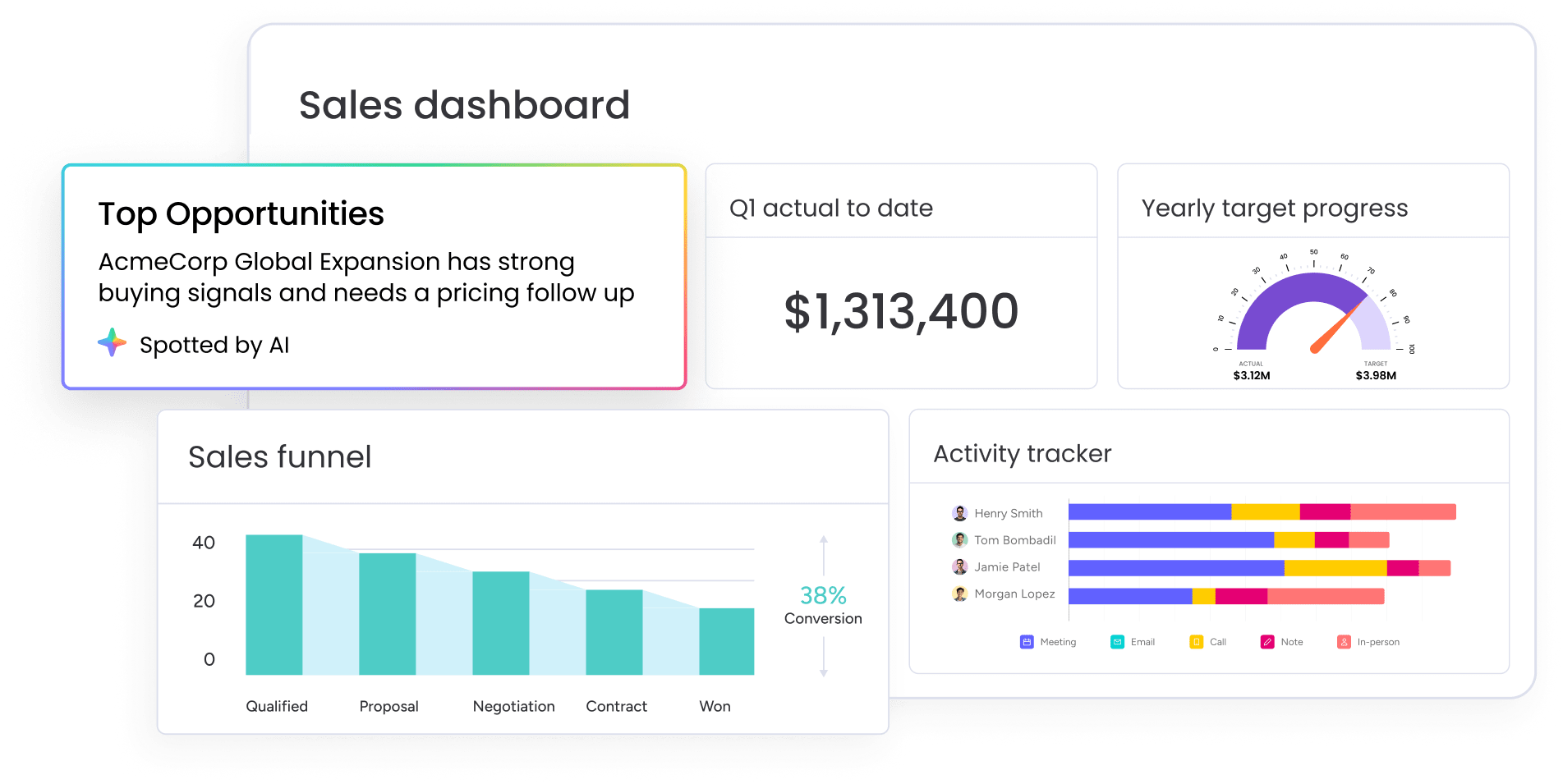
CRM implementation is an ongoing journey. Real-time monitoring and continuous optimization keep the system delivering results and adapting as business needs evolve.
Build real-time dashboards for insights
Visual dashboards provide actionable insights for every stakeholder. Different roles need different views of CRM data to make informed decisions:
- Sales reps: Personal pipeline, activity goals, and performance metrics.
- Sales managers: Team performance, pipeline health, and forecast accuracy.
- Executives: Revenue trends, conversion rates, and ROI metrics.
Key performance indicators appear in customizable, real-time dashboards. Users can set up alerts for critical thresholds, so action happens when metrics fall outside acceptable ranges.
Track team adoption and usage metrics
Adoption metrics reveal how effectively the team uses the CRM. These example benchmarks help you spot areas that need additional support or training:
| Metric | Healthy benchmark | Needs attention |
|---|---|---|
| Login frequency | Daily or multiple times/day | Less than 2x/week |
| Data entry consistency | >95% complete records | <80% complete records |
| Feature utilization | 80%+ of core features used | <50% of features used |
| Mobile usage | 60%+ of reps active on mobile | <30% mobile engagement |
| Automation engagement | 70%+ workflows triggered | <40% workflow usage |
Iterate based on performance data
Continuous improvement relies on structured reviews and incremental changes. Follow this optimization process to keep your CRM aligned with evolving needs:
- Analyze: Performance metrics against established KPIs.
- Gather: User feedback through surveys and conversations.
- Identify: Opportunities for workflow improvements.
- Implement: Small, targeted changes rather than sweeping overhauls.
- Measure: The impact of each change.
This iterative process keeps the CRM aligned with evolving business needs. With monday CRM, iteration stays easy thanks to flexible configuration: you adjust workflows, add fields, or modify automations based on what you learn.
How to ensure successful CRM implementation
CRM projects often stumble on avoidable pitfalls. Knowing these mistakes helps teams take a proactive, solution-focused approach:
- Don’t overengineer your initial setup. Building a perfect CRM from day one leads to delayed launches and user overwhelm. Start simple with core functionality, then add features based on actual user needs and feedback.
- Clean your data before importing. Poor data quality undermines CRM effectiveness, producing inaccurate reports and wasted time chasing bad leads. Clean data pays off in higher adoption and faster time to value, because reps trust a system that reflects reality.
- Invest in proper team training.Inadequate training leads to low adoption and eventual system abandonment. Plan at least two to four hours per user in live and self-paced training, reinforce learning with champions and peer support, and provide ongoing access to help resources and updates.
- Connect your essential integrations. Disconnected CRMs create new data silos and duplicate work. Your CRM must connect seamlessly with email, marketing automation, accounting, and customer support tools to prevent process gaps and manual rework.
- Set realistic timeline expectations. CRM implementation requires realistic timelines for each phase. Plan for one to two weeks for basic setup, two to four weeks for data migration, four to six weeks for team training, and three to six months for full adoption.
Scale your sales with AI-powered automation
monday CRM puts AI to work across your entire sales process, from the moment a lead arrives to the day a deal closes. The platform combines intelligent automation with human oversight, so your team handles more opportunities without burning out or losing the personal touch that wins deals.
AI adoption is now mainstream: McKinsey’s State of AI in 2025 report found that roughly 88% of organizations regularly use AI in at least one business function. monday CRM makes that adoption practical and immediate, with AI features that integrate directly into your workflows and deliver measurable results from day one.
AI Sales Agent for 24/7 lead qualification
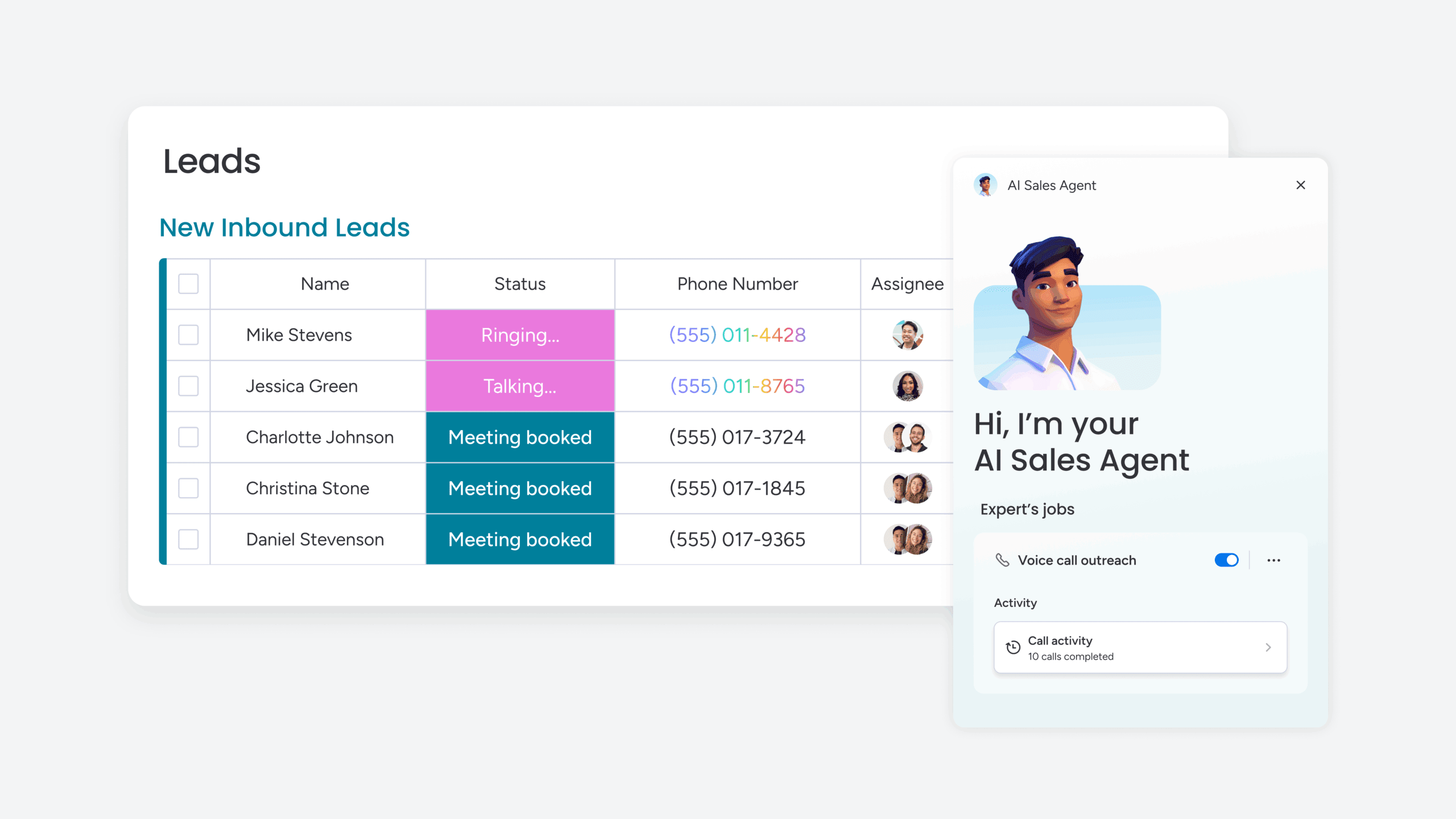 The AI Sales Agent engages new leads autonomously through personalized phone calls and SMS, running initial discovery conversations and qualifying prospects before handing them to your reps. It works around the clock, so every lead gets immediate attention regardless of time zone or business hours. You maintain full control through permissions and human oversight, while the agent handles the repetitive qualification work that used to consume hours of rep time each week.
AI Lead Agent for continuous prospecting
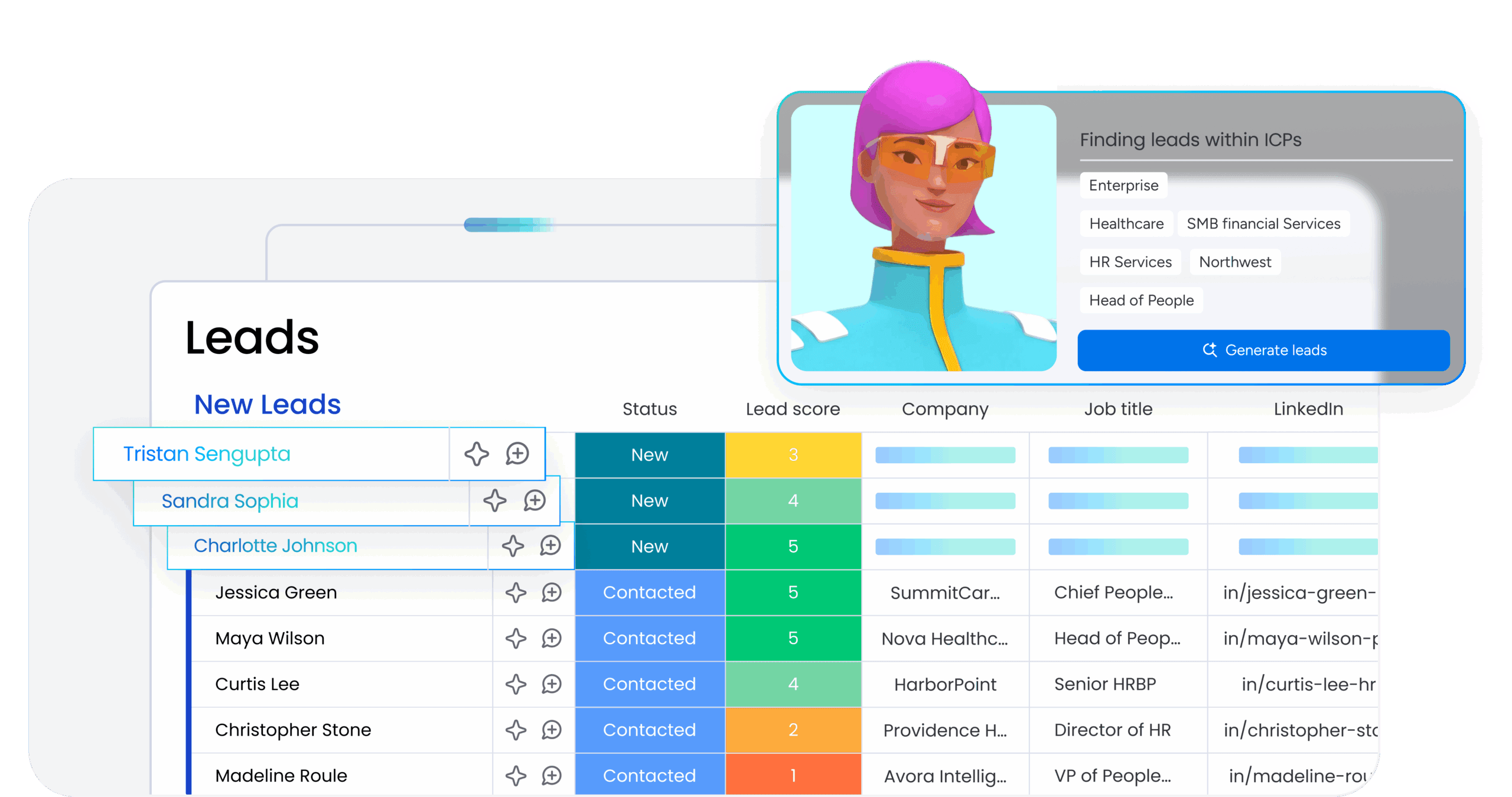
The AI Lead Agent sources, enriches, and adds new prospects to your pipeline based on your ideal customer profile, running on the schedule you set. It finds leads that match your criteria, pulls in contact details and firmographic data, and populates your CRM automatically. Your pipeline stays full without manual research, and your reps spend their time on conversations instead of list building.
AI-powered content generation and insights
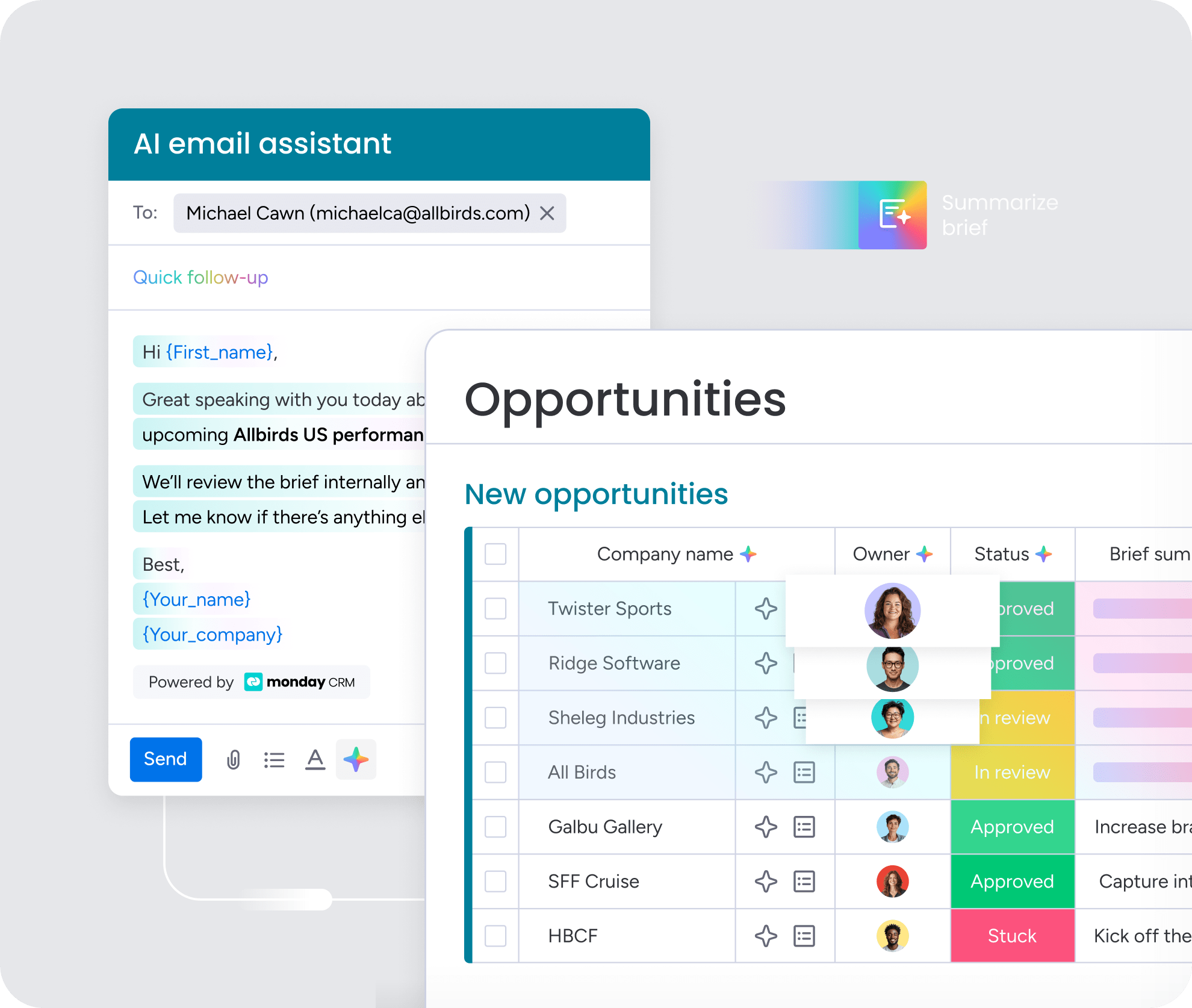
AI blocks in monday CRM compose personalized emails, summarize customer interactions, detect sentiment in communications, and extract key information from documents. The AI Notetaker transcribes calls and generates summaries with action items, while Deal Insights flags at-risk opportunities and surfaces the next best action. Every AI feature works directly on your CRM data, so the output reflects your actual deals, customers, and context.
Intelligent lead scoring and routing
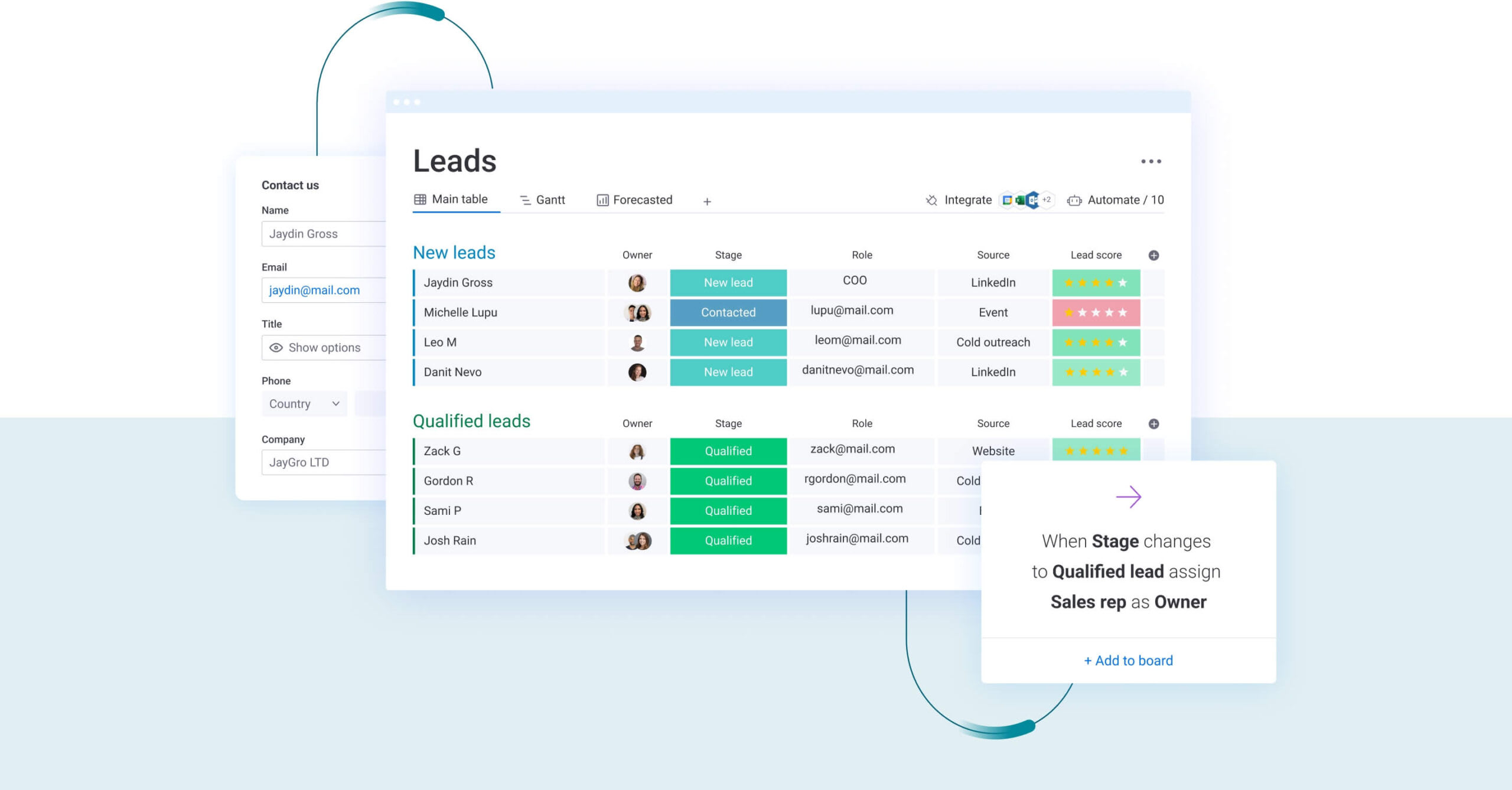
AI automatically scores and categorizes leads based on engagement signals, company fit, and behavioral data, then routes high-priority prospects to the right rep through round-robin assignment or territory rules. Your team focuses on leads most likely to convert, while lower-priority prospects enter automated nurture sequences. The system learns from your closed deals over time, improving scoring accuracy and helping you allocate effort where it drives the most revenue.
How monday CRM brings the 7 steps together
Every step above comes together in one platform when you use monday CRM. It’s an AI-first, no-code CRM built on the monday.com Work OS, so revenue teams manage the full customer lifecycle from first touch to renewal in a single place. Here’s how its capabilities map to the way you actually use a CRM:
- Connected building blocks: Leads, contacts, deals, and accounts boards share context, so a qualified lead moves to contacts and deals without re-entry.
- No-code pipeline and automations: Drag-and-drop deal stages, custom fields, and automations like round-robin lead assignment, set up in minutes without IT.
- Communication in one timeline: Emails & Activities syncs Gmail and Outlook, logging every email, meeting, and note automatically; mass email includes open and click tracking.
- Real-time reporting: Code-free dashboards with leaderboard, funnel, and pipeline widgets, plus forecasting and the AI Deal Insights widget for at-risk deals.
- Embedded AI: AI blocks (detect sentiment, extract info, summarize, writing assistant), the AI Notetaker, the AI Sales Agent, and the AI Lead Agent.
- Build and query in plain language: monday vibe lets you create apps and views from a prompt, and monday MCP lets AI clients read and update your boards using natural language.
- Connected and secure: 500+ integrations, a full-featured mobile app, and enterprise compliance including ISO/IEC 27001, SOC 2 Type II, and HIPAA, with Zero Data Retention on AI.
The clearest way to see the difference is against a traditional, rigid CRM setup:
| Using your CRM | Traditional/legacy CRMs | monday CRM |
|---|---|---|
| Setup and customization | Consultants or admins, weeks of configuration | No-code and drag-and-drop, live in hours |
| Changing pipelines or fields | IT or developer request | Self-serve, changed in minutes |
| Data entry and activity logging | Manual updates | Auto-captured via email and calendar sync plus AI |
| Lead work | Manual sourcing and routing | AI Lead Agent sources and enriches; round-robin auto-assigns |
| Outreach and qualification | Rep time-intensive | AI Sales Agent calls, qualifies, and books meetings |
| Reporting and forecasting | Manual exports | Real-time code-free dashboards and Deal Insights |
| Coverage | Pre-sales focus | Leads to deals to accounts to post-sale in one platform |
Turn your CRM into a growth engine
Knowing how to use CRM well isn’t about mastering every feature on day one. It’s about setting clear goals, choosing a platform your team enjoys, keeping data clean, and letting automation and AI carry the repetitive load. Do those things and the CRM stops being a database and starts driving predictable revenue.
That’s the whole point of monday CRM: a system your team actually wants to use, with AI that does real work and dashboards that show you exactly where you stand. You get the visibility and control to forecast with confidence and scale without adding overhead. Start simple, measure what matters, and layer in automation and AI as your team grows.
FAQs
How long does CRM implementation actually take?
CRM implementation typically takes one to two weeks for basic setup and configuration, while full team adoption and optimization occur over three to six months, depending on organization size and complexity.
Can small businesses benefit from CRM software?
Small businesses gain significant value from CRM by centralizing customer data, automating follow-ups, and increasing sales productivity, with modern platforms offering affordable, scalable plans designed specifically for smaller teams.
Do I need technical expertise to use CRM?
You don't need technical expertise to use a modern CRM, since these platforms feature intuitive interfaces and no-code customization, with setup wizards and support resources that remove the need for IT involvement.
What's the ROI timeline for CRM investment?
The ROI timeline for a CRM investment usually starts with productivity gains within two to three months of adoption, followed by measurable returns like improved conversion rates and accurate forecasting within 6 to 12 months.
How do I migrate from spreadsheets to CRM?
To migrate from spreadsheets to a CRM, export your data, clean and standardize the information, map fields to the CRM structure, and import in small batches, using the templates and migration assistance most platforms provide.
When should I add AI capabilities to my CRM?
You should add AI capabilities after two to three months of initial CRM adoption, starting with simple features like lead categorization and data extraction before advancing to more complex automation and digital workers.
How does monday CRM help you start using a CRM quickly?
monday CRM helps you start quickly with no-code, drag-and-drop setup that goes live in hours, plus AI agents that source, qualify, and follow up on leads so your team sees value without a lengthy implementation.