



Your CRM has everything you need — the data, the features, the integrations. The missing piece? A deliberate approach to managing it so your team actually uses it, trusts it, and closes more deals because of it. That’s what CRM management delivers: accurate data, workflows that match how deals actually move, and a system your revenue team relies on every day.
This article covers what CRM management is, why it matters across your entire revenue organization, the 4 main types, the key features that support it, and a practical 7-step approach to doing it well. You’ll find a straightforward path forward, including how platforms like monday CRM can help your revenue team turn CRM management into a real growth lever.
Key takeaways
- CRM management transforms software into a revenue driver through strategic configuration, consistent maintenance, and strong team adoption practices.
- Consistent data standards and sales-aligned pipelines are essential for accurate forecasting and preventing deals from falling through the cracks.
- Automating repetitive tasks like follow-ups, lead assignments, and status updates reduces administrative burden and eliminates costly manual errors.
- Tracking adoption rates, pipeline velocity, and forecast accuracy reveals whether your CRM management delivers measurable results or creates unnecessary work.
- Platforms like monday CRM centralize contacts, deals, and communication across the entire revenue cycle for complete visibility from lead capture to post-sale handoffs.
What is CRM management?
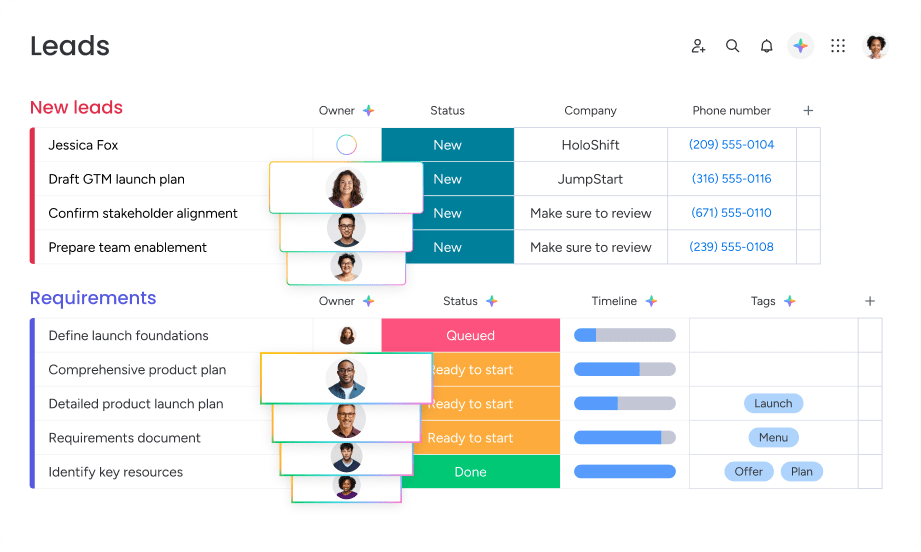
CRM management is how you organize, maintain, and optimize your CRM so it actually improves sales efficiency, strengthens customer relationships, and drives revenue. It covers data governance, user adoption, process alignment, workflow optimization, and how teams work together across departments.
CRM management isn’t just about using the software. The practice involves:
- Establishing data standards that keep records accurate and consistent
- Designing workflows that match how teams actually sell
- Training users on daily processes so adoption sticks
- Continuously refining the system based on performance data
Get it right, and your CRM stops being an underused database and starts helping teams close more deals, forecast accurately, and collaborate without friction. Teams that invest in CRM management see better pipeline visibility, more accurate forecasts, and higher sales productivity. With it, powerful CRM software becomes a system teams rely on every day to close deals and strengthen relationships.
CRM management vs. CRM software
CRM software is the technology platform your team uses every day. CRM management is the ongoing practice of configuring, maintaining, and optimizing that platform so it delivers real business results. Here’s how the two compare:
| Aspect | CRM software | CRM management |
|---|---|---|
| What it is | The platform teams use | The strategy for optimizing the platform |
| Focus | Features and functionality | Adoption, governance, and optimization |
| Examples | monday CRM, Salesforce, HubSpot, Pipedrive | Data hygiene, user training, workflow design |
| Ownership | Leadership and IT | RevOps, sales leadership, and cross-functional teams |
| Success metric | Platform availability | Adoption, data quality, and business outcomes |
You need both to succeed. Even a basic CRM can outperform an enterprise platform if it’s managed well, while the most powerful software won’t deliver ROI without strong CRM management practices.
Why CRM management matters for revenue teams
Revenue teams can’t hit targets, forecast accurately, or collaborate effectively without a well-managed CRM. CRM management drives revenue — it’s not just admin work. When CRM management is strong, teams win more deals through timely follow-up, forecast accurately with reliable data, and reclaim hours by automating manual work.
Here’s what strong CRM management makes possible across your revenue organization.
Better visibility into every customer relationship
Strong CRM management means all revenue teams see the same customer data, interaction history, and deal status. This eliminates information silos where marketing doesn’t know what sales promised, or account managers don’t know what issues support resolved.
When everyone works from the same source of truth:
- Handoffs happen without dropped context.
- Customers don’t have to repeat themselves.
- Teams spend less time chasing down information.
More predictable revenue forecasting and pipeline visibility
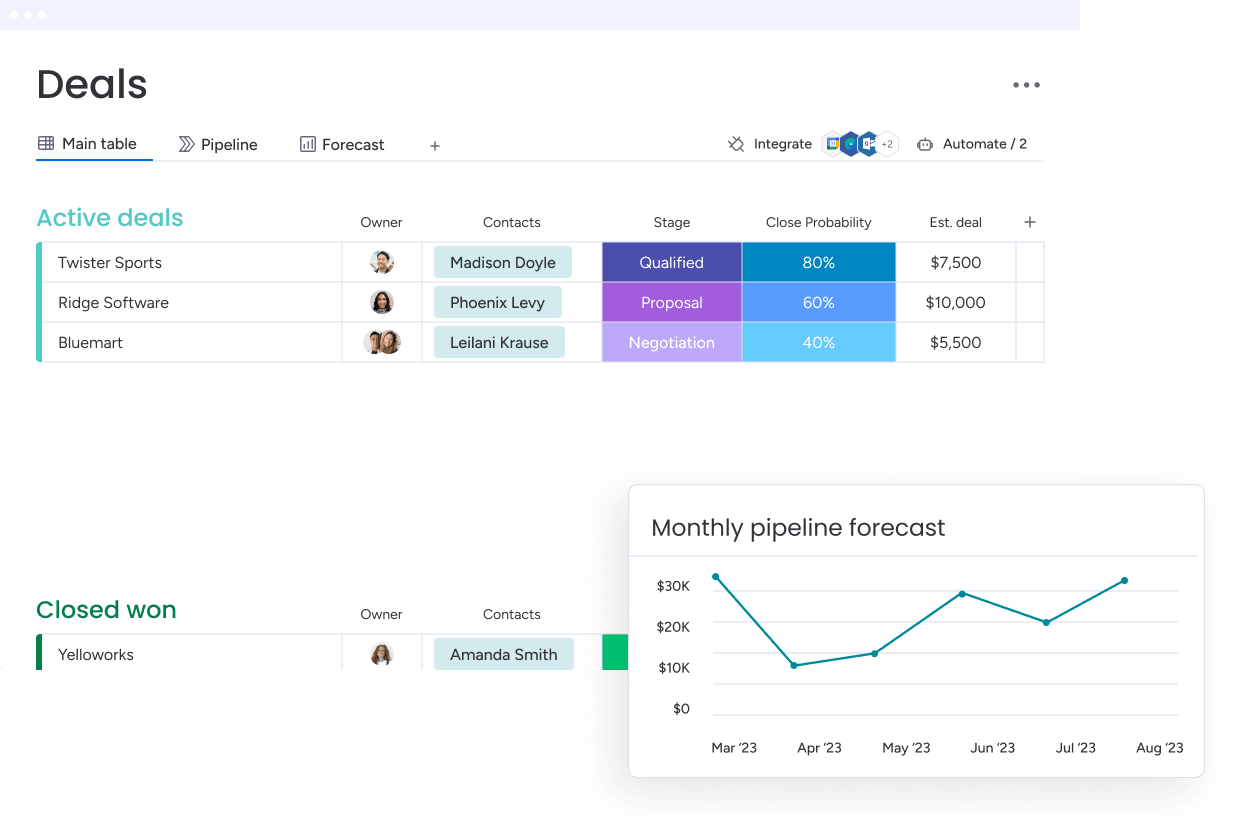
Well-managed CRMs give you real-time pipeline visibility, accurate deal stage tracking, and reliable forecasting. Sales leaders can see exactly where deals stand, identify risks before they become losses, and confidently commit to revenue targets.
That predictability helps leadership:
- Allocate resources based on real pipeline data.
- Plan hiring with confidence.
- Make strategic decisions grounded in facts, not gut feel.
Faster handoffs across sales and post-sale teams
CRM management smooths transitions between sales, onboarding, account management, and customer success teams. When customer context, communication history, and next steps live in the CRM, handoffs happen in minutes instead of days.
Teams using monday CRM benefit from connected deals, accounts, contacts, and projects in one place, enabling them to log and track every interaction in a unified timeline.
More time for selling by reducing administrative work
Strong CRM management cuts admin work for sales reps through automation, clean data, and structured workflows. Reps spend less time on data entry, searching for information, or manually tracking follow-ups — and more time engaging prospects and closing deals.
Try monday CRMWho uses CRM management and how they use it
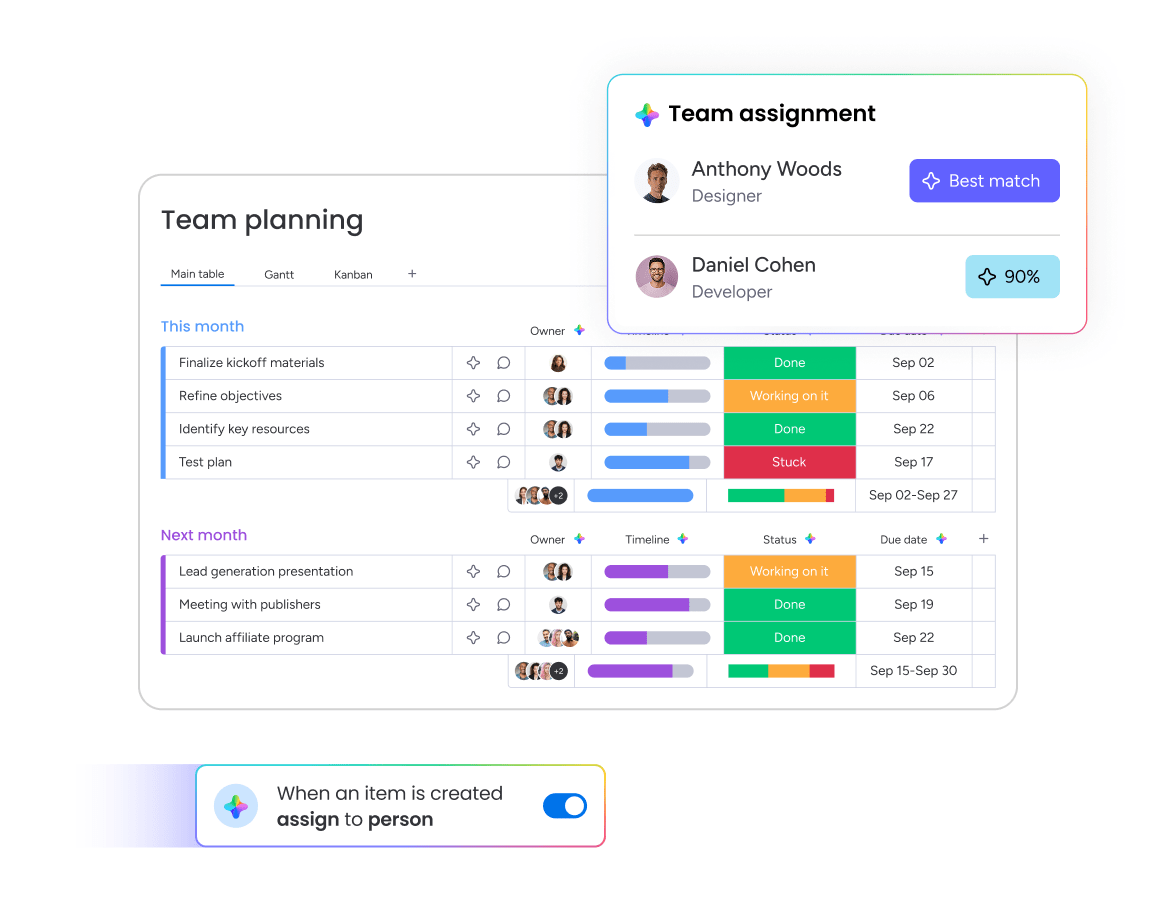
CRM management is a team effort involving multiple roles across revenue, operations, and IT. Sales teams are the primary CRM users, but strong CRM management requires collaboration across departments, each with different perspectives and responsibilities.
Knowing who owns what helps teams avoid gaps in governance and adoption.
| Role | Primary responsibilities | CRM management impact |
|---|---|---|
| Sales leaders | Forecast revenue, monitor pipelines, coach reps | Set strategy, define workflows, drive adoption |
| RevOps / sales operations | Configure CRM, govern data, optimize processes | Build workflows and maintain CRM health |
| Sales reps & account managers | Manage deals, update records, log activity | Keep CRM data accurate and current |
| Marketing & customer success | Manage campaigns, qualify leads, monitor accounts | Contribute and rely on high-quality CRM data |
| IT & operations | Manage integrations, security, and infrastructure | Maintain system reliability and compliance |
4 types of CRM management
CRM management breaks down into 4 approaches, each serving different business goals. Most companies use a combination of these approaches depending on their maturity, team size, and goals.
1. Operational CRM management
Operational CRM management smooths out customer-facing processes like lead capture, sales pipeline management, and customer service workflows. This approach automates repetitive tasks and keeps customer interactions consistent across every touchpoint.
Key activities include:
- Automated lead assignment: Based on territory or rep availability
- Follow-up reminders: Triggered by deal stage changes
- Standardized templates: For common customer communications
2. Analytical CRM management

Analytical CRM management uses CRM data to surface insights, spot trends, and guide strategic decisions. This approach covers reporting, forecasting, customer segmentation, and performance analysis.
Common applications include:
- Pipeline analytics: Revealing conversion rates by stage
- Customer lifetime value analysis: Identifying high-value segments
- Win/loss analysis: Uncovering why deals succeed or fail
3. Collaborative CRM management
Collaborative CRM management lets teams communicate and share information through the CRM. This approach makes sure sales, marketing, service, and ops teams work from the same customer data and coordinate without relying on separate communication channels.
Examples include:
- Shared customer timelines: Showing every interaction across teams
- Cross-team notifications: When account status changes
- Unified communication logs: Accessible to all relevant stakeholders
4. Strategic CRM management
Strategic CRM management ties CRM processes to long-term business goals like customer retention, revenue growth, and market expansion. This approach focuses on CRM governance, change management, and continuous improvement instead of day-to-day operations.
Strategic initiatives include:
- CRM roadmap planning: Prioritizing feature adoption
- Quarterly reviews: Assessing whether CRM management delivers expected outcomes
- Process evolution: Adapting CRM workflows as business needs change
Key CRM management features
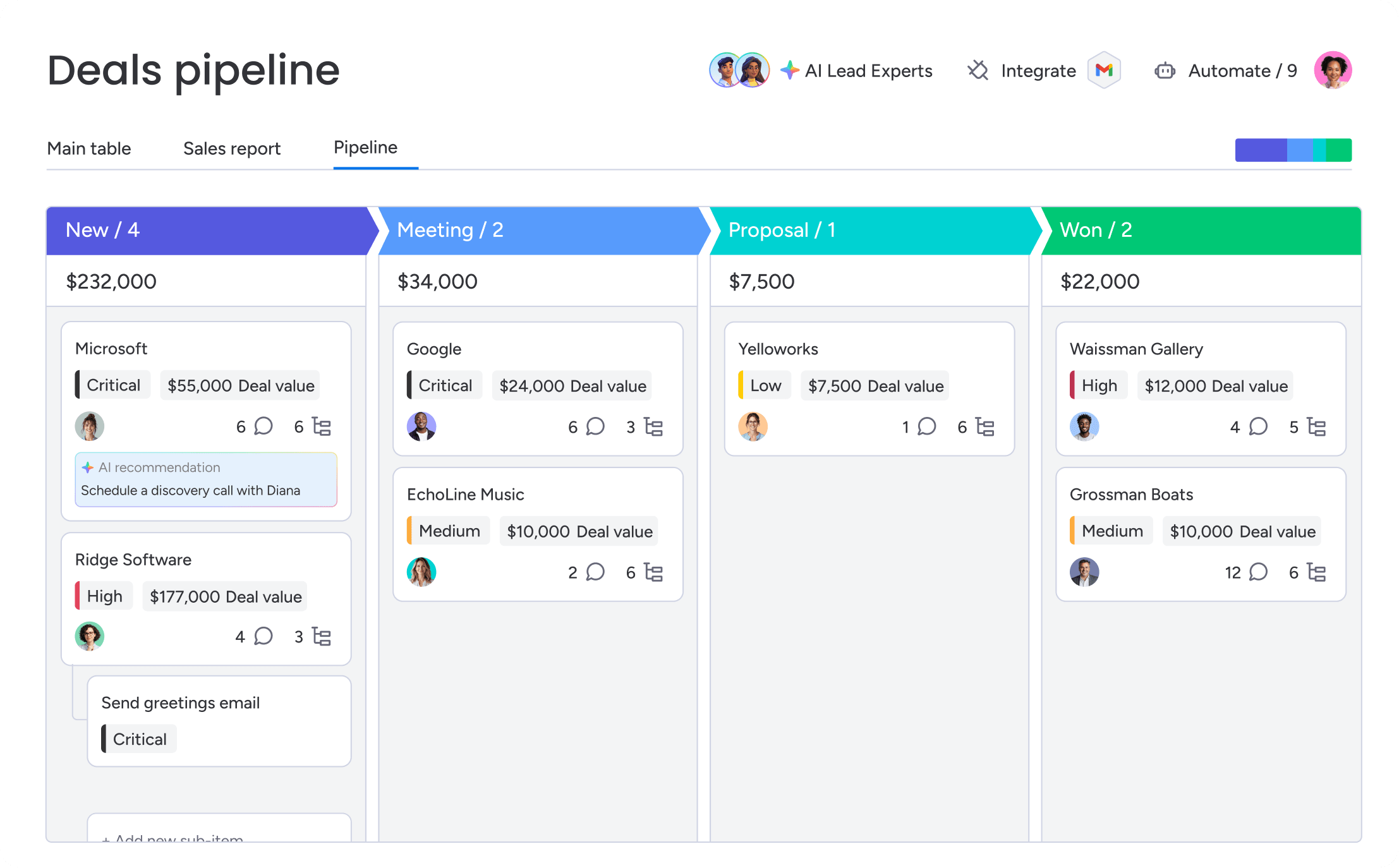
Effective CRM management depends on the right platform capabilities. These features help teams organize customer data, automate repetitive work, collaborate more effectively, and make smarter decisions at scale.
- Centralized contact and account records keep all customer information in one accessible location. This eliminates scattered data across spreadsheets, email threads, and individual notes so teams work from a single source of truth.
- Custom pipelines and deal stages are workflows you can configure to reflect your unique sales process. Teams can define stages like Discovery, Demo, Proposal, Negotiation, and Closed Won, then track deals as they move through each stage. The platform lets teams customize pipelines with drag-and-drop deal stages so they can see where every deal stands.
- Workflow automations eliminate repetitive manual tasks by triggering actions based on conditions. When a lead enters the system, automation assigns it to the right rep, and when a deal moves to negotiation, automation creates a contract review task. Additionally, when a deal goes quiet, automation alerts the manager in time to re-engage and keep momentum going.
- Dashboards and forecasting show pipeline health, track performance metrics, and predict future revenue. Sales leaders use these features to spot deals at risk, monitor team performance against targets, and make smarter decisions about resource allocation.
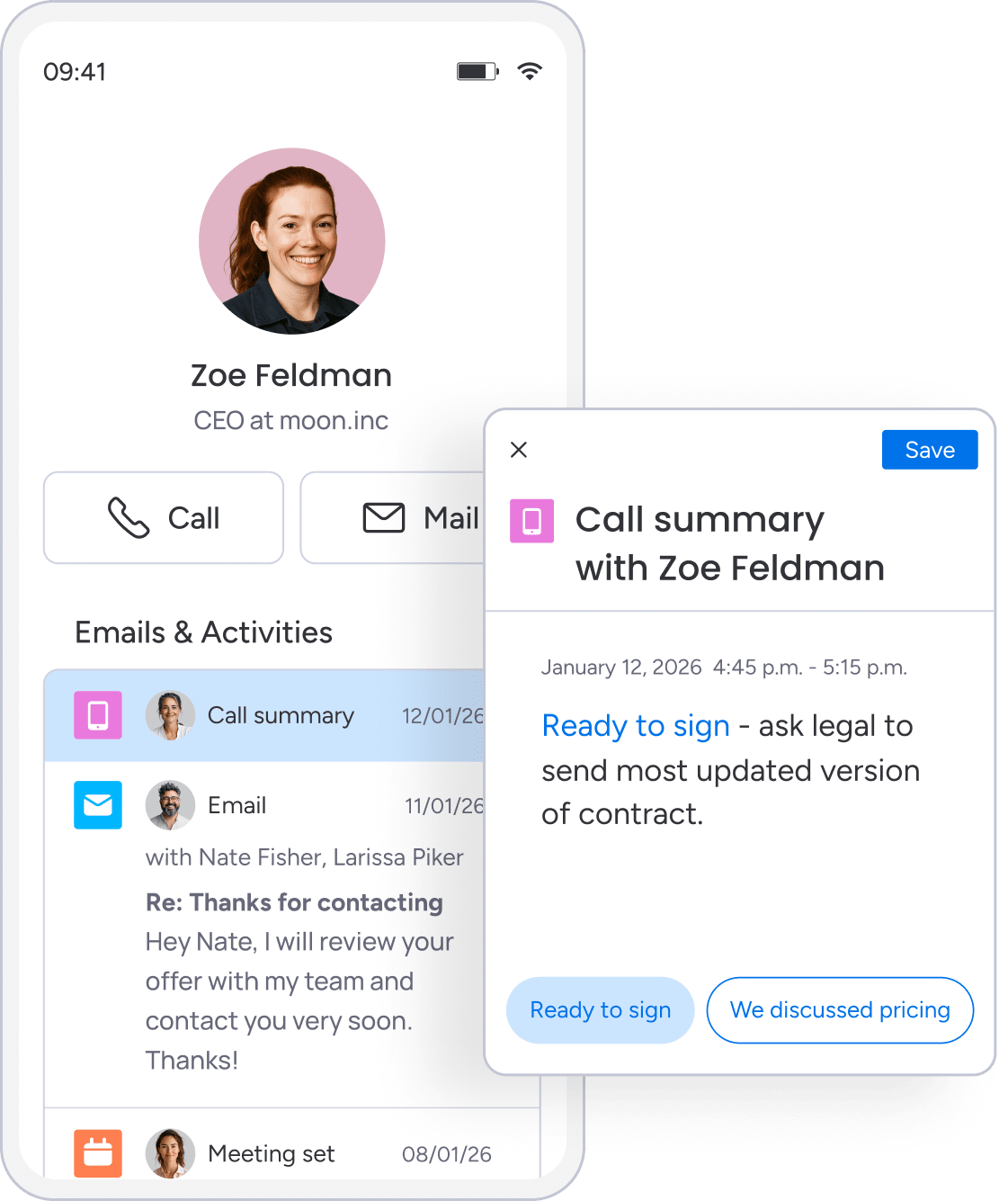
- AI lead insights and activity summaries use AI deal flow management features to analyze CRM data to surface lead scoring, engagement patterns, and recommended next actions. AI can also summarize meeting notes, emails, and customer interactions to save time and improve follow-ups.
- Email, calendar, and app integrations connect the CRM with email, calendar, marketing automation, support platforms, and other business systems. These connections keep data flowing across systems, cutting manual data entry and improving visibility into customer interactions.
- Role-based permissions for data security control who can view, edit, or delete CRM data based on their role. This means sales reps see only their assigned accounts, managers see their entire team’s pipeline, and admins have full system access
- Mobile CRM access lets teams view, update, and manage customer data from smartphones and tablets. Reps can log activities after meetings, check deal status before calls, and respond to customers on the go.
7 steps to manage your CRM effectively
Strong CRM management requires a structured approach covering strategy, data governance, process design, automation, integration, training, and continuous improvement. These 7 steps give teams a practical roadmap for implementing or optimizing CRM management.
Step 1: Define the revenue workflows your CRM should support
Start by identifying the specific workflows your CRM needs to enable. Map how leads move from marketing to sales, how deals progress through your pipeline, how accounts transition from sales to customer success, and how you track and manage renewals.
To do this well:
- Document current processes end to end.
- Identify gaps where information gets lost or steps get skipped.
- Define exactly how the CRM should support each workflow before configuring anything.
Step 2: Standardize customer data and field definitions
Setting consistent data standards keeps CRM data accurate, complete, and useful. Without this step, your CRM accumulates duplicate records, inconsistent formats, and unreliable reporting.
Set standards for:
- Required fields: Define what must be completed for leads, contacts, accounts, and deals.
- Naming conventions: Ensure “IBM” and “International Business Machines” don’t appear as separate companies.
- Data entry formats: Standardize phone numbers, addresses, and other fields so records stay consistent.
Step 3: Build pipelines that mirror your actual sales process
Pipelines should reflect how deals genuinely progress from first contact to close, not a generic template that doesn’t match how your team sells. Define specific, measurable criteria for each stage and what needs to happen before a deal advances.
Teams using monday CRM can build custom pipelines with drag-and-drop deal stages that adapt to their specific sales cycle, making it easy to keep the CRM aligned with how the team actually works.
Step 4: Automate follow-ups, reminders, and status updates
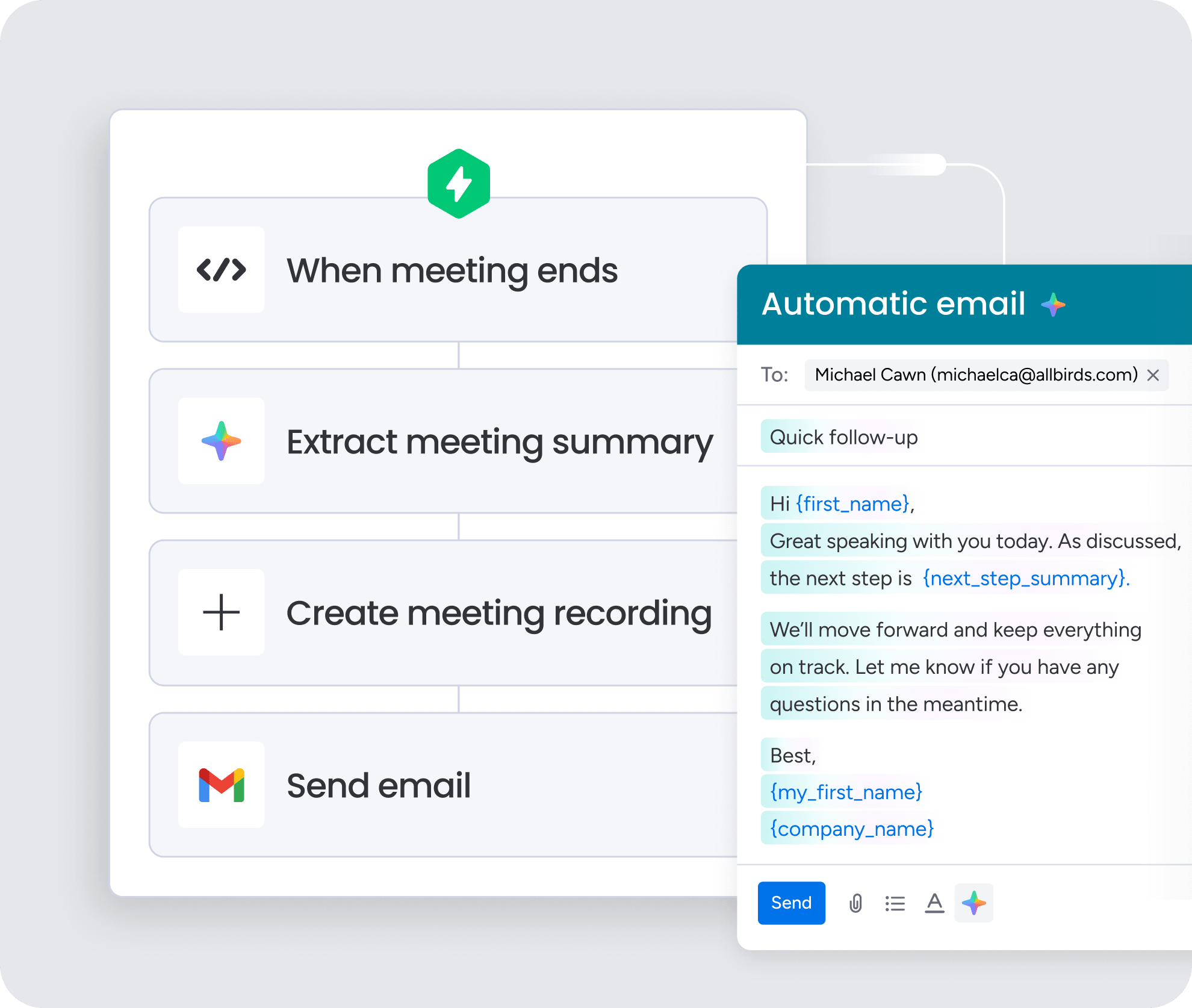
Automation cuts manual work by triggering follow-up emails, task assignments, and status updates based on deal activity or timing. Practical examples include:
- Sending follow-up emails 3 days after a demo.
- Assigning tasks automatically when deals enter negotiation.
- Alerting managers when deals stall for more than a week.
Step 5: Connect your CRM with the rest of your tech stack
Integrating the CRM with email, calendar, marketing automation, support platforms, and other business apps eliminates data silos and cuts manual data entry. monday CRM integrates with Gmail, Outlook, Google Calendar, and 500+ other apps so teams work from a unified view without duplicate effort.
Step 6: Train teams on their daily CRM workflows
Ongoing training should focus on how teams use the CRM in their daily work, not just how the platform works. Role-specific training makes adoption stick:
- Reps: Log calls, update deal stages, and use CRM data to prepare for customer conversations.
- Managers: Use dashboards for pipeline reviews and coaching conversations.
- Admins: Maintain data quality and manage workflow configurations.
Step 7: Review performance metrics and refine workflows regularly
CRM management is an ongoing process, not a one-time setup. Build a regular cadence for:
- Adoption monitoring: Track login frequency and activity logging to identify gaps.
- Data quality audits: Maintain data integrity to keep reporting accurate and reliable.
- Workflow reviews: Identify bottlenecks and improvement opportunities to keep the team moving at full speed.
8 common CRM management use cases
CRM management supports critical business functions across sales, marketing, customer service, and operations. These applications show how CRM management delivers value far beyond basic contact tracking.
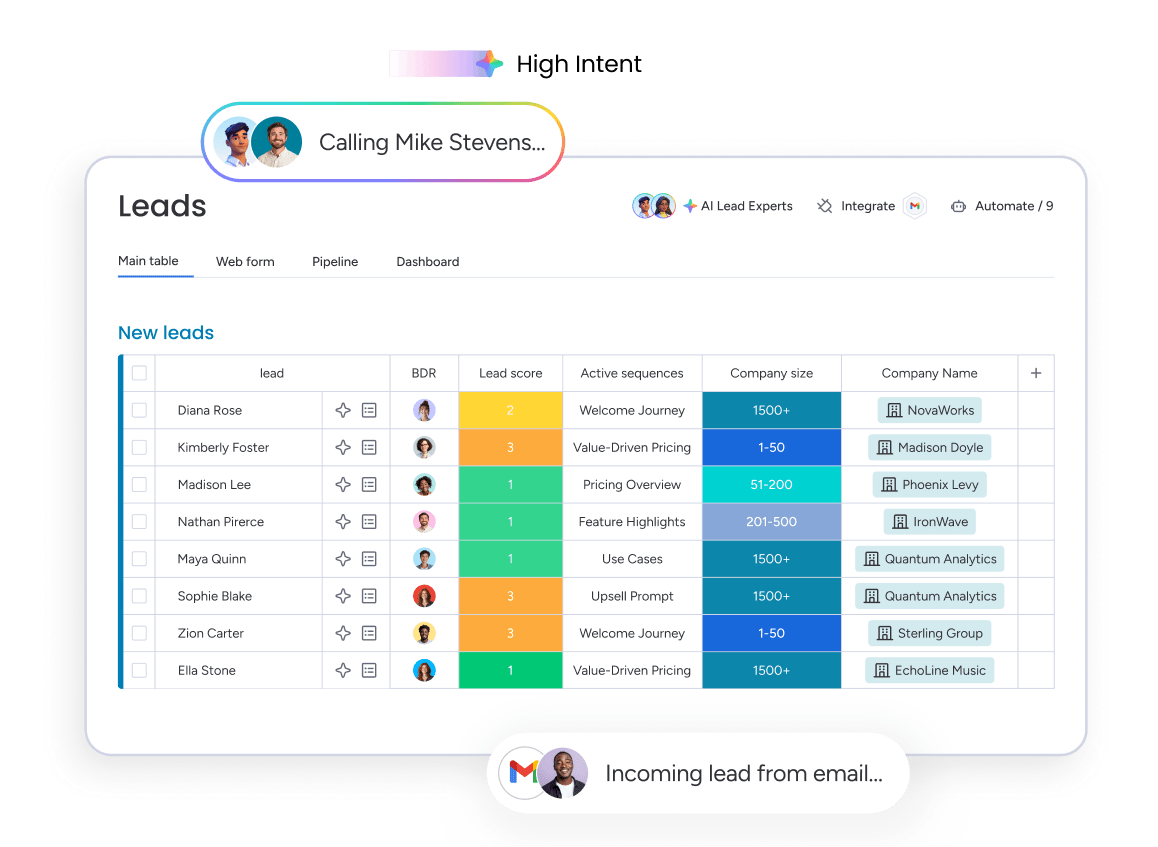
- Lead management: This involves capturing, qualifying, assigning, and nurturing leads through the sales funnel. CRM management ensures leads are tracked from first touch, prioritized based on fit and engagement, and followed up on consistently.
- Sales pipeline management: Sales teams use this to track deals through every stage, forecast revenue, and identify bottlenecks. CRM management provides visibility into pipeline health so teams know which opportunities are progressing and which need attention.
- Account management: Account managers rely on this to strengthen customer relationships, identify upsell opportunities, and improve retention. CRM management centralizes account history, communications, and renewal timelines for every customer.
- Marketing management: Marketing teams use CRM management to segment audiences, personalize campaigns, and measure lead quality. Working from the same customer data as sales helps ensure qualified leads receive timely follow-up.
- Customer service management: Support teams use CRM management to track customer issues, manage support requests, and resolve cases more efficiently. Connecting service interactions with sales and account data creates a complete customer view.
- Client management: Professional services teams use CRM management to oversee long-term client relationships, track deliverables, and manage ongoing engagements. Keeping everything in one place improves visibility throughout the client lifecycle.
- Business management: Business leaders use CRM management to analyze customer and pipeline data, forecast revenue, and make strategic decisions. Shared insights help teams allocate resources more effectively and identify growth opportunities.
- Post-sale collaboration: After a deal closes, CRM management helps sales, onboarding, customer success, and account management stay aligned. Shared customer data keeps handoffs smooth while tracking onboarding, renewals, and ongoing customer success.
How AI improves CRM management
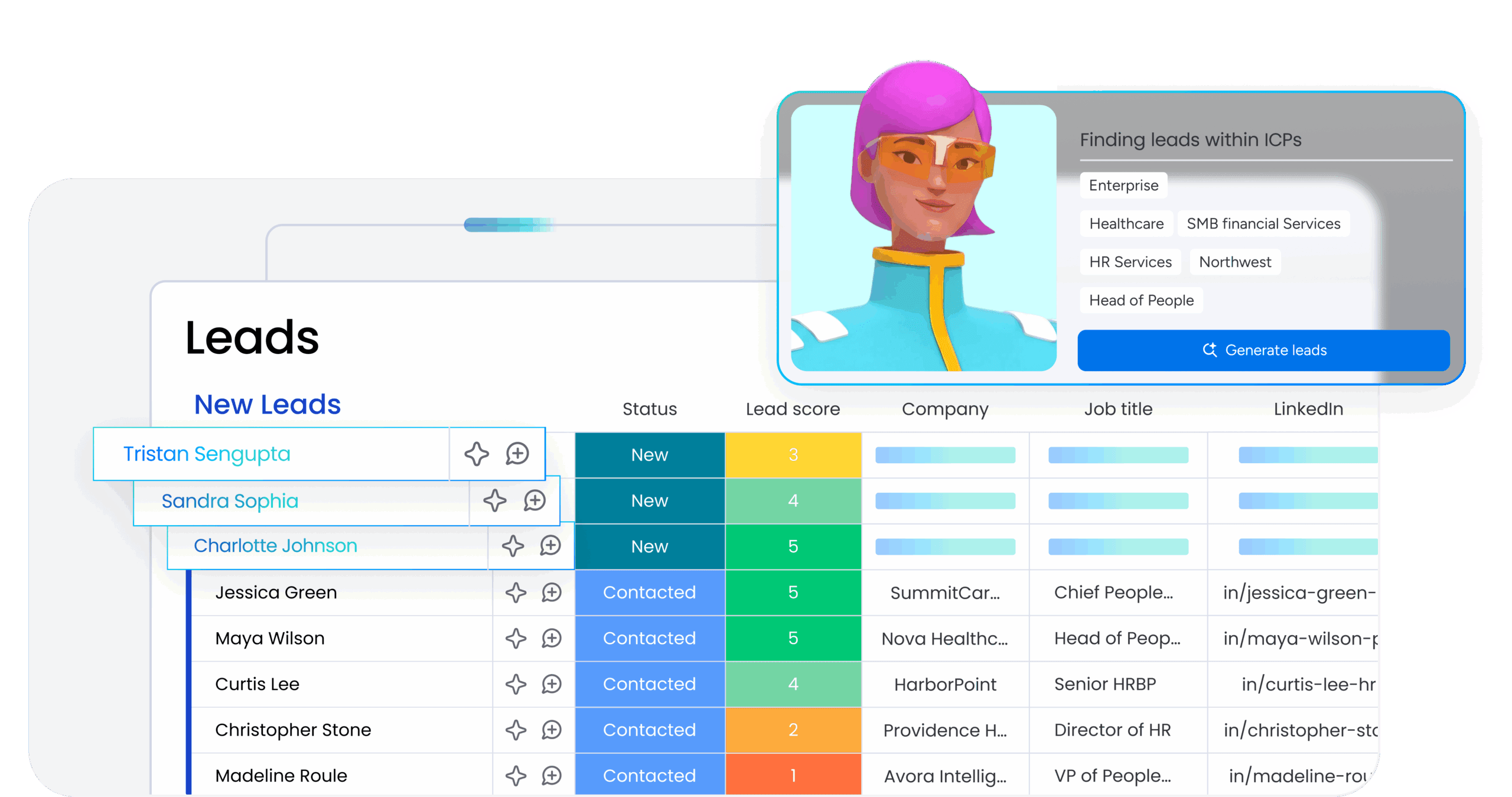
AI is transforming CRM management by automating insights, improving data quality, and enabling smarter decision-making. Rather than replacing human judgment, AI enhances productivity and CRM effectiveness by handling tasks that would otherwise consume hours of manual effort.
AI capabilities that enhance CRM management include:
- AI lead scoring: Analyzes lead behavior, engagement, and firmographic data to predict which leads are most likely to convert
- AI meeting summaries: Automatically transcribes and summarizes sales calls, extracting key takeaways and action items
- AI email writing: Drafts personalized follow-up emails based on CRM data and conversation context
- AI deal insights: Identifies risks, predicts close likelihood, and recommends next actions
- AI workflow recommendations: Suggests automation opportunities based on CRM usage patterns
monday CRM includes AI-powered features like AI Timeline Summary for quick context, AI email composition capabilities, and Autofill with AI that can detect sentiment, extract information from files and images, assign labels, and assign people based on role fit. These capabilities reduce manual work and ensure consistent execution across the team.
Learn more: CRM virtual assistant
In the state of sales technology report by monday.com, 82% of respondents reported a boost in productivity and efficiency after using AI.
How to measure CRM management success
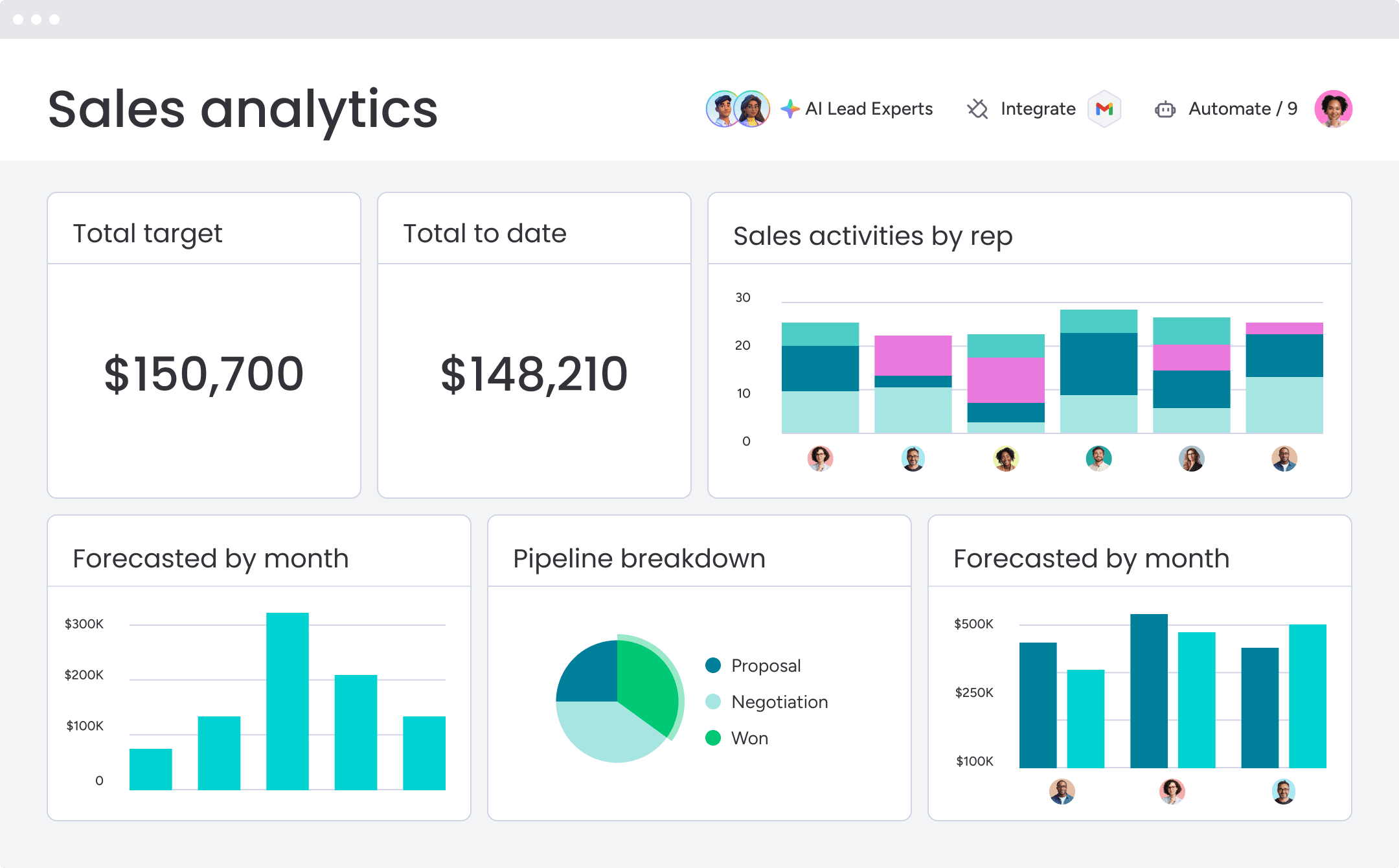
Measuring CRM management success requires tracking adoption, data quality, process efficiency, and business outcomes. These metrics indicate whether CRM management is delivering value or just creating busywork. Track these 6 metrics to get a complete picture of CRM health:
| Metric | What it measures | Why it matters |
|---|---|---|
| CRM adoption rate | Team usage and activity | Higher adoption improves data quality and CRM value |
| Data completeness | Required fields populated | Supports accurate reporting and forecasting |
| Pipeline velocity | Speed of deal progression | Reveals sales efficiency and bottlenecks |
| Forecast accuracy | Predicted vs. actual revenue | Reflects CRM discipline and data quality |
| Lead response time | Time to first follow-up | Faster responses improve conversion rates |
| Customer handoff quality | Sales-to-post-sale transitions | Improves customer experience and reduces churn |
Build a stronger CRM operation with monday CRM
Strong CRM management requires the right platform foundation. monday CRM gives revenue teams the tools they need to manage customer relationships effectively, automate workflows, and drive predictable growth. The platform combines intuitive design with powerful capabilities that support every aspect of CRM management covered in this guide.
Key capabilities that support effective CRM management include:
- Customizable pipelines and deal stages: Build sales workflows that match your actual process with drag-and-drop simplicity, ensuring your CRM reflects how your team really sells
- Centralized customer data: Keep contacts, accounts, deals, and communication history in one unified platform accessible to sales, marketing, and customer success teams
- Workflow automation: Eliminate repetitive tasks with automated lead assignments, follow-up reminders, status updates, and cross-team notifications
- AI-powered insights: Leverage AI capabilities including timeline summaries, email composition, sentiment detection, and intelligent autofill to reduce manual work and surface actionable insights
- Real-time dashboards and forecasting: Track pipeline health, monitor team performance, and predict revenue with customizable dashboards that give leaders the visibility they need
- 500+ integrations: Connect seamlessly with Gmail, Outlook, Google Calendar, marketing automation platforms, and other business apps to eliminate data silos
- Mobile CRM access: Manage customer relationships on the go with full mobile functionality for logging activities, updating deals, and staying connected
The difference between a CRM that quietly fades into the background and one that drives revenue comes down to how well it’s managed. Clean data, structured workflows, and the right automations turn a CRM into a platform your team actively relies on every day to close more deals, forecast accurately, and collaborate without friction.
Turn CRM management into your competitive advantage
Strong CRM management doesn’t require a one-time setup. It’s an ongoing practice that delivers compounding returns through better pipeline visibility, more accurate forecasts, and fewer deals lost to poor follow-up. Clean data, structured workflows, and smart automation transform your CRM from an underused database into a platform your team relies on every day to close more deals and drive predictable revenue.
Ready to build a CRM operation that gives your revenue team real visibility and control? Try monday CRM and experience how the right platform combined with strong management practices turns customer relationship management into a genuine growth lever.
Try monday CRMFAQs
What is CRM management?
CRM management is the strategic process of organizing, maintaining, and optimizing customer relationship management systems to improve sales efficiency, customer relationships, and revenue outcomes. It encompasses data governance, user adoption, process alignment, workflow optimization, and cross-team collaboration.
What are the 4 types of CRM?
The 4 types of CRM are operational CRM (streamlining customer-facing processes), analytical CRM (generating insights from data), collaborative CRM (enabling cross-team communication), and strategic CRM (aligning CRM with long-term business goals). Most organizations use a combination of these approaches.
What is the difference between CRM and CRM management?
CRM refers to the software platform used to track customer relationships, while CRM management is the ongoing practice of configuring, maintaining, adopting, and optimizing that software to achieve business outcomes. CRM is the platform; CRM management is how you use it effectively.
Who is responsible for CRM management?
CRM management is typically a shared responsibility involving sales leaders (strategy and adoption), RevOps or sales operations (configuration and governance), sales reps (daily usage and data entry), and IT (integrations and security). Success requires collaboration across all these roles.
How do you measure CRM success?
CRM success is measured through adoption rates, data completeness, pipeline velocity, forecast accuracy, lead response time, and customer handoff quality. These metrics indicate whether the CRM is driving business value or just collecting data.
What are the benefits of CRM management?
Effective CRM management provides a shared view of customer relationships, more predictable pipeline management, faster handoffs between teams, and more time for selling by reducing administrative burden through automation and clean data. It transforms CRM from a database into a revenue engine.
