



Your first CRM shapes how you sell for years. Pick the right one, and your team actually uses it: Deals move faster, nothing falls through the cracks, and everyone works from the same playbook.
We break down 13 CRM platforms built for growing teams, organized by what they do best. You’ll learn which features actually matter, how pricing scales with your team, and how to evaluate what fits your sales motion today and where you’re headed next.
Why startups need a CRM
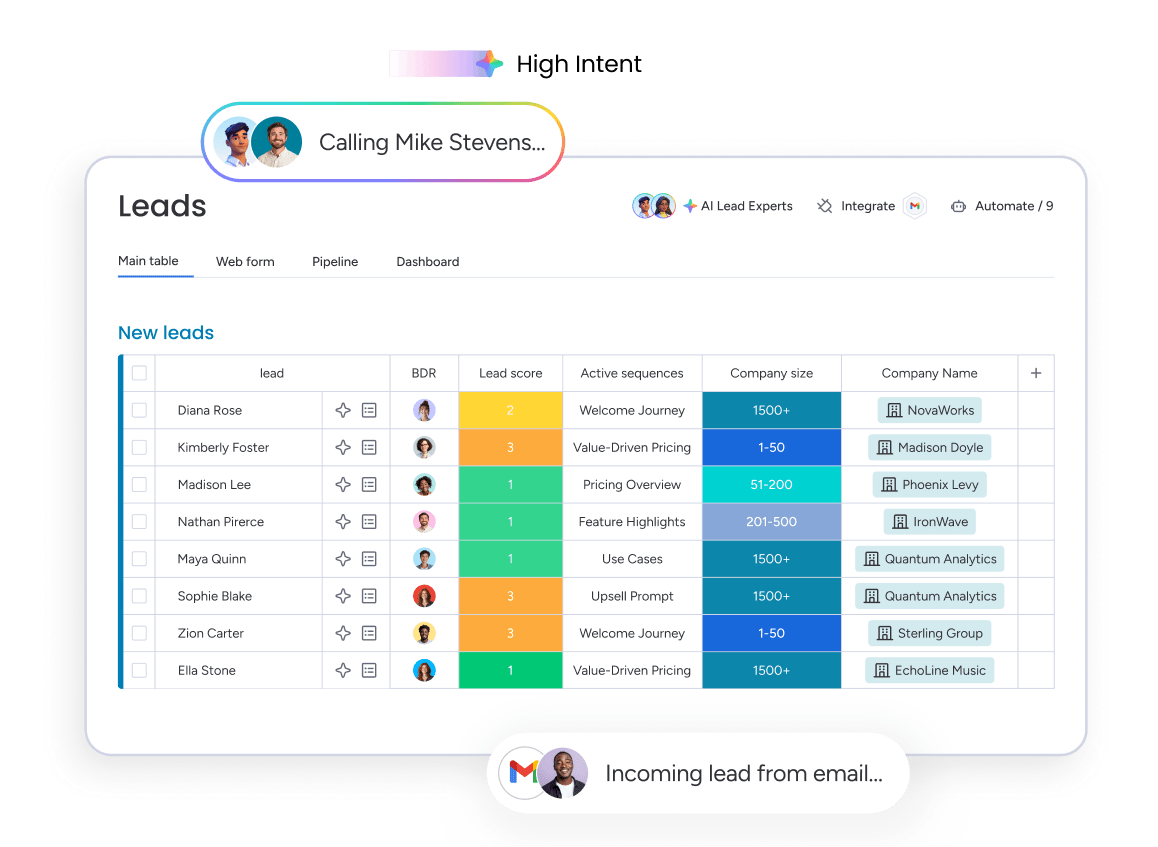
Spreadsheets break down fast when you’re trying to scale. A CRM for startups replaces that chaos with a system built for growth — one that centralizes customer data, tracks deals in real time, and keeps your entire revenue operation aligned.
Here’s what a simple CRM for startups actually solves:
- Eliminates data silos: Stop hunting through email threads and Slack messages. Every customer interaction lives in one place.
- Speeds up onboarding: New hires get full context on every deal without playing detective across scattered files.
- Provides pipeline visibility: Founders and sales leaders see exactly where deals stand, what’s at risk, and where to focus.
- Automates repetitive work: Let the platform handle data entry, follow-up reminders, and lead routing so your team can focus on selling.
- Scales without breaking: A startup CRM adapts to your sales process in days, not months, and grows with your team without requiring a rebuild.
- Drives adoption across teams: When everyone works from the same playbook — founders, reps, and account managers — deals close faster and nothing gets lost in translation.
The right CRM doesn’t just track deals. It becomes the foundation for how you sell, scale, and win.
Pro tip: Focus on what your team needs today, not what you might need in 2 years. A simple CRM that people actually use is infinitely more valuable than a complex one that collects dust.
13 best CRM platforms for startups
Most CRMs weren’t built for startups. They’re either too rigid for fast-moving teams or require a dedicated engineer just to get running. Some will drain your budget before you even hit your stride. We picked these 13 platforms based on what actually matters: quick setup, fair pricing, room to grow, and smart AI features.
| Platform | Use case | Free trial* | Notable feature | Starting price* |
|---|---|---|---|---|
| monday CRM | Customizable startup CRM that can scale across sales and post-sales workflows | 14 days | No-code pipeline customization | $12/seat/month |
| HubSpot CRM | Free CRM foundation with marketing and sales tools | Free plan | Free CRM with up to 1M contacts | $20/seat/month |
| Salesforce | Venture-backed startups with complex sales processes | Free Suite | Deep customization and Agentforce AI | $25/user/month |
| Zoho CRM | Budget-conscious startups needing strong features | 15 days | Zia AI assistant | $14/user/month |
| Pipedrive | Sales-focused teams that want visual pipeline management | 14 days | Activity-based selling alerts | $14/user/month |
| Insightly | Service-based startups managing deals and delivery | 14 days | Deal-to-project conversion | $29/user/month |
| Streak | Google Workspace teams managing CRM inside Gmail | 14 days | Gmail-native pipeline management | $15/user/month |
| Nutshell | SMB startups combining CRM and email marketing | 14 days | Next-Action Selling framework | $13/user/month |
| Podium | Local/service startups focused on SMS, reviews, and payments | Not listed | AI-powered inbox | Custom quote |
| SugarAI | Mid-stage B2B startups with complex workflows | Not listed | Precision selling guidance | $59/user/month |
| Freshsales | Early-stage outbound teams needing built-in communications | Free plan | Freddy AI lead and deal insights | $9/user/month |
| Copper | Google-first startups that want automatic activity logging | 14 days | Native Google Workspace integration | $9/user/month |
| Zendesk Sell | Teams connecting sales and Zendesk support data | Not listed | Support-ticket context in sales view | $19/agent/month |
*Prices may vary based on plan, billing cycle, or region.
1. monday CRM
monday CRM delivers a no-code, fully customizable platform that molds itself to your sales process, not the other way around. If you need speed, alignment, and full visibility over every customer touchpoint, you’ll find it all in one workspace. When you outgrow basic pipeline management, monday CRM expands to handle account management and payment tracking. No need to rebuild your system every quarter.

Use case: Startups that want a CRM they can configure in hours, then keep expanding as headcount and deal volume ramp
Key features
- Visual pipeline management: Customize your pipeline stages and fields, then drag deals forward. Simple as that. Want to track proof-of-concept status, legal review, and procurement without drowning in complexity? You can.
- Lead management: Collect leads from website forms and social ad campaigns, then auto-enrich lead data using Crunchbase’s database. Qualify and assign leads so follow-up stays consistent, even when volume spikes.
- Sales forecasting: Build forecasts and projections, then drill down by month, rep, or whatever you need. Track forecast vs. actual sales to spot gaps early and adjust fast.
Pricing
- Basic: $12/seat/month (billed annually) or $18/seat/month (billed monthly)
- Standard: $17/seat/month (billed annually) or $25/seat/month (billed monthly)
- Pro: $28/seat/month (billed annually) or $41/seat/month (billed monthly)
- Ultimate (Enterprise): Custom pricing — contact sales
- Annual discount: 18% off when billed annually
- Free trial: 14 days
- Minimum seats: 3 seats per plan; teams with more than 40 users should request a quote
- AI credits: 500 free AI credits per month included on all plans; additional credits available as a paid add-on
Why it stands out
- Fits the way startups actually sell: You can adjust deal stages, fields, and workflows as your motion evolves, without heavy technical work.
- More visibility and control for leaders: With dashboards, forecasting, and activity tracking in one place, revenue leaders can plan resourcing and report upward with confidence.
- Grows past sales without a rebuild: monday CRM is built on the monday.com Work OS, so you can run sales, post-sales, and related processes in one platform as you scale.

“With monday CRM, we’re finally able to adapt the platform to our needs — not the other way around. It gives us the flexibility to work smarter, cut costs, save time, and scale with confidence.”
Samuel Lobao | Contract Administrator & Special Projects, Strategix
“Now we have a lot less data, but it’s quality data. That change allows us to use AI confidently, without second-guessing the outputs.”
Elizabeth Gerbel | CEO
“Without monday CRM, we’d be chasing updates and fixing errors. Now we’re focused on growing the program — not just keeping up with it."
Quentin Williams | Head of Dropship, Freedom Furniture
“There’s probably about a 70% increase in efficiency in regards to the admin tasks that were removed and automated, which is a huge win for us.“
Kyle Dorman | Department Manager - Operations, Ray White
"monday CRM helps us make sure the right people have immediate visibility into the information they need so we're not wasting time."
Luca Pope | Global Client Solutions Manager at Black Mountain
“In a couple of weeks, all of the team members were using monday CRM fully. The automations and the many integrations, make monday CRM the best CRM in the market right now.”
Nuno Godinho | CIO at Velv
“monday.com provides developmental flexibility, operational efficiency, and data transparency — all in one place. We became a company that moved from chasing data to leading with it.”
Hyunghan Lee | Team Lead, Sandbox Network
"monday.com brought every part of our business into one connected space. The harmony between work management and CRM has become our operating system — giving us the clarity and confidence to scale.”
Jennifer Chinburg | Executive Vice President of Corporate Development & Brand, Chinburg Properties
“We just weren’t getting value from our old CRM. With monday.com, it's a thousand times better. Our sales teams are more informed, more consistent, and far more connected."
James Arnold | Chief Operating Officer, Cenversa2. HubSpot CRM
HubSpot CRM offers startups a free entry point into contact management, deal tracking, and email marketing, all under one roof. Teams that want marketing and sales aligned from day one can skip the hassle of juggling separate platforms. The HubSpot for Startups program also provides up to 90% off in year one for eligible early-stage companies, making it a compelling option for founders watching every dollar.

Use case: Startups that want a free, scalable foundation with built-in marketing and room to grow
Key features
- Free CRM with unlimited users: Contact and deal management, visual pipeline views, and email tracking come free, with support for up to 1 million contacts.
- AI-powered prospecting: Breeze AI assistants and agents suggest next actions based on deal stage, cutting manual follow-up work for lean sales teams.
- 2,000+ integrations: A large app marketplace keeps your existing platforms connected without custom development work.
Pricing
- Free: $0 — unlimited users, up to 1 million contacts, core CRM features
- Starter Customer Platform: From $20/seat/month — includes basic automation and additional reporting
- Professional Customer Platform: From $1,450/month (6 seats included) — advanced automation, custom reporting, and workflow tools
- Enterprise Customer Platform: From $4,700/month (8 seats included) — full suite access, custom objects, and predictive lead scoring
- HubSpot for Startups discount: Up to 90% off in year one for pre-seed to Series A companies verified through approved partners or funding databases; 50% off year 2, 25% off year 3
- Note: Onboarding for Professional and Enterprise tiers is often a required, one-time cost (e.g., Marketing Hub Pro onboarding starts at $3,000), though some startup program members may qualify for free setup.
Considerations
- The jump from the free plan to paid tiers can be significant. Advanced features like custom reporting, workflow automation, and predictive lead scoring sit behind Professional or Enterprise pricing, which may catch fast-growing teams off guard.
- Startup discounts apply only to net-new Professional or Enterprise products. After the discount period ends, accounts move to standard pricing, so plan for that cost increase from the start.
3. Salesforce
Salesforce earned its reputation on enterprise-grade CRM, and that scale shows in everything it offers. Deep customization, a massive app ecosystem, and native AI through Agentforce make it a fit for funded startups ready to invest in serious sales infrastructure, not just a place to log calls.

Use case: Venture-backed startups with complex sales processes and dedicated sales ops resources who need a platform that scales with rapid growth
Key features
- Deep customization: Build custom objects, fields, and workflows to match your exact sales process. No workarounds needed.
- AI-powered automation: Agentforce handles routine CRM work like email logging, meeting summaries, and record updates, reducing admin load for lean teams.
- AppExchange ecosystem: Access 7,000+ pre-built integrations and apps to extend the platform as your startup’s needs evolve.
Pricing
- Free Suite: $0/month (up to 2 users)
- Starter Suite: $25/user/month (monthly or annual billing)
- Pro Suite: $100/user/month (annual contract required)
- Enterprise and above: Varies by product; some editions are publicly priced, others require a quote.
- Venture-backed startups may qualify for Salesforce Launchpad, which offers free and discounted access to select products.
- Add-ons can increase total cost: Web Services API runs $25/user/month, and Premier Success Plan costs 30% of net license fees.
Considerations
- The Free Suite caps at 2 users, and the Starter tier limits process automation to 5 flows with no custom objects — meaningful constraints for startups moving fast.
- Pro Suite and above require annual contracts, which reduces flexibility for early-stage teams still figuring out their sales motion.
4. Zoho CRM
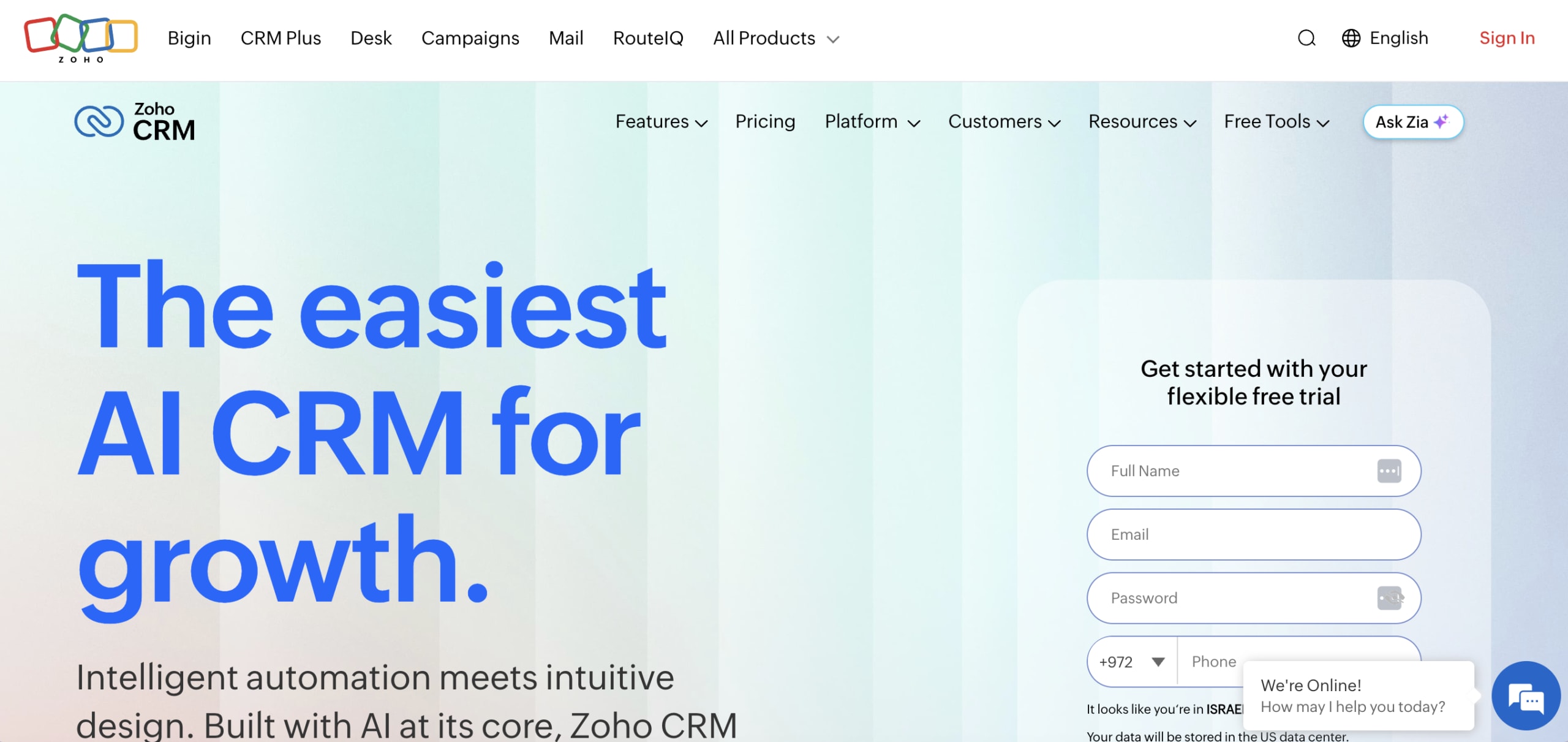
Zoho CRM packs serious feature depth into a price point that won’t make a seed-stage founder flinch. It’s built to scale with you — from a solo founder tracking leads to a growing team running multichannel sales — covering AI, automation, and collaboration without a huge upfront investment. The free-forever plan for up to 3 users gives you the core CRM essentials, so you can get organized and start tracking leads before spending a dollar.
Use case: Bootstrapped startups that need enterprise-grade features without enterprise pricing
Key features
- Zia AI assistant: Predicts deal outcomes, suggests optimal contact times, and automates data enrichment so your team focuses on high-value activities instead of admin work.
- Multichannel engagement: Manage customer conversations across email, phone, social media, and live chat from a single interface, keeping context intact regardless of channel.
- Blueprint automation: Build custom sales processes with conditional logic and automated actions that guide reps through each stage, ensuring consistency as you scale.
Pricing
- Free: $0 — up to 3 users, includes basic CRM features, lead and contact management, and mobile app access
- Standard: $14/user/month (billed annually) or $20/user/month (billed monthly)
- Professional: $23/user/month (billed annually) or $35/user/month (billed monthly)
- Enterprise: $40/user/month (billed annually) or $50/user/month (billed monthly)
- Ultimate: $52/user/month (billed annually) or $65/user/month (billed monthly)
- Annual billing saves approximately 30% compared to monthly rates
- 15-day free trial available on all paid plans
- Zia AI credits are included but limited on lower tiers; additional AI capabilities require higher-tier plans or add-on purchases
Considerations
- The free plan’s 3-user cap means you’ll need to upgrade quickly as your team grows, and advanced features like Blueprint automation and custom modules remain locked behind Professional tier or above.
- While Zoho offers deep customization, configuring advanced workflows and integrations can require technical knowledge or dedicated admin time — a potential friction point for non-technical founding teams.
5. Pipedrive
Pipedrive centers everything around the visual pipeline. It provides sales-focused startups with a structured approach to tracking deals and staying on top of next actions. The platform embraces activity-based selling, nudging reps to focus on what moves deals forward.

Use case: Early-stage startups with a defined sales process that need a focused, low-friction way to manage pipeline activity and keep reps accountable
Key features
- Visual drag-and-drop pipeline: Customize stages to match your sales process and move deals forward with minimal admin.
- Activity-based selling with AI assistance: Built-in reminders, deal rotting alerts, and an AI sales assistant that flags risks and suggests next actions.
- Lead generation add-ons: LeadBooster (chatbot, live chat, web forms, and prospector) and Web Visitors help startups capture and identify leads earlier in the sales funnel.
Pricing
- Lite: $14/user/month (billed annually)
- Growth: $39/user/month (billed annually)
- Premium: $59/user/month (billed annually)
- Ultimate: $79/user/month (billed annually)
- Annual billing saves up to 42% versus monthly rates; a 14-day free trial is available.
- Add-ons are billed per company: LeadBooster from $32.50/month, Web Visitors from $41/month, Campaigns from $13.33/month, Projects from $6.67/month, and Smart Docs from $32.50/month (included in Premium and Ultimate).
Considerations
- Pipedrive focuses squarely on sales, meaning post-sales workflows, project management, and cross-functional collaboration require add-ons or third-party integrations — costs that compound quickly as the team expands.
- No permanent free plan exists, and key features like 24/7 live chat support, Smart Docs, and advanced automation remain locked behind higher tiers or separate add-ons.
6. Insightly
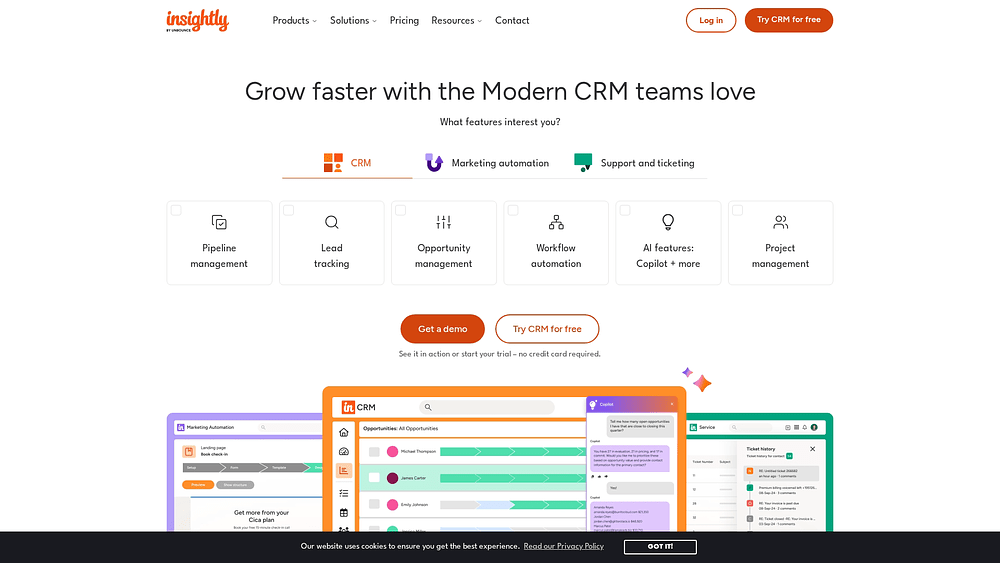
Insightly bridges sales and project delivery within a single platform, sparing service-based startups from juggling two separate systems. Growing teams that need to manage deals and the work that follows will find it particularly practical — especially consulting firms, agencies, and professional services businesses.
Use case: Service-based startups that need to track deals and manage client delivery without switching between platforms.
Key features
- Deal-to-project conversion: turn closed opportunities into projects with copied context, milestones, and pipelines — no manual re-entry needed.
- Pipeline automation: set conditional triggers and notifications to keep deals moving without manual follow-up.
- No-code integrations via AppConnect: connect finance, HR, marketing, and other platforms without engineering support.
Pricing
- Plus: $29/user/month (billed annually) — includes lead and contact management, project management, advanced reports, and pre-built dashboards.
- Professional: $49/user/month (billed annually) — adds lead routing, workflow automation, and AI Copilot.
- Enterprise: $99/user/month (billed annually) — adds sandboxes, Products/Pricebooks/Quotes, and audit logging.
- Free plan: Includes a free-forever plan for up to 2 users with basic CRM features, plus a 14-day free trial on all paid plans.
- Note: All-in-One bundles (CRM + Marketing + Service + AppConnect) include required fees for guided onboarding ($1,500) and Premier Support (20% of license, $3,000 annual minimum).
Considerations
- Insightly’s project management features handle the basics, but startups requiring deep delivery workflows may find them less robust than dedicated platforms.
- Advanced sales analytics and AI-driven forecasting remain limited, particularly on lower-tier plans.
7. Streak
Streak transforms Gmail into a fully functional CRM, enabling founders and small teams to manage pipelines, track emails, and log deals without ever leaving their inbox. Purpose-built for Google Workspace users, it eliminates the friction of switching between platforms — your CRM lives exactly where your conversations already happen. Y Combinator even relies on Streak to manage fundraising for each batch, a fact highlighted in their own materials that speaks volumes about its credibility with early-stage teams.

Use case: Startups running on Google Workspace who want to manage sales, fundraising, and hiring pipelines directly inside Gmail
Key features
- Gmail-native pipeline management: Build and track deal stages, add notes, log calls, and view contact history without leaving your inbox.
- Fundraising workflow templates: Track investor conversations, follow-up sequences, and next steps with pre-built pipeline templates designed for early-stage fundraising.
- AI Co-Pilot: Generate deal summaries from email threads, autofill pipeline fields, and ask questions about any deal — all from within Gmail.
Pricing
- Free: Basic email tracking, snippets, and mail merge (up to 50/day) — free forever.
- Solo: $15/user/month (billed annually) — basic CRM with mail merge up to 800/day.
- Pro: $49/user/month (billed annually) — shared pipelines and team collaboration features.
- Pro+: $69/user/month (billed annually) — advanced reporting, automations, integrations, and AI Co-Pilot.
- Enterprise: $129/user/month (billed annually) — custom roles, data validation, and priority support for teams of 10+.
- 20% discount available with annual billing.
- 14-day free trial available.
Considerations
- Streak’s Gmail dependency limits its usefulness for teams that don’t run on Google Workspace — if your organization uses Outlook or plans to migrate away from Gmail as it scales, the platform won’t travel with you.
- While all paid plans include some AI credits, the most powerful reporting and automation tools sit behind Pro+ and Enterprise tiers. Smaller teams on tighter budgets will need to upgrade to access the capabilities that matter most as they grow.
8. Nutshell
Nutshell merges CRM with built-in email marketing, giving small startup teams a single place to manage pipeline and outreach without cobbling together multiple platforms. The platform revolves around its “Next-Action Selling” methodology, guiding reps toward consistent, stage-appropriate actions — a practical fit for early-stage teams still codifying their sales process.

Use case: SMB startups run sales and marketing from one place, with fast setup, unlimited contacts, and built-in guidance that keeps junior reps on track
Key features
- Visual pipeline management: Drag-and-drop deal views with stage goals and automation to keep deals moving forward.
- Built-in email marketing: A drag-and-drop builder for sending outreach right from your CRM. More advanced marketing tools are available on higher tiers or as add-ons.
- Next-Action Selling framework: Prompts reps to log next steps at every stage, reducing dropped deals and keeping pipelines honest.
Pricing
- Foundation: $13/user/month (billed annually)
- Growth: $25/user/month (billed annually)
- Pro: $42/user/month (billed annually)
- Business: $59/user/month (billed annually)
- Enterprise: $79/user/month (billed annually)
- All plans include unlimited contacts and storage, a 14-day free trial, and free live support — no credit card required.
- Add-ons available for advanced marketing, engagement, SMS, and prospecting at additional cost.
Considerations
- Reporting functions adequately but lacks deep customization, which can restrict visibility for data-driven sales leaders who need granular pipeline analysis.
- Faster-growing teams may find the platform’s AI capabilities and cross-functional features insufficient as their sales operations scale.
9. Podium
Podium unifies SMS messaging, review management, payments, and basic contact tracking into a single platform tailored for local and service-based businesses. It targets brick-and-mortar and consumer-facing startups that depend on fast lead response and inbound messaging rather than structured pipeline management. If your startup’s success hinges on text conversations and online reputation, Podium deserves serious consideration.

Use case: Service-based startups that need to capture, respond to, and convert inbound leads through SMS and messaging channels
Key features
- AI-powered inbox: Handles after-hours responses, routes inquiries by intent, and sends instant replies so no lead goes cold overnight.
- Review management: Automates review requests and response workflows, helping local businesses build and protect their online reputation at scale.
- Text-to-pay: Collects payments directly through SMS threads, keeping the entire customer interaction — from first message to final invoice — in one place.
Pricing
- Core, Pro, and Signature tiers: Quote-based pricing; contact Podium’s sales team for a custom quote based on your business size and industry.
- AI Employee: Available as a paid add-on across all plans.
- Phones: Priced separately based on number of units.
- Additional fees apply for high-volume messaging, 10DLC carrier registration (e.g., $5/month per location), and payment processing.
Considerations
- Podium isn’t a full CRM — the platform itself acknowledges this. Startups requiring pipeline stages, deal forecasting, or complex sales workflows will likely need a separate CRM running alongside it.
- Quote-only pricing with multiple add-ons makes predicting total costs difficult upfront, which can create friction for early-stage startups managing tight budgets.
10. SugarAI
SugarAI provides deep workflow customization and AI-driven sales intelligence for B2B teams that have outgrown lighter platforms. Designed for mid-stage organizations with complex, account-based sales cycles, it combines configurable pipelines with ERP-aware context to help sellers focus on the right deals. Both cloud and on-premise deployment options make it practical for startups with specific data residency or compliance requirements.

Use case: Mid-stage startups with dedicated ops or IT resources that need granular control over their sales processes and data infrastructure
Key features
- Precision selling guidance: AI surfaces which deals to prioritize and recommends next steps based on combined CRM and ERP data, so sellers spend less time guessing and more time closing.
- Custom modules and BPM templates: Out-of-the-box workflow automation covers lead, opportunity, and quote processes, with the flexibility to configure custom modules and fields as the business scales.
- Flexible deployment: Choose between SugarCloud (AWS-hosted with regional data residency) or on-premise Enterprise, backed by ISO/IEC 27001, SOC 2 Type II, and CSA STAR certifications.
Pricing
- Standard: $59/user/month (billed annually)
- Advanced: $85/user/month (billed annually)
- Premier: $135/user/month (billed annually)
- On-premise Enterprise: $85/user/month (billed annually)
- On-premise Enterprise+: $120/user/month (billed annually)
- AI features and sales intelligence (sales-i) are available as add-ons and may not be included at the Standard tier.
Considerations
- The 15-user minimum for Sugar Sell’s cloud plans means the entry-level annual cost starts at $10,620/year — a significant commitment for lean founding teams still validating their sales motion.
- Configuring advanced features like console workspaces and enhanced forecasting typically requires admin enablement or technical resources, which can extend time-to-value for startups without a dedicated ops function.
11. Freshsales
Freshsales bundles AI-assisted selling, built-in calling, and email tracking into a single platform designed for high-velocity sales teams. Launched in 2016 by Freshdesk (now Freshworks), it targets startups and SMBs that want to move fast without assembling a patchwork of separate communication tools. Its Freddy AI engine analyzes deal patterns and surfaces next-best actions, enabling lean teams to punch above their headcount.
Use case: Early-stage teams that prioritize outbound communication and want AI-assisted prioritization without the complexity of an enterprise setup
Key features
- Freddy AI: Scores leads, surfaces deal insights, and flags out-of-office contacts — so reps focus on the opportunities most likely to close.
- Built-in & integrated communications: Native email, phone, and chat tools work alongside WhatsApp/SMS integrations to keep all customer interactions in one place.
- Visual pipeline management: Kanban-style pipeline views with customizable stages, multiple pipelines, and sales forecasting give founders and sales managers a real-time read on where deals stand.
Pricing
- Free: $0/month — up to 3 users, core CRM features, and limited AI capabilities
- Growth: $9/user/month (billed annually) — built for startups and SMBs, includes basic automation and built-in communications
- Pro: $39/user/month (billed annually) — adds multiple pipelines, advanced AI, and generative email assistance
- Enterprise: $59/user/month (billed annually) — for larger or more complex teams
- Annual billing saves approximately 17–18% compared to monthly rates.
- AI agent sessions and CPQ are available as paid add-ons; paid plans include a one-time allotment of 500 AI sessions before additional packs are required
- Startup credits may be available through the Freshworks Startup Program
Considerations
- The free plan caps at 3 users and omits advanced analytics; multiple pipelines and deeper AI features require a Pro plan or above, which can increase costs as the team scales.
- Some advanced customizations and third-party integrations take time to configure, and certain AI capabilities are packaged as add-ons — worth factoring into total cost before committing.
12. Copper
Copper lives natively inside Google Workspace, automatically logging emails, calendar events, and contacts to minimize manual input. Startups and small teams already running their operations through Gmail and Google Calendar will find adoption fast and friction-free.

Use case: Google-first startups that want a CRM working where their team already spends their day, with minimal setup overhead
Key features
- Automatic activity logging: Emails and calendar events sync directly from Gmail and Google Calendar, eliminating manual data entry for lean startup teams.
- Chrome extension: Brings CRM functions into Gmail, Google Meet, LinkedIn, and any website, so reps manage relationships without switching tabs.
- Pipeline and project management: Drag-and-drop deal stages carry work from first contact through to closed-won and project delivery, all in one place.
Pricing
- Starter: $9/user/month (annual) or $12/user/month (monthly) — includes 1,000 contacts and Google Workspace integration
- Basic: $23/user/month (annual) or $29/user/month (monthly) — adds 2,500 contacts, task automation, and project management
- Professional: $59/user/month (annual) or $69/user/month (monthly) — adds 15,000 contacts, workflow automation, bulk email, and reporting
- Business: $99/user/month (annual) or $134/user/month (monthly) — includes unlimited contacts, email series, custom reports, and multi-currency support
- Annual billing saves up to 26% across all tiers
- Free 14-day trial available; no perpetual free plan
Considerations
- Copper’s core value ties directly to Google Workspace. Startups running on Microsoft 365 or a mixed tech stack won’t get the same experience and may face additional integration work.
- Key features like bulk email, workflow automation, and custom reporting remain locked behind Professional and Business tiers, which can push fast-growing startups to upgrade sooner than expected.
13. Zendesk Sell
Zendesk Sell unites sales and customer support in one place, giving startups a unified view of every customer interaction from first outreach to post-sale. Teams already running on Zendesk’s support suite will find the real value in having sales and service data communicating seamlessly. If your startup lives in Zendesk, Sell tightens that ecosystem considerably.

Use case: Startups that want to connect their sales pipeline directly to customer support data, reducing the back-and-forth between teams and giving reps full context on every deal
Key features
- Pipeline management: visual deal stages with forecasting to track where every opportunity stands
- Built-in calling and email tracking: log calls, send emails, and track engagement without switching platforms
- Zendesk Support integration: pull support ticket history into the sales view so reps know exactly what’s happening with each customer
Pricing
- Team: $19/agent/month (billed annually)
- Growth: $55/agent/month (billed annually)
- Professional: $115/agent/month (billed annually)
- Enterprise: $169/agent/month (billed annually)
- Voice and SMS usage is metered separately at pay-as-you-go rates
Considerations
- Zendesk has announced it will retire Zendesk Sell on August 31, 2027, which means limited roadmap investment going forward — startups choosing this platform today should factor in a future migration.
- The value proposition narrows significantly for teams not already using Zendesk for customer support; without that integration, standalone capabilities are less compelling than dedicated CRM alternatives.
7 features to look for in the best CRM for startups
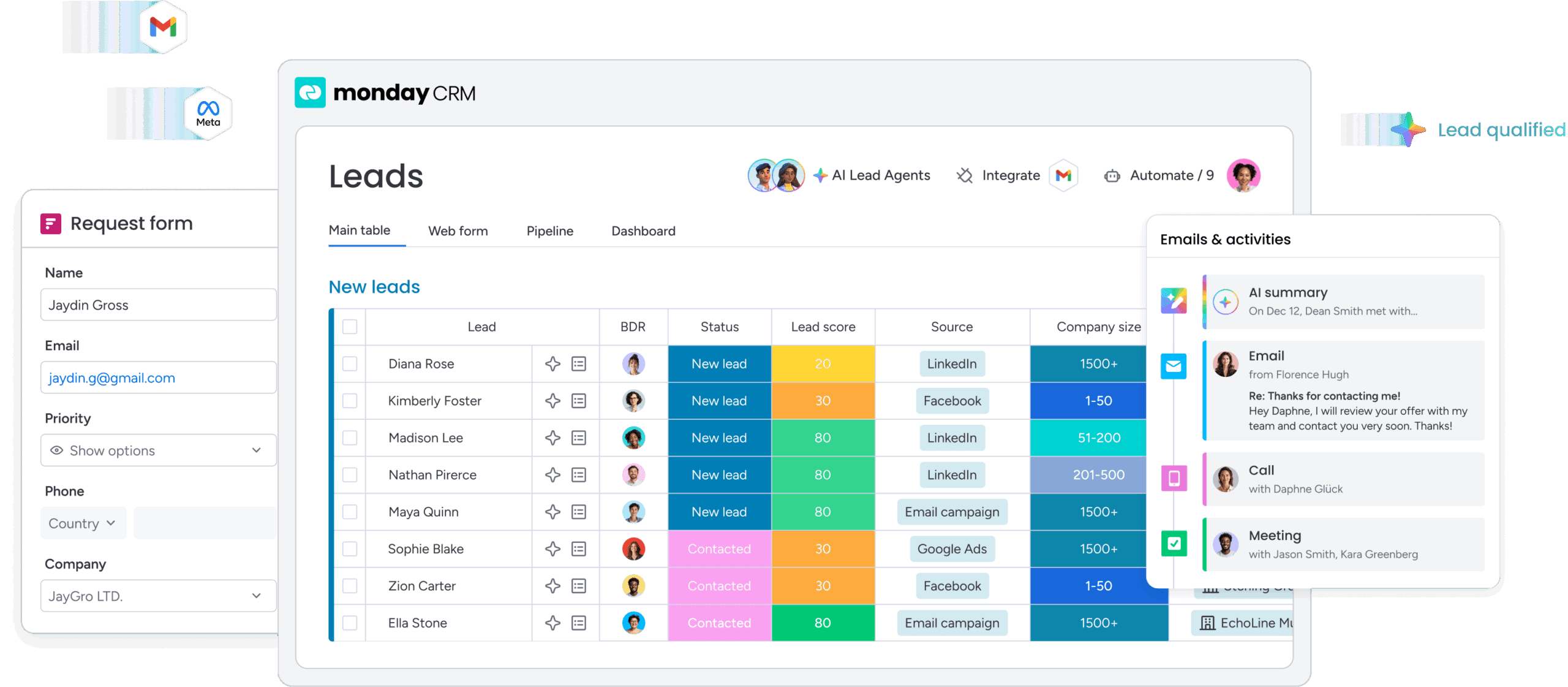
Not every CRM is built for the way startups actually work. The right platform gives you the tools to move fast, stay organized, and scale without rebuilding your entire system every 6 months. Here are the features that matter most when you’re choosing a CRM for your startup:
- Visual pipeline management: A drag-and-drop interface that shows you exactly where every deal stands, so you can spot bottlenecks and move opportunities forward without digging through reports.
- Fast setup and easy customization: You need a CRM you can configure in hours, not weeks. Look for no-code customization that adapts to your sales process as it evolves.
- AI-powered automation: Features that handle data entry, lead scoring, and follow-up reminders free your team to focus on selling instead of admin work.
- Centralized customer data: Every email, call, and meeting should live in one place, giving your entire team full context on every customer interaction.
- Real-time forecasting and reporting: Turn pipeline data into accurate forecasts so you can plan resources, report upward, and make decisions with confidence.
- Cross-team collaboration: A CRM that connects sales, account management, and operations keeps everyone aligned and eliminates the handoff delays that kill momentum.
- Room to scale: The platform should grow with your team — from your first rep to 100+ employees — without forcing a painful migration or rebuild.
Choosing your first CRM sets the foundation for how you sell, grow, and win. Get it right, and scaling becomes a process, not a panic.
Try monday CRM5 steps to choose the best CRM for your startup
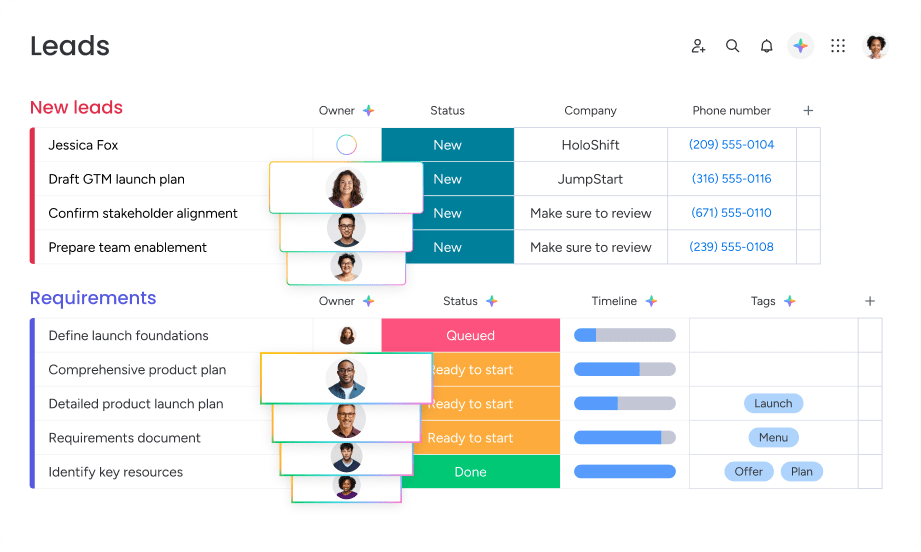
Picking a CRM carries significant weight for a startup. Get it right, and you build a foundation for growth. Get it wrong, and you’re stuck with bad data and frustrated reps. These 5 steps help you cut through the noise and find a platform that actually works for your team:
- Map out your actual sales process: Document how you sell today — your stages, touchpoints, and what information you need at each step. Know your process first, then find a CRM that fits it.
- Define your non-negotiable features: Write down the 3–5 features you absolutely cannot work without. The best CRM is the one your team actually uses.
- Calculate the true cost of ownership: Factor in onboarding, implementation, and add-ons. Run the numbers for your team today, then at double and 5 times your size.
- Run a live test drive with your team: Get your reps — not just managers — to run live deals through the platform during a free trial. Adoption is everything.
- Plan for cross-functional scaling: Your CRM needs to connect with account management, operations, and finance as you grow. A unified platform like monday CRM lets you manage the entire customer journey in one place.
By following these steps, you ensure your CRM drives revenue instead of creating friction.
Why monday CRM for startups
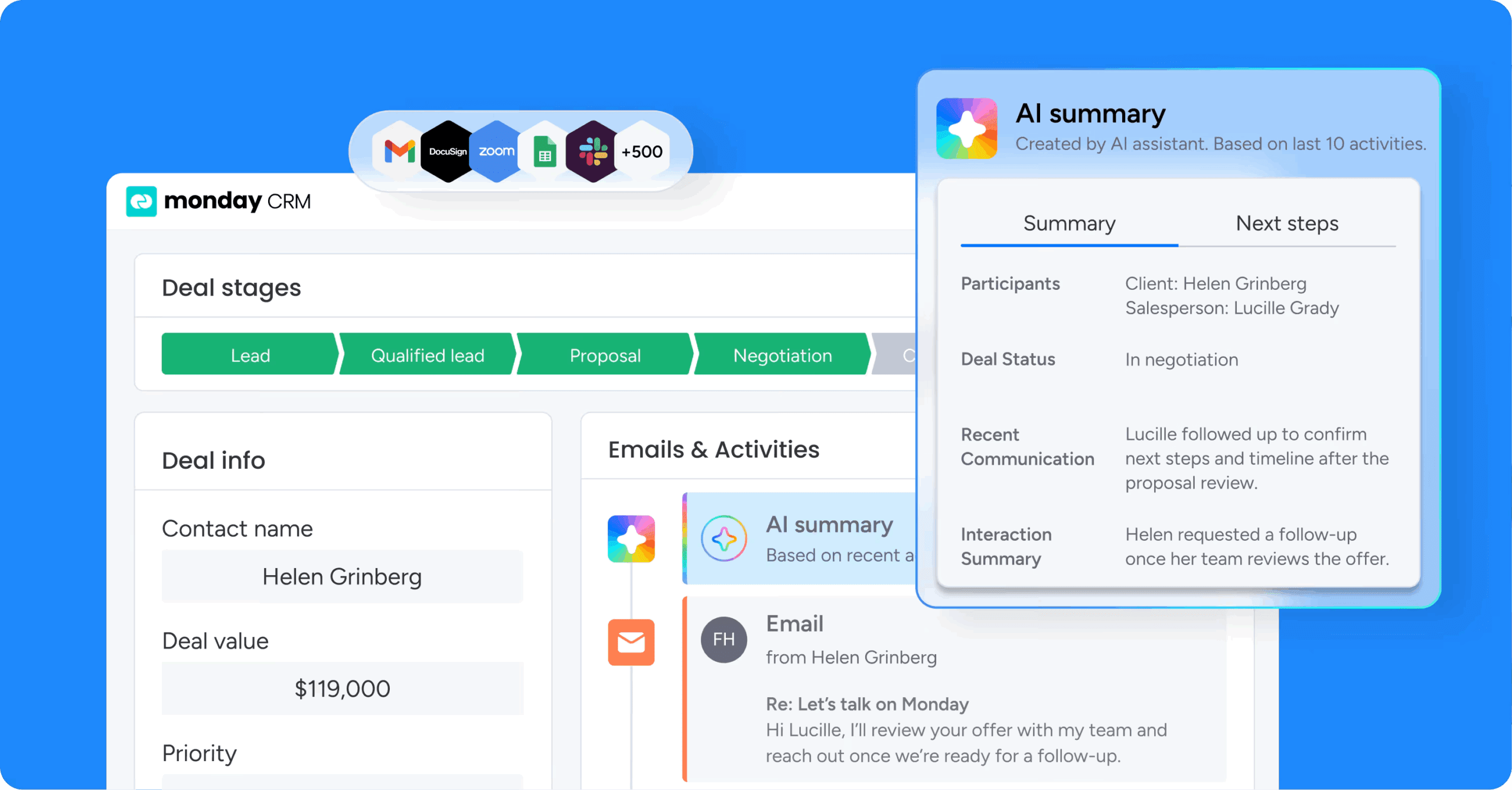
For startups that need speed, flexibility, and room to grow, monday CRM delivers. You can configure your entire sales process in hours, not weeks, and your team will actually use it because it’s built around how you work — not the other way around.
Here’s what makes monday CRM the right choice for startups:
- No-code customization: Build and adjust pipelines, fields, and workflows without technical resources. Your CRM adapts as your sales motion evolves.
- AI-powered automation: Let AI handle data entry, lead enrichment, and follow-up reminders so your team focuses on closing deals, not admin work.
- Visual pipeline management: Drag-and-drop deal tracking gives you instant visibility into where every opportunity stands and what needs attention next.
- Built on monday.com Work OS: Run sales, operations, projects, and support from one platform. No painful integrations or scattered tools as you scale.
- Fast setup and adoption: Get your team up and running in hours, not months. The intuitive interface means reps actually use it from day one.
- Scales with your team: Start with a few seats and grow to hundreds without rebuilding your system or migrating platforms.
Choose a CRM that grows with your startup
The right CRM doesn’t just track deals — it becomes the foundation for how you sell, scale, and win. By centralizing customer data, automating repetitive work, and giving your team full visibility into every opportunity, you eliminate the chaos that slows revenue down. The platforms we covered offer different strengths, but the best choice is the one that fits your sales process today and adapts as you grow.
monday CRM was built for startups that need to move fast without sacrificing flexibility. You get a platform that’s simple to set up, easy for your team to adopt, and powerful enough to run your entire revenue operation as you scale.
Try monday CRMFAQs
What is the most important feature in a startup CRM?
The most important feature in a startup CRM is a visual pipeline you can actually use. It gives you an instant, honest look at every deal, so you can spot bottlenecks and forecast without guesswork.
Are free CRMs really free?
While many CRMs offer free plans, they come with limitations on users and features. They're a good starting point, but most scaling teams upgrade to get the tools that actually accelerate growth.
How is AI changing CRM for startups?
AI is transforming CRMs from passive databases into active sales assistants. It automates data entry, enriches lead information, scores deals, and surfaces next-best actions — so your team spends less time on admin work and more time closing. For startups, that means faster onboarding, smarter prioritization, and the ability to punch above your headcount without adding overhead.
What is the difference between a CRM and a sales platform?
A CRM focuses on managing customer relationships and tracking your pipeline. A sales platform is a broader term that can include a CRM plus other tools for engagement or intelligence.
How much does a startup CRM cost?
Costs vary widely, with free plans for small teams and paid plans typically ranging from $10–$50 per user monthly. The real cost isn't just the subscription; it's the time spent on a platform that slows you down.
Can a startup use a free CRM long-term?
A startup can use a free CRM long-term as long as the team stays small and doesn't need advanced automation or AI. Most growing teams hit the limits of a free plan within a year and need to upgrade to maintain their momentum.
