

Every growing business reaches a point where the small things start to pile up — scheduling, reporting, data entry, endless follow-ups. These tasks may seem harmless on their own, but together they drain focus from what really matters.
That is where a team of AI agents comes in. Instead of searching for a single all-knowing assistant, the future of work belongs to specialized AI helpers — each built to handle one specific job perfectly. One agent might manage your calendar, another analyzes customer feedback, and another keeps your data spotless and ready for action.
As we progress through 2026 and beyond, AI agents are no longer experimental; they are essential teammates that scale as fast as your ambitions do. This guide explores what makes them different from standard automation, how to choose the right tools, and which AI agent platforms stand out for performance, flexibility, and a little bit of personality.
If you have ever wished for a few extra pairs of hands on your team, this is the year you can finally build them — no coffee breaks required.
Key takeaways
- AI agents are built for focus: instead of one all-purpose AI assistant, teams get more value from specialized agents that each handle a single task well, from scheduling to reporting.
- They go beyond basic automation: AI agents don’t just follow rules. They monitor outcomes, adapt to changes, and keep work moving without constant supervision.
- The right platform makes the difference: effective AI agent software fits into your existing tools, supports clear roles, and scales as your workflows grow.
- Agent Factory enables practical AI teams: use ready-made or custom, task-driven agents to take repetitive work off your plate while you stay focused on direction and priorities.
- Start small and scale intentionally: automate one routine process first, refine how it works, then expand your team of agents as needs evolve.
What are AI agents and why do businesses need them?
An AI agent is a new kind of autonomous teammate you build yourself. Each one is a focused helper designed for a single job, whether it’s sorting your inbox or tracking subscriptions, and they work without you needing to look over their shoulder. They’re not just following a script; they’re smart enough to adapt when things change, giving you a reliable team you can trust.
So, why build a team like this? Because every small task they handle is a piece of your day you get back. When one agent is managing your calendar and another is prepping your meeting notes, you’re free to focus on the work only you can do — the creative problem-solving and strategic thinking that moves your work forward.
This isn’t some futuristic concept; it’s about getting practical help right now. Your team of agents can qualify leads, handle support tickets, and keep projects on track automatically, creating a calmer, more effective workplace. It’s how you get the small stuff handled, so your human team can focus on what they do best.
How AI agents differ from chatbots and traditional software
Chatbots answer questions. Traditional software follows instructions. Business AI agents go further — they think ahead, act independently, and adapt as things change.
- Chatbots: respond to prompts, making them ideal for simple, one-off interactions.
- Traditional software: provides the tools but still depends on you to initiate every action.
- AI agents: anticipate what needs to happen next, make decisions within set boundaries, and handle routine work automatically.
This shift moves you from micromanaging tasks to leading a system that works alongside you. Instead of constantly giving commands, you can stay focused on strategy while your AI team takes care of the details.
What to look for in AI agent software
When selecting an AI platform, it’s crucial to think less about the tech specs and more about hiring the right crew. You’re not just buying software; you’re building a team of AI helpers that needs to fit right in, without you having to rearrange the entire office.
Beyond the dazzling demos and marketing hype, let’s focus on what actually makes a difference when you’re trying to get work done.
Here’s the playbook for choosing a platform that delivers real relief, not just another headache:
- How well do they play with your existing tools? An AI agent that can’t connect to your current systems is like a new hire who refuses to use email. Your team needs to slot into your workflow, connecting to Slack, your CRM, and your calendar to be truly helpful from day one.
- Can you be the boss? A one-size-fits-all assistant is rarely a perfect fit, and you shouldn’t have to settle. You need the power to build and direct your agents, giving each one a specific, focused task — like an agent that only tracks your meeting notes.Remember, you’re in charge, and the platform should give you the tools to build the exact team you need.
- Is it built on trust? Your AI agents will be handling important information, so security isn’t just a feature; it’s the foundation of your trust. You wouldn’t give a new teammate your passwords without knowing they’re trustworthy, and the same goes for your AI. Look for total transparency on how your data is managed and protected.
Best AI agent platforms for growing businesses compared
AI agents are multiplying fast, but the challenge for growing teams stays the same — too much “small stuff” that eats into focus and flow. The answer isn’t one all-knowing assistant, but a smart mix of specialized agents that handle the repetitive work and keep everything moving.
The goal isn’t flashy tech either; it’s finding platforms that fit naturally into your workflow and scale with you. The best tools let you build, customize, and manage your own AI team without needing to code — so you can stay focused on leading, not micromanaging.
Whether you are running projects or simply trying to tame your inbox, the platforms below deliver that rare sense of everything being handled.
1. Agent Factory
Agent Factory is an AI agent platform within the monday ecosystem that helps teams build and run task-driven AI agents designed to handle real work. Instead of relying on a single general-purpose assistant, Agent Factory focuses on role-based agents, each created to take ownership of a specific task, from follow-ups and scheduling to reporting and analysis.
The intelligent platform is built for practicality. Teams can start with ready-made agents or describe what they want an agent to do, then customize how it works, how it sounds, and how it connects to their tools. No code is required, and agents are designed to fit into existing workflows rather than replace them.
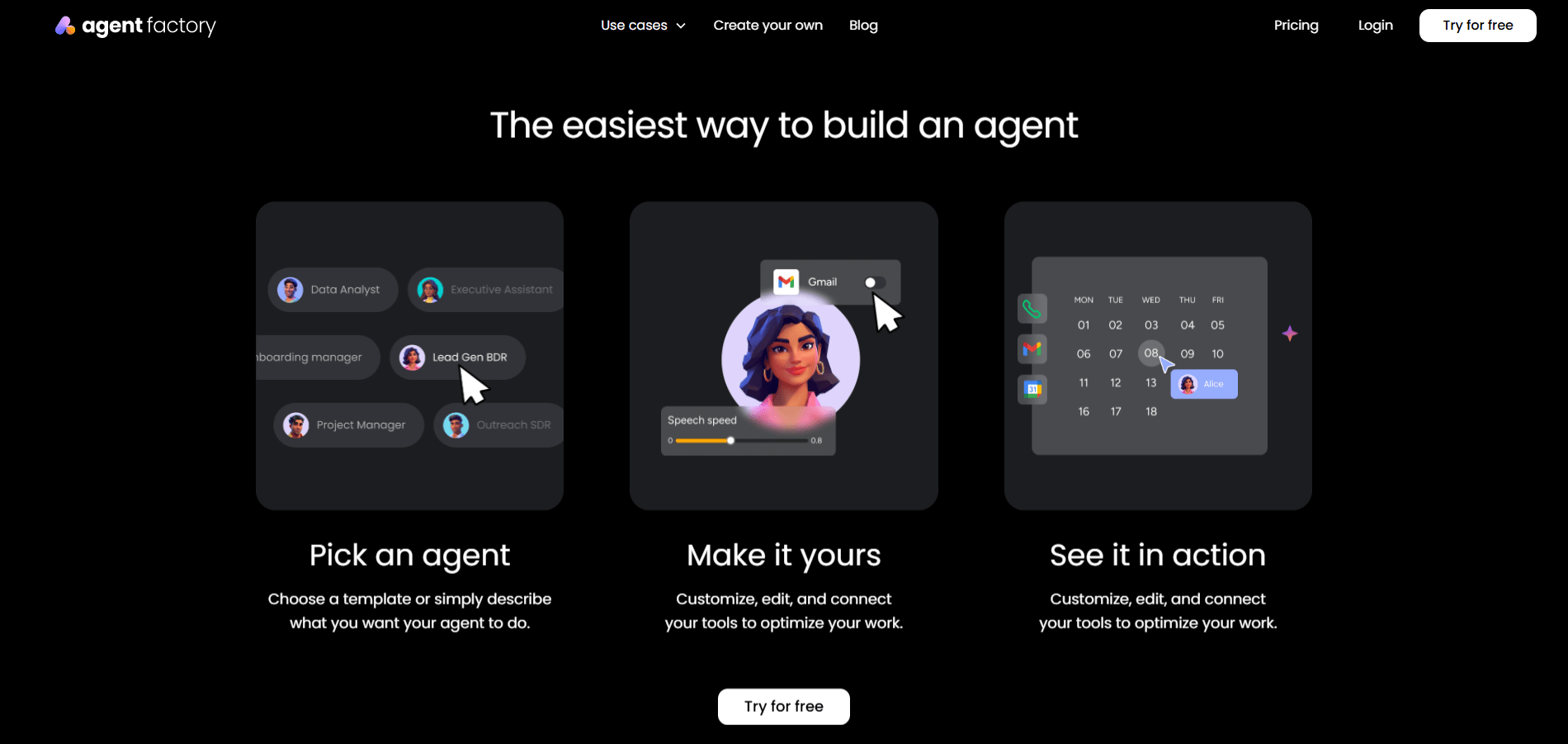
Example: a growing team might use one agent to manage routine follow-ups, another to monitor incoming requests, and a third to keep reports updated automatically, reducing manual effort across the board.
Key features:
- Task-driven agent creation: build or customize agents around specific jobs using natural language, without technical setup.
- Ready-made and custom agents: start quickly with prebuilt agents or create your own for unique workflows.
- Multi-agent workflows: run multiple agents in parallel, each with a defined role, rather than forcing everything through one assistant.
- Flexible execution: agents handle calls, emails, searches, and multi-step workflows while adapting based on usage and feedback.
- Customizable behavior: adjust an agent’s role, tone, and execution style to match how your team works.
- Tool connectivity: connect agents to existing tools and channels so they operate within real workflows, not in isolation.
Pricing:
- Free: $0 per month, includes one active agent, 200 agent credits per month, two seats, and community support.
- Squad: $49 per month, includes up to ten active agents, 5,000 agent credits per month, unlimited seats, and standard support.
- Force: $299 per month, includes up to 75 active agents, 30,000 agent credits per month, multi-agent workflows, and prioritized support.
- Powerhouse: custom pricing for enterprise teams, with tailored agent limits, custom credit plans, advanced analytics, and enterprise support.
- Additional credits: available as an add-on, starting at $99 per month for 10,000 agent credits.

Why it stands out:
- Built for execution: agents are designed to complete defined tasks, not just respond to prompts.
- Scales with real work: pricing and capacity are tied to active agents and usage, making it easier to grow responsibly.
- Practical by design: focuses on reducing manual effort and helping teams regain time and focus, rather than showcasing flashy AI features.
2. Zapier Central
By allowing anyone to create AI-powered agents with simple, natural language, Zapier Central revolutionizes team automation. The platform specializes in connecting these agents to over 8,000 business applications, making it ideal for teams who want to automate complex workflows without coding expertise.

Example: Zapier Central empowers non-technical users to build AI agents that work as autonomous teammates, handling everything from lead enrichment to customer support across thousands of integrated apps.
Key features:
- Natural language agent creation: build sophisticated AI agents by simply describing what you want them to do in plain English.
- Massive app ecosystem: connect agents to 8,000+ business applications including CRM systems, marketing tools, and productivity platforms.
- Live data integration: agents automatically sync with real-time business data from sources like Google Sheets, Notion, and company knowledge bases.
Pricing:
- Free: $0/month with 100 tasks per month and unlimited Zaps, Tables, and Interfaces.
- Professional: starting from $19.99/month (billed annually) with multi-step Zaps and unlimited Premium apps.
- Team: starting from $69/month (billed annually) with 25 users and shared Zaps and folders.
- Enterprise: custom pricing with unlimited users and advanced admin permissions.
Considerations:
- Currently in beta phase, which means the product may have bugs or inconsistencies that affect reliability.
- Pricing can escalate quickly for high-volume users, as costs are based on the number of activities your agents perform.
3. Claude by Anthropic
With a focus on safety-first development through its Constitutional AI principles, Claude by Anthropic delivers conversational AI agents that excel at complex reasoning and multi-step workflows. This makes it ideal for enterprises that need reliable, ethical AI assistance for coding, analysis, and customer support.

Example: Claude empowers businesses to build AI agents that handle everything from customer support automation to complex code development while maintaining the highest standards for safety and brand protection.
Key features:
- Claude Skills: create reusable, modular AI capabilities that transform general-purpose Claude into domain-specific specialists for tasks like brand style application or company report generation.
- Claude Code: agentic coding assistant that works via command line, IDE integrations, and web platforms to autonomously handle code migrations, bug fixes, and development tasks.
- Parallel tool execution: efficiently maximizes actions per context window while providing self-validation through spontaneous unit test writing and execution.
Pricing:
- Free: $0 – Chat on web, iOS, Android, desktop with basic features.
- Pro: $20/month (monthly) or $17/month (annual, $200 upfront) – Enhanced usage, Claude Code access, unlimited projects.
- Max: From $100/person/month – 5x–20x more usage, higher output limits, memory across conversations.
- Team Standard: $30/person/month (monthly) or $25/person/month (annual) – Admin controls, enterprise integrations, minimum five members.
- Team Premium: $150/person/month – Includes everything in Standard plus Claude Code access.
- Enterprise: contact sales – Full enterprise features with enhanced security and compliance.
Considerations:
- Message limits can interrupt workflows even on paid plans, which power users frequently cite as frustrating.
- The free tier offers limited functionality compared to competitors, potentially requiring paid upgrades for meaningful business use.
4. ChatGPT by OpenAI
Known as a conversational powerhouse, ChatGPT from OpenAI functions as a versatile AI sidekick for everything from drafting emails to tackling complex research. It combines deep language understanding with web-browsing smarts, making it a go-to for anyone needing a flexible AI assistant.

Example: on its paid plans, ChatGPT transforms into a multipurpose AI agent. It can autonomously browse websites, create documents, and run through multi-step workflows: think planning your next vacation or analyzing a dataset while you grab a coffee.
Key features:
- Autonomous web interaction (Paid Plans): through its ChatGPT Agent feature, it can navigate websites, fill out forms, and handle online tasks. You’re still the boss — it always asks for permission before taking action, and you can jump in to take over the browser at any time.
- Document generation: need a presentation or spreadsheet in a hurry? ChatGPT can create PowerPoint presentations, Excel files, and detailed research reports.
- Custom agent building: you can build your own specialized “GPTs” for specific tasks using the GPTs feature, no coding required. It’s like creating your own team of mini-experts.
- Dual research modes & app integrations: switch between a quick “Operator” mode for simple tasks and a “Deep Research” mode for more thorough analysis. It also plays nice with external apps like Google Drive and Gmail.
Pricing:
- Free: $0/month. A great way to start, but comes with limited messages, uploads, and features. Agent capabilities are not included.
- Plus: $20/month with expanded access, faster responses, and limited Sora 1 video generation.
- Pro: $200/month. The power-user tier, offering unlimited messages and uploads, the fastest image creation, and extended Sora 1 video generation.
- Business: $25/user/month (billed annually) or $30/user/month (billed monthly). Designed for teams with a minimum of 2 users, it includes a team workspace and admin controls. Discounts are available for nonprofits.
- Enterprise: custom pricing for large organizations needing top-tier security, advanced features, and dedicated support.
Considerations:
- The agent capabilities are impressive but can sometimes be a bit wobbly. It’s best to keep an eye on them for critical tasks, as human supervision is often needed.
- While some plans offer “unlimited” messages, the agent features are exclusive to paid tiers and may have their own practical limits, which could feel restrictive for power users.
5. Lindy
Lindy brings a new level of intelligence to business automation with AI-powered agents that think, not just follow rules. The platform specializes in no-code, multi-agent workflows, making it perfect for non-technical teams who want to deploy sophisticated automation without writing a single line of code.

Example: Lindy creates “AI employees” that handle complex business processes across sales, customer support, recruiting, and marketing through natural language instructions and contextual decision-making.
Key features:
- No-code AI agent builder: create sophisticated agents using drag-and-drop interface and plain English commands.
- 3,000+ integrations: connect seamlessly with Gmail, Slack, HubSpot, Salesforce, and thousands of other business tools.
- Contextual intelligence: agents maintain awareness throughout workflows, enabling smart decision-making beyond simple if-then logic.
Pricing:
- Free plan: 400 free credits and 400 free tasks to get started.
Considerations:
- Credit-based pricing model can become expensive for high-volume automation needs.
- Some users report occasional technical glitches and slower customer support response times.
Learn more: The best AI agents for customer service
6. 11x.ai
For sales teams looking to scale their pipeline without adding headcount, 11x.ai provides autonomous AI-powered “digital workers” that manage the entire sales outreach process. The platform specializes in multi-channel automation across email, LinkedIn, and phone calls, from prospecting to booking meetings.
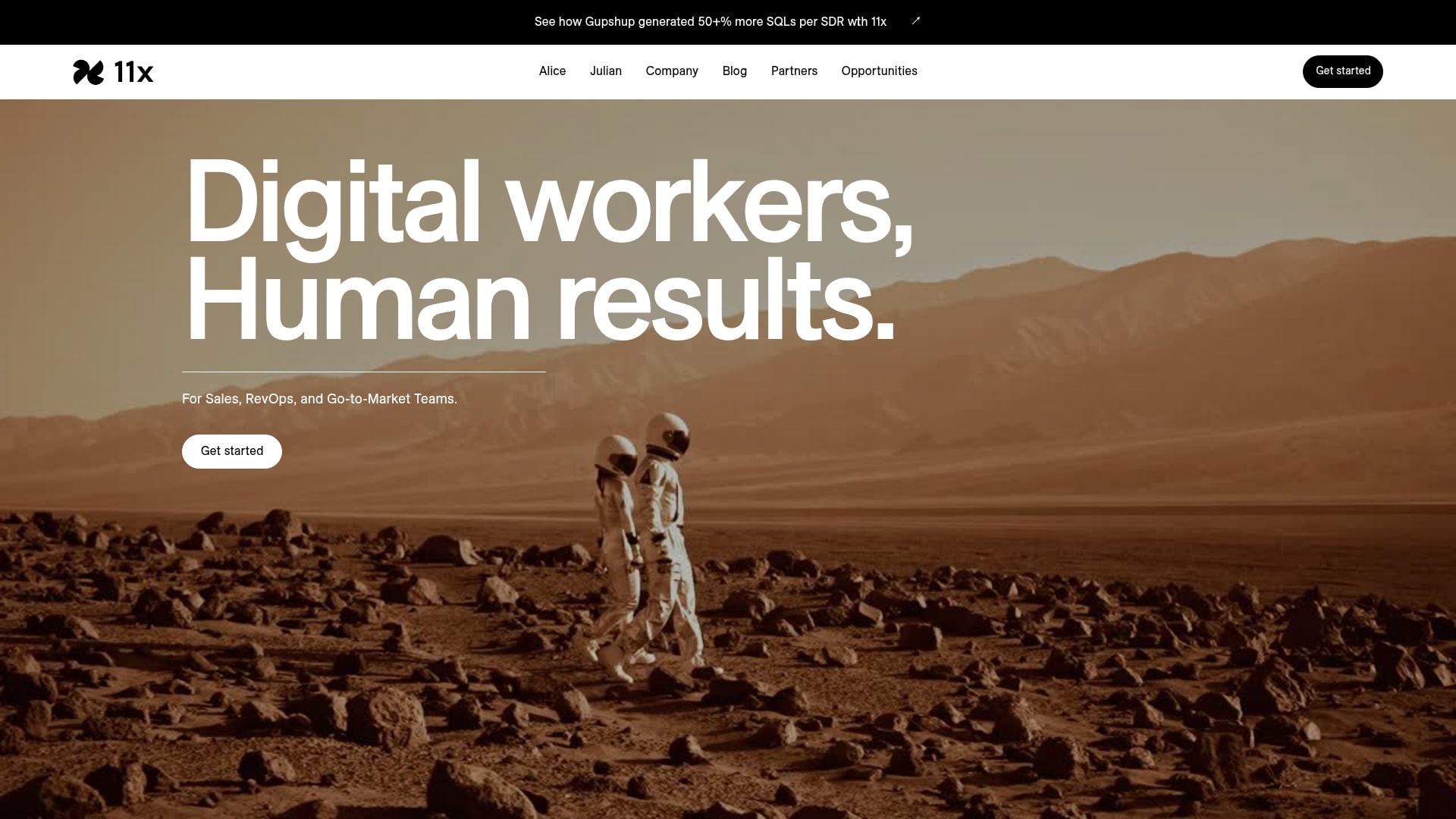
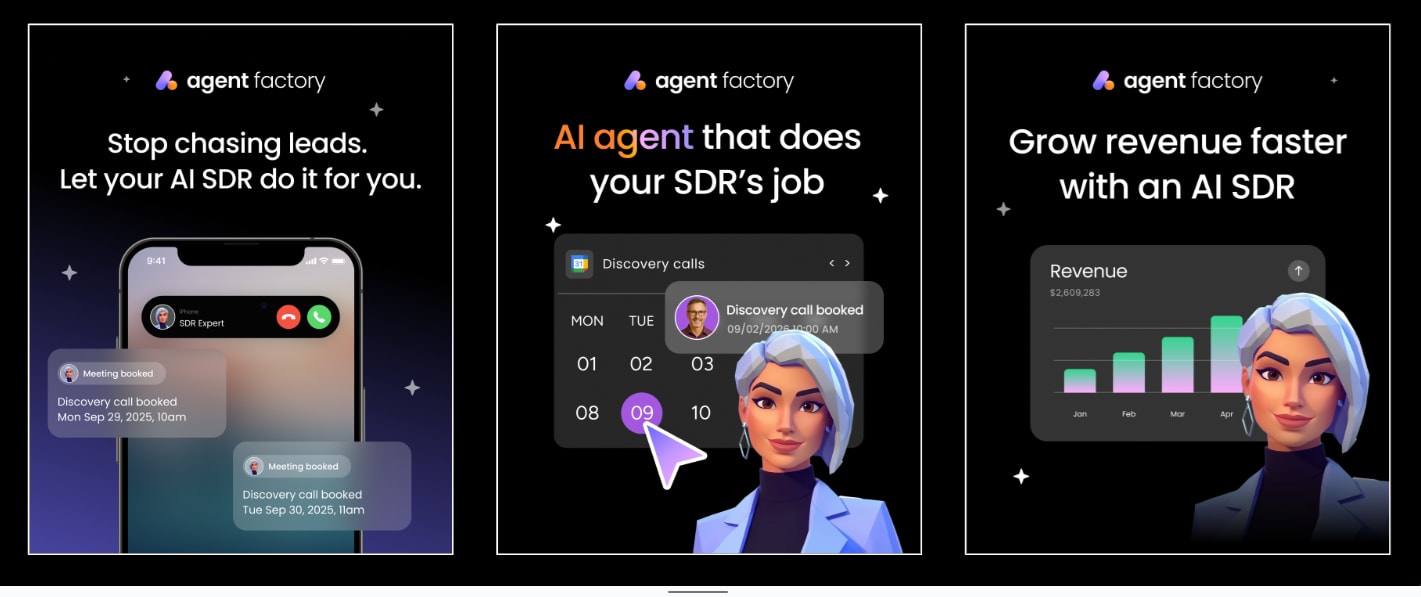
Example: 11x.ai replaces the repetitive work of junior SDRs by providing AI SDR agents that operate 24/7 to identify prospects, craft personalized outreach, and book qualified meetings automatically.
Key features:
- Alice AI SDR: automates outbound prospecting with personalized email and LinkedIn outreach sequences.
- Julian AI phone agent: handles live conversations in 30+ languages and qualifies leads using frameworks like BANT or MEDDIC.
- Multi-channel automation: coordinates outreach across email, LinkedIn, and phone calls for comprehensive prospect engagement.
Pricing:
- Starting price: approximately $5,000/month for 3,000 email contacts.
- Annual cost: estimated $50,000–$60,000 per year.
- Contract terms: requires long-term commitments with inflexible terms.
- Contact limit: each contact receives up to five emails including follow-ups.
Considerations:
- High cost and inflexible long-term contracts may not suit smaller businesses or those wanting to test the platform.
- Reports of generic messaging and manual reply handling can create bottlenecks for teams seeking full automation.
7. Gumloop
Gumloop makes complex AI automation accessible through a visual drag-and-drop experience that anyone can master. The platform specializes in AI-native workflow building, making it ideal for non-technical teams who want to harness advanced AI capabilities without writing a single line of code.
With its intuitive interface and powerful AI nodes, Gumloop also empowers users to create sophisticated automations that would typically require engineering resources.

Example: Gumloop enables teams to build AI-powered automations for lead generation, data processing, and workflow optimization through a visual, no-code interface that integrates with over 100 business applications.
Key features:
- Visual workflow builder with drag-and-drop nodes for creating complex AI automations.
- AI-powered components for data extraction, sentiment analysis, web scraping, and decision-making.
- Subflows functionality that allows embedding workflows within other workflows for modular automation design.
Pricing:
- Free: $0/month with 2k credits, one seat, and basic features.
- Solo: $37/month with 10k+ credits, unlimited triggers, and email support.
- Team: $244/month with 60k+ credits, ten seats, and dedicated Slack support.
- Enterprise: custom pricing with unlimited seats, advanced security features, and virtual private cloud options.
Considerations:
- Credit-based pricing model can become expensive for high-volume or complex workflows.
- Learning curve exists for creating very complex automations, despite the user-friendly interface.
8. Relay.app
By placing AI agents at the center of team collaboration, Relay.app redefines workflow automation. The platform specializes in human-in-the-loop automation, making it ideal for businesses that need shared AI-powered workflows across departments. With its intuitive drag-and-drop interface, teams can build powerful AI agents without technical expertise.

Example: Relay.app enables teams to create collaborative AI agents that handle everything from lead qualification to competitive research, with built-in checkpoints for human oversight and approval.
Key features:
- Three-tiered AI approach: built-in AI actions, custom prompts, and mini AI agents that balance ease of use with flexibility.
- Human-in-the-loop functionality: manual approval checkpoints and task assignment capabilities ensure quality control.
- Real-time collaboration: teams can share workflows, connections, and agent outputs across departments.
Pricing:
- Free: $0/month (one user, 500 AI credits, 200 steps per month).
- Professional: $19/month billed annually (one user, 5,000 AI credits, 750 steps per month).
- Team: $69/month billed annually (ten users, 5,000 AI credits, 2,000 steps per month).
- Enterprise: custom pricing with unlimited usage and priority support.
Considerations:
- Limited app integrations compared to established competitors like Zapier.
- Learning curve required to fully utilize the platform’s advanced features.
9. HockeyStack
HockeyStack offers AI-powered go-to-market intelligence, transforming how B2B teams understand their customer journey and optimize revenue. The platform excels in unified data analytics with dual AI agents, making it ideal for marketing and sales teams who need deep attribution insights and automated workflow execution.

Example: HockeyStack helps B2B companies break down data silos by providing a unified view across marketing, sales, and product touchpoints to drive revenue growth.
Key features:
- Odin AI analyst: answers complex business questions in natural language and generates automated reports with 89% accuracy.
- Nova AI sales agent: prioritizes high-intent accounts, builds stakeholder maps, and orchestrates workflows across sales tools.
- Atlas data foundation: unifies GTM data from all revenue stack systems with deduplication and identity resolution.
Pricing:
- Custom pricing: available through sales consultation.
- All plans include: seamless integrations, hands-on support, and real-time ROI tracking.
- Enterprise features: zero-retention data policy and support for over 40 languages.
Considerations:
- Steep learning curve despite powerful capabilities requiring time investment to master advanced features.
- Premium pricing starting over $1,000 monthly may be prohibitive for smaller companies or limited budgets.
10. Stack AI
Designed for large organizations with strict regulatory needs, Stack AI delivers enterprise-grade AI agent deployment with a focus on security, compliance, and scalability. The platform specializes in no-code AI workflow automation, making it ideal for Fortune 500 companies, banks, and healthcare systems.
Its drag-and-drop interface also empowers non-technical teams to build sophisticated AI solutions without constant IT involvement.
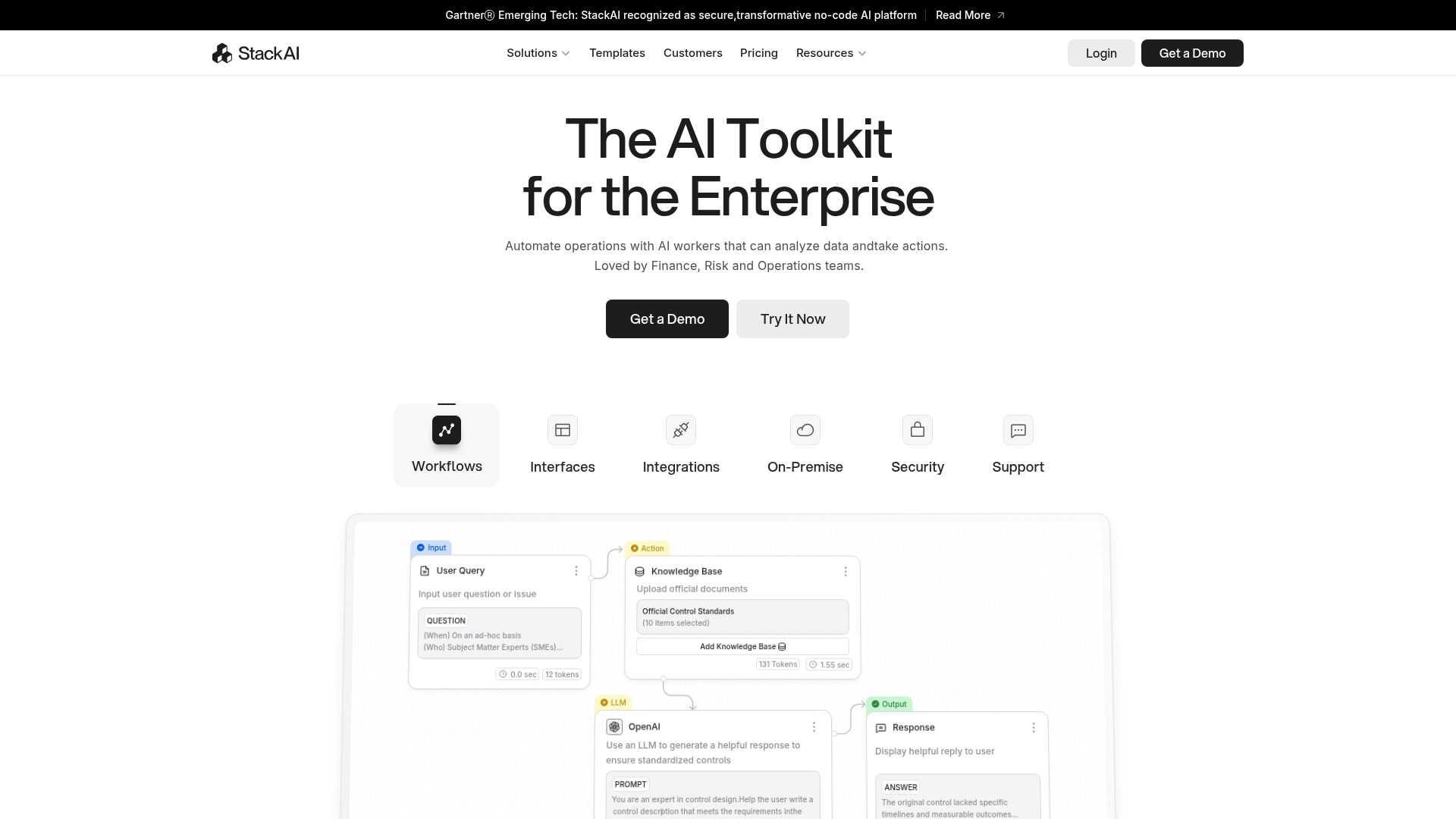
Example: Stack AI enables enterprises to automate complex business processes through AI agents that can analyze data, extract information from documents, and execute multi-step workflows while maintaining strict security and compliance standards.
Key features:
- Visual drag-and-drop workflow builder: over 100 enterprise integrations including SharePoint, Snowflake, and Salesforce.
- Enterprise-grade security: with SOC 2 Type II, HIPAA, and GDPR compliance, plus on-premise and VPC deployment options.
- Multi-agent orchestration capabilities: automate end-to-end processes like RFP responses, contract analysis, and investment memo generation.
Pricing:
- Free Plan: $0/month with 500 runs per month, two projects, one seat, and community Discord support.
- Enterprise Plan: custom pricing with unlimited runs, dedicated infrastructure, solution engineers, and priority support.
Considerations:
- Significant pricing jump from free tier directly to custom enterprise plan may be prohibitive for small to medium-sized businesses.
- Some users report a learning curve initially, and performance can be slower in certain geographical regions like Europe.
11. Voiceflow
Voiceflow’s intuitive drag-and-drop platform makes building sophisticated voice and chat experiences accessible, transforming conversational AI design. It excels in collaborative design environments, making it ideal for teams who want to create custom AI agents without getting bogged down in complex coding.

Example: Voiceflow empowers teams to rapidly prototype, build, and deploy AI-powered conversational agents across voice and chat channels with a visual, collaborative approach that bridges the gap between designers and developers.
Key features:
- Visual workflow builder: drag-and-drop interface for designing complex conversational flows without coding.
- Managed Retrieval-Augmented Generation (RAG) solution: knowledge base integration to reduce AI hallucinations.
- LLM-agnostic platform: supports multiple large language models with dynamic UI generation capabilities.
Pricing:
- Starter: free (100 credits, one workspace, two agents).
- Pro: $60/month or $648/year (credits package required, two workspaces, up to 20 agents).
- Business: $150/month or $1,620/year (credits package required, five workspaces, unlimited agents).
- Enterprise: custom pricing (unlimited usage, dedicated training, custom LLM support).
Considerations:
- Limited built-in live chat integration for seamless handoff to human agents.
- Basic analytics compared to enterprise-level platforms, which may limit deeper performance insights.
12. CrewAI
CrewAI introduces the concept of multi-agent coordination, enabling several AI agents to collaborate on complex tasks. The platform has been widely praised for its in role-based agent architecture, making it ideal for businesses with intricate workflows that require teamwork.

Example: CrewAI transforms complex business workflows by orchestrating teams of specialized AI agents that collaborate autonomously to tackle multi-step processes that would be challenging for single AI models.
Key features:
- Role-based agent creation: with specific goals, backstories, and specialized tools.
- Sequential and hierarchical task execution: with manager-agent oversight capabilities.
- Flexible LLM integration: supporting OpenAI, Google, Azure, and local models.
Pricing:
- Basic: free with 50 workflow executions per month.
- Professional: $25/month with 100 included executions, $0.50 per additional execution.
- Enterprise: custom pricing with up to 30,000 executions and on-site support.
Considerations:
- Requires Python knowledge for setup and customization, creating barriers for non-technical users.
- Multi-agent loops can lead to unpredictable costs and latency without proper management.
13. AutoGen by Microsoft
Microsoft’s AutoGen is a powerful open-source framework for building multi-agent AI systems that can collaborate to solve complex problems. The platform specializes in orchestrating conversations between specialized AI agents, making it perfect for developers and technical teams who need sophisticated automation beyond single-agent solutions.

Example: AutoGen empowers developers to create teams of specialized AI agents that can communicate, collaborate, and execute complex workflows autonomously while maintaining human oversight when needed.
Key features:
- Multi-agent conversation orchestration: enables specialized agents to work together on complex tasks.
- Integrated code generation: handy execution environment with secure sandboxing for software development workflows.
- Human-in-the-loop functionality: allows seamless integration of human feedback and oversight into automated processes.
Pricing:
- Open source: free (operational costs depend on underlying LLM usage).
Considerations:
- Steep learning curve requires significant coding expertise, making it less accessible for non-technical users.
- High operational costs due to token consumption from multiple agents, especially when using powerful models like GPT-4.
14. n8n
For organizations that value transparency and data sovereignty, n8n provides open-source workflow automation that puts you in complete control of your AI agent creation process.
Renowned for its self-hostable, developer-friendly automation, the platform bridges the gap between simple no-code tools and complex programming frameworks (with over 500 integrations and a visual builder).

Example: n8n enables businesses to build production-ready AI agents with predictable performance while maintaining complete control over their data through self-hosting capabilities.
Key features:
- Visual drag-and-drop builder: great for creating AI agents without coding requirements.
- Multi-agent systems support: offers shared memory and inter-agent communication.
- 500+ pre-built integrations: connects to various LLMs, data sources, and business applications.
Pricing:
- Starter: $20/month (billed annually) – 2,500 workflow executions, hosted by n8n.
- Pro: $50/month (billed annually) – 10,000 workflow executions, hosted by n8n.
- Business: $667/month (billed annually) – 40,000 workflow executions, self-hosted.
- Enterprise: custom pricing – unlimited executions, hosted or self-hosted options.
- Community Edition: free self-hosted version available on GitHub.
- Startup Plan: 50% discount on Business plan for companies under 20 employees.
Considerations:
- Steeper learning curve for non-technical users compared to purely no-code platforms.
- Multi-agent setup requires manual configuration for shared memory and communication between agents.
15. Make
Finally, make translates complex business processes into visual, drag-and-drop workflows that anyone can build and understand. The platform boasts advanced automation capabilities with AI agents, making it ideal for teams who need more power than simple trigger-based tools but want to avoid enterprise-level complexity.
With its flowchart-style interface, Make bridges the gap between accessibility and sophistication.

Example: make empowers over 350,000 organizations to create intelligent, adaptive automations that go beyond simple if-then logic by incorporating AI agents that can reason, adapt, and make decisions within visual workflows.
Key features:
- Visual AI agents: integrate directly into drag-and-drop scenarios, making AI decision-making transparent and explainable.
- Advanced data manipulation: offers iterators, aggregators, and support for complex data structures like JSON and XML.
- Tool orchestration: allows AI agents to use existing Make scenarios as “tools” for more sophisticated automation chains.
Pricing:
- Free: $0/month with 1,000 operations.
- Core: $10.59/month with 10,000 operations.
- Pro: $18.82/month with 10,000 operations plus advanced features.
- Teams: $34.12/month with 10,000 operations and team collaboration.
- Enterprise: custom pricing for large organizations.
Considerations:
- AI agents are still in beta, which means limited functionality and potential bugs as the feature evolves.
- Steeper learning curve compared to simpler automation platforms, especially for users without technical backgrounds.
How to manage and coach your AI agents
Even the most capable AI agents need guidance to perform at their best. Managing them effectively starts with clarity — define each agent’s purpose, outline success metrics, and provide precise instructions from the start.
It’s also really important to regularly review their performance to catch small errors early, then refine prompts or workflows based on what you learn.
As your systems evolve, keep their context current by updating connected tools and data sources. Think of it as continuous coaching rather than correction. With steady feedback and a clear framework, your AI agents become sharper, faster, and more reliable over time.
How to hire the right AI agents for your team
As we alluded to above, choosing the right AI agents is less about flashy features and more about building a team that truly fits how your organization works. The goal is not to collect tools, but to create a digital workforce that complements your people, connects with your systems, and starts delivering value right away.
Below, we explore the key steps to help you make the right choice — from identifying where automation will have the biggest impact to matching each platform to your team’s technical comfort level.
Auditing the annoying tasks
Start by identifying the work that slows your team down — the small, repetitive tasks that quietly eat into productivity. These are the ideal starting points for AI agents, because they handle routine work consistently and free up time for high-impact projects.
Look for tasks like:
- Follow-ups and reminders: chasing updates, approvals, or overdue actions.
- Scheduling and coordination: juggling meetings, calendars, and time zones.
- Reporting and updates: pulling data, formatting reports, and sending summaries.
Once you know what’s draining the most time, review your current tools. If your team collaborates in one system but stores data in another, your AI agents should connect those worlds seamlessly
Be honest about your team’s tech Level
Every team has a different comfort level with technology, and there’s no right or wrong answer. Be real about yours: do you have tinkerers who love to build, or do you need a no-code solution your marketing lead can set up in an afternoon? The goal is for everyone to feel empowered, not intimidated.
Remember to factor in the human cost, too. A platform that requires weeks of training isn’t a shortcut; it’s just another project. The best AI agents are the ones that start helping from day one, giving your team immediate relief.
Build vs buy: choosing the right path for your AI Team
When teams start thinking about AI agents, the question isn’t whether to use them, but how to get started in a way that actually works. Today, you’re no longer locked into an all-or-nothing choice. You can build, customize, or assemble your AI team based on what you need right now and how fast you want to move.
At the heart of the decision is a simple balance between control and momentum. Building from scratch gives you total flexibility, but it also demands time, technical effort, and patience. Platform-based approaches focus on speed, letting teams see value quickly without reworking everything they already use.
Learn more: How to build AI agents for beginners
Assemble agents quickly with Agent Factory
If your goal is to make progress fast, Agent Factory is built for exactly that. It lets teams put task-driven AI agents to work in minutes, not months, without waiting on developers or learning new technical tools.
You start by defining what needs to get done, such as managing follow-ups, keeping project management reports updated, or routing incoming requests. From there, agents take on those responsibilities and run quietly in the background, adapting as workloads change. This makes it easier to experiment, refine, and expand your AI team as you go, rather than trying to design everything upfront.
Build custom agents when specialization matters
There are times when speed is not the top priority. For highly specialized workflows or deeply integrated systems and frameworks, building custom AI agents can be the right move, especially for teams with strong technical resources in place.
Custom builds offer unmatched control, but they also come with longer timelines and ongoing maintenance. Every update, integration, and change requires hands-on effort. For many teams, this level of investment makes sense only when precision and control clearly outweigh the need for fast results.
Start where momentum is highest
In practice, the most successful teams start where they can build momentum quickly. Using Agent Factory to handle everyday, high-volume tasks creates immediate relief and frees up time to think bigger.
From there, teams can decide which workflows deserve deeper customization and which are better left to flexible, no-code agents. The goal isn’t to choose one path forever. It’s to move forward confidently, learn what works, and scale your AI team in a way that keeps pace with your business.
Build smarter AI teams with Agent Factory
Trying to push every task through a single AI assistant often creates more friction than value. Teams get better results by building a small set of focused agents, each responsible for a specific job and designed to work quietly in the background.
Agent Factory supports this approach by making it easy to assemble and grow an AI team around real work. Instead of redesigning your workflows, you add agents where they make the biggest difference.
With Agent Factory, teams can:
- Start small and see impact fast: create one agent to handle a repetitive task and feel the difference almost immediately.
- Assign clear roles: give each agent a focused responsibility, so work stays organized and predictable.
- Scale without disruption: add new agents as needs grow, without reworking existing processes.
- Keep humans in control: you set priorities and direction while agents handle execution.
This model keeps AI practical and flexible. Work continues smoothly, small tasks stop piling up, and your team can focus on decisions, creativity, and growth instead of constant task management.
The content in this article is provided for informational purposes only and, to the best of monday.com’s knowledge, the information provided in this article is accurate and up-to-date at the time of publication. That said, monday.com encourages readers to verify all information directly.
Frequently asked questions
How secure is my business data with an AI agent platform?
Security should be non-negotiable when AI agents are handling real work. Platforms like Agent Factory are built with data protection in mind, using enterprise-grade safeguards and operating under strict compliance standards. That includes clear controls around access, usage, and data handling. As with any platform, it’s always best to review the specific security practices to ensure they meet your organization’s requirements.
Can AI agents from different platforms work together?
In some cases, yes, but it often requires additional setup. AI agents are most effective when they’re designed to operate within connected workflows. Agent Factory focuses on making agents work seamlessly with the tools teams already use, reducing the friction that typically comes with stitching together multiple platforms.
What should I do when one of my AI agents makes a mistake?
AI agents improve through guidance, just like any other teammate. When something doesn’t go as expected, review the outcome, clarify the task or rules, and adjust how the agent operates. With clear direction and feedback, agents become more reliable and better aligned with how your team works.
How quickly will my team see results from using AI agents?
Simple agents can deliver value almost immediately by handling routine tasks like reminders, scheduling, or follow-ups. More complex workflows may take a bit of refinement, but teams often see meaningful impact within days as agents settle into their roles.
Do I need to know how to code to build an AI agent?
You do not need to know how to code to build an AI agent. That's the point of platforms like Agent Factory, which are built for you to create, customize, and manage your AI team using simple, conversational instructions — no coding required.

 Get started