


Early use of AI in business meant offering a chatbot to customers or setting up a simple rules-based automation to enhance efficiency. But with the rise of generative and agentic capabilities, it would be an understatement to say that AI’s role and value has changed.
This guide covers how core AI technologies work and where companies see real results with AI in business today. You’ll get a 5-step framework for adoption, and a look at how monday agents put AI to work across sales, marketing, HR, and IT without a data science team to back you up.
Try monday agentsKey takeaways
- AI agents handle your team’s most repetitive work. Whether scoring leads or triaging tickets, agents complete high-volume workflows around the clock, giving your team time to make better decisions for the business.
- Cross-department context adds value to AI. When agents can see data across sales, marketing, and operations, they find insights no single team could spot on their own.
- Start small, then scale. Pick one time-consuming workflow, prove the value, and expand from there — you don’t need a data science team or a full overhaul to see real results.
- Governance makes AI trustworthy. Built-in permissions and audit trails, always overseen by your team, let your team scale AI with confidence.
- A connected platform makes AI adoption easier. Pre-built agents for sales, marketing, HR, and IT deploy without coding when they run on a shared data layer with enterprise-grade security built in.
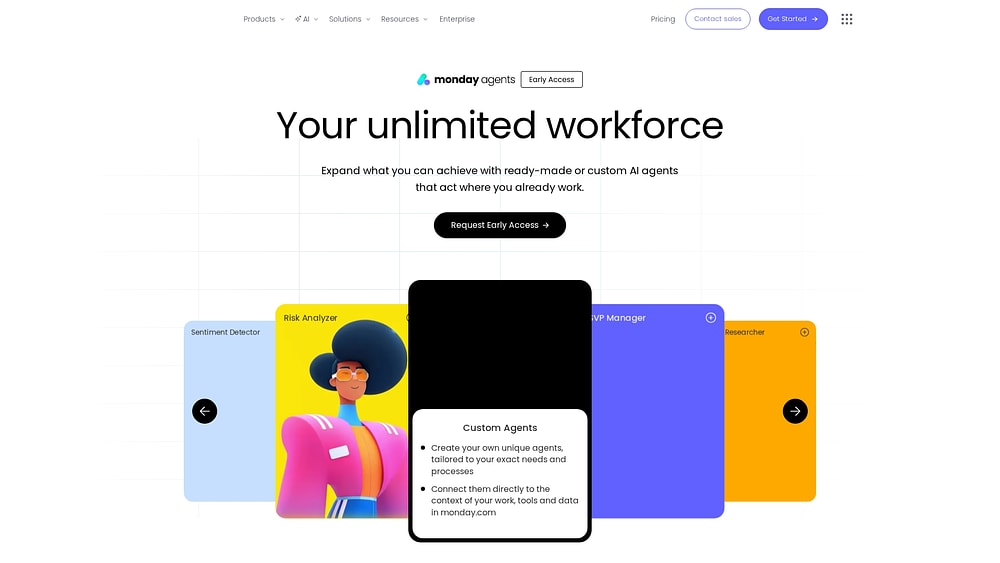
What is AI in business and how does it work?
AI in business encompasses several individual capabilities. Here’s how they each connect to solve real business problems.
Machine learning and predictive analytics
Machine learning learns patterns from your existing data and uses them to predict what happens next. Instead of following rigid rules, machine learning gets smarter as it processes more data. For example:
- A sales team uses it to predict which leads are most likely to convert based on engagement patterns and demographic fit.
- A finance team uses it to forecast quarterly revenue by analyzing pipeline velocity and historical close rates.
- An IT team uses it to identify which support tickets are at risk of breaching SLA deadlines based on ticket complexity, response times, and historical resolution data.
Predictive analytics is the business application of machine learning, meaning that it uses historical data to forecast what will happen next. The real value isn’t the prediction itself, but rather helping teams to act before problems happen. For example, if you know which deals are likely to stall before they stall, you can intervene with the right message at the right time and save the deal.
Natural language processing (NLP) and generative AI
Natural language processing is a type of conversational AI that reads, understands, and generates real language. It powers everything from email summaries to sentiment analysis on customer feedback to real-time translation across languages.
Generative AI is a subset of natural language processing that creates new content. NLP helps AI understand what people are saying and generative AI helps it create what people need. Some examples:
- An AI assistant can summarize a 45-minute meeting into a structured list of action items with assigned owners and deadlines.
- A content agent can draft campaign copy based on brand guidelines, audience data, and competitive positioning.
- A reporting agent can generate a daily performance recap and deliver it before the workday starts.
Natural language processing and generative AI live directly inside work platforms instead of standalone apps. Non-technical teams can use them without switching tools or learning new software.
Computer vision and intelligent data analysis
Computer vision interprets and extracts information from visual inputs, like images, scanned documents, handwritten notes, and video. Teams can photograph handwritten meeting notes and have AI translate them directly into structured items with owners, priorities, and due dates. It also connects physical and digital work so ideas captured on a whiteboard don’t get lost before they become real projects.
Intelligent data analysis lets AI process massive volumes of structured and unstructured data and generate insights that would take your analysts significant time to produce. For example, an anomaly detection agent can continuously scan thousands of support tickets to pinpoint emerging product issues early, giving your success teams time to respond while customer sentiment stays positive.
Agentic AI and autonomous workflow execution
Agentic AI is a step beyond traditional automation and AI assistants. Unlike tools that wait for prompts or follow rigid if-then rules, agentic AI operates autonomously across multi-step workflows, making decisions based on context and executing complex tasks without your intervention. An agent monitors conditions, evaluates priorities, and acts on your behalf. And like other forms of AI, it can also respond to your questions. The result is work that happens around the clock and across departments, with built-in governance and audit trails that give you full visibility and control.
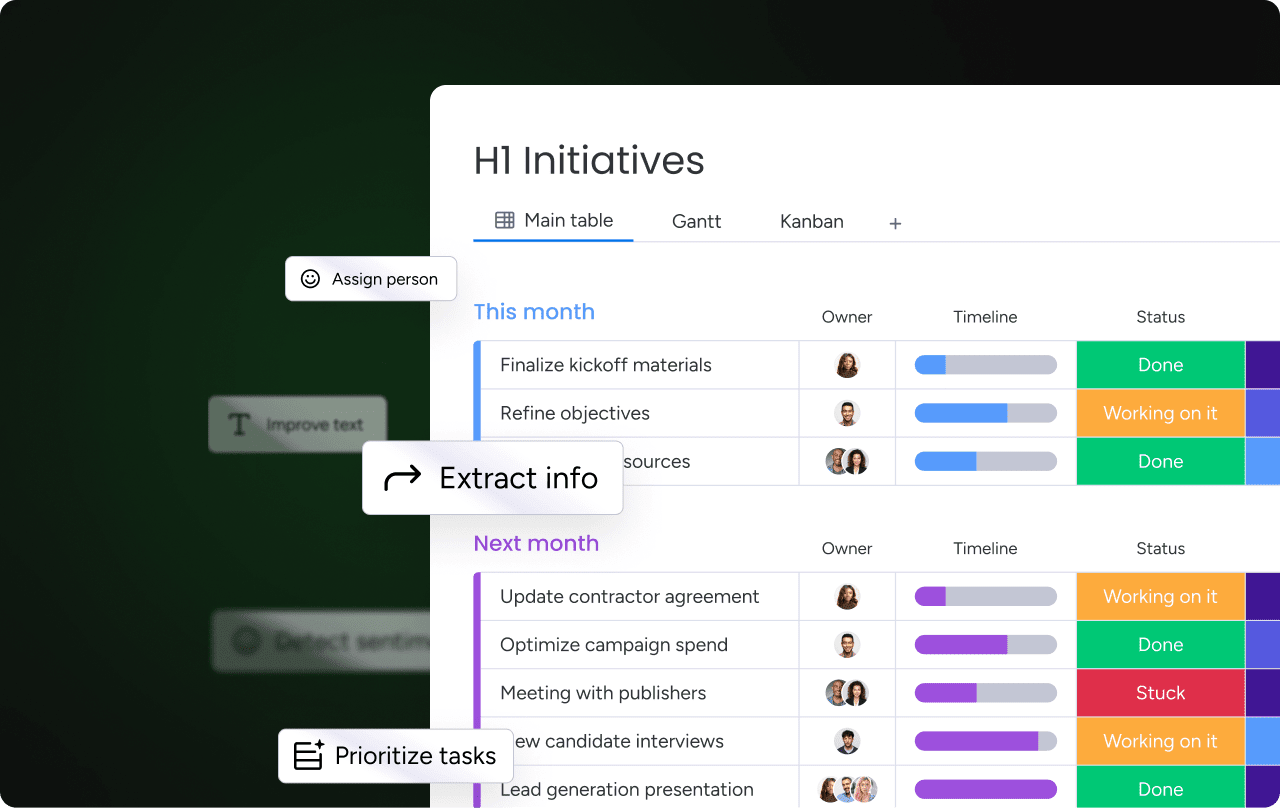
What's the difference between AI assistants, automations, and agents?
The difference between AI assistants, workflow automations, and autonomous agents is a common point of confusion in business. Here’s how to think about each of them.
| Capability | Traditional automation | AI assistants | AI agents |
|---|---|---|---|
| Trigger type | Predefined rules only (if-this-then-that) | Responds to prompts and questions | Context-aware; can act on patterns, trends, and judgment |
| Adaptability | Static; breaks when conditions change | Adapts responses based on input but requires prompting | Learns and adapts to new situations over time |
| Scope | Single workflow or application | Single interaction or task per prompt | Cross-department, cross-application |
| Decision-making | None; follows exact instructions | Can suggest options but waits for human direction | Can evaluate options and recommend or act |
| Content creation | Cannot generate new content | Can generate content when prompted | Can draft reports, emails, summaries, specs, and visuals |
| Human review | Always follows the same path | Requires human to initiate every interaction | Can operate autonomously with exception-based revie |
Traditional automation is limited to readily definable rules. If you set up a workflow that moves a task into a new column when a deadline passes, it does exactly that, every time, until someone changes the rule by hand. It won’t notice that two other tasks tied to the same client are also running late, because the rule only checks the one condition it was built to watch.
AI assistants respond when someone asks. You can ask an assistant to summarize a meeting or draft an email, and it produces something useful right away. But it still waits for the prompt. It won’t summarize the meeting until a person opens the tool and asks, and it stops there until the next request comes in.
AI agents don’t need a prompt to start. An agent watching a sales pipeline notices when a high-value deal goes quiet and flags it before a rep opens the CRM. It strings several steps together on its own, starting with research on a lead and ending with an updated record, without a person kicking off each step by hand.
Try monday agentsWhy businesses invest in AI
According to the Microsoft Work Trend Index 2026, almost all leaders say AI will be critical to their organization’s competitiveness over the next three years. Here’s why.
AI turns data into faster, smarter decisions
Most organizations collect enormous volumes of data across CRM, project boards, support tickets, marketing analytics, and financial systems. But the next step is breaking through the bottleneck caused by overcollecting data and interpreting the insights into something useful. Analyst teams have traditionally spent hours compiling reports, cross-referencing spreadsheets, and manually connecting dots between departments. But sadly, by the time insights reach decision-makers, the best moment to act has often already passed.
AI addresses this by continuously analyzing data across departments and identifying insights leaders can act on in the moment. Here’s how different teams benefit from AI-powered analysis:
- Risk analysis: A risk analyzer agent scans project boards across multiple teams and alerts executives to schedule conflicts and resource bottlenecks before they cause delays.
- Lead scoring: A lead scoring agent evaluates every inbound lead using fit, intent, and engagement signals across the funnel, then routes high-intent leads to reps and schedules follow-ups automatically, freeing reps to focus on conversations.
- Campaign monitoring: An insights agent monitors campaign performance metrics against goals and flags underperforming segments so budget can be reallocated to what’s working.
Of course, AI’s speed is a strong selling point but connectivity is another major draw. When AI links data from marketing campaigns to sales pipeline to support tickets, its value multiplies. A marketing team learns which campaigns are generating leads that close. A support team sees which product issues are driving churn. An executive gets a unified view of organizational health without waiting for 5 different teams to compile their weekly reports.
AI helps teams accomplish more with fewer resources
AI supports team members by extending what each individual person can accomplish. AI handles high-volume, repetitive execution and people can focus on judgment-intensive work like strategy, relationship building, and creative problem-solving. In a 10-country survey of 20,000 team members using AI, 66% say AI lets them spend more time on high-value work, and 58% say they’re producing work they couldn’t one year ago.
Learn more: AI for work
8 ways businesses use AI across their departments
AI may once have been synonymous with tech companies and data science teams. But in 2026, organizations across every department or company size can use AI to handle specific, high-value workflows.
1. Customer service and support automation
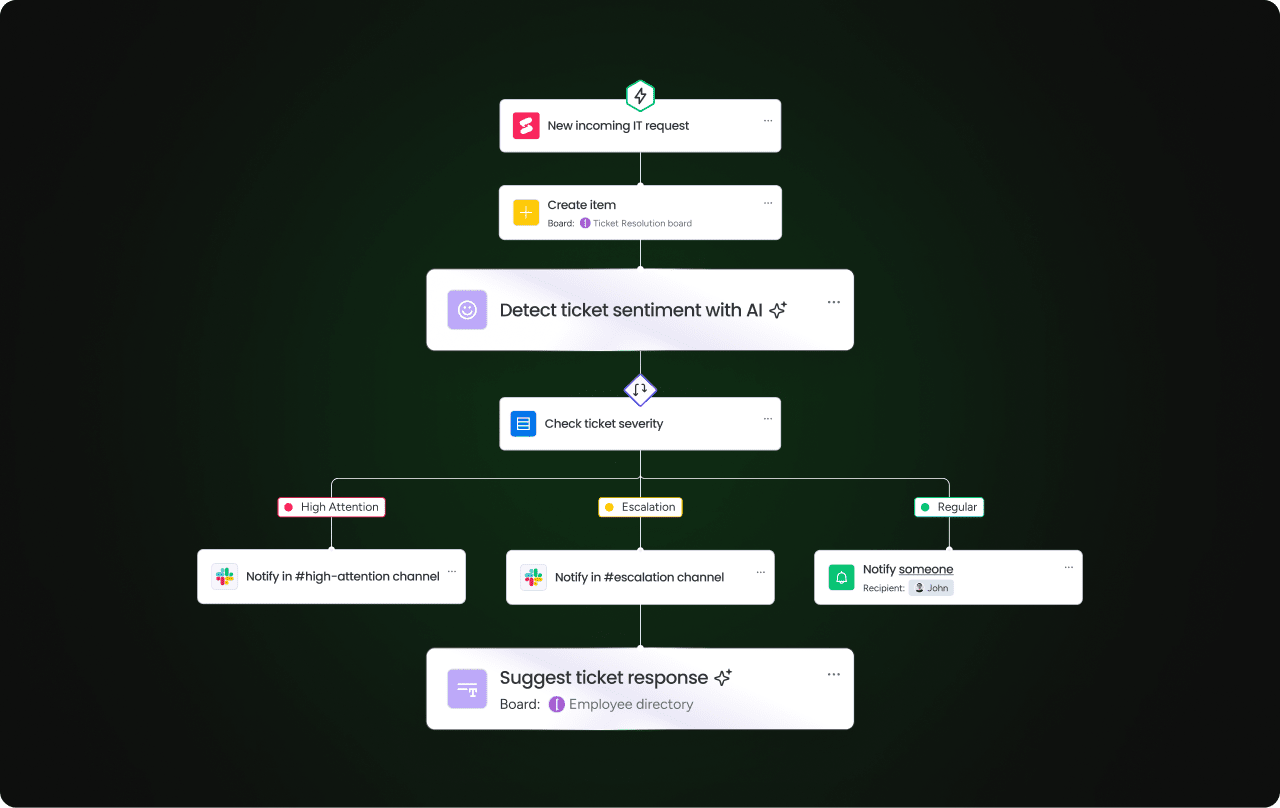
AI transforms customer service with intelligent ticket triage, automated response drafting, and continuous SLA monitoring. Instead of support agents manually reading, classifying, and routing every ticket, AI handles the initial processing in seconds.
- Intelligent ticket triage: AI agents detect ticket intent, urgency, and required expertise, then route each ticket to the right team member automatically.
- Knowledge base management: Knowledge agents continuously audit help center articles, detect content gaps from ticket patterns, and feed real resolution data back to build a self-improving knowledge base.
- Sentiment detection: AI monitors tickets, emails, and feedback in real time to detect negative sentiment shifts.
- SLA monitoring: SLA monitor agents track service-level agreements across active tickets, flag at-risk cases, and proactively alert managers.
2. Marketing personalization and content creation
AI lets marketing teams launch more campaigns with greater personalization at a scale that would previously have required significantly more headcount.
- Content generation: AI agents draft campaign copy, generate visual assets, and translate campaigns into multiple languages automatically.
- Competitive intelligence: Research agents track key competitors and consolidate signals into structured snapshots.
- Performance tracking: Insights agents monitor metrics progress against goals and generate daily recaps of campaign performance.
3. Sales intelligence and CRM optimization
AI improves sales workflows with lead scoring, pipeline analysis, and CRM data hygiene.
- Lead scoring: AI evaluates leads using fit, intent, and engagement signals across the funnel.
- CRM data hygiene: Process optimization agents identify duplicate contacts and proactively suggest merging or removal.
- Meeting intelligence: Meeting summarizer agents analyze sales calls to generate concise summaries and action items.
- Cross-functional context: AI-powered CRM platforms connect sales data to marketing and support data.
4. Supply chain planning and demand forecasting
AI applies predictive analytics to supply chain management by analyzing historical sales data, seasonal patterns, and market signals to forecast demand with greater accuracy.
- Demand forecasting: AI analyzes historical sales data, seasonal patterns, and market signals to predict future demand and help operations teams anticipate inventory needs.
- Procurement optimization: Forecasting agents identify optimal procurement timing to reduce carrying costs and minimize stockouts.
- Waste reduction: AI detects patterns in overstock and spoilage to recommend adjustments that reduce waste and improve margins.
5. Cybersecurity and fraud detection
AI monitors network activity, transaction patterns, and user behavior to detect anomalies that may indicate security threats or fraudulent activity in real time.
- Anomaly detection: Anomaly and outlier detection agents continuously scan systems and flag unusual spikes, drops, or patterns that deviate from normal behavior.
- Threat identification: AI evaluates network activity to identify potential security breaches before they escalate.
- Fraud prevention: Transaction monitoring agents analyze payment patterns and user behavior to detect and flag fraudulent activity automatically.
6. Finance and operations management
AI automates financial reporting, budget tracking, and operational process optimization.
- Automated reporting: Reporting agents automatically generate and send project status updates highlighting progress, risks, and blockers.
- Process optimization: Process optimization agents analyze existing workflows, identify repetitive steps, and proactively suggest automations.
- Executive intelligence: AI compiles periodic digests of items requiring executive attention.
7. Human resources and talent acquisition
AI transforms the hiring pipeline from job posting to interview scheduling, reducing the administrative burden.
- Sourcing agents: Find and rank candidates across multiple sources and reach out with customized sequences.
- Screening agents: Score every application against defined criteria and pinpoint strong candidates immediately.
- Scheduling agents: Eliminate the back-and-forth of interview coordination by letting candidates self-book.
- Engagement agents: Run recurring pulse surveys and analyze employee engagement trends over time.
8. Software development and IT operations
AI accelerates software development and IT operations by handling high-volume, detail-intensive work.
- Bug prioritization agents: Analyze reported bugs, define severity and urgency, and determine resolution deadlines.
- Coding agents: Write, test, and open pull requests automatically for well-defined activities.
- Release notes agents: Create user-facing release notes that communicate the value of each feature.
- Sprint planning agents: Plan sprints based on backlog readiness, team capacity, and historical velocity.
How to use AI in your business in 5 steps
Deploying AI doesn’t require a complete organizational overhaul or a team of data scientists. Here’s a practical framework to guide your first AI deployment from workflow selection to measurable results.
- Identify high-value workflows to transform. The fastest return comes from workflows that are high-volume, repetitive, and time-consuming. Prioritize just a couple of workflows rather than attempting to transform everything at once.
- Assess your data readiness. AI agents are only as effective as the data they can access. Evaluate whether your data is structured, accessible, and reasonably complete.
- Start with one end-to-end workflow. Deploy AI on a single, complete workflow rather than sprinkling AI features across many processes. This builds confidence before expanding.
- Set governance and trust guardrails. Define what agents can and can’t do. Key categories include control, permissions, human-in-the-loop validation, compliance, and audit trails.
- Measure results and scale what works. Define success metrics before deploying AI. Once one workflow demonstrates measurable results, apply the same approach to adjacent workflows.
How to redesign workflows for AI-powered results
AI delivers the most value when workflows are designed for people-and-agent collaboration from the start. Layering AI onto outdated processes simply automates inefficiency, so redesigning first delivers stronger results. In this client onboarding example, agents handle research, documentation, and scheduling while people focus on relationship building and decision-making.
| Step | Owner | Activity |
|---|---|---|
| 1 | Agent (research agent) | Researches the client's industry, competitors, and stakeholders |
| 2 | Person | Reviews the research and defines the onboarding strategy |
| 3 | Agent (reporting agent) | Generates the onboarding project plan with milestones |
| 4 | Person | Reviews and adjusts the plan based on client preferences |
| 5 | Agent (meeting assistant) | Sends welcome communications and schedules the kickoff |
| 6 | Person | Leads the kickoff meeting and builds |
How monday agents help you deploy AI across your business
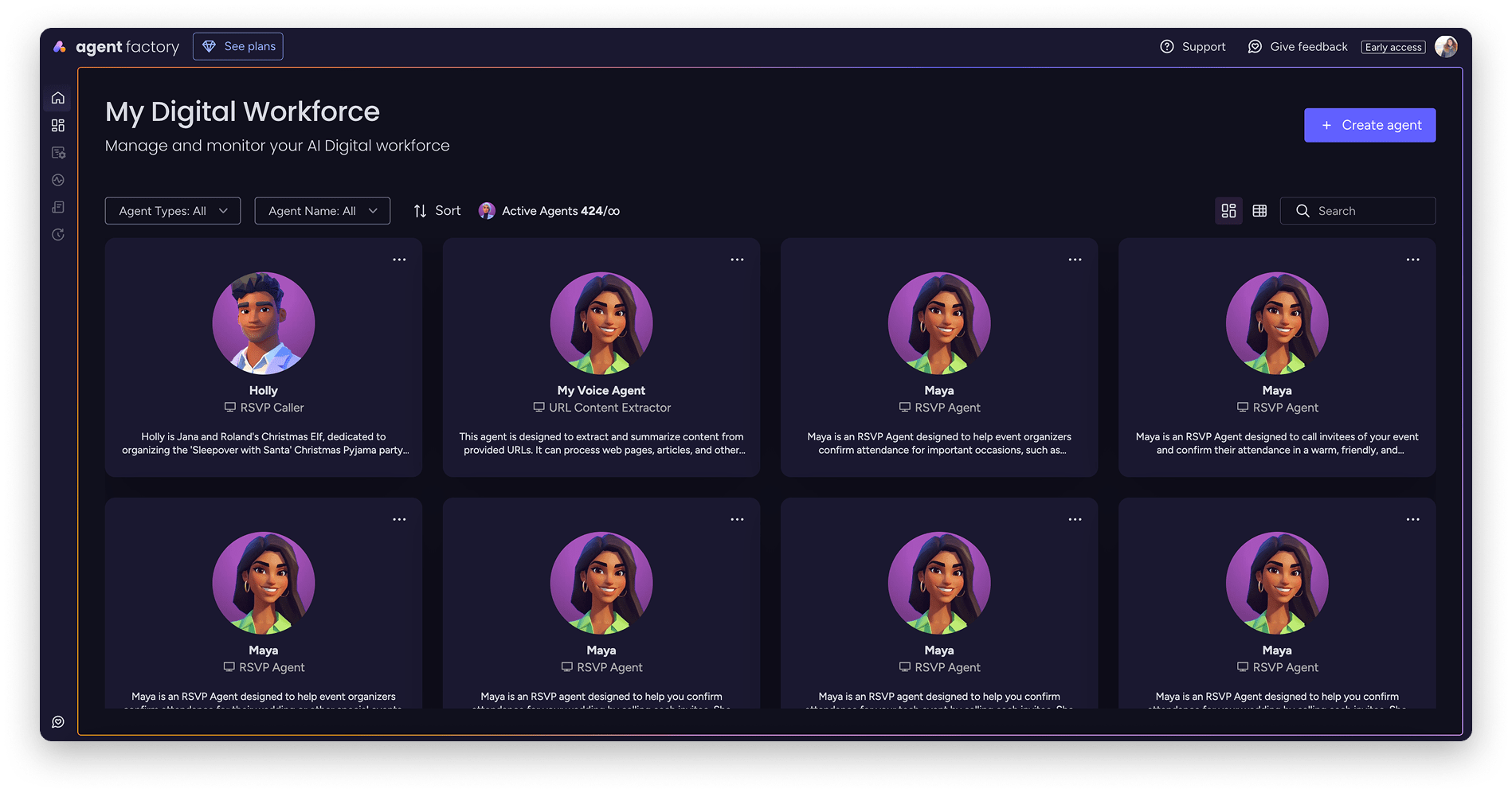
monday agents bring AI execution directly into your existing workflows without requiring custom integrations or months of implementation. They’re pre-built, department-specific agents that run on top of the monday.com AI Work Platform, giving you immediate access to AI capabilities across each of your teams.
monday agents operate on a shared data layer that already connects your teams, projects, and processes. Your agents can see context across departments from day one. So, a lead scoring agent doesn’t just evaluate form fills in isolation — it factors in marketing engagement, sales activity, and support history to find the leads most likely to convert. A project risk agent doesn’t just flag overdue tasks — it analyzes resource allocation, dependencies, and historical velocity across your entire portfolio to predict delays before they happen.
The best part? You don’t need to build agents from scratch or write a single line of code. monday agents come ready to deploy with pre-configured capabilities for the most common high-value workflows:
- Sales agents: Score leads, enrich CRM records, generate meeting summaries, and keep pipeline data clean automatically.
- Marketing agents: Draft campaign copy, track competitor activity, monitor performance metrics, and generate daily recaps.
- HR agents: Source candidates, screen applications, schedule interviews, and run engagement surveys.
- IT and dev agents: Prioritize bugs, write code, generate release notes, and plan sprints based on team capacity.
- Operations agents: Generate status reports, detect process bottlenecks, flag risks, and compile executive digests.
Every agent operates within the permissions and governance controls you define. You decide what data agents can access, what actions require your approval, and who can deploy or modify agent behavior. Built-in audit trails show exactly what each agent did, when, and why, so you can scale AI with confidence, not caution.
Ready to put AI to work across your teams without the complexity? Try monday agents for free.
Try monday agentsFrequently asked questions about AI in business
How much does AI implementation cost for small and mid-size businesses?
AI implementation costs for small and mid-size businesses vary widely. The primary cost is the time your team invests in identifying high-value workflows, configuring agents, and training team members to work alongside AI.
Can I start using AI if my business data is incomplete?
Yes, you can start using AI even if your business data is incomplete. Many AI platforms include data enrichment and quality improvement capabilities that work over time. The most important first step is consolidating your critical data into a connected system where agents can access it.
What is the difference between AI, machine learning, and generative AI?
AI is the broad category of intelligent systems. Machine learning is a subset of AI that learns patterns from data to make predictions. Generative AI is a further subset of machine learning that creates new content like text, images, and code based on what it's learned.
How long does it take to see measurable results from AI?
Organizations typically see measurable results from AI within weeks when they start with a single, well-defined workflow like automated lead scoring, ticket triage, or meeting summarization. The key is choosing a high-volume, repetitive process where impact is easy to track and prove.
Will AI replace jobs or create new roles in my organization?
AI primarily augments roles rather than replacing jobs, enabling team members to shift from repetitive execution to higher-value activities like strategy and relationship building. It often creates new responsibilities around agent oversight, AI governance, and cross-functional collaboration that didn't exist before.

 Get started