

Sharing docs online often comes with plenty of problems.
It’s always the same story—they shared a document with their team, only to immediately get messages from everyone that their uploaded files aren’t accessible.
Add on the process of handling permissions, file types, and formats, and there are many places to get lost.
That’s why finding the right online doc viewer is so important.
This article will show you how to find your perfect online doc viewer, so you and your team can work together without interruptions.
What is an online doc viewer?
An online doc viewer is a browser-based app that you use to see any type of file on any device.
Why do we need them?
We’ve all known the frustration of trying to open an important document and getting an error message or a file full of gibberish.
Usually, it’s because there’s a mismatch between our viewing software and the file’s format.
But why are there so many different formats for documents — even simple text documents?
It’s partly because of corporate competition.
In the ‘80s and ‘90s, when a company developed a new program, they often built a proprietary file format that only their software could open. That’s how .doc and .docx came to be.
But it’s also because different use cases call for different tools.
For example, TIFF is the highest quality image file format. So why aren’t all images saved in TIFF form?
In order to avoid sacrificing quality, TIFF files are enormous. JPEGs take up much less space on a server. They’re ideal for image-heavy websites — like any dashboard made using the monday.com digital asset management template.
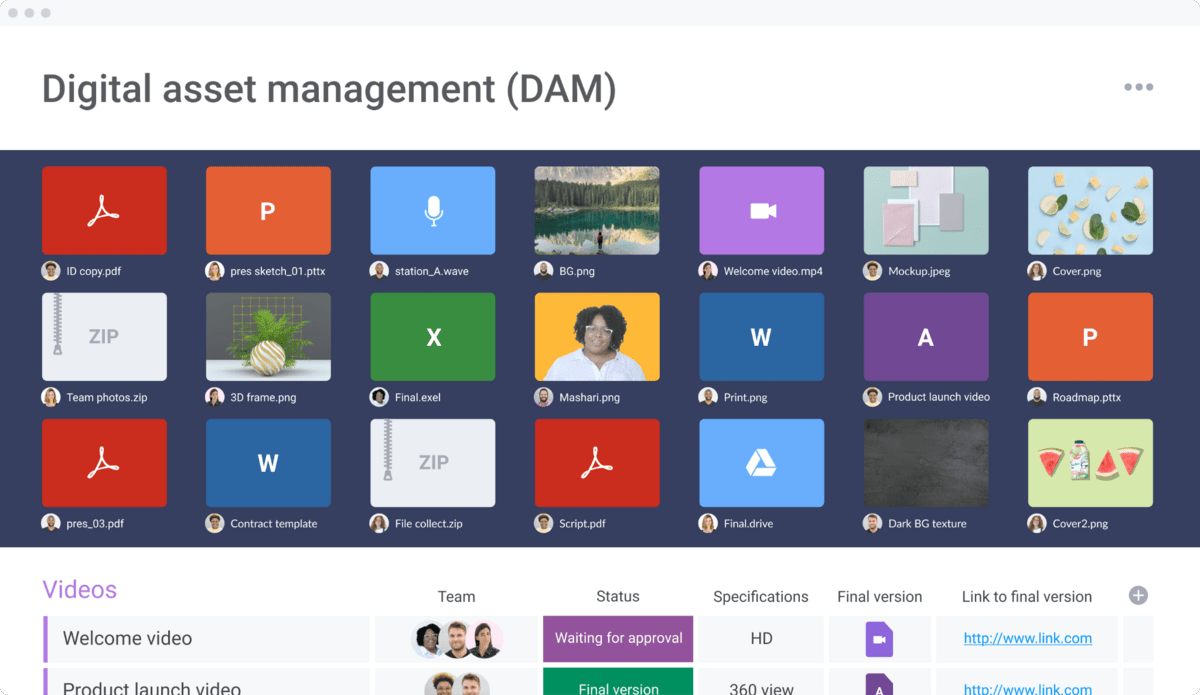
So how do you deal with so many file formats?
You used to have to grit your teeth and download different software for each format you worked with. If you needed to reference several docs at once, your only option was constantly switching between each app.
Now that online doc viewers are on the rise, it’s possible to read every doc you need from a single location.
And the perks don’t stop there.
What are the benefits of an online doc viewer?
The right online doc viewer lets you embed every file relevant to a project in that project’s working document. No more switching back and forth just to get the information you need.This is even more helpful when the working document is a collaborative effort between all the members of your team.
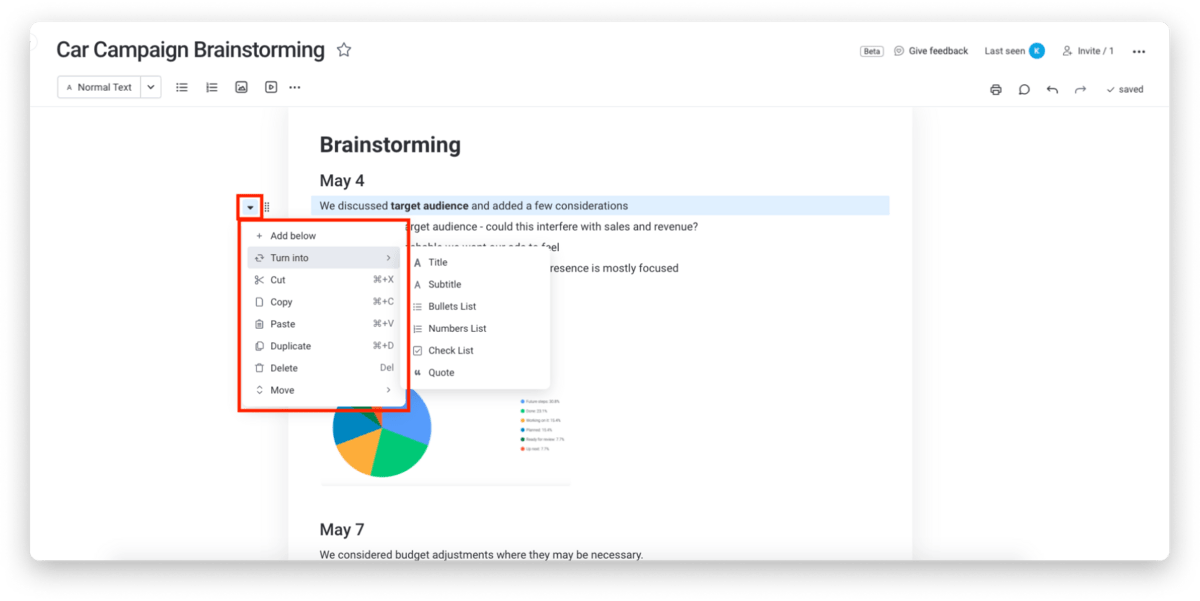
For example, monday workdocs allows everybody you work with to share a document without any lag. You can also embed images, tables, and other documents for easy reference.
Doc viewers that aren’t online, but rather downloaded and installed take up valuable storage space and only work on one device without extra fees typically.
An online doc viewer is the most convenient, risk-free way to ensure you’ll never run into a file you can’t read.
What should I look for in an online doc viewer?
The factors you use to make this decision are crucial:
- File compatibility: It should be able to view as wide a range of file types as possible. The ability to inspect these files before opening them is also crucial to protect your systems from viruses.
- Conversion: An online doc viewer should either let users convert one file type to another or (even better) standardize every doc it receives, so converting between types isn’t necessary.
- User experience: Ideally choose a tool that affords you a trial period to see if it’s user-friendly before you commit to it.
- Mobile access: An online doc viewer should not only work on any device, but it should let you see every file no matter how you access it.
To make the choice easier for you, here’s a bit of a spoiler: our favorite online doc viewer is built into monday.com with Workdocs.
Why is monday.com the ideal online doc viewer?
monday.com is first and foremost a Work OS, which means it’s a flexible platform where teams can build and create custom workflows and apps.
It also features Workdocs, which allows you to use monday.com as an online doc viewer. We’ll outline two ways to use the platform as an online doc viewer.
1. monday.com online docs app
To add an online doc viewer to your monday.com account, download it directly from its page on our apps marketplace.
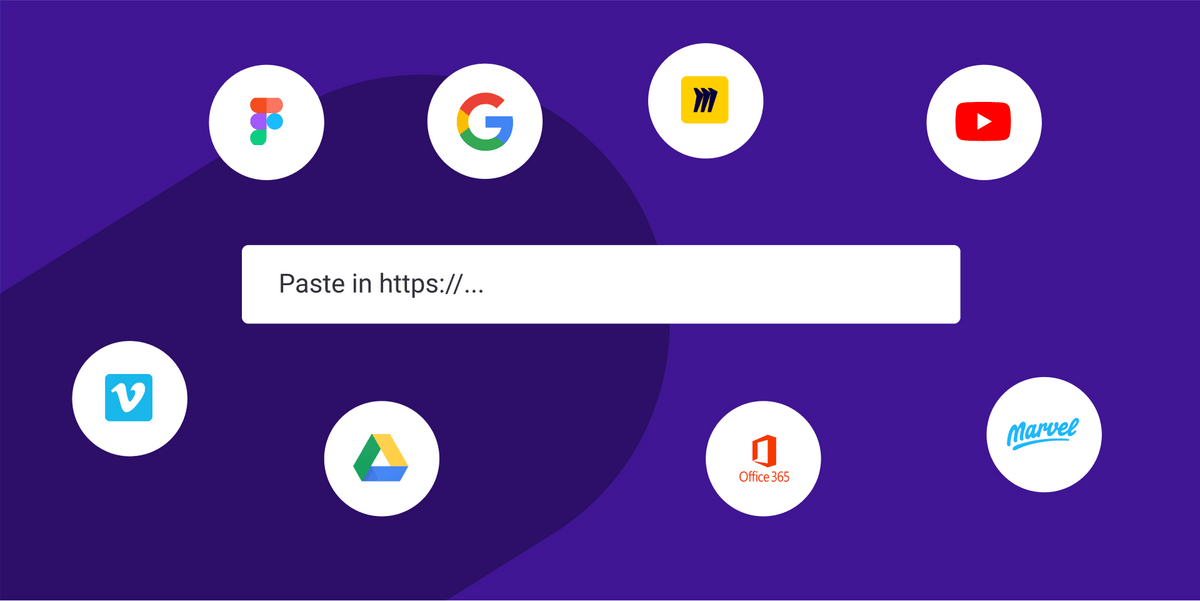
Once you add this app to a monday.com dashboard or board view, you can use it to embed any document or file you have a link for.
It works for Google Drive documents, YouTube videos, Google Maps, and files from a wide variety of other sources.
When you upload a document to monday.com, you can do more than just read it. You can annotate it for your colleagues and make it directly accessible from a dashboard.
2. monday workdocs
The second way to get document reader capability out of monday.com is through our Workdocs app. As a refresher, Workdocs is a platform for instantaneous collaboration.
It allows you to create cloud-based documents that you and your team can work on together in real-time, adding comments and sharing data with simple shortcuts.
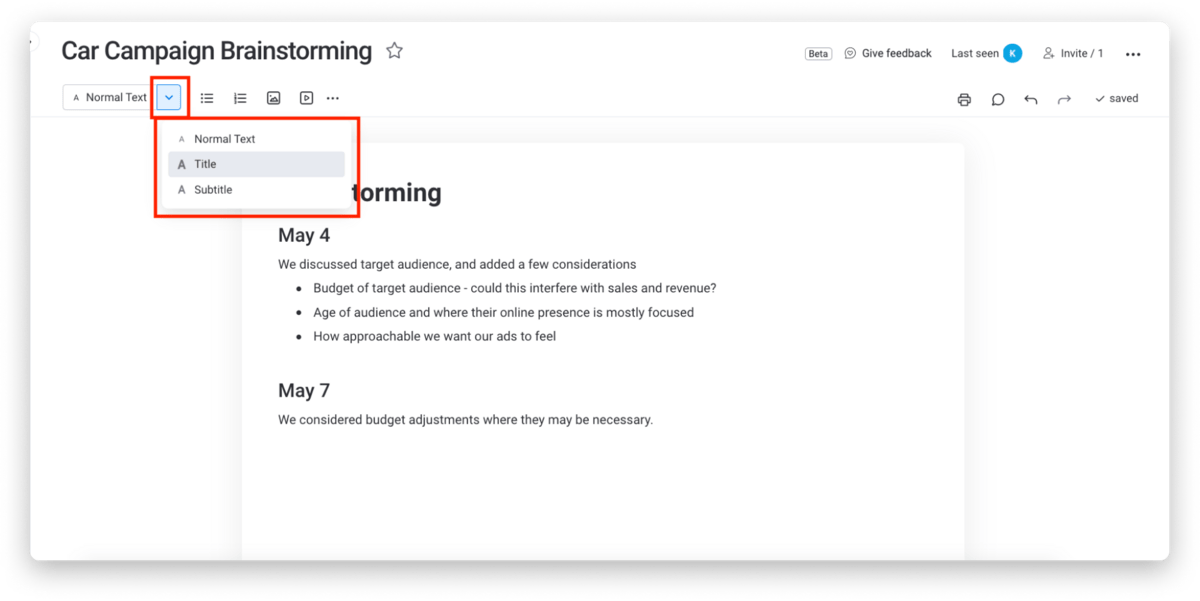
Workdocs isn’t just a word processor — though it does have all the familiar features you’re used to, like keyboard shortcuts, undo/redo, copy/paste, and various heading options.
It’s also fully connected to all your other monday.com workflows and all their associated content.
That means that if you’re talking with your co-workers about data in one of your dashboards, you can embed that dashboard directly in the Workdoc, saving you from having to go back and forth.
You can also embed other elements, like charts, images, and even other documents.
That’s why we call monday.com the ideal online doc viewer. Because it can do anything: not just view, but also edit, comment, and share.
Whether you’re viewing documents alone or chatting remotely about them with your team, productivity is highest when you don’t have to change apps.
Should you get an online doc viewer?
Online technology isn’t perfect, and it’s never going to be.
There will always be tripwires and hiccups — like files that are unreadable because of a decision somebody made 25 years ago.
The good news is that we have the technology to get past those aggravations.
Using monday.com as an online doc viewer makes your work faster, easier, and more fun. If you’re ready to see for yourself, demo monday.com today.
 Get started