


As small businesses grow, service work gets complicated fast. What once lived comfortably in shared inboxes and spreadsheets starts to sprawl — requests get missed, response times slip, and it becomes harder to see who’s responsible for what. The result isn’t a lack of effort, but a lack of structure.
Service management software helps bring order back into the day-to-day. It gives growing teams a single place to manage requests, automate routine work, and keep everyone aligned as volumes increase. The right platform doesn’t just help teams respond faster — it creates consistency, visibility, and room to scale without adding unnecessary process.
Below, you’ll see what service management software looks like in practice for small businesses, the features that matter most as teams grow, and how AI and automation are changing what’s possible. This guide also compares the leading platforms for 2026, so it’s easier to understand which tools fit different service needs, budgets, and growth plans.
Key takeaways
- Centralized service delivery: Unifies IT, HR, customer support, and operations in one workflow for clearer, scalable processes.
- AI-powered efficiency: Automates routing, categorization, and updates to reduce manual workloads and speed up resolutions.
- No-code flexibility: Lets small teams customize forms, workflows, and dashboards without technical skills.
- Self-service tools: Portals help employees and customers submit and track requests independently, lowering ticket volume.
- Proactive operations: Real-time dashboards reveal trends, bottlenecks, and resource needs for smarter planning.
What is service management software for small businesses?
Service management software brings order to growing service operations by centralizing all requests in one clear workflow. Customer queries, IT issues, facilities tasks, and HR requests are captured, tracked, and resolved in a single system, removing the need to jump between inboxes, spreadsheets, and disconnected tools.
As small businesses grow, service work rarely sits in one team. Requests move between functions, ownership can blur, and delays creep in. Modern service platforms are designed for this reality, connecting ticketing, communication, and task management in one shared workspace so teams can collaborate without friction.
What makes the biggest difference is visibility. Real-time insight into request volumes, response times, and workloads helps teams spot bottlenecks early, balance demand, and keep service operations running smoothly as complexity increases.
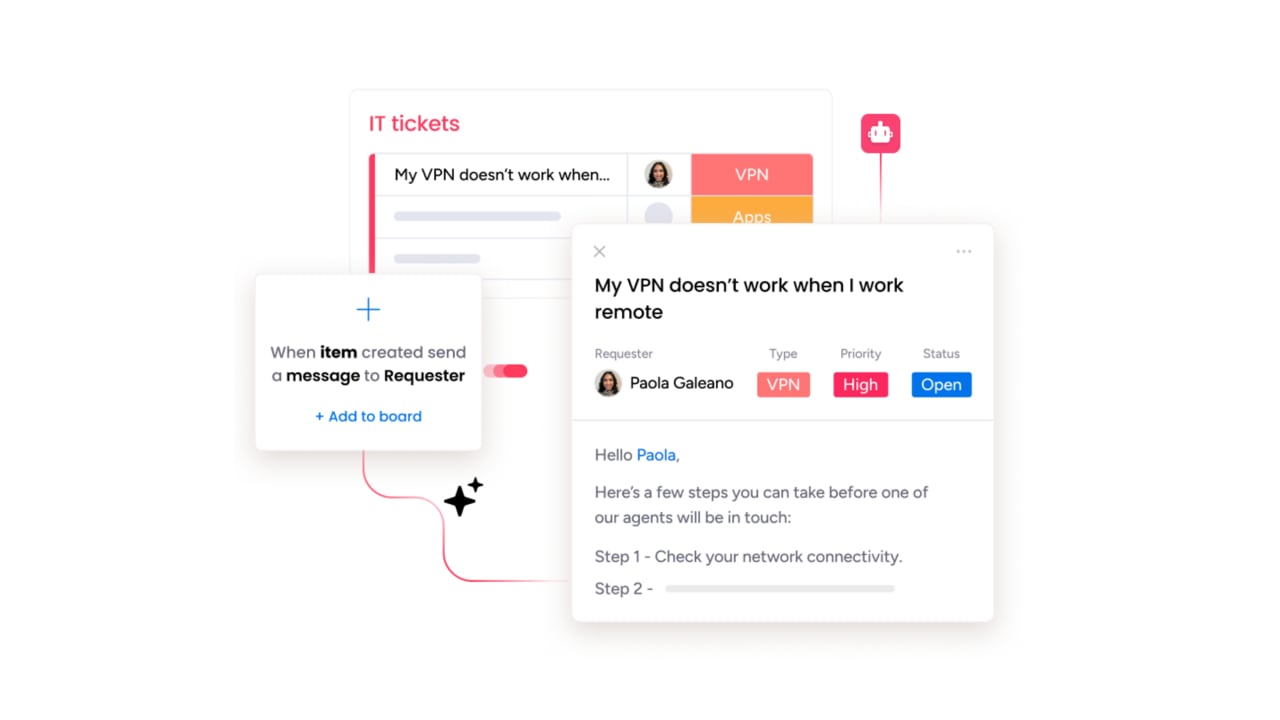
Key advantages of service management software for growing businesses
As demand increases, informal ways of working start to show their limits. Email threads multiply, ownership becomes unclear, and response times slip. Service management software introduces the structure teams need to protect service delivery as volume and complexity grow.
The biggest advantages show up quickly:
-
Clear ownership and accountability: Every request has a defined owner, priority, and status, reducing handoffs and missed follow-ups.
-
Faster, more consistent resolutions: Automated routing and standardized workflows ensure requests reach the right people without manual coordination.
-
Less tool switching: A unified workspace brings conversations, tasks, and updates into one place, keeping service work focused and visible.
-
Stronger communication: Customers and internal stakeholders receive consistent updates throughout the service lifecycle, reducing uncertainty and repeat requests.
Must-have service software features for small business success
The right service platform should make daily work easier, not add more steps! For small businesses, the most valuable features are the ones that reduce manual effort, keep work moving, and give teams clarity as demand grows.
These core capabilities create reliable, scalable service operations without unnecessary complexity:
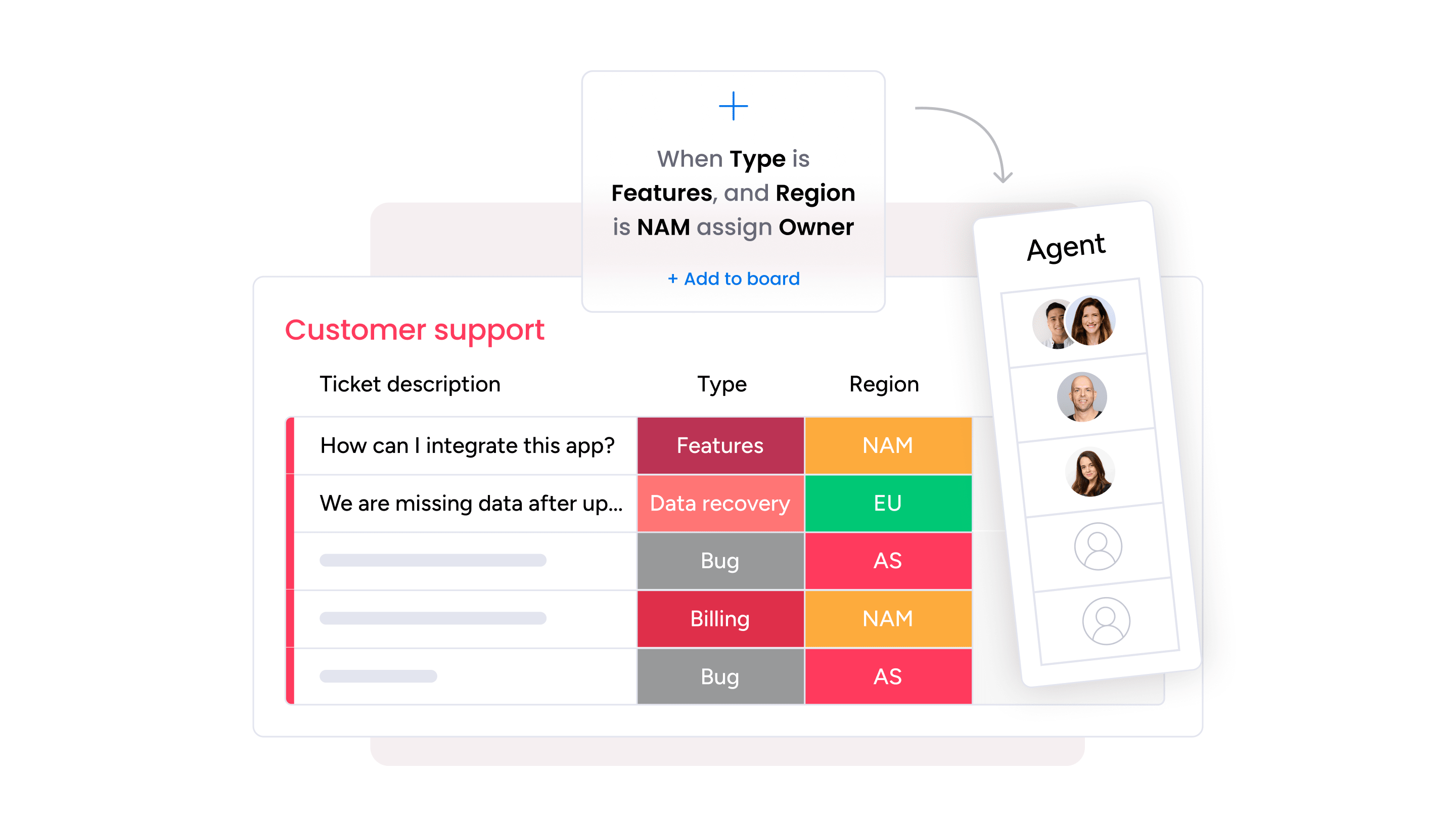
- Streamlined service workflows: A system must be as adaptable and reliable as the teams using it. Modern platforms route requests, categorize issues, and help teams act quickly. When paired with a no-code workflow builder, small businesses can reduce administrative work and focus on resolving critical issues.
- Enhanced self-service and collaboration: A well-designed self-service portal allows customers and employees to find answers independently, lowering ticket volume. For collaborative cases, teams can involve the right people directly within the platform, keeping updates, decisions, and dependencies connected. This ensures faster resolution and clearer communication.
- Proactive planning and insights: Real-time dashboards provide leaders with visibility into service trends, resource allocation, and potential issues before they escalate. Full mobile access keeps teams productive on the go, allowing them to manage tickets and collaborate from anywhere. Together, these capabilities create a smooth, consistent experience for both customers and internal teams.
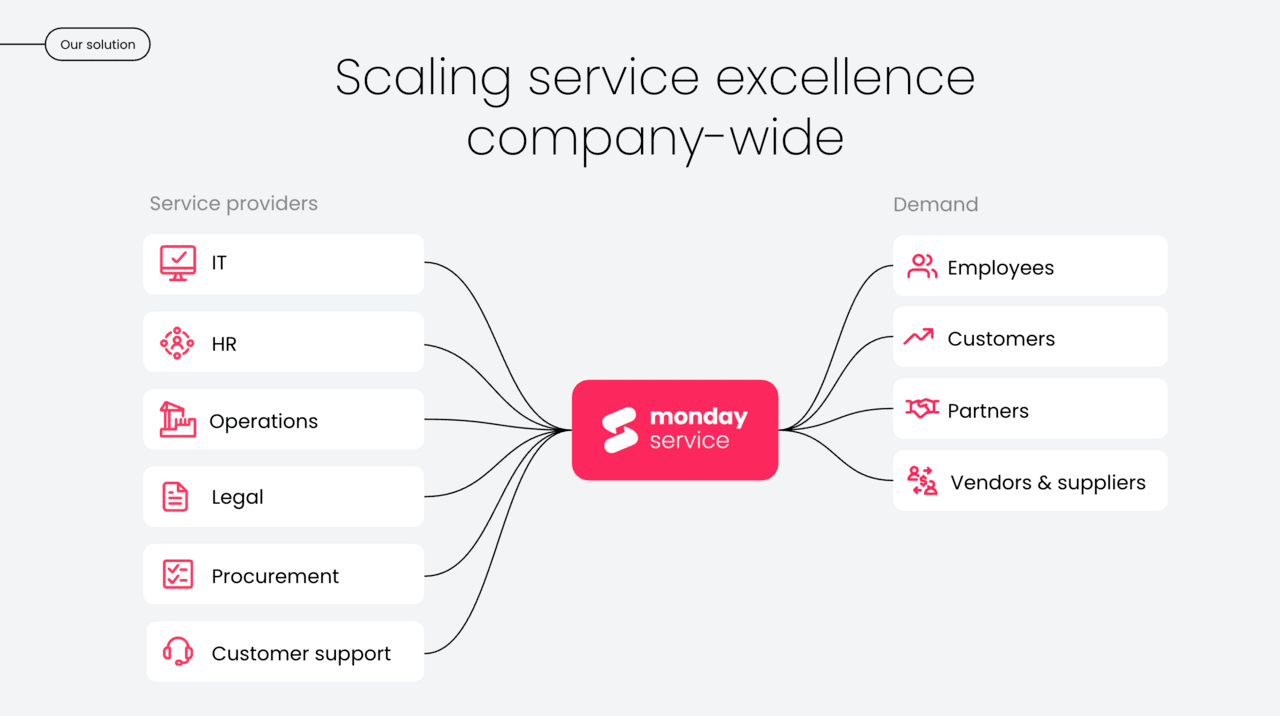
How AI and automation accelerate small business service operations
Your team is full of talented problem-solvers, but repetitive manual tasks often slow their progress. AI and automation help remove these barriers by taking on routine work so that service teams can focus on what matters most: resolving complex issues and maintaining strong relationships with customers.
Imagine a system where tickets route themselves to the right person, and automated updates keep customers informed throughout every stage. This type of platform manages the entire ticket lifecycle, so your team does not have to. The goal is not to replace people, but to equip them with tools that help them work faster and with significantly less stress.
These efficiencies come from intuitive automations and AI that continuously learn from your operations to anticipate needs, recommend actions, and optimize workflows.
Keep in mind that when service delivery is streamlined from intake to resolution, your team can scale confidently, respond faster, and deliver the exceptional service that sets your business apart.
Top service management platforms for small businesses
As alluded to earlier, choosing the right service platform should simplify your work, not add new challenges. Small businesses need systems that are easy to adopt, flexible enough to support different service needs, and powerful enough to grow with the team.
A great platform should also feel intuitive from day one and support long-term success without introducing unnecessary complexity.
The comparison below highlights how leading service management platforms support small business operations, outlining each solution’s strengths, ideal use cases, and the specific value they bring to growing teams.
1. monday service
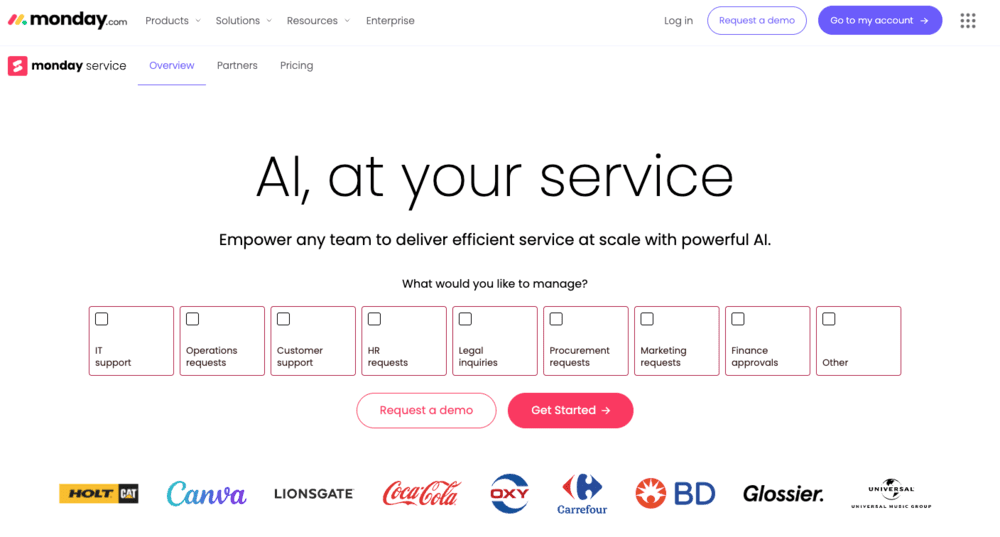
monday service helps small businesses transform their service operations with AI-powered automation that works from day one. Built on the intuitive monday Work OS, it unifies ticketing, projects, and cross-team collaboration in one visual platform that requires no technical expertise to implement.
Use case:
monday service delivers AI-first enterprise service management by centralizing tickets, incidents, and service projects while connecting each process seamlessly with broader business workflows.
Key features:
- AI-powered ticket triage: Automatically categorizes, routes, and prioritizes incoming requests based on urgency, sentiment, and historical patterns.
- Branded self-service portal: Enables customers or employees to submit and track requests without needing a platform account.
- Unified intake channels: Integrates with Gmail, Outlook, and WorkForms to consolidate submissions from multiple sources into a single, organized system.
Pricing:
- Standard: $26 per seat per month (annual billing), includes 10 portal users.
- Pro: $38 per seat per month (annual billing), includes 100 portal users.
- Enterprise: Custom pricing, includes unlimited portal users.
- Minimum users: Minimum of three users required.
- Annual discount: 18% discount available with annual billing.
Why it stands out:
- No-code customization: Enables businesses to adapt workflows for any service type without technical resources.
- Built-in AI automation: Provides smart routing, suggested responses, and auto-categorization that improves over time.
- Unified Work OS: Connects service requests to project management and team collaboration, ensuring full visibility and preventing tasks from slipping through the cracks.
2. Zendesk
Zendesk is a strong option for businesses focused primarily on external customer support. It provides advanced ticketing tools and customer-facing capabilities designed to build satisfaction and improve response times.
While it excels at customer service, it may be less suited for internal or cross-department service management due to its structure and reliance on marketplace integrations for broader workflows.

Use case:
- AI-enabled platform: Streamlines ticketing for faster issue resolution.
- Omnichannel communication: Supports email, chat, phone, and messaging platforms.
- Automated workflows: Reduces manual tasks and ensures consistent customer support.
Key features:
- AI-powered ticket classification, triage, and routing: Automates ticket handling and offers autonomous resolution options.
- Omnichannel communication: Supports email, Slack, Teams, voice, and messaging platforms.
- Service catalog with configurable SLAs: Includes audit trails and problem management workflows.
Pricing:
- Support team: $19/month per agent (billed annually).
- Support professional: $55/month per agent (billed annually).
- Support enterprise: $115/month per agent (billed annually).
- Suite team: $55/month per agent (billed annually).
- Suite growth: $89/month per agent (billed annually).
- Suite professional: $115/month per agent (billed annually).
- AI copilot add-on: $50/month per agent (billed annually).
- Quality assurance add-on: $35/month per agent (billed annually).
- Workforce management add-on: $25/month per agent (billed annually).
Considerations:
- Advanced capabilities: Require paid add-ons, which can increase the total cost of ownership.
- Asset management and ITIL requirements: Often rely on third-party integrations rather than native modules.
3. Freshservice
Freshservice offers an AI-powered platform for IT service management, supporting requests, incidents, changes, and assets. It is well-suited for small businesses with dedicated IT teams that need robust, ITIL-aligned capabilities without excessive complexity.
Its consumer-friendly interface also helps technical and non-technical users navigate workflows efficiently.

Use case:
Freshservice helps streamline IT operations through automated workflows, intelligent routing, and comprehensive asset management, making it effective for businesses that prioritize IT service efficiency.
Key features:
- Unified ITSM, ITAM, and ITOM platform: Includes automated asset discovery and dependency mapping.
- Freddy AI agent and freddy copilot: Supports self-service for users and assists agents across communication channels.
- Low-code workflow automation: Provides access to more than 1,000 marketplace integrations.
Pricing:
- Starter: $19/agent/month (annual billing).
- Growth: $49/agent/month (annual billing).
- Pro: $99/agent/month (annual billing).
- Enterprise: Custom pricing (includes Freddy AI Agent).
- Freddy AI copilot add-on: $29/agent/month (annual).
- Business agent add-on for non-IT teams: $49/agent/month.
- Free trial: 14-day free trial available.
Considerations:
- AI features: Come with session quotas and potential overage charges, which may increase total costs.
- Advanced reporting and customization: May be more limited compared with enterprise-focused platforms.
4. Salesforce Service Cloud
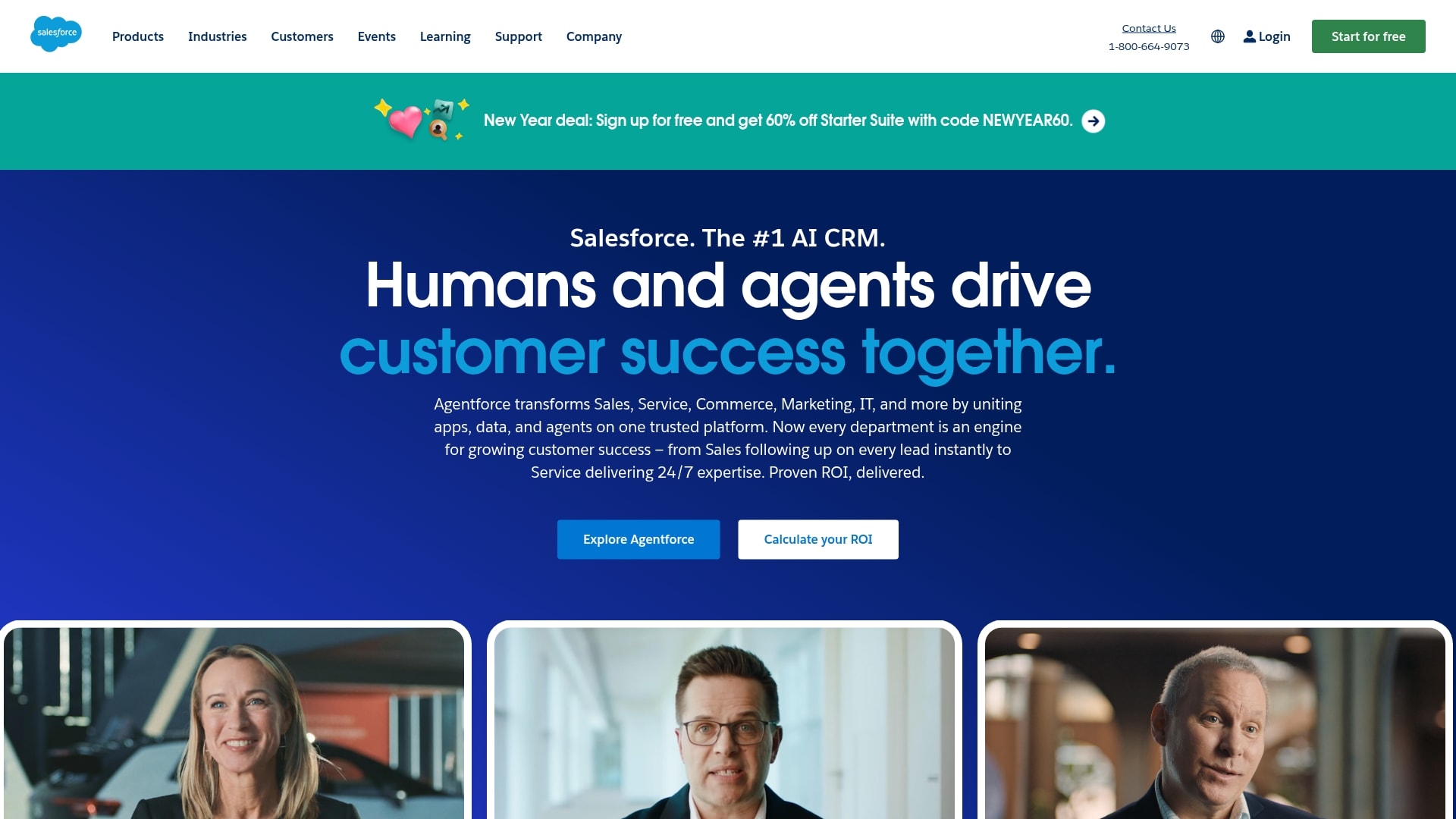
Salesforce Service Cloud is built for businesses already invested in the Salesforce ecosystem. It provides enterprise-grade capabilities with deep CRM integration and advanced AI. Teams benefit from omnichannel support, intelligent case routing, and autonomous AI agents.
Its complexity and higher investment requirements make it most suitable for larger organizations with dedicated resources.
Use case:
Service Cloud excels at unifying customer service operations across multiple channels while leveraging CRM data to give agents full customer context and AI-powered insights.
Key features:
- Omnichannel case management: intelligent routing automatically assigns tickets based on agent skills and capacity.
- Unified Service Console: provides 360-degree customer views with interaction history, knowledge base access, and AI recommendations.
- Agentforce AI agents: deliver autonomous support, generate responses, and create knowledge articles automatically.
Pricing:
- Enterprise: $175/user/month (billed annually).
- Unlimited: $350/user/month (billed annually).
- Agentforce 1 service: $550/user/month (includes AI credits and tableau next).
- Digital engagement add-on: $75/user/month.
- Service cloud voice: $50–$200/user/month (includes amazon connect minutes).
- Agentforce for service (employee AI): $125/user/month.
- Service intelligence (analytics): $250/user/month.
Considerations:
- Steep learning curve and implementation complexity: require significant training and administrative overhead.
- Cost escalation: essential add-ons, such as Digital Engagement, Voice, and AI features, can quickly increase total costs.
5. Jira Service Management
Jira Service Management is built for technical service delivery, offering developer-friendly customization and ITSM capabilities. It bridges development and operations teams, making it ideal for organizations with strong technical expertise that need sophisticated incident management software and change control tools.

Use case:
- High-velocity ITSM built on Jira: Accelerates request-to-resolution workflows.
- Cross-team collaboration: Breaks down silos between development, IT, and business teams.
Key features:
- Native DevOps integration: Includes automated change risk assessment, deployment tracking, and CI/CD pipeline connections through Bitbucket, Jenkins, and GitLab.
- AI-powered virtual agent: Provides conversational support through Slack and Microsoft Teams with automated Tier-1 resolution.
- Comprehensive asset management: Offers CMDB functionality, dependency mapping, and automated discovery for full infrastructure visibility.
Pricing:
- Free: Up to three agents.
- Standard: $20/agent/month.
- Premium: $51.42/agent/month, includes 99.9% SLA, unlimited storage, and advanced incident/change features.
- Enterprise: Annual, quote-based, includes 99.95% SLA and enterprise governance.
- Annual billing discount: Save up to 17% when billed annually.
- Data center (self-managed): Options available with volume pricing from $113,500 for 500 agents.
Considerations:
- Learning curve: Can be steep for non-technical teams, with complex configuration options that may overwhelm smaller organizations.
- Knowledge base authoring: Requires confluence integration, which may add licensing costs for multiple content creators.

"Our team LOVES the monday service platform and we’re already exploring how we could incorporate it for other departments, too. It has streamlined our workflow in a way that both our team and customers appreciate."
Andrew Marshall | VP Operations
״monday service provides clear insights into requests volume and types, response times, and trends - helping us continuously improve operations"
Grant De Waal-Dubla | CIO
"The biggest value for us is speed and flexibility. You can get up and running in days, change anything instantly, and see everything in real time. And you don’t need a dedicated admin to do it."
Clive Camilleri | Head of People Tech & OperationsService software pricing and investment considerations
Choosing service software isn’t just about the monthly price per user. It’s an investment in how effectively your team can deliver service today and how smoothly operations can scale tomorrow. The right platform supports efficient service delivery without introducing hidden costs or operational friction.
Most service management tools use subscription-based pricing, typically tied to the number of agents or service users. This flexibility allows small businesses to start with a lean setup, then expand as ticket volume grows, new teams come onboard, or service use cases broaden across the business.
However, the real cost of service software goes beyond the license itself. Implementation time, training requirements, and ongoing adoption all influence return on investment. Platforms that require extensive configuration or external consultants can slow momentum and delay impact.
By contrast, tools designed for fast onboarding and everyday usability help teams realize value sooner. An intuitive platform like monday service reduces setup effort and training overhead, allowing teams to focus on improving service operations and seeing measurable results from the start.
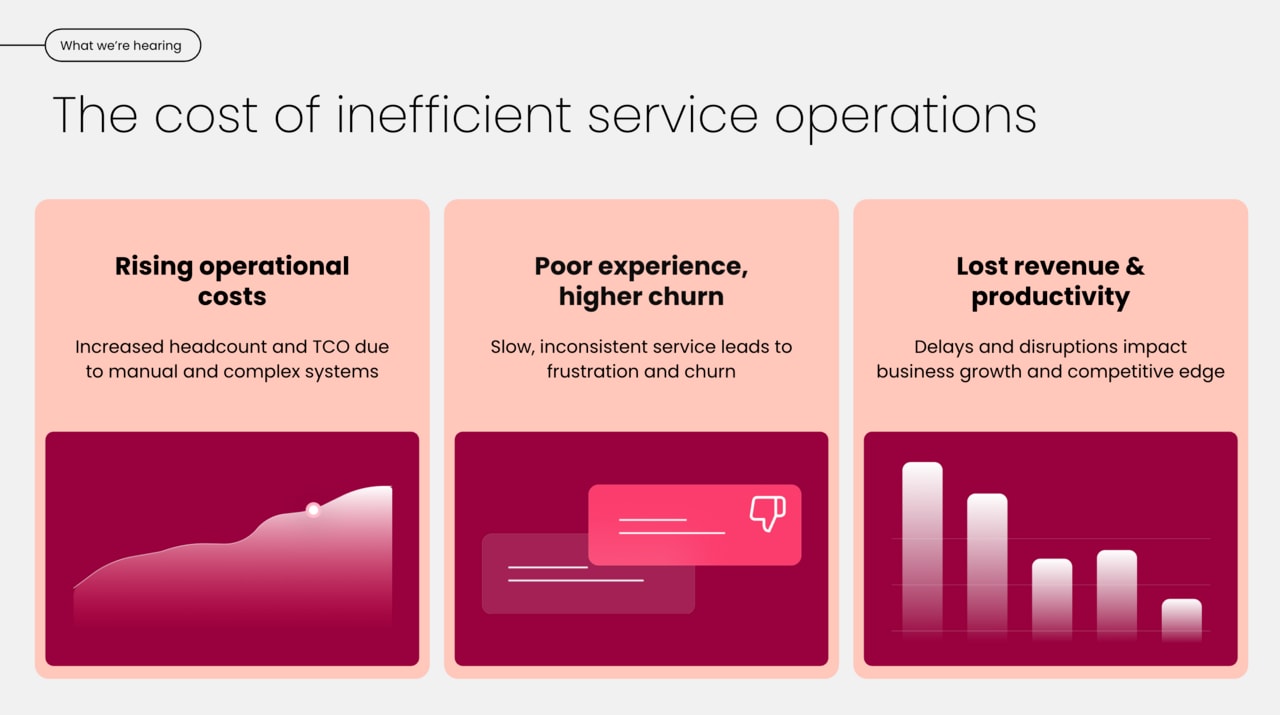
The real cost of service software goes beyond the license itself. Implementation time, training requirements, and ongoing adoption all influence return on investment. Platforms that require extensive configuration or external consultants can slow momentum and delay impact.
How monday service powers connected service operations
Service teams often struggle when workflows span multiple systems, creating friction and slowing progress. monday service unites every team, ticket, and project on a single platform designed for speed and clarity, transforming service delivery from disconnected tasks into a streamlined operation.
Key Benefits:
- Unified platform: brings teams, tickets, and projects together for end-to-end visibility and coordination.
- Built-in AI and real-time analytics: provide insights and recommendations to keep work moving efficiently.
- Flexible workflows: allow teams to adapt processes to their specific needs while maintaining alignment.
- Faster resolution and seamless service: teams can resolve issues more quickly, optimize operations, and deliver a consistent experience for customers and internal stakeholders.
Unite all service types on one flexible platform
Eliminate tool-switching by bringing IT, HR, customer support, and facilities onto a single shared platform. Collaboration becomes the default, and teams gain a unified view, breaking down silos that slow problem-solving.
This approach creates a consistent experience for everyone. Employees and customers get a simple, familiar way to ask for help, while agents manage all requests without juggling multiple logins. One platform, one process, zero confusion.
Knowledge becomes a shared asset. A solution discovered by IT can inform HR workflows, and performance data across departments supports smarter decisions. Teams are not just closing tickets, they are building a smarter organization.
Connect tickets to projects seamlessly
Many service requests start as tickets but evolve into projects. monday service connects them effortlessly, turning a complex ticket into a trackable project task without losing context. Teams move from issue to action in a single click.
Visibility flows both ways. Service agents see how tickets affect project timelines, and project managers understand the real-world issues driving work. Every resolved ticket becomes a visible contribution to business initiatives.
Customize everything without writing code
Teams should shape the platform to meet their needs. Drag-and-drop tools let teams build custom workflows, forms, and automations, no coding required. Dashboards can be tailored to each team member, and pre-built integrations connect existing tools. Teams can create a service hub that feels designed just for them.
As needs change, the platform also adapts seamlessly, with no disruption, no downtime. This flexibility ensures service operations move as fast as the business.
Access enterprise AI capabilities simply
AI should support teams, not complicate workflows. monday AI works out of the box to route tickets intelligently, predict trends, and help teams resolve issues proactively.
Beyond routing, AI suggests replies based on past solutions and identifies bottlenecks to smooth processes. The system learns from every interaction, continuously refining its recommendations to match your team’s unique service patterns and customer needs.
Enterprise-grade AI is accessible for teams of any size, keeping them focused on delivering excellent service rather than managing complex technology. The result is faster resolutions, more consistent quality, and a service operation that gets smarter with every ticket closed.
Start transforming your service operations today
Connecting every part of the organization on one platform turns chaotic workflows into clear paths from ticket to resolution. Teams gain clarity and speed, while agents focus on meaningful work.
Built-in AI and automation handle repetitive tasks, and real-time analytics allow managers to optimize operations efficiently. This is not a months-long project, it’s about making smart changes that deliver immediate value.
Imagine faster resolutions, happier customers, and a service operation that works as smoothly as your team. monday service helps teams unlock this potential together.
Frequently asked questions
What's the difference between service management software and help desk software?
Service management software manages delivery across the organization, including IT, HR, and customer support. Help desk software typically focuses on external customer tickets.
Can service platforms handle both customer and internal requests?
Yes. Modern service platforms manage external support and internal requests for IT, HR, and other departments in a unified system.
How quickly can small businesses implement service management software?
With intuitive, no-code platforms and templates, teams can be operational in just days or weeks.
Which integrations matter most for service operations?
Key integrations connect to email, communication apps like Slack or Teams, and CRM systems to unify data and automate workflows.
When should a small business invest in service management software?
Invest when manual tracking is inefficient, service quality is at risk, or there is insufficient data to improve team performance.
Is technical expertise required to customize service platforms?
No. Modern service platforms feature intuitive drag-and-drop builders that let team members customize workflows, forms, and automations without any technical skills. This means your team can adapt the system to your exact needs, creating a service hub that works the way you do — no coding or IT support required.

 Get started