


Service management was once a term reserved for the IT department, focused on fixing laptops and managing software licenses. But today, every team delivers a service. HR handles onboarding, finance processes approvals, and facilities manages maintenance. This shift from a single-department function to an organization-wide discipline changes what you need from a service platform. Making the right choice is about more than a feature list. It is about finding the system that aligns with how your teams actually work.
This guide offers a complete comparison of two platforms with very different approaches to this modern challenge. We will explore the key differences in daily use, from visual, no-code customization to technical, IT-first configuration. The article also breaks down pricing, implementation speed, and how each platform supports service delivery across the entire organization. Understanding the core philosophies behind each platform will help you select the one that truly empowers your organization to streamline service delivery and grow without complexity, whether you choose Jira Service Management or monday service.
Key takeaways
- Choose based on your team’s needs: monday service works best for cross-department flexibility, while Jira Service Management excels for IT-focused organizations already using Atlassian tools.
- Implementation speed varies dramatically: monday service teams typically launch in 1 to 2 weeks using visual builders, while JSM often requires 2 to 3 months for enterprise setups.
- monday service empowers business teams: Non-technical users can build workflows, create automations, and manage their own service processes, freeing up IT support for more complex issues.
- Total costs extend beyond licensing: Factor in implementation services, training, integrations, and ongoing administration when comparing platform expenses.
- User adoption depends on interface design: monday service’s visual approach requires minimal training, while JSM’s technical interface often challenges non-IT teams.
What are monday service and Jira Service Management?
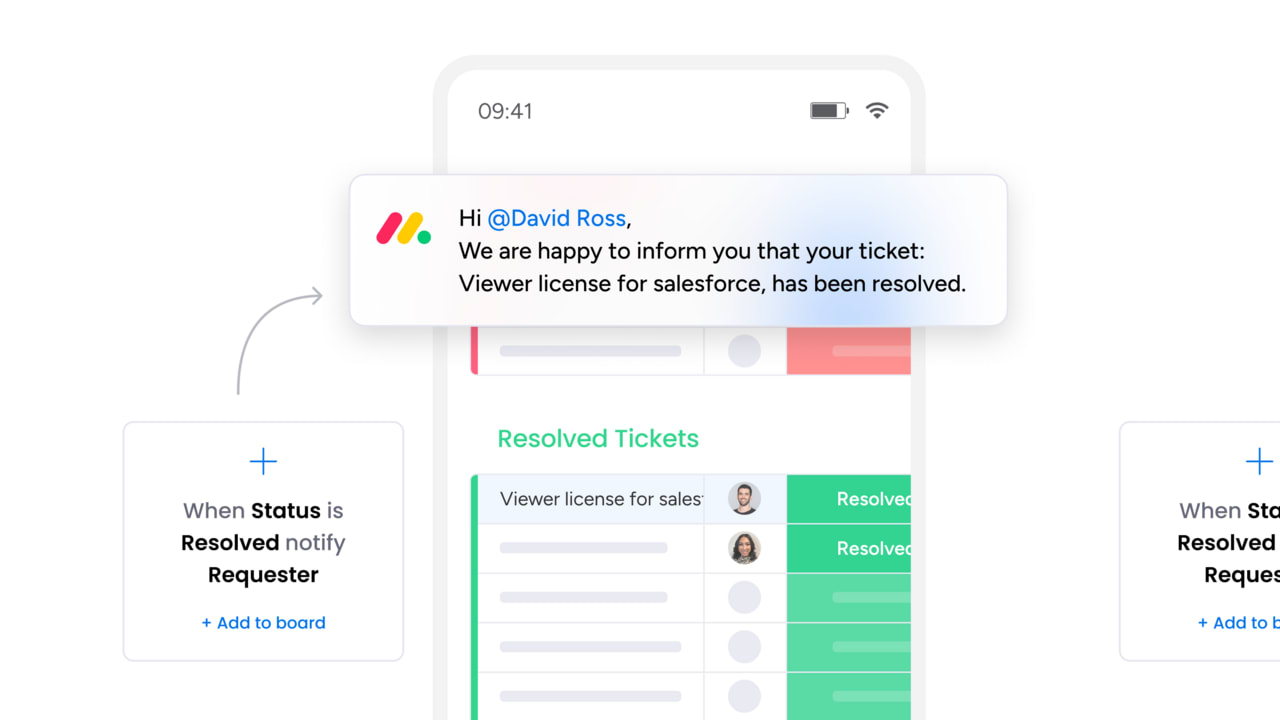
monday service and Jira Service Management are service management platforms that help teams handle support requests, incidents, and internal service delivery. Both platforms turn chaotic email chains and scattered requests into organized workflows you can track from start to finish.
monday service is a visual, no-code platform built on the monday.com Work OS. It lets IT, HR, facilities, and other service teams create workflows without writing code or waiting for developers. You build forms, set up automations, and customize dashboards using drag-and-drop tools.
Jira Service Management (JSM) is Atlassian’s service platform designed primarily for IT teams. It follows IT service management (ITSM) principles: structured methods for handling incidents, changes, and service quality. JSM works especially well when you need tight integration with software development teams using Jira Software.
A service desk is where employees or customers submit their issues and requests. Both platforms give you a service desk, but they approach it differently. monday service focuses on flexibility across all departments, while JSM goes deep on IT-specific features and workflows.
Key differences between monday service and Jira Service Management
The real differences between these platforms show up in daily use. How quickly can you make changes? Who can actually manage the workflows? How much training do new users need?
The table below gives you a look at the key differences between the two platforms at a glance. Keep reading for a more detailed breakdown of how they compare.
| Feature | monday service | Jira Service Management |
|---|---|---|
| Workflow approach | Visual boards, timelines, and kanban views | Traditional queues, request types, and issue hierarchies |
| Customization | No-code visual builders anyone can use | Technical configuration requiring admin expertise |
| Primary design focus | Cross-department service delivery | IT-first approach and terminology |
| Implementation time | Days to weeks for basic workflows | Weeks to months for enterprise setups |
| Learning curve | Minimal training with familiar visual patterns | Steeper learning curve for non-IT users |
| Integration philosophy | Broad connections across business systems | Deep integration within Atlassian ecosystem |
Visual workflows vs. traditional ticketing

monday service displays work as visual boards, timelines, and kanban views that anyone can understand. You see exactly where each request stands and who’s working on it. JSM uses a more traditional approach with queues, request types, and issue hierarchies that IT teams know well.
This affects adoption across your organization. With monday service, HR or facilities teams can jump in and start using the platform immediately. With JSM, non-IT teams often need more training to understand the terminology and structure.
No-code customization vs. technical configuration
Need to change a form field or add an approval step? In monday service, you make these changes yourself using visual builders. No coding, no waiting for IT.
JSM offers deep customization too, but you’ll need someone who understands Jira schemas, permissions, and workflow rules. Simple changes can require admin expertise that many teams don’t have in-house.
Cross-department design vs. IT-first approach
monday service was built from day one to support any service team. The same platform works for IT tickets, HR onboarding, facilities requests, and finance approvals. Each team can customize its workspace while sharing the same foundation.
JSM can handle non-IT use cases, but everything feels like it was designed for IT first. The terminology, the workflows, the permission models, they all assume you’re running technical operations.
Implementation speed
How fast can you go from purchase to productive use? monday service teams often launch basic workflows in days, not weeks. You pick a template, customize it, and start taking requests.
JSM implementations typically take longer, especially if you want to set up proper request types, SLAs, and approval chains. This complexity matters because, according to a 2025 Harvard Business Review report on modern software delivery, 56% of organizations experience errors or issues with software releases at least monthly—evidence that simpler, well-orchestrated platforms reduce rework and training drag. The extra time might be worth it for complex IT environments, but it delays value for simpler use cases.
Learning curve for different users
Your service agents, requesters, and managers all need to use the platform effectively. monday service uses familiar visual patterns that most people recognize from other modern software. Training is minimal.
JSM’s interface makes sense to IT professionals who already use Jira, but business users often struggle with the concepts. What’s an issue type? How do components work? Why are there so many fields?
Integration philosophy
monday service connects broadly across business systems. You’ll find native integrations for Slack, Microsoft Teams, Google Workspace, and dozens of other platforms your teams already use.
JSM integrates deeply within the Atlassian ecosystem. If you’re already using Confluence, Bitbucket, and Jira Software, JSM fits perfectly. But connecting to non-Atlassian tools often requires marketplace apps or custom development.
Pricing and total cost of ownership
The sticker price tells only part of the story. When evaluating platforms like monday service, what really matters is the total cost to implement, run, and scale your service management platform over time.
monday service pricing structure
monday service uses straightforward seat-based pricing with four tiers designed to scale with your organization:
- Basic: $10 per seat/month
- Standard: $14 per seat/month
- Pro: $24 per seat/month
- Enterprise: Custom pricing
The pricing is transparent, you know exactly what you’ll pay as you add users, with no surprise charges for essential features. Most teams can configure monday service themselves, keeping implementation costs low without paying thousands in professional services.
Jira Service Management pricing structure
JSM charges per agent rather than per seat, with pricing that escalates quickly once you factor in the full Atlassian ecosystem:
- Free: $0 per agent/month, up to 3 agents
- Standard: $17.65–$20.90 per agent/month
- Premium: $47.40 per agent/month
- Enterprise: Custom pricing
Hidden JSM costs add up fast:
- Confluence for knowledge management: $6.05–$11.55 per user/month
- Marketplace apps for asset management, advanced automation, and more
- Implementation services: $10,000–$50,000+ for enterprise deployments
- Realistic total cost often runs 40-60% higher than base JSM license
Hidden costs that impact your budget
Beyond licenses, several factors affect your real investment. Understanding these helps you budget accurately and avoid surprises.
- Implementation services: monday service’s visual setup means most teams can self-implement. JSM often requires consultants to properly configure schemas, workflows, and permissions.
- Training costs: Business users pick up monday service quickly. JSM requires more formal training, especially for non-technical teams.
- Integration expenses: monday service includes many integrations in the base price. JSM often requires paid marketplace apps or custom development.
- Ongoing administration: monday service lets service owners make their own changes. JSM typically needs dedicated admins who understand the technical architecture.
- Scaling costs: Adding departments to monday service is straightforward. In JSM, each new team might need its own project setup, custom fields, and workflows.
Feature comparison
Both platforms handle tickets, automation, and reporting. But how these features actually work (and who can use them) makes all the difference.
Ticket management and routing
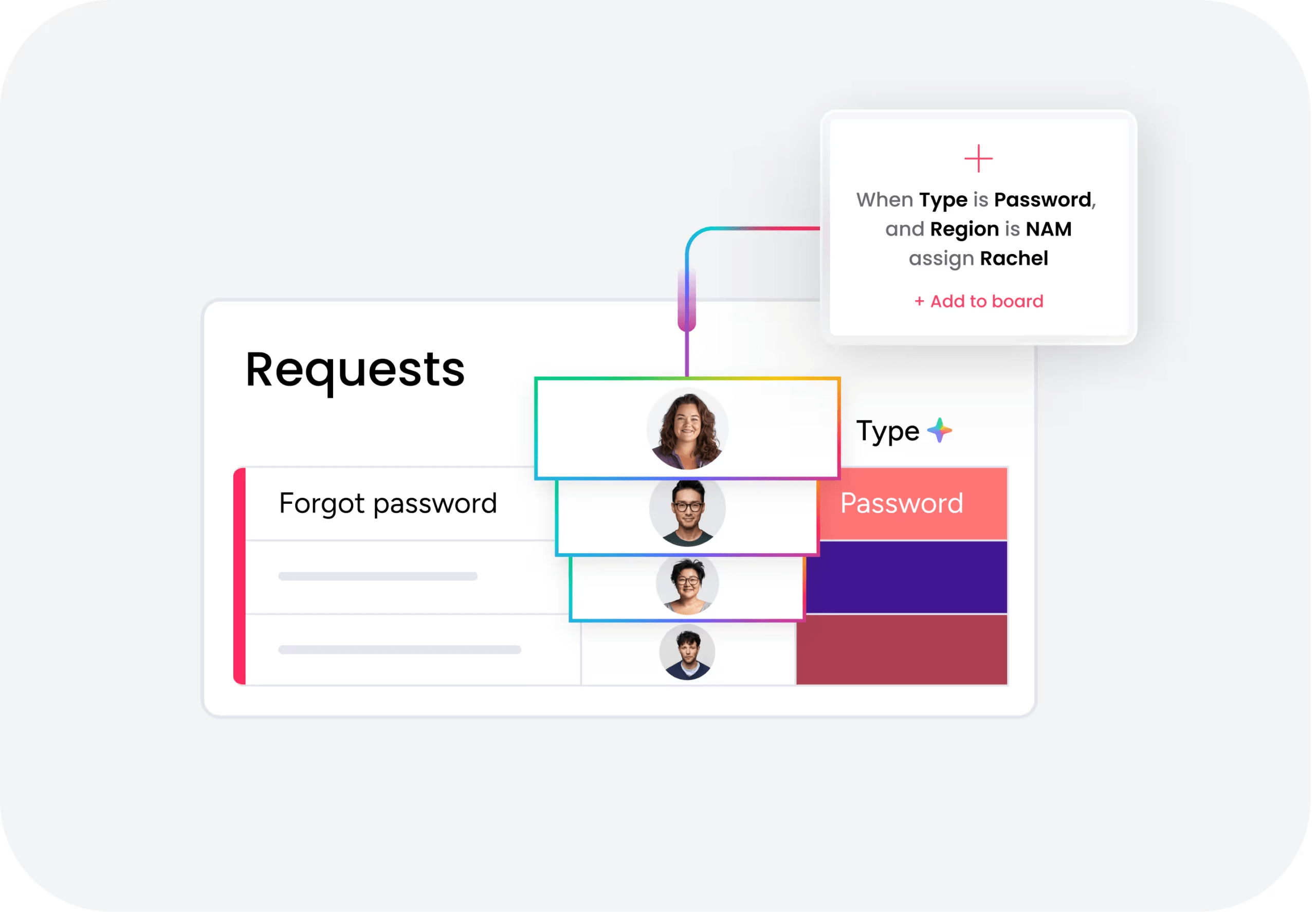
Every service platform needs to capture requests and route them to the right people. monday service treats this as a visual workflow where you can see and adjust the path tickets take. You drag automation blocks to change routing rules without touching code.
JSM uses queue-based routing with detailed rules and conditions. It’s powerful for complex IT scenarios but requires more setup and maintenance. When business rules change, you’ll need an admin to update the configuration.
The practical impact? In monday service, a service manager can adjust routing in minutes. In JSM, the same change might wait days for IT to implement.
Self-service portals

Good self-service reduces ticket volume and improves user satisfaction. Both platforms let you create portals where users submit requests and track progress.
monday service portals are easy to brand and customize for different departments. You can create distinct experiences for IT, HR, and facilities without technical skills. Forms adapt based on the request type, gathering exactly the information you need.
JSM portals work well for IT service catalogs but feel technical for other departments. Customization requires more effort, and the experience reflects JSM’s IT-first design.
Workflow automation

Automation transforms service delivery by handling repetitive tasks instantly. monday service provides a no-code automation builder where you combine triggers and actions visually. Want to auto-assign tickets based on keywords? Drag the blocks, set the conditions, done.
JSM offers automation through Jira’s rule engine. It’s capable but requires understanding of Jira’s event model and field structure. Business users rarely feel comfortable creating their own automations.
This difference compounds over time. Teams using monday service continuously improve their workflows. Teams using JSM often depend on IT for every automation change.
Analytics and reporting
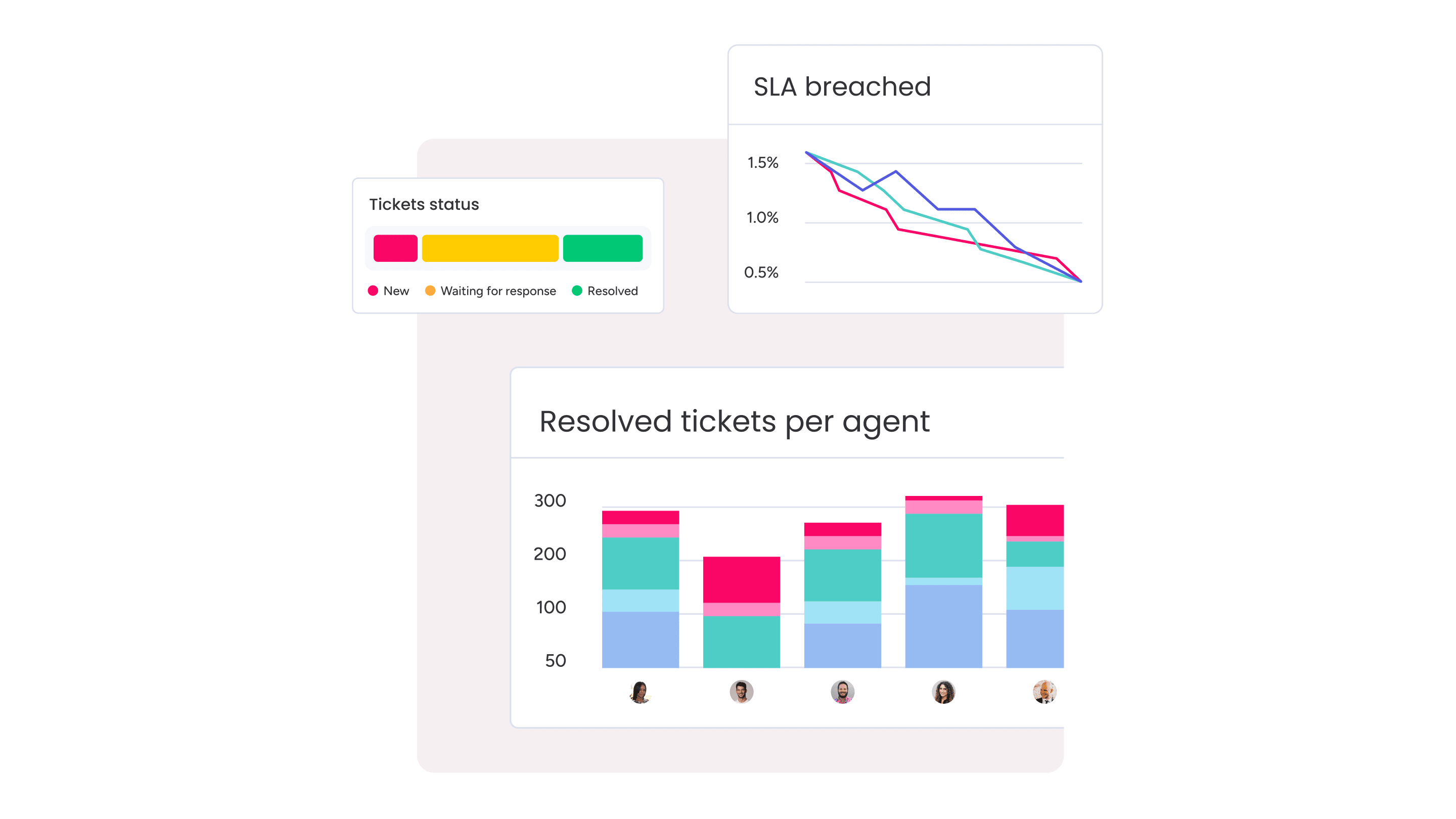
Service leaders need clear visibility into performance. How many tickets are open? Are you meeting SLAs? Where are the bottlenecks?
monday service provides customizable dashboards that anyone can build and understand. Drag widgets onto a board, choose your metrics, and share with stakeholders. The visual approach makes data accessible to executives who don’t live in the platform daily.
JSM offers detailed reporting for IT metrics. The data is comprehensive, but extracting insights often requires familiarity with Jira’s reporting tools. Creating executive-friendly views takes more effort.
Knowledge base management
A good knowledge base deflects tickets and helps agents resolve issues faster. In fact, a McKinsey report on customer care found that 42% of customer-care leaders have already reversed rising inbound volumes through smarter self-service and digital deflection. monday service includes knowledge management features that work like the rest of the platform — visual, flexible, and easy for any team to maintain.
JSM typically requires Confluence for knowledge management. This creates a powerful combination but adds cost and complexity. You’re now managing two products instead of one, each with its own permissions and workflows.
AI and automation capabilities
AI is transforming service management from reactive to proactive. The right AI features help teams work smarter without adding complexity.
Smart ticket classification
Manual ticket triage wastes time and creates inconsistencies. monday service uses AI to automatically categorize tickets based on content, sentiment, and urgency. The AI learns from your team’s patterns and improves over time.
You don’t need to be technical to refine the AI’s decisions. Service managers can adjust categories and rules through the same visual interface they use for everything else.
JSM provides classification through various mechanisms, but setup typically requires more technical configuration. The classification works well for structured IT categories but needs admin support for changes.
Predictive insights
Spotting problems before they explode saves time and preserves service quality. monday service surfaces trends through visual dashboards that highlight unusual patterns, growing backlogs, or SLA risks.
These insights appear automatically: no complex queries or report building required. Service managers can act on predictions without becoming data analysts.
JSM offers predictive capabilities too, especially for IT operations, but accessing these insights often requires deeper platform knowledge or additional Atlassian products.
Implementation speed and learning curve
How quickly can you deliver value? The answer depends on platform complexity and your team’s technical skills.
Time to launch
monday service teams often go live with basic workflows in 1-2 weeks. You choose a template, customize it for your needs, and start accepting tickets. More complex setups with multiple departments might take 4-6 weeks.
JSM can launch quickly for simple IT use cases. But enterprise deployments with custom workflows, fields, and integrations commonly take 2-3 months. Each additional complexity adds time.
User interface comparison
monday service looks and feels like modern productivity software. Colorful boards, drag-and-drop interactions, and visual status indicators make navigation intuitive. New users figure it out quickly.
JSM’s interface reflects its Jira heritage. Lots of fields, detailed filters, and text-heavy screens. IT professionals appreciate the depth, but business users often feel overwhelmed.
Administration requirements
Who keeps your platform running smoothly? monday service empowers service owners to manage their own workflows. You don’t need a technical background to add fields, change automations, or adjust permissions.
JSM requires more specialized administration. Someone needs to understand Jira’s permission schemes, workflow post-functions, and field configurations. This usually means dedicated IT resources or external consultants.
Try monday serviceIntegration capabilities
Your service platform needs to connect with the rest of your tech stack. How easily can you link systems?
Pre-built integrations

monday service includes 72+ native integrations covering communication, productivity, CRM, and specialized business tools. These work without custom code, just authenticate and map your data.
Common integrations that teams use daily include:
- Slack and Microsoft Teams: Turn messages into tickets
- Gmail and Outlook: Convert emails to service requests
- Salesforce: Link customer data to support tickets
- DocuSign: Manage approvals and signatures
JSM integrates best within Atlassian’s ecosystem. Connecting to non-Atlassian tools often requires marketplace apps, which add cost and complexity.
API flexibility
Sometimes you need custom connections. Both platforms offer APIs, but the implementation experience differs.
monday service provides a GraphQL API that developers find approachable. But more importantly, many integrations can be built using the platform’s no-code tools, reducing the need for custom development.
JSM’s REST API is comprehensive but assumes familiarity with Jira’s data model. You’ll need developers who understand Atlassian’s architecture to build effective integrations.
Cross-department service excellence
Can one platform serve your entire organization? The answer shapes your long-term service strategy.
IT service operations
Both platforms handle IT service management well. monday service provides the essentials, such as incident tracking, change management, and asset relationships in an approachable package. IT teams can deliver professional service without overwhelming complexity.
JSM goes deeper into ITSM, especially for organizations following ITIL practices. If you need problem management, detailed change advisory boards, or complex service level tracking, JSM has more native capabilities.
HR service delivery
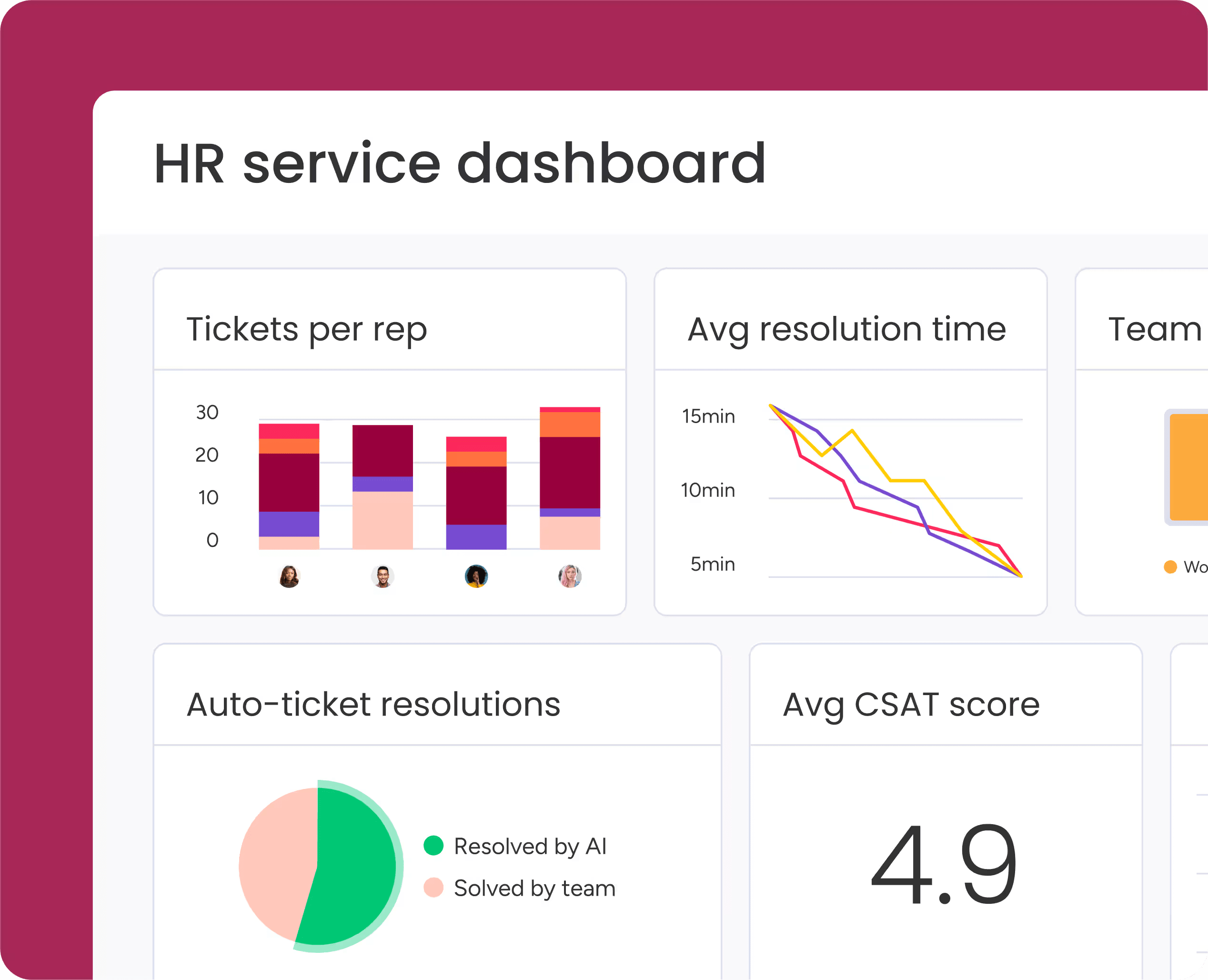
HR teams have unique needs around confidentiality, approvals, and employee experience. monday service adapts naturally to these requirements. HR can build onboarding workflows, handle sensitive requests, and track employee lifecycle events using familiar visual tools.
JSM can support HR use cases, but it feels like fitting a square peg in a round hole. The platform’s IT-centric design shows through in terminology, workflows, and user experience.
Facilities and operations
Facilities teams coordinate physical resources, maintenance schedules, and vendor relationships. monday service’s visual approach matches how these teams actually work. You can see room bookings on a calendar, track maintenance on a timeline, and coordinate vendors through shared boards.
JSM handles facilities requests as tickets, which works but misses the visual coordination these teams need. Everything becomes an issue to be resolved rather than a resource to be managed.
Security and compliance
How do you protect sensitive data while keeping your platform accessible to users? Enterprise service platforms must strike this balance, and both platforms take security seriously but implement it differently.
Data protection
Core security features are similar across both platforms:
- Encryption: Data encrypted in transit and at rest
- Access controls: Role-based permissions and restrictions
- Audit trails: Complete logs of all system activity
- Compliance: SOC 2, GDPR, and other certifications available
The difference lies in administration. monday service makes security settings accessible to non-technical admins. JSM’s security model is comprehensive but requires deeper technical knowledge to configure properly.
System reliability
Both platforms operate at enterprise scale with strong uptime records. monday service benefits from a simpler architecture that’s easier to maintain. JSM’s power comes with complexity that can impact performance if not properly managed.
Making the right choice
Which platform fits your organization? The answer depends on your priorities, technical resources, and growth plans.
When monday service excels
Choose monday service when you need service management that works across departments. It’s ideal for organizations that want to standardize service delivery without forcing everyone into an IT-shaped box.
monday service particularly shines when:
- Speed matters: You need to show results in weeks, not months
- Business teams lead: Service owners want to control their own workflows
- Flexibility is key: Requirements change frequently
- Visual management works: Your teams prefer boards over lists
- Budget is predictable: You want clear, simple pricing
When Jira Service Management excels
Choose JSM when IT service depth matters most. It’s the right fit for organizations already invested in Atlassian or those needing advanced ITSM capabilities.
JSM works best when:
- IT drives service strategy: Technical teams set the standards
- Atlassian runs deep: You already use Jira, Confluence, and related tools
- ITIL compliance matters: You follow formal service frameworks
- Complexity is acceptable: You have technical resources for administration
- Integration is Atlassian-first: Your key systems are already in the ecosystem
Transform service delivery with monday service
monday service changes how organizations think about service management. Instead of separate systems for each department, you get one flexible platform that adapts to every team’s needs. The platform’s visual approach means faster implementation, easier adoption, and continuous improvement without technical bottlenecks. Service teams can focus on delivering value instead of managing complexity.
For organizations ready to modernize service delivery across departments, monday service provides the perfect balance of power and simplicity.
Try monday serviceFAQs
How do I migrate from Jira Service Management to monday service?
Migrating from Jira Service Management to monday service involves exporting your ticket data, mapping fields to monday's structure, and rebuilding workflows in the visual builder. Most teams complete migration in 2-4 weeks depending on complexity.
Can monday service support ITIL frameworks?
Yes, monday service can support ITIL-aligned processes like incident management, change control, and service requests. The platform provides flexibility to implement ITIL practices without the rigid structure some teams find limiting.
What is the difference between Jira and Jira Service Management?
Jira typically refers to Jira Software, designed for agile software development and project tracking. Jira Service Management is Atlassian's dedicated service desk product for handling support tickets, incidents, and service requests.
Which platform provides stronger customer support?
Both platforms offer professional support, but the experience differs. monday service provides accessible support that business teams find helpful, while JSM support assumes more technical knowledge of the Atlassian ecosystem.
Can non-IT teams use Jira Service Management effectively?
Non-IT teams can use JSM, but they often struggle with its IT-centric design and terminology. Most non-technical teams find monday service more intuitive and require less training to become productive.
How do backup and recovery options compare?
Both platforms include enterprise-grade backup and recovery capabilities as part of their cloud services. Specific recovery options and data retention policies vary by subscription tier, so verify details during evaluation.

 Get started