


Support teams rely on accurate information to resolve issues quickly — a library of relevant guidance they can refer to whenever a new request comes in. Instead of searching across inboxes, chat threads, and individual team members’ knowledge, helpdesk knowledge base software brings everything together in one place.
But which platform is right for your team? In this guide, we’ll compare 10 of the best helpdesk knowledge base software options in 2026, including their features, pricing, and ideal use cases, so you can confidently choose the right fit.
Try monday serviceKey takeaways
- Helpdesk knowledge base software gives teams a central place to document solutions, so it’s easier to resolve tickets accurately and consistently.
- Self-service knowledge bases allow employees and customers to find answers independently, reducing incoming ticket volume and shortening resolution times.
- AI-powered knowledge base tools can generate articles, categorize requests, and recommend relevant answers, helping teams maintain documentation with less manual effort.
- The best platforms connect knowledge directly to ticket workflows, ensuring agents can apply proven solutions while resolving requests.
- monday service stands out by combining AI-powered knowledge management with ticketing and service workflows on one platform, so teams can scale support without losing accuracy or control.
What is helpdesk knowledge base software?
Helpdesk knowledge base software is a tool that helps support teams create and distribute “how-to” content, FAQs, and troubleshooting articles so customers and agents can find accurate answers fast. Alongside acting as a repository, a quality knowledge base also includes search functions, permissions, analytics, and workflows for keeping articles up to date across internal and customer-facing channels.
What are the benefits of offering a helpdesk knowledge base platform?
- Faster ticket resolution times: Agents can pull the right article mid-ticket instead of hunting through docs or asking around, so issues get solved in fewer back-and-forth messages.
- Reduced ticket volume through self-service: Customers can resolve common questions on their own through a searchable help center, which deflects repetitive tickets before they ever reach your queue.
- Consistent answers across agents: A single source of truth keeps responses aligned, so customers don’t get different guidance depending on who picks up the ticket.
- Faster onboarding for new agents: New hires can lean on documented processes, reducing shadowing time and helping them handle real tickets sooner.
- Less dependency on institutional knowledge: Key fixes and workflows live in the knowledge base rather than in someone’s head or buried in Slack threads. The team is never exposed when people are out or leave.
- Improved customer satisfaction: Faster answers, fewer transfers, and clearer guidance create a smoother support experience, which typically shows up in customer satisfaction (CSAT) and repeat contact rates.
Top 10 helpdesk knowledge base solutions: At-a-glance comparison
| Tool | Best for | Free plan? | Paid pricing starts at |
|---|---|---|---|
| monday service | AI-powered knowledge and service management platform | No | $31/seat/mo |
| SolarWinds | IT teams managing assets and incidents | No | $39 per technician/mo |
| Document360 | Dedicated AI-powered help center software | No | |
| Freshservice | Internal IT teams managing employee support | No | $19/agent/mo |
| Zoho Desk | Budget-friendly customer support knowledge bases | No | $7/agent/mo |
| Tidio | Chat-first support with AI-powered knowledge | Yes | €24.17/mo |
| SuperOps | MSPs managing knowledge across client environments | No | $149/technician/mo |
| Zendesk | Large customer support teams scaling self-service | No | $55 per agent/mo |
| Hiver | Gmail-based support teams managing shared knowledge | Yes | $25/user/mo |
| Guru | Internal teams accessing knowledge inside workflows | No | $25/seat/mo |
1. monday service
Best for: AI-powered knowledge and service management platform
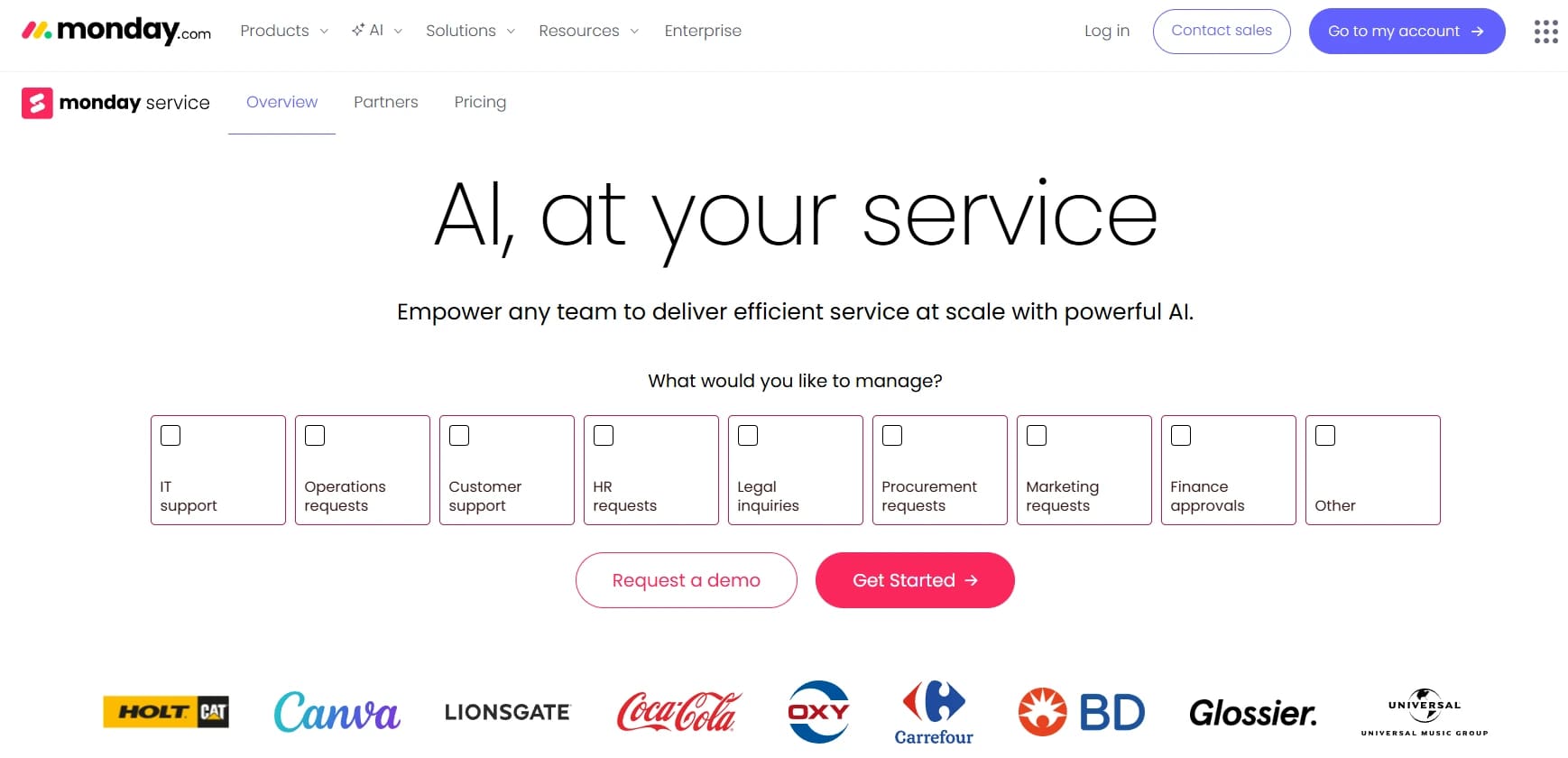
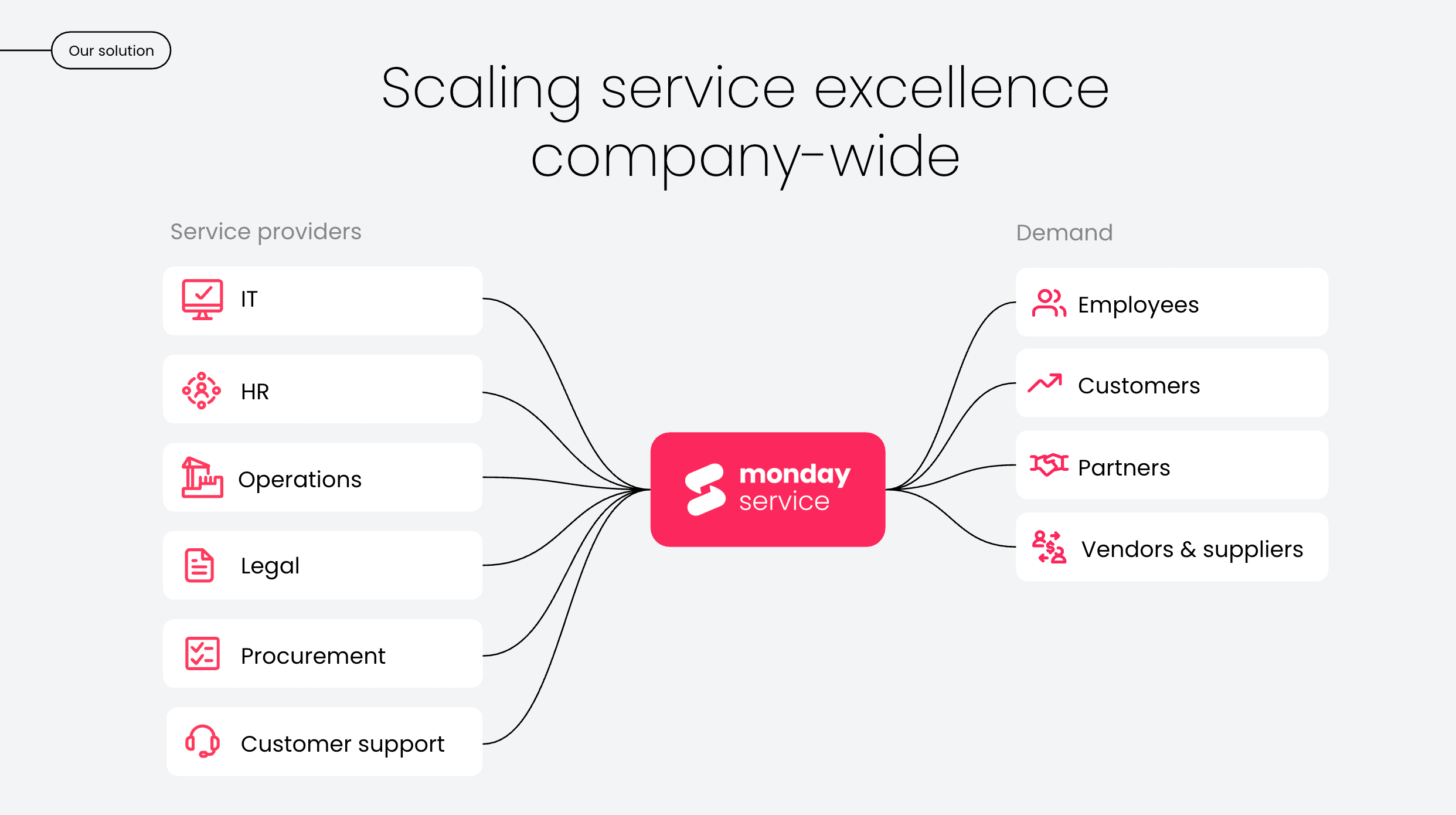
monday service is an AI-powered service management platform built on the monday.com Work OS. Teams use it to manage tickets, build their knowledge base, and run service operations from one workspace. AI Blocks categorize incoming requests, summarize conversations, and extract key details automatically, so teams can turn resolved tickets into reusable knowledge.
Key features
- Digital workforce proactively improving knowledge and freeing up human agents
- Knowledge base connected directly to ticket management workflows
- Customizable service portal for internal and customer self-service
- Automated workflows linking knowledge creation with ticket resolution
- Real-time dashboards tracking service performance and knowledge usage
What users are saying

"Our team LOVES the monday service platform and we’re already exploring how we could incorporate it for other departments, too. It has streamlined our workflow in a way that both our team and customers appreciate."
Andrew Marshall | VP Operations
״monday service provides clear insights into requests volume and types, response times, and trends - helping us continuously improve operations"
Grant De Waal-Dubla | CIO
"The biggest value for us is speed and flexibility. You can get up and running in days, change anything instantly, and see everything in real time. And you don’t need a dedicated admin to do it."
Clive Camilleri | Head of People Tech & OperationsPricing
- Free trial available for 14 days
- 3 paid plans: Standard, Pro, and Enterprise
- Paid pricing starts at $31/seat/mo
2. SolarWinds
Best for: IT teams managing assets and incidents
SolarWinds Service Desk is an ITIL-aligned service management platform with a built-in knowledge base for internal support teams. It allows technicians to document resolved issues and link those articles to related tickets and infrastructure. Over time, this creates a searchable record of proven fixes, helping teams resolve incidents faster and maintain consistent support across their environment.
Key features
- Asset-linked knowledge articles
- Knowledge base integrated with incident, problem, and change management
- AI-powered solution suggestions
- Internal self-service portal with knowledge access
- Knowledge usage and deflection reporting
What users are saying
“The tool is well thought out and has improved our helpdesk offering. Our technicians have better visibility of tickets and deadlines and the reports provide useful insights which aid decision-making.” — A mid-market user
Pricing
- Free 30-day trial available
- Starts at $39 per technician/mo
- Modular pricing is available for Incident Response ($9 per user/mo) and
- Monitoring & Observability ($6 per user/mo)
3. Document360
Best for: dedicated AI-powered help center software
Document360 is an AI-powered knowledge base platform that helps support teams build and evolve their documentation as new issues emerge. Its AI tools generate article drafts from prompts and recommend updates based on how users search and interact with content. The platform also connects with helpdesk systems to find relevant articles before tickets are submitted, which reduces repetitive support requests overall.
Key features
- AI-powered article generation and editing
- Ticket deflector embedded in helpdesk workflows
- Internal and customer-facing knowledge bases
- Multilingual publishing and localization
- Knowledge base analytics and search tracking
What users are saying
“In comparison to other helpdesk knowledge bases, Document360 has robust features and is easy to train. We were able to get this running across the organization in no time at all.” — Dino J., a finance and tax analyst
Pricing
- 3 paid plans available: Professional, Business, and Enterprise
- Accurate pricing is available from the vendor on request.
4. Freshservice
Best for: internal IT teams managing employee support
Freshservice includes a built-in knowledge base that helps IT teams document solutions and make them available through a self-service portal. You can directly link articles to incidents, changes, and service requests, so technicians can apply proven fixes and employees can resolve common issues on their own.
Key features
- Integrated IT knowledge base and self-service portal
- Knowledge articles linked to incidents and service requests
- AI-powered suggestions through Freddy AI
- Role-based access controls for internal knowledge
- Knowledge usage and performance analytics
What users are saying
“We looked at several other solutions and were most impressed by Freshservice because it was easy to set up and get started. We use it for helpdesk tickets, IT knowledge base (we have a user facing knowledge base and also a second one that’s just for the IT department), and tracking hardware assets.” — Accounting professional
Pricing
- Free trial available
- 3 paid plans available: Growth, Pro, and Enterprise
- Paid plans start at $19/agent/mo
5. Zoho Desk
Best for: budget-friendly customer support knowledge bases
Zoho Desk includes a built-in knowledge base that allows support teams to publish help articles for customers and internal staff. You can organize content by product, issue type, or audience, and locate it automatically through the help center, chat, and ticket forms. Zia, Zoho’s AI assistant, also recommends relevant articles during ticket handling, helping agents respond faster and maintain consistent answers.
Key features
- Customer-facing and internal knowledge base
- Contextual article suggestions powered by Zia AI
- Branded self-service help center and community forums
- Granular permissions and role-based content access
- Knowledge base performance and deflection analytics
What users are saying
“It’s a robust, well-structured helpdesk platform that covers the core needs of ticket management, SLA control, automation, and customer communication. The interface is generally intuitive, and the customization options, such as workflows, fields, views, and automations, make it easy to tailor the system to different support models.” — Rodinei R., an IT support engineer
Pricing
- Free trial available
- Free plan available for 3 user licences
- 4 paid plans available: Express, Standard, Professional, Enterprise
- Paid plans start at $7/agent/mo
6. Tidio
Best for: chat-first support with AI-powered knowledge
Tidio connects its help center directly to live chat and its Lyro AI chatbot, allowing knowledge base content to power real-time conversations. Instead of relying on static help portals alone, teams can use their existing articles to answer questions inside chat widgets and messaging channels. This makes knowledge accessible at the exact moment customers ask for help.
Key features
- Knowledge base connected to Lyro AI chatbot
- Help center integrated with live chat and messaging
- Visual editor for building help articles
- Customer-facing knowledge portal
- Multi-channel support across chat, email, and social
What users are saying
“We use Tidio for its helpdesk features and we plan to use it for adding a live chat to our learning platform. It’s quite simple to use and not overly complicated.” — Scott W., an instructional designer
Pricing
- Free trial available
- Free account available
- 4 paid plans: Starter, Growth, Plus, and Premium
- Paid pricing starts at €24.17/mo
7. SuperOps
Best for: Managed service providers (MSPs) organizing knowledge across client environments
SuperOps includes a knowledge base that allows MSP teams to document resolved issues and client-specific instructions. Articles can be linked to clients, assets, and service requests, giving technicians direct access to relevant information while working on tickets. This is especially useful for teams supporting multiple customers, where each environment has its own requirements and support history.
Key features
- Knowledge base linked to clients and managed assets
- Internal documentation for technician workflows
- Integrated service desk and knowledge management
- Role-based access controls for technician teams
- Knowledge access within ticket and service workflows
What users are saying
“We love having everything in one place, the helpdesk is brilliant, and managing assets and clients could not be easier. By moving to SuperOps we have got rid of all the separate tools we used to use to manage and run our busy MSP.” — Matthew F., small business owner
Pricing
- Free trial available
- 3 paid plans: Pro, Super, and Super Plus
- Paid pricing starts at $149/technician/mo
8. Zendesk
Best for: large customer support teams scaling self-service
Zendesk includes a knowledge base called Guide, which allows teams to publish help articles and organize them into a branded self-service help center. Users can access knowledge through web widgets, chat, and ticket forms, so customers and agents can access the same information across channels. Zendesk also uses AI to recommend articles and assist teams with creating and maintaining knowledge.
Key features
- Customer-facing help center and internal knowledge base
- AI-powered article recommendations and content tools
- Knowledge base integrated with a ticketing system and live chat
- Content management with version control and approvals
- Knowledge base analytics and reporting
What users are saying
“Zendesk is a powerful platform for scaling customer support, especially for teams that need flexibility and depth. While there’s room for improvement, particularly in voice capabilities. it remains a top contender in the helpdesk space.” — Mudit T., senior manager of ecommerce operations
Pricing
- Free trial available
- 4 plans available: Team, Growth, Professional, Enterprise
- Pricing starts at $55 per agent/mo
9. Hiver
Best for: Gmail-based support teams managing shared knowledge
Hiver includes a knowledge base that works natively within Gmail, allowing support teams to store and reuse information without switching tools. Agents can access help articles, saved replies, and internal documentation while responding to emails. This makes it easier to maintain consistency across responses, especially for teams that already rely on Google Workspace for customer communication.
Key features
- Knowledge base embedded within Gmail
- Internal help articles and reusable email templates
- Knowledge access directly within email conversations
- Role-based permissions for shared knowledge
- Integration with Google Workspace tools
What users are saying
“I love the fact that we don’t need a separate helpdesk solution. Hiver is built right into Gmail.” — Tyler W., small business founder and president
Pricing
- Free trial available
- Free forever plan
- 3 paid plans available: Growth, Pro, and Elite
- Paid pricing starts at $25/user/mo
10. Guru
Best for: internal teams accessing knowledge inside workflows
Guru is an internal knowledge base platform that delivers information directly within the tools teams already use. Its browser extension allows agents to find verified answers without leaving their ticketing system, chat app, or email. Guru also includes verification workflows that prompt subject matter experts to review and update content, helping teams keep documentation accurate over time.
Key features
- Browser extension for in-workflow knowledge access
- Verification workflows for maintaining accurate content
- Internal knowledge base with role-based permissions
- AI-powered search across knowledge and connected apps
- Integrations with Slack, email, and helpdesk ticketing platforms
What users are saying
“Everything we need to search internally can be accessed in Guru. It is our main tool internally where we search for process documentation, internal articles, helpdesk ticket samples, how-to videos, and everything else.” — Mark B., enterprise user
Pricing
- 2 paid plans: Regular and Enterprise
- Paid pricing starts at $25/seat/mo

How to choose the right helpdesk knowledge base software
Choosing helpdesk knowledge base software sounds straightforward until you’re staring at a long list of genuinely good tools that all promise “faster resolutions” and “better self-service.” The fastest way to narrow it down is to stop shopping on brand names alone and focus on how your team will actually build, maintain, and use knowledge day to day.
Pressure-test each option against your workflows by checking they allow you to:
- Create and maintain articles easily: Look for a clean editor, templates, version control, approvals, and lightweight publishing workflows so your knowledge base doesn’t become stale the moment it launches.
- Use AI to reduce manual work: Prioritize tools that can generate first drafts from tickets, suggest improvements, auto-tag and categorize content, and spot gaps in coverage without you policing it all.
- Connect knowledge to tickets and workflows: Choose software that lets agents find, insert, and recommend articles inside the ticketing experience, tying knowledge updates to what’s happening in your queue.
- Support internal and external knowledge needs: Confirm you can manage both an agent-facing knowledge base and a customer-facing help center with the right permissions, branding, and publishing controls.
- Deliver accurate, relevant search results: Typos, synonyms, filters, and “did you mean?” matter. If users can’t find answers fast, they’ll just submit a ticket.
- Measure performance with reporting: Check for analytics on article views, deflection, search terms with no results, feedback ratings, and usage by team so you can keep improving what you publish.
- Scale across teams with ease: Make sure it can handle more content, more contributors, and more departments with role-based access, governance, and a structure that won’t collapse as you grow.
Read more: 50 help desk statistics that prove the power of smart service management
Create and scale your helpdesk knowledge base with monday service
Choosing the right knowledge base software isn’t just about where your articles live. It’s about how easily your team can create, use, and evolve that knowledge as service requests come in. monday service brings knowledge management, ticket handling, and AI-powered automation together in one platform, so your documentation stays connected to real service work.
Instead of maintaining a separate help center that quickly falls out of date, teams can use monday service to build their knowledge base directly alongside tickets and workflows. This approach allows every resolved issue to strengthen your documentation and helps your team deliver faster, more consistent service over time. Here’s what you’ll achieve.
Resolve tickets faster with AI that understands every request
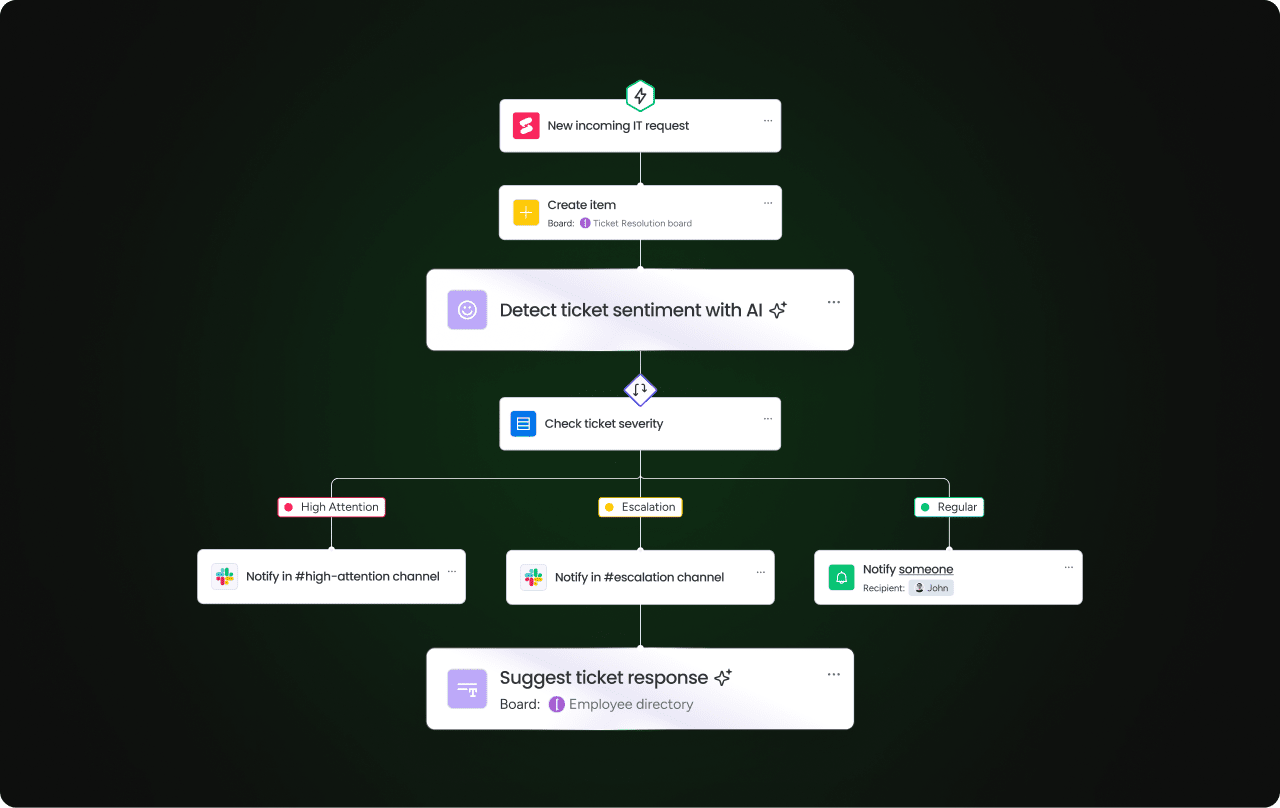
monday service uses AI Blocks to analyze incoming tickets and help agents act immediately. Agents can quickly understand the issue and reference relevant knowledge without manually reviewing long threads or searching across multiple tools.
This allows teams to handle higher ticket volumes while maintaining response quality. As agents resolve issues, they can turn those resolutions into reusable knowledge, so future requests get resolved even faster.
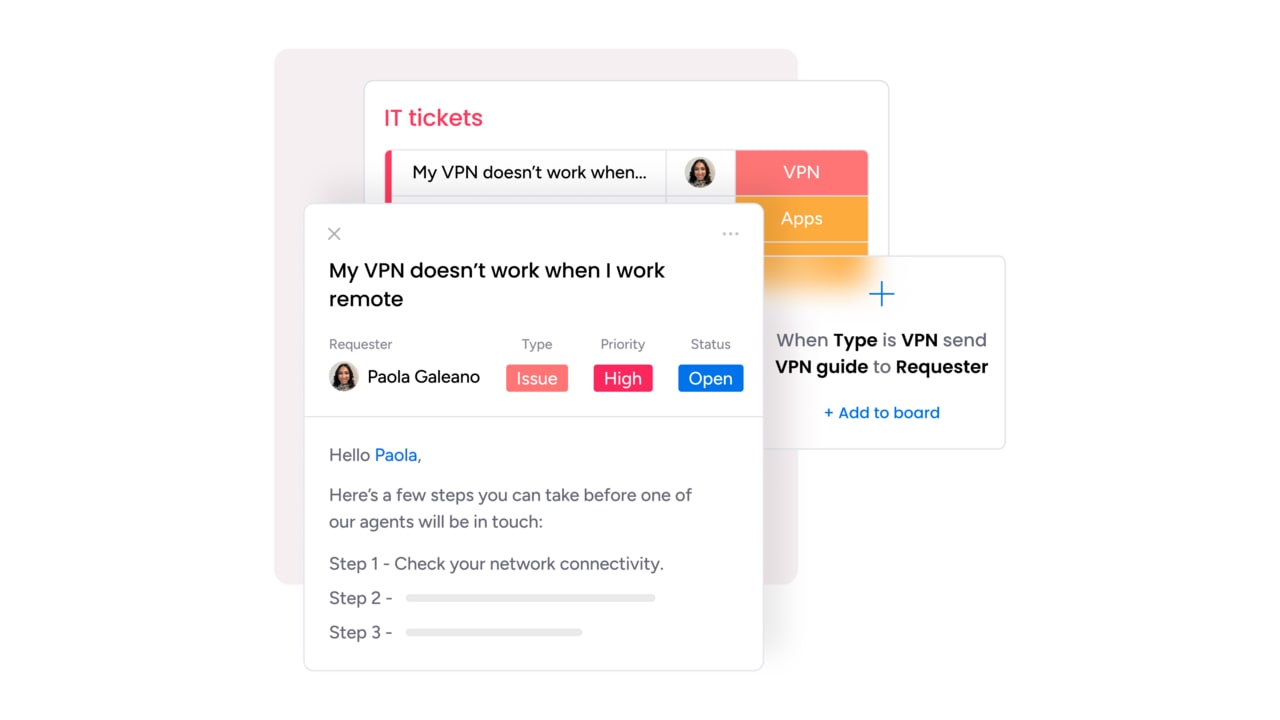
Give employees and customers instant access to answers through self-service
monday service allows teams to share knowledge through a dedicated service portal, so employees and customers can find answers independently. Instead of submitting a ticket for every question, users can search for help articles, follow documented steps, and resolve issues on their own. This improves the service experience while allowing support teams to focus on more complex requests.
Scale your support operation without increasing headcount using the Digital Workforce
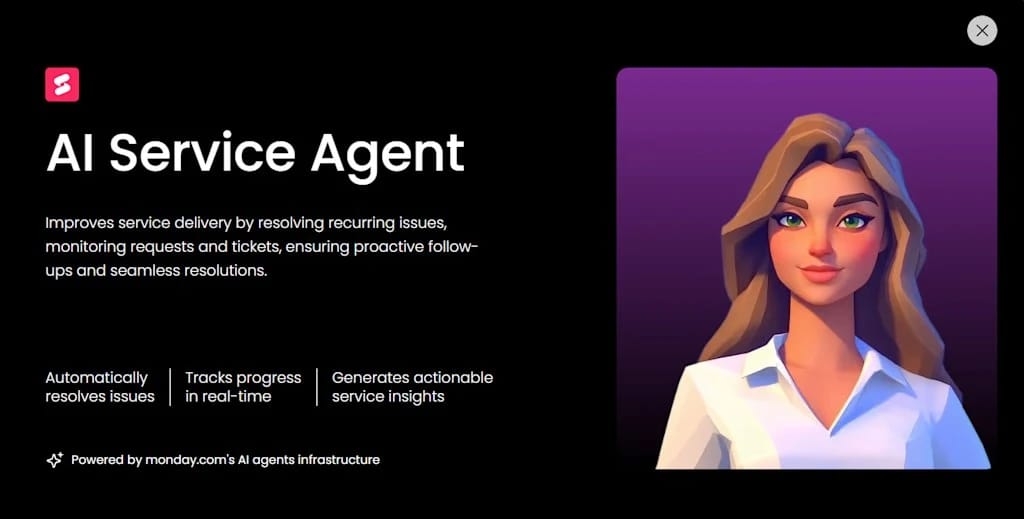
monday service includes AI-powered Digital Workers that continuously monitor service activity and support your team behind the scenes. This gives service leaders clear visibility into what their teams handle most often and where documentation can improve. Instead of reacting to problems manually, teams can strengthen their knowledge base proactively and support a growing organization without expanding headcount.
Connect your knowledge base directly to the workflows where service happens
Unlike standalone knowledge base tools, monday service connects documentation directly to ticket workflows, service requests, and operational processes. Teams can link knowledge articles to specific tickets, track how issues were resolved, and give future agents immediate access to proven solutions.
Because monday service runs on the monday.com Work OS, teams can also connect service workflows with projects, assets, and cross-department processes. Knowledge is always connected to service delivery, rather than isolated in a separate system.
Whether you’re supporting a small team or scaling service delivery across multiple departments, monday service gives you a platform that adapts with you. Start a free trial to see how monday service helps you build and scale a knowledge base alongside your service workflows.
Try monday serviceFAQs about helpdesk knowledge base software
What is the difference between a helpdesk and a knowledge base?
A helpdesk is a system for managing and resolving support requests, usually through tickets, email, chat, or portals. A knowledge base is a centralized library of articles, FAQs, and guides that help agents and customers find answers. The helpdesk handles incoming issues, while the knowledge base helps prevent and resolve them faster through documented solutions.
How does knowledge base software reduce support tickets?
Knowledge base software reduces support tickets by enabling customers to find answers independently through self-service. When users can quickly search and follow step-by-step guides, they don’t need to contact support. It also helps agents resolve tickets faster by providing ready-made answers, which shortens resolution times and prevents repeat questions.
What features should helpdesk knowledge base software include?
Helpdesk knowledge base software should be packed with features that keep content accurate, accessible, and useful as your support operation grows. These include:
- Article editor with templates and version control
- Powerful search with filters and suggestions
- Internal and external knowledge base support
- AI-powered article creation and recommendations
- Integration with ticketing workflows
- Analytics on article performance and deflection
What is the best helpdesk knowledge base software for growing teams?
The best helpdesk knowledge base software for growing teams combines easy content management, AI assistance, strong search, and integration with service workflows. Platforms like monday service stand out because they connect knowledge directly to tickets, and use automation to scale across teams without adding administrative overhead or complexity.

 Get started