


Service teams are under more pressure than ever before. Expectations are higher. Patience is lower. And every delayed response chips away at trust. Yet many organizations still run service operations across siloed service operations and disconnected inboxes. Context gets lost. Requests bounce between teams. The right help center software changes that equation entirely by centralizing every request, connecting conversations to workflows, and using automation to eliminate repetitive work.
This guide compares 10 of the best help center software platforms for 2026, evaluated on AI capabilities, ease of setup, pricing transparency, and cross-department flexibility. Whether you’re managing IT tickets, customer inquiries, or internal service requests, you’ll find a platform that fits your team’s size, budget, and goals, including monday service, which brings AI-native service management and no-code customization together on one connected platform.
Key takeaways
- Unified service operations: Modern help center software unifies service operations across IT, HR, and customer support, improving visibility and cutting response times.
- AI-native vs. AI-assisted: The distinction between AI-native and AI-assisted platforms is now a primary buying criterion, with autonomous AI agents replacing traditional chatbots.
- Pricing transparency: Pricing ranges from $7/user/month (Zoho Desk) to $550/user/month (Salesforce), with free tiers available from Jira, Zoho, and Help Scout.
- Table-stakes features: Omnichannel support, self-service knowledge bases, and no-code workflow customization are table-stakes features for any modern platform.
- Cross-department connectivity: Cross-department service management, connecting support tickets to projects, CRM data, and development workflows, separates leading platforms from basic ticketing systems.
What is help center software
Help center software is a centralized platform that organizes, routes, and resolves service requests across IT and customer support channels. It combines ticketing, knowledge base management, automation, and analytics into a single workspace, giving service teams the structure they need to respond faster and more consistently. Instead of juggling disconnected inboxes, agents work from a shared queue with full context on every request.
Modern help center platforms go well beyond basic ticket management. They power branded self-service portals, AI-driven resolution, SLA tracking, and cross-department collaboration. The line between a help desk and a service desk has blurred: today’s platforms handle reactive break-fix support and proactive service management in one system. IT teams, customer support groups, HR departments, and operations teams all use them to manage incoming requests, share knowledge, and maintain service quality at scale.
The 10 best help center software platforms for 2026
Choosing the right help center software means evaluating more than feature checklists. The solutions below were assessed on six criteria that matter most to service teams in 2026: AI and automation capabilities, ease of setup and administration, pricing transparency, knowledge management and self-service, omnichannel support, and cross-department flexibility. Each entry includes a clear positioning statement, key features, real pricing, and honest considerations to help you narrow your shortlist.
But with dozens of solutions competing for attention, which ones actually deliver on their promises? Here’s a quick-scan comparison before the in-depth reviews.
| Solution | Best for | Starting price (with knowledge base) | Free plan | AI features |
|---|---|---|---|---|
| monday service | Cross-department service teams | $31/seat/month | No (14-day trial) | AI Workforce, Ticket Triage, AI Sidekick |
| Zendesk | Large teams needing mature omnichannel support | $55/agent/month | No | AI agents, Copilot, automated resolutions |
| Freshdesk | Mid-size teams wanting affordable AI | $19/agent/month | Yes (2 agents, 6 months) | Freddy AI agents, Omniroute |
| Jira Service Management | Engineering-centric organizations | $0 (3 agents) | Yes (3 agents) | Rovo AI, Virtual Service Agent |
| ServiceNow | Large enterprises with complex operations | Contact sales (~$100+/user/month) | No | Now Assist, predictive intelligence |
| Help Scout | Small teams valuing simplicity | $25/user/month | Yes (5 users) | AI Answers, AI Drafts |
| Intercom | SaaS and messaging-first support | $29/seat/month | No | Fin AI Agent (50%+ resolution rates) |
| Zoho Desk | Budget-conscious SMBs | $14/user/month | Yes (3 users) | AI Agents from $7, Zia assistant |
| HubSpot Service Hub | HubSpot CRM ecosystem users | $90/seat/month | Yes (2 users, no KB) | Breeze Customer Agent |
| Salesforce Service Cloud | Enterprises needing maximum customization | $175/user/month | No | Agentforce, Einstein AI |
1. monday service
Best for: Cross-department service teams needing unified visibility across IT, HR, customer support, and operations on one connected platform.
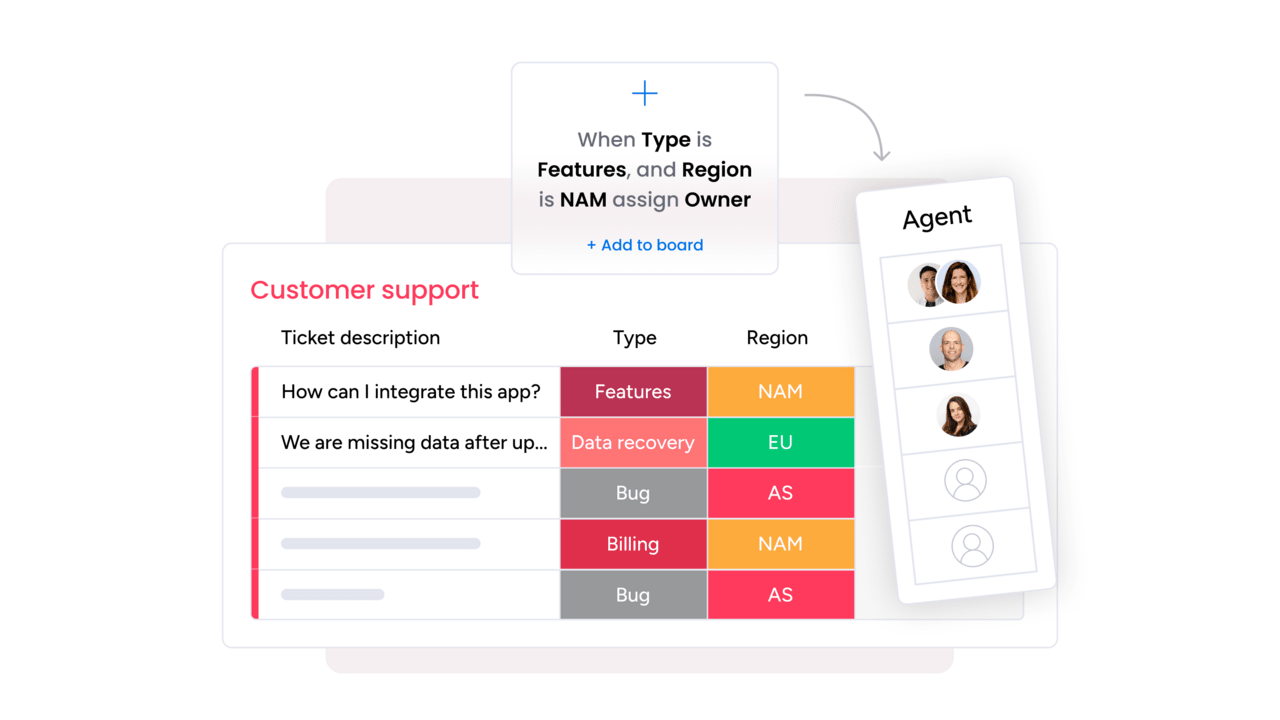
monday service transforms how organizations handle service requests by connecting support directly to broader work management, eliminating the silos that slow teams down. Built for enterprise service management across IT, HR, facilities, and beyond, the platform combines AI-powered automation with intuitive no-code customization. Teams can deploy branded customer portals in minutes while leveraging real-time analytics to optimize service delivery at scale.
Key features
- AI-powered ticket routing and triage: Automatically classifies, prioritizes, and assigns incoming requests to the right team members based on urgency and category.
- Branded customer portals: Create up to 500 customizable self-service portals with knowledge bases, request forms, and ticket tracking capabilities.
- Cross-department collaboration: Seamlessly connect service requests to project workflows, enabling teams to resolve issues faster through unified visibility.
Pricing
Plans start at $31/seat/month (Standard, annual billing) with Pro at $45/seat/month and Enterprise pricing available by contacting sales.
Advanced AI features
- Intelligent ticket classification: AI automatically categorizes requests by urgency, sentiment, and issue type to ensure proper prioritization and routing.
- Smart auto-responses: Generate contextual replies and suggested next steps to resolve common issues without human intervention.
- Predictive analytics: AI-powered insights identify service trends and potential bottlenecks before they impact customer satisfaction.
Why it stands out
- Unified work ecosystem: Unlike standalone help desk solutions, monday service integrates seamlessly with project management, CRM, and development workflows on the same platform.
- Rapid deployment: No-code setup enables teams to launch fully functional service operations in minutes rather than months of complex implementation.
- Enterprise-grade AI at scale: Advanced AI capabilities for routing, auto-responses, and ticket classification come built-in, not as expensive add-ons.
2. Zendesk
Best for: Large teams needing a mature, customizable omnichannel help center with deep marketplace integrations.

Zendesk delivers a comprehensive, AI-powered help center solution built for organizations that need deep omnichannel support and marketplace extensibility. With over 100,000 customers globally, including Shopify, Airbnb, and Slack, Zendesk has earned its reputation as an industry standard for customer-facing service operations.
Key features
- AI agents and Copilot: Autonomous AI agents handle routine resolutions 24/7, while Copilot assists human agents with suggested replies, summaries, and macro recommendations.
- Omnichannel workspace: Manages customer interactions across email, messaging, voice, social media (WhatsApp, Instagram, Facebook), and live chat in one unified view.
- Marketplace ecosystem: Over 1,800 apps and integrations extend functionality, from CRM connectors to custom analytics dashboards.
Pricing
Plans range from $19/agent/month (Support Team, ticketing only) to $115/agent/month (Suite Professional), with knowledge base access starting at $55/agent/month on Suite Team. Enterprise pricing requires contacting sales.
Considerations
- Knowledge base requires Suite Team ($55+/agent/month). The basic Support Team plan doesn’t include it.
- Add-on costs stack up quickly: Copilot ($50/agent/month), Workforce Engagement ($50/agent/month), and AI agent resolutions are billed separately beyond plan allowances.
3. Freshdesk
Best for: Mid-size teams wanting an affordable, intuitive help center with growing AI capabilities.

Freshdesk (part of the Freshworks ecosystem) provides an affordable, user-friendly help center with rapidly maturing AI capabilities. A major overhaul introduced a unified routing engine (Omniroute) and native Freddy AI agents that resolve issues autonomously, narrowing the gap with more expensive competitors.
Key features
- Freddy AI agents: Autonomous resolution of customer issues with 500 sessions included on Pro and Enterprise plans, plus a unified Omniroute routing engine for intelligent ticket distribution.
- Knowledge base from Growth tier: Searchable help center with article management starting at $19/agent/month, one of the most affordable entry points for knowledge base access.
- Collaborator roles: Invite cross-team members to assist on tickets without purchasing full agent licenses, keeping costs manageable as service operations expand.
Pricing
Plans start at $19/agent/month (Growth, annual billing) with Pro at $55/agent/month and Enterprise at $89/agent/month. A free tier supports up to 2 agents for 6 months.
Considerations
- Freddy AI Copilot requires a separate purchase on top of seat fees. Advanced AI features are locked to higher tiers.
- Separate product names (Freshdesk, Freshdesk Omni, Freshservice) can create confusion during evaluation. Freshdesk is the customer-facing product, while Freshservice handles internal IT.
4. Jira Service Management
Best for: Engineering-centric organizations already in the Atlassian ecosystem needing seamless ticket-to-dev workflows.

Jira Service Management extends Atlassian’s development-focused ecosystem into service operations, offering a seamless bridge between customer tickets and engineering workflows. For organizations already running Jira and Confluence, it provides a natural path from support request to bug fix without switching systems.
Key features
- Free tier for small teams: Up to 3 agents with unlimited customers, embedded knowledge base via Confluence, and 500 automation rule runs per month — one of the most generous free plans available.
- Rovo AI: AI-powered search, chat, and agents across service and development workflows, plus a dedicated Customer Service offering at $1 per resolution.
- Dev-to-service integration: Unique ability to link customer tickets directly to Jira development issues, so service teams and engineers share full context on every reported bug or feature request.
Pricing
Plans start at $0 for 3 agents (Free), $20/agent/month (Standard), $51.42/agent/month (Premium), with Enterprise pricing available by contacting sales.
Considerations
- The engineering-centric interface can feel unfamiliar to non-technical service teams. Virtual Service Agent is locked to Premium ($51+/agent/month).
- The ITIL framework support and asset management are strengths, but Confluence dependency adds another product to manage. Consider Jira service management alternatives if your team is primarily non-technical.
5. ServiceNow
Best for: Large enterprises with complex, cross-department service operations that need a unified system connecting customer service, IT, HR, and field service.

ServiceNow operates at the enterprise end of the spectrum, offering a unified system that connects customer service, IT operations, HR, and field service in one system. Organizations that need cross-department case orchestration and predictive intelligence at massive scale will find few alternatives with comparable depth.
Key features
- Now Assist generative AI: AI-powered summaries, case notes, knowledge article generation, and guided playbooks that help agents resolve complex issues faster.
- Cross-department orchestration: Unique ability to route and manage cases across customer service, IT, HR, and field service, all on one data model.
- Enterprise self-service portals: AI-powered conversational chat, personalized service catalogs, and predictive intelligence that anticipates customer needs before they escalate.
Pricing
No public pricing available. Industry estimates range from $100 to $200/user/month, with all plans requiring contact with sales and implementation costs ranging from tens of thousands to millions depending on scope and complexity.
Considerations
- Enterprise-only positioning means ServiceNow isn’t cost-effective for SMBs. Complex implementations typically require professional services and trained administrators.
- No self-service sign-up so sales cycles can take months, not days. If your team needs to move quickly, this is a significant constraint.
6. Help Scout
Best for: Small to mid-size teams that value simplicity and personal customer relationships over enterprise feature breadth.

Help Scout champions simplicity and personal customer relationships, offering a clean shared-inbox experience that non-technical teams can adopt in hours. With native AI features now included on all plans (as of 2026), it has become a compelling option for growing teams that don’t need enterprise complexity.
Key features
- Docs sites: Beautifully designed, branded knowledge bases with custom CSS styling and a Beacon widget that surfaces articles, chat, and contact forms in one embeddable component.
- AI Answers: Autonomous chatbot that resolves customer questions using knowledge base content at $0.75 per resolution, with a 3-month free trial on all plans.
- Free plan: Up to 5 users with 1 Inbox, 1 Docs site, and core shared inbox features — a genuine free tier, not just a trial.
Pricing
Plans start at $25/user/month (Standard) with Plus at $45/user/month and Pro at $75/user/month. A free tier supports up to 5 users.
Considerations
- Limited scalability beyond 50 users; Pro plan required for SSO, HIPAA, and advanced workflows. No native phone or voice integration.
- Smaller integration ecosystem (~100 apps vs. 1,800+ on Zendesk) and limited SLA management on Standard (1 basic policy) may constrain growing teams.
7. Intercom
Best for: SaaS and digital-first businesses wanting conversational, messaging-first support with advanced AI resolution capabilities.

Intercom pioneered conversational, messaging-first customer support and has doubled down on AI with its Fin AI Agent, one of the most advanced autonomous resolution engines in the market. Intercom’s strength lies in proactive, in-app engagement that meets customers where they already are.
Key features
- Fin AI Agent: Autonomous resolution at $0.99 per outcome, with claimed 50%+ resolution rates, available as both an integrated feature and a standalone product that works with existing help desks.
- In-app messenger: Best-in-class embeddable widget with proactive messaging capabilities including tooltips, banners, product tours, and targeted announcements.
- Omnichannel support: Email, live chat, SMS, WhatsApp, and phone in one workspace, with Copilot ($29/agent/month) providing AI-assisted draft replies and conversation summaries.
Pricing
Plans start at $29/seat/month (Essential), with Advanced at $85/seat/month and Expert at $132/seat/month. Fin standalone is available at $0.99/outcome with no seat fees required.
Considerations
- Pricing complexity is a real challenge: seat-based fees plus outcome-based AI costs plus per-message charges for SMS, WhatsApp, and email campaigns make total cost hard to predict.
- Key features like SSO, HIPAA compliance, and SLA management are only on Expert ($132+/seat/month). Not ideal for teams that rely heavily on email-based support workflows.
8. Zoho Desk
Best for: Budget-conscious SMBs wanting the most features per dollar, especially those already in the Zoho ecosystem.

Zoho Desk offers the most features per dollar of any help center solution on this list, making it the go-to choice for budget-conscious teams. Part of the broader Zoho ecosystem of 55+ business applications, it provides a comprehensive help desk at prices that undercut nearly every competitor.
Key features
- AI Agents from $7/user/month: Available on the Express plan and the most affordable AI entry point among all solutions reviewed. Knowledge base access starts at Standard ($14/user/month).
- Blueprints and Guided Conversations: Visual process automation and self-service flow builders that let teams create structured resolution paths without coding.
- Multi-brand help center: Support separate help centers for multiple brands on the Enterprise plan ($40/user/month), which is far more affordable than equivalent capabilities on Zendesk or Salesforce.
Pricing
Plans start at $7/user/month (Express, annual billing) with Standard at $14/user/month, Professional at $23/user/month, and Enterprise at $40/user/month. A free tier supports up to 3 users.
Considerations
- Advanced AI features such as answer bot, AI assistant, live chat, and guided conversations are locked to Enterprise ($40/user/month). Generative AI requires connecting your own OpenAI API key.
- The interface is functional but less modern than competitors like Intercom or Help Scout. Limited advanced AI sophistication compared to market leaders like Zendesk and Intercom.
9. HubSpot Service Hub
Best for: Growing businesses already using HubSpot Marketing or Sales Hub that want unified CRM visibility across service, sales, and marketing interactions.

HubSpot Service Hub’s defining advantage is its native integration with the broader HubSpot CRM ecosystem. Service agents see the full customer journey, including marketing interactions, sales deals, and support history, without switching systems, making it a natural fit for organizations already invested in HubSpot.
Key features
- Unified CRM ecosystem: Service data, sales pipelines, and marketing campaigns share one customer record, eliminating the data silos that fragment customer context.
- Breeze Customer Agent:AI-powered resolution with claimed 70%+ resolution rates, using knowledge base content and conversation history to handle common inquiries autonomously.
- Customer success workspace: Proactive retention monitoring with health scores, churn signals, and renewal tracking, which is a capability unique to HubSpot among the solutions reviewed.
Pricing
Plans start at $20/seat/month (Starter, no knowledge base) with Professional at $90/seat/month (includes knowledge base) and Enterprise at $150/seat/month. A free tier supports 2 users without knowledge base access.
Considerations
- Knowledge base requires Professional at $90+/seat/month — the most expensive entry point for knowledge base access among all solutions reviewed. Mandatory onboarding fees add $1,500 (Professional) or $3,500 (Enterprise).
- AI uses a credit system (50 HubSpot Credits per conversation) that’s difficult to budget. Free and Starter plans offer basic ticketing only — no knowledge base, customer portal, or AI agent.
10. Salesforce Service Cloud
Best for: Mid-to-large enterprises already in the Salesforce ecosystem needing maximum customization, industry-specific solutions, and unified CRM data across sales and service.

Salesforce Service Cloud is the enterprise heavyweight, offering maximum customization, industry-specific solutions, and the deepest CRM integration available. Organizations already in the Salesforce ecosystem gain enormous value from unified data across sales, marketing, commerce, and service.
Key features
- Agentforce AI agents: Autonomous resolution, case classification, and intelligent routing powered by the latest generative AI, with unmetered employee usage on the Agentforce 1 Service tier.
- Flow Builder: Visual workflow automation engine with enterprise-grade process orchestration, approval workflows, and risk assessment for change management.
- Industry clouds: Pre-built solutions for Financial Services, Healthcare, Manufacturing, and more, plus the AppExchange marketplace for thousands of additional integrations.
Pricing
Plans start at $175/user/month (Enterprise, annual billing) with Unlimited at $350/user/month and Agentforce 1 Service at $550/user/month. All plans require annual contracts above Starter.
Considerations
- The minimum for help center functionality is $175/user/month, and Knowledge Management read-write access is a $75/user/month add-on on Enterprise. Total cost escalates with Copilot, bots, and messaging add-ons ($75/user/month each).
- Complex implementations typically require consultants ($50K to $500K+), dedicated administrators, and months of setup. Annual contracts are mandatory on all plans above Starter.
Essential features of modern help center software
Reviewing individual solutions is only half the equation. Understanding the capabilities that define modern help center software helps you evaluate any product and avoid overpaying for features that don’t match your team’s needs. Here’s what to look for across six core areas that every service desk platform should address.
Omnichannel ticket management
Customers reach out through email, chat, phone, social media, and internal portals, often switching channels mid-conversation. Omnichannel ticket management consolidates every interaction into a single view, so agents see the full context regardless of how a request arrives. The strongest solutions offer intelligent routing that assigns tickets based on agent skills, workload, and priority, paired with support ticketing systems that track SLAs and escalations automatically.
AI and intelligent automation
The industry has moved decisively from rule-based chatbots to autonomous AI agents that research, act, and iterate without step-by-step human direction. Gartner reported a 1,445% surge in multi-agent system inquiries from Q1 2024 to Q2 2025, while the global contact center software market is projected to reach $227.57 billion by 2033. Today’s leading solutions use AI to triage, categorize, and resolve common requests before a human agent ever sees them. The key distinction for buyers is whether AI is native to the platform or bolted on as an add-on with separate pricing.
Knowledge management and self-service
A comprehensive, searchable knowledge base separates a help center that merely manages tickets from one that actually prevents them. Self-service portals empower customers and employees to find answers independently, and Gartner projects that self-service and live chat will surpass traditional channels as the top customer service technologies by 2027. The most effective solutions pair knowledge bases with AI-powered search, suggested articles, and chatbots that surface relevant content before a ticket is even created.
Real-time analytics and reporting
Service leaders need more than ticket counts. Modern solutions provide dashboards that track first-response times, resolution rates, SLA compliance, CSAT scores, and agent workload in real time. Advanced analytics surface trends like recurring issue categories or seasonal spikes that help teams shift from reactive firefighting to proactive service improvement.
Integration and API capabilities
Help center software doesn’t operate in a vacuum. It needs to connect with CRM systems, project management platforms, development workflows, IT asset databases, and communication channels. McKinsey Global Institute research found that knowledge-sharing tools can increase the productivity of knowledge workers by 20 to 25 percent. HR, finance, and facilities teams increasingly rely on the same service infrastructure as IT and customer support, making integration depth a critical evaluation factor.
No-code workflow customization
Every organization’s service operations are different. No-code workflow builders let service managers configure routing rules, approval chains, escalation paths, and automation recipes without developer resources. The strongest solutions combine visual builders with AI-powered suggestions, so teams can optimize workflows based on real performance data rather than guesswork.
5 steps to selecting the right help desk software
How do you move from a shortlist to a confident decision without getting stuck in an endless evaluation cycle? These five steps provide a practical framework for choosing the right platform.
Step 1: Assess your current service operations
Start by mapping how your team handles requests today. Where do tickets originate: email, chat, phone, or a portal? How many support tickets does your team process weekly, and what’s the average resolution time? Identify the biggest friction points: lost context, slow handoffs, lack of visibility, or manual routing bottlenecks. This baseline shapes every decision that follows.
Step 2: Define your must-have capabilities
Separate the features your team needs from the features that sound impressive in a demo. If your priority is cross-department service management, focus on solutions with native workflow connections. Core capabilities like centralized ticketing, knowledge base management, SLA tracking, and reporting are table stakes.The differentiators are ease of customization, integration depth, and speed to live operations.
Step 3: Evaluate integration requirements
Help center software touches every department. Map the systems it needs to connect with: CRM, project management, development workflows, communication channels, and HR platforms. Check whether integrations are native, marketplace-based, or API-only. The fewer gaps in your integration map, the faster your team gains value.
Step 4: Run a focused pilot
Don’t try to roll out every feature on day one. Start with a focused, high-impact workflow like email ticket intake and automated routing, and test it with a small team for 2 to 4 weeks. Measure first-response time, ticket resolution speed, agent satisfaction, and knowledge base resolution rates. A focused pilot reveals practical friction that demos can’t.
Step 5: Plan for scale and optimization
The platform you choose today should grow with your team. Evaluate whether pricing scales predictably as you add agents, or whether usage-based AI billing and tier-locked features will create cost surprises at scale. Look at the vendor’s product roadmap and recent release cadence. The strongest platforms continuously ship improvements without requiring re-implementation.
How monday service brings your help center to life
Most service teams face the same challenge: fragmented operations spread across disconnected inboxes, siloed departments, and manual workflows that drain time from the work that actually matters. Requests bounce between IT, HR, customer support, and operations with no shared context, and every handoff introduces delay.
monday service addresses this by connecting help center operations to the rest of the business on a single platform. Service requests flow into the same workspace where projects are managed, customer data lives, and development teams track bugs. Whether you’re managing IT incidents, customer inquiries, or internal ITIL-aligned service processes, monday service provides the structure, automation, and visibility to run them on one connected platform.
AI-powered ticket routing and resolution
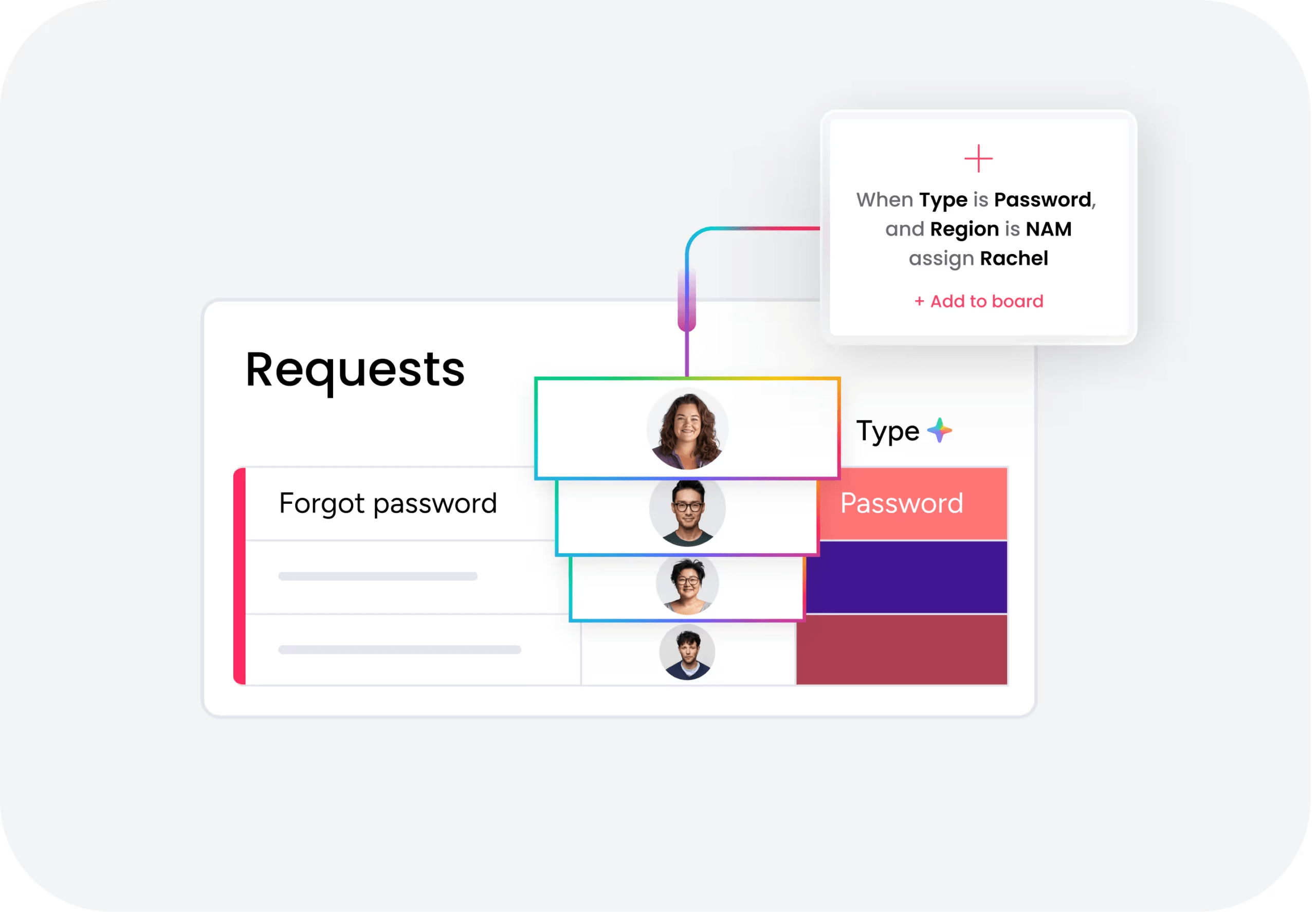
The AI Workforce deploys specialized AI agents for IT, HR, Operations, Finance, and more that autonomously resolve common requests using your knowledge base and business rules. When a request exceeds the agent’s scope, it routes seamlessly to a human with full context preserved. This human-AI collaboration model aligns with what Deloitte Digital’s 2026 Future of Service research found: 64% of service leaders report higher agent productivity as a direct result of AI deployment.
Intelligent ticket triage and categorization
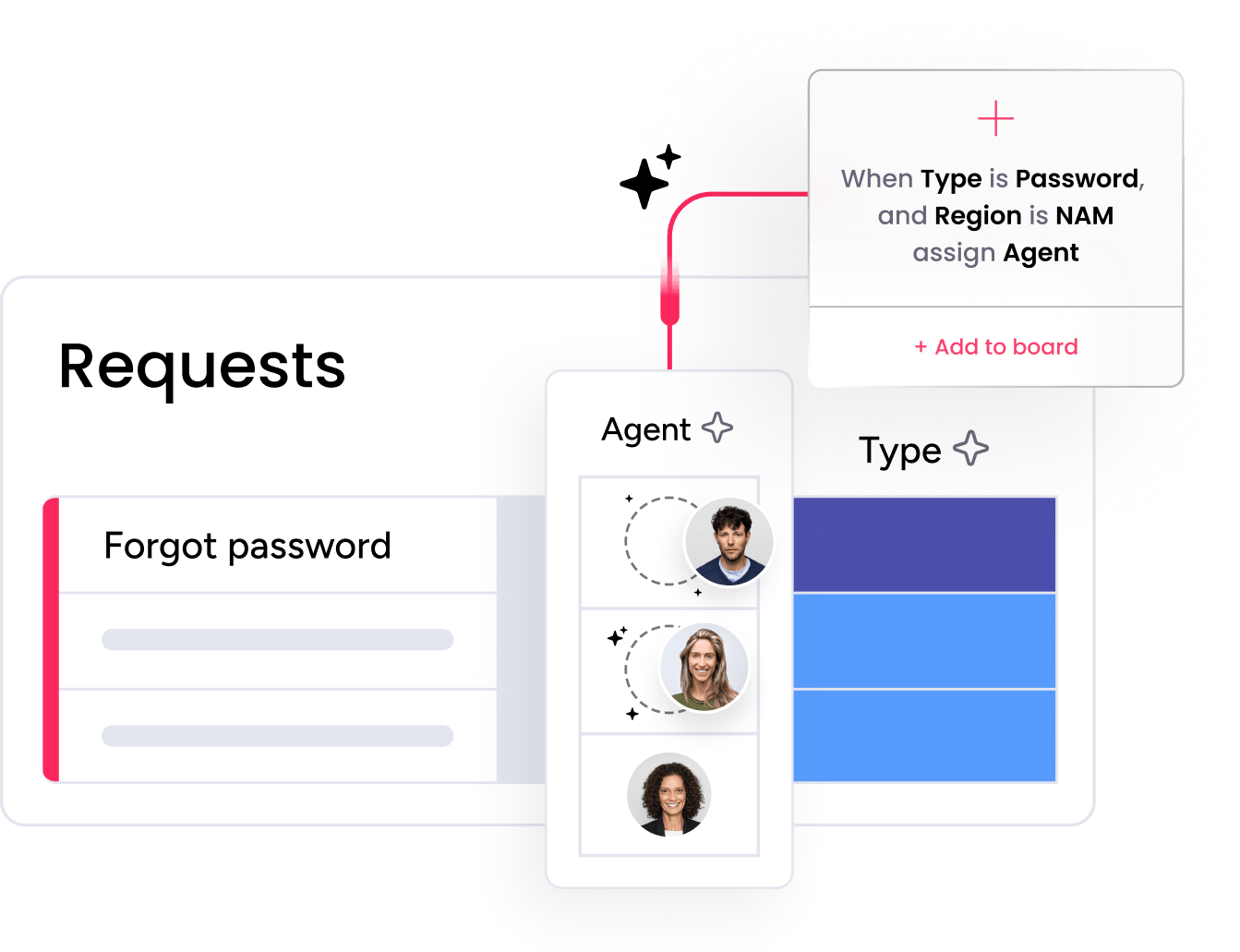
AI automatically classifies, prioritizes, and assigns incoming requests based on urgency, sentiment, and issue type. The system learns from every interaction to improve routing accuracy over time, ensuring tickets reach the right team member without manual sorting. Organizations using monday service have seen measurable results: “Our team LOVES the monday service platform and we’re already exploring how we could incorporate it for other departments, too. It has streamlined our AI-powered service workflows in a way that both our team and customers appreciate,” reported one service team leader at Sewell Automotive.
Connected workflows across departments

An IT ticket can trigger a project board update, an HR request can surface employee context from the CRM, and a customer complaint can link directly to a dev backlog item, all without copying data between systems or waiting on another team to respond. That cross-department flexibility is what sets the platform apart. As one operations leader described it: “The biggest value for us is speed and flexibility. You can get up and running in days, change anything instantly, and see everything in real time. And you don’t need a dedicated admin to do it.”
AI-assisted agent productivity

monday sidekick provides contextual suggestions, auto-generates responses, and surfaces relevant knowledge base articles while mondaagents work. Additionally, monday agents can analyze ticket history and customer data to recommend next steps, reducing resolution time and helping teams maintain consistency across every interaction.

"Our team LOVES the monday service platform and we’re already exploring how we could incorporate it for other departments, too. It has streamlined our workflow in a way that both our team and customers appreciate."
Andrew Marshall | VP Operations
״monday service provides clear insights into requests volume and types, response times, and trends - helping us continuously improve operations"
Grant De Waal-Dubla | CIO
"The biggest value for us is speed and flexibility. You can get up and running in days, change anything instantly, and see everything in real time. And you don’t need a dedicated admin to do it."
Clive Camilleri | Head of People Tech & OperationsBuild a high-performing help center from day one
The help center software market in 2026 looks fundamentally different from even two years ago. The global service desk software market reached $11.4 billion in 2025 and is projected to nearly triple to $26.8 billion by 2034, according to Dataintelo’s 2025 Service Desk Software Market Analysis. AI agents are resolving tickets autonomously. Self-service portals are handling the majority of routine requests. And the solutions that connect service operations to the rest of the business are delivering the most consistent results.
The right platform depends on your team’s size, budget, and service complexity. Whether you’re a 3-person team using Jira’s free tier or an enterprise evaluating ServiceNow, the principles are the same: start with the workflows that matter most, measure what’s working, and scale from there. Every platform reviewed here offers a trial or demo. For teams that need cross-department visibility and AI-native automation on one connected platform, monday service delivers the fastest path from setup to live operations.
FAQs
What is the best helpdesk software?
The best helpdesk software depends on your team's size, budget, and whether you're managing customer-facing support or internal IT requests. For large teams needing mature omnichannel support, Zendesk and Salesforce Service Cloud offer deep feature sets. For mid-size teams prioritizing affordability, Freshdesk and Zoho Desk provide strong capabilities at accessible price points. For cross-department service management, monday service delivers a unified platform with AI-native automation.
What is a helpdesk software?
Helpdesk software centralizes, organizes, and manages service requests from customers or internal team members. It includes ticketing, routing, automation, knowledge base management, and reporting in one workspace. Modern helpdesk software adds AI-powered resolution, self-service portals, SLA management, and cross-department collaboration, helping service teams respond faster and more consistently across every channel.
What does a help center do?
A help center centralizes support requests, provides a self-service knowledge base where customers and employees find answers independently, routes tickets to the right agents, and tracks resolution metrics. Modern help center software adds AI chat, automated ticket triage, branded customer portals, and real-time analytics, turning a simple FAQ page into a comprehensive service operation.
What is the best software for customer service?
The best software for customer service depends on your primary support channels and team structure. For messaging-first support, Intercom's Fin AI Agent delivers high autonomous resolution rates. For omnichannel operations spanning email, phone, and chat, Zendesk and Freshdesk offer mature solutions.For customer service connected to CRM and project workflows, monday service provides broad cross-department visibility.
What is the difference between a help desk and a service desk?
A help desk focuses on reactive, break-fix support, resolving incidents and answering questions as they arrive. A service desk encompasses broader IT service management (ITSM), including change management, asset tracking, service catalogs, and proactive service improvement aligned with frameworks like ITIL. Most modern solutions combine both capabilities in one system.
Does monday service offer a free trial?
Yes, monday service offers a 14-day free trial with full access to platform features. The Standard plan starts at $31/seat/month (annual billing, 3-seat minimum). The Pro plan, which includes advanced analytics, incident management, and expanded Customer Portal access, is $45/seat/month. Enterprise pricing includes unlimited AI Ticket Triage, advanced security, and HIPAA compliance.

 Get started