


Most organizations run on a dozen different systems for HR, IT, finance, and customer support. This creates invisible friction. Employees waste time hunting for forms, customers wait for answers, and partners struggle to find updates. Enterprise portal solutions fix this by creating a single digital front door. Instead of navigating separate applications, users get unified access to the services, data, and workflows they need. A portal connects people to processes, not just links, turning fragmented systems into a cohesive experience.
This guide explores how modern enterprise portals transform operations by replacing outdated intranets and breaking down departmental silos. We will cover the essential features to look for, the role of AI in automating service, and the steps for a successful implementation. You will learn how a flexible, no-code platform like monday service can help you build a portal that streamlines service delivery and accelerates resolution times.
Key takeaways
- One unified workspace: Enterprise portals replace scattered systems with a single login for employees, customers, and partners to access everything they need.
- Start with high-impact journeys: Focus on employee onboarding and IT requests first to create visible wins that build momentum for broader adoption.
- Launch portals in weeks: With monday service, teams can combine service management, AI automation, and no-code flexibility to connect workflows across departments seamlessly.
- Intelligent automation: AI agents transform basic portals into intelligent assistants that complete tasks, route requests automatically, and provide predictive insights.
- Phased rollout approach: Start with clear business objectives and target specific friction points rather than trying to solve everything at once.
What are enterprise portal solutions?
Enterprise portal solutions are centralized digital platforms that give employees, customers, and partners unified access to business applications, data, and services through a single interface.
Think of an enterprise portal solution as your organization’s digital front door: instead of juggling multiple logins and hunting through disconnected systems, everyone accesses what they need from one organized workspace.
The real value comes from consolidation with context. Users don’t just see a list of links. They see the specific actions, content, and resources that match their role, permissions, and current needs.
How enterprise portals replace legacy intranets
Legacy intranets function like static bulletin boards; they display announcements and store documents, but that’s about it. Modern enterprise portals act as interactive service layers that connect people to systems, processes, and real work.
The shift reflects how organizations actually operate today. Old intranets broadcast information from the top down. Modern portals enable two-way interaction where users submit requests, track progress, collaborate across departments, and complete workflows without leaving the platform.
So, what makes a modern portal different from a static intranet? The distinction lies in its ability to facilitate action, not just display information.
| Feature | Legacy Intranet | Modern Enterprise Portal |
|---|---|---|
| Content delivery | Static pages for all users | Real-time updates adapted to each user's role |
| System integration | Links to external tools | Direct connections to ERP, CRM, and ITSM platforms |
| Search capability | Basic keyword matching | AI-powered natural language understanding |
| Mobile experience | Desktop-only or limited mobile view | Full functionality on any device |
Organizations abandon traditional intranets because static pages can’t keep pace with modern work. Employees need to request equipment, check approvals, review customer records, and find reliable knowledge, all without hunting through five different systems.
5 types of enterprise portals transforming organizations
Different portal types serve different business needs. The strongest platforms support multiple portal models on one foundation, letting you expand as your organization grows.
Employee self-service portals

Employee self-service portals let staff complete routine tasks without waiting on back-office teams. Employees request time off, enroll in benefits, and reset passwords through automated workflows, no tickets required.
monday service connects these workflows across departments seamlessly. An equipment request triggers procurement approvals and updates asset tracking automatically. This approach aligns with broader enterprise service management strategies that unify service delivery across the organization.
Customer experience portals

Customer portals reduce support costs while improving service quality. Customers search knowledge bases, submit tickets, and track case updates without contacting agents. They review invoices, manage subscriptions, and access training materials in one secure environment.
The payoff is immediate: support teams handle fewer repetitive inquiries and customers get answers faster. A well-designed customer portal becomes a competitive advantage by delivering self-service experiences that build loyalty.
Partner and vendor collaboration portals
External collaboration needs structure and security. Partner portals provide both by creating controlled workspaces where vendors access contracts, track project milestones, and share compliance documents without seeing internal data they don’t need.
Knowledge management portals
Knowledge bases and portals prevent expertise from disappearing into email archives or retiring employees’ heads. They organize content with searchable repositories, expert directories, and learning resources that preserve institutional knowledge. Modern knowledge base software powers these portals with intelligent search and content recommendations. Organizations can learn from proven internal knowledge base examples to structure their own repositories effectively.
Unified service delivery portals
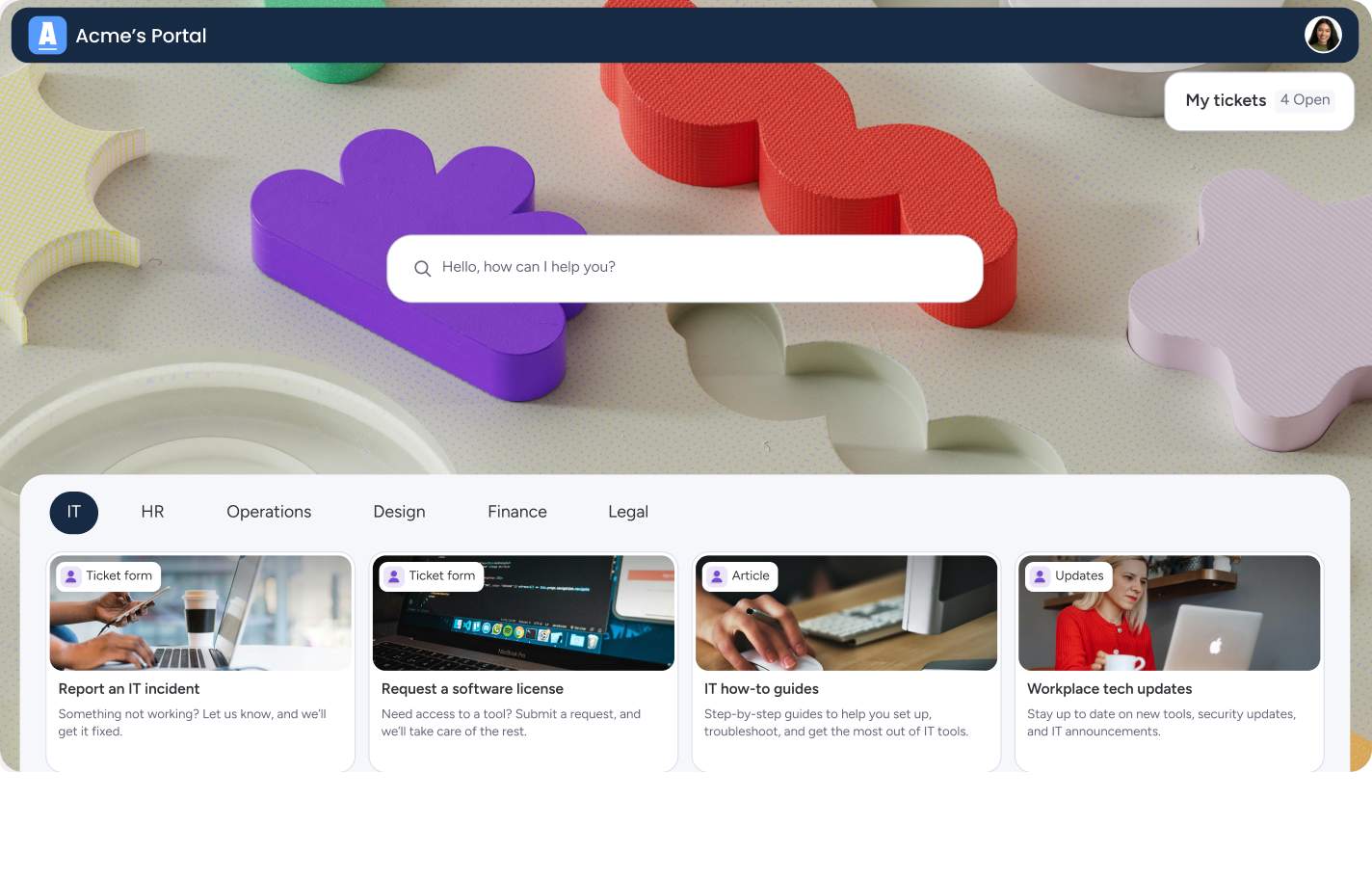
Unified portals consolidate services from multiple departments into one experience. Employees submit IT, HR, facilities, and finance requests through a single interface. The portal handles routing automatically.
This is where monday service stands out. It supports unified delivery with no-code workflow design and cross-department visibility on one flexible platform.
Why enterprise portals drive business success
Enterprise portals deliver measurable business value by reducing friction at scale. But what does that actually mean for your organization?
Streamlined access to enterprise resources
Single sign-on eliminates password fatigue by letting users access everything through one login. Standardized request catalogs help users complete tasks correctly the first time. Personalized homepages and smart recommendations reduce confusion.
The impact is immediate and measurable. Users spend less time switching between systems. Tasks that once took multiple steps across different platforms now happen in one place. Effective enterprise resource management depends on this kind of unified access to drive efficiency.
Breaking down departmental silos
How often do simple requests get stuck between departments? Enterprise portals create shared visibility that keeps work moving. An onboarding workflow touches HR, IT, facilities, and finance. With a portal, everyone sees the full process and handoffs happen automatically.
Accelerating digital transformation
Portals serve as the practical foundation for digital transformation. They turn manual approvals into automated workflows, disconnected data into integrated reporting, and desktop-only processes into mobile-enabled experiences.
While a portal won’t solve every challenge on its own, it creates the visible layer where digital improvements become tangible for users.
Achieving measurable ROI within 6 months
Organizations see value quickly because portals target high-friction processes first. According to McKinsey, 42% of customer-care leaders are already reversing rising inbound volumes through smarter self-service and digital deflection. Common wins include:
- Cost reduction: Fewer support tickets through self-service
- Productivity gains: Faster task completion and fewer delays
- Compliance improvements: Clear audit trails and consistent documentation
7 must-have features in enterprise portal software
Not all portal software delivers equal value. The difference between basic platforms and solutions that drive real operational improvementcomes down to these seven essential features.
1. AI-powered search and smart navigation
Modern portals understand natural language. Users type questions like “How do I request a new laptop?” and get contextually relevant results instantly. The portal recommends forms and actions based on role and permissions, while search results adapt to each user’s access level and current context. Advanced capabilities like AI in knowledge management make search smarter by learning from user behavior and continuously improving result relevance.
2. No-code portal customization capabilities
The best platforms empower business teams to adapt their portal without IT bottlenecks. Drag-and-drop interfaces let teams arrange layouts, deploy pre-built templates, and create automations using simple workflow designers. Teams can launch functional portal experiences in weeks with monday service, then continuously refine them as needs evolve.
3. Role-based security and access management
Effective portals balance security with usability through granular permissions that protect sensitive data without creating access barriers. Integration with existing identity systems enables seamless authentication, while comprehensive activity logs automatically support compliance requirements and governance policies.
4. Real-time analytics and reporting
Live dashboards provide immediate visibility into user behavior and system performance, revealing exactly where friction appears. Track metrics like page visits, request volumes, and feature adoption to understand how people actually use the portal. Performance analytics expose issues before they erode user trust.
5. Mobile-optimized user experience
Responsive design that adapts to any screen sizeis no longer optional. Mobile-optimized portals deliver full functionality through touch-friendly interfaces, while push notifications keep users informed regardless of device.This ensures your workforce stays productive whether at their desk, in the field, or working remotely.
6. Workflow automation capabilities
Automation transforms portals from information repositories into active service delivery platforms. Requests move through approval chains automatically, intelligent notifications keep users informed, and integration triggers update connected systems, eliminating redundant data entry across your technology stack. Platforms like monday service make this automation accessible without complex coding.
7. Native business system integration
The most valuable portals connect deeply with your existing technology ecosystem through pre-built connectors and open APIs. Real-time synchronization ensures data remains current across all systems, creating a single source of truth. This native integration transforms your portal from a standalone tool into the central nervous system of your digital workplace.
Try monday serviceHow AI agents transform enterprise portal experiences

AI agents take portals beyond basic search and automation. They act as intelligent assistants that complete tasks, guide decisions, and handle routine work. Here’s how AI transforms the portal experience:
- Natural language task completion: Users say “Submit my expense report for the Chicago trip” and the AI gathers the right form, required fields, and supporting records automatically.
- Contextual guidance: The AI surfaces reminders like “You have three pending approvals” and provides guidance based on role and current workflow stage.
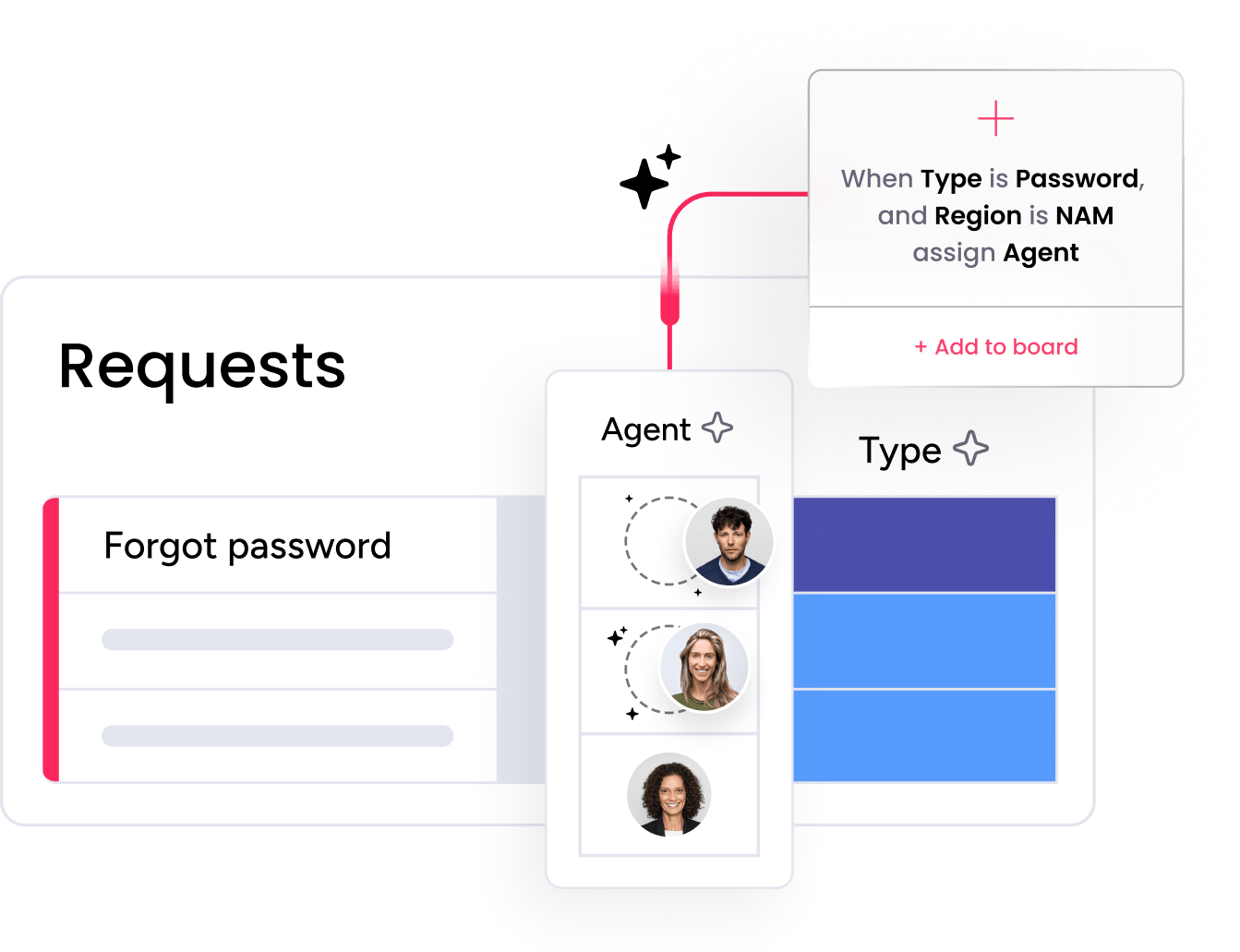
- Intelligent routing: AI categorizes and routes incoming requests automatically, resolving common issues like password resets without human intervention.
- Seamless escalation: When escalation is needed, the AI transfers cases with full context to the right team.
- Pattern recognition: AI identifies trends before they become problems, detecting rising request volumes and helping prepare staffing.
- Proactive maintenance: Repeated incidents point to systems needing preventive maintenance, while search failures show where the portal needs improvement.
Enterprise portal development and system integration
Portal success depends on integration quality. When your portal connects seamlessly to business systems, it delivers real value. When those connections are weak or incomplete, the portal becomes just another layer of complexity.
Seamless ERP and CRM connectivity
ERP and CRM systems contain the transactions and customer data users need daily. Without clean integration, your portal becomes just another navigation page that adds clicks instead of removing them.
Strong integration provides real-time data synchronization, consistent authentication across systems, and seamless workflow continuity. When someone submits a procurement approval, service request, or customer escalation, the information flows between systems automatically while users stay in the portal interface.
Service desk and ITSM integration
Portal requests should automatically generate tickets in your ITSM platform so users can track progress without emailing the help desk. Knowledge articles can appear during ticket submission to encourage self-service and deflect common issues before they require agent intervention. Organizations implementing enterprise IT service management rely on these integrations to maintain service quality at scale.
Building with API-first architecture
API-first design supports long-term flexibility by making it easier to add new systems as your needs expand. Open integration patterns prevent vendor lock-in and give you more control over your technology stack. When your portal uses reusable connections and standardized APIs, innovation happens faster because you’re not rebuilding integrations from scratch every time.
8 steps to successful enterprise portal implementation
Building an enterprise portal requires a structured approach that balances technical requirements with user needs. The most successful implementations start with clear objectives and expand gradually, allowing teams to learn and adapt as they go. This phased methodology reduces risk while building momentum through early wins. Here’s how to approach your portal implementation from planning through optimization.
Step 1: Define clear business objectives
Start with measurable goals like reducing IT support tickets by 30% or cutting onboarding time from five days to two. Specific objectives keep your scope controlled and make evaluation realistic, giving you concrete benchmarks to measure success against as your portal evolves.
Step 2: Map current infrastructure and systems
Document everything your portal needs to connect to, from core applications and authentication methods to integration constraints and data flows. This mapping exercise often reveals process inconsistencies that have been hiding in disconnected platforms, giving you the opportunity to streamline workflows before they move into your new portal.
Step 3: Identify high-impact user journeys
Focus on the common, frustrating tasks that will create visible wins and build organizational momentum. Employee onboarding, IT service requests, and customer self-service typically top this list because they’re high-frequency touchpoints where friction is most visible and improvements deliver immediate value.
Step 4: Evaluate build vs buy options
Commercial platforms like monday service deliver value faster than custom builds while offering the flexibility you need without the burden of building and maintaining everything from scratch. Consider total cost of ownership, time to value, and your team’s capacity to support ongoing development when making this decision.
Step 5: Design intuitive user workflows
Keep interfaces simple and show only the options relevant to each user’s role and current task. Design for mobile first, since many users will access your portal from phones or tablets, and never make users understand your internal complexity, the portal should hide organizational silos, not expose them.
Step 6: Create phased rollout plan
Start with a pilot group that represents your broader user base, then measure adoption rates and satisfaction scores carefully. Expand to additional departments or user groups only once the first phase proves stable and you’ve incorporated feedback to refine the experience.
Step 7: Establish security and governance
Define access policies, content ownership responsibilities, and change management standards before your portal goes live. Enterprise platforms need strong controls from day one to protect sensitive data, maintain compliance, and prevent the chaos that comes from unclear governance.
Step 8: Monitor and optimize performance
Track usage metrics, user feedback, and service delivery outcomes to understand what’s working and what needs improvement. Continuously optimize based on real data rather than assumptions, treating your portal as a living platform that evolves with your organization’s needs.
How monday service accelerates enterprise portal success
Building an enterprise portal shouldn’t require months of development or a team of specialized developers. With monday service, teams get a platform that brings service management, workflow automation, and portal creation together in one unified workspace, letting you deliver connected experiences across departments without the complexity of traditional enterprise software.
Teams launch functional portals in weeks by combining pre-built templates with flexible customization options. Each department maintains its own workflows and SLAs while users experience one seamless interface, creating the unified front door your organization needs without forcing everyone into rigid, one-size-fits-all processes.
AI agents that understand context and complete tasks
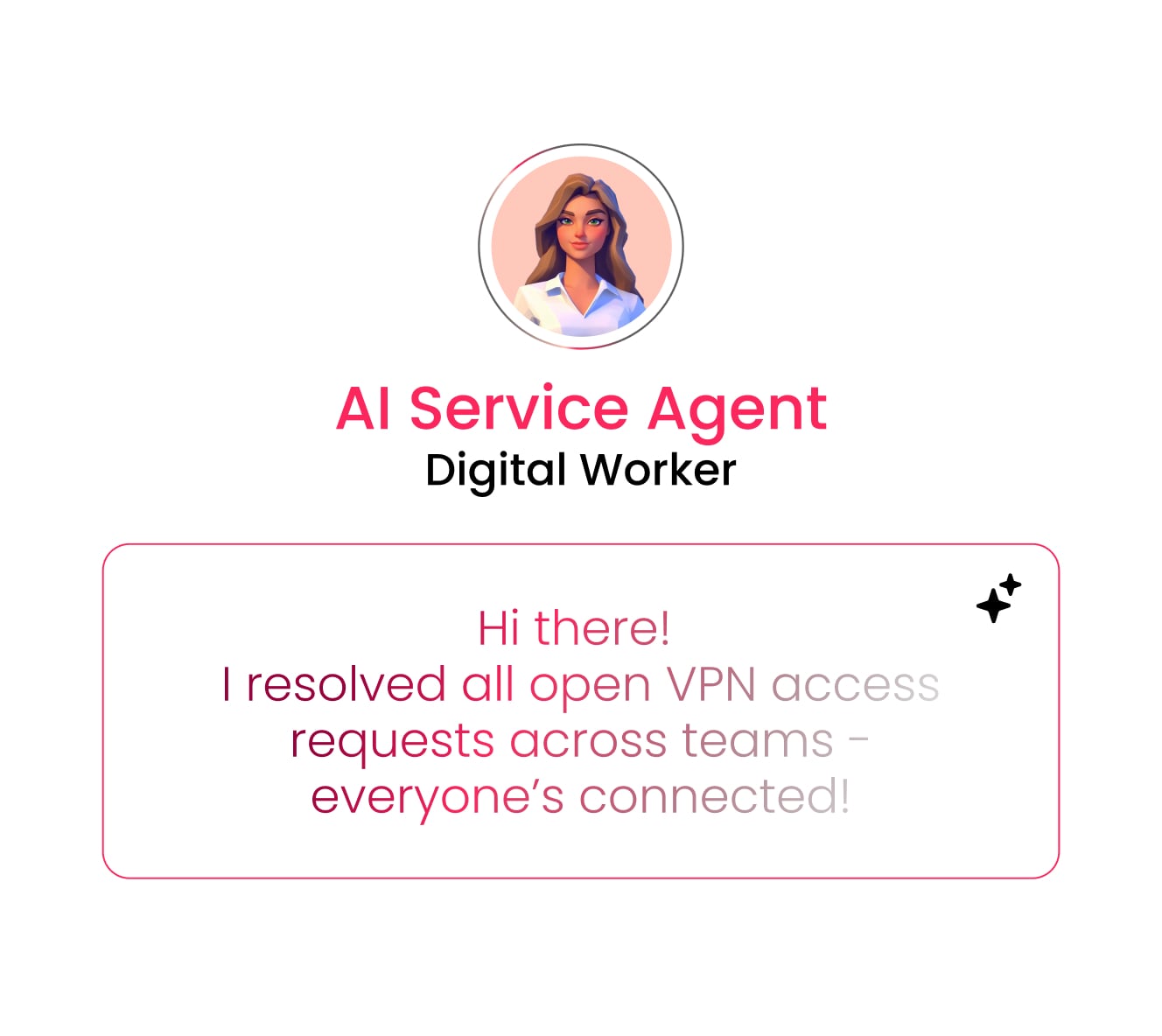
AI agents in monday service go beyond basic chatbots to complete work on behalf of users. When someone asks to submit an expense report or request equipment, the AI gathers the right forms, populates known information, and routes requests automatically. The system learns from patterns to provide increasingly relevant suggestions, turning your portal into an intelligent assistant that gets smarter over time.
No-code portal builder for rapid deployment

Drag-and-drop interfaces let business teams design and launch portal experiences without writing code or waiting on IT resources. Pre-built templates for common use cases accelerate initial setup, while visual workflow designers make it simple to customize processes as needs evolve. This approach compresses timelines from months to weeks, letting you deliver value faster and iterate based on real feedback.
Intelligent automation that connects departments

Automated workflows orchestrate complex processes across HR, IT, facilities, and finance without manual handoffs. When a new employee joins, the platform triggers equipment provisioning, access requests, and workspace setup simultaneously. AI-powered routing ensures requests reach the right team instantly, while the system learns from resolution patterns to suggest optimizations and predict potential bottlenecks before they impact service delivery.
Unified visibility with role-based personalization
Every user sees a personalized homepage with the specific tools, requests, and information relevant to their role. Real-time dashboards provide service teams with complete visibility across departments, revealing exactly where requests stand and which processes need attention. The AI analyzes usage patterns and surfaces proactive recommendations, helping both users and administrators continuously improve the portal experience based on actual behavior.
Build your enterprise portal with the right foundation
Enterprise portals succeed when they solve real friction points with simple, connected experiences. The best implementations start focused by targeting high-impact journeys like employee onboarding or IT requests, then expand as teams see measurable results. Choose a platform that balances power with accessibility, letting business teams build and adapt without constant IT dependency.
Organizations using monday service launch portals in weeks instead of months, combining AI automation, no-code flexibility, and deep integrations in one unified workspace. The platform grows with your needs, supporting everything from basic self-service to complex multi-department workflows without forcing you into rigid templates or expensive customization.
Try monday serviceFAQs
How much do enterprise portal solutions cost?
Enterprise portal solutions cost anywhere from modest subscription fees to large enterprise investments, depending on user volume, integration needs, and customization requirements. Total cost includes licensing, implementation, training, and ongoing optimization in addition to the base platform fee.
What is the difference between a portal and a CMS?
The difference between a portal and a CMS is that a CMS mainly publishes content, while portals provide access to applications, workflows, and services through personalized interfaces. Portals include content management but add transactions, integrations, and role-based actions.
Can enterprise portals integrate with legacy systems?
Enterprise portals can integrate with legacy systems through APIs, middleware, file synchronization, or custom connectors. The approach depends on how much real-time access you need and what the legacy system supports.
How long does portal implementation typically take?
Portal implementation typically takes weeks for focused deployments using platforms like monday service, or several months for large enterprise rollouts. Timeline depends on scope, complexity, and existing system conditions.
What are common enterprise portal adoption challenges?
Common enterprise portal adoption challenges include unclear goals, poor search experience, weak change management, and disconnected workflows. Success improves when portals solve high-frequency problems and provide cleaner experiences than the systems they replace.
Do I need dedicated IT staff to manage an enterprise portal?
You don't always need dedicated IT staff because modern no-code platforms reduce technical requirements. IT still handles governance, security, and integration, but business teams can manage many updates independently.

 Get started