


As the name implies, rapid application development (RAD) focuses on quick, iterative development for new software products. Rather than delivering a final product in its entirety one time like with other development methodologies, RAD projects deliver a product one iteration at a time in a shorter time frame.
This is done through continuous feedback loops that inform future iterations, making RAD a very flexible and adaptable model. It’s a popular development method for teams working on smaller projects who want to release a product quickly.
This post will look at the RAD methodology and define its core steps, advantages and disadvantages, considerations for using the model, and how tools like monday dev are essential for working collaboratively in a fast-paced environment.
Try monday devWhat is rapid application development?
Rapid application development, often abbreviated as RAD, refers to a software development methodology that’s adaptive and focused on the quick development of applications through multiple iterations and quick rounds of feedback.
Rather than an intensive planning phase, the RAD approach is concentrated on developing prototypes quickly and then collecting feedback before moving on to the next iteration.
The approach with RAD is that software development can benefit from frequent testing. Rather than spending development time and money on planning, teams that use the RAD model refine prototypes regularly until they’re satisfied with a final product.
The history of rapid application development
Built as a response to other popularized development models in the 1970s and 1980s, such as the Waterfall method, RAD’s purpose was to focus less on planning and more on responding to feedback.
Software developers Barry Boehm and James Martin both contributed to developing this system in the 1980s at IBM. Essentially, Boehm and Martin saw software as something that could be worked on continuously rather than as a finite resource, leading to the creation of RAD.
Steps in rapid application development
The RAD method has four key steps, but the timeline for moving between one step and another can look different for every team depending on how many iterations a product goes through. Here’s what the software development process looks like for teams working with rapid web application development.
Step 1: Define project requirements
At this starting stage, the goal isn’t to get a list of specifications from everyone and anyone involved in development but rather to have a guideline of essential project requirements. This might look like sitting with developers and key stakeholders to define a loose set of project requirements, including overall goals, anticipations, development costs, and a loose timeline. End users can also be consulted to make sure the final product aligns with their vision, but this stage of RAD shouldn’t involve rigid or lengthy planning.
Step 2: Prototyping
The essence of RAD is to move quickly, so right after project requirements are defined, the development team goes into building a prototype that they can present to stakeholders and clients. Earlier stage prototypes are likely to only include one or a few components at a time so that stakeholders can focus on each individually. It’s not uncommon for prototypes to be not fully functional as long as they demonstrate the feature being examined in a satisfactory way.
Step 3: Feedback cycle
Once prototypes are viewed, the team collects feedback on all aspects of a product and its features, from functionality to design. It’s possible for stakeholders or customers to change their minds and want to go in a different direction, in which case a new prototype is made to gather even more feedback. Essentially, the bulk of RAD is moving between the prototyping and feedback loop stages until everyone is satisfied with a result.
Step 4: Deployment
Once all feedback has been implemented and a prototype becomes more functional and includes most of the features it needs to operate properly, then the team focuses on deploying the software. Aside from developing a finished product, the deployment stage may also involve producing technical documentation, bug tracking, and testing the application before it’s finally released.
Rapid application development advantages and disadvantages
There are many benefits to developing software quickly with an emphasis on feedback and prototyping. At the same time, there are also some drawbacks. RAD isn’t suitable for every type of project and doesn’t allow much room for scaling larger projects. Let’s take a closer look at some of the pros and cons of RAD.
The advantages of rapid application development
- Faster development cycle: Quicker iterations can lead to a shorter development cycle and quicker time to market
- More flexibility: RAD keeps processes adaptable to changing requirements that can be integrated at any time
- User involvement: Ongoing user feedback helps align the final product with expectations
- High-quality deliverables: After multiple iterations, the final product is more refined and polished
- Product risk reduction: Frequent feedback, testing, and iterations mean errors come up often and are quickly resolved, leading to better risk mitigation in the long run
The disadvantages of rapid application development
- Requires skilled team: Demands highly skilled and experienced developers to deliver requirements
- Not suitable for large projects: It can be challenging to coordinate complex requirements and multiple teams and RAD’s focus on quick delivery can result in scalability issues
- Required commitment: End users and stakeholders need to be committed to the regular feedback cycle, and if they’re not, it can stall development
- Too focused on interface: Stakeholders provide feedback based on interacting with prototypes’ user interfaces, which isn’t always indicative of what’s happening on the backend technologically
At a glance: RAD vs. Agile vs. Waterfall
To get a better idea of how rapid application development model compares to other development methodologies, let’s look at them side by side with two other popular models, Agile and Waterfall.
| Feature | RAD | Agile | Waterfall |
|---|---|---|---|
| Approach to software development | Iterative process, focuses on rapid prototyping and user feedback | Iterative and incremental, emphasizes collaboration | Linear and sequential, follows a fixed, predefined path |
| Project phases | Requirements planning, prototyping, feedback cycles, deployment | Sprints or iterations with continuous feedback | Requirements, design, development phase, testing, deployment |
| Flexibility | Highly flexible, changes can be made throughout development | High flexibility, changes are welcomed in each sprint | Low flexibility, changes are challenging after the project starts |
| User involvement | Frequent feedback is crucial | Regular feedback in each sprint | Limited user involvement after initial requirements |
| Development speed | Fast, quick delivery of prototypes | Moderate, depends on sprint cycles | Slower, due to rigid stages and less iterative feedback |
| Documentation | Minimal documentation | Moderate, varies by team | Extensive documentation, detailed upfront requirements |
| Best for | Short-term projects, projects requiring rapid delivery and frequent feedback | Projects needing flexibility and ongoing collaboration | Long-term, complex projects with well-defined requirements |
| Risk of scope creep | High, as continuous feedback can lead to scope expansion | Moderate, controlled by sprint goals | Low, since scope is defined early and rarely changed |
| Scalability | Low scalability, best for smaller, less complex projects | Moderate scalability, adaptable but may need adjustments for very large projects | High scalability, suitable for large projects with fixed requirements |
When should you use the rapid application development methodology?
Given RAD’s advantages and disadvantages, there are certain types of projects it’s more suitable for and others that may not be a good fit. If your team is made up primarily of experienced developers who are used to working on fast-paced projects, then RAD could be a good option.
For developments like a website, app, or even internal business platforms, RAD allows your team to work quickly and productively. However, for more involved software that requires delicate handling and in-depth knowledge and expertise, feedback loops from end-users who may not have these technical skills make RAD a less desirable choice.
Before settling on RAD as a methodology for your next project, there are a few things to take into consideration:
- Is your team experienced enough to work with a continuous development process and communicate efficiently?
- Can your clients and stakeholders be relied on to be involved in the feedback process at regular intervals?
- Can your project be divided into iterations that deliver features individually, or does it need to be built as a complete product?
- Is your team using the right communication and development tools to make RAD a seamless process?
If you can answer the above questions with a degree of certainty and your team is ready to work with the RAD methodology, then your next step would be to assess your business’s budget for this type of project and begin moving forward to gather your project requirements.
Try monday devmonday dev: The rapid application development tool you need
In addition to designing and prototyping tools, it’s critical for teams to have an all-in-one development workspace that facilitates communication and collaboration. Platforms like monday dev can help teams work quicker and smarter by helping them organize feedback, prioritize tasks, and keep track of project progress.
monday dev is full of useful features that make it easier for developers to keep track of each project’s multiple iterations. With monday dev, teams can store and sort through feedback, generate reports to help stay on top of budgets and timelines, and assign responsibilities for each task all with a drag-and-drop interface that requires little-to-no user training. Let’s take a closer look at a few of the monday dev features that make it essential for RAD.
Automations to keep afloat of feedback
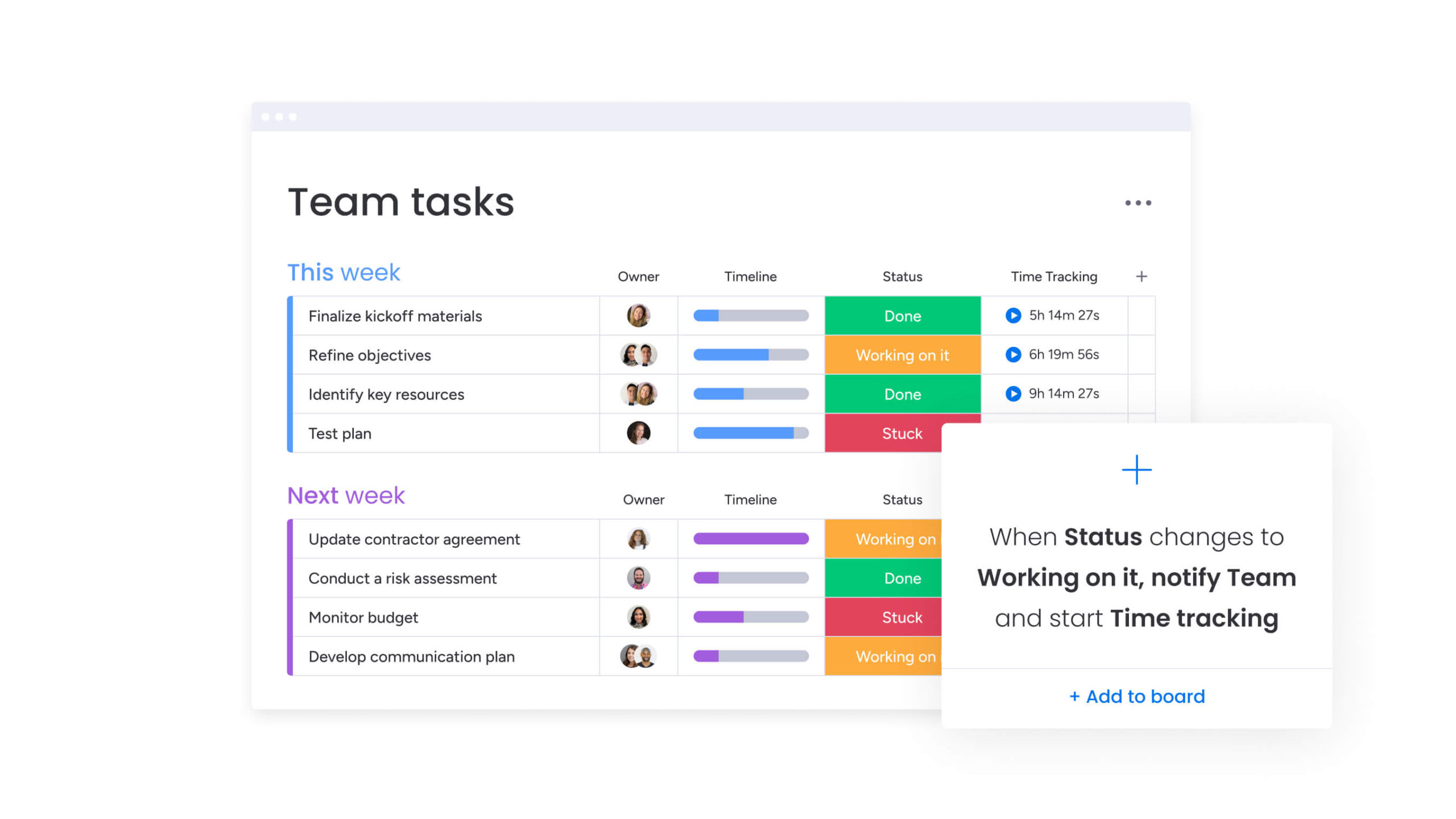
monday dev allows you to build quick, no-code automations that can help you with manual workflows. For example, you can set reminders to collect feedback and instant notifications for when new feedback is received or requires your attention so that you can make more informed project management decisions.
Integrations with the tools you use
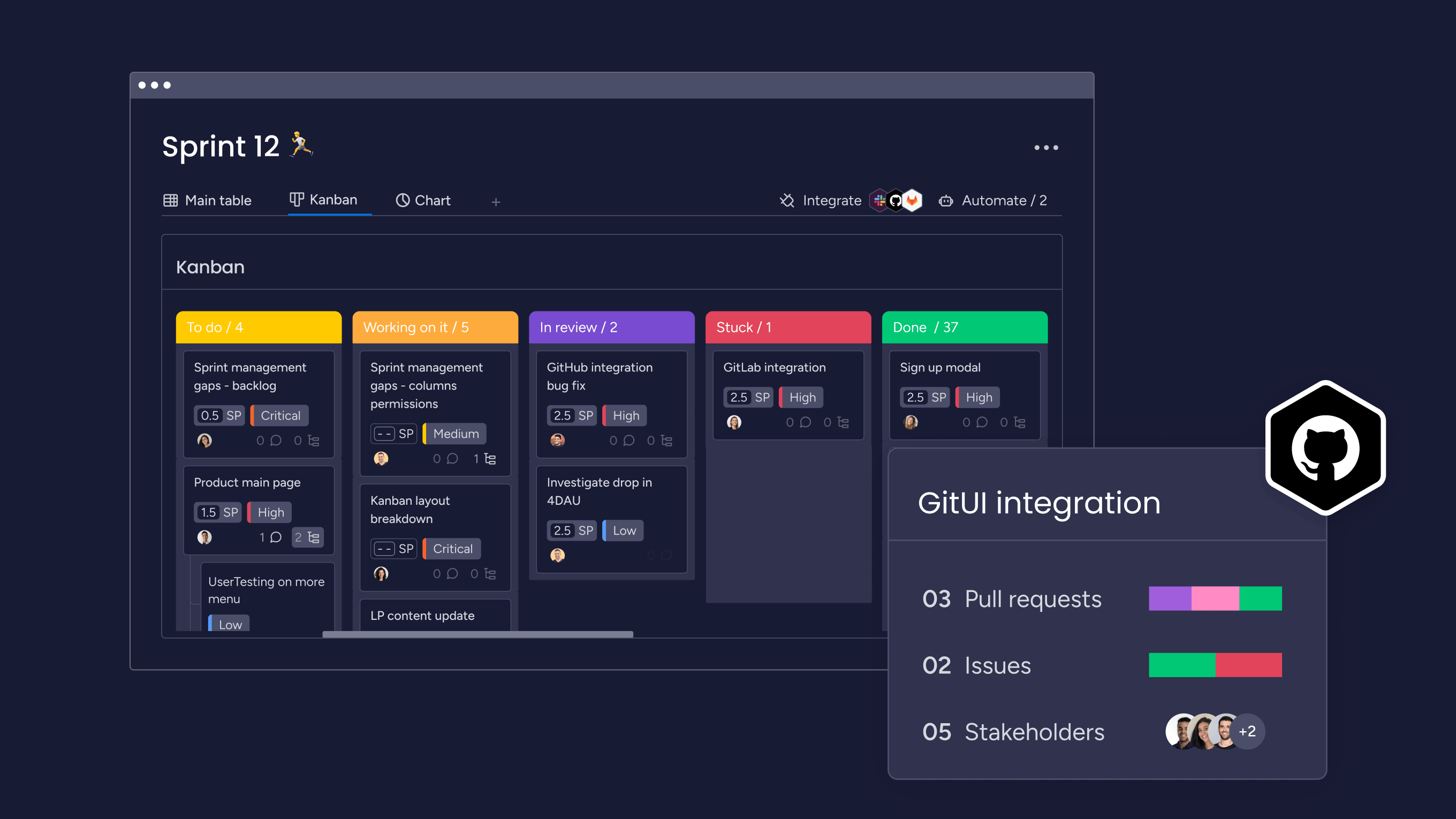
With over 200 app integrations to choose from, you can make sure your data is flowing seamlessly to and from monday dev. The platform integrates with popular development and prototyping tools like GitHub, GitLab, Figma, and many others.
Custom development templates and dashboards
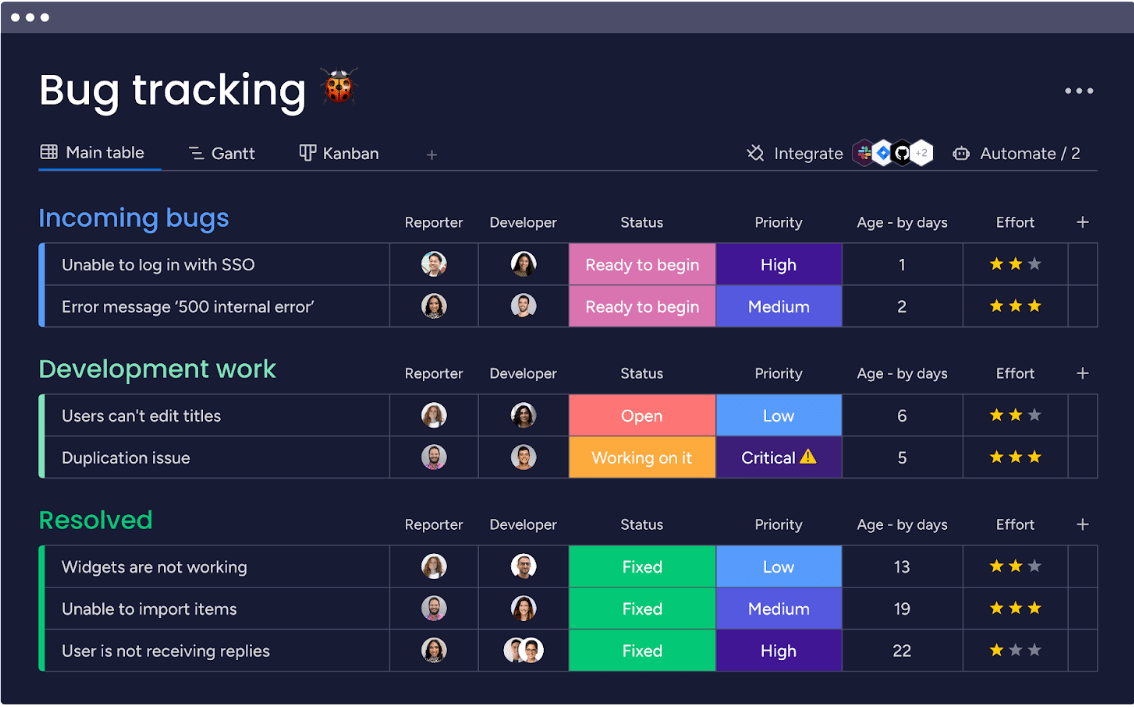
Accelerate collaboration and development with quick-start templates so that you can track all the pieces of every iteration. With templates for bug tracking, feature requests, and roadmaps along with dashboards that collect data from all boards into one view, you can continue working quickly while staying informed on your most important data.
Try monday devBuild better apps with the right RAD tools
As with any development methodology, making sure your team is equipped with the right tools will make production move along a lot smoother. With monday dev to bolster your RAD model on your next software project, your team can stay consistent with communication between themselves and stakeholders while continuing to work on the right feedback and prototypes at the right time.
FAQs
Is RAD the same as Agile?
RAD and Agile are two different development models. While RAD is a precursor to the Agile development methodology, Agile involves more steps and a broader framework with structured sprints and collaborative team workflows.
What are the 5 stages of the RAD model?
While there are four core steps to RAD projects as we saw above, there are also five phases that help move each step and iteration along. These five phases include: business modeling, data modeling, process modeling, application generation, and testing and turnover.
How does rapid application development work?
Rapid application development works by quickly building prototypes based on user requirements and then refining the application with ongoing user feedback that leads to multiple iterations. Ultimately, this allows teams to deliver final products quickly.

 Get started