


When every team speaks a different language, progress can feel like a mystery. Business teams see deadlines, engineers see code, and leadership sees spreadsheets. This translation gap doesn’t just cause confusion; it slows down the entire delivery pipeline.
The right Agile dashboard bridges this gap. It acts as a central digital workspace, translating sprint progress, backlogs, and team performance into clear, visual information. Instead of relying on meetings and status reports, everyone from engineering to the C-suite gets real-time visibility, allowing teams to collaborate effectively and make decisions with confidence.
This practical post discusses everything needed to choose and implement the right platform for your team. We will cast a glance at the top Agile dashboards available in 2026, break down the essential features that drive performance, and provides a clear plan for getting started.
Without further ado, let’s get into it!
Key takeaways
- Actionable metrics: choose metrics that drive real decisions, focusing on five to seven actionable insights like velocity trends and cycle time, rather than overwhelming the team with vanity metrics.
- Flexible adaptation: the Agile dashboard should adapt to the team’s actual workflow, not force rigid frameworks. Platforms, like monday dev, allow for custom workflows that blend methodologies and connect engineering work directly to business goals.
- Seamless integration: integration with the existing tech stack (GitHub, Slack, CI/CD tools) is essential to eliminate data silos and manual work, ensuring information flows automatically.
- Start simple, scale smart: roll out basic boards first and scale gradually, adding automation and advanced features as the team gains comfort with the platform to ensure long-term adoption.
- Visibility for distributed teams: real-time dashboards are crucial for remote and distributed teams, keeping everyone aligned across time zones while maintaining team autonomy and reducing unnecessary meetings.
What are Agile dashboards?
An Agile dashboard is a visual platform that shows your team’s work progress in real time, a key advantage in Agile software development.
These dashboards pull information from your sprints, backlogs, and team activities into one central view. Essentially you are easily able to get charts, boards, and Agile metrics that help you spot problems early and keep projects moving forward.
Sprint planning made visual
Sprint planning becomes clearer when you can see everything laid out visually. Advanced solutions like monday dev transform your planning sessions from abstract discussions into concrete workflows everyone understands.
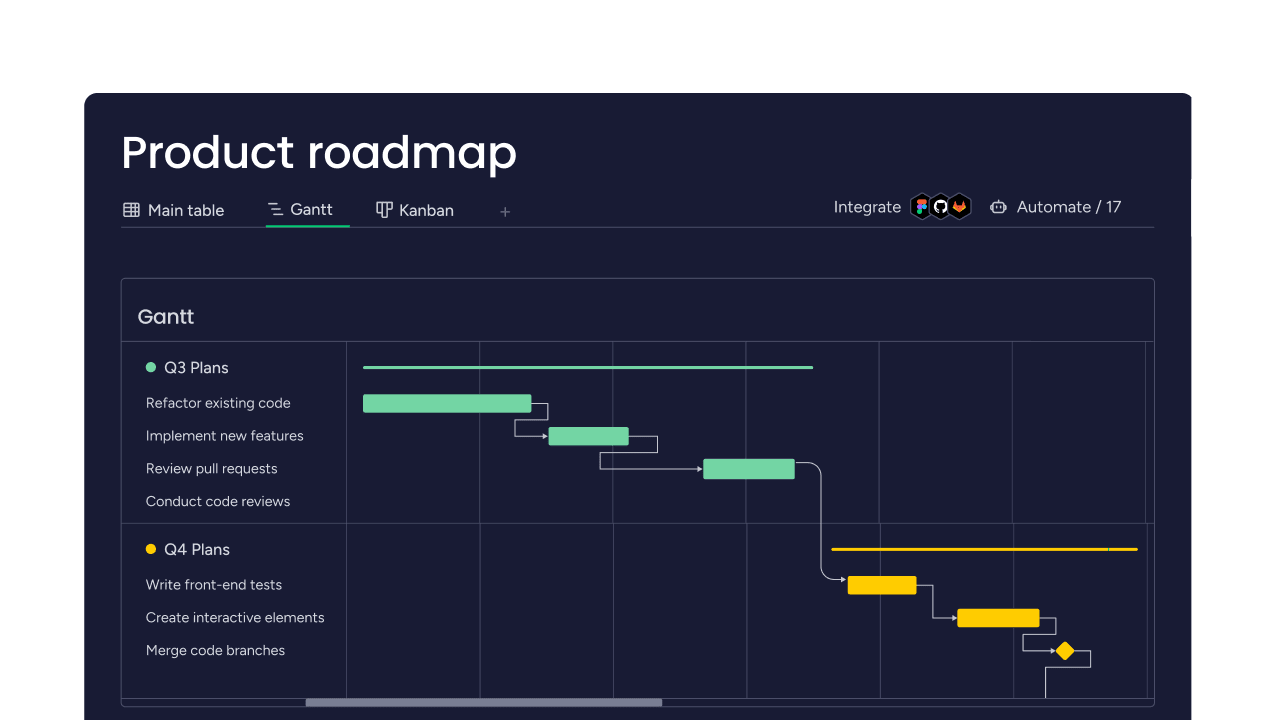
Your sprint backlog appears as cards you can move, prioritize, and assign on a Scrum board. Story points show up next to each item so you know the effort involved. Timeline views display your sprint duration alongside key milestones, making it easy to spot scheduling conflicts.
Real-time team performance tracking
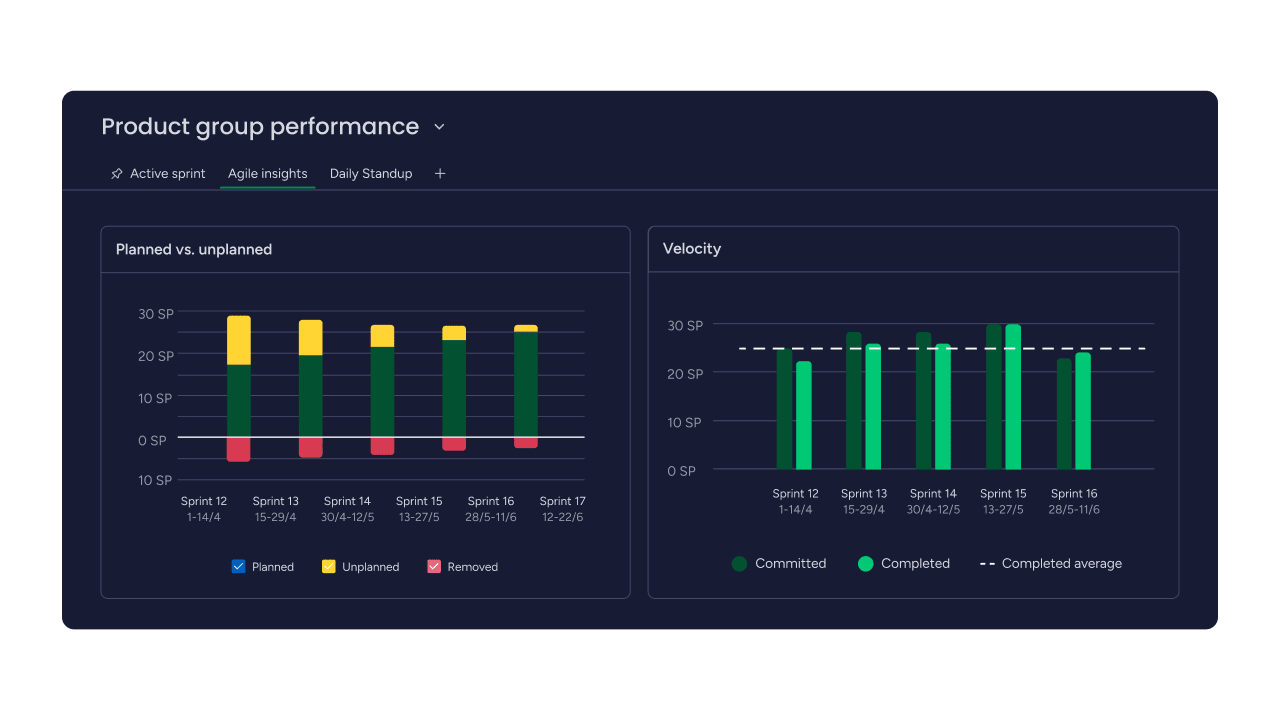
Performance tracking happens automatically as your team works. You don’t need to micromanage — the dashboard uses Scrum metrics like velocity trends, cycle times, and burndown progress without interrupting anyone’s flow.
When bottlenecks appear, they’re visible immediately. You can address issues before they derail your sprint instead of discovering problems during retrospectives.
Beyond traditional project management
Traditional project management keeps technical teams and business stakeholders in separate worlds. Agile dashboards bridge this gap by showing progress in ways everyone understands.
Your development work connects directly to business goals. Teams pivot quickly when priorities shift, maintaining momentum instead of starting over with new plans, demonstrating the importance of Agile transformation.
Quick comparison: top 15 Agile dashboards
Selecting the right Agile dashboard requires strategically matching platform capabilities to a team’s specific requirements and long-term goals. The following table illustrates how the top platforms compare across key performance indicators and feature sets:
| Platform | Best for | Starting price | Key strength | Agile support |
|---|---|---|---|---|
| monday dev | Enterprise teams | $9/seat/month | Custom workflows | Scrum & Kanban |
| Jira | Development teams | $7/user/month | Deep customization | Scrum & Kanban |
| Azure DevOps | Microsoft ecosystem | $6/user/month | End-to-end DevOps | Scrum & Kanban |
| ClickUp | All-in-one teams | $7/user/month | Multiple views | Scrum & Kanban |
| Asana | Cross-functional teams | 10.99/user/month | User-friendly interface | Scrum & Kanban |
| Trello | Small teams | Free | Visual simplicity | Kanban-focused |
| Targetprocess | Portfolio management | Custom pricing | Scaled Agile | SAFe & LeSS |
| Wrike | Marketing & IT teams | $9.80/user/month | Custom dashboards | Scrum & Kanban |
| GitLab | DevOps teams | $4/user/month | Code integration | Scrum & Kanban |
| Zoho Sprints | Small businesses | $1/user/month | Affordability | Scrum-focused |
| Rally | Large enterprises | Custom pricing | Enterprise Agile | SAFe & Scrum |
| Smartsheet | Hybrid teams | $7/user/month | Spreadsheet interface | Scrum & Kanban |
| Taiga | Startups | Free | Open source | Scrum & Kanban |
| Kanbanize | Process-focused teams | $149/month | Advanced Kanban | Kanban-focused |
| Pivotal Tracker | Product teams | $8/user/month | Story-driven workflow | Scrum-focused |
15 best Agile dashboards reviewed
While the comparison table offers a high-level overview, deeper insight into each platform’s focus, ideal use case, and core strengths is necessary for an informed decision. This detailed review section breaks down the top 15 Agile dashboards, examining how each tool uniquely supports the planning, execution, and tracking requirements of modern development teams.
1. monday dev
Built on the monday.com Work OS, this platform adapts to how a team actually works, providing flexibility without forcing rigid frameworks.
You can create workflows that match your process exactly. Need a mix of Scrum and Kanban? No problem. Want to connect engineering work with business objectives? The platform handles that seamlessly.
- Ideal for: mid-market to enterprise teams who need flexibility and cross-department collaboration.
- Pricing: basic at $9/seat/month, Standard at $12/seat/month, Pro at $20/seat/month, Enterprise custom pricing.
2. Jira
Jira remains the go-to platform for technical teams who need deep customization. Its extensive feature set comes with a learning curve, but experienced teams appreciate the control it provides.
The platform excels at complex workflow management and detailed reporting. You’ll find every Agile metric imaginable, plus thousands of add-ons in the marketplace.
- Ideal for: software development teams comfortable with technical complexity.
- Pricing: free for up to 10 users, Standard at $7.75/user/month, Premium at $15.25/user/month.
3. Azure DevOps
Azure DevOps integrates seamlessly with Microsoft’s ecosystem. If your organization runs on Microsoft products, this platform connects everything from planning to deployment.
You get comprehensive DevOps capabilities alongside Agile planning features. The platform scales well for large, distributed teams.
- Ideal for: enterprises already invested in Microsoft technologies.
- Pricing: free for small teams, paid plans from $6/user/month.
4. ClickUp
ClickUp packs multiple project views into one platform. Your team can switch between Kanban boards, Gantt charts, and list views depending on what works best for each project.
The customization options are extensive, almost overwhelming. Once configured, teams appreciate having everything in one place.
- Ideal for: teams wanting maximum flexibility and customization.
- Pricing: free tier available, Unlimited at $7/user/month, Business at $12/user/month.
5. Asana
Asana makes Agile accessible for teams new to the methodology. The interface feels intuitive, and you can start organizing work immediately without extensive setup.
Built-in templates help you get started quickly. The platform handles cross-functional collaboration well, making it popular with marketing and product teams.
- Ideal for: teams transitioning to Agile or mixing methodologies.
- Pricing: free for basic teams, Starter at $10.99/user/month, Advanced at $24.99/user/month.
6. Trello
Trello keeps things simple with its card-based interface. You drag cards across columns to show progress and that’s it.
This simplicity makes it perfect for small teams or straightforward projects. Power-ups add functionality when you need it.
- Ideal for: small teams and simple workflows.
- Pricing: free with core features, paid plans from $5/user/month.
7. Targetprocess
Targetprocess specializes in scaled Agile for large organizations. It handles complex portfolio management and supports frameworks like SAFe and LeSS.
The platform requires significant setup and configuration. Organizations with dedicated Agile coaches get the most value from its comprehensive features.
- Ideal for: large enterprises implementing scaled Agile.
- Pricing: custom pricing based on organization size.
8. Wrike
Wrike combines project management with Agile features. Marketing and creative teams appreciate its approval workflows and resource management capabilities.
Custom dashboards let you track the engineering metrics that matter to your team. The platform handles both Agile and traditional project approaches.
- Ideal for: teams needing hybrid project management.
- Pricing: free tier available, Team at $9.80/user/month, Business at $24.80/user/month.
9. GitLab
GitLab integrates Agile planning directly with code management. Your development workflow stays in one platform from planning through deployment.
Built-in CI/CD and security scanning make it attractive for DevOps teams. The interface is designed with technical users in mind.
- Ideal for: technical teams wanting integrated planning and development.
- Pricing: free tier available, Premium at $4/user/month, Ultimate at $19/user/month.
10. Zoho Sprints
Zoho Sprints focuses specifically on Scrum methodology at an affordable price. Small businesses appreciate the low cost and integration with other Zoho products.
Time tracking and reporting features help teams monitor productivity. The platform stays simple without sacrificing essential Scrum features.
- Ideal for: small businesses using Scrum.
- Pricing: free for small teams, paid plans from $1/user/month.
11. Rally
Rally serves large enterprises with complex Agile implementations. The platform handles portfolio management across multiple teams and projects.
Advanced analytics and governance features appeal to organizations with strict compliance requirements. Smaller teams will find it overwhelming.
- Ideal for: large enterprises with complex needs.
- Pricing: custom enterprise pricing.
12. Smartsheet
Smartsheet looks like a spreadsheet but works like an Agile platform. Teams familiar with Excel feel comfortable immediately.
The platform bridges traditional and Agile approaches well. You can create Gantt charts, Kanban boards, and custom reports.
- Ideal for: teams transitioning from spreadsheets.
- Pricing: individual at $7/user/month, Business at $25/user/month.
13. Taiga
Taiga offers open-source Agile management for teams on a budget. You can self-host or use their cloud service.
The platform supports both Scrum and Kanban with solid basic features. Technical expertise helps for setup and customization.
- Ideal for: startups and open-source projects.
- Pricing: free open-source, hosted plans from $5/user/month.
14. Kanbanize
Kanbanize specializes in advanced Kanban methodology. The platform includes sophisticated flow metrics and automation rules.
Teams committed to continuous flow find the specialized features valuable. Scrum teams should look elsewhere.
- Ideal for: teams using pure Kanban.
- Pricing: plans from $149/month for teams.
15. Pivotal Tracker
Pivotal Tracker takes a story-centric approach to Agile. The platform automatically calculates velocity and predicts completion dates.
The simplicity of the platform is its main draw, as it requires little configuration. Conversely, teams seeking deep customization may encounter limitations.
- Ideal for: product teams focused on user stories.
- Pricing: free for small teams, paid plans from $8/user/month.
Essential features every Agile dashboard needs
Not all dashboards deliver the same value. Understanding essential features helps you choose an Agile solution that actually improves your team’s workflow.
Sprint burndown and velocity charts
Burndown charts show whether you’ll finish your sprint on time. Velocity charts reveal your team’s delivery patterns over multiple sprints.
These visual indicators help you make realistic commitments. Modern platforms like monday dev automatically generate these Agile burndown charts from your sprint data, updating them as work progresses.
Backlog management and prioritization
Your backlog needs constant grooming to stay relevant. Look for drag-and-drop prioritization and filtering options that make refinement sessions productive.
Advanced platforms offer scoring frameworks to help with objective prioritization decisions. Integration with customer feedback ensures you’re building what users actually want.
Team collaboration and communication
Modern dashboards free up calendars by centralizing communication in one place. Comment threads, @mentions, and status updates keep everyone aligned without constant check-ins.
Real-time notifications ensure important updates reach the right people. Integration with Slack or Teams means you don’t miss critical information: particularly valuable given that MIT CISR found companies in the top quartile of real-time operations achieved 62% higher revenue growth than bottom-quartile peers.
Custom workflow automation
Automation eliminates repetitive tasks that slow teams down. Common automations include:
- Status updates: move items automatically when conditions are met.
- Notifications: alert team members about blockers or completed dependencies.
- Task assignment: distribute work based on availability or expertise.
Cross-platform integrations
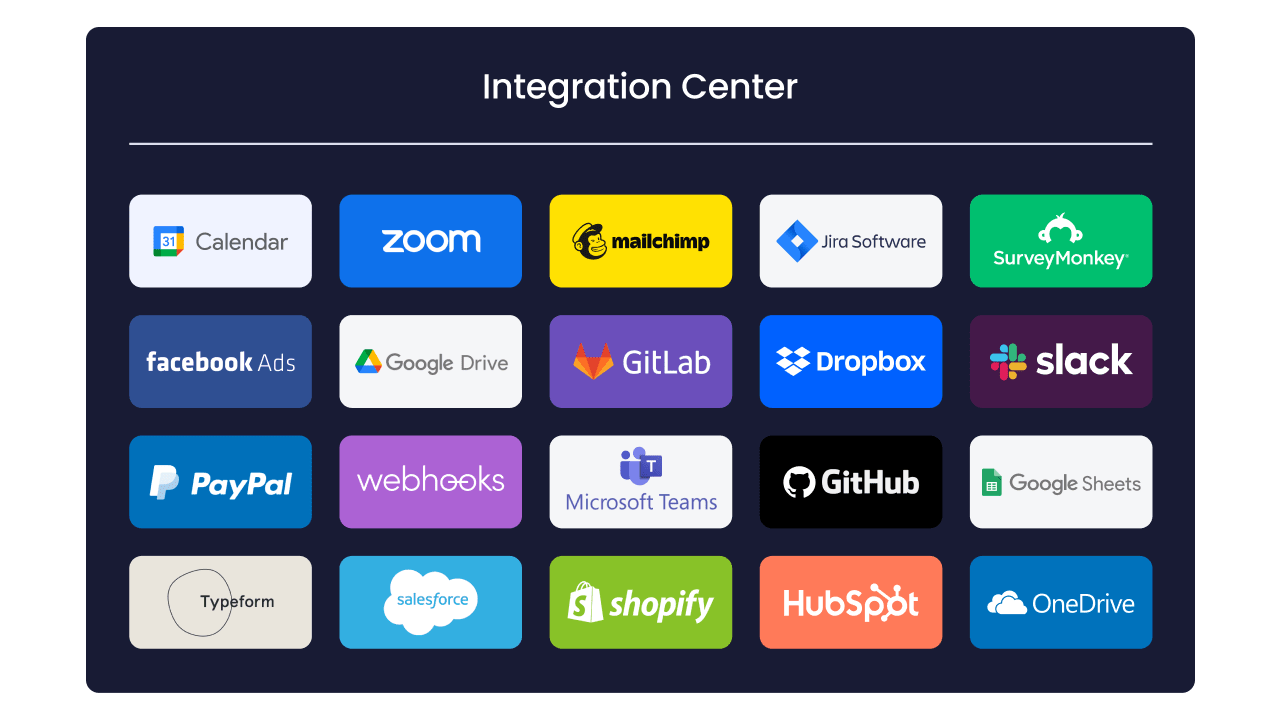
Your Agile dashboard needs to connect with your existing platforms. Essential integrations include:
- Version control: GitHub, GitLab, Bitbucket.
- Communication: Slack, Microsoft Teams, email.
- CI/CD: Jenkins, CircleCI, GitHub Actions.
Agile metrics dashboard components that matter
Effective metrics focus on outcomes, not just activity. Your dashboard should provide insights that drive data-informed decisions.
Sprint health indicators
Sprint health goes beyond simple progress tracking. Key indicators include:
- Scope creep: how much work gets added after planning?
- Blocked items: tasks stuck waiting for dependencies.
- Team capacity: whether you’re over or under-committed.
Team velocity tracking
Velocity isn’t just about story points completed. Look for trend analysis that shows:
- Consistency patterns: how predictable is your delivery?
- Seasonal variations: when your team performs best?
- Impact of changes: how process adjustments affect output?
Release planning views
Multi-sprint visibility helps you plan larger initiatives. Your dashboard should show:
- Milestone progress: how close you are to major deliverables?
- Dependency tracking: what could block your release?
- Risk indicators: early warnings about potential delays.
Portfolio-level insights
Enterprise teams need visibility across multiple projects. Portfolio dashboards aggregate data to show resource allocation, cross-team dependencies, and strategic alignment.
Platforms such as monday dev provide customizable portfolio views that roll up team-level data into executive dashboards, supporting disciplined Agile initiatives. You see the big picture without losing important details.
How to choose your Agile KPI dashboard platform
The success of a dashboard implementation hinges on selecting a platform that aligns with both current needs and future growth. These factors must be considered carefully before making a commitment:
- Evaluate team size and complexity: the platform must match the team’s scale. Small teams require simplicity and quick setup, while large enterprises demand high scalability, security, and advanced reporting capabilities.
- Plan for future scalability: switching platforms disrupts productivity; therefore, selecting a solution that can accommodate growth in users, data volume, and feature complexity over a two-year horizon is essential.
- Identify critical success metrics: stakeholder needs vary; developers prioritize velocity and cycle time, whereas executives require release frequency and business impact. According to MIT Sloan Management Review’s 2024 study, 60% of managers say their organizations need to improve KPI quality to better align these perspectives.
- Assess integration requirements: compatibility with existing systems is mandatory. Missing integrations create data silos, so listing current platforms and verifying compatibility, including API access for custom connections, is a crucial step.
- Understand platform economics: consideration must be given to how the platform handles pricing models as the organization scales, noting that some systems charge exponentially based on growth.
5 steps to set up your Scrum dashboard
Step 1: define your Agile metrics
Choose five to seven key metrics that support your improvement goals. Balance team metrics (velocity, cycle time) with business metrics (feature adoption, customer satisfaction).
Step 2: configure team workflows
Map your current process before making changes. Customize workflow stages to match how you actually work, not how you think you should work.
Step 3: customize dashboard views
Create different views for different roles. Developers need task details. Executives need trends and outcomes.
Step 4: integrate your tech stack
Connect development platforms first, then communication platforms, then business systems. Test each integration thoroughly.
Step 5: train and onboard teams
Roll out features gradually. Start with basic boards, then add automation and advanced features as teams get comfortable.
How to achieve successful dashboard implementation
Successful implementation of an Agile dashboard requires more than just technical setup; it demands adherence to specific principles that ensure the tool becomes a driver of performance, not an obstacle. Avoiding these common pitfalls is essential for achieving high adoption and value:
- Avoid information overload: too many metrics paralyze decision-making. The focus must remain on actionable insights that drive specific improvements rather than simply reporting activity.
- Prioritize team feedback: the dashboard should evolve based on user input. Conducting regular feedback sessions identifies usability issues before they become platform adoption blockers.
- Focus on business outcomes: avoid focusing on vanity metrics. Metrics must connect directly to the customer value delivered and measurable business outcomes.
- Address poor platform adoption: resistance must be addressed through clear demonstrations of benefits and gradual feature introduction. Quick wins build confidence and drive organizational acceptance.

Transform your Agile practice with monday dev
The challenges teams face with rigid platforms are solved by monday dev. The platform provides flexibility without sacrificing structure, allowing teams to incorporate Agile best practices as they mature.
Flexible workflows that scale
Create workflows that match your process exactly. Start simple and add complexity as your team matures. Build custom sprint boards with drag-and-drop functionality, configure automated status updates based on your team’s definitions of done, and design multi-stage workflows that blend Scrum, Kanban, or hybrid approaches. The platform adapts to your methodology rather than forcing you into predefined templates.
Real-time visibility without micromanaging
Managers see progress without disrupting team flow. Automated updates keep everyone informed while teams maintain autonomy. Live dashboards display sprint burndown charts, velocity trends, and cycle time metrics that refresh automatically as work progresses. Customizable widgets let you surface the exact data each stakeholder needs, from granular task details for developers to high-level release timelines for executives.
Seamless integrations with your dev stack
Connect monday dev directly to GitHub, GitLab, Bitbucket, and other version control systems to link commits and pull requests to sprint tasks. Integrate with Slack and Microsoft Teams for instant notifications without context switching. CI/CD pipeline connections from Jenkins, CircleCI, and GitHub Actions bring deployment status into your sprint view, creating a single source of truth from planning through production.
Advanced automation that eliminates busywork
Set up no-code automations that handle repetitive tasks automatically. When a pull request merges, tasks move to testing. When QA approves, items advance to deployment. Blocked tasks trigger notifications to the right team members. Time-based rules escalate overdue items or remind teams about upcoming deadlines.
These automations run in the background, freeing your team to focus on building rather than updating status.
Enterprise security and compliance
Enterprise security requirements are met by monday dev with role-based permissions, audit logs, and compliance certifications including SOC 2, ISO 27001, and GDPR. Data stays protected while teams collaborate freely. Two-factor authentication, SSO integration, and IP restrictions provide additional security layers for organizations with strict access requirements.
The content in this article is provided for informational purposes only and, to the best of monday.com’s knowledge, the information provided in this article is accurate and up-to-date at the time of publication. That said, monday.com encourages readers to verify all information directly.
Frequently asked questions
How do Agile dashboards differ from traditional project management tools?
The primary way Agile dashboards differ from traditional project management tools is by focusing on iterative development and real-time collaboration rather than sequential phases and milestone tracking. They emphasize team autonomy, continuous delivery, and adaptive planning over rigid schedules and top-down control.
Can Agile dashboards work for remote development teams?
Yes, Agile dashboards work exceptionally well for remote development teams by providing shared visibility and asynchronous communication capabilities. Remote teams use these platforms to stay aligned across time zones, share updates without constant meetings, and maintain transparency despite physical distance.
What metrics should development managers track on their Agile dashboard?
Development managers should track sprint velocity, cycle time, and team capacity utilization as core engineering metrics on their Agile dashboard. These metrics provide insights into team productivity, workflow efficiency, and resource allocation without creating pressure on individual contributors.
How do Agile dashboards handle multiple team coordination?
Agile dashboards handle multiple team coordination through portfolio views, cross-team dependency tracking, and shared milestone visibility. They enable program managers to monitor progress across teams while each team maintains their own workflow and pace, clarifying Agile roles across the organization.
Do Agile dashboards integrate with existing development tools?
Modern Agile dashboards integrate seamlessly with development tools like GitHub, GitLab, Slack, and CI/CD pipelines through APIs and pre-built connectors. This integration ensures teams can maintain their existing workflows while gaining enhanced visibility and coordination capabilities.
What is the typical learning curve for Agile dashboard adoption?
The learning curve for Agile dashboard adoption typically ranges from one to four weeks depending on team size and platform complexity. Teams familiar with Agile methodologies adapt faster, while those new to Agile practices may need additional training on both the methodology and the dashboard platform.

 Get started