


A project management pipeline lays out everything you need to know about the project progress in one place.
Similar to how a food delivery app shows you what stage your order is in, be it “order accepted,” “in the kitchen,” or “out for delivery,” a pipeline tool shows what stage your tasks or projects are in.
This clear visual guide helps project managers and team members understand project needs and work toward them.
A pipeline tool can help alleviate many organizations’ project management issues.
In 2020, only 29%of organizations completed projects on time, and 43% completed them within budget. That’s not a lot, and it shows that pipeline project management tools are a necessity in the modern workplace.
In this article, we’re going to get into what a pipeline tool is, how it helps with project management, and what features you should look out for when selecting your team’s software.
What is a pipeline tool?
A pipeline tool helps track the progress of one or more projects in a single window. The software provides an insightful overview and helps PMs plan and manage projects more efficiently.
Advanced pipeline software like monday.com lets you sort projects by dates, project status, and more.
For a straightforward project, PMs can build a pipeline in the form of a Kanban board. This board will have lists for every stage of a workflow and cards depicting tasks in each list.
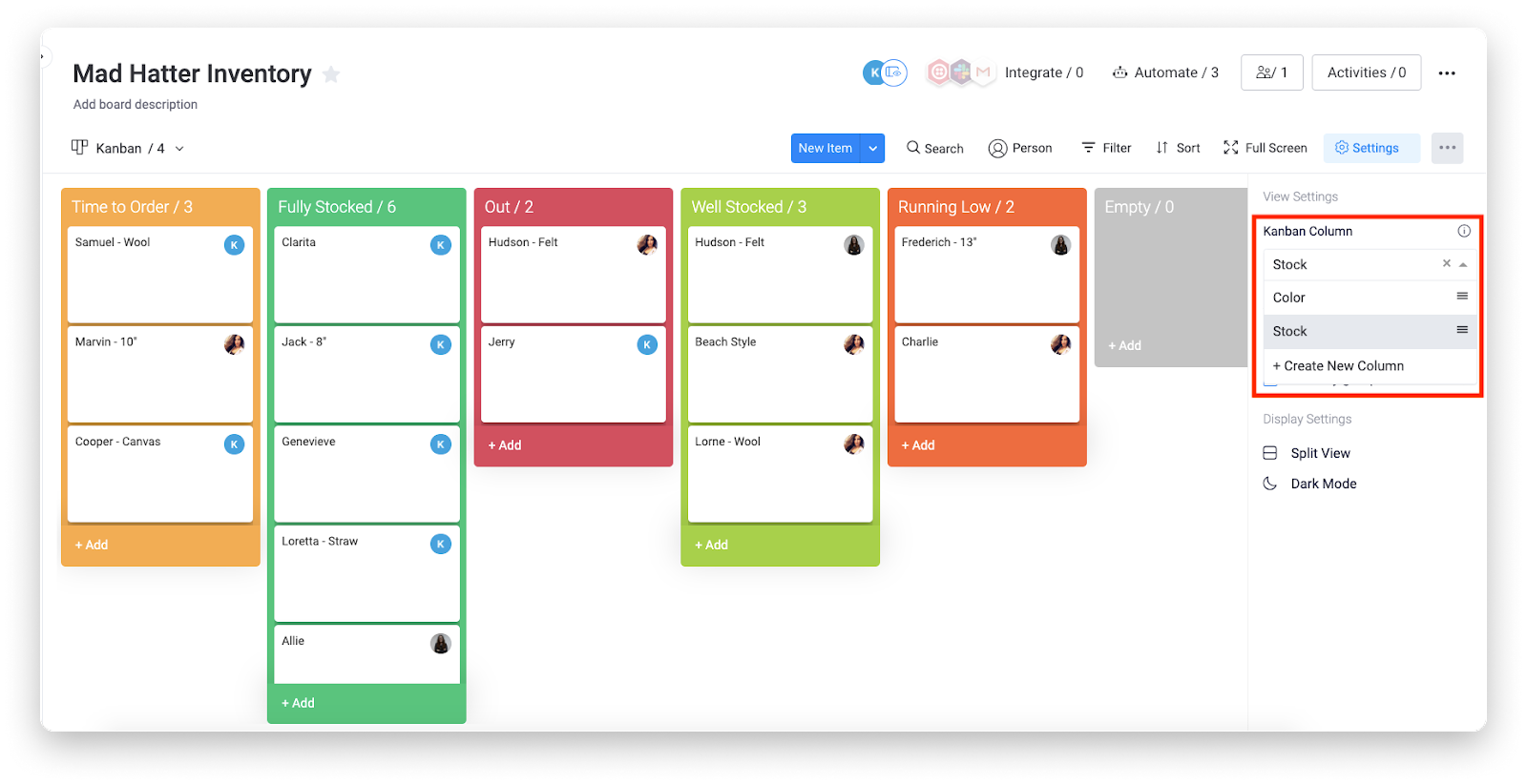
But how do PMs tackle multiple projects, each with unique parameters?
For complex projects or portfolio management, a pipeline can take the form of a detailed project board. This sales pipeline management board is an excellent example of a continuous delivery pipeline.
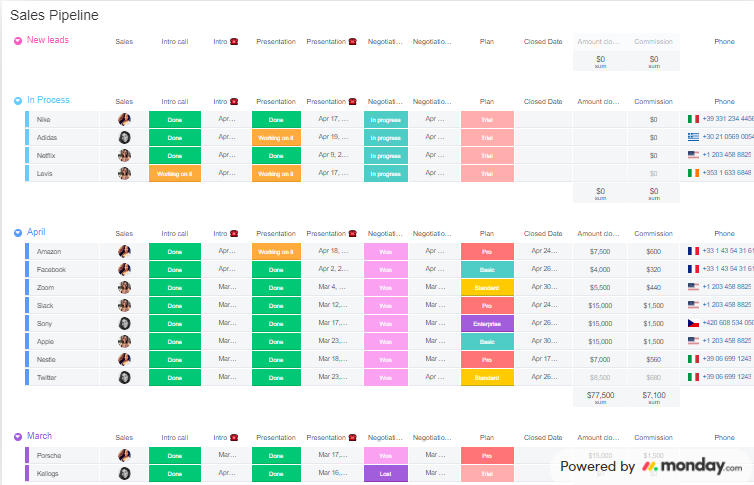
In this scenario, sales are divided by month, while the deals in-progress are top of the board. Every relevant detail, like the status of the sale, contact information, and important dates will also be indicated.
A sales manager looking at this board gets a clear picture of their team’s progress and can identify any potential delays or issues. They can also quickly edit project details by simply clicking on its bar.
A PM with a detailed overview in front of them can easily take stock of project progress and guide their team in the right direction.
They can create a continuous cycle of ideation, approval, implementation, testing, review, deployment, and completion, to boost innovation.
There are no limits to how a pipeline can be used for project management, especially with platforms like monday.com, where personalization and customization are endless.
Your pipeline can be a dynamic list, a Gantt chart-based timeline, a calendar, a chart, and more.
Whether it’s marketing, sales, software development, design, or construction, you can elevate your project management with a pipeline.
What are the benefits of using a pipeline tool for project management?
The key benefits of using pipelines for project management are:
- Project planning: when PMs know the details and timelines for all ongoing projects, planning and scheduling future projects becomes more manageable.
- Progress tracking: managers and team leads can see how far their team members have come since the beginning of the project and ensure critical milestones have been reached.
- Identify risks: a bird’s eye view of projects helps PMs identify risks and detect potential problems. They can then move things around to reduce or eliminate risks and quickly get their projects back on track using pipeline tools.
- Transparency: PMs aren’t the only ones that benefit from a pipeline. It also helps team members, stakeholders, and clients. Rather than repeated mundane status updates, sharing a screenshot or link to the pipeline with all the necessary details can be far more efficient.
- Improved communication: more transparency means better communication. With everyone on the same page, conversations are had within the context of a task or project.
What to look for in a pipeline tool
Now that you know how a pipeline can elevate project management, you’re probably looking for a pipeline tool.
To help you make the right choice, here are 5 crucial features that a competent software must have.
1. Easy-to-use interface
When multiple projects are at stake, managers don’t have days to adapt to a new tool and then implement it.
PMs must pick software that helps them hit the ground running and makes it easy to immediately add projects, details, and any other fields they need.
The interface must also allow users to edit pipeline fields quickly and easily.
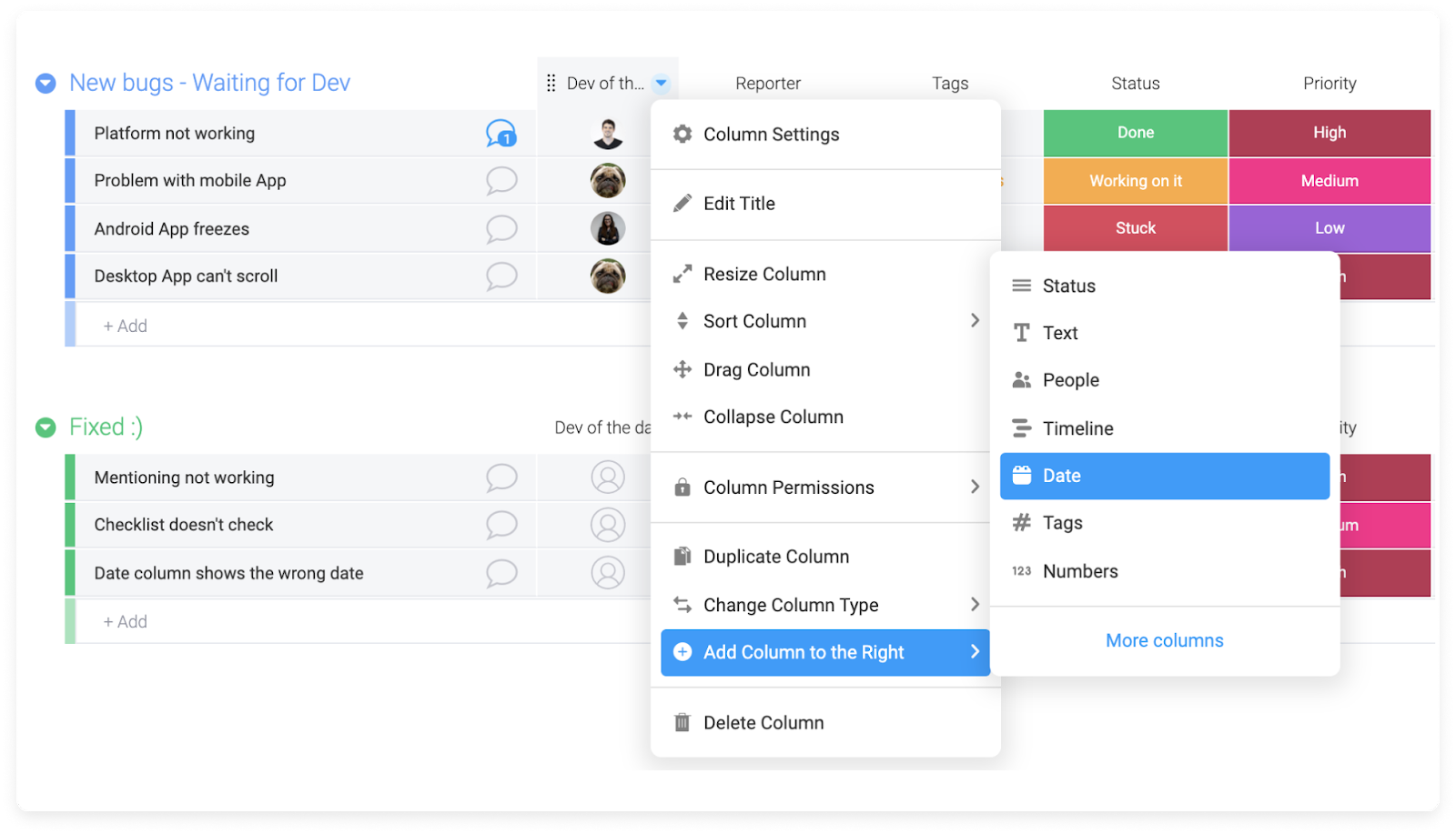
On monday.com, for example, columns and projects can be moved around using a drag-and-drop feature.
Moreover, clicking on a column shows a whole array of customization options — all of which help create a dynamic pipeline.
2. Automate pipeline functions
Automation has become a necessity for project management.
Most teams want to complete as many projects as possible, but this goal is hindered when they’re forced to handle mundane tasks every day or week.
Pipeline software like monday.com has every relevant project detail in one place and allows you to automate the entire workflow, so repetitive tasks are eliminated from the workload.
For example, you can set automation rules that notify a specific team or employee when customers move along the sales pipeline.
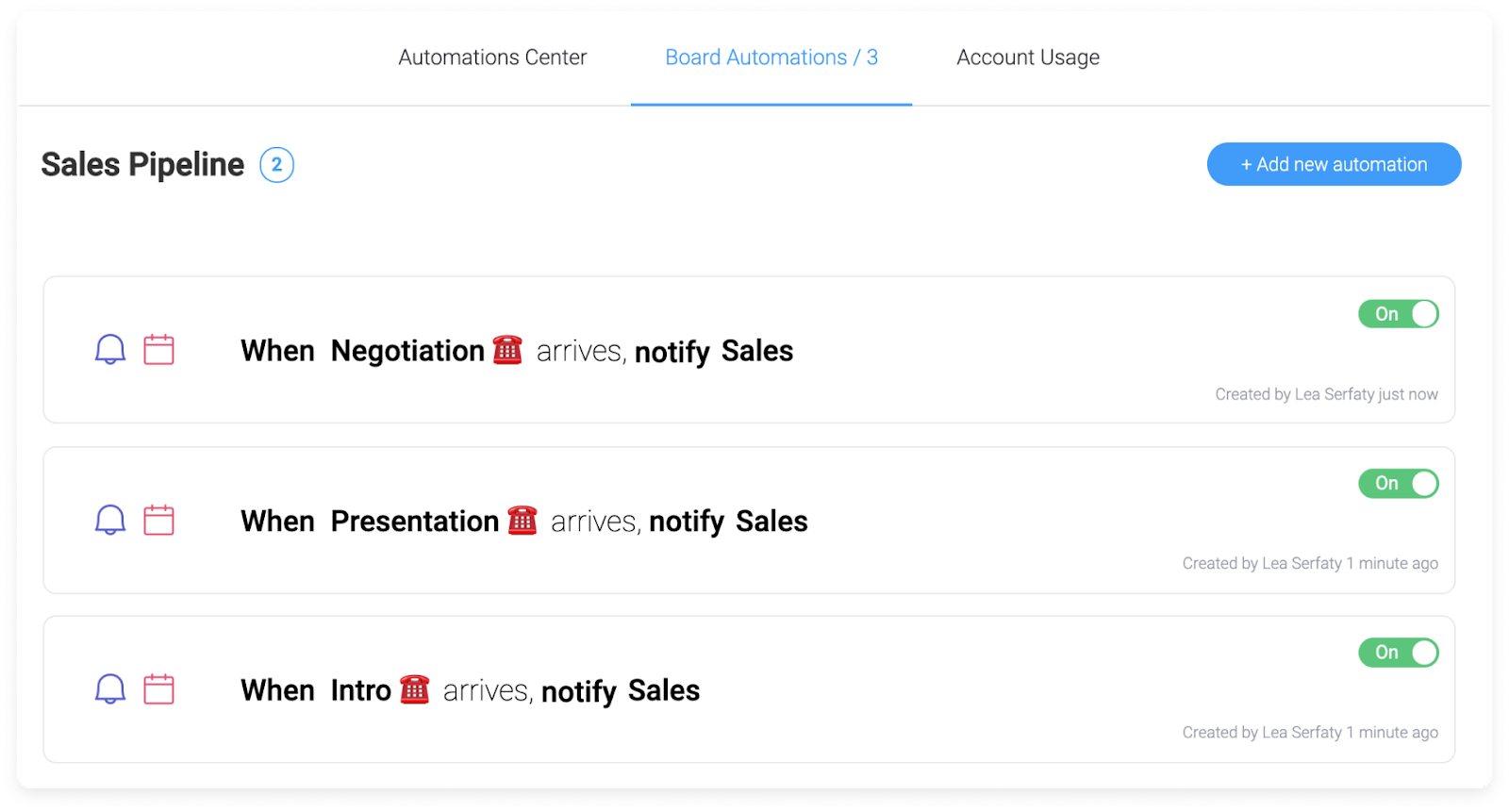
Users can build their own automation rules on monday.com, depending on their project. The platform follows a simple “if this, then that” logic.
3. Task management
This one’s a bit obvious.
Your pipeline software must also enable comprehensive project and task management.
Just listing projects in a pipeline isn’t enough. You need software that makes gathering and editing pipeline assets a breeze rather than a complicated procedure.
On monday.com, you can just click on a project within the pipeline to see and change all the details.
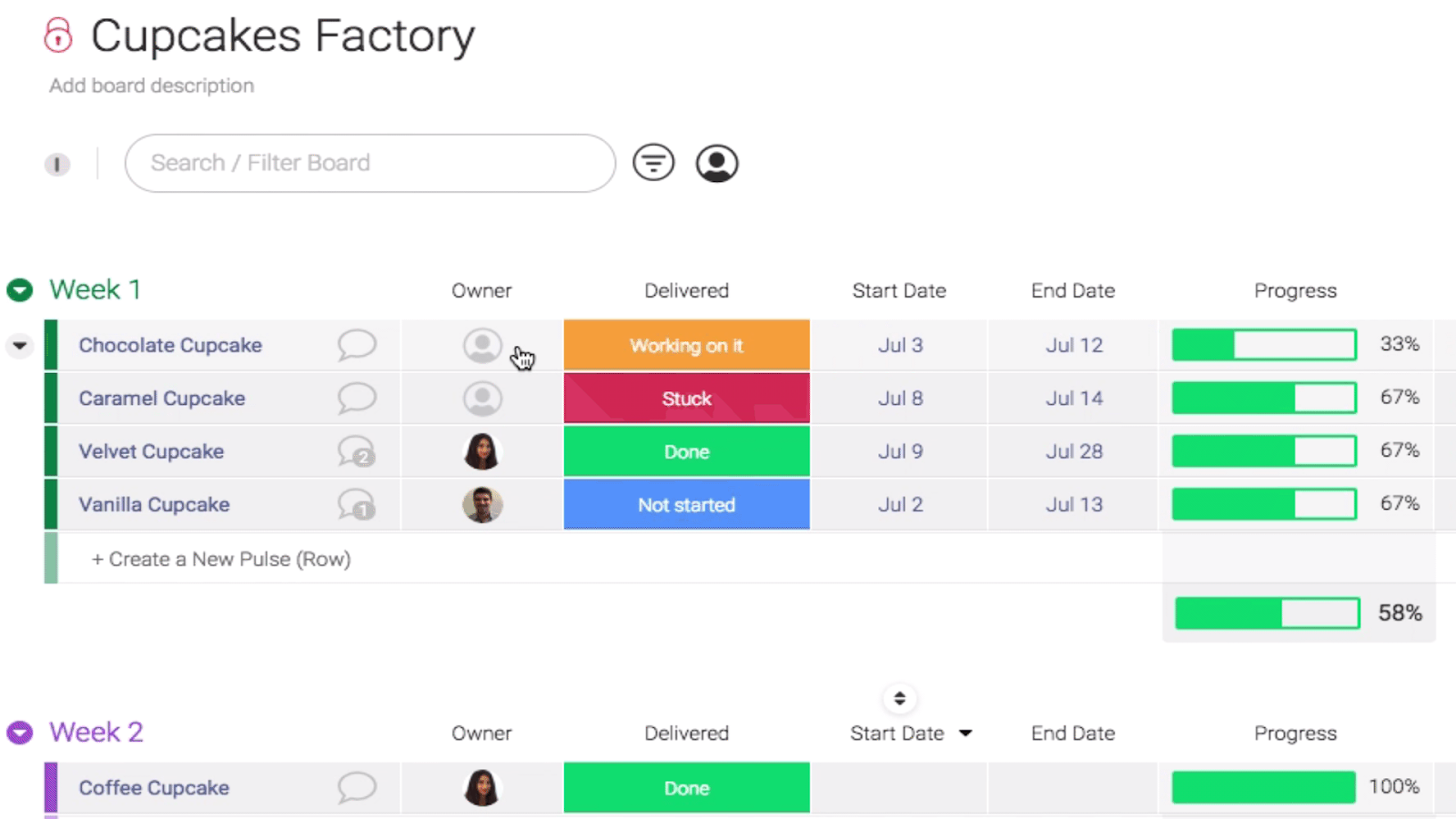
Users also have a vast array of task management features at their disposal.
For example, they can leave in-task comments for better collaboration.
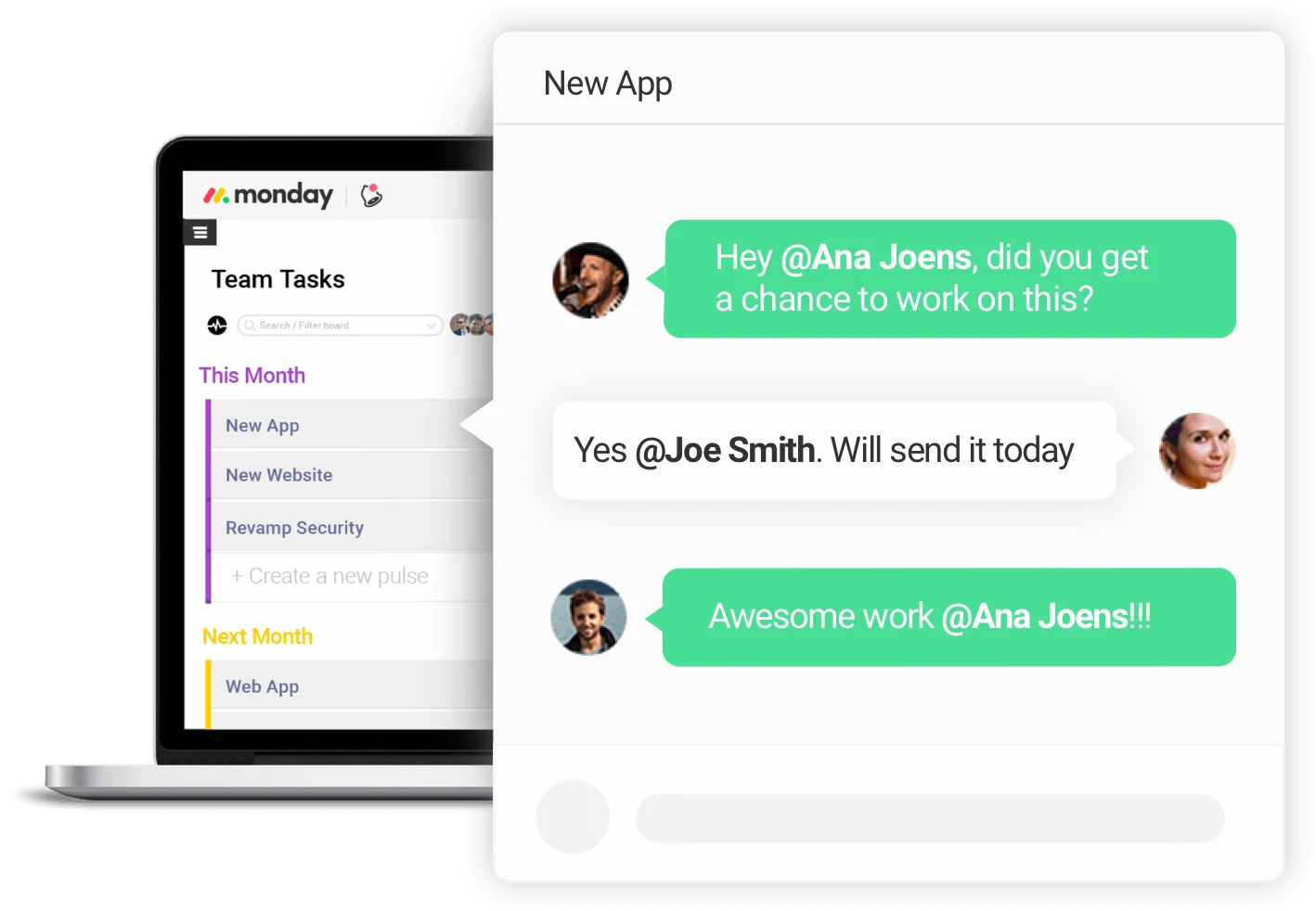
monday.com’s never-ending list of work management features ensures PMs can handle multiple projects in a pipeline all at once, without breaking a sweat.
4. Track progress
The primary purpose of pipeline tools is to track projects and manage the portfolio.
A project tracker that requires too much time or is too complicated to handle can be a burden. You’ll waste so much time navigating the platform that you will ultimately lose focus.
monday.com tackles this by providing a Dashboard. A Dashboard is a window that can have widgets to track work, resources, and budgets.
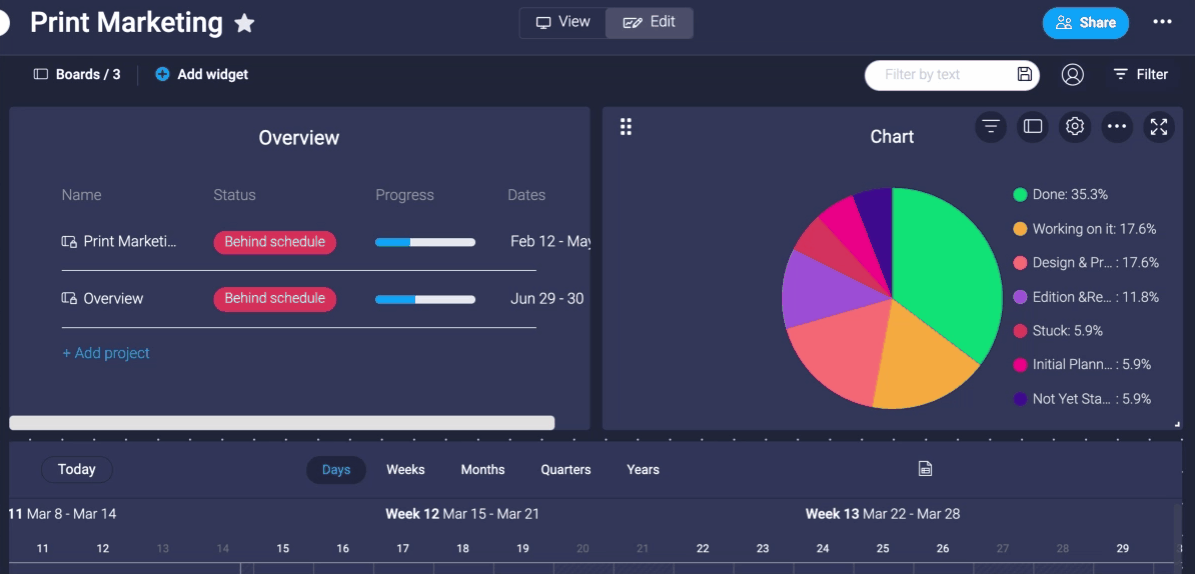
Users can add 15 types of widgets to their monday.com Dashboard. They can then select the project boards they want to track through the interface. PMs can easily review everything from budget estimates to team member workload times using these helpful widgets.
A detailed visual overview, like the one pictured above, makes pipeline management effortless. PMs can click on widgets for more information and deep dive into project boards for an in-depth look.
5. Integrations
A pipeline tool is just one piece of the project management puzzle.
You need multiple tools to keep your team and their work aligned, including chat apps, emails, CRMs, social platforms, cloud file-sharing tools, and more.
Rather than investing separately in standalone pipeline tools and other third-party software, choose a dynamic Work OS like monday.com, where every feature you need is in a centralized workspace.
monday.com can be integrated with tons of third-party apps. Easy integration means your entire workspace is on one platform.
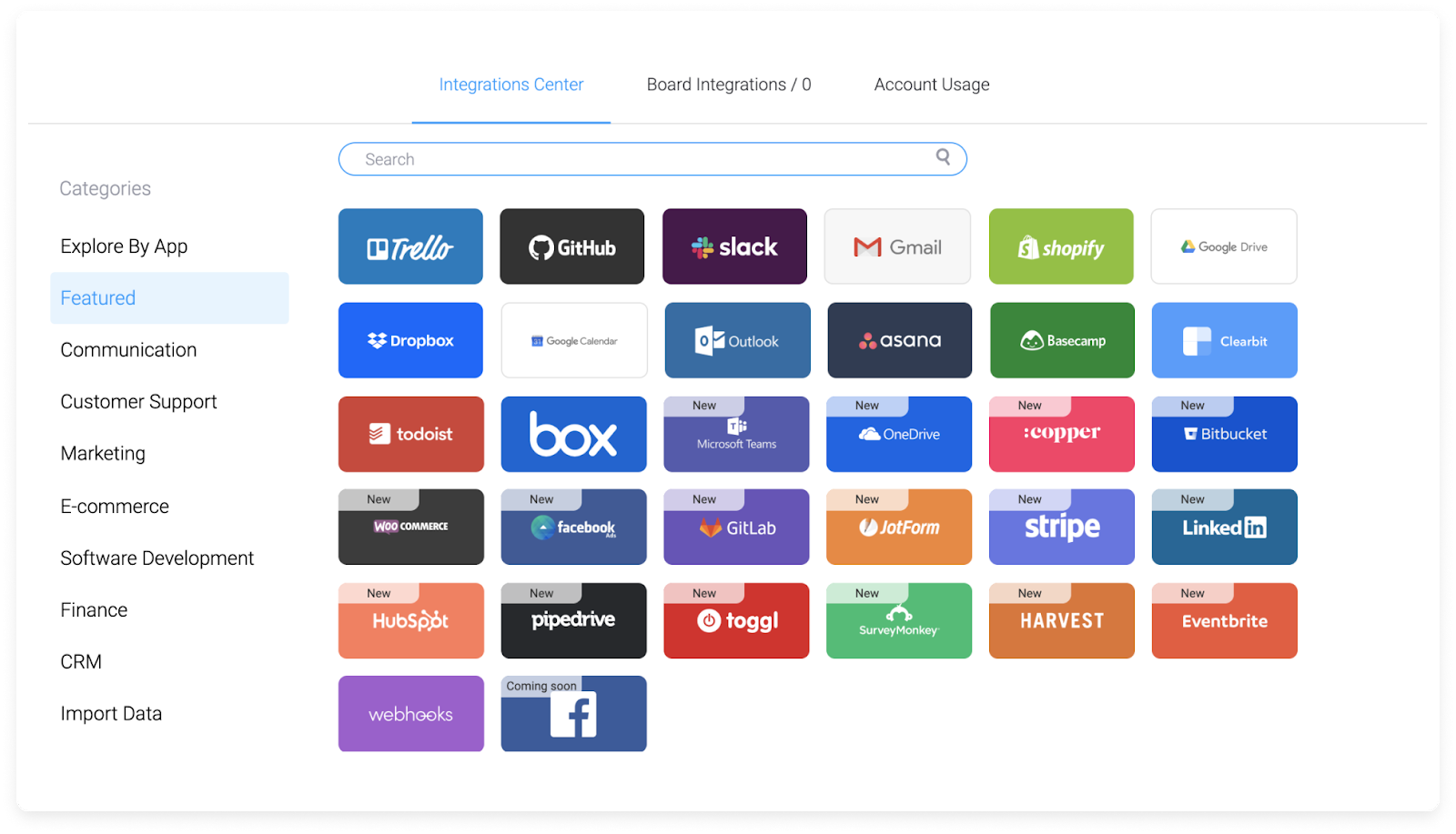
You can use monday.com’s integrations with development tools, or to import existing project data into the new workspace, communicate better with your team, and so on.
With good integrations, the functionalities of monday.com are endless.
Why monday.com is the best pipeline creator for you
If you haven’t figured out where we were going with this, let’s make it clear — monday.com is the best pipeline software for you.
Here’s why.
As mentioned above, monday.com is much more than a pipeline tool. It’s a complete Work OS where you can manage all your team’s projects at the same time from a single centralized location..
PMs don’t need to build pipelines on one tool and then use another to manage project- or task-related functions. They can do it all and much more with monday.com, without breaking their wallet.
monday.com offers:
- Hundreds of project templates across different fields
- A minimal yet dynamic interface that is suitable for both rookies and experts
- Comprehensive project and task management
- Collaboration features to keep your team engaged
- Endless automation
- Easy integration
Those are just some of monday.com’s functionalities. Whether you want to build a pipeline for Agile project management, a sales pipeline, a marketing one, or any other field, monday.com has your back!
To make the most of the behemoth that is monday.com, you can sign up for a 2-week free trial of the platform and then pick from 4 reasonably-priced packages.
What are you waiting for?
Pipeline tools can significantly improve project management, but it is vital to pick the right one.
After reading everything we’ve listed above, it should be easy to see that monday.com is the cream of the crop when it comes to project management.
To get a feel of the platform’s pipeline features, you can explore our sales pipeline template.

 Get started