

Your project management platform works fine until your organization starts stretching in new directions. A marketing campaign needs to roll into revenue reporting. A product launch spans three departments. Leadership wants visibility without chasing updates.
Automations need constant maintenance. Resource plans rely on guesswork instead of real availability. Data lives in disconnected tools, forcing teams to reconcile information by hand. These aren’t minor annoyances. They slow execution, limit visibility, and make growth harder than it should be.
Choosing a Teamwork alternative isn’t about finding more features. It’s about finding a system that can handle cross-functional complexity today and scale without friction tomorrow. Can it connect workflows across teams? Does it integrate cleanly with your tech stack? Will leaders actually see what’s happening in real time?
This guide compares 15 Teamwork alternatives based on what drives real business impact in 2026: AI and automation, resource management, enterprise readiness, and integration depth
Key takeaways
- Scaling exposes weak platforms: Teamwork alternatives become necessary when cross-functional work, reporting, and integrations start breaking under growth.
- AI separates modern platforms from legacy tools: the best alternatives use AI to reduce manual triage, flag risks early, and support smarter planning.
- Resource management matters more than task tracking: visibility into capacity, skills, and workloads prevents burnout and missed deadlines.
- Integrations define long-term success: platforms must support deep, two-way data flows across your core marketing, finance, and delivery systems.
- monday work management supports enterprise-scale work: flexible workflows, built-in AI, and portfolio visibility make it a strong option for organizations moving beyond basic project tracking.
Why teams need Teamwork alternatives in 2026
Work platforms must now be more than digital to-do lists. By 2026, teams expect a central nervous system for the enterprise: something that connects high-level strategy to ground-level execution. Business gets more complex every quarter. Your systems might work today, but can they keep up?
Growing organizations switch platforms when specific bottlenecks start costing them time and money. These bottlenecks show up the moment you try scaling cross-functional work. Growing organizations switch platforms when specific bottlenecks start costing them time and money.
- Manual automation gaps: “intelligent” features that still require heavy manual configuration and constant human oversight.
- Rigid resource allocation: difficulty balancing workloads or assigning tasks based on actual skills and real-time availability.
- Growth ceilings: performance lags and visibility black holes that appear the moment new departments join the system.
- Data isolation: a lack of deep, two-way integrations, leaving critical information trapped in siloed applications.
These gaps directly delay delivery and kill visibility. They delay delivery and kill visibility.
Limited AI and automation capabilities
Static automation rules don’t cut it anymore. Teams require AI that acts as a proactive partner rather than a passive tool. What if your platform flagged risks before deadlines slipped or matched the right people to new projects automatically? Without this level of intelligence, teams remain stuck in a reactive cycle.
This traps project managers in constant damage control mode. Instead of planning ahead, they’re putting out fires and pulling top talent off important work to handle admin chaos.
Resource management constraints
Balancing complex portfolios requires more than guesswork. When a platform lacks sophisticated workload balancing or skill-based assignment features, managers inevitably revert to manual spreadsheets to track bandwidth.
This manual reconciliation is a productivity killer. It slows decisions and pushes deadlines. Managers get buried in admin work trying to prevent burnout instead of doing strategy or developing their teams.
Scaling challenges for growing teams
Your software should help you grow, not punish you for it. Once you’re past a few departments, you need portfolio-level visibility and workflows that stay consistent but flex when needed. Without these capabilities, reporting turns into manual drudgery and leadership can’t see the full picture.
Not seeing what’s happening costs you. When executives can’t see progress and capacity in real time, resource allocation turns into guesswork.
Integration ecosystem gaps
Siloed data kills decision-making speed. Your work management platform must act as the connective tissue for your entire tech stack, not an island. One-way connections don’t cut it. Teams need deep integrations that let data flow between tools like HubSpot, Tableau, and NetSuite.
Without these connections, teams waste hours moving data manually, creating errors and breaking information into silos. Instead of one source of truth, you get disconnected data pockets that slow down decisions.

15 Teamwork alternatives for unifying your organization
Selecting a work management platform is about building an operating system for your business, not just tracking projects. The ideal solution must match your organizational complexity, integrate seamlessly with your current stack, and accommodate future growth. We have analyzed the top alternatives based on their capacity to unify workflows, leverage AI, and support enterprise-scale needs.
The following list spans a spectrum of solutions, from visually driven interfaces to platforms engineered for deep automation and security. Whether you need to orchestrate complex client deliverables or manage cross-departmental strategies, you will find an option tailored to your specific operational style.
1. monday work management
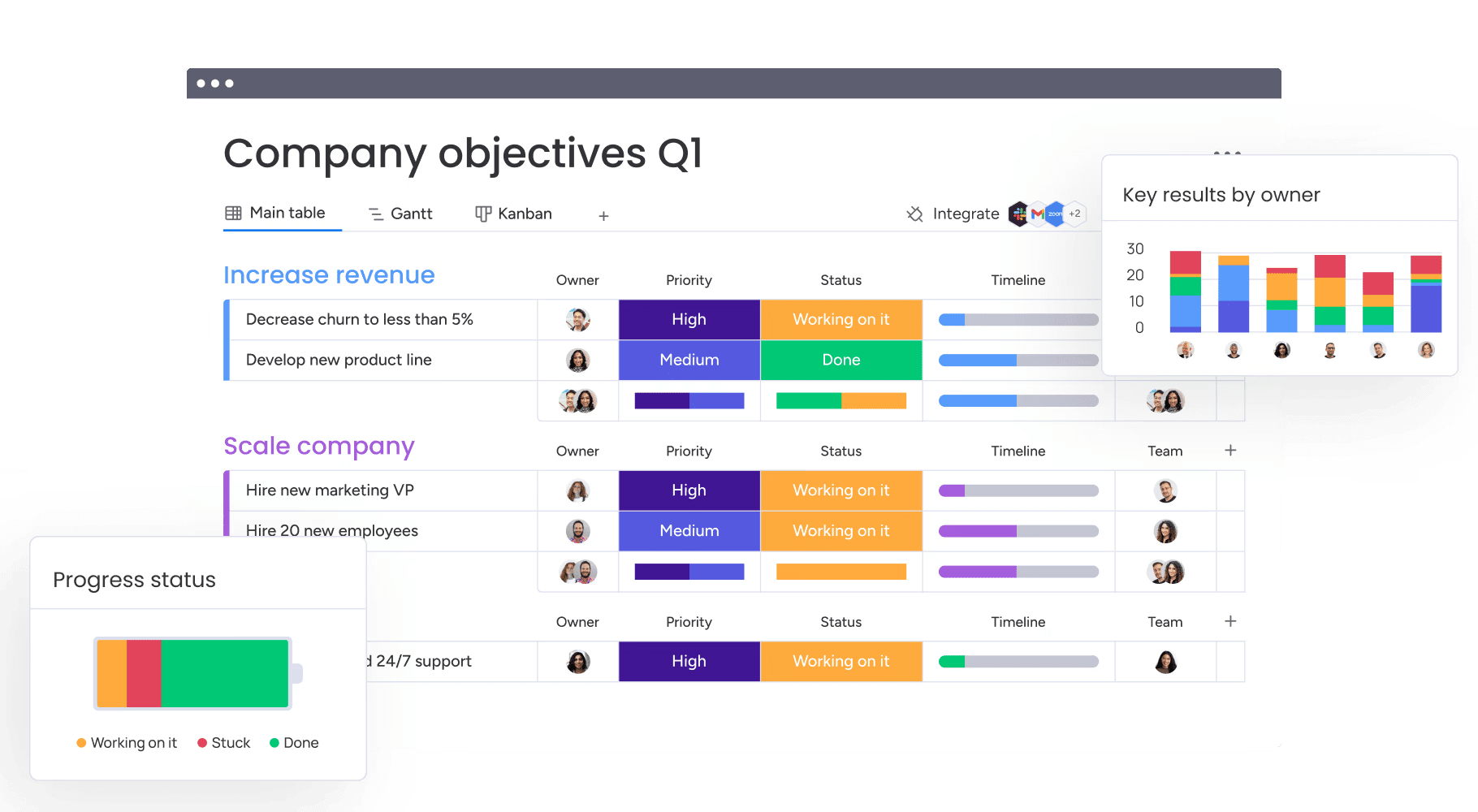
By unifying planning, execution, and reporting, monday work management eliminates the chaos of scattered tasks. It is engineered for mid-to-large organizations that demand flexibility without sacrificing governance, particularly when workflows span diverse functions like marketing, PMO, HR, and finance.
Rather than imposing a rigid structure, the platform utilizes configurable building blocks — boards, columns, and views. This allows each department to tailor their environment to their specific needs while ensuring leaders maintain consistent, high-level reporting across all initiatives.

Use case:
Organizations achieve portfolio-level visibility by linking projects, intake, and reporting, utilizing AI and automation to minimize manual oversight. This allows leaders to shift focus from chasing updates to making decisions based on live, shareable data.
Key features:
To truly replace Teamwork, a platform must unify planning, execution, and reporting. monday work management integrates these essentials with features that serve both frontline teams and executive stakeholders.
- Project views and scheduling: over 15 customizable views, including Gantt, Kanban, Calendar, and Timeline, allowing teams to visualize work their way.
- PMO-grade project controls: essential tools for complex delivery, including dependencies, baselines, critical path, milestones, and time tracking.
- Dashboards & reporting: comprehensive reporting that simplifies sharing progress, budgets, workloads, and risks with key stakeholders.
- Intake and governance: forms and approval workflows bring structure to requests, reducing back-and-forth and keeping intake consistent across teams.
- Automations and templates: accelerate workflows with templated boards, automated reminders, and approval notifications.
- AI built into where work happens: AI Blocks and AI Automations allow users to categorize, summarize, translate, and extract information directly within their boards.
Pricing:
- Free: $0 (up to two seats).
- Basic: $9/seat/month (billed annually).
- Standard: $12/seat/month (billed annually).
- Pro: $19/seat/month (billed annually).
- Enterprise: custom pricing.
- Annual billing saves 18%.
- Volume discounts available for 40+ users.
Advanced AI features:
AI is most effective when embedded in the workflow rather than existing as a separate tool. monday work management integrates practical AI actions into boards and automations, reducing manual effort while maintaining human oversight.
- AI Blocks for high-volume work: scale operations by categorizing requests, summarizing updates, translating text, and detecting sentiment in feedback.
- Extract information with AI: automatically pull structured data from PDFs, images, and Office docs directly into board columns.
- Autofill with AI: users can trigger AI actions from column menus, applying intelligence without altering the workflow structure.
- AI Templates: pre-built templates connect AI-powered columns, allowing teams to deploy intelligent workflows immediately.
- Digital Workforce (coming soon): solutions like Project Analyzer will monitor projects in real-time, identifying bottlenecks and suggesting corrective actions.
Automations:
Automation should reinforce ownership and keep processes moving. monday work management enables no-code automations that can be built on boards and standardized across the organization.
- Automation center: create and manage rules via the Automate button, utilizing templates or custom logic.
- Approvals and reminders: automatically trigger approval requests and notifications based on status updates or deadlines.
- Templated project boards: standardize boards and workflows to launch repeatable projects faster.
Integrations:
A viable Teamwork alternative must coexist with your current tech stack. monday work management integrates with the tools teams use daily, ensuring updates remain synchronized with the work.
- 200+ integrations: native connections to Microsoft Teams, Slack, Gmail, Outlook, Zoom, Google Drive, and Jira Cloud.
- Open API: facilitates custom connections to internal systems where native integrations aren’t available.
- Board-connected collaboration: links boards to Microsoft Teams and Slack channels, bringing conversation directly into the workflow.
Teamwork alternative features:
Replacing Teamwork typically involves solving for cross-functional visibility, consistent intake, and reliable execution. monday work management addresses these needs with features built for complex environments.
- Portfolio visibility that scales: connect projects and report across initiatives without mandating a single workflow format for every team.
- Structured intake and approvals: use Forms to standardize requests and automated notifications to keep approvals flowing.
- AI you can govern: administrators retain control over AI features, ensuring they respect existing permissions and security policies.
Why it stands out:
Platform selection is a long-term commitment, making credibility essential. monday work management combines flexibility with industry recognition that resonates with executive leadership.
- Recognized by Gartner: named a Leader in the 2025 Gartner® Magic Quadrant™ for Collaborative Work Management and Adaptive Project Management and Reporting.
- Documented time-to-value: Forrester Total Economic Impact™ research indicates a payback period of under 4 months and potential 346% ROI.
- High adoption, by design: the platform prioritizes an intuitive user experience, driving consistent data entry and reliable reporting at scale.
2. Asana
The Work Graph architecture is Asana’s answer to disconnected workflows, linking goals, projects, and people in a single unified system. It excels at bridging the gap between strategic objectives and daily tasks, making it a strong contender for cross-functional teams handling complex portfolios. Enterprise organizations frequently leverage Asana’s sophisticated automation and AI to scale processes across multiple departments.

Use case:
Marketing and product teams juggling 20-50 concurrent projects find the most value here, particularly when clear alignment between goals and execution is a priority.
Key features:
- Work Graph data model: automatically tracks progress by unifying goals, portfolios, projects, and tasks.
- AI Studio and Smart Workflows: offers no-code AI workflow design, prebuilt templates, and emerging AI Teammates.
- Enterprise governance: Workflow Bundles allow for standardized processes, advanced permissions, and compliance controls.
Pricing:
- Personal: free (up to two users).
- Starter: $10.99/month per user (billed annually).
- Advanced: $24.99/month per user (billed annually).
- Enterprise and Enterprise+: custom pricing.
- AI Studio Plus add-on: $135/account/month.
- Annual billing discounts available.
Considerations:
- Advanced workflows and enterprise features come with a steeper learning curve.
- Premium governance controls are often gated behind upper-tier plans, pushing costs toward Enterprise pricing.
3. ClickUp
For operations teams tired of managing too many applications, ClickUp offers a massive consolidation play. By combining project management, docs, time tracking, and chat, it aims to replace multiple apps with one highly customizable platform. This all-in-one philosophy appeals to teams willing to navigate configuration complexity in exchange for a tailored environment.

Use case:
Organizations managing diverse project types—from agile dev to event planning — use ClickUp to merge five to eight separate tools into a single system.
Key features:
- Comprehensive view options: over 15 visualization formats, including Gantt, Kanban, and Workload views.
- Native AI integration: ClickUp Brain assists across tasks, docs, and chat, with optional AI agent capabilities.
- Extensive automation: over 200 pre-built recipes supporting high-volume actions on Enterprise plans.
Pricing:
- Free Forever: core features, 60MB storage.
- Unlimited: $7/month per user (billed yearly).
- Business: $12/month per user (billed yearly).
- Enterprise: custom pricing.
- AI add-ons: Brain AI ($9/month/user) or Everything AI ($28/month/user).
Considerations:
- The sheer density of features can overwhelm new users.
- Heavily customized workspaces may experience performance slowdowns.
4. Wrike
Regulated industries requiring strict audit trails often turn to Wrike. It delivers enterprise-grade management with a focus on sophisticated resource planning and compliance controls. Recognized as a Gartner Magic Quadrant Leader, Wrike balances configurability with the security demands of large-scale operations.

Use case:
Financial services, healthcare, and manufacturing sectors use Wrike for complex project oversight involving 200+ users and strict compliance needs.
Key features:
- Configurable workflows: custom item types model domain-specific processes.
- Advanced resource management: detailed workload balancing and capacity planning.
- Enterprise security: SOC 2 Type II certification, customer-managed keys, and data residency options.
Pricing:
- Free: basic features.
- Team: $10/user/month (billed annually).
- Business: $25/user/month (billed annually).
- Pinnacle/Apex: custom pricing.
- Various add-ons available for custom pricing.
Considerations:
- Complex interface setup can lead to a steep learning curve.
- Mobile functionality is limited compared to the desktop experience.
5. Smartsheet
If your team thinks in grids but needs enterprise governance, Smartsheet bridges that gap. It transforms the familiarity of spreadsheets into a robust work management tool, ideal for operations teams and analysts. With FedRAMP authorization, it brings spreadsheet flexibility into secure, compliant environments.

Use case:
Operations teams and program managers use Smartsheet to manage structured workflows involving extensive data tracking as well as complex calculations.
Key features:
- Portfolio orchestration: control Center automates project provisioning at scale.
- Governed external collaboration: dynamic View shares data securely without exposing source sheets.
- Enterprise compliance: Supports SOC 2, HIPAA, and FedRAMP Moderate.
Pricing:
- Pro/Business: contact for pricing.
- Enterprise: quote-based.
- Advanced Work Management: quote-based bundle.
- Free plan: limited legacy option.
Considerations:
- Sheet capacity limits may require complex workarounds for massive datasets.
- Cross-region data migration is not natively supported.
6. Trello
Simplicity drives Trello’s Kanban-first approach. By prioritizing visual boards, lists, and cards, it offers a digital whiteboard experience that is easy to adopt. Backed by Atlassian, it serves teams that need straightforward coordination without the weight of complex features.

Use case:
Small to mid-sized teams (5-30 people) managing clear-cut projects like content calendars or simple workflows.
Key features:
- Multiple views: Timeline, Calendar, Table, and Map views supplement the core Kanban board.
- Butler automation: streamlines recurring tasks with unlimited runs on Premium plans.
- Card mirroring: updates sync across boards to maintain visibility without duplication.
Pricing:
- Free: up to ten collaborators.
- Standard: $5/user/month (annual).
- Premium: $10/user/month (annual).
- Enterprise: $17.50/user/month (annual).
Considerations:
- Advanced planning views are locked behind paid plans.
- Performance can lag on boards with thousands of active cards.
7. Microsoft Teams
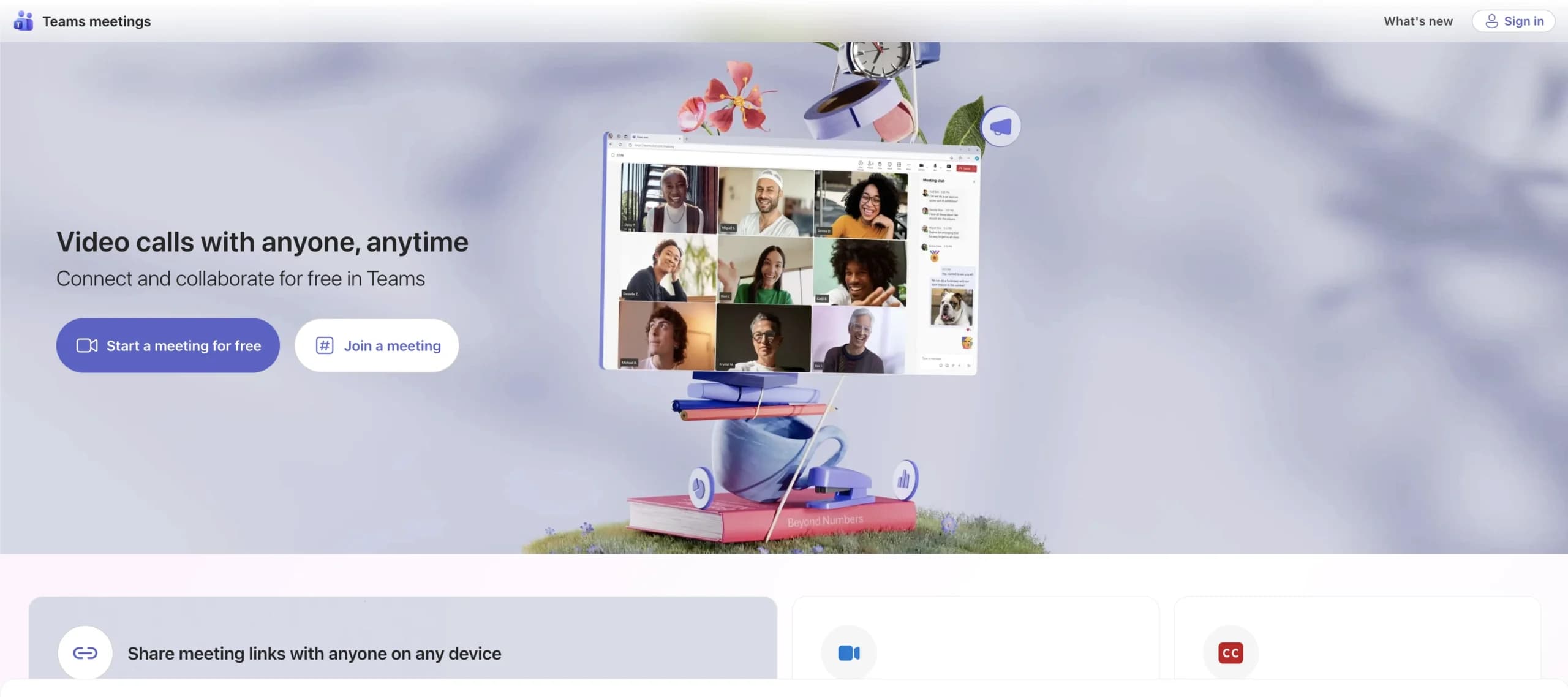
For organizations already living in the Microsoft 365 ecosystem, Teams removes the friction of switching apps. It merges communication with work management, allowing projects to live directly within channels, meetings, and shared files.
Use case:
Companies deeply embedded in Microsoft infrastructure use Teams to unify communication and execution in a single interface.
Key features:
- Unified task hub: consolidates To Do, Planner, and Project tasks.
- Native M365 integration: seamless collaboration on Word, Excel, and SharePoint files.
- Built-in workflows: approvals and frontline scheduling via Shifts.
Pricing:
- Teams Essentials: $4.00/month per user.
- Business Basic/Standard/Premium: $6.00 – $22.00/month per user.
- Enterprise E3/E5: $36.00 – $57.00/month per user.
- Planner Plans: Additional cost for advanced features.
Considerations:
- Premium project features require extra licensing.
- Government cloud updates may lag behind commercial releases.
8. Zoho Projects
Zoho Projects links execution directly to billing. As part of the broader Zoho suite, it combines traditional project controls with hybrid Agile tools, offering a cost-effective solution for organizations already using Zoho for CRM or finance.

Use case:
Small to mid-market firms using Zoho applications that need integrated project management without the enterprise price tag.
Key features:
- Blueprint automation: visual process design with strict business rules.
- Hybrid management: integration with Zoho Sprints for mixed methodologies.
- Integrated billing: time tracking connects directly to Zoho Books.
Pricing:
- Free: up to five users.
- Premium: $4/user/month (annual).
- Enterprise: $9/user/month (annual).
- Projects Plus: $16/user/month (bundle).
Considerations:
- Interface usability can be a friction point for some users.
- Third-party integrations are less extensive than market leaders.
9. Bitrix24
Flat-rate pricing sets Bitrix24 apart. It consolidates CRM, project management, and collaboration into a single workspace, eliminating per-user fees. This model is particularly attractive for growing teams that need a broad feature set without escalating costs.

Use case:
Ideal for small businesses (10-50 employees) seeking to unify operations under one fixed monthly cost.
Key features:
- Multiple views: Kanban, Gantt, Scrum, and Calendar with built-in communication tools.
- CRM integration: sales pipeline and contact center features included.
- AI CoPilot: Voice-to-task conversion and automated summaries.
Pricing:
- Free: unlimited users, 5 GB storage.
- Basic: $49/month (five users).
- Standard: $99/month (50 users).
- Professional: $199/month (100 users).
- Enterprise: tiered pricing.
Considerations:
- The extensive feature set creates a steep learning curve.
- Support options are limited on lower-tier plans.
10. Productive
Agencies need to track more than just tasks; they need to track margins. Productive is built specifically for professional services, unifying project profitability, resource planning, and client management. It provides real-time visibility into billable hours and project financials.

Use case:
Marketing agencies and consultancies that require detailed profitability tracking and resource utilization analysis.
Key features:
- Profitability tracking: real-time budget-to-actual comparisons.
- Resource planner: visual capacity indicators and time-tracking suggestions.
- Integrated financials: invoicing and rate card management.
Pricing:
- Essential: $9/user/month (annual).
- Professional: $24/user/month (annual).
- Ultimate: $32/user/month (annual).
Considerations:
- Advanced reporting features are reserved for the highest tier.
- Initial setup can be complex due to the depth of financial features.
11. Nifty
Context switching kills productivity, a problem Nifty solves by consolidating project management and communication. It emphasizes milestone-driven automation and client collaboration, creating a centralized workspace for distributed teams and agencies.
Use case:
Digital agencies use Nifty to keep project discussions, docs, and progress tracking in one place, leveraging unlimited guest access.
Key features:
- Milestone roadmaps: automatic progress updates linked to task completion.
- Built-in discussions: workspace messaging reduces reliance on external chat apps.
- File proofing: converts feedback directly into actionable tasks.
Pricing:
- Free: unlimited members, two projects.
- Personal: $7/member/month.
- Business: $16/member/month.
- Enterprise: contact sales.
Considerations:
- Performance issues and limited customization have been reported.
- Guest users cannot track time, impacting billing accuracy.
12. ProofHub
Creative workflows often get stuck in review cycles. ProofHub addresses this with robust proofing and approval tools, offering a flat-rate pricing model that supports unlimited users. This makes it a strong choice for design teams and agencies managing complex feedback loops.

Use case:
Creative agencies and design studios needing extensive file review processes and version control.
Key features:
- Proofing tools: markup capabilities and external review links.
- Multiple views: Kanban, Gantt, Table, and Calendar.
- Resource management: integrated time tracking and workload reporting.
Pricing:
- Essential: $45/month (annual).
- Ultimate Control: $89/month (annual).
Considerations:
- Third-party integrations are limited compared to larger platforms.
- Lacks an advanced conditional automation builder.
13. Podio
Standard templates don’t fit every business. Podio allows teams to build their own apps and workflows from scratch, offering a no-code database approach. Now backed by Progress Software, it provides the flexibility to construct mini-systems tailored to unique operational needs.

Use case:
Organizations with highly specialized processes that require custom app development.
Key features:
- Custom app builder: drag-and-drop creation with relational data linking.
- Advanced automation: high-volume workflow automation on Premium plans.
- Client access: unlimited external users with granular permissions.
Pricing:
- Free: up to five employees.
- Plus: $11.20/user/month (annual).
- Premium: $19.20/user/month (annual).
- Enterprise: custom pricing.
Considerations:
- Building custom apps requires a significant time investment and learning curve.
- The interface is often perceived as dated compared to modern competitors.
14. Freedcamp
Budget constraints shouldn’t mean sacrificing core project management tools. Freedcamp offers a robust free tier with unlimited users and projects, making it a go-to for nonprofits and startups. Its modular design allows teams to add features as they grow without immediate cost pressure.

Use case:
Nonprofits, schools, and small teams needing solid functionality without per-user costs.
Key features:
- Task views: List, Kanban, Table, and Gantt with auto-scheduling.
- Storage: unlimited file storage with versioning.
- Email workflows: seamless task creation via Gmail and Outlook.
Pricing:
- Free: unlimited users/projects.
- Pro: $1.49/user/month (annual).
- Business: $7.49/user/month (annual).
- Enterprise: $16.99/user/month (annual).
Considerations:
- Advanced features like Gantt charts are gated behind paid tiers.
- The interface and mobile app can feel less polished than premium alternatives.
15. Bonsai Agency Software
From the first proposal to the final invoice, Bonsai manages the entire client lifecycle. It unifies CRM, project delivery, and financial management, helping agencies and freelancers eliminate tool sprawl. With embedded payments and resource planning, it streamlines the business side of creative work.

Use case:
Agencies and freelancers looking to manage business development, execution, and billing in one place.
Key features:
- End-to-end workflow: seamless flow from proposal to payment.
- Resource management: capacity planning and utilization tracking.
- Client portal: branded access for approvals and document sharing.
Pricing:
- Basic: $9/month (annual).
- Essentials: $19/month (annual).
- Premium: $29/month (annual).
- Elite: $49/month (annual).
Considerations:
- English-only interface limits international adoption.
- Payment processing fees apply in addition to subscription costs.
5 steps to choose your ideal Teamwork alternative
Selecting the right platform is a strategic move that impacts your trajectory for years. A hasty decision often results in a painful migration down the road when the chosen tool fails to scale. Follow these five steps to identify a solution that supports your current needs and future ambitions.
Step 1: find the friction in your current workflows
Don’t guess where the bottlenecks are; go find them. Speak directly with teams across various departments to identify recurring pain points. Where does work get stuck? Which reports require hours of manual assembly? This investigation will expose the specific patterns hindering your progress.
Mapping these issues reveals exactly what a new platform must resolve. You aren’t just shopping for features; you are looking for targeted solutions to the question: where is our velocity actually being lost?
Step 2: define your non-negotiable capabilities
Once the pain points are visible, categorize your requirements to keep the evaluation focused. Grouping needs into three distinct buckets ensures you prioritize essential operations over flashy extras.
- Must-haves: non-negotiable elements. For a creative team, this might be robust digital proofing.
- Nice-to-haves: value-add features that aren’t critical for launch, such as AI workflow suggestions.
- Future needs: capabilities required for your 18-month roadmap, like advanced portfolio forecasting.
Step 3: test your core integrations
Logo walls on integration pages can be deceiving. You need to verify the depth and reliability of the connections to your tech stack. Does data flow bi-directionally, or is it a one-way dump?
Insist on demos using your own data scenarios rather than polished vendor samples. A marketing team might discover a platform connects to their automation tool but fails to sync critical custom fields. Identifying these gaps early prevents significant workflow disruptions later.
Step 4: see if it can grow with you
Scalability is easy to promise but hard to deliver. Scrutinize every potential platform’s performance under load. How does it handle hundreds of users, complex permission structures, and distinct departmental workflows?
Press vendors for specifics. Can you maintain unique team-level processes while securing a unified portfolio view? The right solution should function as effectively for 500 users as it does for 50, providing a stable foundation for limitless growth.
Step 5: look beyond the price tag to find true value
Looking at the per-seat cost in isolation is a mistake. Calculate the total cost of ownership, including implementation, training, and administration. More importantly, quantify the value gained from automation, clarity, and speed.
A comprehensive solution like monday work management might carry a higher initial price point, but it often delivers superior value by consolidating platforms and eliminating manual drudgery.
If a platform gives your team back ten hours a week, that is the metric that truly counts.
AI capabilities that set leading alternatives apart
Artificial intelligence has become the engine behind modern efficiency. The distinction lies not in the mere presence of AI, but in its ability to actively reduce the manual overhead and reactive loops that stall progress. This shift turns project management from a checklist of tasks into a system of intelligent execution.
These advanced capabilities reshape operations by delivering measurable impact. The most effective platforms focus on three key areas that empower teams to move with speed and confidence.
- Intelligent automation: automatically sorts requests, routes tasks, and drafts summaries. This liberates managers from hours of weekly triage, allowing them to focus on high-level strategy.
- Predictive intelligence: scans project data to identify risks and resource conflicts before they materialize. Teams can adjust plans proactively rather than scrambling to fix problems after the fact.
- AI-powered resource optimization: recommends optimal staffing based on skills and availability. This ensures the right talent is applied to the right tasks, balancing workloads and driving better outcomes.
monday work management leverages these principles to put AI to work for your organization. By automating routine tasks and surfacing predictive insights, the platform eliminates administrative friction. This allows teams to link daily execution to strategic goals, giving leaders the visibility needed to make smarter, faster decisions.

“monday.com has been a life-changer. It gives us transparency, accountability, and a centralized place to manage projects across the globe".
Kendra Seier | Project Manager
“monday.com is the link that holds our business together — connecting our support office and stores with the visibility to move fast, stay consistent, and understand the impact on revenue.”
Duncan McHugh | Chief Operations OfficerTeamwork alternative feature comparison table
Marketing checklists often obscure the reality of daily usage. Finding a true partner for growth requires looking past the feature list to understand how a platform handles complex, cross-functional pressure.
We evaluated these platforms based on the capabilities that drive business impact: AI, resource management, security, and integrations. The table below compares mid-tier offerings to provide a realistic view of the value available for growing teams.
| Platform | AI capabilities | Resource management | Enterprise features | Integration ecosystem | Starting price | Use case |
|---|---|---|---|---|---|---|
| monday work management | Advanced AI Blocks, predictive intelligence, automated insights | AI-powered optimization, capacity planning, skill-based allocation | SSO, advanced permissions, audit logs, dedicated support | 200+ native integrations, robust API, workflow automation | $12/user/month | Cross-functional teams needing AI-powered workflows and enterprise scale |
| Asana | Basic automation, limited AI features | Workload view, basic capacity planning | Portfolio management, admin controls | 100+ integrations, API access | $10.99/user/month | Marketing and product teams focused on goal alignment |
| Wrike | Request forms automation, limited AI | Advanced resource management, utilization tracking | Comprehensive governance, compliance features | 400+ integrations, enterprise connectors | $9.80/user/month | Enterprise teams in regulated industries |
| ClickUp | Automation builder, AI writing assistant | Basic resource views, workload management | Custom roles, advanced permissions | 1000+ integrations via Zapier | $7/user/month | Teams consolidating multiple tools |
| Smartsheet | Limited automation, no AI features | Resource management add-on | Enterprise governance, control center | Extensive integration options | $9/user/month | Operations teams managing structured workflows |
| Microsoft Teams | AI meeting summaries, Copilot integration | Basic assignment tracking | Full Microsoft 365 integration | Deep Microsoft ecosystem integration | Included with M365 | Microsoft-centric organizations |
While price is a factor, the true differentiator is a platform’s ability to scale with your ambition.
Organizations using monday work management don’t just manage projects; they build a responsive operating system. AI-powered optimization and predictive insights connect strategy to execution, delivering a tangible return for teams ready to expand.
How monday work management is built differently
Complexity is the natural byproduct of growth. As your organization scales, teams need more than a rigid project tool; they require a flexible operating system. monday work management is engineered on a foundation of intelligence and security, empowering you to run any process and connect every department.
Automate anything with no-code AI
Why let busywork consume your team’s time? Our AI capabilities make sophisticated automation accessible to everyone, without a single line of code. Teams can construct intelligent workflows directly on their boards to categorize requests, summarize updates, and extract critical data instantly.
This translates to less manual effort and more strategic focus. For example, you can:
- Analyze incoming requests: automatically route work based on context and content.
- Summarize long updates: extract key takeaways from project notes or feedback in seconds.
- Extract important data: pull budget figures, deadlines, and contact details from any text.
A flexible OS for any workflow
Most platforms force teams into a box. The monday Work OS breaks that mold, offering flexible building blocks — boards, columns, and views — that you configure to match your specific processes.
This flexibility allows marketing, operations, and finance to run unique workflows on a single platform. Leaders gain unified visibility across every initiative, while each team operates in an environment tailored to their needs.
Enterprise-grade security teams actually like
Security and usability should be mutually reinforcing. monday work management delivers the robust controls enterprises demand within a design that keeps teams moving fast. It’s security that enables work rather than blocking it.
You get complete peace of mind with features designed for both admins and end-users. Key controls include:
- Granular permissions: define exactly who sees or edits information, down to the column level.
- Centralized identity management: seamlessly integrate with SSO providers like Okta and Azure AD.
- Comprehensive audit logs: maintain a detailed, searchable record of all platform activity for compliance.
Begin your journey to smarter work management now
While tracking projects is the baseline, connecting every department to turn strategy into action is the goal. Modern work is about connecting every department to turn strategy into action, requiring a true business operating system. monday work management is built for this reality, bridging the divide between high-level goals and daily execution.
The intelligent platform empowers every team to automate processes and gain cross-departmental visibility through flexible workflows and accessible AI. The most successful organizations act proactively, building their future on a platform designed to scale with them.
Frequently asked questions
Is there a free alternative to Teamwork for small teams?
Yes, several platforms offer free alternatives to Teamwork for small teams, though they often lack the advanced automation and integration capabilities needed for scaling.
Which Teamwork alternative offers the strongest enterprise features?
For the strongest enterprise features, monday work management offers a secure, scalable platform with advanced permissions, AI-powered automation, and deep integration capabilities designed for complex organizations.
How long does it take to migrate from Teamwork to an alternative?
Migrating from Teamwork to an alternative typically takes six to ten weeks, depending on your data volume, workflow complexity, and the number of integrations you need to set up.
What's the optimal Teamwork alternative for marketing agencies?
The optimal Teamwork alternative for marketing agencies is a platform with flexible client collaboration and resource management; monday work management is built to handle diverse client workflows with ease.
Do any alternatives offer more sophisticated resource management than Teamwork?
Yes, monday work management provides sophisticated resource management with AI-powered suggestions for workload balancing and capacity planning, moving beyond manual allocation.
Which platform has the most advanced AI capabilities?
monday work management has the most advanced and accessible AI capabilities, allowing any team member to automate workflows, generate insights, and predict project outcomes without writing any code.
Can I maintain my existing workflows when migrating from Teamwork?
Yes, you can maintain your existing workflows when migrating from Teamwork, and platforms like monday work management offer the flexibility to not only replicate but also improve them over time.
What integration capabilities should I prioritize in a Teamwork alternative?
When choosing a Teamwork alternative, prioritize deep, bidirectional integrations with your core business systems like Salesforce, Jira, and Slack to ensure seamless data flow across your organization.

 Get started