

Most projects don’t fail because of bad ideas, but because of bad budgets. Research shows that only finish within their initial budgets, which means nearly a third of teams are losing control of project finances. A well-built project budget template changes that equation. It gives you a structured framework for estimating costs, tracking spending, and making financial decisions before problems spiral. Whether you’re managing a marketing campaign or a multi-million-dollar construction project, the right template keeps every dollar accounted for.
This guide walks you through nine budget templates designed for specific teams, the five components every template needs, and a step-by-step approach to writing a budget from scratch. You’ll also discover how teams are moving beyond static spreadsheets to platform-based budget management with monday.com’s AI Work Platform, keeping every number current and every stakeholder aligned.
Key takeaways
- Match your template to the project: Marketing teams need ROI tracking, while construction projects require contingency planning for material cost changes.
- Track planned vs. actual spending: Review budgets weekly to catch variances early and prevent small issues from turning into major overruns.
- Automate for real-time visibility: monday.com’s AI Work Platform turns static templates into dynamic dashboards with automated alerts, AI-powered risk detection, and approval workflows.
- Cover every cost category: Include labor, materials, overhead, and contingency to maintain complete financial visibility and avoid budget surprises.
- Scale as complexity grows: Use simple templates for smaller projects, then move to a dedicated budgeting platform when manual tracking becomes time-consuming or error-prone.
What is a project budget template?
A project budget template is a pre-formatted document that helps you plan, track, and control project expenses from start to finish. It gives you a ready-made structure for organizing costs, monitoring spending, and keeping your project budget financially on track.
In simple terms, this is your financial roadmap: templates outline expected costs and help you allocate resources where they’re needed most. You can monitor spending patterns, spot cost variance (when actual costs differ from planned costs), and organize expenses into categories like labor, materials, and overhead.
Templates also save you from building budgets from scratch every time. They provide consistency across projects, reduce errors, and help you make smarter financial decisions. That consistency matters when research shows only 68% of projects finish within their initial budgets.
How to get a free project budget template
If you’re searching for a quick way to start managing project finances, free downloadable templates in Excel or Google Sheets format are a solid first step. These static spreadsheets work well for straightforward projects with a single budget owner and limited cost categories.
For teams that need real-time collaboration, automated variance tracking, or multi-project visibility, platform-based templates offer a significant advantage.
monday.com’s AI Work Platform provides built-in budget templates that connect directly to dashboards, automations, and 850+ integrations. You can also import existing budget template Google Sheets files and enhance them with live tracking and approval workflows.
The choice comes down to project complexity. A simple spreadsheet template handles a single project with a fixed scope. A platform-based template scales across teams, projects, and reporting layers without the version-control headaches of shared files.
9 project budget templates for every team
Different projects need different budget approaches. Choosing the right template ensures you capture all costs and avoid financial surprises.
Here are nine templates designed for specific team needs and project types:
1. Marketing campaign budget template
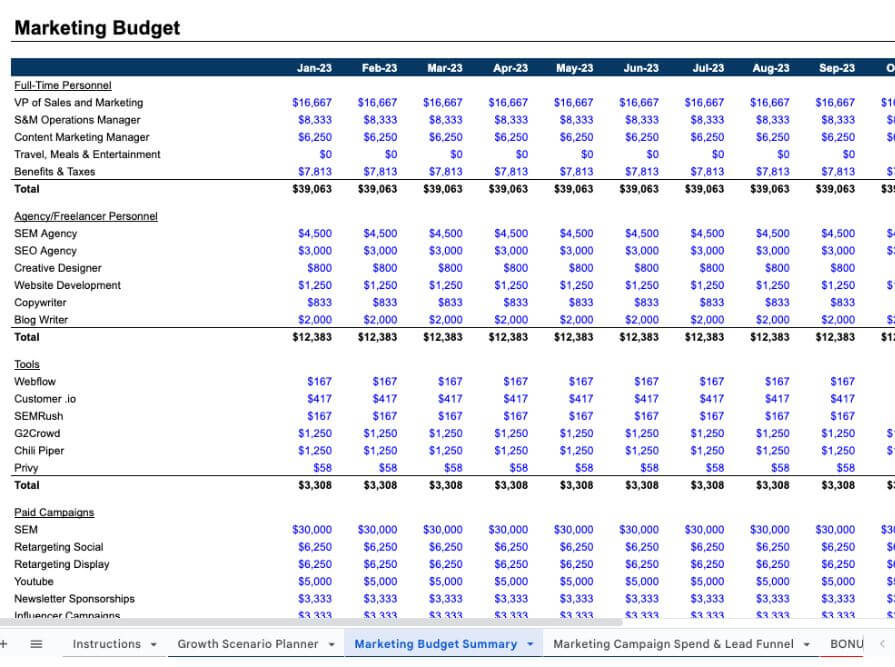
Marketing budgets focus on campaign performance and proving return on investment. You’ll track spending across channels, measure results, and adjust quickly based on what’s working.
For example, a marketing campaign budget needs to prove its value. A strong template provides the structure to track every dollar, from ad spend to content creation, and connect it directly to performance metrics.
- Digital advertising costs: Track spending on social media, search ads, and display campaigns.
- Content creation expenses: Monitor costs for copywriting, design, and video production.
- Influencer partnerships: Manage fees, deliverables, and performance metrics.
- ROI measurement: Connect spending to revenue and conversion metrics.
A dedicated budgeting platform can simplify campaign tracking by combining expense data with performance dashboards. This level of visibility allows teams to shift resources toward high-performing channels in real time and stay confident that every dollar supports measurable results.
2. Construction project budget template
Construction projects operate in unpredictable environments where costs can change quickly. Material price fluctuations, weather delays, and unexpected site conditions all demand a flexible budgeting approach that still maintains strong cost control.
An effective construction budget template should include:
- Material price tracking: Monitor vendor quotes, compare suppliers, and flag rising costs early.
- Change order management: Document scope changes and approvals to keep financial records accurate.
- Permit and inspection tracking: Record fees and compliance expenses to prevent project delays.
Every construction budget should also include project contingency planning to account for unplanned events such as weather disruptions or supply chain issues. Building this buffer into your budget helps protect overall profitability when conditions shift unexpectedly.
3. IT project budget template
IT budgets balance one-time implementation costs with ongoing operational expenses. Your template needs to handle both initial setup and long-term maintenance planning.
Essential components cover software licensing with renewal tracking, hardware procurement and depreciation, development hours by sprint or phase, and cost tracking for ongoing operational expenses. IT teams also need version control for budget updates as technical requirements evolve.
4. Event planning budget template

Event budgets juggle multiple vendors and last-minute changes, requiring templates that track deposits, manage vendor relationships, and accommodate sudden adjustments.
- Vendor payment scheduling: Track deposits, instalments, and final payments.
- Contingency planning: Build buffers for weather, attendance changes, or vendor issues.
- Real-time expense tracking: Monitor spending as the event approaches.
- Post-event reconciliation: Compare actual costs to estimates for future planning.
Event planners also benefit from event budget templates that connect vendor contracts to payment schedules. This prevents missed deposits and helps maintain vendor relationships across multiple events.
5. Product development budget template
Product budgets follow development stages from concept to launch. Your template should release funds based on milestones while maintaining flexibility for iteration.
These templates track research and discovery costs, design and prototyping expenses, testing and validation budgets, and launch preparation spending. Product teams need visibility into how much each development phase costs to make informed decisions about feature priorities.
6. Consulting services budget template
Consulting projects require careful balance between billable hours, client expectations, and overall profitability. A well-structured budget template helps track time, manage expenses, and ensure projects stay financially healthy.
Include these key elements in your consulting budget:
- Hourly rate structures: Outline billing rates by consultant level to standardize pricing and track revenue accurately.
- Expense reimbursement tracking: Record travel, lodging, and client-related costs for timely reimbursement and transparency.
- Project profitability analysis: Compare billable hours against costs to evaluate margins and identify areas for improvement.
Learn more: Expense template
7. Non-profit program budget template
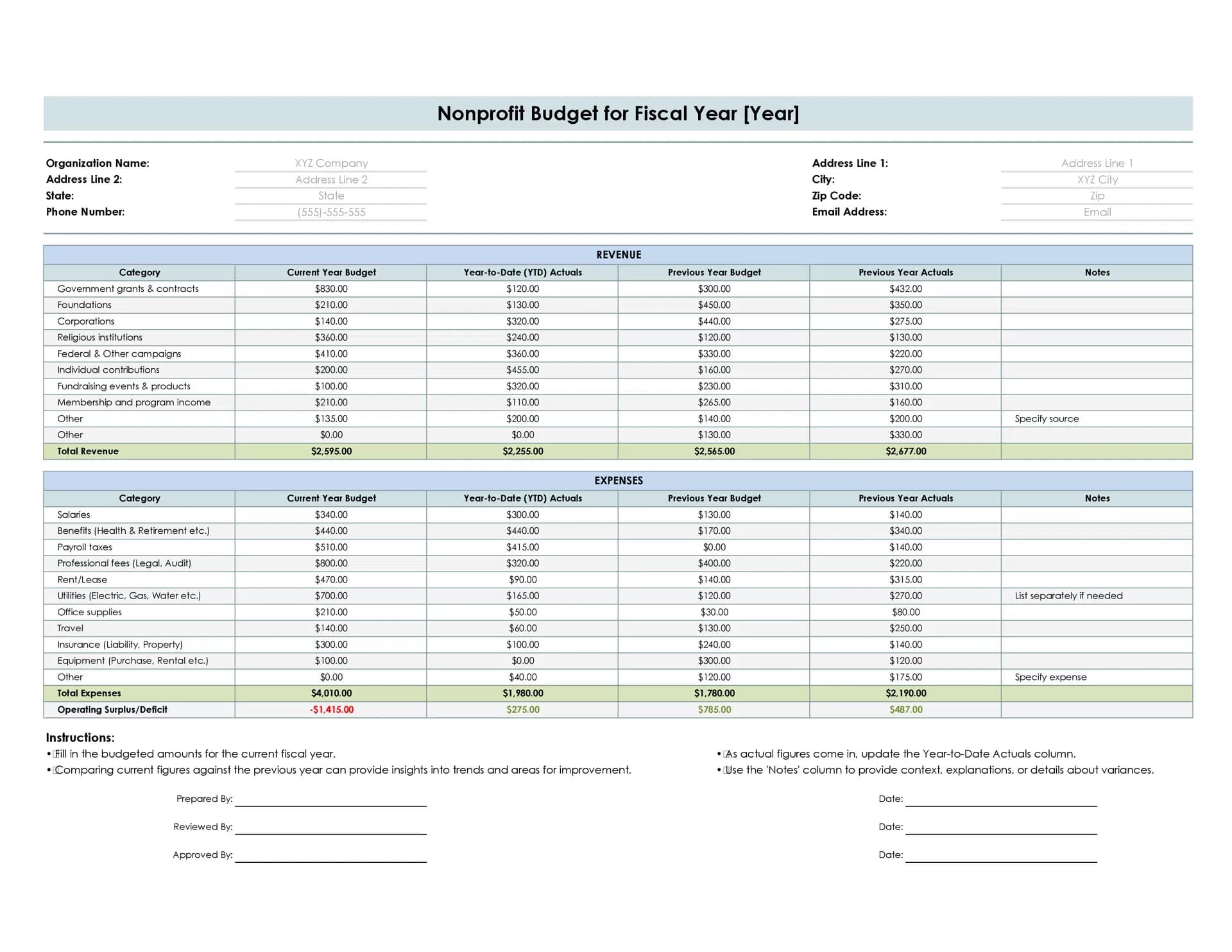
Non-profit budgets navigate complex funding restrictions and donor requirements. Your template must track restricted and unrestricted funds while demonstrating program impact.
These templates manage:
- Grant compliance tracking: Monitor spending against funder requirements.
- Donor reporting and volunteer cost calculations: Generate reports showing fund usage and quantify in-kind contributions for grant applications.
- Program outcome measurement: Connect spending to mission impact.
Non-profits also need templates that satisfy both financial accountability and mission reporting. monday.com’s AI Work Platform can automate donor reports and track restricted funds across multiple programs.
8. Start-up budget template
Start-up budgets typically plan for uncertainty and rapid change, requiring templates with scenario planning, runway calculations, and investor reporting capabilities.
Essential features include burn rate monitoring, cash runway projections, scenario modelling for different growth rates, and investor-ready financial reports.
Many teams further rely on a startup budget template that adapts quickly as business models evolve and funding rounds close.
9. Multi-project portfolio budget template
Portfolio budgets provide oversight across multiple initiatives and need consolidated views that show both detailed project cost tracking and resource allocation as well as high-level organizational spending.
These templates excel at resource allocation across projects, risk assessment at portfolio level, consolidated reporting for executives, and inter-project dependency tracking. Organizations managing complex portfolios use these templates to balance resources and identify opportunities for cost savings across projects.
Learn more: Budget formulas
Key components of project budget template
What separates a budget template that actually prevents overruns from one that just organizes numbers? Every effective budget template relies on a set of core components that work together to give you complete financial visibility. If you’ve searched for “what are the four components of a project budget,” you’ll find that most sources point to cost categories, baseline estimates, variance tracking, and contingency reserves. We’d argue there’s a fifth that’s just as essential: resource allocation and capacity planning. Together, these five elements ensure every dollar is accounted for from planning through execution.
Budget categories and cost breakdowns
Categories organize your expenses into logical groups for easier tracking and analysis. This cost breakdown structure often includes labor costs, materials and supplies, overhead expenses, and vendor payments.
Precise categorization helps you:
- Spot spending patterns: See where money goes and identify savings opportunities.
- Improve future estimates: Use category data to plan upcoming projects.
- Simplify reporting: Generate reports that stakeholders understand instantly.
When categories stay consistent across projects, it becomes easier to compare performance, forecast costs, and refine accuracy over time.
Planned vs actual expense tracking
Budget variance illustrates the gap between what you planned to spend and what you actually spent. This comparison reveals whether your project stays on track financially.
Tracking variance helps you catch overspending early and make adjustments. For example, you might reallocate funds from underspent areas or request additional budget before problems escalate. Regular variance analysis transforms budget management from reactive to proactive.
Resource allocation and capacity planning
Your budget must reflect real team capacity and resource availability. Resource utilization measures how effectively you use available time and materials throughout the project.
This alignment prevents overcommitment and burnout. When budgets match actual capacity, teams deliver sustainably without sacrificing quality or morale.
Project timeline and milestone integration
Budget phases should sync with project milestones for smooth cash flow management. This alignment ensures funds arrive when you need them and supports staged approval processes.
Milestone-based budgeting gives you:
- Tighter financial control: Release funds based on completed work.
- Improved stakeholder confidence: Show progress through achieved milestones.
- Reduced financial risk: Avoid committing all funds upfront.
Risk and contingency planning
Every project faces unexpected costs. Contingency funds and risk buffers prepare you for surprises without derailing the entire budget.
Smart contingency planning considers project complexity, historical performance, vendor reliability, and market conditions. Using a cost benefit analysis template can help further evaluate unexpected expenses.
How to choose the right budget template for your team
The right budget template shapes how effectively your team plans, tracks, and manages costs. It should match your project’s complexity, fit your workflow, and align with any industry or compliance needs.
Before choosing, think about what matters most to your team, from project size and reporting frequency to collaboration and integration requirements. The sections below outline how to assess each factor so you can select a template that keeps budgets accurate, transparent, and easy to manage.
Evaluate your project scope and complexity
How complex is your project financially? Simple projects might need basic expense tracking, while complex initiatives require detailed cost management across multiple categories and phases.
Consider these factors:
- Number of cost categories: More categories need more sophisticated templates.
- Stakeholder involvement: Multiple approvers require structured workflows.
- Regulatory requirements: Compliance needs drive template complexity.
- Reporting frequency: Regular reports need automated data collection.
Consider your team structure and workflow
Your template should support how your team actually works. Distributed teams need cloud-based collaboration, while co-located teams might prefer simpler shared documents.
Think about decision-making processes, approval workflows, update frequency, and collaboration needs. The right template enhances your existing workflow rather than forcing new processes.
Assess integration and collaboration needs
Projects span multiple systems. Your budget template should connect with project management platforms, accounting software, and reporting dashboards to eliminate duplicate data entry.
Integration reduces errors and saves time. When budget data flows automatically between systems, teams spend less time on manual updates and more time on strategic decisions. Format matters here too: Excel templates offer offline flexibility, Google Sheets enable basic cloud collaboration, and platform-based templates like those on monday.com provide real-time syncing with automations and integrations built in.
Match templates to industry requirements
Every industry manages budgets differently, with unique cost structures, regulations, and reporting expectations. Choosing a template designed for your field helps ensure financial accuracy and compliance from the start.
Consider what your template should include:
- Industry-specific cost categories: For example, healthcare tracks regulatory and training expenses, while manufacturing monitors supply chain and equipment costs.
- Compliance tracking: Built-in fields for certifications, audits, or safety requirements.
- Standardized reporting formats: Align with industry reporting standards or client expectations.
- Approval workflows: Ensure the right stakeholders review budgets before spending begins.
When to move from spreadsheets to a budgeting platform
Are your spreadsheets keeping up with your projects, or are they holding you back?
Budgeting needs evolve as projects and teams grow. A template that works for a small, self-contained project may fall short once multiple departments, approvals, or reporting layers come into play. The key is matching your budgeting approach to your organization’s current complexity while leaving room to scale.
When basic templates work best
Simple spreadsheet templates excel for small teams and straightforward projects. They help you start immediately without training or setup costs.
Basic templates work when:
- Projects are self-contained: Limited dependencies and stakeholders.
- Budgets are stable: Few changes after initial planning.
- Teams are small: Minimal collaboration requirements.
- Reporting is simple: Basic charts meet stakeholder needs.
Signs you need a budgeting platform
As projects scale, budgets become harder to manage with static spreadsheets alone. If your team spends hours updating shared files, catches formula errors after the fact, or struggles to generate reports for leadership, it’s time to consider a dedicated platform.
Common pain signals include:
- Manual update overhead: Team members spend more time maintaining the spreadsheet than analyzing the data.
- Version control conflicts: Multiple copies create confusion about which numbers are current.
- Limited visibility: Stakeholders can’t see budget status without requesting a report.
- No automated alerts: Overspending goes unnoticed until someone manually reviews the file.
AI and data analytics have become the top project management trend for 2026, and teams using automated platforms are catching budget issues days or weeks earlier than those relying on manual spreadsheets.
Learn more: AI budget overrun agent
How to make the transition
Begin your shift gradually with pilot projects. Test advanced features or explore budget planning software to manage forecasting and complex cost structures. Starting with one team or department helps refine the process, build confidence, and ensure a smooth transition before rolling out organization-wide.
Here’s how the two approaches compare across key capabilities:
| Capability | Spreadsheet template | Budgeting platform |
|---|---|---|
| Real-time collaboration | Limited | Built-in |
| Automated alerts | Manual setup | No-code automations |
| Variance tracking | Formula-based | Automatic dashboards |
| Multi-project visibility | Separate files | Portfolio view |
| AI-powered insights | None | Budget forecasting and risk detection |
The fact that 57% of employees report an increse in the number of software platforms they use compared to the previous year makes consolidation especially valuable. A single budgeting platform replaces scattered spreadsheets, disconnected email threads, and manual reporting.
Implement your project budget template in 5 steps
Successful budget implementation follows a structured process. These five steps establish strong financial controls while keeping your team focused on project delivery.
Step 1: Define budget categories and parameters
A strong budget starts with well-defined categories that reflect how your organization spends and approves funds. Setting boundaries ensures consistency and helps every team member understand where costs belong.
Common categories include:
- Direct labor: Wages, contractor payments, and related benefits. For a mid-size project, this might range from $50,000 to $200,000 depending on team size and duration.
- Materials and supplies: Equipment, raw materials, and consumables.
- Vendor services: Outsourced work such as design, marketing, or consulting. Typical vendor allocations run 15-30% of total project cost.
- Overhead allocation: Utilities, rent, and administrative expenses.
- Contingency reserves: Funds set aside for unexpected costs or scope changes.
Documenting these categories along with approval thresholds and spending limits creates the foundation for accurate, transparent budget tracking across projects.
Step 2: Set baseline costs and estimates
Build realistic baselines using multiple estimation techniques, as cost estimation in project management helps maintain budget accuracy. Historical data provides starting points, while expert judgment validates assumptions.
Document your estimation methods for future reference. Include assumptions about resource availability, market conditions, and project scope. Realistic baselines set appropriate expectations from the start.
Step 3: Track and record actual expenses
Create a rhythm for expense tracking that matches your project pace. Fast-moving projects need daily updates, while longer initiatives might update weekly.
Assign responsibility for data entry and validation. Use automated data capture where possible to reduce manual work and improve accuracy. Regular tracking keeps budgets current and useful for decision-making.
Step 4: Monitor budget variance in real time
Tracking planned versus actual spending keeps projects financially on course. Establish thresholds for action. For example, a 5% variance might prompt a team review, while a 10% variance requires stakeholder attention.
A dedicated budgeting platform makes this process effortless by visualizing variances through automated alerts and live dashboards. Teams can spot trends early, investigate causes, and make quick adjustments before issues escalate.
Step 5: Create reports and share insights
Transform budget data into actionable insights for different audiences. Executives need high-level summaries, while project teams require detailed breakdowns.
Effective reports highlight:
- Key metrics: Budget health, variance trends, and risk areas.
- Recommended actions: Specific steps to address issues.
- Future projections: Expected spending based on current patterns.
How monday.com's AI Work Platform simplifies project budgeting
What happens when your budget tracking needs outgrow what spreadsheets can handle? Project budgeting requires more than spreadsheets. It requires integrated systems that connect financial planning with project execution, resource management, cost management, and stakeholder communication. monday.com’s AI Work Platform transforms budget templates into living financial dashboards where real-time expense tracking shows exactly where you stand, automated calculations eliminate manual errors, and visual reports make budget health instantly visible to all stakeholders.
Real-time dashboards and budget visualization
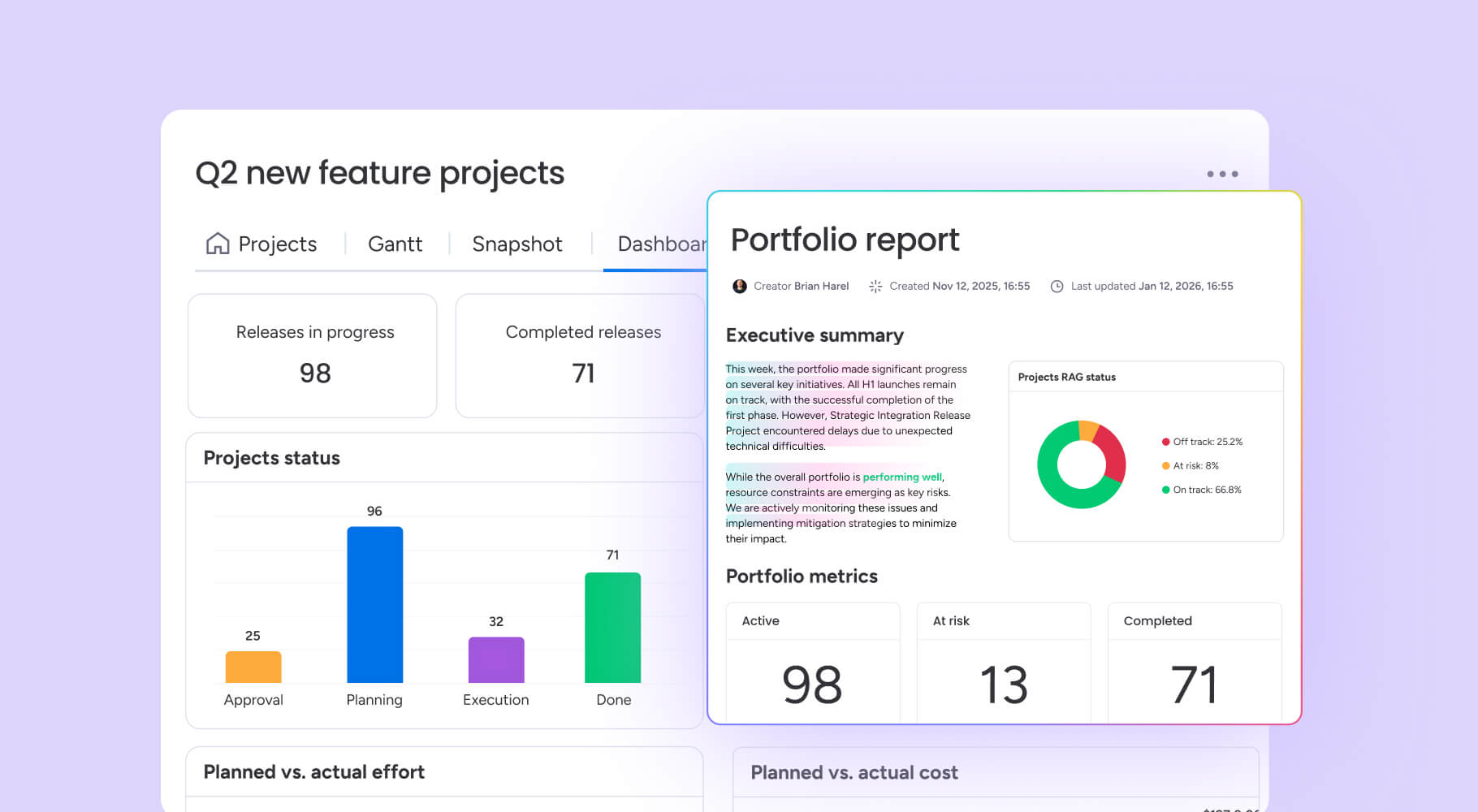
Complex financial data becomes intuitive when you can see it at a glance. The platform offers 10+ drag-and-drop widgets that transform raw budget numbers into visual insights your entire team can act on.
- Color-coded status indicators: See budget health across every project without opening a single spreadsheet.
- Planned vs actual charts: Interactive visualizations highlight variances instantly so you can investigate before issues grow.
- Customizable stakeholder views: Give executives portfolio summaries while project leads see granular cost breakdowns.
- Portfolio management: Monitor cross-project budget visibility from a single dashboard.
No-code automations and approval workflows
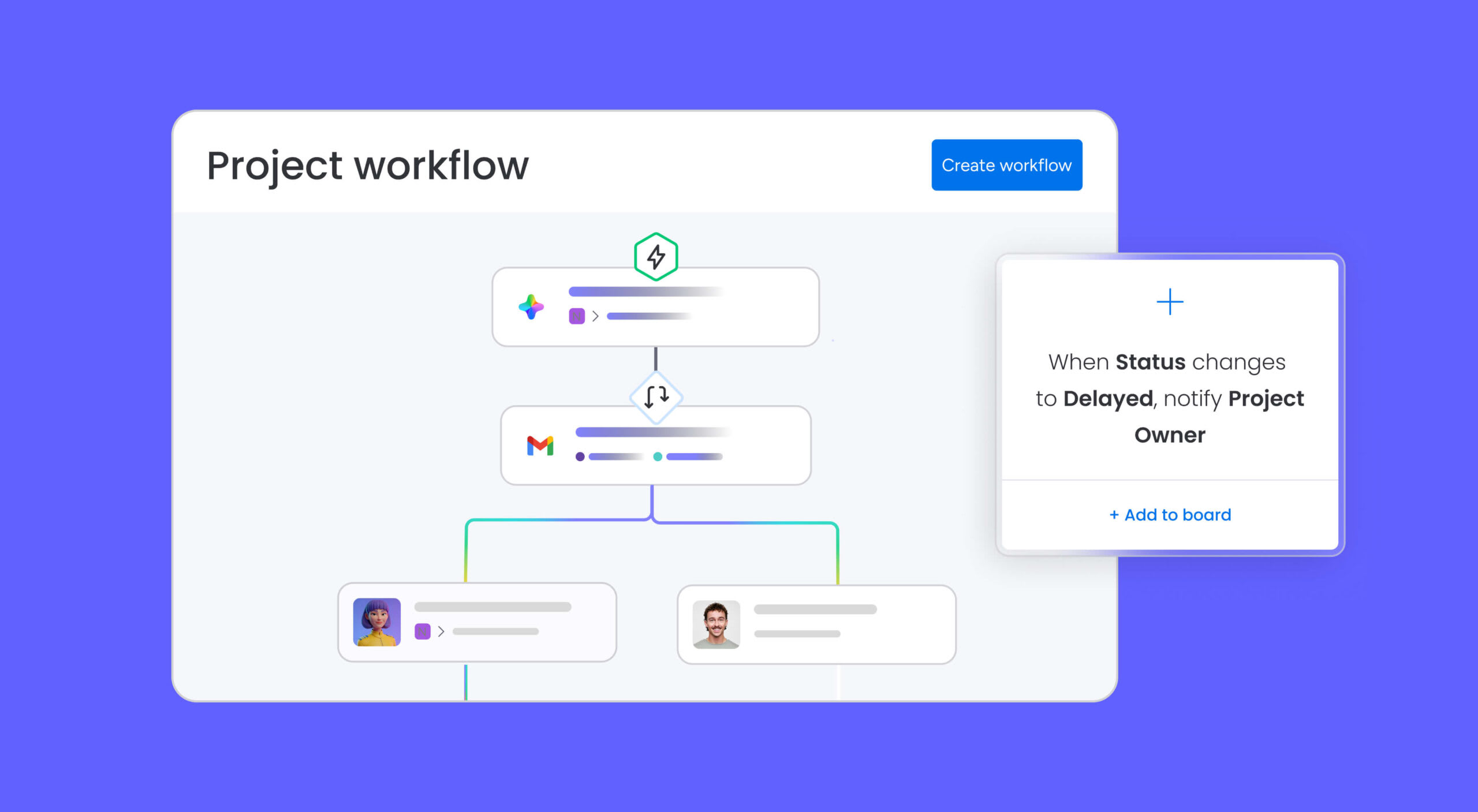
Manual budget monitoring eats hours that your team could spend on strategic decisions. Automations eliminate that overhead and keep your project finances on track without constant manual reviews.
- Budget threshold alerts: Get notified automatically when spending reaches 75% of allocation.
- Automated approval workflows: Route expense requests to the right approver based on category and amount.
- Scheduled budget summaries: Deliver weekly financial reports to stakeholders’ inboxes without manual effort.
- Templated boards: Standardize budget structures across projects so every team starts with a proven framework.
AI-powered budget intelligence
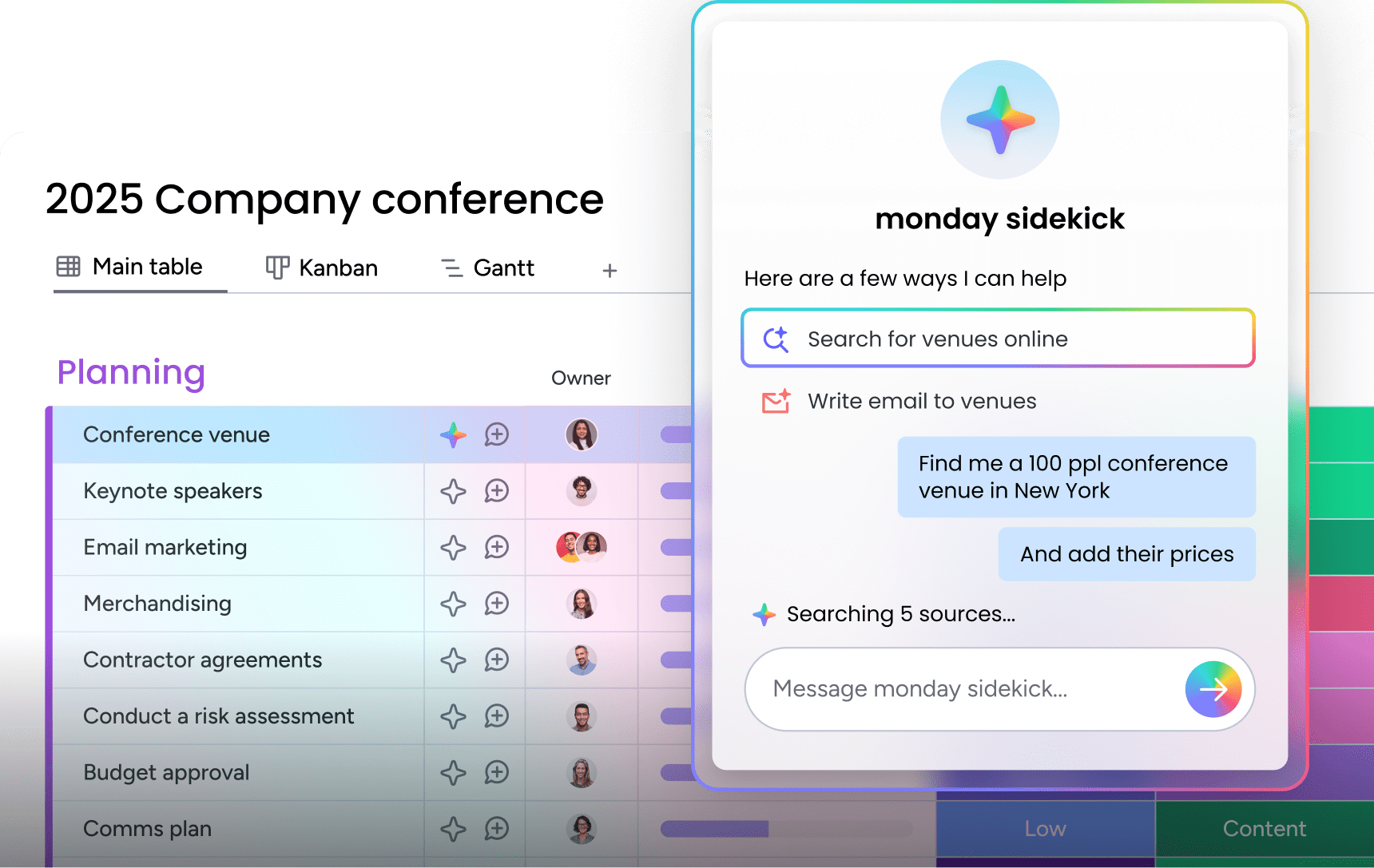
AI moves budget management from reactive to proactive. Instead of discovering overruns after the fact, your team gets ahead of financial risks with intelligent analysis and recommendations.
- monday sidekick: A context-aware AI assistant that analyzes spending patterns and recommends optimizations across your projects.
- monday vibe: An AI-powered no-code builder that lets you create custom budget tracking apps, financial dashboards, and expense trackers from a text prompt.
- monday agents: The Risk Analyzer agent detects budget overruns, schedule risks, and dependency issues in real time so you can act before problems escalate.
- monday MCP: Connects the workspace to AI assistants like Claude for programmatic budget analysis and custom financial reporting.
850+ integrations for connected budgets

Your budget doesn’t exist in isolation. The platform connects directly to the financial systems your team already uses, eliminating double-entry and ensuring your project budget always reflects the latest data.
- Accounting platform sync: Connect with QuickBooks and Xero for seamless expense reconciliation.
- Payroll and timesheet imports: Pull timesheet data directly into budget line items for accurate labor costing.
- Procurement and ERP connections: Track purchase orders against budget lines with enterprise-wide financial visibility.
- Native Excel and Google Sheets import/export: Bring existing spreadsheets into the platform without losing any data.
Resource management and time tracking

Budget accuracy depends on understanding how your team’s time translates into costs. Built-in resource management features connect capacity planning directly to financial outcomes.
- Workload View: Balance team capacity against budget constraints and adapt to changing priorities.
- Built-in time tracking: Connect hours worked to budget impact so labor costs stay accurate throughout the project.
- Cross-project resource allocation: See where people and funds are committed across your entire portfolio.
Take control of your project finances today
The right project budget template gives your team financial confidence from day one. You’ve seen nine templates tailored to specific teams, the five components that every template needs, and a step-by-step approach to writing a budget from scratch. Having a structured approach to financial planning is what separates projects that deliver from projects that drain resources.
monday.com’s AI Work Platform takes these templates further with real-time dashboards, no-code automations, AI-powered risk detection, and 850+ integrations that keep your budget connected to every part of your project. Start with a free template and scale as your projects grow.
FAQs
What are the four components of a project budget?
The four core components of a project budget are cost categories (labor, materials, overhead), baseline estimates, variance tracking (planned vs actual), and contingency reserves. Together they give teams complete financial visibility from planning through execution.
What are the 5 components of a budget?
The five components of a project budget are cost categorization, baseline cost estimates, planned vs actual tracking, resource allocation, and risk contingency funds. These elements ensure every dollar is accounted for and budget health is visible throughout the project.
How do you write a budget for a project?
Excel and budget template Google Sheets solutions work well for simple projects due to their flexibility and universal compatibility. For complex projects requiring collaboration and integration, specialized platforms like monday.com offer enhanced features while maintaining easy data import/export capabilities.
How often should I update my project budget template during an active project?
Update your project budget template weekly for active projects to maintain accuracy and enable timely decisions. High-velocity projects or those with frequent changes may need daily updates, while stable, long-term projects might work with bi-weekly reviews.
Can project budget templates handle international projects with multiple currencies?
Yes, many project budget templates support multi-currency tracking with built-in conversion features for international projects. monday.com's AI Work Platform offers real-time exchange rate updates and consolidated reporting across all currencies in your portfolio.
Which file format should I choose for my project budget template?
Excel and budget template Google Sheets formats work well for simple projects due to their flexibility and universal compatibility. For complex projects requiring collaboration and integration, monday.com's AI Work Platform offers enhanced features while maintaining easy data import/export capabilities.
How does monday.com's AI Work Platform help with project budget tracking?
The AI Work Platform transforms static budget templates into dynamic dashboards with real-time expense tracking, automated variance alerts, and AI-powered risk detection. Teams can set up no-code automations for budget approvals and connect with 850+ integrations including accounting and ERP systems.
Can I build a custom budget tracker with monday.com's AI Work Platform?
Yes. With monday vibe, the platform's AI-powered no-code builder, teams can create custom budget tracking apps, financial dashboards, and expense trackers from a text prompt. Built-in templates also provide ready-made budget structures that can be customized to any project type.

 Get started