



Revenue slows when buyer signals, conversations, and next steps live in different places. Customer engagement software solves that by turning scattered data into coordinated action your team can actually follow.
This guide covers what customer engagement software does, how it compares to CRM, and which platforms revenue teams actually use. You’ll also learn the features that matter most, how AI is changing the category, and what to look for in a system your team will keep using long after rollout.
What is customer engagement software and how it compares to CRM
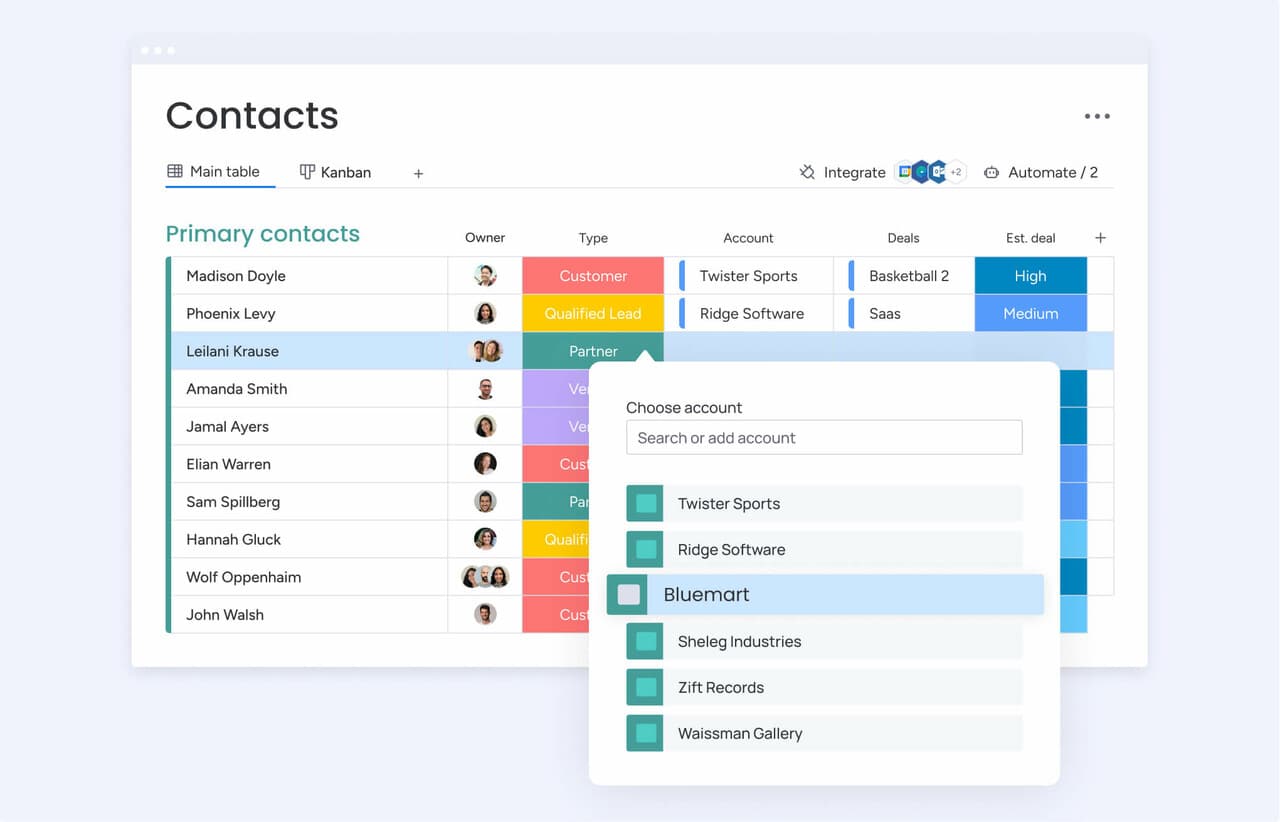
Most revenue teams don’t have a data shortage. They have a coordination problem. Buyer information lives in one tool, while the conversations that should shape the next step happen somewhere else. Customer engagement software closes that gap by connecting what your team knows about an account to what it should do next.
A traditional CRM is largely retrospective: It stores records, tracks stages, and documents what already happened. Engagement software is designed for movement. It prompts a rep to re-engage a stalled prospect or notifies the team the moment a buyer checks the pricing page. The table below shows the classic distinction, even though many revenue teams now expect both functions to exist in the same environment.
| Dimension | CRM | Customer engagement software |
|---|---|---|
| Primary function | Record-keeping and pipeline management | Orchestrating and automating customer interactions |
| Data focus | Deal stages, contact records, and sales history | Interaction timing, channel preferences, and engagement signals |
| Key output | Pipeline reports and forecasts | Triggered communications and personalized outreach |
| Primary users | Sales reps and managers | Sales, marketing, and customer success teams |
Those boundaries are disappearing fast. Few teams want to maintain 2 disconnected platforms or ask reps to jump between tabs all day. The best tools now bring engagement directly into pipeline management, so work keeps moving inside one shared workspace.
Try monday CRM7 best customer engagement software platforms revenue teams actually use
This list is intentionally mixed, because revenue teams aren’t all solving the same problem. Some need engagement features built into the CRM itself. Others need specialized infrastructure for large-scale campaigns. The best choice depends on your sales motion, your operating model, and the point where your process starts to break.
Below is a quick snapshot of 7 platforms teams use to keep revenue in motion. After that, we will look at each one in more detail.
| Platform | Use case | Free trial* | Notable feature | Starting price* |
|---|---|---|---|---|
| monday CRM | Revenue teams that want engagement activities alongside the pipeline | 14 days | Unified Emails & Activities timeline | Contact sales |
| HubSpot | Midsized teams needing marketing and sales alignment | Free CRM available | Contact timeline with full interaction history | $450/month (Sales Hub Professional) |
| Salesforce | Large enterprises with complex sales motions | 30 days | Einstein AI-powered lead scoring | $25/user/month (Starter Suite, annual) |
| Twilio | Companies building custom engagement systems | Free trial credits available | Programmable multi-channel messaging APIs | Usage-based pricing |
| Braze | Enterprise teams running high-volume consumer campaigns | Contact sales | Real-time journey orchestration with Canvas Flow | Custom pricing (quote-based) |
| Intercom | SaaS and product-led growth companies | 14 days | Fin AI Agent for automated support | $29/seat/month (Essential) |
| Insider | Enterprise marketing teams managing large customer bases | Contact sales | Agent One agentic AI for autonomous engagement | Custom pricing (quote-based) |
*Pricing and trial availability subject to change. Contact vendors directly for current rates.
1. monday CRM
monday CRM keeps customer engagement inside the sales pipeline, letting reps send emails, track activity, and manage deals without hopping between tools. It’s designed for revenue teams that want to manage the full customer journey in one place, from initial outreach through onboarding, renewals, and even collection tracking.
The result? Less time piecing together context, more time having the conversations that drive revenue. If your sales, account management, and finance teams all need access to the same customer story, monday CRM makes that practical on a daily basis.

Use case: Revenue teams that want engagement activities, such as emails, follow-ups, meeting notes, and deal updates, to sit alongside the pipeline instead of in a separate system
Key features
- Unified interaction history: The Emails & Activities timeline centralizes emails, calls, meetings, and notes, so sales and account teams stop chasing context across threads.
- Structured lead-to-cash workflows: monday CRM supports the full cycle: lead qualification, deal progress, post-sale onboarding, renewals, and collection tracking.
- Engagement + performance visibility: Track activity and outcomes with dashboards and sales widgets (like funnel and leaderboard) to spot where engagement drops and where coaching lands fastest.
Pricing
- Visit monday CRM pricing for current plans based on team size and feature requirements.
- Minimum of 3 seats required. Additional seats are added in multiples of 5.
- HIPAA support is available on the Ultimate tier for regulated industries.
- A 14-day free trial is available.
Why it stands out
- Engagement stays attached to revenue work: monday CRM logs emails, meetings, and notes in a single Emails & Activities timeline, so every deal review starts with the full story, not a memory test.
- Built for cross-functional handoffs: Legal, finance, and account management can work in the same system on contract steps, approvals, and timelines — with full deal context already there.
- Real reporting for leaders: Code-free dashboards help sales leaders track pipeline status, forecasting, activity, and performance, including sales-specific widgets like leaderboards and funnels.
“With monday CRM, we’re finally able to adapt the platform to our needs — not the other way around. It gives us the flexibility to work smarter, cut costs, save time, and scale with confidence.”
Samuel Lobao | Contract Administrator & Special Projects, Strategix
“Now we have a lot less data, but it’s quality data. That change allows us to use AI confidently, without second-guessing the outputs.”
Elizabeth Gerbel | CEO
“Without monday CRM, we’d be chasing updates and fixing errors. Now we’re focused on growing the program — not just keeping up with it."
Quentin Williams | Head of Dropship, Freedom Furniture
“There’s probably about a 70% increase in efficiency in regards to the admin tasks that were removed and automated, which is a huge win for us.“
Kyle Dorman | Department Manager - Operations, Ray White
"monday CRM helps us make sure the right people have immediate visibility into the information they need so we're not wasting time."
Luca Pope | Global Client Solutions Manager at Black Mountain
“In a couple of weeks, all of the team members were using monday CRM fully. The automations and the many integrations, make monday CRM the best CRM in the market right now.”
Nuno Godinho | CIO at Velv
“monday.com provides developmental flexibility, operational efficiency, and data transparency — all in one place. We became a company that moved from chasing data to leading with it.”
Hyunghan Lee | Team Lead, Sandbox Network
"monday.com brought every part of our business into one connected space. The harmony between work management and CRM has become our operating system — giving us the clarity and confidence to scale.”
Jennifer Chinburg | Executive Vice President of Corporate Development & Brand, Chinburg Properties
“We just weren’t getting value from our old CRM. With monday.com, it's a thousand times better. Our sales teams are more informed, more consistent, and far more connected."
James Arnold | Chief Operating Officer, Cenversa2. HubSpot
For teams that lean heavily on inbound, HubSpot brings CRM data and marketing automation into the same environment. Piecing together 5 separate tools just to understand a lead’s activity is nobody’s idea of fun. HubSpot solves that by keeping contact records, campaigns, and sales conversations together in one connected system.

Use case: Midsized teams that need marketing and sales working from the same playbook
Key features
- Email sequences and automation: Trigger outreach based on what your contacts actually do. Follow-ups happen automatically, so every lead receives timely attention.
- Contact timeline: Every email, call, site visit, and form submission lives on one record. You have full context before you jump on a call.
- Live chat and chatbots: Catch website visitors when intent is high. Lead generation automation helps qualify leads in real time and route them straight to the right rep.
Pricing
- Free CRM: $0 — basic contact management and light engagement features.
- Sales Hub Starter: Paid entry tier for growing teams.
- Sales Hub Professional: Starts at $450/month.
- Marketing Hub Professional: Starts at $800/month.
- Advanced features like sequences, custom reporting, and marketing automation require paid Sales Hub or Marketing Hub tiers.
- Costs scale with your contact volume and seat count. Need more calling minutes or AI credits (for Breeze features)? Those are add-ons.
- Annual billing discounts are on the table, plus reduced pricing for startups and nonprofits.
Considerations
- Want the knowledge base, customer portal, or advanced help desk? You’ll need Service Hub Professional or Enterprise, which bumps up the bill as your team grows.
- HubSpot is massive. If you just need a straightforward sales platform, the heavy marketing automation layer might add more clutter than value.
3. Salesforce
At enterprise scale, Salesforce is often the default. It delivers customer engagement across sales, marketing, and service on one platform, with deep customization, AI-powered scoring, and omnichannel journey orchestration. More than 150,000 companies around the world use it.

Use case: Large enterprises with dedicated administrators, layered sales motions, and the budget for implementation, customization, and ongoing maintenance
Key features
- AI-powered lead scoring: Einstein prioritizes prospects based on conversion likelihood, helping sales teams focus on the opportunities most likely to close.
- Omnichannel journey orchestration: Marketing Cloud Engagement enables multi-touch campaigns across email, mobile, and web, with newer Engagement+ tiers adding agentic features for automated execution.
- Unified service console: Service Cloud with Digital Engagement connects WhatsApp, SMS, Facebook Messenger, Apple Messages for Business, and in-app chat under one routing system. AI-generated summaries reduce agent handle time.
Pricing
- Starter Suite: $25/user/month (annual)
- Pro Suite: $100/user/month (annual)
- Service Cloud Enterprise: $175/user/month (annual)
- Service Cloud Unlimited: $350/user/month (annual)
- Agentforce 1 Service: $550/user/month (annual)
- Marketing Cloud Engagement Pro+: $2,000/org/month (annual)
- Marketing Cloud Engagement Corporate+: $5,500/org/month (annual)
- Marketing Cloud Engagement Enterprise+: $30,000/org/month (annual)
- Digital Engagement add-on: $75/user/month, plus metered conversation packs for additional SMS, WhatsApp, and bot usage
- Several capabilities — including Einstein Bots, Knowledge Read-Write, and Enhanced Messaging — are priced as separate add-ons to core editions
Considerations
- Teams without dedicated Salesforce admins or RevOps support often struggle with adoption. The platform requires ongoing configuration expertise, and many organizations end up paying for capabilities they never fully deploy.
- License fees are only part of the picture. Implementation, professional services, add-ons, and metered conversation packs can raise the total investment quickly, making Salesforce a major commitment for teams without the infrastructure to support it.
4. Twilio
Twilio is aimed at teams that would rather build than buy. Its API-first platform gives engineering-led organizations the pieces to create custom customer engagement infrastructure across SMS, voice, email, and WhatsApp. For enterprise and digital-native companies running communication at global scale, that flexibility matters. Once packaged tools run out of room, Twilio lets teams design exactly what they need.

Use case: Companies with developer resources that need to design and maintain proprietary engagement systems at scale
Key features
- Programmable multi-channel messaging: Build custom communication workflows across SMS, WhatsApp, voice, and email using flexible APIs.
- Twilio Segment CDP: Unify customer profiles from multiple data sources to power real-time, event-triggered engagement journeys.
- Conversation Orchestrator and Memory: Maintain persistent context across AI agents and human handoffs so customers never have to repeat themselves.
Pricing
- Messaging and communications: Usage-based pricing; rates vary by channel, message type, and geography.
- Segment Connections — Free: $0/month.
- Segment Connections — Team: Starts at $120/month for 10,000 visitors.
- Segment Connections — Business: Custom pricing; contact sales.
- Twilio Flex (contact center): $1 per active user hour or $150 per named user/month; free trial includes 5,000 active user hours.
- Annual billing discount: Save up to 20% on eligible plans.
- Additional costs to note: Expect pass-through carrier surcharges (including A2P 10DLC fees), phone number rental, and applicable taxes on top of base API usage.
Considerations
- Twilio is not plug-and-play software for a revenue team. Building and maintaining workflows takes dedicated developer support, making it a weak fit for sales organizations operating without engineering.
- Some capabilities, including HIPAA-eligible workflows and Twilio Engage, are limited to specific higher-tier editions. That can make procurement and total cost forecasting more complicated.
5. Braze
Braze is built for scale, speed, and consumer engagement volume. It coordinates push notifications, email, SMS, in-app messaging, and web experiences inside one real-time journey platform. For brands managing millions of customer interactions, that matters.

Use case: Enterprise marketing and growth teams running high-volume, multi-channel consumer engagement campaigns, especially in mobile-first sectors like retail, media, and fintech
Key features
- Real-time journey orchestration: Canvas Flow uses a drag-and-drop, no-code interface to trigger personalized customer journeys based on live behavioral signals, with sub-second decisioning across channels.
- AI-powered decisioning: BrazeAI Decisioning Studio applies reinforcement learning to continuously optimize channel selection, send timing, offer, and frequency for each individual user.
- Warehouse-native personalization: The Braze Data Platform connects directly to Snowflake, Databricks, BigQuery, and Redshift using zero-copy architecture, enabling real-time personalization without duplicating data.
Pricing
- Braze Go: Starter edition; pricing available via quote only.
- Select, Pro, Enterprise: Higher tiers with progressively advanced AI, experimentation, and orchestration capabilities; all quote-based.
- Pricing is based on Monthly Active Users (MAUs) and Action Credits rather than seats, so costs scale with actual engagement rather than database size.
- Professional services, success plans, and deliverability services are available as add-ons, scoped based on team needs.
Considerations
- Braze is a marketing engagement platform rather than a sales CRM. Teams that need pipeline management, deal tracking, or post-sale workflow support will need to pair it with a separate CRM.
- Advanced AI and experimentation features are gated by edition, so lower-tier customers may need an upgrade to access the full BrazeAI suite.
6. Intercom
Intercom centers engagement around the product itself. Live chat, AI-powered bots, in-app messaging, and email campaigns all sit in one platform, making it a strong choice for SaaS companies and product-led growth teams. Its AI agent, Fin, answers common questions and routes conversations to human agents, especially useful when the product experience is the main channel for attracting, onboarding, and supporting customers.

Use case: SaaS and product-led growth companies that need to engage, onboard, and support users inside the product experience, from initial sign-up through long-term retention
Key features
- AI-powered chat and lead qualification: Fin handles inbound questions, qualifies leads based on behavior, and routes high-intent conversations to the right human agent, reducing response time and manual triage.
- In-app messaging and onboarding flows: No-code product tours, tooltips, checklists, and mobile carousels guide users through key features at the right moment, driving adoption without requiring engineering support.
- Multi-channel journey orchestration: The Series builder lets teams coordinate messages across email, chat, push, and in-app formats using a visual, no-code workflow, triggered by real product events and user attributes.
Pricing
- Essential: $29/seat per month — includes Fin AI Agent (billed per outcome), Messenger, shared inbox, and a public help center.
- Advanced: $85/seat per month — adds multi-team inboxes, workflow automation, round-robin assignment, and a private or multilingual help center.
- Expert: $132/seat per month — adds SSO, HIPAA support, SLAs, and multi-brand Messenger.
- Fin AI Agent (standalone): $0.99 per outcome — available for teams using other helpdesks, with no seat fees.
- Add-ons: Proactive Support Plus (product tours, surveys, checklists, Series builder) starts at $99/month; Copilot (AI agent assist) is $29/agent per month.
- Startup discount: Intercom’s Early Stage program offers up to 93% off in the first year for qualifying startups.
Considerations
- Intercom is tailored to digital-first, in-product engagement. Teams running field sales motions or more complex offline sales cycles will find limited support for those workflows.
- Costs can rise quickly at scale: bulk email, SMS, WhatsApp, and phone channels are billed separately on a pay-as-you-go basis, and AI outcome pricing can increase spend for high-volume lead qualification programs.
7. Insider
Insider approaches engagement as an AI-native, closed-loop system for B2C brands. It combines customer data, AI-driven decisioning, and cross-channel execution in one platform, which makes it particularly relevant for retail, e-commerce, travel, and financial services teams. Its agentic AI layer, Agent One, goes beyond standard automation by independently planning and executing engagement across web and messaging channels.

Use case: Enterprise marketing teams managing large customer bases across multiple digital channels and looking for AI-powered segmentation, journey orchestration, and real-time personalization to improve conversion and retention at scale
Key features
- AI-powered journey orchestration: Architect builds personalized customer paths based on predicted behavior, adapting in real time as users interact across web, app, email, SMS, WhatsApp, and push channels.
- Predictive segmentation: AI identifies high-value customers, flags churn risk, and surfaces actionable audience segments — so marketing teams spend less time building lists and more time acting on them.
- Agentic AI with Agent One: Purpose-built autonomous agents converse with customers, anticipate intent, and execute engagement actions independently across web and messaging channels.
Pricing
- Custom pricing: Quote-based, modeled on monthly active users (MAUs), channels used, and migration scope — no public price list available.
- Channel pass-through costs (e.g., WhatsApp per-message fees set by Meta) are separate from the platform license fee.
Considerations
- Insider is marketing-led and consumer-focused. It does not replace a sales CRM or B2B pipeline management system, so revenue teams will still need a separate CRM alongside it.
- Its AI features perform best with substantial data volume, which may limit early value for organizations with smaller or less mature customer datasets.
6 key features of a customer engagement platform

A polished demo is easy to love. Daily usage is the harder test. The difference usually comes down to a short list of capabilities that determine whether the software becomes part of the team’s routine or ends up ignored. These 6 features matter most:
1. Unified customer data with zero-copy activation
Out-of-sync systems force reps to act on stale information. A buyer who requested a demo hours earlier may not appear until the next scheduled sync, which is already too late. Direct access to the source of truth changes that by letting the platform act on live data at the moment a workflow needs it.
A closed-won deal will not trigger another nurture email by mistake. Compliance risks drop because you stop duplicating data across systems. When evaluating vendors, ask a simple question: does the platform need a copied version of your customer data, or can it operate where that data already lives?
2. Omnichannel journey orchestration based on behavior
Scheduled email drips are not the same as orchestration. Real orchestration responds to behavior as it happens. A prospect lands on your pricing page, and customer tracking software alerts the assigned rep immediately.
- Smart triggers: If a customer ignores an email, the platform sends a follow-up text 2 days later.
- Connected experiences: These moments connect into a coherent journey rather than existing as isolated events.
That eliminates much of the guesswork around timing and prioritization. Instead of manually tracking who needs outreach next, your team relies on background logic that keeps the journey moving.
3. Embedded AI agents that execute workflows
AI loses most of its value when it sits outside the workflow. If reps have to switch tabs, paste context, and restart their thought process, usage drops fast. Embedded AI works in place, helping draft emails, summarize history, and support the next step without pulling anyone out of the flow.
- Automated follow-ups: Automation handles the repetitive follow-ups and lead assignments.
- Action-oriented AI: AI agents go further by actually executing the work instead of just suggesting it.
Timing matters here. Reps need these insights at the exact moment a deal slows down, and keeping everything in one workspace helps them act while the opportunity is still in play.
4. Real-time personalization and pipeline analytics
Generic outreach loses impact when buyer intent is already visible. If someone just downloaded a pricing guide, the best systems respond to that signal right away. Real-time personalization turns recent behavior into immediate action.
Your analytics need to match that exact speed. Revenue leaders require analytical CRM dashboards that surface pipeline health and forecast accuracy continuously. Waiting for a weekly report is too slow. When you can see stalled deals and changing pipeline health in real time, proactive management becomes the norm.
5. Cross-functional visibility across all revenue teams
Separate systems for engagement data and deal notes can fragment visibility. The result includes duplicate outreach, missing context, and inconsistent customer experiences. Once a deal closes, the success team should be able to see the full conversation without asking sales to reconstruct it.
Bridging this gap is critical for long-term growth. A strong platform also supports onboarding and renewals, giving teams a lifecycle workspace instead of a tool built only for pre-sale activity.
6. Open integration ecosystem and bidirectional APIs
An engagement platform never operates alone. What matters is not whether integrations exist, but whether they are deep enough to be useful. A meaningful integration transfers deal context in real time and triggers actions across systems instead of just syncing records once a day.
- Tech stack alignment: To prevent silos, look at how monday CRM connects with the rest of your stack. It offers more than 500 integrations across email clients, communication tools, and data sources.
- Advanced AI connectivity: It also supports the Model Context Protocol to connect with AI assistants like Claude and Copilot Studio.
That means teams can query pipeline data and update deal stages without leaving their AI workspace. Adoption tends to follow the tools that fit naturally into the way people already work.
Try monday CRMHow AI agents are reshaping customer engagement tools
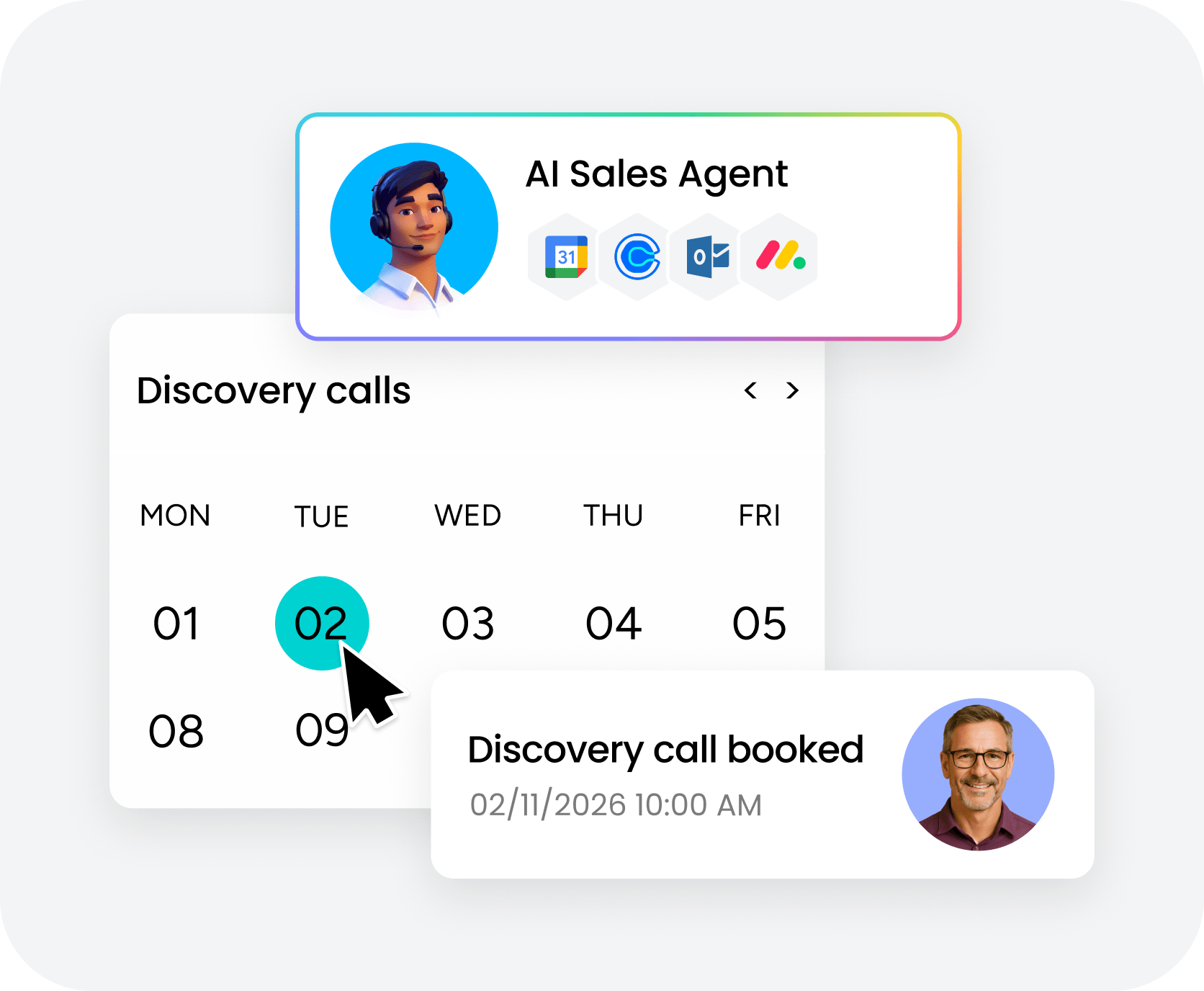
Traditional platforms are good at documenting the past. AI agents are changing the category by deciding what should happen next and carrying out the work. That shift matters when you need to scale outreach without scaling headcount at the same rate.
There is a real operational difference between an AI assistant and an AI agent. An assistant suggests an email or highlights a risk. An agent sends the follow-up, routes the lead, and keeps the process moving without waiting for another prompt. Gartner’s 2024 AI Hype Cycle report points to rising adoption of agentic AI for exactly this reason: businesses increasingly see the gap between AI that recommends and AI that executes.
Clunky add-ons rarely stick. Reps do not want to copy information into a separate interface just to get help sending a message.
7 steps to choose the right customer engagement solution
Choosing a customer engagement platform is not a feature-counting exercise. It is an adoption decision. Even the most impressive software loses its value if reps avoid it 6 months after launch. These 7 steps help narrow the evaluation to what actually predicts long-term success.
Step 1. Identify your biggest engagement bottlenecks
Start with diagnosis before demos. Map the points where customer interactions slow down or fall apart. Are follow-ups getting missed? Are reps buried in admin instead of talking to buyers?
- Define the requirement: A team losing deals from slow follow-ups needs automation that triggers next steps instantly.
- Spot the handoff gaps: A team struggling with cross-functional handoffs needs centralized visibility so account managers access the full pre-sale history immediately.
Step 2. Map cross-functional teams that need access
Customer engagement touches more than one department. Sales manages deals, marketing runs campaigns, and support needs full history the moment a ticket appears.
If a platform works for marketing but adds friction for sales, adoption will fade quickly. Cross-functional visibility requires a system that supports every team involved in the customer journey, not only the one approving the spend.
Step 3. Audit your existing customer data sources
An engagement platform is only as useful as the data feeding it. Identify where customer information currently lives — CRM records, email history, product usage data, and anything else the team relies on.
Then test the connectivity. Can the platform access those sources directly, or will your team be stuck exporting files by hand? Native integrations shorten time to value and reduce the sync errors that quietly distort pipeline data over time.
Step 4. Evaluate real AI capabilities versus hype
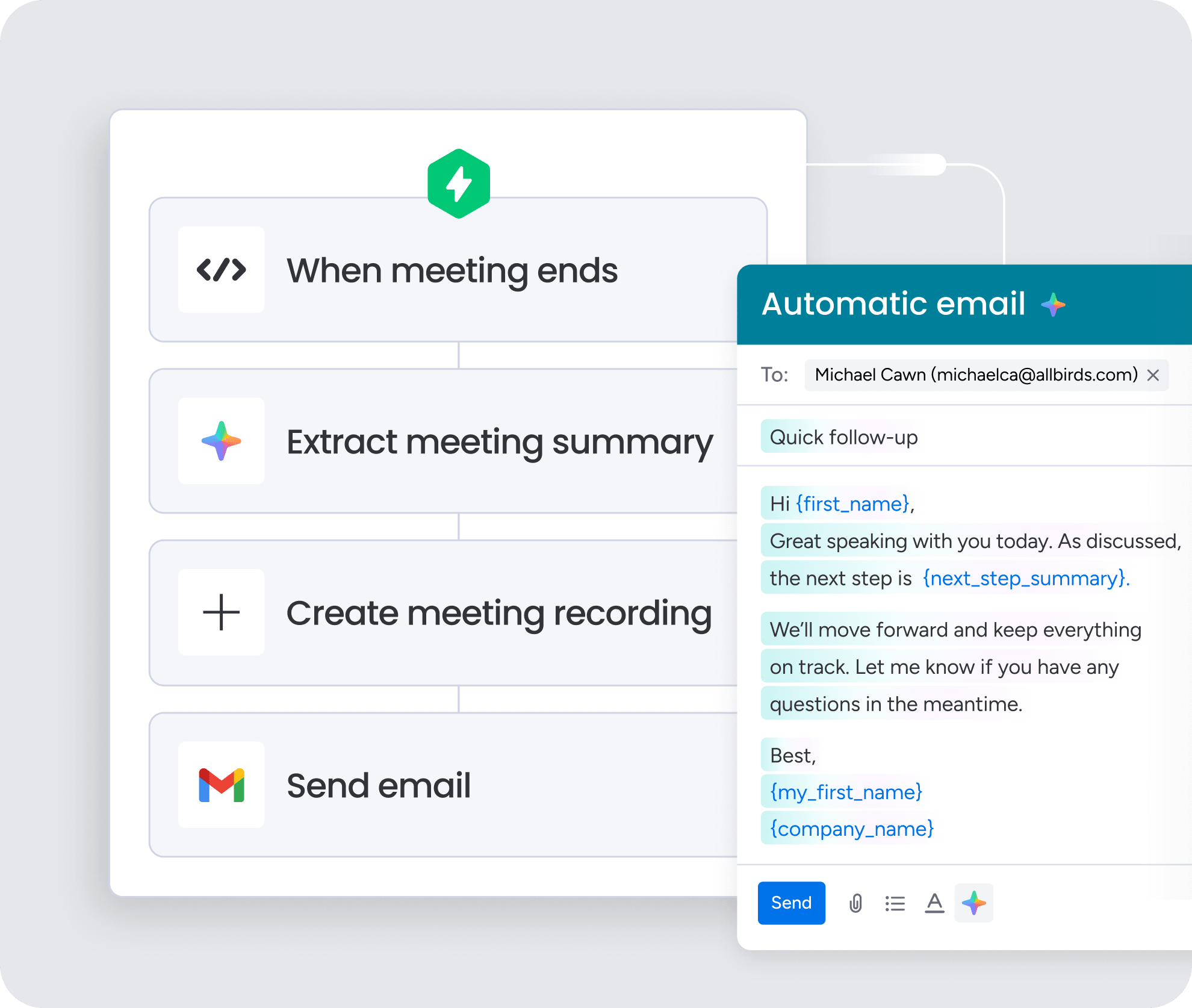
Every vendor says they have AI. That phrase covers a lot of ground. Ask for live demonstrations using your own data rather than polished demo environments built to look perfect.
Can the system draft a personalized email from real deal context on the spot? Platforms embedded in the place your team already works tend to see daily use. Separate AI interfaces often get ignored after the novelty wears off.
Step 5. Check integration depth with your tech stack
A long integrations page is not proof of anything. What matters is whether the few systems your team depends on can exchange data in both directions, trigger actions, and share context in real time.
Use the trial period to test critical workflows. Run one end to end and confirm records update properly on both sides without manual cleanup. Integration issues found after implementation are expensive, and they drain momentum fast.
Step 6. Assess adoption complexity and time to value
Some platforms ask for months of implementation, training, and admin support before they deliver anything useful. Others are usable almost immediately. That difference matters more than many teams realize.
How quickly can a new rep become productive? For most revenue organizations, faster time to value beats deeper complexity. A platform that works in 2 weeks often creates more impact than one that takes 3 months to roll out, simply because people will actually use it.
Step 7. Validate with a hands-on trial of real workflows
Skip the scripted walkthrough and hand the product to real users. Let reps complete actual tasks with live data, then pay attention to what happens next. Can a manager pull a pipeline report without asking IT for help? If everyday tasks require a training session before anyone can finish them, that is a warning sign for long-term adoption.
The right platform is not the one with the longest feature list. It is the one your revenue team uses consistently from day one. The payoff is immediate pipeline visibility and enough flexibility to adapt to different sales cycles without the usual administrative drag.
How monday CRM powers cross-functional customer engagement
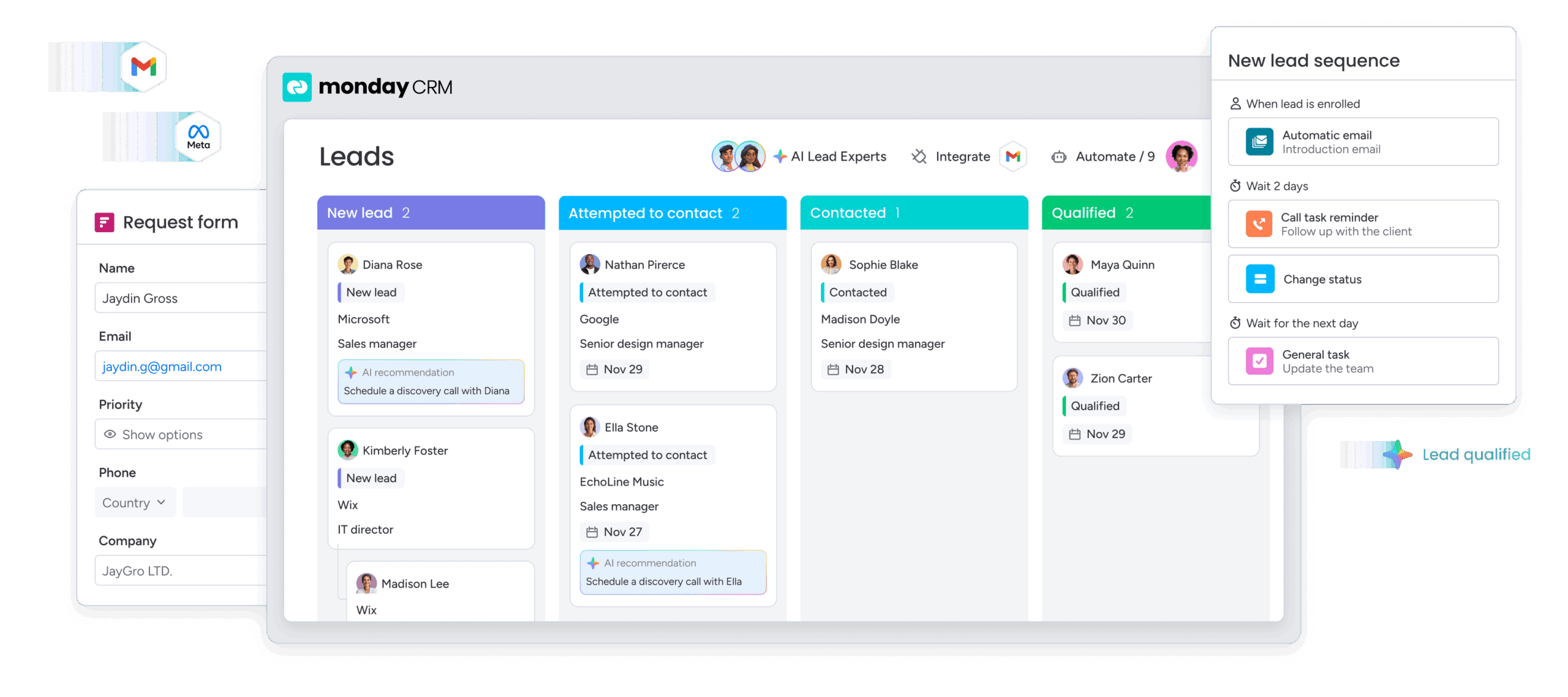
Most CRMs treat engagement as an afterthought, forcing teams to juggle multiple tabs and platforms just to reach buyers. monday CRM takes a different approach by embedding AI, automation, and cross-team visibility directly into the daily workflow. Reps write emails, trigger sequences, and track interactions from the same place they manage deals — less friction, more action.
- AI email assistant and timeline summaries: Compose personalized messages without leaving the deal record. The AI adjusts tone based on live context, while Timeline Summary condenses months of history into a quick snapshot for faster deal reviews.
- No-code customization: Adjust deal stages and automations without IT support. Conditional logic handles follow-ups automatically — if a deal stalls for 7 days, the system sends the next message.
- Centralized data across revenue teams: Deals, contacts, emails, and notes stay connected in one workspace. Customer success managers see the entire pre-sale conversation the moment they pick up an account.
- 500+ integrations with bidirectional data flow: Connect email clients, marketing platforms, and data sources without middleware. The no-code automation engine handles lead routing, status updates, and triggered sequences while AI assistants query pipeline data through natural language.
When engagement, data, and automation live in the same place your team already works, adoption becomes effortless. That is the difference between a CRM people tolerate and one they genuinely depend on.
Drive predictable revenue with the right engagement platform
The right customer engagement platform is not the one with the longest feature list — it is the one your team uses every day without friction. Focus on real bottlenecks, test workflows with live data, and choose a system where AI and automation sit inside the workspace rather than bolted on the side.
monday CRM embeds engagement directly into pipeline management, letting revenue teams automate follow-ups, draft personalized emails, and track the full customer journey in one place. Stop juggling tabs and start moving deals forward.
Try monday CRMFAQs
How is customer engagement software different from a customer data platform?
Customer engagement software differs from a customer data platform because it is built to act on data, not just collect and organize it. A customer data platform (CDP) creates unified profiles, while engagement software uses those profiles to trigger workflows and personalize interactions.
How long does customer engagement software take to implement?
Customer engagement software implementation timelines vary widely based on platform complexity and team size. No-code tools can get teams productive in days, while larger enterprise systems often take 3 to 6 months to fully deploy.
Can customer engagement software replace a CRM?
Yes, customer engagement software can replace a CRM if the platform combines engagement capabilities with CRM functionality. Many revenue teams use monday CRM to manage pipelines, automate sequences, and run AI-driven outreach from one centralized workspace.
What's the difference between marketing automation and customer engagement software?
The difference between marketing automation and customer engagement software comes down to scope: Marketing automation usually focuses on pre-sale campaign activity such as lead nurturing and scoring. Customer engagement software covers a broader span, supporting sales outreach, post-sale onboarding, and multi-channel interaction across the customer lifecycle.
How do AI agents in engagement platforms actually work?
AI agents in engagement platforms work by monitoring customer signals, analyzing historical data, and taking action without needing constant manual input. Rather than following only rigid rules, they adapt to context to draft emails, route leads, and identify at-risk accounts.
What integrations matter most for customer engagement software?
The integrations that matter most for customer engagement software are those that connect email clients, data warehouses, and communication platforms with bidirectional data flow. Deep integrations that pass context and trigger actions across systems are far more useful than a long list of shallow connections.
