


Imagine hiring a brilliant new employee who confidently answers every question but has never seen your customer records, product catalog, or team workflows. That’s an ungrounded AI: articulate, capable, and occasionally inventing facts that sound entirely plausible. AI grounding connects AI outputs to your actual data, so responses reflect what’s real rather than what’s statistically plausible. When AI assists with lead scoring, project reporting, or customer communications, accuracy matters. A fabricated deal value, a phantom customer interaction, a discontinued product recommendation: these are predictable outcomes when AI operates without verified data to reference.
In the sections ahead, you’ll learn what AI grounding is, how it works, six proven techniques, and a 5-step implementation path you can start today. You’ll also see how grounding supports AI agents across departments and what governance looks like in practice, including how solutions like monday agents ground AI in the boards, docs, and CRM data you define. Let’s begin with what grounding actually means.
Key takeaways
- Grounding stops AI from making things up: Connecting AI to your real data (CRM records, project boards, documents) means responses are based on facts, not educated guesses.
- Your data quality determines your AI quality: Before grounding anything, clean up duplicates, standardize naming, and make sure your data sources are current; garbage in, garbage out.
- Pick the right grounding technique for your data type: Document libraries need RAG, live operational data needs tool-augmented grounding, and most teams will need a combination of both.
- Governance is not optional: Set role-based access controls, define what your AI can and cannot do, and keep audit trails (especially before giving AI agents permission to take action).
- The right platform makes grounding practical from day one: Look for a solution where agents are grounded in the boards, docs, and CRM data you define, with built-in permissions, audit trails, and simulation mode so you stay in control.
What is grounding in AI?
AI grounding connects an AI model’s outputs to verified, real-world data sources so its responses are factual, relevant, and traceable instead of generated purely from patterns learned during training. Instead of guessing based on probability, the model pulls from specific sources: company databases, documents, CRM records, or live data feeds.
Without grounding, large language models (LLMs) generate responses based solely on statistical patterns absorbed from their training data. This means the model predicts the most likely sequence of words rather than looking up facts, resulting in outputs that sound confident and well-structured but may be completely wrong.
These plausible-sounding but factually incorrect outputs are known as hallucinations. Hallucinations are a natural byproduct of how ungrounded models work, rather than isolated glitches or rare errors.
Think of it this way: grounding is like giving a new employee access to the company handbook, customer records, and project boards on their first day, rather than asking them to guess answers based on general knowledge they picked up elsewhere.
The new hire is still smart and capable, but without access to your specific information, their answers will be generic at best and wrong at worst.
Grounding is a deliberate architectural choice. It doesn’t happen automatically when you deploy an AI model. Using AI and grounding AI are two different things:
- An ungrounded AI can still generate text, summarize content, and answer questions, but it will do so based on general patterns rather than your actual data.
- Grounding is the intentional step of connecting that AI to the specific, verified information it needs to be useful in your context.
How AI grounding works
Understanding how grounding works helps you choose the right approach for your workflows. Let’s break down what AI models know (and don’t know) without grounding, how the grounding process works, and the two primary approaches organizations use.
How AI models get their knowledge without grounding
LLMs are trained on massive datasets scraped from the internet, books, academic papers, and other public sources. Through this training, the model learns patterns, relationships between words, and how information is structured. But it does not “know” facts the way a database does. It predicts what text is most likely to come next based on what it has seen before.
This training data has a cutoff date. Everything created after that date, including new product launches, recent customer interactions, updated policies, and last quarter’s sales numbers, does not exist in the model’s knowledge. It also has no access to private or proprietary data, such as your CRM records, internal documents, sales pipelines, customer histories, or team workflows are invisible to it.
The result is a model that generates responses by pattern-matching, not fact-checking. It produces text that reads like an informed answer, but without any mechanism to verify whether that answer reflects reality.
These limitations explain why grounding matters for any organization relying on AI for operational decisions:
- Outdated information: Responses may reflect data that is months or years old, with no indication that the information has changed since the model was trained.
- No organizational context: The model knows nothing about your specific customers, deals, team structures, or workflows. It cannot reference a deal stage, a customer’s purchase history, or a project timeline because it has never seen that data.
- Confident inaccuracies: The model states incorrect information with the same tone and certainty as correct information. There is no built-in signal that distinguishes a verified fact from a plausible guess.
- No source attribution: There is no way to trace where an answer came from or verify it against a specific record, document, or data point.
These limitations are what make the hallucination problem a practical business risk rather than a theoretical concern, a point underscored by the fact that 74% of organizations identify inaccuracy as a highly relevant AI risk as adoption expands, according to McKinsey’s 2026 AI Trust Maturity Survey.
How grounding connects AI outputs to verified data
Grounding inserts a retrieval and context layer between the user’s question and the AI’s response. Instead of relying solely on training data, a grounding system searches connected data sources for relevant, current information and feeds it to the model before it generates an answer.
Here’s how it works across most grounding implementations:
- A user submits a query or prompt to the AI system, for example, “What’s the status of the Acme Corp deal?” or “Summarize this week’s project risks.“
- The grounding layer intercepts the query and searches connected data sources, including databases, documents, knowledge bases, CRM records, and project boards, for information relevant to the question.
- Retrieved data is injected into the prompt alongside the user’s original question, giving the model specific, verified context to work with rather than relying on general knowledge.
- The AI generates a response informed by both its general language capabilities and the specific retrieved data. It can synthesize, summarize, and reason about the information, but now it has factual anchors to draw from.
- The response can be traced back to the source data, making it verifiable and auditable. A team member can check whether the AI’s summary of a deal status actually matches the CRM record it referenced.
The key insight: grounding doesn’t replace the AI model’s reasoning ability. It supplements it with factual anchors. The model still generates natural language, still synthesizes information, and still provides useful analysis, but now it has verified reference material to draw from instead of relying solely on patterns from its training data.
Static grounding vs. dynamic grounding
Grounding strategies fall into two categories based on how frequently the underlying data changes. Here’s how they compare:
| Approach | How it works | Best for |
|---|---|---|
| Static grounding | Fixed reference material that doesn't change between queries. | Company policies, product specs, SOPs. |
| Dynamic grounding | Real-time retrieval from live data sources at query time. | Deal statuses, project timelines, inventory levels. |
Most enterprises combine both approaches. An AI assistant might be statically grounded in the company’s sales methodology and deal qualification criteria while dynamically pulling live deal data from the CRM every time a sales rep asks for a pipeline summary.
Why grounding AI matters for business teams
Grounding goes well beyond a technical consideration. It has direct consequences for how reliably your teams can act on AI-generated outputs. Here are the three core business reasons grounding matters: reducing fabricated outputs, making AI responses auditable, and enabling meaningful personalization.
Reducing AI hallucinations and fabricated outputs
Hallucinations aren’t abstract—they waste time, damage relationships, and derail decisions. Ungrounded AI can fabricate customer histories, invent contract terms, or suggest follow-ups for deals that never existed.
For sales and CRM teams, acting on fabricated data means:
- Reaching out about conversations that never happened.
- Quoting terms that were never agreed upon.
- Prioritizing phantom pipeline opportunities.
Grounding eliminates these risks by anchoring every AI response to actual records. The AI still synthesizes and summarizes, but now it works from verified data instead of statistical guesses.
Making every AI response traceable and auditable
Grounded AI points back to its source: a specific board entry, document, or CRM record. Teams can verify outputs before acting. When a sales manager reviews a pipeline summary, they can confirm each deal status and revenue figure references an actual record, not a model’s best guess.
Traceability is now a baseline requirement for AI at scale. Enterprises need proof that AI decisions are based on real data, especially in regulated industries. An AI drafting customer communications or compliance reports needs to show its work.
Improving personalization with your organization’s own data
Without grounding, AI offers only generic advice. It can’t reference your customer segments, deal stages, or historical performance. With grounding, AI becomes context-aware. It understands your specific deal stages, highest-converting segments, and proven project templates.
Consider this: a grounded AI agent analyzing a CRM board identifies that a lead matches your highest-converting customer profile and recommends a tailored outreach sequence based on what’s worked for similar leads. An ungrounded model could never do this—it has no access to your conversion data or outreach history.
monday agents delivers this level of grounding out of the box. Agents like Lead Scorer, Risk Analyzer, and Status Reporter draw from the boards, docs, and CRM data you define, so every action reflects real work rather than approximations.
Try monday agentsAI grounding vs. RAG: what's the difference?
If you are researching AI grounding, you will frequently encounter the term RAG (retrieval-augmented generation) and may wonder whether the two concepts are the same thing. Here’s the relationship: RAG is one specific technique for implementing AI grounding. Grounding is the broader concept that encompasses multiple approaches.
| Dimension | AI grounding | RAG |
|---|---|---|
| What it is | The overarching practice of connecting AI outputs to verified, real-world data | A specific architecture that retrieves relevant documents before generating a response |
| Scope | Encompasses multiple techniques (RAG, knowledge graphs, prompt engineering, fine-tuning, and more) | One method within the grounding toolkit |
| Data sources | Can include databases, APIs, live systems, knowledge graphs, documents, and structured work data | Typically focused on document retrieval from a vector database |
| Analogy | "Grounding" is like "transportation" — the broad category | "RAG" is like "taking the train" — one effective way to get there |
RAG is the most widely discussed grounding technique because it was one of the first practical methods for connecting LLMs to external data, and it remains one of the most accessible to implement. The RAG market is estimated at $1.94B in 2025 and projected to reach $9.86B by 2030, according to MarketsandMarkets, reflecting the scale of enterprise investment in this approach. Still, it’s one of several options. For many business workflows, especially those involving structured data like CRM records, project boards, and operational systems, other grounding methods may deliver stronger results on their own or in combination with RAG.
6 proven AI grounding techniques
The right grounding technique depends on your data type, workflow, and how much autonomy you want your AI to have. Here are six proven methods, with practical examples for each.
1. Retrieval-augmented generation (RAG)
RAG searches a knowledge base or document repository for relevant information before generating a response, then uses that retrieved content as context. Documents are converted into numerical representations (called embeddings) and stored in a specialized database optimized for similarity search. When a user asks a question, the system finds the most relevant document chunks based on how closely they match the query and feeds those chunks to the AI model alongside the original question.
- Best for: Organizations with large document libraries, knowledge bases, SOPs, or policy documents they want AI to reference accurately.
- Practical example: A customer support agent asks the AI, “What is our refund policy for enterprise clients?” RAG retrieves the relevant section from the company’s policy document and the AI generates a response grounded in that specific text.
2. Knowledge graph grounding
Knowledge graph grounding connects AI to a structured network of entities and their relationships (such as customers linked to deals, deals linked to products, and products linked to teams), rather than unstructured text documents.
- Best for: Organizations where relationships between data points matter as much as the data itself, common in CRM, supply chain, and project management contexts.
- Practical example: An AI agent asked “What deals are at risk this quarter?” can traverse the knowledge graph to identify deals where the assigned rep is overloaded, the customer’s engagement score has dropped, and the contract renewal date is approaching.
3. Prompt grounding with enterprise context
Prompt grounding embeds specific organizational context (role definitions, data schemas, business rules, or workflow descriptions) directly into the system prompt or instructions that guide the AI’s behavior.
- Best for: Scenarios where the context is relatively stable and can be defined upfront, such as role-specific AI assistants or standardized business processes.
- Practical example: A CRM-focused AI assistant is prompt-grounded with the organization’s sales methodology and naming conventions. Every response the assistant generates aligns with the team’s actual process.
4. Domain-specific fine-tuning
Fine-tuning involves further training an AI model on a curated dataset specific to your industry, domain, or organization. The model’s baseline knowledge then reflects your specialized terminology and patterns.
- Best for: Industries with highly specialized terminology or workflows where general-purpose models consistently misunderstand context, such as legal, medical, or financial services.
- Practical example: A legal team fine-tunes a model on thousands of contract templates so it understands clause structures and legal terminology.
5. Grounding verification and guardrails
Grounding verification refers to the automated checks and human oversight mechanisms that validate whether an AI’s output is actually grounded in the referenced data.
- Best for: High-stakes workflows where accuracy is non-negotiable, including customer communications, financial reporting, and compliance documentation.
- Practical example: An AI drafts a customer proposal referencing deal terms. Before sending, a verification layer checks each stated term against the actual CRM record and flags any discrepancies for human review.
6. Tool-augmented grounding for AI agents
Tool-augmented grounding gives AI agents the ability to call external systems, APIs, and platforms in real time to retrieve or verify information instead of relying solely on pre-loaded documents or databases.
- Best for: Autonomous or semi-autonomous AI agents that need to take actions across multiple systems: not just answer questions but actually update records or trigger workflows.
- Practical example: An AI agent asked to “prepare a weekly sales summary” uses tool-augmented grounding to pull current pipeline data from the CRM and cross-reference it with meeting notes from the calendar integration.
How to implement AI grounding effectively
Implementing AI grounding doesn’t require a complete infrastructure overhaul. The most successful rollouts follow a phased approach: start with one high-impact workflow, validate the results, then expand systematically. The five steps below give you a practical path from initial scoping to ongoing refinement, whether you’re grounding a single AI assistant or preparing to deploy autonomous agents across departments.
Step 1: Identify high-value workflows to ground first
Start with one or two workflows where grounding will deliver the most visible impact. Start with one or two workflows where grounding will deliver the most visible impact. The best starting workflows share a few characteristics:
- They’re performed frequently.
- They involve data that already exists in structured systems.
- The cost of an AI error is high.
Step 2: Prepare and connect your data sources
Grounding quality depends entirely on data quality. Before connecting data sources, audit them for readiness: standardize naming conventions, remove duplicates and stale records, map data relationships, and establish update cadences.
Step 3: Select the right grounding approach for your needs
The right starting point depends on the type of data you are grounding in and the level of autonomy you want your AI to have. Most organizations will combine multiple approaches as they mature.
Step 4: Build verification and feedback loops
Grounding is not a “set and forget” implementation. During the initial rollout, a human-in-the-loop approach is essential. Components include output sampling, user flagging, source tracking, and iteration cycles.
Step 5: Monitor and refine grounding quality
Grounding quality can degrade over time. Establishing key quality indicators gives you an early warning system: track source coverage, accuracy rate, user trust signals, and data freshness.
How grounding AI supports agents and autonomous workflows
What happens when AI moves from “assist me” to “act for me”? Grounding becomes even more critical. An agent that takes actions and makes decisions needs anchored, current data at every step.
Why AI agents need grounding across the full work context
The value of grounding multiplies when agents can access structured data that spans organizational boundaries, not just one department’s records, but the connections between departments.
Process grounding vs. document-based grounding
Not all grounding strategies serve the same purpose. Document-based grounding works well for static reference material, while process grounding connects AI to the live operational data that drives daily work.
| Dimension | Document-based grounding | Process grounding |
|---|---|---|
| What it grounds in | Text content from files, articles, and knowledge bases | Live workflow data, including statuses, owners, deadlines, dependencies |
| Best for | Q&A, content generation, policy reference | Operational decisions, workflow automation, status reporting |
| Update frequency | Periodic (when documents are revised) | Continuous (as work progresses in real time) |
Keeping agents permission-aware and auditable
Permission-aware grounding means the agent’s data access mirrors the permissions of the person it is acting on behalf of. Key requirements include role-based data access, action boundaries, audit trails, and simulation mode.
Why governance is the foundation of grounded AI
Grounding AI in organizational data is only as trustworthy as the controls around it. Strong governance gives leaders confidence that AI outputs align with business rules, compliance requirements, and employee permissions.
- Role-based access: AI accesses only the data the requesting team member is authorized to see, preserving confidentiality across departments.
- Human oversight: Sensitive actions route to a person for approval before execution, keeping accountability with decision-makers.
- Regulatory alignment: Data sources, retrieval events, and generated outputs stay auditable to meet industry compliance standards.
Grounding AI in organizational data is only as trustworthy as the controls around it. Governance pillars include role-based access, human oversight, and regulatory alignment.
Execute AI grounding with monday agents
Teams get grounded AI without heavy engineering work because monday agents is built on a shared data layer that surfaces the organizational context AI needs. Every agent draws from the docs, PDFs, and boards you designate as context, so actions reflect real work rather than approximations.
The platform delivers grounding capabilities that span the full spectrum of business workflows, from lead prioritization to risk detection to automated reporting. Agents stay permission-aware, auditable, and aligned with your team’s actual data structures, giving you production-ready AI grounding from day one.
Context-aware agents grounded in your work data
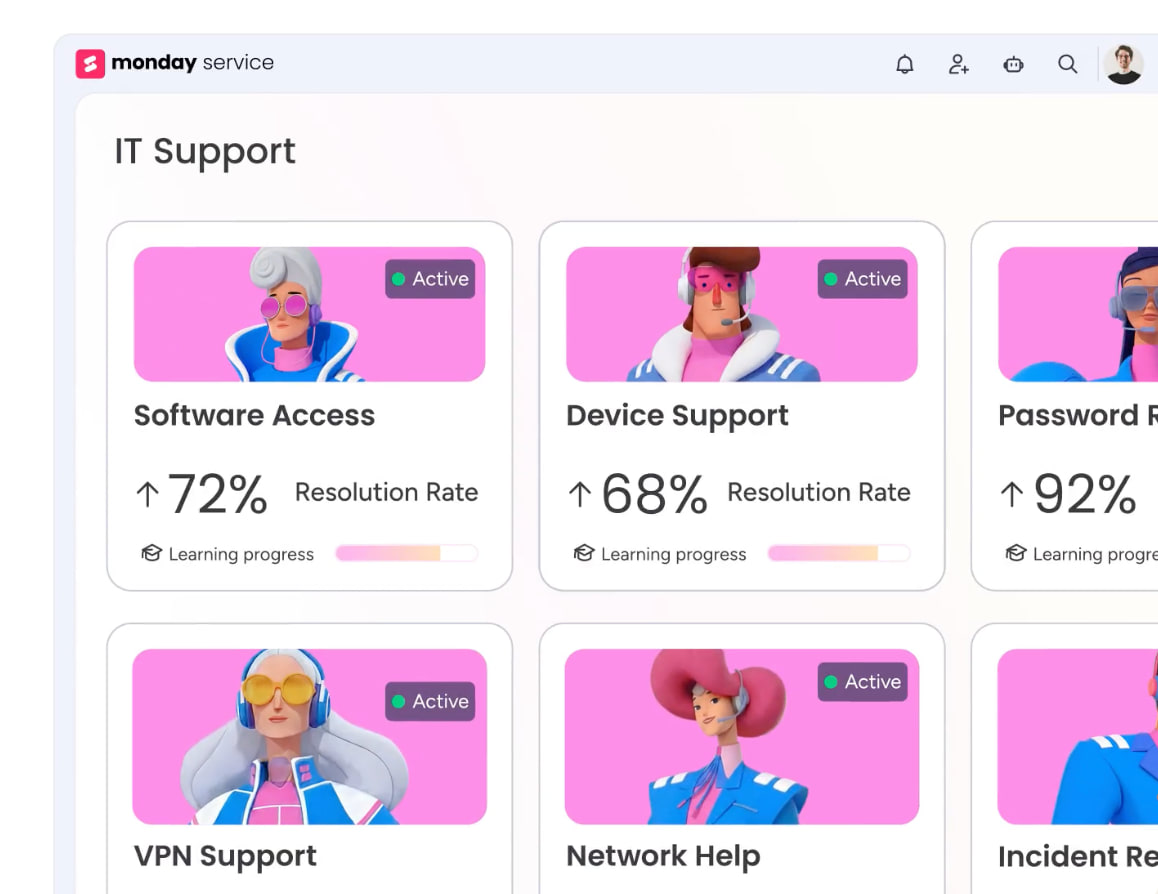
monday agents like Lead Scorer, Risk Analyzer, and Status Reporter operate directly on the boards, docs, and CRM records you define as their context. Each agent retrieves live data at query time, ensuring outputs reflect current deal stages, project statuses, and team workloads. The AI understands your specific workflows because it’s grounded in the same operational data your teams update daily.
Built-in permissions and role-based data access
Agents respect the same access controls that govern human users, so team members only see insights derived from data they’re authorized to view. This permission-aware grounding prevents data leakage across departments while maintaining the contextual richness agents need to deliver accurate recommendations. Security and personalization work together rather than in tension.
Simulation mode for safe agent deployment

Before giving agents permission to take autonomous actions, test their behavior in simulation mode. Review what the agent would do, validate that its grounding sources are correct, and confirm outputs align with business rules. This controlled rollout approach lets you refine agent instructions and data connections before moving to production.
Audit trails for every AI decision and action
Every agent interaction generates a traceable record showing which data sources were accessed, what logic was applied, and what action was taken or recommended. These audit trails give compliance teams the documentation they need and give business leaders confidence that AI decisions are grounded in verifiable facts rather than statistical guesses.
Ground your AI in real work, not guesswork
AI grounding transforms capable models into reliable business tools by connecting outputs to verified organizational data. The techniques covered here (RAG, knowledge graphs, prompt grounding, fine-tuning, verification guardrails, and tool-augmented grounding) give you a practical toolkit for reducing hallucinations, making AI responses auditable, and enabling meaningful personalization across workflows. Start with one high-value workflow, prepare your data sources, select the right grounding approach, build verification loops, and monitor quality over time.
The platform you choose determines how quickly you can move from concept to production. monday agents delivers grounded AI out of the box, with agents like Lead Scorer, Risk Analyzer, and Status Reporter drawing from the boards, docs, and CRM data you define. Every action reflects real work, permissions stay intact, and audit trails keep you in control. When AI is grounded in the context that matters to your team, it stops being a risk and starts being a reliable partner in execution.
Try monday agentsFAQs
Can AI grounding completely eliminate hallucinations?
Grounding significantly reduces hallucinations by anchoring AI outputs to verified data, though some residual risk always remains. For best results, pair grounding with verification mechanisms and human oversight. The goal is to make hallucinations rare enough that they don't undermine trust or disrupt workflows.
How much data do I need to start grounding AI effectively?
Even a single well-structured data source can provide meaningful grounding for targeted workflows. Begin with your highest-value dataset, such as a CRM board or a knowledge base, then expand grounding sources as your team builds confidence in the outputs. Quality and relevance matter more than volume when you're starting out.
Does grounding slow down AI response times?
Grounding adds only milliseconds to seconds of latency in most retrieval systems, and that small tradeoff is far outweighed by the gains in accuracy and trust. For time-sensitive workflows, optimize your data architecture and indexing to keep retrieval fast without sacrificing grounding quality.
What's the difference between grounding and fine-tuning an AI model?
Fine-tuning adjusts a model's baseline knowledge through additional training on specialized data, while grounding connects the model to external data sources at query time. Fine-tuning changes what the model "knows," while grounding gives it real-time access to current information. Most organizations benefit from combining both approaches.
Can I ground AI in multiple data sources simultaneously?
Yes, and most production implementations do exactly that. An AI agent might be grounded in CRM records, project boards, knowledge base articles, and live calendar data all at once. The key is ensuring your grounding architecture can prioritize and synthesize information from multiple sources without creating conflicts or confusion.

 Get started