


What if your AI could answer questions using your company’s actual data — not just what it learned during training? Retrieval-augmented generation (RAG) connects AI to your knowledge bases, CRM records, and internal documents, turning plausible-sounding guesses into accurate answers grounded in real information.
This guide walks through how RAG works, the 4-step pipeline that powers it, and how it compares to other AI customization approaches like fine-tuning. You’ll see practical examples across sales, HR, operations, and product teams, plus how to start applying RAG to your own workflows.
Key takeaways
- AI that makes things up is a business risk. RAG grounds AI responses in real, verified sources, so your team gets accurate answers, not confident-sounding guesses.
- By connecting AI to your own documents, CRM records, and knowledge bases, RAG gives it the context a general-purpose model never has.
- Updating a RAG system is as simple as adding new documents, without expensive retraining, and your AI stays current.
- Identify workflows where your team asks AI company-specific questions. Those are the highest-value places to apply RAG first.
- Platform-based approaches let teams create secure, AI-powered apps connected to real business data, without custom infrastructure.
What is RAG (retrieval-augmented generation)?
Retrieval-augmented generation (RAG) is a technique that enhances large language models (LLMs) by connecting them to external data sources, so they retrieve relevant information before generating a response. Instead of relying only on what the model learned during training, RAG gives the AI access to up-to-date and specific knowledge the moment a question is asked, grounded in actual sources.
Think of an LLM without RAG as a student taking a closed-book exam: they can only draw on what they memorized during study sessions. RAG turns that into an open-book exam, where the student can consult a reference library before answering. The answers become more accurate, more specific, and verifiable because they’re anchored to real material rather than memory alone.
The name describes the 3 core actions in the process:
- Retrieval: The system searches external knowledge sources to find information relevant to the user’s question.
- Augmented: The retrieved information is added to the prompt sent to the LLM, enriching the context before generation.
- Generation: The LLM produces a response informed by both its general language training and the freshly retrieved, specific data.
RAG was introduced in a 2020 research paper by Meta AI and has since become one of the most widely adopted patterns for making AI systems more accurate and trustworthy in real-world business applications — reflected in a market estimated at $1.94 billion in 2025 and projected to reach $9.86 billion by 2030.
RAG vs. fine-tuning and other AI customization methods
So how does RAG stack up against other ways to customize AI behavior? Each method serves a different purpose, and knowing when to use each one helps teams invest wisely and avoid over-engineering solutions.
| Dimension | RAG | Fine-tuning | Prompt engineering |
|---|---|---|---|
| What it does | Connects the LLM to external data at query time | Adjusts the LLM's internal weights with custom training data | Crafts specific instructions within the prompt |
| Best for | Factual accuracy, current data, domain-specific knowledge | Changing the model's tone, style, or reasoning patterns | Simple behavioral adjustments |
| Data freshness | Real-time | Static | No data access beyond the prompt |
| Cost | Moderate | High | Low |
RAG is the right choice when AI needs to reference large, frequently updated knowledge bases, factual accuracy and source citation are required, and the organization wants to keep sensitive data separate from the model itself.
Why retrieval-augmented generation matters for AI
LLMs are powerful, but they have fundamental limitations that make them unreliable for business-critical work without extra grounding. They can generate fluent, confident-sounding text about topics they know nothing about, and they have no way to tell you when they’re wrong. Here’s why that gap matters and how RAG fixes it.
LLMs have a knowledge cutoff
Every LLM is trained on a dataset with a fixed end date. Once training is complete, the model has no awareness of events, product changes, pricing updates, or market developments that occurred after that cutoff.
This creates real problems for business teams. Consider a sales rep asking an LLM about a prospect’s latest quarterly earnings. The model either won’t know or will fabricate an answer that sounds plausible. This phenomenon has a name — “hallucination” — where the model generates information that appears authoritative but has no factual basis.
47% of organizations reported at least one negative consequence from genAI use, with inaccuracy cited as the risk most organizations are actively working to mitigate (McKinsey)
RAG solves this by letting the model pull current information from live or regularly updated sources the moment someone asks a question.
General LLMs don’t know your business
General-purpose LLMs are trained on publicly available internet data. They know nothing about a company’s internal documents, CRM records, sales playbooks, support tickets, or proprietary research.
A sales manager asking “What were the key objections in our last 3 calls with Acme Corp?” needs an answer drawn from actual call notes and the CRM database, not a generic list of common sales objections.
RAG bridges this gap by connecting the LLM to an organization’s own knowledge bases, databases, and documents. The AI generates responses that reflect the company’s specific context, terminology, and data.
How does retrieval-augmented generation work?
RAG follows a 4-step pipeline that happens in near real-time every time someone asks a question. From the user’s perspective, the experience is simple: Ask a question, get an accurate answer. Behind the scenes, each step plays a distinct role in making that answer trustworthy.
Step 1: Prepare and index external data
Before RAG can work, you need to prepare the organization’s knowledge sources for retrieval. It’s a one-time setup process, with ongoing updates as you add new content.
The data preparation pipeline has 4 key components:
- Data sources: Documents, PDFs, knowledge base articles, CRM records, spreadsheets, wikis, and support tickets.
- Chunking: Splitting large documents into smaller, meaningful segments so the system can retrieve specific passages rather than entire files.
- Embedding: Converting each chunk into a numerical representation called a “vector embedding” that captures its meaning.
- Storage: Placing these embeddings in a specialized database called a “vector database,” optimized for finding similar content quickly.
Step 2: Retrieve relevant information
When a team member submits a query, the system converts that query into a vector embedding using the same process applied to the knowledge base content. It then searches the vector database for chunks whose embeddings are most similar to the query’s embedding.
This approach is called “semantic search” because it matches meaning, not keywords. A query like “How do we handle returns for damaged products?” will find relevant content even if the source document uses phrases like “defective merchandise exchange policy.”
Step 3: Augment the LLM prompt with context
The system inserts the retrieved chunks into the prompt sent to the LLM, alongside the user’s original question. This “augmented prompt” gives the model specific, relevant context it wouldn’t otherwise have.
| Scenario | What the LLM receives | Result |
|---|---|---|
| Without RAG | What is our return policy? | The LLM guesses based on general training data |
| With RAG | What is our return policy? [Here is the relevant excerpt from the company's return policy document...] | The LLM answers based on the actual policy |
Step 4: Generate a grounded response
The LLM generates its response using both its general language capabilities and the specific context you’ve provided. Good RAG systems also include source references in the output, so team members can verify exactly where the information came from.
Try monday vibe7 benefits of retrieval-augmented generation
RAG delivers clear advantages over using standalone LLMs for business workflows. These benefits grow as more teams adopt RAG across the organization.
- More accurate and factual AI responses: By giving the LLM verified source material at query time, RAG cuts down on hallucinations.
- Access to current and domain-specific data: Unlike retraining a model, updating a RAG system’s knowledge base is as simple as adding new documents.
- Stronger data security and access control: RAG architectures can enforce access permissions at the retrieval layer.
- Cost-effective AI scaling without retraining: You can expand the AI’s knowledge just by adding documents to the knowledge base.
- Traceable outputs that build team member trust: RAG systems can cite their sources, showing team members exactly which documents informed the response — a capability that matters more than ever given that 86% of workers treat AI output as a starting point, not a final answer, according to Microsoft’s 2026 Work Trend Index.
- Modular architecture for ongoing optimization: You can upgrade each component independently as better options emerge.
- Expanded AI capabilities across teams: Sales teams can query CRM data conversationally, marketing teams can generate content based on brand guidelines, and support teams can surface accurate answers from knowledge bases.
4 key components of a RAG system architecture
Understanding RAG’s architecture helps teams evaluate solutions and decide what to build. Each component plays a specific role, and knowing what each one does makes it easier to assess whether a RAG system will meet your needs.
1. The knowledge base
The knowledge base is the collection of all external data sources the RAG system can access. It typically draws from 3 types of data:
- Unstructured data: PDFs, emails, and free-text documents.
- Structured data: CRM records and spreadsheets.
- Semi-structured data: JSON files and tagged knowledge base articles.
2. The retriever
The retriever finds the most relevant information from the knowledge base in response to a query. Production systems use 2 main approaches:
| Retrieval approach | How it works | Best for |
|---|---|---|
| Dense retrieval (semantic search) | Uses vector embeddings to match meaning | Natural language questions, conceptual queries |
| Sparse retrieval (keyword-based) | Uses traditional keyword matching | Product names, error codes, technical identifiers |
Many production systems use “hybrid retrieval,” combining both approaches for stronger results.
3. The integration and orchestration layer
This layer coordinates the flow between the user’s query, the retriever, and the LLM. It handles query preprocessing, prompt construction, and response post-processing, keeping every step connected and sequenced correctly.
4. The generator (LLM)
The generator is the LLM that produces the final response. It takes the augmented prompt and generates a natural language answer that turns the retrieved information into something actionable.
RAG examples for business teams
RAG’s real value shows up when you apply it to specific business workflows where accuracy, recency, and domain knowledge matter. Teams across functions are using RAG to build experiences that would be impossible with a general-purpose LLM alone.
Here’s how different teams are putting RAG to work:
- Operations leaders: Building cross-team SOP search portals that retrieve from policy docs and board data
- Product managers: Creating release notes generators grounded in actual feature boards
- Sales teams: Developing account health dashboards that retrieve recent activity and risk signals
- HR teams: Deploying policy Q&A assistants that retrieve from HR docs while respecting confidentiality
These applications go far beyond chatbots. RAG also powers sales forecasting dashboards connected to CRM and pipeline data, incident response workspaces that retrieve playbooks and past tickets, and campaign trackers with competitive insights.
Try monday vibeHow RAG powers AI agents and autonomous workflows
RAG is increasingly being used not only for question-answering but as a foundational capability for AI agents: autonomous systems that can plan, reason, and take actions on behalf of users. This shift from retrieval to action is where RAG’s potential really matters for business teams.
Unlike a traditional chatbot that simply answers questions, an AI agent often needs to make decisions and complete multi-step workflows. Before it can decide what to do next, it needs accurate, up-to-date context. RAG provides that context by retrieving the latest information from knowledge bases, CRM records, project boards, or internal documentation before the agent reasons through the task. That allows agents to act on current business information instead of relying only on what the model learned during training.
The key difference between standard and agentic RAG:
| RAG type | What it does | Output |
|---|---|---|
| Standard RAG | Retrieves information and generates an accurate, sourced answer | A response |
| Agentic RAG | Retrieves information, reasons about it, and then takes action | Multi-step workflows executed autonomously |
AI agents without RAG are limited to their training data and whatever information you pass to them in a single prompt. For agents to make good decisions on their own, they need access to the latest contextual data. RAG provides exactly that: current context, organizational knowledge, and evidence-based reasoning.
For example, a sales AI agent might retrieve the latest CRM activity, recent customer emails, and open support tickets before deciding whether to send a follow-up, escalate an opportunity, or notify a sales manager. An operations agent could retrieve the latest SOPs and project updates before coordinating work across teams. In both cases, retrieval ensures the agent acts on the organization’s up-to-date knowledge rather than outdated assumptions.
When to build custom RAG infrastructure vs. use a platform
Teams evaluating RAG face a fundamental decision: build custom infrastructure or use platform-native capabilities. The right choice depends on your resources, requirements, and how fast you need to move.
Custom infrastructure makes sense when you need:
- Highly specialized retrieval logic
- Unique data sources requiring custom connectors
- Complete control over every component
Note: This path requires dedicated ML and engineering resources.
A platform approach works well when you want to:
- Move from idea to working app quickly
- Build in the same system where your data already lives
- Reduce ongoing maintenance burden
- Have governed, permission-aware experiences by default
Build RAG-powered apps with monday vibe
For teams that want to apply RAG principles without building custom infrastructure, monday vibe gives them a fast path from idea to working app, connected to the data they already trust. It’s an AI-powered app builder that turns simple prompts into custom, secure business apps on monday.com.
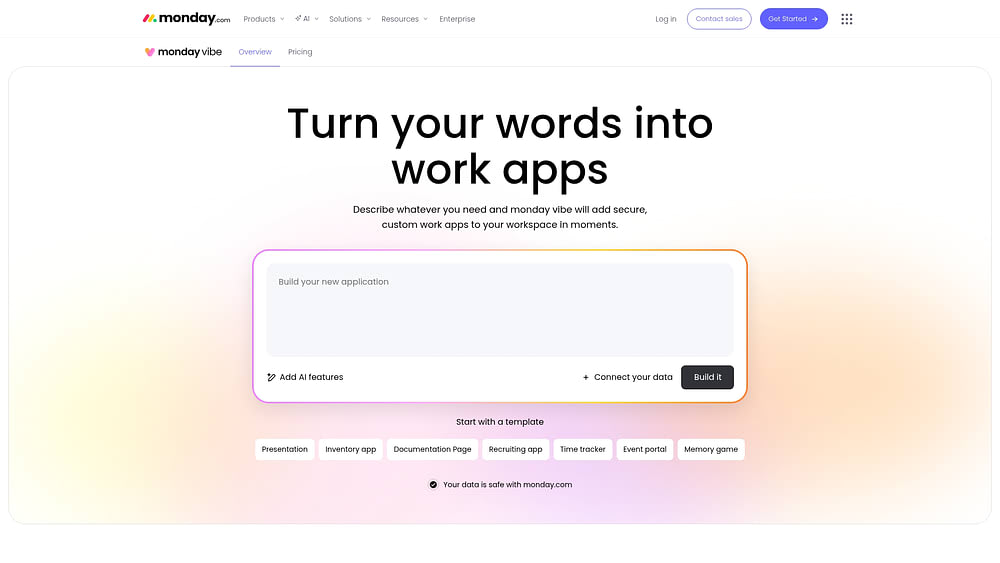
The platform enables teams to:
- Connect data across workflows: Build apps that connect to as many as 5 boards, aggregating data in one place.
- Incorporate AI capabilities: Search the web, generate insights, create content, and power chatbots that use provided knowledge materials.
- Create retrieval-powered experiences without code: Build a competitor analysis app that searches data online and creates battle cards, or a dashboard with AI-generated insights about project status.
Every app built with monday vibe runs on monday.com’s enterprise infrastructure, with detailed permissions and governance included by default. Apps are private by default, and admins control who can publish, ensuring that retrieval-powered capabilities respect existing access controls.
Putting RAG to work in your organization
RAG turns AI from a guessing machine into a grounded decision-making tool by connecting it to your actual business data. The key is identifying where your team asks company-specific questions. These are the workflows where RAG replaces confident-sounding guesses with accurate, sourced answers that teams can trust.
Ready to put RAG to work without building custom infrastructure? monday vibe lets you build retrieval-powered apps in minutes, connected to the data you already have, with enterprise governance built in from day one.
Try monday vibeFAQs
Can RAG work with structured data like CRM records and spreadsheets?
RAG works with both structured and unstructured data, though structured data often needs an extra step to convert records into text or use specialized retrieval methods.
What is the difference between RAG and semantic search?
Semantic search is one component of a RAG system, specifically the retrieval step. RAG is the complete pipeline that retrieves information and then uses an LLM to generate a natural language response.
How do you measure whether a RAG system is performing well?
Teams typically measure RAG performance across 2 dimensions. The first is retrieval relevance, which is whether the system finds the right source documents. The second is generation faithfulness, or whether the LLM's response accurately reflects the retrieved sources.
When should a business use RAG for internal knowledge apps?
RAG is valuable when teams need AI that answers questions about company-specific information, when accuracy and source citation matter, or when you want to keep sensitive data separate from the model itself.

 Get started